|

|
Processed through Paypal No account required. |








Buy our over-priced crap to help pay the bills.



|
|
Processed through Paypal No account required. |
| Files | ||||
| File Name | Rating | Downloads | ||
 |
Advanced PortChecker v2.3.0 Advanced PortChecker v2.3.0 👉 Scan your network for open ports quickly and easily. Advanced PortChecker is a free and open source port checker that lets you scan hosts and networks for open ports in seconds. It supports multiple platforms, offers a clean graphical interface, and can export scan results in HTML, JSON, CSV or plain text formats. Features: • Scan TCP/IP ports on hosts or networks • Check whether ports are open or closed • Fast scanning performance • Export results as HTML, JSON, CSV or plain text • Similar interface across desktop platforms • Theme and preference options • Automatic update control • Open source and free to modify • Privacy-friendly: no ads, trackers or data collection • Can be compiled manually for other platforms Supported operating systems: • Windows • macOS • Linux • Android Supported languages: English, Dutch, French, Spanish, Chinese, Italian, Japanese Changes: v2.3.0 11-15-25 Added Japanese localization. Updated dependencies. Included Linux ARM preview builds and tests. Upgraded Yarn and Rust version. Added minor design upgrades. Changed runner actions. Improved stability across all platforms. This download is for the Windows version (very bottom of page). All other download assets are below: macOS: advanced-portchecker_2.3.0_aarch64.dmg advanced-portchecker_2.3.0_x64.dmg Linux: advanced-portchecker_2.3.0_amd64.deb advanced-portchecker_2.3.0_arm64.deb advanced-portchecker-2.3.0-1.x86_64.rpm advanced-portchecker-2.3.0-1.aarch64.rpm advanced-portchecker_2.3.0_amd64.AppImage advanced-portchecker_2.3.0_aarch64.AppImage advanced-portchecker_x64.app.tar.gz advanced-portchecker_aarch64.app.tar.gz Click here to visit the author's website. |
 |
6,499 | Jun 11, 2026 CodeDead 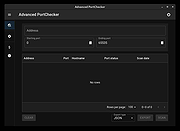 |
|
Aegisub v3.4.2 Aegisub v3.4.2 👉 Advanced cross-platform subtitle creation, timing, and editing software. Aegisub is a free, open-source subtitle editor designed for creating, modifying, timing, and styling subtitles for video content. It provides powerful tools for subtitle synchronization, visual typesetting, karaoke effects, and subtitle formatting while offering a built-in real-time video preview. Aegisub is widely used by subtitle creators, translators, fansub groups, and video editors who need precise control over subtitle appearance and timing. The program supports Advanced SubStation Alpha (ASS) subtitles and can import and export multiple subtitle formats. Its audio waveform display, timing tools, automation scripting support, and advanced styling features make it suitable for both beginners and professional subtitle authors. Features: • Create and edit subtitle files with precise timing controls • Advanced SubStation Alpha (ASS) subtitle support • Built-in real-time video preview window • Audio waveform and spectrogram displays for accurate synchronization • Powerful subtitle styling and typesetting tools • Karaoke timing and visual effects creation • Visual positioning and subtitle placement tools • Multiple subtitle format import and export support • Automation support through Lua and MoonScript scripting • Spell checking and text editing tools • Frame-by-frame subtitle adjustment capabilities • Video, audio, and subtitle synchronization tools • Cross-platform open-source design • Unicode and multilingual subtitle support Supported operating systems: • Windows 10/11 • macOS 10.15 and newer • Linux (Most major distributions via package manager.) Supported languages: English, Czech, German, Spanish, Finnish, French, Hungarian, Italian, Japanese, Catalan, Brazilian Portuguese, Traditional Chinese, Simplified Chinese, Russian, Bulgarian, Serbian, Greek, Turkish Changes: v3.4.2 01-12-25 Internationalization Fix more locale-dependent path issues Discard MRU entries with invalid encodings instead of crashing Linux Work around wxGTK crash when clicking “Show Original” Round instead of truncating in float audio converter to pass 32-bit tests Stuff Fix error “ERROR in finalizer: wrong number of arguments for function ... |
|
667 | May 31, 2026 Rodrigo Braz Monteiro & contributers 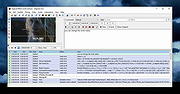 |
|
Angband v4.2.6 Angband v4.2.6 👉 Classic open-source single-player dungeon exploration roguelike game. Angband is a free, open-source roguelike dungeon exploration game where players descend through procedurally generated levels filled with monsters, treasures, and powerful artifacts. Inspired by the works of J.R.R. Tolkien, Angband challenges players to survive, grow stronger, and ultimately defeat Morgoth, Lord of Darkness. The game features turn-based gameplay, permanent character death, deep character customization, and an extensive variety of items, spells, and enemies. Each playthrough is unique thanks to randomized dungeon layouts and item generation, making strategy and careful decision-making essential for survival. Features: • Procedurally generated dungeon levels • Turn-based tactical combat • Permanent death with high replay value • Multiple races and classes with distinct abilities • Hundreds of monsters, items, and artifacts • Deep character progression and skill development • Keyboard-driven interface with optional mouse support • Cross-platform open-source project Supported operating systems: • Everything from a potato to Windows 11 • macOS 10.13 High Sierra or higher • Linux (SDL2 supported distributions) Supported languages: • English, French, German, Spanish, Russian, Japanese Changes: v4.2.6 Not Found User Manual: https://angband.readthedocs.io/en/latest/index.html This download is for the Windows version (very bottom of page). If you need the macOS version, download here. Click here to visit the author's website. |
|
5,205 | Jul 05, 2026 Angband Dev Team 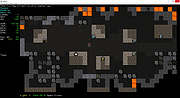 |
 |
Audacity v4.0.1 Audacity v4.0.1 👉 Free, open-source, multi-track audio editor and recorder for recording, editing, mixing and producing audio. Audacity is a powerful, free and open-source audio editor and recorder for Windows, macOS and Linux. It can handle everything from quick voice recordings and simple edits to multi-track music production, podcast creation, audio restoration and more involved sound projects. Audacity provides a visual waveform-based editing environment where audio can be recorded, cut, copied, moved, trimmed and arranged across multiple tracks. Music, speech, sound effects and other recordings can be combined into a single project, with precise control over individual clips and their placement on the timeline. The program includes a wide collection of audio processing tools for adjusting volume, compression, equalization, pitch and tempo. Noise removal and repair tools can help clean up recordings, while delay, reverb, distortion, modulation, fading and other effects provide additional options for shaping sound. Real-time effects can be applied without permanently altering the original audio, allowing settings to be adjusted while continuing to work on a project. Effects can be applied to individual tracks or to the master output. Audacity also includes a plugin manager for enabling, disabling and organizing available effects. Audacity supports third-party plugins and includes support for VST3 and Nyquist effects. Optional FFmpeg support expands compatibility with additional audio formats. Finished projects can be exported to common formats such as WAV, MP3, FLAC and Ogg. The program is useful for recording microphones and other audio sources, digitizing older recordings, cleaning up noisy audio, editing interviews, assembling podcasts, creating sound effects, working with music and preparing finished audio for publishing or archiving. Features: • Record live audio through microphones, mixers and other input devices • Edit and arrange multiple audio tracks within a single project • Cut, copy, paste, trim, split and move audio clips ... |
|
11,310 | Oct 02, 2026 Audacity 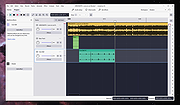 |
|
Battle for Wesnoth v1.18.7 Battle for Wesnoth v1.18.7 👉 A free, open source turn-based fantasy strategy game with deep campaigns, multiplayer battles, and extensive custom content. Battle for Wesnoth is an open source, turn-based tactical strategy game with a high fantasy theme. You build armies from a wide range of unit types, develop inexperienced recruits into seasoned veterans, and carry surviving units forward into later battles. The game features a large world of lore-rich campaigns, online and hotseat multiplayer, random and custom maps, and a built-in path for downloading additional community-made content. Features: • Turn-based tactical combat set in a high fantasy world • Large single-player experience with many story-driven sagas and adventures • Recruit units from a broad pool of specialists and match them to terrain and enemy types • Units gain experience and become stronger as they advance • Persistent veteran units can be recalled in later scenarios and campaigns • Online multiplayer and hotseat multiplayer support • Support for up to eight players in multiplayer battles • Dozens of multiplayer maps and many downloadable scenarios • Random map generation for added replay value • Fog of War for more strategic battlefield planning • Built-in map editor for creating custom battlefields • Powerful markup language for creating maps, factions, scenarios, and full campaigns • Hundreds of campaign scenarios available through the official add-ons server • Massive worldbuilding with hundreds of years of in-game history • Large roster with over three hundred unit types, twenty races, and six major factions • Free and open source software released under the GNU GPL • Strong community support with downloadable user-made content and ongoing updates • Broad cross-platform availability across major desktop operating systems Supported operating systems: • Windows 10 version 1903 or later, 64-bit only • macOS 10.12 or later • GNU/Linux distributions Supported languages: • Bahasa Indonesian, Chinese (Traditional), Chinese (Zhongwen), Czech, English (GB), English (US), Estonian, Finnish, French, Galician, German, Hungarian, Italian, Japanese, Polish, Portuguese, Portuguese (Brazil), Russian, Serbian, ... |
|
7,562 | Apr 09, 2026 David White 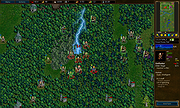 |
 |
Bluefin v20261006 Bluefin v20261006 👉 A modern Fedora-based Linux workstation built for everyday use and cloud-native development. Bluefin is a next-generation Linux desktop operating system based on Fedora Atomic and the Universal Blue project. It is designed to provide a stable, secure, and maintenance-friendly workstation experience while still offering modern development tools, gaming support, multimedia features, and a polished GNOME desktop environment. Unlike traditional Linux distributions that rely heavily on manual package management and upgrades, Bluefin uses an immutable image-based system architecture. This allows the operating system to update atomically, reducing the risk of broken updates and making system recovery significantly easier through built-in rollback capabilities. Bluefin is focused on delivering an “install and use” Linux experience with many essential tools already configured. The system integrates Flatpak applications, Homebrew package management, containerized development environments, and modern virtualization technologies directly out of the box. It also includes developer-oriented workflows for Docker, Podman, devcontainers, and cloud-native software development. Features: • Fedora Atomic based immutable operating system • Built on Universal Blue technology stack • Modern GNOME desktop environment with user-friendly layout • Separate standard images for AMD/Intel graphics and NVIDIA graphics hardware • Atomic image-based updates with rollback support • Automatic operating system updates and maintenance • Integrated Flatpak application ecosystem with Flathub support • Homebrew package manager preconfigured for command-line software • Developer-ready environment with container-first workflows • Built-in Podman and Docker support • Devcontainer and cloud-native development integration • Distrobox support for running software from other Linux distributions • Tailscale support for secure mesh networking • WireGuard VPN tools included • Virtualization and container management support • Optimized multimedia codec support • Secure Boot compatible • Wayland-based modern graphics stack • Gaming-friendly Mesa and NVIDIA driver support • Integrated terminal enhancements including Starship prompt • Flatpak management utilities included • Rollback functionality for safer upgrades and experimentation • Designed for developers, power users, creators, and advanced desktop users • Minimal manual maintenance required after installation • Fast deployment and recovery ... |
|
1,135 | Oct 08, 2026 Project Bluefin and Universal Blue 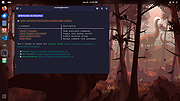 |
|
Bulk Crap Uninstaller v6.3 Bulk Crap Uninstaller v6.3 👉 Advanced uninstaller designed to remove large amounts of software quickly and completely. Bulk Crap Uninstaller (BCUninstaller) is a powerful tool for removing large numbers of applications from Windows systems quickly and efficiently. It is especially useful for cleaning up leftover files and registry entries that traditional uninstallers often miss. BCUninstaller supports automated bulk uninstalling, allowing users to remove multiple programs with minimal interaction. Bulk Crap Uninstaller automatically detects installed applications including standard programs, portable apps, Windows Store apps, and hidden or leftover entries. The program also provides advanced filtering, sorting, and search capabilities to help locate unwanted software quickly. In addition to standard uninstall functionality, BCUninstaller can scan for orphaned entries, leftover files, and invalid registry items that remain after incomplete removals. Its automation features enable fully unattended uninstall operations, making it ideal for power users, system administrators, and technicians who need to clean systems efficiently. Features: • Bulk uninstall multiple applications with minimal user interaction • Detects normal, hidden, protected, and Windows Store applications • Automated uninstalling with scripting support • Finds leftover files, folders, and registry entries after uninstall • Advanced filtering, grouping, and search tools for installed programs • Silent uninstall support where available • Startup manager and application rating system • Portable version available with no installation required • Verification and safety checks to prevent accidental removals Supported operating systems: • Windows 7, Windows 8, Windows 8.1, Windows 10, Windows 11 Supported languages: Arabic, Chinese (Simplified and Traditional), Czech, Dutch, English, Finnish, French, German, Greek, Croatian, Hungarian, Italian, Japanese, Korean, Polish, Portuguese (Portugal and Brazil), Russian, Slovenian, Spanish, Swedish, Turkish, Ukrainian, Vietnamese Changes: v6.3 09-07-26 Features Add Custom Notes feature for uninstaller entries by @ronimuliawan in #939 Add JSON output format to BCU-console list and export by @hazeliscoding in #967 Add dry-run mode to BCU-console uninstall command by @hazeliscoding in #968 ... |
|
9,017 | Oct 21, 2026 Klocman Software 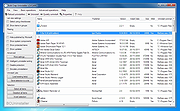 |
|
Calibre v9.15.0 Calibre v9.15.0 👉 A powerful and complete eBook management, conversion, and reading solution. Calibre is a comprehensive eBook management application that allows you to organize, convert, edit, and read eBooks in a wide variety of formats. It provides a complete solution for managing your digital library, syncing books with eReaders, downloading news from the web, and converting between popular eBook formats. Calibre also includes a built-in eBook viewer, powerful metadata editing tools, and support for plug-ins to extend its functionality. Features: • Organize and manage large eBook collections • Convert between multiple eBook formats including EPUB, MOBI, AZW3, PDF and more • Built-in eBook viewer with customizable reading options • Edit eBook metadata including title, author, cover and tags • Download news from websites and convert it into eBook form • Sync eBooks with popular eReaders • Powerful search and sorting tools • Plugin support to extend functionality Supported operating systems: • Windows 8.1, Windows 10, Windows 11 • macOS 10.15 or higher • Linux Supported languages: English, Afrikaans, Albanian, Arabic, Basque, Bengali, Bulgarian, Catalan, Chinese, Croatian, Czech, Danish, Dutch, Estonian, Finnish, French, Galician, German, Greek, Hebrew, Hindi, Hungarian, Icelandic, Indonesian, Italian, Japanese, Korean, Latvian, Lithuanian, Norwegian, Persian, Polish, Portuguese, Romanian, Russian, Serbian, Slovak, Slovenian, Spanish, Swedish, Tamil, Telugu, Thai, Turkish, Ukrainian, Vietnamese Changes: v9.15.0 09-18-26 New features A "Create your own adventure" writing game -- interactive storytelling with an AI managing the world you create This is a little different from the usual run of calibre features. It started out as a way to test the AI backends in calibre but turned into something fun to use. As always with AI features its completely optional and not even loaded unless you explicitly run it. Go to Preferences->Toolbars & menus and add the "Create your own Adventure" to the main toolbar to use it E-book viewer: Highlights panel: Allow ... |
|
12,288 | Sep 23, 2026 Kovid Goyal 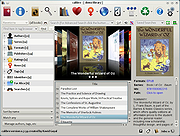 |
|
Cataclysm: Dark Days Ahead v0.H Cataclysm: Dark Days Ahead v0.H 👉 A free, open-source turn-based survival game set in a brutal post-apocalyptic world. Cataclysm: Dark Days Ahead is a turn-based survival game set in a post-apocalyptic world where you struggle to survive in a harsh, persistent, procedurally generated world, scavenging for food, equipment, and vehicles while fighting or escaping a wide variety of deadly threats. Features: • Turn-based survival gameplay in a persistent, procedurally generated world • Scavenge supplies, craft gear, and search for usable vehicles • Fight or escape zombies, giant insects, killer robots, and stranger horrors • Includes biomes, with denser cities to the east and more wilderness to the west • Portal storms can now appear and move across the map • Improved 3D vision, expanded proficiencies, practice actions, and major performance improvements in the 0.H release Need help? Hitchhiker's Guide to the Cataclysm Supported operating systems: • Windows 10 64bit and higher • macOS • Linux • Android Supported languages: Arabic, Bulgarian, Chinese (Simplified), Chinese (Traditional), Dutch, French, German, Italian (Italy), Japanese, Korean, Polish, Portuguese (Brazil), Russian, Serbian, Spanish (Argentina), Spanish (Spain), Turkish This download is for the Windows version (very bottom of page). All other download assets are below: macOS: cdda-osx-with-graphics-universal-2024-11-23-1857.dmg Linux: cdda-linux-with-graphics-and-sounds-x64-2024-11-23-1857.tar.gz Android: cdda-android-x64-2024-11-23-1857.apk Click here to visit the author's website. |
|
6,352 | Mar 12, 2026 CleverRaven 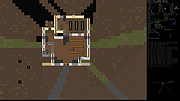 |
|
Converseen v0.15.2.6 Converseen v0.15.2.6 👉 Free and open source batch image converter and resizer. Converseen is a powerful, free, and open source image processing tool that allows you to convert, resize, rotate, and flip large batches of images quickly and efficiently. Built on top of the ImageMagick library, it supports over 100 image formats and provides an easy-to-use interface for handling bulk image operations without requiring advanced technical knowledge. With Converseen, you can process entire folders of images at once, applying consistent transformations such as resizing dimensions, adjusting resolution, or converting file formats. It is especially useful for photographers, designers, and anyone needing to optimize or standardize image collections for web or storage use. Features: • Batch conversion and processing of multiple images • Resize images by dimensions or percentage • Convert between over 100 supported image formats • Rotate and flip images • Compress and reduce image file sizes • Rename output files with customizable patterns • Set output directory for processed images • Change image resolution (DPI) • Preview images before processing • Multithreaded processing for faster performance • Built on the ImageMagick library for broad format support Supported operating systems: • Windows 10, Windows 11 • Linux • macOS Supported languages: English, Italian, Spanish, French, German, Portuguese, Russian, Chinese Changes: v0.15.2.6 07-07-26 - Updated French translation - Various Bugfixes This download is for the Windows 64bit portable version (very bottom of page). All other download assets are below: Other Windows: Converseen-0.15.2.6-1-win64-setup.msi converseen-0.15.2.6-1-win32-portable.zip macOS: converseen-0.15.2.6-1_beta_macos-x86_64.zip Linux: Converseen-0.15.2.6-1-anylinux-x86_64.AppImage Converseen-0.15.2.6-1-anylinux-aarch64.AppImage Click here to visit the author's website. |
|
3,564 | Jul 11, 2026 Francesco Mondello 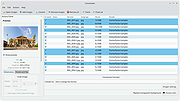 |
|
CudaText v1.234.4 CudaText v1.234.4 👉 Cross-platform, open-source text editor extensible with Python add-ons. CudaText is a cross-platform text editor written in Object Pascal. It is an open-source project that can be used free of charge (including for business use) and is designed to start quickly. CudaText is extensible via Python add-ons, including plugins, linters, code tree parsers, and external tools, and uses a feature-rich syntax parser based on the EControl engine. It starts quite fast (0.5 sec with ~30 plugins on CPU Intel Core i3 3Hz). It is extensible by Python add-ons (plugins, linters, code tree parsers, external tools). Features: • Syntax highlighting for many programming languages • Code folding • Multi-carets and multi-selections • Rectangular selection • Command palette • Tabbed interface • Split view editing (vertical and horizontal) • Side panel with file explorer • Built-in file tree • Built-in FTP client • Project manager • Snippets support • Auto-completion • Code tree (structure view) • Configurable hotkeys • Configurable UI themes • Configurable color themes • Minimap • Status bar with customizable elements • Lexer-specific settings • Session management • Recent files list • Support for large files • Portable mode support • Plugin system based on Python • Add-ons manager to install plugins, lexers, and themes • Console panel for command output • External tools integration • Multiple encodings support • Line endings support (Windows, Unix, Mac) • Bookmarks • Find and replace with regular expressions • Word wrap and non-wrap modes • Customizable indentation settings • Show invisibles • Ruler and margin configuration • Free and open source, including business use Supported operating systems: • Windows (i386, amd64) • Linux (amd64, arm, aarch64) • macOS (amd64, aarch64) • FreeBSD (i386, amd64), OpenBSD (i386, amd64), NetBSD (i386, amd64), DragonFlyBSD (amd64) • Solaris (amd64) • Haiku (i386, amd64) Supported languages: English, Chinese (Simplified), Chinese (Traditional), Czech, French, French (Switzerland), German, German (Austria), Italian, Japanese, Korean, Portuguese, Russian, Slovak, Slovenian, Spanish, Tamil (India), Tamil (Sri Lanka) Find documentation at the CudaText Wiki. Changes: v1.232.2 06-14-26 - fix: regression: "Unprinted chars" dialog lost translation - fix: improve command "delete word previous" when only 1 space ... |
|
5,924 | Jul 05, 2026 Alexey Yu. Torgashin (R.F.) 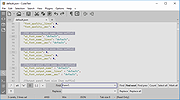 |
|
Delta v0.1.8 Delta v0.1.8 👉 Disk space analyzer with historical snapshot comparison. Delta is a disk space analysis tool that allows you to scan your drives, save storage snapshots, and compare changes over time. It helps you quickly identify which folders and files have grown or shrunk between scans. Designed to work fully offline, Delta stores scan data locally and focuses on lightweight performance with a modern user interface. Features: • Scan drives and analyze folder and file size usage • Save disk usage snapshots for historical tracking • Compare past and current scans to detect size changes • Fully offline operation with no telemetry • Lightweight application built with Rust and Tauri • Modern interface powered by React Supported operating systems: • Windows 10, Windows 11, Linux Supported languages: English Changes: v0.1.8 05-31-26 • Bug fixes • Added sorting improvements • UI changes Note: This file has one hit on VirusTotal. We have confirmed this to be a false positive. The file is safe. This download is for the Windows 64bit setup version (very bottom of page). All other download assets are below: Other Windows: delta_0.1.8_x64_en-US.msi Linux: delta-disk-analyzer_0.1.8_amd64.deb delta-disk-analyzer-0.1.8-1.x86_64.rpm delta-disk-analyzer_0.1.8_amd64.AppImage Click here to visit the author's website. |
|
804 | Jul 11, 2026 Austin Bian 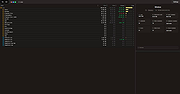 |
|
DesktopFrames+ v2.7.7.294 DesktopFrames+ v2.7.7.294 Formerly Desktop Fences+ 👉 Organize your Windows desktop icons, files and shortcuts into customizable virtual frames. DesktopFrames+ is a free and open-source desktop organization utility that creates virtual Frames on your desktop, allowing you to group shortcuts, files and folders into clean, convenient containers. It provides several types of Frames, including regular Data Frames for shortcuts, Portal Frames that mirror the contents of folders, and Note Frames for quickly accessible text. Frames can contain multiple tabs, be arranged into separate workspace profiles and customized with colors, transparency, visual effects, icons and other appearance options. Built-in tools such as SpotSearch, Smart Desktop, automatic backups, profile automation and extensive visibility controls provide additional ways to organize and manage a busy desktop. The program is fully portable and does not require installation. Features: • Create Data Frames for organizing shortcuts to files, folders and web links • Create Portal Frames that mirror the contents of folders • Create Note Frames for keeping text directly on the desktop • Organize shortcuts into multiple tabs within a single Frame • Create independent workspace profiles for different desktop layouts • Switch profiles manually with hotkeys • Automatically switch profiles when specified programs are launched • Smart Desktop engine automatically sorts and moves incoming files according to user-created rules • SpotSearch quickly searches for and launches shortcuts stored across your Frames • Peek Behind temporarily reveals the desktop behind Frames • Rollup hides the contents of Frames while leaving the Frame accessible • Auto-hide conceals Frames after a period of inactivity • Focus Mode highlights a specific Frame from the system tray or with a hotkey • Supports files, folders, web links, Microsoft Store apps, Steam games and Spotify URIs • Run shortcuts as administrator or as a different user • Customize individual Frame background colors and global tint levels • Chameleon Mode automatically matches Frames to the dominant color of your wallpaper • Application launch ... |
|
2,316 | Sep 07, 2026 Hand Water Pump 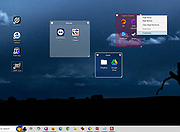 |
|
digiKam v9.1.0 digiKam v9.1.0 👉 Professional photo management with the power of open source. digiKam is an advanced open-source digital photo management application for importing, organizing, editing, and sharing photos and RAW files. It provides tools for managing large photo collections, editing metadata, tagging and rating images, handling RAW camera formats, previewing media, geolocation, batch processing, export tools, and AI-assisted photo workflows. Features: • Import, organize, and manage massive collections of photos, RAW images, and videos • Supports albums, tags, labels, ratings, comments, and hierarchical organization • Advanced metadata management including EXIF, IPTC, XMP, and GPS geotagging • Integrated map tools for assigning and editing geographic coordinates • Powerful RAW image processing using the Libraw engine • Built-in image editor with cropping, resizing, sharpening, curves, color correction, filters, and restoration tools • Includes Showfoto stand-alone image editor • AI-assisted face recognition and automatic face tagging • AI tools for image quality sorting, aesthetic detection, red-eye correction, and auto-rotation • Batch Queue Manager for automating large-scale image processing operations • Advanced search and filtering using metadata, tags, ratings, colors, and custom properties • Duplicate detection and similarity matching tools • Flexible file renaming with advanced rename templates and date formatting • Side-by-side comparison and new Survey tool for reviewing media collections • Enhanced preview system with exposure indicators, magnifier, gestures, OSD overlays, and color management • Slideshow tools with transition and transparency customization • Versioning support and non-destructive workflow options • Integrated export and sharing plugins for online services and remote storage • Database support using SQLite, MySQL, and MariaDB • Multi-core processing acceleration for thumbnail generation, AI tasks, and database operations • Supports hundreds of digital cameras and image formats Supported operating systems: • Windows 10 or later 64-bit • macOS Silicon 11.3 or later • macOS Intel 10.15 or later • Linux 64-bit AppImage, glibc 2.31 or later Supported languages: • Basque, Brazilian Portuguese, Bulgarian, Catalan, Chinese Simplified, Chinese Traditional, Croatian, Czech, Danish, Dutch, English, Esperanto, Estonian, Finnish, French, Galician, ... |
|
4,295 | Sep 28, 2026 digiKam Team 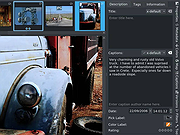 |
|
DNS Hop v2.4 DNS Hop v2.4 👉 Benchmark and compare DNS providers to find the fastest and most reliable DNS for your network. DNS Hop is an open-source Windows utility designed to test and compare the performance of DNS services from multiple providers. By benchmarking thousands of available DNS endpoints, it helps users determine which DNS servers provide the fastest and most reliable performance for their specific network conditions. DNS Hop simplifies what can otherwise be a confusing process. Instead of manually trying different DNS providers and guessing which one performs best, the program runs automated tests against a large list of DNS servers and ranks them based on response time and reliability. Results are presented in an easy-to-read leaderboard, allowing users to quickly identify the best options. The application also provides recommendations based on the test results. Users can choose to manually apply these DNS settings or let DNS Hop configure them directly from within the program. This makes it easy to optimize DNS performance and potentially improve browsing speed and reliability. DNS Hop also allows exporting benchmark results for further analysis or record-keeping. Data can be exported as CSV or JSON files, and the performance chart can be copied as an image for sharing or documentation. Features: • Benchmarks thousands of DNS providers to measure performance • Ranks DNS servers by speed and reliability • Displays results in a clear leaderboard format • Provides recommendations for primary and secondary DNS servers • Allows direct DNS configuration from within the application • Export benchmark results as CSV or JSON files • Copy performance charts as PNG images • Lightweight open-source utility for DNS testing and optimization Supported operating systems: • Windows 10, Windows 11 Supported languages: English, German, French, Russian and Simplified Chinese, auto-detected from your OS UI language on first launch. Changes: v2.4 06-20-26 New resolvers and encrypted protocols NordVPN (Nord Threat Protection) public encrypted DNS, in three ... |
|
800 | Jul 20, 2026 center2055 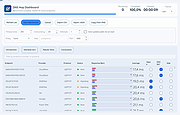 |
|
Dungeon Crawl Stone Soup v0.34.1 Dungeon Crawl Stone Soup v0.34.1 👉 A deep and challenging free roguelike dungeon adventure game. Dungeon Crawl Stone Soup is a free and open-source single-player roguelike game where players explore dangerous procedurally generated dungeons filled with monsters, traps, magic, treasures, and ancient mysteries. Inspired by classic dungeon crawlers, it combines strategic turn-based gameplay with permanent consequences, requiring careful planning and resource management to survive. Players can choose from a wide variety of fantasy races, backgrounds, religions, weapons, and magic schools, creating countless unique character builds and gameplay styles. Every dungeon expedition is different thanks to randomized layouts, enemies, loot, and encounters. The game focuses heavily on tactical combat, exploration, and meaningful decisions rather than repetitive grinding. Dungeon Crawl Stone Soup supports keyboard-driven controls and offers both traditional ASCII visuals and graphical tile modes. It is actively maintained by a dedicated community and is widely regarded as one of the most polished and content-rich roguelike games available. Features: • Procedurally generated dungeon levels with endless replayability • Large selection of playable species and character backgrounds • Turn-based tactical combat with deep strategic gameplay • Hundreds of spells, weapons, armor types, and magical items • Multiple gods and religions that affect gameplay choices • Permanent death system that rewards careful decision-making • ASCII and graphical tile display modes • Mouse and keyboard support • Detailed monster AI and environmental interactions • Online and offline play options available • Community-developed open-source project with regular updates • Extensive modding and customization support through configuration files Supported operating systems: • Windows 10, Windows 11 • macOS 11 or higher • Linux Supported languages: English Changes: v0.34.1 05-23-26 • Fixed several crashes and gameplay bugs • Improved interface behavior and dungeon generation stability • Corrected issues affecting spells, monsters, and item interactions • Updated translations and documentation • Various balance adjustments and code cleanups This download is for the Windows Installer version (very bottom of page). If you need the MacOS GUI (tiles) version, download ... |
|
2,961 | May 29, 2026 Dungeon Crawl: Stone Soup development team 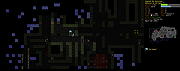 |
|
EarTrumpet v2.3.0.0 EarTrumpet v2.3.0.0 👉 A free, powerful per-app volume mixer and audio device controller for Windows. Features • Visualize audio with multi-channel aware peaking • Standalone volume mixer • Move apps between playback devices • Default playback device management • Automatic updates via the Microsoft Store • Support for light/dark mode and all accent colors • Configurable hotkeys • Modern context menus • Growing multilingual support Supported operating systems: Windows 10/11 Supported languages: Chinese (Simplified), Chinese (Traditional), Chinese (Traditional, Hong Kong SAR), English (United States), French, German, Spanish, Italian, Portuguese, Dutch, Afrikaans, Amharic, Arabic, Norwegian, Czech, Polish, Swedish, Romanian, Turkish, Japanese, Korean, Russian, Thai, Vietnamese Changes: v2.3.0.0 06-11-25 Added setting to turn on/off ability to change volume with the scroll wheel anywhere (thanks @Tester798!) Added setting to turn on/off ability to change volume with the scroll wheel when hovering over the EarTrumpet icon (thanks @Tester798!) Added new community settings area Added new community setting to turn on/off use of a logarithmic volume scale (thanks @yonatan-mitmit!) Added legacy shortcuts to the context menu pointing to [App volume and device preferences] / [Volume mixer] Added ability to use the Windows key in shortcuts (thanks @iamevn!) Added linguistic display name sorting for audio devices (thanks @Tester798!) Added a workaround for Windows Search (CortanaUI) showing a default asset (X) icon Fixed an issue where installation of EarTrumpet via AppInstaller would fail if the Visual C++ libs package was not installed Fixed an issue where EarTrumpet tooltips were not updating live while scrolling the mouse ... |
|
1,416 | Jun 02, 2026 File-New-Project 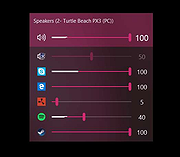 |
|
Endless Sky v0.10.16 Endless Sky v0.10.16 👉 Open-source 2D space trading and combat game inspired by classic Escape Velocity. Endless Sky is a free, open-source space exploration, trading, and combat game where you pilot a small starship through a vast galaxy filled with missions, factions, pirates, merchants, and mysteries. Starting with a basic ship and limited credits, you can earn money by transporting cargo and passengers, engaging in battles, mining asteroids, or completing story-driven missions that shape your path across the stars. As you progress, you can upgrade your ship with new engines, weapons, outfits, and defensive systems, or purchase entirely new ships to build your own fleet. The galaxy is expansive and dynamic, featuring multiple alien species, branching storylines, and player-driven choices that influence reputation and relationships with different factions. Endless Sky also supports community-created plugins and mods, extending gameplay with new ships, missions, and entire story arcs. Features: • Vast open galaxy with hundreds of star systems • Story-driven missions with branching paths • Real-time 2D ship combat with tactical fleet control • Trade goods, passengers, and mining for income • Upgrade ships with engines, weapons, shields, and outfits • Purchase and command multiple ships in your fleet • Multiple factions and alien species • Modding and plugin support for custom content • Cross-platform and fully open source Supported operating systems: • Windows 10, Windows 11 • macOS 11 or Higher • Linux Supported languages: English, Spanish, French, German, Russian, Japanese, Chinese (Simplified), Chinese (Traditional) Changes: v0.10.16 10-25-25 * Bug fixes: * Content bugs: * Typo fixes. (@Deltaspace0) * Resampled various wave files to 44.1 kHz. (@Saugia) * Coalition Yottrite missions will no longer offer on uninhabited gas giants. (@Arachi-Lover) * Fixed the "on visit" message of "Dangerous Games 1" to account for the possibility that the player has ... |
|
7,476 | Jun 27, 2026 Michael Zahniser  |
|
Eqonomize! v1.5.12 Eqonomize! v1.5.12 👉 Cross-platform personal accounting software for efficient household bookkeeping, budgeting, and financial tracking. Eqonomize! is a cross-platform personal accounting program focused on efficiency and ease of use for small households. It provides double-entry bookkeeping, support for expenses, incomes, transfers, scheduled recurring transactions, securities, loans, and budgeting. It also gives a clear overview of past and present transactions, along with charts, reports, and projected future account values. Features: • Double-entry bookkeeping for personal finances • Supports expenses, incomes, transfers, and security transactions • Includes scheduled recurring transactions with flexible recurrence options • Budgeting tools with monthly budgets and future account value prediction • Supports stocks, bonds, mutual funds, dividends, and reinvested dividends • Statistical reports with tables, line charts, bar charts, and pie charts • Transaction filtering by date, value, category, account, description, and payee or payer • Supports multiple currencies with selectable account currency and automatic updates • Imports and exports QIF files and imports CSV transaction data • Can save displayed data to HTML or CSV and charts to image formats such as PNG and JPEG Supported operating systems: • Windows 10, Windows 11 • Linux Ubuntu 16.04 or later, Debian, Ubuntu, Arch Linux Supported languages: Bulgarian, Czech, Danish, English, French, German, Hungarian, Italian, Dutch, Portuguese, Portuguese (Brazil), Romanian, Russian, Slovak, Spanish, Swedish Changes: v1.5.12 01-26-26 Add category division selection (subcategories, descriptions, payees/payers, or tags) in categories comparison chart Save tags not used by any transaction Add option to convert one or multiple expenses or incomes to transfers Allow multiple categories with the same name (in different parent categories) Show negative values in pie chart (accounts comparison excluded) Scroll to bottom when opening or updating ledger with ascending order enabled Add option to show transfer in ledger of other account Fix value axis in bar chart Fix/improve handling of various category combinations displayed separately in over time report Fix properties of existing transaction updated with default value when amount is zero Fix sorting of subcategories in ... |
|
7,818 | Mar 10, 2026 Eqonomize Project 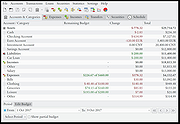 |
|
Flameshot v14.0.0 Flameshot v14.0.0 👉 Powerful open-source screenshot tool with built-in annotation and editing features. Flameshot is a free and open-source screenshot utility designed to make capturing and editing screenshots quick and easy. It provides a simple yet powerful interface that allows users to select a region of the screen, annotate it instantly, and save or share the result without needing additional image editing software. Flameshot launches a customizable capture interface that lets you draw, highlight, blur, crop, or add shapes and text directly on your screenshot before saving it. The tool is especially useful for creating tutorials, documentation, bug reports, and visual explanations. In addition to its annotation tools, Flameshot supports keyboard shortcuts, command-line usage, and integration with desktop environments. Screenshots can be copied directly to the clipboard, saved locally, or uploaded to online services depending on configuration. Features: • Interactive screenshot selection with an easy-to-use capture interface • Built-in annotation tools including arrows, shapes, lines, and text • Blur and highlight tools for emphasizing or hiding content • Instant screenshot editing without opening a separate program • Copy screenshots directly to clipboard or save to file • Keyboard shortcuts and command-line options for automation • Optional screenshot uploading and sharing features • Highly configurable behavior and interface settings Supported operating systems: • Windows 10, Windows 11 • macOS 10.15 or higher • Linux Supported languages: English, Spanish, French, German, Italian, Portuguese, Russian, Ukrainian, Polish, Czech, Dutch, Turkish, Chinese (Simplified), Chinese (Traditional), Japanese, Korean, Arabic Changes: v14.0.0 06-18-26 Translations update from Hosted Weblate by @weblate in #4330 Translations update from Hosted Weblate by @weblate in #4378 Translations update from Hosted Weblate by @weblate in #4379 Translations update from Hosted Weblate by @weblate in #4380 Fix hang caused by no Notifications service registered in DBus by @samwcoulter in #4357 bump CI to see if that picks up newer Qt in appimage by @borgmanJeremy in #4381 Translations update from Hosted Weblate by @weblate in #4383 Add support for logging ... |
|
1,091 | Jul 16, 2026 Flameshot Contributors  |
|
Flare: Empyrean Campaign v1.15 Flare: Empyrean Campaign v1.15 👉 A free, open source, single-player 2D action RPG with a dark fantasy style. Flare: Empyrean Campaign is a free/libre action role-playing game built on the FLARE engine. The player is exiled from Empyrean and must journey through many regions, battle monsters, complete quests, collect loot, and fight to regain entry to their homeland. The game features fast-paced 2D action RPG gameplay, multiple character classes, upgradeable powers, randomized loot, side quests, and a dark fantasy world. Features: • Single-player 2D action RPG gameplay • Dark fantasy setting and story-driven campaign • Three character classes: Brute, Scout, and Adept • Distinct powers, weapons, strengths, and skills for each class • Swords, bows, traps, fire, ice, lightning, and other combat styles • Potions, scrolls, weapons, armor, magical artifacts, rare items, and unique gear • Remastered graphics in version 1.15 • Rebalanced power trees with new powers • Iron Labyrinth procedurally generated side dungeon • Mastite item rarity with randomized stat bonuses • Keyboard, mouse, and gamepad support • Mod-friendly game data using simple file formats Supported operating systems: • Windows, macOS, Linux Supported languages: Belarusian, Bulgarian, Czech, German, Greek, English, Spanish, Finnish, French, Scottish Gaelic, Galician, Italian, Japanese, Norwegian Bokmεl, Dutch, Polish, Portuguese, Russian, Slovak, Swedish, Ukrainian, Vietnamese Changes: v1.15 05-08-26 New remastered graphics. Added the Iron Labyrinth side dungeon. Added procedural generation of maps and items. Added Mastite item rarity with randomized stat bonuses. Rebalanced all three player power trees. Added three new powers to each power tree. Players now get 2 power points per level. Added many engine features, fixes, UI improvements, input improvements, performance improvements, system fixes, game updates, and translation updates. This download is for the Windows version (very bottom of page). All other download assets are below: macOS: flare-mac-v1.15.dmg Linux: flare-linux64-v1.15.AppImage Click here to visit the author's website. |
 |
607 | May 21, 2026 Flare Team 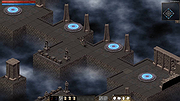 |
|
FreeCAD v1.1.1 FreeCAD v1.1.1 👉 Open-source parametric 3D modeling software for designing real-world objects, from simple parts to complex engineering projects. FreeCAD is an open-source parametric 3D modeler made primarily to design real-life objects of any size. It uses parametric modeling so you can revise designs by going back into the model history and changing parameters, and it also includes tools for solids, BRep objects, NURBS, BIM, FEM, CAM/CNC, and robot simulation workflows. Features: • Parametric 3D modeling with editable model history • Advanced geometry engine based on Open CASCADE Technology • Support for solids, Boundary Representation (BRep) objects, and NURBS • Dedicated BIM workbench for architectural and building workflows • Finite Element Analysis tools with experimental CFD support • CAM/CNC workbench for manufacturing and machining tasks • Robot simulation module for studying robotic movements • Cross-platform availability for Windows, macOS, and Linux Supported operating systems: • Windows 8, Windows 10, Windows 11 (64-bit) • macOS • Linux Supported languages: • English, German, French, Italian, Spanish, Turkish, Croatian, Vietnamese, and over two dozen total interface languages/community translations Changes: v1.1.1 03-25-26 [Backport releases/FreeCAD-1-1] Spreadsheet: Don't show overlay by @freecad-ci-runner in #28017 [Backport releases/FreeCAD-1-1] core: fix issue #26478 select all instances even in group with mirror'd objects by @freecad-ci-runner in #28018 [Backport releases/FreeCAD-1-1] measurement: label drag when infront of model by @freecad-ci-runner in #28019 [Backport releases/FreeCAD-1-1] Gui: Clear cached shape after change to Deviation by @freecad-ci-runner in #28024 [Backport releases/FreeCAD-1-1] Draft: fix clone diffuse color regression by @freecad-ci-runner in #28025 [Backport releases/FreeCAD-1-1] BIM: remove switch to profile beam creation based on dimensions by @freecad-ci-runner in #28220 [Backport releases/FreeCAD-1-1] Part: Make 3D View properly checkable by @freecad-ci-runner in #28031 [Backport releases/FreeCAD-1-1] Gui: update CoinPtr to not use boost::intrusive_ptr by @freecad-ci-runner in #28623 [Backport releases/FreeCAD-1-1] Base: use magnitude for unit schema thresholds by @freecad-ci-runner in #28589 [Backport releases/FreeCAD-1-1] Part: Avoid LowerDistanceParameter exception to prevent MacOS crash (… by @freecad-ci-runner in #28494 TechDraw: manual backport of PR#28097 by @WandererFan in #28423 [Backport releases/FreeCAD-1-1] PartDesign: fix the ... |
|
5,162 | Jun 19, 2026 The FreeCAD project  |
|
FreePlane v1.13.3 FreePlane v1.13.3 👉 Free and open-source mind mapping, knowledge management and project planning software. Freeplane is a free and open-source application for mind mapping, knowledge management, project management, note taking, outlining and organizing ideas. It helps you capture thoughts, structure information, analyze relationships, create visual maps and manage personal, school or work projects. Features: • Create and edit mind maps, concept maps and information maps • Organize ideas, notes, tasks, projects and research • Navigate large maps with folding, filtering and searching • Add links, notes, icons, attributes and formatted content • Supports add-ons and scripting for extended functionality • Can run installed or from removable storage • AI integration support in newer Java environments • Open-source and community-developed Supported operating systems: • Windows with Java 8 to 22, or Windows installer with embedded Java • macOS Intel and Apple Silicon using DMG builds with embedded Java • Linux using DEB installer or ZIP archive, requires Java 11 to 21 Supported languages: Multilingual, English source language, Freeplane is translated into 40 languages using Weblate Changes: v1.13.3 07-14-26 Tag category AI tools Tag category scripting API Copying selected chat messages as markdown Options to show root node text or bookmark titles on tab titles and map menu labels - Preferences…->Appearance->Look and Feel->Tab titles - Preferences…->Appearance->Look and Feel->Maximum tab title length Bookmarks outline and bookmark toolbar can follow the view root Switch AI Chat tool availability between reading, editing and disabled Add reusable AI prompts that are managed in a dialog like assistant profiles, exposed as dynamic actions - Tools->AI prompts->Edit prompts... Thinking effort and temperature configuration Search and filter AI model selectors in chat, reusable prompts and assistant profiles - Keep one session-wide filter across selectors - Navigate filtered models with Up and Down and confirm a model with Enter Configure OpenAI, OpenRouter, Requesty, custom OpenAI-compatible, Gemini and Ollama providers concurrently - Manage provider and model settings in the separate AI models ... |
|
6,143 | Oct 02, 2026 Dimitry Polivaev 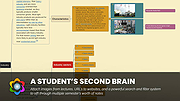 |
|
GIMP Portable v3.2.6 GIMP Portable v3.2.6 👉 Portable image editor for photo retouching, image composition and graphic creation. GIMP Portable is the portable version of the GNU Image Manipulation Program, a free and open source image editor for photo retouching, image composition, image authoring, painting, batch processing, rendering and image format conversion. It runs from a cloud folder, removable drive, local folder or the PortableApps.com Platform without needing a traditional installation. Features: • Portable version of GIMP for Windows • Runs from USB drives, cloud folders or local folders • Photo retouching and image editing • Image composition and authoring • Paint program capabilities • Expert-quality photo manipulation tools • Batch processing support • Image rendering and format conversion • Supports plug-ins and scripts • User plug-ins and scripts can be placed in the portable Data\GimpAppData folder • Optional English-only offline help add-on available • PortableApps.com Platform support for easier installs and automatic updates • Open source software under the GPL Supported operating systems: Windows XP, Vista, 7, 8, 10, 11 Supported languages: Multilingual, GIMP is available in more than 80 languages Changes: v3.2.6 09-10-26 Several months of patches, bug fixes, security updates, and stability improvements. Cut can now be used on rasterized, unlocked layer groups to cut the same area from all layers in the group. Color Picker's Sample Merged option now accounts for filters applied to a single layer. Improved performance when loading large numbers of fonts, including faster startup, text entry, and closing font lists. Fixed text being hidden at the edges when using fixed text layouts. Fixed dark smudges produced by the Heal Tool when working outside the bounds of a layer smaller than the canvas. Fixed a crash that could occur when pressing keys quickly after releasing the spacebar while panning. Text can now be selected for editing even when partially covered by a layer mask. Fixed loading of Licensor image metadata. Added a maximum width for tooltips with long descriptions. Fixed several issues involving rasterized vector layers. Added ... |
|
6,738 | Sep 11, 2026 GIMP Team & PortableApps.com  |
|
Gimp v3.2.6 Gimp v3.2.6 👉 Free and open source cross-platform image editor. GIMP is a cross-platform image editor available for GNU/Linux, macOS, Windows and more operating systems. It provides tools for graphic designers, photographers, illustrators, and scientists, with support for image manipulation, original artwork creation, graphic design elements, color management, scripting, customization, and third-party plug-ins. Features: • Advanced photo retouching tools including healing, clone, perspective clone, and content-aware fill workflows • Powerful layer-based editing with layer groups, masks, blend modes, and non-destructive editing techniques • Full support for high bit-depth images (8/16/32-bit per channel) for professional workflows • Extensive selection tools including free select, fuzzy select, foreground select, and intelligent scissors • Transform tools such as scale, rotate, shear, perspective, warp transform, and unified transform • Customizable brushes with dynamics support (pressure, velocity, randomness) for tablets and stylus input • Wide range of painting tools including pencil, paintbrush, airbrush, ink, MyPaint brushes, and gradient tools • Gradient editor and advanced gradient blending capabilities • Paths (vector) tool for precise curves, shapes, and text-on-path creation • Text tool with advanced typography support including kerning, hinting, and outline rendering • GEGL-based processing engine for high-quality image operations and non-destructive workflows • Extensive built-in filters and effects including blur, sharpen, distort, lighting, shadows, noise, and artistic filters • Support for external plug-ins such as G’MIC for hundreds of additional filters and effects • Color management with ICC profile support for accurate color reproduction across devices • Advanced color tools including levels, curves, hue-saturation, color balance, and exposure adjustments • Histogram display and analysis tools for precise tonal correction • Channel manipulation and alpha channel editing • Support for multiple file formats including JPEG, PNG, TIFF, PSD, WebP, HEIF, OpenRaster, and XCF native format • PSD import/export support for compatibility with Adobe Photoshop workflows • Multi-window and single-window interface modes for flexible workspace layouts • Fully customizable interface including dockable dialogs, tool groups, and keyboard shortcuts • Tabbed image ... |
|
9,695 | Sep 11, 2026 The Gimp Team |
|
HomeBank v5.10.2 HomeBank v5.10.2 👉 Personal finance software for managing accounts, budgets, and expenses. HomeBank is a free and open-source personal accounting software designed to help users manage their finances with ease. It allows you to track income and expenses, manage multiple bank accounts, categorize transactions, and analyze your financial habits through detailed reports and charts. With a clean interface and powerful filtering tools, HomeBank makes it simple to stay on top of your budget and financial goals. HomeBank supports importing data from various formats such as CSV, QIF, and OFX, making it easy to migrate from other financial tools. It also offers automatic transaction categorization, scheduled transactions, and advanced reporting features to provide clear insights into your spending patterns. Features: • Manage multiple accounts including bank, cash, and credit cards • Track income and expenses with customizable categories • Import data from CSV, QIF, and OFX formats • Powerful filtering and search tools for transactions • Detailed reports and charts for financial analysis • Budget tracking and spending insights • Scheduled transactions and reminders • Automatic transaction categorization • Clean, user-friendly interface Supported operating systems: • Windows 7, Windows 8, Windows 10, Windows 11 • Linux Supported languages: English, French, German, Spanish, Italian, Dutch, Russian, Chinese, and others Changes: v5.10.2 06-14-26 * bugfix: #2156412 safety approve option mixup * bugfix: #2156372 currency modification date is not persisted due to extra space in code * bugfix: #2155966 main window different colours for 0.00 account balances * bugfix: #2155959 cannot inherit a locked reconciled transaction * bugfix: #2155844 quick search no longer works in account window (ledger) This download is for the Windows version (very bottom of page). Linux Debian/Ubuntu: sudo add-apt-repository ppa:mdoyen/homebank sudo apt-get update sudo apt-get install homebank Other Linux distributions: Debian: apt-get install homebank Fedora: yum install homebank OpenSUSE: yast -i homebank or zypper in homebank Arch Linux: pacman -S homebank Gentoo: emerge homebank Click here to visit the author's website. |
|
12,002 | Jul 28, 2026 Maxime Doyen 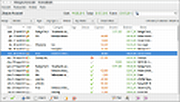 |
|
HopToDesk v1.46.50 WARNING: If someone you don’t know called you... or you dialed a number that suddenly appeared on your screen... and they told you to download this program... IT IS A SCAM. HANG UP IMMEDIATELY! HopToDesk v1.46.50 👉 Free and secure remote desktop software with screen sharing, remote control, file transfer, and live chat. HopToDesk is a free remote desktop tool that lets you share your screen, remotely control computers and devices, transfer files, and chat during support sessions. It is free for personal and commercial use, open source, and uses end-to-end encryption for screen sharing, chats, and file transfers. Features: • Remote desktop control • Screen sharing • File transfer • Live chat • End-to-end encrypted traffic • Free for personal and commercial use • Open source • Portable mode on Windows • Installed mode with background service support • Unattended access with permanent password • Direct IP access • IP whitelisting • SOCKS5 proxy connections • Remote terminal • Port forwarding • Camera / view-only mode • Quick Support mode • Address book and tags • LAN discovery • Multiple screen support • Remote printing on Windows and macOS • Audio streaming • Session recording • Screenshots • Switch sides during a session • Privacy mode on Windows and macOS • Two-factor authentication • Clipboard sync permission control • File transfer permission control • Remote restart permission control • TCP tunneling permission control • Wake On LAN permission support Supported operating systems: • Windows XP, Windows 7 or newer • macOS 10.14 Mojave or newer • Ubuntu 18.04 or newer, Debian 9 or newer, CentOS 7 or newer, openSUSE 42/15 or equivalent, Fedora, Manjaro, AppImage, Flatpak • FreeBSD 13 or newer • Raspberry Pi 2 and newer • ChromeOS devices compatible with Google Play • Android 5.0 or newer • iOS 11.0 or newer Supported languages: English, French, Spanish, Portuguese, German, Dutch, Polish, Czech, Norwegian, Swedish, Russian, Turkish, Hebrew, Arabic, Bahasa, Vietnamese, Simplified Chinese, Traditional Chinese, Japanese, Korean, Thai Changes v1.46.50 09-12-2026 Wayland, Windows Server and other Linux improvements, translation updates. This download is for the Windows 64bit version (very bottom of ... |
|
4,664 | Sep 16, 2026 HopToDesk 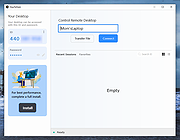 |
|
iDescriptor v0.5.0 iDescriptor v0.5.0 👉 Free, open-source, cross-platform iDevice management tool. Itunes? We don't need no stinkin' iTunes! iDescriptor is a free, open-source, and cross-platform iDevice management tool for working with supported Apple devices from Windows, macOS, and Linux. It provides a modern interface for connecting to devices over USB, browsing files, managing photos, viewing live screens, using AirPlay, checking cable information, discovering devices on the local network, and performing certain device actions. The project also includes tools such as App Store app downloading and installation, virtual location simulation, SSH terminal access for jailbroken devices, and developer disk image management. Features: • USB connection support for Windows, macOS, and Linux • AirPlay screen casting to your computer • Download and install apps directly from the Apple Store • Virtual location simulation for supported iOS versions • iFuse filesystem mounting on Windows and Linux • Gallery access and wireless gallery import • File Explorer for browsing device files • Cable authenticity and connection information • Network device discovery on the local network • SSH terminal access for jailbroken devices • Query MobileGestalt for hardware and software details • Live wired screen viewing • Developer disk image management • Device actions including restart, shutdown, and recovery mode entry Supported operating systems: • Windows • macOS • Linux Supported languages: English Changes: v0.5.0 04-19-26 BUG FIX: Fixed an issue where exporting more than 240 files would fail (#77) IMPROVEMENT: AirPlay now uses legacy ports by default on Linux (thanks @medaminezghal, #73) Warning (macOS): If you encounter a "damaged" error when opening the app on macOS, run the following command in Terminal: xattr -c ~/Applications/iDescriptor.app This occurs because macOS blocks apps that are not signed with an Apple Developer ID. Clearing extended attributes bypasses this restriction. Alternatively, you can remove only the quarantine attribute: xattr -dr com.apple.quarantine /Applications/iDescriptor.app This download is for the Windows installer version (very bottom of page). All other download assets are below: Other Windows: iDescriptor-v0.5.0-Windows_x86_64.portable.zip macOS: iDescriptor-v0.5.0-Apple_Silicon.dmg iDescriptor-v0.5.0-Apple_Intel.dmg Linux: iDescriptor-v0.5.0-Linux_x86_64.AppImage.zip Click here to visit the author's website. |
|
1,029 | Jul 29, 2026 uncor3 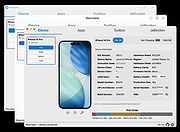 |
|
ImageGlass v10.0.6.906 ImageGlass v10.0.6.906 👉 A lightweight, versatile image viewer for Windows. ImageGlass is a feature-rich, simple-to-use image viewer with a clean, modern interface and support for over 90 image formats, including WEBP, GIF, SVG, PNG, JXL, HEIC, RAW formats and more. Features: • Supports over 90 common image formats • Fast image switching with a clean, minimal interface • Supports animated formats including GIF, WEBP, APNG and SVG • Multi-frame image support with frame navigation tools • Drag-and-drop and clipboard image opening • Six zoom modes including Auto Zoom, Lock Zoom, Scale to Width, Scale to Height, Scale to Fit and Scale to Fill • Full screen, frameless and window-fit viewing modes • Slideshow view with countdown timer • Fast thumbnail previews • Built-in color picker • EXIF metadata viewing with ExifGlass • Basic editing tools including rotate, flip, crop, resize and lossless compression • Custom themes, language packs, icon packs, layout and toolbar options • Keyboard and mouse action customization • External app integration through custom hotkeys • Color management and color channel viewing Supported operating systems: • Windows 10 64-bit version 1809 or later, Windows 11 64-bit Supported languages: Arabic, Armenian, Asturian, Azerbaijani, Belarusian, Bengali, Bulgarian, Catalan, Chinese Simplified, Chinese Traditional, Croatian, Czech, Danish, Dutch, Esperanto, Finnish, French, German, Greek, Hebrew, Hungarian, Icelandic, Indonesian, Irish, Italian, Japanese, Khmer, Korean, Kurmanji Kurdish, Kyrgyz, Lithuanian, Malay, Mongolian, Norwegian Bokmal, Persian, Polish, Portuguese, Brazilian Portuguese, Romanian, Russian, Serbian Cyrillic, Serbian Latin, Sinhala, Slovak, Slovenian, Spanish, Swedish, Tamil, Thai, Turkish, Ukrainian, Vietnamese Changes: v10.0.6.906 09-05-26 New • ImageGlass.SDK updated to 1.2.0 • Bumped plugin ABI version from 1.0.0 to 1.2.0 • Added IGHdrTransferFn.ScRgb photo metadata support for rendering HDR images from codec plugins • Added DecodeStaticRasterScaled API for requesting scaled thumbnail images from codec plugins • Added Linux AppImage package support Improvements • Updated Avalonia to 12.1.2 • Updated Magick.NET to 14.17.1 ... |
|
4,522 | Oct 06, 2026 Duong Dieu Phap 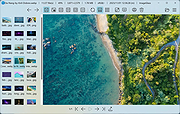 |
|
Inkscape v1.4.4 Inkscape v1.4.4 👉 Professional quality vector graphics editor for illustrations, logos, diagrams, icons, maps and web graphics. Inkscape is a free and open source vector graphics editor that uses SVG as its native file format. It is built for creating and editing scalable artwork such as illustrations, icons, logos, diagrams, maps, charts, technical drawings, line art and web graphics. Features: • Create and edit SVG vector graphics • Draw with pencil, pen and calligraphy tools • Use rectangles, ellipses, stars, polygons, spirals and 3D boxes • Edit paths and nodes with precision • Boolean path operations including union, difference, intersection and exclusion • Layers and object organization • Text tools with text on path support • Gradients, patterns, markers, clones, clipping and masking • Bitmap tracing for converting raster images to vector paths • Import and export many common vector and image formats • PDF import and export support • Extensions and command line options for advanced workflows Supported operating systems: • Windows 10, Windows 11, Windows on Arm • macOS • Linux Supported languages: English, Basque, Brazilian Portuguese, Bulgarian, Croatian, Dutch, Finnish, French, German, Hebrew, Hungarian, Italian, Latvian, Polish, Portuguese, Romanian, Russian, Simplified Chinese, Slovenian, Spanish, Swedish, Traditional Chinese, Ukrainian, Vietnamese Changes: v1.4.4 05-06-26 Maintenance and bugfix release. 20 crash fixes. More than 25 bug fixes and performance improvements. A couple small new features. 26 updated translations. First release to provide packages for Windows on Arm. Faster zooming in documents with many paths. Faster copy and paste of large numbers of objects with gradients. Faster Layers and Objects dialog when many objects are selected. Faster Object Properties dialog when selecting paths. Faster Gradient Tool editing. New button to rotate selected stars or polygons into an upright position. Added Elementary OS color palette. Fixed multiple crashes involving startup, recent files, graphics tablets, pages, PDF files, broken SVG markers, export dialog use, raster image sizing, Tweak tool, Connector Tool, PowerStroke Live Path Effect, Corners Live Path Effect, gradients, Break Apart and raster tracing. Windows on Arm builds ... |
|
7,871 | May 07, 2026 Inkscape  |
|
InstallerClean v3.3.0 InstallerClean v3.3.0 👉 Safely clean orphaned Windows Installer files and reclaim disk space. InstallerClean is a modern, open-source tool for cleaning unneeded files from the hidden C:\Windows\Installer folder. It scans for orphaned .msi and .msp files, checks them against the Windows Installer database, and lets you delete them to the Recycle Bin or move them to a folder you choose. Features: • Scans C:\Windows\Installer for unneeded installer and patch files • Detects orphaned MSI and MSP files • Detects superseded patches, including Adobe Acrobat patches • Uses the Windows Installer API instead of guessing by file names or dates • Shows needed and removable files with sizes • Delete sends files to the Recycle Bin • Move option lets you keep removed files in a safe folder • GUI and command-line versions included • No telemetry, no network activity, no background service, no scheduled task Supported operating systems: • Windows 10, Windows 11 Supported languages: Indonesian, German, English, Spanish, French, Italian, Dutch, Polish, Brazilian Portuguese, Vietnamese, Turkish, Russian, Ukrainian, Japanese, Simplified Chinese, Traditional Chinese, Korean Changes: v3.3.0 10-13-26 Added InstallerClean can now be shown in Traditional Chinese, written for Taiwan's usage with the words Windows itself uses there: every window, dialog, tooltip, button and screen-reader label, the command-line tool's text and the setup wizard. A Windows set to Traditional Chinese shows it automatically, and it can be picked from the main-window language menu. Like the other machine-drafted languages it is published beside the English in docs/translations/zh-Hant.md for anyone who reads it to check, and the README has a Traditional Chinese edition, which the app's README links open. Where the languages stand: Natively done Live machine-translated README only * English · Italian · Japanese · Dutch Simplified Chinese · Traditional Chinese · Russian · Spanish · Brazilian Portuguese · Polish · Turkish · Korean · French · German · ... |
|
1,171 | Oct 13, 2026 no-faff 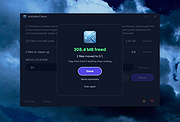 |
|
JEquity v2025.0.3.398 JEquity v2025.0.3.398 👉 Open-source portfolio and stock tracking software with a clean JavaFX desktop interface. JEquity is an open-source financial portfolio management application designed to help users organize, monitor, and track equity investments from a desktop environment. Built in Java with a modern JavaFX interface, JEquity allows you to manage stock holdings, ETFs, retirement funds, taxable accounts, and grouped investments while keeping portfolio data organized in a simple and efficient layout. The application supports portfolio grouping, historical tracking, financial summaries, valuation updates, account categorization, and detailed stock ownership records. JEquity is intended for users who want a lightweight desktop-based investment tracker without relying on cloud-based financial services. JEquity includes tools for organizing investments by account type, ownership, category, and tax status. Users can maintain multiple financial records, monitor valuations, generate reports, and review historical financial data through an easy-to-navigate tabbed interface. Features: • Tracks stocks, ETFs, and equity investments • Organizes investments by account and ownership • Supports retirement, taxable, and tax-deferred account tracking • Financial portfolio summary calculations • Historical investment tracking tools • Report generation support • Group management for organizing portfolios • JavaFX-based graphical user interface • Lightweight desktop application • Cross-platform Java support • Open-source Eclipse Public License v2.0 software • Multiple tabbed financial management views • Search and filtering capabilities • Manual stock valuation and share tracking • Local desktop portfolio management without cloud dependency Supported operating systems: • Windows 10, Windows 11 • macOS Monterey or higher • Linux distributions with Java support • BSD systems with Java support Supported languages: • English Changes: v2025.0.3.398 12-17-25 With a new self-signed open-source certificate. Note: This file has one hit on VirusTotal. We have confirmed this to be a false positive. The file is safe. This download is for the Windows version (very bottom of page). All other download assets are below: macOS: JEquity_macos-aarch64_2025.0.3.398.dmg JEquity_macos-amd64_2025.0.3.398.dmg Linux: JEquity_linux-amd64_2025.0.3.398.sh Click here to visit the author's website. |
|
6,291 | Jun 03, 2026 Beowurks 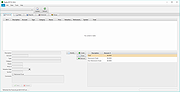 |
|
Katalog v2.12 Katalog v2.12 👉 Lightweight cataloging software to organize and manage collections. Katalog is a free and open source cataloging application designed to help you organize and manage your collections. Whether you are cataloging books, movies, music, games, or any other type of items, Katalog provides a clean and flexible interface to store detailed information and keep everything neatly structured. Katalog allows you to create custom categories and fields, making it adaptable to virtually any type of collection. You can store metadata, descriptions, ratings, and other details, and browse or search through your catalog quickly and efficiently. The program focuses on simplicity and usability while still offering powerful organization features. Features: • Create and manage multiple catalogs • Customizable fields and categories • Store detailed information for each item • Search and filter capabilities • Sorting and organization tools • Open source and free to use Supported operating systems: • Windows 7, Windows 8, Windows 10, Windows 11 • Linux Supported languages: Bulgarian, Chinese, Croatian, Czech, Danish, Dutch, English, Estonian, Finnish, French, German, Greek, Hindi, Hungarian, Indonesian, Italian, Japanese, Latvian, Lithuanian, Norwegian, Polish, Portuguese, Romanian, Serbian, Slovak, Slovenian, Spanish, Swedish, Ukrainian Changes: v2.12 06-04-26 Main improvements: #766 SEARCH: Regular expression support for file name search #222 SEARCH: Search History / Clear list (can keep last 10 searches) #684 SEARCH: List as Search input (several text search input) Pasting a list of term (several lines) and run the search, the results is equivalent to running individual searches with sames criteria except on each different term (a term can be several words). See:Search#file-name #401 DEVICES: breakdown a catalog onto 1 per file type or 1 by sub folder Split Catalog per sub directory Split Catalog per File type See:DevicesCatalogs#catalog-context-menu #770 ... |
|
1,436 | Jul 24, 2026 Stιphane Couturier 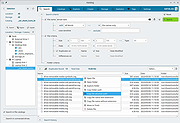 |
 |
KeenWrite v3.6.5 KeenWrite v3.6.5 👉 A free, open-source Markdown text editor for creating beautifully typeset documents and PDFs. KeenWrite is a cross-platform desktop Markdown editor designed for producing professional-quality documents with advanced typesetting capabilities. It combines a distraction-free writing environment with powerful features such as real-time preview, variable interpolation, mathematical notation using TeX syntax, and support for diagrams and structured content. KeenWrite focuses on technical writing, academic work, and long-form documents by enabling structured content and high-quality exports. Markdown documents can be converted into XHTML and then rendered into beautifully formatted PDFs using the ConTeXt typesetting engine and optional theme packs. The editor supports advanced syntax extensions, allowing writers to integrate variables, data, charts, and equations directly into their documents. The application includes a customizable interface with detachable panels, document outline navigation, integrated file management, and themeable skins for light or dark environments. KeenWrite also supports diagram creation (such as Mermaid and GraphViz), interactive statistics, and real-time math rendering, making it particularly useful for researchers, technical authors, and documentation writers. Interpolated variable replacement Features: • Cross-platform Markdown editor with live preview • Export Markdown documents to XHTML and high-quality PDF • Variable interpolation system for reusable content • Real-time math rendering using TeX notation • Diagram support including Mermaid, GraphViz, UML, and sequence diagrams • Built-in document statistics and word frequency analysis • Interactive document outline and integrated file manager • Customizable interface with detachable tabs and UI skins • Support for advanced Markdown extensions and Pandoc attributes • Dark mode and customizable visual themes Supported operating systems: • Windows 7, Windows 8, Windows 10, Windows 11 • macOS, • Linux, FreeBSD, Unix-like systems Supported languages: English, Korean, Japanese, Chinese, Simplified Chinese KeenWrite requires Java 17 or newer to run. If Java is not installed on your system, download and install the Java Runtime Environment before launching the program. Download Java Runtime Environment (JRE) See user manual for installation instructions: keenwrite-manual.pdf This download is ... |
|
887 | Mar 10, 2026 White Magic Software, Ltd.  |
|
Krita v5.3.4 Krita v5.3.4 👉 Professional free and open source digital painting software for illustration, concept art, comics, textures, and animation. Krita is a professional free and open source painting program made by artists who want affordable art tools for everyone. It offers a clean and flexible interface, a large set of painting and drawing tools, animation features, resource management, and advanced text and vector capabilities for creating everything from illustrations and concept art to comics, textures, and animated projects. Portrait of Random Beauty by:Manga Tengu Features: • Clean and flexible interface with fully customizable layouts, dockers, toolbars, themes, and keyboard shortcuts for a personalized workflow • Over 100 professionally crafted brushes included, covering painting, sketching, inking, textures, and special effects • Advanced brush engines (9+) including Pixel, Smudge, Color Smudge, Shape, Spray, Filter, and Particle engines for diverse artistic styles • Brush stabilizers, smoothing options, and Dynamic Brush tool for precise and controlled strokes • Full brush customization with pressure sensitivity, tilt support, rotation, texture overlays, and custom brush tips • Powerful layer system including raster, vector, filter, file, fill, and clone layers with grouping and non-destructive workflows • Advanced selection tools including freehand, polygonal, contiguous, color-based, and transformable selections • Masking system with transparency masks, filter masks, transform masks, and selection masks for non-destructive editing • Built-in vector tools for shapes, paths, and SVG-based artwork with editable properties • Enhanced text tool with on-canvas editing, full OpenType support, kerning, shaping, and text flowing into shapes • Wrap-around mode for seamless texture and tile creation • Resource Manager for importing, organizing, tagging, and sharing brushes, gradients, patterns, and palettes • Color management with HDR painting support, wide color gamut, ICC profiles, and advanced blending modes • Fill tool with gap-closing capability for cleaner coloring in line art • Fast liquify transform mode for real-time distortion and sculpting effects • Extensive filter set including artistic, blur, color adjustment, and new propagate ... |
|
7,926 | Oct 02, 2026 Krita Foundation  |
|
Kudu v3.6.1 Kudu v3.6.1 👉 Free open-source system maintenance, optimization, and security suite for Windows, macOS, and Linux. Kudu is a comprehensive system maintenance toolkit designed to help users clean, optimize, monitor, and secure their computers from a single unified interface. Built as a free and open-source alternative to many commercial system utilities, it combines system cleaning, malware detection, startup management, privacy protection, software updating, disk analysis, and performance monitoring tools into one package. Kudu focuses on providing powerful maintenance capabilities without advertisements, bundled software, or subscription requirements. It is suitable for both home users and IT professionals who want to keep systems running efficiently while maintaining privacy and security. Kudu also includes automation features, real-time monitoring, gaming optimizations, and optional cloud-based fleet management (paid) capabilities for managing multiple devices. Features: • System Cleaner for removing temporary files, caches, logs, and system junk • Multi-engine malware scanner with signature-based threat detection • Real-time performance monitoring for CPU, memory, disk, and network activity • S.M.A.R.T. disk health monitoring and analysis • Startup Manager with impact ratings for startup entries • Interactive Disk Analyzer with visual storage usage mapping • Privacy Shield for auditing and applying privacy settings • Software Updater for detecting outdated applications • Debloater for removing unwanted pre-installed Windows applications • Registry Cleaner with automatic backup protection • One-click Game Mode with performance and latency optimizations • Scheduled maintenance, scanning, and update tasks • Automatic backup safeguards before system changes • Command-line support for automation and scripting • Optional cloud-based centralized device management • Open-source MIT-licensed project with no advertisements or bundled software Supported operating systems: • Windows 10, Windows 11 • macOS • Linux Supported languages: • 30 languages supported Changes: v3.6.1 10-06-26 Bug Fixes icons: add missing Windows DPI sizes to the app icon (#513) (920f59c) malware: stop flagging validly signed binaries with the PE heuristic (#507) (e9784a1) 👉 This download is for the Windows version (very bottom of page). All ... |
|
682 | Oct 07, 2026 Advent Development, Inc.  |
|
LibreCAD v2.2.1.5 LibreCAD v2.2.1.5 👉 Free and open-source 2D CAD application for technical drawing and design. LibreCAD is a free, open-source computer-aided design (CAD) application focused on creating precise 2D technical drawings, schematics, floor plans, mechanical parts, and engineering diagrams. Built using the Qt framework, LibreCAD provides a lightweight yet powerful drafting environment suitable for hobbyists, students, architects, engineers, and professionals who need accurate 2D design tools without the complexity or cost of larger CAD suites. LibreCAD supports the DXF file format natively and offers a customizable interface with layers, snapping tools, measurement utilities, advanced selection controls, and extensive drawing commands. The program is designed to be fast and efficient even on older hardware, making it ideal for both modern and legacy systems. Features: • Create precise 2D technical drawings and CAD designs • Native DXF file format support • Layer management system for organized projects • Advanced snapping tools for accurate drawing placement • Tools for lines, circles, arcs, splines, hatches, and dimensions • Customizable interface and command-line style input • Print and export drawing support • Measurement and modification utilities • Support for plugins and community extensions • Lightweight performance suitable for older computers • Multi-document workflow support • Extensive keyboard shortcuts and drafting tools Supported operating systems: • Windows 7, Windows 8, Windows 10, Windows 11 • macOS • Linux Supported languages: English, German, French, Spanish, Italian, Portuguese, Russian, Chinese, Japanese, Korean, Dutch, Polish, Czech, Hungarian, Turkish, Ukrainian, Swedish, Danish, Finnish, Greek, Romanian, Catalan, and more Changes: v2.2.1.5 06-02-26 • Various bug fixes and stability improvements • Updated translations • Improved compatibility and usability enhancements This download is for the Windows 64bit version (very bottom of page). All other download assets are below: Other Windows: LibreCAD-v2.2.1.5-msvc.exe (32bit) macOS: LibreCAD-v2.2.1.5-arm64.dmg LibreCAD-v2.2.1.5.dmg Linux: LibreCAD-v2.2.1.5-x86_64.AppImage LibreCAD-v2.2.1.5-aarch64.AppImage LibreCAD-v2.2.1.5.snap Click here to visit the author's website. |
|
7,282 | Jun 02, 2026 LibreCAD  |
|
LibreOffice Portable v26.2.4 LibreOffice Portable v26.2.4 👉 LibreOffice Portable can run from a cloud folder, external drive, or local folder without installing into Windows. LibreOffice Portable is a full-featured office suite -- including a word processor, spreadsheet, presentation tool, drawing package and database -- that's compatible with Microsoft Office, Word Perfect, Lotus and other office applications. It's easy-to-use and feature-rich, performing nearly all of the functions you'd expect in an office suite, but at no cost. Additional functionality including the Base database and document creation wizards is enabled by installing the jPortable portable Java runtime environment. Features: • Portable version runs without installation from USB or external drive • Includes Writer (word processor), Calc (spreadsheet), Impress (presentations), Draw (vector graphics), Base (database), and Math (formula editor) • Compatible with Microsoft Office file formats (DOCX, XLSX, PPTX) • Supports OpenDocument Format (ODF) as its native standard • Built-in PDF export and document signing • Extensive formatting, styles, and templates for professional documents • Macro support and scripting for automation • Extensions and add-ons available to expand functionality • Multi-language interface and spellchecking support • Cross-platform compatibility with consistent interface • Offline use with no cloud dependency • Regular updates from The Document Foundation Supported operating systems: Windows 7, 8, 10, 11 and WINE Supported languages: English, Afrikaans, Albanian, Amharic, Arabic, Armenian, Assamese, Asturian, Azerbaijani, Basque, Belarusian, Bengali, Bosnian, Breton, Bulgarian, Burmese, Catalan, Chinese (Simplified), Chinese (Traditional), Croatian, Czech, Danish, Dutch, Dzongkha, English (UK), Esperanto, Estonian, Finnish, French, Galician, Georgian, German, Greek, Gujarati, Hebrew, Hindi, Hungarian, Icelandic, Indonesian, Irish, Italian, Japanese, Kannada, Kazakh, Khmer, Korean, Kurdish, Lao, Latvian, Lithuanian, Macedonian, Maithili, Malayalam, Marathi, Mongolian, Nepali, Norwegian (Bokmεl), Norwegian (Nynorsk), Occitan, Odia, Persian, Polish, Portuguese, Portuguese (Brazil), Punjabi, Romanian, Russian, Sanskrit, Scottish Gaelic, Serbian (Cyrillic), Serbian (Latin), Sinhala, Slovak, Slovenian, Spanish, Swedish, Tamil, Telugu, Thai, Tibetan, Turkish, Ukrainian, Urdu, Uyghur, Uzbek, Vietnamese, Welsh Writer Edit all kinds of documents Writer has all the features you need ... |
|
9,512 | Jul 26, 2026 The Document Foundation & PortableApps.com 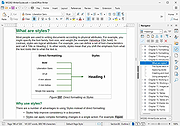 |
|
Librer v1.0979.518 Librer v1.0979.518 👉 Cross-platform GUI file cataloging with powerful search and custom metadata extraction. Librer is a cross-platform GUI file cataloging program designed to catalog files (especially on removable media like memory cards and portable drives), add metadata via custom data extractors, and perform fast multi-core searches across saved records. Features: • Catalog file systems into portable record files (great for removable media) • Add custom metadata (Custom Data) by running user-selected commands or scripts per file • Search using regular expressions, glob expressions, and fuzzy matching (filenames and custom data) • Export and import created records for sharing or backups • Import data from other catalogers including Where Is It?, Cathy (.caf), and VVV (CSV) • Highly optimized record format for fast access, compression, and repository portability • Portable by design: writes logs, configuration, and data into its own folders at runtime Supported operating systems: • Linux • Windows 10, Windows 11 Changes: v1.0979.518 06-24-26 refactoring of opening paths and URLs check xdg-open bump pyinstaller, tkinterdnd2, pywin32, dateparser better messages Note: This file has one hit on VirusTotal. We have confirmed this to be a false positive. The file is safe. This download is for the Windows portable version (very bottom of page). If you need the Linux portable version, download here. Click here to visit the author's website. |
|
1,687 | Jun 27, 2026 Piotr Jochymek 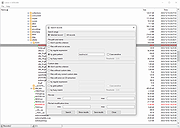 |
|
Media Player Classic - Home Cinema (MPC-HC) v2.8.2 Media Player Classic - Home Cinema (MPC-HC) v2.8.2 👉 Free and open-source video and audio player for Windows. Media Player Classic - Home Cinema is a free and open-source video and audio player for Windows. It is known for its simple and effective user interface while offering a large amount of functionality. As a DirectShow player, it also provides flexibility and extensibility through third-party filters. Features • Modern GUI Theme (Dark or Light) Options > Player > User Interface When using modern theme it is also possible to change the height of the seekbar and size of the toolbar buttons. • Video preview on the seekbar Options > Player > User Interface • Play HDR video This requires using MPC Video Renderer (download below) or madVR. After installation these renderers can be selected here: Options > Playback > Output Tip: If you want an easy to use all-in-one package that contains MPC-HC and these renderers, then use K-Lite Codec pack. • Ability to search for subtitles Press D for manual search. Or enable automatic search in: Options > Subtitles > Misc • Adjust playback speed Menu > Play > Playback rate The buttons in the player that control playback rate take a 2x step by default. This can be customized to smaller values (like 10%): Options > Playback > Speed step Adjusting playback speed works best with the SaneAR audio renderer. This also has automatic pitch correction. Options > Playback > Output > Audio Renderer • MPC-HC can remember playback position, so you can resume from that point later ... |
|
7,140 | Sep 23, 2026 MPC-HC Team  |
|
Money Manager Ex v1.9.3 Money Manager Ex v1.9.3 👉 Free, open-source personal finance software for tracking accounts, budgets, cash flow, assets and expenses. Money Manager Ex is a free, open-source personal finance application designed to help users organize their finances with a clear and easy-to-use interface. It allows you to monitor bank accounts, credit cards, investments, assets and recurring expenses while keeping all financial information stored locally for improved privacy and control. Money Manager Ex is suitable for both beginners and advanced users who want a lightweight but powerful alternative to online financial services. The software includes budgeting tools, customizable reports, reminders, transaction scheduling and multi-account management to help track spending habits and improve financial planning. The application supports multiple currencies, encrypted databases, portable operation and import/export tools for transferring data between financial applications. Its built-in reporting engine provides charts and summaries that make it easier to analyze income, expenses and long-term financial trends. Advanced users can also create custom reports using SQL, HTML, LUA and JavaScript. Money Manager Ex stores data in an SQLite database and works entirely offline, giving users full control over their financial records without relying on cloud synchronization or subscriptions. The software is actively maintained by an open-source community and is available for Windows, macOS and Linux systems. Features: • Track checking, savings, cash, credit card, stock investment and asset accounts • Organize transactions with unlimited nested categories and tags • Schedule recurring bills, deposits and transfers with reminders • Create detailed budgets and monitor spending habits • Generate financial reports with charts, graphs and summaries • Supports multiple currencies and exchange rates • Import transactions from CSV, QIF and OFX files • Export financial data to CSV, QIF and HTML formats • Portable mode available for Windows systems • SQLite database with AES encryption support • Split transactions across multiple categories • Search and filter transaction history quickly • Reconcile bank statements and account balances • Create ... |
|
11,308 | Aug 11, 2026 Money Manager EX 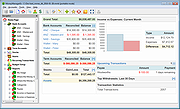 |
|
MuseScore v4.7.4 MuseScore v4.7.4 👉 Free and open-source music notation and composition software. MuseScore is a powerful and easy-to-use music notation program designed for writing, editing, and printing sheet music. It provides composers, arrangers, teachers, and students with a complete environment for creating professional-quality scores. The program includes a flexible notation editor, playback with high-quality instrument sounds, and support for a wide range of musical symbols and notation standards. MuseScore allows users to input notes using a mouse, keyboard, or MIDI controller, and offers real-time playback so compositions can be heard while being written. Scores can be exported to a variety of formats including PDF, MusicXML, MIDI, and audio formats, making it easy to share music with others or use it in other music production tools. The software supports a broad range of musical styles and ensembles, from simple lead sheets and piano scores to full orchestral arrangements. MuseScore also integrates with the online MuseScore community where users can share scores, download music, and collaborate with other musicians around the world. Features: • Professional music notation editor with extensive symbol library • Note input via mouse, keyboard, or MIDI controller • Real-time playback with integrated soundfonts and instrument sounds • Support for multiple staves, voices, and complex score layouts • Import and export support for MusicXML, MIDI, PDF, audio, and more • Built-in mixer and playback controls for balancing instrument parts • Flexible layout tools for printing high-quality sheet music • Plugin support for extending functionality • Integration with the MuseScore online community for sharing scores Supported operating systems: • Windows 10, Windows 11 • macOS 12 Monterey or higher • Linux Supported languages: English, Arabic, Basque, Catalan, Chinese Simplified, Chinese Traditional, Czech, Danish, Dutch, Finnish, French, German, Greek, Hungarian, Indonesian, Italian, Japanese, Korean, Norwegian, Polish, Portuguese, Portuguese Brazilian, Romanian, Russian, Slovak, Spanish, Swedish, Turkish, Ukrainian, Vietnamese Changes: v4.7.4 07-07-26 New instruments This update adds the following instruments to the New Score dialog: ... |
|
7,811 | Jul 24, 2026 MuseScore BVBA  |
|
MyPitch v1.0 MyPitch v1.0 👉 A simple functional ear trainer for musicians MyPitch is a free, open-source, simple, and customizable ear trainer for musicians. It helps train your ability to recognize the functions of scale notes within a tonal context and, by extension, your ability to recognize these pitches. Features: • Interactive quiz mode for all degrees or subsets at any key and octave, even randomized • Pocket mode with automatic speech responses for hands-free practice • Customizable Tonic Drone for anchoring to the key • Melody quiz for drilling melodies within a key context in various scale modes • Stats report after interactive mode showing useful data about strengths and weaknesses • Free and open-source Supported operating systems: • Windows • Linux • Android Supported languages: English Changes: v1.0 08-11-26 update version 👉 This download is for the Windows version (very bottom of page). All other download assets are below: Linux: MyPitch-AppImage-x86_64-1.0alpha.AppImage Android: com.saverin.mypitch-1.0.apk Click here to visit the author's website. |
|
617 | Sep 28, 2026 SaverinOnRails  |
|
Neovim v0.12.4 Neovim v0.12.4 👉 Hyperextensible Vim-based text editor focused on usability and modern development. Neovim is a powerful, extensible text editor built as a refactor of Vim, designed to improve maintainability, usability, and plugin development. It provides a modern codebase with enhanced APIs, asynchronous job control, and built-in Language Server Protocol support, making it well-suited for programming and advanced text editing workflows. Neovim maintains strong compatibility with Vim while introducing a more developer-friendly architecture and improved user experience. Features: • Vim-compatible modal editing • Built-in Language Server Protocol (LSP) support • Asynchronous job control and event-driven architecture • Embedded Lua scripting for fast, modern configuration • Remote plugin support (Python, Node.js, Ruby, and more) • Terminal emulator built-in • Tree-sitter integration for advanced syntax highlighting • Highly customizable key mappings and workflows • Cross-platform support Supported operating systems: • Windows 10, Windows 11 • macOS 10.15 or later • Linux • FreeBSD Supported languages: • English Changes: v0.12.4 07-05-26 FEATURES - fec4045 lsp: clean up semantic token initialization and debounce #40266 - 55205b3 lsp: use LspNotify for semantic tokens (#40242) PERFORMANCE - fded370 lsp: overscan semantic_token range requests #40036 - fa365ce treesitter: reduce memory usage of _select.lua #40409 FIXES - e57c37d api: nvim_buf_set_text resets changelist to 0 #39965 - ea07b60 api: preserve ArrayOf metadata #40429 - 5ff4e14 cmdline: avoid redraw loop after wrapped line #40240 - a0d7e80 folds: foldcolumn is interrupted for virtual line above nested fold (#39999) - a4cfded health: always set 'modifiable' #40584 - 7fd0f54 health: don't check node package via yarn #40572 - 749126d highlight: keep guisp underline color in float with 'winblend' #40283 - 5c38490 lsp: allow specifying bufnr + client_id filter when enabling capabilities #37690 - c81ab60 lsp: catch another nil buffer state #40285 - bf8d0be lsp: fire LspNotify didChange autocmds after undo/redo #40404 - 41dbb82 lsp: fix multiline semantic token processing (#40340) - 3dd3a6c lsp: make LspNotify more robust (#40341) - ecda676 lsp: refresh codelens despite pending debounce #40177 - 822d969 lsp: request semantic tokens in BufWinEnter #40513 - fd27246 lsp: skip invalid file watcher globs ... |
|
2,320 | Jul 06, 2026 Neovim team  |
|
NetHack 3D v1.5.0 NetHack 3D v1.5.0 👉 Play classic NetHack in a fully interactive 3D dungeon. NetHack 3D lets you play classic NetHack in a fully interactive 3D dungeon while keeping the core roguelike rules and depth. It runs NetHack through WebAssembly and presents the game with a modern React interface and Three.js 3D renderer. You can play in a browser or use desktop and mobile builds. Features: • Fully interactive 3D presentation of NetHack • Supports NetHack 5.0, NetHack 3.6.7, and Slash’EM • Terminal display mode using authentic raw NetHack terminal characters • Terminal mode supports colors, IBMgraphics, DECgraphics, reverse-video highlighting, and a dedicated message-log gutter • Zoomable Terminal mode with crisp, pixel-aligned text rendering • 3D ASCII mode with Classic and Terminal color schemes based on the active NetHack runtime • Overhead and first-person 3D views • ASCII and graphical tile views • Highlight Pets option displays a heart marker over pets in 3D views • Optional animated movement for ASCII and tile views • Option to skip the NetHack 5 tutorial when starting a new game • Action menus provide convenient access to NetHack commands • Expanded Slash’EM action-menu support with its complete keyboard-command set and modifier bindings • Settings include information popovers explaining available options • Save handling preserves runtime settings across supported NetHack versions • Designed to provide modern UI conveniences while retaining authentic NetHack gameplay Supported operating systems: • Windows x64 • macOS • Linux x64 AppImage • Android • Web browser • iOS and iPadOS through Safari Add to Home Screen web app Supported languages: English, German, Spanish, Finnish, French, Japanese, Korean, Portuguese Brazilian, Russian, Chinese Simplified Changes: v1.5.0 07-15-26 TERMINAL mode added! The Terminal update is designed for people who want NetHack 3D's ease-of-use improvements and UI conveniences while playing the game in an authentic terminal. No fuss setting up a terminal. Fully configurable and supporting real NetHack terminal settings. Highlights Added Terminal display mode: a classic terminal-style view using the raw NetHack terminal ... |
|
654 | Sep 11, 2026 James Pound  |
|
NETworkManager v2026.2.22.0 NETworkManager v2026.2.22.0 👉 Powerful open-source network management and troubleshooting tool. NETworkManager is a comprehensive open-source application designed to help administrators and power users manage, analyze, and troubleshoot network environments. It provides a wide range of built-in tools within a single, modern interface, making it easier to monitor connections, configure network settings, and diagnose connectivity issues without switching between multiple utilities. NETworkManager supports remote connections and offers advanced features for managing IP addresses, DNS, WiFi networks, ports, and more. With its modular design and extensive toolset, it is well-suited for both everyday network diagnostics and more advanced administrative tasks. Supported languages: • English, German, Spanish, French, Italian, Russian, Chinese (Simplified), Chinese (Traditional), Japanese, Korean, Portuguese, Polish Changes: v2026.2.22.0 02-22-26 Breaking Changes Migrated from .NET 8.0 (LTS) to .NET 10.0 (LTS). Upgrade your .NET Desktop Runtime to version 10.0 (LTS) - x64 before you install this version. AWS Session Manager feature has been removed. Profile and settings files have been migrated from XML to JSON. Existing files will be automatically converted to JSON on first load after the update. You should back up your settings and profile file before installing. New Features System-Wide Policies for enterprise deployment and management. Administrators can now configure system-wide policies via a config.json file in the application directory to control specific settings for all users. DNS Lookup now allows direct input for dns server ip|host:port (port - is optional) Remote Desktop connect admin (console) session Migrated Dialogs to ChildWindows This download is for the Windows portable version (very bottom of page). If you need the Windows installer version, download here. Click here to visit the author's website. |
|
4,098 | Jul 05, 2026 BornToBeRoot 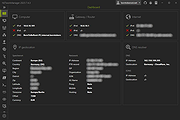 |
|
Notepad++ v8.9.8.1 Notepad++ v8.9.8.1 👉 Free source code editor and Notepad replacement that supports multiple programming languages. Notepad++ is a powerful text and source code editor designed as a lightweight replacement for Windows Notepad. Built on the Scintilla editing component, it provides advanced editing features, syntax highlighting, and extensive customization options while maintaining fast performance and low resource usage. Notepad++ supports a wide range of programming and scripting languages and includes features such as tabbed editing, code folding, search and replace with regular expressions, and macro recording. Its plugin system allows users to extend functionality with additional tools and enhancements. Features: • Syntax highlighting and syntax folding • Multi-document tab interface • Powerful search and replace with regular expression support • Macro recording and playback • Plugin support for extended functionality • Auto-completion and customizable GUI • Lightweight and optimized for performance Supported operating systems: • Windows 7, Windows 8, Windows 10, Windows 11 Supported languages: English, Chinese (Simplified), Chinese (Traditional), French, German, Italian, Japanese, Korean, Spanish, Russian, and more Changes: v8.9.8.1 09-24-26 Vulnerability: Fix crash caused by “Open file” & “Search on Internet” commands. CVE ID not assigned yet Vulnerability: Fix Function List array out-of-bounds risks when parsing functions. CVE ID not assigned yet Vulnerability: Fix UAC operations performed without verifying the caller. CVE ID not assigned yet Vulnerability: Fix incomplete UNC detection allowing NTLM leak bypass. CVE ID not assigned yet Vulnerability: Fix crash of NPPM API when invalid value passed as argument. CVE ID not assigned yet Regression: Fix failure to open files via Notepad++ symlink paths. (Fix #18314) Fix a crash after canceling UAC saving operation. (Fix commit) Fix Network Path Warning dialog usability problem. (Fix #18319 (comment)) Fix symlinks setting for Folder as Workspace not ... |
|
10,547 | Sep 25, 2026 Don Ho 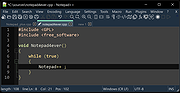 |
|
Notepad3 v7.26.602.1 Notepad3 v7.26.602.1 👉 A fast, lightweight, Scintilla-based text editor for Windows with syntax highlighting. Notepad3 is a free, open-source text editor built as a smarter, more capable replacement for Windows Notepad. It is based on the Scintilla editing component and Lexilla lexer library, giving it powerful syntax highlighting, fast performance, a small memory footprint, and practical tools for everyday text editing, coding, scripting, configuration files, logs, and more. Features: • Fast and lightweight Windows text editor • Syntax highlighting for over 55 programming, scripting, markup, and configuration languages • Code folding with toggle-all support • Bookmarks for quick navigation • Word auto-completion • Find and Replace with PCRE2 regular expression support • grepWin integration for searching across files • Encoding detection and character encoding support • File change monitoring • AES-256 Rijndael encryption and decryption • Dark mode support with customizable colors • High-DPI aware interface with high-definition toolbar icons • Customizable status bar and toolbar labels • Portable edition available • Includes MiniPath file browser plugin Supported operating systems: • Windows 8.1, Windows 10, Windows 11 Supported languages: Afrikaans, Belarusian, Chinese Simplified, Chinese Traditional, Dutch, English US, English UK, Finnish, French, German, Greek, Hindi, Hungarian, Indonesian, Italian, Japanese, Korean, Polish, Portuguese Brazil, Portuguese Portugal, Russian, Slovak, Spanish, Swedish, Turkish, Vietnamese Supported Programming Languages Apache, ASP, Assembly, AutoHotkey, AutoIt3, AviSynth, Awk, Bash, BAT, C, C++, C#, CGI, CMake, CoffeeScript, CSS, CSV, D, Dart, DIFF, Fortran, Go, HTML, INF, INI, Inno Setup, Java, JavaScript, JSON, Julia, KiXtart, Kotlin, LaTeX, Lua, Makefiles, Markdown, MATLAB, Nim, NSIS, Pascal, Perl, PHP, PowerShell, Python, REG, Resource, R-S-SPlus Statistics, Ruby, Rust, Shell, SQL, Tcl, TOML, VB, VBScript, Verilog, VHDL, XHTML, XML, YAML and improved support for NFO ANSI. Changes: v7.26.426.1 04-26-26 • Paste-board minimization (/B /I) escape hatch if Ctrl-key held down. • PasteBoard: defer minimize on /B + /I startup so auto-pasted clipboard is visible briefly. • PasteBoard: opt-out ‘Don’t ask again’ on closing modified untitled documents. • Feat: /B auto-pastes current clipboard ... |
|
5,128 | Jun 10, 2026 Rizonetech Pty Ltd.  |
|
OBS Studio v32.2.2 OBS Studio v32.2.2 👉 Free and open source live streaming and screen recording software. OBS Studio is software designed for capturing, compositing, encoding, recording, and streaming video content efficiently. It provides a powerful real-time video and audio production environment that allows users to capture gameplay, desktop activity, webcams, and multiple input sources while combining them into professional-looking broadcasts or recordings. OBS Studio uses a scene-based workflow that lets users build complex layouts using sources such as game capture, display capture, window capture, images, text, media files, browsers, webcams, and capture cards. Scenes can be switched instantly or transitioned smoothly during live broadcasts, making it ideal for livestreaming, tutorials, presentations, gaming streams, and video production. The program includes a full audio mixing system with per-source volume controls, filters such as noise suppression and noise gate, and monitoring options for precise audio management. Studio Mode allows creators to preview scene changes before pushing them live, reducing mistakes during broadcasts. OBS Studio also supports hardware-accelerated encoding, customizable streaming and recording settings, hotkeys for fast control, plugin extensions, and integration with major streaming platforms such as Twitch, YouTube, and others. Because it is open source and highly extensible, OBS Studio has become one of the most widely used broadcasting tools for content creators, educators, and professionals. Features: • Free and open source software for live streaming and screen recording • Scene and source based workflow for arranging games, webcams, windows, images, text, and capture devices • Built-in audio and video filters including noise suppression, noise gate, gain, chroma key, crop/pad, color correction, and sharpen • Studio Mode for preparing scene changes before sending them live • Scene transitions such as Fade, Cut, Swipe, Slide, Fade to Color, and Luma Wipe • Hardware encoder support options depending on available system hardware and platform configuration • New Audio Mixer, new Add Source dialog, WebRTC simulcast support, and expanded ... |
|
7,233 | Aug 19, 2026 OBS Project 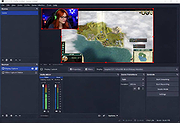 |
|
Open DroneLog v3.3.0 Open DroneLog v3.3.0 👉 Open-source drone flight logging, fleet tracking, and operational management platform. Open DroneLog is an open-source drone flight logging and fleet management platform built to help drone pilots, hobbyists, and commercial operators maintain accurate and organized flight records. It provides a centralized system where users can log detailed flight information, manage aircraft and equipment inventories, track battery usage cycles, and maintain pilot credentials and documentation. Open DroneLog is designed as a web-based application that can be self-hosted, allowing full control over your operational data. By keeping all records in one place, it simplifies compliance, improves maintenance tracking, and helps ensure that drones and related equipment remain airworthy and properly documented. Its structured layout makes it easy to review flight history, analyze usage trends, and maintain a complete operational logbook. Which drones and flight logs are supported? Open DroneLog supports all DJI drones that generate .txt flight logs including DJI Mini, Mavic, Air, and Phantom series. It also supports Litchi CSV exports with automatic metric/imperial unit detection. Features: • Detailed flight logging with customizable flight records • Centralized drone fleet management • Equipment and component tracking • Battery cycle tracking and usage monitoring • Pilot management with record keeping • Maintenance and service history tracking • Organized digital logbook for compliance and auditing • Web-based interface accessible from modern browsers • Self-hosted deployment for full data ownership • Open-source project with publicly available source code Supported operating systems: • Windows, macOS, and Linux as a desktop application. You can also deploy it as a self-hosted web app using Docker on any server or NAS device. Supported languages: • English Changes: v3.3.0 05-01-26 What's New Proxy Configuration Support for DJI Keychain Implemented asynchronous keychain fetching using the reqwest library. This allows the application to respect and utilize system-level proxy configurations, resolving connectivity issues in restricted network environments. (Discussion #184) HTML Report Generation for single flights Added a new HTML report generation export option and ... |
|
719 | Jul 06, 2026 Arpan Ghosh  |
|
Open Source Point of Sale v3.3.9 Open Source Point of Sale v3.3.9 A free, open source, web based point of sale application written in PHP using CodeIgniter framework. It uses MySQL as the data back end and has a Bootstrap 3 based user interface. The main features are: • Stock management (Items and Kits with extensible list of Attributes) • VAT, GST, customer and multi tiers taxation • Sale register with transactions logging • Quotation and invoicing • Expenses logging • Cashup • Receipt and invoice printing and/or emailing • Barcode generation and printing • Suppliers and Customers database • Multiuser with permission control • Reporting on sales, orders, expenses, inventory status • Receivings • Giftcard • Rewards • Restaurant tables • Messaging (SMS) • Multilanguage • Selectable Boostrap (Bootswatch) based UI theme • Mailchimp integration • reCAPTCHA to protect login page from brute force attacks • GDPR ready The software is written in PHP language, it uses MySQL (or MariaDB) as data storage back-end and has a simple but intuitive user interface. The latest 3.x version is a complete overhaul of the original software. It is now based on Bootstrap 3 using Bootswatch themes, and uses CodeIgniter version 3 as framework. It also has improved functionality and security. Try the online demo. A demo version of the latest master version can be found on the developer's Demo Server. LOGIN using username: admin password: pointofsale Server Requirements PHP version 7.2 ... |
|
3,971 | Feb 18, 2024 opensourcepos  |
|
OpenTTD v15.3 OpenTTD v15.3 👉 An open-source transport simulation game based on Transport Tycoon Deluxe. OpenTTD is a business simulation game in which players build and manage transportation networks, including railways, roads, air routes, and shipping lines. Inspired by the classic Transport Tycoon Deluxe, it expands on the original with improved graphics support, enhanced gameplay mechanics, multiplayer capabilities, and extensive modding options. Players can transport passengers and cargo efficiently while growing their transport empire in a dynamic, evolving world. OpenTTD requires a base graphics set to run, which can be downloaded automatically on first launch or installed manually. Options include OpenGFX (graphics) or original Transport Tycoon Deluxe data files, which require owning the original game. Optional sound and music sets such as OpenSFX (sound) and OpenMSX (music) can also be installed via the in-game content download manager. Additional graphics, sound, and music content can be downloaded directly within the game. Transport Tycoon Deluxe can be purchased alongside OpenTTD on platforms like Steam and GOG. Features: • Build complex transport networks using trains, buses, trucks, ships, and aircraft • Open-source remake and expansion of Transport Tycoon Deluxe • Large maps with customizable terrain and industries • Advanced AI competitors and multiplayer support (LAN and online) • In-game content manager for downloading mods, graphics, sounds, and scenarios • Supports custom NewGRF files for extended gameplay features • Dynamic economy and cargo distribution systems • Cross-platform gameplay with consistent features across systems • Scenario editor and map generator • Support for high resolutions and modern UI scaling • Optional base graphics, sound, and music sets (OpenGFX, OpenSFX, OpenMSX) • Ability to use original Transport Tycoon Deluxe assets if owned Supported operating systems: • Windows 7, Windows 8, Windows 10, Windows 11 • macOS 10.13 or higher • Linux (various distributions) • FreeBSD Supported languages: English, French, German, Spanish, Italian, Dutch, Polish, Russian, Japanese, Chinese, Korean, Czech, Slovak, Hungarian, Portuguese, Swedish, Finnish, Norwegian, Danish, Turkish, Ukrainian, and many ... |
|
9,627 | Apr 07, 2026 OpenTTD Team  |
|
Orbhold v1.0 Orbhold v1.0 👉 Fast-paced browser-based arcade defense game. Orbhold is a browser-based video game where players defend against incoming threats in a fast-paced arcade-style experience. Designed to run directly in your web browser, it requires no installation and focuses on quick reflexes, simple controls, and engaging gameplay. Its lightweight design makes it easy to jump in and start playing instantly. Features: • Runs directly in modern web browsers • Fast-paced arcade-style gameplay • Simple controls and quick learning curve • Lightweight and easy to access • Open-source project hosted on GitHub How to Play: • Move: WASD or Arrow Keys • Collect slimes to grow your character circle • Collide with other players to fight and knock out characters • Win by having the most characters when the timer ends, or by being the last player alive Supported operating systems: • Windows 10, Windows 11 • macOS • Linux Supported languages: • English Click here to visit the author's website. |
|
703 | Jun 29, 2026 Slop Games  |
|
PDF Arranger v1.14.0 PDF Arranger v1.14.0 👉 Merge, split, rotate, crop and rearrange PDF pages with an easy graphical interface. PDF Arranger is a lightweight open-source application for merging, splitting, rotating, cropping, and rearranging PDF documents through a simple drag-and-drop graphical interface. Built with Python and GTK, it allows users to visually organize pages and create new PDF layouts without needing complex editing software. PDF Arranger is based on the functionality of PDF-Shuffler and uses pikepdf for PDF manipulation. It is designed to be fast, efficient, and easy to use for both casual and advanced users needing quick PDF document management. Features: • Merge multiple PDF documents into a single file • Split PDF documents into separate pages or ranges • Rotate pages individually or in groups • Crop pages visually • Rearrange pages using drag-and-drop • Duplicate pages quickly • Zoom and preview PDF pages • Supports password-protected PDFs • Import image files and convert them into PDF pages • Undo and redo editing actions • Customizable keyboard shortcuts • Open-source and cross-platform Supported operating systems: • Windows 10, Windows 11 • macOS • Linux • FreeBSD Supported languages: Arabic, Catalan, Catalan (Valencian), Czech, Danish, German, Greek, English, Spanish, Basque, Finnish, French, Hebrew, Croatian, Hungarian, Indonesian, Icelandic, Italian, Japanese, Georgian, Korean, Dutch, Occitan, Polish, Portuguese (Brazil), Portuguese (Portugal), Russian, Slovenian, Swedish, Turkish, Ukrainian, Vietnamese, Simplified Chinese, Traditional Chinese Changes: v1.14.0 04-13-26 • Added support for importing JBIG2 image files • Improved crop dialog behavior • Added new keyboard shortcuts • Improved handling of password-protected PDFs • Updated translations • Fixed several bugs and stability issues This download is for the Windows version (very bottom of page). Linux install instructions below: For Linux: pdfarranger requires pikepdf >= 6. pip will automatically install the latest pikepdf if there is no pikepdf installed on the system. On Debian based distributions sudo apt-get install python3-pip python3-wheel python3-gi python3-gi-cairo \ gir1.2-gtk-3.0 gir1.2-poppler-0.18 gir1.2-handy-1 python3-setuptools \ gettext python3-dateutil python3-venv On Arch Linux sudo pacman -S poppler-glib python-pip python-gobject ... |
|
5,123 | May 28, 2026 Jerome Robert  |
|
PeaZip v11.2.0 PeaZip v11.2.0 👉 A free, open source file and archive manager for creating, opening, extracting, and securing compressed files. PeaZip is a cross-platform archive manager and file compression utility that can create, open, browse, and extract 7Z, RAR, TAR, ZIP, and many other archive formats. It also includes archive conversion, file splitting and joining, file hashing, password management, secure deletion, search, bookmarks, duplicate file detection, and integrated text, hex, and image viewers. Features: • Opens over 200 archive types and variants • Creates, opens, browses, and extracts 7Z, RAR, TAR, ZIP, ZIPX, and many more archive formats • Converts existing archives between supported formats • Splits and joins files • Handles spanned archives such as 001, R01, and Z01 • Supports multiple archive encryption standards • Includes file hashing tools • Can export GUI tasks as command line scripts • Provides a built-in file manager with bookmarks, search, and instant content filtering • Detects duplicate files • Includes integrated text, hex, and image viewers • Offers portable packages that do not require installation • Includes password management features and password entropy rating • Adds batch archive testing and improved archive browsing performance in v11.0.0 Supported operating systems: • Windows x86, Windows x64, ReactOS, Wine • Linux x86_64, Linux x86, Linux ARM, Linux aarch64 • macOS / Darwin Intel x86_64, macOS / Darwin Apple Silicon aarch64 • BSD x86-64 Supported languages: Arabic, Belarusian, Bulgarian, Catalan, Chinese Simplified, Chinese Traditional, Czech, Danish, Dutch, English, Esperanto, Finnish, French, German, Greek, Hungarian, Indonesian, Italian, Japanese, Korean, Lithuanian, Norwegian, Persian, Polish, Portuguese (Brazil), Portuguese (Portugal), Romanian, Russian, Serbian, Slovak, Spanish, Swedish, Thai, Turkish, Ukrainian, Vietnamese Changes: v11.2.0 07-12-26 BACKEND 7z/p7zip 26.02 Pea 1.32 hardened against timing attack on verification of integrity tags CODE Code review with various fixes and quality improvements FILE MANAGER Added read support for Zeno IMproved .ZIM archives, used for Wikipedia and Project Gutenberg data dumps Fixed some inconsistencies in icons representation for special folders and search filters Keyboard shortcuts updated and made fully working ... |
|
7,536 | Jul 13, 2026 PeaZip  |
|
PilotEdit Lite v21.5.0 PilotEdit Lite v21.5.0 👉 Free text and hex editor designed for working with large files and advanced text processing tasks. PilotEdit Lite is a lightweight yet powerful text and source code editor built for users who need to handle large files, perform advanced search and replace operations, edit hex data, and manage coding projects efficiently. The Lite edition provides many of the core editing and file management tools found in the full version while remaining free for personal use. It is especially useful for programmers, web developers, log file analysis, and anyone working with very large text files that standard editors may struggle to open or process smoothly. Features: • Open and edit large text files • Syntax highlighting for multiple programming languages • Hex editor mode for binary file editing • Advanced multi-line search and replace • Column mode editing • Regular expression support • File compare functionality • FTP and SFTP file transfer support • Unicode and UTF-8 support • Customizable text encoding options • Line sorting and duplicate removal tools • Powerful file search across directories • Bookmark support for quick navigation • Word wrap and split window editing • Configurable keyboard shortcuts • Session and workspace management • Automatic file backup support • Portable version available Supported File Types: AHK Script, ASP, ASP.NET, AngularJS TypeScript, Apache Pig Latin Script, Assembly, AutoIt Script, BAT/CMD, C#, C/C++, COBOL, CSS, CSV, Conf, D Programming, DSV, Eiffel, Erlang, F#, Go, Groovy, HTML, Haskell, INF, INI, Inno Setup Script, J#, JSON, JSP, Java, Javascript, LESS, LISP, LaTex, Log, Lua, MATLAB, Markdown, MicroBasic Pro, PHP, Pascal, Perl, PilotEdit Script, PowerShell Script, Python, R Programming, REXX, RHTML, Ruby, SQL, Scala, TCL/TK, TSV, Text, Textile, UNIX/Linux Shell, VC++ Resource, Visual Basic, XHTML, XML Supported operating systems: • Windows 7, Windows 8, Windows 10, Windows 11, Windows Server 2008, Windows Server 2012, Windows Server 2016, Windows Server 2019, Windows Server 2022 Supported languages: Arabic, Dutch, English, Finnish, French, German, Hindi, Italian, ... |
|
10,000 | Oct 07, 2026 PilotEdit 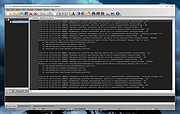 |
|
Pioneer v2026-02-03 Pioneer v2026-02-03 👉 A realistic open-source space adventure and trading simulator. Pioneer is a realistic, open-source space simulation game inspired by classic titles like Elite, where you explore a vast procedurally generated galaxy set in the year 3200. Starting with a small ship and limited credits, you can trade goods, accept missions, mine asteroids, bounty hunt, explore star systems, or simply chart your own course through thousands of star systems modeled with believable astrophysics. Pioneer emphasizes realism, featuring Newtonian flight mechanics, detailed star systems based on real astronomical data, seamless planet-to-surface transitions without loading screens, and a dynamic economy. Every star system is uniquely generated, complete with space stations, factions, and political systems that influence missions and trade opportunities. Your browser does not support the video tag. Features: • Massive procedurally generated galaxy with thousands of star systems • Realistic Newtonian flight model and orbital mechanics • Seamless transitions from space to planetary surfaces • Trading, mining, exploration, combat, and mission-based gameplay • Dynamic economy influenced by system politics and factions • Multiple ship types with upgradeable equipment and weapons • Realistic star maps based on actual astronomical data • Mod support and active open-source development community Supported operating systems: • Windows 10, Windows 11 • Linux Supported languages: English, German, French, Spanish, Italian, Russian, Polish, Japanese, Chinese Changes: v2026-02-03 02-03-26 Major changes and new features Animate thruster flame (#6204) Add system lawlessness rating to sector map (#6265) Add context-based station economic industries (#6199) Cargo Run custom risk message (#6192) New mission: Find person (#4746) Advice module - Three new advises (#6234) Calculate star colors using Planck's law (#6210) Added 'About' button in Main Menu (#6145) Assassination - minor string improvements and code refactor (#6218) ... |
|
22,200 | Jun 27, 2026 Pioneer Developers 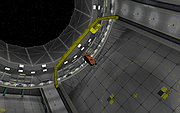 |
|
PixiEditor v2.1.2.4 PixiEditor v2.1.2.4 👉 A free, open-source universal 2D graphics editor for pixel art, painting, image editing, vector art, procedural art, and animations. PixiEditor is a universal 2D graphics editor made for all your 2D creative needs. Create sprites for games, frame-by-frame animations, edit images, draw, paint, make logos, work with vectors, and build non-destructive procedural graphics using its node graph system. Features: • Pixel art, painting, vector art, image editing, procedural art, and animation tools • Node Graph for non-destructive procedural graphics and animations • Dedicated pixel art toolset with palette management • Painting tools with soft brushes and anti-aliased shapes • Vector shapes and paths that can be mixed with raster artwork • Frame-by-frame animation support • Node-based Brush Engine for creating custom brushes • Extension Browser for browsing and installing extensions • Desktop native, cross-platform, and works offline • Export support for PNG, JPG, SVG, GIF, MP4, and more • Pixel Art — Dedicated Pixel Art toolset and advanced palette management. Create pixel art with a dedicated toolset. Perfect for game sprites, animations, or nostalgic artwork. Enjoy features like pixel-perfect pen mode for clean edges. • Animations — Bring stories to life with frame-by-frame Animations. Turn your drawings into moving stories! Create smooth frame-by-frame animations with tools that make it fun and easy to bring your art to life. • Procedural Art — Create non-destructible, procedural graphics with Node Graph. Node Graph allows for creating fully non-destructible graphics and animations. Connect nodes to easily compose complex visuals. From pre-built effects to custom shaders, the possibilities are endless! • Image Editing — Select, delete, clip, resize - everything you need for Image Editing. Use raster tools to edit images, sketch or paint. Whether you're doodling or making a masterpiece, PixiEditor is there for you! • Vector Art — Create and edit Vectors. Snapping included. Craft logos, icons, and illustrations with our flexible curve tool and vector shapes. Your designs ... |
|
1,163 | Sep 18, 2026 Pixi Labs Sp. z o.o 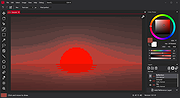 |
|
Podman Desktop v1.28.2 Podman Desktop v1.28.2 👉 Manage containers, Kubernetes, and local development environments with a powerful graphical interface. Podman Desktop is an open-source graphical tool that simplifies working with containers and Kubernetes on your local machine. It provides an intuitive interface for managing container engines such as Podman and Docker, creating and controlling containers and images, and deploying applications to Kubernetes clusters. Designed for developers, it streamlines container-based workflows with built-in extensions, resource monitoring, and seamless integration with local and remote environments. Features: • Manage containers, pods, and images through an easy-to-use GUI • Supports Podman and other container engines • Kubernetes cluster management and deployment tools • Extension system for expanding functionality • Integrated terminal and logs viewer • Resource monitoring and container inspection tools • Local and remote environment support • Open-source and community-driven Supported operating systems: • Windows 10 Build 19043 or later, or Windows 11 • macOS 12 (Monterey) or higher • Linux (various modern distributions) Supported languages: English Changes: v1.28.2 06-15-26 fix: resolve GHSA-39q2-94rc-95cp in dompurify by @benoitf in #17159 fix(troubleshooting): remove malformed leading ellipsis from waiting-for-response strings by @vancura in #17141 chore(deps-dev): bump the typescript-eslint group with 3 updates by @dependabot[bot] in #17162 chore(main): prefer-import-in-mock by @axel7083 in #17133 chore(deps-dev): bump the tailwindcss group across 1 directory with 3 updates by @dependabot[bot] in #17163 chore(deps): bump @fortawesome/react-fontawesome from 3.3.0 to 3.3.1 in the fortawesome group across 1 directory by @dependabot[bot] in #17161 chore(fix): fixing compose e2e tests to handle new flow by @cbr7 in #17165 refactor: extracted duplicated code to function by @gastoner in #17154 chore: 📢 Bump version to 1.28.0 by @podman-desktop-bot in #17160 refactor(network): replace raw Tailwind colors with color-registry tokens in CreateNetwork by @vancura in #17155 fix(ui): increase spinner segment opacity for better contrast by @vancura in #17145 refactor(color-registry): replace hover:text-white with color-registry token in WindowsControlButton by @vancura in #17135 refactor(extensions): replace divide-gray-900 with color-registry token in InstalledExtensionCard by @vancura in #17136 refactor(preferences): add color-registry token to PreferencesKubernetesContextsRendering by @vancura in #17137 refactor(renderer): remove ... |
|
1,446 | Jul 11, 2026 Containers  |
|
PokerTH Portable v2.1.3 PokerTH Portable v2.1.3 👉 Play Texas Hold'em poker against computer opponents or online players without installation. PokerTH Portable is the portable version of the free, open-source Texas Hold'em poker game. Play locally against computer-controlled opponents, compete with other players over a network or join games through the online PokerTH community. Games can include up to ten computer or human players. The program includes customizable cards, table themes and player avatars, along with online chat, sound effects, player statistics and configurable game rules. Since this edition is portable, it can run from a USB drive, cloud folder or local directory while keeping its settings with the program. Features: • Play Texas Hold'em poker against computer-controlled opponents • Join online multiplayer games through the PokerTH community • Create custom internet or local network games • Supports up to ten human or computer players • Spectate games already in progress • Customizable card decks, table themes and avatars • Online chat with emotes and player controls • Local and community player statistics • Configurable game rules and betting settings • Sound effects and an easy-to-use graphical interface • Runs from portable, cloud or local storage without traditional installation • Saves personal settings and game data within the portable folder Supported operating systems: • Windows 10, Windows 11 Supported languages: Afrikaans, العربية (Arabic), Беларуская (Belarusian), Български (Bulgarian), Catalΰ, 中文 (简体) (Chinese Simplified), 中文 (繁體) (Chinese Traditional), Hrvatski (Croatian), Čeština (Czech), Dansk (Danish), Nederlands (Dutch), English, English (British), Esperanto, Espaρol (Spanish), Espaρol (Alfabetizaciσn Internacional), Eesti (Estonian), Euskera (Basque), فارسی (Persian), Filipino, Suomi (Finnish), Franηais (French), Galego (Galician), Gΰidhlig (Scottish Gaelic), ქართული (Georgian), Deutsch (German), Ελληνικά (Greek), עברית (Hebrew), हिन्दी (Hindi), Magyar (Hungarian), Νslenska (Icelandic), Igbo, Italiano (Italian), 日本語 (Japanese), ಕನ್ನಡ (Kannada), 한국어 (Korean), Kurdξ (Kurdish), Latviešu (Latvian), Lλtzebuergesch (Luxembourgish), Lietuvių (Lithuanian), Македонски (Macedonian), Malagasy, मराठी (Marathi), Монгол Кирилл (Mongolian Cyrillic), Norsk (Norwegian), Norsk (nynorsk), Oʻzbek (Uzbek), Polski (Polish), Portuguκs (Portuguese), Portuguκs Brasileiro (Brazilian Portuguese), ... |
|
5,710 | Jul 22, 2026 PokerTH Team & PortableApps.com  |
|
Policy Plus vOctober 2025 Policy Plus vOctober 2025 👉 Local Group Policy Editor for all editions of Windows. Policy Plus is a free and open-source utility that brings the Local Group Policy Editor (gpedit.msc) functionality to all editions of Windows, including Home editions that do not normally include it. It provides a familiar interface for viewing and editing administrative templates and policy settings, making it easy to configure advanced system settings without needing to manually edit the registry. Policy Plus reads and applies the same policy definitions used by the official Group Policy Editor, ensuring compatibility with Windows administrative templates. It also supports importing the latest policy definitions and offers advanced search capabilities, making it a powerful tool for administrators and power users who want fine-grained control over system configuration. Features: • Full Local Group Policy Editor functionality for all Windows editions • Compatible with official Microsoft Administrative Template files (ADMX/ADML) • Built-in ADMX acquisition tool for downloading latest policy definitions • Advanced search and filtering of policy settings • View, edit, and manage registry-based policies • Portable and open-source Important: To ensure you have the latest Administrative Templates, you can download the full set of ADMX files directly within the program. Go to Help → Acquire ADMX Files, choose the destination folder (typically C:\Windows\PolicyDefinitions), and click Begin to download them from Microsoft. You can also manually open or load ADMX files by selecting File → Open ADMX File or File → Open ADMX Folder. This is useful if you have downloaded specific templates separately or want to work with a custom policy definitions folder. Supported operating systems: • Windows 7, Windows 8, Windows 8.1, Windows 10, Windows 11 Supported languages: English Click here to visit the author's website. |
|
7,610 | Jun 27, 2026 Ben Nordick  |
|
Portmaster Free v2.2.1 Portmaster Free v2.2.1 👉 Take complete control of your computer's network traffic and protect your privacy. Portmaster Free is a powerful open-source application firewall and privacy manager that lets you see, understand, and control every network connection made by your computer. Instead of simply allowing or blocking Internet access, Portmaster provides detailed visibility into which applications are communicating, where they are connecting, and what protocols they are using. Designed with privacy in mind, Portmaster automatically blocks many trackers, advertisements, malware hosts, and unwanted telemetry across your entire system rather than just within your web browser. It also secures DNS requests, provides extensive per-application and global network controls, and gives advanced users the flexibility to create highly customized filtering rules. Unlike traditional firewalls that focus mainly on inbound threats, Portmaster concentrates on outbound traffic, helping you identify applications that quietly phone home, collect telemetry, or communicate with unexpected servers. Whether you're a privacy enthusiast, security researcher, or simply want more insight into your computer's network activity, Portmaster offers one of the most comprehensive free solutions available. The free edition includes all core privacy and firewall functionality. Premium Safing features such as SPN (Safing Privacy Network), investigative tools, and priority support are optional and not required to use Portmaster's primary firewall and privacy capabilities. Features: • Monitor every incoming and outgoing network connection • Interactive application firewall with per-app network permissions • System-wide blocking of ads, trackers, and malware domains • Secure DNS requests using encrypted DNS-over-TLS • Create global and application-specific firewall rules • Block individual domains, IP addresses, countries, or connection types • Restrict peer-to-peer traffic to selected applications • View detailed connection history and network statistics • Control Internet access with simple allow and block rules • Automatic filter list updates for improved protection • Open-source software with publicly available source code • Automatic background updates for intelligence data and components Supported operating systems: • Windows 10 (64-bit), ... |
|
3,451 | Aug 04, 2026 Safing ICS Technologies GmbH  |
|
Psiphon v188.20260714192658 Psiphon v188.20260714192658 👉 Open-source circumvention tool that helps users bypass internet censorship and access blocked websites and services. Psiphon is a censorship-circumvention platform designed to provide open access to the internet in environments where websites and services are restricted or blocked. Developed as an open-source project, it uses a combination of secure communication and obfuscation technologies to help users reach content that might otherwise be unavailable due to filtering or surveillance. Psiphon automatically connects to a global network of proxy servers to establish a secure tunnel between the user and the open internet. The software intelligently selects the best protocol available for the current network conditions, helping maintain reliable access even in restrictive environments. The program requires minimal configuration and is designed to work immediately after launch. Once connected, users can browse the web, use applications, and access services through the Psiphon network while helping protect their connection from basic monitoring and blocking techniques. Features: • Circumvents internet censorship and network restrictions • Uses a combination of VPN, SSH, and HTTP proxy technologies • Automatically selects the most effective connection protocol • Secure tunnel helps protect traffic from basic network filtering • One-click connection with no complicated configuration required • Designed to operate reliably even on heavily restricted networks • Portable application that can run without installation • Open-source project focused on internet freedom and accessibility Supported operating systems: • Windows 7, Windows 8, Windows 8.1, Windows 10, Windows 11 • Android 4.0 or higher • iOS 12 or higher Supported languages: English, Arabic, Azerbaijani, Belarusian, Bengali, Chinese (Simplified), Chinese (Traditional), Croatian, Dutch, English, Finnish, French, German, Greek, Hindi, Indonesian, Italian, Kazakh, Korean, Kyrgyz, Norwegian Bokmεl, Oromo, Persian, Portuguese (Brazil), Portuguese (Portugal), Russian, Spanish, Swahili, Tajik, Thai, Turkish, Turkmen, Ukrainian, Urdu, Vietnamese, Amharic, Burmese, Khmer Changes: Not Provided This download is for the Windows 10/11 version (very bottom of page). All other download assets are below: Windows Legacy: Windows Vista, XP Windows 7, ... |
|
6,749 | Jul 16, 2026 Psiphon Inc.  |
|
Puzzle Collection Portable v2026.05.23 Puzzle Collection Portable v2026.05.23 👉 Portable collection of single-player logic and puzzle games. Puzzle Collection Portable is the PortableApps.com edition of Simon Tatham's Portable Puzzle Collection, a lightweight bundle of one-player puzzle games designed for quick play sessions and long-term brain exercise. It includes a wide variety of logic, deduction, matching, pathfinding, number, loop-drawing, tiling, and spatial puzzles in a single portable package that can run without a traditional installation. The collection includes favorites such as Black Box, Bridges, Cube, Dominosa, Fifteen, Filling, Flip, Flood, Galaxies, Guess, Inertia, Keen, Light Up, Loopy, Magnets, Map, Mines, Mosaic, Net, Netslide, Palisade, Pattern, Pearl, Pegs, Range, Rectangles, Same Game, Signpost, Singles, Sixteen, Slant, Solo, Tents, Towers, Tracks, Twiddle, Undead, Unequal, Unruly, and Untangle. Features: • Includes a large collection of single-player puzzle games in one portable package • Covers many puzzle styles including logic, number, tiling, matching, navigation, and deduction • Runs without a traditional installation • Designed to run from removable, local, or cloud storage • Small download and lightweight installed size • Based on Simon Tatham's long-running open-source puzzle collection • Includes Windows help documentation with the package • Good for quick casual play or longer puzzle-solving sessions Supported operating systems: • Windows XP, Windows Vista, Windows 7, Windows 8, Windows 10, Windows 11, WINE Supported languages: English Changes: v2026.05.23 07-05-26 Not Provided Click here to visit the author's website. |
|
1,924 | Aug 03, 2026 Simon Tatham/John T. Haller  |
|
Quarkdown v2.4.0 Quarkdown v2.4.0 👉 Markdown-based typesetting system for creating books, documents, and PDFs with advanced layout features. Quarkdown is a modern, Markdown-based typesetting system designed for writing books, technical documents, reports, and PDFs with professional-quality layout and styling. It extends standard Markdown with powerful features such as variables, templates, components, conditionals, and advanced formatting controls, allowing you to structure complex documents while keeping your source files clean and readable. Quarkdown focuses on simplicity for authors while providing the flexibility of a programmable document engine. It can generate beautifully formatted PDFs and other output formats, making it suitable for documentation, publishing workflows, academic writing, and long-form content creation. Features: • Markdown-based document authoring • Advanced typesetting and layout control • Variables and reusable components • Templates for consistent document styling • Conditional content support • Book and multi-file project support • PDF generation • Cross-platform command-line interface • Open-source project Supported operating systems: • Windows 10, Windows 11 • macOS • Linux Supported languages: English Changes: v2.4.0 07-13-26 • Added experimental element styling, allowing Markdown elements to be extended with custom behavior and appearance. • Added new primitive functions: .paragraph, .math, and .link. • Added full styling support for .heading, .paragraph, .math, and .link. • Added conditional .extend support using the new where parameter. • Added the .match function for regular expression matching and replacement of inline content. • Simplified inline lambda syntax by making the @lambda prefix optional. • Improved body argument binding for native functions. • Optimized function argument binding for better performance. • Added support for body arguments in inline function calls. Requirements: • Java 17 or newer (JDK or JRE) must be installed. • Verify Java installation by opening Command Prompt or Terminal and typing: java -version • If Java is not installed, download a compatible OpenJDK build from a trusted provider such ... |
|
1,011 | Jul 14, 2026 Giorgio Garofalo  |
|
Quetoo v1.0.18 Quetoo v1.0.18 👉 A fast, free, open-source arena FPS built for glorious old-school fragging. Quetoo is a free first-person shooter based on id Tech 2, built to bring classic arena deathmatch action roaring back for modern players. Jump into Deathmatch, Team Deathmatch, Capture the Flag, Instagib, and Rocket Arena gameplay with high-speed movement, rocket fights, rail shots, bot support, legendary Quake-inspired maps, original battlegrounds, and cross-platform multiplayer for Windows, macOS, and Linux. Features: • Free first-person shooter based on id Tech 2 • Classic arena gameplay with Deathmatch, Team Deathmatch, Capture the Flag, Instagib, and Rocket Arena modes • Bot support for instant action • High-quality remakes of legendary Quake deathmatch levels • Original maps and game content • Modern rendering with real-time lighting, soft shadow mapping, bump mapping, parallax occlusion, and volumetric fog • In-game light editor for level artists • TrenchBroom support • Cross-platform multiplayer • Free to download, play, and modify • Open-source GPL v2 licensed engine Supported operating systems: • Windows 10 64bit or later. • Apple Silicon for macOS Sequoia or later. • Linux for modern x86-64 distros. • Linux for modern aarch64 distros. • Linux server packages for x86-64 servers • Linux server packages for aarch64 servers. Supported languages: English Changes: v1.0.18 09-30-26 7527533c9 Return why an item is hidden from the cull functions faa7ca6c5 Count visible BSP entities in the diagnostics 2a95fe51a Read a query as visible on the frame it re-enters the frustum 4cc8543f7 Count culled BSP entities apart from occluded ones 2d7d8f457 Read a query drawn outside the frustum as visible e178f9bb9 Give each portal and reflection its own occlusion query a1bbcd286 Count culled apart from occluded in the diagnostics cf9a9bbaa Rename RenderViewStats and SoundStageStats to *Diagnostics 8209f5a6a Rebuild the Docker SDL3 layer when the tag moves c9e5afdfe Fix stupid comments. 576c30e78 List the SDL3 sibling checkout in AGENTS.md 50c40f88c Read only the occlusion results that were downloaded 1a03024cc Skip the occlusion query download when no queries were drawn 5e87814b2 Warn when SDL3 lacks the query API 024252722 Build ... |
|
3,033 | Oct 01, 2026 Quetoo contributors 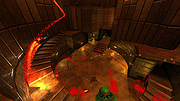 |
|
Rclone v1.75.0 Rclone v1.75.0 👉 Command-line tool for syncing, copying, mounting, and managing files across cloud storage and local systems. Rclone is a command-line program to manage files on cloud storage. It can sync files and directories to and from many different cloud storage providers, copy new or changed files, perform one-way or two-way synchronization, mount cloud storage as a disk, verify file integrity with hashes, and serve local or remote files over HTTP, WebDAV, FTP, SFTP, and DLNA. It is widely used for backup, restore, migration, and cloud-to-cloud transfers, with support for encryption, compression, chunking, and many standard transfer protocols. Features: • Syncs files and directories to and from cloud storage • Copies only new or changed files • Supports one-way sync and two-way bisync • Verifies file integrity with MD5 and SHA-1 hashes • Preserves timestamps on files • Mounts cloud storage as a network disk • Serves files over HTTP, WebDAV, FTP, SFTP, and DLNA • Supports encryption, compression, chunking, hashing, and union backends • Works with local filesystems, cloud services, and standard protocols • Useful for backup, restore, migration, and cloud-to-cloud transfers View instructions here. Supported operating systems: • Windows 10 or higher, Windows Server 2016 or higher • macOS 12 Monterey or higher • Linux Kernel 3.2 or higher • FreeBSD 12.2 or higher • OpenBSD 6.9 or higher • NetBSD • Plan 9 • Solaris Supported languages: English Changes: v1.75.0 07-31-26 New S3 Providers Scality (RING / ARTESCA) Zero Services (ZERO-Z3) Security archive: Don't crash on malformed squashfs images GHSA-6jcg-q3wp-x2f4 CVE-PENDING (Nick Craig-Wood) ftp: Fix ftp command injection when encoding doesn't include CRLF GHSA-8c48-q9wj-3w37 CVE-PENDING (Nick Craig-Wood) lib/http: Use TLS on all --addr listeners when --cert and --key are set ... |
|
5,187 | Aug 03, 2026 Nick Craig-Wood 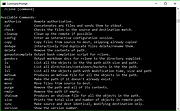 |
|
ReactOS v0.4.16 ReactOS v0.4.16 👉 A free, open-source operating system designed to run Windows applications and drivers without requiring Windows. ReactOS is a free and open-source operating system built from the ground up with the goal of providing binary compatibility with Microsoft Windows applications and hardware drivers. Rather than being based on Linux or Unix, ReactOS implements its own Windows-compatible kernel, system libraries, graphical environment, utilities and services. The project is particularly focused on compatibility with traditional Win32 software and drivers while providing users with a completely open-source operating environment. ReactOS remains alpha-quality software, so the developers do not guarantee stability, data safety or compatibility with every application or piece of hardware. Version 0.4.16 introduces one of the project's largest usability improvements: a new graphical installer and a combined Boot CD/Live CD image. You can now boot the same image to either try ReactOS without installing it or install/update the operating system using the new graphical setup interface. The installer includes basic partition management and replaces the need to choose separate installation and Live CD downloads. Features: • Free and open-source Windows-compatible operating system • Designed to run Win32 applications and Windows hardware drivers • Independent Windows-like kernel rather than a Linux or Unix compatibility layer • Familiar Windows-style desktop environment and Explorer shell • New graphical installation interface • Combined Boot CD and Live CD image lets you test or install from the same disc • Basic graphical partition management during installation • Workstation installation mode for normal desktop use • Server installation mode • New Server Core installation mode that runs the Win32 subsystem without the graphical Explorer shell • Improved compatibility with NVIDIA graphics drivers through expanded system page table resources • Improved AMD graphics and OpenGL handling • Continued development of multi-monitor and video-driver compatibility • Improved High Definition Audio support • New HD Audio bus driver supporting compatible Windows XP and Windows Server 2003 audio ... |
|
6,933 | Aug 30, 2026 ReactOS Foundation  |
|
RSS Guard v5.2.3 RSS Guard v5.2.3 👉 Cross-platform open-source feed reader for RSS, ATOM, JSON and podcast feeds. RSS Guard is a lightweight yet powerful feed reader designed for reading and managing RSS, ATOM, JSON, and podcast feeds in one place. It provides a clean and organized interface that allows users to subscribe to multiple feeds, categorize them, and read articles efficiently. RSS Guard supports both local feed management and synchronization with several online services, making it suitable for users who want to keep track of news, blogs, podcasts, and other syndicated content across multiple devices. The application includes a built-in feed downloader, powerful filtering options, customizable article views, and a flexible plugin architecture. RSS Guard also features advanced feed management tools such as article labeling, filtering rules, and automatic feed updates. Its modular design and open-source nature allow for extensive customization and long-term flexibility, making it a strong choice for users who prefer a privacy-friendly alternative to cloud-based feed readers. Features: • Supports RSS, ATOM, and JSON feed formats • Built-in podcast support with episode management • Feed synchronization with supported online services • Customizable article viewer and reading layout • Powerful filtering and feed processing rules • Feed categories and organizational tools • Built-in feed downloader with automatic updates • Article labeling and tagging options • Plugin-based architecture for extended functionality • OPML import and export for feed migration • Notification system for new feed items • Open-source and privacy-focused design Supported operating systems: • Windows 10, Windows 11 • macOS • Linux Supported languages: English, Czech, German, French, Spanish, Italian, Dutch, Polish, Russian, Chinese, Japanese, Korean, Portuguese, Turkish Changes: v5.2.3 07-23-26 Added: Highlighting the Windows taskbar after feed-fetching errors can now be disabled in settings. Article and feed list titles now use available horizontal space by default. Feed fetching can now be paused or resumed from the tray icon menu. When paused and there ... |
|
5,996 | Jul 24, 2026 Martin Rotter  |
|
ScreenArc v1.4.1 ScreenArc v1.4.1 👉 Create polished screen recordings with automatic cinematic zooming and mouse tracking. ScreenArc is a free and open-source screen recorder and editor designed to turn ordinary screen captures into polished videos. It automatically follows mouse activity and creates smooth cinematic zoom and pan effects, making it particularly useful for software demonstrations, tutorials, presentations, product walkthroughs, and instructional videos. Record your screen, edit the resulting footage, adjust its appearance, and export the finished project without having to build every movement and zoom manually. Features: • Record your screen for tutorials, demonstrations, presentations, and other projects • Automatic cinematic zoom and pan effects • Mouse tracking automatically follows activity on the screen • Smooth focus and zoom animations based on mouse activity • Built-in video editing tools for refining recordings • Timeline-based editing for working with captured footage • Webcam recording and overlay support • Customize video frames and backgrounds • Add colors, gradients, wallpapers, and shadows to recordings • Multiple aspect ratios for traditional, square, and vertical videos • Save styling choices as reusable presets • Export completed recordings as video • Cross-platform desktop application • Free and open-source software released under the GNU GPL v3 Supported operating systems: • Windows, version not specified by author • macOS 12.3 or higher • Linux x64 with X11 display server, Wayland is not currently supported Supported languages: English Changes: v1.4.1 07-22-26 Bug Fixes: • Overwrite stale recording outputs. This download is for the Windows version (very bottom of page). All other download assets are below: macOS: ScreenArc-1.4.1-universal.dmg ScreenArc-1.4.1-universal-mac.zip 1) After downloading and attempting to open the app, you'll see a security warning 2) Close the warning dialog 3) Open System Settings > Privacy & Security 4) Scroll down to the "Security" section 5) Click "Open Anyway" next to the warning about ScreenArc 6) Click "Open" in the confirmation dialog Linux: ScreenArc-1.4.1-linux-x64.AppImage ScreenArc-1.4.1-linux-x64.zip ScreenArc-1.4.1-linux-x64.deb ScreenArc-1.4.1-linux-x64.rpm Click here to visit the ... |
|
860 | Sep 14, 2026 Tam Nguyen  |
|
Shotcut v26.8.1 Shotcut v26.8.1 👉 Free, open-source, cross-platform video editor with powerful editing and format support. Shotcut is a free, open-source video editor that provides a wide range of professional-grade features for video editing without requiring expensive software. It supports hundreds of audio and video formats thanks to FFmpeg and offers native timeline editing, meaning you can work with media without first importing or converting files. Shotcut features a flexible, dockable interface, powerful video and audio filters, multi-track timeline editing, and support for resolutions up to 8K. It is designed to be accessible to beginners while offering advanced tools for more experienced users, including color grading, keyframing, and detailed audio controls. Features: • Native timeline editing without import • Wide format support via FFmpeg • Multi-track video and audio editing • Video effects and filters including color grading tools • Audio filters including compression, gain, balance, and more • Keyframeable filters for advanced animation and effects • 4K and 8K resolution support • Hardware encoding support • Flexible, dockable and customizable interface • Playlist panel with thumbnail view and drag-and-drop support Supported operating systems: • Windows 7, Windows 8, Windows 10, Windows 11 • macOS 10.14 or higher • Linux (64-bit) Supported languages: English, Arabic, Basque, Catalan, Chinese (Simplified), Chinese (Traditional), Czech, Danish, Dutch, Finnish, French, German, Greek, Hindi, Hungarian, Italian, Japanese, Korean, Norwegian Bokmεl, Polish, Portuguese (Brazil), Portuguese (Portugal), Russian, Slovak, Slovenian, Spanish, Swedish, Turkish, Ukrainian Changes: v26.8.1 08-01-26 Elements 🔥 Added Elements panel to the File > New and View menus and the Generate buttons. This is a very slim (22MB) stock asset library: emoji stickers, sounds, overlay transitions, animated text, graphics. The content licenses are royalty free, including commercial, and do not require attribution: Emojis: Open Font License 1.1 Sounds: The Sonniss #GameAudioGDC Bundle Licensing Agreement Text, Transitions, Graphics: Lottie Simple ... |
|
12,395 | Sep 17, 2026 Meltytech, LLC.  |
|
Shutdown Timer Classic v1.3.2 Shutdown Timer Classic v1.3.2 👉 Simple shutdown timer for Windows with tray controls and optional command-line use. Shutdown Timer Classic is a small Windows application that lets you set a countdown to shut down, restart, hibernate, sleep, or lock your PC. It includes a compact UI, a handy tray menu for controlling an active timer, and a “graceful” option when you don’t want apps to be force-closed. It also supports launching with command-line arguments for scripted or automated use. Features: • Countdown to Shutdown, Restart, Hibernate, Sleep, or Lock • Tray menu controls (stop/restart/view timer, show/hide countdown window) • “Run in background” option while keeping tray/menu access • Graceful mode option to avoid force-closing apps (when appropriate) • Command-line arguments for launching with preset actions/timers and modes • CLI “time of day” target mode (added in v1.3.2) Supported operating systems: • Windows 10 (Version 1709 / Build 15063) or later (minimum recommended) • Windows 11 Supported languages: • English Changes: v1.3.2 02-03-26 • Introduces: "Time of day"-mode for CLI • Fixes: Restarting a paused timer causing time skip (#54) • Fixes: Cancelling the countdown update dialog causing an exception (#55) • Fixes: Tab order of UI elements (#57) • Fixes: Fallback to CJK-compatible font causing incorrect form layout (#56) • Fixes: Application crashing on Windows 7 (#48) • Plus: Smaller code refinements and UI polishes Click here to visit the author's website. |
|
680 | Mar 05, 2026 Lukas Langrock  |
|
Simutrans v124.3.1 Simutrans v124.3.1 👉 Open-source transport and logistics simulation game. Simutrans is a free and open-source transportation simulation game in which you build and manage a successful transport company. Design and operate complex transport networks including railways, roads, trams, ships, and aircraft. Transport passengers, mail, and goods between cities and industries while balancing finances, expanding infrastructure, and adapting to changing economic conditions. Simutrans features a dynamic world with towns that grow based on your transport services, industries that produce and consume goods in supply chains, and multiple eras with historically inspired vehicles. Players can choose different “paksets” (graphics and data sets) that define the style, scale, and gameplay complexity of the world. The game supports both single-player and network multiplayer modes. Features: • Build and manage rail, road, tram, ship, and air transport networks • Transport passengers, mail, and goods across dynamic maps • Realistic economic simulation with supply chains and industry production • Multiple eras with a wide selection of historically inspired vehicles • City growth influenced by transport coverage and service quality • Configurable maps and scenarios • Multiple graphical paksets with varying complexity and scale • Single-player and online multiplayer support • Cross-platform and open-source Supported operating systems: • Windows 7, Windows 8, Windows 10, Windows 11 • macOS • Linux Supported languages: English, German, Spanish, French, Italian, Japanese, Korean, Chinese, Dutch, Polish, Portuguese, Russian, and others Changes: v124.3.1 (r11671 on 5-Apr-2025): CHG: option for pakset dump versus all other debug by appending 'p' to the debug level, e.g. "-debug 0p" to show only pak details to declutter server logs CHG: tram system type way can be laid over other tracks as well (like pak192 narrowgauge over normal rails) CHG: bridge builder is now only a two click tool (total renewal) Can again connect to complex ramps on elevated ways or cross rivers automatically FIX: Players gain money by building long stretches of expensive tunnels FIX: Pak files cannot represent cost of vehicles ... |
|
7,647 | Mar 01, 2026 Simutrans  |
|
SMPlayer v26.8.29 SMPlayer v26.8.29 👉 A free media player with built-in codecs that plays virtually all video and audio formats. SMPlayer is a free media player for Windows, Linux and Mac OS with built-in codecs, YouTube playback, subtitle search and download, a thumbnail generator, and audio and video filters. Features: • Plays virtually all video and audio formats • Built-in codecs, no external codec packs required • Remembers playback position and settings for each file • Supports YouTube video playback • Searches and downloads subtitles • Includes video and audio filters • Playback speed control • Audio and subtitle delay adjustment • Video equalizer • Skins and icon themes • Supports Chromecast • Free and open source Supported operating systems: • Windows 8 and above • Windows XP and other 32-bit systems via alternative package • Linux • Mac OS 10.15 and above Supported languages: English, Espaρol, Franηais, Portuguκs, Portuguκs (Brasil), Euskara, Galego, Catalΰ, Lietuvių, Русский, Українська, Hrvatski, Polski, Deutsch, 日本語, 正體中文, 简体中文, 한국어, Bahasa Indonesia, Bahasa Melayu, Tόrkηe, Български, العربية, Dansk, Nederlands Changes: v26.8.29 Added an option to show a thumbnail preview when hovering over the seek bar (Preferences -> Interface). Playlist positions/progress are now remembered between sessions. Added a pause button to the playlist. Added an option to enable/disable secondary subtitles. Fixed zoom behavior. Fixed playlist item numbering after removing items. Playlist is now re-sorted automatically after adding files. Fixed the add black borders option. Improved retrieval of the track (song) title for internet radio streams (icy-title). Fixed video aspect ratio override support. Added support for additional network URI schemes (KDE integration). Forced the xcb backend on Linux to avoid display issues. macOS builds are now available for arm64 (Apple Silicon), in addition to the existing x86_64 builds. Experimental packages compiled with Qt 6 are now available for Windows and macOS. Various translation updates (German, Italian, Spanish, English UK/US, and others) Use 7-Zip to unzip this file. 👉 This download is for the Windows 64bit version (very bottom of page). All other download assets are below: Other Windows: smplayer-26.8.29-win32-qt5.6-unsigned.exe ... |
|
3,477 | Sep 28, 2026 Ricardo Villalba 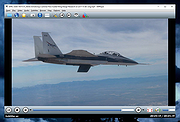 |
|
Social Network Visualizer v3.6 Social Network Visualizer v3.6 👉 Analyze, visualize, and study social network structures and relationships. Social Network Visualizer is an open-source software tool for the analysis and visualization of social networks. It allows researchers, students, and analysts to examine relationships between individuals, organizations, or other entities by modeling them as networks of nodes and connections. The program includes multiple layout algorithms and analytical measures that help reveal patterns, clusters, and influential actors within a network. Social Network Visualizer supports importing networks from several popular formats and provides tools for creating networks manually or generating them through various models. Users can explore network metrics, visualize connections using customizable layouts, and export results for further research or presentation. Features: • Visualize networks using multiple layout algorithms • Calculate network metrics such as centrality, cohesion, and clustering • Import and export networks in common formats (GraphML, Pajek, UCINET, and more) • Generate networks using built-in random graph models • Interactive graph editing and manual network creation • Customizable node and edge visualization styles • Community detection and network analysis tools • Export graphs and results for reports and presentations Supported operating systems: • Windows 7, Windows 8, Windows 10, Windows 11 • macOS • Linux Supported languages: English, Greek Changes: v3.6 05-26-26 This release adds a multi-condition Query Builder filter, subgraph extraction, four new export formats (UCINET DL, GraphViz DOT, weighted and simple edge lists), connected-component colouring, Clustering Coefficient node colouring, and working Bezier curve edges. Analysis of large networks is also noticeably faster — read on for details. Query Builder — multi-condition filtering A new Filter → Filter by Query… action opens the Query Builder dialog. You can add as many conditions as you like (pick an attribute, an operator, and a value), and only nodes or edges matching all of them will be shown. It works alongside the existing Filter Bar — the result appears as a removable chip, just like any other ... |
|
6,692 | Jul 20, 2026 Dimitris V. Kalamaras 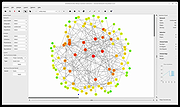 |
|
Subtitle Edit v5.0.0 Subtitle Edit v5.0.0 👉 Free open-source subtitle editor for creating, editing, syncing, and converting subtitles. Subtitle Edit is a free and open-source subtitle editor designed for professional and hobbyist subtitle creation alike. Version 5 represents the biggest update in the project's history, rebuilding the application with the Avalonia UI framework to provide a true native cross-platform experience on Windows, macOS, and Linux from a single codebase. It retains the powerful editing capabilities that made Subtitle Edit popular while adding a modern interface, faster performance, and improved portability. Whether you're correcting subtitle timing, creating subtitles from scratch, translating captions, performing OCR on image-based subtitles, or converting between subtitle formats, Subtitle Edit provides an extensive collection of professional tools. It supports well over 300 subtitle formats, waveform and spectrogram editing, video preview, AI-assisted translation, speech-to-text integration, spell checking, batch processing, and numerous automation tools that greatly simplify subtitle production. Features: • Create new subtitles from scratch using video preview, waveform, and spectrogram displays • Edit and synchronize subtitles using visual and time-based synchronization tools • Convert between more than 300 subtitle formats • OCR support for image-based subtitle formats including Blu-ray and DVD subtitles • AI-powered translation using multiple online and local translation engines • Speech-to-text transcription using supported recognition engines • Automatic subtitle timing adjustments and frame rate conversion • Batch conversion, batch fixing, and batch subtitle processing • Spell checking with dictionaries for numerous languages • Search, replace, split, merge, and renumber subtitle lines • Generate subtitles with waveform and spectrogram editing • Compare and merge subtitle files • Video preview using supported media playback engines • Import and export subtitle projects in hundreds of formats • Customizable keyboard shortcuts and editing layouts • Dark mode and modern cross-platform user interface • Portable versions available for supported platforms • Free and open-source software released under the GNU GPL Supported operating systems: • Windows 10, Windows 11 • macOS 12 Monterey or later (Intel, ... |
|
1,676 | Jun 24, 2026 Nikolaj Olsson 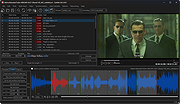 |
|
SuperTux v0.7.0 SuperTux v0.7.0 👉 Open-source 2D jump-and-run platformer inspired by classic Super Mario-style games. SuperTux is an open-source classic 2D jump'n run sidescroller game in a style similar to the original Super Mario games. Run and jump through multiple worlds, fight enemies by jumping on them, bumping them from below or tossing objects at them, grab power-ups, and play through Story Mode where Tux sets out to rescue Penny. The game also includes community-contributed levels and an integrated level editor for creating content. Features: • Classic 2D side-scrolling platform gameplay • Multiple worlds, enemies, power-ups, and objects • Story Mode starring Tux and Penny • Integrated level editor • Community-contributed add-on levels • Local multiplayer mode • New gameplay mechanics including keys, item pocket, and unlockable bonus islands via Tux Dolls • Revamped graphics, enemies, backgrounds, and music in v0.7.0 Supported operating systems: • Windows, macOS, GNU/Linux, Android, FreeBSD Supported languages: • SuperTux supports over 80 languages for its user interface (UI), including English, French, German, Spanish, Portuguese (Brazilian and European), Russian, and simplified Chinese. Changes: v0.7.0 03-15-26 Brand new sprites and abilities for Tux: slope sliding, strong buttjumping, rock rolling, and crawling Revamped graphics for most backgrounds, tiles, objects, and badguys Complete level design + story rework of the Story Mode, Revenge in Redmond, and Bonus Island I Not only new NPCs (e.g: Granito) and enemies (e.g: DiveMine, Fish, and Corrupted Granito), but also revamps for numerous enemies such as: GoldBomb, Igel, Ghoul, and both bosses (Yeti and Ghost Tree) New music Level editor revamp Local multiplayer mode New gameplay mechanics such as glinted enemies, keys, the item pocket, and unlockable bonus islands via Tux Dolls Many internal improves and code refactoring, such as moving to SimpleSquirrel Improvements to compilation/porting, including CMake refactor, Android revival, and Flatpak builds This download is for the Windows 64bit installer version (very bottom of page). All other download assets are below: Other Windows: SuperTux-v0.7.0-win32.msi SuperTux-v0.7.0-win64-portable.zip SuperTux-v0.7.0-win32-portable.zip macOS: SuperTux-v0.7.0-Darwin-x86_64.dmg SuperTux-v0.7.0-Darwin-arm64.dmg Linux: SuperTux-v0.7.0.glibc2.38-x86_64.AppImage SuperTux-x86_64.flatpak Android: SuperTux-v0.7.0-x86_64.apk SuperTux-v0.7.0-x86.apk SuperTux-v0.7.0-arm64-v8a.apk SuperTux-v0.7.0-armeabi-v7a.apk Click here to visit the author's website. |
|
696 | Mar 18, 2026 The SuperTux Team  |
|
Temple Trashers v1.1.2 Temple Trashers v1.1.2 👉 A couch co-op tower defense game where your own towers can be just as dangerous to your team as the enemy. Temple Trashers is a couch co-op tower defense game developed by Hackerspace NTNU. Players build towers, aim them toward incoming enemies, collect crystals dropped during combat, and use those resources to build more turrets while trying to survive endless hordes. The game is designed around local cooperative play and the developer notes that it is intended to be played using a controller. Features: • Couch co-op tower defense gameplay • Friendly fire style danger where towers can hurt both enemies and teammates • Build and place towers to defend against incoming waves • Aim your defenses toward enemy paths • Collect crystals dropped by enemies • Use collected crystals to build additional turrets • Endless horde survival gameplay • Controller-focused play as recommended by the developer • Free and open-source project Supported operating systems: • Windows 10, Windows 11 Supported languages: English Changes: v1.1.2 Not Provided Click here to visit the author's website. |
|
639 | Apr 10, 2026 Hackerspace NTNU  |
|
Tetris v1.0 Tetris v1.0 👉 A modern open-source take on the classic Tetris puzzle game playable in your browser. Tetris is a clean, modern, open-source implementation of the classic block-stacking puzzle game, designed to deliver a smooth and responsive gameplay experience directly in your web browser. Built with simplicity and performance in mind, it recreates the timeless mechanics of Tetris while adding polished visuals and intuitive controls. Players must strategically rotate and place falling tetrominoes to complete horizontal lines, earning points and increasing difficulty as the game progresses. Features: • Classic Tetris gameplay with smooth controls • Browser-based play with no installation required • Clean and modern user interface • Increasing difficulty as gameplay progresses • Score tracking during sessions • Lightweight and fast performance • Fully open-source and customizable Supported operating systems: • Windows 7, Windows 8, Windows 10, Windows 11 • macOS (modern versions) • Linux (modern distributions) Supported languages: English Changes: v1.0 03-19-26 Not Provided Click here to visit the author's website. |
|
1,004 | Mar 20, 2026 Mehmet Yilmaz 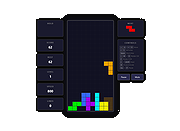 |
|
Tor Browser v15.0.25 Tor Browser v15.0.25 👉 Privacy-focused web browser that routes traffic through the Tor network to help prevent tracking, surveillance, and censorship. Tor Browser is a privacy-focused web browser based on Mozilla Firefox ESR that has been heavily modified for use with the Tor network. It routes your traffic through the Tor network to help hide your real IP address, resist online tracking and browser fingerprinting, and protect against surveillance and censorship. By default, it does not keep browsing history, and cookies are only valid for a single session unless you request a new identity. Features: • Routes internet traffic through the Tor network using multiple relays to conceal your real IP address • Uses layered (onion) encryption so each relay only knows the previous and next step in the circuit • Blocks third-party trackers and isolates cookies to prevent cross-site tracking • Automatically clears cookies and browsing data when the browser is closed • Does not retain browsing history by default for increased privacy • Resists browser fingerprinting by standardizing browser characteristics across users • Includes built-in HTTPS enforcement to help ensure encrypted connections when available • Provides “New Identity” feature to quickly reset your session and obtain a new Tor circuit • Includes “New Circuit for this Site” option to change exit nodes for specific websites • Offers multiple security levels (Standard, Safer, Safest) to reduce attack surface • Disables potentially unsafe browser features like certain scripts and media formats at higher security levels • Helps bypass censorship and access blocked websites through the Tor network • Protects against local network surveillance and ISP monitoring • Includes Tor network configuration options for censored regions (bridges, Snowflake, etc.) • Sandboxed design helps isolate web content from the underlying operating system • Regularly updated with Firefox ESR security patches and Tor-specific hardening • Open-source project with publicly auditable code • Designed to minimize data leaks such as DNS requests outside the ... |
|
7,119 | Oct 14, 2026 The Tor Project  |
|
Treesheets v3247 TreeSheets v3247 👉 Hierarchical spreadsheet-style note taking for organizing complex information visually. TreeSheets is a unique information organizer that combines the structure of a spreadsheet with the flexibility of a hierarchical outliner. It allows you to create deeply nested grids of cells, making it ideal for managing complex data, brainstorming ideas, planning projects, or structuring large amounts of information in a compact and visual way. Unlike traditional spreadsheets, TreeSheets supports recursive cell structures, meaning each cell can contain another grid. This makes it especially powerful for breaking down large concepts into manageable sections while keeping everything accessible in a single document. TreeSheets is lightweight, fast, and portable, making it suitable for quick note-taking or large structured documents alike. Features: • Hierarchical spreadsheet-style data organization • Unlimited recursive grids within cells • Compact visual layout for dense information • Keyboard-driven navigation and editing • Fast search across entire document • Import and export to multiple formats including text and HTML • Printing support with automatic layout adjustments • Lightweight and portable application • Open-source and actively maintained Supported operating systems: • Windows 7, Windows 8, Windows 10, Windows 11 • macOS 10.13 or higher • Linux (AppImage and source builds) Supported languages: English, Dutch, German, Spanish, French, Italian, Russian, Chinese, Japanese Changes: v3247 07-12-26 Revert "Do not overwrite existing cells when grid is merged or multi-… This download is for the Windows 64bit installer version (very bottom of page). All other download assets are below: Other Windows: TreeSheets-3247-winx64.zip TreeSheets-3247-winarm64.exe TreeSheets-3247-winarm64.zip macOSX: TreeSheets-3247-Darwin.dmg Linux: treesheets_3247_amd64.deb treesheets_3247_arm64.deb Click here to visit the author's website. |
|
5,731 | Jul 13, 2026 Wouter van Oortmerssen 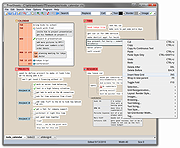 |
|
Universal Blood Pressure Manager v1.13.0 Universal Blood Pressure Manager v1.13.0 👉 Manage, track, and analyze blood pressure readings with a simple open-source logging tool. Universal Blood Pressure Manager is an open-source application designed to help users record and monitor their blood pressure readings. It provides a straightforward interface where users can log systolic and diastolic values, pulse rate, and additional notes for each measurement. Universal Blood Pressure Manager stores entries locally and allows users to keep a long-term history of their blood pressure readings. This makes it easier to track trends over time and share useful information with healthcare providers when needed. The program focuses on privacy, simplicity, and reliability while remaining lightweight and easy to use. Features: • Record systolic and diastolic blood pressure measurements • Log pulse rate and optional notes for each entry • Maintain a long-term history of blood pressure readings • Simple and easy-to-use interface for quick data entry • Local storage of data for privacy • Open-source project allowing community review and contributions Supported operating systems: • Windows 10, Windows 11 • Linux • macOS Supported languages: English Changes: v1.13.0 08-03-25 • Added the option to show the latest measurement in the title bar • Improved the database migration process • Updated translations • Minor improvements and fixes This download is for the Windows installer version (very bottom of page). All other download assets are below: Other Windows: ubpm_qt5-1.13.0-x86_64.exe(Try this version if the Qt6 version does not run properly on your system.) macOS: ubpm_qt6-1.13.0-x86_64+aarch64.dmg ubpm_qt5-1.13.0-x86_64+aarch64.dmg (Try this version if the Qt6 version does not run properly on your system.) Linux: ubpm_qt6-1.13.0-x86_64.AppImage ubpm_qt6-1.13.0-aarch64.AppImage ubpm_qt5-1.13.0-x86_64.AppImage ubpm_qt5-1.13.0-aarch64.AppImage (Try this version if the Qt6 version does not run properly on your system.) Click here to visit the author's website. |
|
714 | Mar 06, 2026 Thomas Lowe 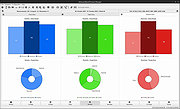 |
|
Unvanquished v0.56.2 Unvanquished v0.56.2 👉 Free, open-source first-person strategy shooter where humans battle adaptable aliens. Unvanquished is a free and open-source first-person shooter combined with real-time strategy gameplay, inspired by the Tremulous universe. Players join either the human resistance or the alien swarm in fast-paced online battles where teamwork, tactical planning, and resource management are essential for victory. Human players rely on advanced weaponry, deployable structures, jetpacks, armor upgrades, and fortified bases to defend against increasingly dangerous alien lifeforms. Alien players evolve into stronger and faster classes with unique movement abilities such as wall climbing, pouncing, and aerial attacks, allowing for highly dynamic combat styles. Matches revolve around building and defending bases, gathering resources, destroying enemy structures, and coordinating attacks with teammates. Players can choose from multiple gameplay styles ranging from direct combat to strategic support roles, making every round feel different depending on team composition and tactics. Built on the powerful Dζmon engine, Unvanquished includes modern graphical effects, improved networking, advanced lighting, modding support, dedicated servers, bots for offline play, and extensive customization options. The project is community-driven and actively developed under open-source licensing, making it highly moddable and accessible to players and developers alike. Features: • Unique hybrid of first-person shooter and real-time strategy gameplay • Team-based combat featuring humans versus aliens • Multiple alien lifeforms with unique abilities and movement styles • Human technology tree with weapons, armor, upgrades, and jetpacks • Buildable structures including turrets, reactors, spawn points, and defenses • Resource and base management systems that affect team progression • Fast-paced multiplayer gameplay with tactical coordination • Dedicated server support for online matches • Offline practice with AI bots • Integrated server browser with ping and version information • Advanced OpenGL rendering and lighting effects • Community-created maps and modding capabilities • Cross-platform support for Windows, Linux, and macOS • Gameplay presets including Vampire and mining-style modes • Customizable graphics, controls, audio, and gameplay settings • Free ... |
|
7,923 | May 21, 2026 Unvanquished  |
|
Ventoy v1.1.17 Ventoy v1.1.17 👉 Create multiboot USB drives that boot ISO, WIM, IMG, VHD(x), and EFI files directly. Ventoy is an open source tool that lets you create a bootable USB drive for ISO/WIM/IMG/VHD(x)/EFI files without repeatedly formatting the drive. You simply copy one or more supported image files to the USB drive, boot from it, and select what you want from Ventoy’s menu. It supports x86 Legacy BIOS, IA32 UEFI, x86_64 UEFI, ARM64 UEFI, and MIPS64EL UEFI, and can be installed on USB drives, local disks, SSDs, NVMe devices, and SD cards. Ventoy also supports browsing and booting image files stored on local disks, secure boot support, persistence, auto-installation options, plugin-based customization, and highly configurable themes and menus. The official Tested ISO list groups tested image files into Windows, Linux, Unix, ChromeOS, and Other categories, and Ventoy reports 1300+ tested image files overall. Features: • 100% open source • Direct boot support for ISO, WIM, IMG, VHD, VHDX, and EFI files • No need to extract image files before booting • Supports multiple image files on one device with a boot selection menu • Can browse and boot supported image files from local disks • Works with MBR and GPT partition styles • Supports x86 Legacy BIOS, IA32 UEFI, x86_64 UEFI, ARM64 UEFI, and MIPS64EL UEFI • Supports IA32 and x86_64 UEFI Secure Boot • Linux persistence support • Windows and Linux auto installation support • Supports FAT32, exFAT, NTFS, UDF, XFS, Btrfs, and Ext2/3/4 for the main partition • Supports ISO files larger than 4GB • Menu alias, password protection, ListView and TreeView modes, and customizable themes • Plugin framework with GUI plugin configurator • Official tested image file categories include Windows, Linux, Unix, ChromeOS, and Other, with 1300+ tested image files overall Get Started Instructions. Supported operating systems: • Windows, Linux Supported languages: • English, multilingual boot/menu language support available Changes: v1.1.17 07-24-26 Optimization for Secure Boot process. Fix the boot issue for ... |
|
6,995 | Sep 04, 2026 longpanda 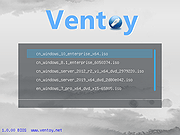 |
|
Warzone 2100 v4.7.0 Warzone 2100 v4.7.0 👉 A free and open-source 3D real-time strategy game set in a post-nuclear world. Warzone 2100 is a free and open-source real-time strategy game where you command The Project in a battle to rebuild civilization after nuclear devastation. It features a story-driven single-player campaign, LAN and online multiplayer, AI skirmishes, an extensive technology tree with over 400 technologies, and a flexible unit designer that lets you customize vehicles and tactics to fit your play style. Features: • Story-driven single-player campaign • LAN and Internet multiplayer with integrated lobby • AI bots for offline skirmishes and practice • Extensive tech tree with over 400 technologies • Flexible unit designer for custom combat strategies • Cross-platform multiplayer support • 100% free and open-source • No ads, no subscriptions, and no in-app purchases • Legacy “Pumpkin” v1.10 campaign balance option in v4.7.0 • New net lobby improvements for easier joining and hosting • Vulkan backend improvements and multiple graphics fixes • Additional “Reclamation” soundtrack content Supported operating systems: • Windows 7 or higher • Windows 10 or higher via Microsoft Store • macOS 10.14 or higher • Linux, Ubuntu 22.04, Ubuntu 24.04+ • FreeBSD Supported languages: • English, Arabic, Bulgarian, German, Spanish, French, Italian, Dutch, Polish, Portuguese, Portuguese (Brazil), Romanian, Russian, Turkish, Ukrainian, Simplified Chinese Changes: v4.7.0 04-07-26 General Highlights: Vulkan Backend Improvements Model & Graphics Fixes Additional new “Reclamation” soundtrack Add Weapon Stats flag for configuring Captured Units Teleport Fix mouse cursor display scaling on some OSes Fix disabled state of mouse key code Fix objects incorrectly darkened due to terrain darkness / satellite strike Campaign: “Pumpkin” v1.10 Campaign Balance Mod Updated Remastered balance, Additional Spawns 2.0 Add campaign balance descriptions help panel Fix Classic campaign Howitzer tree path Fix various guide topic issues Fix missing Intel message issues Multiplayer: All-new net lobby and hosting/joining revamp Easier joining via GameId Improved handling for difficult connections and firewalls IPv4 + IPv6 hosting support Expanded host lobby options Improved security, privacy, and host visibility Properly persist player mute option This download is for the Windows version (very bottom ... |
|
8,463 | Apr 08, 2026 Warzone 2100 Project 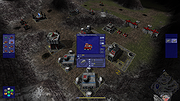 |
|
Wav2Bar v0.3.5 Wav2Bar v0.3.5 👉 Powerful open source software for creating advanced audio visualization videos. Wav2Bar is a free and open source audio visualization creator designed for producing animated music videos and visual effects synchronized to audio tracks. It allows users to combine visualizers, images, text, particle effects, timers, backgrounds, and custom objects into fully customizable projects that can be exported as MP4 videos for sharing online or integrating into larger productions. Built with flexibility in mind, Wav2Bar provides an editor-style workflow where users can design layered scenes and control how elements react to sound in real time. The software supports reusable project files, adjustable rendering quality, customizable frame rates and resolutions, and multiple visualizer styles for creating everything from simple waveform animations to complex motion graphics. Wav2Bar is especially useful for content creators, musicians, streamers, video editors, and anyone looking to generate professional-looking audio reactive visuals without requiring expensive commercial software. Its open source nature also allows developers and advanced users to customize or extend the software for specialized workflows. Features: • Create advanced audio reactive visualizations synchronized to music and sound • Design layered scenes using visualizers, backgrounds, text, and images • Multiple built-in visualizer styles for different animation effects • Export projects as MP4 video files • Save and reload projects for later editing • Reusable project templates for faster workflow creation • Customizable video resolution and frame rate settings • Real-time editor style interface for arranging objects and effects • Add logos, overlays, album artwork, and custom graphics • Built-in particle flow effects • Time indicators and timing-based visual elements • Audio caching system for smoother processing • Adjustable rendering quality for balancing speed and output quality • Open source architecture for customization and community development • Suitable for music videos, streaming overlays, social media clips, and promotional content • Lightweight modern interface focused on creative workflows • Supports complex animated compositions with multiple reactive elements • Free to use ... |
|
610 | Sep 30, 2026 Picorims 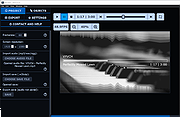 |
|
Windows 11 Context Menu Manager v1.0.1 Windows 11 Context Menu Manager v1.0.1 👉 Disable unwanted items in Windows 11 right-click context menu. Windows 11 Context Menu Manager is a simple utility that lets you turn off unwanted entries in Windows 11 right-click context menu. It is designed to help clean up the newer Windows 11 context menu so you can reduce clutter and keep only the items you want visible. Features: • Disable unwanted entries in the Windows 11 Explorer new right-click context menu • Focuses specifically on the newer Windows 11 right-click menu • Simple interface built for quickly managing context menu visibility • Helps reduce right-click menu clutter in File Explorer • Designed for modern 64-bit Windows 11 systems • Offered as a standalone desktop utility • Open-source software released under the MIT License Supported operating systems: • Windows 11 x64, Windows 11 ARM64 Supported languages: Operating System Language Changes: v1.0.1 03-25-26 fix: missing package This download is for the Windows 11 64bit version (very bottom of page). If you need the Windows 11 ARM64 version, download here. Click here to visit the author's website. |
|
735 | Apr 15, 2026 Brandon Hill 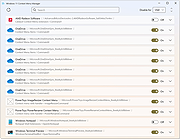 |
|
Workrave v1.10.54 Workrave v1.10.54 👉 Helps prevent repetitive strain injuries by reminding you to take healthy computer breaks. Workrave is a free and open-source program designed to help prevent and relieve Repetitive Strain Injury (RSI) and other computer-related health issues. It monitors keyboard and mouse activity and reminds users to take regular breaks from their computer to rest, stretch, and relax. The software provides configurable microbreaks, rest breaks, and daily usage limits to encourage healthier work habits. By tracking input activity and detecting idle time, Workrave can intelligently determine when breaks are needed and provide gentle reminders before enforcing them if necessary. During breaks, Workrave may display simple exercises or relaxation prompts to help reduce muscle tension and eye strain caused by prolonged computer use. Break timers and reminder behavior are fully customizable, allowing users to tailor break frequency, duration, and enforcement settings to their workflow. Workrave runs quietly in the background and integrates with the system tray, making it suitable for both home and workplace environments where long computer sessions are common. Features: • Monitors keyboard and mouse activity to detect continuous computer use • Reminds users to take microbreaks, rest breaks, and daily usage limits • Fully configurable break timers and durations • Gentle break reminders with optional enforced breaks • Microbreaks for short pauses and longer rest breaks for recovery • Tracks active and idle time to intelligently manage break timing • Optional exercises and stretching prompts during breaks • Postpone or skip options for break reminders • System tray integration and automatic startup options • Free and open-source software Supported operating systems: • Windows • Linux Supported languages: System language (Workrave uses the operating system's locale for its interface language). Changes: v1.10.54 10-16-25 Add support for GNOME Shell 49 (#636, Alessandro Astone) Note: This file has two hits on VirusTotal. We have confirmed these to be false positives. The file is safe. This download is for the Windows version (very bottom of ... |
|
4,495 | Mar 04, 2026 Raymond Penners & Rob Caelers 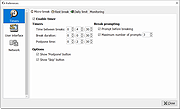 |
|
xemu v0.8.136 xemu v0.8.136 👉 Original Xbox emulator for Windows, macOS, and Linux. xemu is a free and open-source application that emulates the original Microsoft Xbox game console, allowing users to play original Xbox games on Windows, macOS, and Linux systems. Disclaimer: This project is an independent open source emulation effort and is not endorsed by, directly affiliated with, maintained, authorized, or sponsored by Microsoft Corporation. All product and company names are the registered trademarks of their original owners. The use of any trade name or trademark is for identification and reference purposes only and does not imply any association with the trademark holder of their product brand. Features: • Free and open-source original Xbox emulator • Runs on Windows, macOS, and Linux • Low-level hardware emulation for original Xbox kernels, titles, and homebrew • Controller support through SDL3 • Supports up to 4 controllers • Snapshots/save states let you save and restore the current machine state • Render scaling can increase game rendering resolution, such as 480p to 1080p • Networking support for connecting to other xemu instances and real Xboxes • Supports tunneling services and Xbox Live recreation projects • Windows Zip archive version runs by extracting and launching xemu.exe • macOS Zip archive can be extracted and run manually, or installed with Homebrew • Linux versions available as AppImage, Flatpak, Ubuntu PPA, or source build Supported operating systems: • Windows x86_64, Windows arm64 • macOS Universal • Linux x86_64 AppImage, Linux aarch64 AppImage • Linux Flatpak x86_64, Linux Flatpak aarch64 • Ubuntu 22.04 and newer via PPA Supported languages: • English Changes: v0.8.136 06-08-26 Pull Requests #2892 - ci: Update Windows build toolchain image SHA (@mborgerson) #2891 - ubuntu-win64-cross: Bump mxe, GCC toolchain (@mborgerson) #2890 - Enable x86-64-v3 optimizations for release builds (@mborgerson) #2882 - Bump SDL3 subproject to 3.4.10 (@mborgerson) #2823 - hw/xbox: Clean up use of ... |
|
1,463 | Sep 03, 2026 xemu Project  |
| Showing rows 1 to 89 of 89 | Showing Page 1 of 1 | 1 |
OlderGeeks.com Copyright (c) 2026
