|

|
Processed through Paypal No account required. |








Buy our over-priced crap to help pay the bills.



|
|
Processed through Paypal No account required. |
| File - Download Flameshot v14.0.0 | ||||||||
| Description | ||||||||
|
Always scroll to the bottom of the page for the main download link. We don't believe in fake/misleading download buttons and tricks. The link is always in the same place. Flameshot v14.0.0 👉 Powerful open-source screenshot tool with built-in annotation and editing features. Flameshot is a free and open-source screenshot utility designed to make capturing and editing screenshots quick and easy. It provides a simple yet powerful interface that allows users to select a region of the screen, annotate it instantly, and save or share the result without needing additional image editing software. Flameshot launches a customizable capture interface that lets you draw, highlight, blur, crop, or add shapes and text directly on your screenshot before saving it. The tool is especially useful for creating tutorials, documentation, bug reports, and visual explanations. In addition to its annotation tools, Flameshot supports keyboard shortcuts, command-line usage, and integration with desktop environments. Screenshots can be copied directly to the clipboard, saved locally, or uploaded to online services depending on configuration. 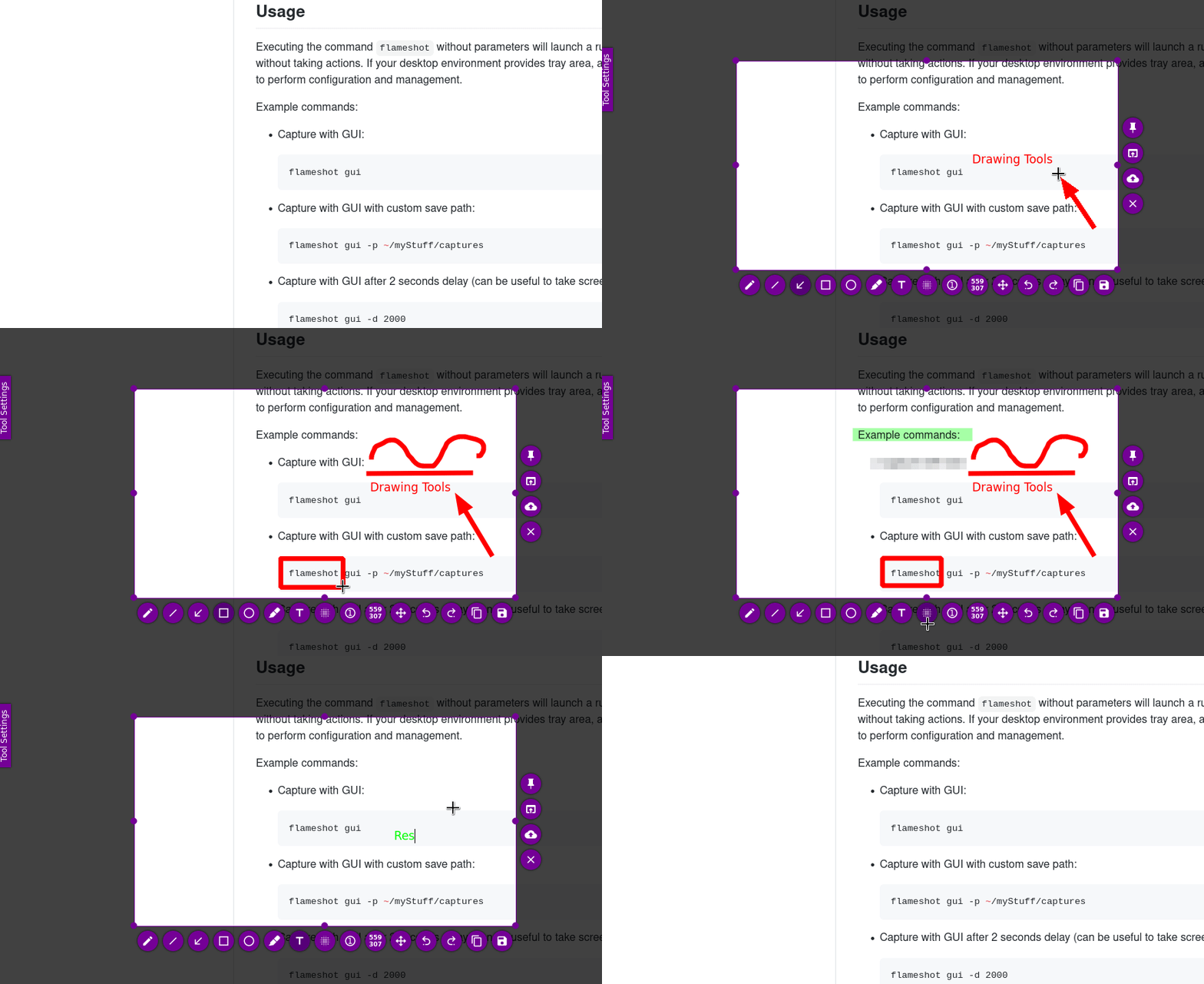 Features: • Interactive screenshot selection with an easy-to-use capture interface • Built-in annotation tools including arrows, shapes, lines, and text • Blur and highlight tools for emphasizing or hiding content • Instant screenshot editing without opening a separate program • Copy screenshots directly to clipboard or save to file • Keyboard shortcuts and command-line options for automation • Optional screenshot uploading and sharing features • Highly configurable behavior and interface settings Supported operating systems: • Windows 10, Windows 11 • macOS 10.15 or higher • Linux Supported languages: English, Spanish, French, German, Italian, Portuguese, Russian, Ukrainian, Polish, Czech, Dutch, Turkish, Chinese (Simplified), Chinese (Traditional), Japanese, Korean, Arabic Changes: v14.0.0 06-18-26 Translations update from Hosted Weblate by @weblate in #4330 Translations update from Hosted Weblate by @weblate in #4378 Translations update from Hosted Weblate by @weblate in #4379 Translations update from Hosted Weblate by @weblate in #4380 Fix hang caused by no Notifications service registered in DBus by @samwcoulter in #4357 bump CI to see if that picks up newer Qt in appimage by @borgmanJeremy in #4381 Translations update from Hosted Weblate by @weblate in #4383 Add support for logging to a log file in the qt standard state directory by @samwcoulter in #4371 feat(nix): add comprehensive Nix flake by @doprz in #4403 Force PNG clipboard on Windows (fix for #2487) by @ElTh0r0 in #4413 Fix copy failure on GNOME via GUI by @no7076 in #4363 Explicit depends to fix t64 packaging in Ubuntu >noble (#4390) + drop Ubuntu focal + bump dependencies by @QuentiumYT in #4393 fix segfault from double right click by @borgmanJeremy in #4414 cleanup compiler warnings due to Qt function labeling return value no… by @borgmanJeremy in #4415 Revert "Add support for logging to a log file in the qt standard state directory" by @borgmanJeremy in #4425 Translations update from Hosted Weblate by @weblate in #4427 Translations update from Hosted Weblate by @weblate in #4428 Translations update from Hosted Weblate by @weblate in #4431 fix(nix): ensure Qt6LinguistTools is available in devShell by @marcodsl in #4450 Update macOS version in workflow configuration by @borgmanJeremy in #4456 Simplification of snapcraft.yaml by @Kyuyrii in #4443 change source for mac icon by @cmpute in #4423 fix cosmic to use freedesktopportal by @borgmanJeremy in #4477 rework the update checker, menu item, and notifier by @borgmanJeremy in #4481 Translations update from Hosted Weblate by @weblate in #4447 grim: set device pixel ratio on captured screenshots by @BackSlasher in #4479 updated color widget to remove compiler warning by @borgmanJeremy in #4483 fix: macOS CLI clipboard copy not working by @yuchanns in #4473 Readme: Include mention of gnome and how to set screenshot hotkey when installed via flatpak by @zitr0y in #4490 Patch flatpak manifest for PR's by @borgmanJeremy in #4499 fix: check QPainter::isActive() before drawing to prevent Wayland crashes by @benignobjunior in #4496 Add Windows installation instructions for Scoop by @ofek in #4501 Multimonitor fix by @borgmanJeremy in #4498 fix build issue in debug mode and cleanup wording by @borgmanJeremy in #4525 fix: use runtime detection for Wayland clipboard by @benignobjunior in #4497 Fix last region on scaled displays by @borgmanJeremy in #4530 Add option for portable binary (using flameshot.ini in app folder) by @ElTh0r0 in #4531 Fix cli exit warning by @borgmanJeremy in #4546 Fix race condition caused by improper dbus hack by @borgmanJeremy in #4547 Fixed screen subcommand to fit per screen paradigm by @borgmanJeremy in #4544 Update cached iconset for MacOS by @cmpute in #4540 Translations update from Hosted Weblate by @weblate in #4554 Translations update from Hosted Weblate by @weblate in #4555 Translations update from Hosted Weblate by @weblate in #4559 Translations update from Hosted Weblate by @weblate in #4561 Windows: Global "take screenshot" shortcut by @ElTh0r0 in #4556 Hide monitor selection in launcher for single-screen setups by @EricBlanquer in #4569 Translations update from Hosted Weblate by @weblate in #4580 Update QtColorWidgets git tag by @ElTh0r0 in #4584 Fix X11 Crash by @borgmanJeremy in #4570 fix: remove duplicate layout parent in SidePanelWidget by @benignobjunior in #4578 Code quality: Consistent includes, remove unused includes by @ElTh0r0 in #4587 Added x11 fallback by @borgmanJeremy in #4588 fix: Update KDE Plasma keyboard shortcut config file by @LeviSnoot in #4454 Added feature on x11 and windows to capture active monitor by @borgmanJeremy in #4594 Removing arbitrary delay from desktop actions by @borgmanJeremy in #4597 Fixed issue with comsic not being full screen by @borgmanJeremy in #4596 Refreshed translation files by @borgmanJeremy in #4602 Fixed issue with artifact configuration for signpath by @borgmanJeremy in #4601 Translations update from Hosted Weblate by @weblate in #4606 Added dbus capture by @borgmanJeremy in #4605 Translations update from Hosted Weblate by @weblate in #4609 fixing signpath by @borgmanJeremy in #4608 Prepare for v14 beta by @borgmanJeremy in #4611 Translations update from Hosted Weblate by @weblate in #4612 Translations update from Hosted Weblate by @weblate in #4619 Fix pin position on Windows for scaled screen by @ElTh0r0 in #4614 Cmake Analyzers by @ElTh0r0 in #4613 Translations update from Hosted Weblate by @weblate in #4632 fix(macos): prevent config tab content from rendering behind tab bar by @Mitnitsky in #4627 fix(macos): use CGRequestScreenCaptureAccess instead of grabWindow for permission request by @Mitnitsky in #4617 Fix KDE Plasma keyboard shortcut config file by @ElTh0r0 in #4637 fix(macos): fix clipboard copy failing from tray and GUI by @Mitnitsky in #4629 feature(macos): show dock icon when config window is open by @Mitnitsky in #4628 Option to disable tray icon on Windows by @ElTh0r0 in #4634 Translations update from Hosted Weblate by @weblate in #4642 fix(macos): make fullscreen capture overlay configurable by @Mitnitsky in #4622 Update GH actions using Node.js 24 by @ElTh0r0 in #4660 fix issue with screen selection in non interactive mode by @borgmanJeremy in #4667 Uniformize both spec files + ninja build openSUSE by @QuentiumYT in #4658 Revert "Uniformize both spec files + ninja build openSUSE" by @borgmanJeremy in #4675 Revert "Revert "Uniformize both spec files + ninja build openSUSE"" by @borgmanJeremy in #4676 screengrabber: pass non-empty parent_window to xdg-desktop-portal by @artefaktor93 in #4664 Allow multiple flameshot GUI instances (fix for #3177) by @ElTh0r0 in #4680 prep for v14 beta 2 by @borgmanJeremy in #4692 Unify Linux ARM CI into Linux CI (also drop QEMU) by @theofficialgman in #4702 respect system proxy settings by @borgmanJeremy in #4674 Replace ifdef LINUX with UNIX to include BSD systems by @ElTh0r0 in #4700 Adjusting how open with handles temporary files by @borgmanJeremy in #4716 window CI migration by @borgmanJeremy in #4718 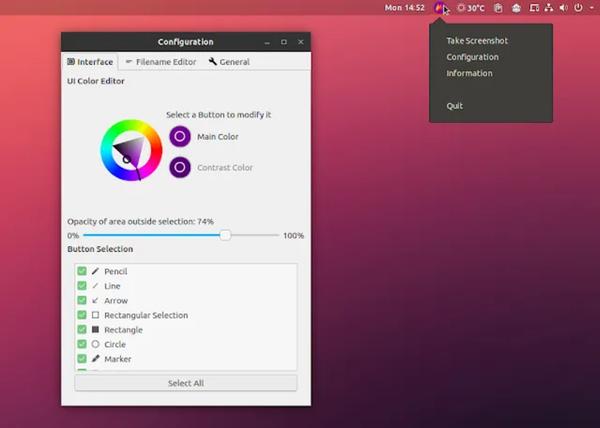 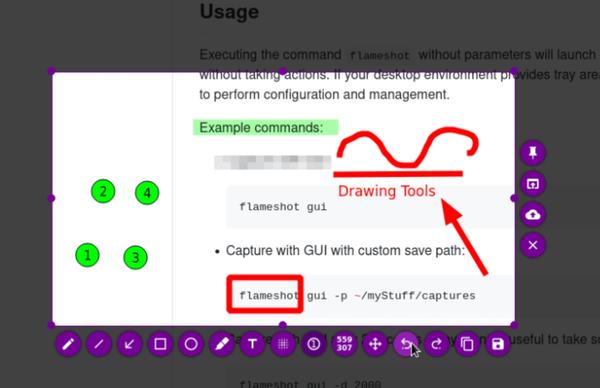 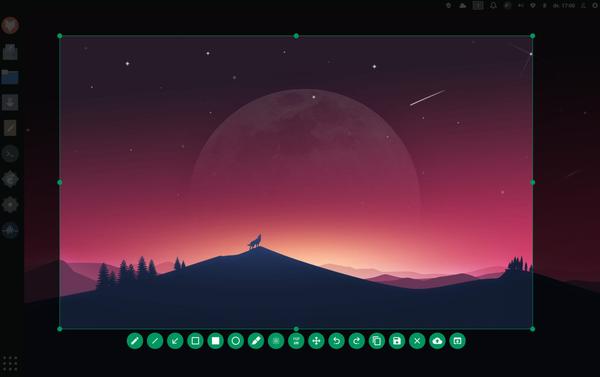 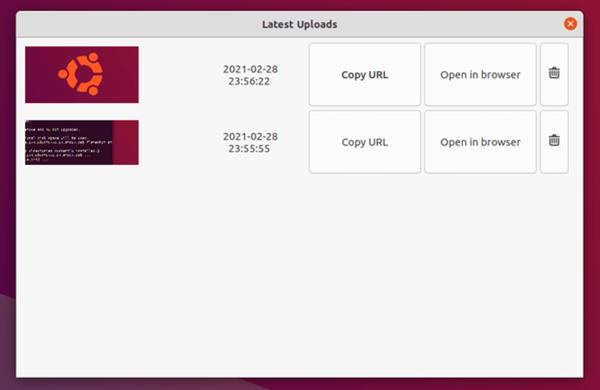 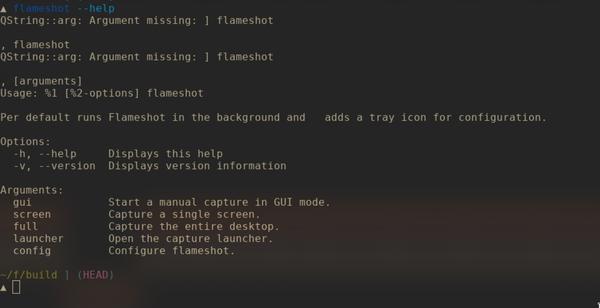 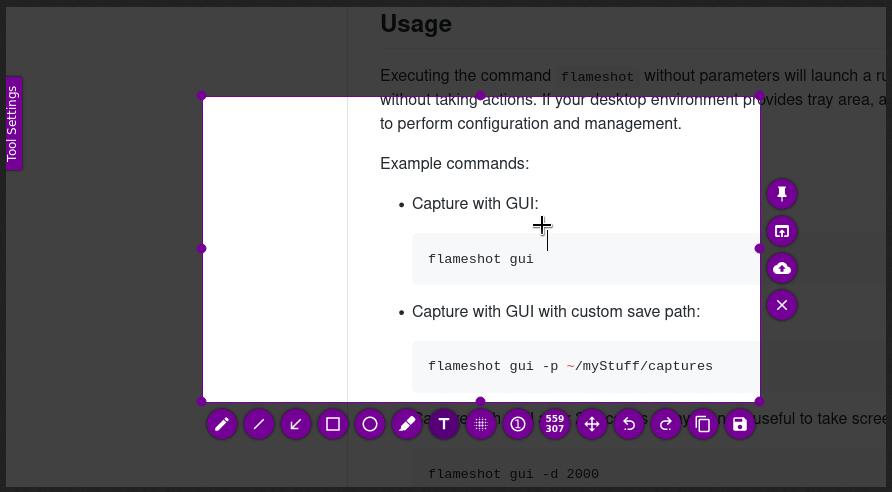 This download is for the Windows installer version (very bottom of page). All other download assets are below: Other Windows: flameshot-14.0.0-win64.zip (portable) macOS: Flameshot-14.0-macos-arm64.dmg Flameshot-14.0-macos-intel.dmg Linux: flameshot-v14.0+git0.da6121bd-artifact-appimage-x86_64.zip flameshot-v14.0+git0.da6121bd-artifact-debian-12-amd64.zip flameshot-v14.0+git0.da6121bd-artifact-debian-12-arm64.zip flameshot-v14.0+git0.da6121bd-artifact-debian-12-armhf.zip flameshot-v14.0+git0.da6121bd-artifact-fedora-41-x86_64.zip flameshot-v14.0+git0.da6121bd-artifact-fedora-42-x86_64.zip flameshot-v14.0+git0.da6121bd-artifact-flatpak-x86_64.zip flameshot-v14.0+git0.da6121bd-artifact-snap-x86_64.zip flameshot-v14.0+git0.da6121bd-artifact-ubuntu-22.04-amd64.zip flameshot-v14.0+git0.da6121bd-artifact-ubuntu-22.04-arm64.zip flameshot-v14.0+git0.da6121bd-artifact-ubuntu-24.04-amd64.zip flameshot-v14.0+git0.da6121bd-artifact-ubuntu-24.04-arm64.zip Click here to visit the author's website. Continue below for the main download link. |
||||||||
| Downloads | Views | Developer | Last Update | Version | Size | Type | Rank | |
| 1,078 | 5,702 | Flameshot Contributors | Jul 16, 2026 - 11:59 | 14.0.0 | 18.15MB | MSI |  , out of 30 Votes. , out of 30 Votes. |
|
| File Tags | ||||||||
| Flameshot screenshot tool screenshot capture tool open source screenshot utility screen capture annotation tool screenshot editor software | ||||||||
Click to Rate File Share it on Twitter → Tweet
|


