|

|
Processed through Paypal No account required. |








Buy our over-priced crap to help pay the bills.



|
|
Processed through Paypal No account required. |
| File - Download Audacity v4.0.1 | ||||||||
| Description | ||||||||
|
Always scroll to the bottom of the page for the main download link. We don't believe in fake/misleading download buttons and tricks. The link is always in the same place. Audacity v4.0.1 👉 Free, open-source, multi-track audio editor and recorder for recording, editing, mixing and producing audio. Audacity is a powerful, free and open-source audio editor and recorder for Windows, macOS and Linux. It can handle everything from quick voice recordings and simple edits to multi-track music production, podcast creation, audio restoration and more involved sound projects. Audacity provides a visual waveform-based editing environment where audio can be recorded, cut, copied, moved, trimmed and arranged across multiple tracks. Music, speech, sound effects and other recordings can be combined into a single project, with precise control over individual clips and their placement on the timeline. The program includes a wide collection of audio processing tools for adjusting volume, compression, equalization, pitch and tempo. Noise removal and repair tools can help clean up recordings, while delay, reverb, distortion, modulation, fading and other effects provide additional options for shaping sound. Real-time effects can be applied without permanently altering the original audio, allowing settings to be adjusted while continuing to work on a project. Effects can be applied to individual tracks or to the master output. Audacity also includes a plugin manager for enabling, disabling and organizing available effects. Audacity supports third-party plugins and includes support for VST3 and Nyquist effects. Optional FFmpeg support expands compatibility with additional audio formats. Finished projects can be exported to common formats such as WAV, MP3, FLAC and Ogg. The program is useful for recording microphones and other audio sources, digitizing older recordings, cleaning up noisy audio, editing interviews, assembling podcasts, creating sound effects, working with music and preparing finished audio for publishing or archiving. 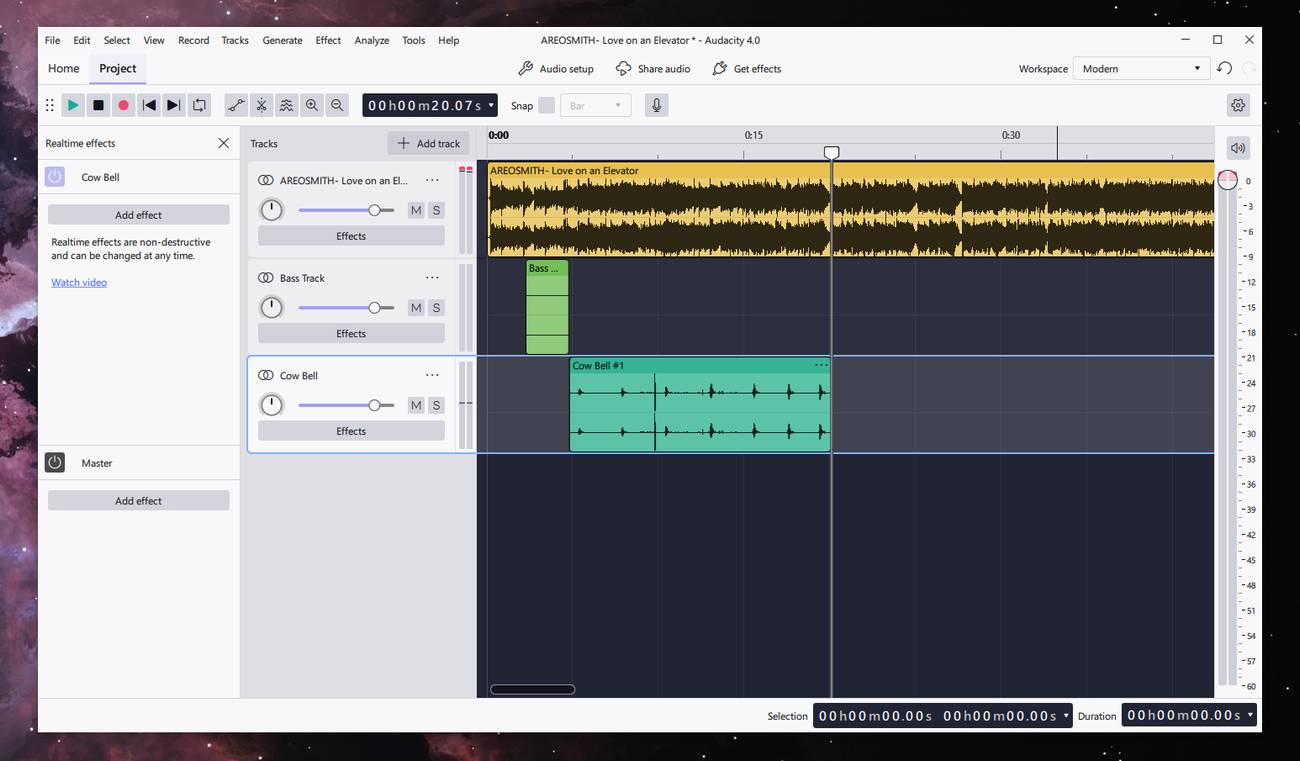 Features: • Record live audio through microphones, mixers and other input devices • Edit and arrange multiple audio tracks within a single project • Cut, copy, paste, trim, split and move audio clips • Detailed waveform displays for visual audio editing • Mix music, speech, sound effects and other audio sources • Apply real-time effects without permanently changing the source audio • Add effects to individual tracks or the master output • Adjust volume and compression • Change pitch and tempo • Apply fades and equalization • Reduce unwanted noise and repair damaged audio • Apply delay and reverb effects • Use distortion and modulation effects • Includes spectral and other audio analysis tools • Generate rhythm tracks and other audio • Plugin Manager for managing built-in and third-party effects • Supports VST3 plugins • Supports Nyquist plugins • Import and export WAV, MP3, FLAC, Ogg and other common audio formats • Optional FFmpeg support for additional audio formats including M4A, WMA and AC3 • Export individual tracks or labeled regions to separate audio files • Open projects created with earlier Audacity versions • Keyboard shortcut support • Screen-reader accessibility support • Portable Windows versions available • Native Windows x86-64 and ARM64 builds • Native Intel and Apple Silicon macOS builds • Universal macOS build available • Linux AppImages available for x86-64 and ARM64 • Free and open-source software Supported operating systems: • Windows 10, Windows 11 • Windows 8.1, Windows 7, Windows Vista may also work but are not officially tested • Windows 11 or later for Windows ARM64 • macOS 14, macOS 15 • macOS 10.11 El Capitan or later may also work • Linux Ubuntu 22.04, most major Linux distributions Supported languages: US English, Afrikaans, Arabic, Armenian, Basque, Basque (Spain), Belarusian, Bengali, Bosnian, Bulgarian, Burmese, Catalan, Chinese (Simplified), Chinese (Taiwan), Corsican, Croatian, Welsh, Czech, Danish, Dutch, Farsi (Persian), Finnish, French, Gaelige, Galician, Georgian, German, Greek, Hebrew, Hindi, Hungarian, Indonesian, Italian, Japanese, Khmer, Korean, Lithuanian, Macedonian, Marathi, Norwegian (Bokmal), Occitan, Polish, Portuguese, Portuguese (Brazilian), Romanian, Russian, Serbian (Cyrillic), Serbian (Latin), Slovak, Slovenian, Spanish, Swedish, Tajik, Tamil, Turkish, Ukrainian, Valencian, Vietnamese Changes: v4.0.1 09-30-26 Features • Export multiple: export each track, or each labelled region, to its own file • Portable Windows versions are available again for both architectures • Restored Corsican and other missing languages • Improved compatibility when opening AUP3 projects • W can again be used to play the selection • Home and End can again jump to the beginning and end of the project Fixes • Fixed multiple crashes • Improved keyboard and screen reader support • Projects and files containing non-English characters in their names now open correctly • Closing a project after a failed save no longer risks data loss • Fixed crashes when dragging clips between tracks • Improved performance when moving clips in projects containing many real-time effects • Real-time effect windows can remain open while editing • Additional fixes for audio.com integration, plugins and the Linux AppImage 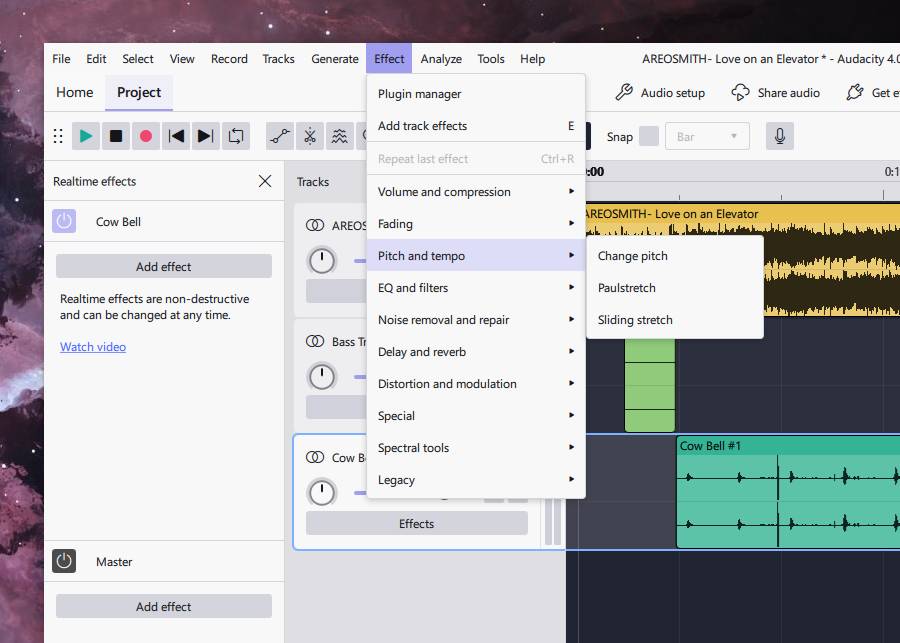 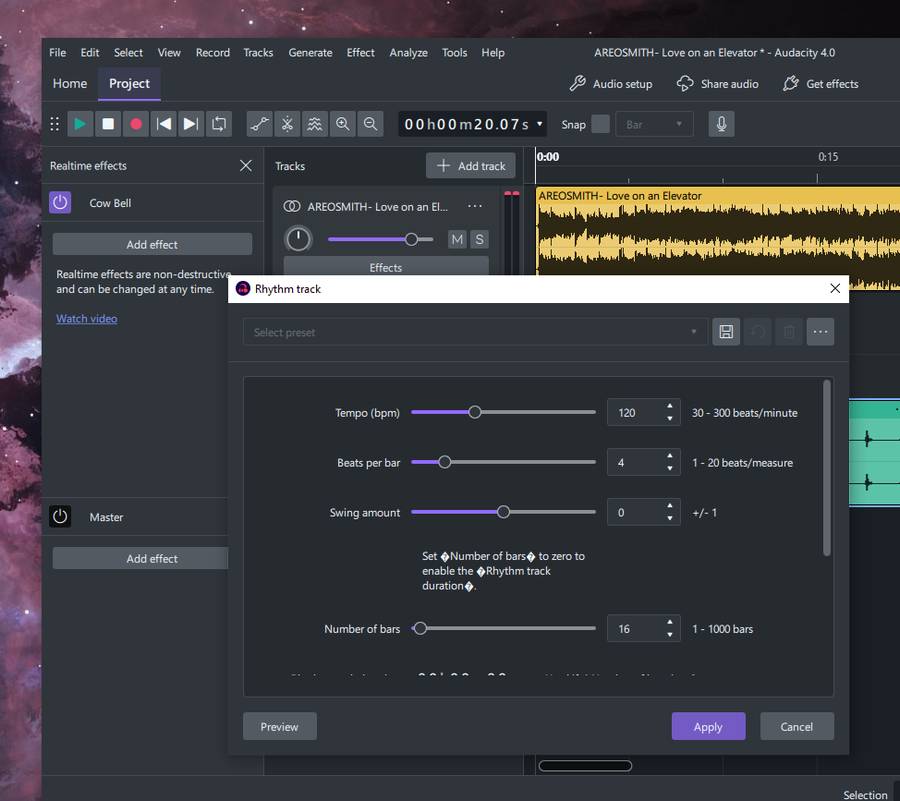 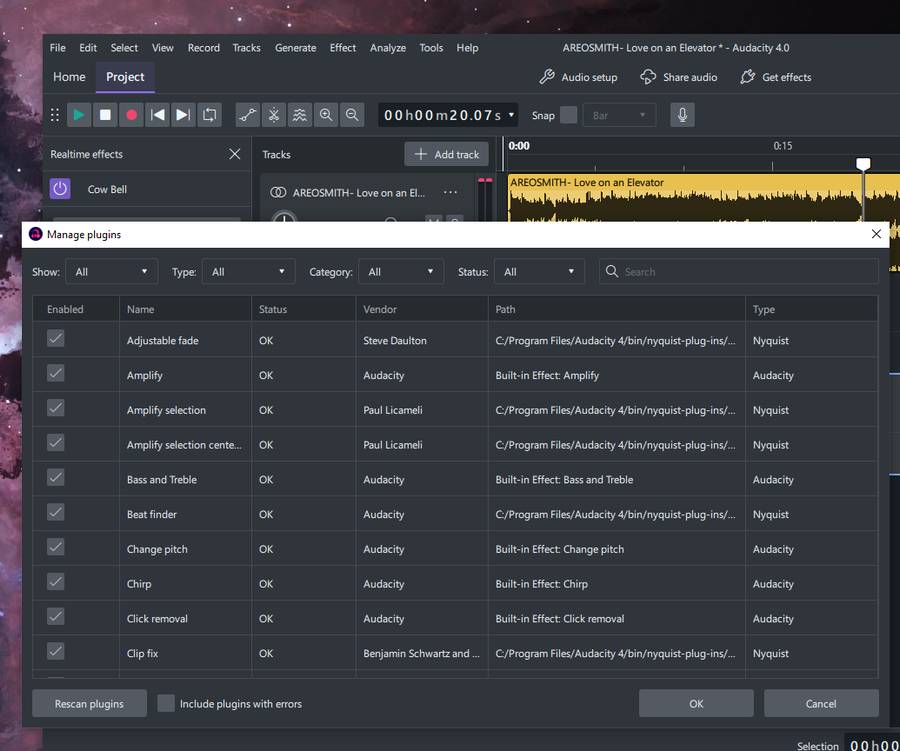 👉 This download is for the Windows 64bit version (very bottom of page). All other download assets are below: Other Windows: audacity-win-4.0.1-arm64.msi audacity-win-4.0.1-x86_64.7z audacity-win-4.0.1-arm64.7z macOS: audacity-macOS-4.0.1-universal.dmg audacity-macOS-4.0.1-x86_64.dmg audacity-macOS-4.0.1-arm64.dmg Linux: audacity-linux-4.0.1-x86_64.AppImage audacity-linux-4.0.1-aarch64.AppImage Click here to visit the author's website. Continue below for the main download link. |
||||||||
| Downloads | Views | Developer | Last Update | Version | Size | Type | Rank | |
| 11,300 | 26,497 | Audacity | Oct 02, 2026 - 11:12 | 4.0.1 | 47.49MB | MSI |  , out of 107 Votes. , out of 107 Votes. |
|
| File Tags | ||||||||
| recorder Audacity editor audio multi track sound podcast music WAV MP3 FLAC Ogg VST3 Nyquist FFmpeg noise reduction compressor pitch speed vocal remover open source GPL Windows macOS Linux | ||||||||
Click to Rate File Share it on Twitter → Tweet
|


