|

|
Processed through Paypal No account required. |








Buy our over-priced crap to help pay the bills.



|
|
Processed through Paypal No account required. |
| File - Download InstallerClean v3.3.0 | ||||||||
| Description | ||||||||
|
Always scroll to the bottom of the page for the main download link. We don't believe in fake/misleading download buttons and tricks. The link is always in the same place. InstallerClean v3.3.0 👉 Safely clean orphaned Windows Installer files and reclaim disk space. InstallerClean is a modern, open-source tool for cleaning unneeded files from the hidden C:\Windows\Installer folder. It scans for orphaned .msi and .msp files, checks them against the Windows Installer database, and lets you delete them to the Recycle Bin or move them to a folder you choose.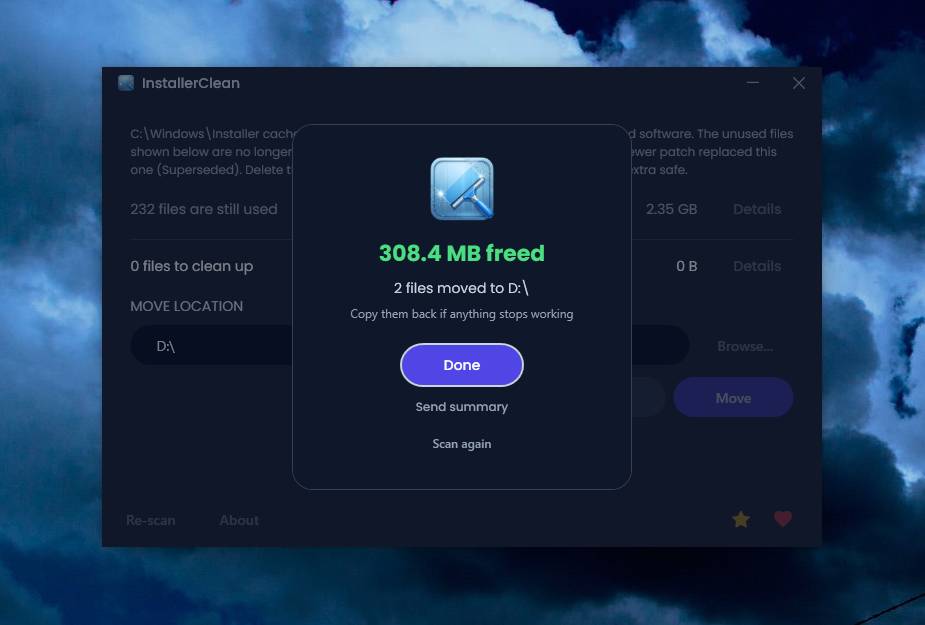 Features: • Scans C:\Windows\Installer for unneeded installer and patch files• Detects orphaned MSI and MSP files • Detects superseded patches, including Adobe Acrobat patches • Uses the Windows Installer API instead of guessing by file names or dates • Shows needed and removable files with sizes • Delete sends files to the Recycle Bin • Move option lets you keep removed files in a safe folder • GUI and command-line versions included • No telemetry, no network activity, no background service, no scheduled task Supported operating systems: • Windows 10, Windows 11 Supported languages: Indonesian, German, English, Spanish, French, Italian, Dutch, Polish, Brazilian Portuguese, Vietnamese, Turkish, Russian, Ukrainian, Japanese, Simplified Chinese, Traditional Chinese, Korean Changes: v3.3.0 10-13-26 Added InstallerClean can now be shown in Traditional Chinese, written for Taiwan's usage with the words Windows itself uses there: every window, dialog, tooltip, button and screen-reader label, the command-line tool's text and the setup wizard. A Windows set to Traditional Chinese shows it automatically, and it can be picked from the main-window language menu. Like the other machine-drafted languages it is published beside the English in docs/translations/zh-Hant.md for anyone who reads it to check, and the README has a Traditional Chinese edition, which the app's README links open. Where the languages stand: Natively done Live machine-translated README only * English · Italian · Japanese · Dutch Simplified Chinese · Traditional Chinese · Russian · Spanish · Brazilian Portuguese · Polish · Turkish · Korean · French · German · Indonesian · Vietnamese · Ukrainian Arabic * README only means the README is translated while the interface stays English. Changed The Simplified Chinese heading on the All clean card reads 干干净净 ("spotless"), as the Traditional Chinese one does. Fixed The three messages shown when Windows Installer's list of installed programs, or one program's list of patches, cannot be read to the end give the number read with the counter word that Simplified Chinese, Japanese and Korean each put with a number. They placed the number straight against the noun. Where a file Windows Installer needs is missing, the Simplified Chinese advice, in the window and on the command line, tells you to get the installer from the program's developer and run it to install over the existing program. It said to run it on the existing copy, without saying that it installs over the program. The Simplified Chinese command-line help for exit code 2 says the Ctrl+C it covers is one pressed part way through, as the English does. It said only Ctrl+C. The privacy header at the top of the crash log breaks its Simplified Chinese lines between words, each line starting with a space after the #. One word was split across two lines, and one line had no space after the #. In Simplified Chinese, the All clean card gives the scan time after a colon, so it reads correctly whether the time is a number or "less than a second", and the sentence a screen reader speaks while InstallerClean waits for a drive runs straight on to the key to press. Both put a space before a word, where Chinese uses none. 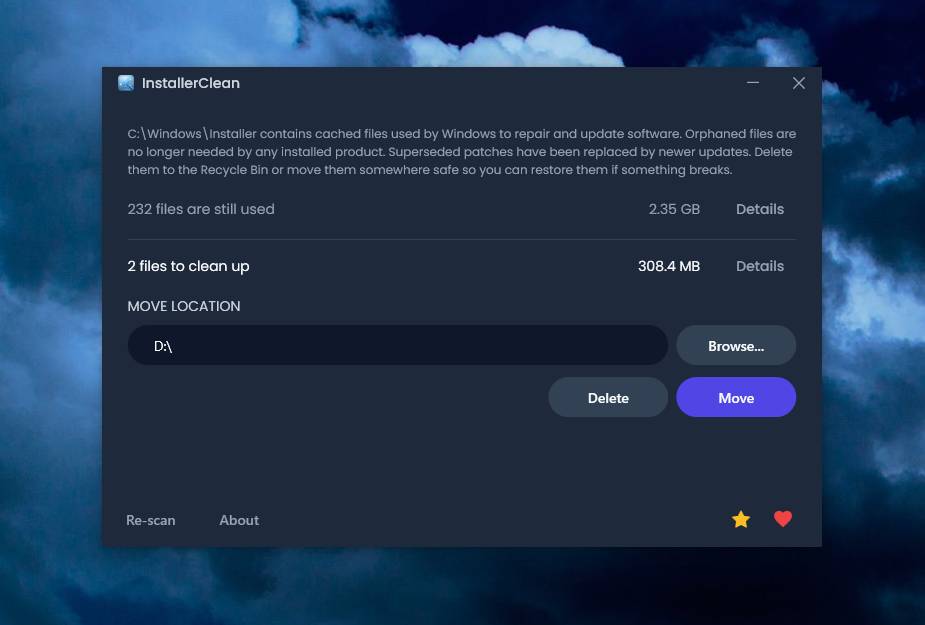 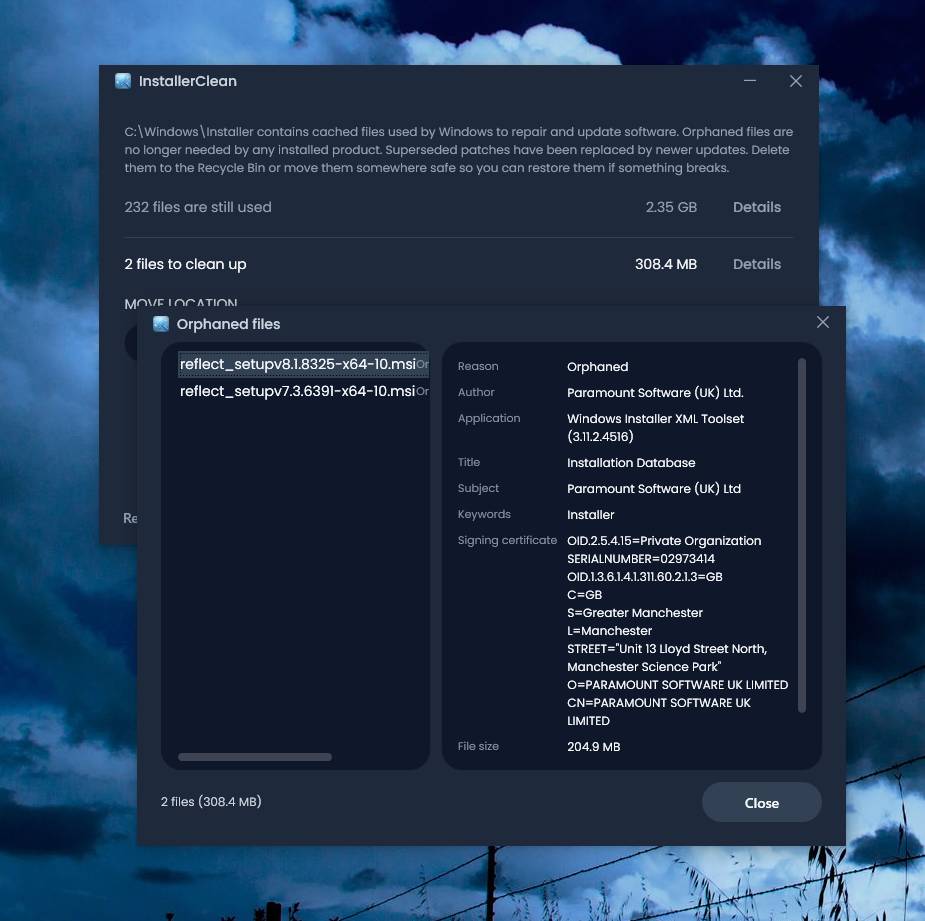 Click here to visit the author's website. Continue below for the main download link. |
||||||||
| Downloads | Views | Developer | Last Update | Version | Size | Type | Rank | |
| 1,144 | 4,052 | no-faff | Oct 13, 2026 - 11:14 | 3.3.0 | 64.23MB | EXE |  , out of 4 Votes. , out of 4 Votes. |
|
| File Tags | ||||||||
| InstallerClean Windows cleanup orphaned files MSI MSP patches disk space Recycle Bin portable NET open source safe cache setup command line | ||||||||
Click to Rate File Share it on Twitter → Tweet
|


