|

|
Processed through Paypal No account required. |








Buy our over-priced crap to help pay the bills.



|
|
Processed through Paypal No account required. |
| File - Download Gimp v3.2.6 | ||||||||
| Description | ||||||||
|
Always scroll to the bottom of the page for the main download link. We don't believe in fake/misleading download buttons and tricks. The link is always in the same place. Gimp v3.2.6 👉 Free and open source cross-platform image editor. GIMP is a cross-platform image editor available for GNU/Linux, macOS, Windows and more operating systems. It provides tools for graphic designers, photographers, illustrators, and scientists, with support for image manipulation, original artwork creation, graphic design elements, color management, scripting, customization, and third-party plug-ins. 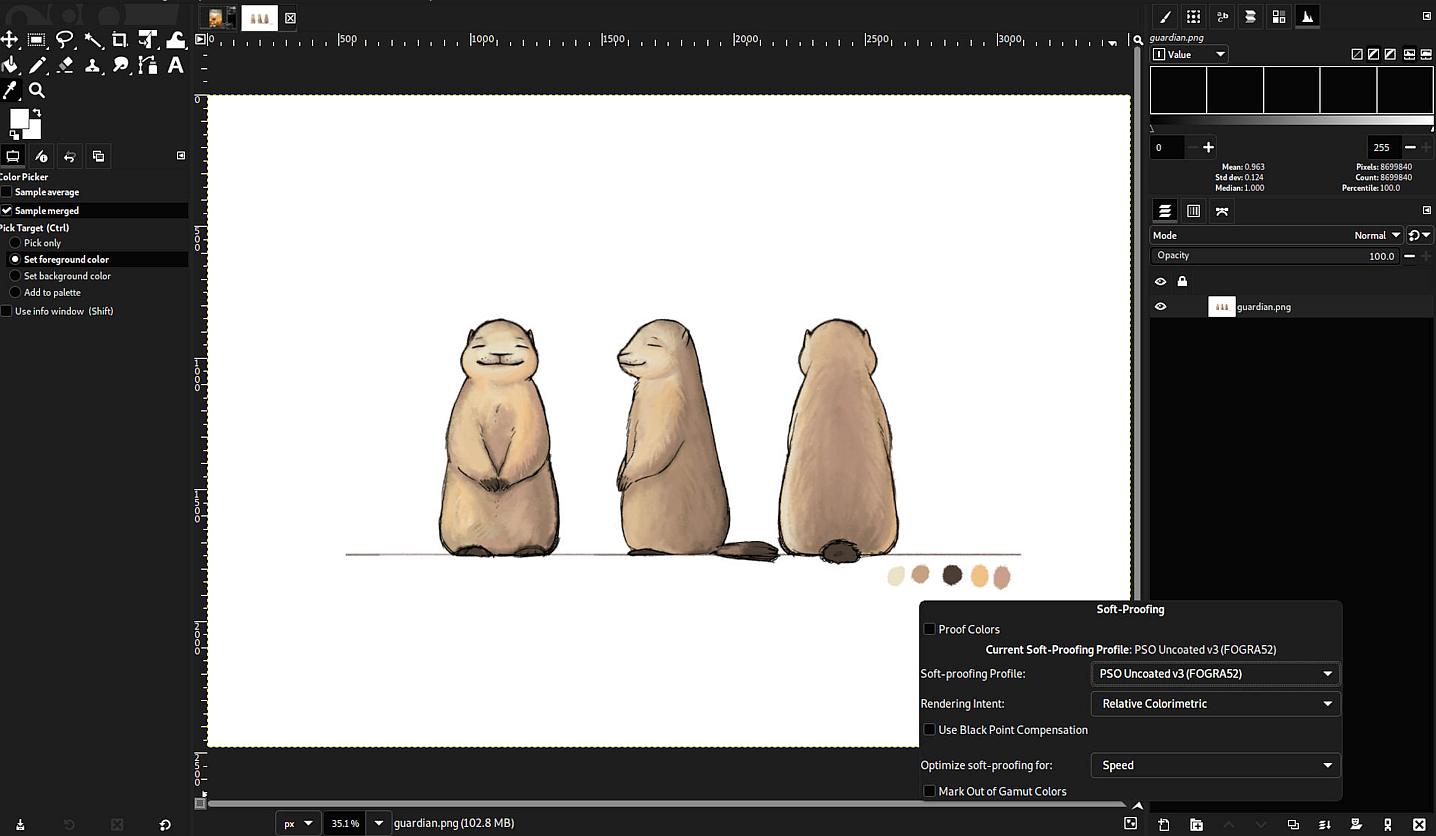 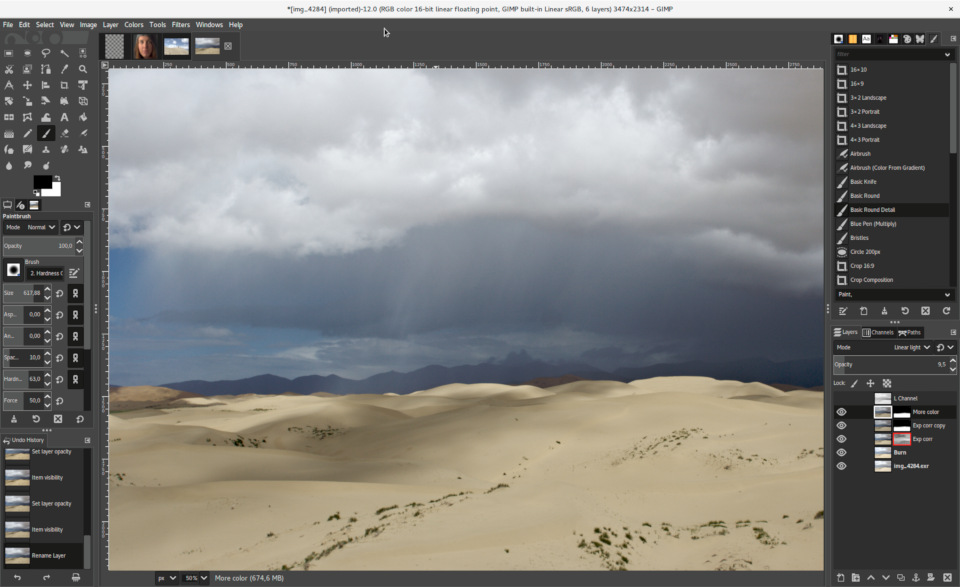 Features: • Advanced photo retouching tools including healing, clone, perspective clone, and content-aware fill workflows • Powerful layer-based editing with layer groups, masks, blend modes, and non-destructive editing techniques • Full support for high bit-depth images (8/16/32-bit per channel) for professional workflows • Extensive selection tools including free select, fuzzy select, foreground select, and intelligent scissors • Transform tools such as scale, rotate, shear, perspective, warp transform, and unified transform • Customizable brushes with dynamics support (pressure, velocity, randomness) for tablets and stylus input • Wide range of painting tools including pencil, paintbrush, airbrush, ink, MyPaint brushes, and gradient tools • Gradient editor and advanced gradient blending capabilities • Paths (vector) tool for precise curves, shapes, and text-on-path creation • Text tool with advanced typography support including kerning, hinting, and outline rendering • GEGL-based processing engine for high-quality image operations and non-destructive workflows • Extensive built-in filters and effects including blur, sharpen, distort, lighting, shadows, noise, and artistic filters • Support for external plug-ins such as G’MIC for hundreds of additional filters and effects • Color management with ICC profile support for accurate color reproduction across devices • Advanced color tools including levels, curves, hue-saturation, color balance, and exposure adjustments • Histogram display and analysis tools for precise tonal correction • Channel manipulation and alpha channel editing • Support for multiple file formats including JPEG, PNG, TIFF, PSD, WebP, HEIF, OpenRaster, and XCF native format • PSD import/export support for compatibility with Adobe Photoshop workflows • Multi-window and single-window interface modes for flexible workspace layouts • Fully customizable interface including dockable dialogs, tool groups, and keyboard shortcuts • Tabbed image interface for working with multiple files simultaneously • Undo/redo history with detailed step tracking • Scriptable via Script-Fu (Scheme), Python, and other languages for automation • Batch processing capabilities through scripting and plug-ins • Cross-platform consistency across Windows, macOS, and Linux environments • Tablet and pressure-sensitive device support for digital artists • Tile-based memory management for handling large images efficiently • Image export options with fine control over compression, metadata, and color profiles • Metadata editing support including EXIF, IPTC, and XMP • Printing support with layout and color configuration options • Open-source ecosystem with active community contributions and frequent updates Supported operating systems: • Windows 10 1903 or newer • macOS 11 Big Sur or newer • Linux AppImage: Debian 13 or newer distro • Linux Flatpak: x86 and ARM 64-bit • Linux Snap: x86 and ARM 64-bit • Solaris and BSD family systems such as FreeBSD and OpenBSD Supported languages: 85 languages Changes: v3.2.6 09-10-26 Several months of patches, bug fixes, security updates, and stability improvements. Cut can now be used on rasterized, unlocked layer groups to cut the same area from all layers in the group. Color Picker's Sample Merged option now accounts for filters applied to a single layer. Improved performance when loading large numbers of fonts, including faster startup, text entry, and closing font lists. Fixed text being hidden at the edges when using fixed text layouts. Fixed dark smudges produced by the Heal Tool when working outside the bounds of a layer smaller than the canvas. Fixed a crash that could occur when pressing keys quickly after releasing the spacebar while panning. Text can now be selected for editing even when partially covered by a layer mask. Fixed loading of Licensor image metadata. Added a maximum width for tooltips with long descriptions. Fixed several issues involving rasterized vector layers. Added Rotation/Barrel Rotation stylus dynamics input, including support in the MyPaint Brush tool. Improved dialogs, window focus, multi-window operation, system themes, and accent colors on Windows and macOS. Windows Send to Email now works through MAPI with applications such as Thunderbird and Outlook Classic. Windows Open With can now open multiple files in a single GIMP instance. Introduced a newly built macOS package with improved integration with native macOS features. macOS improvements include theme-aware titlebars, system scrollbar preferences, standard cache locations, additional keyboard shortcuts and modifiers, corrected drag-and-drop offsets, improved custom cursors, localized standard menus, and native support for opening remote files. Patched 28 reported CVE/ZDI security vulnerabilities affecting various parts of GIMP. Added the GIMP SDK to official AppImage, Windows, and macOS packages, allowing C plug-ins and GEGL filters to be built using gimptool. Updated GdkPixbuf minimum dependency to 2.32.0. Improved plug-in update detection and PDB error/warning handling. Updated the GIMP 3.2 Help Manual. Includes babl 0.1.128 and GEGL 0.4.72, with build, stability, OpenCL, file-format, and security improvements. 179 reports were closed as fixed, 104 merge requests were merged, and 871 commits were made since GIMP 3.2.4. 21 translations were updated. This download is for the Windows all-in-one installer version (very bottom of page). All other download assets are below: macOS: gimp-3.2.6-x86_64.dmg (Intel) gimp-3.2.6-arm64.dmg (Apple Silicone) Linux: GIMP-3.2.6-x86_64.AppImage GIMP-3.2.6-aarch64.AppImage org.gimp.GIMP.flatpakref (Must right-click and Save As) Snap Store Click here to visit the author's website. Continue below for the main download link. |
||||||||
| Downloads | Views | Developer | Last Update | Version | Size | Type | Rank | |
| 9,686 | 27,318 | The Gimp Team | Sep 11, 2026 - 11:56 | 3.2.6 | 181.54MB | EXE |  , out of 105 Votes. , out of 105 Votes. |
|
| File Tags | ||||||||
| image GIMP editor photo graphics painting retouching layers filters raster design artwork open source Windows macOS Linux | ||||||||
Click to Rate File Share it on Twitter → Tweet
|


