|

|
Processed through Paypal No account required. |








Buy our over-priced crap to help pay the bills.



|
|
Processed through Paypal No account required. |
| Files | ||||
| File Name | Rating | Downloads | ||
 |
12-Ants v6.91 12-Ants v6.91 👉 Add a swarm of animated ants to your Windows desktop for a little harmless fun. 12-Ants is a tiny freeware desktop decoration that fills your screen with animated ants crawling across the Windows desktop. The ants can interact with your mouse pointer in several ways, including attacking it, fleeing from it, reacting only when the pointer moves, or simply strolling around on their own. You can customize the number of ants displayed, their movement speed, size, color and transparency. Despite potentially putting a sizable colony on your screen, the program is designed to consume very few system resources. It is also portable, so it can be run directly from a folder or USB drive without installation. Features: • Displays animated ants crawling around the Windows desktop • Choose from five different ant movement algorithms • Ants can attack the mouse cursor • Ants can attack the cursor only when it moves • Ants can flee from the mouse cursor • Ants can flee only when the cursor moves • Ants can simply stroll around the desktop • Adjustable number of desktop ants • Adjustable ant movement speed • Adjustable ant size • Change ant colors, including red, black and green • Optional transparency • Low system resource consumption • Portable operation with no installation required • Can be carried and run from a USB drive • Installer and portable packages are available • Supports both 32-bit and 64-bit Windows Supported operating systems: • Windows 7, Windows 8, Windows 8.1, Windows 10, Windows 11 • Windows Server 2012, Windows Server 2016, Windows Server 2019, Windows Server 2022, Windows Server 2025 • 32-bit and 64-bit Windows Supported languages: German, English, French, Traditional Chinese, Korean, Greek, Italian, Spanish (Colombia), Russian, Simplified Chinese, Arabic, Romanian, Japanese, Afrikaans, Swedish, Danish, Norwegian, Dutch, Thai, Vietnamese, Hindi, Portuguese, Spanish, Spanish (Venezuela), Finnish, Bosnian/Croatian/Serbian Changes: v6.91 04-24-26 • Verification of Desktop BUGs on next MS Windows 11 Build • Small adjustments for Windows 11 • ... |
 |
6,377 | Sep 03, 2026 Nenad Hrg  |
|
AAA v5.4.7 AAA v5.4.7 👉 A quick and powerful Windows tool for managing text notes, clipboard history, alarms and more. AAA is a free text note management utility by Mario "OiPaz" Corsolini that combines everyday note taking with a collection of useful text, clipboard and productivity tools. It stays conveniently accessible from the Windows Notification Area and can be quickly shown or hidden when needed. In addition to keeping and organizing text notes, AAA can maintain a history of the Windows Clipboard, provide multiple clipboards, calculate text and numerical statistics, set alarms, sort and format text, and launch applications. AAA requires Microsoft .NET Framework 4.8 and has been compiled for both 32-bit and 64-bit Windows systems. Features: • Create, keep and manage text notes • Quickly show or hide AAA from its Windows Notification Area icon • Use a customizable global keyboard shortcut to show or hide the program • Maintain a history of text copied to the Windows Clipboard • Multi-clipboard support for keeping multiple pieces of copied text • Automatically replace specified portions of text in the Windows Clipboard • Calculate statistics for text and Clipboard contents • Analyze numerical data and calculate statistics • Create and manage alarms with customizable messages • Sort text • Align and format text • Start individual applications or groups of applications • Add configurable delays when starting groups of applications • Reload its data file when the file has been modified externally • Save and restore the program's screen position • Single-instance operation • Automatic update checking • Requires Microsoft .NET Framework 4.8 Supported operating systems: • Windows 7 SP1, Windows 8.1, Windows 10, Windows 11 • 32-bit and 64-bit systems • Microsoft .NET Framework 4.8 required The operating-system range above is based on Microsoft's official compatibility requirements for the required .NET Framework 4.8. Windows 7 and Windows 8.1 are no longer supported by Microsoft. Supported languages: English, Esperanto, Italian Changes: v5.4.7 01-05-24 Fixed a bug where, if the saved position of ... |
|
2,314 | Aug 31, 2026 Mario Corsolini 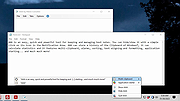 |
|
Accent Color Synchronizer v1.2.1 Accent Color Synchronizer v1.2.1 Automatically synchronize Windows accent colors across apps and system elements. Accent Color Synchronizer is a lightweight utility designed to keep your Windows accent color consistent across system components and supported applications. It monitors the current Windows accent color and applies it where needed, helping maintain a uniform and visually cohesive desktop appearance without manual tweaking. Ideal for users who frequently change themes or rely on dynamic accent colors, Accent Color Synchronizer ensures that supported UI elements remain in sync with the system’s current color selection. Features: • Automatically detects the current Windows accent color • Synchronizes accent color across supported apps and UI elements • Lightweight and portable design • Simple interface with minimal configuration required • Designed to work seamlessly in the background Supported operating systems: • Windows 10 Supported languages: • English Changes: v1.2.1 It is now possible to configure the program to keep changes made to its settings (whether or not the advanced mode is enabled, custom color brightness, etc.) By default, the application now uses your exact accent color as it appears in the Settings app instead of the title bar color which is often slightly different. This change can be reverted in the application options; Fixed a bug that caused the About dialog box to unexpectedly appear in specific scenarios; When a modal dialog is opened (eg. the about dialog) while the application's main window is not visible, the modal dialog no longer appears in the top-left corner of the screen. Click here to visit the author's website. |
|
6,367 | Feb 15, 2026 Maxime Denis 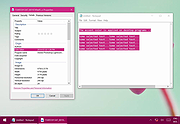 |
 |
Alarm Stickies 3 v3.2.05.5 Alarm Stickies 3 v3.2.05.5 👉 Electronic sticky notes with alerts, recurrences, calendar, and phonebook. Alarm Stickies 3 is a freeware reminder utility that lets you create electronic sticky notes, save them to a database, and optionally set date/time alerts so the sticky appears when the reminder is due. It also includes recurring events, Windows notifications, a quarterly calendar, programmable shortcut keys, backup/restore, shared data folder support, and a phonebook/rubric. Features: • Create electronic sticky notes quickly from the tray icon, hotkey, menu, or quarterly calendar • Notes are saved to a database when closed • Set date and time alerts for stickies • Alerted stickies can jump to the screen position you choose • Optional alert sounds • Customize sticky size, color, font, and font size • Save a modified sticky layout as the default for new stickies • Choose from 9 date formats • Programmable shortcut keys • Print the shortcut key list for paper or PDF reference • Recurring events for birthdays, anniversaries, payment deadlines, and more • Supports annual, semi-annual, four-monthly, quarterly, bimonthly, and monthly recurrences • Recurrence notifications can appear through Windows notifications • Set a programmable notification range before recurrence expiration • Quarterly calendar highlights recurrences in different colors • Click future calendar dates to create a sticky already set to that date at 12:00 • Spacious phonebook/rubric with 21 tables and 40 lines each • Case-insensitive search in the phonebook/rubric • Choose the folder used for settings and data • Data folder can be placed in a shared folder, such as a cloud folder, for use across your own PCs • Backup and restore program data • Keeps the last three backups • Optional automatic start with Windows • Optional automatic update check at program startup • Freeware with no advertising and no donation popups Supported operating systems: • Windows 7 SP1 with Microsoft .NET Framework 4.8, Windows 8 with Microsoft .NET Framework 4.8, Windows 10, Windows 11 Supported languages: English, French, Spanish, Italian Changes: v3.2.05 12-16-25 Fixed ... |
|
792 | Apr 24, 2026 eziogarr-coder 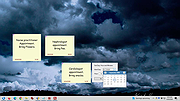 |
|
Alternate File Shredder v3.100 Alternate File Shredder v3.100 👉 Securely and permanently erase files, folders, and free disk space to prevent data recovery. Alternate File Shredder is a freeware, open-source utility designed to securely destroy files and folders so they cannot be recovered with standard undelete or forensic recovery tools. Instead of simply removing file references from the file system, it repeatedly overwrites the contents using configurable methods before deleting them, making recovery extremely difficult or impossible. The program can also overwrite unused free space on a drive to eliminate remnants of files that were previously deleted without secure wiping. Additional options allow you to overwrite data with random values, a fixed value, or the contents of another file, giving you flexibility for different security requirements. Because secure deletion is permanent, the author recommends carefully reviewing all selected items before proceeding. Features: • Permanently erase files and folders by securely overwriting data before deletion • Wipe free disk space to remove recoverable traces of previously deleted files • Choose overwrite methods using random values, fixed values, or a template file • Configure multiple overwrite iterations for increased security • Optionally overwrite file names before deletion • Ignore write protection when desired • Drag-and-drop support for quickly adding files and folders • Displays detailed file information before shredding • Processing log for completed operations • Open source and free to use Supported operating systems: • Windows Vista, Windows 7, Windows 8, Windows 8.1, Windows 10, Windows 11, Windows Server Supported languages: • English, German, Spanish, French, Italian, Chinese, Japanese, Korean, Swedish, Arabic, Greek, Russian, Czech, Hungarian, Turkish, Polish, Portuguese, Slovenian, Danish, Dutch Changes: v3.100 02-13-26 Added custom colors Options extended Note: This file has four hits on VirusTotal. We have confirmed these to be false positives. The file is safe. Click here to visit the author's website. |
|
7,428 | Jul 07, 2026 Alternate Tools 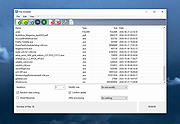 |
|
AM-DeadLink v7.2 AM-DeadLink v7.2 👉 Free tool to detect broken links, missing files, redirections, and duplicate bookmarks. AM-DeadLink is a freeware utility that helps you find broken links, missing files, redirects, and duplicate entries in browser bookmarks, websites, and various file formats. It can scan entire websites, including linked pages, images, CSS files, and other resources, while also checking bookmark collections from popular web browsers. Detailed reports make it easy to identify invalid URLs, redirects, and missing resources so you can keep your bookmarks and websites organized and up to date. AM-DeadLink is designed to be lightweight, privacy-friendly, and easy to use, with no ads, nags, accounts, or user-data collection. Features: • Detects broken links, missing files, and redirects • Finds duplicate bookmarks and URL entries • Scans websites including linked pages, images, CSS files, and other resources • Checks bookmarks from Chrome, Edge, Firefox, Brave, and Vivaldi • Supports HTML, TXT, CSV, and tab-delimited files containing URLs • Generates detailed reports of scan results • Improved detection of redirects and missing resources • Checks binary file links such as ZIP, PDF, and EXE files • Internal preview for reviewing URLs • Lightweight freeware with no ads, nags, or account requirements Supported operating systems: • Windows 10, Windows 11 (64-bit) Supported languages: • English, German Changes: v7.21 10-07-26 Brave Origin supported Improved support for Cloudflare-protected pages Smaller improvements and fixes Click here to visit the author's website. |
|
6,711 | Oct 07, 2026 Aignesberger Software GmbH 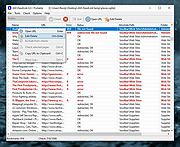 |
|
AOMEI Backupper Standard v8.4.0 AOMEI Backupper Standard v8.4.0 👉 Free backup, sync, restore, and disk cloning software for protecting your system and personal data. AOMEI Backupper Standard is free backup software designed to protect personal data and operating systems with backup, restore, sync, and cloning tools. It can back up files, folders, disks, partitions, and systems, create automatic scheduled backups, sync files to local and network locations, clone data disks for drive replacement or upgrades, and create bootable rescue media for recovery when the system cannot start. Features: • System, disk, partition, and file backup • File restore, system restore, disk restore, and partition restore • Automatic scheduled backups with daily, weekly, and monthly options • Incremental backup support • Basic file sync to local disks, external drives, network shares, and NAS • Disk clone for data disks and partition clone • Intelligent sector clone and SSD alignment support • Bootable media creation for recovery • Backup to local disk, external disk, USB flash drive, network/NAS, cloud drive, and CD/DVD • Backup image splitting, compression, checking, and task import/export • Recovery environment creation in the boot menu • Email notifications with Gmail and Hotmail SMTP support in the Standard edition Supported operating systems: • Windows 7, Windows 8, Windows 8.1, Windows 10, Windows 11 • macOS 10.13 (High Sierra) or higher Supported languages: • English, German, French, Japanese, Italian, Dutch, Spanish, Turkish, Polish, Simplified Chinese, Traditional Chinese Changes: v8.4.0 06-18-26 Optimized: Now it allows to reset the System Security Identifier (SID) during system/system disk clone and restore. This seamlessly eliminates network and permission conflicts after migrating systems to multiple PCs, making IT management and batch deployment much more efficient. Optimized: The task execution details page now displays "Transfer Speed" and "Estimated Time Remaining" in real-time, providing clear, at-a-glance visibility into your progress. Optimized: When the window of the backup source and destination selection pop-up is enlarged, the list column widths will automatically adjust the spacing according to ... |
|
10,094 | Aug 14, 2026 AOMEI Technology Co., Ltd 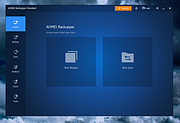 |
|
AOMEI Cyber Backup Free v4.5.0 AOMEI Cyber Backup Free v4.5.0 👉 Free centralized backup and disaster recovery solution for virtual machines, Windows systems, and SQL Server databases. AOMEI Cyber Backup Free is an enterprise-class backup and recovery platform that allows administrators to protect virtual machines, physical computers, servers, and databases from a single web-based management console. Designed for businesses, IT departments, MSPs, and home labs, it simplifies backup scheduling, monitoring, restoration, and storage management across multiple systems. The free edition provides a surprisingly comprehensive feature set for small environments. It supports up to 3 Hyper-V virtual machines, 3 VMware ESXi virtual machines, unlimited VMware Free ESXi virtual machines, 3 Microsoft SQL Server databases, 3 Windows PCs, and 1 Windows Server. Included at no cost are agentless VM backups, full, incremental, and differential backup methods, automated scheduling, Amazon S3 backup archiving, task monitoring, log management, role-based management, and point-in-time recovery. While some advanced enterprise capabilities require a paid license, the free edition delivers powerful centralized backup protection suitable for many small business and lab deployments. Features: • Centralized web-based backup management console • Protect up to 3 Hyper-V virtual machines • Protect up to 3 VMware ESXi virtual machines • Unlimited VMware Free ESXi virtual machine support • Protect up to 3 Microsoft SQL Server databases • Protect up to 3 Windows PCs • Protect 1 Windows Server • Agentless backup for VMware and Hyper-V virtual machines • Full backup support • Incremental backup support • Differential backup support • Automated backup scheduling and execution • Backup to local storage devices • Backup to network shares and NAS devices • Archive backups to Amazon S3 cloud storage • Flexible retention policy configuration • Restore entire virtual machines • Restore from any available backup point • Restore workloads to their original location • Backup task monitoring dashboard • Backup log management and reporting • Email notification support • Role-based management controls • Centralized monitoring of all protected workloads • Browser-based administration from any supported system • Free ... |
|
1,138 | Jun 12, 2026 AOMEI Technology Co., Ltd  |
|
Apache OpenOffice Portable v4.1.16 Apache OpenOffice Portable v4.1.16 👉 A complete portable office suite for documents, spreadsheets, presentations, drawings, databases and more. Apache OpenOffice Portable is the full-featured Apache OpenOffice productivity suite packaged by PortableApps.com to run from a USB flash drive, portable hard drive, cloud folder or local directory without a traditional installation. It includes applications for word processing, spreadsheets, presentations, diagrams and drawings, databases and mathematical formulas, while keeping your settings and documents portable between Windows computers. The suite is free and open source and supports many common office document formats, including Microsoft Office, WordPerfect and Lotus formats. Features: • Writer for creating and editing letters, reports, books and other text documents • Calc for spreadsheets, calculations and data analysis • Impress for creating multimedia presentations and slide shows • Draw for diagrams, illustrations and other vector graphics • Base for working with databases • Math for creating mathematical equations and formulas • Compatible with Microsoft Office, WordPerfect, Lotus and other common office document formats • Export documents directly to PDF • Supports extensions for adding additional functionality • Includes spelling and language tools • Supports Java-dependent OpenOffice features when a compatible portable Java environment is available • Runs from removable drives, cloud storage or a local folder without a traditional Windows installation • Keeps application settings with the portable installation for use on multiple computers • Includes individual portable launchers for the OpenOffice applications • Integrates with the PortableApps.com Platform, including its menu, updater and backup utility • Supports installing newer portable releases over an existing copy while preserving settings Supported operating systems: • Windows XP, Windows Vista, Windows 7, Windows 8, Windows 10, Windows 11 Supported languages: Standard portable package: English (US), English (UK), Chinese (Simplified), Chinese (Traditional), French, German, Italian, Japanese, Korean, Portuguese (Brazilian), Portuguese (Portugal), Russian, Spanish. The Multilingual-All download includes the additional languages supported by the portable package. PortableApps.com notes that some Apache OpenOffice locales cannot be included because ... |
|
4,421 | Aug 30, 2026 Apache OpenOffice Team & PortableApps.com 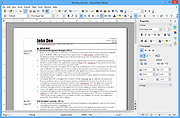 |
|
AppCrashView v1.35 AppCrashView v1.35 👉 View application crash reports from Windows Error Reporting files. AppCrashView is a small NirSoft utility that displays details of application crashes stored in Windows Error Reporting .wer files. It shows crash information in a two-pane window, with the crash list on top and the selected crash report contents below. Crash lists can be saved to text, CSV, HTML, or XML files, or copied to the clipboard for use in Excel or another spreadsheet program. Features: • Displays application crash details from Windows Error Reporting .wer files • Two-pane interface shows crash list and full selected crash report • Save crash lists as text, tab-delimited, CSV, HTML, or XML • Copy selected crash information to the clipboard • Quick Filter support for instantly narrowing crash results • Open report file folder or process folder • Delete selected reports • Run as administrator option • Command-line export options • No installation required Supported operating systems: • Windows Vista, Windows 7, Windows Server 2008, Windows 8, Windows 10 Supported languages: English, Brazilian Portuguese, Danish, Dutch, French, German, Greek, Hungarian, Italian, Japanese, Korean, Persian, Polish, Romanian, Russian, Simplified Chinese, Slovak, Spanish, Swedish, Traditional Chinese, Valencian Changes: v1.35 Added 'Quick Filter' feature (View -> Use Quick Filter or Ctrl+Q). When turned on, you can type a string in the text box under the toolbar and AppCrashView will instantly filter the application crashes list, showing only lines that contain the string you typed. Click here to visit the author's website. |
|
6,225 | Jun 14, 2026 Nir Sofer 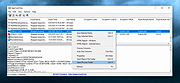 |
 |
AppNetworkCounter v1.61 AppNetworkCounter v1.61 👉 View network usage and bandwidth for every application on Windows. AppNetworkCounter is a simple Windows utility that counts and displays TCP/UDP bytes and packets sent and received by every application on your system. It shows received bytes, sent bytes, receive speed, send speed, IPv4 and IPv6 traffic totals, packet counts, and application version details such as product name, product version, file description, and company name. Features: • Displays network usage per application • Shows sent and received TCP/UDP bytes • Shows sent and received packet counts • Displays receive and send speeds • Tracks IPv4 and IPv6 traffic separately • Shows maximum and average receive/send speeds • Includes first and last activity time columns • Can group results by application name or process ID • Option to hide inactive items • Option to show a total line for all applications • Tray icon support • Export reports to text, CSV, HTML, XML, and JSON • Command-line report saving options • Portable; no installation required Supported operating systems: • Windows XP, Windows Vista, Windows 7, Windows 8, Windows 10, Windows 11 • 32-bit and 64-bit Windows supported • Administrator elevation required on Windows Vista and later Supported languages: English, Arabic, Brazilian Portuguese, Czech, Dutch, French, German, Greek, Hungarian, Italian, Japanese, Persian, Polish, Romanian, Russian, Simplified Chinese, Slovak, Spanish, Traditional Chinese, Turkish Changes: v1.61 08-23-26 Added 'Process Command-Line' column, which displays the full command-line string of every process (Only when the 'Group By' option is 'Process ID'). Added 'Keep Selected Item Visible' option. When it's turned on, the selected item always remains visible. 👉 This download is for the Windows 64bit version (very bottom of page). All other download assets are below: Other Windows: appnetworkcounter.zip (32bit) Click here to visit the author's website. |
|
6,273 | Oct 13, 2026 Nir Sofer 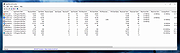 |
|
Audionaut v1.6.4 Audionaut v1.6.4 👉 A free, open-source audio editor for recording, cutting, arranging, and exporting multitrack audio. Audionaut is a free, open-source desktop audio editor and recorder for music, podcasts, and multitrack recordings. It combines a waveform timeline with reusable audio regions and individual track playlists, giving you several ways to build and rearrange a project. A region is a named section of source audio, while a clip places that region into your arrangement. You can create sections such as an introduction, verse, chorus, or ending, then reuse them wherever needed. Each track's playlist stays synchronized with its timeline, making it easier to rearrange sections without repeatedly cutting the original recording. Tracks can contain multiple audio channels. When you split a multichannel clip, its channels stay together in the resulting regions. This is useful when working with related microphone recordings or stems that need to remain aligned. Audionaut also includes audio analysis, automatic segmentation, pitch-preserving time stretching, and local stem separation. Its optional MCP integration allows compatible AI assistants to edit projects, while its command-line tools support scripted workflows. Features: • Multitrack arrangements: Layer recordings across multiple tracks, each with its own synchronized playlist. • Reusable regions: Name sections of audio and place them into the arrangement repeatedly without recreating each section. • Multichannel editing: Keep the channels of a recording together when cutting and rearranging clips. • Precise splitting: Cut at the playhead or split around a selected time range. • Drag-and-drop arranging: Move clips along the timeline, duplicate them, or drag saved regions into new positions. • Per-clip volume: Adjust the gain of individual channels within a clip. • Adjustable fades: Drag fade handles to create fade-ins, fade-outs, and crossfades with adjustable curves. • Pitch-preserving time stretching: Change ... |
|
51 | Oct 09, 2026 Klaus Voltmer 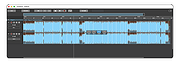 |
|
BoostPing v1.7.2 BoostPing v1.7.2 👉 Makes your online games feel snappier. BoostPing analyzes your active network and applies gaming-focused network tweaks, including changing the network throttling index and disabling the Nagle algorithm. Features: • Analyzes and configures the active network • Changes the network throttling index • Disables the Nagle algorithm • Portable, no installation required • Freeware for office, home, government office and school use Supported operating systems: • Windows 10, Windows 11 Supported languages: English, German, Esperanto, French, Italian, Japanese, Polish, Portuguese, Russian, Slovak, Swedish, Thai, Turkish, Vietnamese, Chinese Changes: v1.7.2 09-16-26 Fixed an issue where some users could lose their previous settings after stopping optimization Improved restoration to keep unselected settings unchanged Improved reliability so remaining changes can be reverted after an unsuccessful setup Improved compatibility for safely stopping optimization started in previous versions Note: This file has one hit on VirusTotal. We have confirmed this to be a false positive. The file is safe. Click here to visit the author's website. |
|
1,252 | Oct 05, 2026 kilho.net 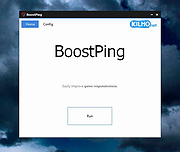 |
|
BrowserAddonsView v1.30 BrowserAddonsView v1.30 👉 View installed browser addons and plugins in one simple list. BrowserAddonsView is a simple NirSoft tool that displays details for Web browser addons and plugins installed on your system. It can scan Chrome, Firefox, Internet Explorer, and Microsoft Edge, and it detects multiple Chrome and Firefox profiles when present. Features: • Displays installed browser addons, plugins, and extensions • Supports Chrome, Firefox, Internet Explorer, and Microsoft Edge • Detects multiple Chrome and Firefox profiles • View addons from all Windows profiles • View Chrome and Firefox addons from an external drive or remote computer • Export selected items to text, CSV, tab-delimited, XML, HTML, or JSON • Copy addon information to the clipboard for use in spreadsheets • Quick Filter for instantly filtering the addon list • Command-line options for exporting, sorting, selecting columns, and loading profiles • Portable; no installation required Supported operating systems: • Windows XP, Windows Vista, Windows 7, Windows 8, Windows 10, Windows 11 • 32-bit and 64-bit systems Supported languages: English, Arabic, Brazilian Portuguese, Dutch, French, German, Greek, Hungarian, Italian, Japanese, Persian, Polish, Romanian, Russian, Simplified Chinese, Slovak, Spanish, Traditional Chinese, Turkish Changes: v1.30 07-20-24 Added 'Black Background' option (Under the View menu). When it's turned on, the main table is displayed in black background and white text, instead of default system colors. This download is for the Windows 64bit version (very bottom of page). If you need the Windows 32bit version, download here. Click here to visit the author's website. |
|
6,468 | Oct 07, 2026 Nir Sofer 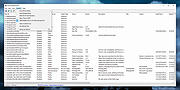 |
|
ClickShield v1.2.1 ClickShield v1.2.1 👉 Helps block ClickFix phishing attacks and suspicious clipboard commands in Windows. ClickShield is a free Windows security utility designed to help protect against ClickFix and similar phishing attacks that attempt to trick users into executing malicious commands. These attacks commonly use fake CAPTCHA or verification screens that copy a command to the clipboard and instruct the user to paste it into the Windows Run dialog or Command Prompt. ClickShield monitors clipboard changes for suspicious commands, including PowerShell commands and Windows LOLBINs such as mshta, bitsadmin, wmic and regsvr32. When suspicious clipboard content is detected, it can alert the user and prevent the Run dialog from opening. Its LOLBIN Shield can also block selected Windows utilities from accessing the internet, adding another layer of protection against common ClickFix techniques. Features: • Monitors the Windows clipboard for suspicious text and commands • Helps protect against ClickFix and similar fake CAPTCHA phishing attacks • Detects suspicious PowerShell commands, including encoded commands • Detects commands involving commonly abused Windows LOLBIN utilities • LOLBIN Shield can block several Windows utilities from accessing the internet • Can prevent the Windows Run dialog from opening when suspicious clipboard content is detected • Provides alerts when potentially dangerous clipboard commands are found • Includes an option to completely disable the Windows Run dialog • Run dialog restriction can be useful for administrators managing employee computers • Designed to operate with minimal memory usage • Supports both 32-bit and 64-bit Windows systems Supported operating systems: • Windows 7, Windows 8, Windows 8.1, Windows 10, Windows 11 Supported languages: • English Changes: v1.2.1 09-04-26 [*] Fixes and Improvements: • The alert message now stays on top of all windows instead of launching on the browser. This way it protects itself from ClickFix attack variants that attempt to close it and CrashFix attacks that crash the browser. The alert message remains visible until the user closes it. • The alert ... |
|
647 | Sep 30, 2026 Emir Alp Kocak  |
|
ClipAngel v2.23 ClipAngel v2.23 👉 Clipboard history capture and paste tool. ClipAngel is a clipboard manager that captures multiple clipboard objects and lets you select and paste them into any program. It is inspired by ClipDiary, Ditto, and AceText, with main priorities of usability, compatibility, and reliability. Features: • Captures clipboard history for supported clipboard formats • Supports text, HTML, RTF, image, and file clips • Text filter and clip list share key presses, so there is no need to change focus • Ability to delete and move clips in the list • History is stored encrypted on disk • Portable mode • Auto position window near text input • Always on top option • Open clip as file command • Simulate character input for windows isolated from the clipboard • Support for sending paste and input to elevated windows • Monitor clipboard switch • Word wrap and monospaced font options • Clip list shows samples for picture clips • Native formatting switch for HTML and RTF clips • Text compare command with support for Beyond Compare, ExamDiff Pro, WinMerge, Araxis Merge, DiffMerge, KDiff3, and custom applications • Translate text command • Drag and drop clips from the list • Preserves history even if the computer crashes Supported operating systems: • Windows Vista or later, Windows Server 2008 or later Supported languages: Brazilian Portuguese, Chinese (Simplified), English, French, German, Greek, Hindi, Italian, Polish, Russian, Spanish Changes: v2.23 06-04-26 Fixed inability to select text in HTML mode introduced in the previous version. Added "Text from picture" to the "Clip" submenu. Note: This file has two hits on VirusTotal. We have confirmed these to be false positives. The file is safe. Click here to visit the author's website. |
|
6,851 | Sep 03, 2026 tormozit 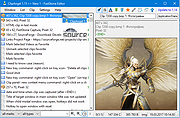 |
|
CloneScan v2.1 CloneScan v2.1 👉 Find, review, and safely remove duplicate files and folders. CloneScan is a free Windows utility designed to help you find, review, and safely remove duplicate files and duplicate folders from your computer. Features: • Find duplicate files and folders • Compare by file name, size, file name and size, or SHA-1 hash • Filter scans by file type • Set a minimum file size for scanning • Fast content scanning with parallel hashing • Grouped duplicate results • Move deleted items to the Recycle Bin • Export results to CSV Supported operating systems: • Windows 10, Windows 11 Supported languages: English Changes: v2.1 09-09-26 New scan options. Minor fixes. Click here to visit the author's website. |
|
690 | Sep 10, 2026 TkoSoft 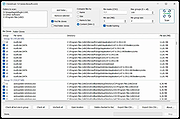 |
|
CoolTerm v2.4.0 CoolTerm v2.4.0 👉 Easy-to-use serial port terminal for communicating with connected hardware. CoolTerm is a simple serial port terminal application, with no terminal emulation, for hobbyists and professionals who need to exchange data with devices connected to serial ports, such as servo controllers, robotic kits, GPS receivers, microcontrollers, and other hardware. Written in Xojo. Features: • Multiple concurrent connections on separate serial ports • Display received data as plain text, hexadecimal, or graphic chart • Special receive and transmit character handling • Send data by keypress, Send String dialog, copy/paste, or file transfer • Send text and binary files by dialog or drag-and-drop • Capture received data to text or binary files • Local echo for transmitted and received data • Hardware and software flow control • Visual line status indicators • Manual control of RTS, DTR, and serial BREAK • Configurable character, line, and packet delays • Transmit macros, saved connection options, and scripting support Installation CoolTerm comes without an installer and can be placed anywhere on the hard-drive as long as the correct folder structure is maintained. I.e. the included "Libs" and "Resources" folders must reside in the same location as the CoolTerm application. Supported operating systems: Windows 8.1, 10, 11 macOS Mojave 10.14.x and higher Changes v2.4.0 05-19-25 NEW FEATURES: - Added the same "wait for termination string" options to the timestamp settings for received data as for captured data. This makes it possible to specify the termination string to wait for before timestamping and displaying received data. - Added option to include the timestamps added to received data in the data forwarded to other terminals. - Added support for relative and local paths in .CoolTermSession files. Paths beginning with .. and . will be considered relative and local paths, respectively. Saving a session will write absolute paths for all open terminals to the session file. However, a session file can be edited with a text editor and paths can be ... |
|
3,977 | May 07, 2026 Roger Meier 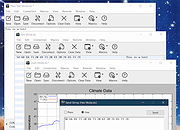 |
|
CopyFolders 2 Portable v2.0.31 CopyFolders 2 Portable v2.0.31 👉 Automatically copy new and modified files from multiple folders with versioning support. CopyFolders 2 is a utility designed to copy new or modified files from source folders to destination folders. It is intended primarily for backup purposes, allowing users to keep folders up to date by copying only files that have changed. CopyFolders 2 supports working with multiple source and destination folders at the same time. It can also keep several previous versions of files, helping preserve older copies when updates occur. The program operates through a simple interface where users configure the folders and options, then execute the copy process as needed. Features: • Copies only new and modified files • Supports up to 9 source folders • Supports up to 9 destination folders • Designed specifically for backup and updating folders • Can keep up to 6 previous versions of files • Allows defining multiple folder pairs for processing • Simple configuration of source and destination paths • Executes copy operations based on defined setup • Portable. No installation required. Supported operating systems: • Windows 10, Windows 11 Supported languages: English, Chinese, French, German, Italian, Polish, Portuguese, Russian, Spanish. Changes: v2.0.31 04-28-26 First update: Fixed a bug where if a path contains underscores ("_") them would not be displayed in the path text box Fixed UNC network path support and improved folder selection Improved file copy error reporting Click here to visit the author's website. |
|
830 | Aug 26, 2026 eziogarr-coder 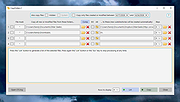 |
|
Core Temp v1.21 Core Temp v1.21 👉 Compact CPU monitoring utility for tracking processor temperatures, loads and other vital information. Core Temp is a small, lightweight processor monitoring utility designed to display the temperature of each individual CPU core in real time. It reads the Digital Thermal Sensors built into modern Intel, AMD and VIA x86 processors, providing accurate temperature information directly from the processor rather than relying on motherboard sensors. It can also display processor model information, frequencies, load levels, power-related data and minimum, maximum and average temperature readings. Core Temp offers customizable notification-area monitoring, logging, Mini-Mode and support for plug-ins that can extend its functionality. Features: • Monitors the temperature of individual CPU cores in real time • Reads temperatures directly from the processor's Digital Thermal Sensors • Supports Intel, AMD and VIA x86 processors • Displays processor identification and model information • Shows individual core load information • Displays processor frequency information • Tracks minimum, maximum and average temperature readings • Provides configurable notification-area sensor displays • Includes a battery status indicator for the notification area • Includes a compact Mini-Mode display • Adjustable user-interface zoom • Can log processor temperature and monitoring information • Supports multiple processors and multiple cores • Motherboard-independent temperature monitoring • Provides shared-memory data for other applications • Supports plug-ins and add-ons for expanded functionality • Lightweight design with a small system footprint Supported operating systems: • Windows XP, Windows 7, Windows 8, Windows 8.1, Windows 10, Windows 11 • Windows Server 2003, Windows Server 2008, Windows Server 2012, Windows Server 2016, Windows Server 2019, Windows Server 2022, Windows Server 2025 Supported languages: English, Abkhaz, Armenian, Bulgarian, Simplified Chinese, Traditional Chinese, Catalan, Czech, Danish, Dutch, Finnish, French, Galician, German, Greek, Hebrew, Hungarian, Italian, Japanese, Korean, Norwegian, Polish, Portuguese, Romanian, Russian, Slovak, Slovenian, Spanish, Swedish, Turkish, Ukrainian, Vietnamese Changes: v1.21 10-03-26 - New: Redesign the notification tray configuration dialog. Should now be more intuitive and flexible. - Fix: Notification tray icons issues; missing ... |
|
5,442 | Oct 14, 2026 Arthur Liberman 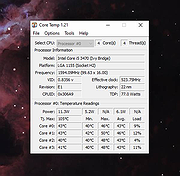 |
|
CountryTraceRoute v1.51 CountryTraceRoute v1.51 👉 Fast GUI traceroute utility with IP country information for Windows. CountryTraceRoute is a traceroute utility similar to Windows tracert, but with a graphical interface and faster operation. It displays each hop along the route to a host name or IP address and also shows the country of the owner of each detected IP address. Completed traceroute results can be copied to the clipboard or saved as CSV, tab-delimited, HTML, or XML files. Features: • Fast graphical traceroute tool for Windows • Displays IP address country information for each hop • Supports host names and IP addresses • Supports IPv4, IPv6, and Automatic IP address modes • Displays TTL, ASN, and company information when supported location databases are used • Can use external IP-location CSV files for country, city, and ASN data • Supports GeoLite2 City, Country, and ASN databases in CSV format • Saves selected results as CSV, tab-delimited, HTML, or XML files • Copies selected results or IP addresses to the clipboard • Command-line options for starting traceroute, maximum hops, and timeout • Portable, no installation required Supported operating systems: • Windows 2000 through Windows 11, 32-bit and 64-bit Supported languages: English, Brazilian Portuguese, Dutch, French, German, Greek, Hungarian, Italian, Japanese, Korean, Persian, Polish, Romanian, Russian, Simplified Chinese, Slovak, Spanish, Traditional Chinese, Turkish Changes: v1.51 Added 'Black Background' option (Under the View menu). When it's turned on, the main table is displayed in black background and white text, instead of default system colors. Updated the internal IP location database. Note: This file has two hits on VirusTotal. We have confirmed these to be false positives. The file is safe. Click here to visit the author's website. |
|
5,130 | Apr 30, 2026 Nir Sofer 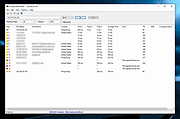 |
|
darktable v5.4.1 darktable v5.4.1 👉 Free, open-source RAW photo workflow and non-destructive image editor. darktable is a powerful, non-destructive photography workflow application and RAW developer that helps you import, organize, edit, and export large photo collections. Designed as a “lighttable” for managing your library and a “darkroom” for development, it provides professional-grade tools like color management, GPU-accelerated processing (OpenCL), tethered shooting support for some cameras, and a flexible export system for everything from local files to web galleries. Features: • Non-destructive editing throughout the complete workflow; original images are never modified. • Takes full advantage of raw processing: all darktable core functions operate on 4Χ32-bit floating-point pixel buffers, enabling SSE instructions for performance gains. • GPU-accelerated image processing with OpenCL support (runtime detection and enabling) for lightning-fast operations. • Professional color management with automatic display profile detection on most systems and built-in ICC profile support for sRGB, Adobe RGB, XYZ, and linear RGB color spaces. • Cross-platform support: runs on Linux, macOS (MacPorts), BSD, Windows, and Solaris 11 (GNOME). • Advanced filtering and sorting using tags, star ratings, color labels, and flexible database queries across all image metadata. • Broad image format support including standard, raw, and high dynamic range formats such as JPEG, CR2, NEF, HDR, PFM, and RAF. • Zero-latency, zoomable user interface powered by multi-level software caching for a fluid user experience. • Tethered shooting support with camera control and live view for selected camera brands. • Multilingual interface with translations into more than a dozen languages (availability varies by release). • Powerful export system supporting Piwigo web albums, disk storage, 1:1 copies, email attachments, and simple HTML-based ... |
|
5,619 | Jun 18, 2026 darktable team 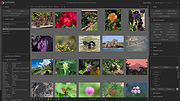 |
|
DeepTaskScan v1.0.0 DeepTaskScan v1.0.0 👉 Portable Windows forensics tool for detecting hidden and persistent scheduled tasks. DeepTaskScan is an advanced Windows scheduled task viewer and forensics tool designed to uncover scheduled tasks that may be hidden from standard Windows utilities. Unlike Task Scheduler, schtasks, PowerShell and similar tools, it uses a different scanning method rather than relying on Windows API calls to discover scheduled tasks. This can help system administrators, technicians and security researchers identify tasks concealed through techniques involving deleted task files or registry keys. The developer notes that such techniques have been used by state-backed Advanced Persistent Threat (APT) groups. DeepTaskScan is completely portable, requires no installation and is available in both 32-bit and 64-bit versions. Features: • Deeply scans Windows for scheduled tasks using an alternative detection method • Detects scheduled tasks hidden through advanced techniques • Does not rely on Windows API calls for scheduled task detection • Helps uncover tasks that may not appear in Windows Task Scheduler • Can detect more scheduled task entries than Task Scheduler, PowerShell and other standard tools • Highlights hidden or persistent entries • Can help detect APT activity involving hidden Task Scheduler entries • Allows discovered information to be extracted to a file • Useful for system administration, troubleshooting and security forensics • Available as separate 32-bit and 64-bit executables • Completely portable with no installation required Supported operating systems: • Windows 7 or newer Supported languages: • English Changes: v1.0.0 08-16-26 Initial release. This download is for the Windows 64bit version (very bottom of page). If you need the Windows 32bit version, download here. Click here to visit the author's website. |
|
352 | Aug 20, 2026 Emir Alp Kocak |
|
DirPrintOK v7.67 DirPrintOK v7.67 👉 Print and export folder contents and directory structures. DirPrintOK is a free Windows utility for printing, previewing, and exporting the contents of folders and directory structures. It includes a print preview with variable aspect ratio and export options for XLS, HTML, CSV, and TXT files. Features: • Print folder contents and directory structures • Print preview with variable aspect ratio • Export to XLS, HTML, CSV, and TXT • Tree-list, tree-list-plus, filters, and console views • Group by file extension, modification time, size, or folders • Multi-tab support for opening another folder in a new tab • Print individual file details, including MP3 ID3 tags • Print directory lists from cmd.exe • Portable version available • Multilingual interface Supported operating systems: • Windows XP, Windows Vista, Windows 7, Windows 8.1, Windows 10, Windows 11, Windows Server 2016, Windows Server 2019 Supported languages: Multilingual, 34 languages Changes: v7.67 07-06-26 • Minor fixes for Microsoft Windows 11 and Windows 10 • Language file update in Dir-Print, for all Windows operating systems This download is for the Windows 64bit version (very bottom of page). If you need the Windows 32bit version, download here. Click here to visit the author's website. |
|
6,120 | Jul 08, 2026 Nenad Hrg 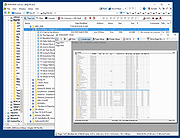 |
|
DiskGenius Free v6.2.0.1829 DiskGenius Free v6.2.0.1829 👉 Free partition management, data recovery, backup, and disk utility software. DiskGenius Free Edition is an all-in-one disk utility designed to help users manage partitions, recover lost files, back up important data, and maintain storage devices. The free version provides a powerful set of tools for partition creation, formatting, resizing, cloning, and file recovery while remaining suitable for home users, technicians, and advanced PC enthusiasts. DiskGenius Free Edition supports hard drives, SSDs, USB flash drives, memory cards, and virtual disks. It can recover deleted files, restore lost partitions, inspect SMART information, clone disks and partitions, securely erase drives, and convert partition tables between MBR and GPT. The free version also includes hexadecimal disk editing tools, bad sector checking, and support for numerous file systems. Features: • Create, delete, format, resize, split, and merge partitions • Recover deleted files from HDDs, SSDs, USB drives, and memory cards • Recover lost or damaged partitions • Clone disks and partitions • Backup and restore partition tables • Convert disks between MBR and GPT formats • Check and repair bad sectors • View and monitor SMART disk information • Securely erase files and partitions • Supports NTFS, FAT32, exFAT, EXT2, EXT3, and EXT4 file systems • Browse and edit files directly from partitions • Includes a hexadecimal disk editor • Supports virtual disk files including VMware, VirtualBox, and Hyper-V formats • Create bootable USB drives for disk recovery tasks • Analyze disk usage and partition structure Supported operating systems: • Windows XP, Windows Vista, Windows 7, Windows 8, Windows 8.1, Windows 10, Windows 11, Windows Server 2003, Windows Server 2008, Windows Server 2012, Windows Server 2016, Windows Server 2019, Windows Server 2022 Supported languages: English, German, French, Spanish, Italian, Portuguese, Russian, Japanese, Korean, Chinese Traditional, Chinese Simplified, Turkish, Czech Changes: v6.2.0.1829 08-04-26 New Add the "Disk Speed Test" feature. Add the "Windows Boot Repair and Conversion" feature. ... |
|
16,825 | Aug 04, 2026 Eassos Ltd. 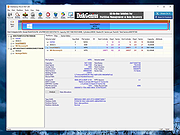 |
|
Dungeon Crawl Stone Soup v0.34.1 Dungeon Crawl Stone Soup v0.34.1 👉 A deep and challenging free roguelike dungeon adventure game. Dungeon Crawl Stone Soup is a free and open-source single-player roguelike game where players explore dangerous procedurally generated dungeons filled with monsters, traps, magic, treasures, and ancient mysteries. Inspired by classic dungeon crawlers, it combines strategic turn-based gameplay with permanent consequences, requiring careful planning and resource management to survive. Players can choose from a wide variety of fantasy races, backgrounds, religions, weapons, and magic schools, creating countless unique character builds and gameplay styles. Every dungeon expedition is different thanks to randomized layouts, enemies, loot, and encounters. The game focuses heavily on tactical combat, exploration, and meaningful decisions rather than repetitive grinding. Dungeon Crawl Stone Soup supports keyboard-driven controls and offers both traditional ASCII visuals and graphical tile modes. It is actively maintained by a dedicated community and is widely regarded as one of the most polished and content-rich roguelike games available. Features: • Procedurally generated dungeon levels with endless replayability • Large selection of playable species and character backgrounds • Turn-based tactical combat with deep strategic gameplay • Hundreds of spells, weapons, armor types, and magical items • Multiple gods and religions that affect gameplay choices • Permanent death system that rewards careful decision-making • ASCII and graphical tile display modes • Mouse and keyboard support • Detailed monster AI and environmental interactions • Online and offline play options available • Community-developed open-source project with regular updates • Extensive modding and customization support through configuration files Supported operating systems: • Windows 10, Windows 11 • macOS 11 or higher • Linux Supported languages: English Changes: v0.34.1 05-23-26 • Fixed several crashes and gameplay bugs • Improved interface behavior and dungeon generation stability • Corrected issues affecting spells, monsters, and item interactions • Updated translations and documentation • Various balance adjustments and code cleanups This download is for the Windows Installer version (very bottom of page). If you need the MacOS GUI (tiles) version, download ... |
|
2,954 | May 29, 2026 Dungeon Crawl: Stone Soup development team  |
|
EarTrumpet v2.3.0.0 EarTrumpet v2.3.0.0 👉 A free, powerful per-app volume mixer and audio device controller for Windows. Features • Visualize audio with multi-channel aware peaking • Standalone volume mixer • Move apps between playback devices • Default playback device management • Automatic updates via the Microsoft Store • Support for light/dark mode and all accent colors • Configurable hotkeys • Modern context menus • Growing multilingual support Supported operating systems: Windows 10/11 Supported languages: Chinese (Simplified), Chinese (Traditional), Chinese (Traditional, Hong Kong SAR), English (United States), French, German, Spanish, Italian, Portuguese, Dutch, Afrikaans, Amharic, Arabic, Norwegian, Czech, Polish, Swedish, Romanian, Turkish, Japanese, Korean, Russian, Thai, Vietnamese Changes: v2.3.0.0 06-11-25 Added setting to turn on/off ability to change volume with the scroll wheel anywhere (thanks @Tester798!) Added setting to turn on/off ability to change volume with the scroll wheel when hovering over the EarTrumpet icon (thanks @Tester798!) Added new community settings area Added new community setting to turn on/off use of a logarithmic volume scale (thanks @yonatan-mitmit!) Added legacy shortcuts to the context menu pointing to [App volume and device preferences] / [Volume mixer] Added ability to use the Windows key in shortcuts (thanks @iamevn!) Added linguistic display name sorting for audio devices (thanks @Tester798!) Added a workaround for Windows Search (CortanaUI) showing a default asset (X) icon Fixed an issue where installation of EarTrumpet via AppInstaller would fail if the Visual C++ libs package was not installed Fixed an issue where EarTrumpet tooltips were not updating live while scrolling the mouse ... |
|
1,348 | Jun 02, 2026 File-New-Project 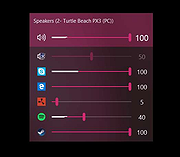 |
|
Endless Sky v0.10.16 Endless Sky v0.10.16 👉 Open-source 2D space trading and combat game inspired by classic Escape Velocity. Endless Sky is a free, open-source space exploration, trading, and combat game where you pilot a small starship through a vast galaxy filled with missions, factions, pirates, merchants, and mysteries. Starting with a basic ship and limited credits, you can earn money by transporting cargo and passengers, engaging in battles, mining asteroids, or completing story-driven missions that shape your path across the stars. As you progress, you can upgrade your ship with new engines, weapons, outfits, and defensive systems, or purchase entirely new ships to build your own fleet. The galaxy is expansive and dynamic, featuring multiple alien species, branching storylines, and player-driven choices that influence reputation and relationships with different factions. Endless Sky also supports community-created plugins and mods, extending gameplay with new ships, missions, and entire story arcs. Features: • Vast open galaxy with hundreds of star systems • Story-driven missions with branching paths • Real-time 2D ship combat with tactical fleet control • Trade goods, passengers, and mining for income • Upgrade ships with engines, weapons, shields, and outfits • Purchase and command multiple ships in your fleet • Multiple factions and alien species • Modding and plugin support for custom content • Cross-platform and fully open source Supported operating systems: • Windows 10, Windows 11 • macOS 11 or Higher • Linux Supported languages: English, Spanish, French, German, Russian, Japanese, Chinese (Simplified), Chinese (Traditional) Changes: v0.10.16 10-25-25 * Bug fixes: * Content bugs: * Typo fixes. (@Deltaspace0) * Resampled various wave files to 44.1 kHz. (@Saugia) * Coalition Yottrite missions will no longer offer on uninhabited gas giants. (@Arachi-Lover) * Fixed the "on visit" message of "Dangerous Games 1" to account for the possibility that the player has ... |
|
7,466 | Jun 27, 2026 Michael Zahniser  |
|
Endstate v3.10.0 Endstate v3.10.0 👉 Save your Windows apps and settings, then quickly rebuild them on a new PC. Endstate is a free, local-first Windows setup and recovery tool that records the applications installed on your computer along with settings for supported programs, then uses that information to rebuild your setup on a fresh Windows installation. Instead of copying installed program files from one PC to another, Endstate identifies your software and uses Windows Package Manager (winget) to reinstall available applications cleanly. You can scan an existing computer and save its setup to a portable file that you control. On a new or freshly installed Windows PC, load that saved setup and Endstate compares it with the new machine, shows which applications are missing and lets you choose what to install and which supported settings to restore. Scanning and saving can be performed offline, while reinstalling applications requires an internet connection to download their installers. No Endstate account is required. Features: • Automatically scans your Windows PC and detects installed applications • Detects traditional EXE/MSI-installed software and Microsoft Store applications • Uses winget to reinstall supported applications from their normal installation sources • Captures and restores settings for more than 300 supported applications • Settings support includes editors, IDEs, terminals, creative applications, media players, emulators, note-taking programs and more • Settings capture is optional and can be selected per application • Saves your setup to portable files that you control • Saved setups can be copied, backed up or moved to another computer • No mandatory cloud storage is required • No account is required for the free local product • Provides both a graphical interface and command-line interface • Supports capture, restore, profiles and manifests • Preview mode compares a computer against a saved setup without making changes • Shows which applications need to be installed and which are already present • Applications are installed individually rather than silently ... |
|
323 | Aug 11, 2026 Substrate Systems 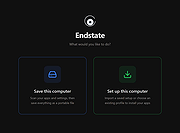 |
|
Enigeo v4.2.0 Enigeo v4.2.0 👉 Learn countries, capitals and flags with fun geography quizzes. Enigeo is a free geography learning program that helps you study countries, capitals, flags and national anthems around the world. You can answer questions in a highly customizable quiz mode or explore the world freely in explorer mode to learn about different countries. Features: • Two modes: quiz mode and explorer mode • Highly customizable geography quizzes • Choose between different types of questions • Limit quizzes by continent • Limit quizzes by country area or population • Detailed quiz statistics and highscores • Question types include country name, capital, map position, flag and national anthem • Free to use Supported operating systems: • Windows 11, Windows 10, Windows 8.1, Windows 8, Windows 7, Windows Vista, Windows XP, Windows 2000 Supported languages: English, German, Italian, Spanish, Chinese (simplified), Chinese (traditional), Polish, French, Swedish, Portuguese, Russian, Czech, Tagalog, Vietnamese, Greek Changes: v4.2.0 - Added Kosovo and Palestine (marked as disputed) - Updated the name of North Macedonia - Updated the name of Eswatini in some languages - Updated the capital of Burundi - Updated the capital of Kazakhstan - Updated the capital of Palau - Changed the capital of Sri Lanka to Sri Jayawardenepura Kotte - Updated the flag of Malawi - Updated the flag of Mauritania - Updated the flag of Afghanistan - Corrected several other flags - Updated several links to Wikipedia - Updated area and population data for all countries - Updated Portuguese translation - Fixed a bug that could cause enigeo to crash Click here to visit the author's website. |
|
593 | May 29, 2026 enigeo-Team 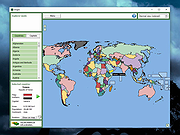 |
|
Everything v1.4.1.1032 Everything v1.4.1.1032 👉 Locate files and folders by name instantly. Everything is a fast Windows search engine that locates files and folders by filename instantly. It quickly indexes file and folder names, updates results in real time, and uses minimal system resources. Features: • Small installation file • Clean and simple user interface • Quick filename indexing • Quick searching • Minimal resource usage • Real-time updating • Content searching with the content: search function • Portable and installer versions available • x86, x64, ARM and ARM64 builds available • Multilingual support Supported operating systems: • Windows XP, Windows Vista, Windows 7, Windows 8, Windows 10, Windows 11 Supported languages: Afrikaans, Bosanski, Čeština, Dansk, Deutsch, English (AU), English (UK), English (US), Espaρol (Espaρa), Espaρol (Latinoamιrica), Espaρol (Venezuela), Estonia, Franηais, Hrvatski, Italiano, Kϋrdξ (Soranξ), Kϋrdξ, Magyar, Nederlands, Norsk bokmεl, Oʻzbekcha, Polski, Portuguκs (Brasil), Romβnă, Shqip, Slovenčina, Slovenščina, Srpski, Suomi, Svenska, Tiếng Việt, Tόrkηe, Ελληνικά, Български, Македонски, Русский, Српски, Українська, עברית, عربي, ئۇيغۇرچە, বাংলা, فارسی, தமிழ், ภาษาไทย, བོད་ཡིག, 한국어, 日本語, 简体中文, 繁體中文 Changes: v1.4.1.1032 01-23-26 fixed a security issue with launching files ending with a dot (.) fixed an issue with the msi installer not stopping Everything. This download is for the Windows 64bit installer (very bottom of page). All other download assets are below: Windows Installer 32bit Everything-1.4.1.1032.x86-Setup.exe Windows Portable version: Everything-1.4.1.1032.x64.zip Everything-1.4.1.1032.x86.zip Everything-1.4.1.1032.ARM64.zip Everything-1.4.1.1032.ARM.zip Windows Lite installer version: Everything-1.4.1.1032.x64.Lite-Setup.exe Everything-1.4.1.1032.x86.Lite-Setup.exe Click here to visit the author's website. |
|
7,613 | May 24, 2026 voidtools 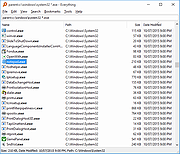 |
|
File Order Randomizer v1.0 File Order Randomizer v1.0 👉 Adds random numbers to the start of filenames to randomize play order on simple music players. File Order Randomizer is a small, portable utility intended for devices (like some car radios or clock radios) that cannot play tracks in random order from a USB stick. It generates random numbers and puts them in front of every file in a specified folder, so you can create a new play order by running it again. Features: • Adds random numbers in front of filenames in a selected folder • Designed to help create a “random” track order for cheap/basic music players using USB media • Simple run-to-rerandomize workflow (run again whenever you want a new order) Supported operating systems: • Windows 2000 SP4 • Windows XP • Windows Vista • Windows 7 • Windows 8 / 8.1 • Windows 10 • Windows 11 Supported languages: • English Click here to visit the author's website. |
|
798 | Jun 29, 2026 Lumpiluk 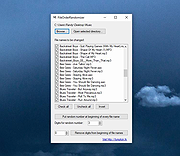 |
|
FileBricks v2.2 FileBricks v2.2 👉 Visual disk space analyzer and duplicate file finder. FileBricks is a free Windows tool for discovering what takes up space on your drives. It turns files, folders, and duplicates into colorful visual bricks, making it easier to spot large files, heavy folders, repeated copies, and common file types at a glance. Features: • Visual disk space analysis using proportional colorful bricks • Files in Folders view shows files within their folder structure • Only Files view displays individual files from largest to smallest • Only Folders view provides a graphical comparison of folder sizes • Duplicates view visually groups repeated files • Smart color coding displays files with the same extension in the same color • Scan all drives or choose a specific folder • Exclude files based on modified date • Ignore files smaller than a selected minimum size • Exclude files using wildcard filename patterns • Hover over bricks to see file or folder details and paths • Select a brick to locate its corresponding item in the tree • Tree views provide size, percentage and file-count information • Helps locate large videos, archives, installers, backups, images and other space-consuming files • Freeware for Windows Supported operating systems: • Windows 10, Windows 11 Supported languages: English Changes: v2.2 09-09-26 Improved sorting in the Duplicates section. Improved visualization of the Only Files section. Click here to visit the author's website. |
|
948 | Sep 10, 2026 TkoSoft 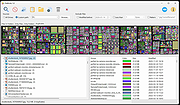 |
|
Filelister v4.1.1 Filelister v4.1.1 👉 A fast, efficient, and reliable file listing utility. Filelister is a fast, efficient and reliable file listing utility. The main function of the program is to create a text or html file from the contents of a disc or folder and display it according to the user's preferences. Features: • HTML or Text file output • Support for international characters (UTF8 file output) • Recursive or collapsed/flat list styles • File type filtering using simple regular expression • Folder exclusion using simple regular expression • Enable/Disable different file property outputs as columns • Sorting based on different file properties ascending/descending Supported operating systems: • Windows 7, Windows 10, Windows 11 Supported languages: English Changes: v4.1.1 12-31-25 Bugfix: Fixed issue with year and month not being expanded correctly Bugfix: Options dialog now has a default button Note: This file has two hits on VirusTotal. We have confirmed these to be false positives. The file is safe. This download is for the Windows installer version (very bottom of page). If you need the Windows portable version (v4.1.0), download here. Click here to visit the author's website. |
|
2,677 | Mar 24, 2026 True Human Design 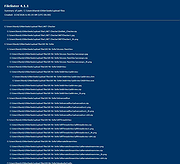 |
|
Film.Strip.Explorer v1.05 Film.Strip.Explorer v1.05 👉 Create stylish filmstrip-style previews from your photos. Film.Strip.Explorer is a lightweight and portable Windows utility that lets you generate attractive filmstrip-style image previews from your photos and graphics. It’s ideal for creating visual overviews of image collections, adding cinematic presentation effects, or preparing eye-catching previews for websites, documentation, and digital projects. With its simple interface, Film.Strip.Explorer allows you to quickly load images and arrange them into a classic filmstrip layout. The program is designed for ease of use, making it suitable for beginners while still offering flexibility for more advanced users who want to customize the look and feel of their filmstrip output. Features: • Generate classic filmstrip-style image layouts • Quick and simple image loading • Adjustable layout and spacing options • Preview output before saving • Lightweight and portable (no installation required) • Low system resource usage • Clean and user-friendly interface Supported operating systems: • Windows 7, Windows 8, Windows 10, Windows 11 Supported languages: English, German Changes: v1.05 05-10-26 • Updated language files in Film.Strip.Explorer. Minor adjustments for the next Windows 11 build. This download is for the Windows 64bit portable version (very bottom of page). If you need the Windows 64bit installer version, download here. If you need the Windows 32bit portable version, download here. If you need the Windows 32bit installer version, download here. Click here to visit the author's website. |
 |
824 | Jun 27, 2026 Nenad Hrg 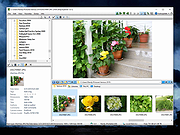 |
|
Fixyfier v9.4.3 Fixyfier v9.4.3 👉 Free all-in-one Windows repair and optimization tool. Fixyfier is a free Windows utility designed to help users repair, clean, and optimize their system using a collection of built-in tools and automated fixes. It provides quick access to common maintenance tasks and troubleshooting options in a simple interface, making it useful for resolving everyday Windows issues and improving overall system performance. Features: • One-click automated repair routines for common Windows issues • System file repair tools including SFC and DISM integration • Network troubleshooting and reset tools (Winsock, IP stack, DNS flush) • Windows Update repair and reset functionality • Temporary file cleanup and system junk removal • Performance optimization tools to improve responsiveness • Access to essential Windows utilities and administrative tools • Registry-related repair and cleanup options • Privacy and system configuration tweaks • Quick-launch shortcuts for advanced repair commands • Organized interface grouping tools by category for easy navigation • Designed for both novice users and advanced technicians Supported operating systems: Windows 10 (version 17763.0 or higher), Windows 11 Supported languages: English, Spanish, Spanish (Latin America and the Caribbean), French, German, Portuguese (Brazil), Portuguese (Portugal), Italian, Dutch, Russian, Chinese (Simplified), Chinese (Traditional), Japanese, Korean, Arabic, Hindi, Greek, Turkish, Polish, Swedish, Norwegian, Danish, Finnish, Czech, Hungarian, Bulgarian, Romanian, Ukrainian, Serbian, Croatian, Albanian, Vietnamese, Thai, Indonesian, Filipino, Bengali, Persian, Swahili, Hebrew. Changes: v9.4.3 10-04-26 - Block Ads & Telemetry now lets you choose what it turns off: a tick for each group, all ticked to begin with, with Select All, and the list of commands shows exactly what will run for what is ticked. - The Dashboard no longer shows a Run a Check-up button beside its tabs; the System Check-up tab is right there. - The Back to Top button now uses the app's own colors in both themes. - Added Fixyfier's name and copyright to the details of Fixyfier.exe, so Task Manager and the file's Properties show Fixyfier rather ... |
|
3,415 | Oct 14, 2026 Aris Vardakas 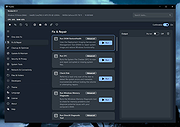 |
|
FolderTimeUpdate v1.75 FolderTimeUpdate v1.75 👉 Updates folder modified times based on the newest files inside them. FolderTimeUpdate is a simple Windows tool that scans all files and folders under a base folder you choose, then updates each folder's Modified Time according to the latest modified time of the files stored inside it. This can be useful after restoring backed-up folders when the backup program did not preserve the original folder modified times. Features: • Scans files and folders under a selected base folder • Updates folder Modified Time according to files inside the folder • Simulation Mode previews changes without applying them • Supports updating folder date/time from the command line • Can save update logs as text, tab-delimited, CSV, HTML, or XML • Supports choosing how folder modified time is calculated • Supports excluding folders from scanning or updating • Supports wildcard filtering for scanned files • Supports skipping hidden and system files • Supports Explorer context menu integration • Includes 32-bit and 64-bit downloads • No installation required Supported operating systems: • Windows 2000, Windows XP, Windows Vista, Windows 7, Windows 8, Windows 10, Windows 11 • 32-bit and 64-bit systems Supported languages: Arabic, Brazilian Portuguese, Bulgarian, Dutch, English, French, German, Greek, Hungarian, Italian, Japanese, Persian, Polish, Romanian, Russian, Simplified Chinese, Slovak, Spanish, Traditional Chinese, Turkish Changes: v1.75 Added option to change the sorting column from the menu (View -> Sort By). Like the column header click sorting, if you click again the same sorting menu item, it'll switch between ascending and descending order. Added 'Sort By' button to the toolbar. This download is for the Windows 64bit version (very bottom of page). If you need the Windows 32bit version, download here. Click here to visit the author's website. |
|
6,426 | Apr 30, 2026 Nir Sofer 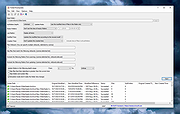 |
|
FontViewOK v9.33 FontViewOK v9.33 👉 A quick visual overview of all installed fonts. FontViewOK creates a quick visual overview of all installed fonts, or fonts from a specific folder, and helps you compare fonts side by side. Features: • Quick overview and comparison of all installed fonts • View fonts from a specific folder • Compare fonts in dual preview panes • Compare installed and non-installed fonts • Change font size, style, and color • Change background and font colors • Print fonts with print preview • Copy the selected font preview as an image to the clipboard • Save the selected font preview as an image • Open font locations in Windows Explorer • Portable use, installation is not required Supported operating systems: • Windows 11, Windows 10, Windows 8.1, Windows 7, Windows Server 2012 through Windows Server 2025, x64, x32, x86 Supported languages: English, German, Thai, Multilingual Changes: v9.33 05-06-26 General adjustments to the Front-View App; improved detection of the default system language; necessary adjustments and language file updates. This download is for the Windows 64bit version (very bottom of page). If you need the Windows 32bit version, download here. Click here to visit the author's website. |
|
6,042 | May 15, 2026 Nenad Hrg 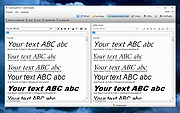 |
|
FotoSketcher v4.50 FotoSketcher Studio v4.50 👉 Turn photos into paintings, sketches, and artistic effects with a free image editing tool. FotoSketcher Studio is a free creative image editor that transforms photos into artwork using artistic effects such as pencil sketches, painting styles, drawing effects, and photo filters. It also includes tools to enhance original images, add frames and text, batch process multiple images, manually retouch selected areas, combine multiple filters, and create custom effects with scripts. It is free to use, including for commercial use. Features: • Turn photos into paintings, sketches, drawings, and photo effects • Includes 14 artistic effects spanning pencil, drawing, painting, and photo filter styles • Batch processing for applying effects to multiple images at once • Manual brush for selectively applying effects to chosen areas of an image • Can improve original photos with contrast, sharpening, luminosity, saturation, and other adjustments • Lets you add simple or realistic frames and text to images • Can combine multiple filters for mixed artistic results • Supports custom effect creation through scripts • Includes Vintage Sepia and Retro Film photo effects in v4.10 • Automatic system language detection with a keyboard shortcut to change interface language • Manual brush panning with CTRL + Left Mouse Button drag • Digitally signed Windows and macOS releases Supported operating systems: • Windows 10, Windows 11 • macOS (Intel, Apple Silicon) Supported languages: • Chinese, German, English, Spanish, French, Italian, Japanese, Korean, Dutch, Polish, Portuguese Changes: v4.50 07-27-26 This version brings a new painting effect, an image watermark tool, full keyboard navigation and a rather long list of improvements and fixes. New Gouache Painting effect 🎨 A new Gouache Painting effect joins the Painting category. Gouache sits somewhere between watercolour and oil paint: thick, opaque, with a matte finish and visible brushstrokes. Watermark and logo tool The "Add text" window has been expanded into "Add text/watermark". You can now load any image file (PNG with transparency, JPG, or other formats) ... |
|
10,835 | Aug 12, 2026 David Thoiron 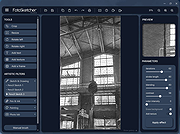 |
|
Game of Ur v0.4.2 Game of Ur v0.4.2 👉 Play a 3D adaptation of an ancient strategy board game against the computer or a friend. Game of Ur is a free, open source adaptation of an ancient two-player race game. Move your pieces along the board, capture opposing pieces, and race to bring your entire team safely off the other end. Play against a computer opponent or share the same computer with another player for local competition. Game of Ur combines stylized 3D graphics with music and sound effects. Its bird-shaped pieces, decorated board, and visible scoring counters give an ancient tabletop game a distinctive digital presentation. This adaptation follows a five-piece Babylonian variant described by British Museum Assyriologist Irving Finkel, with several adjustments documented by the developer. Each player controls a Swallow, Storm-bird, Raven, Rooster, and Eagle. Different launch requirements and a shared pool of counters add tactical decisions beyond simply rolling dice and moving forward. Features: • Single-player matches against a computer opponent. • Local two-player matches on the same computer. • Offline multiplayer. • Stylized 3D board and bird-shaped playing pieces. • Mouse-operated gameplay. • Five distinct pieces per player, each with its own launch requirement. • A choice between using the primary dice result and risking a second roll for a larger move. • Captures that send an opponent's piece back off the board. • Rosette spaces that protect occupying pieces and affect scoring. • A shared counter pool that rewards careful movement and goes to the winner. • An exact-roll requirement for bringing pieces off the board. • On-screen turn instructions, dice results, and counter totals. • A How to Play section with illustrated guidance. • ... |
|
38 | Oct 07, 2026 Zoheb Shujauddin  |
|
GenOffice v0.11.0 GenOffice v0.11.0 👉 A free, open-source office suite with six editors and optional AI assistance. GenOffice brings document writing, spreadsheets, presentations, PDF editing, HTML and Markdown together in one desktop workspace. It opens and saves native Microsoft Office files, including .docx, .xlsx and .pptx, and lets you work with your files locally. The suite includes Docs for word processing, Sheets for spreadsheets, Slides for presentations, PDF for editing and conversion, HTML for pages and reports, and Markdown for formatted notes. Its file engines preserve untouched portions of Office files rather than rebuilding everything each time you save. An optional AI assistant can work directly with your document. Ask it to rewrite a passage, build spreadsheet formulas, create a presentation or explain information in a file. Changes can be reviewed through snapshots, differences and rollback controls, with tracked revisions available in Docs. The office applications are free, with no ads or watermarks. AI features (optional) use Genspark credits or your own API provider, whose usage charges may apply. Opening, editing, saving and PDF-to-Office conversion run locally. Complex formatting can vary, so review important documents before sharing them. Features: • Six editors in one workspace: Docs, Sheets, Slides, PDF, HTML and Markdown. • Native Office formats: Open and save .docx documents, .xlsx workbooks and .pptx presentations. • Document editing: Work with styles, tables, images, headers, footers, comments and tracked changes. • Spreadsheet tools: Use live formulas, charts, pivot tables, slicers, conditional formatting and formula tracing. • Presentation editing: Work with slide masters, layouts, smart guides and image cropping. • PDF editing: Edit text and images directly within pages, and work with annotations and forms. • Local PDF conversion: Convert PDF files into editable Word, Excel or PowerPoint files without AI credits. • ... |
|
87 | Oct 01, 2026 Genspark 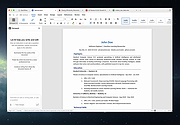 |
|
Greenshot v1.3.323 Greenshot v1.3.323 👉 A free, fast and flexible screenshot tool with built-in editing and sharing options. Greenshot is a free and open-source screenshot utility designed for quick and efficient screen capturing on Windows systems. It allows users to capture full screens, active windows, or selected regions with ease, and provides built-in editing tools to annotate, highlight, or obfuscate parts of the image. Greenshot integrates seamlessly with various destinations such as file saving, clipboard, printers, and third-party applications, making it ideal for productivity, documentation, and support workflows. Features: • Capture full screen, active window, or user-defined region • Capture Internet Explorer content including scrolling pages • Built-in image editor with annotation tools • Add text, shapes, arrows, and highlights to screenshots • Obfuscate sensitive information with blur or pixelation • Save to file, copy to clipboard, print, or email directly • Upload to services like Imgur and integrate with Office apps • Customizable hotkeys for fast capture workflows • Plugin support for additional functionality • Efficient performance with minimal system impact • Multi-language user interface • Open-source and actively maintained Supported operating systems: Windows 8/10/11 (Windows 8 may ask to install .NET 3.5. You can skip this.) Supported languages: English, German, French, Spanish, Italian, Dutch, Portuguese, Russian, Chinese, Japanese, Korean, Czech, Polish, Hungarian, Turkish, Swedish, Finnish, Danish, Norwegian, Greek Changes: v1.3.323 10-08-26 What's Changed Security Fixed a security issue where TLS certificate validation was disabled process-wide, exposing OAuth tokens and plugin uploads (Imgur, Box, Dropbox, Flickr, Confluence, Jira) to man-in-the-middle attacks. Reported by @sondt99, @lihnucs, and @dungNHVhust; fixed in backport PR #1122. GHSA-q4w7-9m8v-53fm Fixed an out-of-bounds read that could cause denial of service when processing crafted CF_DIBV5 clipboard data. Reported by @hacker1984; fixed by @Lakritzator and @jklingen in commit 80ccbde9d. GHSA-4674-75g5-79mx Fixed server-side request forgery when opening crafted SVG files by preventing Svg.NET from resolving external resources and entities. Reported by @Zenquiem; fixed ... |
|
10,249 | Oct 09, 2026 Greenshot Dev Team  |
|
Horodruin v2026.07.841.0 Horodruin v2026.07.841.0 👉 Advanced file synchronizer for keeping two or more folders updated. Horodruin is a freeware file synchronizer designed to update folders by taking files from multiple different folders and synchronizing two or more sources with just a few clicks. It builds a virtual folder using the newest and missing files, then applies that result to each source so the folders contain the same updated files. The author notes that this tool is intended for advanced users and recommends reading the included documentation. Features: • Synchronizes two or more folders • Handles multiple folder sources in one project • Uses local full paths and UNC network paths • Analyzes folders to determine outdated or missing files • Builds a virtual folder from the newest and missing files • Lets you tune folder analysis to your needs • Saves and loads settings using project files • Export Delta feature saves source changes to a separate folder • Multi-threaded operation • Multi-threaded copy engine using temporary files and/or overwriting files • Can integrate with a text editor, hex editor, and diff viewer • Minimal registry usage, only for Explorer integration • Includes HTML Help • Small, fast, and clean • Freeware licensed under Creative Commons Attribution-NoDerivs 4.0 Supported operating systems: • Windows 10 or higher, 64-bit Supported languages: English Changes: v2026.07.841.0 07-19-26 • Now uses the new Visual Studio 2026 Segmented Heap, a faster and improved internal heap implementation. Click here to visit the author's website. |
|
6,376 | Sep 14, 2026 Stefano Bordoni 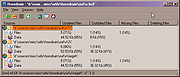 |
|
Imagine v2.7.0 Imagine v2.7.0 👉 Fast freeware image and animation viewer for Windows with broad format and plugin support. Imagine is a freeware image and animation viewer for Windows that focuses on speed while supporting a huge range of image, animation, archive, and RAW camera formats. It includes a thumbnail browser, slideshow, batch conversion and rename tools, screen capture, basic paint tools, color corrections, ICC color management, and optional add-on plugins plus Total Commander integration. Features: • View and save image and animation files with very fast speed • Supports many image and animation formats (including ANI, GIF, PNG, SVG, TIF, WEBP, and more) • Supports digital camera RAW formats (including ARW, CR2, CR3, DNG, NEF, ORF, RAF, SRW, and more) • Supports archive formats (ZIP, RAR, 7Z, ALZ, HV3, CBZ, CBR, CB7) • Extract single or all frames from animation files • Shows detailed file information plus Exif, IPTC, DICOM, and Comment information • Thumbnail browser • Basic paint tools, color corrections, and ICC color management • Batch conversion and batch rename • Slideshow and tiled view • Screen capture • Create animations, multiple page images, and panorama images • Customizable keyboard and mouse shortcuts, plus command line parameter support • Shell extension support, add-on plugin support, and Total Commander Lister, Packer, and Content plugin support • INI-based configuration (does not write unnecessary registry entries) • Native builds for x86, x64, and ARM64 Supported operating systems: • Windows 95, Windows 98, Windows ME, Windows NT 4.0, Windows 2000, Windows XP, Windows 2003, Windows Vista, Windows 7, Windows 8, Windows 10, Windows 11 Supported languages: • Arabic, Czech, Danish, Dutch, French, German, Italian, Japanese, Korean, Polish, Portuguese (Brazil), Portuguese (Portugal), Romanian, Russian, Simplified Chinese, Slovenian, Spanish, Traditional Chinese, Turkish, Ukrainian, Uzbek (O'zbekcha) Changes: v2.7.0 09-12-26 - Added: Antialiasing support for 32-bit alpha blended image - Added: 'Apply to all users'/'Current user only' option (Installer) - Added: Determine whether encoding can be skipped ... |
|
6,937 | Sep 13, 2026 Sejin Chun 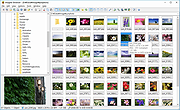 |
|
IrfanView v4.76 IrfanView v4.76 👉 Fast, compact image viewer and converter for Windows. IrfanView is a fast and compact graphic viewer for Windows that can view images, convert files, optimize images, scan and print, create slideshows, run batch processing jobs, and handle multimedia files. It is designed to be simple for everyday viewing while still offering powerful tools for image handling, editing, conversion, and automation. Features: • Fast and compact image viewer • Freeware for non-commercial use • 32-bit, 64-bit, and Windows ARM64 versions available • View, convert, and optimize images • Scan and print support • Batch processing • Slideshow creation • Multimedia support • Unicode support • Multi-language support • PlugIn support for additional formats and features Supported operating systems: • Windows XP, Windows Vista, Windows 7, Windows 8, Windows 10, Windows 11 • Windows 11 ARM, tested on Snapdragon X Supported languages: English, German, Bulgarian, Czech, Hungarian, Korean, Polish, Portuguese-Brazil, Slovak, Chinese, Estonian, French, Greek, Italian, Japanese, Dutch, Portuguese, Russian, Slovenian, Spanish, Thai, Turkish, Latvian, Norwegian, Danish, Romanian, Ukrainian, Arabic, Finnish, Catalan, English-British, Hebrew, Lithuanian, Swedish, Uzbek Changes: v4.76 09-18-26 Option to set the Toolbar on left/right (Properties->Toolbar) Option to draw a freehand selection, menu: Edit->Set selection shape New Wallpaper menu: Choose monitor (in multi monitor environment) New Thumbnails window menu: Favorite folders (max 15 folders) New in Thumbnails folder box: Write/Paste folder path, press Enter to load Changes in Zoom Magnifier (new initial zoom, CTRL + Click goes to 100%) Support for animated AVIF files New command line option to set the wallpaper per monitor /monitor=number (needs also /wall) Paint PlugIn: Option for smooth lines; Fix in the Clone tool Several PlugIns are changed/updated, please install the newest versions: Download from: https://www.irfanview.com/plugins.htm 👉 This download is for the Windows 64bit installer version (very bottom of page). All other download assets are below: Other Windows 64bit: iview476_plugins_x64_setup.exe iview476_plugins_x64.zip Windows 32bit: iview476_setup.exe iview476_plugins_setup.exe iview476_plugins.zip Windows ARM64bit: iview476_arm64_setup.exe iview476_arm64.zip iview476_plugins_arm64_setup.exe iview476_plugins_arm64.zip Click here to visit the author's website. |
|
6,451 | Sep 22, 2026 Irfan Skiljan 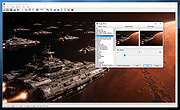 |
|
IsMyMemoryOK v1.33 IsMyMemoryOK v1.33 👉 Quick and reliable RAM testing tool for Windows systems. IsMyMemoryOK is a lightweight memory diagnostics utility designed to test the stability and performance of DDR3, DDR4, DDR5, and DDR6 RAM modules on Windows PCs. The program allows users to quickly check for memory errors, instability, or hardware issues that can cause crashes, freezes, and blue screens. Its portable design means no installation is required, making it useful for technicians, troubleshooting, and system diagnostics on both older and modern Windows systems. Features: • Fast RAM stability and stress testing • Supports DDR3, DDR4, DDR5, and DDR6 memory • Portable application with no installation required • Adjustable test duration and memory load • Quick benchmark and diagnostic functions • Helps identify defective or unstable RAM • Simple and lightweight user interface • Optional screenshot functionality • Low CPU overhead during testing • Suitable for technicians and troubleshooting tasks Supported operating systems: • Windows XP, Windows Vista, Windows 7, Windows 8, Windows 8.1, Windows 10, Windows 11, Windows Server 2016, Windows Server 2019 Supported languages: English, German, French, Spanish, Italian, Portuguese, Dutch, Polish, Czech, Slovak, Hungarian, Romanian, Bulgarian, Greek, Russian, Ukrainian, Turkish, Chinese, Japanese, Korean, Arabic Changes: v1.33 05-11-26 Minor adjustments to the IsMyMemoryOK memory test application for all Windows operating systems. Bug fix in the screenshot function. Improved system language translation. This download is for the Windows 64bit version (very bottom of page). If you need the Windows 32bit version, download here. Click here to visit the author's website. |
|
1,331 | May 15, 2026 Nenad Hrg 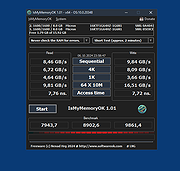 |
|
ItsPaint v0.16.1 ItsPaint v0.16.1 👉 A lightweight, free and open source MS Paint-style image editor for Mac. ItsPaint is a native image editor designed to provide the simple, quick drawing and editing experience of Microsoft Paint on macOS. It can create a blank canvas at any size, draw and paint with multiple tools, paste images directly onto the canvas, crop and resize artwork, annotate screenshots, remove backgrounds, add text and shapes, and export to numerous common image formats. It is intentionally lightweight, requires no account or subscription, contains no telemetry or networking code, and is released under the MIT license. Features: • Create blank canvases at custom sizes • Pencil, brush, highlighter and eraser drawing tools • Round, square, soft and spray brush tips • Draw lines, curves, arrows, rectangles, rounded rectangles, ellipses, triangles, diamonds, polygons, stars and speech bubbles • Solid, dashed and dotted shape outlines with optional fills • Add text with a contrasting rim that remains readable against light and dark backgrounds • Automatic numbered step badges for annotating instructions and screenshots • Pixelate areas for visual de-emphasis • Spotlight tool darkens everything outside a selected area • Clone tool copies pixels from one part of an image to another • Soften tool blends cloned or repaired areas into their surroundings • Instant Alpha selects connected pixels by color • One-command background removal without AI, cloud processing or an Internet connection • Capture a signature with a trackpad, mouse or tablet, or import one from an image • Rectangle, ellipse, lasso and Instant Alpha selection modes • Move selected pixels directly on the canvas • Paste images as floating objects that can be moved and scaled before committing • Automatically expands the canvas when pasted content is larger than the current image • Drag the current selection or entire canvas directly into another application or Finder • Pointer-centered zoom and pixel grid • Snap shapes, selections and pasted content to an 8, ... |
|
223 | Aug 13, 2026 Josh Lin  |
|
Katalog v2.12 Katalog v2.12 👉 Lightweight cataloging software to organize and manage collections. Katalog is a free and open source cataloging application designed to help you organize and manage your collections. Whether you are cataloging books, movies, music, games, or any other type of items, Katalog provides a clean and flexible interface to store detailed information and keep everything neatly structured. Katalog allows you to create custom categories and fields, making it adaptable to virtually any type of collection. You can store metadata, descriptions, ratings, and other details, and browse or search through your catalog quickly and efficiently. The program focuses on simplicity and usability while still offering powerful organization features. Features: • Create and manage multiple catalogs • Customizable fields and categories • Store detailed information for each item • Search and filter capabilities • Sorting and organization tools • Open source and free to use Supported operating systems: • Windows 7, Windows 8, Windows 10, Windows 11 • Linux Supported languages: Bulgarian, Chinese, Croatian, Czech, Danish, Dutch, English, Estonian, Finnish, French, German, Greek, Hindi, Hungarian, Indonesian, Italian, Japanese, Latvian, Lithuanian, Norwegian, Polish, Portuguese, Romanian, Serbian, Slovak, Slovenian, Spanish, Swedish, Ukrainian Changes: v2.12 06-04-26 Main improvements: #766 SEARCH: Regular expression support for file name search #222 SEARCH: Search History / Clear list (can keep last 10 searches) #684 SEARCH: List as Search input (several text search input) Pasting a list of term (several lines) and run the search, the results is equivalent to running individual searches with sames criteria except on each different term (a term can be several words). See:Search#file-name #401 DEVICES: breakdown a catalog onto 1 per file type or 1 by sub folder Split Catalog per sub directory Split Catalog per File type See:DevicesCatalogs#catalog-context-menu #770 ... |
|
1,428 | Jul 24, 2026 Stιphane Couturier 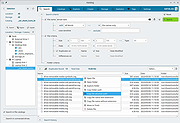 |
|
KeyNote NF v2.1.7.01 KeyNote NF v2.1.7.01 👉 Tabbed notebook and information manager for Windows. KeyNote NF is a flexible, tabbed notebook application that allows you to organize notes in a tree-structured format within multiple tabs. Based on the original KeyNote application, it has been enhanced and modernized while maintaining a lightweight and portable design. Notes can be stored in rich text format, supporting formatting, images, tables, and links, making it suitable for everything from quick reminders to complex documentation. KeyNote NF supports virtual nodes, linking, and powerful search capabilities across all notes. It can store notes in a single file for easy backup and portability, and offers encryption options to protect sensitive information. The program is designed for users who want a fast, structured, and highly customizable note management system without unnecessary bloat. Features: • Tabbed interface with tree-structured notes • Rich text editing with formatting, images, and tables • Virtual nodes for dynamic content organization • Powerful search across all notes • Internal and external linking support • Single-file storage for easy backup and portability • Optional encryption for protected notes • Customizable interface and behavior • Portable version available Supported operating systems: • Windows 7, Windows 8, Windows 10, Windows 11 Supported languages: • English Changes: v2.1.7.01 03-21-26 (Please, remember to make backups of .knt files. Recommended option: New: Shift + 'View|Encrypted content' -> highlight encrypted nodes [#985] New advanced search token, '*?' -> allows restricting searches/filters to encrypted nodes [#985] Information about tags of the protected nodes is now hidden when the encrypted content is 'closed' Improvements and fixes related to advanced search tokens in Find All/Tree filtering FIXED: Incorrect loading of ANSI plain texts with DBCS encoding in the editor in certain situations [#990] Fixed: Double click word to select only the word, without space(s) (It was partially resolved) [#951] This ... |
|
2,163 | Jul 05, 2026 Daniel Prado Velasco 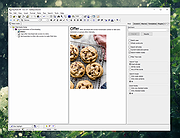 |
|
KeyTweak Portable v2.3.0 KeyTweak Portable v2.3.0 👉 Remap, disable or reassign keyboard keys through a simple visual interface. KeyTweak Portable is a free Windows keyboard-remapping utility that lets you change the function of individual keys without manually editing the Windows Registry. Its visual keyboard displays 126 numbered key positions, allowing you to select a key and assign it a different function or disable it entirely. KeyTweak writes changes to the Windows Scancode Map, making remappings available system-wide after Windows restarts. It can be used to disable unwanted keys, replace the function of a broken key, swap modifier keys or reassign multimedia and specialty buttons. Full Teach Mode and Half Teach Mode help identify keys that may not be easy to locate on the visual keyboard. The program does not need to remain running after changes are applied. Active mappings can be reviewed, undone individually or removed with the Restore All Defaults option. Remapping configurations can also be saved and loaded for later use. Features: • Visual keyboard with 126 numbered key positions • Remap individual keyboard keys • Disable unwanted or troublesome keys • Full Teach Mode for identifying and remapping physical keys • Half Teach Mode for quickly identifying a source key • Support for multimedia and specialty buttons • View currently active remappings • Undo the most recent remapping • Restore all keys to their default functions • Save and load remapping configurations • Applies remappings system-wide through the Windows Scancode Map • Does not require a background service after changes are applied • No install required • Manual included Note: A system restart is required after applying any remap for changes to take effect. Supported operating systems: • Windows 7, Windows 8, Windows 8.1, Windows 10, Windows 11 Supported languages: English Changes: v2.3.0 Not Provided Note: This file has two hits on VirusTotal. We have confirmed these to be false positives. The file is safe. Click here to visit the author's website. |
|
432 | Jul 15, 2026 Travis Krumsick & OlderGeeks.com 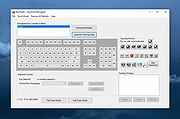 |
|
LibreCAD v2.2.1.5 LibreCAD v2.2.1.5 👉 Free and open-source 2D CAD application for technical drawing and design. LibreCAD is a free, open-source computer-aided design (CAD) application focused on creating precise 2D technical drawings, schematics, floor plans, mechanical parts, and engineering diagrams. Built using the Qt framework, LibreCAD provides a lightweight yet powerful drafting environment suitable for hobbyists, students, architects, engineers, and professionals who need accurate 2D design tools without the complexity or cost of larger CAD suites. LibreCAD supports the DXF file format natively and offers a customizable interface with layers, snapping tools, measurement utilities, advanced selection controls, and extensive drawing commands. The program is designed to be fast and efficient even on older hardware, making it ideal for both modern and legacy systems. Features: • Create precise 2D technical drawings and CAD designs • Native DXF file format support • Layer management system for organized projects • Advanced snapping tools for accurate drawing placement • Tools for lines, circles, arcs, splines, hatches, and dimensions • Customizable interface and command-line style input • Print and export drawing support • Measurement and modification utilities • Support for plugins and community extensions • Lightweight performance suitable for older computers • Multi-document workflow support • Extensive keyboard shortcuts and drafting tools Supported operating systems: • Windows 7, Windows 8, Windows 10, Windows 11 • macOS • Linux Supported languages: English, German, French, Spanish, Italian, Portuguese, Russian, Chinese, Japanese, Korean, Dutch, Polish, Czech, Hungarian, Turkish, Ukrainian, Swedish, Danish, Finnish, Greek, Romanian, Catalan, and more Changes: v2.2.1.5 06-02-26 • Various bug fixes and stability improvements • Updated translations • Improved compatibility and usability enhancements This download is for the Windows 64bit version (very bottom of page). All other download assets are below: Other Windows: LibreCAD-v2.2.1.5-msvc.exe (32bit) macOS: LibreCAD-v2.2.1.5-arm64.dmg LibreCAD-v2.2.1.5.dmg Linux: LibreCAD-v2.2.1.5-x86_64.AppImage LibreCAD-v2.2.1.5-aarch64.AppImage LibreCAD-v2.2.1.5.snap Click here to visit the author's website. |
|
7,270 | Jun 02, 2026 LibreCAD 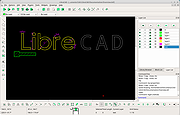 |
|
Linux Reader v5.2 Linux Reader v5.2 👉 Free tool for safely accessing Linux and other file systems from Windows. Linux Reader by DiskInternals is a free Windows utility for accessing files and folders stored on Linux, macOS and other file systems that Windows does not normally recognize. It provides safe, read-only access to source drives, allowing you to browse, preview and copy files without modifying the original file system. It can work with internal and external drives, USB flash drives, memory cards and other supported storage devices. Features: • Provides read-only access to supported file systems to help protect source data • Browses files and folders using a Windows Explorer-style interface • Extracts and saves accessible files to Windows storage • Previews supported files before saving them • Supports Ext2, Ext3 and Ext4 Linux file systems • Supports ReiserFS and Reiser4 • Supports HFS and HFS+ in reader mode • Supports FAT and exFAT • Supports NTFS and ReFS • Supports UFS2 and RomFS • Supports APFS in reader mode • Supports RAID 0, RAID 1, RAID 4, RAID 5, RAID 50, RAID 10 and JBOD • Accesses supported partitions that Windows cannot normally open • Works with internal and external HDDs and SSDs, USB drives and other storage media • Bypasses Linux file access permissions when reading attached Linux storage • Creates disk images for backup or recovery work • Keeps the original file system unchanged while browsing and extracting data Supported operating systems: • Windows XP, Windows Vista, Windows 7, Windows 8, Windows 8.1, Windows 10, Windows 11 • Windows Server 2003 through Windows Server 2025 Supported languages: English Changes: v5.2 08-20-26 Not Provided. Click here to visit the author's website. |
|
7,762 | Aug 25, 2026 DiskInternals, ltd. 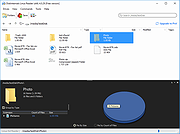 |
|
Logyx Pack v25.514 Logyx Pack v25.514 👉 A portable collection of more than 150 logic and board games in one Windows program. Logyx Pack is a portable game pack that brings together more than 150 logic, puzzle, board, and classic-style games under a single interface. It is designed to let you quickly switch between many different titles from one window, with options that help make the games suitable for a wide range of players. Some of the included games and styles mentioned across available sources include Minesweeper, Battleships, Reversi, Checkers, Chinese Checkers, Tetris, Tangram, Sokoban-style games, Connect Four, Sudoku, Kakuro, Mahjong, Backgammon, and many others. Features: • Includes more than 150 games in one package • Portable program design • Focuses mainly on logic, puzzle, and board-style games • Lets you switch between games from one main interface • Offers adjustable options to help suit different ages and skill levels • Includes both solo puzzle games and traditional two-player board games • Games are organized in an easy-to-browse list • Lets you choose a default game to open first • Common settings allow adjustment of window size • Supports variable window size, fixed window size, maximized window, and full screen modes • Can show brief descriptions for games • Includes optional sound settings • Covers a broad mix of classic concepts such as memory, matching, number puzzles, tile games, strategy boards, pathfinding puzzles, and action-logic hybrids Games: BTM (Net+), Yamb (Net+), Yea Chess, Monopoly INT, Puzz, Geex, Moc, Zookey, Thux, Zoodoku, Memory, Tac 3D, Minesweeper, Battleships, Dominow, Mastermind, Panel de Pon, Tetris, Tangram, Checkers, Chinese Checkers, PushNPull Sokoban, Connect Four, GoMoku, Reversi, Hanoi, Inertia, Klotski, Sudoku, Fifteen, Kakuro, Byss 2048, Simon Says, Finty Flush, Solitaire, Mahjong, Klopodrom and more! Supported operating systems: • Windows 7, Windows 8, Windows 10, Windows 11 Supported languages: English Changes: v25.514 08-12-26 Not Provided Note: This file has one hit on VirusTotal. We have confirmed this to be a false positive. ... |
|
7,268 | Aug 12, 2026 Drazen 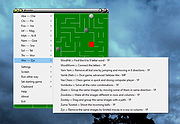 |
|
mDNSView v1.00 mDNSView v1.00 👉 Scan and view mDNS records published by devices on your local network. mDNSView is a simple Windows utility from NirSoft that displays mDNS records published by devices connected to your local network. For every discovered mDNS record, it shows the device IP address, name, record type, and record value. Features: • Displays mDNS records from devices on your local network • Shows IP address, name, record type, and record value • Supports A, AAAA, TEXT, PTR, and SRV record types • Start a scan with the toolbar button or F5 key • Export results to CSV, tab-delimited, XML, HTML5, or JSON • Copy selected records to the clipboard • Portable; no installation or extra DLL files required Supported operating systems: • Windows XP, Windows Vista, Windows 7, Windows 8, Windows 10, Windows 11 • 32-bit and 64-bit systems Supported languages: English, Dutch, French, German, Hungarian, Italian, Russian, Traditional Chinese Changes: v1.00 05-23-26 Initial release. Note: This file has multiple hits on VirusTotal because it's new and because it sniffs your network for information. We have determined these to be fair warnings but as long as you are the one using it, the file is safe. Click here to visit the author's website. |
|
532 | Jun 03, 2026 Nir Sofer 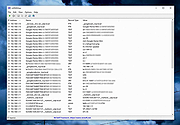 |
|
MediaPlayerOK v1.01 MediaPlayerOK v1.01 👉 Fast and portable media player for Windows. MediaPlayerOK is a compact portable media player for Windows that plays audio and video files with playlists, docking support, tray function, flexible playlists, drag & drop and automatic resume playback. Features: • Plays audio and video files • Compact and portable • Playlist support • Flexible playlists • Docking mode • Tray function • Automatic resume playback • Optional portable mode • Small system resource usage • No installation required Supported operating systems: • Windows XP, Windows Vista, Windows 7, Windows 8.1, Windows 10, Windows 11, Windows Server 2012-2025, 32-bit and 64-bit Supported languages: German, English, Italian, Korean, French, Greek, Traditional Chinese Changes: v1.01 06-11-26 • Minor adjustments in MediaPlayerOK • New languages added to MediaPlayerOK: Italian, Korean, French, Greek, and Traditional Chinese. Click here to visit the author's website. |
|
614 | Sep 23, 2026 Nenad Hrg 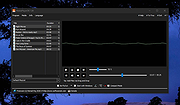 |
|
MeinPlatz v8.66 MeinPlatz v8.66 👉 Quickly scan drives and folders to find lost disk space. MeinPlatz helps you quickly analyze hard drive, SSD, USB drive, and folder space usage so you can see where your storage has gone. It displays results by folder, file type, size, date, percentage usage, file count, and folder count, making it easier to locate large files and space-hogging directories. Features: • Fast disk and folder space scanning • Percentage-based storage analysis • Group results by folders, file types, size, or date • Export results to XLS, CSV, TXT, and HTML • Print function with print preview • Small built-in screen magnifier • Portable version available • Low resource use Supported operating systems: • Windows XP, Windows Vista, Windows 7, Windows 8.1, Windows 10, Windows 11 • Windows Server 2016, Windows Server 2019 Supported languages: German, English, Polish, Chinese Traditional, Chinese Simplified, French, Russian, Dutch, Korean Changes: v8.66 05-22-26 • New: Right-click option to open file properties and the target file path for shortcuts. • Updated MeinPlatz language files. This download is for the Windows 64bit version (very bottom of page). If you need the Windows 32bit version, download here. Click here to visit the author's website. |
|
6,984 | May 22, 2026 Nenad Hrg 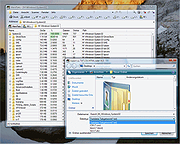 |
|
MineSweeperOK v1.21 MineSweeperOK v1.21 👉 A classic Minesweeper game for Windows with customizable difficulty and modern enhancements. MineSweeperOK is a lightweight and portable implementation of the classic Minesweeper puzzle game for Microsoft Windows. It recreates the familiar gameplay of the original Windows Minesweeper while adding useful enhancements such as custom field sizes, adjustable mine counts, and alternative visual themes. Designed to run without installation, MineSweeperOK is ideal for users who want a simple, no-frills time-killer that works smoothly even on older systems. Features: • Classic Minesweeper gameplay with intuitive controls • Customizable game board sizes • Adjustable number of mines • Multiple difficulty levels • Portable version – no installation required • Optional sound effects • Different visual themes and color options • Low CPU and memory usage • Suitable for older Windows systems • Freeware for private use Supported operating systems: • Windows 7, Windows 8, Windows 8.1, Windows 10, Windows 11 Supported languages: English, German Changes: v1.21 05-05-26 • Bug fix for detecting the default system language across all Windows OS versions, as well as updated language files for Minesweeper. Click here to visit the author's website. |
|
1,140 | May 06, 2026 Nenad Hrg 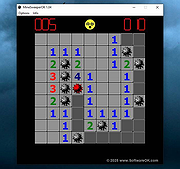 |
|
MultiPack Visual C++ Installer v4.2 MultiPack Visual C++ Installer v4.2 👉 Installs the latest Microsoft Visual C++ redistributable packages in one simple GUI installer. MultiPack Visual C++ Installer is a simple packaged installer for Microsoft Visual C++ redistributables, bundled into one easy-to-use setup for installing the commonly needed Visual C++ runtime packages from 2005 through 2022. Features: • Simple GUI-based installer • Installs Microsoft Visual C++ 2005 through 2022 redistributables • Includes x86 and x64 packages where available • Useful for fixing missing Visual C++ runtime errors • Designed for quick setup on Windows systems • Installer bundle includes all the newest VC++ 2005 – 2022 Packages: -Microsoft Visual C++ 2005 (x86 only) 8.0.61001 -Microsoft Visual C++ 2008 (x86/x64) 9.0.30729.6161 -Microsoft Visual C++ 2010 (x86/x64) 10.0.40219.473 -Microsoft Visual C++ 2012 (x86/x64) 11.0.61030.0 -Microsoft Visual C++ 2013 (x86/x64) 12.0.40664.0 -Microsoft Visual C++ 2015-2022 (x86/x64) *14.51.36247.0 Supported operating systems: • Windows 10, Windows 11 Supported languages: English Changes: v4.2 07-10-26 Not Provided Click here to visit the author's website. |
|
8,064 | Jul 11, 2026 BobSpwg  |
|
Music Collection v3.9.8.5 Music Collection v3.9.8.5 👉 Free music cataloging & organization tool for your collection. Music Collection is a free Windows program designed to help you archive and manage your music library in a searchable database. It lets you enter and organize all kinds of music media, edit metadata, categorize your albums, and browse your collection with flexible sorting and filtering options. Features: • Organize your music collection into a searchable database • Add and edit album details including genre, year, label, rating and more • Search by album artist, title, barcode number, catalog number or inserted CD • Scan folders for audio files and read tag information • Sort and filter albums using multiple criteria • Export collection data (TXT, CSV, Excel, HTML) • Print reports and collection lists • Save playlists to external formats (m3u, pls) • Import and export album data Supported operating systems: • Windows XP (32-bit, 64-bit) • Windows Vista (32-bit, 64-bit) • Windows 7 (32-bit, 64-bit) • Windows 8 (32-bit, 64-bit) • Windows 10 (32-bit, 64-bit) • Windows 11 (32-bit, 64-bit) Supported languages: English, Espaρol, Franηais, Italiano, Magyar, Nederlands, Norsk, Polski, Portuguκs (Brasil), Portuguκs (Portugal), Slovenski, Suomi, Svenska, Tόrkηe, Ελληνικά, Русский, Српски, Українська, עברית, 日本語 Changes: v3.9.8.5 06-16-26 Added : Album style field. Added : Ability to Add/Edit track details in the track presentation. Added : Album style field in the advanced album search. Added : Ability to zoom in the cover in presentation page. Changed : The new databases will be created in the .accdb format. Fixed : Some minor bugs. This download is for the Windows portable version (very bottom of page). If you need the Windows installer version, download here. Click here to visit the author's website. |
|
6,480 | Jul 11, 2026 GSoft4U  |
|
MyPhoneExplorer v2.3 MyPhoneExplorer v2.3 👉 A freeware Windows tool for managing and syncing Android phones locally. MyPhoneExplorer lets you connect your Android phone to your PC by WiFi, USB cable, or Bluetooth so you can manage contacts, calendar, messages, files, backups, notifications, and more from the desktop. Filebrowser Features: • Sync contacts, calendar, notes, and other data with Outlook, Thunderbird, and other targets • Browse and manage files on your phone with file sync support • Create backups of phone content • Control calls and SMS messages from the PC • Mirror and remotely control your phone from the desktop • Use the PC keyboard to type on the phone • Show phone notifications on the desktop • Share the clipboard between phone and PC • Connect by WiFi, USB cable, or Bluetooth Supported operating systems: • Windows • Android Supported languages: Afrikaans, Albanian, Arabic, Belarusian, Bosnian, Bulgarian, Catalan, Croatian, Czech, Danish, Dutch, English, Finnish, French, Georgian, German, Greek, Hebrew, Icelandic, Indonesian, Italian, Latvian, Lithuanian, Norwegian, Persian, Polish, Portuguese, Romanian, Russian, Serbian, Slovak, Slovene, Swedish, Thai, Turkish, Ukrainian, Vietnamese Changes: v2.3 10-27-25 Barcode and NFC scanner: use your smartphone as scanner for the PC remote controlling the phone via WiFi sync with Microsoft cloud / Outlook (new) better appointment display in calendar alot of smaller changes and bugfixes Phonebook Calendar Messages (SMS and MMS) Datasync with several targets: Its often required to keep data in sync with other databases. Because of this MyPhoneExplorer is able to sync the data of the phone with the most popular PIM suites. MyPhoneExplorer supports: • Outlook since Version 2003 • Thunderbird • Seamonkey • Lotus Notes • Tobit David • Fritz!Box • vCard-File and iCal-File • internal Sync-Database (To keep several phones in sync) Before MyPhoneExplorer changes the database or the phone data, it will confirm the action with you. This will prevent syncing accidents. This download is for ... |
|
3,953 | Mar 12, 2026 Franz Josef Wechselberger  |
|
NetworkConnectLog v1.18 NetworkConnectLog v1.18 👉 Monitor and log devices connecting to and disconnecting from your local network. NetworkConnectLog is a lightweight, portable network monitoring utility that continuously scans your local area network using ARP and NetBIOS protocols, recording every device that connects to or disconnects from your network. It is ideal for home users, technicians, and network administrators who want to keep track of network activity, identify unknown devices, or troubleshoot intermittent connection issues. The program immediately performs an initial scan to detect all currently connected devices, then continues monitoring in the background for connection and disconnection events. Each log entry includes useful information such as the event time, IP address, computer name, workgroup, MAC address, and network adapter manufacturer. Logs can be searched, sorted, filtered, and exported to several common formats for documentation or further analysis. Features: • Portable application requiring no installation • Automatically detects computers and devices joining or leaving your network • Uses ARP and NetBIOS protocols for device detection • Displays connection and disconnection timestamps • Shows IP address, computer name, workgroup, MAC address, and network adapter manufacturer • Performs continuous background monitoring • Configurable network adapter and IP address scanning range • Adjustable scan interval • Automatically export logs whenever changes are detected • Export logs to TXT, CSV, HTML, XML, or tab-delimited files • Search and sort recorded events • Customizable font and MAC address display format • System tray support • Optional always-on-top mode • Optional black background display mode • High DPI display support Supported operating systems: • Windows 2000, Windows XP, Windows Vista, Windows 7, Windows 8, Windows 8.1, Windows 10, Windows 11 (32-bit and 64-bit) Supported languages: • English, Arabic, Brazilian Portuguese, Dutch, French, German, Greek, Hungarian, Italian, Japanese, Persian, Polish, Romanian, Russian, Simplified Chinese, Slovak, Spanish, Traditional Chinese, Turkish, Valencian Changes: v1.18 07-01-26 Updated the internal MAC addresses database. Click here to visit the author's website. |
|
7,266 | Jul 03, 2026 Nir Sofer 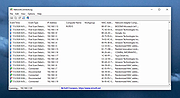 |
|
NirLauncher v1.30.25 NirLauncher v1.30.25 👉 Portable launcher package containing more than 200 NirSoft freeware utilities for Windows. NirLauncher is a package of more than 200 portable freeware utilities for Windows, all developed for the NirSoft website. It can be used from a USB flash drive without installation, saves each utility's configuration into .cfg files when run from removable media, and automatically runs x64 versions of supported tools on x64 systems. NirLauncher also makes it easy to run utilities, open their help files, jump to each utility's webpage, and add additional software packages beyond the main NirSoft collection. Features: • Includes more than 200 portable NirSoft freeware utilities • Runs without installation from a USB flash drive or local folder • Saves utility configuration files to the drive when used portably • Automatically launches x64 versions of utilities on x64 systems when available • Lets you run tools, view help files, or open each utility's webpage • Can add extra software packages in addition to the main NirSoft package • Can generate BartPE plugin files for use from a bootable live Windows CD • Contains no spyware, adware, malware, toolbars, browser plugins, or bundled third-party software Supported operating systems: • Windows 2000, Windows XP, Windows Server 2003, Windows Vista, Windows 7, Windows 8, Windows 8.1, Windows 10 • x64 systems supported Supported languages: • English, Dutch, French, German, Italian, Japanese, Polish, Russian, Simplified Chinese, Spanish, Traditional Chinese, Greek, Romanian, Czech, Slovak, Hungarian Changes: v1.30.25 08-15-26 Not Provided Read this. It's important: This file contains hacking software. Hacking software for you to use to hack your own computer. This is for doing things like retrieving a lost password. Because of this, Anti-virus software WILL treat it as dangerous because, in the wrong hands, it is dangerous. This zip file has always been password protected by Nir Sofer so it can be downloaded without being blocked. The password is nirsoft9876$. Click here to visit ... |
|
24,432 | Aug 19, 2026 Nir Sofer  |
|
NixThis v0.42 NixThis v0.42 👉 A portable tool for blocking unwanted Windows ads, suggestions, and interface clutter. NixThis helps you find and disable unwanted Windows features by pointing at them on your screen. Instead of searching through Settings or sorting through hundreds of unfamiliar tweaks, you select an interface element and let NixThis look for the Windows setting behind it. Click “Pick an element” or press Ctrl + Shift + Space, then move your pointer over the item you want to remove. A green outline means NixThis recognizes the element. Click it to review what will change before deciding whether to block it. NixThis intercepts the click so you do not accidentally activate the button underneath. A gray outline means the element is not recognized; its signature is recorded locally, and no settings are changed. You can also use the searchable filter list to review available changes, including features that are not currently visible on your screen. Each entry explains where the item appears and what its filter changes. Select the entries you want and choose “Apply changes.” NixThis remembers previous registry values so you can restore settings through “What you blocked” and “Bring it back.” Uninstalled Microsoft Store apps work differently: NixThis opens the matching Store page so you can reinstall them. The program is portable. Extract the download into a folder you can write to and run NixThis.exe. Its normal blocking features work locally. Optional AI explanations require your own API key and send only the selected setting’s name and technical details to the provider. Features: • Point-and-click element picker for identifying recognized Windows interface features. • Green and gray outlines distinguish recognized elements from unknown ones. • Review the proposed setting change before applying a filter. • Searchable filter list includes items that are not currently visible on screen. • Apply multiple selected filters together. • Each filter explains where its target appears and what will change. • Restore ... |
|
102 | Oct 08, 2026 Builtbybel  |
|
Notepad++ v8.9.8.1 Notepad++ v8.9.8.1 👉 Free source code editor and Notepad replacement that supports multiple programming languages. Notepad++ is a powerful text and source code editor designed as a lightweight replacement for Windows Notepad. Built on the Scintilla editing component, it provides advanced editing features, syntax highlighting, and extensive customization options while maintaining fast performance and low resource usage. Notepad++ supports a wide range of programming and scripting languages and includes features such as tabbed editing, code folding, search and replace with regular expressions, and macro recording. Its plugin system allows users to extend functionality with additional tools and enhancements. Features: • Syntax highlighting and syntax folding • Multi-document tab interface • Powerful search and replace with regular expression support • Macro recording and playback • Plugin support for extended functionality • Auto-completion and customizable GUI • Lightweight and optimized for performance Supported operating systems: • Windows 7, Windows 8, Windows 10, Windows 11 Supported languages: English, Chinese (Simplified), Chinese (Traditional), French, German, Italian, Japanese, Korean, Spanish, Russian, and more Changes: v8.9.8.1 09-24-26 Vulnerability: Fix crash caused by “Open file” & “Search on Internet” commands. CVE ID not assigned yet Vulnerability: Fix Function List array out-of-bounds risks when parsing functions. CVE ID not assigned yet Vulnerability: Fix UAC operations performed without verifying the caller. CVE ID not assigned yet Vulnerability: Fix incomplete UNC detection allowing NTLM leak bypass. CVE ID not assigned yet Vulnerability: Fix crash of NPPM API when invalid value passed as argument. CVE ID not assigned yet Regression: Fix failure to open files via Notepad++ symlink paths. (Fix #18314) Fix a crash after canceling UAC saving operation. (Fix commit) Fix Network Path Warning dialog usability problem. (Fix #18319 (comment)) Fix symlinks setting for Folder as Workspace not ... |
|
10,538 | Sep 25, 2026 Don Ho  |
|
Notepad3 v7.26.602.1 Notepad3 v7.26.602.1 👉 A fast, lightweight, Scintilla-based text editor for Windows with syntax highlighting. Notepad3 is a free, open-source text editor built as a smarter, more capable replacement for Windows Notepad. It is based on the Scintilla editing component and Lexilla lexer library, giving it powerful syntax highlighting, fast performance, a small memory footprint, and practical tools for everyday text editing, coding, scripting, configuration files, logs, and more. Features: • Fast and lightweight Windows text editor • Syntax highlighting for over 55 programming, scripting, markup, and configuration languages • Code folding with toggle-all support • Bookmarks for quick navigation • Word auto-completion • Find and Replace with PCRE2 regular expression support • grepWin integration for searching across files • Encoding detection and character encoding support • File change monitoring • AES-256 Rijndael encryption and decryption • Dark mode support with customizable colors • High-DPI aware interface with high-definition toolbar icons • Customizable status bar and toolbar labels • Portable edition available • Includes MiniPath file browser plugin Supported operating systems: • Windows 8.1, Windows 10, Windows 11 Supported languages: Afrikaans, Belarusian, Chinese Simplified, Chinese Traditional, Dutch, English US, English UK, Finnish, French, German, Greek, Hindi, Hungarian, Indonesian, Italian, Japanese, Korean, Polish, Portuguese Brazil, Portuguese Portugal, Russian, Slovak, Spanish, Swedish, Turkish, Vietnamese Supported Programming Languages Apache, ASP, Assembly, AutoHotkey, AutoIt3, AviSynth, Awk, Bash, BAT, C, C++, C#, CGI, CMake, CoffeeScript, CSS, CSV, D, Dart, DIFF, Fortran, Go, HTML, INF, INI, Inno Setup, Java, JavaScript, JSON, Julia, KiXtart, Kotlin, LaTeX, Lua, Makefiles, Markdown, MATLAB, Nim, NSIS, Pascal, Perl, PHP, PowerShell, Python, REG, Resource, R-S-SPlus Statistics, Ruby, Rust, Shell, SQL, Tcl, TOML, VB, VBScript, Verilog, VHDL, XHTML, XML, YAML and improved support for NFO ANSI. Changes: v7.26.426.1 04-26-26 • Paste-board minimization (/B /I) escape hatch if Ctrl-key held down. • PasteBoard: defer minimize on /B + /I startup so auto-pasted clipboard is visible briefly. • PasteBoard: opt-out ‘Don’t ask again’ on closing modified untitled documents. • Feat: /B auto-pastes current clipboard ... |
|
5,116 | Jun 10, 2026 Rizonetech Pty Ltd. 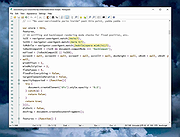 |
|
Novabench v6.0.3 Novabench v6.0.3 👉 Free PC benchmarking and hardware performance testing utility. Novabench is a free benchmarking program that allows you to quickly test and evaluate your computer’s overall performance. It measures CPU, GPU, RAM, and storage speeds using a simple interface designed for both casual users and technicians. The free version provides a complete system benchmark score along with detailed hardware information and comparison tools to help identify performance bottlenecks or hardware problems. Novabench can be useful for checking system stability after upgrades, comparing hardware performance against similar systems, troubleshooting slow computers, and monitoring the effects of overclocking or driver updates. Benchmark results can also be uploaded online to compare your PC with other systems using the Novabench database. Features: • Free CPU, GPU, RAM, and disk benchmarking • Generates an overall system performance score • Quick benchmark testing with minimal setup required • Displays detailed hardware and system information • Compare benchmark results with other systems online • Useful for testing gaming PCs, laptops, and workstations • Helps identify hardware bottlenecks and slow components • Portable benchmark results that can be shared online • Lightweight interface suitable for beginners and technicians • Supports stress testing and stability verification tools • Includes temperature and hardware monitoring support • Can help verify system improvements after upgrades or repairs Supported operating systems: • Windows 10, Windows 11 • macOS 11 Big Sur or higher • Linux distributions supporting modern x86-64 hardware Supported languages: • English Changes: v6.0.3 06-09-26 • Improved benchmark reliability and scoring consistency • Updated hardware detection and compatibility support • General bug fixes and stability improvements This download is for the Windows installer version (very bottom of page). All other download assets are below: Other Windows: novabench-arm64.exe macOS: novabench.dmg Linux: novabench-x64.deb novabench-arm64.deb novabench-x64.rpm novabench-arm64.rpm Click here to visit the author's website. |
|
7,802 | Jun 09, 2026 Novawave Inc. 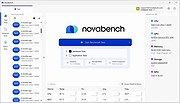 |
|
O&O DeskInfo v2.0.1033 O&O DeskInfo v2.0.1033 👉 Portable desktop system monitor that displays real-time hardware and network information directly on your desktop. O&O DeskInfo displays essential system information such as CPU usage, memory consumption, drive activity, network connections, battery status, and more directly on the Windows desktop in real time. The portable freeware utility allows users to monitor system activity without opening additional tools or menus. It also supports customizable layouts, colors, transparency, fonts, and multi-monitor positioning. O&O DeskInfo can quickly copy system details to the clipboard for troubleshooting and support purposes and includes warnings for unknown USB device connections. Features: • Real-time display of CPU, memory, drive, and network activity • Portable application with no installation required • Customizable desktop display position, colors, fonts, and transparency • Performance charts for CPU, memory, and network monitoring • Battery status display support for compatible systems • Detection of virtual machines • Profile editor with customizable columns and sortable categories • Clear distinction between local, removable, and network drives • Clipboard export for quick support and troubleshooting • Multi-monitor support • Warning notifications for unknown USB device connections • Adjustable update speeds and display modes • Tray icon integration with quick access functions • Automatic startup option with Windows Supported operating systems: • Windows 10 • Windows 11 Supported languages: • English, German, French Changes: v2.0.1033 01-28-26 • NEW: New performance charts for CPU, memory and network • NEW: Battery status display, if supported by the system • NEW: Detection of virtual machines • NEW: Greater flexibility in the profile editor with freely selectable columns and re-sortable categories • NEW: Improved customization options for the size of performance charts • NEW: Unified controls for a more consistent and clearer user interface • NEW: Extended documentation • NEW: Clearer distinction between local, removable and network drives • CHANGED: Performance charts react faster and more smoothly to display setting changes • CHANGED: Charts make better use of available space and appear overall clearer • CHANGED: Reduced visual duplication for a calmer display • ... |
|
3,673 | May 24, 2026 O&O Software GmbH  |
|
OpenLoco v26.07.1 OpenLoco v26.07.1 👉 A modern open-source reimplementation of Chris Sawyer’s Locomotion. OpenLoco is an open-source reimplementation of Chris Sawyer’s Locomotion, the classic transport construction and management simulation game where you build and run a transport company using trains, buses, trucks, trams, aircraft, and ships. OpenLoco modernizes the original game engine in C++ while keeping the spirit, gameplay, and feel of the classic title intact. Features: • Open-source reimplementation of Chris Sawyer’s Locomotion • Classic transport company construction and management gameplay • Build railways, roads, stations, airports, docks, and routes • Manage trains, road vehicles, aircraft, ships, cargo, passengers, and towns • Modern C++ engine reimplementation • Improved compatibility with modern systems • Supports original Locomotion save and scenario formats • Wider Build Vehicle window with dedicated sorting dropdown • Station Construction tab now lists accepted and produced cargo in full • Station window cargo icons now include helpful tooltips • Preferred company name can now be set separately from owner name • MIT licensed Supported operating systems: • Windows 10, Windows 11 • macOS Apple Silicon • Linux 64-bit • BSD, compile from source Supported languages: Czech, German, English GB, English US, Spanish, French, Italian, Japanese, Korean, Dutch, Polish, Portuguese Brazilian, Russian, Slovak, Swedish, Turkish, Chinese Simplified Changes: v26.07.1 07-27-26 Fix: [#3524] Jittery window height in the 'gridded' tabs of the industry list, town list, and terraform windows. Fix: [#3841] Extreme lag when a map reaches the maximum number of audio sources (e.g. many vehicles in view). Fix: [#3842] Native browse prompt not working on Windows, preventing selecting the Locomotion path on first start. Fix: [#3846] Can click beyond last item in station and company list windows, opening invalid windows. Note: The asset files from Chris Sawyer’s Locomotion are required for OpenLoco to work. It can be bought super cheap on Steam or GOG.com. This download is for the Windows 64bit portable version (very bottom of page). If you need the Windows 32bit portable version, download here. If you need the ... |
|
4,375 | Jul 29, 2026 OpenLoco  |
|
OpenToonz v1.8.0 OpenToonz v1.8.0 👉 Open-source 2D animation production software. OpenToonz is software for the production of 2D animation, based on Toonz, originally developed by Digital Video S.p.A. in Italy and customized by Studio Ghibli for many years of animation production. It can be used free of charge for both commercial and non-commercial projects, and its source code is available for modification under an open-source license. ©2025 Jorge del Campo Andrade Features: • Professional 2D animation production tools • Based on Studio Ghibli-customized Toonz software • Free for commercial and non-commercial use • Open-source code that can be modified freely • GTS scanning tool for animation workflows • Digital painting with anti-aliased lines • Xsheet and timeline interfaces • Node-tree based effects compositing • Supports raster and vector images • Plug-in effect SDK for adding image-processing effects Supported operating systems: • Windows 7 SP1, Windows 8.1, Windows 10 64-bit • macOS 10.14 Mojave or later Supported languages: English, German, Spanish, French, Italian, Russian, Japanese, Chinese Changes: v1.8.0 06-19-26 Features / Enhancements Drawing / Animation Tools Assistant Tool improvements by @blackwarthog in #4852, #5039, #5066, #5071, #5100, #5125 Brush & Paintbrush Tools enhancements by @Abel032 in #5838, #5890, #5988, #5989, #6075, #6079, #6224 Brush Tool (Stroke Replication) feature by @blackwarthog in #5069 Brushes enhancements and refactoring by @andeon in #5295, #5733 Fill Tool improvements and features by @Abel032 in #5828, #5979, #6088, #6090, #6105, #6111, #6113, #6154, #6158, #6164, #6181, #6193, #6196, #6221, #6252 Finger Tool options and improvements by @Abel032 in #5902, #6224 Geometric Tool enhancements by @Abel032 in #5762, #5838, #5999 Tape Tool enhancements by @Abel032 in #6090, #6874 Screentones feature by @andeon in #4911 Straight Line (Angle Snap): Prevent CTRL activating draw straight line angle snap by @konero in #4885 ... |
|
634 | Oct 02, 2026 DWANGO Co., Ltd. 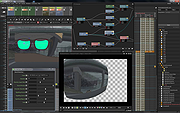 |
|
Patch My PC Home Updater Portable v5.4.5.0 Patch My PC Home Updater Portable v5.4.5.0 👉 Automatically update and install over 500 common Windows applications. Patch My PC Home Updater Portable is a free, easy-to-use tool that scans your computer for outdated software and updates it with one click. It supports hundreds of popular applications, helping you keep your system secure and up to date without the hassle of manually checking each program. Patch My PC Home Updater Portable runs without installation and does not require a setup process, making it ideal for technicians and advanced users who prefer a portable solution. It installs updates silently, can skip unwanted bundled offers, and allows you to customize installation options such as disabling auto-start entries or desktop shortcuts. The interface is simple and clearly organized, showing which applications are installed, which are outdated, and which can be newly installed. It can also automatically close applications before updating and optionally create restore points for added safety. Features: • Updates over 500 third-party applications • One-click update process • Portable version requires no installation • Silent install and silent update options • Automatically closes apps before updating • Option to create restore points before updates • Installs new applications in addition to updating existing ones • Skips bundled offers during installations • Customizable install options such as disabling auto-start or desktop shortcuts • Clean and simple user interface Supported operating systems: • Windows 10, Windows 11 Supported languages: English Changes: v5.4.5.0 07-09-26 Home Updater 5.4.5.0 includes improvements to the Scheduler experience and enhanced registry matching logic for applications with multiple installed versions. This release is already self-updating for users on the beta channel and will be available for self-update for non-beta users in the coming days. Improvements Improved UI/UX on the Scheduler view. Enhanced registry matching logic to better support multiple versions of the same application installed on a device. Apps Support Added Recently: AnyViewer Brother iPrint&Scan Bulk ... |
|
1,866 | Sep 22, 2026 PatchMyPC.net  |
|
PDF24 Creator v11.30.1 PDF24 Creator v11.30.1 👉 Free and powerful PDF creation and management tool for Windows. PDF24 Creator is a full-featured PDF creation and management suite that lets you generate, edit, merge, split, compress, secure, and otherwise work with PDF documents directly on your Windows PC. It installs as a virtual PDF printer so you can create PDFs from almost any Windows application, and includes a toolbox of useful PDF utilities — all completely free of charge and without limits. Features: • Create PDF files from virtually any Windows application via virtual printer • Merge multiple documents into a single PDF • Split, delete, rotate, extract, and insert pages • Compress and shrink PDF files • Add digital signatures, encryption, watermarks, and metadata • Integrated PDF viewer and editor tools • Support for PDF/A, PDF/X and other PDF standards • Multiple PDF printer profiles for varied tasks • Works offline with all files staying local on your PC • Multilingual interface with wide language support The Tools: PDF Creator Easily assemble, create and modify PDF files with the Drag and Drop enabled user interface. • Merge or split PDF files • Add, remove, extract, rotate, sort and move PDF pages • Import and automatic conversion of documents (Word, Excel, images, etc. to PDF • Various preview modes for easy editing of PDF documents • Integrated viewer • Drag and Drop wherever possible • Follow up tools: Save, Print, Email, Fax, ... PDF Printer Print on this printer in order to create a PDF or use it as a universal PDF converter that converts any printable file to PDF. • Virtual printer for PDF creation • Multiple PDF printers for different tasks • Automatic saving ... |
|
9,200 | Jul 11, 2026 Geek Software GmbH  |
|
Playlist Creator v3.6.2.18 Playlist Creator v3.6.2.18 👉 Create and edit M3U and PLS music playlists with a lightweight portable Windows utility. Playlist Creator is a simple, focused utility for building music playlists without the overhead of a full media manager. Originally created by oddgravity, this preserved and modernized edition has been rebuilt as a native 64-bit Windows application while retaining the behavior and features of the original program. Files and folders can be added to a playlist, rearranged, removed, sorted or randomized before saving. Existing M3U and PLS playlists can also be opened and modified. Playlist Creator uses MediaInfo to read metadata from many media formats and can incorporate information such as artist, track number and title into playlist entries. The modernized build is completely native x64 and portable. The MFC and C/C++ runtimes, CxImage, libpng and zlib are statically linked, while the required 64-bit MediaInfo DLL is supplied alongside the executable. The project specifically targets Windows 10 or newer. Features: • Creates M3U and PLS playlists • Opens and edits existing playlists • Add individual files or entire folders • Recursively add files from folders and subfolders • Drag and drop files directly into the playlist • Reorder playlist entries manually • Move selected entries to the top or bottom • Sort playlist entries by column • Shuffle playlists into random order • Create simple playlists containing plain file lists • Read metadata from many media formats using MediaInfo • Use artist, track number and title metadata when creating playlist entries • Highlight playlist entries that refer to missing files • Configure which media file types are included • Save playlist paths using forward or backslashes • Supports multiple playlist save/path modes • Resizable main window • Optional gridlines and alternating row colors • Keyboard shortcuts and context menus for common playlist operations • Portable native 64-bit build requiring no installation Supported operating systems: • Windows 10 64-bit, Windows 11 64-bit Supported languages: English, German Changes: v3.6.2 x64 Modernization Build 08-07-26 Updated to ... |
|
253 | Aug 18, 2026 sl2365  |
|
Policy Plus vOctober 2025 Policy Plus vOctober 2025 👉 Local Group Policy Editor for all editions of Windows. Policy Plus is a free and open-source utility that brings the Local Group Policy Editor (gpedit.msc) functionality to all editions of Windows, including Home editions that do not normally include it. It provides a familiar interface for viewing and editing administrative templates and policy settings, making it easy to configure advanced system settings without needing to manually edit the registry. Policy Plus reads and applies the same policy definitions used by the official Group Policy Editor, ensuring compatibility with Windows administrative templates. It also supports importing the latest policy definitions and offers advanced search capabilities, making it a powerful tool for administrators and power users who want fine-grained control over system configuration. Features: • Full Local Group Policy Editor functionality for all Windows editions • Compatible with official Microsoft Administrative Template files (ADMX/ADML) • Built-in ADMX acquisition tool for downloading latest policy definitions • Advanced search and filtering of policy settings • View, edit, and manage registry-based policies • Portable and open-source Important: To ensure you have the latest Administrative Templates, you can download the full set of ADMX files directly within the program. Go to Help → Acquire ADMX Files, choose the destination folder (typically C:\Windows\PolicyDefinitions), and click Begin to download them from Microsoft. You can also manually open or load ADMX files by selecting File → Open ADMX File or File → Open ADMX Folder. This is useful if you have downloaded specific templates separately or want to work with a custom policy definitions folder. Supported operating systems: • Windows 7, Windows 8, Windows 8.1, Windows 10, Windows 11 Supported languages: English Click here to visit the author's website. |
|
7,596 | Jun 27, 2026 Ben Nordick  |
|
PrivaZer v4.0.127 PrivaZer v4.0.127 👉 Advanced privacy cleaner that removes traces of your activity from your PC. PrivaZer is a powerful privacy-focused cleaning tool designed to remove traces left behind by everyday computer use. It scans your system to locate leftover files, internet history, cookies, cache data, and other hidden artifacts created by Windows, browsers, and applications. By carefully cleaning these traces, PrivaZer helps improve privacy, free disk space, and keep your system running efficiently. PrivaZer performs deep scans that go beyond typical cleaning utilities, detecting residual data that many programs leave behind. It can safely remove traces from web browsers, messaging applications, system logs, and temporary files while offering detailed control over what is cleaned. Advanced options allow users to securely delete sensitive data and prevent recovery of removed files. The program also offers customizable cleaning profiles, scheduled cleanups, and secure deletion features for users who want to maintain long-term privacy protection. Despite its advanced capabilities, PrivaZer includes guided cleaning modes that help beginners safely perform system cleanup without risk. Features: • Deep scan and removal of privacy traces left by Windows and applications • Cleans browser history, cookies, cache, and internet activity records • Detects and removes residual files left after software uninstallations • Secure file deletion to prevent recovery of sensitive data • Cleans temporary files, logs, and leftover system artifacts • Guided cleaning mode for safe cleanup by less experienced users • Advanced cleaning options for experienced users • Optional scheduled cleaning and automation Supported operating systems: • Windows XP, Windows Vista, Windows 7, Windows 8, Windows 10, Windows 11 Supported languages: Arabic, Bulgarian, Chinese Simplified, Chinese Traditional, Czech, Danish, Dutch, English, Finnish, French, German, Greek, Hungarian, Indonesian, Italian, Japanese, Korean, Norwegian, Polish, Portuguese, Portuguese Brazilian, Romanian, Russian, Slovak, Slovenian, Spanish, Swedish, Turkish, Ukrainian Changes: v4.0.127 10-02-26 + Improved cleanup : HDD + Improved cleanup : TRIM + Improved cleanup : snapshots + Improved cleanup : Free Download Manager + ... |
|
15,047 | Oct 05, 2026 Goversoft LLC  |
|
Puzzle Collection Portable v2026.05.23 Puzzle Collection Portable v2026.05.23 👉 Portable collection of single-player logic and puzzle games. Puzzle Collection Portable is the PortableApps.com edition of Simon Tatham's Portable Puzzle Collection, a lightweight bundle of one-player puzzle games designed for quick play sessions and long-term brain exercise. It includes a wide variety of logic, deduction, matching, pathfinding, number, loop-drawing, tiling, and spatial puzzles in a single portable package that can run without a traditional installation. The collection includes favorites such as Black Box, Bridges, Cube, Dominosa, Fifteen, Filling, Flip, Flood, Galaxies, Guess, Inertia, Keen, Light Up, Loopy, Magnets, Map, Mines, Mosaic, Net, Netslide, Palisade, Pattern, Pearl, Pegs, Range, Rectangles, Same Game, Signpost, Singles, Sixteen, Slant, Solo, Tents, Towers, Tracks, Twiddle, Undead, Unequal, Unruly, and Untangle. Features: • Includes a large collection of single-player puzzle games in one portable package • Covers many puzzle styles including logic, number, tiling, matching, navigation, and deduction • Runs without a traditional installation • Designed to run from removable, local, or cloud storage • Small download and lightweight installed size • Based on Simon Tatham's long-running open-source puzzle collection • Includes Windows help documentation with the package • Good for quick casual play or longer puzzle-solving sessions Supported operating systems: • Windows XP, Windows Vista, Windows 7, Windows 8, Windows 10, Windows 11, WINE Supported languages: English Changes: v2026.05.23 07-05-26 Not Provided Click here to visit the author's website. |
|
1,914 | Aug 03, 2026 Simon Tatham/John T. Haller 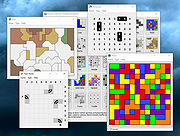 |
|
PySolFC v3.6.0 PySolFC v3.6.0 👉 A feature-rich collection of more than 1,200 solitaire and card games. PySolFC is a free, open-source solitaire game collection that includes over 1,200 solitaire, patience, mahjongg, matching, and special card games in a single package. It offers a highly customizable interface with multiple cardsets, backgrounds, sound support, undo/redo, hints, game statistics, and bookmarking. Players can choose from classic games such as Klondike, FreeCell, Spider, and Yukon, along with hundreds of lesser-known variants from around the world. PySolFC is the actively maintained successor to the original PySol project and is available for Windows, macOS, Linux, and other Unix-like operating systems. Features: • Includes more than 1,200 solitaire, patience, mahjongg, and matching games. • Supports hundreds of cardsets and table backgrounds. • Unlimited undo and redo functionality. • Game hints and autoplay options. • Bookmarks allow games to be resumed later. • Tracks detailed player statistics. • Customizable appearance and gameplay options. • Sound support and animated card movement. • Search and filter games by name, type, or skill level. • Open-source and actively maintained. Supported operating systems: • Windows 10, Windows 11 • macOS 11 (Big Sur) or later • Linux • BSD • Other Unix-like operating systems Supported languages: • English, German, Italian, Polish, Russian Changes: v3.6.0 06-13-26 20 new games. Ability to add table tile backgrounds from your own images, through the app itself. Bugfixes and enhancements. This download is for the Windows version (very bottom of page). If you need the MacOS version, download here. If you need the Linux version, download here. The Linux version requires this card set. Download it here. Click here to visit the author's website. |
|
7,325 | Jul 14, 2026 PySolFC 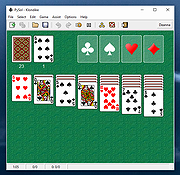 |
|
Quick Cribbage v3.5 Quick Cribbage v3.5 👉 Fast and lightweight computerized version of the classic cribbage card game. Quick Cribbage is a simple computer implementation of the traditional card game cribbage that lets you play against the computer in a quick and straightforward interface. Designed to be lightweight and easy to run, the game focuses on the core cribbage experience without unnecessary extras or complicated menus. Players compete against the computer by forming scoring card combinations during play and counting points in the cribbage board format. The game follows standard cribbage rules including pegging, forming hands, and scoring combinations such as pairs, runs, fifteens, and flushes. Quick Cribbage is part of Wesley Steiner’s Quick Games collection and is designed for fast gameplay with minimal system requirements, making it suitable for older computers as well as modern Windows systems running compatibility modes. Features: • Play cribbage against the computer • Traditional cribbage scoring including fifteens, runs, pairs, and flushes • Pegging phase and hand counting following classic rules • Lightweight design with quick startup and minimal system requirements • Simple interface focused on fast gameplay Supported operating systems: • Windows 95, Windows 98, Windows NT, Windows 2000, Windows XP, Windows Vista, Windows 7, Windows 8, Windows 10, Windows 11 Supported languages: English Changes: v3.5 Places the crib-board on the tabletop rather than in a pop-up window and includes all the latest and greatest features. Click here to visit the author's website. |
|
680 | Mar 10, 2026 Wesley Steiner 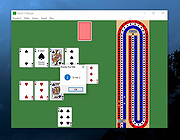 |
|
Quick Poker v3.3 Quick Poker v3.3 👉 Free Windows poker game with five computer opponents and multiple draw and stud variations. Quick Poker lets you play against five computer controlled players of varying skill and character. It includes popular variations of 5-Card Draw Poker ("Anything Opens" and "Jackpots") and Stud Poker (5, 6 and 7-card). Quick Poker is designed to help you sharpen your poker skills and strategy while the computer handles the action in a straightforward Windows game environment. Features: • Play against five computer controlled opponents with varying skill and character • Includes 5-Card Draw Poker with "Anything Opens" and "Jackpots" variations • Includes 5-card, 6-card, and 7-card Stud Poker • Uses a popular pot-limit betting structure • Updated display format with player name tags and chip stack value badges • Free Windows poker game focused on practice and strategy Supported operating systems: • Windows 95, Windows 98, Windows NT, Windows 2000, Windows XP, Windows Vista, Windows 7, Windows 8, Windows 10, Windows 11 Supported languages: English Changes: v3.3 Uses the popular pot-limit betting structure. Also updated the display format with player name tags and value "badges" for chip stacks. Note: This file has two hits on VirusTotal. We have confirmed these to be false positives. The file is safe. Click here to visit the author's website. |
|
662 | Mar 10, 2026 Wesley Steiner 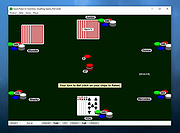 |
|
Quick Solitaire v3.3 Quick Solitaire v3.3 👉 A lightweight collection of classic solitaire card games for Windows. Quick Solitaire is a compact card game package that includes several popular solitaire variations in a single lightweight program. Designed for quick play and minimal system requirements, it allows users to enjoy classic solitaire games without installing large game suites. The program automatically handles the dealing and arrangement of cards so players can focus entirely on their strategy and gameplay. Its simple interface makes it easy to jump into a game immediately, and the software is designed to run smoothly even on very old Windows systems. Quick Solitaire includes seven solitaire games: Solitaire (similar to the classic Windows version), Klondike, Pyramid, Golf, Gaps, Spider, and Yukon. Features: • Includes seven solitaire games in one program • Solitaire (similar to the classic Windows version) • Klondike, Pyramid, Golf, Gaps, Spider, and Yukon game modes • Automatic card dealing and arrangement • Simple interface focused on fast gameplay • Lightweight program with minimal system requirements Supported operating systems: • Windows 95, Windows 98, Windows NT, Windows 2000, Windows XP, Windows Vista, Windows 7, Windows 8, Windows 10, Windows 11 Supported languages: English Changes: v3.3 Bigger and better card images on higher resolution displays. Note: This file has two hits on VirusTotal. We have confirmed these to be false positives. The file is safe. Click here to visit the author's website. |
|
656 | Mar 10, 2026 Wesley Steiner  |
|
QuickLook v4.5.0 QuickLook v4.5.0 👉 Preview files instantly in Windows by selecting one and pressing the spacebar. QuickLook lets you inspect files without opening their usual applications. Select a file in File Explorer and press the spacebar to bring up a preview. You can check an image, read a document, listen to audio, watch a video, or inspect source code, then press Esc or the spacebar to close the preview. Use the arrow keys to move through neighboring files while the preview is open. QuickLook handles images, animated GIFs, video, audio, PDFs, text, Markdown, archives, fonts, and source code. Text and code previews include syntax highlighting, and plugins add support for more formats. QuickLook runs from the system tray. The installer supports previews in Open and Save dialogs. The project is free and open source. Features: • Press the spacebar to preview a selected file without launching its associated application. • Press Esc or the spacebar again to close the preview. • Use the arrow keys to preview neighboring files. • Preview JPEG, PNG, GIF, WebP, RAW, and other supported image formats. • Play supported video and audio files in the preview window. • Read PDFs, text files, and rendered Markdown. • Inspect source code and configuration files with syntax highlighting. • Preview supported archives and fonts. • Zoom images and PDFs, or open a file from its preview. • Follow the Windows light or dark theme. • Add support for more formats with plugins. • Choose an installer or portable download. Supported operating systems: Windows 10, Windows 11 Supported languages: English, Simplified Chinese, Romanian. Changes: v4.5.0 04-14-26 Updated LAVFilters to 0.81.0. Improved LRC handling by merging duplicate timestamps. Improved the Simplified Chinese translation and added Romanian translation. Added the WindowBackdrop option and F11 full-screen toggle. Added support for PKCS7 extensions, Chromium PAK viewing and extraction, Python wheel and egg archives, DICOM images, and additional syntax highlighting. Fixed Markdown previews using absolute resource paths, the Windows 10 transparency option, video loop behavior, OfficeViewer resizing errors, relative command-line paths, and the taskbar ... |
|
3,464 | Sep 28, 2026 Adnan Bhaldar  |
|
QuickMemoryTestOK v5.55 QuickMemoryTestOK v5.55 👉 Quickly test your Windows PC's RAM for errors. QuickMemoryTestOK is a small Windows utility that helps check your computer's RAM for bad or corrupted memory areas, and can also be used to test system behavior under high memory usage. Features: • Quick memory test for RAM errors • Helps detect bad or corrupted memory areas • Test Windows behavior under high memory usage • Customizable test runs • Pause and resume testing • Clear memory status display • Shows CPU load during testing • Access to useful memory and system tools • Zoom option for easier viewing • Very small program with low CPU usage • Portable version available Supported operating systems: • Windows 11, Windows 10, Windows 8.1, Windows 7, Windows Server 2012-2025, Windows Server 2022, x64, x32, x86 Supported languages: German, English, Korean, French, Bulgarian, Japanese, Traditional Chinese, Slovenian, Polish, Afrikaans, Simplified Chinese, Russian, Portuguese, Hungarian, Italian, Thai, Spanish, Hebrew, Hindi, Vietnamese, Malay, Indonesian, Filipino, Dutch, Norwegian, Danish, Finnish, Greek, Spanish-VE, Czech, Arabic, Bosnian, Turkish, Ukrainian Changes: v5.55 06-07-26 • Update of language files in the Memory Test Tool for all MS Windows operating systems • Improvements to RAM detection 👉 This download is for the Windows 64bit portable version (very bottom of page). All other download assets are below: Other Windows: QuickMemoryTestOK.zip (32bit portable) Click here to visit the author's website. |
|
6,378 | Sep 18, 2026 Nenad Hrg  |
|
RAMagic v1.22 RAMagic v1.22 👉 Lightweight tool to quickly optimize and free up RAM on Windows systems. RAMagic is a small and portable Windows utility designed to help improve system responsiveness by freeing unused memory with a single click. It provides a simple interface that allows users to quickly reclaim RAM without complicated configuration. RAMagic is especially useful on systems with limited memory or when running multiple applications that consume significant resources. The program runs without installation and can be used as a quick-access tool to refresh available memory and potentially reduce slowdowns. Features: • Quick RAM optimization with one click • Portable application, no installation required • Simple and user-friendly interface • Displays current memory status • Designed for minimal system resource usage Supported operating systems: • Windows XP, Windows Vista, Windows 7, Windows 8, Windows 10, Windows 11 (32-bit and 64-bit) Supported languages: German, English, Korean, French, Traditional Chinese, Greek, Simplified Chinese, Italian, Polish, Russian, Spanish, Turkish, Dutch, Swedish, Norwegian, Portuguese, Danish, Irish, Thai, Spanish, Spanish (Venezuela), Hebrew, Persian, Malay, Indonesian, Filipino, Finnish, Bosnian, Japanese, Bulgarian, Hungarian, Arabic Changes: v1.22 05-06-26 • General improvements in RAMagic, the RAM optimizer for Windows • New language in RAMagic: Spanish and Italian • Many thanks to Rastafe for the Spanish language support. • Many thanks to bovirus for the Italian language support. Click here to visit the author's website. |
|
867 | Aug 04, 2026 Nenad Hrg  |
|
ReactOS v0.4.16 ReactOS v0.4.16 👉 A free, open-source operating system designed to run Windows applications and drivers without requiring Windows. ReactOS is a free and open-source operating system built from the ground up with the goal of providing binary compatibility with Microsoft Windows applications and hardware drivers. Rather than being based on Linux or Unix, ReactOS implements its own Windows-compatible kernel, system libraries, graphical environment, utilities and services. The project is particularly focused on compatibility with traditional Win32 software and drivers while providing users with a completely open-source operating environment. ReactOS remains alpha-quality software, so the developers do not guarantee stability, data safety or compatibility with every application or piece of hardware. Version 0.4.16 introduces one of the project's largest usability improvements: a new graphical installer and a combined Boot CD/Live CD image. You can now boot the same image to either try ReactOS without installing it or install/update the operating system using the new graphical setup interface. The installer includes basic partition management and replaces the need to choose separate installation and Live CD downloads. Features: • Free and open-source Windows-compatible operating system • Designed to run Win32 applications and Windows hardware drivers • Independent Windows-like kernel rather than a Linux or Unix compatibility layer • Familiar Windows-style desktop environment and Explorer shell • New graphical installation interface • Combined Boot CD and Live CD image lets you test or install from the same disc • Basic graphical partition management during installation • Workstation installation mode for normal desktop use • Server installation mode • New Server Core installation mode that runs the Win32 subsystem without the graphical Explorer shell • Improved compatibility with NVIDIA graphics drivers through expanded system page table resources • Improved AMD graphics and OpenGL handling • Continued development of multi-monitor and video-driver compatibility • Improved High Definition Audio support • New HD Audio bus driver supporting compatible Windows XP and Windows Server 2003 audio ... |
|
6,924 | Aug 30, 2026 ReactOS Foundation  |
|
Red Burner .NET v19.5.0.0 Red Burner .NET v19.5.0.0 Lightweight optical disc burning software for CD, DVD and Blu-ray media. Red Burner .NET is a standalone disc burning tool for creating and working with optical discs, disc images and optical drives. It supports CD, DVD and Blu-ray burning, image burning and conversion, rewritable media, M-Disc, DVD-RAM and an integrated virtual drive emulator. Features: • Burn audio, video and data CD, DVD and Blu-ray discs • Supports single, double, triple and quad layer media • Burn M-Disc, rewritable discs and DVD-RAM • Create, burn and convert disc images • Browse disc images with the internal image browser • Integrated virtual drive emulator • Supports ISO, BIN/CUE, IMG/CCD, NRG, CDI, PDI, B5I, B6I and GI image formats • Lightweight standalone design • Fast burning algorithm • Code-signed files • Donationware Supported operating systems: • Windows 7 or later Supported languages: • English Changes: v19.5.0.0 Not provided. Click here to visit the author's website. |
|
906 | Jun 05, 2026 OMID SOFT  |
|
Red Planet Rampage v0.5.3 Red Planet Rampage v0.5.3 👉 A dieselpunk western-themed arena shooter with modular guns, auctions, and multiplayer chaos. Red Planet Rampage is a free and open source dieselpunk western-themed arena shooter where players battle with wacky modular guns built from weapon parts. Set on a Mars overrun by cowboy-hat-wearing terraforming robots, it combines fast-paced movement, weapon-part auctions, split-screen play, AI opponents, and multiplayer action into a chaotic arena shooter experience. The story... The robots responsible for terraforming Mars have donned cowboy hats and started wreaking havoc with staged shootouts and competitions where they auction off rudimentary weapon parts assembled from scrap. Terraforming Inc. is still investigating the cause of this disturbance, but rumors point to a fateful upload of a western film. Features: • Modular weapons with over 600 different combinations • Auctions where players bid on weapon parts to build custom weapons • Online multiplayer with queue and friends-only lobbies through Steam • Splitscreen multiplayer • Multiple game modes and maps • Custom game modes • Movement with a high skill ceiling, including bunnyhopping and surfing explosions • AI players for matches when no other players are available • Keyboard, mouse, and gamepad support • Supports 1 to 4 players Supported operating systems: • Windows 10, Windows 11 Supported languages: • English Changes: v0.5.3 Balance changes Made it less likely for parts that have not been bid on in previous auctions to appear in the auction again. Brick barrel has been buffed with higher fire rate. Bugfixes Fixed a bug where having exactly one ammo left with stock + lazur or coil would make you unable to shoot after the previous shot animation had played out 😅 Switching away from the trash uplink extension in training mode should no longer crash the game. Click here to visit the author's website. |
|
673 | Aug 12, 2026 Hackerspace NTNU  |
|
ResophNotes v1.8.1 ResophNotes v1.8.1 👉 A fast, lightweight Windows note-taking program with Simplenote synchronization, Markdown support, tags and powerful keyboard controls. ResophNotes is a free note-taking program for Windows designed to make creating, finding and managing text notes quick and uncomplicated. Notes can be kept locally or synchronized online with Simplenote, allowing them to be accessed from other devices using compatible Simplenote applications. It supports Markdown with HTML preview, tags, pinned notes, internal links, global keyboard shortcuts and optional storage of each note as an individual plain-text file. Deleted notes can be restored or permanently removed, and nearly every function can be controlled from the keyboard. A dark mode is also available. The developer warns that Simplenote may stop supporting synchronization with third-party applications, so Simplenote syncing should currently be used with caution. Features: • Simple, fast note creation and management • Synchronizes notes online with Simplenote • Access synchronized notes from other devices through Simplenote • HTTPS proxy support for Simplenote connections • Dark mode support • Global hotkey for quickly creating a new note • Global hotkey for restoring ResophNotes when minimized • Markdown text-to-HTML conversion with preview • Automatically recognizes HTTP links and email addresses • Internal note linking using wikilinks • Optional individual .txt files for storing notes • Complete keyboard control with numerous shortcuts • Single Note Mode for distraction-free note viewing and editing • Simplenote pinned-note support • Simplenote tag support • Search notes quickly from the keyboard • Import existing .txt files • Email notes directly from the program • Print notes • Insert the current timestamp with a keyboard shortcut • Restore deleted notes • Permanently delete unwanted notes • Free to use Supported operating systems: • Windows 10, Windows 11 (64-bit) Supported languages: English Changes: v1.8.1 08-14-26 Added Dark mode. Built using Microsoft Visual Studio Community 2026. Uses Qt 5.15.2. Updated OpenSSL library for connection issues. Click here to visit the author's website. |
|
79 | Sep 15, 2026 C.Y. Yen  |
|
SearchMyFiles v3.36 SearchMyFiles v3.36 👉 A portable Windows search utility for finding files and folders using detailed filters, content searches, duplicate detection and more. SearchMyFiles is a portable alternative to the standard Windows file search that provides much more precise control over what you search for and how results are filtered. You can search by filename wildcards, folder locations, file size, attributes, creation, modification and access times, file contents and numerous other criteria. Search results can be opened directly, copied to the clipboard or exported to text, CSV, HTML or XML files. SearchMyFiles also includes specialized modes for locating duplicate files, files with duplicate names, non-duplicate files, empty folders and summarized folder information. No installation is required, and the program can be run from a USB flash drive without leaving configuration information in the Registry. Features: • Search files and folders using filename wildcards • Search multiple folders or drives in a single operation • Include or exclude specific folders from searches • Search through subfolders with configurable scanning depth • Search files by minimum or maximum size • Search by creation, modification or last-accessed date and time • Search for files created or modified within the last specified number of seconds, minutes, hours or days • Filter files using read-only, hidden, system, archive, compressed and encrypted attributes • Search inside files for text • Perform binary content searches using hexadecimal byte sequences • Search for multiple text or binary values at once • Search text inside Microsoft Office documents and supported PDF files using installed Windows search handlers • Search for folders as well as files • Duplicate Search mode finds files with identical contents • Duplicate files are compared byte-for-byte and visually grouped in the results • Non-Duplicates Search mode displays files that do not have duplicates • Duplicate Names Search finds files or folders sharing the same name • Duplicate Names Search can distinguish files with identical or different ... |
|
6,303 | Sep 04, 2026 Nir Sofer  |
|
SecretDNS v4.0.5 SecretDNS v4.0.5 👉 A free utility for encrypted DNS and selective SNI fragmentation to help bypass website filtering. SecretDNS combines DNS over HTTPS with SNI fragmentation to help protect DNS requests and bypass filtering based on website names. It uses a selected DNS server without changing Windows DNS settings. DNS over HTTPS encrypts the requests your computer sends to look up website addresses. SNI fragmentation splits the part of a connection that identifies the requested website, helping bypass filtering that examines this information. SecretDNS fragments only the SNI string to minimize slowdown. You can specify which domains receive this treatment and use a whitelist to reduce website connection problems. The program also lets you check accessed domains and combine its bypass features with proxy functionality. To get started, click the Run button. The developer recommends selecting encrypted DNS, choosing manually specified SNI fragmentation and entering the domains you want to bypass. Features: • Encrypts DNS requests using DNS over HTTPS. • Helps bypass website filtering through SNI fragmentation. • Fragments only the SNI string to minimize speed degradation. • Lets you apply SNI fragmentation to specified domains. • Supports domain lists for selective DNS and fragmentation functionality. • Uses whitelisting to help reduce website connection problems. • Uses a selected DNS server without changing Windows DNS settings. • Lets you check information about accessed domains. • Can be used alongside proxy functionality. • Provides recommended settings for encrypted DNS and selective fragmentation. • Portable edition that runs without installation. • Free for home, business, government and school use. Supported operating systems: • Windows 10/11 Supported languages: English. Changes: v4.0.5 09-15-26 - Improved VPN stability with automatic server switching - Made VPN activity easier to identify ... |
No Votes | 59 | Oct 05, 2026 kilho.net 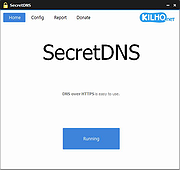 |
|
Shutter Encoder v20.2 Shutter Encoder v20.2 👉 A free video, audio, and image converter designed by video editors for powerful media encoding and workflow tools. Shutter Encoder is a free media converter and processing tool built around FFmpeg for handling video, audio, and image files. It is designed by video editors to be both accessible and powerful, with support for a very wide range of codecs and formats, along with trimming, subtitle work, watermarking, cut detection, analysis tools, web video downloading, render queue support, file information viewing, batch renaming, FTP upload support, and AI-assisted functions. It also includes professional workflow features such as editing codecs, broadcast codecs, archive codecs, disc burning and ripping, and preset saving for repeatable jobs. Features: • Converts video, audio, and image files using FFmpeg • Designed by video editors for accessible but advanced media work • Supports a very large range of codecs and formats • Includes trimming and cut without re-encoding tools • Lets you replace audio, rewrap, conform, merge, extract, subtitle, and insert video • Supports sound conversion to WAV, AIFF, FLAC, ALAC, MP3, AAC, AC3, OPUS, Vorbis, Dolby Digital Plus, and Dolby TrueHD • Includes editing codecs such as DNxHD, DNxHR, Apple ProRes, QT Animation, GoPro CineForm, and Uncompressed • Includes output codecs such as H.264, H.265, H.266, VP8, VP9, and AV1 • Includes broadcast codecs such as XDCAM HD422, XDCAM HD 35, AVC-Intra 100, XAVC, XAVC Long GOP, and HAP • Supports older codecs including Theora, MPEG-2, MJPEG, Xvid, DV, WMV, and MPEG-1 • Supports FFV1 for archiving workflows • Creates JPEG, JPEG XL, and image outputs • Burns and rips DVD and Blu-ray media • Includes analysis tools such as loudness and true peak, audio normalization, cut detection, black detection, media offline detection, VMAF, and FrameMD5 • Downloads web video content • Includes image adjustment tools for colors, LUTs, and color space conversion • Supports cropping for both images and videos • Can ... |
|
3,679 | Aug 12, 2026 Paul Pacifico  |
|
SideSlide v6.50 SideSlide v6.50 👉 A powerful, customizable desktop workspace, launcher and information organizer that stays hidden until you need it. SideSlide is a free desktop assistant designed to keep your Windows desktop organized and clutter-free while providing instant access to programs, files, folders, websites, commands, RSS feeds, notes, reminders, pictures and other frequently used information. Its customizable workspace can dock to any screen edge and remain tucked away until needed, giving you a large organizational area without permanently consuming desktop space. The workspace uses flexible containers that can be resized, detached, folded, shrunk and arranged however you prefer. Containers can hold shortcuts, notes, RSS feeds, reminders and other content, allowing large collections of information to remain accessible without covering the desktop. SideSlide also includes extensive keyboard navigation and launching features for users who prefer working without the mouse. When the workspace is collapsed, SideSlide can display a Dock Strip containing useful system information and live weather. The workspace can quickly expand again when you need access to its contents. SideSlide can also be used portably from a USB drive. Its configuration files are kept together, and the portable version can continue working even when the removable drive letter changes. Features: • Fully customizable desktop workspace that remains hidden until needed • Dock the workspace to any edge of the screen • Dock Strip displays system information and live weather while the main workspace is collapsed • Create shortcuts to programs, files, folders, commands and websites • Add RSS news feeds directly to the workspace • Built-in RSS reader with filtering and Subject Tracker capabilities • Create resizable, detachable, foldable and shrinkable containers • Containers can extend beyond the visible screen area • Create colorful notes that can be searched, edited in bulk and individually customized • Encrypt notes and automatically re-encrypt them after editing • Create ... |
|
6,515 | Sep 02, 2026 Northglide  |
|
Simple Sticky Notes v6.9 Simple Sticky Notes v6.9 👉 Free desktop sticky notes with reminders, checklists, and powerful customization. Simple Sticky Notes is a free desktop note-taking application that lets you create colorful sticky notes directly on your Windows desktop. It provides a clean, intuitive interface for capturing reminders, to-do lists, ideas, and important information while keeping them easily accessible. Notes are automatically saved, support rich text formatting, and can be customized with different colors, themes, fonts, transparency levels, and sizes. Simple Sticky Notes also includes alarms and reminders, checklists with hierarchical checkboxes, notebooks for organizing related notes, a note explorer for searching and managing all notes, and options to print, export, or share notes. Additional features such as dark mode, backup and restore, and automatic updates make it a capable alternative to the built-in Windows Sticky Notes application. Features: • Create unlimited desktop sticky notes • Rich text formatting • Colorful notes with adjustable transparency • Custom themes and appearance options • Checklists with hierarchical checkboxes • Alarms and reminders • Note Explorer for searching and organizing notes • Notebooks for grouping notes • Print, export, and share notes • Dark mode support • Automatic saving of notes • Backup and restore functionality • Automatic updates Supported operating systems: • Windows 7, Windows 8, Windows 8.1, Windows 10, Windows 11, Windows 10 Arm64, Windows 11 Arm64 Supported languages: • English, French, German, Spanish, Italian, Japanese, Portuguese, Danish, Dutch, Swedish, Russian, Simplified Chinese, Turkish Changes: v6.9 02-22-26 New: Checking/unchecking a parent checkbox now checks/unchecks all indented child items Improved checkbox indent/outdent with Tab and Backspace Improved overall stability and performance Fixed some translation issues in Chinese and Japanese Fixed minor bugs reported by users Updated the SQLite database engine to version 3.51.0 Click here to visit the author's website. |
|
10,070 | Jul 19, 2026 Simnet Ltd. 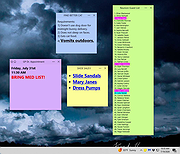 |
|
SketchBook v8.7.1 SketchBook v8.7.1 👉 A free drawing and painting program with customizable brushes, layers, symmetry tools and animation. SketchBook is a digital drawing and painting program from Autodesk for creating sketches, illustrations, concept art and finished artwork. Its desktop tools combine natural drawing brushes with layers, perspective guides and editing controls. The interface lets you hide tools and palettes while drawing, leaving more room for your artwork. Use brushes for sketching, inking, painting and blending, then adjust their properties to suit your drawing style. Work with separate layers to organize your artwork and experiment with colors and effects. Photoshop PSD import and export preserve layers, layer names, groups and blending modes, making it possible to move projects between SketchBook and Photoshop. Important: This download is the discontinued Autodesk freeware edition. It can still be used, but it no longer receives updates or bug fixes. The current Sketchbook Pro for Windows and macOS is a separate paid product. Features: • Customizable brushes for drawing, inking, painting and blending. • Brush controls for flow, opacity, textures, stylus tilt and stamp scaling. • Import and export custom brush sets in SketchBook's .skbrushes format. • Stroke Stabilizer and Predictive Stroke help smooth freehand lines while preserving sharp corners. • Horizontal, vertical and radial symmetry for mirrored artwork and repeating patterns. • Radial symmetry supports up to 16 sectors. • Perspective tools and drawing guides help construct accurate shapes and scenes. • Fill, selection, text, cropping, transform and distortion tools. • Layers, layer groups and blending modes for organizing and combining artwork. • Import and export Photoshop PSD files while preserving layer structure. • FlipBook tools for creating animation from image sequences and exporting individual frames or an entire animation. ... |
|
4,434 | Oct 01, 2026 AutoDesk 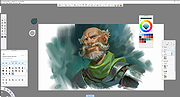 |
|
SmartTextCrypter v1.03 SmartTextCrypter v1.03 👉 A tiny portable tool for password-encrypting text before sending it through messaging apps, email or SMS. SmartTextCrypter is a free, portable Windows utility designed to encrypt text messages with a password before they are sent through services such as WhatsApp, Telegram, email or SMS. The recipient pastes the encrypted text into SmartTextCrypter and enters the same password to decrypt and read the original message. Everything is processed locally on your computer without uploading your text to a cloud service or server. The program uses the author's proprietary multi-layer encryption method consisting of password-based key generation, XOR encryption, position-dependent mixing, bit rotation and a checksum for detecting errors or incorrect passwords. It supports Unicode text, including Asian, Cyrillic and Arabic characters. SmartTextCrypter requires no installation and can be run directly from a USB drive, external drive or ordinary folder without creating registry entries. Features: • Password-based encryption and decryption of text • Send encrypted text through WhatsApp, Telegram, email, SMS and other services • Proprietary multi-layer encryption using XOR, positional mixing and bit rotation • Generates a 32-byte key from your password • Checksum detects errors and incorrect passwords • Unicode support for Asian, Cyrillic, Arabic and other characters • Completely local operation with no cloud service or server uploads • Portable and requires no installation • Can run directly from a USB drive, external drive or any folder • Does not create registry entries • Low CPU usage • Adjustable text sizes for improved readability • Free for private use Supported operating systems: • Windows XP, Windows Vista, Windows 7, Windows 8, Windows 8.1, Windows 10, Windows 11, Windows Server 2012-2025 • 32-bit and 64-bit Windows Supported languages: German, English, Italian, Chinese-Traditional, Dutch, Russian, Japanese, Korean, Spanish, Portuguese, Malay Changes: v1.03 08-26-26 • SmartTextCrypter language file update • Minor fine-tuning in SmartTextCrypter for all Windows operating systems. Click here to visit the author's website. |
|
169 | Sep 03, 2026 Nenad Hrg 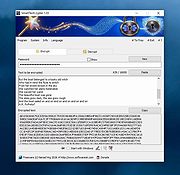 |
|
Solitude for Windows v1.52 Solitude for Windows v1.52 👉 Classic solitaire card game collection for Windows. Features: • Large collection of solitaire variations • Customizable card faces and card backs • Multiple background themes • Detailed statistics tracking • Unlimited undo and redo • Hint system • Adjustable scoring options • Sound effects and optional animations • Full-screen and windowed modes Solitaire Games: Aces Up, Alhambra, Amazons, Auld Lang Syne, Baker's Dozen, Baker's Game, Batsford, Beleaguered Castle, Betsy Ross, Black Hole, Blind Patience, Bowling, Bristol, Calculation, Canfield, Carpet, Chameleon, Clock, Contradance, Cribbage Solitaire, Cruel, Deuces, Dutchess, Eagle Wing, Easthaven, Eight Off, Fan, Fire And Ice, Flower Garden, Fly, Fortress, Four Kingdoms, Four Seasons, Fourteen Out, FreeCel, Frog, Gaps, Gargantua, German Patience, Golf, Good Measure, Icicles, Indian, King Albert, Klondike, La Belle Lucie, Lady Betty, Limited, Lucas, Miss Milligan, Monte Carlo, Moojub, Mount Olympus, Napoleon at St. Helena, Nestor, Osmosis, Pas Seul, Peek, Penguin, Pluto, Poker Solitaire, Pyramid, Rank and File, Scorpion, Scotch Patience, Seven Devils, Shamrocks, Simple Simon, Simplicity, Sir Tommy, Six By Six, Spider, Spiderette, Stonewall, Storehouse, Streets and Alleys, Strategy, Sultan, Tam O' Shanter, Terrace, Thirteens, Thirty Six, Three Shuffles, Thumb and Pouch, Trefoil, Wave Motion Solitaire, Westcliff, Whitehead, Will 'O The Wisp, Windmill, Yukon Supported operating systems: • Windows 98, Windows XP, Windows Vista, Windows 7, Windows 8, Windows 10, Windows 11 Click here to visit the author's website. |
|
1,023 | Mar 01, 2026 David Bernazzani 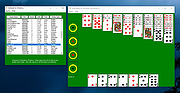 |
|
SoundVolumeView v2.53 SoundVolumeView v2.53 👉 View and change Windows sound volume from a GUI or command line. SoundVolumeView is a simple tool for Windows that displays general information and current volume levels for all active sound components on your system, and allows you to mute and unmute them instantly. SoundVolumeView can also save a sound profile to a file, including current volume levels, mute/unmute states, and default sound devices, then restore those same settings later. It also includes extensive command-line support for saving and loading profiles, changing volume, muting, unmuting, enabling, disabling, and setting audio devices without displaying the user interface. Features: • View all active sound components on your system • See current volume levels and mute status • Mute or unmute sound components instantly • Save and restore complete sound profiles • Change volume from the GUI or command line • Set default sound devices • Enable or disable audio devices • Create desktop shortcuts for common sound actions • Export sound item information to text, CSV, HTML, XML, or JSON • Supports 32-bit and 64-bit Windows Supported operating systems: • Windows Vista, Windows 7, Windows 8, Windows Server 2008, Windows 10, Windows 11 Supported languages: Arabic, Brazilian Portuguese, Dutch, Finnish, French, German, Greek, Hungarian, Italian, Japanese, Korean, Persian, Polish, Portugal Portuguese, Romanian, Russian, Simplified Chinese, Slovak, Spanish, Swedish, Traditional Chinese, Turkish Changes: v2.53 Fixed the /SetAllowExclusive and /SetExclusivePriority commands to set the value correctly. 👉 This download is for the Windows 64bit version (very bottom of page). All other download assets are below: Other Windows: soundvolumeview.zip (32bit) Click here to visit the author's website. |
|
6,314 | Sep 18, 2026 Nir Sofer 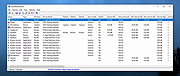 |
|
SpaceSniffer v2.2.0.27 SpaceSniffer v2.2.0.27 👉 Find lost disk space the easy way. SpaceSniffer is a freeware, portable disk space analyzer that helps you understand how folders and files are structured on your disks. It uses a Treemap visualization layout so you can quickly see where large folders and files are located. Features: • Treemap visual layout for spotting large files and folders • Portable, no installation required • Fast disk scanning • Zoom into folders for more detail • Filter results by file type, size, age, and other criteria • Drag and drop support • Customizable geometry, colors, and behavior • Multiple views for different media • Export customizable textual reports • NTFS Alternate Data Streams scanning support Supported operating systems: • Windows 7, Windows 8, Windows 10, Windows 11 Supported languages: English Changes: v2.2.0.27 [+] Added automatic detection for support of Alternate Data Streams on selected drive. [#] Fixed a crash on Alternate Data Streams scan. This download is for the Windows 64bit version (very bottom of page). If you need the Windows 32bit version (from 2016), download here. Click here to visit the author's website. |
|
7,672 | May 19, 2026 Uderzo Umberto 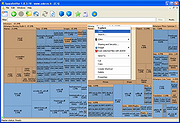 |
|
Startup Monitor 64 v4.175 Startup Monitor 64 v4.175 👉 A portable Windows utility that watches startup locations and alerts you when programs try to add themselves. Startup Monitor 64 is a portable Windows system monitoring utility designed to detect changes to startup folders, Windows Registry startup locations, scheduled tasks and other locations you choose to monitor. When a new or changed item is detected, Startup Monitor 64 presents it for review so you can decide whether it should be allowed or denied. On its first run, the program creates baseline snapshots of existing startup folders and scheduled tasks. Future scans compare the current system against this baseline along with separate Allowed and Denied lists. This helps distinguish legitimate existing startup entries from newly added or changed items. Startup Monitor 64 is not limited to traditional Windows startup locations. You can add your own folders and Registry paths, allowing the program to serve as a general-purpose change monitor for locations you want to keep an eye on. The program is fully portable. Configuration files, baselines, allowed and denied lists, and logs are kept inside an App folder within the program's directory. Features: • Monitors Windows startup folders for new or changed items • Monitors common Windows Registry startup locations • Monitors Windows Task Scheduler for newly added or changed scheduled tasks • Allows custom folders to be added to the monitoring list • Allows custom Registry paths to be monitored • Individual monitored locations can be enabled or disabled • Displays a review window when new or changed items are detected • Lets you approve detected items and add them to an Allowed list • Lets you deny detected items and remove them after confirmation • Maintains separate Allowed and Denied lists • Creates a persistent baseline of existing startup items on first run • Creates a baseline of existing scheduled tasks • Provides adjustable startup-location monitoring intervals from 1 to 60 seconds • ... |
|
268 | Sep 09, 2026 sl2365 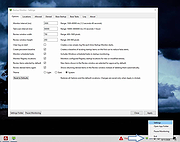 |
|
SyMenu v8.14.9685 SyMenu v8.14.9685 👉 Portable menu launcher and Start Menu replacer for organizing and launching applications. SyMenu is a portable menu launcher and Start Menu replacer designed to help you organize, find, and run your applications quickly and easily. It can manage portable apps stored on local or removable drives, automatically index applications installed on the host PC, and provide a fast search-as-you-type launcher. SyMenu also includes support for its integrated freeware suites, letting you install, update, and remove supported programs automatically through its SPS system. Features: • Portable menu launcher and Windows Start Menu replacement • Organizes applications in a hierarchical structure with custom names, folders, separators, and labels • Search-as-you-type launcher for quick access to programs and functions • Can automatically index applications installed on the host PC • Works with apps stored on local disks, USB drives, flash drives, external drives, memory cards, CDs, and DVDs • Supports integrated freeware suites with automatic install, update, and removal through SPS • Strong customization options for menu layout and organization • Includes tools such as configuration, app management, and update checking Supported operating systems: • Windows 10, Windows 11 • Windows 10 and Windows 11 support both 32-bit and 64-bit versions Supported languages: • English, Arabic, Chinese Simplified, Chinese Traditional, Czech, Finnish, French, German, Greek, Hungarian, Italian, Polish, Portuguese (Brazil), Portuguese (Portugal), Spanish, Turkish, Ukrainian • Dutch (not official), Japanese (not official), Korean (not official), Russian (not official), Slovenian (not official) Changes: v8.14.9685 07-08-26 Application upgrade to .NET 10 for improved overall performance, security, and stability. New innounp version (v2.67.9) New 7zip version (v26.02) Form splash reorganization and optimization Automatic token clearance when a new unique identifier (GUID) is generated Language updates: Japanese language added, Chinese (Simplified), French, Spanish, Finnish, Ukrainian removed. Click here to visit the author's website. |
|
9,011 | Aug 06, 2026 UGM.NET 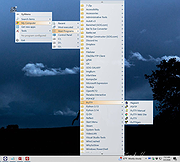 |
|
TabStick-1.2.0-win-x64-portable.zip TabStick v1.2.0 👉 A lightweight note-taking program that attaches colorful index tabs directly to your application windows. TabStick lets you place quick notes on the edge of an application window, keeping reminders and information beside the program where they are needed. Choose a tab from the color palette, attach it to a window and begin typing. Notes can be organized directly inside each tab and customized with different colors, sizes, text settings and display themes. TabStick is available as an installer or a portable download that can be extracted and run without installation. Features: • Attaches index-style notes directly to application windows • Keeps related notes beside the program where they are needed • Creates new notes by selecting a color from the tab palette • Supports quick text entry and organization within each note • Customizable application and tab sizes • Adjustable text size and line spacing • Multiple note colors • Custom note colors • Light and dark display modes • Configurable palette appearance • Changeable interface language • Available as an installer or portable program • Simple interface designed for fast note-taking Supported operating systems: • Windows 10 64-bit, Windows 11 64-bit Supported languages: Not Found Changes: v1.2.0 Not Found Click here to visit the author's website. |
|
238 | Aug 05, 2026 TabStick 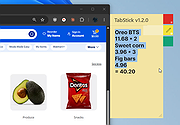 |
|
TakeStock v2.0 R78 TakeStock v2.0 R78 👉 Completely free personal investment management software for Windows. TakeStock 2 is a free, full-featured personal investment management program that helps you track stocks, ETFs, mutual funds, dividends, capital gain distributions, margin equity and cash flow. It can display charts, retrieve historical prices, show company information, provide delayed price quotes, alert you when target buy or sell prices are reached and help identify short and long term gains for tax reporting. Features: • Track stocks, ETFs and mutual funds • Monitor dividends, capital gain distributions, cash flow and margin loans • View price charts and historical prices • Retrieve company information and delayed quotes • Set target buy and sell price alerts • Identify short and long term gains • Create folders and multiple portfolios • View held and sold positions • Export portfolio information to CSV • Standard and portable installation options • Keeps financial data stored locally on your computer • Supports multiple international home markets including Argentina, Australia, Brazil, Canada, France, Germany, India and the United States • 100% free with no advertising, nag screens or registration Supported operating systems: • 64-bit Windows 7, Windows 8, Windows 10, Windows 11 Supported languages: English Changes: v2.0 R78 09-10-26 Bug fixes: Issue #299, Reported 2026.06.10 by Ravi Bhavnani Clicking the Find button in the Find Positions window displays the message “The portfolio does not exist.” after presenting the search results. Issue #302, Reported 2026.07.06 by Maxwell Moon Historical prices for the symbol SPHIX cannot be retrieved. Issue #306, Reported 2026.08.18 by NB The Held tab of the Find Positions window includes sold positions, and the Sold tab is always empty. Issue #307, Reported 2026.08.26 by Vijay Idnani The AMFI (Association of Mutual Funds in India) symbol finder no longer works and the application ... |
|
6,819 | Sep 14, 2026 Ravi Bhavnani  |
OlderGeeks.com Copyright (c) 2026
