|

|
Processed through Paypal No account required. |








Buy our over-priced crap to help pay the bills.



|
|
Processed through Paypal No account required. |
| File - Download Fixyfier v9.4.3 | ||||||||
| Description | ||||||||
|
Always scroll to the bottom of the page for the main download link. We don't believe in fake/misleading download buttons and tricks. The link is always in the same place. Fixyfier v9.4.3 👉 Free all-in-one Windows repair and optimization tool. Fixyfier is a free Windows utility designed to help users repair, clean, and optimize their system using a collection of built-in tools and automated fixes. It provides quick access to common maintenance tasks and troubleshooting options in a simple interface, making it useful for resolving everyday Windows issues and improving overall system performance. 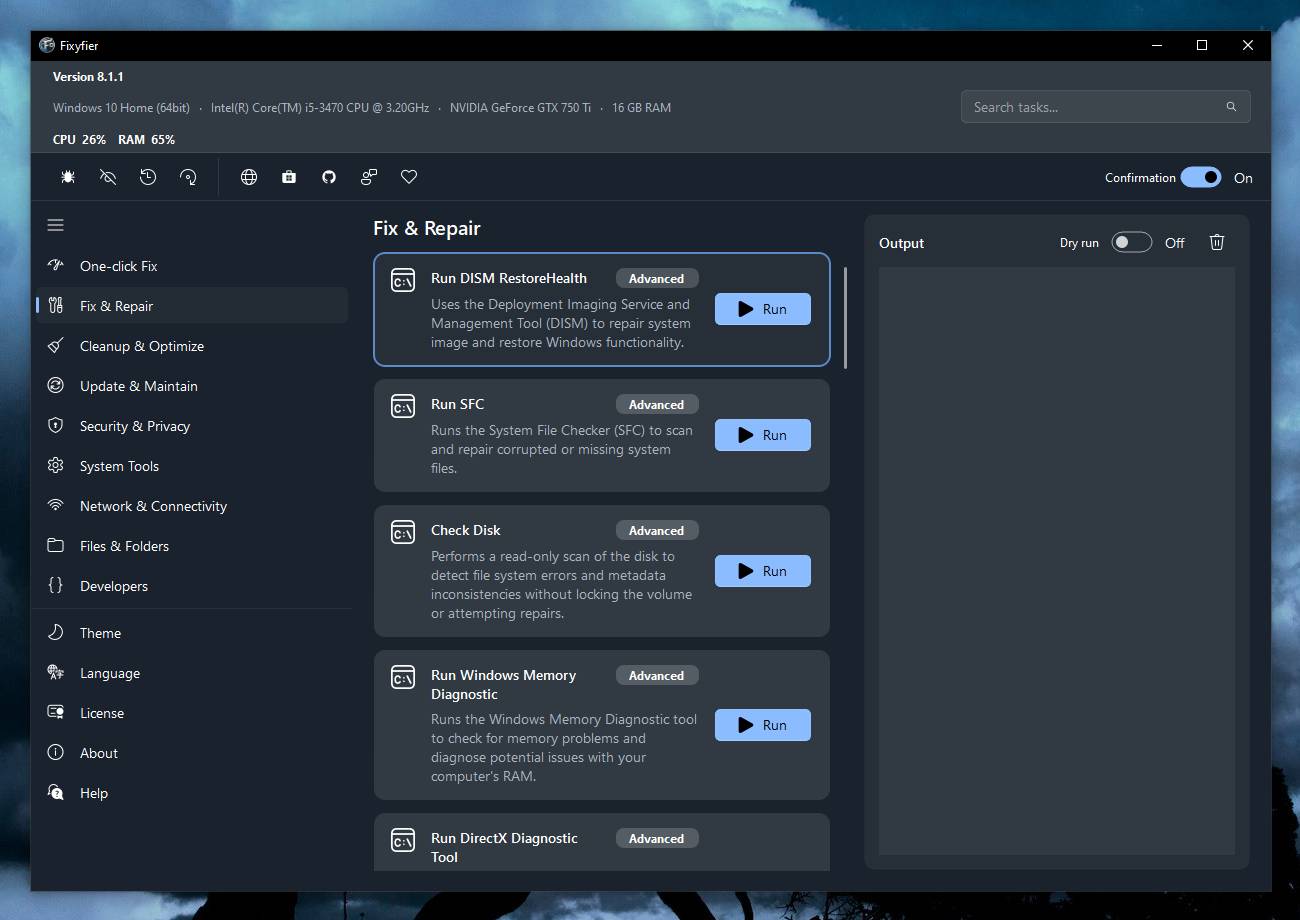 Features: • One-click automated repair routines for common Windows issues • System file repair tools including SFC and DISM integration • Network troubleshooting and reset tools (Winsock, IP stack, DNS flush) • Windows Update repair and reset functionality • Temporary file cleanup and system junk removal • Performance optimization tools to improve responsiveness • Access to essential Windows utilities and administrative tools • Registry-related repair and cleanup options • Privacy and system configuration tweaks • Quick-launch shortcuts for advanced repair commands • Organized interface grouping tools by category for easy navigation • Designed for both novice users and advanced technicians Supported operating systems: Windows 10 (version 17763.0 or higher), Windows 11 Supported languages: English, Spanish, Spanish (Latin America and the Caribbean), French, German, Portuguese (Brazil), Portuguese (Portugal), Italian, Dutch, Russian, Chinese (Simplified), Chinese (Traditional), Japanese, Korean, Arabic, Hindi, Greek, Turkish, Polish, Swedish, Norwegian, Danish, Finnish, Czech, Hungarian, Bulgarian, Romanian, Ukrainian, Serbian, Croatian, Albanian, Vietnamese, Thai, Indonesian, Filipino, Bengali, Persian, Swahili, Hebrew. Changes: v9.4.3 10-04-26 - Block Ads & Telemetry now lets you choose what it turns off: a tick for each group, all ticked to begin with, with Select All, and the list of commands shows exactly what will run for what is ticked. - The Dashboard no longer shows a Run a Check-up button beside its tabs; the System Check-up tab is right there. - The Back to Top button now uses the app's own colors in both themes. - Added Fixyfier's name and copyright to the details of Fixyfier.exe, so Task Manager and the file's Properties show Fixyfier rather than the file name. 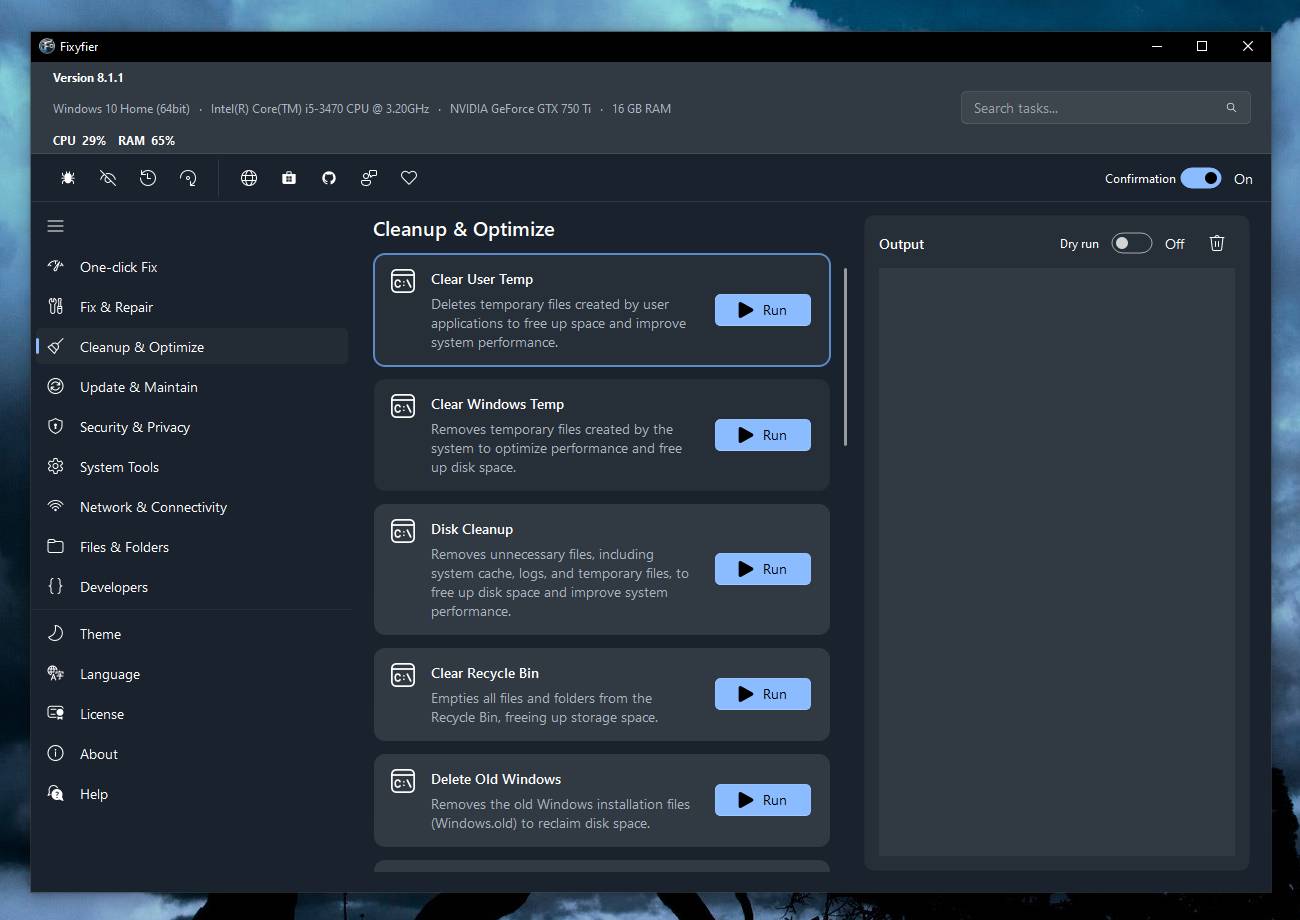 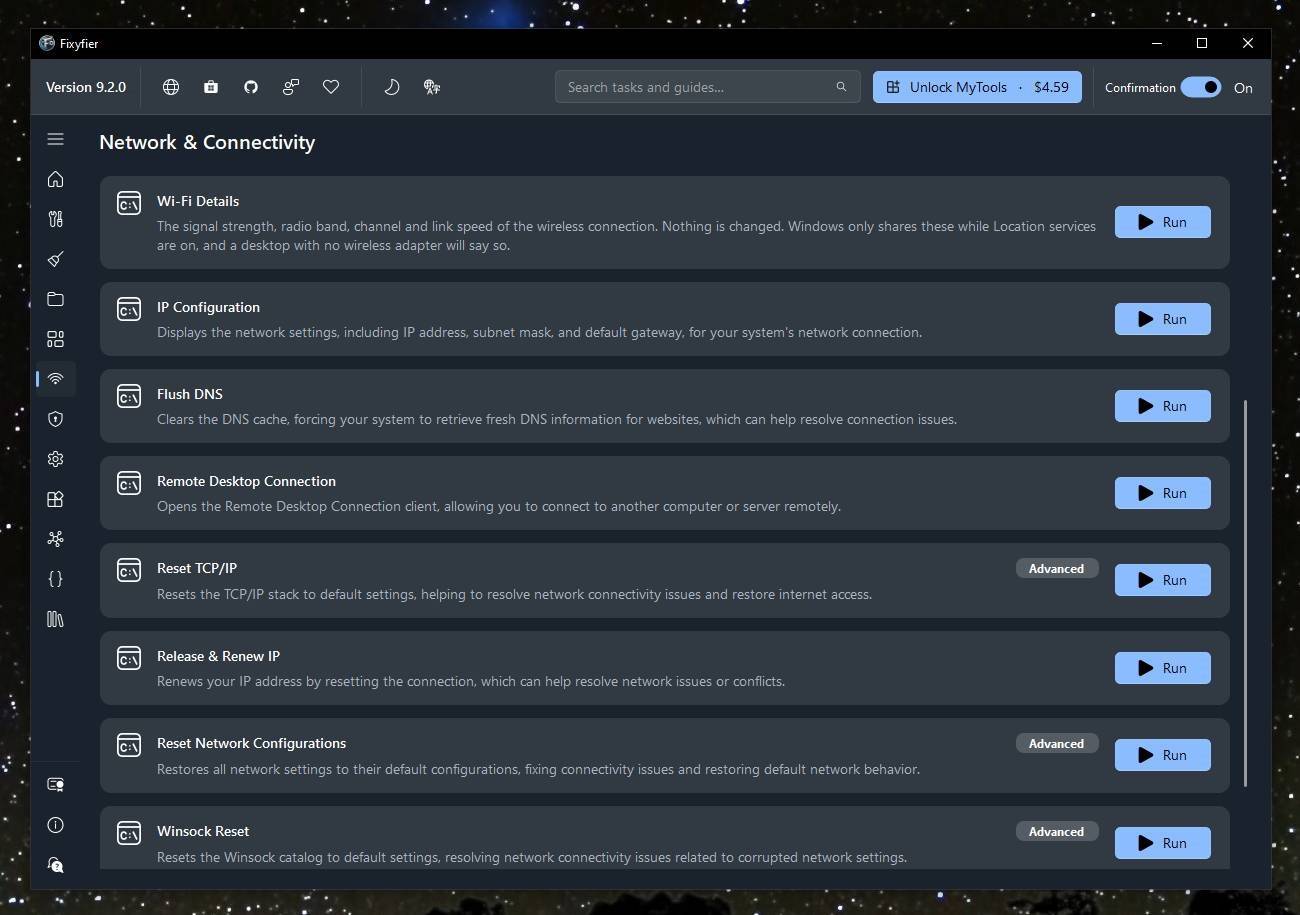 Click here to visit the author's website. Continue below for the main download link. |
||||||||
| Downloads | Views | Developer | Last Update | Version | Size | Type | Rank | |
| 3,423 | 12,683 | Aris Vardakas | Oct 14, 2026 - 12:45 | 9.4.3 | 794KB | EXE |  , out of 38 Votes. , out of 38 Votes. |
|
| File Tags | ||||||||
| Fixyfier Windows Windows Windows Performance Registry Privacy Tweaks Diagnostics Freeware | ||||||||
Click to Rate File Share it on Twitter → Tweet
|


