|

|
Processed through Paypal No account required. |








Buy our over-priced crap to help pay the bills.



|
|
Processed through Paypal No account required. |
| File - Download Greenshot v1.3.323 | ||||||||
| Description | ||||||||
|
Always scroll to the bottom of the page for the main download link. We don't believe in fake/misleading download buttons and tricks. The link is always in the same place. Greenshot v1.3.323 👉 A free, fast and flexible screenshot tool with built-in editing and sharing options. Greenshot is a free and open-source screenshot utility designed for quick and efficient screen capturing on Windows systems. It allows users to capture full screens, active windows, or selected regions with ease, and provides built-in editing tools to annotate, highlight, or obfuscate parts of the image. Greenshot integrates seamlessly with various destinations such as file saving, clipboard, printers, and third-party applications, making it ideal for productivity, documentation, and support workflows. 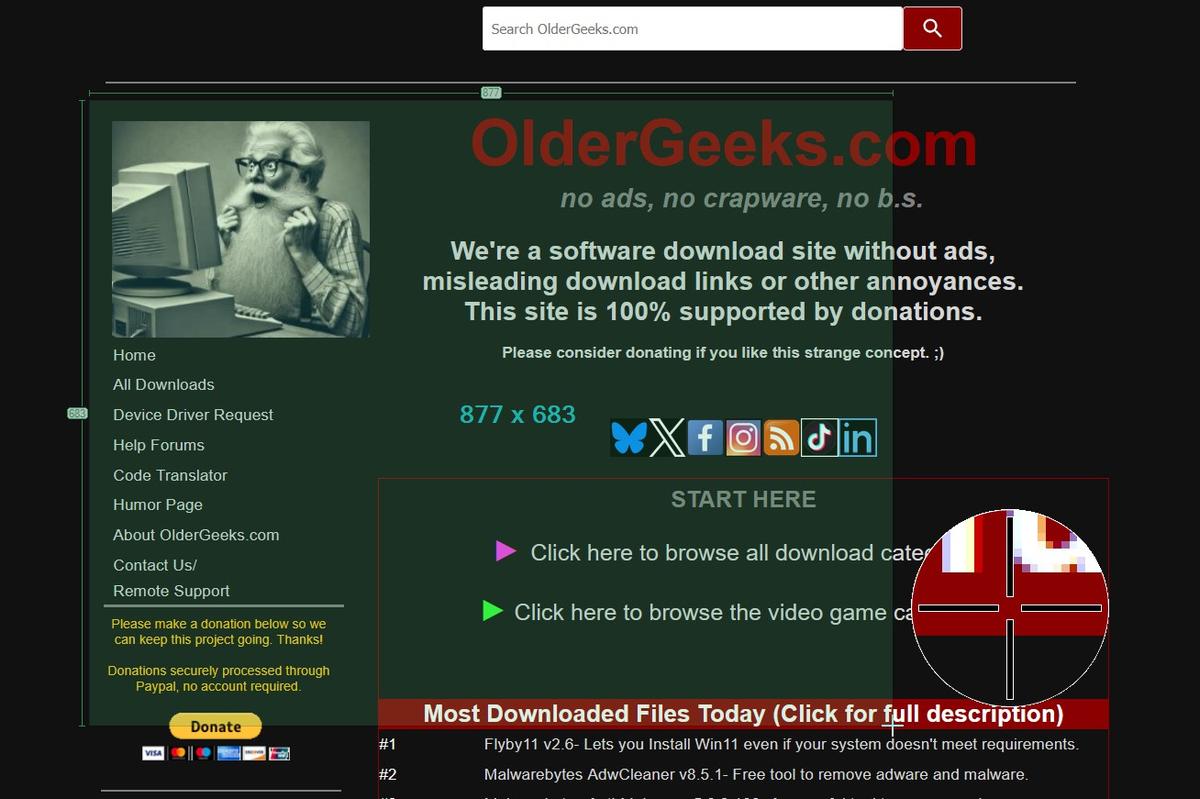 Features: • Capture full screen, active window, or user-defined region • Capture Internet Explorer content including scrolling pages • Built-in image editor with annotation tools • Add text, shapes, arrows, and highlights to screenshots • Obfuscate sensitive information with blur or pixelation • Save to file, copy to clipboard, print, or email directly • Upload to services like Imgur and integrate with Office apps • Customizable hotkeys for fast capture workflows • Plugin support for additional functionality • Efficient performance with minimal system impact • Multi-language user interface • Open-source and actively maintained Supported operating systems: Windows 8/10/11 (Windows 8 may ask to install .NET 3.5. You can skip this.) Supported languages: English, German, French, Spanish, Italian, Dutch, Portuguese, Russian, Chinese, Japanese, Korean, Czech, Polish, Hungarian, Turkish, Swedish, Finnish, Danish, Norwegian, Greek Changes: v1.3.323 10-08-26 What's Changed Security Fixed a security issue where TLS certificate validation was disabled process-wide, exposing OAuth tokens and plugin uploads (Imgur, Box, Dropbox, Flickr, Confluence, Jira) to man-in-the-middle attacks. Reported by @sondt99, @lihnucs, and @dungNHVhust; fixed in backport PR #1122. GHSA-q4w7-9m8v-53fm Fixed an out-of-bounds read that could cause denial of service when processing crafted CF_DIBV5 clipboard data. Reported by @hacker1984; fixed by @Lakritzator and @jklingen in commit 80ccbde9d. GHSA-4674-75g5-79mx Fixed server-side request forgery when opening crafted SVG files by preventing Svg.NET from resolving external resources and entities. Reported by @Zenquiem; fixed by @Lakritzator and @jklingen in commit 40de45d91. GHSA-mmr7-mfv6-wp78 Updated vulnerable build and runtime dependencies: Inno Setup 6.2.1 to 6.2.2 (CVE-2025-15595) and log4net 2.0.15 to 3.3.0 (CVE-2026-40021) — by @jklingen in PR #1455. Bug Fixes Fixed a crash when opening the editor (issue #925) — by @danrhodes in PR #1003 More graceful handling when saving to a locked/inaccessible file (issue #946) — by @danrhodes in PR #986 Fixed a crash when changing the icon size in preferences (issue #1007) — by @danrhodes in PR #1010 Fixed holding CTRL while resizing not working as expected (issue #1055) — by @danrhodes in PR #1087 Fixed an error when making a capture (issue #1021) — by @danrhodes in PR #1022 Fixed line thickness being able to go out of range (issue #1142) — by @danrhodes in PR #1151 Fixed a race condition in editor layout updates (issue #1169) — by @danrhodes in PR #1210 Fixed region capture crashes (issues #1153, #1019, #1031) — by @danrhodes in PR #1154 Fixed the tray icon disappearing permanently on RemoteApp/RAIL sessions (issue #1324) — by @Lakritzator (Robin Krom) in PR #1348 Fixed instabilities when changing the icon size, caused by disposing a shared font — by @Christian-Schulz in PR #981 Fixed file format saving inconsistencies — by @Christian-Schulz in PR #1024 Fixed multiple toast notification issues, including a cross-thread exception — by @overlord in PR #1147 Fixed processing of OneDrive hotkey settings (issue #1170) — by @Lakritzator (Robin Krom) New Features Added a configurable Border effect via a new setting in Greenshot.ini — by @weihongji in PR #730 (their first contribution to Greenshot!) Installer & Upgrades Improved the installer to remove additional leftover files/plugin directories from previous Greenshot versions — by @Lakritzator (Robin Krom) in PR #1092 Greenshot 1.3 can now close automatically when the Greenshot 1.4 installer upgrades it via the Windows Restart Manager — by @Christian-Schulz in PR #1109 Technical Details Backport scope: Most bug fixes in this release were originally developed and merged into the 1.4 development line first, then selectively backported to release/1.3 for stabilization; see the individual attributions above for each original author. Release scope: This is the 10th stable release of the 1.3 series. Versions 1.3.319, 1.3.320, and 1.3.321 were intermediate builds; their changes are rolled into this release. 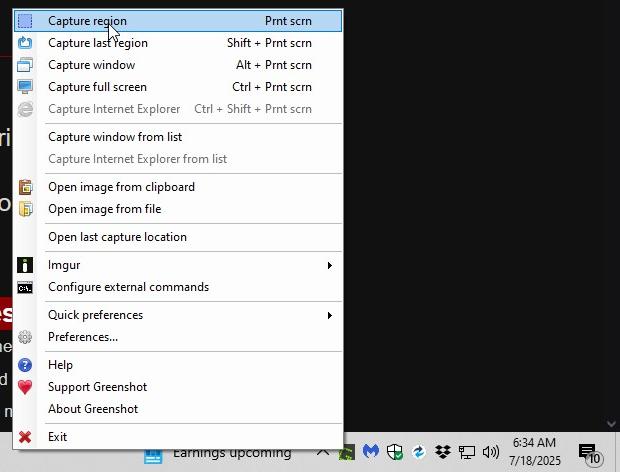 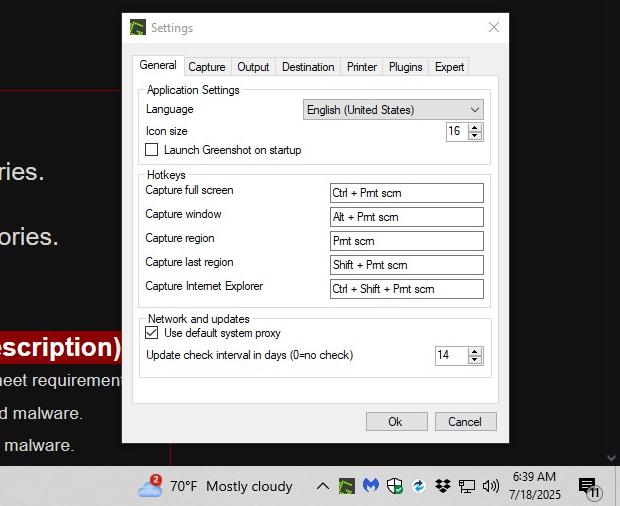 Note: This file has two hits on VirusTotal. We have confirmed these to be false positives. The file is safe. Click here to visit the author's website. Continue below for the main download link. |
||||||||
| Downloads | Views | Developer | Last Update | Version | Size | Type | Rank | |
| 10,251 | 18,434 | Greenshot Dev Team | Oct 09, 2026 - 12:48 | 1.3.323 | 3.8MB | EXE |  , out of 62 Votes. , out of 62 Votes. |
|
| File Tags | ||||||||
| screenshots Greenshot screen capture annotation editing highlighting pixelation obfuscation sharing export hotkeys freeware Windows | ||||||||
Click to Rate File Share it on Twitter → Tweet
|


