|

|
Processed through Paypal No account required. |








Buy our over-priced crap to help pay the bills.



|
|
Processed through Paypal No account required. |
| File - Download Audionaut v1.6.4 | ||||||||
| Description | ||||||||
|
A plea... Deanna and I have been running this site since 2008 and lately we're seeing a big increase in users (and cost) but a decline in percentage of users who donate. Our ad-free and junkware-free download site only works if everyone chips in to offset the revenue that ads on other sites bring in. Please donate at the bottom of the page. Every little bit helps. Thank you so much. Sincerely, your Older Geeks: Randy and Deanna Always scroll to the bottom of the page for the main download link. We don't believe in fake/misleading download buttons and tricks. The link is always in the same place. Audionaut v1.6.4 👉 A free, open-source audio editor for recording, cutting, arranging, and exporting multitrack audio. Audionaut is a free, open-source desktop audio editor and recorder for music, podcasts, and multitrack recordings. It combines a waveform timeline with reusable audio regions and individual track playlists, giving you several ways to build and rearrange a project. A region is a named section of source audio, while a clip places that region into your arrangement. You can create sections such as an introduction, verse, chorus, or ending, then reuse them wherever needed. Each track's playlist stays synchronized with its timeline, making it easier to rearrange sections without repeatedly cutting the original recording. Tracks can contain multiple audio channels. When you split a multichannel clip, its channels stay together in the resulting regions. This is useful when working with related microphone recordings or stems that need to remain aligned. Audionaut also includes audio analysis, automatic segmentation, pitch-preserving time stretching, and local stem separation. Its optional MCP integration allows compatible AI assistants to edit projects, while its command-line tools support scripted workflows. 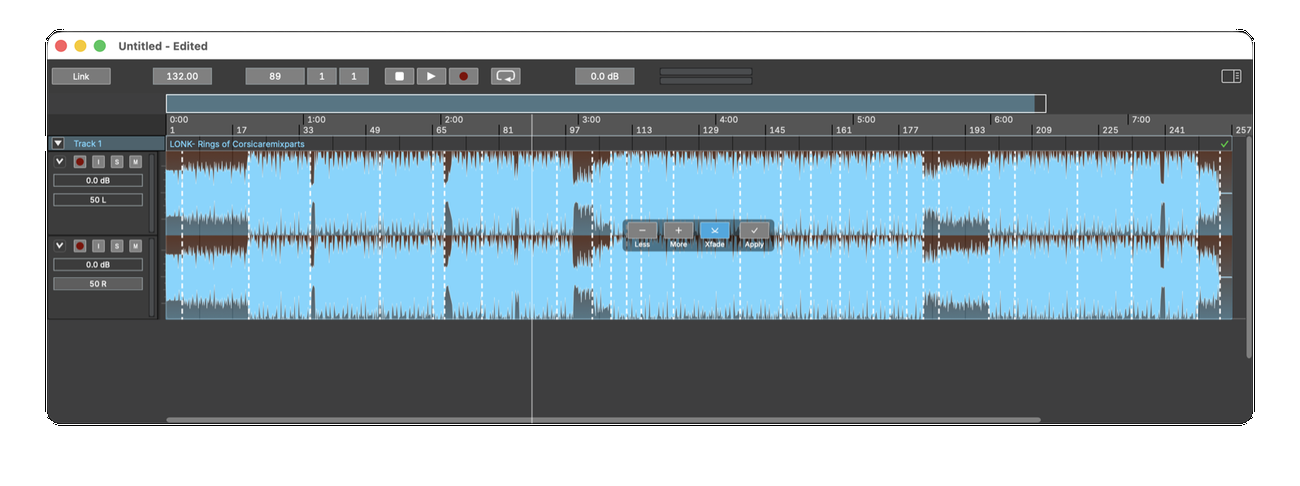 Features: • Multitrack arrangements: Layer recordings across multiple tracks, each with its own synchronized playlist. • Reusable regions: Name sections of audio and place them into the arrangement repeatedly without recreating each section. • Multichannel editing: Keep the channels of a recording together when cutting and rearranging clips. • Precise splitting: Cut at the playhead or split around a selected time range. • Drag-and-drop arranging: Move clips along the timeline, duplicate them, or drag saved regions into new positions. • Per-clip volume: Adjust the gain of individual channels within a clip. • Adjustable fades: Drag fade handles to create fade-ins, fade-outs, and crossfades with adjustable curves. • Pitch-preserving time stretching: Change a clip's duration while retaining its pitch, using the Rubber Band Library. • Re-pitch mode: Change playback speed and pitch together for a traditional tape-speed effect. • Audio analysis: Detect changes in audio character, note or event onsets, and beats using Essentia. • Analysis overlays: Display detected boundaries and beats over clips to inspect the results before editing. • Auto Edit segmentation: Preview automatically selected cut points and apply them with optional crossfades. • Automatic assembly: Build an arrangement from a track's regions in sequential or random order until a chosen duration is reached. • Local stem separation: Separate a clip into Drums, Bass, Other, and Vocals tracks using an on-device Demucs model. • Audio recording: Record onto armed channels, start recording during playback, and capture repeated takes with loop recording. • Input monitoring: Hear an armed channel's incoming signal through its assigned output. • Flexible routing: Assign individual channels to hardware inputs, hardware outputs, or the Main Bus. • Grid snapping and navigation: Align edits to musical positions, zoom into details, and keep the playhead visible during playback. • Undoable editing: Undo editing operations and recording takes. • Audio format support: Import and export WAV, AIFF, MP3, FLAC, and Ogg audio. • Flexible export layouts: Export mono, stereo, multichannel, or separate mono files for individual channels, subject to the selected format's limits. • Export controls: Choose the sample rate and applicable bit depth or compressed-audio bitrate. • Individual clip export: Export a selected clip with its own gain and fades applied. • Offline rendering: Render finished audio independently of the audio device. • Self-contained projects: Store projects in .audium packages with a human-readable JSON project file. • Optional AI integration: Let compatible MCP agents create, import, arrange, edit, analyze, and export projects. • Command-line automation: Work with projects through scripted commands and machine-readable JSON results. • Optional usage statistics: Anonymous usage reporting requires consent and can be changed in Settings → Privacy. Local stem separation: Stem separation downloads its model on first use, then processes your audio on your computer. The developer states that your audio does not leave the machine during this process. The resulting Drums, Bass, Other, and Vocals tracks can be edited and arranged within the project. Optional AI assistance: Audionaut supports the Model Context Protocol (MCP), allowing compatible assistants such as Claude to work with an open project. Setup requires Audionaut, Node.js 18 or newer, and the Audionaut MCP server. Live agent edits arrive as individual undo steps. See the official command-line and AI integration instructions for setup details. Getting started: Open Settings → Audio to select your playback device, recording inputs, sample rate, and buffer size. For recording, assign the desired inputs and arm the channels you want to capture. The Windows installer is not yet code-signed, so Windows SmartScreen may display a warning. The developer documents this behavior in the installation instructions. Read the official Audionaut user manual. Supported operating systems: • Windows 10/11 64-bit • macOS 13 Ventura or higher, Apple Silicon • Linux x86_64, Debian, Ubuntu and derivatives Supported languages: English Changes: v1.6.4 10-01-26 What's Changed Manual: diagram of how an agent edit reaches the app by @kvoltmer in #153 Add server.json for the official MCP registry by @kvoltmer in #156 Describe clip fade values as ramp edges, not lengths by @kvoltmer in #155 Publish the loop range to the audio thread as one value by @kvoltmer in #142 Let the engine talk to the user through a host-installed prompter by @kvoltmer in #143 Keep the saved project's audio when discarding changes; add Revert to Saved by @kvoltmer in #157 Remove duplicate trashRedundantFiles declaration (fixes develop build) by @kvoltmer in #158 Keep mute and solo with their tracks when the bus layout changes by @kvoltmer in #159 Let Backspace delete the selection wherever focus is by @kvoltmer in #160 Explain a failed live-render comparison by @kvoltmer in #161 Select a dragged region before the drop by @kvoltmer in #162 Export to FLAC by @kvoltmer in #163 Export to AIFF and Ogg Vorbis by @kvoltmer in #165 Keep a stale stop out of the next bounce by @kvoltmer in #164 Manual: offer the macOS disk image first by @kvoltmer in #167 Export to MP3 (LAME 4.0) by @kvoltmer in #166 Release 1.6.4 by @kvoltmer in #168 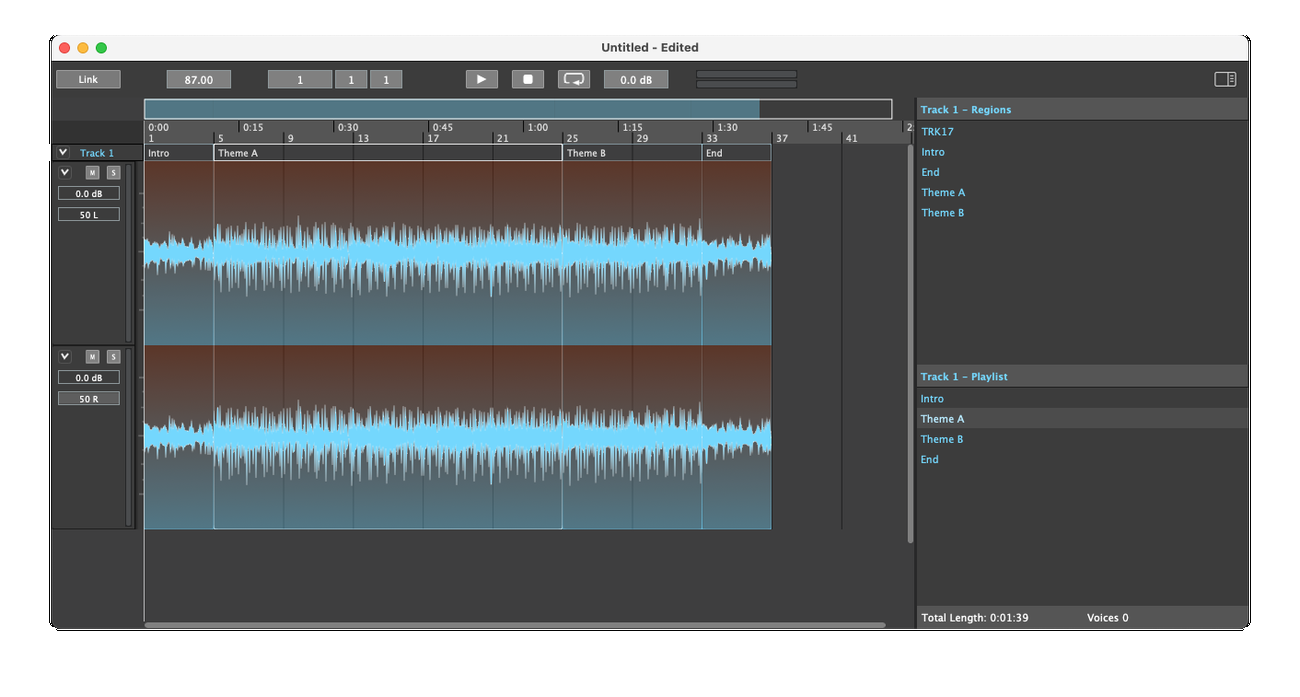 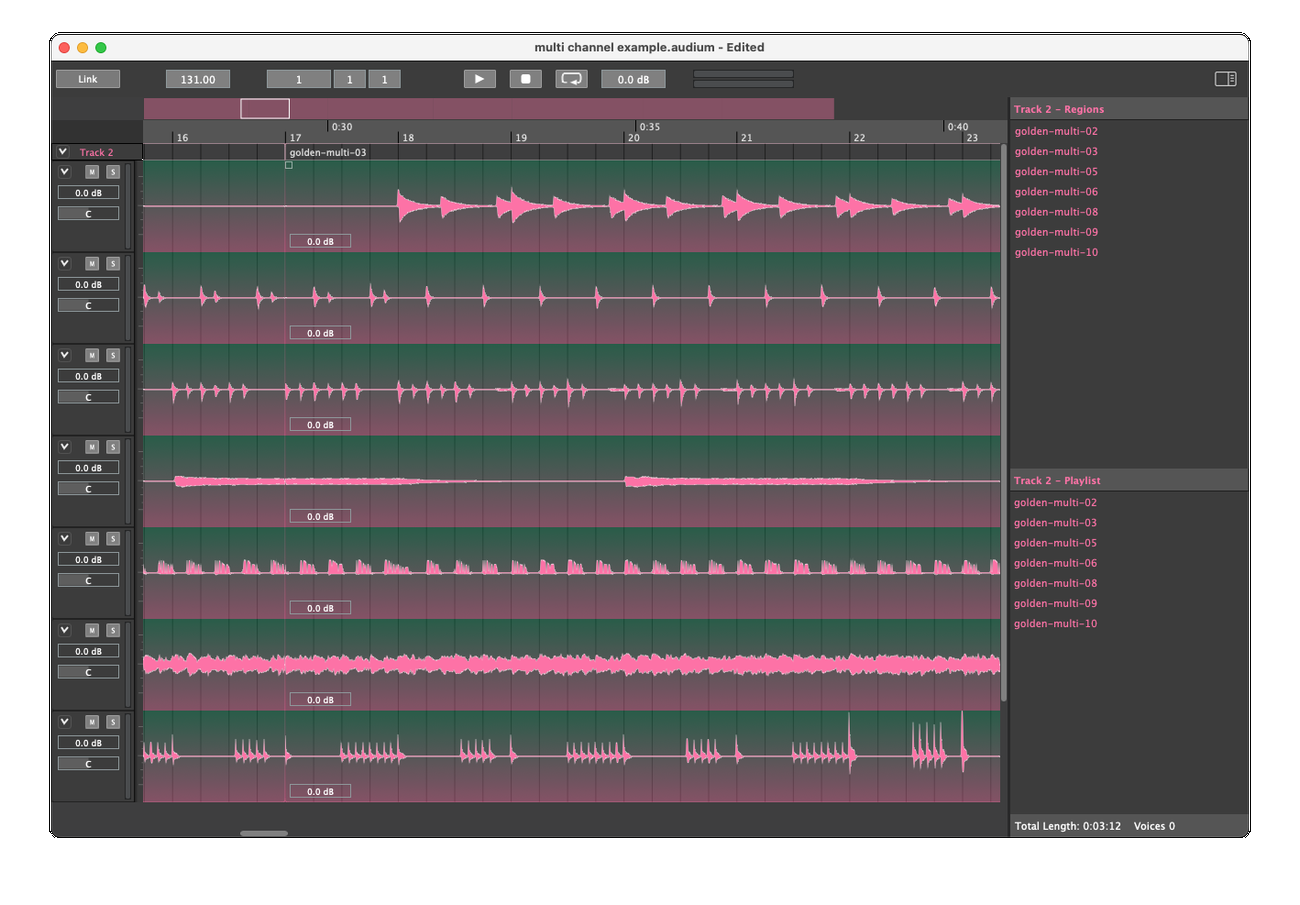 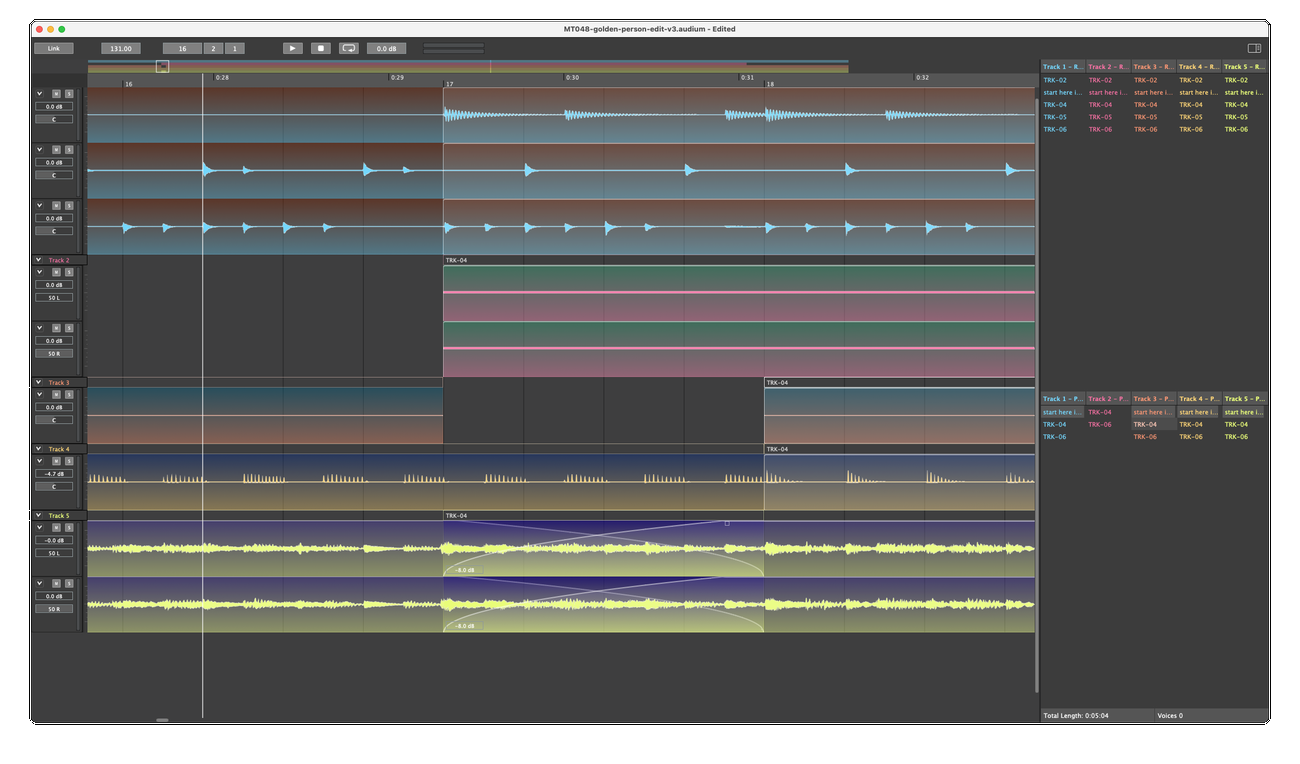 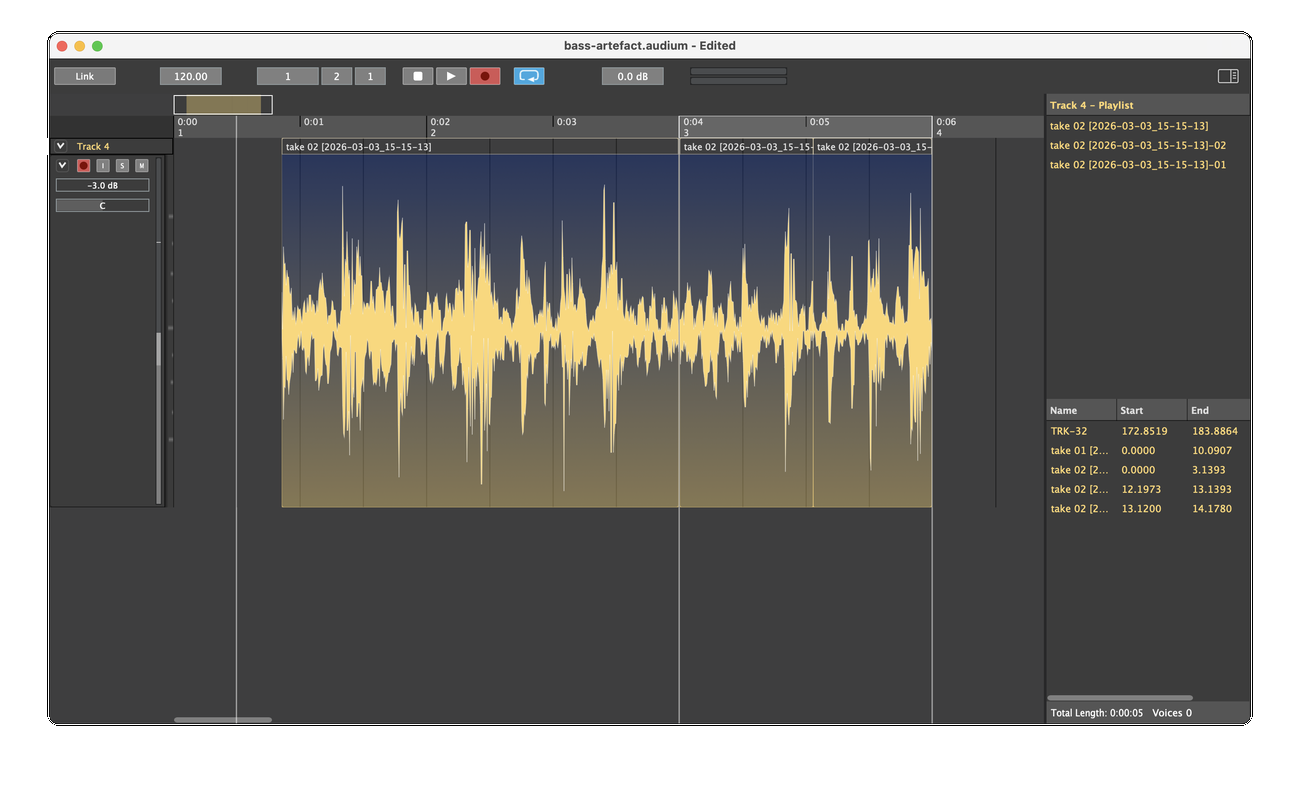 👉 This download is for the Windows 64bit version (very bottom of page). All other download assets are below: macOS: Audionaut-1.6.4-arm64.dmg Linux: audionaut_1.6.4_amd64.deb Audionaut-1.6.4-x86_64.AppImage Click here to visit the author's website. Continue below for the main download link. |
||||||||
| Downloads | Views | Developer | Last Update | Version | Size | Type | Rank | |
| 6 | 76 | Klaus Voltmer | Oct 09, 2026 - 12:11 | 1.6.4 | 16.19MB | EXE |  , out of 1 Votes. , out of 1 Votes. |
|
| File Tags | ||||||||
| Audionaut audio editor recording multitrack waveform playlists stems separation music podcasts crossfade stretching automation freeware | ||||||||
Click to Rate File Share it on Twitter → Tweet
|


