|

|
Processed through Paypal No account required. |








Buy our over-priced crap to help pay the bills.



|
|
Processed through Paypal No account required. |
| File - Download Game of Ur v0.4.2 | ||||||||
| Description | ||||||||
|
A plea... Deanna and I have been running this site since 2008 and lately we're seeing a big increase in users (and cost) but a decline in percentage of users who donate. Our ad-free and junkware-free download site only works if everyone chips in to offset the revenue that ads on other sites bring in. Please donate at the bottom of the page. Every little bit helps. Thank you so much. Sincerely, your Older Geeks: Randy and Deanna Always scroll to the bottom of the page for the main download link. We don't believe in fake/misleading download buttons and tricks. The link is always in the same place. Game of Ur v0.4.2 👉 Play a 3D adaptation of an ancient strategy board game against the computer or a friend. Game of Ur is a free, open source adaptation of an ancient two-player race game. Move your pieces along the board, capture opposing pieces, and race to bring your entire team safely off the other end. Play against a computer opponent or share the same computer with another player for local competition. Game of Ur combines stylized 3D graphics with music and sound effects. Its bird-shaped pieces, decorated board, and visible scoring counters give an ancient tabletop game a distinctive digital presentation. This adaptation follows a five-piece Babylonian variant described by British Museum Assyriologist Irving Finkel, with several adjustments documented by the developer. Each player controls a Swallow, Storm-bird, Raven, Rooster, and Eagle. Different launch requirements and a shared pool of counters add tactical decisions beyond simply rolling dice and moving forward. 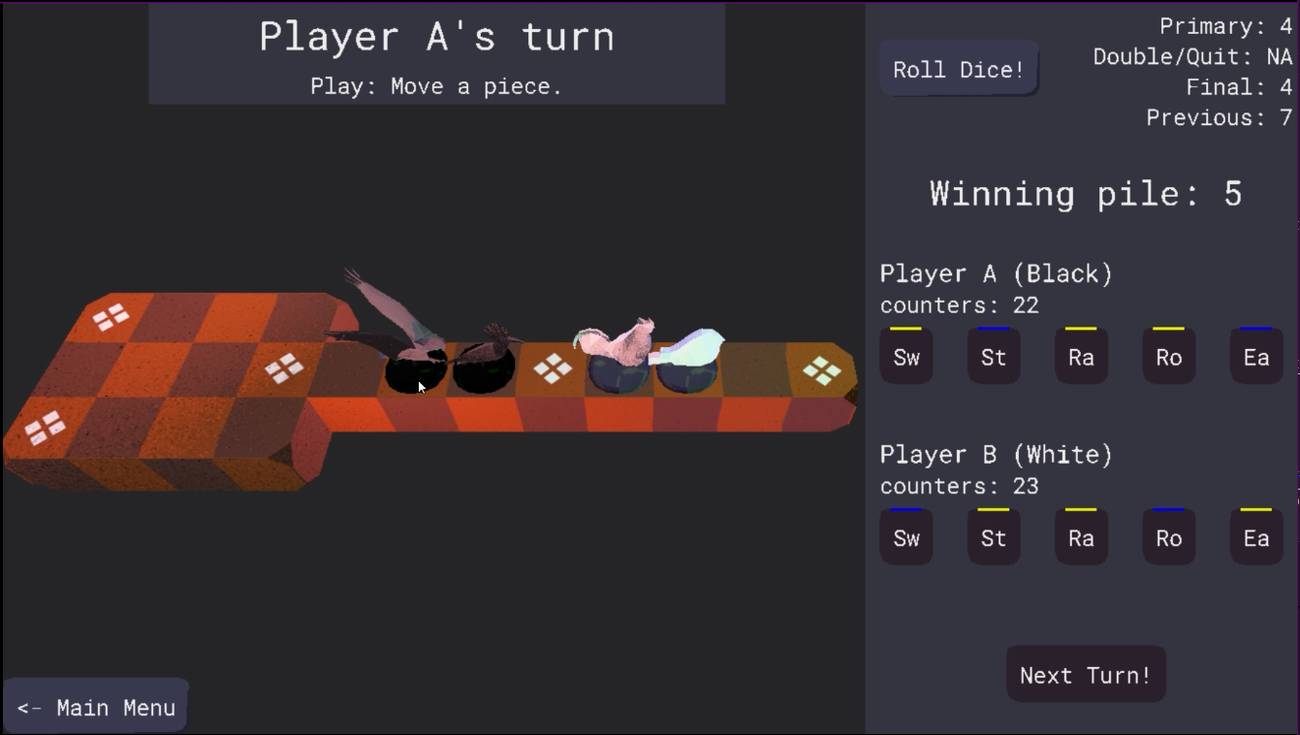 Features: • Single-player matches against a computer opponent. • Local two-player matches on the same computer. • Offline multiplayer. • Stylized 3D board and bird-shaped playing pieces. • Mouse-operated gameplay. • Five distinct pieces per player, each with its own launch requirement. • A choice between using the primary dice result and risking a second roll for a larger move. • Captures that send an opponent's piece back off the board. • Rosette spaces that protect occupying pieces and affect scoring. • A shared counter pool that rewards careful movement and goes to the winner. • An exact-roll requirement for bringing pieces off the board. • On-screen turn instructions, dice results, and counter totals. • A How to Play section with illustrated guidance. • Music and sound effects. • Windows and Linux releases. • Source code available under the MIT License. • Published game design and technical documentation. How to play: Choose your opponent. Select Local VS to play against another person at the same computer, or CPU VS to play against the computer. The How to Play option provides illustrated guidance. Understand the goal. Bring all five of your pieces along the prescribed route and off the board before your opponent. The winner also collects the counters remaining in the common pool. Roll and choose. The primary die produces a result from 1 through 4. You may use that result for a legal move or risk the second, yes-or-no die. A successful second roll converts 1 to 5, 2 to 6, 3 to 7, or 4 to 10. An unsuccessful second roll forfeits your turn. Launch your pieces. Each bird requires a particular result to enter play: Swallow 2, Storm-bird 5, Raven 6, Rooster 7, and Eagle 10. The Storm-bird, Raven, Rooster, and Eagle enter at their corresponding numbered houses. The developer's rules allow the Swallow to enter at a square immediately before any rosette. 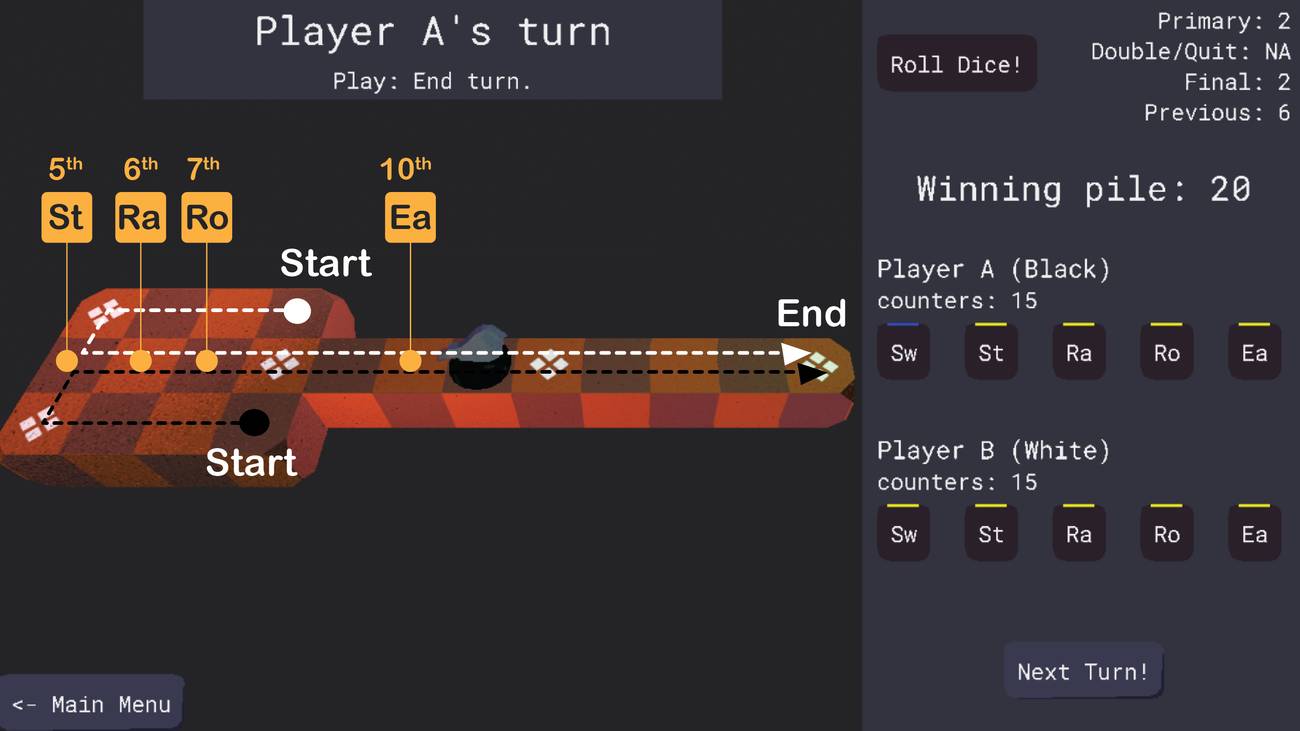 Move and capture. Once a piece is on the board, move it forward by the applicable dice result. Landing on an opponent's piece at an ordinary square captures it and sends it off the board to be launched again. You cannot land on your own piece, and an occupied rosette cannot be captured or shared. Watch the rosettes. Landing on a rosette collects counters from the common pool. Passing over a rosette and landing on an ordinary square requires a payment into that pool. The amount depends on the bird: three counters for the Swallow, four for the Storm-bird, Raven, or Rooster, and five for the Eagle. Finish with an exact roll. To remove a piece, roll the number of remaining spaces plus one. A finished piece stays out of play. Bring all five pieces home first to win. Learn this adaptation's rules. The developer documents several deliberate changes to Finkel's described variant, including allowing pieces to launch in any order and awarding the entire remaining common pool to the winner. Follow the game's instructions and documentation when playing this version. Read the official Game of Ur documentation and game design document. History of the original ancient game: The Royal Game of Ur is one of the world's oldest surviving board games. It was played in ancient Mesopotamia during the third millennium BC. Boards excavated from the Royal Cemetery at Ur date to approximately 2600–2400 BC, placing them more than 4,000 years before modern computer games. British archaeologist Sir Leonard Woolley rediscovered boards during excavations between 1922 and 1934. Their burial-site discovery gave the game its modern "Royal" name, although archaeological evidence shows that related games were enjoyed beyond royal circles. An ornate board from Ur 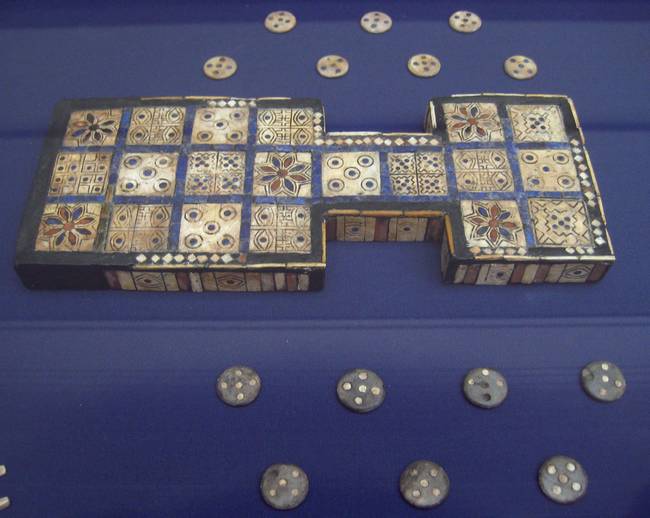 The board pictured above has twenty inlaid shell squares, including distinctive rosette designs. It belongs to the British Museum collection, museum number 1928,1009.378. Collection: British Museum, London. Photograph: BabelStone, via Wikimedia Commons. CC0 1.0. Image resized. A game scratched into stone 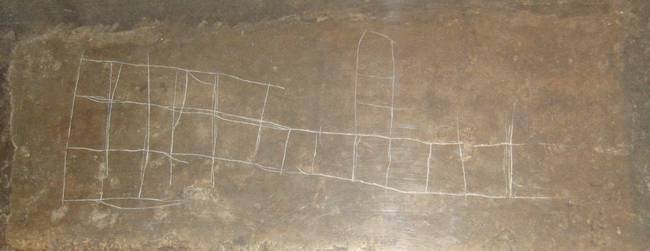 This scratched board comes from a colossal statue associated with the palace of Sargon II at Khorsabad, dating to the eighth century BC. It offers a striking contrast to the elaborate board above: players could mark out a game on an available surface rather than use a decorated box. Collection: British Museum, London. Photograph: Jack1956, via Wikimedia Commons. CC BY-SA 3.0. Image resized. An Egyptian game box 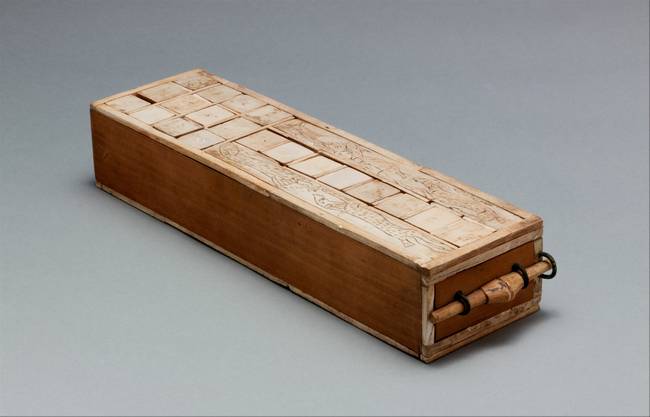 Related Twenty Squares games also reached Egypt. This box accommodated both Senet and Twenty Squares and dates to approximately 1635–1458 BC. Its materials include ivory, copper alloy, and modern restoration wood. Object and image: The Metropolitan Museum of Art, New York. Game Box for Playing Senet and Twenty Squares, accession number 16.10.475a. Rogers Fund, 1916. Image via Wikimedia Commons, CC0 1.0. Image resized. The surviving written rules 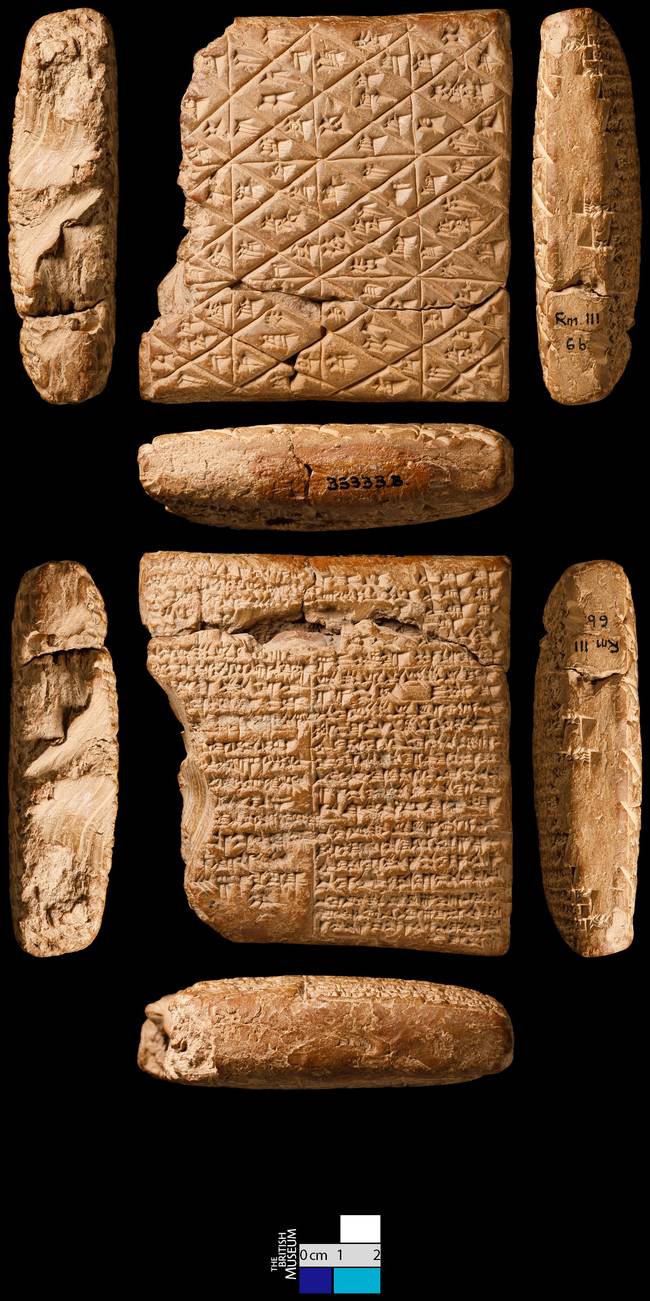 Surviving Babylonian cuneiform tablets helped Irving Finkel reconstruct how the game was played. The fragment pictured above is BM.33333.B. These written sources describe later play, so modern reconstructions should not be treated as a single, certain ruleset covering the game's entire history. Collection: British Museum, London. Image: Adventuremaster18, via Wikimedia Commons. CC BY-SA 4.0. Image resized. Read more about the history of the Royal Game of Ur. Installation: Windows: Extract the downloaded ZIP file into a folder of your choice. Open that folder and double-click game-of-ur.exe. Keep the extracted files together. Arch Linux: Install ToyMaker first, then build and install the game package. Download the Arch archives from the ToyMaker release and Game of Ur release. From the folder containing the downloads, extract ToyMaker with tar -xvf toymaker-0.5.6-x86_64-arch.tar.gz, enter its folder with cd toymaker-0.5.6-x86_64-arch, and run makepkg as your normal user. Install the resulting package with sudo pacman -U toymaker-0.5.6-1-x86_64.pkg.tar.zst.Return to the download folder with cd ... Extract the game with tar -xvf game-of-ur-0.4.2-x86_64-arch.tar.gz, enter its folder with cd game-of-ur-0.4.2-x86_64-arch, and run makepkg. Install it with sudo pacman -U game-of-ur-0.4.2-1-x86_64.pkg.tar.zst, then launch with game-of-ur.These builds require the normal Arch packaging tools and their build dependencies. See the developer's ToyMaker installation instructions for details. Debian Linux: The developer's Debian packages require dependencies available in Debian Sid/unstable. These instructions assume that those dependencies are available on your system. The developer recommends building from source when using a mainstream Debian release whose repositories do not provide them. Download libtoymaker-dev_0.5.6_amd64.deb from the ToyMaker release and game-of-ur_0.4.2-1_amd64.deb from the Game of Ur release. Open a terminal in the download folder. Install ToyMaker with sudo apt install ./libtoymaker-dev_0.5.6_amd64.deb, then install the game with sudo apt install ./game-of-ur_0.4.2-1_amd64.deb. Launch with game-of-ur.See the developer's instructions for building from source. Supported operating systems: • Windows 64-bit, specific Windows versions: Not Found • Arch Linux 64-bit, Debian Sid/unstable 64-bit Supported languages: English Changes: v0.4.2 10-04-26 What's Changed • Feat/Arch Packages by @raynmetal in https://github.com/raynmetal/game-of-ur/pull/32 • Debian Packaging Support by @raynmetal in https://github.com/raynmetal/game-of-ur/pull/33 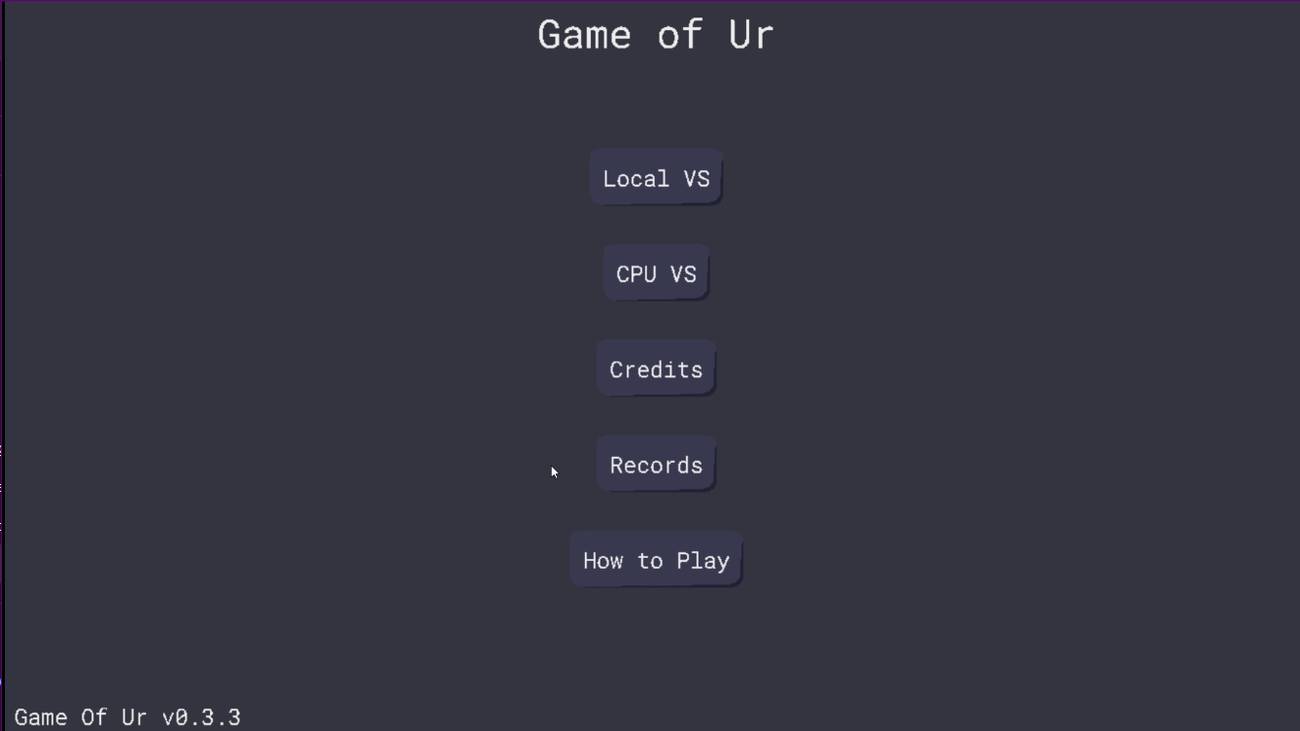 👉 This download is for the Windows 64bit version (very bottom of page). All other download assets are below: Linux: game-of-ur_0.4.2-2_amd64.deb game-of-ur-0.4.2-x86_64-arch.tar.gz Click here to visit the author's website. Continue below for the main download link. |
||||||||
| Downloads | Views | Developer | Last Update | Version | Size | Type | Rank | |
| 4 | 95 | Zoheb Shujauddin | Oct 07, 2026 - 11:21 | 0.4.2 | 22.66MB | ZIP |  , out of 1 Votes. , out of 1 Votes. |
|
| File Tags | ||||||||
| Game of Ur board strategy dice ancient Babylonian birds tabletop local multiplayer Linux Windows freeware | ||||||||
Click to Rate File Share it on Twitter → Tweet
|


