|

|
Processed through Paypal No account required. |








Buy our over-priced crap to help pay the bills.



|
|
Processed through Paypal No account required. |
| File - Download GenOffice v0.11.0 | ||||||||
| Description | ||||||||
|
A plea... Deanna and I have been running this site since 2008 and lately we're seeing a big increase in users (and cost) but a decline in percentage of users who donate. Our ad-free and junkware-free download site only works if everyone chips in to offset the revenue that ads on other sites bring in. Please donate at the bottom of the page. Every little bit helps. Thank you so much. Sincerely, your Older Geeks: Randy and Deanna Always scroll to the bottom of the page for the main download link. We don't believe in fake/misleading download buttons and tricks. The link is always in the same place. GenOffice v0.11.0 👉 A free, open-source office suite with six editors and optional AI assistance. GenOffice brings document writing, spreadsheets, presentations, PDF editing, HTML and Markdown together in one desktop workspace. It opens and saves native Microsoft Office files, including .docx, .xlsx and .pptx, and lets you work with your files locally. The suite includes Docs for word processing, Sheets for spreadsheets, Slides for presentations, PDF for editing and conversion, HTML for pages and reports, and Markdown for formatted notes. Its file engines preserve untouched portions of Office files rather than rebuilding everything each time you save. An optional AI assistant can work directly with your document. Ask it to rewrite a passage, build spreadsheet formulas, create a presentation or explain information in a file. Changes can be reviewed through snapshots, differences and rollback controls, with tracked revisions available in Docs. The office applications are free, with no ads or watermarks. AI features (optional) use Genspark credits or your own API provider, whose usage charges may apply. Opening, editing, saving and PDF-to-Office conversion run locally. Complex formatting can vary, so review important documents before sharing them. 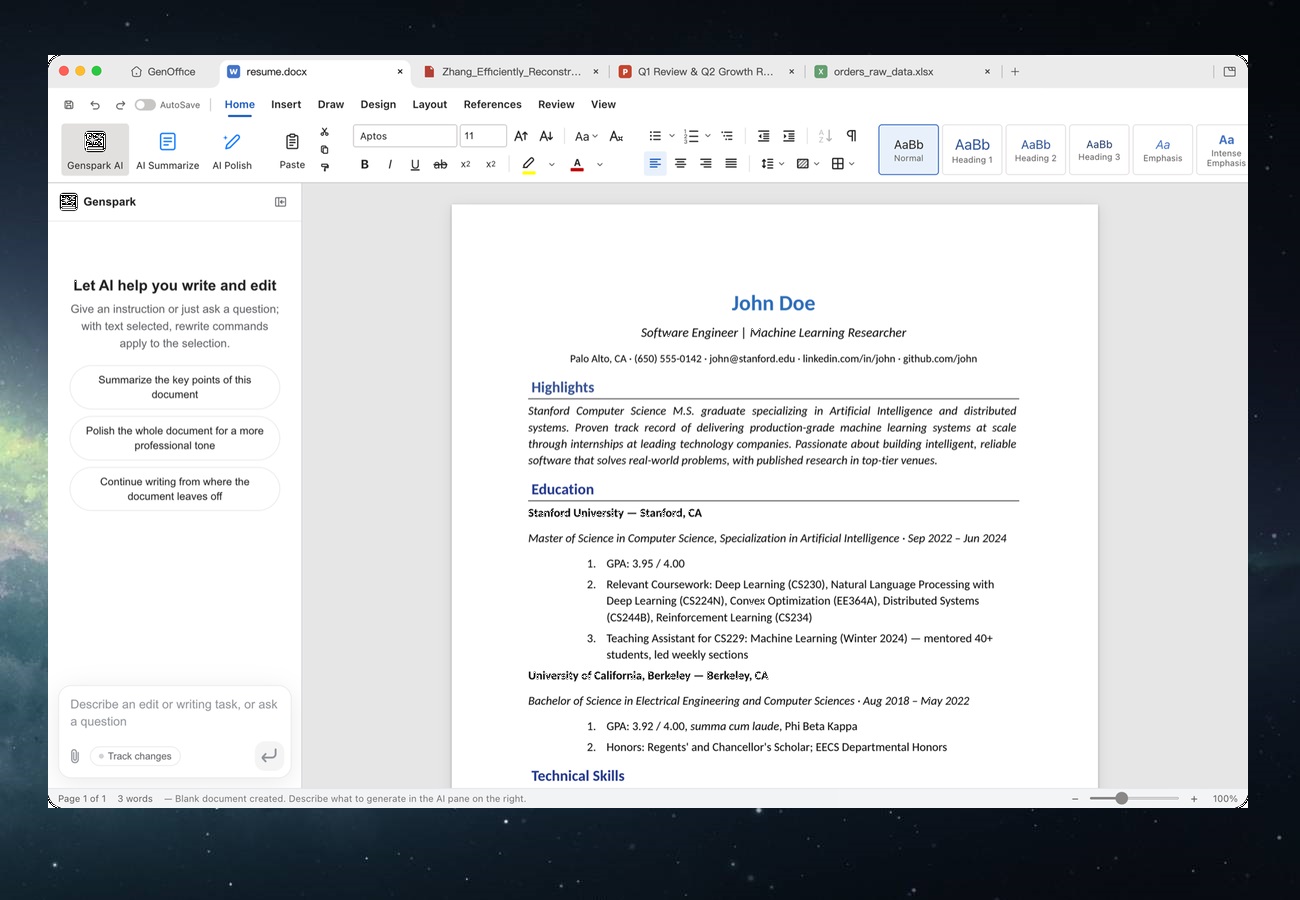 Features: • Six editors in one workspace: Docs, Sheets, Slides, PDF, HTML and Markdown. • Native Office formats: Open and save .docx documents, .xlsx workbooks and .pptx presentations. • Document editing: Work with styles, tables, images, headers, footers, comments and tracked changes. • Spreadsheet tools: Use live formulas, charts, pivot tables, slicers, conditional formatting and formula tracing. • Presentation editing: Work with slide masters, layouts, smart guides and image cropping. • PDF editing: Edit text and images directly within pages, and work with annotations and forms. • Local PDF conversion: Convert PDF files into editable Word, Excel or PowerPoint files without AI credits. • Scanned document support: Use system OCR for scanned PDF pages on macOS and Windows. • Markdown editing: Work with headings, lists, tables, images, code blocks and Mermaid diagrams while saving plain .md files. • HTML workspace: Edit pages visually or through the source view, and export to PDF or Word. • Local document search: Search filenames, folders and extracted text across supported document types. • Optional AI editing: Request changes directly in your file and review the results. • Flexible AI connections: Use Genspark, supported model providers or a custom OpenAI-compatible endpoint. • Automation support: Includes a command-line interface, coding-agent integrations and an MCP server. • Appearance options: Choose light, dark or system themes. • Open-source software: Released under the Apache 2.0 license. Enabling AI (optional): Use a Genspark account: Sign in with Genspark to use its AI connection without entering separate model-provider keys. This provides access to Claude, GPT and Gemini model families, along with web and image search, image generation and media analysis. AI usage uses Genspark credits. Use your own API key (optional): Open Settings → AI, choose your provider and enter its API key. Supported choices include Claude, OpenAI, Gemini, DeepSeek, Kimi, GLM, Qwen, Doubao, MiniMax, Grok, Mistral, OpenRouter, Requesty, Opper and OpenCode Zen/Go. Your provider’s usage charges may apply. Connect a custom or local model (optional): Use the custom OpenAI-compatible provider option in Settings → AI. Supply the endpoint’s base URL and key as required by that service. This option also supports compatible local model servers. Configure search and media (optional): Open Settings → AI Media & Search to configure providers for web search, image generation and media analysis. These capabilities have their own provider settings when using your own connections. Start using the assistant (optional): Open a supported file and enter your request in its AI panel. You can also select text and use Ask AI to request an edit to that passage. Review the resulting changes before saving or sharing your document. Optional AI search ranking (optional): Under Settings → AI Media & Search → Local file search, enable Jev search reranking and choose OpenRouter or TypeSafe. Enter the key and use Test connection. This feature is off by default; enabling it sends excerpts from the top 20 local search results to the selected service for relevance scoring. Privacy: Online AI (optional) sends requests to the service you configure. Ordinary editing and conversion remain local. Official builds also send limited usage statistics by default, which you can disable under Settings → General. Supported operating systems: • Windows 10, Windows 11, Intel/AMD x64 • Windows 11 on ARM64 • macOS 11 Big Sur or higher, Apple Silicon, Intel • Linux Debian, Ubuntu 22.04 or higher, Fedora 35 or higher, RHEL 9 or higher, openSUSE Leap 15.6 or higher, compatible x86_64 distributions with glibc 2.34 or higher • Linux AppImage requires FUSE 2 Supported languages: English, Arabic, Chinese Simplified, Chinese Traditional, Czech, Dutch, French, German, Hebrew, Hindi, Indonesian, Italian, Japanese, Korean, Malay, Polish, Portuguese Brazilian, Russian, Spanish, Thai, Vietnamese Changes: v0.11.0 09-28-26 What's New • Docs: large multi-section documents open without pinning a CPU core, and a resource watchdog offers to close a runaway document; table column widths preview live while dragging a border (reported by @FrI3nd7); the on-page header/footer chip bar is gone. • Sheets: Excel key chords for number formats, borders, Insert/Delete Cells (Ctrl+Shift++ / Ctrl+-) and Format Painter lock; an Excel-style status bar with pickable statistics, view buttons and a Zoom dialog; a new spreadsheet gets its file at first save instead of in the default folder (@tokg-venv, reported by @StrollStars). • Slides: create --type pptx renders previews and audits the deck, and deck shapes support flipH/flipV (@x1a0Y4NGren); cancelled deck runs no longer report their page step as done. • Markdown & HTML: escaped currency stays out of the math tokenizer; pdf2docx no longer splits words after wide glyphs (@leoresendedop-sys). • AI: Serply as a web and image search provider (@googio); OpenAI content arrays and failed media responses are handled correctly. • CLI & MCP: MCP file names keep non-ASCII letters; a finished headless export survives a crash on quit; 0-byte docx/xlsx/pptx open as blank documents. • App: drag a tab off the strip into its own window and back to dock (requested by @zyp997); Vietnamese UI (@taquanglocit-tech); a setting to open new documents with the AI panel collapsed; the RPM no longer conflicts with Motrix over /usr/lib/.build-id (@tokg-venv, reported by @weltgo). 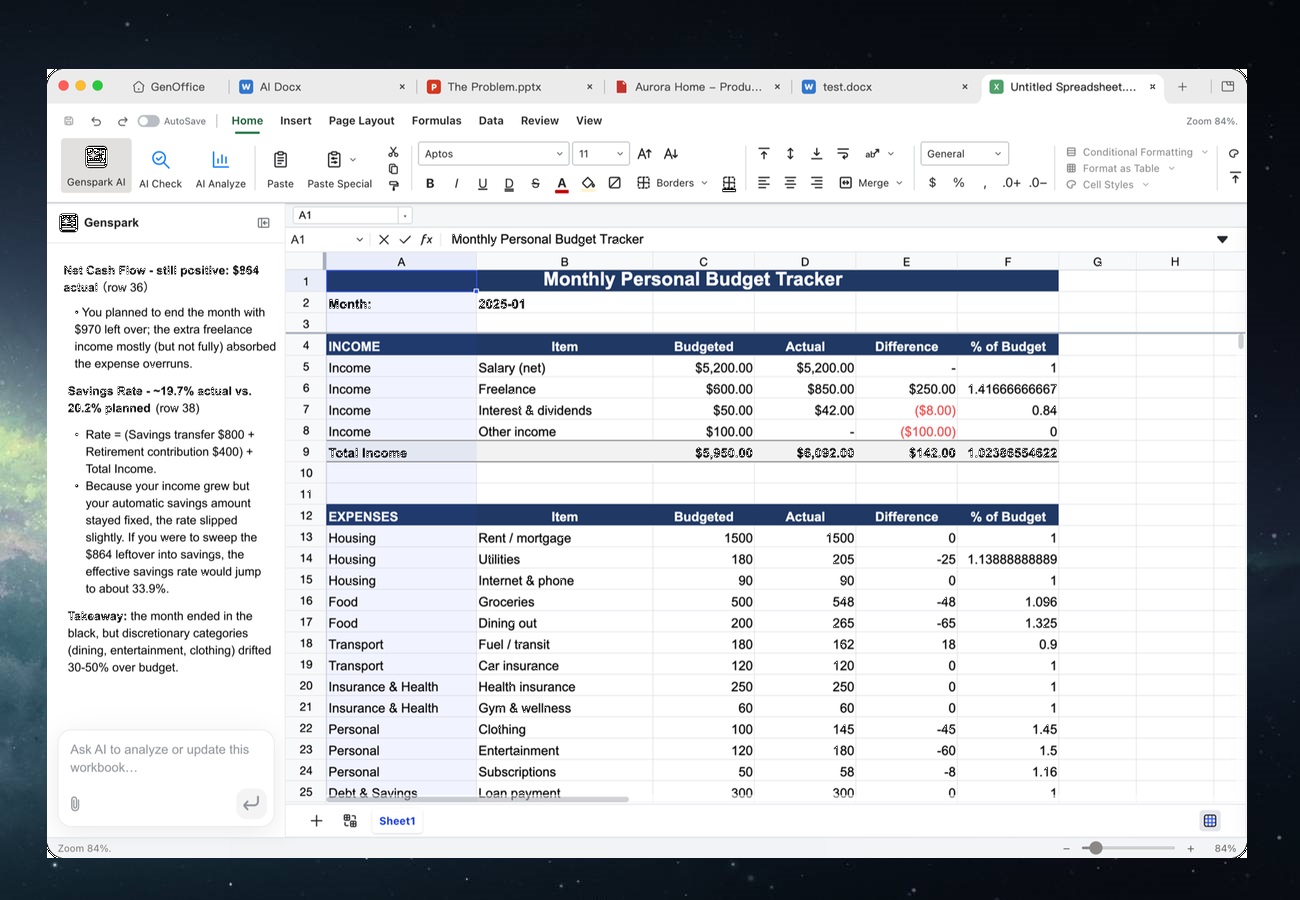 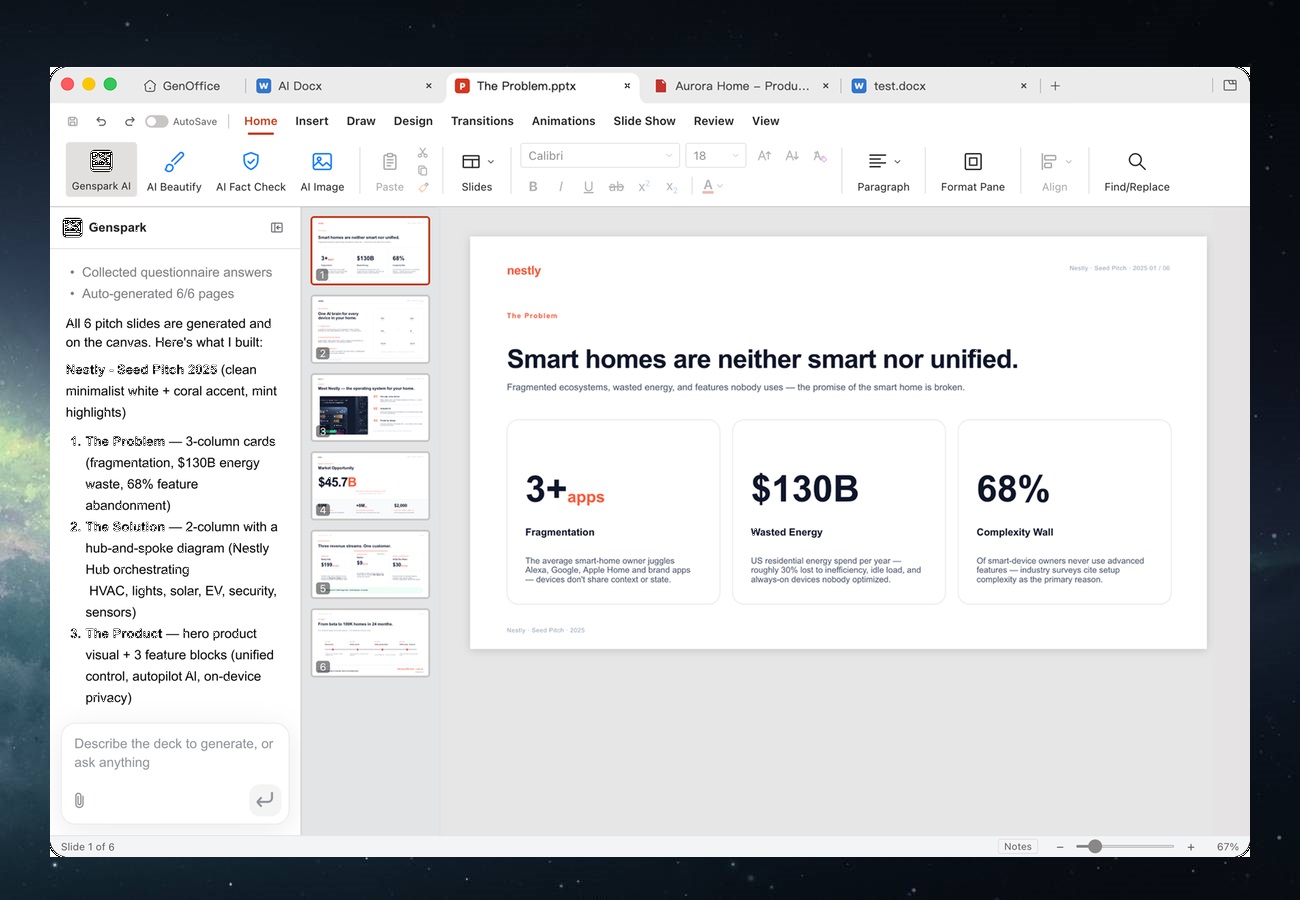 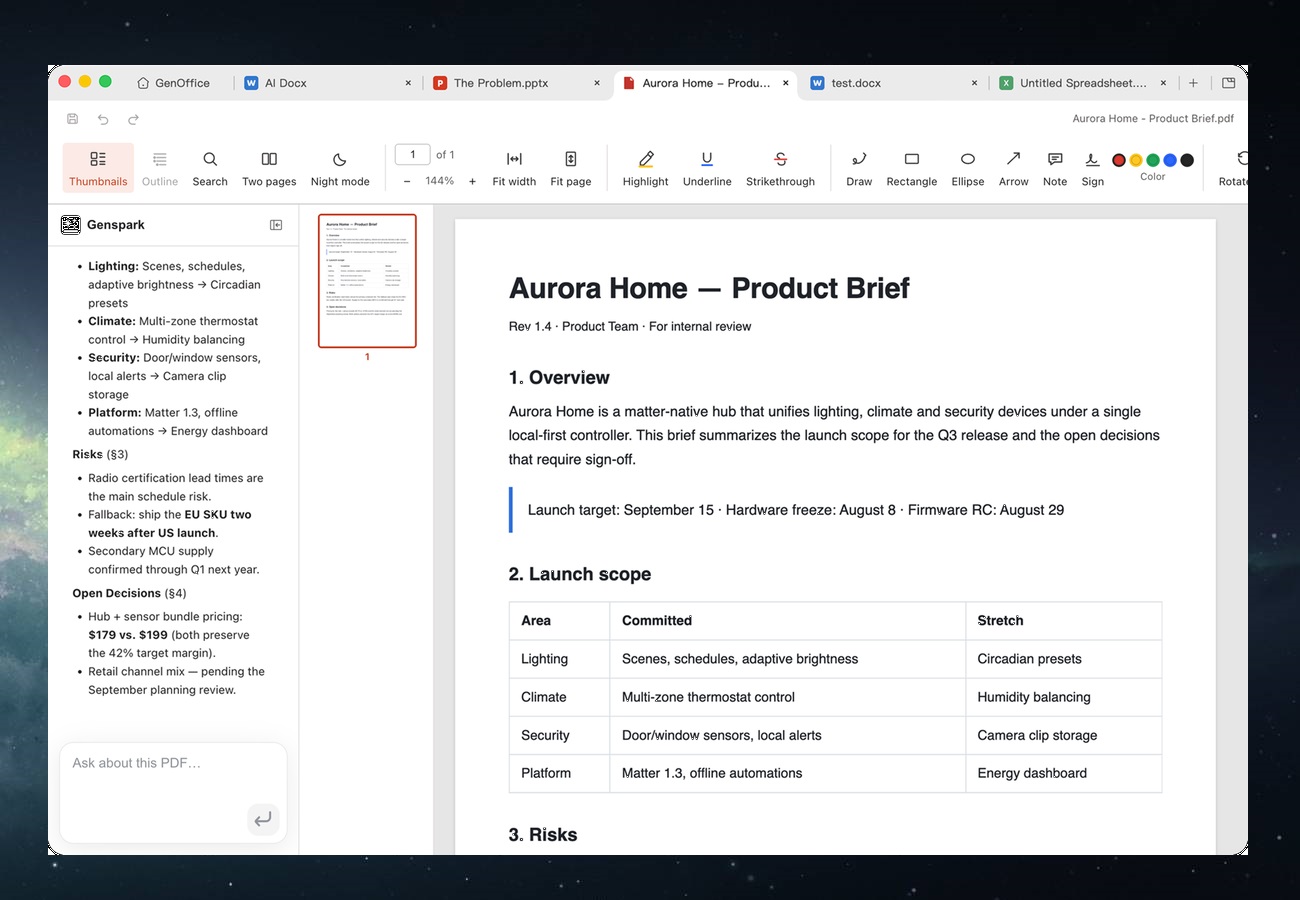 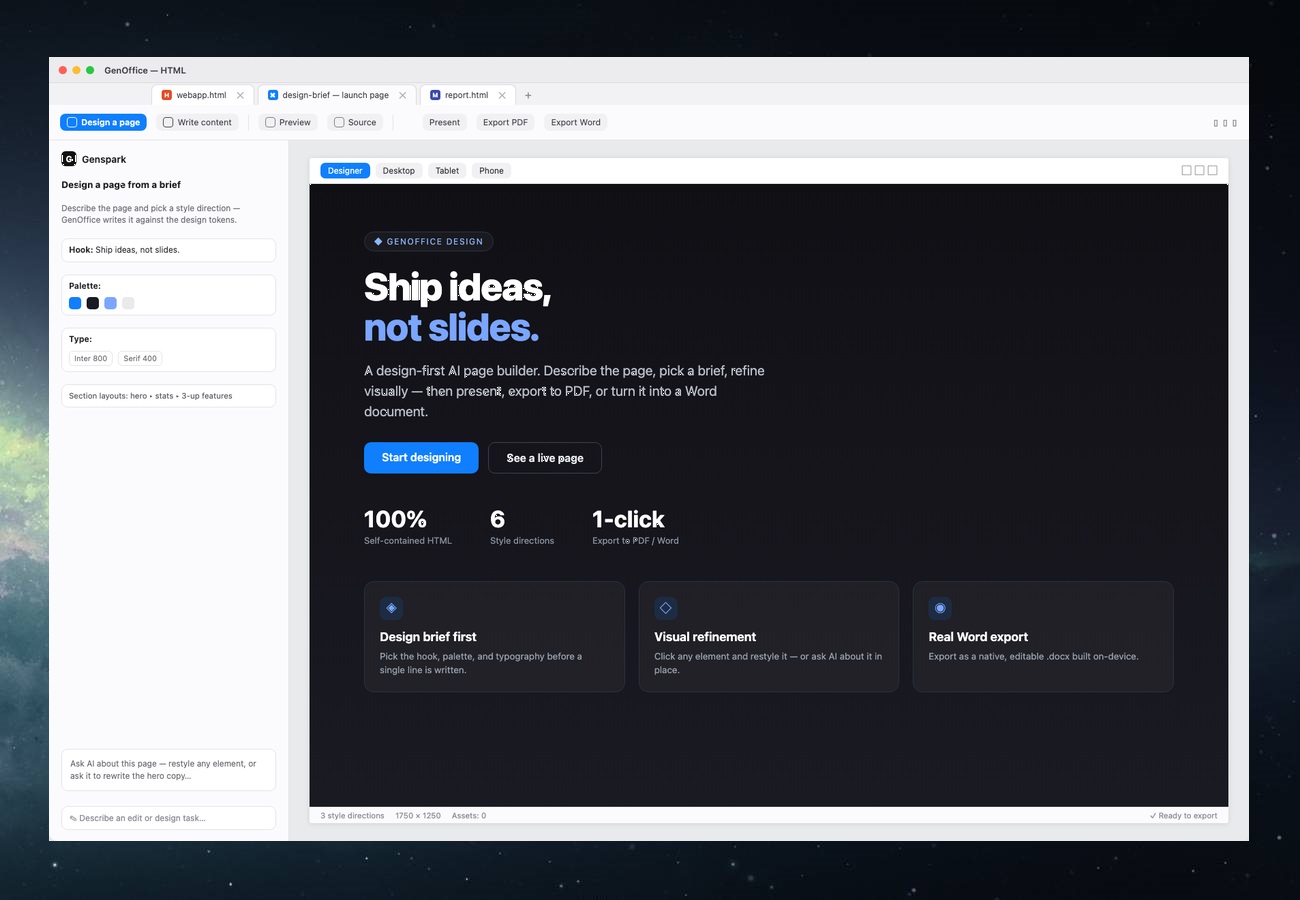 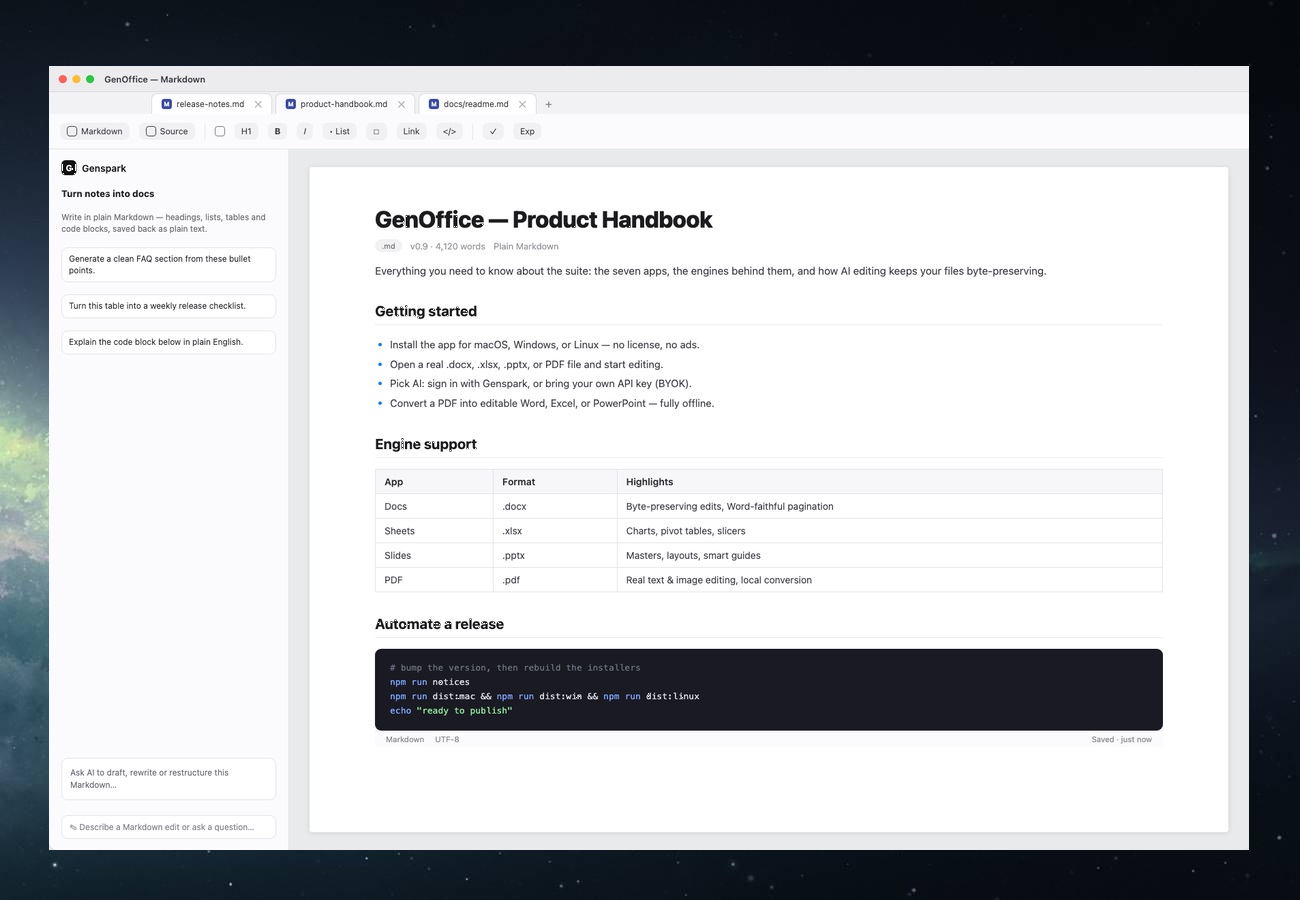 👉 This download is for the Windows 64bit version (very bottom of page). All other download assets are below: Other Windows: GenOfficeSetup-v0.11.0-arm64.exe macOS: GenOffice-0.11.0-arm64.dmg GenOffice-0.11.0.dmg Linux: genoffice_0.11.0_amd64.deb genoffice-0.11.0.x86_64.rpm GenOffice-0.11.0.AppImage Click here to visit the author's website. Continue below for the main download link. |
||||||||
| Downloads | Views | Developer | Last Update | Version | Size | Type | Rank | |
| 12 | 54 | Genspark | Oct 01, 2026 - 15:33 | 0.11.0 | 141.2MB | EXE |  , out of 1 Votes. , out of 1 Votes. |
|
| File Tags | ||||||||
| GenOffice office suite documents spreadsheets presentations PDF Markdown HTML editor AI productivity conversion freeware opensource | ||||||||
Click to Rate File Share it on Twitter → Tweet
|


