|

|
Processed through Paypal No account required. |








Buy our over-priced crap to help pay the bills.



|
|
Processed through Paypal No account required. |
| Files | ||||
| File Name | Rating | Downloads | ||
 |
AAA v5.4.7 AAA v5.4.7 👉 A quick and powerful Windows tool for managing text notes, clipboard history, alarms and more. AAA is a free text note management utility by Mario "OiPaz" Corsolini that combines everyday note taking with a collection of useful text, clipboard and productivity tools. It stays conveniently accessible from the Windows Notification Area and can be quickly shown or hidden when needed. In addition to keeping and organizing text notes, AAA can maintain a history of the Windows Clipboard, provide multiple clipboards, calculate text and numerical statistics, set alarms, sort and format text, and launch applications. AAA requires Microsoft .NET Framework 4.8 and has been compiled for both 32-bit and 64-bit Windows systems. Features: • Create, keep and manage text notes • Quickly show or hide AAA from its Windows Notification Area icon • Use a customizable global keyboard shortcut to show or hide the program • Maintain a history of text copied to the Windows Clipboard • Multi-clipboard support for keeping multiple pieces of copied text • Automatically replace specified portions of text in the Windows Clipboard • Calculate statistics for text and Clipboard contents • Analyze numerical data and calculate statistics • Create and manage alarms with customizable messages • Sort text • Align and format text • Start individual applications or groups of applications • Add configurable delays when starting groups of applications • Reload its data file when the file has been modified externally • Save and restore the program's screen position • Single-instance operation • Automatic update checking • Requires Microsoft .NET Framework 4.8 Supported operating systems: • Windows 7 SP1, Windows 8.1, Windows 10, Windows 11 • 32-bit and 64-bit systems • Microsoft .NET Framework 4.8 required The operating-system range above is based on Microsoft's official compatibility requirements for the required .NET Framework 4.8. Windows 7 and Windows 8.1 are no longer supported by Microsoft. Supported languages: English, Esperanto, Italian Changes: v5.4.7 01-05-24 Fixed a bug where, if the saved position of ... |
 |
2,314 | Aug 31, 2026 Mario Corsolini 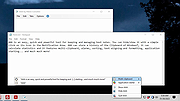 |
|
Aegisub v3.4.2 Aegisub v3.4.2 👉 Advanced cross-platform subtitle creation, timing, and editing software. Aegisub is a free, open-source subtitle editor designed for creating, modifying, timing, and styling subtitles for video content. It provides powerful tools for subtitle synchronization, visual typesetting, karaoke effects, and subtitle formatting while offering a built-in real-time video preview. Aegisub is widely used by subtitle creators, translators, fansub groups, and video editors who need precise control over subtitle appearance and timing. The program supports Advanced SubStation Alpha (ASS) subtitles and can import and export multiple subtitle formats. Its audio waveform display, timing tools, automation scripting support, and advanced styling features make it suitable for both beginners and professional subtitle authors. Features: • Create and edit subtitle files with precise timing controls • Advanced SubStation Alpha (ASS) subtitle support • Built-in real-time video preview window • Audio waveform and spectrogram displays for accurate synchronization • Powerful subtitle styling and typesetting tools • Karaoke timing and visual effects creation • Visual positioning and subtitle placement tools • Multiple subtitle format import and export support • Automation support through Lua and MoonScript scripting • Spell checking and text editing tools • Frame-by-frame subtitle adjustment capabilities • Video, audio, and subtitle synchronization tools • Cross-platform open-source design • Unicode and multilingual subtitle support Supported operating systems: • Windows 10/11 • macOS 10.15 and newer • Linux (Most major distributions via package manager.) Supported languages: English, Czech, German, Spanish, Finnish, French, Hungarian, Italian, Japanese, Catalan, Brazilian Portuguese, Traditional Chinese, Simplified Chinese, Russian, Bulgarian, Serbian, Greek, Turkish Changes: v3.4.2 01-12-25 Internationalization Fix more locale-dependent path issues Discard MRU entries with invalid encodings instead of crashing Linux Work around wxGTK crash when clicking “Show Original” Round instead of truncating in float audio converter to pass 32-bit tests Stuff Fix error “ERROR in finalizer: wrong number of arguments for function ... |
|
659 | May 31, 2026 Rodrigo Braz Monteiro & contributers 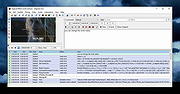 |
 |
Audacity v4.0.1 Audacity v4.0.1 👉 Free, open-source, multi-track audio editor and recorder for recording, editing, mixing and producing audio. Audacity is a powerful, free and open-source audio editor and recorder for Windows, macOS and Linux. It can handle everything from quick voice recordings and simple edits to multi-track music production, podcast creation, audio restoration and more involved sound projects. Audacity provides a visual waveform-based editing environment where audio can be recorded, cut, copied, moved, trimmed and arranged across multiple tracks. Music, speech, sound effects and other recordings can be combined into a single project, with precise control over individual clips and their placement on the timeline. The program includes a wide collection of audio processing tools for adjusting volume, compression, equalization, pitch and tempo. Noise removal and repair tools can help clean up recordings, while delay, reverb, distortion, modulation, fading and other effects provide additional options for shaping sound. Real-time effects can be applied without permanently altering the original audio, allowing settings to be adjusted while continuing to work on a project. Effects can be applied to individual tracks or to the master output. Audacity also includes a plugin manager for enabling, disabling and organizing available effects. Audacity supports third-party plugins and includes support for VST3 and Nyquist effects. Optional FFmpeg support expands compatibility with additional audio formats. Finished projects can be exported to common formats such as WAV, MP3, FLAC and Ogg. The program is useful for recording microphones and other audio sources, digitizing older recordings, cleaning up noisy audio, editing interviews, assembling podcasts, creating sound effects, working with music and preparing finished audio for publishing or archiving. Features: • Record live audio through microphones, mixers and other input devices • Edit and arrange multiple audio tracks within a single project • Cut, copy, paste, trim, split and move audio clips ... |
|
11,300 | Oct 02, 2026 Audacity 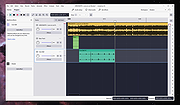 |
|
Audionaut v1.6.4 Audionaut v1.6.4 👉 A free, open-source audio editor for recording, cutting, arranging, and exporting multitrack audio. Audionaut is a free, open-source desktop audio editor and recorder for music, podcasts, and multitrack recordings. It combines a waveform timeline with reusable audio regions and individual track playlists, giving you several ways to build and rearrange a project. A region is a named section of source audio, while a clip places that region into your arrangement. You can create sections such as an introduction, verse, chorus, or ending, then reuse them wherever needed. Each track's playlist stays synchronized with its timeline, making it easier to rearrange sections without repeatedly cutting the original recording. Tracks can contain multiple audio channels. When you split a multichannel clip, its channels stay together in the resulting regions. This is useful when working with related microphone recordings or stems that need to remain aligned. Audionaut also includes audio analysis, automatic segmentation, pitch-preserving time stretching, and local stem separation. Its optional MCP integration allows compatible AI assistants to edit projects, while its command-line tools support scripted workflows. Features: • Multitrack arrangements: Layer recordings across multiple tracks, each with its own synchronized playlist. • Reusable regions: Name sections of audio and place them into the arrangement repeatedly without recreating each section. • Multichannel editing: Keep the channels of a recording together when cutting and rearranging clips. • Precise splitting: Cut at the playhead or split around a selected time range. • Drag-and-drop arranging: Move clips along the timeline, duplicate them, or drag saved regions into new positions. • Per-clip volume: Adjust the gain of individual channels within a clip. • Adjustable fades: Drag fade handles to create fade-ins, fade-outs, and crossfades with adjustable curves. • Pitch-preserving time stretching: Change ... |
|
51 | Oct 09, 2026 Klaus Voltmer 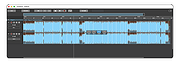 |
|
Avogadro v2.0.0 Avogadro v2.0.0 👉 Advanced open source molecular editor, visualization, and computational chemistry platform. Avogadro is a powerful free and open source molecular editor and advanced visualization platform designed for computational chemistry, molecular modeling, materials science, bioinformatics, nanotechnology research, and chemistry education. It combines an intuitive interface with professional-grade tools that allow students, researchers, educators, and scientists to build, analyze, optimize, and render molecular structures in real time. Avogadro supports everything from simple molecules to large biomolecular systems, crystalline structures, and complex materials simulations. The software includes high-quality 3D rendering, interactive molecular editing tools, force field optimization, scripting support, extensible plugins, and compatibility with a wide variety of computational chemistry packages and scientific file formats. The program can generate input files and interpret output files for many popular chemistry applications including ORCA, Gaussian, GAMESS, MOPAC, NWChem, and others. Researchers can visualize orbitals, vibrations, surfaces, electrostatic potentials, atomic properties, and molecular interactions using an interactive GPU-accelerated rendering engine. Avogadro also provides an expandable plugin ecosystem that allows users to install additional tools, file format handlers, commands, and visualization modules. Python scripting support enables automation and customization for advanced scientific workflows and educational demonstrations. Features: • Build, edit, and manipulate molecules in an interactive 3D environment • Create organic, inorganic, crystalline, polymer, and biomolecular structures • High-quality GPU-accelerated rendering with advanced lighting and shading • Supports ambient occlusion, reflections, transparency, and visual effects • Real-time molecular geometry editing and atom placement tools • Built-in force fields for geometry optimization and structural cleanup • Interactive AutoOpt tool for fast optimization workflows • Molecular dynamics mode for simulation and structural movement studies • Visualize atomic orbitals, electrostatic potentials, vibrations, and surfaces • Generate and edit computational chemistry input files • Parse and visualize output from ORCA, Gaussian, GAMESS, MOPAC, NWChem, and more • Extensive file format support for importing and exporting molecular data • Plugin framework with downloadable extensions and community plugins • Python ... |
|
5,266 | Jun 02, 2026 Open Chemistry 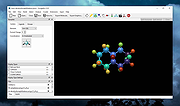 |
|
Battle for Wesnoth v1.18.7 Battle for Wesnoth v1.18.7 👉 A free, open source turn-based fantasy strategy game with deep campaigns, multiplayer battles, and extensive custom content. Battle for Wesnoth is an open source, turn-based tactical strategy game with a high fantasy theme. You build armies from a wide range of unit types, develop inexperienced recruits into seasoned veterans, and carry surviving units forward into later battles. The game features a large world of lore-rich campaigns, online and hotseat multiplayer, random and custom maps, and a built-in path for downloading additional community-made content. Features: • Turn-based tactical combat set in a high fantasy world • Large single-player experience with many story-driven sagas and adventures • Recruit units from a broad pool of specialists and match them to terrain and enemy types • Units gain experience and become stronger as they advance • Persistent veteran units can be recalled in later scenarios and campaigns • Online multiplayer and hotseat multiplayer support • Support for up to eight players in multiplayer battles • Dozens of multiplayer maps and many downloadable scenarios • Random map generation for added replay value • Fog of War for more strategic battlefield planning • Built-in map editor for creating custom battlefields • Powerful markup language for creating maps, factions, scenarios, and full campaigns • Hundreds of campaign scenarios available through the official add-ons server • Massive worldbuilding with hundreds of years of in-game history • Large roster with over three hundred unit types, twenty races, and six major factions • Free and open source software released under the GNU GPL • Strong community support with downloadable user-made content and ongoing updates • Broad cross-platform availability across major desktop operating systems Supported operating systems: • Windows 10 version 1903 or later, 64-bit only • macOS 10.12 or later • GNU/Linux distributions Supported languages: • Bahasa Indonesian, Chinese (Traditional), Chinese (Zhongwen), Czech, English (GB), English (US), Estonian, Finnish, French, Galician, German, Hungarian, Italian, Japanese, Polish, Portuguese, Portuguese (Brazil), Russian, Serbian, ... |
|
7,553 | Apr 09, 2026 David White 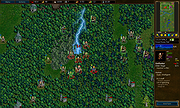 |
|
BlueLife Hosts Editor v1.6 BlueLife Hosts Editor v1.6 Easily add, delete, block and update domain names in your Windows hosts file. Bluelife hosts editor is a Portable Freeware hosts-file editor and Allows you to easily add/delete, block and update domain names to your hosts file. What is the hosts file?: When you type a domain name in your browser that you wish to connect to, your application must first convert it to an IP address that it will use to connect to.The way these hostnames are resolved to their mapped IP address is called Domain Name Resolution. On almost all operating systems whether they be Apple, Linux, Unix, Netware, or Windows the majority of resolutions from domain names to IP addresses are done through a procedure called DNS. DNS stands for Domain Name System and is the standard domain name resolution service used on the Internet , There is another way to resolve domain names without using the Domain Name System, and that is by using your HOSTS file. Almost every operating system that communicates via TCP/IP, the standard of communication on the Internet, has a file called the HOSTS file. This file allows you to create mappings between domain names and IP addresses Another way to think of a hosts file is as an address translator and redirector. Instructions: Simply type the hostname you wish to add in the first box and Select resolve domain names from the drop down menu then add in to the list with plus button. Finally use Save button (green button), if you want to Block a domain name you must select the appropriate option from the drop-down menu then use Save button , you can also use the right click menu to block , unblock … domain names on the list. In some cases, windows can reset “Hosts” file to default state ... |
|
8,509 | Feb 06, 2025 Sordum.org 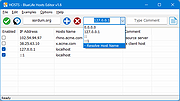 |
|
Cinecred v1.8.1 Cinecred v1.8.1 👉 Create beautiful film credits without the pain. Cinecred is a free and open source program for creating professional film credits from spreadsheet data. It reads credits from Excel, LibreOffice, Apple Numbers, CSV, or Google Sheets, then lets you interactively arrange, style, preview, and export title cards or rolling credits. Features: • Create title cards and rolling film credits • Reads Microsoft Excel, LibreOffice Calc, Apple Numbers, CSV, and Google Sheets credit data • Live visual preview while editing • Interactive styling with contextual controls and easy reverts • Default project template for quick setup • Flexible layouts and pixel-level customization • Use custom fonts, logos, images, and videos • Runtime fine adjustment for matching a desired credit roll length • Integrated real-time playback • DeckLink preview playout support • Export to video files, image sequences, stills, PDFs, and production formats • Supports ProRes, DNxHR, CineForm, H.264, H.265, Theora, PNG sequences, TIFF, and more • Free software licensed under GPLv3 Supported operating systems: • Windows • macOS • Linux Supported languages: English, German, Czech, Spanish, French, Chinese (China) Changes: v1.8.1 Not provided. This download is for the Windows version (very bottom of page). All other download assets are below: macOS: cinecred-1.8.1-arm64.pkg cinecred-1.8.1-x86_64.pkg Linux: cinecred-1.8.1-x86_64.deb cinecred-1.8.1-x86_64.rpm cinecred-1.8.1-x86_64.appimage Click here to visit the author's website. |
|
495 | Jun 15, 2026 Felix Mujkanovic  |
|
CudaText v1.234.4 CudaText v1.234.4 👉 Cross-platform, open-source text editor extensible with Python add-ons. CudaText is a cross-platform text editor written in Object Pascal. It is an open-source project that can be used free of charge (including for business use) and is designed to start quickly. CudaText is extensible via Python add-ons, including plugins, linters, code tree parsers, and external tools, and uses a feature-rich syntax parser based on the EControl engine. It starts quite fast (0.5 sec with ~30 plugins on CPU Intel Core i3 3Hz). It is extensible by Python add-ons (plugins, linters, code tree parsers, external tools). Features: • Syntax highlighting for many programming languages • Code folding • Multi-carets and multi-selections • Rectangular selection • Command palette • Tabbed interface • Split view editing (vertical and horizontal) • Side panel with file explorer • Built-in file tree • Built-in FTP client • Project manager • Snippets support • Auto-completion • Code tree (structure view) • Configurable hotkeys • Configurable UI themes • Configurable color themes • Minimap • Status bar with customizable elements • Lexer-specific settings • Session management • Recent files list • Support for large files • Portable mode support • Plugin system based on Python • Add-ons manager to install plugins, lexers, and themes • Console panel for command output • External tools integration • Multiple encodings support • Line endings support (Windows, Unix, Mac) • Bookmarks • Find and replace with regular expressions • Word wrap and non-wrap modes • Customizable indentation settings • Show invisibles • Ruler and margin configuration • Free and open source, including business use Supported operating systems: • Windows (i386, amd64) • Linux (amd64, arm, aarch64) • macOS (amd64, aarch64) • FreeBSD (i386, amd64), OpenBSD (i386, amd64), NetBSD (i386, amd64), DragonFlyBSD (amd64) • Solaris (amd64) • Haiku (i386, amd64) Supported languages: English, Chinese (Simplified), Chinese (Traditional), Czech, French, French (Switzerland), German, German (Austria), Italian, Japanese, Korean, Portuguese, Russian, Slovak, Slovenian, Spanish, Tamil (India), Tamil (Sri Lanka) Find documentation at the CudaText Wiki. Changes: v1.232.2 06-14-26 - fix: regression: "Unprinted chars" dialog lost translation - fix: improve command "delete word previous" when only 1 space ... |
|
5,919 | Jul 05, 2026 Alexey Yu. Torgashin (R.F.) 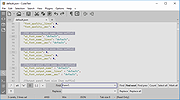 |
|
Cyotek Color Palette Editor v1.7.0.411 Cyotek Color Palette Editor v1.7.0.411 Color palette editing made easy Cyotek Palette Editor allows you to create and work with colour palettes, in a variety of formats such as JASC, GIMP and Adobe Photoshop. Palettes can be created from scratch, imported from other palettes or created from images. Easy editing is provided using RGB or HSL color spaces, although palettes using CMYK can also be opened. Palettes can be converted between formats (including batch conversion), or swatch images exported. Minimum Requirements Windows 10, 8.1, 8, 7, Vista SP2 Microsoft .NET Framework 4.6 20MB of available hard disk space Cyotek Palette Editor has a small but growing set of powerful features. Multiple palette formats Out of the box Palette Editor supports multiple file formats including Adobe Photoshop, Microsoft RIFF, Gimp and JASC. Easy to use The editor features a simple interface to allow you to edit a palette without distraction. Enter colours using hex, RGB or HSL notations. Duplicate colours to make variations, or import from external files. Create a palette from an image As well as creating palettes from scratch, you can get a helping hand by generating a palette from all or part of an existing image. Dynamic palette schemes Automatically generate colour from a base color using a variety of harmonious schemes. Generate swatch image Create a swatch image containing the contents of a palette - perfect for online previews. Images can be customised in a number of ways, and reusable presets saved. Localised Beta localisation support means you can enjoy using the product in your native language. Is your language not listed? Cut, Copy, Paste Cyotek's Palette Editor allows you to copy colours to the clipboard in a variety of formats, and paste colours back into the palette as well. Reordering of colour swatches In addition to several methods for automatically reordering colour swatches, you can ... |
|
3,444 | Jun 14, 2021 Cyotek Ltd. 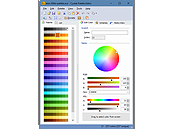 |
|
Desktop.ini Editor v1.1 Desktop.ini Editor v1.1 Allows the easy editing of Desktop.ini files attributes for folders. The desktop.ini file is a hidden Windows operating system configuration settings file located in every folder and used to store information about the arrangement of a Windows folder. Essentially, if the layout or settings for a folder are changed, a desktop.ini file is automatically generated to save those changes. When you create a new folder in Windows it is created with the standard folder icon, one common use of the desktop.ini file is to use to it set a custom icon for a folder, however this is not the only thing that it is used for. The desktop.ini file can contain alot of attributes but the following custom attributes are the most common: ConfirmFileOp: Set this entry to 0 to avoid a “You Are Deleting a System Folder” warning when deleting or moving the folder. IconFile: If you want to specify a custom icon for the folder, set this entry to the icon’s file name. The .ico file extension is preferred, but it is also possible to specify .bmp files, or .exe and .dll files that contain icons. IconIndex: Set this entry to specify the index for a custom icon. If the file assigned to IconFile only contains a single icon, set IconIndex to 0. InfoTip: Set this entry to an informational text string. It is displayed as an infotip when the cursor hovers over the folder. If the user clicks the folder, the information text is displayed in the folder’s information block, below the standard information. Click for more Desktop.ini Commands How to use Desktop.ini Editor Desktop.ini editφr is a portable freeware to simplify the Desktop.ini operations , it can help you to edit desktop.ini files and set custom folder icons , Folder Info Tips , adding CLSID , reset folder settings to ... |
|
5,785 | Oct 02, 2022 Sordum.org 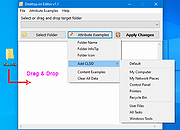 |
|
Dia Diagram Editor v0.97.2 Dia Diagram Editor v0.97.2 Dia is an application for creating technical diagrams. Its interface and features are loosely patterned after the Windows program Visio. Features of Dia include multiple-page printing, export to many formats (EPS, SVG, CGM and PNG), and the ability to use custom shapes created by the user as simple XML descriptions. Dia is useful for drawing UML diagrams, network maps, and flowcharts. Dia Manual English German French Polish Basque Requirements The current Dia release has been tested successfully on Windows 8.1, 8, 7, Windows Vista and Windows XP, Linux and Mac OS X. License Dia is free software available under the terms of the GNU GNU General Public License, the GPLv2. This download is for the Windows version. If you need the MacOS version, download here. If you need the Linux Debian version, download here. Click here to visit the author's website. |
|
5,387 | Jun 23, 2021 Steffen Macke 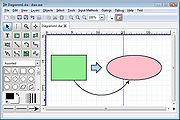 |
|
Drift v0.1.1 Drift v0.1.1 👉 A free, open-source video editor for creating polished videos without subscriptions or watermarks. Drift is a beginner-friendly desktop video editor that combines a straightforward workflow with a full collection of creative tools. Import video clips, photographs and music, then arrange everything on a multi-track timeline with tools for trimming, splitting, snapping and ripple editing. Add effects, transitions, titles, shapes, stickers and emoji without leaving the editor. Drift can also generate editable captions from speech, isolate subjects, create masks, remove green-screen backgrounds, adjust playback speed and clean up noisy audio. The preview and export systems use the same compositor, helping the completed video match what you saw while editing. Drift is completely free and open source with no account, subscription, telemetry or watermark. Optional fonts, stickers, effects and speech-recognition models can be installed through the built-in Addon Manager as needed. Features: • Multi-track timeline for video, audio, text and shapes • Trim, split, snap and ripple editing tools • Mute or hide individual timeline tracks • Full undo and redo support • GPU-powered video effects • Adjustable transitions between overlapping clips • Reusable effect and appearance templates • Customizable titles with fonts, colors, outlines, shadows and alignment • Stickers, emoji and optional content packs • Speech-to-text caption generation • Edit caption wording and timing directly on the timeline • Subject cutout and masking tools • Green-screen background removal • Playback speed adjustment and reversing • Custom speed ramps, fades and beat-based animation • Audio mixing and effect chains • Background-noise cleanup • Project bundles that include associated media • Optional downloadable fonts, effects, stickers and speech models • Export quality and bitrate controls • H.264, H.265, AV1, ProRes and additional export formats • Preview and export use the same compositor • No account, subscription, telemetry or watermark Supported operating systems: • Windows • Linux • macOS, build from source only Supported languages: English Changes: v0.1.1 07-31-26 A small fix-up release on top of the first public version. Curves in the keyframe editor are now ... |
|
329 | Aug 03, 2026 CutWire Studios 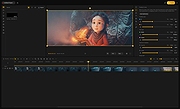 |
|
Emacs v31.1 Emacs v31.1 👉 Powerful, extensible text editor and productivity environment. Emacs is a highly extensible and customizable text editor from the GNU Project for programming, writing, system administration, and general productivity. At its core is an interpreter for Emacs Lisp, a programming language that allows virtually every part of the editor to be customized or extended. Emacs provides editing modes for a huge range of programming and markup languages, syntax highlighting, code navigation, compilation and debugging tools, version control integration, powerful search and replacement, multiple buffers and windows, shells, file management, email and news capabilities, and an extensive package ecosystem. Its popular Org mode provides outlining, note-taking, task management, scheduling, document authoring, and publishing tools. Features: • Extensible and customizable through Emacs Lisp • Editing modes for numerous programming, scripting, markup, and human languages • Syntax highlighting, automatic indentation, code navigation, and completion • Integrated compilation and debugging tools • Built-in version control interfaces • Powerful search, replacement, and regular expression support • Multiple buffers, windows, frames, and customizable window layouts • Built-in package management for installing additional functionality • Org mode for notes, outlines, tasks, scheduling, authoring, and publishing • Integrated shell and terminal capabilities • File and directory management with Dired • Keyboard macros and extensively customizable key bindings • Support for right-to-left and bidirectional text • Extensive Unicode and international character support • Runs in graphical environments or text terminals Supported operating systems: • Windows 11, Windows 10, Windows 8/8.1, Windows 7 and earlier Windows NT-family versions • macOS • GNU/Linux, including Debian/Ubuntu, Fedora/Red Hat, Arch Linux, openSUSE and other distributions • FreeBSD, NetBSD, OpenBSD • GNU/Hurd • Haiku • Android 2.2 through Android 15.0, including free Android derivatives such as Replicant • Solaris • MS-DOS, FreeDOS Supported languages: Arabic, Azerbaijani, Bulgarian, Bengali, Catalan, Czech, Danish, German, Greek, Esperanto, Spanish, Farsi/Persian, Finnish, French, Hebrew, Croatian, Indonesian, Italian, Japanese, Korean, Kurdish, Malayalam, Norwegian Bokmεl, Dutch, Norwegian Nynorsk, Polish, Brazilian Portuguese, Romanian, Russian, Slovak, Albanian, Serbian, Tamil, Thai, Tagalog, ... |
|
756 | Aug 25, 2026 Free Software Foundation, Inc. 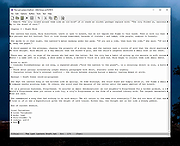 |
|
FastStone Image Viewer v8.5 FastStone Image Viewer v8.5 👉 Fast, stable image browser, editor and batch converter. FastStone Image Viewer is a fast, stable, user-friendly image browser, converter and editor. It includes image viewing, management, comparison, red-eye removal, emailing, resizing, cropping, retouching and color adjustments. Its full-screen mode gives quick access to EXIF information, thumbnail browsing and major tools through hidden edge toolbars. It also includes a high quality magnifier, musical slideshow with 150+ transition effects, lossless JPEG transformations, drop shadows, image annotation, scanner support, histogram display, batch conversion and batch renaming. Features: • Windows Explorer-like image browser and viewer • Supports BMP, JPEG, HEIC, WEBP, GIF, PNG, PCX, PDF, PSD, EPS, TIFF, WMF, ICO, CUR, TGA and many RAW camera formats • Full-screen viewer with zoom support and fly-out menu panels • Resize, rotate, crop, sharpen, blur, color correction, curves and levels tools • Clone Stamp, Healing Brush and red-eye removal • Draw text, lines, highlights, rectangles, ovals and callouts • Compare up to 4 images side-by-side • Batch convert and batch rename files • Slideshow with music and 150+ transition effects • Scanner support with batch scanning to PDF, TIFF, JPEG and PNG • Contact sheet creation, printing tools and image emailing • Portable version available Supported operating systems: • Windows XP, Windows Vista, Windows 7, Windows 8, Windows 10, Windows 11 Supported languages: Bulgarian, Chinese (Simplified), Chinese (Traditional), Czech, Danish, Dutch, Finnish, French, German, Hungarian, Italian, Japanese, Korean, Norwegian (Norsk bokmεl), Polish, Portuguese, Russian, Spanish, Swedish, Ukrainian Changes: v8.5 06-24-26 Added support for SVG format Added Start importing automatically and Handle duplicate file names automatically options to the Import Photos and Videos tool WebP files can now be rotated and saved with a single click Enhanced dark theme support in the PDF viewer Fixed a bug where some links in PDF files were not clickable Other improvements and bug fixes 👉 This download is for the Windows portable version (very bottom of page). All other download ... |
|
11,647 | Oct 07, 2026 FastStone Soft 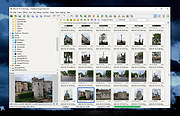 |
|
FileTypesMan v2.01 FileTypesMan v2.01 👉 View and edit Windows file extensions, associations and actions. FileTypesMan is a portable alternative to the File Types manager previously included with Windows Folder Options. It displays detailed information about every file extension and file type registered on your computer, including the type name, description, MIME type, perceived type, default icon, browser flags, Registry key and associated applications. The program uses a two-pane interface. The upper pane lists registered extensions and file types, while the lower pane shows the actions available for the selected item, such as Open, Edit, Print and other context-menu commands. You can edit file type properties, change icons, add or remove actions, replace an extension's assigned file type and open related entries directly in Registry Editor. FileTypesMan requires no installation and can be run directly after extracting the downloaded ZIP file. Separate 32-bit and 64-bit downloads are available. Features: • Displays all registered file extensions and file types • Shows type names, descriptions, MIME types and perceived types • Lists default icons, flags, browser flags and Registry keys • Displays associated applications and available file actions • Adds, edits or removes Open, Edit, Print and other actions • Changes file type properties, flags and default icons • Replaces the assigned file type for a selected extension • Detaches shared file types from individual extensions • Supports Windows UserChoice and SystemFileAssociations entries • Opens file type and action entries directly in Registry Editor • Copies actions from one file type and pastes them into another • Runs with TrustedInstaller privileges when protected entries must be modified • Exports information to text, CSV, tab-delimited, HTML or XML files • Provides command-line options for selecting and exporting extensions • Automatically refreshes the desktop after association changes • Offers optional icon-loading controls to prevent hangs or crashes • Includes a black-background viewing mode • Portable and requires no installation or additional DLL files Supported operating systems: • Windows XP, Windows Vista, ... |
|
10,312 | Jul 27, 2026 Nir Sofer 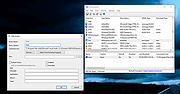 |
|
Flameshot v14.0.0 Flameshot v14.0.0 👉 Powerful open-source screenshot tool with built-in annotation and editing features. Flameshot is a free and open-source screenshot utility designed to make capturing and editing screenshots quick and easy. It provides a simple yet powerful interface that allows users to select a region of the screen, annotate it instantly, and save or share the result without needing additional image editing software. Flameshot launches a customizable capture interface that lets you draw, highlight, blur, crop, or add shapes and text directly on your screenshot before saving it. The tool is especially useful for creating tutorials, documentation, bug reports, and visual explanations. In addition to its annotation tools, Flameshot supports keyboard shortcuts, command-line usage, and integration with desktop environments. Screenshots can be copied directly to the clipboard, saved locally, or uploaded to online services depending on configuration. Features: • Interactive screenshot selection with an easy-to-use capture interface • Built-in annotation tools including arrows, shapes, lines, and text • Blur and highlight tools for emphasizing or hiding content • Instant screenshot editing without opening a separate program • Copy screenshots directly to clipboard or save to file • Keyboard shortcuts and command-line options for automation • Optional screenshot uploading and sharing features • Highly configurable behavior and interface settings Supported operating systems: • Windows 10, Windows 11 • macOS 10.15 or higher • Linux Supported languages: English, Spanish, French, German, Italian, Portuguese, Russian, Ukrainian, Polish, Czech, Dutch, Turkish, Chinese (Simplified), Chinese (Traditional), Japanese, Korean, Arabic Changes: v14.0.0 06-18-26 Translations update from Hosted Weblate by @weblate in #4330 Translations update from Hosted Weblate by @weblate in #4378 Translations update from Hosted Weblate by @weblate in #4379 Translations update from Hosted Weblate by @weblate in #4380 Fix hang caused by no Notifications service registered in DBus by @samwcoulter in #4357 bump CI to see if that picks up newer Qt in appimage by @borgmanJeremy in #4381 Translations update from Hosted Weblate by @weblate in #4383 Add support for logging ... |
|
1,078 | Jul 16, 2026 Flameshot Contributors 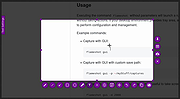 |
|
FleshNote v1.2.0 FleshNote v1.2.0 👉 A minimalist writing and worldbuilding app for novelists who want to finish their draft. FleshNote is an advanced writing tool built for novelists and worldbuilders, combining a manuscript editor with planning tools like timelines, entity tracking, plot mapping, export options, and specialized focus modes designed to keep writers moving forward. Features: • Smart Janitor assistant for passive local analysis of spelling, passive voice, weak adverbs, and show-don't-tell patterns • Hardcore sprint modes including Hemingway Mode, Zen Mode, Kamikaze Mode, and Fog Mode • Entity inspector for tracking character knowledge, goals, and narrative deception • Timeline and plot planner for mapping story beats, arcs, and foreshadowing • World history timeline for organizing backstory events before the main story begins • Unified manager for characters, locations, twists, and quick notes with inline tagging • Export support for PDF, DOCX, and EPUB output • Sketchboards, fictional calendars, relationship tracking, annotations, footnotes, writing prompts, achievements, and other quality-of-life tools Supported operating systems: • Windows, Linux Supported languages: English Changes: v1.2.0 04-26-26 New Features Location Name Generator Naming locations is hard. That's why i built this tool that will attempt to give you a decent starting point based on your answers Context-Aware Naming: The generator looks at your location's geography, history, and founder to propose names that feel earned. A coastal village might become Morskie-klify, while a site of an ancient magic disaster might evolve into something more cryptic. Cultural Roots: Full support for English, Polish and Hungarian naming traditions. The system understands complex rules like adjective gender matching (Stary Las vs Stara Gσra) and correct grammatical possessives, so your world feels linguistically consistent. Evolutionary "Drift": Use the "Phonetic Drift" slider to simulate the passing of centuries. At higher settings, names start to slur and shift, mimicking how real-world languages evolve over generations. Character Name Generator Creating names for specific genres is now ... |
|
791 | Aug 03, 2026 ArtFacility 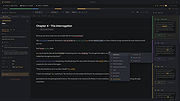 |
|
FlyOutNotepad v1.05 FlyOutNotepad v1.05 👉 Smart docking notepad for storing text, code snippets, and images. FlyOutNotepad is a lightweight Windows productivity tool that docks to any screen edge and gives you fast access to notes, code snippets, text, and images. It supports drag and drop, up to 20 tabs, auto-save, and fast C++/WTL performance in a very small package. Features: • Dock to any of the 4 screen edges • Smooth flyout access when needed • Store text, code snippets, and images • Bi-directional drag and drop for text and images • Up to 20 tabs for organizing content • Auto-save support • Remembers state on shutdown or logoff • Tab renaming support • Lightweight, under 500 KB • Built in C++ with Windows Template Library • Optional portable mode by renaming the EXE with _p Supported operating systems: • Windows 11, Windows 10, Windows 8.1, Windows 7, Windows Server 2012 through 2025, 32-bit and 64-bit Supported languages: English, German, Italian, Traditional Chinese, Korean, Polish, Russian, Spanish, Portuguese, French Changes: v1.05 08-17-26 • Update of language files in FlyOut NotePad for MS Windows • Optimization and various fixes under Windows 11 and 10 Click here to visit the author's website. |
|
1,501 | Oct 01, 2026 Nenad Hrg 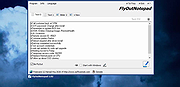 |
|
FotoSketcher v4.50 FotoSketcher Studio v4.50 👉 Turn photos into paintings, sketches, and artistic effects with a free image editing tool. FotoSketcher Studio is a free creative image editor that transforms photos into artwork using artistic effects such as pencil sketches, painting styles, drawing effects, and photo filters. It also includes tools to enhance original images, add frames and text, batch process multiple images, manually retouch selected areas, combine multiple filters, and create custom effects with scripts. It is free to use, including for commercial use. Features: • Turn photos into paintings, sketches, drawings, and photo effects • Includes 14 artistic effects spanning pencil, drawing, painting, and photo filter styles • Batch processing for applying effects to multiple images at once • Manual brush for selectively applying effects to chosen areas of an image • Can improve original photos with contrast, sharpening, luminosity, saturation, and other adjustments • Lets you add simple or realistic frames and text to images • Can combine multiple filters for mixed artistic results • Supports custom effect creation through scripts • Includes Vintage Sepia and Retro Film photo effects in v4.10 • Automatic system language detection with a keyboard shortcut to change interface language • Manual brush panning with CTRL + Left Mouse Button drag • Digitally signed Windows and macOS releases Supported operating systems: • Windows 10, Windows 11 • macOS (Intel, Apple Silicon) Supported languages: • Chinese, German, English, Spanish, French, Italian, Japanese, Korean, Dutch, Polish, Portuguese Changes: v4.50 07-27-26 This version brings a new painting effect, an image watermark tool, full keyboard navigation and a rather long list of improvements and fixes. New Gouache Painting effect 🎨 A new Gouache Painting effect joins the Painting category. Gouache sits somewhere between watercolour and oil paint: thick, opaque, with a matte finish and visible brushstrokes. Watermark and logo tool The "Add text" window has been expanded into "Add text/watermark". You can now load any image file (PNG with transparency, JPG, or other formats) ... |
|
10,835 | Aug 12, 2026 David Thoiron 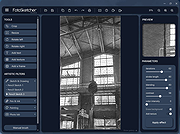 |
|
Free Jump List Editor v1.0.1 Free Jump List Editor v1.0.1 Free tool to manage the Windows Taskbar Jump Lists (recent and custom) In Free Jump List Editor, the following operations are available for recent and custom Jump Lists: • Remove link(s) • Change links Order • Edit link • Add link • Display detailed link information (Full shell link decoding) • Extract link to .lnk file Additional operations available for Recent Jump Lists: • Change link frequency, entry Id or access time Additional operations available for Custom Jump Lists: • Change Custom List frequent/recent type • Add separator • Change group order • Add / Edit / Remove group Supported operating systems: Windows 7, 8, 10, 11 x64 only |
|
721 | Dec 10, 2025 Jacquelin Potier 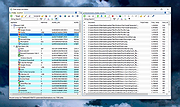 |
|
Free MP3 Cutter and Editor v2.8.0.1610 Free MP3 Cutter and Editor v2.8.0.1610 Free MP3 Cutter and Editor is an extremely simple and handy Windows software for editing mp3 files. Using Free MP3 Cutter and Editor To cut/edit your mp3 file, just start the program and complete the following steps: Step 1: Click to open an MP3 file for editing The waveform graph and editing command buttons are then displayed. Step 2: Define a selection, if needed, for the editing commands Just click on the graph to set the current position for playback, then click toolbar button or to set this position as start or end of selection. You can also click and drag on the graph to define the selection area directly. Step 3: Click any of the command buttons below the graph See the Editing Commands section below for short descriptions of the available commands. Step 4: Click to save all changes made to the document You can choose a new location for the file when it is being saved for the first time. Editing Commands Delete Selected Deletes selected part from the mp3 document. Delete Unselected Deletes unselected part from the mp3 document. Change Volume Changes audio volume by specifying a percentage value. Maximize Volume Increases volume as high as possible without distortion. Fade In Gradually increases the volume throughout the selection. Fade Out Gradually decreases the volume throughout the selection. Convert to Stereo Duplicates mono track to make a stereo track. Convert to Mono Mixes all channels to make a mono track. Click here to visit the author's website. |
|
6,165 | Apr 14, 2019 musetips.com 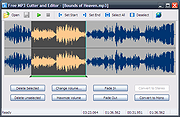 |
|
GenOffice v0.11.0 GenOffice v0.11.0 👉 A free, open-source office suite with six editors and optional AI assistance. GenOffice brings document writing, spreadsheets, presentations, PDF editing, HTML and Markdown together in one desktop workspace. It opens and saves native Microsoft Office files, including .docx, .xlsx and .pptx, and lets you work with your files locally. The suite includes Docs for word processing, Sheets for spreadsheets, Slides for presentations, PDF for editing and conversion, HTML for pages and reports, and Markdown for formatted notes. Its file engines preserve untouched portions of Office files rather than rebuilding everything each time you save. An optional AI assistant can work directly with your document. Ask it to rewrite a passage, build spreadsheet formulas, create a presentation or explain information in a file. Changes can be reviewed through snapshots, differences and rollback controls, with tracked revisions available in Docs. The office applications are free, with no ads or watermarks. AI features (optional) use Genspark credits or your own API provider, whose usage charges may apply. Opening, editing, saving and PDF-to-Office conversion run locally. Complex formatting can vary, so review important documents before sharing them. Features: • Six editors in one workspace: Docs, Sheets, Slides, PDF, HTML and Markdown. • Native Office formats: Open and save .docx documents, .xlsx workbooks and .pptx presentations. • Document editing: Work with styles, tables, images, headers, footers, comments and tracked changes. • Spreadsheet tools: Use live formulas, charts, pivot tables, slicers, conditional formatting and formula tracing. • Presentation editing: Work with slide masters, layouts, smart guides and image cropping. • PDF editing: Edit text and images directly within pages, and work with annotations and forms. • Local PDF conversion: Convert PDF files into editable Word, Excel or PowerPoint files without AI credits. • ... |
|
87 | Oct 01, 2026 Genspark 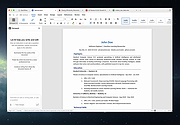 |
|
GIMP Portable v3.2.6 GIMP Portable v3.2.6 👉 Portable image editor for photo retouching, image composition and graphic creation. GIMP Portable is the portable version of the GNU Image Manipulation Program, a free and open source image editor for photo retouching, image composition, image authoring, painting, batch processing, rendering and image format conversion. It runs from a cloud folder, removable drive, local folder or the PortableApps.com Platform without needing a traditional installation. Features: • Portable version of GIMP for Windows • Runs from USB drives, cloud folders or local folders • Photo retouching and image editing • Image composition and authoring • Paint program capabilities • Expert-quality photo manipulation tools • Batch processing support • Image rendering and format conversion • Supports plug-ins and scripts • User plug-ins and scripts can be placed in the portable Data\GimpAppData folder • Optional English-only offline help add-on available • PortableApps.com Platform support for easier installs and automatic updates • Open source software under the GPL Supported operating systems: Windows XP, Vista, 7, 8, 10, 11 Supported languages: Multilingual, GIMP is available in more than 80 languages Changes: v3.2.6 09-10-26 Several months of patches, bug fixes, security updates, and stability improvements. Cut can now be used on rasterized, unlocked layer groups to cut the same area from all layers in the group. Color Picker's Sample Merged option now accounts for filters applied to a single layer. Improved performance when loading large numbers of fonts, including faster startup, text entry, and closing font lists. Fixed text being hidden at the edges when using fixed text layouts. Fixed dark smudges produced by the Heal Tool when working outside the bounds of a layer smaller than the canvas. Fixed a crash that could occur when pressing keys quickly after releasing the spacebar while panning. Text can now be selected for editing even when partially covered by a layer mask. Fixed loading of Licensor image metadata. Added a maximum width for tooltips with long descriptions. Fixed several issues involving rasterized vector layers. Added ... |
|
6,728 | Sep 11, 2026 GIMP Team & PortableApps.com 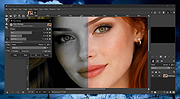 |
|
Gimp v3.2.6 Gimp v3.2.6 👉 Free and open source cross-platform image editor. GIMP is a cross-platform image editor available for GNU/Linux, macOS, Windows and more operating systems. It provides tools for graphic designers, photographers, illustrators, and scientists, with support for image manipulation, original artwork creation, graphic design elements, color management, scripting, customization, and third-party plug-ins. Features: • Advanced photo retouching tools including healing, clone, perspective clone, and content-aware fill workflows • Powerful layer-based editing with layer groups, masks, blend modes, and non-destructive editing techniques • Full support for high bit-depth images (8/16/32-bit per channel) for professional workflows • Extensive selection tools including free select, fuzzy select, foreground select, and intelligent scissors • Transform tools such as scale, rotate, shear, perspective, warp transform, and unified transform • Customizable brushes with dynamics support (pressure, velocity, randomness) for tablets and stylus input • Wide range of painting tools including pencil, paintbrush, airbrush, ink, MyPaint brushes, and gradient tools • Gradient editor and advanced gradient blending capabilities • Paths (vector) tool for precise curves, shapes, and text-on-path creation • Text tool with advanced typography support including kerning, hinting, and outline rendering • GEGL-based processing engine for high-quality image operations and non-destructive workflows • Extensive built-in filters and effects including blur, sharpen, distort, lighting, shadows, noise, and artistic filters • Support for external plug-ins such as G’MIC for hundreds of additional filters and effects • Color management with ICC profile support for accurate color reproduction across devices • Advanced color tools including levels, curves, hue-saturation, color balance, and exposure adjustments • Histogram display and analysis tools for precise tonal correction • Channel manipulation and alpha channel editing • Support for multiple file formats including JPEG, PNG, TIFF, PSD, WebP, HEIF, OpenRaster, and XCF native format • PSD import/export support for compatibility with Adobe Photoshop workflows • Multi-window and single-window interface modes for flexible workspace layouts • Fully customizable interface including dockable dialogs, tool groups, and keyboard shortcuts • Tabbed image ... |
|
9,686 | Sep 11, 2026 The Gimp Team |
|
Grayslate v0.4.0 Grayslate v0.4.0 👉 A fast, free developer scratchpad for working with code, data, text and large files. Grayslate is a free and open source, cross-platform developer scratchpad designed for the small jobs that come up while coding or working with data. Paste an API response, inspect JSON, explore a large CSV, transform or encode text, preview Markdown, work with code snippets or simply capture a quick thought. Grayslate recognizes the content you are working with and puts appropriate transformations at your fingertips. New slates are automatically given useful names and extensions, saved locally as you type and made searchable for later use. Files opened from elsewhere on your computer are only changed when you explicitly save them. All transformations run locally, with no account, cloud upload or telemetry required. Features: • Automatically recognizes pasted or opened content and suggests relevant transformations • Includes more than 80 built-in transformations for code, data and text • Recognizes more than 40 programming, markup and data languages/formats from file extensions, shebangs or content • Automatically names new slates, chooses useful file extensions and saves them locally as you type • Browse recent slates or search saved slates by name and content • Opens text and CSV files up to 200 MB • Rust-backed, virtualized CSV table handles files containing hundreds of thousands of rows while keeping scrolling responsive • JSON tools include formatting, minifying, validation, key sorting, JSON/YAML conversion, JSON-to-CSV, JSON-to-TypeScript and JSON Lines conversion • Right-click JSON keys or values to copy the JSON path, key or value • CSV-to-JSON conversion with automatic delimiter detection • Base64 and Base64URL encoding and decoding • Gzip/Base64 conversion, hexadecimal/ASCII conversion, URL encoding/decoding and HTML entity encoding/decoding • Decode JWT data without verification • Generate SHA-256, SHA-512, SHA-1, MD5 and CRC32 hashes • Text tools include upper, lower, Title, camel, snake, kebab and sPoNgE case conversions • Sort and reverse lines, reverse strings, remove duplicate ... |
|
184 | Aug 27, 2026 Shriram Ethiraj 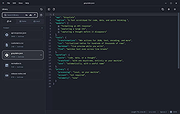 |
|
Greenfish Icon Editor Pro v4.5 Greenfish Icon Editor Pro v4.5 A powerful freeware image editor, especially suitable for creating icons, cursors, animations and icon libraries. Features: • Freeware image editor with a clean and intuitive user interface • Supports editing animated cursors and managing icon libraries • Not just for icons: GFIE is also a general purpose image editor • Has a portable version - about 64 MB unzipped, just unpack it to your USB drive and use it anywhere Requirements: Windows: Windows 7 or newer. Ubuntu/Debian Linux: Ubuntu 20.04 or newer Install with sudo apt install ./gfie-4.0.deb Changes: v4.4 New: Generate Xcode App Icon Set New: Align selection to image corners, edges, or center in the Transform dialog Improved: UI: Scalable icons Improved: More noticeable notifications Improved: DPI adjusts correctly when moving the app windows between screens Improved: Non-default tool settings are marked with a red asterisk or bold text Improved: Higher-quality icons when converting SVG to ICO/CUR/ICNS in batch mode Improved: UI language is now initialized based on the setup language Improved: UI layout is adapted accordingly when a right-to-left language is selected Improved: Last used cell grid is remembered for recent files This download is for the Windows portable version (very bottom of page). If you need the Windows setup version, download here. If you need the Linux version, download here. Click here to visit the author's website. |
|
6,033 | Jun 22, 2025 Balαzs Szalkai 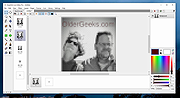 |
|
HateArena v0.0.3 HateArena v0.0.3 👉 A fast-paced multiplayer and singleplayer arena shooter built on the Cube engine. HateArena is a free and open source arena FPS focused on speed, movement and classic deathmatch-style combat. Built from the original Cube engine, it offers wall-jumping, shotgun-boosting, Quake-style ground blasts, bots, dedicated server support, modernized visuals and a built-in map editor for creating and editing arenas. Features: • Fast-paced multiplayer and singleplayer arena shooter gameplay • Built on the original Cube engine • Wall-jumping, forward boosts and recharge-based movement • Quake-style ground blasts and shotgun-boosting combat • Deathmatch, team deathmatch and infected game modes • Server-side bots for offline or low-player matches • Master server support and dedicated game server support • Modern HUD with animations and TrueType font support • Native 1080p renderer with god rays, FXAA, MSAA, bloom and improved shading • MD2 model support with MD3 support in progress • Built-in map editor with texture eyedropper, mass select and cube editing • RCON/server administration support including ban, kick, list and maxping options • Dynamic crosshair and improved scoreboard rendering • GPL-3.0 free and open source license Supported operating systems: • Windows x64 • Linux x86_64 • macOS arm64 Supported languages: English Changes: v0.0.3-b 06-11-26 Improved server stability with numerous networking and packet handling fixes. Added macOS compatibility improvements and app bundle generation. Added initial Windows build support with additional Windows-specific fixes. Migrated the project to a CMake-based build system with automated release workflows. Improved server-side bots by fixing memory corruption and buffer overflow issues. Updated player assets, including retextured player models and improved glow effects. Added weapon and gameplay fixes, including improved ammo switching behavior. Improved water visual effects and sound handling. Enhanced server administration and intermission behavior. Updated documentation, packaging and build scripts with numerous maintenance improvements. This download is for the Windows version (very bottom of page). If you need the macOS version, download here. If you need the Linux version, download here. Click here to visit the author's website. |
|
521 | Jun 19, 2026 endseven 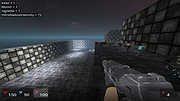 |
|
ID3 Tag Editor v3.7.0.0 ID3 Tag Editor v3.7.0.0 Any audio file can contain meta data that can be used by audio players to identify composition and search song in playlist. Abyssmedia ID3 Tag Editor is an easy and intuitive audio tag editor for Windows. It helps you organize your music collection and edit/copy/add/remove meta data from audio file. ID3 Tag Editor support MP3 tags, MP4 tags, FLAC tags, WMA tags, OGG Vorbis tags and APE tags. Main features: Abyssmedia ID3 Tag Editor is completely free. Add or edit tag information such as genre, title, artist, album, year, bpm, key, e.t.c. Clear all tag information from audio file. Support MP3, M4A, FLAC, WMA, OGG and APE file formats. Close integration with other audio tools. Minimum System Requirements Windows: XP/Vista/7/8/10 Processor: Intel / AMD compatible at 1000 MHz or higher RAM: 256 MB or higher Administrative permissions for program installation Version 3.7.0.0 Added High-DPI monitor support. Updated audio decoders. Fixed wrong tab order for tag fields. |
|
6,227 | Feb 21, 2019 Abyssmedia 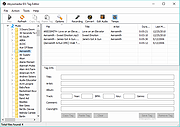 |
|
Imagine v2.7.0 Imagine v2.7.0 👉 Fast freeware image and animation viewer for Windows with broad format and plugin support. Imagine is a freeware image and animation viewer for Windows that focuses on speed while supporting a huge range of image, animation, archive, and RAW camera formats. It includes a thumbnail browser, slideshow, batch conversion and rename tools, screen capture, basic paint tools, color corrections, ICC color management, and optional add-on plugins plus Total Commander integration. Features: • View and save image and animation files with very fast speed • Supports many image and animation formats (including ANI, GIF, PNG, SVG, TIF, WEBP, and more) • Supports digital camera RAW formats (including ARW, CR2, CR3, DNG, NEF, ORF, RAF, SRW, and more) • Supports archive formats (ZIP, RAR, 7Z, ALZ, HV3, CBZ, CBR, CB7) • Extract single or all frames from animation files • Shows detailed file information plus Exif, IPTC, DICOM, and Comment information • Thumbnail browser • Basic paint tools, color corrections, and ICC color management • Batch conversion and batch rename • Slideshow and tiled view • Screen capture • Create animations, multiple page images, and panorama images • Customizable keyboard and mouse shortcuts, plus command line parameter support • Shell extension support, add-on plugin support, and Total Commander Lister, Packer, and Content plugin support • INI-based configuration (does not write unnecessary registry entries) • Native builds for x86, x64, and ARM64 Supported operating systems: • Windows 95, Windows 98, Windows ME, Windows NT 4.0, Windows 2000, Windows XP, Windows 2003, Windows Vista, Windows 7, Windows 8, Windows 10, Windows 11 Supported languages: • Arabic, Czech, Danish, Dutch, French, German, Italian, Japanese, Korean, Polish, Portuguese (Brazil), Portuguese (Portugal), Romanian, Russian, Simplified Chinese, Slovenian, Spanish, Traditional Chinese, Turkish, Ukrainian, Uzbek (O'zbekcha) Changes: v2.7.0 09-12-26 - Added: Antialiasing support for 32-bit alpha blended image - Added: 'Apply to all users'/'Current user only' option (Installer) - Added: Determine whether encoding can be skipped ... |
|
6,937 | Sep 13, 2026 Sejin Chun 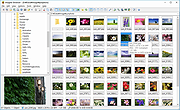 |
|
Inkscape v1.4.4 Inkscape v1.4.4 👉 Professional quality vector graphics editor for illustrations, logos, diagrams, icons, maps and web graphics. Inkscape is a free and open source vector graphics editor that uses SVG as its native file format. It is built for creating and editing scalable artwork such as illustrations, icons, logos, diagrams, maps, charts, technical drawings, line art and web graphics. Features: • Create and edit SVG vector graphics • Draw with pencil, pen and calligraphy tools • Use rectangles, ellipses, stars, polygons, spirals and 3D boxes • Edit paths and nodes with precision • Boolean path operations including union, difference, intersection and exclusion • Layers and object organization • Text tools with text on path support • Gradients, patterns, markers, clones, clipping and masking • Bitmap tracing for converting raster images to vector paths • Import and export many common vector and image formats • PDF import and export support • Extensions and command line options for advanced workflows Supported operating systems: • Windows 10, Windows 11, Windows on Arm • macOS • Linux Supported languages: English, Basque, Brazilian Portuguese, Bulgarian, Croatian, Dutch, Finnish, French, German, Hebrew, Hungarian, Italian, Latvian, Polish, Portuguese, Romanian, Russian, Simplified Chinese, Slovenian, Spanish, Swedish, Traditional Chinese, Ukrainian, Vietnamese Changes: v1.4.4 05-06-26 Maintenance and bugfix release. 20 crash fixes. More than 25 bug fixes and performance improvements. A couple small new features. 26 updated translations. First release to provide packages for Windows on Arm. Faster zooming in documents with many paths. Faster copy and paste of large numbers of objects with gradients. Faster Layers and Objects dialog when many objects are selected. Faster Object Properties dialog when selecting paths. Faster Gradient Tool editing. New button to rotate selected stars or polygons into an upright position. Added Elementary OS color palette. Fixed multiple crashes involving startup, recent files, graphics tablets, pages, PDF files, broken SVG markers, export dialog use, raster image sizing, Tweak tool, Connector Tool, PowerStroke Live Path Effect, Corners Live Path Effect, gradients, Break Apart and raster tracing. Windows on Arm builds ... |
|
7,859 | May 07, 2026 Inkscape 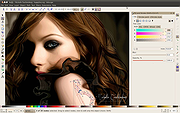 |
|
ItsPaint v0.16.1 ItsPaint v0.16.1 👉 A lightweight, free and open source MS Paint-style image editor for Mac. ItsPaint is a native image editor designed to provide the simple, quick drawing and editing experience of Microsoft Paint on macOS. It can create a blank canvas at any size, draw and paint with multiple tools, paste images directly onto the canvas, crop and resize artwork, annotate screenshots, remove backgrounds, add text and shapes, and export to numerous common image formats. It is intentionally lightweight, requires no account or subscription, contains no telemetry or networking code, and is released under the MIT license. Features: • Create blank canvases at custom sizes • Pencil, brush, highlighter and eraser drawing tools • Round, square, soft and spray brush tips • Draw lines, curves, arrows, rectangles, rounded rectangles, ellipses, triangles, diamonds, polygons, stars and speech bubbles • Solid, dashed and dotted shape outlines with optional fills • Add text with a contrasting rim that remains readable against light and dark backgrounds • Automatic numbered step badges for annotating instructions and screenshots • Pixelate areas for visual de-emphasis • Spotlight tool darkens everything outside a selected area • Clone tool copies pixels from one part of an image to another • Soften tool blends cloned or repaired areas into their surroundings • Instant Alpha selects connected pixels by color • One-command background removal without AI, cloud processing or an Internet connection • Capture a signature with a trackpad, mouse or tablet, or import one from an image • Rectangle, ellipse, lasso and Instant Alpha selection modes • Move selected pixels directly on the canvas • Paste images as floating objects that can be moved and scaled before committing • Automatically expands the canvas when pasted content is larger than the current image • Drag the current selection or entire canvas directly into another application or Finder • Pointer-centered zoom and pixel grid • Snap shapes, selections and pasted content to an 8, ... |
|
223 | Aug 13, 2026 Josh Lin 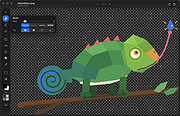 |
|
JOE - Joe's Own Editor v4.6 JOE - Joe's Own Editor v4.6 Joe is the free, world-famous Wordstar like text editor. JOE is a full featured terminal-based screen editor which is distributed under the GNU General Public License (GPL). JOE has been around since 1988 and comes standard with many Linux distributions. JOE is being maintained by its original author Joseph Allen, plus all of the people who send bug reports, feature suggestions and patches to the project web site. JOE is hosted by SourceForge.net and its source code is controlled under Mercurial. JOE is a blending of MicroPro's venerable microcomputer word processor WordStar and Richard Stallman's famous LISP based text editor GNU-EMACS (but it does not use code from either program): most of the basic editing keys are the same as in WordStar as is the overall feel of the editor. JOE also has some of the key bindings and many of the powerful features of EMACS. JOE is written in C and its only dependency is libc. This makes JOE very easy to build (just "configure" and "make install"), making it feasible to include on small systems and recovery disks. The compiled binary is about 300K in x86. Note that JOE can use either the termcap or terminfo terminal capabilities databases (or a built-in termcap entry for ANSI terminals). The choice is controlled by a "configure" option. If terminfo is used, a library is required to access the database (on some systems this library is ncurses, but JOE does not use curses to control the terminal- it has its own code for this). Much of the look and feel of JOE is determined by its simple configuration file "joerc". Several variants of the editor are installed by default in addition to "joe": "jmacs" (emulate GNU-EMACS), "jstar" emulate WordStar, "jpico" emulate the Pine mailer editor PICO and "rjoe"- a ... |
|
1,099 | Aug 26, 2024 Joe Allen 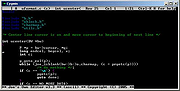 |
|
JSONedit v0.9.45 JSONedit v0.9.45 👉 A portable JSON editor with text, tree and list views. JSONedit lets you inspect and edit JSON documents as text, expandable trees or filtered lists. It requires no installation. Tools support formatting, CSV conversion, reusable snippets, Lua scripting and schema validation. You can also locate browser configuration files and edit Mozilla MOZLZ4/JSONLZ4 files. Note: Full Unicode support is unavailable. The jq filtering tool requires a separate jq executable in the application directory. Features: • Text, tree and list views. • Syntax highlighting, code folding and brace matching. • Compact or indented formatting. • Node copying, cloning, sorting and reordering. • Searching and list filtering. • Duplicate-value detection. • CSV import and export. • Reusable snippets. • Lua scripting and configurable hotkeys. • JSONPath and JMESPath queries. • JSON Patch and Merge Patch tools. • JSON Schema validation. • NDJSON viewing and export. • Mozilla MOZLZ4/JSONLZ4 support. • Browser configuration access. • External jq filtering. Supported operating systems: • Windows; specific versions: Not Found • Linux through Wine, with limitations Supported languages: English. Changes: v0.9.45 09-30-26 added File/"Open browser config" menu: lists JSON configuration files of Chromium-based browsers (Vivaldi, Opera, Chrome, Edge, Brave) and Firefox profiles saving browser configuration file: warning if browser is running (it may overwrite file on exit), warning for Chromium "Secure Preferences" (HMAC-protected values), option to remove "checksum" from Chromium "Bookmarks" added Tools/"jq filter (using external jq.exe)" window: filtering JSON with jq (https://jqlang.org/) if jq executable (jq.exe, jq-win64.exe, jq-windows-amd64.exe, jq-win32.exe or jq-windows-i386.exe) is placed in application directory; options: compact (-c), raw output (-r), sort keys (-S), slurp (-s); MRU list of filters pre-filled with basic examples MOZLZ4/JSONLZ4 files are detected also ... |
|
5,825 | Oct 05, 2026 Tomasz Ostrowski 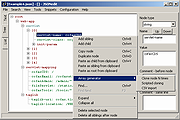 |
|
Kate v26.07.70 Kate v26.07.70 👉 Advanced multi-document text editor and source code editor for programmers. Kate is a feature-rich text editor developed by the KDE community. Designed for programmers, system administrators, and power users, it provides advanced editing capabilities including syntax highlighting, code folding, project management, powerful search and replace functions, session management, and integrated terminal access. Kate can open and edit multiple documents simultaneously using tabs and split views, making it ideal for managing large projects and working across numerous files at once. Kate supports hundreds of programming and markup languages through its extensive syntax highlighting engine and includes Language Server Protocol (LSP) integration for code completion, diagnostics, symbol navigation, and other modern development features. Its plugin architecture allows users to extend functionality with tools such as file browsers, document previews, external command execution, and Git integration. Kate is available for Linux, Windows, and macOS, providing a consistent editing experience across platforms. Features: • Multi-document and multi-window editing interface • Tabbed and split-view editing • Syntax highlighting for over 300 file formats • Code folding and bracket matching • Language Server Protocol (LSP) support • Intelligent code completion and symbol navigation • Powerful search and replace tools • Regular expression support • Session management for restoring workspaces • Project management tools • Embedded terminal window • Git integration and developer-focused plugins • Multiple cursors and selections • Vi/Vim input mode • Automatic file encoding detection • Support for local and remote file editing via network protocols • Markdown, HTML, and SVG preview support through plugins • Extensive customization options and plugin architecture Supported operating systems: • Windows 10, Windows 11 • macOS 13 Ventura or higher • Linux distributions supporting KDE Gear 26.07.70 Supported languages: Arabic, Basque, Catalan, Chinese (Simplified), Chinese (Traditional), Czech, Danish, Dutch, English, Finnish, French, Galician, German, Greek, Hebrew, Hungarian, Italian, Japanese, Korean, Norwegian Bokmεl, Polish, Portuguese, Portuguese (Brazilian), Romanian, Russian, Slovak, Slovenian, Spanish, Swedish, Turkish, Ukrainian, and many additional KDE translation languages. Changes: v26.07.70 Not provided. This download is ... |
|
2,631 | Jun 16, 2026 Kate KDE Team 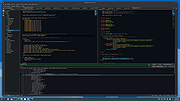 |
 |
KeenWrite v3.6.5 KeenWrite v3.6.5 👉 A free, open-source Markdown text editor for creating beautifully typeset documents and PDFs. KeenWrite is a cross-platform desktop Markdown editor designed for producing professional-quality documents with advanced typesetting capabilities. It combines a distraction-free writing environment with powerful features such as real-time preview, variable interpolation, mathematical notation using TeX syntax, and support for diagrams and structured content. KeenWrite focuses on technical writing, academic work, and long-form documents by enabling structured content and high-quality exports. Markdown documents can be converted into XHTML and then rendered into beautifully formatted PDFs using the ConTeXt typesetting engine and optional theme packs. The editor supports advanced syntax extensions, allowing writers to integrate variables, data, charts, and equations directly into their documents. The application includes a customizable interface with detachable panels, document outline navigation, integrated file management, and themeable skins for light or dark environments. KeenWrite also supports diagram creation (such as Mermaid and GraphViz), interactive statistics, and real-time math rendering, making it particularly useful for researchers, technical authors, and documentation writers. Interpolated variable replacement Features: • Cross-platform Markdown editor with live preview • Export Markdown documents to XHTML and high-quality PDF • Variable interpolation system for reusable content • Real-time math rendering using TeX notation • Diagram support including Mermaid, GraphViz, UML, and sequence diagrams • Built-in document statistics and word frequency analysis • Interactive document outline and integrated file manager • Customizable interface with detachable tabs and UI skins • Support for advanced Markdown extensions and Pandoc attributes • Dark mode and customizable visual themes Supported operating systems: • Windows 7, Windows 8, Windows 10, Windows 11 • macOS, • Linux, FreeBSD, Unix-like systems Supported languages: English, Korean, Japanese, Chinese, Simplified Chinese KeenWrite requires Java 17 or newer to run. If Java is not installed on your system, download and install the Java Runtime Environment before launching the program. Download Java Runtime Environment (JRE) See user manual for installation instructions: keenwrite-manual.pdf This download is ... |
|
878 | Mar 10, 2026 White Magic Software, Ltd. 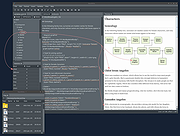 |
|
KillerPDF v1.7.3 KillerPDF v1.7.3 👉 Portable PDF editor for viewing, annotating, editing, and signing PDFs. KillerPDF is a free and open-source PDF viewer, annotator, and editor for Windows that provides PDF viewing, annotation, text editing, OCR, forms, signatures, page organization, transformation, printing, and flattening in a compact native executable. It can be run as a portable application or installed, requires no account or subscription, contains no ads, and sends no telemetry. PDFium provides document rendering while Tesseract provides built-in OCR, with additional OCR language models available on demand. Features: • High-quality PDF rendering using PDFium • Single-page, continuous scroll, two-page, book layout, and page grid viewing • Open multiple PDF documents in tabs • Split-pane mode displays two documents side by side in the same window • Each split pane maintains independent viewing and inverted-color settings • Drag tabs between split panes • Search an entire document with results highlighted while scrolling • Text selection follows columns and document reading order • Navigate outlines, bookmarks, clickable links, and internal references • Edit existing PDF text inline with font matching • Add resizable text boxes • Add freehand drawings, straight lines, shapes, and highlights • Adjust annotation colors, opacity, and line widths • Full RGB color picker for annotation colors • OCR an entire page or a selected region • Copy OCR results directly to the clipboard • Make scanned PDFs searchable by adding an invisible text layer • Extract all recognized text to a file • Built-in Tesseract OCR with additional language models available on demand • Fill and save PDF forms • Draw and reuse signatures • Import signatures from image files • Digitally sign PDFs using Certum SimplySign cloud certificates • Support for click-to-sign PDF form fields • Merge multiple PDF documents • Split and extract PDF pages • Drag and drop pages to rearrange them • Insert, rotate, move, extract, and delete pages • Drop folders or ZIP archives into the program to work with contained PDFs and images • Crop ... |
|
1,026 | Aug 17, 2026 SteveTheKiller 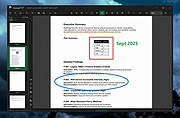 |
|
Kova v0.6.17 Kova v0.6.17 👉 Create beautiful Markdown-based presentations with live preview and PowerPoint/PDF export. Kova is an open-source presentation editor that lets you create modern slide decks using Markdown instead of traditional slide-by-slide editing. It provides a distraction-free writing environment with a live preview, built-in themes, syntax highlighting, diagrams, tables, code blocks, images, videos, speaker notes, and presenter tools. Kova can export presentations to PDF and Microsoft PowerPoint (.pptx), making it suitable for technical talks, documentation, education, and business presentations while keeping your slides in plain-text files that are easy to version and edit. Features: • Create presentations entirely in Markdown. • Live preview while editing slides. • Export presentations to PDF and Microsoft PowerPoint (.pptx). • Built-in themes with customizable appearance. • Support for syntax-highlighted code blocks. • Display Mermaid diagrams. • Insert images, videos, tables, and lists. • Automatic table of contents generation. • Presenter mode with speaker notes. • Hyperlinks, footers, and slide numbering. • Cross-platform desktop application. • Open-source under the MIT License. Supported operating systems: • Windows 10, Windows 11 • macOS 13 Ventura or higher • Linux (AppImage, Flatpak) Supported languages: • English Changes: v0.6.17 07-11-26 Added: • Table of contents entries now render as a plain hyperlinked list by default. • Added a per-document option to switch table of contents back to numbered format. Fixed: • Fixed videos hiding other slide elements and improved mixed video PowerPoint exports. • Fixed duplicate image assets when re-adding previously removed images. • Fixed links without a URL scheme by automatically using HTTPS. • Fixed footer date formatting for certain locales. • Fixed uneven font scaling in two-column layouts. • Fixed Mermaid diagram font inconsistencies in exported presentations. • Fixed opening and saving files outside the home folder on Linux builds outside Flatpak. • Fixed the application becoming stuck after certain background task failures. Performance: • Limited Mermaid diagram render cache growth during long editing sessions. • PDF and PowerPoint export libraries now load on demand for faster startup. Packaging: • Windows MSI and EXE installers ... |
|
352 | Jul 14, 2026 Kova contributors  |
|
Krita v5.3.4 Krita v5.3.4 👉 Professional free and open source digital painting software for illustration, concept art, comics, textures, and animation. Krita is a professional free and open source painting program made by artists who want affordable art tools for everyone. It offers a clean and flexible interface, a large set of painting and drawing tools, animation features, resource management, and advanced text and vector capabilities for creating everything from illustrations and concept art to comics, textures, and animated projects. Portrait of Random Beauty by:Manga Tengu Features: • Clean and flexible interface with fully customizable layouts, dockers, toolbars, themes, and keyboard shortcuts for a personalized workflow • Over 100 professionally crafted brushes included, covering painting, sketching, inking, textures, and special effects • Advanced brush engines (9+) including Pixel, Smudge, Color Smudge, Shape, Spray, Filter, and Particle engines for diverse artistic styles • Brush stabilizers, smoothing options, and Dynamic Brush tool for precise and controlled strokes • Full brush customization with pressure sensitivity, tilt support, rotation, texture overlays, and custom brush tips • Powerful layer system including raster, vector, filter, file, fill, and clone layers with grouping and non-destructive workflows • Advanced selection tools including freehand, polygonal, contiguous, color-based, and transformable selections • Masking system with transparency masks, filter masks, transform masks, and selection masks for non-destructive editing • Built-in vector tools for shapes, paths, and SVG-based artwork with editable properties • Enhanced text tool with on-canvas editing, full OpenType support, kerning, shaping, and text flowing into shapes • Wrap-around mode for seamless texture and tile creation • Resource Manager for importing, organizing, tagging, and sharing brushes, gradients, patterns, and palettes • Color management with HDR painting support, wide color gamut, ICC profiles, and advanced blending modes • Fill tool with gap-closing capability for cleaner coloring in line art • Fast liquify transform mode for real-time distortion and sculpting effects • Extensive filter set including artistic, blur, color adjustment, and new propagate ... |
|
7,911 | Oct 02, 2026 Krita Foundation  |
|
Letos v4.0.0 Letos v4.0.0 (Formerly SQLiteStudio) 👉 Free, open source cross-platform SQLite database manager with an advanced SQL editor and visual ERD designer. Letos is a free, open source SQLite database manager for creating, editing, and browsing SQLite databases. Formerly known as SQLiteStudio, Letos provides a powerful SQL editor with syntax highlighting, code formatting, query history, and intelligent code assistance. Version 4.0.0 introduces a completely new visual ERD (Entity Relationship Diagram) editor, native ARM64 builds, a Qt 6-based interface, and numerous improvements for database browsing, editing, importing, exporting, scripting, and overall workflow. It also supports encrypted SQLite databases, plugins, custom SQL functions, and portable operation without installation. Features: • Advanced SQL editor with syntax highlighting, formatting, code assistance, and query history • Visual ERD (Entity Relationship Diagram) editor for designing and reverse-engineering databases • Supports SQLCipher, WxSQLite3, and System.Data.SQLite encrypted databases • Execute queries across multiple attached databases • Custom SQL functions and aggregate functions using JavaScript, Python, or Tcl • Custom collation sequence support • Drag and drop database objects between databases • Built-in data import and export for SQL, CSV, HTML, XML, PDF, and JSON • Data population tools with random, sequence, dictionary, and script-based generators • Plugin architecture for scripting languages, import/export formats, formatters, renderers, and more • Portable edition requiring no installation • Extensive interface customization and docking options • Native ARM64 builds and signed Windows and macOS packages • High-DPI aware Qt 6 interface with scalable SVG icons • Command Palette for quick access to commands and settings • Built-in image rendering and JSON editor for data browsing Supported operating systems: • Windows 10, Windows 11 (x64, ARM64) • macOS (Intel and Apple Silicon) • Linux (x64, ARM64) Supported languages: Afrikaans, Arabic, Belarusian, Catalan, Czech, Danish, Dutch, English, Greek, Hungarian, Japanese, Korean, Norwegian, Polish, Portuguese, Romanian, Serbian, Slovak, Swedish, Turkish and additional updated translations. Changes: v4.0.0 06-23-26 Added a new visual ERD editor. Renamed the project from SQLiteStudio to Letos. Migrated the application to Qt ... |
|
2,637 | Jun 24, 2026 Pawel Salawa  |
|
Logon Message Editor v1.1 Logon Message Editor v1.1 This is a simple "one trick pony" utility to allow one to easily change the logon message on a Windows system. The Windows logon message is the optional message displayed to users, for which they need to click "OK", to get to the actual login screen. (Often on corporate computers, it displays a legal notice about authorized use.) If the message is blank, then the logon message screen never appears. On large corporate systems, the IT guys would normally remotely control this message. On individual systems, say where you want to remind the kids at home or employees in a small business, you can also do this by manually editing the System Registry. However, that's not only a pain, but even if you are a System Registry editing pro, simple editing of the registry keys results in a message with no line formatting, and to get the message to be line formatted with carriage returns requires editing the registry entry at the binary level. Since I manage some Windows machines used for computer simulations by graduate students, as well as have a home workstation dedicated for work related use, I wrote a small editor to allow me to change this message, with line formatting, quickly and simple without having to deal with the Group Policy editor nor with manually binary editing the System Registry. That program is Logon Message Editor (LOMessage). This program has been mostly used on 64-bit Windows 7 Pro, Enterprise & Ultimate machines, but should work on any version of Windows XP & higher (XP, Vista, 7, 8 & 10). Windows requires that the user trying to edit this message be an Administrator, and the program does look at the users privilege level and if they did not start this program with ... |
|
3,683 | Mar 04, 2021 Michael J. Burns  |
|
LyX v2.5.2 LyX v2.5.2 👉 A powerful document processor that combines an easy graphical interface with the professional typesetting capabilities of TeX/LaTeX. LyX is a free, open-source document processor designed around the idea of focusing on the structure and content of a document rather than manually formatting every element. It combines the power and flexibility of TeX/LaTeX with a familiar graphical interface, making professional typesetting much more accessible. LyX is especially well suited for academic papers, scientific documents, theses, books and other complex publications, while also working well for letters, reports, novels, presentations and scripts. A fully integrated equation editor makes creating mathematical content straightforward, while built-in support for bibliographies, indexes, cross-references, tables, figures and structured document layouts helps manage large and complicated projects. Documents can be produced in formats including PDF, PostScript, DVI, HTML and OpenDocument. Features: • WYSIWYM (What You See Is What You Mean) document editing that emphasizes structure instead of manual formatting • Combines a graphical document editor with the TeX/LaTeX typesetting system • Integrated equation editor for creating complex mathematical and scientific formulas • Designed for academic articles, theses, dissertations, books and scientific publications • Also suitable for letters, reports, novels, presentations, plays and film scripts • Built-in support for bibliographies and reference lists • Automatic index creation and management • Powerful cross-referencing for sections, figures, tables, equations and other document elements • Handles structured documents without requiring users to manually manage page formatting • Includes a broad collection of ready-made document layouts • Supports tables, figures, footnotes and other common publishing elements • Supports professional-quality mathematical typesetting through LaTeX • Supports PDF, PostScript, DVI, HTML and OpenDocument output • Supports external LaTeX packages for greatly expanding document capabilities • Supports bibliography managers and other external publishing tools • Supports spell-checking systems including Hunspell, GNU Aspell and Enchant • Can use ImageMagick and Ghostscript for additional image and PostScript conversion capabilities • Supports numerous external converters, reference managers ... |
|
2,094 | Sep 15, 2026 The LyX Project 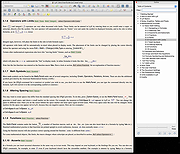 |
|
MDB Viewer Plus v2.82 MDB Viewer Plus v2.82 👉 View, edit, search, and export Microsoft Access databases without installing Access. MDB Viewer Plus is a portable viewer and editor for Microsoft Access MDB and ACCDB files. It lets you inspect tables, edit records, run SQL queries, search and filter data, and import or export information in a range of formats. It can also create databases and change table structures. Opening ACCDB files requires the Microsoft Access Database Engine when a suitable version of Access is not installed. Features: • Open MDB and ACCDB database files without installing Microsoft Access. • View and edit table records in a tabbed interface. • Search records, including partial word searches, and filter or sort by field. • Run SQL select queries and save SQL statements to files. • View field types, print table structures, and copy field names to the clipboard. • Create databases and create, rename, or delete tables. • Add, remove, rename, or alter fields and manage indexes. • Import data from formats including CSV, TXT, XLS, DBF, MDB, and XML. • Export to TXT, HTML, XML, DBF, XLS, XLSX, RTF, PDF, and SQLite. • Open databases using workgroup files and link to external tables. • Run without installation. alexnolan.net Supported operating systems: • Windows 95, Windows 98, Windows ME, Windows NT, Windows 2000, Windows XP, Windows Vista, Windows 7, Windows 8, Windows 10, Windows 11 Supported languages: English. Changes: v2.82 09-24-26 Not provided. Note: This file has one hit on VirusTotal. We have confirmed this to be a false positive. The file is safe. Click here to visit the author's website. |
|
6,890 | Sep 25, 2026 Alex Nolan 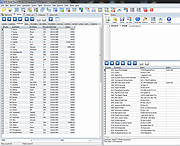 |
|
Metadata++ v3.00.2 Metadata++ v3.00.2 👉 View, edit, search, and manage metadata in thousands of file formats. Metadata++ is a powerful freeware metadata editor and browser for Windows built around ExifTool. It lets you inspect, edit, search, and organize metadata stored in photos, documents, audio, video, archives, and many other file types through a fast graphical interface. Designed to run locally without relying on the Windows registry, Metadata++ can also create sidecar files so metadata can be associated with formats that do not natively support it. It includes advanced search capabilities, batch editing, thumbnail viewing, ratings, tagging, and extensive support for industry-standard metadata formats, making it an excellent tool for photographers, archivists, content creators, and anyone who needs detailed control over file metadata. Features: • View, edit, and search metadata in thousands of supported file formats. • Built on the powerful ExifTool metadata engine. • Batch edit metadata across multiple files. • Create and use sidecar metadata files for unsupported formats. • Display image thumbnails and detailed file information. • Rate, tag, and organize files using metadata. • Fast folder navigation and high-performance directory browsing. • Export metadata in multiple formats. • Native Unicode support for international filenames and metadata. • Portable operation with all settings stored in the program folder. • No Windows registry entries required. • Runs entirely on your computer without transmitting personal data. Supported operating systems: • Windows 11 (64-bit), Windows 10 (64-bit) Supported languages: English, French, Spanish, Italian, Portuguese, Dutch, Polish Changes: v3.00.2 08-03-26 Changes since 3.00.1 Fixed the TreeView horizontal scrollbar. Added support for additional palette formats. Added GPR display support. Added conversions to JPEG, PNG and WebP. Added Save As and effects to fullscreen view. Added sidecar creation for any file format. Added the Ukrainian interface. Metadata++ can now use GDAL. Note: This file ... |
|
2,179 | Aug 02, 2026 Jean Piquemal 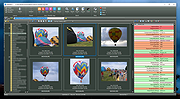 |
|
MP3tag v3.34.1 MP3tag v3.34.1 👉 Powerful and easy-to-use tag editor for managing audio file metadata. MP3tag is a popular and reliable tag editor designed to make organizing and managing your digital music collection simple and efficient. It supports batch editing of tags, import of metadata from online databases, and full Unicode support, making it suitable for both casual users and serious collectors. MP3tag works with a wide range of audio formats and allows you to rename files based on tag information or generate tags from filenames. The application is lightweight, fast, and focuses on doing one job extremely well: keeping your music library clean and properly tagged. Features: • Batch editing of audio file tags • Support for ID3v1, ID3v2, APEv2, MP4, Vorbis Comments, and more • Import tags from online databases such as Discogs and MusicBrainz • Automatic file renaming based on tag information • Create tags from filenames and directory structures • Full Unicode support for international music collections • Lightweight, fast, and portable-friendly design Supported operating systems: • Windows 7, Windows 8, Windows 10, Windows 11 Supported languages: English, German, French, Spanish, Italian, Portuguese, Dutch, Polish, Czech, Russian, Ukrainian, Chinese, Japanese, Korean, Hungarian, Romanian, Swedish, Turkish Changes: v3.34.1 05-07-26 FIX: large integer metadata values were truncated to the preferred storage width when writing MP4 atoms like `ITUNESCATALOGID`. (#71185) FIX: minor performance regression in the action groups dialog that could slow downloading or adding large numbers of action groups. (#71129) FIX: using 'Convert > Tag - Tag' changed the last used Quick Action to 'Format value'. (#71086) FIX: configuring or performing an action via a custom toolbar button also changed the last used Quick Action to this action type. LNG: updated French, Hungarian, and Traditional Chinese translations. This download is for the Windows 64bit version (very bottom of page). If you need the Windows 32bit version, download here. Click here to visit the author's website. |
|
6,340 | Jun 18, 2026 Florian Heidenreich 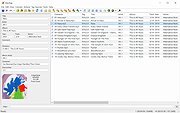 |
|
MuseScore v4.7.4 MuseScore v4.7.4 👉 Free and open-source music notation and composition software. MuseScore is a powerful and easy-to-use music notation program designed for writing, editing, and printing sheet music. It provides composers, arrangers, teachers, and students with a complete environment for creating professional-quality scores. The program includes a flexible notation editor, playback with high-quality instrument sounds, and support for a wide range of musical symbols and notation standards. MuseScore allows users to input notes using a mouse, keyboard, or MIDI controller, and offers real-time playback so compositions can be heard while being written. Scores can be exported to a variety of formats including PDF, MusicXML, MIDI, and audio formats, making it easy to share music with others or use it in other music production tools. The software supports a broad range of musical styles and ensembles, from simple lead sheets and piano scores to full orchestral arrangements. MuseScore also integrates with the online MuseScore community where users can share scores, download music, and collaborate with other musicians around the world. Features: • Professional music notation editor with extensive symbol library • Note input via mouse, keyboard, or MIDI controller • Real-time playback with integrated soundfonts and instrument sounds • Support for multiple staves, voices, and complex score layouts • Import and export support for MusicXML, MIDI, PDF, audio, and more • Built-in mixer and playback controls for balancing instrument parts • Flexible layout tools for printing high-quality sheet music • Plugin support for extending functionality • Integration with the MuseScore online community for sharing scores Supported operating systems: • Windows 10, Windows 11 • macOS 12 Monterey or higher • Linux Supported languages: English, Arabic, Basque, Catalan, Chinese Simplified, Chinese Traditional, Czech, Danish, Dutch, Finnish, French, German, Greek, Hungarian, Indonesian, Italian, Japanese, Korean, Norwegian, Polish, Portuguese, Portuguese Brazilian, Romanian, Russian, Slovak, Spanish, Swedish, Turkish, Ukrainian, Vietnamese Changes: v4.7.4 07-07-26 New instruments This update adds the following instruments to the New Score dialog: ... |
|
7,804 | Jul 24, 2026 MuseScore BVBA  |
|
Neovim v0.12.4 Neovim v0.12.4 👉 Hyperextensible Vim-based text editor focused on usability and modern development. Neovim is a powerful, extensible text editor built as a refactor of Vim, designed to improve maintainability, usability, and plugin development. It provides a modern codebase with enhanced APIs, asynchronous job control, and built-in Language Server Protocol support, making it well-suited for programming and advanced text editing workflows. Neovim maintains strong compatibility with Vim while introducing a more developer-friendly architecture and improved user experience. Features: • Vim-compatible modal editing • Built-in Language Server Protocol (LSP) support • Asynchronous job control and event-driven architecture • Embedded Lua scripting for fast, modern configuration • Remote plugin support (Python, Node.js, Ruby, and more) • Terminal emulator built-in • Tree-sitter integration for advanced syntax highlighting • Highly customizable key mappings and workflows • Cross-platform support Supported operating systems: • Windows 10, Windows 11 • macOS 10.15 or later • Linux • FreeBSD Supported languages: • English Changes: v0.12.4 07-05-26 FEATURES - fec4045 lsp: clean up semantic token initialization and debounce #40266 - 55205b3 lsp: use LspNotify for semantic tokens (#40242) PERFORMANCE - fded370 lsp: overscan semantic_token range requests #40036 - fa365ce treesitter: reduce memory usage of _select.lua #40409 FIXES - e57c37d api: nvim_buf_set_text resets changelist to 0 #39965 - ea07b60 api: preserve ArrayOf metadata #40429 - 5ff4e14 cmdline: avoid redraw loop after wrapped line #40240 - a0d7e80 folds: foldcolumn is interrupted for virtual line above nested fold (#39999) - a4cfded health: always set 'modifiable' #40584 - 7fd0f54 health: don't check node package via yarn #40572 - 749126d highlight: keep guisp underline color in float with 'winblend' #40283 - 5c38490 lsp: allow specifying bufnr + client_id filter when enabling capabilities #37690 - c81ab60 lsp: catch another nil buffer state #40285 - bf8d0be lsp: fire LspNotify didChange autocmds after undo/redo #40404 - 41dbb82 lsp: fix multiline semantic token processing (#40340) - 3dd3a6c lsp: make LspNotify more robust (#40341) - ecda676 lsp: refresh codelens despite pending debounce #40177 - 822d969 lsp: request semantic tokens in BufWinEnter #40513 - fd27246 lsp: skip invalid file watcher globs ... |
|
2,313 | Jul 06, 2026 Neovim team  |
|
Nextpad++ v1.1.0 Nextpad++ v1.1.0 👉 A free, open-source, native port of Notepad++ for macOS and Linux. Nextpad++ is a full open-source community port of Notepad++ designed to provide the familiar Notepad++ editing experience natively on macOS and Linux. It uses the same Scintilla editing engine and provides syntax highlighting, search and replace, macro recording, split-view editing, user-defined languages and a growing ecosystem of ported plugins. The macOS interface is implemented using native Cocoa APIs, while the Linux edition uses GTK4, eliminating the need for Wine or other Windows compatibility layers. The editor supports more than 80 programming languages for syntax highlighting and includes 137 interface languages. Its search tools include regular expressions, Find in Files, line bookmarks and incremental search. Documents can be viewed side-by-side with split-view editing, and repetitive editing operations can be automated using recordable and replayable macros. Nextpad++ supports plugins through its built-in Plugin Admin, with community developers continuing to port Notepad++ plugins to macOS and Linux. Configuration files, themes and User Defined Languages are designed to remain compatible across the Windows, macOS and Linux editions. The macOS edition is a Universal Binary containing native ARM64 and x86_64 code, allowing it to run directly on Apple Silicon and Intel Macs without Rosetta. The Linux edition runs natively on x86_64 and ARM64 systems and supports both Wayland and X11. Nextpad++ is an independent community project and is not affiliated with the official Notepad++ development team. It is free and open source under the GNU General Public License v3. The application contains no advertising and the developer states that it contains no telemetry, analytics or data collection. Features: • Full independent community port of Notepad++ for macOS and Linux • Native macOS Cocoa/AppKit interface • Native GTK4 interface on Linux • Uses the same Scintilla editing engine as Notepad++ • Syntax highlighting for more than 80 programming and markup languages • User Defined ... |
|
610 | Sep 03, 2026 Nextpad++ for Mac & Linux  |
|
Notepad++ v8.9.8.1 Notepad++ v8.9.8.1 👉 Free source code editor and Notepad replacement that supports multiple programming languages. Notepad++ is a powerful text and source code editor designed as a lightweight replacement for Windows Notepad. Built on the Scintilla editing component, it provides advanced editing features, syntax highlighting, and extensive customization options while maintaining fast performance and low resource usage. Notepad++ supports a wide range of programming and scripting languages and includes features such as tabbed editing, code folding, search and replace with regular expressions, and macro recording. Its plugin system allows users to extend functionality with additional tools and enhancements. Features: • Syntax highlighting and syntax folding • Multi-document tab interface • Powerful search and replace with regular expression support • Macro recording and playback • Plugin support for extended functionality • Auto-completion and customizable GUI • Lightweight and optimized for performance Supported operating systems: • Windows 7, Windows 8, Windows 10, Windows 11 Supported languages: English, Chinese (Simplified), Chinese (Traditional), French, German, Italian, Japanese, Korean, Spanish, Russian, and more Changes: v8.9.8.1 09-24-26 Vulnerability: Fix crash caused by “Open file” & “Search on Internet” commands. CVE ID not assigned yet Vulnerability: Fix Function List array out-of-bounds risks when parsing functions. CVE ID not assigned yet Vulnerability: Fix UAC operations performed without verifying the caller. CVE ID not assigned yet Vulnerability: Fix incomplete UNC detection allowing NTLM leak bypass. CVE ID not assigned yet Vulnerability: Fix crash of NPPM API when invalid value passed as argument. CVE ID not assigned yet Regression: Fix failure to open files via Notepad++ symlink paths. (Fix #18314) Fix a crash after canceling UAC saving operation. (Fix commit) Fix Network Path Warning dialog usability problem. (Fix #18319 (comment)) Fix symlinks setting for Folder as Workspace not ... |
|
10,538 | Sep 25, 2026 Don Ho  |
|
Notepad3 v7.26.602.1 Notepad3 v7.26.602.1 👉 A fast, lightweight, Scintilla-based text editor for Windows with syntax highlighting. Notepad3 is a free, open-source text editor built as a smarter, more capable replacement for Windows Notepad. It is based on the Scintilla editing component and Lexilla lexer library, giving it powerful syntax highlighting, fast performance, a small memory footprint, and practical tools for everyday text editing, coding, scripting, configuration files, logs, and more. Features: • Fast and lightweight Windows text editor • Syntax highlighting for over 55 programming, scripting, markup, and configuration languages • Code folding with toggle-all support • Bookmarks for quick navigation • Word auto-completion • Find and Replace with PCRE2 regular expression support • grepWin integration for searching across files • Encoding detection and character encoding support • File change monitoring • AES-256 Rijndael encryption and decryption • Dark mode support with customizable colors • High-DPI aware interface with high-definition toolbar icons • Customizable status bar and toolbar labels • Portable edition available • Includes MiniPath file browser plugin Supported operating systems: • Windows 8.1, Windows 10, Windows 11 Supported languages: Afrikaans, Belarusian, Chinese Simplified, Chinese Traditional, Dutch, English US, English UK, Finnish, French, German, Greek, Hindi, Hungarian, Indonesian, Italian, Japanese, Korean, Polish, Portuguese Brazil, Portuguese Portugal, Russian, Slovak, Spanish, Swedish, Turkish, Vietnamese Supported Programming Languages Apache, ASP, Assembly, AutoHotkey, AutoIt3, AviSynth, Awk, Bash, BAT, C, C++, C#, CGI, CMake, CoffeeScript, CSS, CSV, D, Dart, DIFF, Fortran, Go, HTML, INF, INI, Inno Setup, Java, JavaScript, JSON, Julia, KiXtart, Kotlin, LaTeX, Lua, Makefiles, Markdown, MATLAB, Nim, NSIS, Pascal, Perl, PHP, PowerShell, Python, REG, Resource, R-S-SPlus Statistics, Ruby, Rust, Shell, SQL, Tcl, TOML, VB, VBScript, Verilog, VHDL, XHTML, XML, YAML and improved support for NFO ANSI. Changes: v7.26.426.1 04-26-26 • Paste-board minimization (/B /I) escape hatch if Ctrl-key held down. • PasteBoard: defer minimize on /B + /I startup so auto-pasted clipboard is visible briefly. • PasteBoard: opt-out ‘Don’t ask again’ on closing modified untitled documents. • Feat: /B auto-pastes current clipboard ... |
|
5,116 | Jun 10, 2026 Rizonetech Pty Ltd. 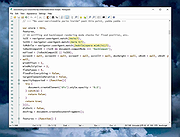 |
 |
NPS Image Editor v4.2.8 NPS Image Editor v4.2.8 A free, unique image editing program that is perfect for pixel art, drawing, and photo editing. It is lightweight, customizable, and intuitive, yet surprisingly powerful. NPS Image Editor features a user interface that should be instantly familiar to users of the "classic" version of Microsoft Paint. It includes a plethora of features that help you accomplish anything from simple edits to more complex operations with ease. Features: • Brushes of almost any shape • Multiple selection tools including freeform (lasso) select and Magic Wand • Shapes including rectangles, ellipses, and Bιzier curves • Processing tools such as black-and-white, red eye removal, and bitwise operations • Photo manipulation tools including a clone stamp and warp tool • Text tool with customizable fonts and effects • Gradient tool • Standard ancillary tools such as panning and eyedropper • Optimized for screenshot editing and pixel art • Layers • Blending modes • Layer masks • Tons of effects • Animation • Flexible workspace • 8-bit alpha transparency editing • Document templates • Extensive color tools • Transformations • Scripting and Automation • Customizable themes • Small footprint • More features coming soon! Changes: 4.2.8 build 6019 February 1, 2025 Added features for working with spritesheets and icons. New editing features Added multi-frame brush editing support ... |
|
1,479 | Feb 19, 2025 Alexey "Lyosha" Blinnikov 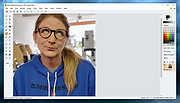 |
|
ocenaudio v3.20.4 ocenaudio v3.20.4 👉 Fast, cross-platform audio editor for recording, editing, analyzing, and exporting audio files. ocenaudio is a cross-platform, easy to use, fast, and functional audio editor designed for people who need to edit and analyze audio files without complications. It supports audio editing and analysis across major desktop platforms, offers real-time effect previews, multi-selection editing, and tools for working with audio in a responsive interface. Features: • Cross-platform audio editor for Windows, macOS, and Linux • Multi-selection editing for working on different parts of an audio file at the same time • Real-time effect preview to hear changes while adjusting controls • Support for VST effects for expanded audio processing • Spectral analysis and waveform editing tools • Responsive interface that keeps working while opening, saving, or applying effects • Recording, editing, and exporting tools for common audio workflows • Annotation tracks, region editing, channel routing, and trim/split tools in v3.18.0 Supported operating systems: • Windows 10, Windows 11 • macOS 13.3 or higher • macOS 10.14 to 14 (legacy build) • Debian 11, Debian 12, Debian 13 • Ubuntu 20.04, Ubuntu 22.04, Ubuntu 24.04 • Fedora 39, Fedora 40 • Rocky Linux 9.3 • openSUSE Leap 15 • Arch Linux Supported languages: English, Portuguese, French, German, Spanish, Italian, Japanese, Hungarian, Simplified Chinese Changes: v3.20.4 08-13-26 Adds copy, paste and drag of audio directly between two ocenaudio windows Improves VST plugin support on Linux: VST3 editors now open correctly, standard system folders are recognized and JACK is loaded on demand, including through PipeWire Fixes crashes and noise caused by VST and VST3 plugins Fixes plugins that changed the system decimal separator, corrupting parameters and presets Fixes crashes with ASIO devices on Windows when disconnecting the device during recording Other bug fixes and improvements This download is for the Windows 64Bit portable version (very bottom of page). All other download assets are below: Other Windows: ocenaudio_windows64_3.20.4.exe macOS: ocenaudio_universal_3.20.4.dmg ocenaudio_universal_legacy_3.20.4.dmg Linux: ocenaudio_debian13_3.20.4.deb ocenaudio_debian12_3.20.4.deb ocenaudio_debian11_3.20.4.deb ocenaudio_ubuntu24.04_3.20.4.deb ocenaudio_ubuntu22.04_3.20.4.deb ocenaudio_ubuntu20.04_3.20.4.deb ocenaudio_fedora40_3.20.4.rpm ocenaudio_fedora39_3.20.4.rpm ocenaudio_archlinux_3.20.4.pkg.tar.zst ocenaudio_opensuse15_3.20.4.rpm ocenaudio_rockylinux9.3_3.20.4.rpm ocenaudio_3.20.4.AppImage Click here to visit the author's website. |
|
7,141 | Aug 13, 2026 ocenaudio Development Team 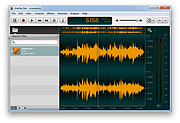 |
 |
OpenPdfEdit v1.0.2 OpenPdfEdit v1.0.2 👉 View, edit, annotate, and organize PDF files on your computer. OpenPdfEdit is a free, open-source PDF editor for macOS and Windows. It lets you view PDFs, edit text and images, add annotations, redact content, fill and sign forms, reorganize pages, merge or split documents, and compare files. Documents are opened, edited, and saved on your computer rather than uploaded to a server. OCR and watermarking are available as optional paid tools. Features: • View and navigate PDF documents • Edit text and images in PDF files • Add annotations and markups • Redact sensitive content • Fill forms and place saved signatures • Reorder, rotate, and remove pages • Merge, split, and compare PDF files • Save and work with documents locally; files are not uploaded • Optional paid tools for OCR and watermarking Supported operating systems: macOS 10.13 or later (Apple silicon and Intel), Windows 10 64-bit, Windows 11 64-bit Supported languages: English, German, Spanish, Japanese, Korean, Portuguese, Chinese (Simplified), Chinese (Traditional) Changes: v1.0.2 10-12-26 Added the first Windows build. The Mac build now supports Intel Macs as well as Apple silicon. Saved signatures can be placed by tapping the page. Ticked form checkboxes retain their on-state when saved. Flattening now includes form fields without a drawn appearance. 👉 This download is for the Windows version (very bottom of page). All other download assets are below: Other Windows: OpenPdfEdit Installer.exe (Microsoft Store Installer) macOS: OpenPdfEdit_1.0.2_universal.dmg Chrome Edge Extension: openpdfedit-extension-1.0.1-chrome-edge.zip Click here to visit the author's website. |
|
23 | Oct 15, 2026 OpenPdfEdit  |
|
Origami Editor 3D v1.3.5 Origami Editor 3D v1.3.5 Virtual paper folding program. Origami Editor 3D is an advanced paper folding simulator. It uses a what-you-see-is-what-you-get interface and operates with a geometric abstraction of the Yoshizawa-Randlett system. Anything from a simple airplane to John Montroll's omega star can be folded in this editor. Origami files created with the program preserve the entire folding process, and they can be exported as folding diagrams in PDF, animated GIF files, or even as standalone Java programs displaying the origami in a 3D viewer when opened. The main purpose of this program is designing origami, but if you only want to learn how to make some origami figures, there is a set of built-in example files that can help you. Currently, there are 34 example figures available. Please note that this project was created for fun and still is a work in progress. The Discussion forum is open for anyone who wants to report a bug or suggest a new feature. User Guide: http://origamieditor3d.sourceforge.net/userguide/en/index.html Features Folding operations: reflecting, rotating and cutting Various precision improvement options Real-time crease pattern calculation Export to PDF, OpenCTM, GIF, JAR and PNG Textures A continuously growing set of built-in example figures Tools for neusis construction OrigamiScript, a script language for origami This program requires Java. Get it here. How to run a .jar file: 1) Right-click the file and select Open With. 2) In the Open With window, click the Browse button to open the File Explorer window. 3) You need to find the Java executable file (java.exe file) on your computer hard drive. It is often located in the "Program Files\Java" or "Program Files (x86)\Java" folder, within a possible subfolder below ... |
|
3,904 | Oct 25, 2020 Attila Bαgyoni 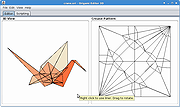 |
|
Overcaption v0.4.0 Overcaption v0.4.0 👉 A free, private subtitle studio for transcribing, editing, translating and adding captions to videos. Overcaption is a desktop subtitle and captioning application that can transcribe video and audio, edit and retime subtitles, translate captions and export finished subtitles or burn them directly into video. Its core processing runs locally on your computer, so videos do not need to be uploaded to an online service. The free version has no time limit, requires no account and produces watermark-free output. Overcaption combines automatic speech recognition with a subtitle editor featuring waveform-based timing, a frame filmstrip and live checks for reading speed and line length. It can work with video, audio-only recordings and standalone subtitle files. Features: • Automatic on-device transcription with word-level timing • Works completely offline for its core transcription, editing and translation features • Keeps video and audio files on your computer instead of uploading them to a web service • No account required • No time limit on the free version • No watermark on exported video • Built-in subtitle editor • Waveform-based subtitle retiming • Frame filmstrip for visual timing reference • Inline subtitle text editing • Instant find and replace • Keyboard-oriented editing workflow • Live reading-speed checks • Live subtitle line-length checks • Grammar-aware subtitle line breaking for supported languages • Dedicated word segmentation for Chinese, Japanese, Burmese, Cantonese, Khmer, Lao and Thai • Local subtitle translation using models from Mozilla and Google • Side-by-side translation editing • Imports and exports SRT subtitle files • Imports and exports VTT subtitle files • Supports plain-text subtitle content • Opens SRT and VTT files without requiring an accompanying video • Hardware-accelerated subtitle burn-in • Free subtitle burn-in at resolutions up to 1080p • Burned subtitles match the editor preview • Supports vertical, square and widescreen video • Handles audio-only files such as podcasts, recordings and voice notes • Includes titles, lower thirds, name straps and animated callouts • No telemetry unless the user opts in • GPU acceleration ... |
|
274 | Aug 28, 2026 Overcaption  |
|
PDF Arranger v1.14.0 PDF Arranger v1.14.0 👉 Merge, split, rotate, crop and rearrange PDF pages with an easy graphical interface. PDF Arranger is a lightweight open-source application for merging, splitting, rotating, cropping, and rearranging PDF documents through a simple drag-and-drop graphical interface. Built with Python and GTK, it allows users to visually organize pages and create new PDF layouts without needing complex editing software. PDF Arranger is based on the functionality of PDF-Shuffler and uses pikepdf for PDF manipulation. It is designed to be fast, efficient, and easy to use for both casual and advanced users needing quick PDF document management. Features: • Merge multiple PDF documents into a single file • Split PDF documents into separate pages or ranges • Rotate pages individually or in groups • Crop pages visually • Rearrange pages using drag-and-drop • Duplicate pages quickly • Zoom and preview PDF pages • Supports password-protected PDFs • Import image files and convert them into PDF pages • Undo and redo editing actions • Customizable keyboard shortcuts • Open-source and cross-platform Supported operating systems: • Windows 10, Windows 11 • macOS • Linux • FreeBSD Supported languages: Arabic, Catalan, Catalan (Valencian), Czech, Danish, German, Greek, English, Spanish, Basque, Finnish, French, Hebrew, Croatian, Hungarian, Indonesian, Icelandic, Italian, Japanese, Georgian, Korean, Dutch, Occitan, Polish, Portuguese (Brazil), Portuguese (Portugal), Russian, Slovenian, Swedish, Turkish, Ukrainian, Vietnamese, Simplified Chinese, Traditional Chinese Changes: v1.14.0 04-13-26 • Added support for importing JBIG2 image files • Improved crop dialog behavior • Added new keyboard shortcuts • Improved handling of password-protected PDFs • Updated translations • Fixed several bugs and stability issues This download is for the Windows version (very bottom of page). Linux install instructions below: For Linux: pdfarranger requires pikepdf >= 6. pip will automatically install the latest pikepdf if there is no pikepdf installed on the system. On Debian based distributions sudo apt-get install python3-pip python3-wheel python3-gi python3-gi-cairo \ gir1.2-gtk-3.0 gir1.2-poppler-0.18 gir1.2-handy-1 python3-setuptools \ gettext python3-dateutil python3-venv On Arch Linux sudo pacman -S poppler-glib python-pip python-gobject ... |
|
5,119 | May 28, 2026 Jerome Robert 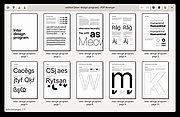 |
|
PDF Link Editor v1.6.3 PDF Link Editor v1.6.3 PDF Link Editor is a small and smart application intents to do more for you when editing PDF hyperlinks. As we all know, it is not quite convenient for users to edit multiple links in PDF with Acrobat. PDF Link Editor contains the wonderful features that enables you to edit, add, replace, remove and extract PDF links in batch mode. With its intuitive and elegant interface design, it is quite easy to access no matter you are novice or expert. All-In-One Application. Small and Smart. Replace Hundreds of PDF Links in One Click. Add or Insert Hundreds of PDF Links in One Click. Clear or Extract All Hyperlinks in One PDF in No Time. Standalone and Run Smoothly Without Any Adobe Plugin Installed. Compatible with All Adobe PDF Versions. All-In-One Application. Small and Smart. As an all-in-one pdf link editor tool, PDF Link Editor offers you the possibilities to edit, replace, clear or extract links in one PDF document conveniently. Upload any PDF document you desire and this smart tool will display all links and anchors in a Gridview. No need to search before editing and replacing anymore! In addition, it is so small in size (<10MB) that it can achieve without requiring too much space. Replace Hundreds of PDF Links in Batch. Feel tedious to search and replace pdf links one by one by using general PDF tools? Boost your productivity by using this smart pdf link editor. PDF Link Editor could search all hyperlinks effectively and list them orderly after you have added one PDF file. You can manage all of these links and anchors intuitively. Select the desired links, enter the link you want to change to. Then, click ... |
|
6,061 | Oct 23, 2019 PDF Link Editor 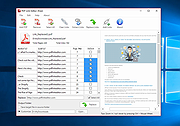 |
|
PDF24 Creator v11.30.1 PDF24 Creator v11.30.1 👉 Free and powerful PDF creation and management tool for Windows. PDF24 Creator is a full-featured PDF creation and management suite that lets you generate, edit, merge, split, compress, secure, and otherwise work with PDF documents directly on your Windows PC. It installs as a virtual PDF printer so you can create PDFs from almost any Windows application, and includes a toolbox of useful PDF utilities — all completely free of charge and without limits. Features: • Create PDF files from virtually any Windows application via virtual printer • Merge multiple documents into a single PDF • Split, delete, rotate, extract, and insert pages • Compress and shrink PDF files • Add digital signatures, encryption, watermarks, and metadata • Integrated PDF viewer and editor tools • Support for PDF/A, PDF/X and other PDF standards • Multiple PDF printer profiles for varied tasks • Works offline with all files staying local on your PC • Multilingual interface with wide language support The Tools: PDF Creator Easily assemble, create and modify PDF files with the Drag and Drop enabled user interface. • Merge or split PDF files • Add, remove, extract, rotate, sort and move PDF pages • Import and automatic conversion of documents (Word, Excel, images, etc. to PDF • Various preview modes for easy editing of PDF documents • Integrated viewer • Drag and Drop wherever possible • Follow up tools: Save, Print, Email, Fax, ... PDF Printer Print on this printer in order to create a PDF or use it as a universal PDF converter that converts any printable file to PDF. • Virtual printer for PDF creation • Multiple PDF printers for different tasks • Automatic saving ... |
|
9,200 | Jul 11, 2026 Geek Software GmbH  |
|
PDF4QT v1.6.0.0 PDF4QT v1.6.0.0 👉 Open-source PDF editor, viewer, and toolkit for Windows and Linux. PDF4QT is an open-source PDF editor powered by the Qt framework. It provides a robust C++ library, intuitive applications for viewing and editing PDF documents, and a command-line tool for script integration. The suite includes tools for advanced PDF viewing, lightweight document viewing, page organization, and PDF comparison, making it useful for both regular users and developers. Features: • Advanced PDF viewer with zoom, rotation, page layout modes, and navigation tools • Full PDF editing capabilities including modifying document structure and content elements • Annotation tools such as highlights, notes, shapes, and markup editing • Interactive form filling and support for AcroForms • Digital signature support including signing documents and validating signatures • Encryption support with password protection and public key security • Embedded file attachments handling within PDF documents • Built-in text-to-speech engine for reading PDF content aloud • Powerful search functionality including regular expression support • PDF document comparison tool to detect differences between files • Page management tools including merge, split, reorder, rotate, clone, and insert pages • Document optimization features for reducing file size and improving performance • Internal PDF object structure inspector for advanced users and developers • Command-line interface for automation and batch processing tasks • Static XFA form support (read-only for simple XFA documents) • Multiple viewer applications included (advanced viewer and lightweight viewer modes) • Cross-platform support built on the Qt framework Supported operating systems: •Windows 10/11 •Linux Supported languages: • Czech, English, French, German, Korean, Russian, Simplified Chinese, Spanish, Traditional Chinese, Turkish Changes: v1.6.0.0 06-14-26 Major image compression and optimization update for PageMaster and assembled PDF documents. Improved PageMaster with drag and drop, recent files, page cropping, save/restore, rotation and size indicators, new icons, and faster output previews. Added image optimization feedback for final resolution and DPI. Added Advanced Find wildcard mode and Enter-to-search. Added fullscreen viewing, side-to-side scrolling, smoother scrolling, text selection, snapping, and improved keyboard ... |
|
1,148 | Aug 26, 2026 Jakub Melka  |
|
PDFgear v2.1.19 PDFgear v2.1.19 👉 Free all-in-one PDF editor, reader, converter, OCR tool and AI assistant. PDFgear is a free PDF editor and management suite for viewing, editing, converting, creating, annotating, signing, organizing and protecting PDF documents. It allows existing PDF text and images to be edited directly, includes OCR for scanned documents, supports batch conversions and provides PDFgear Copilot for working with documents using natural-language commands. PDFgear does not require an account, places no watermarks on exported documents and does not impose file-size or file-number limits on its desktop software. Features: • View and read PDF documents with multiple reading and navigation options • Directly edit, replace, add and delete existing PDF text • Change fonts, font sizes, styles and other text formatting • Add, replace, reposition and edit images and other PDF objects • Add text boxes, hyperlinks and customizable shapes • Highlight, underline and strike through text • Add notes, comments, stamps, watermarks and freehand drawings • Fill interactive PDF forms • Add signatures and certificate-based digital signatures • Secure eSign for signing documents with greater security and confidence • Request signatures from multiple parties • OCR scanned PDFs and image-based documents • Extract text from selected areas with OCR • OCR supports more than 30 languages during PDF conversion • Convert PDFs to Word, Excel, PowerPoint, TXT, images and other formats • Create PDF documents from multiple file formats • Batch convert multiple PDF documents • Merge and split PDF files • Rearrange, rotate, crop, extract, duplicate, insert and delete PDF pages • Add customizable page numbers to headers or footers • Compress PDF documents • View and manage PDF attachments • Redact sensitive information • Manage PDF properties • PDFgear Copilot accepts natural-language instructions for PDF tasks • AI tools can summarize, analyze, translate, rewrite and proofread document content • Search and replace text in PDF documents • Dark mode for PDF viewing • Process ordinary PDF editing tasks locally on the computer • No account required • No ... |
|
2,474 | Aug 20, 2026 PDF Gear Tech PTE. LTD.  |
|
PhotoSuite v0.9.7 PhotoSuite v0.9.7 👉 A desktop image editor for layered photo editing, digital artwork, and native PSD files. PhotoSuite is a desktop image editor built around a familiar Photoshop-style workspace. It uses PSD as its native document format, preserving layers, masks, blending modes, text, vector paths, and other document data when opening and saving files. It also supports PSB for large documents. The editor brings photo retouching, painting, vector drawing, typography, filters, and document layout into one workspace. You can work with layers and masks, make selections, paint or repair parts of an image, add text and shapes, and revisit earlier work through the History palette. Smart Objects and Smart Filters provide options for editing without permanently changing the original layer. PhotoSuite runs locally as a desktop application. According to the developer, it requires no cloud account and collects no telemetry. Features: • Open, edit, and save layered PSD documents as a native format • Work with PSB files for large documents • Create raster layers, vector layers, layer groups, clipping masks, and layer masks • Use blending modes and layer styles such as Drop Shadow, Inner Shadow, glows, overlays, Bevel & Emboss, and Stroke • Edit with Smart Objects and Smart Filter stacks • Save different document arrangements with layer comps • Make selections with Marquee, Lasso, and Magic Wand tools • Paint and retouch with Brush, Clone Stamp, Healing Brush, Eraser, Blur, Sharpen, Dodge, and Burn tools • Crop images and apply gradients • Draw paths and shapes with the Pen and shape tools • Add text with support for text along a path, text warp, ligatures, and kerning • Pan, zoom, and rotate the canvas; use rulers, guides, and a pixel grid • Revisit edits with the History palette and snapshots • Apply filters, use Liquify, and make lens corrections • Open and export formats including PNG, APNG, JPEG, WebP, AVIF, TIFF, GIF, BMP, TGA, SVG, and ... |
|
109 | Sep 24, 2026 eolix  |
|
PilotEdit Lite v21.5.0 PilotEdit Lite v21.5.0 👉 Free text and hex editor designed for working with large files and advanced text processing tasks. PilotEdit Lite is a lightweight yet powerful text and source code editor built for users who need to handle large files, perform advanced search and replace operations, edit hex data, and manage coding projects efficiently. The Lite edition provides many of the core editing and file management tools found in the full version while remaining free for personal use. It is especially useful for programmers, web developers, log file analysis, and anyone working with very large text files that standard editors may struggle to open or process smoothly. Features: • Open and edit large text files • Syntax highlighting for multiple programming languages • Hex editor mode for binary file editing • Advanced multi-line search and replace • Column mode editing • Regular expression support • File compare functionality • FTP and SFTP file transfer support • Unicode and UTF-8 support • Customizable text encoding options • Line sorting and duplicate removal tools • Powerful file search across directories • Bookmark support for quick navigation • Word wrap and split window editing • Configurable keyboard shortcuts • Session and workspace management • Automatic file backup support • Portable version available Supported File Types: AHK Script, ASP, ASP.NET, AngularJS TypeScript, Apache Pig Latin Script, Assembly, AutoIt Script, BAT/CMD, C#, C/C++, COBOL, CSS, CSV, Conf, D Programming, DSV, Eiffel, Erlang, F#, Go, Groovy, HTML, Haskell, INF, INI, Inno Setup Script, J#, JSON, JSP, Java, Javascript, LESS, LISP, LaTex, Log, Lua, MATLAB, Markdown, MicroBasic Pro, PHP, Pascal, Perl, PilotEdit Script, PowerShell Script, Python, R Programming, REXX, RHTML, Ruby, SQL, Scala, TCL/TK, TSV, Text, Textile, UNIX/Linux Shell, VC++ Resource, Visual Basic, XHTML, XML Supported operating systems: • Windows 7, Windows 8, Windows 10, Windows 11, Windows Server 2008, Windows Server 2012, Windows Server 2016, Windows Server 2019, Windows Server 2022 Supported languages: Arabic, Dutch, English, Finnish, French, German, Hindi, Italian, ... |
|
9,983 | Oct 07, 2026 PilotEdit  |
|
PixiEditor v2.1.2.4 PixiEditor v2.1.2.4 👉 A free, open-source universal 2D graphics editor for pixel art, painting, image editing, vector art, procedural art, and animations. PixiEditor is a universal 2D graphics editor made for all your 2D creative needs. Create sprites for games, frame-by-frame animations, edit images, draw, paint, make logos, work with vectors, and build non-destructive procedural graphics using its node graph system. Features: • Pixel art, painting, vector art, image editing, procedural art, and animation tools • Node Graph for non-destructive procedural graphics and animations • Dedicated pixel art toolset with palette management • Painting tools with soft brushes and anti-aliased shapes • Vector shapes and paths that can be mixed with raster artwork • Frame-by-frame animation support • Node-based Brush Engine for creating custom brushes • Extension Browser for browsing and installing extensions • Desktop native, cross-platform, and works offline • Export support for PNG, JPG, SVG, GIF, MP4, and more • Pixel Art — Dedicated Pixel Art toolset and advanced palette management. Create pixel art with a dedicated toolset. Perfect for game sprites, animations, or nostalgic artwork. Enjoy features like pixel-perfect pen mode for clean edges. • Animations — Bring stories to life with frame-by-frame Animations. Turn your drawings into moving stories! Create smooth frame-by-frame animations with tools that make it fun and easy to bring your art to life. • Procedural Art — Create non-destructible, procedural graphics with Node Graph. Node Graph allows for creating fully non-destructible graphics and animations. Connect nodes to easily compose complex visuals. From pre-built effects to custom shaders, the possibilities are endless! • Image Editing — Select, delete, clip, resize - everything you need for Image Editing. Use raster tools to edit images, sketch or paint. Whether you're doodling or making a masterpiece, PixiEditor is there for you! • Vector Art — Create and edit Vectors. Snapping included. Craft logos, icons, and illustrations with our flexible curve tool and vector shapes. Your designs ... |
|
1,153 | Sep 18, 2026 Pixi Labs Sp. z o.o  |
|
Playlist Creator v3.6.2.18 Playlist Creator v3.6.2.18 👉 Create and edit M3U and PLS music playlists with a lightweight portable Windows utility. Playlist Creator is a simple, focused utility for building music playlists without the overhead of a full media manager. Originally created by oddgravity, this preserved and modernized edition has been rebuilt as a native 64-bit Windows application while retaining the behavior and features of the original program. Files and folders can be added to a playlist, rearranged, removed, sorted or randomized before saving. Existing M3U and PLS playlists can also be opened and modified. Playlist Creator uses MediaInfo to read metadata from many media formats and can incorporate information such as artist, track number and title into playlist entries. The modernized build is completely native x64 and portable. The MFC and C/C++ runtimes, CxImage, libpng and zlib are statically linked, while the required 64-bit MediaInfo DLL is supplied alongside the executable. The project specifically targets Windows 10 or newer. Features: • Creates M3U and PLS playlists • Opens and edits existing playlists • Add individual files or entire folders • Recursively add files from folders and subfolders • Drag and drop files directly into the playlist • Reorder playlist entries manually • Move selected entries to the top or bottom • Sort playlist entries by column • Shuffle playlists into random order • Create simple playlists containing plain file lists • Read metadata from many media formats using MediaInfo • Use artist, track number and title metadata when creating playlist entries • Highlight playlist entries that refer to missing files • Configure which media file types are included • Save playlist paths using forward or backslashes • Supports multiple playlist save/path modes • Resizable main window • Optional gridlines and alternating row colors • Keyboard shortcuts and context menus for common playlist operations • Portable native 64-bit build requiring no installation Supported operating systems: • Windows 10 64-bit, Windows 11 64-bit Supported languages: English, German Changes: v3.6.2 x64 Modernization Build 08-07-26 Updated to ... |
|
253 | Aug 18, 2026 sl2365 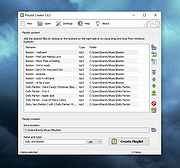 |
|
Policy Plus vOctober 2025 Policy Plus vOctober 2025 👉 Local Group Policy Editor for all editions of Windows. Policy Plus is a free and open-source utility that brings the Local Group Policy Editor (gpedit.msc) functionality to all editions of Windows, including Home editions that do not normally include it. It provides a familiar interface for viewing and editing administrative templates and policy settings, making it easy to configure advanced system settings without needing to manually edit the registry. Policy Plus reads and applies the same policy definitions used by the official Group Policy Editor, ensuring compatibility with Windows administrative templates. It also supports importing the latest policy definitions and offers advanced search capabilities, making it a powerful tool for administrators and power users who want fine-grained control over system configuration. Features: • Full Local Group Policy Editor functionality for all Windows editions • Compatible with official Microsoft Administrative Template files (ADMX/ADML) • Built-in ADMX acquisition tool for downloading latest policy definitions • Advanced search and filtering of policy settings • View, edit, and manage registry-based policies • Portable and open-source Important: To ensure you have the latest Administrative Templates, you can download the full set of ADMX files directly within the program. Go to Help → Acquire ADMX Files, choose the destination folder (typically C:\Windows\PolicyDefinitions), and click Begin to download them from Microsoft. You can also manually open or load ADMX files by selecting File → Open ADMX File or File → Open ADMX Folder. This is useful if you have downloaded specific templates separately or want to work with a custom policy definitions folder. Supported operating systems: • Windows 7, Windows 8, Windows 8.1, Windows 10, Windows 11 Supported languages: English Click here to visit the author's website. |
|
7,596 | Jun 27, 2026 Ben Nordick 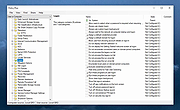 |
|
PropertySystemView v1.22 PropertySystemView v1.22 👉 View and edit Windows file and window properties with ease. PropertySystemView is a lightweight portable utility that allows you to view and modify the properties of files and Windows using the Windows Property System. It can edit metadata stored in media files, Office documents, images, and other supported file types, including fields such as Title, Comments, Authors, Tags, Date Taken, Media Created, Date Imported, Content Created Date, and many more. It also supports working with Windows properties, such as setting the System.AppUserModel.ID property of a window to customize taskbar behavior. The program supports both an easy-to-use graphical interface and a powerful command-line mode for automation. Features: • View and modify Windows Property System metadata for supported files. • Edit media, image, and Microsoft Office document properties. • Modify timestamps such as Media Created, Date Taken, and Date Imported. • View and edit Windows window properties. • Add, edit, and remove supported properties. • Drag-and-drop file loading. • Browse and display all properties available on your system. • Powerful command-line interface for scripting and automation. • Portable application with no installation required. • Available in both 32-bit and 64-bit versions. Supported operating systems: • Windows Vista, Windows 7, Windows 8, Windows 8.1, Windows 10, Windows 11 (32-bit and 64-bit) Supported languages: English, Brazilian Portuguese, Dutch, French, German, Hungarian, Italian, Japanese, Persian, Russian, Simplified Chinese, Slovak, Traditional Chinese, Turkish Changes: v1.22 07-11-26 Added 'Black Background' option (under the View menu). When enabled, the main table is displayed with a black background and white text instead of the default system colors. This download is for the Windows 64bit version (very bottom of page). If you need the Windows 32bit version, download here. Click here to visit the author's website. |
|
4,736 | Jul 17, 2026 Nir Sofer 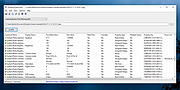 |
|
QOwnNotes v26.9.11 QOwnNotes v26.9.11 👉 Open-source markdown note-taking application with Nextcloud and ownCloud integration. QOwnNotes is a free and open-source plain-text note-taking and to-do list manager designed for users who want full control over their notes and data. It stores notes as plain text Markdown files, making them easy to synchronize with services such as Nextcloud, ownCloud, Syncthing, Dropbox, and other cloud or local storage solutions. QOwnNotes includes powerful organization tools, note encryption, scripting support, tagging, searching, and customizable interface layouts for productivity-focused workflows. Features: • Plain-text Markdown note-taking with live preview • Integration with Nextcloud and ownCloud notes • Stores notes as standard text files without vendor lock-in • AES-256 encrypted notes support • Built-in scripting engine with QML support • Powerful note searching and filtering • Tagging and note organization tools • Multiple note folders and subfolder support • Customizable themes, fonts, and layouts • To-do list and task management support • Automatic note saving and backup support • External diff tool integration • Checkbox list creation and Markdown editing tools • Portable mode support • Cross-platform support for desktop operating systems Supported operating systems: • Windows 7, Windows 8, Windows 10, Windows 11 • macOS 13 Ventura or higher • Linux Supported languages: English, Arabic, Basque, Bulgarian, Catalan, Chinese Simplified, Chinese Traditional, Czech, Danish, Dutch, English, Finnish, French, German, Greek, Hebrew, Hungarian, Italian, Japanese, Korean, Norwegian, Persian, Polish, Portuguese, Portuguese Brazilian, Romanian, Russian, Slovak, Spanish, Swedish, Turkish, Ukrainian Changes: v26.9.11 09-25-26 Deprecated the non-GitHub Qt 5 release packages by removing the legacy Ubuntu Launchpad and OBS deployments from the release process, while retaining the Qt 5 artifacts built by the GitHub release workflow (for #3752) Added more French translation (thank you, jd-develop) 👉 This download is for the Windows version (very bottom of page). All other download assets are below: MacOS: QOwnNotes.dmg QOwnNotesQt5.dmg Linux: QOwnNotes-amd64.snap QOwnNotes-Qt5-amd64.snap QOwnNotes-x86_64.AppImage Click here to visit the author's website. |
|
6,864 | Sep 25, 2026 Patrizio Bekerle 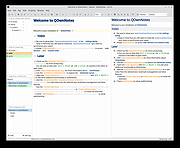 |
|
Quick Clipboard Editor v3.0 Quick Clipboard Editor v3.0 A free Windows Clipboard text editor. Quick Clipboard Editor (QCE) gives you direct access to the Clipboard’s text allowing to quickly make the changes you need before pasting it to your target application. It remembers your past clips with all their formatting. • Do quick touch-ups to the text with advanced editing features • Paste text and image clips from the Clipboard history with all their formatting • Insert, trim or filter content on each line • Change case, reformat paragraphs and clean-up punctuation • Sort by all sort of criteria • Save frequently used commands and script Clipboard transformations • and much more! Quick Clipboard Editor gives a window, agile hands and a powerful memory to your Clipboard. It is directly connected to your Clipboard allowing to open it, do changes and send the edited text directly to your target application, all this in only a few clicks! Quick Start When first launched, QCE offers two initial configurations: the Basic Setup configuration for those who prefer a simple and distraction-free editor and the Power User Setup configuration for coders and users who prefer to take advantage of the most advanced editing features. In any case, you can customize the configuration to select the best options for you in the Options menu. Once installed, you can open the QCE editor, copy text or images from any application or paste the content from the editor to any application. Here are the main hotkeys to use: • Open the editor with Ctrl + Middle ... |
|
1,778 | May 24, 2025 Jean Lalonde 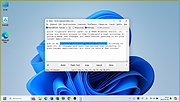 |
|
Rapid Environment Editor v9.2 Rapid Environment Editor (RapidEE) v9.2 An environment variables editor. It includes easy to use GUI and replaces small and inconvenient Windows edit box. Features: •Editable tree Show environment variables and values as an editable tree. •Portable mode RapidEE doesn't require installation and could be run as a "portable application". By default RapidEE uses the registry to store settings, although RapidEE could be run as a portable application. To do this just create an empty rapidee.ini file in the app directory (if it doesn't already exist). •Error checking Automatically checking for invalid pathnames and filenames •Multilanguage interface RapidEE is translated into number of languages (English, Russian, Japanese, French, Polish, German, Italian, Latvian, Slovak, Greek, Spanish, Chinese, Dutch, Swedish, Korean), and the language can be changed on the fly. •Variable inspector Inspector shows miscellaneous information about variables: name, type, value, short file name in the 8.3 naming convention for each long file name and vice versa. •No typing You don't need to type long pathnames. Just choose path using File Explorer tree •Easy values manipulation RapidEE supports drag'n'drop for reordering of variable values •Backup Environment variables can be backed up to the registry file (.reg) •Skins Skins allow you to change the look and feel of RapidEE •Multiuser support If you have an administrative privileges then you can edit environment variables for any user on your computer. Click here to visit the author's website. |
|
10,190 | Nov 13, 2022 Oleg Danilov 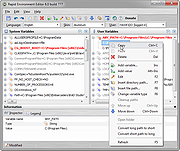 |
|
Refloow Photo Studio v1.1.0 Refloow Photo Studio v1.1.0 👉 A free, open source, privacy-focused photo editor with local AI background removal, filters, cropping, layering, text and image adjustments. Refloow Photo Studio is a free and open source desktop photo editor designed to provide professional-looking results without complicated workflows, accounts, subscriptions, advertisements, watermarks or data collection. All image processing runs locally on your computer, including its AI-powered background removal. The editor provides more than 40 built-in filters along with cropping, mirroring, brightness, contrast, saturation and warmth adjustments. Images can be dragged onto the canvas as layers to build compositions, while an undo and redo history lets you move backward or forward through up to 15 editing actions. Text can also be added to images, resized and positioned as layers. The workspace supports zooming and panning for easier navigation while editing. Features: • Free and open source photo editor • All image processing is performed locally • No accounts or logins required • No subscriptions • No advertisements • No watermarks • No data collection • One-click AI-powered background removal • AI background removal runs locally using the U-2-Netp model • More than 40 built-in professional filters • Crop images • Mirror images • Adjust brightness, contrast, saturation and warmth • Add text to images with imported fonts and customizable colors • Resize and position text as layers • Overlay multiple images to create compositions • Drag-and-drop support • Layer management for arranging compositions • Workspace zooming with the scroll wheel • Workspace panning with the middle mouse button • Undo and redo history for up to 15 actions • High-quality WYSIWYG image exporting Supported operating systems: • Windows 10 64-bit, Windows 11 64-bit • macOS Intel, macOS Apple Silicon • Linux Ubuntu, Linux Debian • Linux distributions capable of running the supplied AppImage Supported languages: English Changes: v1.1.0 06-23-26 • Added the ability to add custom text directly to compositions using imported fonts and customizable text colors. • Added full workspace zooming, panning and canvas movement. • Added smart crop ... |
|
111 | Sep 08, 2026 Veljko Vuckovic 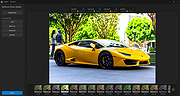 |
|
ResophNotes v1.8.1 ResophNotes v1.8.1 👉 A fast, lightweight Windows note-taking program with Simplenote synchronization, Markdown support, tags and powerful keyboard controls. ResophNotes is a free note-taking program for Windows designed to make creating, finding and managing text notes quick and uncomplicated. Notes can be kept locally or synchronized online with Simplenote, allowing them to be accessed from other devices using compatible Simplenote applications. It supports Markdown with HTML preview, tags, pinned notes, internal links, global keyboard shortcuts and optional storage of each note as an individual plain-text file. Deleted notes can be restored or permanently removed, and nearly every function can be controlled from the keyboard. A dark mode is also available. The developer warns that Simplenote may stop supporting synchronization with third-party applications, so Simplenote syncing should currently be used with caution. Features: • Simple, fast note creation and management • Synchronizes notes online with Simplenote • Access synchronized notes from other devices through Simplenote • HTTPS proxy support for Simplenote connections • Dark mode support • Global hotkey for quickly creating a new note • Global hotkey for restoring ResophNotes when minimized • Markdown text-to-HTML conversion with preview • Automatically recognizes HTTP links and email addresses • Internal note linking using wikilinks • Optional individual .txt files for storing notes • Complete keyboard control with numerous shortcuts • Single Note Mode for distraction-free note viewing and editing • Simplenote pinned-note support • Simplenote tag support • Search notes quickly from the keyboard • Import existing .txt files • Email notes directly from the program • Print notes • Insert the current timestamp with a keyboard shortcut • Restore deleted notes • Permanently delete unwanted notes • Free to use Supported operating systems: • Windows 10, Windows 11 (64-bit) Supported languages: English Changes: v1.8.1 08-14-26 Added Dark mode. Built using Microsoft Visual Studio Community 2026. Uses Qt 5.15.2. Updated OpenSSL library for connection issues. Click here to visit the author's website. |
|
79 | Sep 15, 2026 C.Y. Yen 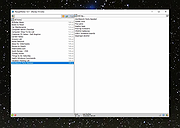 |
|
RisohEditor v6.1.4 RisohEditor v6.1.4 👉 Free Win32 resource editor for editing resources in RC, RES, EXE, and DLL files. RisohEditor is a free resource editor for Win32 development that can edit, extract, clone, and delete resource data in RC, RES, EXE, and DLL files. It supports common Windows resources such as dialogs, menus, icons, cursors, string tables, and message tables, with Unicode support for international resources. Features: • Edit, extract, clone, and delete resource data • Supports RC, RES, EXE, and DLL files • Edit dialogs, menus, icons, cursors, string tables, and message tables • Full Unicode support • Can read resource.h header files • Supports GUI editing • Exported resources can be read by Visual C++ • Supports window class libraries • 32-bit and 64-bit support • Portable version uses an INI file instead of the registry Supported operating systems: • Windows XP, Windows Server 2003, Windows Vista, Windows 7, Windows 8.1, Windows 10 • ReactOS Supported languages: English, Chinese, Italian, Russian, Japanese, Korean, Portuguese, Ukrainian Changes: v6.1.4 08-13-26 Made configuration a property sheet. Accelerated OnDeleteRes. Prevented the tree view's drop-down arrow from appearing twice. Fixed MRadWindow index labels. Supported resource compression by WonRes. Improved UPX handling. Enhanced support for Help IDs. Improved MEditMenuDlg. Supported zooming of code editor. Fixed word wrap. Note: This file has four hits on VirusTotal. We have confirmed these to be false positives. The file is safe. This download is for the Windows portable version (very bottom of page). If you need the Windows 32bit installer version, download here. If you need the Windows 64bit installer version, download here. Click here to visit the author's website. |
|
3,768 | Aug 18, 2026 Katayama Hirofumi 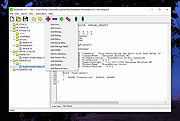 |
|
SendTo Menu Editor v1.3 SendTo Menu Editor v1.3 Free tool to manage the shortcuts present in the Windows “Send To” Menu. The Windows ‘Send to’ menu is a handy way of sending a file to a specific folder, application, or other item. You can use it to send, copy, or print an individual file to a specific location, device, application, or other item , If you want to add your own app or folder to the Send to menu or if you want to delete some of the Unnecessary items in it you can tweak the Send to menu to suit your needs. Open File Explorer in Windows Right click on a file and From the pop-up menu, move your mouse to the Send to command , Click on a specific entry. The file you click on is then sent to the entry you select. If you want to add your own app or folder to the Send to menu, it’s very simple: Just open the Run dialog box by pressing Win+R, then paste shell:sendto command into the text box. This will open the folder where all those shortcuts located. Alternatively, you can navigate to following folder location %UserProfile%\AppData\Roaming\Microsoft\Windows\SendTo But you can simplify the whole process with the “Send To Menu Editor” is a portable freeware which helps users manage the shortcuts present in the Windows “Send To” Menu. How to use SendTo Menu Editor After downloading, extract “SendTo Menu Editor” to your desired location and run Appropriate one (x64 or x86) On GUI you will see all of the send to Menu items , to add a new one use plus icon or just drag and drop it on main window. If you use Add Button you can edit Shortcut name , you can use a Shortcut Parameter or change the Shortcut Icon. To delete a Send To Menu item ... |
|
6,281 | Jul 24, 2023 Sordum.org 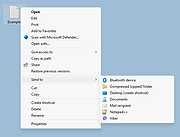 |
|
Service Security Editor v2.0.0.13 Service Security Editor v2.0.0.13 A Free Standalone, portable GUI utility to Set Permissions for any Windows Service Easily allow (or deny) a user the ability to start, stop, pause or modify any Windows Service with just a few clicks of your mouse. Service Security Editor will help you to configure who can access your important Windows Services. It is an easy-to-use GUI alternative to Microsoft's powerful SC and SubInACL.exe command line programs. However, as with any other administrative tool, please use it with caution. When you start Service Security Editor, it shows the list of the services running on your machine: Select a service and click the Open... button to pop up the service's standard Windows Service Security Settings window: From there, select a user in the top portion and check the boxes lower down to grant or deny him whatever capabilities you see fit. Click the Add... button to bring in an account not already on the list. And of course, click the OK or Apply buttons to record your changes. Granting a Non-Admin User Start & Stop Rights to a Service For example, suppose you have a non-administrative user called Albert Newton who needs to restart the Print Spooler service when it acts up. Unfortunately he doesn't have the necessary rights and the Stop button is disabled when he opens the service from the Services Control Panel application: To grant Albert the ability to start and stop the Print Spooler service: 1) Start Service Security Editor. 2) Select the Print Spooler service from the list: 3) Click the Open... button to launch the Service Security Settings window: 4) Albert isn't on the list, so click on the Add... button to open the Select Users or Groups window. Type in Albert's ... |
|
3,579 | Sep 23, 2021 Core Technologies Consulting, LLC 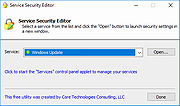 |
|
Shotcut v26.8.1 Shotcut v26.8.1 👉 Free, open-source, cross-platform video editor with powerful editing and format support. Shotcut is a free, open-source video editor that provides a wide range of professional-grade features for video editing without requiring expensive software. It supports hundreds of audio and video formats thanks to FFmpeg and offers native timeline editing, meaning you can work with media without first importing or converting files. Shotcut features a flexible, dockable interface, powerful video and audio filters, multi-track timeline editing, and support for resolutions up to 8K. It is designed to be accessible to beginners while offering advanced tools for more experienced users, including color grading, keyframing, and detailed audio controls. Features: • Native timeline editing without import • Wide format support via FFmpeg • Multi-track video and audio editing • Video effects and filters including color grading tools • Audio filters including compression, gain, balance, and more • Keyframeable filters for advanced animation and effects • 4K and 8K resolution support • Hardware encoding support • Flexible, dockable and customizable interface • Playlist panel with thumbnail view and drag-and-drop support Supported operating systems: • Windows 7, Windows 8, Windows 10, Windows 11 • macOS 10.14 or higher • Linux (64-bit) Supported languages: English, Arabic, Basque, Catalan, Chinese (Simplified), Chinese (Traditional), Czech, Danish, Dutch, Finnish, French, German, Greek, Hindi, Hungarian, Italian, Japanese, Korean, Norwegian Bokmεl, Polish, Portuguese (Brazil), Portuguese (Portugal), Russian, Slovak, Slovenian, Spanish, Swedish, Turkish, Ukrainian Changes: v26.8.1 08-01-26 Elements 🔥 Added Elements panel to the File > New and View menus and the Generate buttons. This is a very slim (22MB) stock asset library: emoji stickers, sounds, overlay transitions, animated text, graphics. The content licenses are royalty free, including commercial, and do not require attribution: Emojis: Open Font License 1.1 Sounds: The Sonniss #GameAudioGDC Bundle Licensing Agreement Text, Transitions, Graphics: Lottie Simple ... |
|
12,387 | Sep 17, 2026 Meltytech, LLC. 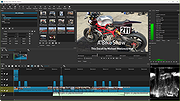 |
|
Sigil Portable v2.8.1 Sigil Portable v2.8.1 👉 A portable version of the powerful, open source EPUB ebook editor for creating and editing ebooks without installation. Sigil Portable is the PortableApps.com version of Sigil, a free and open source EPUB ebook editor that supports both visual WYSIWYG-style editing and direct editing of EPUB code. It can be carried on a USB flash drive, portable hard drive, cloud folder or other portable storage and used without a traditional installation. The portable package keeps its settings with the application, making it convenient for working with ebooks on multiple Windows computers. Sigil is designed specifically for editing EPUB ebooks and supports EPUB 2 as well as EPUB 3. Authors and editors can work directly with XHTML and CSS, edit book metadata, generate tables of contents, check spelling, perform powerful regular-expression searches and make detailed changes to the internal structure of an ebook. The interface provides multiple views so users can work visually or directly with the underlying code. Features: • Portable package designed to run from USB drives, portable drives, cloud folders and other locations • WYSIWYG word processor-style ebook editing • Direct editing of EPUB XHTML and other underlying code • Full EPUB 2 specification support • Limited EPUB 3 support • Multiple Book, Code and Preview views • Full UTF-16 support • Table of Contents generator with multi-level heading support • Metadata editor supporting more than 200 possible metadata entries with descriptions • Spell checking with default and user-configurable dictionaries • Full PCRE regular-expression support for Find and Replace • Imports EPUB and HTML files, images and style sheets • Integrated FlightCrew EPUB validator for checking EPUB compliance • Embedded HTML Tidy for correcting formatting in imported files and optionally cleaning edited content • Translated user interface • Online Sigil User's Guide and documentation • Open source under the GNU GPL Supported operating systems: • Windows 10 64-bit, Windows 11 64-bit Supported languages: Multilingual Changes: v2.8.1 07-18-26 Sigil 2.8.1 is a ... |
|
2,336 | Aug 31, 2026 Graeme Gott and PortableApps.com 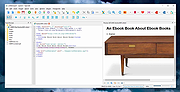 |
|
Sigil v2.8.1 Sigil v2.8.1 👉 A free, open source, cross-platform EPUB ebook editor for creating and editing EPUB 2 and EPUB 3 books. Sigil is a powerful ebook editor designed to make it easy to create, edit, format and package ebooks in the EPUB format. It can be used by anyone from people creating ebooks for personal use to professional editors preparing books for publication on multiple platforms. Sigil provides direct control over EPUB content and structure while combining editing, preview, metadata, navigation, validation and organizational tools in a single application. It is completely free and open source under the GPLv3 license. Features: • Supports both EPUB 2 and EPUB 3 specifications • Code View provides complete control over EPUB XHTML, CSS and other source files • Preview View displays changes while working on an ebook • Generates tables of contents with multi-level heading support • Includes a metadata editor for managing ebook information • Imports EPUB and HTML files, images and style sheets • Book Browser organizes the files contained inside an EPUB • Built-in spell checking with default and user-configurable dictionaries • Full Regular Expression (PCRE) support for powerful Find and Replace operations • Mend and Prettify tools can repair and clean imported formatting and source code • Plugin support allows additional functionality to be added • Checkpoint support provides snapshots that can be compared as an ebook is edited • Themeable icons and a customizable interface • Full UTF-16 support • Supports external editors, including integration with the separate PageEdit visual XHTML editor • Reports and validation tools help locate problems in EPUB, XHTML, CSS and other book resources • Image editing tools provide basic rotation, cropping and resizing • Drop Zone allows files to be added to an EPUB using drag and drop • Change Reading Order dialog provides an alternative to drag and drop for arranging book content • Prettify behavior can be customized using prettyprint.xml in Sigil preferences Supported ... |
|
6,318 | Aug 31, 2026 John Schember |
|
Simple Video Editor v2.0.0.0 Simple Video Editor v2.0.0.0 A simple video editor that acts as a basic GUI for ffmpeg. To use Simple Video Editor, download and extract the zip file. It contains the license, and the two executables needed. As long as these files are present, the application is fully portable. Run the SimpleVideoEditor.exe to open the main GUI. Video Editing Features: • Trim start/end (frame perfect) • Crop (manual and automatic) • Rotate • Reduce resolution • Convert file type • Modify volume • Delete duplicate frames • Change playback speed • Reduce framerate • Color key Advanced Features: • Detect and remove duplicate content from multiple videos • Create videos from collections of images • Subtitle editor • Generate command line arguments for use in other ffmpeg scripts • Generate batch scripts to easily process many videos • Export frames, individually, or combined and overlaid using alpha blend Interface Overview Click here to visit the author's website. |
|
993 | Oct 17, 2024 LightGuide, Inc. 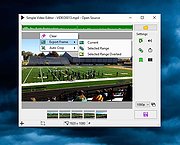 |
|
SnipSVG v2.3 SnipSVG v2.3 👉 A free screen capture and graphics editor built around sharp, fully editable SVG vector images. SnipSVG is a free screen capture and graphics editor for Windows and macOS that uses SVG vector images as its primary format. Unlike traditional JPG and PNG screenshots, SVG images remain sharp at any zoom level while individual elements remain editable. SnipSVG provides tools for capturing, cropping and annotating screenshots, obscuring sensitive information, adding formatted text, creating numbered documentation graphics and sharing finished images with other applications. It can also create animated and interactive SVG content using CSS and JavaScript. Features: • Capture and edit screenshots • Uses scalable SVG vector graphics as its primary image format • Keeps individual SVG elements separately editable • Maintains sharp image quality at different zoom levels and resolutions • Crop screenshots and physically resize large photos • Blur or obscure sensitive information in screenshots • Add HTML-formatted text to images • Add lines, arrows, shapes, highlights and other annotations • Auto-incrementing numbering tags for tutorials and documentation • Generate reference tables from numbered image tags • Integrated syntax highlighting for source code examples • Extract text from images using Windows OCR on Windows 10 and Windows 11 • Create animated SVG objects using CSS and JavaScript • Add interactive elements and hyperlinks to SVG images • Share images with HTML editors, word processors and other applications • Supports SVG and SnipX image formats • Integrates with the Help+Manual documentation authoring suite • Free for private and commercial use • Windows installer supports portable installation Supported operating systems: • Windows 7, Windows 8, Windows 10, Windows 11 • macOS 11 Big Sur or higher, Intel/Apple Silicon Supported languages: English, German, French Changes: v2.3 08-03-26 • Flipping of line and arrow objects did not work correctly when the line was rotated. • Full lasso selection on the canvas selected the picture frame, it now selects objects inside the picture frame (same as CTRL + A to select ... |
|
1,788 | Sep 14, 2026 EC Software GmbH  |
|
Subtitle Edit v5.0.0 Subtitle Edit v5.0.0 👉 Free open-source subtitle editor for creating, editing, syncing, and converting subtitles. Subtitle Edit is a free and open-source subtitle editor designed for professional and hobbyist subtitle creation alike. Version 5 represents the biggest update in the project's history, rebuilding the application with the Avalonia UI framework to provide a true native cross-platform experience on Windows, macOS, and Linux from a single codebase. It retains the powerful editing capabilities that made Subtitle Edit popular while adding a modern interface, faster performance, and improved portability. Whether you're correcting subtitle timing, creating subtitles from scratch, translating captions, performing OCR on image-based subtitles, or converting between subtitle formats, Subtitle Edit provides an extensive collection of professional tools. It supports well over 300 subtitle formats, waveform and spectrogram editing, video preview, AI-assisted translation, speech-to-text integration, spell checking, batch processing, and numerous automation tools that greatly simplify subtitle production. Features: • Create new subtitles from scratch using video preview, waveform, and spectrogram displays • Edit and synchronize subtitles using visual and time-based synchronization tools • Convert between more than 300 subtitle formats • OCR support for image-based subtitle formats including Blu-ray and DVD subtitles • AI-powered translation using multiple online and local translation engines • Speech-to-text transcription using supported recognition engines • Automatic subtitle timing adjustments and frame rate conversion • Batch conversion, batch fixing, and batch subtitle processing • Spell checking with dictionaries for numerous languages • Search, replace, split, merge, and renumber subtitle lines • Generate subtitles with waveform and spectrogram editing • Compare and merge subtitle files • Video preview using supported media playback engines • Import and export subtitle projects in hundreds of formats • Customizable keyboard shortcuts and editing layouts • Dark mode and modern cross-platform user interface • Portable versions available for supported platforms • Free and open-source software released under the GNU GPL Supported operating systems: • Windows 10, Windows 11 • macOS 12 Monterey or later (Intel, ... |
|
1,666 | Jun 24, 2026 Nikolaj Olsson 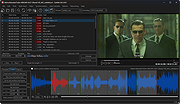 |
|
SunlitGreen Free Photo Editor v1.5.0.1633 SunlitGreen Free Photo Editor v1.5.0.1633 SunlitGreen Photo Editor is a free, simple and handy digital photo editing software program. It lets you view, resize, rotate, apply color corrections and effects to your photos in an easy and professional way. Features: Drag and drop to open photo files Automatic color corrections Previewable image adjustments Photo viewer with easy-to-use zoom tools Editable and savable image selections Advanced, channel-oriented color corrections Application Workspace Frequently used zoom commands are accessible through shortcut menu. Curves Dialog Adjust entire tonal range of image by defining control points on curves. Image Size Dialog Resize an image or change its resolution. Using "Auto Levels" to Correct Exposure Using "Auto Contrast" to Adjust Contrast Using "Hue/Saturation" to Colorize Photo Using "Color/Balance" to Reduce the Redness System requirements: Windows 2000/XP/2003/Vista/7/8/10 Click here to visit the author's website. |
|
5,655 | Apr 14, 2019 SunlitGreen Software 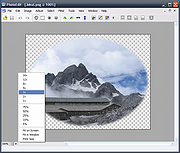 |
|
SuperTux v0.7.0 SuperTux v0.7.0 👉 Open-source 2D jump-and-run platformer inspired by classic Super Mario-style games. SuperTux is an open-source classic 2D jump'n run sidescroller game in a style similar to the original Super Mario games. Run and jump through multiple worlds, fight enemies by jumping on them, bumping them from below or tossing objects at them, grab power-ups, and play through Story Mode where Tux sets out to rescue Penny. The game also includes community-contributed levels and an integrated level editor for creating content. Features: • Classic 2D side-scrolling platform gameplay • Multiple worlds, enemies, power-ups, and objects • Story Mode starring Tux and Penny • Integrated level editor • Community-contributed add-on levels • Local multiplayer mode • New gameplay mechanics including keys, item pocket, and unlockable bonus islands via Tux Dolls • Revamped graphics, enemies, backgrounds, and music in v0.7.0 Supported operating systems: • Windows, macOS, GNU/Linux, Android, FreeBSD Supported languages: • SuperTux supports over 80 languages for its user interface (UI), including English, French, German, Spanish, Portuguese (Brazilian and European), Russian, and simplified Chinese. Changes: v0.7.0 03-15-26 Brand new sprites and abilities for Tux: slope sliding, strong buttjumping, rock rolling, and crawling Revamped graphics for most backgrounds, tiles, objects, and badguys Complete level design + story rework of the Story Mode, Revenge in Redmond, and Bonus Island I Not only new NPCs (e.g: Granito) and enemies (e.g: DiveMine, Fish, and Corrupted Granito), but also revamps for numerous enemies such as: GoldBomb, Igel, Ghoul, and both bosses (Yeti and Ghost Tree) New music Level editor revamp Local multiplayer mode New gameplay mechanics such as glinted enemies, keys, the item pocket, and unlockable bonus islands via Tux Dolls Many internal improves and code refactoring, such as moving to SimpleSquirrel Improvements to compilation/porting, including CMake refactor, Android revival, and Flatpak builds This download is for the Windows 64bit installer version (very bottom of page). All other download assets are below: Other Windows: SuperTux-v0.7.0-win32.msi SuperTux-v0.7.0-win64-portable.zip SuperTux-v0.7.0-win32-portable.zip macOS: SuperTux-v0.7.0-Darwin-x86_64.dmg SuperTux-v0.7.0-Darwin-arm64.dmg Linux: SuperTux-v0.7.0.glibc2.38-x86_64.AppImage SuperTux-x86_64.flatpak Android: SuperTux-v0.7.0-x86_64.apk SuperTux-v0.7.0-x86.apk SuperTux-v0.7.0-arm64-v8a.apk SuperTux-v0.7.0-armeabi-v7a.apk Click here to visit the author's website. |
|
687 | Mar 18, 2026 The SuperTux Team  |
|
TED Notepad v6.4.1 TED Notepad v6.4.1 👉 Small, fast and powerful plain-text editor packed with advanced text-processing tools. TED Notepad is a free plain-text editor and Notepad replacement for Windows, built for users who want speed, portability and serious text manipulation without a bulky interface. It includes hundreds of tools for editing, sorting, filtering, transforming, searching and cleaning text, while staying small, quick to launch and easy to carry as a portable utility. Features: • Free, small and portable text editor with no installation required • New 64-bit version for working with very large files • Tested with huge files, including multi-gigabyte documents • 457 text-processing functions and editor features • Grep, Sort, Cut, Unique, RegEx, Shuffle, Tr and Reverse tools • Search and replace with regular expressions • Selection and search match highlighting • Search and Replace history • Line numbers, line lengths and visible spaces/tabs/newlines • Multi-level Undo and Redo • Auto-save, recovery and backup options • UTF-8 and Unicode auto-recognition • Multiple permanent clipboards and clipboard append tools • Word and line auto-completion • Portable INI file settings Supported operating systems: • Windows 11, Windows 10, Windows 8, Windows 7, Windows Vista, Windows XP, Windows Server 2008, Windows Server 2003, Windows 2000 Supported languages: English Changes: v6.4.1 06-04-26 Introducing a 64-bit version. Added selection highlighter for all occurrences of selected text. Added settings for minimum selection length, match case and highlighter color. Added search highlighter for all Search Bar matches. Added total occurrence count in the Search Bar. Added Search history and Replace history. Added positive and negative look-ahead and look-behind assertions in Regular Expressions. Added setting to include seconds when inserting date/time. Added setting to disable the "Exit without saving" hotkey. Added Session Hard to Close option. Fixed multiple Search Bar, RegEx, Grep, Filters, Sort, Columns, Status Bar and clipboard issues. Improved Unicode file detection, DPI awareness, search routines, clipboard handling and settings validation. This download is for the Windows Unicode 64bit Installer version (very bottom of page). All other download assets are ... |
|
6,246 | Jun 09, 2026 Medvedik, Juraj Simlovic 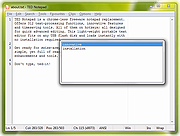 |
|
Text Editor Pro v37.0.1 Text Editor Pro v37.0.1 Formerly EditBone 👉 Powerful text editor for developers, programmers, and advanced users. Text Editor Pro is a feature-rich text editing application designed for programmers, developers, and power users who need more than a basic editor. It supports a wide range of programming and scripting languages, large file handling, advanced search and replace, and tools for code analysis and manipulation, all wrapped in a fast and lightweight interface. Features: • Syntax highlighting for many programming and scripting languages • Open and edit very large text files efficiently • Advanced search and replace with regular expression support • Code folding for easier navigation of complex files • Line numbering and customizable editor layout • File comparison and difference highlighting • Character map and ASCII table tools • Support for multiple encodings including Unicode Supported operating systems: • Windows 7, Windows 8, Windows 10, Windows 11 Supported languages: English Changes: v37.0.1 09-15-26 - Fixed AlphaControls - https://www.alphaskins.com/ - Fixed file opening - Fixed large-scale scaling issues - Fixed markdown preview - Fixed new file - Fixed -noskin issues - Fixed Virtual-TreeView control - https://github.com/JAM-Software/Virtual-TreeView - Fixed zoom step - Updated language files This download is for the Windows 64bit version (very bottom of page). If you need the Windows 32bit version, download here. If you need the Windows XP 32bit version, download here. If you need the Windows XP 64bit version, download here. If you need the Windows ARM64 version, download here. Click here to visit the author's website. |
|
7,816 | Sep 16, 2026 Lasse Markus Rautiainen 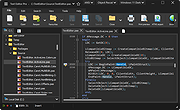 |
|
Torrent File Editor v1.0.3 Torrent File Editor v1.0.3 👉 A cross-platform tool for creating and editing .torrent and uTorrent .dat files. Torrent File Editor is a cross-platform application intended to create and edit .torrent and uTorrent .dat files. It is designed as a replacement for BEncode Editor and adds a modern interface along with extra features for managing torrent metadata, file structure, and encoded data. Features: • Create .torrent files from scratch • Add new files to an existing .torrent file • Remove files from a .torrent file • Change file order inside a .torrent file • Edit main torrent information including name, comment, publisher, URL, creation date, trackers, and author • Edit torrent data in JSON format • Support different encodings • Portable operation • Edit .torrent files as a binary tree • Search and replace in tree view • Open files with drag-and-drop • Remove files from the file list using filters • Command line mode Supported operating systems: • Windows 7, Windows 8, Windows 10, Windows 11 • macOS • Linux distributions with CMake and Qt Supported languages: Afrikaans, Arabic, Bengali, Chinese Simplified, Chinese Traditional, Czech, Dutch, English, Finnish, French, German, Hebrew, Hungarian, Indonesian, Italian, Japanese, Korean, Polish, Portuguese (Brazil), Romanian, Russian, Spanish, Turkish, Vietnamese, Ukrainian Changes: v1.0.3 06-05-26 Update translations Add Source field to Main tab Add button to open URL from Comment field to Main tab Fix date time format in Date created This download is for the Windows 64bit version (very bottom of page). All other download assets are below: Other Windows: torrent-file-editor-1.0.3-x32.exe (32bit) macOS: torrent-file-editor-1.0.3.dmg Linux: torrent-file-editor-1.0.3.tar.gz Linux users can build Torrent File Editor from source using CMake and Qt. First install the required development packages for Qt and CMake using your distribution’s package manager. Download the source codeand open a terminal in the project folder. Run the standard CMake build process: create a build directory, run cmake .., and then compile with make. Once compilation completes, the application can be launched from the generated ... |
|
6,188 | Jun 07, 2026 Ivan Romanov 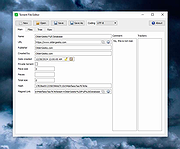 |
|
Visual Code Studio v1.130 Visual Code Studio v1.130 👉 Lightweight but powerful source code editor with extensive customization and extensions. Visual Studio Code is a free, open-source code editor developed by Microsoft that supports a wide range of programming languages and development workflows. It provides a fast and responsive editing experience with features like intelligent code completion, debugging tools, built-in Git integration, and an extensive extension marketplace. Visual Studio Code is designed to be highly customizable, allowing developers to tailor the editor to their specific needs with themes, keybindings, and plugins. Features: • IntelliSense for smart code completion and suggestions • Built-in debugging tools for multiple programming languages • Integrated Git version control support • Extensive extension marketplace for added functionality • Customizable interface with themes and keyboard shortcuts • Cross-platform support with consistent performance • Integrated terminal for command-line operations • Support for remote development and containers Supported operating systems: • Windows 10, Windows 11 • macOS 10.15 or higher • Linux (Debian, Ubuntu, Red Hat, Fedora, SUSE) Supported languages: English, Chinese, French, German, Italian, Japanese, Korean, Spanish, Portuguese, Russian Changes: v1.130.0 07-22-26 • Added the new agent host, allowing AI agent sessions to run in a dedicated process that can be shared across multiple VS Code windows. • Improved the Agents window with compact multi-file diffs, file-level change statistics, compact quick chats, and worktree support for all supported agent harnesses. • Added assisted tool approvals, allowing the AI model to evaluate tool-call risk and reduce unnecessary approval prompts. • Added chat timestamps and aggregate AI credit usage visibility for GitHub Copilot Business and Enterprise users. • Added clickable file links in Git terminal diff output when Git mnemonic prefixes are enabled. • Updated the VS Code codebase and extension to use the release version of TypeScript 7. This download is for the Windows 64bit System Setup version (very ... |
|
6,231 | Jul 26, 2026 Microsoft Corp. 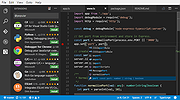 |
|
WannaCut v0.2.0 WannaCut v0.2.0 👉 A lightweight, open source video editor for fast, simple video cutting and editing. WannaCut is a lightweight, open source desktop video editor designed to make trimming, cutting, and assembling videos quick and straightforward. It focuses on an intuitive editing experience that lets you import video clips, arrange them on a timeline, trim unwanted sections, and export the finished result without the complexity of professional editing suites. Built with a modern interface, WannaCut is suitable for creating short videos, social media clips, tutorials, and other basic editing projects while remaining fast and easy to learn. Features: • Lightweight and open source video editor. • Simple timeline-based editing. • Trim and cut video clips with precision. • Rearrange clips by drag-and-drop. • Import multiple video files into a project. • Export completed videos. • Clean, modern user interface. • Designed for quick editing without unnecessary complexity. • Cross-platform application. Supported operating systems: • Windows 10, Windows 11 • macOS • Linux Supported languages: • English Changes: v0.2.0 06-18-26 Modern and fluid UI redesign Different colors per clip for easier navigation Split tool precision fix Move playhead in decimals of seconds Seek to next/previous cut Speed system for clips with keyframes This download is for the Windows 64bit version (very bottom of page). All other download assets are below: Debian/Ubuntu: WannaCut_0.2.0_amd64.deb Fedora/RPM: WannaCut-0.2.0-1.x86_64.rpm Arch Linux: wanna-cut-0.2.0-1-x86_64.pkg.tar.zst Click here to visit the author's website. |
|
467 | Jun 19, 2026 Gabriel Martins 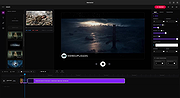 |
|
Wav2Bar v0.3.5 Wav2Bar v0.3.5 👉 Powerful open source software for creating advanced audio visualization videos. Wav2Bar is a free and open source audio visualization creator designed for producing animated music videos and visual effects synchronized to audio tracks. It allows users to combine visualizers, images, text, particle effects, timers, backgrounds, and custom objects into fully customizable projects that can be exported as MP4 videos for sharing online or integrating into larger productions. Built with flexibility in mind, Wav2Bar provides an editor-style workflow where users can design layered scenes and control how elements react to sound in real time. The software supports reusable project files, adjustable rendering quality, customizable frame rates and resolutions, and multiple visualizer styles for creating everything from simple waveform animations to complex motion graphics. Wav2Bar is especially useful for content creators, musicians, streamers, video editors, and anyone looking to generate professional-looking audio reactive visuals without requiring expensive commercial software. Its open source nature also allows developers and advanced users to customize or extend the software for specialized workflows. Features: • Create advanced audio reactive visualizations synchronized to music and sound • Design layered scenes using visualizers, backgrounds, text, and images • Multiple built-in visualizer styles for different animation effects • Export projects as MP4 video files • Save and reload projects for later editing • Reusable project templates for faster workflow creation • Customizable video resolution and frame rate settings • Real-time editor style interface for arranging objects and effects • Add logos, overlays, album artwork, and custom graphics • Built-in particle flow effects • Time indicators and timing-based visual elements • Audio caching system for smoother processing • Adjustable rendering quality for balancing speed and output quality • Open source architecture for customization and community development • Suitable for music videos, streaming overlays, social media clips, and promotional content • Lightweight modern interface focused on creative workflows • Supports complex animated compositions with multiple reactive elements • Free to use ... |
|
603 | Sep 30, 2026 Picorims 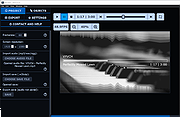 |
|
Wave Editor v4.4.3.0 Wave Editor v4.4.3.0 A fast, user-friendly digital audio editing program for Windows, ideal for beginners and casual users. Wave Editor is a fast and easy digital audio editing software for Windows. It provides a powerful and user-friendly editing environment that suits beginners especially and performs basic editing capabilities like cut, copy, paste and delete parts of recording. Unlike the other sound editors based on the same ActiveX engine, our editor developed from the ground up to be easy to use and fast. The user interface was designed with speed, accuracy, and ease of use in mind. The key feature of Wave Editor is a simple selection of audio blocks during playback. Non-destructive editing allows you to make simulated changes to an audio track without overwriting the original file. If you want more features, try the advanced version of the editor. Supported Formats: Formats: MP3, WMA, WAV (PCM, ADPCM, GSM61, DSP, A-LAW, U-LAW, and more…). Bits per sample: 8bit, 16bit Channels: Mono/Stereo Sample Rate: from 8000 Hz to 96000 Hz Supported OS: Windows Vista, Windows 7, Windows 8, Windows 10, Windows 11 Maximum audio file size: 2 Gigabytes Operations: Cut, Copy, Paste, Delete Insert Silence Normalize Amplify with Peak limiter Fade In, Fade Out Save Selected Fragment Reverse/Invert Unlimited Undo/Redo Play/Pause/Stop Zoom in/ Zoom Out Export to WAV and MP3 formats Features: Update Checker Integration with other audio tools Multilingual user interface Wave Editor is fully functional and does not contain any spyware or adware. It’s completely free! Changes: v4.4.3.0 ... |
|
6,252 | Nov 25, 2024 Abyssmedia 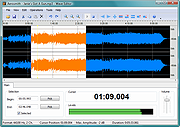 |
|
Windows Menu Editor v1.0.1 Windows Menu Editor v1.0.1 Windows 11 classic right-click menu editor Windows 11 Classic Right-Click Menu Editor. Change your windows 11 right-click menu back to the old style of windows 10 with one click. No install required. Note: If you are using Microsoft Edge, you will have to allow this download. The file is safe. Before After Before After Click here to visit the author's website. |
|
2,825 | Dec 29, 2022 openHacking 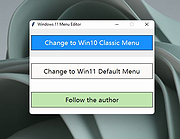 |
| Showing rows 1 to 90 of 90 | Showing Page 1 of 1 | 1 |
OlderGeeks.com Copyright (c) 2026
