|

|
Processed through Paypal No account required. |








Buy our over-priced crap to help pay the bills.



|
|
Processed through Paypal No account required. |
| File - Download Rapid Environment Editor v9.2 | ||||||||
| Description | ||||||||
|
Always scroll to the bottom of the page for the main download link. We don't believe in fake/misleading download buttons and tricks. The link is always in the same place. Rapid Environment Editor (RapidEE) v9.2 An environment variables editor. It includes easy to use GUI and replaces small and inconvenient Windows edit box. 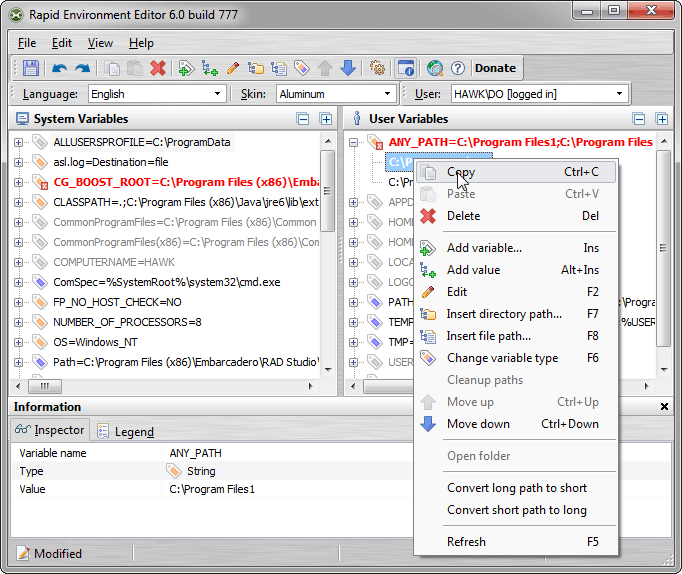 Features: •Editable tree Show environment variables and values as an editable tree. •Portable mode RapidEE doesn't require installation and could be run as a "portable application". By default RapidEE uses the registry to store settings, although RapidEE could be run as a portable application. To do this just create an empty rapidee.ini file in the app directory (if it doesn't already exist). •Error checking Automatically checking for invalid pathnames and filenames •Multilanguage interface RapidEE is translated into number of languages (English, Russian, Japanese, French, Polish, German, Italian, Latvian, Slovak, Greek, Spanish, Chinese, Dutch, Swedish, Korean), and the language can be changed on the fly. •Variable inspector Inspector shows miscellaneous information about variables: name, type, value, short file name in the 8.3 naming convention for each long file name and vice versa. •No typing You don't need to type long pathnames. Just choose path using File Explorer tree •Easy values manipulation RapidEE supports drag'n'drop for reordering of variable values •Backup Environment variables can be backed up to the registry file (.reg) •Skins Skins allow you to change the look and feel of RapidEE •Multiuser support If you have an administrative privileges then you can edit environment variables for any user on your computer. Click here to visit the author's website. Continue below for the main download link. |
||||||||
| Downloads | Views | Developer | Last Update | Version | Size | Type | Rank | |
| 10,190 | 17,668 | Oleg Danilov | Nov 13, 2022 - 21:01 | 9.2 build 937 | 3.4MB | EXE |  , out of 100 Votes. , out of 100 Votes. |
|
| File Tags | ||||||||
| Rapid Environment Editor v9.2 | ||||||||
Click to Rate File Share it on Twitter → Tweet
|


