|

|
Processed through Paypal No account required. |








Buy our over-priced crap to help pay the bills.



|
|
Processed through Paypal No account required. |
| Files | ||||
| File Name | Rating | Downloads | ||
 |
InnoExtractor v12.1.1.185 InnoExtractor v12.1.1.185 👉 Powerful utility for unpacking and exploring Inno Setup installers. InnoExtractor is an advanced application that allows you to inspect, extract, and explore the contents of installers created with Inno Setup without needing to run the installation process. It provides a clean and user-friendly interface for viewing internal files, scripts, registry entries, installation structure, and embedded resources from supported setup packages. InnoExtractor is especially useful for software archivists, developers, system administrators, and advanced users who want to analyze installer contents or recover files from installation packages. Features: • Open and inspect Inno Setup installer packages • Extract files and folders from installers without running setup • View internal installer scripts and configuration data • Explore embedded files, icons, images, and resources • Display detailed installer information and metadata • Supports password-protected installers when password is known • Search and filter installer contents • Drag-and-drop support for opening setup files • Supports Unicode installers • Export installer information and file lists • Multi-language user interface Supported operating systems: • Windows 7, Windows 8, Windows 8.1, Windows 10, Windows 11 Supported languages: Arabic, Azerbaijani, Czech, Danish, Dutch, English, French, German, Greek, Hungarian, Italian, Japanese, Korean, Polish, Portuguese (Portugal), Russian, Simplified Chinese, Spanish, Traditional Chinese, Turkish, Ukrainian Changes: v12.1.1.185 10-14-26 - Updated Danish, Italian, Russian and Ukrainian language files. - Fixed a minor bugs from previous version. Note: This file has one hit on VirusTotal. We have confirmed this to be a false positive. The file is safe. Click here to visit the author's website. |
 |
740 | Oct 15, 2026 Havy Alegria 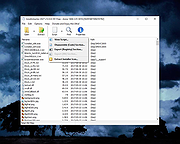 |
|
InnoUnpacker v2.2.13 InnoUnpacker v2.2.13 👉 Inspect and unpack Inno Setup installer files. InnoUnpacker is a graphical user interface for unpacking Inno Setup installers, allowing you to explore setup contents, view included files and languages, verify installer integrity, and extract files from supported Inno Setup packages. The program supports opening installers via file dialog, drag and drop, command line, or Windows context menu, and immediately displays detailed information about the selected setup file. It can also operate in portable mode, storing settings alongside the executable when run from removable media or with the /p option. Features: • Open Inno Setup installers via file dialog, drag and drop, command line, or context menu • Display general information about the setup file • View a complete list of included files • Show all supported languages within the installer • Verify setup file integrity • Select custom destination for extracted files • Extract full contents or selectively extract specific files or scripts • Filter extraction by file types or user selection • Portable mode support with local settings storage • Supports Windows Dark Mode Supported operating systems: • Windows 7, Windows 8.1, Windows 10, Windows 11 Supported languages: English, German, French, Italian, Spanish, Hungarian, Chinese Changes: v2.2.13 10-11-26 This release includes: Inno Setup Unpacker - Windows GUI v 2.2.13 Inno Unpacker console version 2.71.1 suitable for setups made with Inno Setup up to version 7.1 Last changes in Windows GUI: Bug fixes Last changes in console version: Support for Inno Setup up to 7.1.0 Bug fixes Note: This file has one hit on VirusTotal. We have confirmed this to be a false positive. The file is safe. Click here to visit the author's website. |
|
1,150 | Oct 14, 2026 Dr. Jόrgen Rathlev 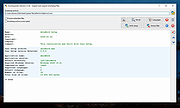 |
|
InsideClipboard v1.30 InsideClipboard v1.30 👉 Displays the binary contents of files stored in the Windows clipboard. InsideClipboard is a small, portable utility that shows the binary data currently stored in the Windows clipboard. For every format available in the clipboard, it displays the name of the format, the handle, the size of the data, and a preview of the raw binary content in a standard hex dump view. InsideClipboard allows you to inspect text, images, HTML, Rich Text, and other custom clipboard formats in detail. It is especially useful for developers, advanced users, and anyone troubleshooting clipboard-related issues who needs to see exactly what data is being copied between applications. Features: • Displays all available clipboard formats • Shows format name, handle, and data size • Built-in hex dump viewer for binary data • Supports standard and custom clipboard formats • Refresh option to reload current clipboard contents • Portable application with no installation required Supported operating systems: • Windows 2000, Windows XP, Windows Server 2003, Windows Vista, Windows 7, Windows 8, Windows 10, Windows 11 Supported languages: English, Arabic, Dutch, French, German, Greek, Hungarian, Italian, Japanese, Korean, Polish, Portuguese, Russian, Simplified Chinese, Slovak, Spanish, Turkish Changes: v1.30 05-04-2018 Added "UTF-8" Display Mode. Note: Malwarebytes and other anti-virus software may block this as a "Machine Learning" app. We have confirmed this to be a false positive. The file is safe. Click here to visit the author's website. |
|
10,301 | Jun 27, 2026 Nir Sofer 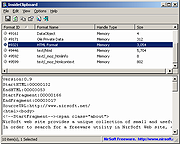 |
 |
InstallerClean v3.3.0 InstallerClean v3.3.0 👉 Safely clean orphaned Windows Installer files and reclaim disk space. InstallerClean is a modern, open-source tool for cleaning unneeded files from the hidden C:\Windows\Installer folder. It scans for orphaned .msi and .msp files, checks them against the Windows Installer database, and lets you delete them to the Recycle Bin or move them to a folder you choose. Features: • Scans C:\Windows\Installer for unneeded installer and patch files • Detects orphaned MSI and MSP files • Detects superseded patches, including Adobe Acrobat patches • Uses the Windows Installer API instead of guessing by file names or dates • Shows needed and removable files with sizes • Delete sends files to the Recycle Bin • Move option lets you keep removed files in a safe folder • GUI and command-line versions included • No telemetry, no network activity, no background service, no scheduled task Supported operating systems: • Windows 10, Windows 11 Supported languages: Indonesian, German, English, Spanish, French, Italian, Dutch, Polish, Brazilian Portuguese, Vietnamese, Turkish, Russian, Ukrainian, Japanese, Simplified Chinese, Traditional Chinese, Korean Changes: v3.3.0 10-13-26 Added InstallerClean can now be shown in Traditional Chinese, written for Taiwan's usage with the words Windows itself uses there: every window, dialog, tooltip, button and screen-reader label, the command-line tool's text and the setup wizard. A Windows set to Traditional Chinese shows it automatically, and it can be picked from the main-window language menu. Like the other machine-drafted languages it is published beside the English in docs/translations/zh-Hant.md for anyone who reads it to check, and the README has a Traditional Chinese edition, which the app's README links open. Where the languages stand: Natively done Live machine-translated README only * English · Italian · Japanese · Dutch Simplified Chinese · Traditional Chinese · Russian · Spanish · Brazilian Portuguese · Polish · Turkish · Korean · French · German · ... |
|
1,141 | Oct 13, 2026 no-faff  |
|
IPNeighborsView v1.03 IPNeighborsView v1.03 👉 View detailed information about computers and devices recently detected on your local network. IPNeighborsView is a lightweight, portable network utility that displays the IP neighbor table maintained by Windows. The IP neighbor table contains computers, routers, printers, smartphones, and other network devices that Windows has recently communicated with on your local network. The program displays detailed information for every detected entry, including the IP address, MAC address, MAC address vendor, address type, state, state duration, local network adapter, interface index, and connection name. IPNeighborsView can also detect randomized MAC addresses used by many modern mobile devices and clearly identifies them in the manufacturer column. IPNeighborsView requires no installation and can be run directly from any folder or portable drive. Selected entries can be copied to the clipboard or exported to text, CSV, tab-delimited, HTML, XML, and JSON formats. Permanent neighbor table entries are hidden by default but can be displayed through the Options menu when needed. Features: • Displays the Windows IP neighbor table • Lists computers and devices recently detected on the local network • Shows IPv4 and IPv6 addresses • Displays MAC addresses and associated hardware vendors • Detects and labels randomized MAC addresses • Shows address type and neighbor state information • Displays state duration for each entry • Identifies the local network adapter and connection name • Optionally displays permanent neighbor table entries • Copy selected entries directly to the clipboard • Export data to Text, CSV, Tab-delimited, HTML, XML, or JSON • Includes command-line options for automated exports • Portable with no installation required • Supports both 32-bit and 64-bit Windows Supported operating systems: • Windows Vista, Windows 7, Windows 8, Windows 8.1, Windows 10, Windows 11 Supported languages: English, Dutch, French, German, Greek, Hungarian, Italian, Japanese, Persian, Polish, Russian, Simplified Chinese, Slovak, Traditional Chinese, Turkish Changes: v1.03 07-15-26 When a randomized MAC address is detected, it is displayed in the MAC Address Company column. Updated the ... |
|
3,454 | Jul 30, 2026 Nir Sofer 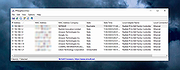 |
 |
IsMyMemoryOK v1.33 IsMyMemoryOK v1.33 👉 Quick and reliable RAM testing tool for Windows systems. IsMyMemoryOK is a lightweight memory diagnostics utility designed to test the stability and performance of DDR3, DDR4, DDR5, and DDR6 RAM modules on Windows PCs. The program allows users to quickly check for memory errors, instability, or hardware issues that can cause crashes, freezes, and blue screens. Its portable design means no installation is required, making it useful for technicians, troubleshooting, and system diagnostics on both older and modern Windows systems. Features: • Fast RAM stability and stress testing • Supports DDR3, DDR4, DDR5, and DDR6 memory • Portable application with no installation required • Adjustable test duration and memory load • Quick benchmark and diagnostic functions • Helps identify defective or unstable RAM • Simple and lightweight user interface • Optional screenshot functionality • Low CPU overhead during testing • Suitable for technicians and troubleshooting tasks Supported operating systems: • Windows XP, Windows Vista, Windows 7, Windows 8, Windows 8.1, Windows 10, Windows 11, Windows Server 2016, Windows Server 2019 Supported languages: English, German, French, Spanish, Italian, Portuguese, Dutch, Polish, Czech, Slovak, Hungarian, Romanian, Bulgarian, Greek, Russian, Ukrainian, Turkish, Chinese, Japanese, Korean, Arabic Changes: v1.33 05-11-26 Minor adjustments to the IsMyMemoryOK memory test application for all Windows operating systems. Bug fix in the screenshot function. Improved system language translation. This download is for the Windows 64bit version (very bottom of page). If you need the Windows 32bit version, download here. Click here to visit the author's website. |
|
1,330 | May 15, 2026 Nenad Hrg 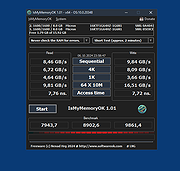 |
|
JSimStudio v1.1.3 JSimStudio v1.1.3 👉 Control and simulation utility for the Jupiter Instruments JI-820 USB incremental encoder emulator. JSimStudio is a portable simulation and control utility designed for the Jupiter Instruments JI-820 USB incremental encoder emulator. It allows engineers and developers to simulate encoder signals in real-world units, configure encoder scaling, and generate quadrature outputs for testing encoder-input hardware, PLCs, motion controllers, and software before connecting physical equipment. A built-in motion profile engine makes it easy to create repeatable test sequences using step, ramp, S-curve, and loop segments. JSimStudio also includes an integrated GPS/NMEA simulator that converts simulated encoder movement into standard NMEA-0183 data streams over serial, TCP, or UDP, making it useful for testing navigation and positioning applications. Version 1.1.1 adds a complete rotational simulation mode with RPM, degrees, and radians support, pulses-per-revolution scaling, independently selectable velocity and acceleration units, and the ability to bind GPS/NMEA network output to a specific network adapter. A built-in mock mode allows the software to run without JI-820 hardware attached for evaluation and development. When using an actual JI-820 device, the standard FTDI USB driver is required. Features: • Controls the Jupiter Instruments JI-820 USB incremental encoder emulator • Simulates quadrature encoder signals using real-world engineering units • Configurable encoder scaling and pulses-per-revolution settings • Motion profile editor with step, ramp, S-curve, and loop segments • Rotational simulation using RPM, degrees, or radians • Independently configurable velocity and acceleration units • Built-in GPS/NMEA-0183 simulator • Outputs NMEA data over serial, TCP, or UDP • Option to bind GPS/NMEA network output to a single network adapter • Mock mode allows operation without connected hardware • Portable application requiring no installation Supported operating systems: • Windows 10 (64-bit), Windows 11 (64-bit) Supported languages: English Changes: v1.1.3 07-20-26 Improved support for smaller displays and resized application windows. Fixed the velocity-profile loop function not working correctly. Note: This file has one hit on VirusTotal. We have confirmed this to be a false positive. ... |
|
332 | Jul 21, 2026 Funciona Systems 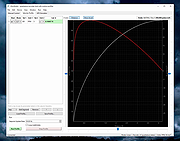 |
|
JSONedit v0.9.45 JSONedit v0.9.45 👉 A portable JSON editor with text, tree and list views. JSONedit lets you inspect and edit JSON documents as text, expandable trees or filtered lists. It requires no installation. Tools support formatting, CSV conversion, reusable snippets, Lua scripting and schema validation. You can also locate browser configuration files and edit Mozilla MOZLZ4/JSONLZ4 files. Note: Full Unicode support is unavailable. The jq filtering tool requires a separate jq executable in the application directory. Features: • Text, tree and list views. • Syntax highlighting, code folding and brace matching. • Compact or indented formatting. • Node copying, cloning, sorting and reordering. • Searching and list filtering. • Duplicate-value detection. • CSV import and export. • Reusable snippets. • Lua scripting and configurable hotkeys. • JSONPath and JMESPath queries. • JSON Patch and Merge Patch tools. • JSON Schema validation. • NDJSON viewing and export. • Mozilla MOZLZ4/JSONLZ4 support. • Browser configuration access. • External jq filtering. Supported operating systems: • Windows; specific versions: Not Found • Linux through Wine, with limitations Supported languages: English. Changes: v0.9.45 09-30-26 added File/"Open browser config" menu: lists JSON configuration files of Chromium-based browsers (Vivaldi, Opera, Chrome, Edge, Brave) and Firefox profiles saving browser configuration file: warning if browser is running (it may overwrite file on exit), warning for Chromium "Secure Preferences" (HMAC-protected values), option to remove "checksum" from Chromium "Bookmarks" added Tools/"jq filter (using external jq.exe)" window: filtering JSON with jq (https://jqlang.org/) if jq executable (jq.exe, jq-win64.exe, jq-windows-amd64.exe, jq-win32.exe or jq-windows-i386.exe) is placed in application directory; options: compact (-c), raw output (-r), sort keys (-S), slurp (-s); MRU list of filters pre-filled with basic examples MOZLZ4/JSONLZ4 files are detected also ... |
|
5,824 | Oct 05, 2026 Tomasz Ostrowski 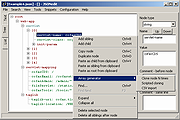 |
|
Kalmuri v4.3.1 Kalmuri v4.3.1 👉 Screen capture and recording program. Kalmuri is a freeware screen capture program that supports screenshots, screen recording, OCR text extraction, floating image display, web sharing, color extraction, full web page capture, printer output, hotkey settings and adjustable area capture. Features: • Video recording support for whole screen and selected areas • Capture whole screen, active program, window control, application area and custom area • Saves in PNG, JPG, BMP, GIF and MP4 formats • OCR support for saving text from images • Floating image feature • Share captured images on the web • Color extraction function • Full web page capture • Printer output • Hotkey settings • Keyboard adjustment for area capture using Arrow keys, Ctrl+Arrow keys and Shift+Arrow keys • Sequential and date/time file naming formats • Portable, no installation required Supported operating systems: • Windows 10, Windows 11 Supported languages: English, German, Esperanto, French, Italian, Japanese, Polish, Portuguese, Russian, Slovak, Swedish, Thai, Turkish, Vietnamese, Chinese Changes: v4.3.1 09-28-26 - Enhanced image upload security and failure handling - Fixed WebP save errors and empty file creation - Fixed recording startup and status issues in some environments - Improved screen capture and drag capture stability - Prevented existing files from being overwritten during rapid consecutive captures - Prevented OCR and configuration errors - Improved duplicate application launch prevention - Improved capture area size and position saving - Enhanced overall application stability Usage • After selecting the desired range and the format to save, press the hotkey to capture. (For the first time the hotkey is PrintScreen. It can be changed through the hotkey settings.) • For the menu, click the right mouse button on the Kalmuri screen. Click here to visit the author's website. |
|
1,233 | Oct 05, 2026 kilho.net 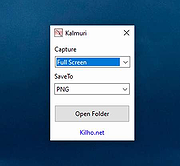 |
|
KeyNote NF v2.1.7.01 KeyNote NF v2.1.7.01 👉 Tabbed notebook and information manager for Windows. KeyNote NF is a flexible, tabbed notebook application that allows you to organize notes in a tree-structured format within multiple tabs. Based on the original KeyNote application, it has been enhanced and modernized while maintaining a lightweight and portable design. Notes can be stored in rich text format, supporting formatting, images, tables, and links, making it suitable for everything from quick reminders to complex documentation. KeyNote NF supports virtual nodes, linking, and powerful search capabilities across all notes. It can store notes in a single file for easy backup and portability, and offers encryption options to protect sensitive information. The program is designed for users who want a fast, structured, and highly customizable note management system without unnecessary bloat. Features: • Tabbed interface with tree-structured notes • Rich text editing with formatting, images, and tables • Virtual nodes for dynamic content organization • Powerful search across all notes • Internal and external linking support • Single-file storage for easy backup and portability • Optional encryption for protected notes • Customizable interface and behavior • Portable version available Supported operating systems: • Windows 7, Windows 8, Windows 10, Windows 11 Supported languages: • English Changes: v2.1.7.01 03-21-26 (Please, remember to make backups of .knt files. Recommended option: New: Shift + 'View|Encrypted content' -> highlight encrypted nodes [#985] New advanced search token, '*?' -> allows restricting searches/filters to encrypted nodes [#985] Information about tags of the protected nodes is now hidden when the encrypted content is 'closed' Improvements and fixes related to advanced search tokens in Find All/Tree filtering FIXED: Incorrect loading of ANSI plain texts with DBCS encoding in the editor in certain situations [#990] Fixed: Double click word to select only the word, without space(s) (It was partially resolved) [#951] This ... |
|
2,163 | Jul 05, 2026 Daniel Prado Velasco  |
|
KeyTweak Portable v2.3.0 KeyTweak Portable v2.3.0 👉 Remap, disable or reassign keyboard keys through a simple visual interface. KeyTweak Portable is a free Windows keyboard-remapping utility that lets you change the function of individual keys without manually editing the Windows Registry. Its visual keyboard displays 126 numbered key positions, allowing you to select a key and assign it a different function or disable it entirely. KeyTweak writes changes to the Windows Scancode Map, making remappings available system-wide after Windows restarts. It can be used to disable unwanted keys, replace the function of a broken key, swap modifier keys or reassign multimedia and specialty buttons. Full Teach Mode and Half Teach Mode help identify keys that may not be easy to locate on the visual keyboard. The program does not need to remain running after changes are applied. Active mappings can be reviewed, undone individually or removed with the Restore All Defaults option. Remapping configurations can also be saved and loaded for later use. Features: • Visual keyboard with 126 numbered key positions • Remap individual keyboard keys • Disable unwanted or troublesome keys • Full Teach Mode for identifying and remapping physical keys • Half Teach Mode for quickly identifying a source key • Support for multimedia and specialty buttons • View currently active remappings • Undo the most recent remapping • Restore all keys to their default functions • Save and load remapping configurations • Applies remappings system-wide through the Windows Scancode Map • Does not require a background service after changes are applied • No install required • Manual included Note: A system restart is required after applying any remap for changes to take effect. Supported operating systems: • Windows 7, Windows 8, Windows 8.1, Windows 10, Windows 11 Supported languages: English Changes: v2.3.0 Not Provided Note: This file has two hits on VirusTotal. We have confirmed these to be false positives. The file is safe. Click here to visit the author's website. |
|
432 | Jul 15, 2026 Travis Krumsick & OlderGeeks.com 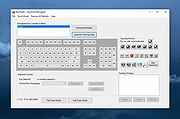 |
|
KillerPDF v1.7.3 KillerPDF v1.7.3 👉 Portable PDF editor for viewing, annotating, editing, and signing PDFs. KillerPDF is a free and open-source PDF viewer, annotator, and editor for Windows that provides PDF viewing, annotation, text editing, OCR, forms, signatures, page organization, transformation, printing, and flattening in a compact native executable. It can be run as a portable application or installed, requires no account or subscription, contains no ads, and sends no telemetry. PDFium provides document rendering while Tesseract provides built-in OCR, with additional OCR language models available on demand. Features: • High-quality PDF rendering using PDFium • Single-page, continuous scroll, two-page, book layout, and page grid viewing • Open multiple PDF documents in tabs • Split-pane mode displays two documents side by side in the same window • Each split pane maintains independent viewing and inverted-color settings • Drag tabs between split panes • Search an entire document with results highlighted while scrolling • Text selection follows columns and document reading order • Navigate outlines, bookmarks, clickable links, and internal references • Edit existing PDF text inline with font matching • Add resizable text boxes • Add freehand drawings, straight lines, shapes, and highlights • Adjust annotation colors, opacity, and line widths • Full RGB color picker for annotation colors • OCR an entire page or a selected region • Copy OCR results directly to the clipboard • Make scanned PDFs searchable by adding an invisible text layer • Extract all recognized text to a file • Built-in Tesseract OCR with additional language models available on demand • Fill and save PDF forms • Draw and reuse signatures • Import signatures from image files • Digitally sign PDFs using Certum SimplySign cloud certificates • Support for click-to-sign PDF form fields • Merge multiple PDF documents • Split and extract PDF pages • Drag and drop pages to rearrange them • Insert, rotate, move, extract, and delete pages • Drop folders or ZIP archives into the program to work with contained PDFs and images • Crop ... |
|
1,026 | Aug 17, 2026 SteveTheKiller 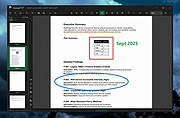 |
|
KillerScan v1.5.4 KillerScan v1.5.4 👉 Fast portable network scanner for field techs and administrators. KillerScan is a fast network scanner built for field techs that combines ARP and ping discovery, TCP port probing, active fingerprinting, vendor lookup, and weighted-score device classification in a single portable Windows executable. It is designed to quickly identify devices on a subnet, gather service and fingerprint details such as HTTP, SSH, TLS, NetBIOS, and SNMP data, and help you classify systems like Windows PCs, Linux servers, printers, NAS devices, cameras, and other network hardware without requiring a separate runtime installation. Features: • Fast network discovery using both ARP cache inspection and parallel ICMP ping sweeps • Detects devices that ignore ping by combining ARP and ICMP discovery methods • Scans 24 common TCP service ports in parallel for rapid host identification • Performs active fingerprinting using HTTP titles and server headers • Retrieves SSH server banners for Linux, Unix, and network appliance identification • Extracts TLS certificate subject information from HTTPS services • Queries NetBIOS names over UDP port 137 when available • Reads SNMP v1 sysDescr information from compatible devices • Uses ICMP Time-To-Live (TTL) values as an additional fingerprinting signal • Identifies hardware manufacturers using the IEEE MAC OUI registry • Uses a weighted scoring engine instead of simple port matching for more accurate device classification • Automatically classifies Windows PCs, Linux systems, NAS devices, printers, hypervisors, cameras, mobile devices, Home Assistant systems, IoT devices, and more • Right-click shortcuts to copy IP addresses, MAC addresses, and hostnames • Launches RDP, SSH, or a web browser directly from discovered devices • Allows manual device type overrides when automatic classification is incorrect • Exports scan results to both CSV and HTML formats • Portable single executable with no installer required • Open source under the GPLv3 license Supported operating systems: • Windows 10 (x64), Windows 11 (x64) Supported languages: English, Bengali, German, Spanish, French, Japanese, Turkish, Simplified Chinese, Traditional Chinese Changes: v1.5.4 ... |
|
887 | Aug 09, 2026 SteveTheKiller 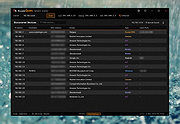 |
|
KillWindowsAI v2.0.0 KillWindowsAI v2.0.0 👉 Safely Remove Copilot, Recall and More in Windows 11. KillWindowsAI is a free utility designed to help users disable or remove AI-related features and components from Windows 11. It provides an easy-to-use interface for managing features such as Microsoft Copilot, Recall, Widgets, telemetry-related components, and other integrated AI services that some users may prefer not to use. KillWindowsAI includes both graphical and command-line modes, making it suitable for casual users as well as advanced administrators who want more control over Windows AI functionality. • Disable or remove Microsoft Copilot components • Remove or disable Windows Recall functionality • Manage Widgets and AI-related Windows features • Supports graphical user interface and command-line usage • Includes dry-run simulation mode before applying changes • Backup and restore options for safer configuration changes • Simple one-file PowerShell-based utility • Designed for advanced Windows privacy and customization control • Portable operation without traditional installation Supported operating systems: Windows 11 Disable vs Remove (Important): • Disable Uses supported registry and policy settings. Reversible and generally safe across Windows updates. • Remove Removes AppX and provisioned packages and disables related tasks. Some components may be reinstalled by future Windows updates and may require repair or reinstall to fully undo. The UI clearly labels these options and shows what will be affected. How to use:: 1) Unzip folder. 2) Run KillWindowsAI.cmd. 3) Allow PowerShell prompt. If Windows SmartScreen appears: • Click More info • Click Run anyway The program will automatically request administrator privileges if required. Changes: v2.0.0 01-22-26 Major reliability update for Windows 11 24H2 / 25H2 Fixed Fixed issue where a PowerShell window briefly appeared and closed with no interface. Fixed failure caused by users selecting “Run with PowerShell” from Explorer. Fixed failure when script is launched from inside the Windows ZIP preview (virtual temp path issue). Fixed UI failing to initialize due to PowerShell not running in STA mode. Fixed silent exits caused by restricted PowerShell host ... |
|
1,063 | May 24, 2026 OlderGeeks.com 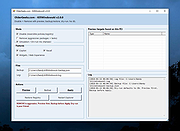 |
|
LameXP Portable v4.17.2188 LameXP Portable v4.17.2188 LameXP is a free multi-format audio file converter that supports a variety of output formats, including MP3, AAC/MP4, Ogg Vorbis, Opus as well as FLAC, and that can read a multitude of input formats. It also supports multi-threaded batch processing. System Requirements: Windows XP, Vista, 7, 8, 10 Note: Some Antivirus programs mistakenly detect Malware (Virus, Trojan, etc.) in official LameXP downloads. This is a FALSE POSITIVE! App License: Open Source (GPL and other OSI licenses) MD5 Hash: 856dc61dd69e84c2a98077f97f408d4a SHA256 Hash: de584f01e6aefb6c01bc07052c45f20e2f22f2e437faca06ec5635e52315652c Click here to visit the author's website. |
|
5,685 | Dec 19, 2019 LameXP Team & PortableApps.com 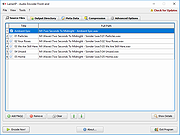 |
|
LANIPScanner v1.11 LANIPScanner v1.11 👉 Scans your local network and displays the IP and MAC address of all connected devices. LANIPScanner is a lightweight network scanning utility that quickly detects computers and devices connected to your local area network (LAN). It works by scanning a specified IP address range and listing all active devices it finds, including useful details such as IP address and MAC address. This makes it easy to identify computers, printers, routers, and other network-enabled devices currently active on your network. LANIPScanner requires no installation and runs as a simple portable application. It is designed for speed and simplicity, allowing users to quickly view the devices on their LAN without complicated configuration. The tool is especially useful for troubleshooting network connectivity, identifying unknown devices, or verifying which systems are currently active on a network. Features: • Scans a specified IP address range on your local network • Displays detected devices with their IP and MAC addresses • Fast scanning engine for quick device discovery • Simple, lightweight, and portable utility with no installation required • Ideal for identifying active devices and troubleshooting LAN connections Supported operating systems: • Windows Vista, Windows 7, Windows 8, Windows 10, Windows 11 Supported languages: English, Dutch, French, German, Greek, Hungarian, Italian, Japanese, Polish, Russian, Simplified Chinese, Slovak, Traditional Chinese, Ukrainian Changes: v1.11 08-21-26 Added option to change the sorting column from the menu (View -> Sort By). Added 'Sort By' toolbar button. Note: This file has twenty two hits on VirusTotal. We have confirmed these to be false positives. The file is safe. Note from The Older Geeks: Some antivirus programs may flag LANIPScanner because of the way it scans your local network for computers and other connected devices. Network discovery and scanning techniques are also used by legitimate system administration and diagnostic tools, so heuristic antivirus engines can occasionally classify utilities like this as potentially unwanted or suspicious. Click ... |
|
1,515 | Sep 04, 2026 Nir Sofer 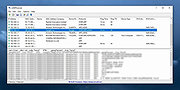 |
|
Letos v4.0.0 Letos v4.0.0 (Formerly SQLiteStudio) 👉 Free, open source cross-platform SQLite database manager with an advanced SQL editor and visual ERD designer. Letos is a free, open source SQLite database manager for creating, editing, and browsing SQLite databases. Formerly known as SQLiteStudio, Letos provides a powerful SQL editor with syntax highlighting, code formatting, query history, and intelligent code assistance. Version 4.0.0 introduces a completely new visual ERD (Entity Relationship Diagram) editor, native ARM64 builds, a Qt 6-based interface, and numerous improvements for database browsing, editing, importing, exporting, scripting, and overall workflow. It also supports encrypted SQLite databases, plugins, custom SQL functions, and portable operation without installation. Features: • Advanced SQL editor with syntax highlighting, formatting, code assistance, and query history • Visual ERD (Entity Relationship Diagram) editor for designing and reverse-engineering databases • Supports SQLCipher, WxSQLite3, and System.Data.SQLite encrypted databases • Execute queries across multiple attached databases • Custom SQL functions and aggregate functions using JavaScript, Python, or Tcl • Custom collation sequence support • Drag and drop database objects between databases • Built-in data import and export for SQL, CSV, HTML, XML, PDF, and JSON • Data population tools with random, sequence, dictionary, and script-based generators • Plugin architecture for scripting languages, import/export formats, formatters, renderers, and more • Portable edition requiring no installation • Extensive interface customization and docking options • Native ARM64 builds and signed Windows and macOS packages • High-DPI aware Qt 6 interface with scalable SVG icons • Command Palette for quick access to commands and settings • Built-in image rendering and JSON editor for data browsing Supported operating systems: • Windows 10, Windows 11 (x64, ARM64) • macOS (Intel and Apple Silicon) • Linux (x64, ARM64) Supported languages: Afrikaans, Arabic, Belarusian, Catalan, Czech, Danish, Dutch, English, Greek, Hungarian, Japanese, Korean, Norwegian, Polish, Portuguese, Romanian, Serbian, Slovak, Swedish, Turkish and additional updated translations. Changes: v4.0.0 06-23-26 Added a new visual ERD editor. Renamed the project from SQLiteStudio to Letos. Migrated the application to Qt ... |
|
2,637 | Jun 24, 2026 Pawel Salawa 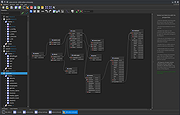 |
|
Librer v1.0979.518 Librer v1.0979.518 👉 Cross-platform GUI file cataloging with powerful search and custom metadata extraction. Librer is a cross-platform GUI file cataloging program designed to catalog files (especially on removable media like memory cards and portable drives), add metadata via custom data extractors, and perform fast multi-core searches across saved records. Features: • Catalog file systems into portable record files (great for removable media) • Add custom metadata (Custom Data) by running user-selected commands or scripts per file • Search using regular expressions, glob expressions, and fuzzy matching (filenames and custom data) • Export and import created records for sharing or backups • Import data from other catalogers including Where Is It?, Cathy (.caf), and VVV (CSV) • Highly optimized record format for fast access, compression, and repository portability • Portable by design: writes logs, configuration, and data into its own folders at runtime Supported operating systems: • Linux • Windows 10, Windows 11 Changes: v1.0979.518 06-24-26 refactoring of opening paths and URLs check xdg-open bump pyinstaller, tkinterdnd2, pywin32, dateparser better messages Note: This file has one hit on VirusTotal. We have confirmed this to be a false positive. The file is safe. This download is for the Windows portable version (very bottom of page). If you need the Linux portable version, download here. Click here to visit the author's website. |
|
1,682 | Jun 27, 2026 Piotr Jochymek  |
|
LockHunter Portable v3.4.3 LockHunter Portable v3.4.3 A foolproof, portable file unlocker tool. It is a free tool to delete files blocked by something you do not know. LockHunter is useful for fighting against malware, and other programs that are blocking files without a reason. Unlike other similar tools it deletes files into the recycle bin so you may restore them if deleted by mistake. Key Features Shows processes locking a file or folder Gives you detailed information on the process Allows to unlock, delete, copy or rename a locked file Can delete a file at next OS restart Allows to kill locking process Allows to remove locking processes from hard drive Can unload DLLs from processes Integrates in to Explorer menu It deletes files into the recycle bin, so you may restore them if deleted by mistake Supports both 32 and 64 bit Windows Click here to visit the author's website. |
|
7,079 | May 24, 2022 Crystal Rich Ltd. 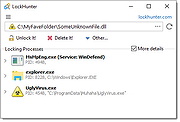 |
|
Logyx Pack v25.514 Logyx Pack v25.514 👉 A portable collection of more than 150 logic and board games in one Windows program. Logyx Pack is a portable game pack that brings together more than 150 logic, puzzle, board, and classic-style games under a single interface. It is designed to let you quickly switch between many different titles from one window, with options that help make the games suitable for a wide range of players. Some of the included games and styles mentioned across available sources include Minesweeper, Battleships, Reversi, Checkers, Chinese Checkers, Tetris, Tangram, Sokoban-style games, Connect Four, Sudoku, Kakuro, Mahjong, Backgammon, and many others. Features: • Includes more than 150 games in one package • Portable program design • Focuses mainly on logic, puzzle, and board-style games • Lets you switch between games from one main interface • Offers adjustable options to help suit different ages and skill levels • Includes both solo puzzle games and traditional two-player board games • Games are organized in an easy-to-browse list • Lets you choose a default game to open first • Common settings allow adjustment of window size • Supports variable window size, fixed window size, maximized window, and full screen modes • Can show brief descriptions for games • Includes optional sound settings • Covers a broad mix of classic concepts such as memory, matching, number puzzles, tile games, strategy boards, pathfinding puzzles, and action-logic hybrids Games: BTM (Net+), Yamb (Net+), Yea Chess, Monopoly INT, Puzz, Geex, Moc, Zookey, Thux, Zoodoku, Memory, Tac 3D, Minesweeper, Battleships, Dominow, Mastermind, Panel de Pon, Tetris, Tangram, Checkers, Chinese Checkers, PushNPull Sokoban, Connect Four, GoMoku, Reversi, Hanoi, Inertia, Klotski, Sudoku, Fifteen, Kakuro, Byss 2048, Simon Says, Finty Flush, Solitaire, Mahjong, Klopodrom and more! Supported operating systems: • Windows 7, Windows 8, Windows 10, Windows 11 Supported languages: English Changes: v25.514 08-12-26 Not Provided Note: This file has one hit on VirusTotal. We have confirmed this to be a false positive. ... |
|
7,268 | Aug 12, 2026 Drazen  |
|
MACAddressView v1.55 MACAddressView v1.55 👉 Find the manufacturer and details behind any MAC address. MACAddressView is a lightweight MAC address lookup utility that lets you quickly identify the company name, address, and country associated with a network device's MAC address. Instead of querying an online service, it uses a built-in IEEE OUI database stored inside the executable, allowing lookups to be performed entirely offline. The program can search by MAC address, company name, company address, or country, making it useful for network administrators, technicians, security professionals, and anyone troubleshooting or documenting network hardware. Results can be copied to the clipboard or exported to TXT, CSV, HTML, XML, and other formats for reporting or further analysis. MACAddressView is fully portable, requires no installation, and supports command-line operation for automation and scripting. Features: • Offline MAC address lookup using an internal IEEE OUI database • Find vendor information by MAC address, company name, address, or country • Display company name, address, country, and assigned MAC address range • Search multiple MAC addresses simultaneously • Lookup complete MAC addresses or vendor prefixes (OUI) • View the MAC addresses assigned to the current computer • Export results to TXT, CSV, HTML, XML, and tab-delimited formats • Copy results directly to the clipboard • Command-line support for automated lookups and exports • Portable with no installation required • Supports custom language translation files Supported operating systems: • Windows 98, Windows ME, Windows 2000, Windows XP, Windows Server 2003, Windows Vista, Windows 7, Windows 8, Windows 8.1, Windows 10, Windows 11 Supported languages: • Arabic, Bulgarian, Chinese (Simplified), Chinese (Traditional), Czech, Dutch, English, French, German, Greek, Hungarian, Italian, Japanese, Korean, Polish, Portuguese (Brazil), Romanian, Russian, Slovak, Spanish, Turkish, Ukrainian Changes: v1.55 07-01-26 Updated the internal MAC Addresses database. Note: This file has two hits on VirusTotal. We have confirmed these to be false positives. The file is safe. Click here to visit the author's website. |
|
10,166 | Jul 10, 2026 Nir Sofer 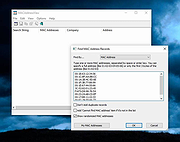 |
|
MagicMouseMove v1.0.3 MagicMouseMove v1.0.3 👉 Prevent idle time with automatic natural mouse movement. MagicMouseMove is a small Windows tool that performs minimal, natural-looking mouse movements after an adjustable period of inactivity. It is designed to help prevent unwanted idle states, connection drops, standby interruptions, and similar inactivity-related issues during tasks such as streaming, remote access, presentations, or long-running sessions. MagicMouseMove runs as a lightweight utility and is also available in a portable version, making it easy to use without a complicated setup. Its focus is simple automatic mouse activity simulation with natural movement behavior. Features: • Performs small, natural-looking mouse movements automatically • Helps prevent idle time and connection drops • Adjustable inactivity timing before movement begins • Small and lightweight utility • Available as a portable version for flexible use Instructions: • Download and run MagicMouseMove or the portable version • Set the idle time delay before automatic mouse movement starts • Let the program run while you need to avoid inactivity-related interruptions • Adjust settings as needed for your session or workflow Supported operating systems: • Windows XP, Windows Vista, Windows 7, Windows 8.1, Windows 10, Windows 11 • Windows Server 2016, Windows Server 2019 Supported languages: • German, English, Dutch, Traditional Chinese, Spanish, Russian, Simplified Chinese, Korean, French, Hebrew Changes: v1.0.3 05-10-2026 • Minor adjustments and general bug fixes • Updated MagicMouseMove language file and new languages: Korean, French, Hebrew • Many thanks to Venus Girl for the Korean translation. • Many thanks to Drake4478 for the French translation. • Many thanks to peterg for the Hebrew translation. Click here to visit the author's website. |
|
722 | Aug 04, 2026 Nenad Hrg  |
|
MahJongg Solitaire 3D Portable v1.01 MahJongg Solitaire 3D Portable v1.01 A tile-based solitaire puzzle game. MahJongg Solitaire 3D is an OpenGL enhanced solitaire version of the ancient Chinese board game "Mah Jongg". This is a solitaire version of Mah Jongg, it can be played by a single player. It has a fresh new three dimensional view from which you can look at the board from any direction, with hand drawn aquarelle tilesets, layouts and backgrounds, you can download tilesets, layouts and backgrounds or even create your own ones and integrate them into the game. Features • 3D OpenGL view. You can look at the board from any direction. • A unique hand drawn tileset • Undo • Reorder • Hint function • High scores Click here to visit the author's website. |
|
2,257 | Oct 12, 2023 Reto Schoelly & PortableApps.com (John T. Haller) 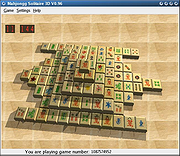 |
|
Maxthon 5 Portable v5.3.8.2000 Maxthon 5 Portable v5.3.8.2000 Maxthon 5 cloud browser, innovate your browser world view with a super surfing experience. Awarded "Best Browser" in three consecutive years. Fast, secure and ad-free. Super-Fast Dual Rendering Engines, Displaying pages in no time Smart switch between Webkit & Trident, balance both read speed and multi-element page content Super-Download Easy to download videos on web, offline viewing at anytime Videos, pictures and music, download them all with 1 simple click Use 7-Zip 32bit or 7-Zip 64bit to unzip this file. MX5 changelog 5.3.8.20002019-10-25 - New core official version - Improved the installation program - Fixed page crashes under some circumstances - Fixed the crash issue when dragging the link under some circumstances Click here to visit the author's website. |
|
4,948 | Feb 20, 2020 Maxthon  |
|
McAfee Consumer Product Removal tool (MCPR) v10.5.374.0 McAfee Consumer Product Removal tool (MCPR) v10.5.374.0 👉 Completely removes McAfee consumer security products and leftover components from Windows. McAfee Consumer Product Removal tool (MCPR) is McAfee's official cleanup utility for removing McAfee consumer security software from a Windows PC. It is particularly useful when a normal uninstall fails, leaves components behind, or you need to completely clean out an existing McAfee installation before reinstalling McAfee or switching to another security product. McAfee recommends first uninstalling its software through the normal Windows uninstall process. MCPR can then be run to remove remaining McAfee files, services, drivers, registry information, and other installation components that might otherwise remain on the computer. The program is portable and does not need to be installed. Run MCPR.exe, accept the license agreement, complete the security validation displayed by the program, and allow it to perform the cleanup. When MCPR reports that removal is complete, restart Windows to finish the process. Because McAfee updates MCPR periodically, McAfee recommends downloading a fresh copy whenever you need to use it rather than keeping an older copy. Features: • Official McAfee removal and cleanup utility • Removes McAfee consumer security software from Windows • Cleans up components that can remain after a standard uninstall • Useful when the normal McAfee uninstaller fails or does not completely remove the product • Helps prepare a computer for a clean McAfee reinstallation • Helps prevent remnants of McAfee software from interfering with another security product • Removes associated McAfee installation data and system components • Portable utility requiring no installation • Provides a guided removal process • Includes a security validation step to help prevent accidental execution • Reports when the removal process has successfully completed • Requires a Windows restart after successful removal to finish cleanup • Free to download and use Supported operating systems: • Windows 10, Windows 11 Supported languages: English Changes: Not provided. Click here to visit the author's website. |
|
10,547 | Aug 12, 2026 McAfee 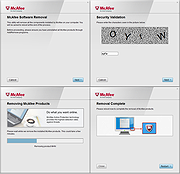 |
|
MDB Viewer Plus v2.82 MDB Viewer Plus v2.82 👉 View, edit, search, and export Microsoft Access databases without installing Access. MDB Viewer Plus is a portable viewer and editor for Microsoft Access MDB and ACCDB files. It lets you inspect tables, edit records, run SQL queries, search and filter data, and import or export information in a range of formats. It can also create databases and change table structures. Opening ACCDB files requires the Microsoft Access Database Engine when a suitable version of Access is not installed. Features: • Open MDB and ACCDB database files without installing Microsoft Access. • View and edit table records in a tabbed interface. • Search records, including partial word searches, and filter or sort by field. • Run SQL select queries and save SQL statements to files. • View field types, print table structures, and copy field names to the clipboard. • Create databases and create, rename, or delete tables. • Add, remove, rename, or alter fields and manage indexes. • Import data from formats including CSV, TXT, XLS, DBF, MDB, and XML. • Export to TXT, HTML, XML, DBF, XLS, XLSX, RTF, PDF, and SQLite. • Open databases using workgroup files and link to external tables. • Run without installation. alexnolan.net Supported operating systems: • Windows 95, Windows 98, Windows ME, Windows NT, Windows 2000, Windows XP, Windows Vista, Windows 7, Windows 8, Windows 10, Windows 11 Supported languages: English. Changes: v2.82 09-24-26 Not provided. Note: This file has one hit on VirusTotal. We have confirmed this to be a false positive. The file is safe. Click here to visit the author's website. |
|
6,888 | Sep 25, 2026 Alex Nolan 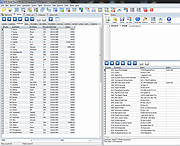 |
|
mDNSView v1.00 mDNSView v1.00 👉 Scan and view mDNS records published by devices on your local network. mDNSView is a simple Windows utility from NirSoft that displays mDNS records published by devices connected to your local network. For every discovered mDNS record, it shows the device IP address, name, record type, and record value. Features: • Displays mDNS records from devices on your local network • Shows IP address, name, record type, and record value • Supports A, AAAA, TEXT, PTR, and SRV record types • Start a scan with the toolbar button or F5 key • Export results to CSV, tab-delimited, XML, HTML5, or JSON • Copy selected records to the clipboard • Portable; no installation or extra DLL files required Supported operating systems: • Windows XP, Windows Vista, Windows 7, Windows 8, Windows 10, Windows 11 • 32-bit and 64-bit systems Supported languages: English, Dutch, French, German, Hungarian, Italian, Russian, Traditional Chinese Changes: v1.00 05-23-26 Initial release. Note: This file has multiple hits on VirusTotal because it's new and because it sniffs your network for information. We have determined these to be fair warnings but as long as you are the one using it, the file is safe. Click here to visit the author's website. |
|
532 | Jun 03, 2026 Nir Sofer 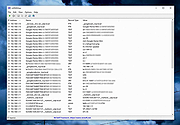 |
|
Media Player Classic Black Edition v1.9.0 Media Player Classic - Black Edition v1.9.0 👉 Lightweight, open-source audio and video player for Windows with built-in codecs. Media Player Classic - Black Edition (MPC-BE) is a free and open-source audio and video player for Microsoft Windows. Based on the original Media Player Classic and Media Player Classic Home Cinema projects, MPC-BE provides a clean, familiar interface with powerful playback features and a wide range of built-in audio and video codecs. It is designed to be lightweight, efficient, and highly compatible with modern multimedia formats while maintaining the classic Windows-style look and feel. Features: • Supports a wide range of video and audio formats using built-in codecs • High-quality video rendering with support for DXVA hardware acceleration • Subtitle support (external and embedded) with customizable styles • Playlist support and favorite files management • Audio switcher and built-in audio renderer • Customizable interface and toolbar • Screenshot capture and preview thumbnails • Video frame stepping and playback speed control • Command line support and extensive configuration options • Available in portable and installer versions Supported operating systems: • Windows 7, Windows 8, Windows 8.1, Windows 10, Windows 11 Supported languages: English, Russian, Ukrainian, Belarusian, German, French, Spanish, Italian, Polish, Czech, Slovak, Hungarian, Dutch, Portuguese (Brazil), Portuguese (Portugal), Romanian, Bulgarian, Greek, Turkish, Chinese (Simplified), Chinese (Traditional), Japanese, Korean Changes: v1.9.0 06-27-26 Splitters: Fixed crashes in some situations. AudioSplitter: Added support for the RF64 format. Fixed reading of channe This download is for the Windows 64bit installer version (very bottom of page). All other download assets are below: 32bit installer 64bit portable 32bit portable Standalone Filters 64bit Standalone Filters 32bit Use 7-Zip to unzip this file. Click here to visit the author's website. |
|
3,772 | Jul 11, 2026 MPC-BE Devs  |
|
MediaPlayerOK v1.01 MediaPlayerOK v1.01 👉 Fast and portable media player for Windows. MediaPlayerOK is a compact portable media player for Windows that plays audio and video files with playlists, docking support, tray function, flexible playlists, drag & drop and automatic resume playback. Features: • Plays audio and video files • Compact and portable • Playlist support • Flexible playlists • Docking mode • Tray function • Automatic resume playback • Optional portable mode • Small system resource usage • No installation required Supported operating systems: • Windows XP, Windows Vista, Windows 7, Windows 8.1, Windows 10, Windows 11, Windows Server 2012-2025, 32-bit and 64-bit Supported languages: German, English, Italian, Korean, French, Greek, Traditional Chinese Changes: v1.01 06-11-26 • Minor adjustments in MediaPlayerOK • New languages added to MediaPlayerOK: Italian, Korean, French, Greek, and Traditional Chinese. Click here to visit the author's website. |
|
614 | Sep 23, 2026 Nenad Hrg  |
|
MeinPlatz v8.66 MeinPlatz v8.66 👉 Quickly scan drives and folders to find lost disk space. MeinPlatz helps you quickly analyze hard drive, SSD, USB drive, and folder space usage so you can see where your storage has gone. It displays results by folder, file type, size, date, percentage usage, file count, and folder count, making it easier to locate large files and space-hogging directories. Features: • Fast disk and folder space scanning • Percentage-based storage analysis • Group results by folders, file types, size, or date • Export results to XLS, CSV, TXT, and HTML • Print function with print preview • Small built-in screen magnifier • Portable version available • Low resource use Supported operating systems: • Windows XP, Windows Vista, Windows 7, Windows 8.1, Windows 10, Windows 11 • Windows Server 2016, Windows Server 2019 Supported languages: German, English, Polish, Chinese Traditional, Chinese Simplified, French, Russian, Dutch, Korean Changes: v8.66 05-22-26 • New: Right-click option to open file properties and the target file path for shortcuts. • Updated MeinPlatz language files. This download is for the Windows 64bit version (very bottom of page). If you need the Windows 32bit version, download here. Click here to visit the author's website. |
|
6,984 | May 22, 2026 Nenad Hrg  |
|
Metadata++ v3.00.2 Metadata++ v3.00.2 👉 View, edit, search, and manage metadata in thousands of file formats. Metadata++ is a powerful freeware metadata editor and browser for Windows built around ExifTool. It lets you inspect, edit, search, and organize metadata stored in photos, documents, audio, video, archives, and many other file types through a fast graphical interface. Designed to run locally without relying on the Windows registry, Metadata++ can also create sidecar files so metadata can be associated with formats that do not natively support it. It includes advanced search capabilities, batch editing, thumbnail viewing, ratings, tagging, and extensive support for industry-standard metadata formats, making it an excellent tool for photographers, archivists, content creators, and anyone who needs detailed control over file metadata. Features: • View, edit, and search metadata in thousands of supported file formats. • Built on the powerful ExifTool metadata engine. • Batch edit metadata across multiple files. • Create and use sidecar metadata files for unsupported formats. • Display image thumbnails and detailed file information. • Rate, tag, and organize files using metadata. • Fast folder navigation and high-performance directory browsing. • Export metadata in multiple formats. • Native Unicode support for international filenames and metadata. • Portable operation with all settings stored in the program folder. • No Windows registry entries required. • Runs entirely on your computer without transmitting personal data. Supported operating systems: • Windows 11 (64-bit), Windows 10 (64-bit) Supported languages: English, French, Spanish, Italian, Portuguese, Dutch, Polish Changes: v3.00.2 08-03-26 Changes since 3.00.1 Fixed the TreeView horizontal scrollbar. Added support for additional palette formats. Added GPR display support. Added conversions to JPEG, PNG and WebP. Added Save As and effects to fullscreen view. Added sidecar creation for any file format. Added the Ukrainian interface. Metadata++ can now use GDAL. Note: This file ... |
|
2,179 | Aug 02, 2026 Jean Piquemal  |
|
Metalogic Finance Explorer Portable v9.0.0 Metalogic Finance Explorer Portable v9.0.0 A free and easy-to-use personal finance program. Metalogic Finance Explorer Portable packs enough features for those of us who don't need the overload of features that the big commercial packages offer. It's small yet powerful! Features: • Price: Completely free! • Real time: Update your stock quotes directly from the web. • Easy to use: Visit our online tutorial. • Interface: A familiar and easy to use Windows Explorer-like user interface. • Import transactions: Download them from your bank and import them directly into MLFE. No need to manually enter them. This will save you time and avoid mistakes. All popular formats are supported: Microsoft Money (OFX), Intuit Quicken (both QFX and QIF) and OFC. • Budgeting: Set some financial goals and let our budget feature help you achieve them. At the same time get fine control over your spending. By sticking to your budget you will be able to achieve your goals faster, whether it's paying your debt or saving for something. • Accounts: Supports several types of accounts including bank, cash, credit, etc. Can handle an unlimited number of them. • Stock tracking: Keep track of your stocks. Current stock quotes can be downloaded from the web with a mouse click. • Categorization: Put all your transactions into categories so you can get a better overview of all your expenditures and income. • Net worth: Get a complete view of your finances at a ... |
|
972 | Jun 17, 2025 Metalogic Software and PortableApps.com  |
|
Microsoft Sysinternals Suite v2026.7 Microsoft Sysinternals Suite v2026.7 👉 A complete collection of Microsoft's advanced Windows system utilities. Microsoft Sysinternals Suite is a comprehensive package containing Microsoft's renowned Sysinternals troubleshooting, diagnostic, monitoring, and system management utilities in a single download. Created by Mark Russinovich and the Sysinternals team, the suite provides administrators, developers, IT professionals, and power users with portable tools for analyzing processes, monitoring system activity, managing startup entries, inspecting security settings, recovering information, and troubleshooting Windows systems. The suite is regularly updated as individual utilities receive new features and improvements. Features: • Includes over 70 portable Sysinternals utilities in one package • No installation required - simply extract and run the tools • Monitor running processes with Process Explorer • Capture real-time file system, Registry, and process activity with Process Monitor • Analyze Windows startup entries using Autoruns • View TCP and UDP network connections with TCPView • Securely delete files using SDelete • Verify digital signatures with Sigcheck • Display system information with BgInfo • Examine handles, DLLs, services, sessions, and security permissions • Includes command-line and graphical utilities • Frequently updated by Microsoft with new tools and enhancements Supported operating systems: • Windows 10, Windows 11, Windows Server 2016, Windows Server 2019, Windows Server 2022, Windows Server 2025 (all 64bit) Supported languages: • English Changes: v2026.7 07-05-26 Updated the Sysinternals Suite package with the latest releases of the included Sysinternals utilities. Note: This file has three hits on VirusTotal. VirusTotal reports detections for Sysinternals tools such as PsExec because they are legitimate administrative utilities that can also be abused by attackers. These detections are generally classified as HackTool or Potentially Unwanted Application (PUA) rather than malware. These tools are safe and widely used by IT professionals and system administrators. This download is for the Windows version (very bottom of page). All other download assets are below: ARM64: SysinternalsSuite-ARM64.zip Nano Server: SysinternalsSuite-Nano.zip Click here to visit the author's website. |
|
11,354 | Jul 10, 2026 Microsoft Corp.  |
|
Mines-Perfect Portable v1.4.0.4 Mines-Perfect Portable v1.4.0.4 A free mine finding puzzle game Are you looking for the ultimate Minesweeper clone? Features: Improved mousehandling : Why click with two mousebuttons, when it works with one. Shows the complexity of the next move. More boards: not always squares. Sound: you can configure a sound to various events. Analysis: a game can be load and saved. Besides is undo-function implemented. Click here to visit the author's website. |
|
2,898 | Jan 24, 2024 Christian Czepluch and PortableApps.com 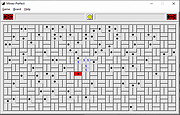 |
|
MineSweeperOK v1.21 MineSweeperOK v1.21 👉 A classic Minesweeper game for Windows with customizable difficulty and modern enhancements. MineSweeperOK is a lightweight and portable implementation of the classic Minesweeper puzzle game for Microsoft Windows. It recreates the familiar gameplay of the original Windows Minesweeper while adding useful enhancements such as custom field sizes, adjustable mine counts, and alternative visual themes. Designed to run without installation, MineSweeperOK is ideal for users who want a simple, no-frills time-killer that works smoothly even on older systems. Features: • Classic Minesweeper gameplay with intuitive controls • Customizable game board sizes • Adjustable number of mines • Multiple difficulty levels • Portable version – no installation required • Optional sound effects • Different visual themes and color options • Low CPU and memory usage • Suitable for older Windows systems • Freeware for private use Supported operating systems: • Windows 7, Windows 8, Windows 8.1, Windows 10, Windows 11 Supported languages: English, German Changes: v1.21 05-05-26 • Bug fix for detecting the default system language across all Windows OS versions, as well as updated language files for Minesweeper. Click here to visit the author's website. |
|
1,140 | May 06, 2026 Nenad Hrg 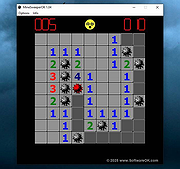 |
|
MobileFileSearch v1.51 MobileFileSearch v1.51 👉 Search files inside smartphones and tablets connected through USB MTP mode. MobileFileSearch is a lightweight utility that allows you to search files stored on smartphones, tablets, and other portable devices connected to your computer through USB using the Media Transfer Protocol (MTP). It can quickly scan connected devices and display matching files based on filename, extension, size, date, and other search filters. MobileFileSearch is especially useful for locating photos, videos, documents, music, APK files, and other content stored on Android devices or portable media players without manually browsing through folders. Search results can be copied, exported, or opened directly from the interface for easier file management. Be aware that this tool is useful if your Smartphone/Tablet uses the Media Transfer Protocol (MTP) to view and transfer files via USB. Features: • Search files on smartphones and tablets connected through USB • Works with devices using the Media Transfer Protocol (MTP) • Filter results by filename, extension, size, and modified date • View full file paths and file details • Open files directly from search results • Export search results to text, CSV, HTML, JSON, or XML • Lightweight and portable utility with no installation required • Supports drag-and-drop exporting of files • Command-line support for advanced usage Supported operating systems: • Windows 7, Windows 8, Windows 8.1, Windows 10, Windows 11 Supported languages: • English Changes: v1.51 05-11-26 • Fixed bug: MobileFileSearch crashed when using the 'Open Folder In Explorer' option and the folder path contained a slash character ('/'). This download is for the Windows 64bit version (very bottom of page). If you need the Windows 32bit version, download here. Click here to visit the author's website. |
|
5,292 | Jun 03, 2026 Nir Sofer 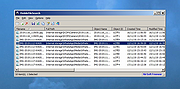 |
|
Money Manager Ex v1.9.3 Money Manager Ex v1.9.3 👉 Free, open-source personal finance software for tracking accounts, budgets, cash flow, assets and expenses. Money Manager Ex is a free, open-source personal finance application designed to help users organize their finances with a clear and easy-to-use interface. It allows you to monitor bank accounts, credit cards, investments, assets and recurring expenses while keeping all financial information stored locally for improved privacy and control. Money Manager Ex is suitable for both beginners and advanced users who want a lightweight but powerful alternative to online financial services. The software includes budgeting tools, customizable reports, reminders, transaction scheduling and multi-account management to help track spending habits and improve financial planning. The application supports multiple currencies, encrypted databases, portable operation and import/export tools for transferring data between financial applications. Its built-in reporting engine provides charts and summaries that make it easier to analyze income, expenses and long-term financial trends. Advanced users can also create custom reports using SQL, HTML, LUA and JavaScript. Money Manager Ex stores data in an SQLite database and works entirely offline, giving users full control over their financial records without relying on cloud synchronization or subscriptions. The software is actively maintained by an open-source community and is available for Windows, macOS and Linux systems. Features: • Track checking, savings, cash, credit card, stock investment and asset accounts • Organize transactions with unlimited nested categories and tags • Schedule recurring bills, deposits and transfers with reminders • Create detailed budgets and monitor spending habits • Generate financial reports with charts, graphs and summaries • Supports multiple currencies and exchange rates • Import transactions from CSV, QIF and OFX files • Export financial data to CSV, QIF and HTML formats • Portable mode available for Windows systems • SQLite database with AES encryption support • Split transactions across multiple categories • Search and filter transaction history quickly • Reconcile bank statements and account balances • Create ... |
|
11,300 | Aug 11, 2026 Money Manager EX 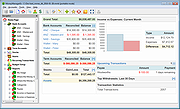 |
|
Mozilla Firefox Portable v155.0.1 Mozilla Firefox Portable v155.0.1 👉 Take the full Firefox web browser, along with your bookmarks, passwords and settings, anywhere you go. Mozilla Firefox Portable is the popular Firefox web browser packaged by PortableApps.com to run from a USB flash drive, portable hard drive, cloud folder or local folder without a traditional installation. Your bookmarks, saved passwords, extensions, preferences and other personal browser data stay with the portable package, making it easy to carry your familiar Firefox environment between Windows computers. It provides the same Firefox browsing experience, privacy protections, customization, extension support and web standards compatibility as the regular desktop browser while adding the portability provided by the PortableApps.com Launcher. It can also integrate with the PortableApps.com Platform for convenient launching and automatic updates. Features: • Runs from removable drives, cloud folders or local folders without a traditional Firefox installation • Carries your bookmarks, saved passwords, preferences and other Firefox profile data with you • Works with the PortableApps.com Platform for easy launching and automatic updates • Built-in Enhanced Tracking Protection helps block trackers while browsing • Supports Firefox extensions and themes for extensive customization • Includes private browsing for sessions that do not retain local browsing history • Built-in password management and synchronization through a Mozilla account • Supports tab organization, containers and vertical tabs • Built-in translation capabilities for supported languages • PDF viewing and printing are built directly into the browser • Developer Tools provide debugging, inspection and web development features • Supports modern web technologies including WebAssembly, WebRTC, WebTransport and HTTP/3 • Open source and based on Mozilla Firefox • Can coexist with an installed copy of Firefox Supported operating systems: • Windows 10, Windows 11 • WINE (64-bit only) Supported languages: Afrikaans, Arabic, Asturian, Basque, Belarusian, Bulgarian, Breton, Catalan, Chinese (Simplified), Chinese (Traditional), Croatian, Czech, Danish, Dutch, English, Estonian, Finnish, French, Frisian, Gaelic (Scotland), Galician, German, Greek, Hebrew, Hungarian, Icelandic, Indonesian, Irish, Italian, Japanese, Korean, Lithuanian, Norwegian ... |
|
11,460 | Sep 13, 2026 Mozilla & John T. Haller  |
|
Mozilla Thunderbird Portable v146.0 Mozilla Thunderbird Portable v146.0 The popular Mozilla Thunderbird email client bundled with a PortableApps.com launcher as a portable app, so you can take your email, address book and account settings with you. You can also add in GPG and Enigmail to encrypt and sign your email. Mozilla Thunderbird is the safe, fast email client that's easy to use. It has lots of great features including quick message search, customizable views, support for IMAP/POP, RSS support and more. Plus, the portable version leaves no personal information behind on the machine you run it on, so you can take your email and address book with you wherever you go. System Requirements: Windows 7, 8, 10, 11 and WINE Click here to visit the author's website. |
|
10,775 | Dec 17, 2025 John T. Haller and Mozilla 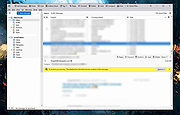 |
|
muCommander v1.6.2 muCommander v1.6.2 👉 Cross-platform dual-pane file manager designed for fast and efficient file management. muCommander is a lightweight, open-source file manager that provides a classic dual-pane interface similar to popular orthodox file managers. It is designed to make managing files and folders faster and more efficient by allowing users to easily copy, move, rename, and organize files between two panels. muCommander supports a wide range of archive formats and network protocols, enabling users to browse compressed files as if they were normal folders and access remote filesystems such as FTP, SFTP, SMB, NFS, and HTTP. The program also includes a powerful set of keyboard shortcuts, bookmarking capabilities, file search tools, and customizable interface options. Because muCommander is written in Java, it runs on multiple operating systems including Windows, macOS, Linux, and other platforms that support Java. This makes it a flexible file management solution for users who work across different environments. Supported operating systems: • Windows 7, Windows 8, Windows 10, Windows 11 • macOS • Linux Supported languages: English, French, German, Spanish, Italian, Portuguese, Dutch, Russian, Chinese, Japanese, Korean Changes: v1.6.2 05-14-26 Update previous release to 1.6.1 in the readme.txt file by @ahadas in #1469 Granting the application permission to access the module 'sun.awt.X11' by @douglasimcabral in #1471 Document #1471 by @ahadas in #1472 Fix possible NPE during startup by @ahadas in #1474 This download is for the Windows installer version. All other download assets are below: Other Windows: mucommander-1.6.2-1-portable-x86_64.zip mucommander-1.6.2-aarch64.msi macOS: mucommander-1.6.2-1-x86_64.dmg (Intel) mucommander-1.6.2-1-aarch64.dmg (Apple Silicone) mucommander-1.6.2-1-noarch.dmg (macOS 10.15 Catalina and below) Linux: mucommander_1.6.2_x86_64.deb mucommander-1.6.2-1.x86_64.rpm mucommander-1.6.2-1.aarch64.rpm Linux, Solaris, BSD, AIX, OS/2 and other OS with Java support mucommander-1.6.2-1-x86_64.tgz mucommander-1.6.2-1-aarch64.tgz Click here to visit the author's website. |
|
1,606 | Jul 22, 2026 muCommander 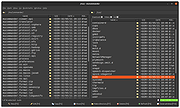 |
|
Multi Commander v16.5 Multi Commander v16.5 👉 Dual-pane, multi-tabbed file manager for Windows power users. Multi Commander is a multi-tabbed file manager and Windows Explorer alternative using an efficient dual-panel layout. It includes standard file management tools such as copy, move, rename, and view, along with advanced tools for archive browsing, FTP/SFTP access, Registry browsing, file searching, batch renaming, scripting, plug-ins, and portable use. Features: • Dual-pane, tabbed file manager interface • Commander-style or Windows Explorer-style keyboard and mouse setup • View files in detail, list, or thumbnail modes • Browse local drives, network shares, FTP with SSL/TLS, SFTP/SCP, archives, Windows Registry, and Windows Portable Devices • Archive support for Zip, 7-Zip, Rar, Tar, gz, bz2, tar.gz, and tar.bz2 • Background file operations so the interface does not freeze • Copy/move filters, queues, auto-unpacking, auto-sorting, presets, and overwrite handling • Powerful Multi-Rename tool for batch renaming • Built-in file viewer with ASCII, UTF-8, Unicode, Binary, and Hex viewing • Search by file contents, attributes, size, date, regular expressions, duplicates, empty folders, and inside archives • Picture tools for converting, rotating, EXIF viewing/removal, and EXIF date adjustment • Audio tools for viewing audio properties and editing MP3 tags • Built-in scripting, extensions, plug-ins, and SDK support • Portable version available; unpack and run MultiCommander.exe Supported operating systems: • Windows Vista, Windows Server 2008 R2, Windows 7, Windows 8.x, Windows 10, Windows 11, Windows Server 2012 R2 • Note: The normal version does not work on Windows XP anymore. Multi Commander XP is available separately for Windows XP users. Supported languages: English, Bulgarian, Catalan, Chinese (Simplified), Chinese (Traditional), Czech, Dutch, Finnish, French, German, Hungarian, Italian, Japanese, Korean, Lithuanian, Norwegian, Polish, Portuguese (Brazil), Portuguese (Portugal), Romanian, Russian, Slovenian, Spanish, Swedish, Turkish, Ukrainian Changes: v16.5 09-11-26 ADDED - WebView and what formats should be opened in WebView can now be configured in Options in FileViewer. FIXED - Linked navigation now works again. Can be enabled from View mode popup. FIXED ... |
|
6,865 | Sep 25, 2026 Mathias Svensson 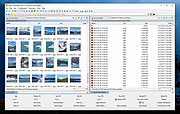 |
|
MultiMonitorTool v2.25 MultiMonitorTool v2.25 👉 Manage and control multiple monitors from a simple, portable Windows utility. MultiMonitorTool is a small, portable tool that allows you to manage multiple monitors connected to your system. It lets you enable or disable monitors, set the primary monitor, save and load monitor configurations, and move windows from one monitor to another. MultiMonitorTool can also be used from the command line, making it ideal for automation scripts and advanced users. Features: • Enable or disable specific monitors • Set the primary monitor • Save and load monitor configurations • Move windows from one monitor to another • Change monitor resolution, color depth, and refresh rate • View detailed information about connected monitors • Command-line support for scripting and automation • Portable application (no installation required) Supported operating systems: • Windows 2000, Windows XP, Windows Server 2003, Windows Vista, Windows 7, Windows 8, Windows 10, Windows 11 Supported languages: Arabic, Brazilian Portuguese, Czech, Dutch, French, German, Greek, Hungarian, Italian, Japanese, Korean, Persian, Polish, Romanian, Russian, Simplified Chinese, Slovak, Spanish, Traditional Chinese, Turkish, Ukrainian Changes: v2.25 07-04-26 Added new options: 'Switch To Selected Window', 'Close Selected Windows', 'Minimize Selected Windows', 'Restore Selected Windows'. This download is for the Windows 64bit version (very bottom of page). If you need the Windows 32bit version, download here. Click here to visit the author's website. |
|
10,346 | Jul 17, 2026 Nir Sofer 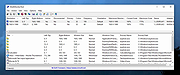 |
|
Multiple Reboot Scheduler v2.6.0.0 Multiple Reboot Scheduler v2.6.0.0 👉 Automates a series of Windows restarts and records how long each reboot takes. Multiple Reboot Scheduler is a portable technician tool that restarts a Windows PC several times, with a configurable pause between restarts. The sequence is intended to trigger Windows’ built-in boot tracing and optimization. It records the time taken by each reboot so you can see whether startup time improved. It can also run selected maintenance tasks before the sequence, preserve desktop icon positions, and sign the current user in automatically between restarts. Features: • Set the number of reboots and the delay between them. • View the timing history during the sequence and a results summary when it finishes. • Optionally defragment the system partition or process idle tasks before starting. • Back up and restore the desktop icon layout, either automatically or manually. • Set up automatic sign-in for the current user so the sequence can continue unattended. • Pause the countdown, enable a sound for its final 10 seconds, or cancel the sequence. • Run directly as a portable executable. Supported operating systems: • Windows XP, Windows Vista, Windows 7, Windows 8.1, Windows 10, Windows 11, 32-bit and 64-bit Supported languages: English Changes: v2.6.0.0 09-16-24 Not provided. Note: This file has one hit on VirusTotal. We have confirmed this to be a false positive. The file is safe. Click here to visit the author's website. |
No Votes | 71 | Sep 24, 2026 Carifred 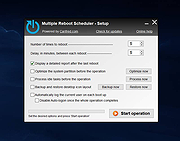 |
|
Mumble Portable v1.5.735 Mumble Portable v1.5.735 Open source, low latency, high quality voice chat. From Mumble: "Mumble was the first VoIP application to establish true low latency voice communication over a decade ago. But low latency and gaming are not the only use cases it shines in." "We heard from users who record podcasts with our multi-channel audio recorder, players seeking realism with our positional audio in games, Eve Online players with huge communities of over 100 simultaneous voice participants (I bet they make good use of our extensive permission system 😄), the competitive Team Fortress 2 community making us their required voice communication platform, hobby radio transmission users, and a variety of workplaces adapting Mumble to fit their needs - be it on-head mobile devices or communicating across countries or into airplanes." "Administrators appreciate Mumble for being able to self host and have control over data security and privacy. Some make use of the extensive permission system for complex scenarios (for example separating two groups but leaders being able to talk to both). Some love to provide their users with additional functionality with scripts making use of server APIs, or host music bots and the like that connect to the server. Those that have an existing user database often make use of authenticators to allow authenticating with existing account login data." Features: For End-Users • Low-latency - great for talking and gaming • Stay private and secure - always encrypted communication - Public/private-key authentication by default • Recognize friends across servers • For gamers: - In-game Overlay - see who is talking, FPS and the current time ... |
|
943 | Apr 11, 2025 Mumble Team and PortableApps.com  |
|
NAPS2 (Not Another PDF Scanner) v8.5.1 NAPS2 (Not Another PDF Scanner) v8.5.1 👉 Scan, organize, edit, and save documents as searchable PDFs and other image formats. NAPS2 is free, open-source scanning software for Windows, macOS, and Linux. It connects to supported scanners using WIA, TWAIN, SANE, or eSCL drivers, then lets you scan pages from a flatbed or automatic document feeder. Save scans as PDF, TIFF, JPEG, or PNG, and use optical character recognition (OCR) to make text searchable inside PDFs. Create reusable scan profiles with settings such as the scanner, paper size, resolution, color mode, and page source. NAPS2 can rotate, crop, deskew, reorder, split, combine, and adjust scanned pages. It can also import existing images and PDFs, apply OCR, email PDFs, and share scanners over a local network. The optional command-line interface supports scanning and document workflows through scripts. Portable archives are available, and an MSI installer with application-level configuration supports organizational deployment. NAPS2 is free for personal and business use, with no ads or unwanted software. Features: • Scan using WIA, TWAIN, SANE, or eSCL scanner drivers • Scan from a flatbed, automatic document feeder, or duplex feeder • Save scans as PDF, TIFF, JPEG, or PNG • Use OCR to create searchable PDFs, with OCR support for over 100 languages • Create reusable profiles for scanner and image settings • Rotate, crop, deskew, split, combine, and rearrange pages • Adjust brightness, contrast, resolution, and color depth • Auto-crop scanned pages, including items of different sizes • Import and edit PDFs and images • Compress PDF files and adjust image dimensions, resolution, color depth, and quality • Email PDFs and share scanners over a local network • Automate scanning and other tasks with ... |
|
7,508 | Oct 14, 2026 Ben Olden-Cooligan  |
|
Nazi Zombies: Portable v2.0.0 Nazi Zombies: Portable v2.0.0 Call of Duty: Zombies demake. A Call of Duty: Zombies "de-make" powered by various enhanced forks of the Quake engine, in development since 2009. The game itself is feature-equivalent with Call of Duty: World at War on a generic level. Gameplay components are implemented with minor parity differences. Most World at War maps and their unique features are not yet represented. Various small additions and changes from Call of Duty: Black Ops are present as a means of gameplay smoothing, but not on a wide scale. NZ:P is, first and foremost, a Call of Duty: World at War remake. Nazi Zombies: Portable Documentation Installation Instructions: PC: Extract .ZIP archive into a folder of your choice. Linux users may need to mark as executable with chmod PSP: Extract the folder inside the .ZIP archive into PSP/GAME/. Nintendo Switch: Extract the folder inside the .ZIP archive into /switch/ and launch with Homebrew Launcher. Requires extra memory, so make sure to open HBLauncher by holding 'R' over an installed title! PS VITA: Extract the .ZIP archive into ux0: and install nzp.vpk. Nintendo 3DS: Extract the .ZIP archive into /3ds/ This download is for the Windows 64bit version (very bottom of page). All other download assets are below: Windows: nzportable-win32.zip (32bit) Linux: nzportable-linux64.zip nzportable-linuxarm64.zip nzportable-linuxarmhf.zip nzportable-linux32.zip Nintendo 3DS: nzportable-3ds.zip Nintendo Switch: nzportable-switch.zip Sony Vita: nzportable-vita.zip Sony PSP: nzportable-psp.zip Click here to visit the author's website. |
|
1,819 | Sep 18, 2024 NZ:P Team  |
|
NetworkConnectLog v1.18 NetworkConnectLog v1.18 👉 Monitor and log devices connecting to and disconnecting from your local network. NetworkConnectLog is a lightweight, portable network monitoring utility that continuously scans your local area network using ARP and NetBIOS protocols, recording every device that connects to or disconnects from your network. It is ideal for home users, technicians, and network administrators who want to keep track of network activity, identify unknown devices, or troubleshoot intermittent connection issues. The program immediately performs an initial scan to detect all currently connected devices, then continues monitoring in the background for connection and disconnection events. Each log entry includes useful information such as the event time, IP address, computer name, workgroup, MAC address, and network adapter manufacturer. Logs can be searched, sorted, filtered, and exported to several common formats for documentation or further analysis. Features: • Portable application requiring no installation • Automatically detects computers and devices joining or leaving your network • Uses ARP and NetBIOS protocols for device detection • Displays connection and disconnection timestamps • Shows IP address, computer name, workgroup, MAC address, and network adapter manufacturer • Performs continuous background monitoring • Configurable network adapter and IP address scanning range • Adjustable scan interval • Automatically export logs whenever changes are detected • Export logs to TXT, CSV, HTML, XML, or tab-delimited files • Search and sort recorded events • Customizable font and MAC address display format • System tray support • Optional always-on-top mode • Optional black background display mode • High DPI display support Supported operating systems: • Windows 2000, Windows XP, Windows Vista, Windows 7, Windows 8, Windows 8.1, Windows 10, Windows 11 (32-bit and 64-bit) Supported languages: • English, Arabic, Brazilian Portuguese, Dutch, French, German, Greek, Hungarian, Italian, Japanese, Persian, Polish, Romanian, Russian, Simplified Chinese, Slovak, Spanish, Traditional Chinese, Turkish, Valencian Changes: v1.18 07-01-26 Updated the internal MAC addresses database. Click here to visit the author's website. |
|
7,264 | Jul 03, 2026 Nir Sofer 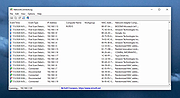 |
|
NETworkManager v2026.2.22.0 NETworkManager v2026.2.22.0 👉 Powerful open-source network management and troubleshooting tool. NETworkManager is a comprehensive open-source application designed to help administrators and power users manage, analyze, and troubleshoot network environments. It provides a wide range of built-in tools within a single, modern interface, making it easier to monitor connections, configure network settings, and diagnose connectivity issues without switching between multiple utilities. NETworkManager supports remote connections and offers advanced features for managing IP addresses, DNS, WiFi networks, ports, and more. With its modular design and extensive toolset, it is well-suited for both everyday network diagnostics and more advanced administrative tasks. Supported languages: • English, German, Spanish, French, Italian, Russian, Chinese (Simplified), Chinese (Traditional), Japanese, Korean, Portuguese, Polish Changes: v2026.2.22.0 02-22-26 Breaking Changes Migrated from .NET 8.0 (LTS) to .NET 10.0 (LTS). Upgrade your .NET Desktop Runtime to version 10.0 (LTS) - x64 before you install this version. AWS Session Manager feature has been removed. Profile and settings files have been migrated from XML to JSON. Existing files will be automatically converted to JSON on first load after the update. You should back up your settings and profile file before installing. New Features System-Wide Policies for enterprise deployment and management. Administrators can now configure system-wide policies via a config.json file in the application directory to control specific settings for all users. DNS Lookup now allows direct input for dns server ip|host:port (port - is optional) Remote Desktop connect admin (console) session Migrated Dialogs to ChildWindows This download is for the Windows portable version (very bottom of page). If you need the Windows installer version, download here. Click here to visit the author's website. |
|
4,094 | Jul 05, 2026 BornToBeRoot 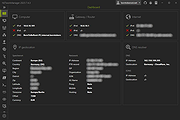 |
|
NewFileTime v8.31 NewFileTime v8.31 👉 Easily modify and correct file and folder timestamps in Windows. NewFileTime is a lightweight and portable timestamp utility that allows you to quickly change the creation date, modification date, and access date of files and folders. It is especially useful for correcting incorrect timestamps after copying files, restoring backups, sorting media collections, or organizing archived documents. The program supports drag-and-drop operation and can process multiple files and folders at once, making bulk date changes simple and efficient. NewFileTime features an easy-to-use interface with preset time options, random date generation, and precise manual controls for adjusting timestamps down to the second. The software can also import timestamps from other files, preserve original dates during operations, and work with network drives and external storage devices. Because it is portable, it can run without installation and is ideal for technicians, archivists, photographers, and power users who frequently manage file metadata. Features: • Change creation, modification, and access timestamps for files and folders • Batch process multiple files and directories simultaneously • Drag-and-drop support for quick file handling • Portable application requiring no installation • Copy timestamps from reference files • Set timestamps manually with precise date and time controls • Randomize dates and times for testing or organization purposes • Supports folders, network drives, USB drives, and external media • Easy-to-use interface with preview before applying changes • Optional administrative mode for protected files • Small system footprint and fast processing performance • Compatible with Unicode filenames and long file paths Supported operating systems: • Windows XP, Windows Vista, Windows 7, Windows 8, Windows 10, Windows 11, Windows Server 2000, Windows Server 2003, Windows Server 2008, Windows Server 2012, Windows Server 2016, Windows Server 2019, Windows Server 2022 Supported languages: • English, German, French, Spanish, Italian, Portuguese, Dutch, Polish, Russian, Chinese, Japanese, Korean, Turkish, Greek, Hungarian, Danish, Finnish, Norwegian, Swedish, Czech, Slovak, Romanian, Bulgarian, Arabic, Hebrew, Ukrainian, Indonesian, Vietnamese Changes: v8.31 ... |
|
7,064 | Oct 12, 2026 Nenad Hrg 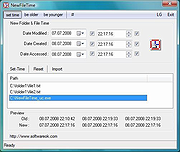 |
|
NirLauncher v1.30.25 NirLauncher v1.30.25 👉 Portable launcher package containing more than 200 NirSoft freeware utilities for Windows. NirLauncher is a package of more than 200 portable freeware utilities for Windows, all developed for the NirSoft website. It can be used from a USB flash drive without installation, saves each utility's configuration into .cfg files when run from removable media, and automatically runs x64 versions of supported tools on x64 systems. NirLauncher also makes it easy to run utilities, open their help files, jump to each utility's webpage, and add additional software packages beyond the main NirSoft collection. Features: • Includes more than 200 portable NirSoft freeware utilities • Runs without installation from a USB flash drive or local folder • Saves utility configuration files to the drive when used portably • Automatically launches x64 versions of utilities on x64 systems when available • Lets you run tools, view help files, or open each utility's webpage • Can add extra software packages in addition to the main NirSoft package • Can generate BartPE plugin files for use from a bootable live Windows CD • Contains no spyware, adware, malware, toolbars, browser plugins, or bundled third-party software Supported operating systems: • Windows 2000, Windows XP, Windows Server 2003, Windows Vista, Windows 7, Windows 8, Windows 8.1, Windows 10 • x64 systems supported Supported languages: • English, Dutch, French, German, Italian, Japanese, Polish, Russian, Simplified Chinese, Spanish, Traditional Chinese, Greek, Romanian, Czech, Slovak, Hungarian Changes: v1.30.25 08-15-26 Not Provided Read this. It's important: This file contains hacking software. Hacking software for you to use to hack your own computer. This is for doing things like retrieving a lost password. Because of this, Anti-virus software WILL treat it as dangerous because, in the wrong hands, it is dangerous. This zip file has always been password protected by Nir Sofer so it can be downloaded without being blocked. The password is nirsoft9876$. Click here to visit ... |
|
24,432 | Aug 19, 2026 Nir Sofer 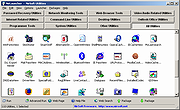 |
|
NixThis v0.42 NixThis v0.42 👉 A portable tool for blocking unwanted Windows ads, suggestions, and interface clutter. NixThis helps you find and disable unwanted Windows features by pointing at them on your screen. Instead of searching through Settings or sorting through hundreds of unfamiliar tweaks, you select an interface element and let NixThis look for the Windows setting behind it. Click “Pick an element” or press Ctrl + Shift + Space, then move your pointer over the item you want to remove. A green outline means NixThis recognizes the element. Click it to review what will change before deciding whether to block it. NixThis intercepts the click so you do not accidentally activate the button underneath. A gray outline means the element is not recognized; its signature is recorded locally, and no settings are changed. You can also use the searchable filter list to review available changes, including features that are not currently visible on your screen. Each entry explains where the item appears and what its filter changes. Select the entries you want and choose “Apply changes.” NixThis remembers previous registry values so you can restore settings through “What you blocked” and “Bring it back.” Uninstalled Microsoft Store apps work differently: NixThis opens the matching Store page so you can reinstall them. The program is portable. Extract the download into a folder you can write to and run NixThis.exe. Its normal blocking features work locally. Optional AI explanations require your own API key and send only the selected setting’s name and technical details to the provider. Features: • Point-and-click element picker for identifying recognized Windows interface features. • Green and gray outlines distinguish recognized elements from unknown ones. • Review the proposed setting change before applying a filter. • Searchable filter list includes items that are not currently visible on screen. • Apply multiple selected filters together. • Each filter explains where its target appears and what will change. • Restore ... |
|
100 | Oct 08, 2026 Builtbybel 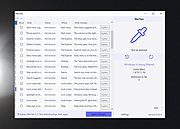 |
|
NoteClip Portable 2.68 NoteClip Portable 2.68 Maymeal NoteClip - Take notes, capture, copy, and paste text quickly and easily. Maymeal NoteClip provides some interesting methods of creating notes. While the application is running, you may create notes just by copying text to the clipboard or using hotkeys. You can organize your notes in groups and sub-groups and edit them with built-in editor or a third-party application. |
 |
9,230 | Oct 24, 2019 Maymeal Software |
|
Notepad3 v7.26.602.1 Notepad3 v7.26.602.1 👉 A fast, lightweight, Scintilla-based text editor for Windows with syntax highlighting. Notepad3 is a free, open-source text editor built as a smarter, more capable replacement for Windows Notepad. It is based on the Scintilla editing component and Lexilla lexer library, giving it powerful syntax highlighting, fast performance, a small memory footprint, and practical tools for everyday text editing, coding, scripting, configuration files, logs, and more. Features: • Fast and lightweight Windows text editor • Syntax highlighting for over 55 programming, scripting, markup, and configuration languages • Code folding with toggle-all support • Bookmarks for quick navigation • Word auto-completion • Find and Replace with PCRE2 regular expression support • grepWin integration for searching across files • Encoding detection and character encoding support • File change monitoring • AES-256 Rijndael encryption and decryption • Dark mode support with customizable colors • High-DPI aware interface with high-definition toolbar icons • Customizable status bar and toolbar labels • Portable edition available • Includes MiniPath file browser plugin Supported operating systems: • Windows 8.1, Windows 10, Windows 11 Supported languages: Afrikaans, Belarusian, Chinese Simplified, Chinese Traditional, Dutch, English US, English UK, Finnish, French, German, Greek, Hindi, Hungarian, Indonesian, Italian, Japanese, Korean, Polish, Portuguese Brazil, Portuguese Portugal, Russian, Slovak, Spanish, Swedish, Turkish, Vietnamese Supported Programming Languages Apache, ASP, Assembly, AutoHotkey, AutoIt3, AviSynth, Awk, Bash, BAT, C, C++, C#, CGI, CMake, CoffeeScript, CSS, CSV, D, Dart, DIFF, Fortran, Go, HTML, INF, INI, Inno Setup, Java, JavaScript, JSON, Julia, KiXtart, Kotlin, LaTeX, Lua, Makefiles, Markdown, MATLAB, Nim, NSIS, Pascal, Perl, PHP, PowerShell, Python, REG, Resource, R-S-SPlus Statistics, Ruby, Rust, Shell, SQL, Tcl, TOML, VB, VBScript, Verilog, VHDL, XHTML, XML, YAML and improved support for NFO ANSI. Changes: v7.26.426.1 04-26-26 • Paste-board minimization (/B /I) escape hatch if Ctrl-key held down. • PasteBoard: defer minimize on /B + /I startup so auto-pasted clipboard is visible briefly. • PasteBoard: opt-out ‘Don’t ask again’ on closing modified untitled documents. • Feat: /B auto-pastes current clipboard ... |
|
5,116 | Jun 10, 2026 Rizonetech Pty Ltd. 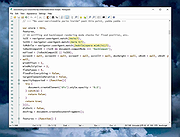 |
|
Novabench v6.0.3 Novabench v6.0.3 👉 Free PC benchmarking and hardware performance testing utility. Novabench is a free benchmarking program that allows you to quickly test and evaluate your computer’s overall performance. It measures CPU, GPU, RAM, and storage speeds using a simple interface designed for both casual users and technicians. The free version provides a complete system benchmark score along with detailed hardware information and comparison tools to help identify performance bottlenecks or hardware problems. Novabench can be useful for checking system stability after upgrades, comparing hardware performance against similar systems, troubleshooting slow computers, and monitoring the effects of overclocking or driver updates. Benchmark results can also be uploaded online to compare your PC with other systems using the Novabench database. Features: • Free CPU, GPU, RAM, and disk benchmarking • Generates an overall system performance score • Quick benchmark testing with minimal setup required • Displays detailed hardware and system information • Compare benchmark results with other systems online • Useful for testing gaming PCs, laptops, and workstations • Helps identify hardware bottlenecks and slow components • Portable benchmark results that can be shared online • Lightweight interface suitable for beginners and technicians • Supports stress testing and stability verification tools • Includes temperature and hardware monitoring support • Can help verify system improvements after upgrades or repairs Supported operating systems: • Windows 10, Windows 11 • macOS 11 Big Sur or higher • Linux distributions supporting modern x86-64 hardware Supported languages: • English Changes: v6.0.3 06-09-26 • Improved benchmark reliability and scoring consistency • Updated hardware detection and compatibility support • General bug fixes and stability improvements This download is for the Windows installer version (very bottom of page). All other download assets are below: Other Windows: novabench-arm64.exe macOS: novabench.dmg Linux: novabench-x64.deb novabench-arm64.deb novabench-x64.rpm novabench-arm64.rpm Click here to visit the author's website. |
|
7,802 | Jun 09, 2026 Novawave Inc. 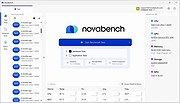 |
|
O&O DeskInfo v2.0.1033 O&O DeskInfo v2.0.1033 👉 Portable desktop system monitor that displays real-time hardware and network information directly on your desktop. O&O DeskInfo displays essential system information such as CPU usage, memory consumption, drive activity, network connections, battery status, and more directly on the Windows desktop in real time. The portable freeware utility allows users to monitor system activity without opening additional tools or menus. It also supports customizable layouts, colors, transparency, fonts, and multi-monitor positioning. O&O DeskInfo can quickly copy system details to the clipboard for troubleshooting and support purposes and includes warnings for unknown USB device connections. Features: • Real-time display of CPU, memory, drive, and network activity • Portable application with no installation required • Customizable desktop display position, colors, fonts, and transparency • Performance charts for CPU, memory, and network monitoring • Battery status display support for compatible systems • Detection of virtual machines • Profile editor with customizable columns and sortable categories • Clear distinction between local, removable, and network drives • Clipboard export for quick support and troubleshooting • Multi-monitor support • Warning notifications for unknown USB device connections • Adjustable update speeds and display modes • Tray icon integration with quick access functions • Automatic startup option with Windows Supported operating systems: • Windows 10 • Windows 11 Supported languages: • English, German, French Changes: v2.0.1033 01-28-26 • NEW: New performance charts for CPU, memory and network • NEW: Battery status display, if supported by the system • NEW: Detection of virtual machines • NEW: Greater flexibility in the profile editor with freely selectable columns and re-sortable categories • NEW: Improved customization options for the size of performance charts • NEW: Unified controls for a more consistent and clearer user interface • NEW: Extended documentation • NEW: Clearer distinction between local, removable and network drives • CHANGED: Performance charts react faster and more smoothly to display setting changes • CHANGED: Charts make better use of available space and appear overall clearer • CHANGED: Reduced visual duplication for a calmer display • ... |
|
3,672 | May 24, 2026 O&O Software GmbH  |
|
O&O ShutUp10++ v3.2.1111 O&O ShutUp10++ v3.2.1111 👉 Free privacy control tool for Windows 10 and Windows 11. O&O ShutUp10++ is a portable utility that allows you to take control of your Windows privacy and security settings with ease. It provides a simple interface where you can disable or enable various system features related to data collection, telemetry, location tracking, and automatic updates, giving you full control over what information your system shares. O&O ShutUp10++ does not require installation and can be run directly, making it ideal for quick adjustments or use on multiple systems. It groups settings into categories and provides recommended options, allowing both beginners and advanced users to configure Windows privacy without needing deep technical knowledge. Features: • Disable Windows telemetry and data collection • Control location services, camera, and microphone access • Manage Windows Update behavior and automatic updates • Turn off advertising ID and tracking features • Portable – no installation required • Simple interface with recommended settings • Grouped configuration categories for easy navigation • System restore point creation before applying changes • Works offline without requiring internet access Supported operating systems: • Windows 11, Windows 10 Supported languages: English, German, French, Italian, Spanish, Russian and Chinese (simplified) Changes v3.2.1111 07-15-26 Added: Disable Click to Do Disable the Settings agent Disable AI features in Notepad Disable AI actions in File Explorer Disable Find My Device Disable Microsoft account cloud content search ( Disable work or school cloud content search Disable device search history Disable Start menu recommendations for tips, shortcuts and new apps Disable Start menu account notifications Disable Settings app account notifications Disable extension of Windows search with Bing Deny app access to generative AI ... |
|
8,703 | Jul 28, 2026 O&O Software GmbH 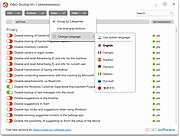 |
|
ocenaudio v3.20.4 ocenaudio v3.20.4 👉 Fast, cross-platform audio editor for recording, editing, analyzing, and exporting audio files. ocenaudio is a cross-platform, easy to use, fast, and functional audio editor designed for people who need to edit and analyze audio files without complications. It supports audio editing and analysis across major desktop platforms, offers real-time effect previews, multi-selection editing, and tools for working with audio in a responsive interface. Features: • Cross-platform audio editor for Windows, macOS, and Linux • Multi-selection editing for working on different parts of an audio file at the same time • Real-time effect preview to hear changes while adjusting controls • Support for VST effects for expanded audio processing • Spectral analysis and waveform editing tools • Responsive interface that keeps working while opening, saving, or applying effects • Recording, editing, and exporting tools for common audio workflows • Annotation tracks, region editing, channel routing, and trim/split tools in v3.18.0 Supported operating systems: • Windows 10, Windows 11 • macOS 13.3 or higher • macOS 10.14 to 14 (legacy build) • Debian 11, Debian 12, Debian 13 • Ubuntu 20.04, Ubuntu 22.04, Ubuntu 24.04 • Fedora 39, Fedora 40 • Rocky Linux 9.3 • openSUSE Leap 15 • Arch Linux Supported languages: English, Portuguese, French, German, Spanish, Italian, Japanese, Hungarian, Simplified Chinese Changes: v3.20.4 08-13-26 Adds copy, paste and drag of audio directly between two ocenaudio windows Improves VST plugin support on Linux: VST3 editors now open correctly, standard system folders are recognized and JACK is loaded on demand, including through PipeWire Fixes crashes and noise caused by VST and VST3 plugins Fixes plugins that changed the system decimal separator, corrupting parameters and presets Fixes crashes with ASIO devices on Windows when disconnecting the device during recording Other bug fixes and improvements This download is for the Windows 64Bit portable version (very bottom of page). All other download assets are below: Other Windows: ocenaudio_windows64_3.20.4.exe macOS: ocenaudio_universal_3.20.4.dmg ocenaudio_universal_legacy_3.20.4.dmg Linux: ocenaudio_debian13_3.20.4.deb ocenaudio_debian12_3.20.4.deb ocenaudio_debian11_3.20.4.deb ocenaudio_ubuntu24.04_3.20.4.deb ocenaudio_ubuntu22.04_3.20.4.deb ocenaudio_ubuntu20.04_3.20.4.deb ocenaudio_fedora40_3.20.4.rpm ocenaudio_fedora39_3.20.4.rpm ocenaudio_archlinux_3.20.4.pkg.tar.zst ocenaudio_opensuse15_3.20.4.rpm ocenaudio_rockylinux9.3_3.20.4.rpm ocenaudio_3.20.4.AppImage Click here to visit the author's website. |
|
7,141 | Aug 13, 2026 ocenaudio Development Team 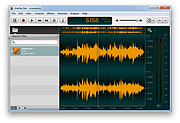 |
|
OnionHop v3.7.12 OnionHop v3.7.12 👉 Privacy-focused desktop app that easily routes your internet traffic through the Tor network. OnionHop is a cross-platform privacy application that makes routing internet traffic through the Tor network easier without requiring users to manually configure Tor. It can operate as a local SOCKS proxy or route traffic system-wide using TUN/VPN mode. Smart Connect can automatically select an appropriate connection method based on the user's network and location, including censorship-resistant methods when normal Tor connections are blocked. OnionHop offers three Tor engines: Classic Tor, Arti, and ArtiHop. Classic Tor provides the fullest set of controls, including bridges, country and relay pinning, and New Identity. Arti uses the Rust implementation of Tor, while ArtiHop uses shortened two-hop Guard-to-Exit circuits for lower latency at the expense of reduced anonymity. For restrictive networks, OnionHop supports numerous pluggable transports, including obfs4, Snowflake, WebTunnel, Conjure, meek, and dnstt. Its Bridge Scanner can retrieve and test bridges, display their latency, and apply working bridges directly. TUN/VPN mode provides system-wide routing for programs that do not honor proxy settings. Hybrid mode adds split tunneling, allowing selected applications to use Tor while others connect normally. Additional privacy protections include DNS-over-Tor, UDP blocking, and an optional kill switch. OnionHop can also host Onion Services. A service running on the computer or local network, such as a web application, NAS, or IP camera, can be made remotely accessible through a persistent .onion address without port forwarding, a static public IP address, or DynDNS. Onion Service hosting requires the Classic Tor engine. Features: • Routes internet traffic through the Tor network • Proxy Mode provides a local SOCKS5 proxy without administrator privileges • TUN/VPN Mode provides system-wide Tor routing • Hybrid mode provides application-based split tunneling • Smart Connect automatically selects connection strategies for the current network • Includes Classic Tor, Arti and ArtiHop Tor engines • Supports obfs4, Snowflake, WebTunnel, Conjure, ... |
|
861 | Aug 19, 2026 center2055  |
|
OpenCalc v1.1.10 OpenCalc v1.1.10 👉 A modern, open source recreation of the classic Windows 95 Calculator with plenty of useful improvements. OpenCalc is a from-scratch reimplementation of the classic Windows 95 Calculator, preserving its familiar look and interaction while adding modern capabilities. Written in Rust, it provides Standard and Scientific calculator modes along with improved expression parsing, calculation history, graph plotting, localization, modern keyboard support and high-DPI rendering. OpenCalc goes beyond simple button-by-button calculations with a full expression parser. Expressions can contain nested parentheses, positive and negative signs, exponentiation, square roots, mathematical functions, trigonometric and logarithmic functions, constants such as pi, factorials, percentages, scientific notation, multiple number bases and bitwise operations. Features: • Faithful recreation of the classic Windows 95 Calculator interface • Standard and Scientific calculator modes • Financial calculation mode • Complete mathematical expression parsing • Nested parentheses and unary positive and negative signs • Exponentiation using ^ or ** • Square roots and mathematical functions • Trigonometric and logarithmic functions • Mathematical constants such as pi • Factorial and percentage operators • Scientific notation • Binary, octal, decimal and hexadecimal numbers • Bitwise operations • Calculation history • Undo and redo support • Graph manager and graph plotting • Memory operations and statistics window • Configurable decimal separator • Extensive keyboard controls • Improved font rendering and DPI-aware classic controls Supported operating systems: • Windows 10, Windows 11 • Linux distributions with GTK 4 support Supported languages: English, German, French, Italian, Spanish, Russian, Japanese, Chinese (Simplified), Chinese (Traditional) Changes: v1.1.10 09-13-26 Bug fixes. Financial Mode added. This download is for the Windows version (very bottom of page). All other download assets are below: Linux: OpenCalc-v1.1.10-buildfix171-Linux.tar.gz Click here to visit the author's website. |
|
321 | Sep 14, 2026 NMagic 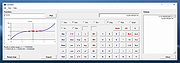 |
|
OpenCloseDriveEject v3.55 OpenCloseDriveEject v3.55 👉 Quickly open, close, and safely eject drives and removable media in Windows. OpenCloseDriveEject is a small Windows tool that lets you open and close DVD, CD, and Blu-ray drives, and safely eject removable storage like USB, SD, and SSD devices. It can run as a portable app, includes optional To-Tray/hidden startup behavior, and also offers command-line options for simple automation. Features: • Open and close optical drive trays (CD, DVD, Blu-ray) • Safely eject removable media (USB, SD, SSD, external drives) • Portable application, no installation required • Command-line support (start hidden, start to tray, custom INI path) • Optional start minimized or in system tray • Multilingual interface Supported operating systems: • Windows XP, Windows Vista, Windows 7, Windows 8.1, Windows 10, Windows 11 • Windows Server 2012, Windows Server 2016, Windows Server 2019, Windows Server 2022, Windows Server 2025 Supported languages: German, English, French, Greek, Traditional Chinese, Bulgarian, Korean, Russian, Japanese, Polish, Turkish, Italian, Dutch, Swedish, Norwegian, Portuguese, Danish, Irish, Thai, Spanish (Venezuela), Persian, Arabic, Hebrew, Finnish, Czech, Simplified Chinese, Bosnian, Croatian, Serbian, Catalan Changes: v3.55 05-02-26 • Important tests of the OpenCloseDriveEject app for the next MS Windows 11 build • Update of the OpenCloseDriveEject.exe language files A simple example of using the "Open Close Eject the Drive Tool" This download is for the Windows 64bit portable version. If you need the Windows 32bit portable version, download here. Click here to visit the author's website. |
|
5,534 | Jul 11, 2026 Nenad Hrg 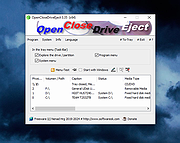 |
|
Original HP LightScribe Software Collection v1.18.27.10 Original HP LightScribe Software Collection v1.18.27.10 👉 Complete collection of the original official HP LightScribe software for Windows and macOS. Original HP LightScribe Software Collection contains the original Hewlett-Packard LightScribe software needed to create professional-looking laser-etched labels directly onto specially coated LightScribe CDs and DVDs. Unlike adhesive labels, LightScribe technology uses the optical drive's laser to permanently burn text and graphics onto the label side of compatible media. This collection includes the final official Windows and macOS releases of the core LightScribe software along with portable Windows editions of the two labeling applications. These programs continue to work with supported LightScribe drives even though the technology has been discontinued. This collection includes: LightScribe System Software The required driver package that enables Windows or macOS to recognize and communicate with LightScribe-compatible optical drives. This software must be installed first before any LightScribe labeling application will function. LightScribe Simple Labeler A lightweight labeling application designed for quickly creating professional text labels. It allows you to add titles, subtitles, and circular text with minimal effort and is ideal for users who simply want clean, readable disc labels. LightScribe Template Labeler A more advanced labeling application that includes numerous professionally designed templates. Users can customize layouts with text, graphics, backgrounds, and decorative elements while maintaining compatibility with LightScribe media. Features: • Complete official LightScribe software collection • Includes all essential Windows LightScribe applications • Includes official macOS releases • Portable Windows editions included • Simple Labeler for fast text-based labels • Template Labeler with professionally designed layouts • Official LightScribe System Software driver package • Compatible with LightScribe-enabled optical drives • Creates permanent laser-etched disc labels • No internet connection required after installation Supported operating systems: • Windows 2000, Windows XP, Windows Vista, Windows 7, Windows 8, Windows 10, Windows 11 • macOS 10.3.9 (Panther), macOS 10.4 (Tiger) or later (for the included Mac installers) Supported languages: English Changes: Collection of the final official Hewlett-Packard LightScribe software releases. Contents of this download: Windows Installers • ... |
|
458 | Jul 15, 2026 Hewlett-Packard  |
|
Oubliette Portable v1.9.5 Oubliette Portable v1.9.5 Full-featured password manager for Windows with strong Blowfish encryption. Store passwords for internet accounts, PIN numbers, credit cards. Securely encrypts data with Blowfish or IDEA. Easy navigation, search, import/export, clipboard protection. All info is stored securely on YOUR computer, NOT the Internet! This is a pretty old program that was originally created in 1999. It's last release was in 2003 and intended for Windows XP. OlderGeeks.com grabbed it and made it portable. IMPORTANT: In order for the program to properly register it's icon, YOU MUST right-click Oubliette.exe and Run as Administrator the first time you open it. After that, just run it normally. We tested it with Windows 10 and Windows 11. Works great so you're good to go! You will find the instructions for the program in the "doc" folder. Click here to visit the author's website. |
|
3,191 | Nov 18, 2021 Marek Jedlinski/OlderGeeks.com  |
|
Patch My PC Home Updater Portable v5.4.5.0 Patch My PC Home Updater Portable v5.4.5.0 👉 Automatically update and install over 500 common Windows applications. Patch My PC Home Updater Portable is a free, easy-to-use tool that scans your computer for outdated software and updates it with one click. It supports hundreds of popular applications, helping you keep your system secure and up to date without the hassle of manually checking each program. Patch My PC Home Updater Portable runs without installation and does not require a setup process, making it ideal for technicians and advanced users who prefer a portable solution. It installs updates silently, can skip unwanted bundled offers, and allows you to customize installation options such as disabling auto-start entries or desktop shortcuts. The interface is simple and clearly organized, showing which applications are installed, which are outdated, and which can be newly installed. It can also automatically close applications before updating and optionally create restore points for added safety. Features: • Updates over 500 third-party applications • One-click update process • Portable version requires no installation • Silent install and silent update options • Automatically closes apps before updating • Option to create restore points before updates • Installs new applications in addition to updating existing ones • Skips bundled offers during installations • Customizable install options such as disabling auto-start or desktop shortcuts • Clean and simple user interface Supported operating systems: • Windows 10, Windows 11 Supported languages: English Changes: v5.4.5.0 07-09-26 Home Updater 5.4.5.0 includes improvements to the Scheduler experience and enhanced registry matching logic for applications with multiple installed versions. This release is already self-updating for users on the beta channel and will be available for self-update for non-beta users in the coming days. Improvements Improved UI/UX on the Scheduler view. Enhanced registry matching logic to better support multiple versions of the same application installed on a device. Apps Support Added Recently: AnyViewer Brother iPrint&Scan Bulk ... |
|
1,866 | Sep 22, 2026 PatchMyPC.net  |
|
PeaZip v11.2.0 PeaZip v11.2.0 👉 A free, open source file and archive manager for creating, opening, extracting, and securing compressed files. PeaZip is a cross-platform archive manager and file compression utility that can create, open, browse, and extract 7Z, RAR, TAR, ZIP, and many other archive formats. It also includes archive conversion, file splitting and joining, file hashing, password management, secure deletion, search, bookmarks, duplicate file detection, and integrated text, hex, and image viewers. Features: • Opens over 200 archive types and variants • Creates, opens, browses, and extracts 7Z, RAR, TAR, ZIP, ZIPX, and many more archive formats • Converts existing archives between supported formats • Splits and joins files • Handles spanned archives such as 001, R01, and Z01 • Supports multiple archive encryption standards • Includes file hashing tools • Can export GUI tasks as command line scripts • Provides a built-in file manager with bookmarks, search, and instant content filtering • Detects duplicate files • Includes integrated text, hex, and image viewers • Offers portable packages that do not require installation • Includes password management features and password entropy rating • Adds batch archive testing and improved archive browsing performance in v11.0.0 Supported operating systems: • Windows x86, Windows x64, ReactOS, Wine • Linux x86_64, Linux x86, Linux ARM, Linux aarch64 • macOS / Darwin Intel x86_64, macOS / Darwin Apple Silicon aarch64 • BSD x86-64 Supported languages: Arabic, Belarusian, Bulgarian, Catalan, Chinese Simplified, Chinese Traditional, Czech, Danish, Dutch, English, Esperanto, Finnish, French, German, Greek, Hungarian, Indonesian, Italian, Japanese, Korean, Lithuanian, Norwegian, Persian, Polish, Portuguese (Brazil), Portuguese (Portugal), Romanian, Russian, Serbian, Slovak, Spanish, Swedish, Thai, Turkish, Ukrainian, Vietnamese Changes: v11.2.0 07-12-26 BACKEND 7z/p7zip 26.02 Pea 1.32 hardened against timing attack on verification of integrity tags CODE Code review with various fixes and quality improvements FILE MANAGER Added read support for Zeno IMproved .ZIM archives, used for Wikipedia and Project Gutenberg data dumps Fixed some inconsistencies in icons representation for special folders and search filters Keyboard shortcuts updated and made fully working ... |
|
7,524 | Jul 13, 2026 PeaZip  |
|
Pelton v2026.3.2 Pelton v2026.3.2 👉 A privacy-focused open-source email client that keeps your mail under your control. Pelton is a free, open-source desktop email client designed around privacy, speed, and simplicity. Instead of routing your email through third-party services, Pelton connects directly to your existing IMAP and SMTP accounts while storing your data locally in an SQLite database. There is no telemetry, no tracking, and no cloud service standing between you and your email. Built with a modern interface and a keyboard-friendly workflow, Pelton offers fast local searching, offline access, scheduled sending, message snoozing, built-in document previews, customizable themes, and portable configuration backups. Everything runs locally, making it equally suitable for everyday email users and privacy-conscious professionals who want complete control over their communications. Features: • Fast local search using a local SQLite database for instant results, even with large mailboxes. • Cross-platform support for Windows, macOS, and Linux. • Zero telemetry with no tracking or crash reporting. • Connects directly to standard IMAP and SMTP mail providers. • Stores email locally while remaining synchronized with your existing mail provider. • Download messages for offline reading by pinning messages or selecting a date range. • Immediate synchronization using IMAP IDLE for prompt delivery of new mail. • Native desktop notifications for Windows, macOS, and Linux. • Built-in previewer for PDFs, images, and text files. • Snooze messages to return unread at a scheduled time. • Schedule outgoing messages with Send Later. • Export accounts, preferences, and layouts into a portable configuration file. • Eight colored message flags stored locally or synchronized using IMAP keywords. • Extensive customization including themes, layouts, display density, and custom CSS. • Import themes safely with selective importing and automatic removal of remote references. Supported operating systems: • Windows 10, Windows 11 • macOS 13 Ventura or higher (Intel and Apple Silicon) • Linux x86-64 (Debian/Ubuntu, Fedora, and other modern distributions) Supported languages: English, German, French, Dutch, Spanish, Polish Changes: v2026.3.2 08-01-26 • Added ... |
|
256 | Aug 05, 2026 Arne K.  |
|
Pencil2D Portable v0.6.0 Pencil2D Portable v0.6.0 An easy, intuitive tool to make 2D hand-drawn animations. Minimal Design Lightweight and easy to use so you can focus on animating and not what button to hit next. Raster & Vector Seamlessly switch between raster and vector workflows, allowing you to sketch, ink and paint on the go. Cross-Platform Pencil2D is cross-platform and runs on Windows, macOS, Linux and FreeBSD. Open Source & Free Pencil2D is completely open source and free to use, even commercially! Pencil2D Portable can run from a cloud folder, external drive, or local folder without installing into Windows. Click here to visit the author's website. |
|
4,653 | Nov 21, 2019 Pencil2D Team and PortableApps.com  |
|
PhraseExpress Portable v17.0.123 PhraseExpress Portable v17.0.123 No more typing the same phrase again! The text expander software PhraseExpress manages frequently used text templates for use in any program. Features: • Speed up your typing in any program, such text editors, email programs, web browsers, database applications, EMR, etc. • Organize text snippets in customizable categories for instant access. • PhraseExpress can save hours of typing. • Free for personal use. Supported operating systems: Windows 8/10/11 Changes: v17.0.123 05/07/2025 OpenRouter AI Plugin, allowing you to use a plethora of AI providers with a single account. Macro issues when translating phrases into a another phrase library language. Click here to visit the author's website. |
|
2,502 | May 08, 2025 Bartels Media GmbH  |
|
PicPick Portable v7.3.6 PicPick Portable v7.3.6 All-in-one design tool for everyone. A portable version of the full-featured screen capture and recording tool, Intuitive image editor, color picker, color palette, pixel-ruler, protractor, crosshair, whiteboard and more. Features • Capture anything Take screenshots of an entire screen, an active window, the scrolling windows and any specific region of your desktop, etc. • Edit your images Annotate and highlight your images: text, arrows, shapes and more with the built-in image editor that includes the latest Ribbon style menu. • Enhance with effects Easily add effects to your images: drop shadows, frames, watermarks, mosaic, motion blur, brightness control and more. • Share everywhere Save, share, or send your images via Web, email, ftp, Dropbox, Google Drive, OneDrive, Box, Evernote, Facebook, Twitter and more. • Graphic Accessories Variety of graphic design accessories including color picker, color palette, pixel ruler, protractor, crosshair, magnifier, whiteboard. • Customizable setting With highly advanced settings, you can customize hotkeys, file naming, image quality, and many other options that fits your needs. Supported operating systems: Windows 10, 11 32/64 bit License: Freeware (Personal use only) Click here to visit the author's website. |
|
6,177 | Nov 25, 2025 NTeWORKS & PortableApps.com  |
|
PilotEdit Lite v21.5.0 PilotEdit Lite v21.5.0 👉 Free text and hex editor designed for working with large files and advanced text processing tasks. PilotEdit Lite is a lightweight yet powerful text and source code editor built for users who need to handle large files, perform advanced search and replace operations, edit hex data, and manage coding projects efficiently. The Lite edition provides many of the core editing and file management tools found in the full version while remaining free for personal use. It is especially useful for programmers, web developers, log file analysis, and anyone working with very large text files that standard editors may struggle to open or process smoothly. Features: • Open and edit large text files • Syntax highlighting for multiple programming languages • Hex editor mode for binary file editing • Advanced multi-line search and replace • Column mode editing • Regular expression support • File compare functionality • FTP and SFTP file transfer support • Unicode and UTF-8 support • Customizable text encoding options • Line sorting and duplicate removal tools • Powerful file search across directories • Bookmark support for quick navigation • Word wrap and split window editing • Configurable keyboard shortcuts • Session and workspace management • Automatic file backup support • Portable version available Supported File Types: AHK Script, ASP, ASP.NET, AngularJS TypeScript, Apache Pig Latin Script, Assembly, AutoIt Script, BAT/CMD, C#, C/C++, COBOL, CSS, CSV, Conf, D Programming, DSV, Eiffel, Erlang, F#, Go, Groovy, HTML, Haskell, INF, INI, Inno Setup Script, J#, JSON, JSP, Java, Javascript, LESS, LISP, LaTex, Log, Lua, MATLAB, Markdown, MicroBasic Pro, PHP, Pascal, Perl, PilotEdit Script, PowerShell Script, Python, R Programming, REXX, RHTML, Ruby, SQL, Scala, TCL/TK, TSV, Text, Textile, UNIX/Linux Shell, VC++ Resource, Visual Basic, XHTML, XML Supported operating systems: • Windows 7, Windows 8, Windows 10, Windows 11, Windows Server 2008, Windows Server 2012, Windows Server 2016, Windows Server 2019, Windows Server 2022 Supported languages: Arabic, Dutch, English, Finnish, French, German, Hindi, Italian, ... |
|
9,983 | Oct 07, 2026 PilotEdit  |
|
Playlist Creator v3.6.2.18 Playlist Creator v3.6.2.18 👉 Create and edit M3U and PLS music playlists with a lightweight portable Windows utility. Playlist Creator is a simple, focused utility for building music playlists without the overhead of a full media manager. Originally created by oddgravity, this preserved and modernized edition has been rebuilt as a native 64-bit Windows application while retaining the behavior and features of the original program. Files and folders can be added to a playlist, rearranged, removed, sorted or randomized before saving. Existing M3U and PLS playlists can also be opened and modified. Playlist Creator uses MediaInfo to read metadata from many media formats and can incorporate information such as artist, track number and title into playlist entries. The modernized build is completely native x64 and portable. The MFC and C/C++ runtimes, CxImage, libpng and zlib are statically linked, while the required 64-bit MediaInfo DLL is supplied alongside the executable. The project specifically targets Windows 10 or newer. Features: • Creates M3U and PLS playlists • Opens and edits existing playlists • Add individual files or entire folders • Recursively add files from folders and subfolders • Drag and drop files directly into the playlist • Reorder playlist entries manually • Move selected entries to the top or bottom • Sort playlist entries by column • Shuffle playlists into random order • Create simple playlists containing plain file lists • Read metadata from many media formats using MediaInfo • Use artist, track number and title metadata when creating playlist entries • Highlight playlist entries that refer to missing files • Configure which media file types are included • Save playlist paths using forward or backslashes • Supports multiple playlist save/path modes • Resizable main window • Optional gridlines and alternating row colors • Keyboard shortcuts and context menus for common playlist operations • Portable native 64-bit build requiring no installation Supported operating systems: • Windows 10 64-bit, Windows 11 64-bit Supported languages: English, German Changes: v3.6.2 x64 Modernization Build 08-07-26 Updated to ... |
|
253 | Aug 18, 2026 sl2365 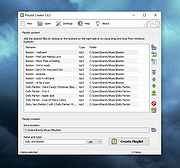 |
|
PokerTH Portable v2.1.3 PokerTH Portable v2.1.3 👉 Play Texas Hold'em poker against computer opponents or online players without installation. PokerTH Portable is the portable version of the free, open-source Texas Hold'em poker game. Play locally against computer-controlled opponents, compete with other players over a network or join games through the online PokerTH community. Games can include up to ten computer or human players. The program includes customizable cards, table themes and player avatars, along with online chat, sound effects, player statistics and configurable game rules. Since this edition is portable, it can run from a USB drive, cloud folder or local directory while keeping its settings with the program. Features: • Play Texas Hold'em poker against computer-controlled opponents • Join online multiplayer games through the PokerTH community • Create custom internet or local network games • Supports up to ten human or computer players • Spectate games already in progress • Customizable card decks, table themes and avatars • Online chat with emotes and player controls • Local and community player statistics • Configurable game rules and betting settings • Sound effects and an easy-to-use graphical interface • Runs from portable, cloud or local storage without traditional installation • Saves personal settings and game data within the portable folder Supported operating systems: • Windows 10, Windows 11 Supported languages: Afrikaans, العربية (Arabic), Беларуская (Belarusian), Български (Bulgarian), Catalΰ, 中文 (简体) (Chinese Simplified), 中文 (繁體) (Chinese Traditional), Hrvatski (Croatian), Čeština (Czech), Dansk (Danish), Nederlands (Dutch), English, English (British), Esperanto, Espaρol (Spanish), Espaρol (Alfabetizaciσn Internacional), Eesti (Estonian), Euskera (Basque), فارسی (Persian), Filipino, Suomi (Finnish), Franηais (French), Galego (Galician), Gΰidhlig (Scottish Gaelic), ქართული (Georgian), Deutsch (German), Ελληνικά (Greek), עברית (Hebrew), हिन्दी (Hindi), Magyar (Hungarian), Νslenska (Icelandic), Igbo, Italiano (Italian), 日本語 (Japanese), ಕನ್ನಡ (Kannada), 한국어 (Korean), Kurdξ (Kurdish), Latviešu (Latvian), Lλtzebuergesch (Luxembourgish), Lietuvių (Lithuanian), Македонски (Macedonian), Malagasy, मराठी (Marathi), Монгол Кирилл (Mongolian Cyrillic), Norsk (Norwegian), Norsk (nynorsk), Oʻzbek (Uzbek), Polski (Polish), Portuguκs (Portuguese), Portuguκs Brasileiro (Brazilian Portuguese), ... |
|
5,699 | Jul 22, 2026 PokerTH Team & PortableApps.com  |
|
Policy Plus vOctober 2025 Policy Plus vOctober 2025 👉 Local Group Policy Editor for all editions of Windows. Policy Plus is a free and open-source utility that brings the Local Group Policy Editor (gpedit.msc) functionality to all editions of Windows, including Home editions that do not normally include it. It provides a familiar interface for viewing and editing administrative templates and policy settings, making it easy to configure advanced system settings without needing to manually edit the registry. Policy Plus reads and applies the same policy definitions used by the official Group Policy Editor, ensuring compatibility with Windows administrative templates. It also supports importing the latest policy definitions and offers advanced search capabilities, making it a powerful tool for administrators and power users who want fine-grained control over system configuration. Features: • Full Local Group Policy Editor functionality for all Windows editions • Compatible with official Microsoft Administrative Template files (ADMX/ADML) • Built-in ADMX acquisition tool for downloading latest policy definitions • Advanced search and filtering of policy settings • View, edit, and manage registry-based policies • Portable and open-source Important: To ensure you have the latest Administrative Templates, you can download the full set of ADMX files directly within the program. Go to Help → Acquire ADMX Files, choose the destination folder (typically C:\Windows\PolicyDefinitions), and click Begin to download them from Microsoft. You can also manually open or load ADMX files by selecting File → Open ADMX File or File → Open ADMX Folder. This is useful if you have downloaded specific templates separately or want to work with a custom policy definitions folder. Supported operating systems: • Windows 7, Windows 8, Windows 8.1, Windows 10, Windows 11 Supported languages: English Click here to visit the author's website. |
|
7,596 | Jun 27, 2026 Ben Nordick 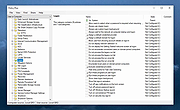 |
|
PolyHostInterface v3.1.1 PolyHostInterface v3.1.1 👉 A lightweight, portable Windows host for loading, chaining and controlling VST2 and VST3 audio plugins. PolyHostInterface is a standalone and VST3 plugin host designed for musicians, synthesizer programmers and audio users who want a compact way to load multiple instruments and effects without the overhead of a full DAW. Plugins are organized in tabs, with synths operating in parallel and effects arranged in a serial processing chain. The routing view provides an overview of each loaded plugin and lets you reorder, bypass, mute, solo and select individual tabs. PolyHostInterface can also operate as a VST3 plugin inside another host. Its 128 host-visible macros can be mapped to parameters of hosted plugins, allowing those parameters to be automated from a DAW. A built-in MIDI Monitor displays notes, CC messages, pitch bend, aftertouch, system messages and other incoming MIDI data, with filtering, copy and export capabilities. A distinctive feature is Pointer Control, which lets a MIDI controller manipulate the mouse pointer over a plugin interface. MIDI controls can move the pointer horizontally and vertically and adjust the parameter beneath it using scrolling or dragging. Editable Pointer Maps provide reusable jump points for individual plugins, including multiple maps for plugins with different skins, pages or layouts. The standalone application can record audio to WAV files or MIDI to MID files. Presets can store plugin configurations, and a missing-plugin repair function helps locate moved plugins when loading an existing preset. PolyHostInterface is fully portable, keeping its settings alongside the program instead of using AppData or the Windows Registry. Features: • Hosts multiple VST2 and VST3 plugins in a tabbed interface • Available as a standalone Windows application and a VST3 plugin for use inside other hosts • 64-bit VST2 and VST3 plugin support • Separate 32-bit standalone version supports 32-bit VST2/VST3 plugins • Routing view shows plugin order, synth/effect type, bypass ... |
|
90 | Oct 14, 2026 sl2365 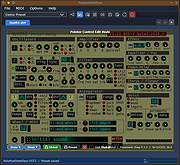 |
|
Portable Bookmarks v2024.05 Portable Bookmarks v2024.05 A portable bookmarks (favorites) manager that adds a website link to it's list every time you copy a link to your Windows clipboard. A great way of capturing links for later use, tagging or removing. Runs on Windows and Linux to share your links across platforms! Usage "Hot Corner" is the top center of your screen. Not really a corner. Move your mouse to the top center to quickly restore the program. You can disable it in settings. Portable Bookmarks is free for non-commercial use. The software is provided "As is", without warranty of any kind. Hotkeys F1-F4 = Internet search from the search box Alt+1..4 = Internet search from your Clipboard You can modify your search engines in Settings Alt+8, +9, +0 = sort bookmarks by number of visits, date modified, date accessed F5 = open the File Explorer F6 = show Settings F7 = show .text F9 = clear Clipboard Alt+E = edit link Alt+Q = delete link (only while editing) Alt+D = add a folder to bookmarks Alt+T = add text (.text) Alt+X = open link and remove it from the bookmarks Alt+C = reset/change link counter (number of visits) Alt+P = show popular tags ESC = start searching / close popup windows ENTER = open selected link ENTER (while editing) = rename link / tag Mouse wheel click = open selected link F11 = resize window Search Suffixes -f = File search. Example: filename-f -q = Close the program immediately File Explorer Hotkeys F2 = rename file / folder F5 = reload folder F8 = delete file / folder Alt+8 = sort files by file name Alt+9 = sort files by date Alt+0 = sort files by size Alt+J = resize and save image as JPG (size %, quality 10-100) Alt+K = resize and save image as PNG (size %) Alt+Z = move file ENTER = open selected file / folder / image ENTER (while editing) = rename file / folder Mouse wheel click = open selected file / open ... |
|
995 | Jan 27, 2025 Uubiquitous Player 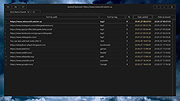 |
|
PORTABLE Registrator v1.0 PORTABLE Registrator v1.0 Easily register any portable app as a default program in Windows. for Windows 7, 8, 10 (untested 11) Easily register any portable app as a default program in Windows. This will allow you to directly open weblinks (http/https URLs) with the portable browser of your choice. Configuration On the first start a configuration file is being generated to provide default settings for the AppTypes. The default available AppType are: To be as flexible as possible, you can extend any kind of application within the configuration file. For any app specific needs, others than browser or mail, try adding a new "AppType" section there. Example: 1) Name the new AppType 2) Set the supported open parameter of the program ("%1" passes the parameter to the portable executable) 3) Register all file associations 4) Register all URL associations, if not needed remove the lines inbetween At best copy a full AppType section and edit it to your needs. Possibly not every software will work, but give it a shot. Note: When you run this portable tool Windows will display a screen warning. Click More Info and then Run Anyway to continue. Then click to allow changes. The program is safe. Click here to visit the author's website. |
|
2,987 | Apr 06, 2022 Frank G. 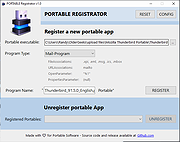 |
|
Portable Start Menu v4.2 Portable Start Menu v4.2 A simple and free start menu application that can be installed on USB sticks or local PCs. Organize your programs in a simple menu system and launch them via a tray icon or the integrated quick start feature. Features: • Organize and start applications via tray icon menu • Quick Start functionality (via global keyboard shortcut) • Verify if applications have been modified (optional) • Can be installed on PCs and USB sticks • Alert if applications are still running on the same drive when exiting (optional) • Freeware Supported operating systems: Windows 11, 10, 8, 7 (64bit) Changes: v4.2 Bugfix and maintenance release Click here to visit the author's website. |
|
1,104 | Jan 30, 2025 Aignesberger Software GmbH 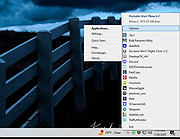 |
|
Portable Text Encryption v14.12 Portable Text Encryption v14.12 Self contained and completely portable binary for Windows and Linux encrypts text for secure email, messaging, IRC use, etc. Ideal for USB flash drives. AES-128/192/256 (ecb/cbc), Blowfish (ecb/cbc), DES / TripleDES (ecb/cbc/ofb/cfb), or RC4. Linux and Windows binaries. Features • no config • no helper files • completely portable • very fast text encryption • options save to clipboard or file Note from author: This util does not depend on any external helper utils, and so is completely portable, making it well suited for USB flash drives and Tails persistent storage. It is written in TCL and uses the AES, DES, Blowfish, and RC4 packages from tcllib version 2.1. The use is pretty self explanatory, but... The upper text box is for plaintext, type some text or import a text file, when you "encrypt", this text will be encrypted and the result, the "cipher text", will be displayed in the bottom text box. In the password dialog, there is a checkbox labled "No L/F's in Output". By default, the cipher text will consist of lines with a width of 75 characters, if this box is checked, the output will be one continuous line without line feeds (carriage returns for Windows fans) which is desirable in some cases, i.e., copying and pasting to IRC channels or possibly web page input. If you enjoy these little scripts that I make, consider writing me an email and letting me know where you're from. Dana Booth dana@parksoft.ddns.net Changes: v14.12 - Added option to save ciphertext as file. Added option to import ciphertext from file. Click here to visit the author's website. |
|
3,051 | Aug 31, 2024 Dana Booth  |
|
Portable Update 2.5.1 Portable Update 2.5.1 Portable Update is a windows-base tool for updating a Microsoft Windows computer in a isolated environment. This is useful in many circumstances: Portable Update Hystory tag When the computer reside on a secure lan isolated from internet; When the computer to update doesn’t have access or can't use a proxy server; When is necessary to completely update a fresh-formatted computer with the last update before to connect it to network; When the computer doesn’t have an hardware network connection at all; When the network connection speed is too low or it is necessary to update the computer very quickly; In all the other cases when is mandatory to have the complete control on the updating process without connecting the computer to the network. How it works? To update an isolated computer, Portable Update use an external cache to store updates. The cache can reside on any usb external drive or, via private lan network, on a shared path. Once an update is copied to the cache (the only time that an internet connection is required), the same update will be used for all computer that need that particular update. You'll never download twice the same file to update different computers or for updating many times the same computer. For example, consider that the dimension of one single update can reach and exceed 1 GByte! Once the update is stored into the cache folder , the program will use standard Windows Update API services to update your computer. Different updates from different operating systems can reside on the same cache folder because they are individually identified. ... |
|
7,581 | Mar 03, 2017 Harry Lime  |
|
PortableApps.com Platform v30.5 PortableApps.com Platform v30.5 👉 Tool for packaging apps into the PortableApps.com format for easy distribution and portability. PortableApps.com Installer is a utility designed to create portable application packages that integrate seamlessly with the PortableApps.com Platform. It allows developers to bundle their software into a standardized portable format, enabling users to run applications from USB drives, cloud storage, or local folders without installation. PortableApps.com Installer simplifies the process of building portable apps by handling compression, directory structure, launcher configuration, and metadata. It works alongside the PortableApps.com Format specification to ensure compatibility with the platform, making it easy to distribute apps that can be carried and used anywhere. Features: • Creates PortableApps.com-compatible application packages • Automatically compresses and structures app files • Integrates with the PortableApps.com Platform and app directory • Supports standardized launcher and configuration handling • Uses PortableApps.com Format for consistency and compatibility • Enables easy distribution of portable software • Supports silent and automated packaging processes Supported operating systems: • Windows XP, Windows Vista, Windows 7, Windows 8, Windows 10, Windows 11 Supported languages: Afrikaans, Asturian, Bahasa Indonesia, Belarusian, Bulgarian, Catalan, Chinese Simplified, Chinese Traditional, Croatian, Czech, Danish, Dutch, English, Finnish, French, Galician, German, Greek, Hebrew, Hungarian, Italian, Japanese, Korean, Kurdish, Latvian, Lithuanian, Norwegian, Polish, Portuguese, Portuguese Brazilian, Romanian, Russian, Serbian, Slovak, Slovenian, Spanish, Swedish, Turkish, Ukrainian, Vietnamese, Welsh, Yoruba, Zulu, Ελληνικά Changes: Not Provided Click here to visit the author's website. |
|
9,687 | Oct 06, 2026 PortableApps.com 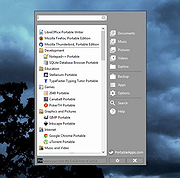 |
|
PrivaZer v4.0.127 PrivaZer v4.0.127 👉 Advanced privacy cleaner that removes traces of your activity from your PC. PrivaZer is a powerful privacy-focused cleaning tool designed to remove traces left behind by everyday computer use. It scans your system to locate leftover files, internet history, cookies, cache data, and other hidden artifacts created by Windows, browsers, and applications. By carefully cleaning these traces, PrivaZer helps improve privacy, free disk space, and keep your system running efficiently. PrivaZer performs deep scans that go beyond typical cleaning utilities, detecting residual data that many programs leave behind. It can safely remove traces from web browsers, messaging applications, system logs, and temporary files while offering detailed control over what is cleaned. Advanced options allow users to securely delete sensitive data and prevent recovery of removed files. The program also offers customizable cleaning profiles, scheduled cleanups, and secure deletion features for users who want to maintain long-term privacy protection. Despite its advanced capabilities, PrivaZer includes guided cleaning modes that help beginners safely perform system cleanup without risk. Features: • Deep scan and removal of privacy traces left by Windows and applications • Cleans browser history, cookies, cache, and internet activity records • Detects and removes residual files left after software uninstallations • Secure file deletion to prevent recovery of sensitive data • Cleans temporary files, logs, and leftover system artifacts • Guided cleaning mode for safe cleanup by less experienced users • Advanced cleaning options for experienced users • Optional scheduled cleaning and automation Supported operating systems: • Windows XP, Windows Vista, Windows 7, Windows 8, Windows 10, Windows 11 Supported languages: Arabic, Bulgarian, Chinese Simplified, Chinese Traditional, Czech, Danish, Dutch, English, Finnish, French, German, Greek, Hungarian, Indonesian, Italian, Japanese, Korean, Norwegian, Polish, Portuguese, Portuguese Brazilian, Romanian, Russian, Slovak, Slovenian, Spanish, Swedish, Turkish, Ukrainian Changes: v4.0.127 10-02-26 + Improved cleanup : HDD + Improved cleanup : TRIM + Improved cleanup : snapshots + Improved cleanup : Free Download Manager + ... |
|
15,046 | Oct 05, 2026 Goversoft LLC 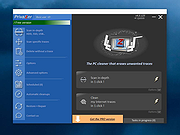 |
|
ProcessKO v6.67 ProcessKO v6.67 👉 Quickly terminate running or frozen Windows processes and programs. ProcessKO is a small, useful tool designed to quickly kill any running or hanging process or program. It is especially helpful for developers, testers, and experienced Windows users who need a faster alternative to opening Task Manager, finding a stuck task, and ending it manually. ProcessKO can also restart programs and create favorites for quickly closing troublesome applications. Features: • Quickly terminates running or hanging processes and programs • Helps avoid the longer manual Task Manager process • Can restart programs directly from within ProcessKO • Lets you create favorites for fast access to frequently terminated tasks • Portable utility that does not require installation • Useful for developers, testers, and advanced Windows users Supported operating systems: • Windows XP, Windows Vista, Windows 7, Windows 8.1, Windows 10, Windows 11 • Windows Server 2016, Windows Server 2019 Supported languages: • German, English, Russian, Swedish, French, Italian, Portuguese (Brazilian), Arabic, Serbian, Chinese Simplified, Greek, Romanian, Slovenian, Dutch, Indonesian, Hungarian, Polish, Vietnamese, Persian, Czech, Spanish, Irish, Spanish (Venezuela), Norwegian, Danish, Turkish, Chinese Traditional, Korean, Japanese, Spanish (Mexico), Bulgarian, Finnish, Spanish (Asturian) Changes: v6.67 05-16-26 Updated language files for ProcessKO—a process terminator for Windows—along with minor corrections for Windows 11, ensure that processes on Windows systems are terminated or closed reliably and without issues. This download is for the Windows 64bit version (very bottom of page). If you need the Windows 32bit version, download here. Click here to visit the author's website. |
|
9,644 | Jul 26, 2026 Nenad Hrg  |
|
ProcessTCPSummary v1.25 ProcessTCPSummary v1.25 👉 Displays a detailed summary of TCP connections and listening UDP ports for every running Windows process. ProcessTCPSummary is a small portable network monitoring utility from NirSoft that displays a summary of processes that currently have TCP connections or listening UDP ports. For each process, it shows the total number of TCP connections, connection counts broken down by status such as Established, Listening, SYN-Sent and SYN-Received, IPv4 and IPv6 connection counts, commonly used port numbers and other connection details. When run as Administrator, it can also display TCP/UDP bytes sent and received by each process along with current sending and receiving speeds. The program requires no installation or additional DLL files. Simply extract the downloaded archive and run ProcessTCPSummary.exe. Information can also be exported from the command line to text, tab-delimited, CSV, JSON, HTML or XML files. Features: • Displays all processes with active TCP connections or listening UDP ports • Shows the total number of TCP connections for each process • Breaks TCP connections down by status, including Established, Listening, SYN-Sent and SYN-Received • Shows separate IPv4 and IPv6 TCP connection counts • Displays commonly used port numbers for each process • Shows TCP and UDP bytes sent and received when run as Administrator • Displays current network send and receive speeds • Can display the full paths of system processes when run as Administrator • Supports sorting by individual or multiple columns • Can save results as text, tab-delimited, CSV, JSON, HTML or XML files • Includes command-line options for unattended exporting and sorting • Supports a configurable system tray icon and Always On Top mode • Can start hidden when used with the tray icon option • Includes a black-background display option • Portable and requires no installation or additional DLL files Supported operating systems: • Windows XP, Windows Vista, Windows 7, Windows 8, Windows 8.1, Windows 10, Windows 11 • 32-bit and 64-bit Windows supported Supported ... |
|
6,226 | Sep 04, 2026 Nir Sofer  |
|
PropertySystemView v1.22 PropertySystemView v1.22 👉 View and edit Windows file and window properties with ease. PropertySystemView is a lightweight portable utility that allows you to view and modify the properties of files and Windows using the Windows Property System. It can edit metadata stored in media files, Office documents, images, and other supported file types, including fields such as Title, Comments, Authors, Tags, Date Taken, Media Created, Date Imported, Content Created Date, and many more. It also supports working with Windows properties, such as setting the System.AppUserModel.ID property of a window to customize taskbar behavior. The program supports both an easy-to-use graphical interface and a powerful command-line mode for automation. Features: • View and modify Windows Property System metadata for supported files. • Edit media, image, and Microsoft Office document properties. • Modify timestamps such as Media Created, Date Taken, and Date Imported. • View and edit Windows window properties. • Add, edit, and remove supported properties. • Drag-and-drop file loading. • Browse and display all properties available on your system. • Powerful command-line interface for scripting and automation. • Portable application with no installation required. • Available in both 32-bit and 64-bit versions. Supported operating systems: • Windows Vista, Windows 7, Windows 8, Windows 8.1, Windows 10, Windows 11 (32-bit and 64-bit) Supported languages: English, Brazilian Portuguese, Dutch, French, German, Hungarian, Italian, Japanese, Persian, Russian, Simplified Chinese, Slovak, Traditional Chinese, Turkish Changes: v1.22 07-11-26 Added 'Black Background' option (under the View menu). When enabled, the main table is displayed with a black background and white text instead of the default system colors. This download is for the Windows 64bit version (very bottom of page). If you need the Windows 32bit version, download here. Click here to visit the author's website. |
|
4,736 | Jul 17, 2026 Nir Sofer 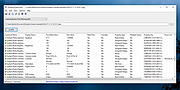 |
|
Puran File Recovery Portable 32bit 1.2 Puran File Recovery Portable 32bit 1.2 Puran File Recovery can be used to recover deleted/lost files/partitions. Files can be recovered from formatted disks too. Almost everything that is detected as a drive by Windows can be scanned irrespective of its file system. Be it Hard Disks, Pen Drives, Memory Cards, Mobile Phones, CDs, DVDs, basically any storage medium. Features: A very simple interface with an extremely powerful recovery engine. A perfect combination of speed, accuracy and simplicity A Quick Scan that lists deleted files in a click and few seconds. It supports FAT12/16/32 and NTFS A Deep Scan that can intelligently scan a drive byte by byte resulting in high speed listing of many more deleted and lost files A Full Scan that can detect deleted/lost partitions and even recover files from formatted drives. RAW and Physical drives can also be scanned Deep/Full Scan not just look for lost file records but also detect different format files based on data patterns More than 50 formats/data patterns list expandable to hundreds of formats is included. Hence almost everything can be recovered In many cases, full paths of deleted files will be listed. This is the case for formatted drives too Recovered files can be saved with their path structure intact Files are listed in tree and list views. All files can be previewed before recovery A search box supporting wildcards lets you quickly locate your deleted files In all, Puran File Recovery can recover almost everything with ease |
|
10,123 | Feb 16, 2018 Puran Software 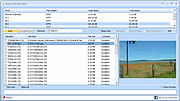 |
|
Puran File Recovery Portable 64bit 1.2 Puran File Recovery Portable 64bit 1.2 Puran File Recovery can be used to recover deleted/lost files/partitions. Files can be recovered from formatted disks too. Almost everything that is detected as a drive by Windows can be scanned irrespective of its file system. Be it Hard Disks, Pen Drives, Memory Cards, Mobile Phones, CDs, DVDs, basically any storage medium. Features: A very simple interface with an extremely powerful recovery engine. A perfect combination of speed, accuracy and simplicity A Quick Scan that lists deleted files in a click and few seconds. It supports FAT12/16/32 and NTFS A Deep Scan that can intelligently scan a drive byte by byte resulting in high speed listing of many more deleted and lost files A Full Scan that can detect deleted/lost partitions and even recover files from formatted drives. RAW and Physical drives can also be scanned Deep/Full Scan not just look for lost file records but also detect different format files based on data patterns More than 50 formats/data patterns list expandable to hundreds of formats is included. Hence almost everything can be recovered In many cases, full paths of deleted files will be listed. This is the case for formatted drives too Recovered files can be saved with their path structure intact Files are listed in tree and list views. All files can be previewed before recovery A search box supporting wildcards lets you quickly locate your deleted files In all, Puran File Recovery can recover almost everything with ease |
|
10,578 | Feb 16, 2018 Puran Software |
|
Puzzle Collection Portable v2026.05.23 Puzzle Collection Portable v2026.05.23 👉 Portable collection of single-player logic and puzzle games. Puzzle Collection Portable is the PortableApps.com edition of Simon Tatham's Portable Puzzle Collection, a lightweight bundle of one-player puzzle games designed for quick play sessions and long-term brain exercise. It includes a wide variety of logic, deduction, matching, pathfinding, number, loop-drawing, tiling, and spatial puzzles in a single portable package that can run without a traditional installation. The collection includes favorites such as Black Box, Bridges, Cube, Dominosa, Fifteen, Filling, Flip, Flood, Galaxies, Guess, Inertia, Keen, Light Up, Loopy, Magnets, Map, Mines, Mosaic, Net, Netslide, Palisade, Pattern, Pearl, Pegs, Range, Rectangles, Same Game, Signpost, Singles, Sixteen, Slant, Solo, Tents, Towers, Tracks, Twiddle, Undead, Unequal, Unruly, and Untangle. Features: • Includes a large collection of single-player puzzle games in one portable package • Covers many puzzle styles including logic, number, tiling, matching, navigation, and deduction • Runs without a traditional installation • Designed to run from removable, local, or cloud storage • Small download and lightweight installed size • Based on Simon Tatham's long-running open-source puzzle collection • Includes Windows help documentation with the package • Good for quick casual play or longer puzzle-solving sessions Supported operating systems: • Windows XP, Windows Vista, Windows 7, Windows 8, Windows 10, Windows 11, WINE Supported languages: English Changes: v2026.05.23 07-05-26 Not Provided Click here to visit the author's website. |
|
1,914 | Aug 03, 2026 Simon Tatham/John T. Haller 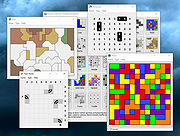 |
|
Q-Dir v12.79 Q-Dir v12.79 👉 A powerful multi-pane file manager that makes managing files and folders faster and more efficient. Q-Dir is a lightweight yet feature-rich file manager for Windows that offers up to four file panes in a single window, making file operations like copying, moving, and comparing directories significantly easier. Designed as an enhanced alternative to Windows File Explorer, Q-Dir supports drag-and-drop operations, customizable layouts, and a wide range of viewing modes. It runs without installation, making it ideal for portable use from USB drives while still integrating smoothly into everyday workflows. Features: • Up to four file panes for efficient file management • Portable version available with no installation required • Tabbed browsing within each file pane • Drag-and-drop support between panes and external apps • Multiple view modes including details, icons, and thumbnails • Directory size calculation and folder highlighting • Favorites system for quick access to frequently used folders • Low system resource usage with fast startup times Supported operating systems: • Windows 7, Windows 8, Windows 8.1, Windows 10, Windows 11 Supported languages: English, German, French, Spanish, Italian, Portuguese, Dutch, Polish, Czech, Russian, Chinese, Japanese, Korean, Turkish, Hungarian, Greek, Swedish, Norwegian, Finnish, Danish Changes: v12.79 10-11-26 • Various fixes in File Explorer on Windows 11 • Improvements to the startup behavior of Quad File Explorer for Windows 👉 This download is for the Windows 64bit portable version (very bottom of page). All other download assets are below: Other Windows: Q-Dir_Portable.zip (32bit) Q-Dir_Installer_x64.zip Q-Dir_Installer.zip (32bit) Q-Dir_Portable_Win98.zip Q-Dir_Installer_Win98.zip Click here to visit the author's website. |
|
11,178 | Oct 12, 2026 Nenad Hrg 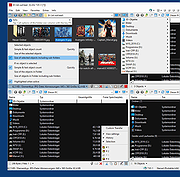 |
|
qBittorrent Portable v5.2.3 qBittorrent Portable v5.2.3 👉 Lightweight portable BitTorrent client with search, RSS, WebUI, and advanced torrent controls. qBittorrent Portable is the lightweight qBittorrent torrent client packaged as a portable app, so you can run it from a cloud folder, removable drive, or local folder without installing it on the PC. It includes a familiar interface, built-in search engine, support for BitTorrent extensions, WebUI remote control, RSS downloading with filters, bandwidth scheduling, IP filtering, IPv6 support, and torrent creation tools. Features: • Polished, familiar user interface • Well-integrated and extensible search engine • Simultaneous search across popular BitTorrent search sites • Category-specific search requests • Supports DHT, Peer Exchange, full encryption, Magnet URIs, and BitComet URIs • Remote control through a Web user interface • Advanced control over trackers, peers, and torrents • Torrent queueing and prioritizing • UPnP and NAT-PMP port forwarding support • Torrent creation tool • Advanced RSS support with download filters, including regex • Bandwidth scheduler • IP filtering compatible with eMule and PeerGuardian • IPv6 compliant • PortableApps.com format for easy portable use and automatic updates through the PortableApps.com Platform Supported operating systems: Windows 10/11 (64-bit Only) Supported operating systems: • Windows 10, Windows 11 64-bit only Supported languages: Multilingual, approximately 25 languages Changes: v5.2.3 07-07-26 BUGFIX: Fix MIME header encoding in email to require ASCII (quinot) #24382 BUGFIX: Fix potential invalid migration procedure (Chocobo1) #24502 BUGFIX: Resolve relative UI theme paths (TurboTheTurtle) #24514 BUGFIX: Clear transfer filters when sections collapse (TurboTheTurtle) #24517 BUGFIX: Fix potential deadlock when database transaction failed (Chocobo1) #24542 BUGFIX: Fix wrong torrent tracker conversion (Chocobo1) #24546 BUGFIX: Fix wrong encoding for Web Seeds (Chocobo1) #24593 BUGFIX: Use stricter parsing for Peer Address inputs (Chocobo1) #24595 BUGFIX: Revise regex expression for parsing HTML links (Chocobo1) #24597 WEBUI: Correctly escape CSS query selector so the UI won't break (vafada) #24539 RSS: Fix feeds not following the specified interval (vafada) #24553 SEARCH: Fix plugin counting when updating (Chocobo1) #24544 WINDOWS: Avoid using invalid file attributes when renaming files (Chocobo1) #24543 Note: This program will ... |
|
7,693 | Oct 02, 2026 qBittorrent Team & PortableApps.com  |
|
QOwnNotes v26.9.11 QOwnNotes v26.9.11 👉 Open-source markdown note-taking application with Nextcloud and ownCloud integration. QOwnNotes is a free and open-source plain-text note-taking and to-do list manager designed for users who want full control over their notes and data. It stores notes as plain text Markdown files, making them easy to synchronize with services such as Nextcloud, ownCloud, Syncthing, Dropbox, and other cloud or local storage solutions. QOwnNotes includes powerful organization tools, note encryption, scripting support, tagging, searching, and customizable interface layouts for productivity-focused workflows. Features: • Plain-text Markdown note-taking with live preview • Integration with Nextcloud and ownCloud notes • Stores notes as standard text files without vendor lock-in • AES-256 encrypted notes support • Built-in scripting engine with QML support • Powerful note searching and filtering • Tagging and note organization tools • Multiple note folders and subfolder support • Customizable themes, fonts, and layouts • To-do list and task management support • Automatic note saving and backup support • External diff tool integration • Checkbox list creation and Markdown editing tools • Portable mode support • Cross-platform support for desktop operating systems Supported operating systems: • Windows 7, Windows 8, Windows 10, Windows 11 • macOS 13 Ventura or higher • Linux Supported languages: English, Arabic, Basque, Bulgarian, Catalan, Chinese Simplified, Chinese Traditional, Czech, Danish, Dutch, English, Finnish, French, German, Greek, Hebrew, Hungarian, Italian, Japanese, Korean, Norwegian, Persian, Polish, Portuguese, Portuguese Brazilian, Romanian, Russian, Slovak, Spanish, Swedish, Turkish, Ukrainian Changes: v26.9.11 09-25-26 Deprecated the non-GitHub Qt 5 release packages by removing the legacy Ubuntu Launchpad and OBS deployments from the release process, while retaining the Qt 5 artifacts built by the GitHub release workflow (for #3752) Added more French translation (thank you, jd-develop) 👉 This download is for the Windows version (very bottom of page). All other download assets are below: MacOS: QOwnNotes.dmg QOwnNotesQt5.dmg Linux: QOwnNotes-amd64.snap QOwnNotes-Qt5-amd64.snap QOwnNotes-x86_64.AppImage Click here to visit the author's website. |
|
6,864 | Sep 25, 2026 Patrizio Bekerle  |
|
QuickMemoryTestOK v5.55 QuickMemoryTestOK v5.55 👉 Quickly test your Windows PC's RAM for errors. QuickMemoryTestOK is a small Windows utility that helps check your computer's RAM for bad or corrupted memory areas, and can also be used to test system behavior under high memory usage. Features: • Quick memory test for RAM errors • Helps detect bad or corrupted memory areas • Test Windows behavior under high memory usage • Customizable test runs • Pause and resume testing • Clear memory status display • Shows CPU load during testing • Access to useful memory and system tools • Zoom option for easier viewing • Very small program with low CPU usage • Portable version available Supported operating systems: • Windows 11, Windows 10, Windows 8.1, Windows 7, Windows Server 2012-2025, Windows Server 2022, x64, x32, x86 Supported languages: German, English, Korean, French, Bulgarian, Japanese, Traditional Chinese, Slovenian, Polish, Afrikaans, Simplified Chinese, Russian, Portuguese, Hungarian, Italian, Thai, Spanish, Hebrew, Hindi, Vietnamese, Malay, Indonesian, Filipino, Dutch, Norwegian, Danish, Finnish, Greek, Spanish-VE, Czech, Arabic, Bosnian, Turkish, Ukrainian Changes: v5.55 06-07-26 • Update of language files in the Memory Test Tool for all MS Windows operating systems • Improvements to RAM detection 👉 This download is for the Windows 64bit portable version (very bottom of page). All other download assets are below: Other Windows: QuickMemoryTestOK.zip (32bit portable) Click here to visit the author's website. |
|
6,377 | Sep 18, 2026 Nenad Hrg  |
|
QuickTextPaste v9.55 QuickTextPaste v9.55 👉 Insert frequently used text quickly via customizable keyboard shortcuts. QuickTextPaste is a portable Windows utility that allows you to paste frequently used text, run programs, or open folders using customizable keyboard shortcuts. It is designed to save time when working with repetitive text entries such as email addresses, signatures, or standard phrases. QuickTextPaste runs in the system tray and lets you define multiple text entries, each assigned to a hotkey combination. You can also insert formatted text, launch applications, or execute commands directly from the shortcut, making it useful for power users and anyone who frequently types repetitive content. Features: • Create and manage custom text snippets • Assign individual keyboard shortcuts to each entry • Paste formatted or plain text into any application • Execute programs, open folders, or run commands • Portable version available, no installation required • Lightweight and runs in the system tray Installation: Quick paste text does not require installation, can easily be launched from the desktop with no installation and is ready to use on all Windows operating systems. Supported operating systems: Windows 11, Windows 10, Windows 10 Pro, Windows 10 Enterprise, Windows 10 Home, Windows 8.1, Windows 8.1 Enterprise and Pro, Windows 8, Windows 8 Enterprise and Pro, Windows 7, Windows 7 Enterprise, Windows 7 Home Basic, Windows 7 Home Premium + Professional, Windows 7 Starter + Ultimate, , X64, x86 and x32 all Windows, MS Windows Server 2019, 2016,2012, . Changes: v9.55 06-06-26 • Important update of the language files • Small tweaks and Improvements in Auto Hotkeys for Windows OS • Bugfix: If detect the default system language for multi-language support • Corrections if switch to admin mode This download is for the Windows 64bit portable version (very bottom of page). If you need the Windows 32bit portable version, download here. If you need the Windows 64bit installer version, download here. If you need the Windows 32bit installer ... |
|
6,616 | Jun 29, 2026 Nenad Hrg  |
|
RAMagic v1.22 RAMagic v1.22 👉 Lightweight tool to quickly optimize and free up RAM on Windows systems. RAMagic is a small and portable Windows utility designed to help improve system responsiveness by freeing unused memory with a single click. It provides a simple interface that allows users to quickly reclaim RAM without complicated configuration. RAMagic is especially useful on systems with limited memory or when running multiple applications that consume significant resources. The program runs without installation and can be used as a quick-access tool to refresh available memory and potentially reduce slowdowns. Features: • Quick RAM optimization with one click • Portable application, no installation required • Simple and user-friendly interface • Displays current memory status • Designed for minimal system resource usage Supported operating systems: • Windows XP, Windows Vista, Windows 7, Windows 8, Windows 10, Windows 11 (32-bit and 64-bit) Supported languages: German, English, Korean, French, Traditional Chinese, Greek, Simplified Chinese, Italian, Polish, Russian, Spanish, Turkish, Dutch, Swedish, Norwegian, Portuguese, Danish, Irish, Thai, Spanish, Spanish (Venezuela), Hebrew, Persian, Malay, Indonesian, Filipino, Finnish, Bosnian, Japanese, Bulgarian, Hungarian, Arabic Changes: v1.22 05-06-26 • General improvements in RAMagic, the RAM optimizer for Windows • New language in RAMagic: Spanish and Italian • Many thanks to Rastafe for the Spanish language support. • Many thanks to bovirus for the Italian language support. Click here to visit the author's website. |
|
867 | Aug 04, 2026 Nenad Hrg 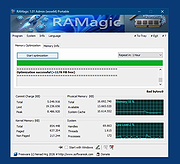 |
|
RedNotebook Portable v2.39 RedNotebook Portable v2.39 A free and portable desktop journal. RedNotebook Portable lets you format, tag and search your entries. You can also add pictures, links and customizable templates, spell check your notes, and export to plain text, HTML or LaTeX. RedNotebook is Free Software under the GPL Features: • Insert #hashtags • Format text bold, italic or underlined • Insert images, files and links • Spell check • Search-as-you-type • Automatic saving • Backup to zip archive • Word clouds with most common words and tags • Templates • Export to plain text, HTML or Latex • Future-proof: data is stored in plain text files • Private: you own your data • Translated into more than 30 languages System Requirements: Windows 8.1, 10, 11 (64-bit Only) Changes: 2.39 released - 2025-03-25 Support GIRepository 3.0 (#817, #818, Jendrik Seipp) Click here to visit the author's website. |
|
5,303 | Aug 28, 2025 Jendrik Seipp and PortableApps.com 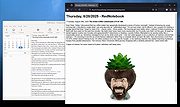 |
|
Right-Click Tools v2.0.4 Right-Click Tools v2.0.4 👉 Add powerful administrative and maintenance tools to the Windows Explorer right-click menu. Right-Click Tools adds a collection of useful commands to the Windows File Explorer context menu, providing quick access to command prompts, PowerShell, Registry Editor, ownership controls, elevated file managers, shell maintenance tools and other frequently needed Windows functions. The tools can be accessed by right-clicking a folder, drive or the background of an open Explorer window. Features: • Adds a customizable collection of tools to the Windows Explorer context menu • Opens Command Prompt or PowerShell in the selected folder • Opens Command Prompt or PowerShell with Administrator privileges • Opens Command Prompt or PowerShell with TrustedInstaller privileges • Supports Windows Terminal, Console Host and optional PowerShell Core configuration • Opens Registry Editor as a standard user, Administrator or TrustedInstaller • Takes ownership of folders and grants access using SetACL • Supports folders containing Unicode characters and long file paths • Adds or removes the selected folder from the user or system PATH variable • Toggles the display of hidden and protected system files • Clears recent items, auto-suggest entries, temporary files and Windows Defender history • Clears the Windows Defender quarantine folder • Refreshes the Windows shell after icon or display changes • Resets the Windows icon and thumbnail caches • Restarts Windows Explorer and reopens the selected folder • Opens a preferred file manager with Administrator or TrustedInstaller privileges • Supports both standard and administrator Windows accounts • Supports multiple user accounts on the same computer • Optional scheduled task reduces repeated UAC prompts • Uses registry-based menu entries instead of a continuously running context menu handler • Adds no background process or significant overhead when opening the context menu • Supports the Windows 11 modern context menu through Custom Context Menu • Automatically detects and supports Windows dark mode • Allows context menu labels and translations to be edited in Language.ini • Available as an installer or portable application • ... |
|
950 | Oct 13, 2026 LesFerch 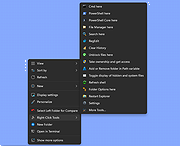 |
|
RsyncZilla v1.3.0 RsyncZilla v1.3.0 👉 A modern FileZilla-style Windows file transfer client powered by rsync over SSH. RsyncZilla is a free and open-source file transfer client for Windows that combines a familiar dual-pane, FileZilla-style interface with the reliability and efficiency of rsync. Browse local files on one side and remote servers over SFTP on the other, then upload or download files and folders using drag and drop. RsyncZilla uses portable rsync over SSH for transfers, allowing it to send only new files and modified byte blocks instead of retransmitting entire files. Transfers use temporary files to help prevent incomplete files from replacing good copies, while rsync exit codes and detailed logs make failed transfers clearly visible instead of silently ignoring problems. It also includes remote file editing, an integrated SSH terminal, saved server profiles, transfer queues, failed-transfer retries and real-time transfer information. Passwords are not stored on disk; credentials are passed to the SSH process in memory when needed. Features: • Familiar dual-pane interface with local Windows files on the left and remote server files on the right • Remote filesystem browsing over SFTP using SSH.NET • Upload and download files and folders with bidirectional drag and drop • Drag files and folders directly from Windows Explorer into the remote pane • Multi-selection using Shift, Ctrl or selection-box dragging • Double-click navigation for directories • Open local files using their associated Windows applications • Show local files and folders directly in Windows Explorer • Portable rsync and SSH components are bundled with the application • Delta transfers send new files and modified byte blocks instead of retransmitting unchanged data • Configurable handling of existing files including size/date comparison, newer-only updates, overwrite and checksum modes • Atomic rsync writes help prevent interrupted transfers from leaving corrupted or partially written destination files • Resumable synchronization with clear reporting when a transfer is interrupted or rejected • Integrated KiTTY SSH terminal ... |
|
88 | Sep 17, 2026 kanowins 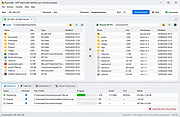 |
|
Rufus v4.15 Rufus v4.15 👉 Create bootable USB drives easily and quickly. Rufus is a small utility that helps format and create bootable USB flash drives, such as USB keys, memory sticks, and other removable media. It is especially useful for cases where you need to create USB installation media from bootable ISOs, including Windows, Linux, and other operating systems, or when working on systems that lack an optical drive. Rufus is known for its speed and reliability, offering advanced options for power users while remaining simple enough for beginners. It supports UEFI and legacy BIOS, allows selection of partition schemes and file systems, and includes options for handling ISO images with custom settings. Features: • Create bootable USB drives from ISO images • Supports UEFI and legacy BIOS • MBR and GPT partition schemes • FAT32, NTFS, exFAT, UDF, and ReFS file systems • Detects USB devices automatically • Advanced formatting and drive options • Portable, no installation required Supported operating systems: • Windows 8, Windows 8.1, Windows 10, Windows 11 Supported languages: English, French, German, Italian, Spanish, Portuguese, Russian, Chinese (Simplified), Chinese (Traditional), Japanese, Korean, Arabic, Polish, Dutch, Greek, Turkish, Czech, Hungarian, Romanian, Vietnamese, Thai, Indonesian, Ukrainian, Bulgarian, Slovak, Slovenian, Danish, Finnish, Norwegian, Swedish, Hebrew, Persian Changes: v4.15 06-30-26 Add RISC-V 64 support to UEFI:NTFS. Improve the guards for using the "silent" Windows installation option. Improve the ability to cancel during write retries. Improve progress reporting for compressed image extraction. Fix unrestricted XML entity expansion and integer overflow in ezxml parser (courtesy of Eric Sadowski). Fix "silent" Windows installation failing at 75% in most cases. Fix a crash during boot when using UEFI:NTFS on Snapdragon X based ARM64 platforms. Fix first WUE option always being checked by default. Fix an infinite loop when using Windows ISOs that contain multiple WIMs. Fix "Enable runtime UEFI media validation" checkbox not always being properly enabled. Other WUE improvements/fixes for OneDrive removal and username validation (with thanks to @christian8641). Non exhaustive ... |
|
14,356 | Jul 02, 2026 Pete Batard/Akeo 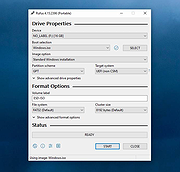 |
|
Run-Command v6.41 Run-Command v6.41 👉 Enhanced Windows Run dialog replacement with extended command execution features. Run-Command is a small but powerful alternative to the standard Windows Run dialog. It provides extended functionality for executing commands, opening programs, launching system tools, and accessing frequently used folders more efficiently. Designed as a portable utility, Run-Command enhances productivity by offering customizable favorites, command history, and quick access to administrative tools. It is lightweight, requires no installation, and is suitable for both everyday users and advanced system administrators. Features: • Alternative to the standard Windows Run dialog • Favorites menu for frequently used commands • Command history with quick recall • Run programs with administrative privileges • Drag & drop support • Portable – no installation required • Multilingual user interface • Small size and low system resource usage Supported operating systems: • Windows 7, Windows 8, Windows 8.1, Windows 10, Windows 11 • Windows Server 2012, Windows Server 2016, Windows Server 2019 Supported languages: • German, English, Greek, Russian, Simplified Chinese, French, Persian, Swedish, Romanian, Arabic (Iraq), Hungarian, Italian, Portuguese (Brazil), Dutch, Spanish (Venezuela), Indonesian, Polish, Traditional Chinese, Japanese, Taiwanese Chinese, Czech, Korean, Ukrainian, Portuguese (Portugal), Turkish, Thai, Filipino, Finnish, Norwegian, Bosnian, Croatian, Serbian, Bulgarian Changes: v6.41 05-06-26 • Improvements to the Run command as an alternative to the Windows Run dialog, including enhancements to the interpretation of Windows Run commands. • Updated language files, along with various minor adjustments and optimizations within the alternative Run dialog for MS Windows. This download is for the Windows 64bit version (very bottom of page). If you need the Windows 32bit version, download here. Click here to visit the author's website. |
|
10,836 | May 07, 2026 Nenad Hrg 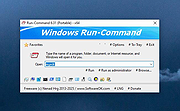 |
|
SeaMonkey Portable v2.53.6 SeaMonkey Portable v2.53.6 The SeaMonkey project is a community effort to develop the SeaMonkey all-in-one internet application suite. Such a software suite was previously made popular by Netscape and Mozilla, and the SeaMonkey project continues to develop and deliver high-quality updates to this concept. Containing an Internet browser, email & newsgroup client with an included web feed reader, HTML editor, IRC chat and web development tools, SeaMonkey is sure to appeal to advanced users, web developers and corporate users. Under the hood, SeaMonkey uses much of the same Mozilla source code which powers such successful siblings as Firefox and Thunderbird. SeaMonkey Portable is a dual-mode 32-bit and 64-bit app, ensuring SeaMonkey runs as fast as possible on every PC. System Requirements: Windows XP, Vista, 7, 8, 10 App License: Open Source (MPL/GPL/LGPL under Mozilla EULA) MD5 Hash: f86b2cc41514f5ca8058f42ec8b05805 (English) SHA256 Hash: ba38d25043b439c529c740d2196bcf9ebec2b70c526867eb6d7413daedca9740 (English) Click here to visit the author's website. |
|
3,812 | Jan 28, 2021 Mozilla & PortableApps.com (John T. Haller)  |
|
SearchMyFiles v3.36 SearchMyFiles v3.36 👉 A portable Windows search utility for finding files and folders using detailed filters, content searches, duplicate detection and more. SearchMyFiles is a portable alternative to the standard Windows file search that provides much more precise control over what you search for and how results are filtered. You can search by filename wildcards, folder locations, file size, attributes, creation, modification and access times, file contents and numerous other criteria. Search results can be opened directly, copied to the clipboard or exported to text, CSV, HTML or XML files. SearchMyFiles also includes specialized modes for locating duplicate files, files with duplicate names, non-duplicate files, empty folders and summarized folder information. No installation is required, and the program can be run from a USB flash drive without leaving configuration information in the Registry. Features: • Search files and folders using filename wildcards • Search multiple folders or drives in a single operation • Include or exclude specific folders from searches • Search through subfolders with configurable scanning depth • Search files by minimum or maximum size • Search by creation, modification or last-accessed date and time • Search for files created or modified within the last specified number of seconds, minutes, hours or days • Filter files using read-only, hidden, system, archive, compressed and encrypted attributes • Search inside files for text • Perform binary content searches using hexadecimal byte sequences • Search for multiple text or binary values at once • Search text inside Microsoft Office documents and supported PDF files using installed Windows search handlers • Search for folders as well as files • Duplicate Search mode finds files with identical contents • Duplicate files are compared byte-for-byte and visually grouped in the results • Non-Duplicates Search mode displays files that do not have duplicates • Duplicate Names Search finds files or folders sharing the same name • Duplicate Names Search can distinguish files with identical or different ... |
|
6,302 | Sep 04, 2026 Nir Sofer 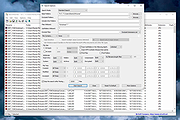 |
|
SecretDNS v4.0.5 SecretDNS v4.0.5 👉 A free utility for encrypted DNS and selective SNI fragmentation to help bypass website filtering. SecretDNS combines DNS over HTTPS with SNI fragmentation to help protect DNS requests and bypass filtering based on website names. It uses a selected DNS server without changing Windows DNS settings. DNS over HTTPS encrypts the requests your computer sends to look up website addresses. SNI fragmentation splits the part of a connection that identifies the requested website, helping bypass filtering that examines this information. SecretDNS fragments only the SNI string to minimize slowdown. You can specify which domains receive this treatment and use a whitelist to reduce website connection problems. The program also lets you check accessed domains and combine its bypass features with proxy functionality. To get started, click the Run button. The developer recommends selecting encrypted DNS, choosing manually specified SNI fragmentation and entering the domains you want to bypass. Features: • Encrypts DNS requests using DNS over HTTPS. • Helps bypass website filtering through SNI fragmentation. • Fragments only the SNI string to minimize speed degradation. • Lets you apply SNI fragmentation to specified domains. • Supports domain lists for selective DNS and fragmentation functionality. • Uses whitelisting to help reduce website connection problems. • Uses a selected DNS server without changing Windows DNS settings. • Lets you check information about accessed domains. • Can be used alongside proxy functionality. • Provides recommended settings for encrypted DNS and selective fragmentation. • Portable edition that runs without installation. • Free for home, business, government and school use. Supported operating systems: • Windows 10/11 Supported languages: English. Changes: v4.0.5 09-15-26 - Improved VPN stability with automatic server switching - Made VPN activity easier to identify ... |
No Votes | 58 | Oct 05, 2026 kilho.net  |
OlderGeeks.com Copyright (c) 2026
