|
|
|
Processed through Paypal No account required. |



| File - Download Multi Commander v16.0 | ||||||||
| Description | ||||||||
|
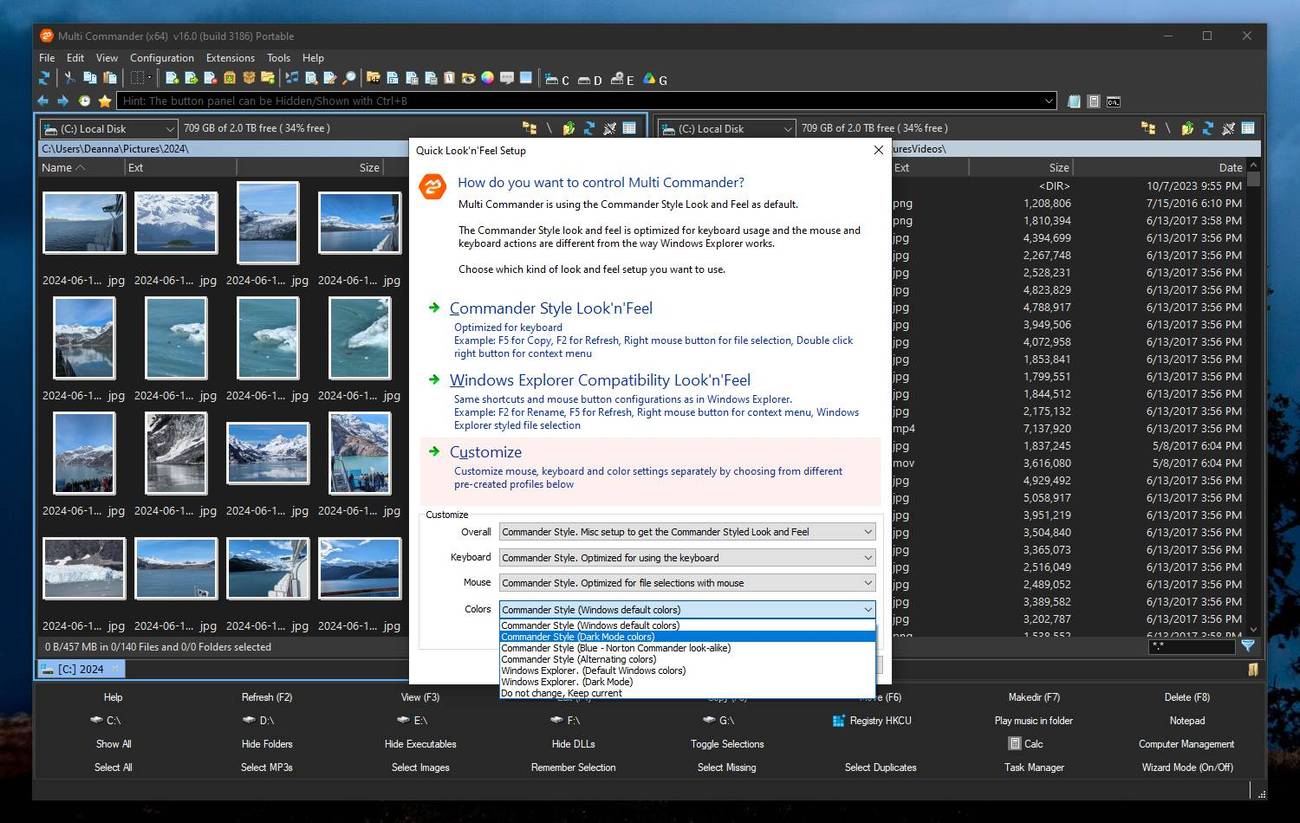
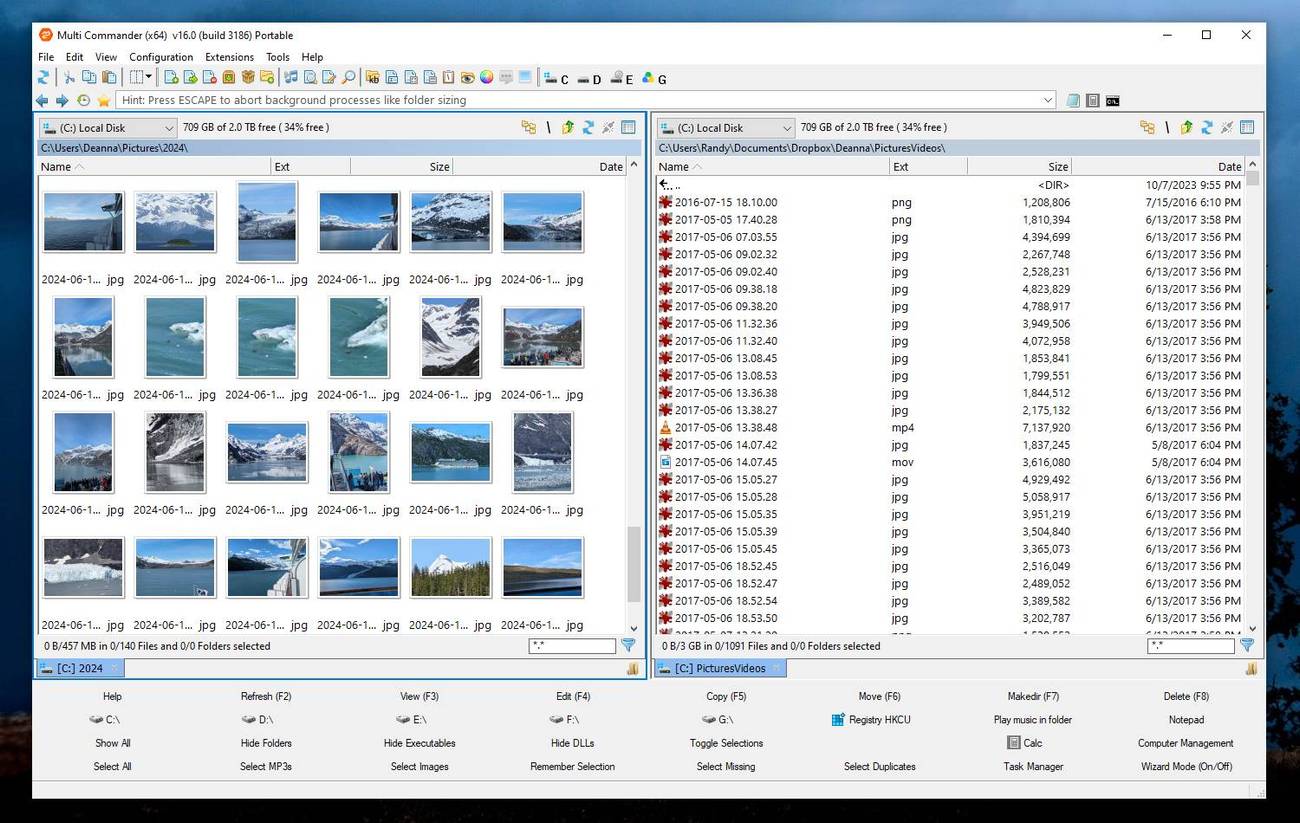
A plea... Deanna and I have been running this site since 2008 and lately we're seeing a big increase in users (and cost) but a decline in percentage of users who donate. Our ad-free and junkware-free download site only works if everyone chips in to offset the revenue that ads on other sites bring in. Please donate at the bottom of the page. Every little bit helps. Thank you so much. Sincerely, your Older Geeks: Randy and Deanna Always scroll to the bottom of the page for the main download link. We don't believe in fake/misleading download buttons and tricks. The link is always in the same place. Multi Commander v16.0 👉 Dual-pane, multi-tabbed file manager for Windows power users. Multi Commander is a multi-tabbed file manager and Windows Explorer alternative using an efficient dual-panel layout. It includes standard file management tools such as copy, move, rename, and view, along with advanced tools for archive browsing, FTP/SFTP access, Registry browsing, file searching, batch renaming, scripting, plug-ins, and portable use. ![]() Features: Dual-pane, tabbed file manager interface Commander-style or Windows Explorer-style keyboard and mouse setup View files in detail, list, or thumbnail modes Browse local drives, network shares, FTP with SSL/TLS, SFTP/SCP, archives, Windows Registry, and Windows Portable Devices Archive support for Zip, 7-Zip, Rar, Tar, gz, bz2, tar.gz, and tar.bz2 Background file operations so the interface does not freeze Copy/move filters, queues, auto-unpacking, auto-sorting, presets, and overwrite handling Powerful Multi-Rename tool for batch renaming Built-in file viewer with ASCII, UTF-8, Unicode, Binary, and Hex viewing Search by file contents, attributes, size, date, regular expressions, duplicates, empty folders, and inside archives Picture tools for converting, rotating, EXIF viewing/removal, and EXIF date adjustment Audio tools for viewing audio properties and editing MP3 tags Built-in scripting, extensions, plug-ins, and SDK support Portable version available; unpack and run MultiCommander.exe Supported operating systems: Windows Vista, Windows Server 2008 R2, Windows 7, Windows 8.x, Windows 10, Windows 11, Windows Server 2012 R2 Note: The normal version does not work on Windows XP anymore. Multi Commander XP is available separately for Windows XP users. Supported languages: English, Bulgarian, Catalan, Chinese (Simplified), Chinese (Traditional), Czech, Dutch, Finnish, French, German, Hungarian, Italian, Japanese, Korean, Lithuanian, Norwegian, Polish, Portuguese (Brazil), Portuguese (Portugal), Romanian, Russian, Slovenian, Spanish, Swedish, Turkish, Ukrainian Changes: v16.0 07-10-26 300+ CHANGES - This release includes many small and large improvements to stability, code conformance, and performance. ADDED - The file operation engine has been completely rewritten. It handles all Copy/Move/Delete/Unpack/Pack operations. The code has undergone major restructuring to improve stability and support future features. ADDED - Create New File (Shift+F4) can now create new empty files using a template rule, including multiple files at once. ADDED - Create Folder now supports creating folders using a template rule, including multiple folders at once. ADDED - Added support for copying file permissions (ACLs) on NTFS and ReFS file systems. ADDED - File copies on the same ReFS volume can now use block cloning, making it possible to duplicate files of any size without consuming additional disk space. ADDED - Typing ":ps" works like "cmd", but opens PowerShell instead. pwsh.exe is used when available; otherwise, powershell.exe is used. ADDED - Explorer Panel settings can now define the default folder tree width for new tabs when the folder tree is shown. ADDED - The file operation progress dialog now supports Ctrl+Pause and Ctrl+Abort, allowing the current file to finish processing before the operation is paused or aborted. ADDED - Added a Resume command to the overwrite dialog's "More..." menu when resuming is supported. ADDED - Added support for the Recycle Bin as a virtual device. Browse, Restore, Delete, Purge, and Read operations are supported. ADDED - MultiDataViewer can now convert compact JSON into a structured, readable format in memory, without requiring it to be saved first. ADDED - MultiDataViewer now has initial dark mode support. It is not yet enabled because the implementation is incomplete. ADDED - MultiRename now supports "+<num><unit>" in date/time tags, for example: [?date,+30m] ADDED - MultiDataViewer now supports color formatting for JSON. ADDED - MultiDataViewer can now display PDF documents using Edge WebView2. ADDED - MultiDataViewer can now render HTML and Markdown files using the Edge WebView2 control. This requires Edge/WebView2 to be available on the computer. ADDED - The MultiScript MakeDir(...) method now supports creating folders using a template rule, including multiple folders at once. ADDED - Added the MultiScript CreateFileFromTemplate(...) method for creating new files using a template rule. ADDED - The UDC method MC.Explorer.MakeDir now supports creating folders using a template rule, including multiple folders at once. ADDED - AutoSave can now automatically save all settings and tabs every X minutes, making it faster to return to your previous state after a crash. ADDED - MultiUpdate now remembers the "Backup MultiCommander" setting configured on the update tool's Settings page. ADDED - Improved MultiUpdate security. The signature of a downloaded update package is now verified before installation. If the signature is invalid, the update is aborted. ADDED - Extended Find Files logging can now be enabled from Settings. FIXED - Updated the third-party 7-Zip code to version 26.01. FIXED - Updated the third-party zlib and ZIP-handling code. FIXED - The Viewer did not show whitespace correctly in UTF-8-encoded files. FIXED - MCAudioTools now uses Windows WAV parsing as a fallback for length, sample rate, and bitrate when TagLib returns no value. FIXED - Fixed an issue where an icon override could disappear. FIXED - When DeviceCombo was disabled, the CrumbPath field and free-space text were not shown. FIXED - Fixed an issue when changing FileOperation settings from ProgressDialog. FIXED - The processed-item count for FileOperation was not always correct in the progress dialog. FIXED - Hardened portable device (WPD) operations, with improved fault handling and logging. FIXED - Adding a file to an existing copy queue could remove the current items from the queue. FIXED - The "Searching..." notification was not removed from the status bar after a search completed. FIXED - Fixed a progress window issue when deleting many files. FIXED - Fixed an issue when automatically loading TabSessions. FIXED - Linked navigation (Alt+L) now works again. FIXED - Fixed an issue when overwriting files whose names begin with a dot (for example, ".file") while copying over a network to a Linux machine. ADDED - Explorer Panel now attempts to preserve the current sorting when the column layout is changed. FIXED - Fixed a crash when browsing to a portable device (WPD:). FIXED - MultiCommander now detects corruption in MultiCommander.xml and attempts to recover the file. FIXED - If MultiCommander.xml fails to load, logging is enabled and LogView is shown so the user can see why MultiCommander failed to start. FIXED - MultiFileViewer no longer includes hidden lines when copying selected text from the Grep tool to the clipboard. FIXED - MultiFileViewer now provides better automatic detection of UTF-8 files. ADDED - MultiRename and Inline Rename can now move renamed items into a subfolder, for example: MyFile.txt => SubFolder\MyFile.txt FIXED - MultiRename: [N,-2] now correctly returns text from the second-to-last character through the end. Previously, it returned an empty result. FIXED - MultiRename: [N,5-] now correctly returns text from character 5 through the end. Previously, the trailing-dash syntax was interpreted as the first five characters. ADDED - MultiRename has new date/time tags that use the file's write (W) or creation (C) timestamp instead of the current date and time. ADDED - MultiRename has new multi-level parent-folder name tags. ADDED - MultiRename has new weekday tags. ADDED - MultiRename has a new random-number tag. See the documentation for more information about all the new MultiRename tags. ADDED - MultiScript now supports the ternary operator, for example: $a = $b ? $c : $d ADDED - MultiScript now supports a "foreach" loop for iterating through arrays and collections, for example: foreach $item in $array { ... } ADDED - MultiScript now supports the following functions: Pow, abs, clamp, IsNumeric, StrStartsWith, StrEndsWith, StrContains, StrFormat, StrPadLeft, StrPadRight, StrCount, StrRepeat, ArrayReverse, and ArraySlice. ADDED - MultiScript now supports the Boolean operators AND, OR, and NOT. ADDED - MultiScript now handles operator precedence correctly, so parentheses are not required for expressions such as 2 * 3 + 2 to be evaluated correctly. Parentheses can still be used when desired. ADDED - FolderTree now has a setting that controls whether symbolic links and junctions are shown as links or resolved to their targets. By default, they are shown as links. ADDED - Added a search field at the top of the Settings pages, allowing you to quickly find the setting you need. CHANGE - Copying files using the administrator helper is now much faster. CHANGE - The Command field command "cf" now supports creating files using templates. CHANGE - The Command field command "mkdir" now supports creating folders using templates. CHANGE - Extensive code cleanup and restructuring to improve stability and support future features. FIXED - More than 80 stability issues. ![]() Note: This file has one hit on VirusTotal. We have confirmed this to be a false positive. The file is safe. This download is for the Windows 64bit portable version (very bottom of page). All other download assets are below: Windows Installer: MultiCommander_x64_(16.0.0.3186).exe MultiCommander_win32_(16.0.0.3186).exe MultiCommander_XP_x64_(9.8.0.2600).exe (Windows XP 64bit) MultiCommander_XP_win32_(9.8.0.2600).exe (Windows XP 32bit) Windows Portable: MultiCommander_win32_Portable_(16.0.0.3186).zip MultiCommander_XP_x64_Portable_(9.8.0.2600).zip (Windows XP 64bit) MultiCommander_XP_win32_Portable_(9.8.0.2600).zip (Windows XP 32bit) Click here to visit the author's website. Continue below for the main download link. |
||||||||
| Downloads | Views | Developer | Last Update | Version | Size | Type | Rank | |
| 6,566 | 16,167 | Mathias Svensson | Jul 11, 2026 - 13:21 | 16.0 build 3186 | 13.15MB | ZIP | , out of 93 Votes. |
|
| File Tags | ||||||||
| portable FTP SFTP MultiCommander filemanager dualpane tabs archives batchrename scripting registry searcher plugins | ||||||||
Click to Rate File     Share it on Twitter → Tweet
|