|

|
Processed through Paypal No account required. |








Buy our over-priced crap to help pay the bills.



|
|
Processed through Paypal No account required. |
| File - Download PolyHostInterface v3.1.1 | ||||||||
| Description | ||||||||
|
Always scroll to the bottom of the page for the main download link. We don't believe in fake/misleading download buttons and tricks. The link is always in the same place. PolyHostInterface v3.1.1 👉 A lightweight, portable Windows host for loading, chaining and controlling VST2 and VST3 audio plugins. PolyHostInterface is a standalone and VST3 plugin host designed for musicians, synthesizer programmers and audio users who want a compact way to load multiple instruments and effects without the overhead of a full DAW. Plugins are organized in tabs, with synths operating in parallel and effects arranged in a serial processing chain. The routing view provides an overview of each loaded plugin and lets you reorder, bypass, mute, solo and select individual tabs. PolyHostInterface can also operate as a VST3 plugin inside another host. Its 128 host-visible macros can be mapped to parameters of hosted plugins, allowing those parameters to be automated from a DAW. A built-in MIDI Monitor displays notes, CC messages, pitch bend, aftertouch, system messages and other incoming MIDI data, with filtering, copy and export capabilities. A distinctive feature is Pointer Control, which lets a MIDI controller manipulate the mouse pointer over a plugin interface. MIDI controls can move the pointer horizontally and vertically and adjust the parameter beneath it using scrolling or dragging. Editable Pointer Maps provide reusable jump points for individual plugins, including multiple maps for plugins with different skins, pages or layouts. The standalone application can record audio to WAV files or MIDI to MID files. Presets can store plugin configurations, and a missing-plugin repair function helps locate moved plugins when loading an existing preset. PolyHostInterface is fully portable, keeping its settings alongside the program instead of using AppData or the Windows Registry. 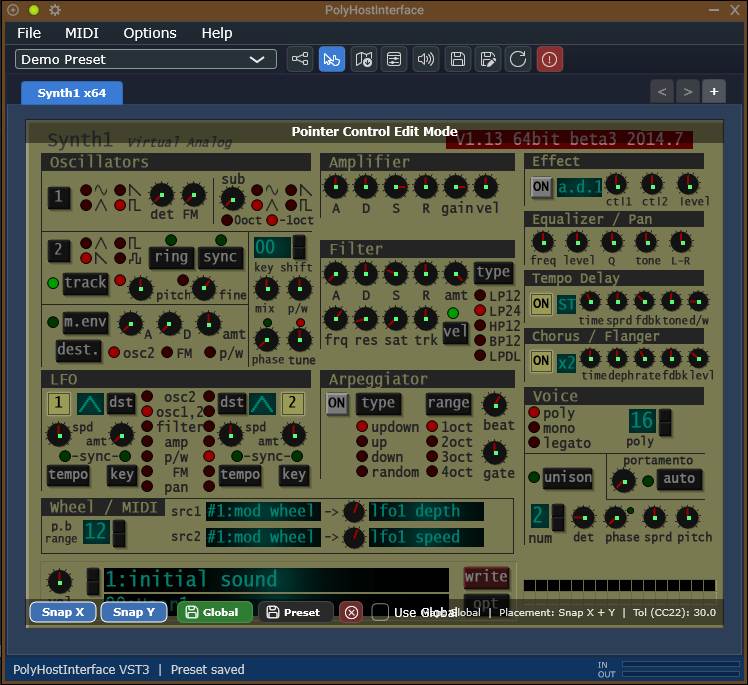 Features: • Hosts multiple VST2 and VST3 plugins in a tabbed interface • Available as a standalone Windows application and a VST3 plugin for use inside other hosts • 64-bit VST2 and VST3 plugin support • Separate 32-bit standalone version supports 32-bit VST2/VST3 plugins • Routing view shows plugin order, synth/effect type, bypass state, solo state, MIDI assignments and plugin information • Reorder plugin tabs to control effect routing order • Solo one or multiple plugin tabs for quick auditioning • Per-tab bypass and mute controls • Per-tab MIDI channel assignments • 128 host-visible macro controls for mapping hosted plugin parameters • Macro mappings can be searched, reordered, replaced, deleted and cleared • Map the last-touched plugin parameter to the next available macro • Pointer Control allows MIDI hardware to move the mouse pointer and manipulate plugin controls • Supports absolute and relative Pointer Control adjustment modes • MIDI-controlled X/Y pointer movement • Wheel and drag-style parameter adjustment • Mouse button and limited keyboard emulation • Pointer Edit Overlay for creating and editing plugin control jump points • Optional X/Y snapping and crosshair display for pointer-map editing • Supports multiple reusable Pointer Maps for individual plugins, skins and layouts • Pointer Maps are stored as shareable XML files • Built-in MIDI Monitor for notes, CC, pitch bend, aftertouch and system messages • MIDI Monitor supports event filtering, pause, freeze, copying and CSV/TXT export • Create, save, load, delete and manage presets • Recent preset history and preset change tracking • Missing-plugin repair can locate replacement plugin files when loading presets • Standalone version can record audio to WAV or MIDI to MID files • Recording can begin immediately or wait for an incoming MIDI note • Portable operation with settings stored alongside the application instead of AppData or the Registry • Plugins can be associated with PolyHostInterface in Windows so they can be opened directly from File Explorer Supported operating systems: • Windows Supported languages: English Changes: v3.1.1 10-13-26 The VST3 build now produces: PolyHostInterface.vst3 — existing FX edition, with its identity unchanged. PolyHostInterface_Synth.vst3 — new instrument edition with a unique bundle ID and plug-in code. Right-click a loaded tab and select Open Plugin in New Window. Multiple plug-in GUIs can remain visible simultaneously. Audio, MIDI, routing, automation and preset state remain unchanged. Close the detached window or select Return Plugin to PHI to restore it. Pointer Control is unavailable only while that editor is detached. Plug-in replacement, reload, tab closure, preset loading and crash quarantine safely close detached editors. Browser-style drag-out/drag-back was left out for reliability. README updated. 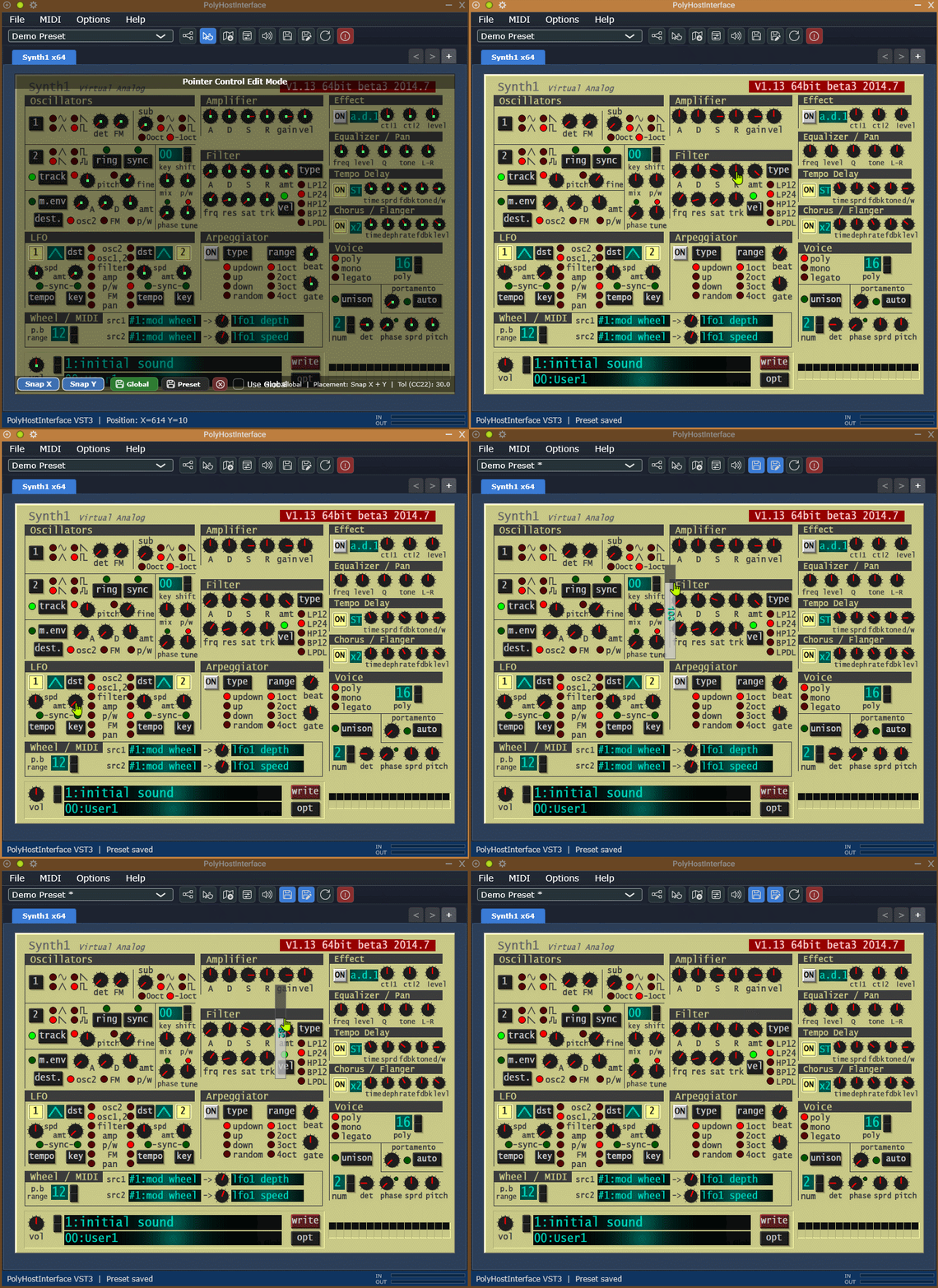 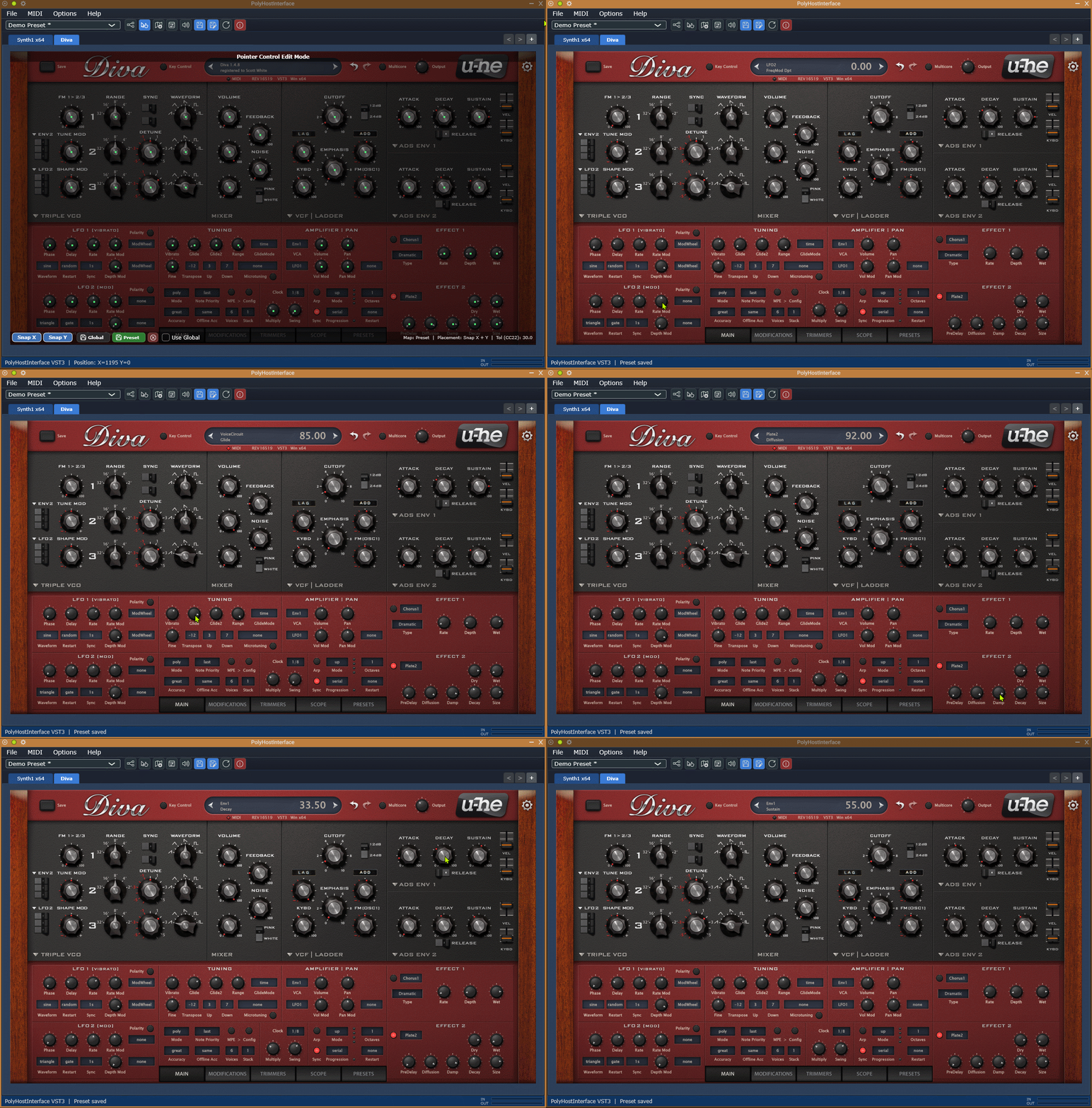 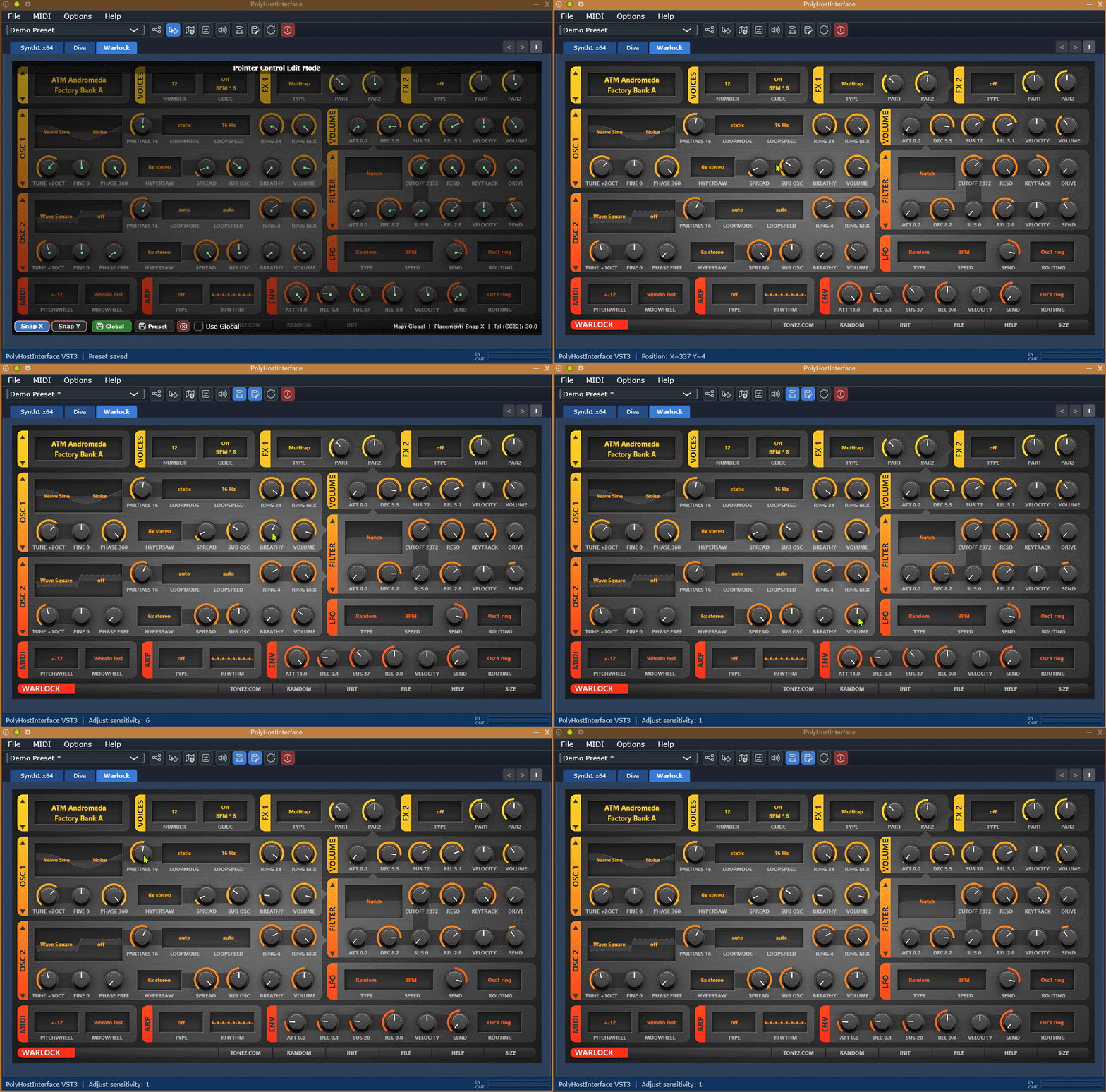 Use 7-Zip to unzip this file. Click here to visit the author's website. Continue below for the main download link. |
||||||||
| Downloads | Views | Developer | Last Update | Version | Size | Type | Rank | |
| 107 | 690 | sl2365 | Oct 14, 2026 - 12:01 | 3.1.1 | 15.41MB | RAR |  , out of 3 Votes. , out of 3 Votes. |
|
| File Tags | ||||||||
| PolyHostInterface VST plugin host MIDI audio synth effects routing portable recording macros Windows | ||||||||
Click to Rate File Share it on Twitter → Tweet
|


