|

|
Processed through Paypal No account required. |








Buy our over-priced crap to help pay the bills.



|
|
Processed through Paypal No account required. |
| File - Download NAPS2 (Not Another PDF Scanner) v8.5.1 | ||||||||
| Description | ||||||||
|
Always scroll to the bottom of the page for the main download link. We don't believe in fake/misleading download buttons and tricks. The link is always in the same place. NAPS2 (Not Another PDF Scanner) v8.5.1 👉 Scan, organize, edit, and save documents as searchable PDFs and other image formats. NAPS2 is free, open-source scanning software for Windows, macOS, and Linux. It connects to supported scanners using WIA, TWAIN, SANE, or eSCL drivers, then lets you scan pages from a flatbed or automatic document feeder. Save scans as PDF, TIFF, JPEG, or PNG, and use optical character recognition (OCR) to make text searchable inside PDFs. Create reusable scan profiles with settings such as the scanner, paper size, resolution, color mode, and page source. NAPS2 can rotate, crop, deskew, reorder, split, combine, and adjust scanned pages. It can also import existing images and PDFs, apply OCR, email PDFs, and share scanners over a local network. The optional command-line interface supports scanning and document workflows through scripts. Portable archives are available, and an MSI installer with application-level configuration supports organizational deployment. NAPS2 is free for personal and business use, with no ads or unwanted software. 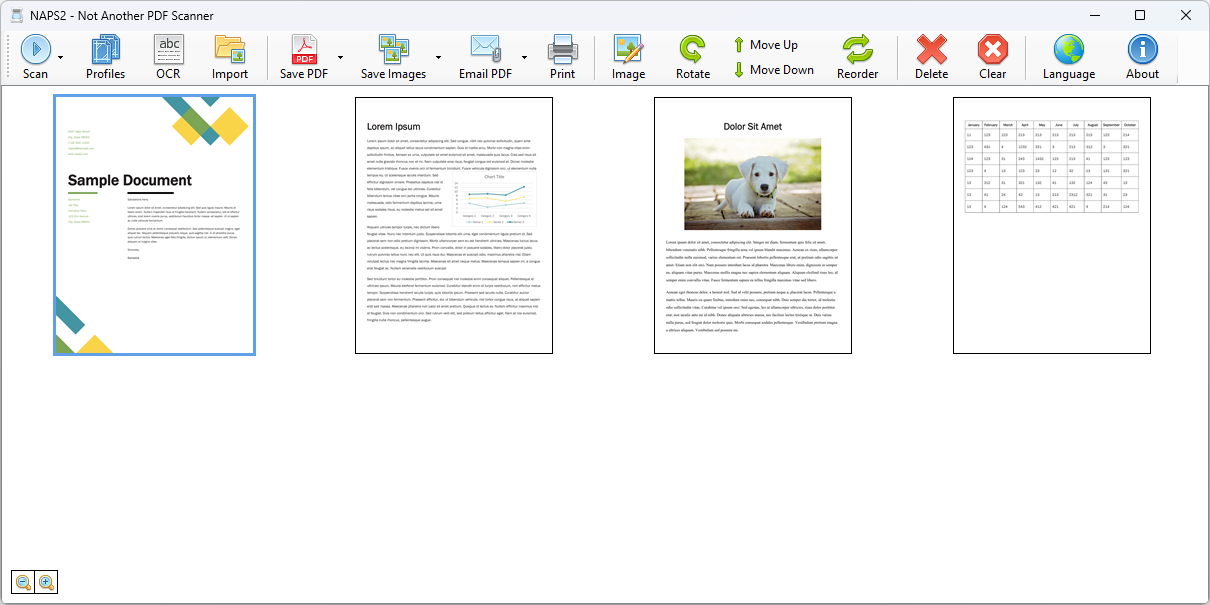 Features: • Scan using WIA, TWAIN, SANE, or eSCL scanner drivers • Scan from a flatbed, automatic document feeder, or duplex feeder • Save scans as PDF, TIFF, JPEG, or PNG • Use OCR to create searchable PDFs, with OCR support for over 100 languages • Create reusable profiles for scanner and image settings • Rotate, crop, deskew, split, combine, and rearrange pages • Adjust brightness, contrast, resolution, and color depth • Auto-crop scanned pages, including items of different sizes • Import and edit PDFs and images • Compress PDF files and adjust image dimensions, resolution, color depth, and quality • Email PDFs and share scanners over a local network • Automate scanning and other tasks with the optional command-line interface • Use the portable archive or deploy through MSI and group policy settings Supported operating systems: Windows 10, Windows 11, macOS 12 or later, Linux (Ubuntu 20.04 or later, Debian 11 or later, Linux Mint 20 or later, Fedora 32 or later; GTK 3.20+, glibc 2.31+, libsane) Supported languages: Afrikaans, Albanian, Arabic, Bengali, Bosnian, Bulgarian, Catalan, Chinese (Traditional), Croatian, Czech, Danish, Dutch, English, Estonian, Finnish, French, German, Greek, Hebrew, Hindi, Hungarian, Indonesian, Italian, Japanese, Korean, Latvian, Lithuanian, Norwegian, Persian, Polish, Portuguese, Romanian, Russian, Serbian, Slovak, Spanish, Swedish, Turkish, Ukrainian, Vietnamese Changes: v8.5.1 10-12-26 Windows: Fixed an issue with Smart App Control blocking naps2_jpeg.dll. 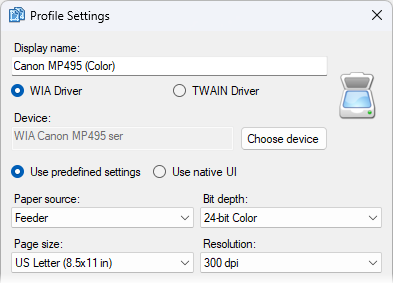 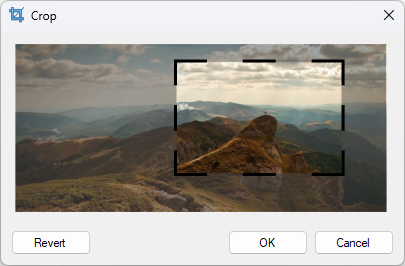 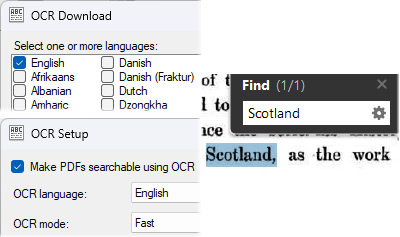 👉 This download is for the Windows 64bit installer version (very bottom of page). All other download assets are below: Other Windows: naps2-8.5.1-win-x64.msi naps2-8.5.1-win-x64.zip (portable) naps2-7.5.3-win.zip (last 32bit version) macOS: naps2-8.5.1-mac-univ.pkg naps2-8.5.1-mac-arm64.pkg naps2-8.5.1-mac-x64.pkg Linux: naps2-8.5.1-linux-x64.deb naps2-8.5.1-linux-arm64.deb naps2-8.5.1-linux-x64.rpm naps2-8.5.1-linux-arm64.rpm naps2-8.5.1-linux-x64.flatpak naps2-8.5.1-linux-arm64.flatpak Click here to visit the author's website. Continue below for the main download link. |
||||||||
| Downloads | Views | Developer | Last Update | Version | Size | Type | Rank | |
| 7,512 | 19,970 | Ben Olden-Cooligan | Oct 14, 2026 - 10:55 | 8.5.1 | 46.53MB | EXE |  , out of 70 Votes. , out of 70 Votes. |
|
| File Tags | ||||||||
| scanning OCR PDF Scanner NAPS2 documents TWAIN WIA SANE eSCL searchable portable | ||||||||
Click to Rate File Share it on Twitter → Tweet
|


