|

|
Processed through Paypal No account required. |








Buy our over-priced crap to help pay the bills.



|
|
Processed through Paypal No account required. |
| File - Download Kalmuri v4.3.1 | ||||||||
| Description | ||||||||
|
Always scroll to the bottom of the page for the main download link. We don't believe in fake/misleading download buttons and tricks. The link is always in the same place. Kalmuri v4.3.1 👉 Screen capture and recording program. Kalmuri is a freeware screen capture program that supports screenshots, screen recording, OCR text extraction, floating image display, web sharing, color extraction, full web page capture, printer output, hotkey settings and adjustable area capture. 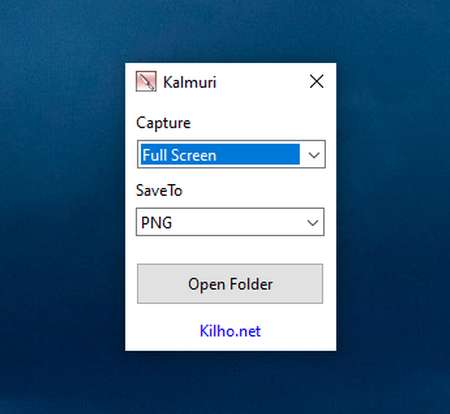 Features: • Video recording support for whole screen and selected areas • Capture whole screen, active program, window control, application area and custom area • Saves in PNG, JPG, BMP, GIF and MP4 formats • OCR support for saving text from images • Floating image feature • Share captured images on the web • Color extraction function • Full web page capture • Printer output • Hotkey settings • Keyboard adjustment for area capture using Arrow keys, Ctrl+Arrow keys and Shift+Arrow keys • Sequential and date/time file naming formats • Portable, no installation required Supported operating systems: • Windows 10, Windows 11 Supported languages: English, German, Esperanto, French, Italian, Japanese, Polish, Portuguese, Russian, Slovak, Swedish, Thai, Turkish, Vietnamese, Chinese Changes: v4.3.1 09-28-26 - Enhanced image upload security and failure handling - Fixed WebP save errors and empty file creation - Fixed recording startup and status issues in some environments - Improved screen capture and drag capture stability - Prevented existing files from being overwritten during rapid consecutive captures - Prevented OCR and configuration errors - Improved duplicate application launch prevention - Improved capture area size and position saving - Enhanced overall application stability Usage • After selecting the desired range and the format to save, press the hotkey to capture. (For the first time the hotkey is PrintScreen. It can be changed through the hotkey settings.) • For the menu, click the right mouse button on the Kalmuri screen. 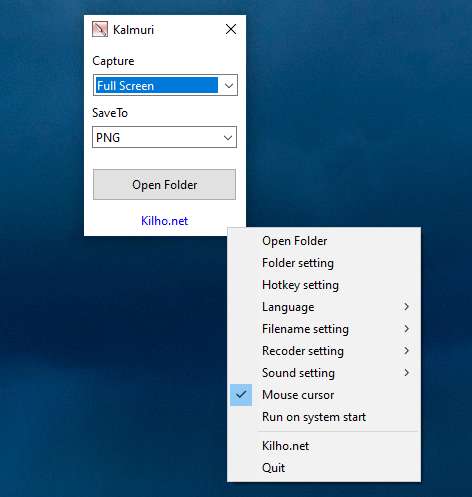 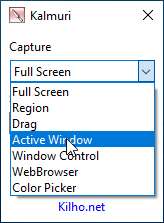 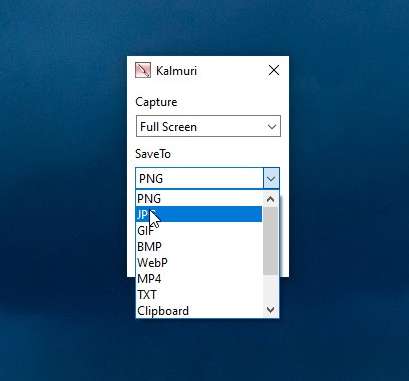 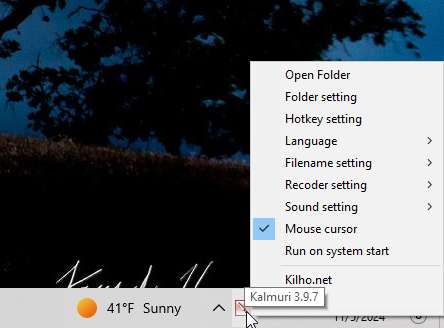 Click here to visit the author's website. Continue below for the main download link. |
||||||||
| Downloads | Views | Developer | Last Update | Version | Size | Type | Rank | |
| 1,235 | 5,671 | kilho.net | Oct 05, 2026 - 12:10 | 4.3.1 | 2.06MB | ZIP |  , out of 38 Votes. , out of 38 Votes. |
|
| File Tags | ||||||||
| Kalmuri capture screen screenshot recording OCR portable Kilho | ||||||||
Click to Rate File Share it on Twitter → Tweet
|


