|

|
Processed through Paypal No account required. |








Buy our over-priced crap to help pay the bills.



|
|
Processed through Paypal No account required. |
| File - Download Original HP LightScribe Software Collection v1.18.27.10 | ||||||||
| Description | ||||||||
|
Help! Deanna and I have been running this site since 2008 and lately we're seeing a big increase in users (and cost) but a decline in percentage of users who donate. Our ad-free and junkware-free download site only works if everyone chips in to offset the revenue that ads on other sites bring in. Please donate at the bottom of the page. Every little bit helps. Thank you so much. Sincerely, your Older Geeks: Randy and Deanna Always scroll to the bottom of the page for the main download link. We don't believe in fake/misleading download buttons and tricks. The link is always in the same place. Original HP LightScribe Software Collection v1.18.27.10 👉 Complete collection of the original official HP LightScribe software for Windows and macOS. Original HP LightScribe Software Collection contains the original Hewlett-Packard LightScribe software needed to create professional-looking laser-etched labels directly onto specially coated LightScribe CDs and DVDs. Unlike adhesive labels, LightScribe technology uses the optical drive's laser to permanently burn text and graphics onto the label side of compatible media. This collection includes the final official Windows and macOS releases of the core LightScribe software along with portable Windows editions of the two labeling applications. These programs continue to work with supported LightScribe drives even though the technology has been discontinued. This collection includes: LightScribe System Software The required driver package that enables Windows or macOS to recognize and communicate with LightScribe-compatible optical drives. This software must be installed first before any LightScribe labeling application will function. LightScribe Simple Labeler A lightweight labeling application designed for quickly creating professional text labels. It allows you to add titles, subtitles, and circular text with minimal effort and is ideal for users who simply want clean, readable disc labels. LightScribe Template Labeler A more advanced labeling application that includes numerous professionally designed templates. Users can customize layouts with text, graphics, backgrounds, and decorative elements while maintaining compatibility with LightScribe media. 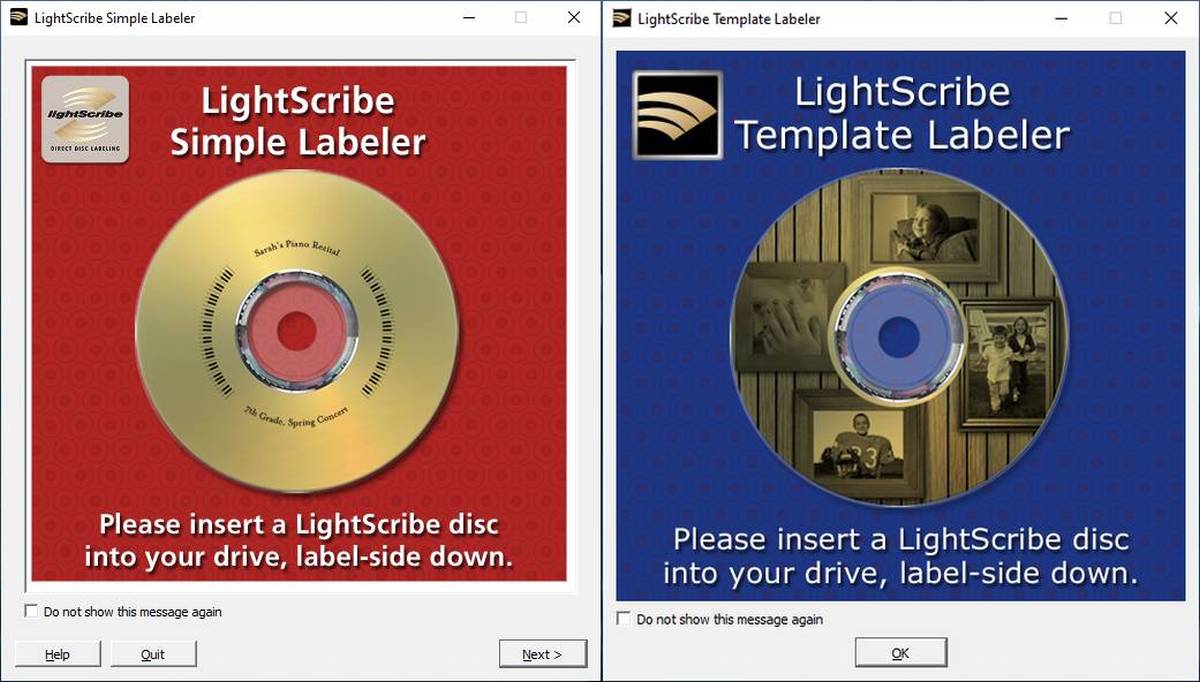 Features: • Complete official LightScribe software collection • Includes all essential Windows LightScribe applications • Includes official macOS releases • Portable Windows editions included • Simple Labeler for fast text-based labels • Template Labeler with professionally designed layouts • Official LightScribe System Software driver package • Compatible with LightScribe-enabled optical drives • Creates permanent laser-etched disc labels • No internet connection required after installation Supported operating systems: • Windows 2000, Windows XP, Windows Vista, Windows 7, Windows 8, Windows 10, Windows 11 • macOS 10.3.9 (Panther), macOS 10.4 (Tiger) or later (for the included Mac installers) Supported languages: English Changes: Collection of the final official Hewlett-Packard LightScribe software releases. 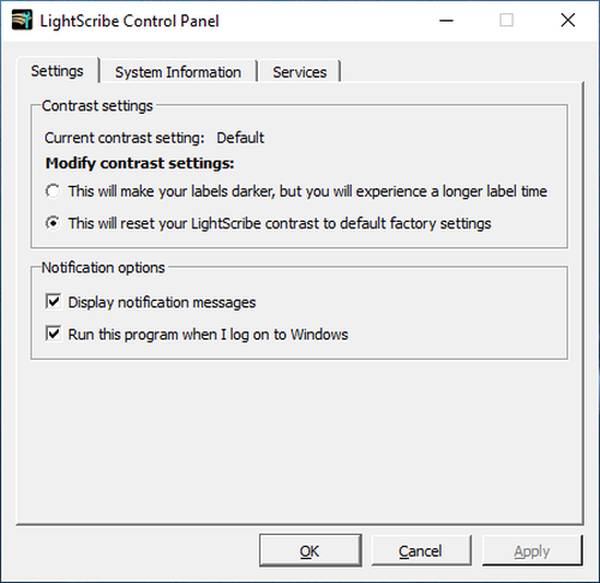 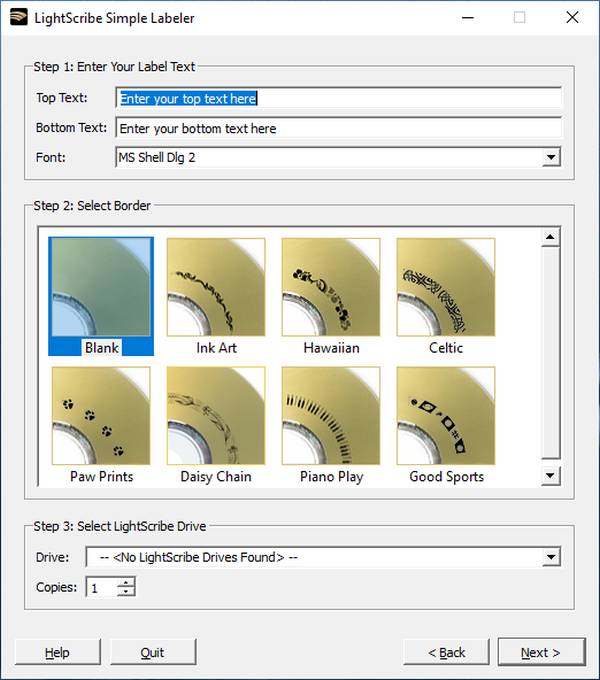 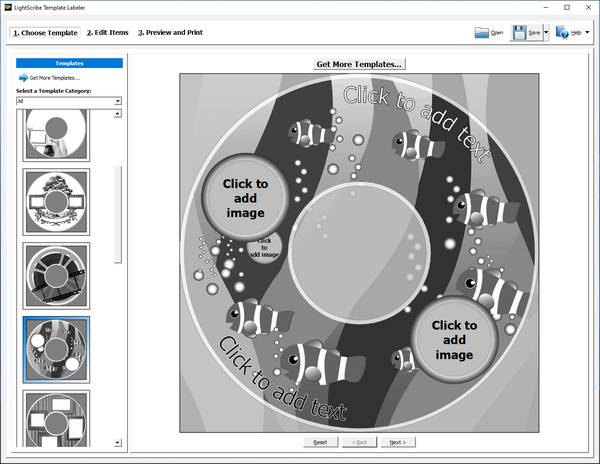 Contents of this download: Windows Installers • LightScribe System Software (LS_Update_1.18.27.10.exe) • LightScribe Simple Labeler (LightScribeSimpleLabeler_1.18.27.10.exe) • LightScribe Template Labeler (LightScribeTemplateLabeler_1.18.27.10.exe) Windows Portable • LightScribe Simple Labeler Portable (LightScribe.zip) • LightScribe Template Labeler Portable (LightScribeTemplateLabeler.zip) macOS Installers • LightScribe System Software OS X 10.3.9 or later (lightscribe_1.18.27.10.pkg.tar) • LightScribe Simple Labeler OS X 10.3.9 (lightscribeApplications_1.18.5.1.pkg.tar) • LightScribe Simple Labeler OS X 10.4.0 or later (lightscribeApplications_1.18.15.1.pkg.tar) Installation Guide - Windows Step 1 - Verify your hardware • Confirm your optical drive has the LightScribe logo. • Use genuine LightScribe-compatible discs. Step 2 - Install the System Software (Required) Run: LightScribe System Software Restart Windows if prompted. Step 3 - Install a labeling application Choose one or both: • LightScribe Simple Labeler • LightScribe Template Labeler RECOMMENDED TO USE PORTABLE The portable versions require the System Software to already be installed but do not require installation themselves. Step 4 - Create your label 1) Burn your data to the recording side of the disc. 2) Remove the disc. 3) Flip the disc over. 4) Reinsert it label-side down. 5) Start one of the labeling programs. 6) Design your label. 7) Burn the label. For the highest quality labels, use the application's Best quality setting. Label creation may take several minutes depending on image complexity. Installation Guide - Modern Windows (Windows 10 & Windows 11) Although LightScribe was discontinued before Windows 10 was released, the final official LightScribe System Software generally installs and functions correctly on most Windows 10 and Windows 11 systems when used with compatible hardware. Installation order remains the same: 1) Install LightScribe System Software. 2) Restart Windows if requested. 3) Install or run your preferred labeling application. 4) Connect or power on your LightScribe drive before launching the labeling software. If Windows SmartScreen appears, choose More info then Run anyway if you trust the software source. Installation Guide - macOS 1) Install LightScribe System Software first. 2) Restart the Mac if prompted. 3) Install the appropriate version of LightScribe Simple Labeler: • OS X 10.3.9 version for Panther. • OS X 10.4 or newer version for Tiger and later supported releases. 4) Connect your LightScribe-compatible drive. 5) Insert a LightScribe disc after burning your data. 6) Flip the disc over. 7) Launch LightScribe Simple Labeler and create your label. Usage Notes • The System Software only needs to be installed once. • Labeling applications require the System Software to be present. • Only genuine LightScribe media can be labeled. • Labels are monochrome and are created by varying the darkness of the disc coating. • Darker labels can usually be achieved by selecting a higher print quality or running an additional labeling pass. Click here to visit the author's website. Continue below for the main download link. |
||||||||
| Downloads | Views | Developer | Last Update | Version | Size | Type | Rank | |
| 450 | 1,723 | Hewlett-Packard | Jul 15, 2026 - 12:10 | 1.18.27.10 | 93.51MB | ZIP |  , out of 4 Votes. , out of 4 Votes. |
|
| File Tags | ||||||||
| System HP LightScribe Simple Software Labeler Template Portable Windows macOS CD DVD burner labels optical legacy engraving disc | ||||||||
Click to Rate File Share it on Twitter → Tweet
|


