|

|
Processed through Paypal No account required. |








Buy our over-priced crap to help pay the bills.



|
|
Processed through Paypal No account required. |
| Files | ||||
| File Name | Rating | Downloads | ||
 |
Pinned: Malwarebytes AdwCleaner v8.8.1.639 Malwarebytes AdwCleaner v8.8.1.639 👉 Removes adware, unwanted programs, browser hijackers, and other potentially unwanted software. Malwarebytes AdwCleaner is a lightweight, portable utility designed to scan for and remove adware, potentially unwanted programs (PUPs), browser hijackers, toolbars, and other unwanted software that can slow down your computer or interfere with your browsing experience. It does not require installation and can be run directly to quickly clean and restore system performance. AdwCleaner scans key areas of your system including files, folders, services, scheduled tasks, registry entries, and web browsers. After the scan, it presents a detailed report and allows you to review and clean detected items safely. Features: • Portable and lightweight • Detects and removes adware and PUPs • Cleans browser hijackers and unwanted toolbars • Scans services, registry, files, and scheduled tasks • Simple interface with detailed scan reports • Quarantine management and basic repair options Supported operating systems: Windows 11 (32/64-bit) AdwCleaner v8.8.0 Windows 10 (32/64-bit) AdwCleaner v8.8.0 Windows 8.1 (32/64-bit) AdwCleaner v8.4.0 Windows 8 (32/64-bit) Adwcleaner v8.4.0 Windows 7 (32/64-bit) Adwcleaner v8.4.0 Windows XP (32/64-bit) Adwcleaner v7.4.2 Windows Vista (32/64-bit) Adwcleaner v7.4.2 Supported languages: Arabic, Bulgarian, Czech, Danish, German, Greek, English, English (UK), Spanish, Basque, French, Hungarian, Indonesian, Italian, Japanese, Korean, Dutch, Polish, Portuguese (Brazil), Portuguese, Romanian, Russian, Slovak, Thai, Turkish, Ukrainian, Vietnamese, Simplified Chinese, Traditional Chinese Changes: v8.8.1 05-13-26 Features and improvements No new features included in this release Issues fixed Fixed DLL sideloading security issue. Properly avoid terminating SetMe processes This download is for the Windows 10/11 version (very bottom of page). All other download assets are below: Windows 7/8: adwcleaner 8.4.0.exe Windows XP/Vista: adwcleaner_7.4.2.exe Click here to visit the author's website. |
 |
34,851 | Aug 20, 2026 Malwarebytes 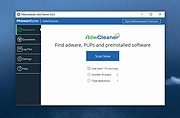 |
 |
12-Ants v6.91 12-Ants v6.91 👉 Add a swarm of animated ants to your Windows desktop for a little harmless fun. 12-Ants is a tiny freeware desktop decoration that fills your screen with animated ants crawling across the Windows desktop. The ants can interact with your mouse pointer in several ways, including attacking it, fleeing from it, reacting only when the pointer moves, or simply strolling around on their own. You can customize the number of ants displayed, their movement speed, size, color and transparency. Despite potentially putting a sizable colony on your screen, the program is designed to consume very few system resources. It is also portable, so it can be run directly from a folder or USB drive without installation. Features: • Displays animated ants crawling around the Windows desktop • Choose from five different ant movement algorithms • Ants can attack the mouse cursor • Ants can attack the cursor only when it moves • Ants can flee from the mouse cursor • Ants can flee only when the cursor moves • Ants can simply stroll around the desktop • Adjustable number of desktop ants • Adjustable ant movement speed • Adjustable ant size • Change ant colors, including red, black and green • Optional transparency • Low system resource consumption • Portable operation with no installation required • Can be carried and run from a USB drive • Installer and portable packages are available • Supports both 32-bit and 64-bit Windows Supported operating systems: • Windows 7, Windows 8, Windows 8.1, Windows 10, Windows 11 • Windows Server 2012, Windows Server 2016, Windows Server 2019, Windows Server 2022, Windows Server 2025 • 32-bit and 64-bit Windows Supported languages: German, English, French, Traditional Chinese, Korean, Greek, Italian, Spanish (Colombia), Russian, Simplified Chinese, Arabic, Romanian, Japanese, Afrikaans, Swedish, Danish, Norwegian, Dutch, Thai, Vietnamese, Hindi, Portuguese, Spanish, Spanish (Venezuela), Finnish, Bosnian/Croatian/Serbian Changes: v6.91 04-24-26 • Verification of Desktop BUGs on next MS Windows 11 Build • Small adjustments for Windows 11 • ... |
|
6,377 | Sep 03, 2026 Nenad Hrg  |
|
1by1 v2.16 1by1 v2.16 👉 Small and fast audio directory player with powerful features. 1by1 is a smart and lightweight directory-based audio player for Windows that lets you play tracks directly from folders without needing playlists or a media database. It combines file-manager-style navigation with playback features such as resume play, gapless playback, transition mixing, audio enhancing, bookmarks, cue sheet support, and file tools for organizing tracks while listening. It is also highly configurable, portable, and designed for low resource usage. Features: • Directory Player: directly plays folder contents • Resume play with track and position memory • Multi Resume for the ten recently played folders • Gapless play, transition mixing, and audio enhancing • Folder tree file navigation and Directory finder • MP3 decoding by ACM, mpglib, and BASS • BASS library support for formats such as OGG, WAV, FLAC, AAC, MP4, and CD audio • Optional 24 bit output and 32 bit audio processing • File utilities including copy, move, rename while play, delete, and date change • Scalable Big title view, Rename tool, and Folder compare tool • Cue sheet support, M3U playlist support, and bookmarks • Winamp 2.x input plugin support and WAV export • Track logging, HTTP control and streaming server • Theme presets, global hotkeys, portable operation, and low resource usage Supported operating systems: • Windows • Android • Linux with Wine Supported languages: English, German, Danish, Spanish, French, Italian, Korean, Portuguese (Brazilian), Russian, Serbian, Ukrainian, Chinese (Simplified) Changes: v2.16/v1.39 04-18-26 Windows: Binary changes (GCC build) ท Additional languages: Koeran, Serbian, French ท Better quit on other instance check ท Hang on clearing tree view fixed ท Threading issues corrected ท Some other corrections and modifications Android: Media key event handling improved Note: This file has one hit on VirusTotal. We have confirmed this to be a false positive. The file is safe. This download is for the Windows version (very bottom of page). If you need the Android version, download here. Click here to ... |
|
1,857 | Jul 26, 2026 Martin Pesch 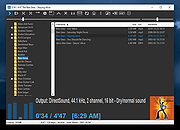 |
|
2Shoot_Dual_Intervalometer_ISO_Bracketing.zip 2Shoot Dual Intervalometer & ISO Bracketing v1.0.0 👉 A portable Windows tool for wireless interval shooting and ISO bracketing with supported Sony cameras. 2Shoot Dual Intervalometer & ISO Bracketing is a lightweight photography utility that controls supported Sony cameras from a Windows PC over Wi-Fi. It provides both an intervalometer and true ISO bracketing while keeping the interface simple and focused. Photographers can create timed shooting sequences, distribute a selected number of shots across a specified duration, or capture 3, 5, or 9 images at different ISO values while maintaining the same shutter speed and aperture. The program currently supports the Sony α1 (ILCE-1) and Sony α7 IV (ILCE-7M4), provides live camera information, works with autofocus or manual focus, and requires no traditional installation. Features: • Wireless control of supported Sony cameras over Wi-Fi • Interval Mode for setting the delay between consecutive photographs • Duration Mode for distributing a selected number of shots over a total duration • Time controls adjustable in 0.5-second steps • ISO bracketing with 3, 5, or 9-shot sequences • ISO bracket steps of 0.3 EV, 0.7 EV, or 1.0 EV • Uses the camera's current ISO as the center value of an ISO bracket • Displays the calculated ISO scale in real time • Keeps shutter speed and aperture unchanged during ISO bracketing • Automatically restores the camera's original ISO after a bracketing sequence • Supports RAW, RAW + JPG, and JPG operation • Supports autofocus and manual-focus shooting • Displays live ISO, shutter speed, and aperture information • Monitors actual shutter speed for interval timing checks • Automatically opens the destination folder after a successfully completed sequence • Automatically retries a camera connection up to two times after the initial attempt • Includes an Abort Connection control • Built-in Help and About windows • Supports Sony α1 (ILCE-1) and Sony α7 IV (ILCE-7M4) • Portable 64-bit Windows application with no traditional installer required Supported operating systems: • ... |
|
76 | Sep 20, 2026 Cristoforo Bonissone 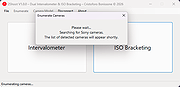 |
|
AbiWord Portable v2.9.4 AbiWord Portable v2.9.4 The portable version of the popular lightweight word processor The original free AbiWord Word Processor version 2.8.6 which still included spellchecking is also available below. AbiWord is a free word processing program similar to Microsoftฎ Word. It is suitable for a wide variety of word processing tasks. Interoperability What use is a Word Processor when you can't share your documents with your friends? AbiWord is able to read and write all industry standard document types, such as OpenOffice.org documents, Microsoft Word documents, WordPerfect documents, Rich Text Format documents, HTML web pages and many more. Advanced Document Layout Give your document that professional, scientific or fun-to-read look using AbiWord's advanced document layout options. Use tables, bullets, lists, images, footnotes, endnotes and styles to enhance the way your document looks. Internationalization Since not everyone in the world speaks the same language, AbiWord comes in many different languages. AbiWord is available in most common and many not-so-common languages. Make sure your document contains none of those nasty spelling errors by using AbiWord's built-in spelling checker. Dictionaries exist for over 30 languages. AbiWord supports right-to-left, left-to-right, and mixed-mode text. This means that in addition to supporting European languages, AbiWord supports languages like Hebrew and Arabic as well. Mail Merge Do you also hate writing tens of thousands form letters by hand? With AbiWord's Mail Merge capabilities, you can let AbiWord automate that job for you. Special fields inserted into a template document can automatically be replaced with data coming from a variety of sources, such as Relational Databases, Comma Separated Text files or Tabbed Text files. To facilitate the use of AbiWord in a server environment, a powerful command line interface to AbiWord is available. This allows you to generate form letters, print documents or convert documents to any file format AbiWord supports - all from the command line! Extensible Plugin Architecture The main AbiWord ... |
|
2,543 | Aug 27, 2024 AbiSource (Dom Lachowicz) and PortableApps.com 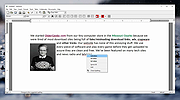 |
|
Accent Color Synchronizer v1.2.1 Accent Color Synchronizer v1.2.1 Automatically synchronize Windows accent colors across apps and system elements. Accent Color Synchronizer is a lightweight utility designed to keep your Windows accent color consistent across system components and supported applications. It monitors the current Windows accent color and applies it where needed, helping maintain a uniform and visually cohesive desktop appearance without manual tweaking. Ideal for users who frequently change themes or rely on dynamic accent colors, Accent Color Synchronizer ensures that supported UI elements remain in sync with the system’s current color selection. Features: • Automatically detects the current Windows accent color • Synchronizes accent color across supported apps and UI elements • Lightweight and portable design • Simple interface with minimal configuration required • Designed to work seamlessly in the background Supported operating systems: • Windows 10 Supported languages: • English Changes: v1.2.1 It is now possible to configure the program to keep changes made to its settings (whether or not the advanced mode is enabled, custom color brightness, etc.) By default, the application now uses your exact accent color as it appears in the Settings app instead of the title bar color which is often slightly different. This change can be reverted in the application options; Fixed a bug that caused the About dialog box to unexpectedly appear in specific scenarios; When a modal dialog is opened (eg. the about dialog) while the application's main window is not visible, the modal dialog no longer appears in the top-left corner of the screen. Click here to visit the author's website. |
|
6,366 | Feb 15, 2026 Maxime Denis  |
|
AllThreadsView v1.00 AllThreadsView v1.00 👉 View all running Windows threads from every process in one table. AllThreadsView is a lightweight portable utility from NirSoft that displays every running thread from every active process on your Windows computer in a single, continuously updated list. Instead of examining one process at a time, you can instantly see detailed information for all system and application threads, making it much easier to troubleshoot performance problems, investigate application behavior, or inspect low-level process activity. Features: • Displays all running threads from every active process • Shows Thread ID, Process ID, Process Name and Process Path • Displays thread creation time, duration, kernel time and user time • Shows thread priority, base priority and wait reason • Displays the thread start address • Automatically refreshes the thread list • Option to display only active threads • Export selected or all items to TXT, CSV, HTML, XML and JSON • Portable application requiring no installation Supported operating systems: • Windows XP, Windows Vista, Windows 7, Windows 8, Windows 10 • Windows 11 • 32-bit and 64-bit editions Supported languages: English, Arabic, Basque, Bulgarian, Catalan, Czech, Danish, Dutch, Finnish, French, German, Greek, Hungarian, Italian, Japanese, Korean, Persian, Polish, Portuguese, Portuguese (Brazil), Romanian, Russian, Simplified Chinese, Slovak, Slovenian, Spanish, Swedish, Traditional Chinese, Turkish, Ukrainian Changes: v1.00 06-28-26 • First release. This download is for the Windows 64bit version (very bottom of page). If you need the Windows 32bit version, download here. Click here to visit the author's website. |
|
4,619 | Jun 29, 2026 Nir Sofer 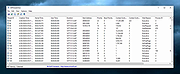 |
|
AlternateStreamView v1.58 AlternateStreamView v1.58 👉 View, copy, export and delete hidden NTFS alternate data streams. AlternateStreamView is a small utility that scans NTFS drives or folders and finds hidden alternate streams stored in the file system. After scanning, you can extract streams to a selected folder, delete unwanted streams, or save the stream list as text, HTML, CSV or XML. Features: • Scan NTFS drives or folders for hidden alternate data streams • View stream name, file name, stream size and related file details • Export selected streams to a folder • Delete unwanted alternate streams • Save results as TXT, HTML, CSV, XML and other report formats • Scan subfolders with optional folder-depth control • Supports file wildcard filtering • Explorer context menu option for checking a single file • Command-line options for scanning and exporting results • Portable utility with no installation required Supported operating systems: • Windows 2000 through Windows 11 • 32-bit and 64-bit systems Supported languages: Arabic, Brazilian Portuguese, Czech, Dutch, Finnish, French, German, Greek, Hungarian, Italian, Japanese, Persian, Polish, Romanian, Russian, Simplified Chinese, Slovak, Spanish, Traditional Chinese, Turkish, Ukrainian, Valencian Changes: v1.58 Updated to stop the file system scan when you press the Esc key. This download is for the Windows 64bit version (very bottom of page). If you need the Windows 32bit version, download here. Click here to visit the author's website. |
|
10,318 | Jun 04, 2026 Nir Sofer 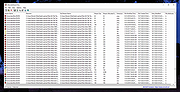 |
 |
Antivirus Live CD v52.0-1.5.2 Antivirus Live CD v52.0-1.5.2 👉 A 4MLinux fork including the ClamAV scanner. It's designed for users who need a lightweight live CD, which will help them to protect their computers against viruses. Ethernet, WiFi, PPP and PPPoE are supported by Antivirus Live CD to enable automatic updates of its virus signature databases. All partitions are mounted during the boot process so that they can be scanned by ClamAV. The Antivirus Live CD ISO images are fully compatible with UNetbootin, which can be used to create an easy-to-use Antivirus Live USB. Features: • Lightweight bootable antivirus rescue environment based on 4MLinux • Includes the ClamAV antivirus engine • Scans all mounted disk partitions automatically • Updates virus signature databases over the Internet • Supports Ethernet, Wi-Fi, PPP, and PPPoE network connections • Boots from CD, DVD, or USB flash drive • Fully compatible with UNetbootin for creating bootable USB media • Command-line interface optimized for malware removal and system recovery • Supports a wide range of Windows and Linux file systems • Ideal for scanning systems that cannot boot normally • Small download size with low system requirements • Includes essential Linux utilities for file management and troubleshooting Supported operating systems: • Windows XP, Windows Vista, Windows 7, Windows 8, Windows 8.1, Windows 10, Windows 11 • Linux distributions with supported file systems (btrfs, ext2, ext3, ext4, f2fs, FAT16, FAT32, HFS, HFS+, JFS, NILFS2, NTFS, ReiserFS, Reiser4, XFS) Supported languages: • English Changes: v51.0-1.5.1 02-08-26 • Updated to 4MLinux 51.0 BETA. • Updated ClamAV to v1.5.1. Click here to visit the author's website. |
|
8,997 | Aug 06, 2026 zk1234 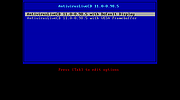 |
|
Antivirus Removal Tool v2026.02 Antivirus Removal Tool v2026.02 👉 Detects and helps completely remove leftover files from antivirus and security software. Antivirus Removal Tool is a portable utility designed to identify and assist with the complete removal of antivirus and security software remnants that standard uninstallers often leave behind. Many security programs integrate deeply into Windows and may leave drivers, services, and registry entries behind after removal. These leftovers can cause conflicts when installing new antivirus products or reduce system performance. Antivirus Removal Tool scans your system for traces of dozens of antivirus and security products and provides direct access to the official cleanup utilities provided by the vendors themselves. It can detect installed or previously installed security software and guide users through safely removing all remaining components. The program features a clean interface that lists detected security products and offers links to the official vendor removal tools when available. Because it relies on the original cleanup utilities from the developers, the removal process is safer and more reliable than attempting manual cleanup. The tool is portable and does not require installation, making it convenient for technicians and advanced users who need to troubleshoot antivirus conflicts or prepare systems for a fresh security installation. Features: • Detects installed and previously installed antivirus and security software • Provides direct links to official vendor removal tools • Helps eliminate leftover drivers, services, and registry entries • Portable application that requires no installation • Useful for resolving conflicts when switching antivirus products • Displays detailed system and security software information • Regularly updated database of antivirus vendors and cleanup utilities Supported operating systems: • Windows 7, Windows 8, Windows 10, Windows 11 Supported languages: English Changes: v2026.02 02-06-26 Database updated. Improved detection of security products. Minor interface improvements and fixes. Note: This file download may be blocked by your web browser or anti-virus software because it has antivirus removal software embedded in it. This is something a virus ... |
|
11,322 | Mar 04, 2026 Alex C. 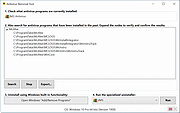 |
|
AnyBurn Free v6.9 AnyBurn Free v6.9 👉 Lightweight disc burning, imaging, and bootable USB drive creation software. AnyBurn is a lightweight but professional disc burning, imaging, and bootable USB drive creation program. It provides tools to burn data discs, create Audio CD and MP3 CD discs, rip Audio CDs, create and manage image files, browse and extract image contents, test disc surfaces, view drive and disc information, and create bootable USB drives. This portable edition is fully functional, does not require installation, and can be extracted and run directly or placed on a USB drive. Features: • Burn image files to CD, DVD, and Blu-ray discs • Burn data discs • Append data to discs to create multisession discs • Support on-the-fly burning • Create Audio CDs from MP3, M4A, FLAC, OGG, APE, WMA, and WAV files • Create MP3 CD and DVD discs • Copy discs to image files • Copy one disc directly to another • Rip Audio CDs to MP3, FLAC, OGG, APE, WAV, and WMA files • Convert disc image file formats • Create new image files • Edit existing image files • Browse and extract files from image files • Test disc surfaces • View optical drive and disc information • Create bootable USB drives • Create bootable USB drives from ISO and supported compressed files • Run without installation from a folder or USB drive Supported operating systems: • Windows 11, Windows 10, Windows 8 / 8.1, Windows 7, Windows Vista, Windows 2008, Windows 2003, Windows XP, Windows 2000 Supported languages: • Arabic, Bulgarian, Croatian, Czech, Danish, Dutch, English, English UK, Finnish, French, German, Greek, Hungarian, Indonesian, Italian, Japanese, Korean, Polish, Portuguese (Brazil), Portuguese (Portugal), Romanian, Russian, Simplified Chinese, Slovenian, Spanish, Swedish, Traditional Chinese, Turkish, Ukrainian Changes: v6.9 07-28-26 Some minor bug fixes and enhancements. Note: This file has one hit on VirusTotal. We have confirmed this to be a false positive. The file is safe. Click here to visit the author's website. |
|
13,979 | Aug 26, 2026 Power Software Ltd. 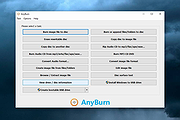 |
|
Apache OpenOffice Portable v4.1.16 Apache OpenOffice Portable v4.1.16 👉 A complete portable office suite for documents, spreadsheets, presentations, drawings, databases and more. Apache OpenOffice Portable is the full-featured Apache OpenOffice productivity suite packaged by PortableApps.com to run from a USB flash drive, portable hard drive, cloud folder or local directory without a traditional installation. It includes applications for word processing, spreadsheets, presentations, diagrams and drawings, databases and mathematical formulas, while keeping your settings and documents portable between Windows computers. The suite is free and open source and supports many common office document formats, including Microsoft Office, WordPerfect and Lotus formats. Features: • Writer for creating and editing letters, reports, books and other text documents • Calc for spreadsheets, calculations and data analysis • Impress for creating multimedia presentations and slide shows • Draw for diagrams, illustrations and other vector graphics • Base for working with databases • Math for creating mathematical equations and formulas • Compatible with Microsoft Office, WordPerfect, Lotus and other common office document formats • Export documents directly to PDF • Supports extensions for adding additional functionality • Includes spelling and language tools • Supports Java-dependent OpenOffice features when a compatible portable Java environment is available • Runs from removable drives, cloud storage or a local folder without a traditional Windows installation • Keeps application settings with the portable installation for use on multiple computers • Includes individual portable launchers for the OpenOffice applications • Integrates with the PortableApps.com Platform, including its menu, updater and backup utility • Supports installing newer portable releases over an existing copy while preserving settings Supported operating systems: • Windows XP, Windows Vista, Windows 7, Windows 8, Windows 10, Windows 11 Supported languages: Standard portable package: English (US), English (UK), Chinese (Simplified), Chinese (Traditional), French, German, Italian, Japanese, Korean, Portuguese (Brazilian), Portuguese (Portugal), Russian, Spanish. The Multilingual-All download includes the additional languages supported by the portable package. PortableApps.com notes that some Apache OpenOffice locales cannot be included because ... |
|
4,421 | Aug 30, 2026 Apache OpenOffice Team & PortableApps.com 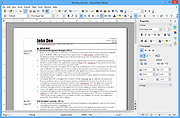 |
|
AppCrashView v1.35 AppCrashView v1.35 👉 View application crash reports from Windows Error Reporting files. AppCrashView is a small NirSoft utility that displays details of application crashes stored in Windows Error Reporting .wer files. It shows crash information in a two-pane window, with the crash list on top and the selected crash report contents below. Crash lists can be saved to text, CSV, HTML, or XML files, or copied to the clipboard for use in Excel or another spreadsheet program. Features: • Displays application crash details from Windows Error Reporting .wer files • Two-pane interface shows crash list and full selected crash report • Save crash lists as text, tab-delimited, CSV, HTML, or XML • Copy selected crash information to the clipboard • Quick Filter support for instantly narrowing crash results • Open report file folder or process folder • Delete selected reports • Run as administrator option • Command-line export options • No installation required Supported operating systems: • Windows Vista, Windows 7, Windows Server 2008, Windows 8, Windows 10 Supported languages: English, Brazilian Portuguese, Danish, Dutch, French, German, Greek, Hungarian, Italian, Japanese, Korean, Persian, Polish, Romanian, Russian, Simplified Chinese, Slovak, Spanish, Swedish, Traditional Chinese, Valencian Changes: v1.35 Added 'Quick Filter' feature (View -> Use Quick Filter or Ctrl+Q). When turned on, you can type a string in the text box under the toolbar and AppCrashView will instantly filter the application crashes list, showing only lines that contain the string you typed. Click here to visit the author's website. |
|
6,225 | Jun 14, 2026 Nir Sofer 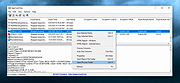 |
 |
AppNetworkCounter v1.61 AppNetworkCounter v1.61 👉 View network usage and bandwidth for every application on Windows. AppNetworkCounter is a simple Windows utility that counts and displays TCP/UDP bytes and packets sent and received by every application on your system. It shows received bytes, sent bytes, receive speed, send speed, IPv4 and IPv6 traffic totals, packet counts, and application version details such as product name, product version, file description, and company name. Features: • Displays network usage per application • Shows sent and received TCP/UDP bytes • Shows sent and received packet counts • Displays receive and send speeds • Tracks IPv4 and IPv6 traffic separately • Shows maximum and average receive/send speeds • Includes first and last activity time columns • Can group results by application name or process ID • Option to hide inactive items • Option to show a total line for all applications • Tray icon support • Export reports to text, CSV, HTML, XML, and JSON • Command-line report saving options • Portable; no installation required Supported operating systems: • Windows XP, Windows Vista, Windows 7, Windows 8, Windows 10, Windows 11 • 32-bit and 64-bit Windows supported • Administrator elevation required on Windows Vista and later Supported languages: English, Arabic, Brazilian Portuguese, Czech, Dutch, French, German, Greek, Hungarian, Italian, Japanese, Persian, Polish, Romanian, Russian, Simplified Chinese, Slovak, Spanish, Traditional Chinese, Turkish Changes: v1.61 08-23-26 Added 'Process Command-Line' column, which displays the full command-line string of every process (Only when the 'Group By' option is 'Process ID'). Added 'Keep Selected Item Visible' option. When it's turned on, the selected item always remains visible. 👉 This download is for the Windows 64bit version (very bottom of page). All other download assets are below: Other Windows: appnetworkcounter.zip (32bit) Click here to visit the author's website. |
|
6,272 | Oct 13, 2026 Nir Sofer 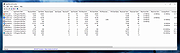 |
|
ArsClip v5.46 ArsClip v5.46 👉 A highly configurable clipboard manager for tracking, organizing, and automating copied content. ArsClip is a freeware clipboard manager utility that monitors the clipboard and keeps track of entries for later pasting. It can display saved clips through a triggered popup window, and it has grown from a simple clipboard helper into a feature-rich tool that specializes in copy-and-paste automation tasks. ArsClip also includes Delphi XE2 source code. Features: • Permanent Clips and Macros for copy-and-paste automation • Supports picture, RichText, file copy, Unicode, and HTML clip types • Triggered popup window for quick pasting • Can be triggered by hotkey, holding right-click, a special trigger window, and other methods • Highly configurable behavior and display options • Optional Clipboard Bar for clipboard viewing • Optional Global Clipboard for sharing clips with other Windows and Android devices • Win7 Jumplist support • Optional setup program included, with portable-style use also supported Supported operating systems: • Windows XP, Windows Vista, Windows 7, Windows 8, Windows 8.1, Windows 10 Supported languages: • English Changes: v5.46 06-18-26 (Window: Configuration) New: added "Program Center" option for Popup placement (Window: Edit Permanent Clip) New: updated the CLIPBOARDFIND macro to support \uXXXX escape for Unicode characters New: updated to support new JavaScript "deletePopupClip(int)" function (Window: Popup) New: if the first menu item is a Clipset Header, highlight the next item when first showing the Popup New: icon shown on current Permanent Clips with Global Hotkeys New: hotkey shown on hover for current Permanent Clips Fix: issue scaling small pictures for Popup Clips Fix: issue when using a Modkey+Click, where the action may simulate keystrokes (Window: Edit Clips/Macros) Fix: "Destroy Selected" not working for all selected clips (Misc) Fix: issues when restarting Windows Note: This file has two hits on VirusTotal. We have confirmed these to be false positives. The file is safe. Click here to visit the author's website. |
|
6,581 | Jun 21, 2026 joejoesoft.com 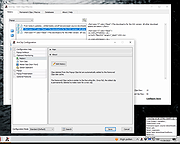 |
|
Atomic Tanks Portable v6.6 Atomic Tanks Portable v6.6 Turn-based tank battle game. Annihilate the other tanks to earn money, then spend it on bigger and better shields and weapons to wipe out the opposition. Features • a wide array of weapons • AI players • destructible landscape • weather • parachutes • teleports • wide range of other features Click here to visit the author's website. |
|
4,210 | Mar 21, 2023 Atomic Tanks Team & PortableApps.com (Simeon)  |
|
AV block remover (AVbr) v4 AV block remover (AVbr) v4 👉 A free malware-removal and system-repair tool designed to restore computers whose security software and Windows functions have been blocked by malware. AV block remover (AVbr) is a free utility designed to help clean Windows computers infected with malware that interferes with antivirus programs, security utilities and normal system operation. AVbr automates a collection of diagnostic and remediation procedures and uses Oleg Zaitsev's AVZ antivirus utility as part of its operation. It can help remove malware, restore Windows settings altered by malicious software, remove malicious policies and restrictions, and address infections that deliberately prevent security programs from running. Features: • Designed to remove active malware and repair changes made to Windows by malicious software • Helps when malware blocks antivirus and other security programs • Performs automated system diagnostics and remediation • Uses the AVZ antivirus utility during its malware detection and cleanup procedures • Includes AVZ Toolkit • Searches for malicious and suspicious system activity • Helps detect and remove malware that interferes with normal Windows operation • Removes malicious system policies and restrictions • Helps restore system settings modified by malware • Can assist with infections that prevent security and diagnostic utilities from launching • Generates diagnostic information that can be used when investigating an infected computer • Portable utility that does not require conventional installation Supported operating systems: Windows Vista, Windows 7, Windows 8, Windows 8.1, Windows 10, Windows 11 Supported languages: English, Russian Changes: v4 and AVZ Toolkit v6.12, dated 08-31-26 Now helps in the case of blocking antivirus signatures through systemic equipment. Added removal of the start-up of antivirus start-up, added by CertLock viruses blocking... Complementary functionality 1) AppLocker policy check and reset if working policies are found. 2)... Update 1) Check the existence of the Hosts file added. If it is not, it creates a pure Hosts... Note: This file has two hits on VirusTotal. We have confirmed these to be false positives. The file ... |
|
249 | Sep 01, 2026 safezone.cc / Oleg Zaitsev 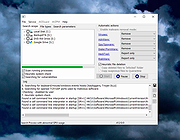 |
|
BabelMap Portable v16.0.0.3 BabelMap Portable v16.0.0.3 Unicode Character Map and Browser for Windows BabelMap is a free character map application for Windows developed by Andrew West that allows you to browse through the entire Unicode character repertoire of nearly 155,000 characters, or search for a particular character by name or by code point. Characters can then be copied to the clipboard for use in any Unicode-aware application. It also provides many useful features and special utilities. BabelMap was first released in 2002 (Unicode 3.2), and is updated for each new release of the Unicode Standard. The current version supports Unicode 16.0 which was released on 10 September 2024. Summary of Features These are some of the key features of BabelMap. For more information see the BabelPad Help pages. • Browse through the entire Unicode code space block by block and character by character. • Tabbed display for Unicode planes (BMP, SMP, SIP, TIP, SSP, SPUA-A, SPUA-B), with options to display unassigned planes 4 through 13, and show unassigned ranges within assigned planes. • Display all characters using a single font, or define a composite font with different fonts used to display different Unicode blocks. • Two rendering modes: Glyph mode renders characters as individual glyphs, with no shaping or joining behaviour, and glyphs laid out in logical order; Text mode uses the standard Windows rendering system to render characters with appropriate shaping and joining behaviour, and with appropriate directional layout (NB shaping and joining support for particular scripts may vary depending upon the version of Windows BabelMap is run on). • Supports polychromatic glyphs with COLR/CPAL format fonts. Check the "Colour Glyphs" checkbox below the edit buffer to enable display of polychromatic glyphs for single characters and characters sequences where supported by ... |
|
4,538 | Oct 10, 2024 Andrew West & PortableApps.com 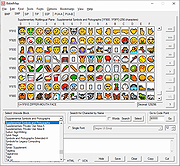 |
|
Background Generator v1.1.0 Background Generator v1.1.0 👉 Create custom backgrounds quickly and easily. Background Generator is a desktop application that allows users to create custom backgrounds for their projects. It provides a simple and straightforward interface designed to generate backgrounds without the need for complex design software. The program is intended for users who want to quickly create visually appealing backgrounds for use in websites, presentations, graphics, or other creative work. With its focused design and ease of use, Background Generator makes background creation accessible to users of all experience levels. Features: • Creates large material and random background images • High resolution output in PNG and JPG formats • Includes 7 background generating programs (including Colorful and Graphics generators) • Portable ZIP version available Supported operating systems: • Windows 7, Windows 8, Windows 10 (32/64) and later Supported languages: English, Fran็ais, Deutsch, Italiano, Espa๑ol, Dutch, Portugu๊s, Polski, 简体中文, 繁體中文, 日本語, 한국어 Click here to visit the author's website. |
|
4,542 | Jun 27, 2026 BgGenerator.com 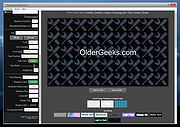 |
|
balenaEtcher v2.1.6 balenaEtcher v2.1.6 👉 Flash operating system images to USB drives and SD cards safely and easily. balenaEtcher is a free, open-source utility designed to write operating system images to USB flash drives and SD cards with a simple, streamlined interface. Whether you're creating bootable media for Linux distributions, Raspberry Pi operating systems, recovery environments, or other disk images, balenaEtcher minimizes the risk of selecting the wrong drive through built-in safety checks. It also validates written images after flashing to help ensure the media was created successfully, making it a reliable choice for beginners and experienced users alike. Features: • Flash ISO, IMG, ZIP, BZ2, GZ, XZ, DMG, and other supported image formats directly to USB drives and SD cards. • Simple three-step workflow: Select image, choose target drive, and flash. • Automatically validates written images to verify successful flashing. • Helps prevent accidental overwriting of system drives by hiding unsafe targets. • Supports flashing compressed images without requiring manual extraction. • Cross-platform interface with a consistent experience across Windows, macOS, and Linux. • Open source under the Apache 2.0 license. • Suitable for creating bootable media for Linux distributions, Raspberry Pi, recovery tools, and other operating system images. Supported operating systems: • Windows 10, Windows 11 • macOS 10.13 High Sierra or later (Intel and Apple Silicon) • Linux (64-bit Debian, Ubuntu, Fedora, RHEL, Arch, Manjaro, and most modern x64 distributions) Supported languages: English Changes: v2.1.6 05-13-26 • Fixed macOS x86 builds by switching to the macOS 14 Large GitHub Actions runner. This download is for the Windows version (very bottom of page). All other download assets are below: macOS: balenaEtcher-2.1.6-x64.dmg balenaEtcher-2.1.6-arm64.dmg Linux: balenaEtcher-linux-x64-2.1.6.zip balenaEtcher-1.7.9-ia32.AppImage (Legacy 32bit) Click here to visit the author's website. |
|
5,882 | Aug 06, 2026 balena 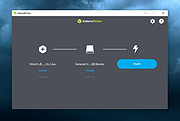 |
|
BatEx v1.0.1 BatEx v1.0.1 👉 Turn Windows batch scripts into EXE applications. BatEx is a modern Windows desktop app that converts .bat and .cmd scripts into runnable .exe applications. You can drop an existing batch or command script into the app, or write a new script directly inside BatEx, then choose output options such as folder, icon, metadata, admin mode, console mode, platform, and more. Features: • Convert .bat and .cmd files to .exe • Write scripts directly inside the app • Modern WinUI 3 interface • Drag and drop support • Show or hide the console window • Run generated EXE as administrator • Add a custom .ico icon • Add file metadata including description, product name, company name, copyright, version, internal name, and original filename • Choose target platform: x64, x86, or AnyCPU • Optional script obfuscation • Conversion history • Auto-open output folder after build Supported operating systems: • Windows 10, Windows 11 Supported languages: English Changes: v1.0.1 05-22-26 You can now add more files that your script needs into the new exe! Fixed script editor issues Now the software checks for updates Note: This file has one hit on VirusTotal. We have confirmed this to be a false positive. The file is safe. Click here to visit the author's website. |
|
632 | May 22, 2026 The Yali 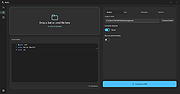 |
|
BATExpert v1.14.5.27 BATExpert v1.14.5.27 Monitor and evaluate the health of your laptop battery. BATExpert gives you a crystal-clear vision of your laptop battery health status right at your fingertips. Designed specifically for notebook and laptop computers, it displays important battery information in a simple interface and helps you monitor battery condition, usage, and performance. BATExpert decodes battery manufacturer information and provides real-time details about charge status, current power usage, battery chemistry, and other useful metrics. The program can also estimate the remaining time before a low-battery warning occurs and recommends a battery upgrade when appropriate. Features: • Clear laptop battery manufacturer data decoding • Displays current charge status • Shows current usage and charge rate • Displays battery type (chemistry) • Displays battery temperature when available • Estimates time remaining before low-level warning • User-friendly interface • Internationalization support • Battery upgrade recommendations when appropriate Supported operating systems: • Windows XP, Windows Vista, Windows 7, Windows 8, Windows 8.1, Windows 10, Windows 11 Supported languages: • English Changes: v1.14.5.27 04-23-23 • Updated ICS library to v8.70 • Updated OpenSSL to v3.1.0 • Added ReactOS detection in logs • Improved Windows Server 2003 detection Click here to visit the author's website. |
|
10,983 | Jun 05, 2026 KC Softwares 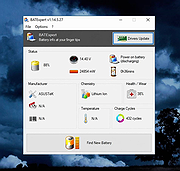 |
|
BCTextEncoder v1.03.2.2 BCTextEncoder v1.03.2.2 👉 Encrypt and decrypt sensitive text messages with strong password or public key encryption. BCTextEncoder is a free, portable text encryption utility from Jetico that allows you to securely encode and decode sensitive text for emails, chat messages, notes, and other private communications. It compresses, encrypts, and converts plain text into an encoded text format that can be safely shared or stored. Because it runs without installation, BCTextEncoder can be used from virtually any Windows computer without leaving software installed behind. BCTextEncoder supports both password-based encryption and public key encryption. Users can generate or import PKCS-12/X.509 public and private key pairs using the included BestCrypt Key Manager, making it easy to exchange encrypted messages without sharing passwords. Encoded text can be copied directly to the clipboard, saved as a text file, or shared through your preferred communication method. Features: • Encrypt and decrypt plain text messages • Password-based encryption for secure text protection • Public key encryption using PKCS-12/X.509 key pairs • Generate or import public/private encryption keys • Compresses text before encryption • Portable application requiring no installation • Copy encrypted or decrypted text directly to the clipboard • Save encoded text as a text file • Lightweight and easy-to-use interface • Suitable for emails, instant messages, notes, and other confidential text Supported operating systems: • Windows XP, Windows Vista, Windows 7, Windows 8, Windows 10, Windows 11, Windows Server 2003, Windows Server 2008 (32-bit and 64-bit where supported) Supported languages: • English Changes: v1.03.2.2 • Not provided. Click here to visit the author's website. |
|
9,697 | Jul 07, 2026 Jetico Inc. 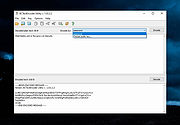 |
|
Bean Network Tester v0.8.0 Bean Network Tester v0.8.0 👉 Simulate slow, unreliable, or broken network conditions on Windows to test how applications respond. Bean Network Tester is a free and open-source network testing and emulation tool for Windows designed for software testers, developers, QA professionals, and power users. It deliberately introduces poor network conditions such as latency, jitter, packet loss, bandwidth restrictions, connection resets, outages, and other problems so you can see how an application behaves when its connection is less than perfect. Traffic can be targeted by process name, PID, IP address, port, or address family, allowing one application to be tested without necessarily disrupting the rest of the computer. The program uses the WinDivert driver to intercept and manipulate network traffic and provides both a graphical interface and a command-line interface suitable for scripts and CI/CD testing. Along with network impairment, it includes live statistics, throughput monitoring, a searchable connections table, event logging, configurable profiles and presets, reproducible seeded tests, CSV exports, and reproduction reports. Bean Network Tester is portable, requires administrator privileges to manipulate network traffic, and contains no telemetry or update-checking network client. It is released under the GNU General Public License v3.0. Features: • Add fixed or random network latency and jitter • Introduce latency spikes to simulate unstable connections and packet reordering • Drop packets randomly or in bursts to reproduce real-world wireless network failures • Corrupt or duplicate packets • Limit download and upload bandwidth in KB/s • Simulate network buffering and queuing delays • Tear down existing TCP connections using TCP resets • Prevent new connections from being established • Simulate a completely dead network link • Flap the connection on and off to reproduce intermittent outages • Simulate MTU black holes and NAT-style idle timeouts • Block selected IP addresses or ports with the built-in firewall controls • LAN mode allows local network traffic while blocking Internet access • Internet-only mode blocks ... |
|
120 | Oct 08, 2026 DonislawDev  |
|
BES – Battle Encoder Shiras้ v1.8.0.39 BES – Battle Encoder Shiras้ v1.8.0.39 👉 Limit CPU usage of individual processes to improve system responsiveness and reduce game stuttering. BES – Battle Encoder Shiras้ is a lightweight, portable open-source utility that allows you to throttle the CPU usage of individual processes. Instead of allowing a program to consume 100% of your processor time, BES can reduce its CPU usage to a user-defined percentage, making it easier to use other applications while demanding tasks continue running in the background. Originally created as a simple CPU-limiting tool, BES has become popular with gamers and power users for reducing stuttering, preventing certain games from monopolizing CPU resources, and improving responsiveness on older or lower-core-count systems. It requires no installation, stores its settings locally, and can be run directly from any folder or USB drive. Features: • Limit CPU usage for individual processes • Adjustable throttling percentage • Portable with no installation required • Monitor and manage multiple target processes • Watch processes and automatically reapply limits • Command-line support for automation • Optional background image customization • Low resource usage • Open source under the GNU GPL v2 license • Useful for reducing game stutters and improving multitasking Supported operating systems: • Windows XP, Windows Vista, Windows 7, Windows 8, Windows 8.1, Windows 10, Windows 11 Supported languages: • English, French, Japanese, Finnish, Chinese, Russian, German Changes: v1.8.0.39 03-30-25 • Increased the maximum number of watched targets from 8 to 32. Click here to visit the author's website. |
|
4,952 | Jun 26, 2026 mion 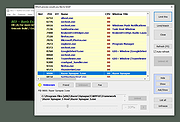 |
|
Better Windows Services v0.4.0 Better Windows Services v0.4.0 👉 Search, manage, and audit Windows services with a desktop app or command line tool. Better Windows Services gives administrators a searchable view of the local machine’s services and drivers. Its desktop app and command line tool use the same query language, so a search such as start:auto !status:running can find services set to start automatically that are currently stopped. Before starting, stopping, restarting, or changing a service’s startup type, the program shows a plan of the steps it will take, including affected dependent services. The command line can also save a snapshot of service settings and compare it with another snapshot or the live machine. The comparison separates configuration changes from ordinary changes in running state. Snapshots are available through the command line, not the desktop app. Features: • Search services and drivers by name, status, startup type, account, file, signature, publisher, dependencies, and other fields. • Preview service actions and their effects on dependent services before applying them. • Start, stop, restart, and change the startup type of services. • Offer a force stop that first requests a normal stop, then ends the process if necessary, with other services sharing that process identified in the preview. • Show details including triggers, required privileges, security descriptors, process information, and file signatures. • Export service lists from the desktop app. • Create and compare JSON snapshots with the command line tool to identify service configuration changes. • Provide JSON command output and exit codes for scripts. Supported operating systems: • Windows 10 version 1809 or later 64-bit, Windows Server 2019 or later 64-bit Supported languages: English Changes: v0.4.0 10-07-26 CHANGELOGBWS.txt Note: The GUI and CLI come in separate portable ZIP files. They include their own .NET runtime and work offline. Administrator rights are needed to make changes; viewing services without elevation may show fewer entries. 👉 This download is for the Windows 64bit GUI version (very bottom of page). All other download assets are below: Other ... |
|
143 | Oct 08, 2026 DonislawDev 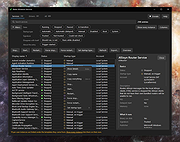 |
|
Betterbird v153.3.0esr-bb9 Betterbird v153.3.0esr-bb9 👉 Fine-tuned Thunderbird-based email client with exclusive features, fixes, and productivity improvements. Betterbird is a soft fork of Mozilla Thunderbird that adds exclusive features, bug fixes, and usability improvements while maintaining compatibility with Thunderbird. It can be installed alongside Thunderbird and can use the same profile, making it easy to switch between the two. Betterbird improves everyday email management with features including multi-line message view, full account colors, advanced searching, regular expression searches, searching encrypted messages, improved system tray integration, attachment handling, calendar and feed improvements, and numerous fixes not yet available in Thunderbird. Features: • Fine-tuned Mozilla Thunderbird-based email client • Multi-line message view similar to Outlook, Lotus Notes and Postbox • Full account colors support • Vertical tabs • Attachments displayed on top • Complex search terms • Regular expression searching • Search within encrypted messages • Improved Windows and Linux system tray integration • Minimize to tray and close to tray support • Can be installed alongside Thunderbird • Can use the same profile as Thunderbird • Advanced message and folder management • Improved calendar functionality • Improved feed handling • Enhanced compose and attachment handling • Windows portable version available • Native builds for Windows, Linux and macOS • Intel and Apple Silicon macOS builds available • Language packs work across all supported platforms Supported operating systems: • Windows 10 64-bit, Windows 11 64-bit • Linux Mint 22, Ubuntu 22, Debian 12 Bookworm, compatible 64-bit Linux distributions with GLIBC 2.35 or newer • Linux ARM64 distributions with GLIBC 2.36 or newer • macOS Catalina or higher on Intel x86-64 processors • macOS Catalina or higher on Apple Silicon ARM64 processors, including macOS Ventura, macOS Sonoma 14, macOS Sequoia 15 and later Supported languages: • English (US), English (GB), German, Dutch, French, Italian, Japanese, Spanish (Spain), Portuguese (Brazil), Portuguese (Portugal), Russian, Chinese (Simplified), Czech, Polish, Swedish, Ukrainian Changes: v153.3.0esr-bb9 09-16-26 Based on Thunderbird 153.3.0esr. CHANGED - Linux: Restore the main window to its previous position after the next start CHANGED ... |
|
3,980 | Sep 18, 2026 betterbird.eu & Jorg Knobloch 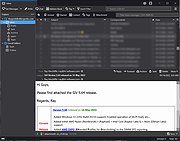 |
|
Blank And Secure v8.44 Blank And Secure v8.44 👉 Securely delete files to prevent recovery. Blank And Secure is a small, portable tool designed to securely delete files so they cannot be recovered by any data recovery software. It overwrites selected files multiple times using different patterns, ensuring that sensitive data is permanently erased. The program is lightweight, requires no installation, and is ideal for users who want a quick and reliable way to securely remove confidential files. Features: • Secure file deletion with multiple overwrite passes • Prevents recovery by standard and advanced recovery tools • Adjustable overwrite count for customizable security • Drag-and-drop support for quick file handling • Portable, no installation required • Very small footprint and low system resource usage • Simple and user-friendly interface Supported operating systems: • Windows 7, Windows 8, Windows 10, Windows 11 Supported languages: German, English, Russian, Dutch, Romanian, Swedish, French, Italian, Turkish, Arabic, Spanish, Bulgarian, Greek, Portuguese (Brazil), Chinese Simplified, Czech, Korean, Chinese Traditional, Polish, Thai, Indonesian, Japanese, Hungarian, Norwegian, Portuguese, Danish, Irish, Vietnamese, Spanish (Venezuela), Hebrew, Malay, Filipino, Finnish, Afrikaans, Bosnian, Ukrainian Changes: v8.44 08-27-2026 • BlankAndSecure language file update • Minor fine-tuning in BlankAndSecure for all Windows operating systems This download is for the Windows 64bit version (very bottom of page). All other download assets are below: Other Windows: BlankAndSecure.zip (32bit) BlankAndSecure_Win98.zip (Windows 98) Click here to visit the author's website. |
|
7,380 | Sep 07, 2026 Nenad Hrg 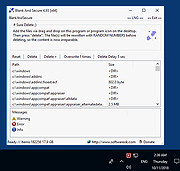 |
|
BoostPing v1.7.2 BoostPing v1.7.2 👉 Makes your online games feel snappier. BoostPing analyzes your active network and applies gaming-focused network tweaks, including changing the network throttling index and disabling the Nagle algorithm. Features: • Analyzes and configures the active network • Changes the network throttling index • Disables the Nagle algorithm • Portable, no installation required • Freeware for office, home, government office and school use Supported operating systems: • Windows 10, Windows 11 Supported languages: English, German, Esperanto, French, Italian, Japanese, Polish, Portuguese, Russian, Slovak, Swedish, Thai, Turkish, Vietnamese, Chinese Changes: v1.7.2 09-16-26 Fixed an issue where some users could lose their previous settings after stopping optimization Improved restoration to keep unselected settings unchanged Improved reliability so remaining changes can be reverted after an unsuccessful setup Improved compatibility for safely stopping optimization started in previous versions Note: This file has one hit on VirusTotal. We have confirmed this to be a false positive. The file is safe. Click here to visit the author's website. |
|
1,252 | Oct 05, 2026 kilho.net 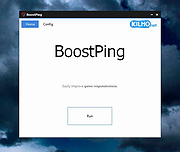 |
|
Borderless v1.0.4.0 Borderless v1.0.4.0 👉 Automatically control borderless, fullscreen, and custom window layouts in Windows. Borderless is a free, open-source Windows utility that automatically applies and maintains customized window layouts for games and applications. Create rules that identify programs by their window title, executable name, or both, and Borderless automatically applies your chosen settings whenever a matching window appears. Despite its name, Borderless does considerably more than simply remove window borders. Rules can maximize a window to its current monitor, position and resize it to custom dimensions, keep it always on top, control the mouse cursor, remove standard window menus, and mute a program when it loses focus. This can be particularly useful with games that lack a proper borderless-windowed mode, older software that doesn't remember its window position, and programs you always want opened on a particular part of the screen. Features: • Automatically applies window rules to games and applications • Converts matching windows to a borderless layout • Matches applications using window titles, executable names, or both • Supports regular expressions for flexible window-title matching • Includes a live process picker for quickly selecting running applications • Reapplies selected window settings while Borderless is running • Prevents applications from simply restoring borders after they are removed • Maximizes windows to the current monitor • Supports custom window positions and dimensions • Keeps selected windows always on top • Locks the mouse cursor to the focused window • Releases the cursor when switching away with Alt+Tab • Hides the mouse cursor while a selected window is focused • Restores the cursor when focus moves away from the window • Removes standard window menu bars when configured • Mutes an application's audio while it is in the background • Allows individual rules to be enabled or disabled • Shows live rule status information • Provides configurable defaults for newly created rules • Runs from the Windows system tray • Can start automatically with Windows • Can ... |
|
236 | Aug 13, 2026 Venipa 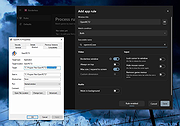 |
|
Brightness.Manager.OK v1.77 Brightness.Manager.OK v1.77 👉 Adjust screen brightness and individual RGB levels in Windows. Brightness.Manager.OK is a small freeware utility for adjusting your display when Windows brightness controls or monitor buttons are unavailable. Separate red, green, and blue adjustments help compensate for unwanted color casts. You can apply saved settings at startup and launch the program automatically when you sign in. Note: Closing the window moves it to the notification area. Use the Exit button to quit. Features: • Overall brightness adjustment. • Independent RGB controls. • Apply saved values at startup. • Optional automatic startup with Windows. • Notification area access. • Shortcuts to related system settings. • Portable operation. • Low processor and memory usage. • Built-in self-delete option. Supported operating systems: • Windows 7, Windows 8.1, Windows 10, Windows 11 • Windows Server 2012 through Windows Server 2025 Supported languages: Arabic, Brazilian Portuguese, Dutch, English, French, German, Italian, Japanese, Korean, Portuguese, Russian, Simplified Chinese, Spanish, Traditional Chinese Changes: v1.77 05-31-26 Updates to the language files in the Brightness.Manager.OK application. Minor improvements and new languages: Spanish and Portuguese Click here to visit the author's website. |
|
1,377 | Oct 04, 2026 Nenad Hrg 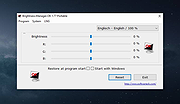 |
|
BrowserAddonsView v1.30 BrowserAddonsView v1.30 👉 View installed browser addons and plugins in one simple list. BrowserAddonsView is a simple NirSoft tool that displays details for Web browser addons and plugins installed on your system. It can scan Chrome, Firefox, Internet Explorer, and Microsoft Edge, and it detects multiple Chrome and Firefox profiles when present. Features: • Displays installed browser addons, plugins, and extensions • Supports Chrome, Firefox, Internet Explorer, and Microsoft Edge • Detects multiple Chrome and Firefox profiles • View addons from all Windows profiles • View Chrome and Firefox addons from an external drive or remote computer • Export selected items to text, CSV, tab-delimited, XML, HTML, or JSON • Copy addon information to the clipboard for use in spreadsheets • Quick Filter for instantly filtering the addon list • Command-line options for exporting, sorting, selecting columns, and loading profiles • Portable; no installation required Supported operating systems: • Windows XP, Windows Vista, Windows 7, Windows 8, Windows 10, Windows 11 • 32-bit and 64-bit systems Supported languages: English, Arabic, Brazilian Portuguese, Dutch, French, German, Greek, Hungarian, Italian, Japanese, Persian, Polish, Romanian, Russian, Simplified Chinese, Slovak, Spanish, Traditional Chinese, Turkish Changes: v1.30 07-20-24 Added 'Black Background' option (Under the View menu). When it's turned on, the main table is displayed in black background and white text, instead of default system colors. This download is for the Windows 64bit version (very bottom of page). If you need the Windows 32bit version, download here. Click here to visit the author's website. |
|
6,468 | Oct 07, 2026 Nir Sofer 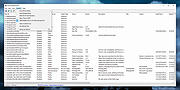 |
|
BrowserDownloadsView v1.51 BrowserDownloadsView v1.51 👉 View and export download history from Chrome, Firefox, and compatible browsers. BrowserDownloadsView is a Windows utility that displays details of downloaded files from Chrome and Firefox web browsers, including filename, download URL, web page URL, start time, end time, download duration, download size, web browser, and more. It can load download lists from the current system, all user profiles, remote computers, external drives, or specified browser profile folders. Features: • View browser download history from Chrome, Firefox, Edge, Brave, Opera, Vivaldi, SeaMonkey, Yandex, Waterfox, Pale Moon, and other compatible browsers • Load downloads from current user, all users, remote computer, external drive, or selected profile folders • Display filename, URLs, times, duration, size, browser, profile, and other download details • Export selected or full download lists to text, CSV, tab-delimited, HTML, XML, or JSON • Calculate MD5, SHA1, SHA256, or SHA512 hashes for downloaded files • Open download URLs, source web pages, filenames, file folders, and file properties • Copy downloaded files to another folder • Filter downloads by time range • Check downloaded files with VirusTotal using SHA256 hash • Command-line options for loading sources, sorting, selecting columns, and saving reports • Portable freeware with no installation required Supported operating systems: • Windows XP, Windows Vista, Windows 7, Windows 8, Windows 10, Windows 11 • 32-bit and 64-bit systems Supported languages: English, Brazilian Portuguese, Dutch, French, German, Greek, Hungarian, Italian, Japanese, Korean, Persian, Romanian, Russian, Simplified Chinese, Slovak, Spanish, Traditional Chinese, Turkish Changes: v1.51 07-10-25 You can now choose the desired encoding (ANSI, UTF-8, UTF-16) to save the csv/xml/text/html files. (Options -> Save File Encoding ) This download is for the Windows 64bit version (very bottom of page). If you need the Windows 32bit version, download here. Click here to visit the author's website. |
|
4,759 | May 31, 2026 Nir Sofer 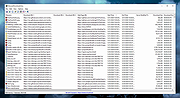 |
|
CDex Portable v2.24 CDex Portable v2.24 CDex is an audio extractor that can extract data directly from an audio CD. The audio can be saved to multiple audio formats and the tracks automatically named using online disc information. CDex supports the following features: Supports multiple encoders (Lame MP3, Fraunhofer MP3, OGG, FLAC, etc) Direct recording of multiple tracks Read / store album information from/to a local and/or remote CD Database (CDDB) Support CD-Text (if your CD-drive supports it) Advanced jitter correction (based on the cd-paranoia ripping library) Indicates track progress and jitter control Normalization of audio signal Supports many CD-Drive from many manufacturers Conversion of external WAV files Support for M3U and PLS play list files App Notes File Note: CDex will use X:\Documents\Music by default for files. You can alter this location in Options and your selection will be adjusted as you move PCs. Local Version Warning: The local version installer uses what is considered a malicious bundleware add-on that will be detected as such by several antivirus engines. The portable version (this version) downloads the local version installer but extracts the files from it without running the installer, protecting you from bundleware. The download may trigger a detection in your antivirus, however. System Requirements: Windows XP, Vista, 7, 8, 10 MD5 Hash: 501542302ecb73d211da9520dcc3ea97 SHA256 Hash: 68be6c2af604cd3ec127d0323ce9f831c3ca03dcdac4bf47c85db7055913fe8d Click here to visit the author's website. |
|
6,260 | Apr 08, 2021 CDex Team & PortableApps.com 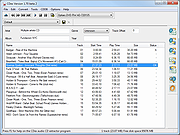 |
|
Cherrytree v1.7.2.1 Cherrytree v1.7.2.1 👉 A powerful hierarchical note-taking application with rich text, syntax highlighting, embedded files, tables, code boxes and extensive organization tools. Cherrytree is a hierarchical note-taking application designed for organizing notes, documentation, research, code snippets, ideas and other information in a structured tree. It combines rich text editing with syntax highlighting, images, tables, code boxes, mathematical equations, embedded files and extensive linking and search capabilities. Documents can be stored in a single XML or SQLite file or as multiple files and directories. Features: • Hierarchical tree structure for organizing notes and documents into nodes and subnodes • Rich text editing with foreground and background colors, bold, italic, underline, strikethrough and monospace formatting • Multiple heading levels plus subscript and superscript formatting • Syntax highlighting supporting numerous programming and scripting languages • Code boxes for keeping source code and other preformatted content inside notes • Insert images directly into notes • Resize and rotate inserted images • Save embedded images as PNG files • Render LaTeX mathematical equations within notes • Embed files directly inside documents and save them back to disk when needed • Create tables directly inside notes • Import and export table data using CSV • Bulleted, numbered and to-do lists • Multi-level lists with indentation support • Hyperlinks to websites, files and folders • Internal links between Cherrytree nodes • Anchors for linking directly to specific locations within notes • Powerful search and replace functions • Search across multiple nodes • Search node names and tags using multiple words • Tree node tags for additional organization and searching • Spell checking support • Automatic URL recognition • Insert current date and time into notes • Insert today's or tomorrow's node • Word count in the status bar, including selected text, code boxes and tables • Node sorting tools for organizing large trees • Drag and drop nodes within the tree • Import content from several other note-taking applications and document formats • Export notes to PDF • Export content ... |
|
7,779 | Sep 23, 2026 Giuseppe Penone 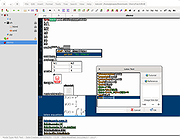 |
|
CHK v6.12 CHK v6.12 👉 Advanced portable file hashing and verification tool. CHK is an advanced file hashing and verification tool with a simple interface and a portable, no-install design. It can verify file integrity, find duplicate files, and compute checksums quickly, while also supporting full Unicode and drag-and-drop operation. Features: • Verify the integrity of downloaded or transferred files • Find and remove duplicate files • Supports a wide range of algorithms including CRC-32, MD5, SHA-256, BLAKE3, xxHash3, and more • Compute Shannon Entropy for files to help spot compressed or encrypted data • Portable design with no installation required • Full Unicode support • Drag-and-drop support • Free to use Supported operating systems: • Windows 32-bit • Windows 64-bit Supported languages: Chinese Simplified, Chinese Traditional, English, French, German, Greek, Hungarian, Italian, Japanese, Korean, Spanish Changes: v6.12 04-12-26 • Less strict rules for duplicate file searches. CHK now checks file size as well. • Improved sorting. • Bug fixes. This download is for the Windows 64bit version (very bottom of page). If you need the Windows 32bit version, download here. If you need the Language Packs, download here. The Language Packs includes the following languages: Chinese Simplified, Chinese Traditional, English, French, German, Greek, Hungarian, Italian, Japanese, Korean, Spanish Click here to visit the author's website. |
|
1,342 | Aug 03, 2026 Ilya Muravyov 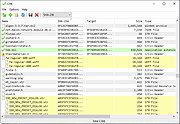 |
|
Chrono Mock v0.4.0 Chrono Mock v0.4.0 👉 Test how a Windows application behaves at another date without changing your computer’s clock. Chrono Mock runs an application with its own simulated date and time while Windows and your other programs continue using the real clock. It is designed for developers and testers checking things such as trial expiration, licence behaviour, reminders, certificate dates, month-end processing, and the Year 2038 boundary. Instead of changing the system clock and disrupting other software, you choose the application and the time it should see. The simulated clock can run normally, freeze, or move faster than real time. You can also jump forward or backward during a session to see how an application responds to a sudden clock change. Chrono Mock follows child processes and provides a separate time zone offset for the session. Its built-in audit reports which time sources it reached, which it missed, and whether the result works, works partially, or does not work. That verdict matters: an application may obtain time from a server or another source that a local tool cannot change. A date calculator helps prepare tests around trial deadlines, business days, holidays, quarter closes, and year-end changes. Chrono Mock offers a desktop interface and a command-line tool for scripts and automated testing. Both are portable. Support for native Windows applications is the most thoroughly tested; the developer marks several other application types, including .NET, Java, Python, and Electron, as experimental. Before testing an application at a future date, back up its data. The application may permanently save future-dated records or trigger licence rollback protection even after the session ends. Antivirus software may also flag the library Chrono Mock injects into applications. The developer documents these limitations and recommends checking each session’s audit. Features: • Runs a selected application at a specified date and time without changing the Windows ... |
|
95 | Oct 08, 2026 DonislawDev 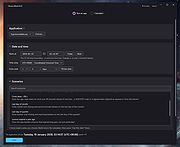 |
|
Clear Disk Info v4.4.1.0 Clear Disk Info v4.4.1.0 👉 Monitor hard drive and SSD health information with a clean and easy-to-read interface. Clear Disk Info is a lightweight disk monitoring utility designed to display detailed SMART information for hard drives and SSDs. It helps users keep track of drive health, temperature, firmware details, power-on hours, transfer modes, and other important storage statistics in a clear and organized layout. The program supports multiple storage device types and provides quick access to essential diagnostic information for detecting potential drive problems before data loss occurs. Features: • Displays SMART health and diagnostic information for HDDs and SSDs • Shows drive temperature, health status, firmware, and serial numbers • Supports SATA, NVMe, and USB-connected storage devices • Monitors power-on hours, drive usage, and transfer modes • Clean and lightweight user interface with easy-to-read statistics • Provides real-time drive condition monitoring • Supports multiple drives simultaneously • Portable and installer versions available • Designed for fast access to essential disk health data Supported operating systems: • Windows 7, Windows 8, Windows 10, Windows 11 Supported languages: English Changes: v4.4.1 08-02-25 Refreshed the UI with a more modern font. Bug fixes Click here to visit the author's website. |
|
11,612 | May 19, 2026 Carifred 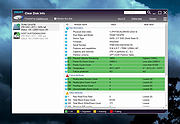 |
|
ClipAngel v2.23 ClipAngel v2.23 👉 Clipboard history capture and paste tool. ClipAngel is a clipboard manager that captures multiple clipboard objects and lets you select and paste them into any program. It is inspired by ClipDiary, Ditto, and AceText, with main priorities of usability, compatibility, and reliability. Features: • Captures clipboard history for supported clipboard formats • Supports text, HTML, RTF, image, and file clips • Text filter and clip list share key presses, so there is no need to change focus • Ability to delete and move clips in the list • History is stored encrypted on disk • Portable mode • Auto position window near text input • Always on top option • Open clip as file command • Simulate character input for windows isolated from the clipboard • Support for sending paste and input to elevated windows • Monitor clipboard switch • Word wrap and monospaced font options • Clip list shows samples for picture clips • Native formatting switch for HTML and RTF clips • Text compare command with support for Beyond Compare, ExamDiff Pro, WinMerge, Araxis Merge, DiffMerge, KDiff3, and custom applications • Translate text command • Drag and drop clips from the list • Preserves history even if the computer crashes Supported operating systems: • Windows Vista or later, Windows Server 2008 or later Supported languages: Brazilian Portuguese, Chinese (Simplified), English, French, German, Greek, Hindi, Italian, Polish, Russian, Spanish Changes: v2.23 06-04-26 Fixed inability to select text in HTML mode introduced in the previous version. Added "Text from picture" to the "Clip" submenu. Note: This file has two hits on VirusTotal. We have confirmed these to be false positives. The file is safe. Click here to visit the author's website. |
|
6,851 | Sep 03, 2026 tormozit 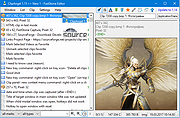 |
|
ClocX Portable v1.6.0 ClocX Portable v1.6.0 A free analog clock for your Windows desktop. How many analog clock choices do you need for your Desktop? 350 enough? ClocX is analog clock application for Microsoft Windows. It's programmed in C++ language, which ensures small executable binary, optimal speed and low memory usage. Features: • 3 levels of anti aliasing • 256 levels of transparency with special mouse-over transparency function • 350 configurable faces/skins • per-pixel alpha blending for PNG backgrounds • advanced window options (unmovable, always on top, pin to desktop, click through, ...) • process priority settings • configurable alarms with ability to show alarm window, play sound, execute an application or shutdown your computer • built-in simple calendar • automatic start with Windows (for all users) or with user login (only for your user) Supported operating systems: Windows 98/ME/NT/2000/XP/Vista/10/11 Supported languages: Arabic, Bulgarian, Chinese, Czech, Dutch, English, Finnish, French, German, Hebrew, Italian, Japanese, Polish, Portuguese, Russian, Serbian, Slovak, Spanish, Swedish, Turkish and more Note: This executable file has one hit on VirusTotal from Webroot.. We have confirmed this to be a false positive. The file is safe. Click here to visit the author's website. |
|
1,036 | Jul 11, 2025 BonSoft and OlderGeeks.com  |
|
Complete Internet Repair Portable v11.1.3.6518 Complete Internet Repair Portable v11.1.3.6518 Complete Internet Repair Portable is a free, open source tool to repair internet connections and get you up and running in no time. Have you ever found yourself frequently encountering the exasperation of an unreliable internet connection? It is quite disheartening when you are on the verge of dispatching an important email or attaining an unprecedented accomplishment in your preferred online game, only to be abruptly disconnected. A truly vexing situation indeed. Complete Internet Repair is a complimentary utility designed to restore and rectify issues pertaining to your internet connectivity. With a staggering download count surpassing 3,000,000, it has emerged as a trusted solution for diagnosing and addressing internet connection faults. Complete Internet Repair has garnered significant acclaim, being utilized by professionals in the field as well. Its intuitive interface empowers users to undertake the troubleshooting and repair processes independently, fostering self-sufficiency in rectifying internet-related complications. Please note: Complete Internet Repair Portable is unable to repair hardware faults or get your Internet service provider up and running. In short; Complete Internet Repair Portable will attempt to repair your internet connection if it's a software issue. Features: • Internet or network problems after removing adware, spyware, viruses, worms, Trojan horses, etc. • Loss of network connection after installing/uninstalling VPN, firewall, internet security suite, antivirus, or other networking programs. • Unable to access any website or can only access some websites. • Pop-up error window with network-related problem description. • Internet or network problems after removing adware, spyware, viruses, worms, Trojan horses, etc. • Loss of network connection after installing/uninstalling VPN, firewall, internet security suite, antivirus, or other networking programs. • Unable to access any website or can only access ... |
|
13,065 | Mar 19, 2025 Rizonesoft 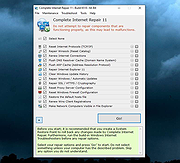 |
|
CopyFolders 2 Portable v2.0.31 CopyFolders 2 Portable v2.0.31 👉 Automatically copy new and modified files from multiple folders with versioning support. CopyFolders 2 is a utility designed to copy new or modified files from source folders to destination folders. It is intended primarily for backup purposes, allowing users to keep folders up to date by copying only files that have changed. CopyFolders 2 supports working with multiple source and destination folders at the same time. It can also keep several previous versions of files, helping preserve older copies when updates occur. The program operates through a simple interface where users configure the folders and options, then execute the copy process as needed. Features: • Copies only new and modified files • Supports up to 9 source folders • Supports up to 9 destination folders • Designed specifically for backup and updating folders • Can keep up to 6 previous versions of files • Allows defining multiple folder pairs for processing • Simple configuration of source and destination paths • Executes copy operations based on defined setup • Portable. No installation required. Supported operating systems: • Windows 10, Windows 11 Supported languages: English, Chinese, French, German, Italian, Polish, Portuguese, Russian, Spanish. Changes: v2.0.31 04-28-26 First update: Fixed a bug where if a path contains underscores ("_") them would not be displayed in the path text box Fixed UNC network path support and improved folder selection Improved file copy error reporting Click here to visit the author's website. |
|
830 | Aug 26, 2026 eziogarr-coder 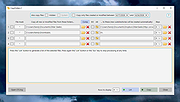 |
|
CopyQ v16.0.0 CopyQ v16.0.0 👉 Advanced clipboard manager with editing, search, tabs, and powerful scripting. CopyQ monitors the system clipboard and saves its content in customized tabs. Saved clipboard entries can later be copied and pasted directly into any application. It supports storing text, HTML, images, and other custom formats, and it includes searching, sorting, editing, drag-and-drop, notes, tags, global shortcuts, a command-line interface, and scripting for advanced automation. In version 14.0.0, the project adds tab encryption support, audio playback through the playSound() script function, a new stats() script function, Nord themes, GNOME clipboard monitoring via a custom GNOME extension, and multiple fixes and platform improvements. Features: • Stores text, HTML, images, and other custom clipboard formats • Saves clipboard history in customizable tabs • Quickly browses and filters clipboard items • Sorts, creates, edits, removes, copies, pastes, and drags items between tabs • Adds notes and tags to stored items • Uses system-wide keyboard shortcuts with customizable commands • Pastes items from the tray, main window, or keyboard shortcuts • Includes a powerful command-line interface and scripting support • Can ignore clipboard content copied from specific windows or matching specific text • Supports a simple Vim-like editor with keyboard shortcuts • Adds tab encryption support in v14.0.0 • Adds audio playback and new scripting statistics in v14.0.0 Supported operating systems: • Windows • macOS 13 or higher • Linux, including Debian 11 or higher, Ubuntu 22.04 or higher, Fedora, Arch Linux, and other Linux distributions with Flatpak support Supported languages: English, Czech, French, German, Japanese, Spanish Changes: v16.0.0 05-30-26 Added Per-MIME clipboard size limits and OOM protection via clipboard_mime_size_limit config option and COPYQ_CLIPBOARD_MIME_SIZE_LIMIT environment variable. For example text/html.*:0;.*:100M disables storing HTML and sets 100MiB max size for all other formats (this size limit is the default: .*:100M). AppImage support (WITH_APPIMAGE CMake build option). Fixed Fixed thumbnails hidden for ... |
|
7,000 | Aug 05, 2026 Lukas Holecek 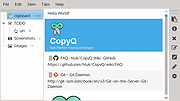 |
|
CountryTraceRoute v1.51 CountryTraceRoute v1.51 👉 Fast GUI traceroute utility with IP country information for Windows. CountryTraceRoute is a traceroute utility similar to Windows tracert, but with a graphical interface and faster operation. It displays each hop along the route to a host name or IP address and also shows the country of the owner of each detected IP address. Completed traceroute results can be copied to the clipboard or saved as CSV, tab-delimited, HTML, or XML files. Features: • Fast graphical traceroute tool for Windows • Displays IP address country information for each hop • Supports host names and IP addresses • Supports IPv4, IPv6, and Automatic IP address modes • Displays TTL, ASN, and company information when supported location databases are used • Can use external IP-location CSV files for country, city, and ASN data • Supports GeoLite2 City, Country, and ASN databases in CSV format • Saves selected results as CSV, tab-delimited, HTML, or XML files • Copies selected results or IP addresses to the clipboard • Command-line options for starting traceroute, maximum hops, and timeout • Portable, no installation required Supported operating systems: • Windows 2000 through Windows 11, 32-bit and 64-bit Supported languages: English, Brazilian Portuguese, Dutch, French, German, Greek, Hungarian, Italian, Japanese, Korean, Persian, Polish, Romanian, Russian, Simplified Chinese, Slovak, Spanish, Traditional Chinese, Turkish Changes: v1.51 Added 'Black Background' option (Under the View menu). When it's turned on, the main table is displayed in black background and white text, instead of default system colors. Updated the internal IP location database. Note: This file has two hits on VirusTotal. We have confirmed these to be false positives. The file is safe. Click here to visit the author's website. |
|
5,130 | Apr 30, 2026 Nir Sofer 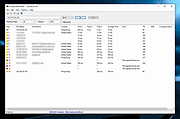 |
|
Crapfixer v2.01 CrapFixer v2.01 👉 A lightweight Windows tweaking tool for finding, fixing and reversing unwanted Windows settings and features. CrapFixer is a free, open-source Windows tweaking utility designed to identify and fix unwanted settings, preinstalled apps and other annoyances in Windows 10 and 11. This release represents a complete rebuild of the program around a new database-driven tweak engine. Instead of hardcoding tweaks into the application, CrapFixer uses the Wintweak2.ini signature database to define settings that can be scanned, reviewed, changed and restored to their Windows defaults. The program follows a scan-first approach: analyze the system, review the results and decide which recommended changes to apply. Detailed results can show registry paths, current values, recommended values and original Windows defaults. Individual tweaks or entire categories can be restored, and CrapFixer creates registry backups before applying tweaks. Version 2 also includes an App Remover, optional PowerShell extensions, custom tweak creation, database updates and optional AI-powered explanations. AI explanations are informational only and do not participate in scanning or applying changes. Features: • Scan Windows settings and identify tweaks that require attention • Signature-driven tweak engine powered by the Wintweak2.ini database • Review changes before applying them • Restore individual tweaks or entire categories to Windows defaults • Supports registry tweaks containing multiple keys and values • Automatically handles Windows version requirements, administrator privileges and restart requirements • Detailed results display registry paths, current values, recommended values and Windows defaults • Sorts incorrectly configured settings to the top of results • Creates registry backups before applying tweaks • App Remover uses a separate Winappx.ini package database • Custom Tweaks tool lets advanced users create their own Wintweak2 signatures • Lightweight Extensions section supports optional PowerShell tools • Built-in database updating with support for merging an additional custom database • Online result analyzer and clipboard-friendly report format • Optional AI explanations for individual tweaks using Groq, OpenAI, Anthropic or OpenAI-compatible providers • AI ... |
|
2,349 | Sep 01, 2026 Builtbybel 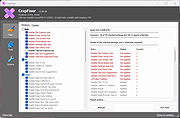 |
|
CudaText v1.234.4 CudaText v1.234.4 👉 Cross-platform, open-source text editor extensible with Python add-ons. CudaText is a cross-platform text editor written in Object Pascal. It is an open-source project that can be used free of charge (including for business use) and is designed to start quickly. CudaText is extensible via Python add-ons, including plugins, linters, code tree parsers, and external tools, and uses a feature-rich syntax parser based on the EControl engine. It starts quite fast (0.5 sec with ~30 plugins on CPU Intel Core i3 3Hz). It is extensible by Python add-ons (plugins, linters, code tree parsers, external tools). Features: • Syntax highlighting for many programming languages • Code folding • Multi-carets and multi-selections • Rectangular selection • Command palette • Tabbed interface • Split view editing (vertical and horizontal) • Side panel with file explorer • Built-in file tree • Built-in FTP client • Project manager • Snippets support • Auto-completion • Code tree (structure view) • Configurable hotkeys • Configurable UI themes • Configurable color themes • Minimap • Status bar with customizable elements • Lexer-specific settings • Session management • Recent files list • Support for large files • Portable mode support • Plugin system based on Python • Add-ons manager to install plugins, lexers, and themes • Console panel for command output • External tools integration • Multiple encodings support • Line endings support (Windows, Unix, Mac) • Bookmarks • Find and replace with regular expressions • Word wrap and non-wrap modes • Customizable indentation settings • Show invisibles • Ruler and margin configuration • Free and open source, including business use Supported operating systems: • Windows (i386, amd64) • Linux (amd64, arm, aarch64) • macOS (amd64, aarch64) • FreeBSD (i386, amd64), OpenBSD (i386, amd64), NetBSD (i386, amd64), DragonFlyBSD (amd64) • Solaris (amd64) • Haiku (i386, amd64) Supported languages: English, Chinese (Simplified), Chinese (Traditional), Czech, French, French (Switzerland), German, German (Austria), Italian, Japanese, Korean, Portuguese, Russian, Slovak, Slovenian, Spanish, Tamil (India), Tamil (Sri Lanka) Find documentation at the CudaText Wiki. Changes: v1.232.2 06-14-26 - fix: regression: "Unprinted chars" dialog lost translation - fix: improve command "delete word previous" when only 1 space ... |
|
5,919 | Jul 05, 2026 Alexey Yu. Torgashin (R.F.) 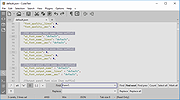 |
|
CurrPorts v2.80 CurrPorts v2.80 👉 Monitor and manage all active TCP/IP and UDP network connections on your Windows PC. CurrPorts is a lightweight network monitoring utility that displays every open TCP/IP and UDP port currently in use on your system. It provides detailed information about each connection, including the local and remote addresses, ports, protocol, process name, process ID, executable path, process version, connection state, and more. The utility is especially useful for troubleshooting network problems, identifying which applications are communicating over the network, monitoring suspicious activity, and diagnosing unwanted Internet connections. CurrPorts allows you to close selected TCP connections, terminate the process that opened them, copy connection details, or export information to HTML, XML, CSV, and text formats. It can also automatically highlight suspicious connections belonging to applications without version information or icons, making it easier to spot potentially unwanted or unknown software. Advanced filtering, logging, automatic refresh, GeoIP location support, command-line operation, and portable use make it a valuable tool for both system administrators and advanced users. Features: • Displays all active TCP and UDP connections in real time. • Shows process name, ID, executable path, version, and file description. • Displays local and remote IP addresses, ports, protocol, and connection state. • Close selected TCP connections without terminating the application. • Kill processes directly from the connection list. • Automatically highlights suspicious connections. • Advanced filtering by process, protocol, address, port, and connection state. • Automatic refresh with configurable intervals. • Logs newly opened and closed connections. • Export connection information to HTML, XML, CSV, tab-delimited text, and clipboard. • Optional GeoIP country, city, and ASN information for remote addresses. • Command-line support for automation and scripting. • Portable executable requiring no installation. • Supports customizable columns, sorting, fonts, and display options. Supported operating systems: • Windows 2000, Windows XP, Windows Server 2003, Windows Server 2008, Windows Vista, Windows 7, Windows 8, Windows 8.1, Windows 10, Windows 11 Supported languages: Arabic, ... |
|
10,863 | Jul 30, 2026 Nir Sofer 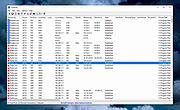 |
|
DamnVid Portable v1.6.0.1 DamnVid Portable v1.6.0.1 DamnVid is a video converter that allows you to download and convert videos from various video sharing sites. It makes use of the FFmpeg library as used in software like VLC Media Player and Google Chrome to handle the conversions. It can convert as it downloads in many cases. The author's tagline is "it sucks less". System Requirements: Windows XP, Vista, 7, 8, 10 Click here to visit the author's website. |
|
5,851 | Nov 29, 2019 Etienne P้rot & PortableApps.com 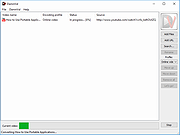 |
|
DDS v2012-11-20-01 DDS v2012-11-20-01 👉 Generate detailed diagnostic logs for malware troubleshooting and system analysis. DDS is a lightweight diagnostic utility created by sUBs that gathers extensive information about a Windows computer without making permanent changes to the system. It is widely used by malware removal specialists and technical support forums to generate detailed reports containing running processes, startup entries, services, installed software, network settings, browser information, restore points, security software status, and numerous other system details. Rather than attempting to detect or remove malware, DDS focuses on collecting information that allows an experienced analyst to identify suspicious activity, unwanted startup items, rootkit indicators, or other system problems. When the scan is complete, DDS automatically creates two text reports, DDS.txt and Attach.txt, which can be uploaded to security forums or shared with a technician for analysis. The utility is completely portable, requires no installation, and performs no registry modifications or permanent file creation during its operation. Features: • Creates comprehensive DDS.txt and Attach.txt diagnostic reports • Lists active processes, services, drivers, and startup entries • Displays installed applications and Windows configuration details • Reports browser settings and Internet Explorer information • Shows antivirus, firewall, and security software status • Lists System Restore points and disk partition information • Includes optional MBR checking and extended search options • Portable executable requiring no installation • Makes no permanent files or registry changes • Designed for malware investigation and technical support Supported operating systems: • Windows XP, Windows Vista, Windows 7 (32-bit and 64-bit) Supported languages: • English Changes: v2012-11-20-01 • Latest publicly released version. Click here to visit the author's website. |
|
7,179 | Jun 30, 2026 sUBs 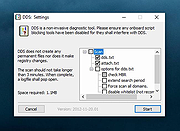 |
|
DeepTaskScan v1.0.0 DeepTaskScan v1.0.0 👉 Portable Windows forensics tool for detecting hidden and persistent scheduled tasks. DeepTaskScan is an advanced Windows scheduled task viewer and forensics tool designed to uncover scheduled tasks that may be hidden from standard Windows utilities. Unlike Task Scheduler, schtasks, PowerShell and similar tools, it uses a different scanning method rather than relying on Windows API calls to discover scheduled tasks. This can help system administrators, technicians and security researchers identify tasks concealed through techniques involving deleted task files or registry keys. The developer notes that such techniques have been used by state-backed Advanced Persistent Threat (APT) groups. DeepTaskScan is completely portable, requires no installation and is available in both 32-bit and 64-bit versions. Features: • Deeply scans Windows for scheduled tasks using an alternative detection method • Detects scheduled tasks hidden through advanced techniques • Does not rely on Windows API calls for scheduled task detection • Helps uncover tasks that may not appear in Windows Task Scheduler • Can detect more scheduled task entries than Task Scheduler, PowerShell and other standard tools • Highlights hidden or persistent entries • Can help detect APT activity involving hidden Task Scheduler entries • Allows discovered information to be extracted to a file • Useful for system administration, troubleshooting and security forensics • Available as separate 32-bit and 64-bit executables • Completely portable with no installation required Supported operating systems: • Windows 7 or newer Supported languages: • English Changes: v1.0.0 08-16-26 Initial release. This download is for the Windows 64bit version (very bottom of page). If you need the Windows 32bit version, download here. Click here to visit the author's website. |
|
352 | Aug 20, 2026 Emir Alp Kocak  |
|
DeskRealm v0.5.8 DeskRealm v0.5.8 👉 Give each Windows virtual desktop its own real Desktop folder, icon layout and hotkeys. DeskRealm turns Windows virtual desktops into separate Desktop “realms,” each with its own Desktop folder, icon layout and optional direct hotkeys. Instead of every Win + Tab workspace showing the same desktop clutter, DeskRealm redirects the current user’s Windows Desktop Known Folder to the folder assigned to the active virtual desktop. Features: • Assigns separate Desktop folders to Windows virtual desktops • Synchronizes realm folder names with Windows Task View desktop names • Saves and restores per-realm Desktop icon layouts • Automatic icon layout autosave with change detection • Configurable global hotkeys for jumping to numbered desktops • Tray menu with status, refresh, sync, pause/resume, logs, config and restore options • Optional startup with Windows • Preserves the original Desktop folder instead of moving files during onboarding • Refuses OneDrive Desktop redirection by default • Refuses duplicate virtual desktop names and unsafe folder conflicts • Includes emergency restore script for returning the original Desktop path • Portable ZIP and install-bundle release options Supported operating systems: • Windows 10, Windows 11 Supported languages: English Changes: v0.5.8 06-12-26 Fixed: • Reworked first-run onboarding so DeskRealm no longer moves files from the original Windows Desktop into a managed realm folder. • The selected virtual desktop realm now points directly to the original Desktop folder, preserving the normal Desktop when DeskRealm is closed or disabled. • Added absolute-path realm assignments so a realm can safely use an existing external folder such as the original Desktop. • Prevented duplicate assignment of the original Desktop path to multiple virtual desktops. Changed: • The first-run wizard now describes the safe association model instead of file migration. • Config migration v6 disables the legacy initialDesktopImportMoveFiles flag. • Documentation, installation notes, safety notes and release process now describe the no-move onboarding model. Safety: • DeskRealm must not silently move user Desktop files during onboarding. Existing files remain in the original Desktop folder. ... |
|
613 | Jun 12, 2026 Ayahua Ekimaku  |
|
Desktop Icon Backup Manager v1.7.5 Desktop Icon Backup Manager v1.7.5 👉 Backup and restore your Windows desktop icon layout with ease. Desktop Icon Backup Manager is a lightweight utility that allows you to save and restore the exact layout of your desktop icons. It is especially useful when switching screen resolutions, using multiple monitors, updating graphics drivers, or after system changes that rearrange icon positions. With a simple interface and quick operation, it ensures your carefully arranged desktop stays exactly the way you like it. Features: • Save current desktop icon positions • Restore previously saved icon layouts • Manage multiple backup profiles • Simple and lightweight interface • Portable and easy to use Supported operating systems: • Windows 10, Windows 11 Supported languages: English, العربية, Deutsch, Ελληνικά, Espa๑ol, Fran็ais, हिन्दी, Italiano, 日本語, 한국어, Norsk bokmๅl, Nederlands, Polski, Portugu๊s (BR), Portugu๊s (PT), Русский, Svenska, T�rk็e, Українська, 中文 (简体), 中文 (繁體) Changes: v1.7.5 07-23-26 Switch license from MIT to GPLv3 Click here to visit the author's website. |
|
839 | Aug 14, 2026 mapi68 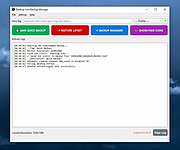 |
|
DesktopFrames+ v2.7.7.294 DesktopFrames+ v2.7.7.294 Formerly Desktop Fences+ 👉 Organize your Windows desktop icons, files and shortcuts into customizable virtual frames. DesktopFrames+ is a free and open-source desktop organization utility that creates virtual Frames on your desktop, allowing you to group shortcuts, files and folders into clean, convenient containers. It provides several types of Frames, including regular Data Frames for shortcuts, Portal Frames that mirror the contents of folders, and Note Frames for quickly accessible text. Frames can contain multiple tabs, be arranged into separate workspace profiles and customized with colors, transparency, visual effects, icons and other appearance options. Built-in tools such as SpotSearch, Smart Desktop, automatic backups, profile automation and extensive visibility controls provide additional ways to organize and manage a busy desktop. The program is fully portable and does not require installation. Features: • Create Data Frames for organizing shortcuts to files, folders and web links • Create Portal Frames that mirror the contents of folders • Create Note Frames for keeping text directly on the desktop • Organize shortcuts into multiple tabs within a single Frame • Create independent workspace profiles for different desktop layouts • Switch profiles manually with hotkeys • Automatically switch profiles when specified programs are launched • Smart Desktop engine automatically sorts and moves incoming files according to user-created rules • SpotSearch quickly searches for and launches shortcuts stored across your Frames • Peek Behind temporarily reveals the desktop behind Frames • Rollup hides the contents of Frames while leaving the Frame accessible • Auto-hide conceals Frames after a period of inactivity • Focus Mode highlights a specific Frame from the system tray or with a hotkey • Supports files, folders, web links, Microsoft Store apps, Steam games and Spotify URIs • Run shortcuts as administrator or as a different user • Customize individual Frame background colors and global tint levels • Chameleon Mode automatically matches Frames to the dominant color of your wallpaper • Application launch ... |
|
2,295 | Sep 07, 2026 Hand Water Pump 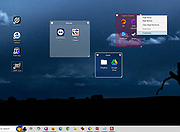 |
|
DesktopOK v12.61 DesktopOK v12.61 👉 Save and restore the positions of desktop icons with ease. DesktopOK is a small but powerful utility that allows you to save and restore the positions of icons on your Windows desktop. It is especially useful for users who frequently change screen resolutions, use multiple monitors, or encounter situations where Windows rearranges desktop icons unexpectedly. DesktopOK can store multiple icon layout snapshots so you can quickly switch between saved configurations. The program can automatically save layouts at timed intervals, restore layouts with a single click, and even manage different layouts for different screen resolutions. It also includes additional desktop tools such as minimizing all windows to the system tray, creating transparent desktop areas, and controlling the visibility of desktop icons. Despite its powerful functionality, DesktopOK remains lightweight and portable, making it ideal for use on USB drives or as a quick troubleshooting tool for restoring desktop layouts. Features: • Save and restore desktop icon layouts • Create multiple layout snapshots for different setups • Automatically save icon positions at timed intervals • Restore layouts after screen resolution or monitor changes • Portable utility with no installation required • Minimize windows to the system tray • Toggle desktop icon visibility quickly • Works well with multi-monitor configurations Supported operating systems: • Windows 7, Windows 8, Windows 10, Windows 11 Supported languages: German, English, French, Italian, Polish, Korean, Chinese (Simplified), Czech, Russian, Portuguese (Brazil), Swedish, Dutch, Finnish, Spanish, Chinese (Traditional), Norwegian, Hungarian, Greek, Turkish, Serbian, Japanese, Danish, Bulgarian, Ukrainian, Catalan, Slovak, Malay, Indonesian, Filipino, Persian, Hebrew, Afrikaans, Hindi, Thai, Vietnamese, Portuguese, Bosnian, Romanian, Flemish Changes: v12.61 06-28-26 • Improvements to DesktopOK for all Windows operating systems • Language file update in DesktopOK This download is for the Windows 64bit version (very bottom of page). If you need the Windows 32bit version, download here. Click here to visit the author's website. |
|
11,026 | Jun 29, 2026 Nenad Hrg  |
|
DesktopPic v2.1.0 DesktopPic v2.1.0 👉 Display or stamp images on your Windows desktop wallpaper with multi-monitor support. DesktopPic lets you display one or more pictures on your desktop as borderless slideshows or stamp images directly onto your wallpaper for a more permanent effect. It is designed to work with multiple monitors and supports convenient positioning options, letting you place images in corners, centered areas, or specific displays. DesktopPic also supports transparent images, crossfading for slideshow use, and a portable mode that does not require installation. Features: • Display images in borderless slideshow windows on the desktop • Stamp one or more images directly onto wallpaper • Full support for multiple monitors • Smart image placement including center and corner positions • Maintains original image aspect ratio • Supports transparent images • Supports crossfading in slideshow mode • Portable option available with no installation required • Supports common bitmap image formats including PNG, JPG, BMP, WebP, and animated GIFs Slideshow Displays one or more pictures in a window that has no borders or captions, so all you see is the picture. The image window may be positioned manually or set to appear in the center or any corner of any monitor. This will give the illusion of the picture being part of your wallpaper, but it’s really just another window. Any desktop icons in the same region as the picture will be covered. Bitmap image formats, such as PNG (recommended), JPG, BMP, WebP (photos), and animated GIFs are supported. You can run multiple copies of DesktopPic (use portable option) to have more than one slideshow on your desktop (on any monitor). DesktopPic does not do a wallpaper slideshow (that capability is built into Windows under “Personalize”). Stamp Image to Wallpaper One or more images can be stamped to the wallpaper in any size or position. This makes the picture part of the wallpaper, so it will ... |
|
3,010 | Jul 24, 2026 LesFerch  |
|
DevManView v1.81 DevManView v1.81 👉 Advanced alternative to the Windows Device Manager with enhanced device management tools. DevManView is a lightweight, portable utility that serves as an alternative to the standard Windows Device Manager. Instead of displaying hardware in a tree structure, it presents every installed device in a flat, sortable table with detailed information such as device name, manufacturer, service, driver version, install time, connection status, and more. It also allows you to enable, disable, uninstall, restart, and inspect devices with just a few clicks. DevManView can connect to remote computers (with administrative rights), load device information from an offline Windows installation, export device lists, and includes command-line options for automation and scripting. Features: • Displays all installed devices in a sortable table instead of a tree view • Shows detailed hardware and driver information • Enable, disable, uninstall, or restart devices • View devices on remote computers with administrator access • Load device information from an offline Windows installation • Export device lists to HTML, CSV, XML, or text • Open related Registry keys and INF files • Create desktop shortcuts to enable or disable devices • Powerful command-line support for scripting and automation • Portable application with no installation required Supported operating systems: • Windows XP, Windows Server 2003, Windows Vista, Windows 7, Windows 8, Windows 8.1, Windows 10, Windows 11 Supported languages: • Arabic, Basque, Bulgarian, Catalan, Chinese (Simplified), Chinese (Traditional), Croatian, Czech, Danish, Dutch, English, Finnish, French, German, Greek, Hebrew, Hungarian, Italian, Japanese, Korean, Polish, Portuguese (Brazil), Romanian, Russian, Slovak, Slovenian, Spanish, Swedish, Thai, Turkish, Ukrainian, Vietnamese Changes: v1.81 06-22-26 • Added 'Open Device In Registry Editor' option. • Added 'Open Device In RegEdit' to the right-click context menu. This download is for the Windows 64bit version (very bottom of page). If you need the Windows 32bit version, download here. Click here to visit the author's website. |
|
7,313 | Jun 23, 2026 Nir Sofer  |
|
Diffinity Portable v0.9.5 Diffinity Portable v0.9.5 A free, portable diff and merging tool for Windows with focus on accurate and easy to read source code diffs. Diffinity will compare the contents of two text files and show all differences line by line and also which individual characters/words that differs. source code diff Features: • Improved diffing quality for c-style source code and xml • Thumbnail view of all diffs • Folder comparison • Differentiates between changed, removed and added lines • Instance highlighting - double click or search for a word to show all instances of it • Syntax highlighting • Supports unicode and auto detects encoding (and warns if encoding mismatch) • Customizable interface with support for tabs • Manual alignment markers • In-line diffs live updated as you type • Windows Explorer shell integration Diffinity Documentation https://truehumandesign.se/diffinityDocumentation.php Changes v0.9.5 2025-08-25 - Added option to enable always reloading a file diff when file change on disc (instead of when the Diffinity window gets focus) - Tab header default style changed, can be customized in Preferences - Syntax highlight inside changed edits enabled by default, can be disabled in Preferences - Changed filter lines dialog to filter case insensitive by default and added a button to set Case sensitive - Folder diff pause/run button added - Added Ctrl + Page Up/Down to go to next/previous tab - Option added to remove tab header icons - Option added to always step to next tab on Ctrl + Tab - Folder ... |
|
765 | Sep 07, 2025 True Human Design/OlderGeeks.com  |
|
DirPrintOK v7.67 DirPrintOK v7.67 👉 Print and export folder contents and directory structures. DirPrintOK is a free Windows utility for printing, previewing, and exporting the contents of folders and directory structures. It includes a print preview with variable aspect ratio and export options for XLS, HTML, CSV, and TXT files. Features: • Print folder contents and directory structures • Print preview with variable aspect ratio • Export to XLS, HTML, CSV, and TXT • Tree-list, tree-list-plus, filters, and console views • Group by file extension, modification time, size, or folders • Multi-tab support for opening another folder in a new tab • Print individual file details, including MP3 ID3 tags • Print directory lists from cmd.exe • Portable version available • Multilingual interface Supported operating systems: • Windows XP, Windows Vista, Windows 7, Windows 8.1, Windows 10, Windows 11, Windows Server 2016, Windows Server 2019 Supported languages: Multilingual, 34 languages Changes: v7.67 07-06-26 • Minor fixes for Microsoft Windows 11 and Windows 10 • Language file update in Dir-Print, for all Windows operating systems This download is for the Windows 64bit version (very bottom of page). If you need the Windows 32bit version, download here. Click here to visit the author's website. |
|
6,120 | Jul 08, 2026 Nenad Hrg  |
|
Discord portable v1.0.9232-25 Discord portable v1.0.9232-25 👉 Portable Discord desktop client for voice, video, and text chat. Discord portable is a portable Windows build of Discord made with Portapps. It lets you use Discord for voice calls, video calls, direct messages, servers, and community chat while storing its portable data in a local folder instead of a standard installed profile. Portapps also notes that this build forces the Electron user data path to the data folder, disables app update checks, and creates a temporary shortcut for native notifications while Discord is running. Features: • Portable Discord package for Windows • Voice, video, and text chat with friends and communities • Works with Discord servers, channels, and direct messages • Stores Electron user data in the portable data folder • App update checks are disabled by Portapps for portability • Creates a temporary shortcut to support native notifications • Simple upgrade process by installing the latest portable setup over the current one Supported operating systems: • Windows 10, Windows 11 Supported languages: English (US), English (UK), Bulgarian, Chinese (Simplified), Chinese (Traditional), Croatian, Czech, Danish, Dutch, Finnish, French, German, Greek, Hindi, Hungarian, Indonesian, Italian, Japanese, Korean, Lithuanian, Norwegian, Polish, Portuguese (Brazil), Romanian, Russian, Spanish (Spain), Spanish (Latin America), Swedish, Thai, Turkish, Ukrainian, Vietnamese Changes: v1.0.9232-25 04-13-26 Discord 1.0.9232 Portapps 3.18.0 Click here to visit the author's website. |
|
6,584 | Apr 19, 2026 CrazyMax and Discord  |
|
Disk Benchmark NVME SSD v1.1.0 Disk Benchmark NVME SSD v1.1.0 👉 A free portable tool for benchmarking storage read and write performance directly inside any selected folder. Disk Benchmark NVME SSD is a free, portable Windows benchmarking utility designed to measure sequential read and write performance using the actual folder where your files are stored. Rather than requiring you to select a physical drive, it lets you choose a specific folder or path and tests storage performance there. This makes it useful for testing NVMe and SATA SSDs, hard drives, USB storage and compatible network paths. The program performs a focused SEQ1M Q8T1 sequential benchmark using 1 MiB operations, allows you to configure the number of passes and test size, and generates an HTML report containing system, path and performance information. Temporary benchmark data is automatically removed when testing is complete, with cleanup handling included for interrupted sessions. It requires no installation and can be run directly as a portable application. Features: • Measures sequential read and write storage performance • Uses 1 MiB sequential operations • Focused SEQ1M Q8T1 benchmark • Tests a selected folder or path rather than requiring physical drive selection • Configurable benchmark pass count • Configurable test size • Displays read results and benchmark progress while testing • Reports the best completed benchmark result • Generates an HTML report after each completed test • Reports path, system and performance information • Works with NVMe SSDs, SATA SSDs, hard drives and USB storage • Can benchmark compatible network paths • Automatically removes temporary test data after completion • Includes recovery cleanup for interrupted benchmark sessions • Completely portable with no installation required Supported operating systems: • Windows 10, Windows 11 Supported languages: English Changes: v1.1.0 08-23-26 Not provided. Note: This file has one hit on VirusTotal. We have confirmed this to be a false positive. The file is safe. Click here to visit the author's website. |
|
212 | Aug 23, 2026 Cristoforo Bonissone  |
|
Don't Sleep v10.22 Don't Sleep v10.22 👉 Prevent your computer from automatically entering sleep, shutdown, or standby modes. Don't Sleep is a small portable utility designed to prevent Windows from automatically entering sleep, standby, hibernate, shutdown, or screen-saver modes. This lightweight tool runs quietly in the background and provides a simple interface that allows users to temporarily block various power management functions that may interrupt ongoing tasks such as downloads, video playback, presentations, or long-running operations. Don't Sleep includes flexible control options that allow users to enable or disable blocking functions with a timer, schedule system behavior, or trigger actions when specific conditions occur. It can also prevent screen savers from activating and optionally disable monitor power-off functions. Because the program is portable and requires no installation, it can easily be run from a USB drive or any folder, making it convenient for troubleshooting, temporary use, or portable environments. Features: • Prevents sleep, standby, hibernation, shutdown, and logoff events • Blocks screen saver activation and monitor power-off functions • Includes timer and scheduling options for automatic control • Portable application requiring no installation • Small system footprint with minimal resource usage • Optional command-line parameters for automation and scripting • Runs quietly in the system tray for quick access Supported operating systems: • Windows 7, Windows 8, Windows 10, Windows 11 Supported languages: German, English, Russian, French, Latvian, Italian, Portuguese, Traditional Chinese, Hungarian, Polish, Turkish, Dutch, Chinese Simplified, Slovak, Swedish, Romanian, Greek, Czech, Chinese Traditional (Taiwan), Danish, Arabic, Persian, Korean, Spanish, Spanish (Argentina), Japanese, Irish, Norwegian, Thai, Welsh, Afrikaans, Hindi, Hebrew, Finnish, Ukrainian, Malay, Indonesian, Filipino, Portuguese (Brazil), Spanish (Venezuela), Bosnian / Croatian / Serbian Changes: v10.22 06-20-26 • Improvements to DontSleep for all Windows operating systems • DontSleep language file update This download is for the Windows 64bit portable version (very bottom of page). If you need the Windows 32bit portable version, download here. Click here to visit the author's website. |
|
8,260 | Jun 29, 2026 Nenad Hrg  |
|
Dougi v1.0.672 Dougi v1.0.672 👉 Create high-quality JPEG images with realtime quality preview. Dougi is a lightweight portable JPEG optimization utility that lets you create high-quality JPEG images quickly and easily. Simply open, paste, or drag and drop an image, adjust the desired JPEG quality, and save. Its realtime WYSIWYG (What You See Is What You Get) preview lets you instantly see the effect of compression changes, eliminating the guesswork when balancing image quality and file size. Dougi also includes optional maximum file size limits, basic image adjustment tools, batch conversion, clipboard support, customizable appearance settings, and built-in help. Features: • Realtime WYSIWYG JPEG quality preview • Manual JPEG quality adjustment (5-100%) • Automatic quality presets: Low, Fair, Good, High, and Best • Optional maximum JPEG file size limit (5-4,000 KB) • Image adjustments including Mirror, Flip, Grey, Sepia, Noise, Invert, and Soften • Displays image dimensions, JPEG file size, and color count in realtime • Opens PNG, GIF, JPG, JIF, JPEG, TJ32, BMP, DIB, ICO, CUR, ANI, TEA, TGA, PPM, PGM, PBM, PNM, XBM, and IMG32 formats • Saves JPG, JIF, and JPEG formats • Copy images to the Clipboard as JPG or PNG • Batch conversion by dragging and dropping multiple images • Preview output in your default web browser • Customizable colors, fonts, and application settings • Portable - no installation required Supported operating systems: • Windows 7, Windows 8, Windows 8.1, Windows 10, Windows 11, Ubuntu Linux Supported languages: English Changes: v1.0.672 11-19-25 Not Provided. Click here to visit the author's website. |
|
348 | Jul 17, 2026 Blaiz Enterprises  |
|
DVDStyler Portable v3.2.1 DVDStyler Portable v3.2.1 A free DVD authoring application for the creation of professional-looking DVDs. It allows not only burning of video files on DVD that can be played practically on any standalone DVD player, but also creation of individually designed DVD menus. Features • creating a DVD video with interactive menus • support AVI, MPEG and VOB files • using MPEG and VOB files without reconverting • allows put files with different audio/video format on one DVD (support of titleset) • drag and drop video files directly • import image file for background • place buttons, text, images and graphic objects anywhere on the menu screen • change font/color and other parameters of buttons and graphic object • scale buttons and graphic objects • copy and paste any menu object and whole menu • set chapters for each movie • set pre and post commands for each movie and menu Click here to visit the author's website. |
|
5,523 | Apr 11, 2023 Alex Th�ring and PortableApps.com  |
|
Edgetree v1.5.0 Edgetree v1.5.0 👉 A lightweight file explorer that docks to the edge of your Windows desktop. Edgetree provides a quick, always-available view of your files and folders without requiring a full Windows File Explorer window. Inspired by the Explorer panel in Visual Studio Code, it docks to the left or right edge of the screen and can automatically hide as a thin strip until you move the mouse over it. The tree begins at This PC and displays all available drives. Folders load as they are expanded, and the program remembers your previous location and expanded folders between sessions. Files can be opened, renamed, copied, cut, pasted, compressed, extracted, deleted, dragged into other programs and managed through a full right-click menu. Edgetree also includes favorites, persistent bookmarks, folder searching, file-type filtering, image previews, network drive support and extensive appearance controls. It is portable and distributed as a single executable with no installation required. Features: • Docks to the left or right edge of the screen • Auto-hide mode reduces the program to a thin screen-edge strip • Floating mode provides a normal movable window • Starts at This PC and displays local, removable and mapped network drives • Remembers expanded folders, window position and previous location • Opens folders with a single click and files with a double-click • Limits the number of initially displayed items in large folders for faster performance • Supports Ctrl-click and Shift-click multiple selection • Cut, copy, paste, rename, delete and drag-and-drop file operations • Creates new folders and ZIP archives • Extracts ZIP archives • Deletes files and folders to the Windows Recycle Bin • Opens files with their default program or another selected application • Opens folders in Windows File Explorer or Windows Terminal • Displays image previews and file information in the right-click menu • Sorts files by name, date, type or size • Provides global sorting and separate sorting for individual folders • ... |
|
313 | Aug 05, 2026 legendsteel11  |
|
Emsisoft Emergency Kit v2025.7.0.12683 Emsisoft Emergency Kit v2025.7.0.12683 👉 Free portable malware and virus scanner to detect and remove infections. Emsisoft Emergency Kit is a fully portable security toolkit designed to scan, detect, and remove malware, viruses, ransomware, trojans, spyware, adware, worms, keyloggers, and other malicious threats from Windows computers without requiring installation. The kit combines powerful dual-engine scanning technology in a portable package that can be run directly from a USB stick, hard drive folder, or any storage location to clean infected systems. It includes both a graphical scanner and a command-line scanner for more advanced usage. Features: • Portable on-demand malware scanner with dual-engine detection. • Graphical Emergency Kit Scanner for interactive scanning. • Command-line scanner for scripted or advanced use. • Detects and removes viruses, ransomware, spyware, PUPs, bots and more. • Quarantine or delete detected threats. • Self-updating malware detection engine. • No installation required — just unzip and run. Supported operating systems: • Windows 10 (64-bit) and higher • Windows Server 2016 and higher Supported languages: English (various UI language options depending on package) Changes: v2025.7.0.12683 08-24-26 Updated detections. Click here to visit the author's website. |
|
11,322 | Aug 24, 2026 Emsisoft 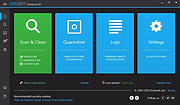 |
|
Endstate v3.10.0 Endstate v3.10.0 👉 Save your Windows apps and settings, then quickly rebuild them on a new PC. Endstate is a free, local-first Windows setup and recovery tool that records the applications installed on your computer along with settings for supported programs, then uses that information to rebuild your setup on a fresh Windows installation. Instead of copying installed program files from one PC to another, Endstate identifies your software and uses Windows Package Manager (winget) to reinstall available applications cleanly. You can scan an existing computer and save its setup to a portable file that you control. On a new or freshly installed Windows PC, load that saved setup and Endstate compares it with the new machine, shows which applications are missing and lets you choose what to install and which supported settings to restore. Scanning and saving can be performed offline, while reinstalling applications requires an internet connection to download their installers. No Endstate account is required. Features: • Automatically scans your Windows PC and detects installed applications • Detects traditional EXE/MSI-installed software and Microsoft Store applications • Uses winget to reinstall supported applications from their normal installation sources • Captures and restores settings for more than 300 supported applications • Settings support includes editors, IDEs, terminals, creative applications, media players, emulators, note-taking programs and more • Settings capture is optional and can be selected per application • Saves your setup to portable files that you control • Saved setups can be copied, backed up or moved to another computer • No mandatory cloud storage is required • No account is required for the free local product • Provides both a graphical interface and command-line interface • Supports capture, restore, profiles and manifests • Preview mode compares a computer against a saved setup without making changes • Shows which applications need to be installed and which are already present • Applications are installed individually rather than silently ... |
|
321 | Aug 11, 2026 Substrate Systems  |
|
ESET SysInspector v2.1.5.0 ESET SysInspector v2.1.5.0 👉 Free PC diagnostic tool for inspecting system issues, suspicious files, processes, services, registry entries and network connections. ESET SysInspector is an easy to use diagnostic tool that helps troubleshoot a wide range of system issues. It captures critical and detailed information about your computer and is useful for tracking down malicious code, suspicious unsigned files, software problems, hardware incompatibilities, driver issues, broken registry entries and suspicious network connections. Features: • Captures detailed system information for troubleshooting • Helps inspect running processes and services • Identifies suspicious and unsigned files • Helps diagnose software issues and hardware incompatibility • Checks for outdated or malfunctioning drivers • Helps identify unpatched operating system issues • Reports broken registry entries • Helps detect suspicious network connections • Color-coded risk levels help prioritize severe issues • Processes and network tree view • Regular expression filtering for log results • Light and dark mode support Supported operating systems: • Windows 10, Windows 11, Windows Server 2016, Windows Server 2019, Windows Server 2022 Supported languages: Several languages Changes: v2.1.5.0 Improved: Error codes on app exit Improved: File details for registry subsection Improved: Filtering functionality Added: Option to copy registry path Added: Modal window for viewing registry Added: Selecting lines with typed letter Fixed: Handling Livegrid settings Fixed: Minor UI bugs Updated: Modules with the latest improvements This download is for the Windows 64bit version (very bottom of page). If you need the Windows 32bit version, download here. If you need the Windows ARM64 version, download here. Click here to visit the author's website. |
|
4,963 | May 19, 2026 ESET, spol. s r.o. 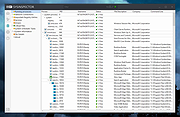 |
|
Everything v1.4.1.1032 Everything v1.4.1.1032 👉 Locate files and folders by name instantly. Everything is a fast Windows search engine that locates files and folders by filename instantly. It quickly indexes file and folder names, updates results in real time, and uses minimal system resources. Features: • Small installation file • Clean and simple user interface • Quick filename indexing • Quick searching • Minimal resource usage • Real-time updating • Content searching with the content: search function • Portable and installer versions available • x86, x64, ARM and ARM64 builds available • Multilingual support Supported operating systems: • Windows XP, Windows Vista, Windows 7, Windows 8, Windows 10, Windows 11 Supported languages: Afrikaans, Bosanski, Čeština, Dansk, Deutsch, English (AU), English (UK), English (US), Espa๑ol (Espa๑a), Espa๑ol (Latinoam้rica), Espa๑ol (Venezuela), Estonia, Fran็ais, Hrvatski, Italiano, K๛rd๎ (Soran๎), K๛rd๎, Magyar, Nederlands, Norsk bokmๅl, Oʻzbekcha, Polski, Portugu๊s (Brasil), Romโnă, Shqip, Slovenčina, Slovenščina, Srpski, Suomi, Svenska, Tiếng Việt, T�rk็e, Ελληνικά, Български, Македонски, Русский, Српски, Українська, עברית, عربي, ئۇيغۇرچە, বাংলা, فارسی, தமிழ், ภาษาไทย, བོད་ཡིག, 한국어, 日本語, 简体中文, 繁體中文 Changes: v1.4.1.1032 01-23-26 fixed a security issue with launching files ending with a dot (.) fixed an issue with the msi installer not stopping Everything. This download is for the Windows 64bit installer (very bottom of page). All other download assets are below: Windows Installer 32bit Everything-1.4.1.1032.x86-Setup.exe Windows Portable version: Everything-1.4.1.1032.x64.zip Everything-1.4.1.1032.x86.zip Everything-1.4.1.1032.ARM64.zip Everything-1.4.1.1032.ARM.zip Windows Lite installer version: Everything-1.4.1.1032.x64.Lite-Setup.exe Everything-1.4.1.1032.x86.Lite-Setup.exe Click here to visit the author's website. |
|
7,613 | May 24, 2026 voidtools 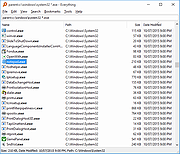 |
|
ExecutedProgramsList v1.15 ExecutedProgramsList v1.15 👉 A portable utility that reveals programs and batch files previously executed on your Windows computer. ExecutedProgramsList is a small system and forensic utility from NirSoft that displays programs and batch files previously run on your computer. It gathers execution information from several Windows Registry locations and the Windows Prefetch folder, making it useful for investigating software activity, troubleshooting a computer, or simply seeing what has been run in the past. For each detected program, it can display the executable file and path, file creation and modification times, and available version information including product name, product version and company name. For some programs, Windows also provides enough information for ExecutedProgramsList to show the last execution time. The program is completely portable. There is nothing to install and no additional DLL files are required. Results can be copied to the clipboard or exported to text, tab-delimited, CSV, HTML or XML files. Command-line options are also available for automatically generating reports. Features: • Displays programs and batch files previously executed on the computer • Collects execution history from multiple Windows Registry locations • Uses Windows Prefetch data as an additional source of execution history • Shows executable filenames and full file paths • Displays executable creation and modification times • Shows product name, product version and company name when available • Displays the last execution time for programs when the information is available • Opens the executable's folder directly in Windows Explorer • Opens the Windows file properties for a selected executable • Copies selected entries to the clipboard • Exports results to text, tab-delimited, CSV, HTML and XML formats • Includes command-line options for automatically saving reports • Name Only column can display the executable filename without its path • Optional black background with white text • Automatically sizes columns when configured to do so • Portable with no installation or additional DLL files required Supported operating systems: • Windows XP, ... |
|
6,749 | Aug 07, 2026 Nir Sofer 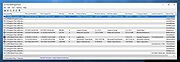 |
|
Executor v2.4.0 Executor v2.4.0 👉 Fast and customizable keyboard launcher for Windows. Executor is a highly customizable application launcher and productivity tool designed to help you quickly start programs, open files and folders, perform web searches, execute commands, and automate repetitive tasks using keyboard shortcuts. Inspired by tools like Launchy and the old Microsoft AppLauncher utilities, Executor focuses on speed and flexibility while remaining lightweight and easy to use. Executor supports keyword aliases, command parameters, clipboard handling, history tracking, and advanced search functionality. Users can create custom commands, launch websites, search online services, and manage workflows directly from a compact launcher window. It also includes support for skins and plugins, allowing users to personalize the appearance and expand functionality. Features: • Instant keyboard-based program and file launching • Custom keyword aliases and command execution • Built-in web search and URL launching support • Clipboard and command history integration • Plugin and skin support for customization • Portable and lightweight design • Auto-complete and smart search matching • Hotkey support for rapid access • Launch files, folders, commands, and websites from one interface • Configurable interface and advanced user options Supported operating systems: • Windows XP, Windows Vista, Windows 7, Windows 8, Windows 10, Windows 11 Supported languages: English Changes: v2.4.0 09-26-26 What's new Need to research an embarrassing topic, or have someone looking over your shoulder, or presenting your screen in a meeting? You can now enable Incognito mode, that per default will not add anything to history while enabled. You can further configure the incognito mode to do one or more of the following: Hide history from auto-complete and list (file system, URLs, keywords). Hide all list entries either when input is empty or all the time. Disable file navigation in list. ... |
|
6,453 | Oct 02, 2026 Martin Bresson 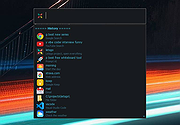 |
|
ExifToolGUI Portable v6.3.4-2 ExifToolGUI Portable v6.3.4-2 Image metadata reader and modifier. ExifTool is a tool for reading, writing and editing meta information in a wide variety of files. ExifTool supports many different metadata formats including EXIF, GPS, IPTC, XMP, JFIF, GeoTIFF, ICC Profile, Photoshop IRB, FlashPix, AFCP and ID3, Lyrics3, as well as the maker notes of many digital cameras by Canon, Casio, DJI, FLIR, FujiFilm, GE, GoPro, HP, JVC/Victor, Kodak, Leaf, Minolta/Konica-Minolta, Motorola, Nikon, Nintendo, Olympus/Epson, Panasonic/Leica, Pentax/Asahi, Phase One, Reconyx, Ricoh, Samsung, Sanyo, Sigma/Foveon and Sony. ExifToolGUI is a frontend for ExifTool. App Notes Changing Languages: ExifToolGUI is multilingual but has no way to change languages in the app itself. If you use it with the PortableApps.com Platform, it will automatically switch languages to match your preferred language. If used alone, run it once and then close it. Then open up the ExifToolGUIPortableSettings.ini file within the ExifToolGUIPortable\Data\settings directory. Set the Language= entry to the 3 letter code of the language you with to use. ENU for English, NLD for Dutch, FRE for French, DEU for German, ITA for Italian, PTB for Portuguese, CHS for Simplified Chinese, or ESP for Spanish. GPS Map: By default, the map function is disabled. It can be enabled within Program - Preferences and check off enable internet access. Close ExifToolGui Portable and then open it again. This feature works on PCs with Microsoft Edge installed, typically Windows 10/11. Supported operating systems: Windows 7, 8, 10, 11 Click here to visit the author's website. |
|
1,350 | Nov 06, 2024 Jens G๖pfert/PortableApps.com 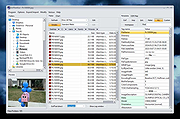 |
|
FakeDriveCheck v4.77 FakeDriveCheck v4.77 👉 Checks USB flash drives and MicroSD cards to see if they are fake, corrupted, or OK. FakeDriveCheck verifies whether a USB flash drive or MicroSD card is fake, corrupted, or functioning properly. It is designed to help identify storage devices that falsely report a larger capacity than they actually have, which can lead to silent data loss once the real memory is full. FakeDriveCheck works without destroying existing files on the drive, supports hot plugging, and does not require unplugging and reconnecting the device during verification. Features: • Verifies whether a USB flash drive or MicroSD card is fake, corrupted, or OK • Existing files are not destroyed during verification • Super fast verification • No unplugging and plugging required • Detects USB drives inserted after the program has already started • Free to use • Anonymous download • No hidden downloads, uploads or updates • No setup required (Click To Run) Supported operating systems: • Windows 10, Windows 11 Supported languages: • English, German Changes: v4.77 08-06-26 New Features FileProtection, upgraded dashboard with new features: Desktop Icon FileProtection, protects files from being modified or deleted. FileLocker, completely locks down files from being read renamed or deleted. Set or clear the unprotection password. ClassicMenu, new switch called 'Supermouse'. If on, a single click with the mouse's thumb button will close down an open window. Sounds stupid, is cool, try it! Uninstall has simplified dialogs and is easily accessible from all dashboards. Fixed Bugs Filenames with symbols like 🚲 or 🎜 have not been created correctly. Restoring the running Windowsฎ could fail. The problem has been related to certain third party antivirus providers. It has been of no concern if Windowsฎ was ... |
|
1,444 | Aug 14, 2026 Reuschtools  |
|
Farbar Recovery Scan Tool v2.7.2026.0 Farbar Recovery Scan Tool v2.7.2026.0 Advanced diagnostic and recovery tool for Windows systems. Farbar Recovery Scan Tool is a powerful portable utility designed to diagnose, troubleshoot, and repair Windows systems. Commonly used by malware removal experts and advanced users, it creates detailed reports about system configuration, installed programs, startup entries, services, drivers, registry settings, and more. Farbar Recovery Scan Tool can run in normal Windows mode or from the Windows Recovery Environment, making it especially useful for systems that fail to boot properly. It generates comprehensive FRST.txt and Addition.txt reports that can be analyzed manually or used with custom fix scripts to repair system issues, remove malware remnants, and restore damaged configurations. This tool is intended for advanced users and guided troubleshooting scenarios, as improper fixes may cause system instability. Features: • Portable executable, no installation required • Generates detailed system diagnostic reports (FRST.txt and Addition.txt) • Identifies startup entries, services, drivers, scheduled tasks, and registry items • Supports custom fix scripts for targeted system repairs • Can run from Windows Recovery Environment (WinRE) • Useful for malware cleanup and advanced troubleshooting Supported operating systems: • Windows 7, Windows 8, Windows 8.1, Windows 10, Windows 11 Supported languages: • English Changes: v2.7.2026.0 07-02-26 Not provided. Note: This file has five hits on VirusTotal. We have confirmed these to be false positives. The file is safe. This download is for the Windows 64bit version (very bottom of page). If you need the Windows 32bit version, download here. Click here to visit the author's website. |
|
8,967 | Jul 05, 2026 Farbar  |
|
FastCopy v5.12.0 FastCopy v5.12.0 👉 High-speed file copy and backup software for Windows. FastCopy is a fast file copy and backup utility for Windows designed to maximize transfer performance by using multi-threaded read, write, and verify operations together with Overlapped I/O and Direct I/O. It supports Unicode file names, paths longer than MAX_PATH, and include or exclude filtering using UNIX-style wildcards. FastCopy is built to reduce the load on other running applications while delivering very high copy performance on modern storage devices. Features: • Fast file copy and backup software for Windows • Verification support for more reliable copying • Can record hash values for each file • Uses multi-threaded read, write, and verify processing • Uses Overlapped I/O and Direct I/O for high performance • Supports Unicode file names • Supports file paths longer than MAX_PATH (260 characters) • Supports include and exclude filters using UNIX-style wildcards • Lightweight design built with Win32 API only Supported operating systems: • Windows 7, Windows 8, Windows 8.1, Windows 10, Windows 11 • Windows Server 2012, Windows Server 2012 R2, Windows Server 2016, Windows Server 2019, Windows Server 2022, Windows Server 2025 Supported languages: • English, Japanese, Chinese Changes: v5.11.3 08-18-26 Added an option to Shell Extension to replace Explorer's standard drag & drop / paste with FastCopy. (Default: OFF) Various security enhancements. - Enabled CET Shadow Stack (/CETCOMPAT). - Enabled Control Flow Guard (/guard:cf). - Stricter DLL loading (added /DEPENDENTLOADFLAG:0x800). - (Already enabled: /GS, /NXCOMPAT (DEP), /SAFESEH (x86), /DELAYLOAD, /DYNAMICBASE, /HIGHENTROPYVA, SetDefaultDllDirectories) Note: This file has one hit on VirusTotal. We have confirmed this to be a false positive. The file is safe. Note: If you need the portable version, use the "Extract" button in the installer. Click here to visit the author's website. |
|
12,521 | Aug 21, 2026 SHIROUZU Hiroaki  |
|
FastStone Image Viewer v8.5 FastStone Image Viewer v8.5 👉 Fast, stable image browser, editor and batch converter. FastStone Image Viewer is a fast, stable, user-friendly image browser, converter and editor. It includes image viewing, management, comparison, red-eye removal, emailing, resizing, cropping, retouching and color adjustments. Its full-screen mode gives quick access to EXIF information, thumbnail browsing and major tools through hidden edge toolbars. It also includes a high quality magnifier, musical slideshow with 150+ transition effects, lossless JPEG transformations, drop shadows, image annotation, scanner support, histogram display, batch conversion and batch renaming. Features: • Windows Explorer-like image browser and viewer • Supports BMP, JPEG, HEIC, WEBP, GIF, PNG, PCX, PDF, PSD, EPS, TIFF, WMF, ICO, CUR, TGA and many RAW camera formats • Full-screen viewer with zoom support and fly-out menu panels • Resize, rotate, crop, sharpen, blur, color correction, curves and levels tools • Clone Stamp, Healing Brush and red-eye removal • Draw text, lines, highlights, rectangles, ovals and callouts • Compare up to 4 images side-by-side • Batch convert and batch rename files • Slideshow with music and 150+ transition effects • Scanner support with batch scanning to PDF, TIFF, JPEG and PNG • Contact sheet creation, printing tools and image emailing • Portable version available Supported operating systems: • Windows XP, Windows Vista, Windows 7, Windows 8, Windows 10, Windows 11 Supported languages: Bulgarian, Chinese (Simplified), Chinese (Traditional), Czech, Danish, Dutch, Finnish, French, German, Hungarian, Italian, Japanese, Korean, Norwegian (Norsk bokmๅl), Polish, Portuguese, Russian, Spanish, Swedish, Ukrainian Changes: v8.5 06-24-26 Added support for SVG format Added Start importing automatically and Handle duplicate file names automatically options to the Import Photos and Videos tool WebP files can now be rotated and saved with a single click Enhanced dark theme support in the PDF viewer Fixed a bug where some links in PDF files were not clickable Other improvements and bug fixes 👉 This download is for the Windows portable version (very bottom of page). All other download ... |
|
11,647 | Oct 07, 2026 FastStone Soft 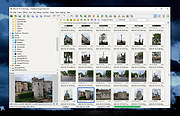 |
|
File Order Randomizer v1.0 File Order Randomizer v1.0 👉 Adds random numbers to the start of filenames to randomize play order on simple music players. File Order Randomizer is a small, portable utility intended for devices (like some car radios or clock radios) that cannot play tracks in random order from a USB stick. It generates random numbers and puts them in front of every file in a specified folder, so you can create a new play order by running it again. Features: • Adds random numbers in front of filenames in a selected folder • Designed to help create a “random” track order for cheap/basic music players using USB media • Simple run-to-rerandomize workflow (run again whenever you want a new order) Supported operating systems: • Windows 2000 SP4 • Windows XP • Windows Vista • Windows 7 • Windows 8 / 8.1 • Windows 10 • Windows 11 Supported languages: • English Click here to visit the author's website. |
|
798 | Jun 29, 2026 Lumpiluk 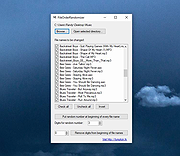 |
|
Filelister v4.1.1 Filelister v4.1.1 👉 A fast, efficient, and reliable file listing utility. Filelister is a fast, efficient and reliable file listing utility. The main function of the program is to create a text or html file from the contents of a disc or folder and display it according to the user's preferences. Features: • HTML or Text file output • Support for international characters (UTF8 file output) • Recursive or collapsed/flat list styles • File type filtering using simple regular expression • Folder exclusion using simple regular expression • Enable/Disable different file property outputs as columns • Sorting based on different file properties ascending/descending Supported operating systems: • Windows 7, Windows 10, Windows 11 Supported languages: English Changes: v4.1.1 12-31-25 Bugfix: Fixed issue with year and month not being expanded correctly Bugfix: Options dialog now has a default button Note: This file has two hits on VirusTotal. We have confirmed these to be false positives. The file is safe. This download is for the Windows installer version (very bottom of page). If you need the Windows portable version (v4.1.0), download here. Click here to visit the author's website. |
|
2,676 | Mar 24, 2026 True Human Design  |
|
FileTypesMan v2.01 FileTypesMan v2.01 👉 View and edit Windows file extensions, associations and actions. FileTypesMan is a portable alternative to the File Types manager previously included with Windows Folder Options. It displays detailed information about every file extension and file type registered on your computer, including the type name, description, MIME type, perceived type, default icon, browser flags, Registry key and associated applications. The program uses a two-pane interface. The upper pane lists registered extensions and file types, while the lower pane shows the actions available for the selected item, such as Open, Edit, Print and other context-menu commands. You can edit file type properties, change icons, add or remove actions, replace an extension's assigned file type and open related entries directly in Registry Editor. FileTypesMan requires no installation and can be run directly after extracting the downloaded ZIP file. Separate 32-bit and 64-bit downloads are available. Features: • Displays all registered file extensions and file types • Shows type names, descriptions, MIME types and perceived types • Lists default icons, flags, browser flags and Registry keys • Displays associated applications and available file actions • Adds, edits or removes Open, Edit, Print and other actions • Changes file type properties, flags and default icons • Replaces the assigned file type for a selected extension • Detaches shared file types from individual extensions • Supports Windows UserChoice and SystemFileAssociations entries • Opens file type and action entries directly in Registry Editor • Copies actions from one file type and pastes them into another • Runs with TrustedInstaller privileges when protected entries must be modified • Exports information to text, CSV, tab-delimited, HTML or XML files • Provides command-line options for selecting and exporting extensions • Automatically refreshes the desktop after association changes • Offers optional icon-loading controls to prevent hangs or crashes • Includes a black-background viewing mode • Portable and requires no installation or additional DLL files Supported operating systems: • Windows XP, Windows Vista, ... |
|
10,312 | Jul 27, 2026 Nir Sofer 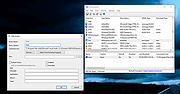 |
|
FileVoyager v26.9.6.0 FileVoyager v26.9.6.0 👉 A powerful dual-pane file manager and viewer for Windows. FileVoyager is a freeware Orthodox file manager (OFM) for Microsoft Windows that uses a dual-pane layout to make browsing, organizing, comparing, and transferring files easier. It can browse disks, folders, shares, archives, and FTP/FTPS locations in one unified interface, while also offering built-in viewers, archive handling, folder synchronization, file comparison, hashing, and media playback support. Features: • Dual-pane Orthodox file manager layout • Browse disks, folders, virtual folders, shares, archives, and FTP/FTPS locations • Multiple view modes, including report and thumbnail views • Rename, copy, move, link, delete, and recycle files • Pack and unpack ZIP, 7Zip, GZip, BZip2, XZ, Tar, and WIM archives • Unpack ARJ, CAB, XAR, Z, RAR, LZH, LZMA, ISO, WIM, and many other formats • Built-in file and folder comparison • Folder synchronization tools • Duplicate file finder • Advanced search and filtering • Quick preview for many file formats • Multimedia playback using installed codecs, Windows Media Player, and VLC support • Ebook and comic book viewing, including PDF, EPUB, MOBI, FB2, DJVU, CBR, CBZ, and XPS • Syntax highlighting for many source code formats • Hexadecimal and flat file viewing modes • Hash tool with VirusTotal-powered malware report • Dark Mode and customizable themes • Available as Setup or Portable editions • Optional VLC codec packages Supported operating systems: • Windows 10, Windows 11 • Should also run on Windows Vista, Windows 7, Windows 8.x, but these are not tested Supported languages: Arabic, Chinese Simplified, Czech, Danish, Dutch, English, French, German, Greek, Hungarian, Italian, Japanese, Korean, Polish, Portuguese, Portuguese (Brazil), Russian, Slovak, Slovenian, Spanish, Swedish Changes: v26.9.6.0 09-06-26 + New: Viewer: The main new feature in this release is folder analytics in the Viewer, with a dedicated panel providing key metrics and insights about a folder selected. + New: Browse: Added Archive & Unarchive commands in the Central toolbar, under Tools. ~ Chg: Global: Mask labels, visible in the various filter ... |
|
5,798 | Sep 11, 2026 FileVoyager  |
|
FileZilla Client Portable v3.70.6 FileZilla Client Portable v3.70.6 👉 Portable FTP, FTPS, and SFTP client for fast and reliable file transfers. FileZilla Client Portable is a portable edition of FileZilla that lets you connect to FTP, FTPS, and SFTP servers for uploading, downloading, and managing files without a traditional installation. It is designed to run from portable storage or local folders and includes drag and drop transfers, resume support, firewall and proxy support, and a tabbed interface for handling file transfer tasks more easily. Features: • Portable package that runs without traditional installation • Supports FTP, FTP over SSL/TLS (FTPS), and SFTP • Resume support for uploads and downloads • Timeout detection • Firewall support • SOCKS4/5 and HTTP/1.1 proxy support • Intuitive drag and drop interface • Tabbed user interface • IPv6 support • Supports transfer of large files over 4GB • Powerful Site Manager and transfer queue • Bookmark support • Configurable speed limits • Filename filters • Directory comparison • Network configuration wizard Supported operating systems: • Windows 7, Windows 8, Windows 10, Windows 11 Supported languages: Aragonese, Arabic, Azerbaijani, Bulgarian, Catalan, Corsican, Czech, Welsh, Danish, German, Greek, Spanish, Estonian, Basque, Persian, Finnish, French, Galician, Hebrew, Croatian, Hungarian, Armenian, Indonesian, Icelandic, Italian, Japanese, Kabyle, Georgian, Khmer, Korean, Kurdish, Kirghiz, Lao, Lithuanian, Latvian, Macedonian, Norwegian Bokmๅl, Nepali, Dutch, Norwegian, Occitan, Polish, Portuguese, Romanian, Russian, Slovak, Slovenian, Serbian, Swedish, Tamil, Thai, Turkish, Ukrainian, Vietnamese, Chinese Changes: v3.70.6 06-04-26 New features: SFTP: Added compatibility flag to Site Manager to ignore invalid bits in file attributes flags received from non-compliant servers Bugfixes and minor changes: SFTP: Updated to fzssh 1.3.0 Updated to libfilezilla 0.56.1 Removed autodetection of FTP server type governing the remote path syntax. Exotic server types now need to be set explicitly on the advanced page in the Site Manager Click here to visit the author's website. |
|
5,227 | Aug 14, 2026 FileZilla Project & PortableApps.com (John T. Haller)  |
|
Film.Strip.Explorer v1.05 Film.Strip.Explorer v1.05 👉 Create stylish filmstrip-style previews from your photos. Film.Strip.Explorer is a lightweight and portable Windows utility that lets you generate attractive filmstrip-style image previews from your photos and graphics. It’s ideal for creating visual overviews of image collections, adding cinematic presentation effects, or preparing eye-catching previews for websites, documentation, and digital projects. With its simple interface, Film.Strip.Explorer allows you to quickly load images and arrange them into a classic filmstrip layout. The program is designed for ease of use, making it suitable for beginners while still offering flexibility for more advanced users who want to customize the look and feel of their filmstrip output. Features: • Generate classic filmstrip-style image layouts • Quick and simple image loading • Adjustable layout and spacing options • Preview output before saving • Lightweight and portable (no installation required) • Low system resource usage • Clean and user-friendly interface Supported operating systems: • Windows 7, Windows 8, Windows 10, Windows 11 Supported languages: English, German Changes: v1.05 05-10-26 • Updated language files in Film.Strip.Explorer. Minor adjustments for the next Windows 11 build. This download is for the Windows 64bit portable version (very bottom of page). If you need the Windows 64bit installer version, download here. If you need the Windows 32bit portable version, download here. If you need the Windows 32bit installer version, download here. Click here to visit the author's website. |
 |
824 | Jun 27, 2026 Nenad Hrg  |
|
Flow Launcher v2.1.3 Flow Launcher v2.1.3 👉 Fast keyboard-driven launcher for finding apps, files, settings, bookmarks, and more on Windows. Flow Launcher is a quick file search and app launcher for Windows with community-made plugins. It is designed to help you search and launch applications, find files and file contents, run web searches, access browser bookmarks, use system and shell commands, search Windows and Control Panel settings, and extend functionality through a built-in plugin ecosystem. Features: • Search and launch applications from the keyboard • Search files and file contents using Everything or Windows Search • Run web searches with your preferred search engine • Search bookmarks from supported browsers • Access system commands such as restart, sleep, shutdown, lock, and settings • Run batch and PowerShell commands, including as Administrator or another user • Perform mathematical calculations and copy results to the clipboard • Search Windows settings and Control Panel settings • Browse and install community-made plugins from the plugin store • Supports custom themes, animations, sounds, and color schemes • Lets you display date and time in the search window • Supports portable use • Includes Game Mode to pause hotkey activation while gaming • Supports dialog jump for Open and Save As windows • Includes drag and drop support for files and folders • Lets you prioritize plugin result order • Includes a preview panel for supported items • Supports plugin development in C#, F#, Python, JavaScript, and TypeScript Hotkeys: • Alt + Space Open Flow Launcher (default hotkey, customizable) • Ctrl + Shift + Enter Run selected result as Administrator • Ctrl + Enter Open file location (Explorer) • Tab Autocomplete selected result • Enter Launch selected result • Esc Close Flow Launcher • ↑ / ↓ Navigate results list • Ctrl + C Copy selected result info (when supported) System Command List: • shutdown Shut down the computer • restart Restart the computer • sleep Put the computer to sleep • hibernate Hibernate the computer • lock Lock the current user session • signout ... |
|
708 | Aug 09, 2026 Flow Launcher Team  |
|
FluentCleaner Classic v1.18.250 FluentCleaner Classic v1.18.250 👉 A lightweight, portable Windows cleaner for removing temporary files, caches, logs and other unnecessary clutter. FluentCleaner Classic is a lightweight WinForms-based edition of FluentCleaner designed for users who prefer a traditional Windows desktop application with a small footprint. It uses the same FluentCleaner.Core scanning and cleaning engine as the modern edition while relying on .NET Framework 4.8 instead of the Windows App SDK. FluentCleaner Classic can analyze Windows and applications for temporary files, caches, logs, browser data and other unnecessary files, allowing you to review detected items before cleaning them. Its portable design requires no installation, and support for Winapp2 cleaning databases provides extensive coverage of Windows components and third-party applications. Features: • Scans Windows and applications for temporary files, caches, logs and other unnecessary data. • Displays detected files and recoverable disk space before cleaning. • Uses the FluentCleaner.Core scanning and cleaning engine. • Supports Winapp2 cleaning databases for additional applications and cleaning rules. • Includes cookie management with protection for cookies you want to keep. • Detects cookies from Edge, Chrome, Chromium, Brave, Vivaldi, Opera, Opera GX and Firefox profiles. • Supports custom cleaner rules. • Includes a Handoff API for testing cleaner selections from external tools. • Provides command-line options for additional control and automation. • Includes Mini mode for quick access to Analyze, Review and Clean. • Can start directly in Mini mode. • Mini mode supports always-on-top operation and remembers its window position. • Portable and does not require installation. • Uses the familiar traditional Windows WinForms interface. Supported operating systems: • Windows (practically any version capable of running Microsoft .NET Framework 4.8) Supported languages: Bulgarian, Chinese (Simplified), English, French, German, Polish Changes: v1.18.250 09-17-26 [Added] [Classic] Introduced command-line automation for scripts, batch files, PowerShell, and third-party tools. Classic can now analyze or clean the saved selection silently, optionally target a specific cleaner category, and shut down the PC after cleaning #52 [Added] [Classic] Added ... |
|
531 | Sep 30, 2026 Builtbybel 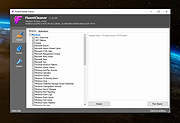 |
|
FluentTweaker v26.06.02 FluentTweaker v26.06.02 👉 Customize and tweak Windows 10/11 with a modern Fluent-style interface. FluentTweaker is a lightweight Windows customization and tweaking utility designed to give users more control over the look, feel, and behavior of Windows 10 and Windows 11. Developed with a clean Fluent Design-inspired interface, the application provides access to a wide variety of system tweaks, personalization settings, and hidden Windows options from a centralized dashboard. FluentTweaker focuses on making Windows customization easier and more accessible by grouping settings into organized categories. Users can quickly adjust privacy features, taskbar behavior, File Explorer settings, visual effects, system performance options, and interface tweaks without manually editing the registry or searching through scattered Windows menus. The program is portable and designed to be simple to use while still offering advanced customization possibilities for enthusiasts who want a cleaner, more personalized Windows experience. Features: • Modern Fluent Design-inspired user interface • Centralized access to Windows 11 customization options • Privacy and telemetry configuration tools • Taskbar and Start menu customization tweaks • File Explorer behavior and appearance adjustments • System performance and visual effect optimizations • Quick access to hidden Windows settings • Portable application with no installation required • Lightweight and easy-to-use design • Registry-based tweaks presented through a graphical interface • Organized categories for simplified navigation • Designed specifically for modern Windows versions Supported operating systems: • Windows 11 • Windows 10 Supported languages: • English Changes: v26.06.02 06-06-26 Not provided Note for Windows 10 users: Microsoft's Windows App Runtime 2.x package is required and you will be offered the download. Click here to visit the author's website. |
|
835 | Jun 08, 2026 Builtbybel 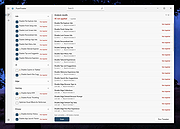 |
|
FlyOutNotepad v1.05 FlyOutNotepad v1.05 👉 Smart docking notepad for storing text, code snippets, and images. FlyOutNotepad is a lightweight Windows productivity tool that docks to any screen edge and gives you fast access to notes, code snippets, text, and images. It supports drag and drop, up to 20 tabs, auto-save, and fast C++/WTL performance in a very small package. Features: • Dock to any of the 4 screen edges • Smooth flyout access when needed • Store text, code snippets, and images • Bi-directional drag and drop for text and images • Up to 20 tabs for organizing content • Auto-save support • Remembers state on shutdown or logoff • Tab renaming support • Lightweight, under 500 KB • Built in C++ with Windows Template Library • Optional portable mode by renaming the EXE with _p Supported operating systems: • Windows 11, Windows 10, Windows 8.1, Windows 7, Windows Server 2012 through 2025, 32-bit and 64-bit Supported languages: English, German, Italian, Traditional Chinese, Korean, Polish, Russian, Spanish, Portuguese, French Changes: v1.05 08-17-26 • Update of language files in FlyOut NotePad for MS Windows • Optimization and various fixes under Windows 11 and 10 Click here to visit the author's website. |
|
1,501 | Oct 01, 2026 Nenad Hrg 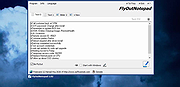 |
|
FocusOn Renamer Portable v1.8 FocusOn Renamer Portable v1.8 Free tool to easily rename multiple files. • Free for everyone - personal and commercial use • Add files to rename by drag and drop • Change the case of file names • Find and replace a word • Run from Windows Explorer's menu Supported Windows Versions: Windows Vista through Windows 11 Changes: v1.8 2025-02-01 What's New? Fixed abnormal termination bug Added Normalize unicode option for converting decomposed Mac filenames Dropped support for Windows XP Click here to visit the author's website. |
|
1,822 | Mar 19, 2025 Pintosoft and OlderGeeks.com 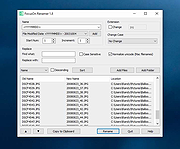 |
|
FolderTimeUpdate v1.75 FolderTimeUpdate v1.75 👉 Updates folder modified times based on the newest files inside them. FolderTimeUpdate is a simple Windows tool that scans all files and folders under a base folder you choose, then updates each folder's Modified Time according to the latest modified time of the files stored inside it. This can be useful after restoring backed-up folders when the backup program did not preserve the original folder modified times. Features: • Scans files and folders under a selected base folder • Updates folder Modified Time according to files inside the folder • Simulation Mode previews changes without applying them • Supports updating folder date/time from the command line • Can save update logs as text, tab-delimited, CSV, HTML, or XML • Supports choosing how folder modified time is calculated • Supports excluding folders from scanning or updating • Supports wildcard filtering for scanned files • Supports skipping hidden and system files • Supports Explorer context menu integration • Includes 32-bit and 64-bit downloads • No installation required Supported operating systems: • Windows 2000, Windows XP, Windows Vista, Windows 7, Windows 8, Windows 10, Windows 11 • 32-bit and 64-bit systems Supported languages: Arabic, Brazilian Portuguese, Bulgarian, Dutch, English, French, German, Greek, Hungarian, Italian, Japanese, Persian, Polish, Romanian, Russian, Simplified Chinese, Slovak, Spanish, Traditional Chinese, Turkish Changes: v1.75 Added option to change the sorting column from the menu (View -> Sort By). Like the column header click sorting, if you click again the same sorting menu item, it'll switch between ascending and descending order. Added 'Sort By' button to the toolbar. This download is for the Windows 64bit version (very bottom of page). If you need the Windows 32bit version, download here. Click here to visit the author's website. |
|
6,426 | Apr 30, 2026 Nir Sofer  |
|
FontViewOK v9.33 FontViewOK v9.33 👉 A quick visual overview of all installed fonts. FontViewOK creates a quick visual overview of all installed fonts, or fonts from a specific folder, and helps you compare fonts side by side. Features: • Quick overview and comparison of all installed fonts • View fonts from a specific folder • Compare fonts in dual preview panes • Compare installed and non-installed fonts • Change font size, style, and color • Change background and font colors • Print fonts with print preview • Copy the selected font preview as an image to the clipboard • Save the selected font preview as an image • Open font locations in Windows Explorer • Portable use, installation is not required Supported operating systems: • Windows 11, Windows 10, Windows 8.1, Windows 7, Windows Server 2012 through Windows Server 2025, x64, x32, x86 Supported languages: English, German, Thai, Multilingual Changes: v9.33 05-06-26 General adjustments to the Front-View App; improved detection of the default system language; necessary adjustments and language file updates. This download is for the Windows 64bit version (very bottom of page). If you need the Windows 32bit version, download here. Click here to visit the author's website. |
|
6,042 | May 15, 2026 Nenad Hrg  |
|
Foxit Reader Portable v2026.1.1 Foxit Reader Portable v2026.1.1 👉 Lightweight and feature-rich PDF reader you can take anywhere. Foxit Reader Portable is a compact, portable version of the popular Foxit PDF Reader that lets you view, annotate, fill out, and sign PDF documents without installing anything on your system. Designed to run from a USB drive or other portable media, it allows you to carry your PDF viewer and personal settings with you and use it on any compatible Windows computer. Foxit Reader Portable offers fast performance, a clean interface, and strong compatibility with standard PDF documents. It supports advanced features such as commenting, highlighting, form filling, digital signatures, and secure document viewing. Its small footprint and portability make it ideal for users who need a powerful PDF solution on the go. Features: • View, print, and search PDF documents • Add comments, highlights, and annotations • Fill out and save PDF forms • Support for digital signatures and document security • Tabbed interface for working with multiple PDFs • Fast startup and lightweight performance • Portable, no installation required Supported operating systems: • Windows 7, Windows 8, Windows 10, Windows 11 Supported languages: English, Deutsch (German), Espa๑ol (Spanish), Portugu๊s (Portuguese), Fran็ais (French), Русский (Russian), Italiano (Italian), Nederlands (Dutch), 日本語 (Japanese), العربية (Arabic), 한국어 (Korean), 繁體中文 (Traditional Chinese) Changes: v2026.1.1 04-27-26 New Features and Improvements in Foxit PDF Reader 2026.1.1.36485 Upgrade the real-time PDF collaboration service - now powered by Foxit Document Management System (DMS) in certain regions, delivering a more efficient workflow and a smoother, seamless user experience. Issues Addressed in Foxit PDF Reader 2026.1.1.36485 Fixed some security and stability issues. Click here for details. Click here to visit the author's website. |
|
7,900 | Jun 27, 2026 Foxit Software Incorporated & PortableApps.com (Vic Saville)  |
|
FreeCellOK v1.06 FreeCellOK v1.06 👉 A lightweight and portable FreeCell solitaire game for Windows. FreeCellOK is a small, easy-to-use FreeCell solitaire game designed for Windows systems. It offers a classic FreeCell experience with a portable option and a multilingual user interface. Features: • Strategic Puzzle Game: All 52 cards are face-up from the beginning – pure strategy gameplay • Smart Gameplay Assists: Automatic hints and warnings for critical moves • Full Control: Every game is winnable through strategic moving of card sequences • Multiple Themes: From the classic green felt table to modern Dark Mode • Automatic Adaptation to high screen resolutions (up to 4K and beyond) • Best Times & Statistics: Track your successes and improvements * Use the AI Player: To recognize strategies and develop into a FreeCell master step by step without frustration. • Play in Easy Mode at the beginning: This allows you to understand the rules and strategies without making many invalid moves. • No Ads – Uninterrupted gaming fun • No Internet Required – Play anytime, anywhere • Full Data Control – All data stays on your PC • Local Storage of all settings and statistics Supported operating systems: • Windows XP, Windows Vista, Windows 7, Windows 8, Windows 10, Windows 11, Windows 12 Supported languages: German, English, French, Bosnian, Croatian, Serbian, Italian, Korean, Spanish, Portuguese Changes: v1.06 05-09-26 • Updating language files in the FreeCell APP • Important tests and adjustments in FreeCellOK-OK for the next Microsoft Windows 11 update/build. Click here to visit the author's website. |
|
794 | Jul 11, 2026 Nenad Hrg  |
|
FSterm v1.2.4 FSterm v1.2.4 👉 A lightweight ANSI terminal emulator with serial, TCP, and UDP connectivity. FSterm is a lightweight, high-performance ANSI terminal designed for communicating with serial and network-connected devices without unnecessary complexity. Despite its compact portable size, it delivers an impressive feature set for developers, technicians, and hardware enthusiasts. Connect through serial ports or over TCP and UDP, enjoy comprehensive ANSI terminal emulation with truecolor support, multiple terminal sizes, mouse selection, and flicker-free rendering, then take advantage of the powerful GrafANSIฉ extension to display images, diagrams, shapes, pointers, layered graphics, and device-triggered audio across the same connection. Version 1.2.4 further improves performance with significantly faster rendering, smoother scrolling, expanded screenshot capabilities, command-line automation, customizable cursor styles, a wider baud rate range up to 921600, Slim-GUI mode, and permanent background image support, making FSterm a fast, flexible, and capable terminal for everything from embedded development to industrial equipment and diagnostics. Features: • Lightweight ANSI terminal emulator with a portable, no-installation design. • Connect to serial (COM) ports. • Connect to remote devices over TCP. • Connect to remote devices over UDP. • Enhanced ANSI terminal emulation with scrolling regions, alternate screen buffer, cursor position reporting, adjustable tab stops, autowrap and origin modes. • Supports truecolor ANSI text and an audible terminal bell. • Four selectable terminal sizes from 80ื24 through 132ื25. • Mouse text selection and copy support. • Flicker-free terminal rendering. • GrafANSIฉ graphics extension for displaying PNG and JPEG images directly from connected devices. • Draw lines, rectangles, circles, ellipses, arrows, and hand pointers from remote devices. • Supports layered graphics with visibility control, transparent colors, and zooming. • Devices can trigger local WAV audio playback. • Disk image caching for faster redisplay of graphics. • Free while in public beta. Supported operating systems: • Windows 10 (64-bit), Windows 11 (64-bit) Supported languages: English Changes: v1.2.4 07-30-26 Improved display performance with approximately 30-40% faster screen rendering for smoother scrolling, reduced lag with large ... |
|
326 | Aug 01, 2026 Funciona Systems  |
|
GetPixelColor v3.55 GetPixelColor v3.55 👉 Instantly identify the color value of any pixel on your Windows desktop. GetPixelColor is a lightweight, portable utility that lets you quickly determine the exact color value of any pixel displayed anywhere on your Windows desktop. Whether you're a web designer, graphic artist, software developer, digital artist, or simply need to identify a specific color, GetPixelColor provides an easy way to retrieve precise color information with minimal effort. The program follows your mouse cursor in real time, displaying the selected pixel's color in multiple formats for use in graphics, web development, and design projects. Its compact interface requires no installation, making it ideal for keeping on a USB flash drive or using as a quick desktop utility. Despite its small size, GetPixelColor supports numerous interface languages and works across virtually all modern Windows versions. Features: • Instantly identify the color of any screen pixel • Live color detection as the mouse cursor moves • Displays precise color values for selected pixels • Simple, lightweight, and portable application • No installation required • Low system resource usage • Suitable for web design, graphic design, development, and troubleshooting • Supports numerous interface languages • Compatible with virtually all Windows desktop environments Supported operating systems: • Windows XP, Windows Vista, Windows 7, Windows 8, Windows 8.1, Windows 10, Windows 11, Windows Server 2003, Windows Server 2008, Windows Server 2012, Windows Server 2016, Windows Server 2019, Windows Server 2022 Supported languages: English, Arabic, Basque, Bulgarian, Catalan, Chinese (Simplified), Chinese (Traditional), Croatian, Czech, Danish, Dutch, Finnish, French, German, Greek, Hebrew, Hungarian, Italian, Japanese, Korean, Norwegian, Persian, Polish, Portuguese, Portuguese (Brazilian), Romanian, Russian, Slovak, Slovenian, Spanish, Swedish, Thai, Turkish, Ukrainian, Vietnamese Changes: v3.55 06-30-26 Improvements to GetPixelColor for all Windows operating systems. Language file update in the pixel query app. This download is for the Windows 64bit portable version (very bottom of page). If you need the Windows 32bit portable version, download here. Click here ... |
|
4,366 | Jul 08, 2026 Nenad Hrg  |
|
GIMP Portable v3.2.6 GIMP Portable v3.2.6 👉 Portable image editor for photo retouching, image composition and graphic creation. GIMP Portable is the portable version of the GNU Image Manipulation Program, a free and open source image editor for photo retouching, image composition, image authoring, painting, batch processing, rendering and image format conversion. It runs from a cloud folder, removable drive, local folder or the PortableApps.com Platform without needing a traditional installation. Features: • Portable version of GIMP for Windows • Runs from USB drives, cloud folders or local folders • Photo retouching and image editing • Image composition and authoring • Paint program capabilities • Expert-quality photo manipulation tools • Batch processing support • Image rendering and format conversion • Supports plug-ins and scripts • User plug-ins and scripts can be placed in the portable Data\GimpAppData folder • Optional English-only offline help add-on available • PortableApps.com Platform support for easier installs and automatic updates • Open source software under the GPL Supported operating systems: Windows XP, Vista, 7, 8, 10, 11 Supported languages: Multilingual, GIMP is available in more than 80 languages Changes: v3.2.6 09-10-26 Several months of patches, bug fixes, security updates, and stability improvements. Cut can now be used on rasterized, unlocked layer groups to cut the same area from all layers in the group. Color Picker's Sample Merged option now accounts for filters applied to a single layer. Improved performance when loading large numbers of fonts, including faster startup, text entry, and closing font lists. Fixed text being hidden at the edges when using fixed text layouts. Fixed dark smudges produced by the Heal Tool when working outside the bounds of a layer smaller than the canvas. Fixed a crash that could occur when pressing keys quickly after releasing the spacebar while panning. Text can now be selected for editing even when partially covered by a layer mask. Fixed loading of Licensor image metadata. Added a maximum width for tooltips with long descriptions. Fixed several issues involving rasterized vector layers. Added ... |
|
6,727 | Sep 11, 2026 GIMP Team & PortableApps.com  |
|
Google Chrome Portable v140.0.7339.81 Google Chrome Portable v140.0.7339.81 Run Google Chrome from a cloud folder, external drive, or local folder without installing into Windows. This is an online installer that will download Google Chrome during setup. The faster browser Chrome is faster than fast – it’s engineered for speed and has the tools to help you get things done quickly. And with automatic updates, you always have the newest version of Chrome with the latest performance improvements. The safer way to browse You shouldn’t have to be a security expert to stay safe online. Get an extra layer of protection with Google Password Manager, Chrome’s Enhanced Safe Browsing, and more. App Notes (from: portableapps.com) • Passwords Not Saved Between PCs By Default: Google Chrome stores passwords in such a way that they are encrypted in a way tied to current PC. While the passwords are not kept or left behind on the PC itself, they won't be retrievable when you move to a new PC. We've added password portability as an advanced option, though, which you can enable by reading the help.html file. • Certificates Not Portable: Google Chrome has no certificate manager. It uses Windows' certificates manager. So, any certificates you install through the Google Chrome interface are stored on the current local machine and will not travel with you. Thus, you should not use any private certificates with Google Chrome except on your own PC. • Some Settings/Extensions Locked Per PC: Google Chrome locks specific settings to a given PC. Details are included in this post. This behavior is by design by the Chrome team. If you would like this changed, please file a bug with the Chrome team. A suggested workaround is to sign in to Google to restore all settings and extensions and to use an extension such as Session Buddy to maintain your session state as you move ... |
|
12,807 | Sep 04, 2025 Google and PortableApps.com  |
|
GuardAxon 3.9 PORTABLE GuardAxon 3.9 PORTABLE GuardAxon is a free program that is used to encrypt and decrypt files e.g. for safe transmission or transportation on removable media. The program uses the following encryption algorithms: BlowFish, Twofish, DES, 3DES, AES-128, AES-192, AES-256. Selecting files to protection is very simple because GuardAxon uses the classic file manager. The program can generate reports in PDF format at the end of the encryption / decryption. GuardAxon also allows you to calculate and verify the checksum of files (MD-5, SHA-1, SHA-224, SHA-256, SHA-384, SHA-512, SHA-512/224, SHA-512/256). |
 |
7,269 | Apr 18, 2015 The Geneosoft Team 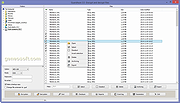 |
|
HashMyFiles v2.51 HashMyFiles v2.51 👉 Calculate and verify file hashes to confirm file integrity and authenticity. HashMyFiles is a lightweight, portable utility that calculates the hash values of one or more files or folders, making it easy to verify file integrity, compare downloaded files against published checksums, detect duplicate content, and confirm that files have not been modified. It supports multiple hashing algorithms including CRC32, MD5, SHA-1, SHA-256, SHA-384, and SHA-512. Hashes can be copied to the clipboard or exported to text, HTML, XML, CSV, JSON, or tab-delimited formats. HashMyFiles also integrates with the Windows Explorer context menu for quick access and requires no installation. Features: • Calculate CRC32, MD5, SHA-1, SHA-256, SHA-384, and SHA-512 hashes • Hash individual files, multiple files, or entire folders • Portable application requiring no installation • Drag-and-drop support • Windows Explorer context menu integration • Compare copied hashes with calculated values • Highlight identical hashes • Export results to TXT, HTML, XML, CSV, JSON, and tab-delimited formats • Command-line support for automation • Display file information including size, timestamps, version, and attributes Supported operating systems: • Windows 2000, Windows XP, Windows Server 2003, Windows Vista, Windows 7, Windows 8, Windows 8.1, Windows 10, Windows 11 Supported languages: English, Arabic, Basque, Belarusian, Bulgarian, Catalan, Chinese (Simplified), Chinese (Traditional), Croatian, Czech, Danish, Dutch, Finnish, French, Galician, German, Greek, Hebrew, Hungarian, Italian, Japanese, Korean, Lithuanian, Norwegian, Persian, Polish, Portuguese (Brazil), Portuguese (Portugal), Romanian, Russian, Serbian, Slovak, Slovenian, Spanish, Swedish, Thai, Turkish, Ukrainian, Vietnamese Changes: v2.51 07-16-26 Added the 'Hashing Duration' option to display the total hashing time in the status bar. Added 'Show Hashing Duration In Milliseconds' option. Added 'Hashes Per Second' column. This download is for the 64bit version (very bottom of page). If you need the 32bit version, download here. Click here to visit the author's website. |
|
10,386 | Jul 17, 2026 Nir Sofer 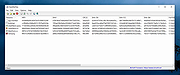 |
|
HFS (HTTP File Server) v3.2.2 HFS (HTTP File Server) v3.2.2 👉 Lightweight and easy-to-use HTTP file sharing server. HFS (HTTP File Server) is a fast and user-friendly file sharing application that allows you to share files over the web with just a few clicks. It transforms your computer into a web server, enabling others to download files using a browser without requiring complex setup or additional software. HFS is designed for simplicity and portability, making it ideal for quick file sharing, temporary hosting, or lightweight server needs. It supports drag-and-drop file management, customizable access permissions, and real-time monitoring of connections. The interface is clean and intuitive, allowing users to easily control uploads, downloads, and bandwidth limits. Advanced users can take advantage of scripting capabilities, customizable templates, and event handling to extend functionality. HFS also includes support for HTTPS, user accounts, and dynamic DNS integration for remote access over the internet. For full documentation and usage details, visit: https://rejetto.com/wiki/index.php%3Ftitle=HFS_Documentation_(English).html Features: • Easy file sharing over HTTP/HTTPS • Drag-and-drop file management • Portable and lightweight (no installation required) • User account and permission control • Real-time connection and transfer monitoring • Upload and download support via browser • Bandwidth limiting and speed control • Customizable web templates and interface • Event scripting and automation support • Dynamic DNS support for remote access Supported operating systems: • Windows 10, Windows 11 Supported languages: English, Italian, Spanish, French, German, Portuguese, Russian, Chinese Changes: v3.2.2 08-01-26 Improved plugin handling and compatibility. Updated project dependencies. Minor fixes and internal improvements. This download is for the Windows 64bit version (very bottom of page). All other download assets are below: macOS: hfs-mac-x64-3.2.2.zip hfs-mac-arm64-3.2.2.zip Linux: hfs-linux-x64-3.2.2.zip hfs-linux-arm64-3.2.2.zip Click here to visit the author's website. |
|
6,164 | Aug 06, 2026 rejetto.com 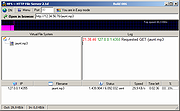 |
|
HopToDesk v1.46.50 WARNING: If someone you don’t know called you... or you dialed a number that suddenly appeared on your screen... and they told you to download this program... IT IS A SCAM. HANG UP IMMEDIATELY! HopToDesk v1.46.50 👉 Free and secure remote desktop software with screen sharing, remote control, file transfer, and live chat. HopToDesk is a free remote desktop tool that lets you share your screen, remotely control computers and devices, transfer files, and chat during support sessions. It is free for personal and commercial use, open source, and uses end-to-end encryption for screen sharing, chats, and file transfers. Features: • Remote desktop control • Screen sharing • File transfer • Live chat • End-to-end encrypted traffic • Free for personal and commercial use • Open source • Portable mode on Windows • Installed mode with background service support • Unattended access with permanent password • Direct IP access • IP whitelisting • SOCKS5 proxy connections • Remote terminal • Port forwarding • Camera / view-only mode • Quick Support mode • Address book and tags • LAN discovery • Multiple screen support • Remote printing on Windows and macOS • Audio streaming • Session recording • Screenshots • Switch sides during a session • Privacy mode on Windows and macOS • Two-factor authentication • Clipboard sync permission control • File transfer permission control • Remote restart permission control • TCP tunneling permission control • Wake On LAN permission support Supported operating systems: • Windows XP, Windows 7 or newer • macOS 10.14 Mojave or newer • Ubuntu 18.04 or newer, Debian 9 or newer, CentOS 7 or newer, openSUSE 42/15 or equivalent, Fedora, Manjaro, AppImage, Flatpak • FreeBSD 13 or newer • Raspberry Pi 2 and newer • ChromeOS devices compatible with Google Play • Android 5.0 or newer • iOS 11.0 or newer Supported languages: English, French, Spanish, Portuguese, German, Dutch, Polish, Czech, Norwegian, Swedish, Russian, Turkish, Hebrew, Arabic, Bahasa, Vietnamese, Simplified Chinese, Traditional Chinese, Japanese, Korean, Thai Changes v1.46.50 09-12-2026 Wayland, Windows Server and other Linux improvements, translation updates. This download is for the Windows 64bit version (very bottom of ... |
|
4,657 | Sep 16, 2026 HopToDesk 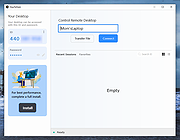 |
|
HTTrack v3.50-4 HTTrack v3.50-4 Website Copier 👉 Download entire websites to your computer for convenient offline browsing. HTTrack is a free and open-source offline browser and website copier that allows you to download a website from the Internet to a local directory. It recursively builds directories and retrieves HTML pages, images and other files while preserving the original site's relative link structure. Once downloaded, you can open the mirrored website in your regular browser and navigate from page to page as if you were viewing it online. HTTrack can also update an existing mirrored site, resume interrupted downloads and provides extensive configuration options and an integrated help system. Features • Downloads complete websites for offline browsing • Recursively retrieves HTML pages, images and other linked files • Preserves the original website's relative link structure • Browse downloaded websites using a regular web browser • Updates previously downloaded website mirrors • Resumes interrupted downloads • Extensive configuration options for controlling downloads • Integrated help system • WinHTTrack graphical interface for Windows • WebHTTrack interface for macOS, Linux, Unix and BSD • Supports modern HTTPS connections • Supports SOCKS5 and CONNECT proxies • Supports Brotli and Zstandard compression • Supports files larger than 2 GB • Supports Windows paths longer than 260 characters • Supports accented and non-Latin project names and paths • Supports WARC web archive output • Can use sitemaps as a source of URLs • Can create standalone single-file pages • Can report changes made during mirror updates Supported operating systems • Windows 7 SP1, Windows 8, Windows 8.1, Windows 10, Windows 11 • Windows XP and Windows Vista are supported by the older 3.49-2 release. • Windows systems older than Windows 2000 are supported by the older v3.49-2 release. • Windows XP and Windows Vista are supported by the older v3.33 release. • macOS ARM only • Linux, Unix, BSD. Supported languages Bulgarian, Chinese (Simplified), Chinese (Traditional), Croatian, Czech, Danish, Dutch, English, Estonian, Finnish, French, German, Greek, Hungarian, Italian, Japanese, Macedonian, ... |
|
207 | Sep 25, 2026 Xavier Roche & other contributors  |
|
HWiNFO v8.54 HWiNFO v8.54 👉 Professional hardware information, real-time monitoring, and diagnostics for Windows and DOS systems. HWiNFO is a comprehensive hardware analysis, system information, diagnostics, and real-time monitoring utility designed for enthusiasts, technicians, and IT professionals. It provides detailed information about virtually every hardware component in your computer while continuously monitoring temperatures, voltages, fan speeds, power usage, clocks, storage health, and many other sensor values. HWiNFO also generates comprehensive hardware reports, supports extensive logging, and integrates with numerous third-party monitoring applications through its shared memory interface. Features: • In-depth hardware information with detailed analysis of system components • Real-time monitoring of CPUs, GPUs, mainboards, drives, and peripherals • System health monitoring designed to help detect overheating, overload, performance loss, or possible failure • Extensive reporting with full hardware hierarchy or quick summary overview • Export reports in XML, CSV, and HTML formats • Customizable monitoring tables, graphs, tray icons, and OSD • Customizable alerts on monitored parameters with user-defined actions • Support for interfacing with other applications and third-party extensions • Shared Memory interface support for exposing sensor data • Clean and secure design with no personal data collection and no network transmission • Frequently updated to support new hardware, technologies, and standards Supported operating systems: • Windows 95 and later (x86, x64 or ARM64) Supported languages: English, French, German, Spanish, Portuguese (Brazil), Italian, Dutch, Danish, Chinese (Simplified), Chinese (Traditional), Japanese, Korean, Vietnamese, Arabic, Russian, Ukrainian, Czech, Slovak, Hungarian, Polish, Swedish, Finnish, Norwegian, Greek, Turkish, Latvian, Hebrew Changes: v8.54 09-30-26 Added reporting of monitored process name to RTSS sensor title. Added workaround for NVML crash during GPU driver update. Fixed NZXT Kraken Elite V2 support. Fixed reporting of negative temperatures for NVIDIA GPU memory chips. Added ability to show multiple values on one line in OSD. Fixed reporting of PCH power on Intel Panther Lake and later. Added reporting of Fan Duty for Thermal Grizzly WireView Pro II. Added options to insert notes into json sensor log. Improved ... |
|
13,445 | Oct 02, 2026 REALiX  |
OlderGeeks.com Copyright (c) 2026
