|

|
Processed through Paypal No account required. |








Buy our over-priced crap to help pay the bills.



|
|
Processed through Paypal No account required. |
| File - Download FakeDriveCheck v4.77 | ||||||||
| Description | ||||||||
|
Always scroll to the bottom of the page for the main download link. We don't believe in fake/misleading download buttons and tricks. The link is always in the same place. FakeDriveCheck v4.77 👉 Checks USB flash drives and MicroSD cards to see if they are fake, corrupted, or OK. FakeDriveCheck verifies whether a USB flash drive or MicroSD card is fake, corrupted, or functioning properly. It is designed to help identify storage devices that falsely report a larger capacity than they actually have, which can lead to silent data loss once the real memory is full. FakeDriveCheck works without destroying existing files on the drive, supports hot plugging, and does not require unplugging and reconnecting the device during verification. 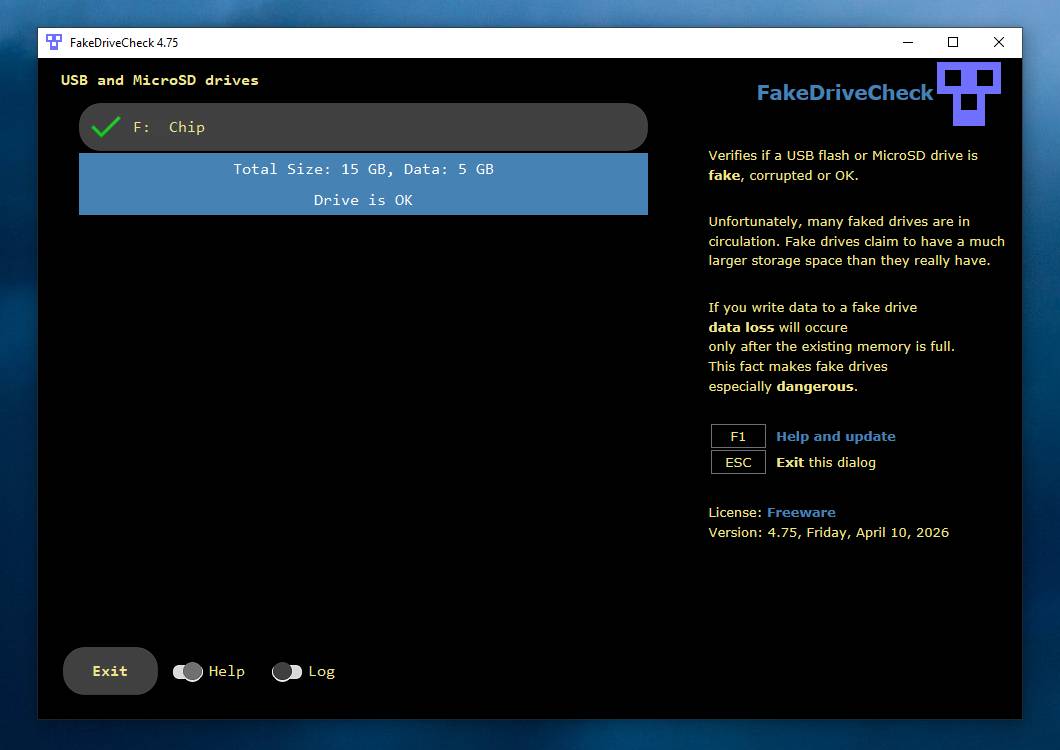 Features: • Verifies whether a USB flash drive or MicroSD card is fake, corrupted, or OK • Existing files are not destroyed during verification • Super fast verification • No unplugging and plugging required • Detects USB drives inserted after the program has already started • Free to use • Anonymous download • No hidden downloads, uploads or updates • No setup required (Click To Run) Supported operating systems: • Windows 10, Windows 11 Supported languages: • English, German Changes: v4.77 08-06-26 New Features FileProtection, upgraded dashboard with new features: Desktop Icon FileProtection, protects files from being modified or deleted. FileLocker, completely locks down files from being read renamed or deleted. Set or clear the unprotection password. ClassicMenu, new switch called 'Supermouse'. If on, a single click with the mouse's thumb button will close down an open window. Sounds stupid, is cool, try it! Uninstall has simplified dialogs and is easily accessible from all dashboards. Fixed Bugs Filenames with symbols like 🚲 or 🎜 have not been created correctly. Restoring the running Windows® could fail. The problem has been related to certain third party antivirus providers. It has been of no concern if Windows® was restored with the Reuschtools Recovery Environment. FakeDriveCheck did not recognize advanced USB drives with SMART (Self-Monitoring, Analysis and Reporting Technology). Click here to visit the author's website. Continue below for the main download link. |
||||||||
| Downloads | Views | Developer | Last Update | Version | Size | Type | Rank | |
| 1,446 | 6,534 | Reuschtools | Aug 14, 2026 - 11:17 | 4.77 | 1.64MB | MSI |  , out of 26 Votes. , out of 26 Votes. |
|
| File Tags | ||||||||
| check drive fake FakeDriveCheck usb flash drive microsd storage test reuschtools portable windows utility | ||||||||
Click to Rate File Share it on Twitter → Tweet
|


