|

|
Processed through Paypal No account required. |








Buy our over-priced crap to help pay the bills.



|
|
Processed through Paypal No account required. |
| Files | ||||
| File Name | Rating | Downloads | ||
 |
OpenPdfEdit v1.0.2 OpenPdfEdit v1.0.2 👉 View, edit, annotate, and organize PDF files on your computer. OpenPdfEdit is a free, open-source PDF editor for macOS and Windows. It lets you view PDFs, edit text and images, add annotations, redact content, fill and sign forms, reorganize pages, merge or split documents, and compare files. Documents are opened, edited, and saved on your computer rather than uploaded to a server. OCR and watermarking are available as optional paid tools. Features: • View and navigate PDF documents • Edit text and images in PDF files • Add annotations and markups • Redact sensitive content • Fill forms and place saved signatures • Reorder, rotate, and remove pages • Merge, split, and compare PDF files • Save and work with documents locally; files are not uploaded • Optional paid tools for OCR and watermarking Supported operating systems: macOS 10.13 or later (Apple silicon and Intel), Windows 10 64-bit, Windows 11 64-bit Supported languages: English, German, Spanish, Japanese, Korean, Portuguese, Chinese (Simplified), Chinese (Traditional) Changes: v1.0.2 10-12-26 Added the first Windows build. The Mac build now supports Intel Macs as well as Apple silicon. Saved signatures can be placed by tapping the page. Ticked form checkboxes retain their on-state when saved. Flattening now includes form fields without a drawn appearance. 👉 This download is for the Windows version (very bottom of page). All other download assets are below: Other Windows: OpenPdfEdit Installer.exe (Microsoft Store Installer) macOS: OpenPdfEdit_1.0.2_universal.dmg Chrome Edge Extension: openpdfedit-extension-1.0.1-chrome-edge.zip Click here to visit the author's website. |
 |
22 | Oct 15, 2026 OpenPdfEdit 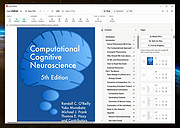 |
 |
OpenSpades v0.1.3 OpenSpades v0.1.3 👉 Enhanced open-source client for the classic Ace of Spades voxel shooter. OpenSpades is a free, open-source, cross-platform client for the classic Ace of Spades 0.75 game. Designed as a modern replacement for the original client, it delivers significantly improved graphics, smoother gameplay, enhanced visual effects, and better performance while remaining fully compatible with existing Ace of Spades 0.75 servers. Built using OpenGL, OpenSpades adds advanced lighting, shaders, improved animations, customizable controls, and support for mods, all while preserving the fast-paced block-building and first-person combat that made the original game popular. It also includes numerous quality-of-life improvements such as an integrated server browser, extensive graphics options, configurable controls, localization support, and modern rendering technologies that breathe new life into the classic multiplayer experience. Features: • Compatible with Ace of Spades 0.75 multiplayer servers • Modern OpenGL rendering engine • Dynamic lighting, shadows, and shader effects • Improved character models and animations • High-performance rendering for smoother gameplay • Built-in multiplayer server browser • Support for custom weapon and sound mods • Configurable keyboard shortcuts and controls • Multiple graphics quality options • First-person and spectator viewing modes • In-game chat with expandable chat log • Configurable palette color selection hotkeys • Shotgun tracer effects • Favorites support for frequently used servers • Open-source and community maintained Supported operating systems: • Windows 7, Windows 8, Windows 8.1, Windows 10, Windows 11 • macOS • Linux Supported languages: English, Chinese (Simplified), Dutch, French, German, Greek, Hungarian, Indonesian, Japanese, Korean, Polish, Portuguese (Brazilian), Portuguese (European), Russian, Spanish, Ukrainian, Vietnamese Changes: v0.1.3 01-04-19 Added configurable palette color selection hotkeys. Added shotgun tracers. Added gray coloring for dead players on the scoreboard. Added a hotkey to temporarily expand the chat log. Added Ukrainian translation to packaged release. Updated Spanish, Vietnamese, Ukrainian, Russian, Greek, Hungarian, Chinese (Simplified), and Dutch translations. Fixed camera movement around the player's corpse. Added support for enabling V-Sync via r_vsync. Fixed shader linking error affecting BlackBlockDepthOnly. Improved stability on macOS. This download is for the ... |
|
421 | Jul 09, 2026 yvt  |
|
opti 82c925 soundcard driver for Windows 98 Model Name opti 82c925 soundcard Model Number opti 82c925-Analog Devivec-AD1845JP Operating System Windows 98 FCC Number : DXLSK81 |
 |
10,053 | Aug 04, 2012 Analog Devices |
|
Original HP LightScribe Software Collection v1.18.27.10 Original HP LightScribe Software Collection v1.18.27.10 👉 Complete collection of the original official HP LightScribe software for Windows and macOS. Original HP LightScribe Software Collection contains the original Hewlett-Packard LightScribe software needed to create professional-looking laser-etched labels directly onto specially coated LightScribe CDs and DVDs. Unlike adhesive labels, LightScribe technology uses the optical drive's laser to permanently burn text and graphics onto the label side of compatible media. This collection includes the final official Windows and macOS releases of the core LightScribe software along with portable Windows editions of the two labeling applications. These programs continue to work with supported LightScribe drives even though the technology has been discontinued. This collection includes: LightScribe System Software The required driver package that enables Windows or macOS to recognize and communicate with LightScribe-compatible optical drives. This software must be installed first before any LightScribe labeling application will function. LightScribe Simple Labeler A lightweight labeling application designed for quickly creating professional text labels. It allows you to add titles, subtitles, and circular text with minimal effort and is ideal for users who simply want clean, readable disc labels. LightScribe Template Labeler A more advanced labeling application that includes numerous professionally designed templates. Users can customize layouts with text, graphics, backgrounds, and decorative elements while maintaining compatibility with LightScribe media. Features: • Complete official LightScribe software collection • Includes all essential Windows LightScribe applications • Includes official macOS releases • Portable Windows editions included • Simple Labeler for fast text-based labels • Template Labeler with professionally designed layouts • Official LightScribe System Software driver package • Compatible with LightScribe-enabled optical drives • Creates permanent laser-etched disc labels • No internet connection required after installation Supported operating systems: • Windows 2000, Windows XP, Windows Vista, Windows 7, Windows 8, Windows 10, Windows 11 • macOS 10.3.9 (Panther), macOS 10.4 (Tiger) or later (for the included Mac installers) Supported languages: English Changes: Collection of the final official Hewlett-Packard LightScribe software releases. Contents of this download: Windows Installers • ... |
|
458 | Jul 15, 2026 Hewlett-Packard 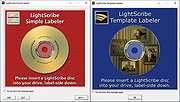 |
 |
Overcaption v0.4.0 Overcaption v0.4.0 👉 A free, private subtitle studio for transcribing, editing, translating and adding captions to videos. Overcaption is a desktop subtitle and captioning application that can transcribe video and audio, edit and retime subtitles, translate captions and export finished subtitles or burn them directly into video. Its core processing runs locally on your computer, so videos do not need to be uploaded to an online service. The free version has no time limit, requires no account and produces watermark-free output. Overcaption combines automatic speech recognition with a subtitle editor featuring waveform-based timing, a frame filmstrip and live checks for reading speed and line length. It can work with video, audio-only recordings and standalone subtitle files. Features: • Automatic on-device transcription with word-level timing • Works completely offline for its core transcription, editing and translation features • Keeps video and audio files on your computer instead of uploading them to a web service • No account required • No time limit on the free version • No watermark on exported video • Built-in subtitle editor • Waveform-based subtitle retiming • Frame filmstrip for visual timing reference • Inline subtitle text editing • Instant find and replace • Keyboard-oriented editing workflow • Live reading-speed checks • Live subtitle line-length checks • Grammar-aware subtitle line breaking for supported languages • Dedicated word segmentation for Chinese, Japanese, Burmese, Cantonese, Khmer, Lao and Thai • Local subtitle translation using models from Mozilla and Google • Side-by-side translation editing • Imports and exports SRT subtitle files • Imports and exports VTT subtitle files • Supports plain-text subtitle content • Opens SRT and VTT files without requiring an accompanying video • Hardware-accelerated subtitle burn-in • Free subtitle burn-in at resolutions up to 1080p • Burned subtitles match the editor preview • Supports vertical, square and widescreen video • Handles audio-only files such as podcasts, recordings and voice notes • Includes titles, lower thirds, name straps and animated callouts • No telemetry unless the user opts in • GPU acceleration ... |
|
274 | Aug 28, 2026 Overcaption  |
|
Paradaim for Windows 0.1.0 Paradaim for Windows 0.1.0 Paradaim is an Action-RPG game with RogueLike elements and CelShading aesthetics. In an apparentlu happy land, the main character decides to escape from the lie behind the established order. The plays will be totally different each other because all the map, skills and stats will be generated at the begining of the game. -LBM - Move & Melee Attack -RBM - Shoot Shuriken Espaρol Paradaim es un juego Action-RPG con toques de RogueLike y estιtica CelShading. En un paνs aparentemente feliz, el personaje principal decide escapar de la mentira generada por el orden establecido. Cada partida serα totalmente diferente porque el mapa, habilidades y atributos se generarαn al principio del juego Click izquierdo - Mover y atacar Click derecho - Disparar shuriken We are MoitaPechα: -Lucas Gonzαlez: Game design, Programming & Production -Cristina Arbones: Art, Modelling & Animations In collaboration with -Daniel Parejo (Parejomusic): Music & SFX |
|
6,767 | Feb 05, 2016 MoitaPechα 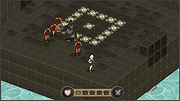 |
|
Password Safe v3.72.2 Password Safe v3.72.2 👉 Secure, open-source password manager for storing logins in an encrypted database. Password Safe helps you securely store usernames, passwords, and other login details in an encrypted database protected by a single master password. Designed by Bruce Schneier, it focuses on simple, local password management while offering tools such as AutoType, password policies, import and export options, database compare and merge functions, filters, reports, and multiple viewing modes for organizing entries. Features: • Stores usernames, passwords, and related notes in an encrypted database • Uses one master password to unlock and access all stored entries • Copies passwords, usernames, notes, and authentication codes from the toolbar • Supports AutoType for entering credentials into other windows • Can browse to a stored URL and execute AutoType • Includes password policy management and password generation options • Supports password history • Lets you organize entries in nested tree or flattened list views • Supports filters, subviews, reports, and search tools • Can import from text, XML, and KeePass V1 databases • Can export to text, XML, and older Password Safe database formats • Includes compare, merge, and synchronize tools for safes • Supports keyboard shortcuts and drag-and-drop style Dragbar entry actions • Open source and designed for straightforward local password management Supported operating systems: • Windows 7 and later • macOS 10.14 Mojave and later • Linux distributions with available packages • FreeBSD Supported languages: Arabic, Czech, Chinese, Danish, Dutch, French, German, Hungarian, Italian, Korean, Polish, Portuguese (Brazilian), Russian, Slovak, Slovenian, Spanish, Swedish, Turkish Changes: v3.72.2 09-06-26 Bugs Fixed GH1898 Arrow keys can now be used to navigate between Custom Value rows. GH1892 Regression: In the Add/Edit dialog's Basic tab, Alt-N (or the equivalent for non-English langauges) set the keyboard focus to the Notes field. SF1636 Minor UI issues in Custom Values display (column width) and edit (use correct font). ... |
|
8,497 | Sep 15, 2026 Bruce Schneier 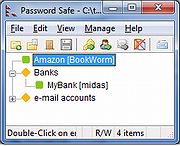 |
|
Past v4.02 for Windows Past v4.02 for Windows PAST (PAlaeontological STatistics) is a data analysis package aimed at paleontology. Inspired by PALSTAT, it includes common statistical, plotting and modeling functions. It features a spreadsheet-like data entry form, and supports both interactive user interface and scripting. This program was originally designed as a follow-up to PALSTAT, a software package for paleontological data analysis written by P.D. Ryan, D.A.T. Harper and J.S. Whalley (Ryan et al. 1995). Through continuous development for more than 15 years, PAST has grown into a comprehensive statistics package used not only by paleontologists, but in many fields of life science, earth science, engineering and economics. Further explanations of many of the techniques implemented together with case histories are found in the book “Paleontological data analysis” (Hammer & Harper 2005). Complete PDF manual here. Past works under Windows 7, Windows 10, and Mac OSX. Changes: 4.02 Google Maps replaced with Open Street Maps (because free limit on Google Maps calls was exceeded). Added compositional data transforms (ALR, CLR, ILR). Changed the color selector for rows. Confidence interval for forecast added to bivariate regression. Past can now be started by clicking on a data file, if you set the association manually (“Open with”). Help texts added to 20 modules Bug fix: Save as type other than Past did not work (this is not an option on Mac) Bug fix: Dragging (moving) columns in the spreadsheet possibly fixed Bug fix: Smoothing spline: Copy-paste of the “Given points” table did not work Click here to visit the author's website. |
|
6,089 | Apr 11, 2020 Ψyvind Hammer 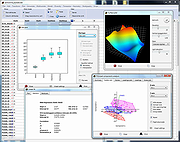 |
|
Patch My PC Home Updater Portable v5.4.5.0 Patch My PC Home Updater Portable v5.4.5.0 👉 Automatically update and install over 500 common Windows applications. Patch My PC Home Updater Portable is a free, easy-to-use tool that scans your computer for outdated software and updates it with one click. It supports hundreds of popular applications, helping you keep your system secure and up to date without the hassle of manually checking each program. Patch My PC Home Updater Portable runs without installation and does not require a setup process, making it ideal for technicians and advanced users who prefer a portable solution. It installs updates silently, can skip unwanted bundled offers, and allows you to customize installation options such as disabling auto-start entries or desktop shortcuts. The interface is simple and clearly organized, showing which applications are installed, which are outdated, and which can be newly installed. It can also automatically close applications before updating and optionally create restore points for added safety. Features: • Updates over 500 third-party applications • One-click update process • Portable version requires no installation • Silent install and silent update options • Automatically closes apps before updating • Option to create restore points before updates • Installs new applications in addition to updating existing ones • Skips bundled offers during installations • Customizable install options such as disabling auto-start or desktop shortcuts • Clean and simple user interface Supported operating systems: • Windows 10, Windows 11 Supported languages: English Changes: v5.4.5.0 07-09-26 Home Updater 5.4.5.0 includes improvements to the Scheduler experience and enhanced registry matching logic for applications with multiple installed versions. This release is already self-updating for users on the beta channel and will be available for self-update for non-beta users in the coming days. Improvements Improved UI/UX on the Scheduler view. Enhanced registry matching logic to better support multiple versions of the same application installed on a device. Apps Support Added Recently: AnyViewer Brother iPrint&Scan Bulk ... |
|
1,866 | Sep 22, 2026 PatchMyPC.net  |
|
Pc Tel (PCTEL) AMR Modem Drivers for Windows XP and 2000 Pc Tel (PCTEL) AMR Modem Drivers for Windows XP and 2000 Extract the files and upgrade the driver thru the Device Manager it should install the modem first and then the audio codecs. amrw2kxp.zip |
|
9,718 | May 22, 2009 Pc Tel (PCTEL) |
|
PCChips Tx Pro II motherboard audio driver CMI 8830 CMI8830 CMI 8830 CMI8830 Windows 9x for onboard sound chip on Tx Pro II motherboards by PC Chips 30W98ver20.zip |
|
9,959 | Mar 28, 2009 PCChips |
|
PCSX-Reloaded 1.9.93 for Windows PCSX-Reloaded 1.9.93 for Windows PCSX-Reloaded is a PlayStation Emulator based on PCSX-df 1.9, with support for Windows, GNU/Linux and Mac OS X as well as many bugfixes and improvements. Note: This project is affiliated with neither PCSX nor PCSX-df project and should be considered as an separate derived work, so please don't confuse this project with the original PCSX or bother the original PCSX developers with problems concerning this project. |
|
7,093 | Jan 28, 2016 PCSX-Reloaded 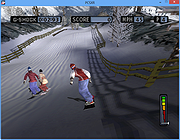 |
|
PDF Arranger v1.14.0 PDF Arranger v1.14.0 👉 Merge, split, rotate, crop and rearrange PDF pages with an easy graphical interface. PDF Arranger is a lightweight open-source application for merging, splitting, rotating, cropping, and rearranging PDF documents through a simple drag-and-drop graphical interface. Built with Python and GTK, it allows users to visually organize pages and create new PDF layouts without needing complex editing software. PDF Arranger is based on the functionality of PDF-Shuffler and uses pikepdf for PDF manipulation. It is designed to be fast, efficient, and easy to use for both casual and advanced users needing quick PDF document management. Features: • Merge multiple PDF documents into a single file • Split PDF documents into separate pages or ranges • Rotate pages individually or in groups • Crop pages visually • Rearrange pages using drag-and-drop • Duplicate pages quickly • Zoom and preview PDF pages • Supports password-protected PDFs • Import image files and convert them into PDF pages • Undo and redo editing actions • Customizable keyboard shortcuts • Open-source and cross-platform Supported operating systems: • Windows 10, Windows 11 • macOS • Linux • FreeBSD Supported languages: Arabic, Catalan, Catalan (Valencian), Czech, Danish, German, Greek, English, Spanish, Basque, Finnish, French, Hebrew, Croatian, Hungarian, Indonesian, Icelandic, Italian, Japanese, Georgian, Korean, Dutch, Occitan, Polish, Portuguese (Brazil), Portuguese (Portugal), Russian, Slovenian, Swedish, Turkish, Ukrainian, Vietnamese, Simplified Chinese, Traditional Chinese Changes: v1.14.0 04-13-26 • Added support for importing JBIG2 image files • Improved crop dialog behavior • Added new keyboard shortcuts • Improved handling of password-protected PDFs • Updated translations • Fixed several bugs and stability issues This download is for the Windows version (very bottom of page). Linux install instructions below: For Linux: pdfarranger requires pikepdf >= 6. pip will automatically install the latest pikepdf if there is no pikepdf installed on the system. On Debian based distributions sudo apt-get install python3-pip python3-wheel python3-gi python3-gi-cairo \ gir1.2-gtk-3.0 gir1.2-poppler-0.18 gir1.2-handy-1 python3-setuptools \ gettext python3-dateutil python3-venv On Arch Linux sudo pacman -S poppler-glib python-pip python-gobject ... |
|
5,119 | May 28, 2026 Jerome Robert 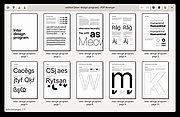 |
|
PDF Split and Merge v4.0.5 for Windows PDF Split and Merge v4.0.5 for Windows PDFsam Basic, a free, open source, multi-platform software designed to split, merge, extract pages, mix and rotate PDF files, PDFsam Basic will cover most of your PDF related needs. Merge PDF PDF merge probably is the most used PDFsam module and lets you combine PDF files together. Page ranges Input PDF documents can be merged completely or partially. A page selection can be easily set in the form of comma separated intervals (Ex. 1-10, 14, 25-) letting you specify what pages you want to merge for every input PDF document. Outline With PDFsam Basic you will be able to decide what to do with the PDF documents outline (bookmarks). You can merge them to the resulting document, discard them to keep the merge document smaller or create a new one with one entry for every merged PDF document. AcroForms And what to do with AcroForms when they are found in the input PDFs? You can discard them but also merge them into a new form or even merge them renaming fields with name clashes. Table of contents With PDFsam Basic you can add a table of contents at the beginning of the generated PDF. A list of clickable entries will let you easily navigate through the merged PDF files. PDF Split The Split module let's you split PDF files at predefined or specified page numbers. Split at predefined pages The selected PDF file can be split after every page, generating a new document for every page in the original file, or after every ever or odd page. Split specifying pages Specify the page numbers where you want to break your document. You can even tell PDFsam to split the PDF every n pages! PDF Split by bookmarks Select the outline (bookmarks) level you want to split at and your document will be divided at every page pointed by the bookmarks at ... |
|
6,981 | Jan 22, 2020 Andrea Vacondio 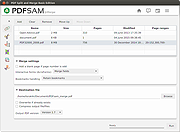 |
|
PDF24 Creator v11.30.1 PDF24 Creator v11.30.1 👉 Free and powerful PDF creation and management tool for Windows. PDF24 Creator is a full-featured PDF creation and management suite that lets you generate, edit, merge, split, compress, secure, and otherwise work with PDF documents directly on your Windows PC. It installs as a virtual PDF printer so you can create PDFs from almost any Windows application, and includes a toolbox of useful PDF utilities — all completely free of charge and without limits. Features: • Create PDF files from virtually any Windows application via virtual printer • Merge multiple documents into a single PDF • Split, delete, rotate, extract, and insert pages • Compress and shrink PDF files • Add digital signatures, encryption, watermarks, and metadata • Integrated PDF viewer and editor tools • Support for PDF/A, PDF/X and other PDF standards • Multiple PDF printer profiles for varied tasks • Works offline with all files staying local on your PC • Multilingual interface with wide language support The Tools: PDF Creator Easily assemble, create and modify PDF files with the Drag and Drop enabled user interface. • Merge or split PDF files • Add, remove, extract, rotate, sort and move PDF pages • Import and automatic conversion of documents (Word, Excel, images, etc. to PDF • Various preview modes for easy editing of PDF documents • Integrated viewer • Drag and Drop wherever possible • Follow up tools: Save, Print, Email, Fax, ... PDF Printer Print on this printer in order to create a PDF or use it as a universal PDF converter that converts any printable file to PDF. • Virtual printer for PDF creation • Multiple PDF printers for different tasks • Automatic saving ... |
|
9,198 | Jul 11, 2026 Geek Software GmbH 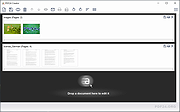 |
|
PDF4QT v1.6.0.0 PDF4QT v1.6.0.0 👉 Open-source PDF editor, viewer, and toolkit for Windows and Linux. PDF4QT is an open-source PDF editor powered by the Qt framework. It provides a robust C++ library, intuitive applications for viewing and editing PDF documents, and a command-line tool for script integration. The suite includes tools for advanced PDF viewing, lightweight document viewing, page organization, and PDF comparison, making it useful for both regular users and developers. Features: • Advanced PDF viewer with zoom, rotation, page layout modes, and navigation tools • Full PDF editing capabilities including modifying document structure and content elements • Annotation tools such as highlights, notes, shapes, and markup editing • Interactive form filling and support for AcroForms • Digital signature support including signing documents and validating signatures • Encryption support with password protection and public key security • Embedded file attachments handling within PDF documents • Built-in text-to-speech engine for reading PDF content aloud • Powerful search functionality including regular expression support • PDF document comparison tool to detect differences between files • Page management tools including merge, split, reorder, rotate, clone, and insert pages • Document optimization features for reducing file size and improving performance • Internal PDF object structure inspector for advanced users and developers • Command-line interface for automation and batch processing tasks • Static XFA form support (read-only for simple XFA documents) • Multiple viewer applications included (advanced viewer and lightweight viewer modes) • Cross-platform support built on the Qt framework Supported operating systems: •Windows 10/11 •Linux Supported languages: • Czech, English, French, German, Korean, Russian, Simplified Chinese, Spanish, Traditional Chinese, Turkish Changes: v1.6.0.0 06-14-26 Major image compression and optimization update for PageMaster and assembled PDF documents. Improved PageMaster with drag and drop, recent files, page cropping, save/restore, rotation and size indicators, new icons, and faster output previews. Added image optimization feedback for final resolution and DPI. Added Advanced Find wildcard mode and Enter-to-search. Added fullscreen viewing, side-to-side scrolling, smoother scrolling, text selection, snapping, and improved keyboard ... |
|
1,148 | Aug 26, 2026 Jakub Melka 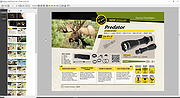 |
|
PDFgear v2.1.19 PDFgear v2.1.19 👉 Free all-in-one PDF editor, reader, converter, OCR tool and AI assistant. PDFgear is a free PDF editor and management suite for viewing, editing, converting, creating, annotating, signing, organizing and protecting PDF documents. It allows existing PDF text and images to be edited directly, includes OCR for scanned documents, supports batch conversions and provides PDFgear Copilot for working with documents using natural-language commands. PDFgear does not require an account, places no watermarks on exported documents and does not impose file-size or file-number limits on its desktop software. Features: • View and read PDF documents with multiple reading and navigation options • Directly edit, replace, add and delete existing PDF text • Change fonts, font sizes, styles and other text formatting • Add, replace, reposition and edit images and other PDF objects • Add text boxes, hyperlinks and customizable shapes • Highlight, underline and strike through text • Add notes, comments, stamps, watermarks and freehand drawings • Fill interactive PDF forms • Add signatures and certificate-based digital signatures • Secure eSign for signing documents with greater security and confidence • Request signatures from multiple parties • OCR scanned PDFs and image-based documents • Extract text from selected areas with OCR • OCR supports more than 30 languages during PDF conversion • Convert PDFs to Word, Excel, PowerPoint, TXT, images and other formats • Create PDF documents from multiple file formats • Batch convert multiple PDF documents • Merge and split PDF files • Rearrange, rotate, crop, extract, duplicate, insert and delete PDF pages • Add customizable page numbers to headers or footers • Compress PDF documents • View and manage PDF attachments • Redact sensitive information • Manage PDF properties • PDFgear Copilot accepts natural-language instructions for PDF tasks • AI tools can summarize, analyze, translate, rewrite and proofread document content • Search and replace text in PDF documents • Dark mode for PDF viewing • Process ordinary PDF editing tasks locally on the computer • No account required • No ... |
|
2,474 | Aug 20, 2026 PDF Gear Tech PTE. LTD.  |
|
Personal Backup v6.4.14.0 Personal Backup v6.4.14.0 👉 A powerful personal backup solution for saving important files and folders to various destinations. Personal Backup is a flexible file backup program designed to help users securely store copies of their important data. It allows you to back up files and directories from your computer to different storage locations such as external drives, network shares, or FTP servers. The program provides advanced scheduling and automation features so backups can run at specific times or when certain conditions are met. Personal Backup supports incremental backups, allowing only changed files to be copied after the initial backup, saving both time and storage space. It also offers compression and encryption options to protect sensitive data. With detailed logging and verification features, users can easily monitor backup jobs and ensure that files are safely stored. The program is designed for reliability while remaining lightweight and easy to configure. Features: • Backup files and folders to local drives, external media, or network locations • Supports incremental backups to copy only modified files • Schedule automatic backups at specific times or intervals • Optional compression to reduce backup storage size • Encryption options to protect sensitive data • Detailed logging and verification of backup operations • Restore files quickly from previously created backups • Backup to FTP servers for offsite storage Supported operating systems: • Windows XP*, Windows Vista, Windows 7, Windows 8, Windows 10, Windows 11 • Windows Server 2003*, Windows Server 2008, Windows Server 2008 R2, Windows Server 2012 Supported languages: English, German, French, Dutch, Italian, Spanish, Polish, Portuguese, Hungarian, Turkish, Ukrainian, Russian, Chinese Changes: v6.4.14.0 09-24-26 - New: - DeviceBackup: : optional synchronization of the backup from a mobile device - Bug fixes: - Error detection when deleting temporary files via FTP 👉 This download is for the Windows 64bit version (very bottom ... |
|
9,055 | Oct 05, 2026 Dr. J. Rathlev 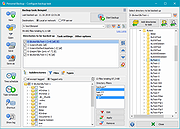 |
|
Philips PCA330IV/EV Modem Driver Philips PCA330IV/EV Modem Driver for Windows 95/98/2000 |
|
9,632 | Mar 29, 2009 Philips |
|
Picture Stamper 2.8.0 for Windows Picture Stamper 2.8.0 for Windows Whether you are a photographer or a writer, a blogger or a website owner, or you just share unique pictures in your Facebook, Instagram, Twitter and other social networking accounts, you probably would like to stamp your pictures, drawings and photos with your name or address (watermark) and logo, in a pretty manner of course. Picture Stamper is an application that allows you to do just that but with an intuitive and easy to use user interface. All you have to do is add your photos, logo and watermark text and let Picture Stamper do the magic for you. You can add as many photos as you want and stamp all of them at once. Your last stamp design is always saved for later use so you don’t need to redesign from scratch each time you run Picture Stamper. Features Drag and Drop files and folders Support for more file types *.bmp *.dib *.jpeg *.jpg *.jpg *.jp2 *.png *.webp *.pgm *.pbm *.ppm *.sr *.ras *.tiff *.tif *.xbm *.xpm Add a logo to your pictures Add a watermark text to your pictures Insert a shadow bar to better highlight your watermark text Align logo and watermark to all corners and the center of the image (Keep the relative position in all pictures) Allows resizing of your pictures Allow JPG compression settings Added new output file types. Now JPG, PNG and TIF are supported. Batch processing (Perform all tasks on any number of pictures with just a single click) Add opacity to watermark or logo image (as of version ... |
|
6,432 | Jul 18, 2017 Amin Ahmadi Tazehkandi  |
|
Pixel Wheels v1.0.1 Pixel Wheels v1.0.1 👉 A retro top-down racing game for PC (Linux, Intel-based Mac, Windows) and Android. Pixel Wheels is a pixel-art, top-down racing game where you race for first place across multiple tracks, collect bonuses, and use weapons to boost your position or slow down your opponents. Features: • Retro top-down racing gameplay • Multiple tracks and championships • Multiple vehicles with different handling • Pickups, bonuses, and weapons • Turbo boosts, mines, guns, missiles, and other race-changing items • Single-player racing • Split-screen multiplayer on PC • Up to 4-player split-screen support • Difficulty levels: Casual, Pro, and Legendary • Keyboard support and configurable controls • Gamepad support • Android touch controls • HUD button zoom option • Pixel-art graphics and arcade-style racing action Supported operating systems: • Windows, Linux, macOS Intel-based Mac, Android Supported languages: English, French, Bengali, Chinese, Polish, Russian, Spanish, Basque, German, Swedish, Hungarian, Esperanto, Turkish, Italian, Dutch, Galician, Indonesian Changes: v1.0.1 12-18-25 Fixed: • Make HUD zoom persistent. • Fixed HUD buttons overlapping when HUD zoom is too high. This download is for the Windows version (very bottom of page). All other download assets are below: macOS: pixelwheels-macos-stable.zip Linux: pixelwheels-linux-stable.zip Android: pixelwheels-itchio-1.0.1.apk Google Play Click here to visit the author's website. |
|
2,141 | Jun 29, 2026 Aurelien Gateau  |
|
PixiEditor v2.1.2.4 PixiEditor v2.1.2.4 👉 A free, open-source universal 2D graphics editor for pixel art, painting, image editing, vector art, procedural art, and animations. PixiEditor is a universal 2D graphics editor made for all your 2D creative needs. Create sprites for games, frame-by-frame animations, edit images, draw, paint, make logos, work with vectors, and build non-destructive procedural graphics using its node graph system. Features: • Pixel art, painting, vector art, image editing, procedural art, and animation tools • Node Graph for non-destructive procedural graphics and animations • Dedicated pixel art toolset with palette management • Painting tools with soft brushes and anti-aliased shapes • Vector shapes and paths that can be mixed with raster artwork • Frame-by-frame animation support • Node-based Brush Engine for creating custom brushes • Extension Browser for browsing and installing extensions • Desktop native, cross-platform, and works offline • Export support for PNG, JPG, SVG, GIF, MP4, and more • Pixel Art — Dedicated Pixel Art toolset and advanced palette management. Create pixel art with a dedicated toolset. Perfect for game sprites, animations, or nostalgic artwork. Enjoy features like pixel-perfect pen mode for clean edges. • Animations — Bring stories to life with frame-by-frame Animations. Turn your drawings into moving stories! Create smooth frame-by-frame animations with tools that make it fun and easy to bring your art to life. • Procedural Art — Create non-destructible, procedural graphics with Node Graph. Node Graph allows for creating fully non-destructible graphics and animations. Connect nodes to easily compose complex visuals. From pre-built effects to custom shaders, the possibilities are endless! • Image Editing — Select, delete, clip, resize - everything you need for Image Editing. Use raster tools to edit images, sketch or paint. Whether you're doodling or making a masterpiece, PixiEditor is there for you! • Vector Art — Create and edit Vectors. Snapping included. Craft logos, icons, and illustrations with our flexible curve tool and vector shapes. Your designs ... |
|
1,153 | Sep 18, 2026 Pixi Labs Sp. z o.o 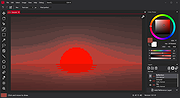 |
|
Playlist Creator v3.6.2.18 Playlist Creator v3.6.2.18 👉 Create and edit M3U and PLS music playlists with a lightweight portable Windows utility. Playlist Creator is a simple, focused utility for building music playlists without the overhead of a full media manager. Originally created by oddgravity, this preserved and modernized edition has been rebuilt as a native 64-bit Windows application while retaining the behavior and features of the original program. Files and folders can be added to a playlist, rearranged, removed, sorted or randomized before saving. Existing M3U and PLS playlists can also be opened and modified. Playlist Creator uses MediaInfo to read metadata from many media formats and can incorporate information such as artist, track number and title into playlist entries. The modernized build is completely native x64 and portable. The MFC and C/C++ runtimes, CxImage, libpng and zlib are statically linked, while the required 64-bit MediaInfo DLL is supplied alongside the executable. The project specifically targets Windows 10 or newer. Features: • Creates M3U and PLS playlists • Opens and edits existing playlists • Add individual files or entire folders • Recursively add files from folders and subfolders • Drag and drop files directly into the playlist • Reorder playlist entries manually • Move selected entries to the top or bottom • Sort playlist entries by column • Shuffle playlists into random order • Create simple playlists containing plain file lists • Read metadata from many media formats using MediaInfo • Use artist, track number and title metadata when creating playlist entries • Highlight playlist entries that refer to missing files • Configure which media file types are included • Save playlist paths using forward or backslashes • Supports multiple playlist save/path modes • Resizable main window • Optional gridlines and alternating row colors • Keyboard shortcuts and context menus for common playlist operations • Portable native 64-bit build requiring no installation Supported operating systems: • Windows 10 64-bit, Windows 11 64-bit Supported languages: English, German Changes: v3.6.2 x64 Modernization Build 08-07-26 Updated to ... |
|
253 | Aug 18, 2026 sl2365 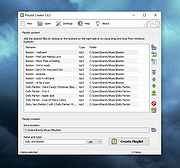 |
|
Pleasant Windows 10 Pleasant Windows 10 Improve Windows 10 with one-click batch files. Zip File is password protected. Password is joern. Pleasant Windows 10 is a collection of one-click batch files by Ghacks reader Joern that improve the operating system in various ways. While there are plenty of tweaking and privacy tools out there for Windows 10, all have in common that you cannot verify any of the operations before they are executed. This may not be an issue for some users, but if you want full control of what is happening in this regard, you may prefer a solution that is more open. Batch files are ideal for that, as they open in any plain text editor. You may then go through them line by line to verify what they do before executing them. Another benefit of this approach is that you may adjust the batch file as you see fit. This is especially useful if multiple changes are made by it to the system. Note: It is recommended that you create a system restore point, or a backup before you run any of the tweaks. While you can verify what they do by opening them in a plain text editor, it is always better to be on the safe side and create a backup so that you can restore the system to a previous state should things go wrong. Note 2: We recommend that you check the batch files before you run them, as you may adjust them as you see fit. You may not want some settings or features changed for instance. The following batch files are included in the archive Advanced Explorer Settings -- This changes more than a dozen File Explorer related settings on Windows 10 that turn of animations, enable menus, or turn off things like Toasts. Disable Automatic App ... |
|
6,651 | Nov 11, 2016 Ghacks 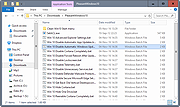 |
|
PokerTH Portable v2.1.3 PokerTH Portable v2.1.3 👉 Play Texas Hold'em poker against computer opponents or online players without installation. PokerTH Portable is the portable version of the free, open-source Texas Hold'em poker game. Play locally against computer-controlled opponents, compete with other players over a network or join games through the online PokerTH community. Games can include up to ten computer or human players. The program includes customizable cards, table themes and player avatars, along with online chat, sound effects, player statistics and configurable game rules. Since this edition is portable, it can run from a USB drive, cloud folder or local directory while keeping its settings with the program. Features: • Play Texas Hold'em poker against computer-controlled opponents • Join online multiplayer games through the PokerTH community • Create custom internet or local network games • Supports up to ten human or computer players • Spectate games already in progress • Customizable card decks, table themes and avatars • Online chat with emotes and player controls • Local and community player statistics • Configurable game rules and betting settings • Sound effects and an easy-to-use graphical interface • Runs from portable, cloud or local storage without traditional installation • Saves personal settings and game data within the portable folder Supported operating systems: • Windows 10, Windows 11 Supported languages: Afrikaans, العربية (Arabic), Беларуская (Belarusian), Български (Bulgarian), Catalΰ, 中文 (简体) (Chinese Simplified), 中文 (繁體) (Chinese Traditional), Hrvatski (Croatian), Čeština (Czech), Dansk (Danish), Nederlands (Dutch), English, English (British), Esperanto, Espaρol (Spanish), Espaρol (Alfabetizaciσn Internacional), Eesti (Estonian), Euskera (Basque), فارسی (Persian), Filipino, Suomi (Finnish), Franηais (French), Galego (Galician), Gΰidhlig (Scottish Gaelic), ქართული (Georgian), Deutsch (German), Ελληνικά (Greek), עברית (Hebrew), हिन्दी (Hindi), Magyar (Hungarian), Νslenska (Icelandic), Igbo, Italiano (Italian), 日本語 (Japanese), ಕನ್ನಡ (Kannada), 한국어 (Korean), Kurdξ (Kurdish), Latviešu (Latvian), Lλtzebuergesch (Luxembourgish), Lietuvių (Lithuanian), Македонски (Macedonian), Malagasy, मराठी (Marathi), Монгол Кирилл (Mongolian Cyrillic), Norsk (Norwegian), Norsk (nynorsk), Oʻzbek (Uzbek), Polski (Polish), Portuguκs (Portuguese), Portuguκs Brasileiro (Brazilian Portuguese), ... |
|
5,699 | Jul 22, 2026 PokerTH Team & PortableApps.com  |
|
Policy Plus vOctober 2025 Policy Plus vOctober 2025 👉 Local Group Policy Editor for all editions of Windows. Policy Plus is a free and open-source utility that brings the Local Group Policy Editor (gpedit.msc) functionality to all editions of Windows, including Home editions that do not normally include it. It provides a familiar interface for viewing and editing administrative templates and policy settings, making it easy to configure advanced system settings without needing to manually edit the registry. Policy Plus reads and applies the same policy definitions used by the official Group Policy Editor, ensuring compatibility with Windows administrative templates. It also supports importing the latest policy definitions and offers advanced search capabilities, making it a powerful tool for administrators and power users who want fine-grained control over system configuration. Features: • Full Local Group Policy Editor functionality for all Windows editions • Compatible with official Microsoft Administrative Template files (ADMX/ADML) • Built-in ADMX acquisition tool for downloading latest policy definitions • Advanced search and filtering of policy settings • View, edit, and manage registry-based policies • Portable and open-source Important: To ensure you have the latest Administrative Templates, you can download the full set of ADMX files directly within the program. Go to Help → Acquire ADMX Files, choose the destination folder (typically C:\Windows\PolicyDefinitions), and click Begin to download them from Microsoft. You can also manually open or load ADMX files by selecting File → Open ADMX File or File → Open ADMX Folder. This is useful if you have downloaded specific templates separately or want to work with a custom policy definitions folder. Supported operating systems: • Windows 7, Windows 8, Windows 8.1, Windows 10, Windows 11 Supported languages: English Click here to visit the author's website. |
|
7,596 | Jun 27, 2026 Ben Nordick 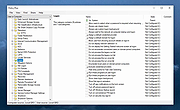 |
|
PolyHostInterface v3.1.1 PolyHostInterface v3.1.1 👉 A lightweight, portable Windows host for loading, chaining and controlling VST2 and VST3 audio plugins. PolyHostInterface is a standalone and VST3 plugin host designed for musicians, synthesizer programmers and audio users who want a compact way to load multiple instruments and effects without the overhead of a full DAW. Plugins are organized in tabs, with synths operating in parallel and effects arranged in a serial processing chain. The routing view provides an overview of each loaded plugin and lets you reorder, bypass, mute, solo and select individual tabs. PolyHostInterface can also operate as a VST3 plugin inside another host. Its 128 host-visible macros can be mapped to parameters of hosted plugins, allowing those parameters to be automated from a DAW. A built-in MIDI Monitor displays notes, CC messages, pitch bend, aftertouch, system messages and other incoming MIDI data, with filtering, copy and export capabilities. A distinctive feature is Pointer Control, which lets a MIDI controller manipulate the mouse pointer over a plugin interface. MIDI controls can move the pointer horizontally and vertically and adjust the parameter beneath it using scrolling or dragging. Editable Pointer Maps provide reusable jump points for individual plugins, including multiple maps for plugins with different skins, pages or layouts. The standalone application can record audio to WAV files or MIDI to MID files. Presets can store plugin configurations, and a missing-plugin repair function helps locate moved plugins when loading an existing preset. PolyHostInterface is fully portable, keeping its settings alongside the program instead of using AppData or the Windows Registry. Features: • Hosts multiple VST2 and VST3 plugins in a tabbed interface • Available as a standalone Windows application and a VST3 plugin for use inside other hosts • 64-bit VST2 and VST3 plugin support • Separate 32-bit standalone version supports 32-bit VST2/VST3 plugins • Routing view shows plugin order, synth/effect type, bypass ... |
|
90 | Oct 14, 2026 sl2365 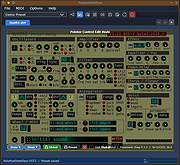 |
|
Portmaster Free v2.2.1 Portmaster Free v2.2.1 👉 Take complete control of your computer's network traffic and protect your privacy. Portmaster Free is a powerful open-source application firewall and privacy manager that lets you see, understand, and control every network connection made by your computer. Instead of simply allowing or blocking Internet access, Portmaster provides detailed visibility into which applications are communicating, where they are connecting, and what protocols they are using. Designed with privacy in mind, Portmaster automatically blocks many trackers, advertisements, malware hosts, and unwanted telemetry across your entire system rather than just within your web browser. It also secures DNS requests, provides extensive per-application and global network controls, and gives advanced users the flexibility to create highly customized filtering rules. Unlike traditional firewalls that focus mainly on inbound threats, Portmaster concentrates on outbound traffic, helping you identify applications that quietly phone home, collect telemetry, or communicate with unexpected servers. Whether you're a privacy enthusiast, security researcher, or simply want more insight into your computer's network activity, Portmaster offers one of the most comprehensive free solutions available. The free edition includes all core privacy and firewall functionality. Premium Safing features such as SPN (Safing Privacy Network), investigative tools, and priority support are optional and not required to use Portmaster's primary firewall and privacy capabilities. Features: • Monitor every incoming and outgoing network connection • Interactive application firewall with per-app network permissions • System-wide blocking of ads, trackers, and malware domains • Secure DNS requests using encrypted DNS-over-TLS • Create global and application-specific firewall rules • Block individual domains, IP addresses, countries, or connection types • Restrict peer-to-peer traffic to selected applications • View detailed connection history and network statistics • Control Internet access with simple allow and block rules • Automatic filter list updates for improved protection • Open-source software with publicly available source code • Automatic background updates for intelligence data and components Supported operating systems: • Windows 10 (64-bit), ... |
|
3,444 | Aug 04, 2026 Safing ICS Technologies GmbH 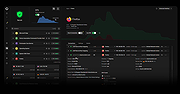 |
|
Preme for Windows v0.990 Preme for Windows v0.990 Preme for Windows speeds up your window switching. For Windows 7, 8, 8.1 and 10 Features details. Functional Screen Corner - It serves you many functions at the screen corners. You can select - Touch Start - Start menu will show automatically, and then hide immediately when your pointer is not on start menu. - Shortcut Key - Open Any File - Hide Active - Your active window will be disappeared temporarily, so you can see some detail behind the active window. - Switcher (Aero Flip 3D) - Switcher (Task Switcher) Anyway you can adjust delay time in your corner touching. Touch Slide Window - This makes you switch window easier by moving your pointer to the edge of display, the window will slide and appear immediatly. Drag or hold Minimize button to activate Touch Slide Window. Features on the title bar - They gives you Keeping each window topmost, easier minimizing a window by scroll down and easier closing a window by push the wheel button when your pointer is on the title bar. ESC twice - Pressing ESC two times is easier than Alt+F4. Scroll other windows - You can scroll any windows when your pointer is on that window instead of only active window. Pointer up - This feature will aim your pointer to "Close window" automatically. It will notannoy you if you move your pointer suddenly after right click. Position windows - You can snap a window to the edge or the corner of display by dragging Maximize button. Your old window size will not be lost. Remap Keyboard Key - You can remap shortcut key or any key to be another key. Preme for Windows supports vary Windows options. All taskbar positions, Multiple display, DPI and Elevated Privileges or not. Preme for Windows has many advanced options for super users. Silent ... |
|
4,497 | Jul 02, 2020 Preme for Windows 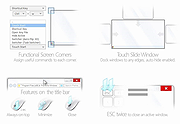 |
|
PrivaZer v4.0.127 PrivaZer v4.0.127 👉 Advanced privacy cleaner that removes traces of your activity from your PC. PrivaZer is a powerful privacy-focused cleaning tool designed to remove traces left behind by everyday computer use. It scans your system to locate leftover files, internet history, cookies, cache data, and other hidden artifacts created by Windows, browsers, and applications. By carefully cleaning these traces, PrivaZer helps improve privacy, free disk space, and keep your system running efficiently. PrivaZer performs deep scans that go beyond typical cleaning utilities, detecting residual data that many programs leave behind. It can safely remove traces from web browsers, messaging applications, system logs, and temporary files while offering detailed control over what is cleaned. Advanced options allow users to securely delete sensitive data and prevent recovery of removed files. The program also offers customizable cleaning profiles, scheduled cleanups, and secure deletion features for users who want to maintain long-term privacy protection. Despite its advanced capabilities, PrivaZer includes guided cleaning modes that help beginners safely perform system cleanup without risk. Features: • Deep scan and removal of privacy traces left by Windows and applications • Cleans browser history, cookies, cache, and internet activity records • Detects and removes residual files left after software uninstallations • Secure file deletion to prevent recovery of sensitive data • Cleans temporary files, logs, and leftover system artifacts • Guided cleaning mode for safe cleanup by less experienced users • Advanced cleaning options for experienced users • Optional scheduled cleaning and automation Supported operating systems: • Windows XP, Windows Vista, Windows 7, Windows 8, Windows 10, Windows 11 Supported languages: Arabic, Bulgarian, Chinese Simplified, Chinese Traditional, Czech, Danish, Dutch, English, Finnish, French, German, Greek, Hungarian, Indonesian, Italian, Japanese, Korean, Norwegian, Polish, Portuguese, Portuguese Brazilian, Romanian, Russian, Slovak, Slovenian, Spanish, Swedish, Turkish, Ukrainian Changes: v4.0.127 10-02-26 + Improved cleanup : HDD + Improved cleanup : TRIM + Improved cleanup : snapshots + Improved cleanup : Free Download Manager + ... |
|
15,046 | Oct 05, 2026 Goversoft LLC 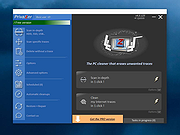 |
|
Process Governor v1.3.1 Process Governor v1.3.1 👉 Automate Windows process and service priority, I/O priority, and CPU affinity rules. Process Governor is a free Python-based Windows utility that automates the management of processes and services by applying user-defined rules for priority, I/O priority, and CPU core affinity. It can be used to fine-tune system responsiveness, control how selected programs use CPU cores, and automatically apply preferred settings to matching processes or services. Features: • Adjust process and service priorities • Control I/O priorities for better resource management • Set CPU core affinity for selected processes • Create rules for processes by name, path, or command line • Create rules for Windows services by service name • Supports wildcards in process and service rules • Optional force mode for continuous rule application • Optional delay before applying rules • View running process details including PID, executable path, service name, and command line • Search, sort, and filter process and service lists • System tray menu with access to settings, config file, log file, updates, startup option, and quit • Open file locations, file properties, and service properties from the process list • Undo, redo, hotkeys, and inline rule editing • Error highlighting for invalid rule entries • Optional auto-start with Windows Supported operating systems: • Windows 10 • Windows 11 Supported languages: English Changes: v1.3.1 04-19-25 Bug Fixes Fixed error messages: Resolved occasional error messages in the garbage collection process. Click here to visit the author's website. |
|
1,028 | Jun 15, 2026 System X - Files 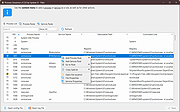 |
|
ProcessKO v6.67 ProcessKO v6.67 👉 Quickly terminate running or frozen Windows processes and programs. ProcessKO is a small, useful tool designed to quickly kill any running or hanging process or program. It is especially helpful for developers, testers, and experienced Windows users who need a faster alternative to opening Task Manager, finding a stuck task, and ending it manually. ProcessKO can also restart programs and create favorites for quickly closing troublesome applications. Features: • Quickly terminates running or hanging processes and programs • Helps avoid the longer manual Task Manager process • Can restart programs directly from within ProcessKO • Lets you create favorites for fast access to frequently terminated tasks • Portable utility that does not require installation • Useful for developers, testers, and advanced Windows users Supported operating systems: • Windows XP, Windows Vista, Windows 7, Windows 8.1, Windows 10, Windows 11 • Windows Server 2016, Windows Server 2019 Supported languages: • German, English, Russian, Swedish, French, Italian, Portuguese (Brazilian), Arabic, Serbian, Chinese Simplified, Greek, Romanian, Slovenian, Dutch, Indonesian, Hungarian, Polish, Vietnamese, Persian, Czech, Spanish, Irish, Spanish (Venezuela), Norwegian, Danish, Turkish, Chinese Traditional, Korean, Japanese, Spanish (Mexico), Bulgarian, Finnish, Spanish (Asturian) Changes: v6.67 05-16-26 Updated language files for ProcessKO—a process terminator for Windows—along with minor corrections for Windows 11, ensure that processes on Windows systems are terminated or closed reliably and without issues. This download is for the Windows 64bit version (very bottom of page). If you need the Windows 32bit version, download here. Click here to visit the author's website. |
|
9,644 | Jul 26, 2026 Nenad Hrg 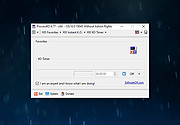 |
|
ProcessTCPSummary v1.25 ProcessTCPSummary v1.25 👉 Displays a detailed summary of TCP connections and listening UDP ports for every running Windows process. ProcessTCPSummary is a small portable network monitoring utility from NirSoft that displays a summary of processes that currently have TCP connections or listening UDP ports. For each process, it shows the total number of TCP connections, connection counts broken down by status such as Established, Listening, SYN-Sent and SYN-Received, IPv4 and IPv6 connection counts, commonly used port numbers and other connection details. When run as Administrator, it can also display TCP/UDP bytes sent and received by each process along with current sending and receiving speeds. The program requires no installation or additional DLL files. Simply extract the downloaded archive and run ProcessTCPSummary.exe. Information can also be exported from the command line to text, tab-delimited, CSV, JSON, HTML or XML files. Features: • Displays all processes with active TCP connections or listening UDP ports • Shows the total number of TCP connections for each process • Breaks TCP connections down by status, including Established, Listening, SYN-Sent and SYN-Received • Shows separate IPv4 and IPv6 TCP connection counts • Displays commonly used port numbers for each process • Shows TCP and UDP bytes sent and received when run as Administrator • Displays current network send and receive speeds • Can display the full paths of system processes when run as Administrator • Supports sorting by individual or multiple columns • Can save results as text, tab-delimited, CSV, JSON, HTML or XML files • Includes command-line options for unattended exporting and sorting • Supports a configurable system tray icon and Always On Top mode • Can start hidden when used with the tray icon option • Includes a black-background display option • Portable and requires no installation or additional DLL files Supported operating systems: • Windows XP, Windows Vista, Windows 7, Windows 8, Windows 8.1, Windows 10, Windows 11 • 32-bit and 64-bit Windows supported Supported ... |
|
6,226 | Sep 04, 2026 Nir Sofer 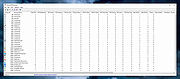 |
|
PropertySystemView v1.22 PropertySystemView v1.22 👉 View and edit Windows file and window properties with ease. PropertySystemView is a lightweight portable utility that allows you to view and modify the properties of files and Windows using the Windows Property System. It can edit metadata stored in media files, Office documents, images, and other supported file types, including fields such as Title, Comments, Authors, Tags, Date Taken, Media Created, Date Imported, Content Created Date, and many more. It also supports working with Windows properties, such as setting the System.AppUserModel.ID property of a window to customize taskbar behavior. The program supports both an easy-to-use graphical interface and a powerful command-line mode for automation. Features: • View and modify Windows Property System metadata for supported files. • Edit media, image, and Microsoft Office document properties. • Modify timestamps such as Media Created, Date Taken, and Date Imported. • View and edit Windows window properties. • Add, edit, and remove supported properties. • Drag-and-drop file loading. • Browse and display all properties available on your system. • Powerful command-line interface for scripting and automation. • Portable application with no installation required. • Available in both 32-bit and 64-bit versions. Supported operating systems: • Windows Vista, Windows 7, Windows 8, Windows 8.1, Windows 10, Windows 11 (32-bit and 64-bit) Supported languages: English, Brazilian Portuguese, Dutch, French, German, Hungarian, Italian, Japanese, Persian, Russian, Simplified Chinese, Slovak, Traditional Chinese, Turkish Changes: v1.22 07-11-26 Added 'Black Background' option (under the View menu). When enabled, the main table is displayed with a black background and white text instead of the default system colors. This download is for the Windows 64bit version (very bottom of page). If you need the Windows 32bit version, download here. Click here to visit the author's website. |
|
4,736 | Jul 17, 2026 Nir Sofer 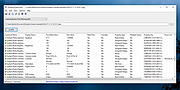 |
|
Psiphon v188.20260714192658 Psiphon v188.20260714192658 👉 Open-source circumvention tool that helps users bypass internet censorship and access blocked websites and services. Psiphon is a censorship-circumvention platform designed to provide open access to the internet in environments where websites and services are restricted or blocked. Developed as an open-source project, it uses a combination of secure communication and obfuscation technologies to help users reach content that might otherwise be unavailable due to filtering or surveillance. Psiphon automatically connects to a global network of proxy servers to establish a secure tunnel between the user and the open internet. The software intelligently selects the best protocol available for the current network conditions, helping maintain reliable access even in restrictive environments. The program requires minimal configuration and is designed to work immediately after launch. Once connected, users can browse the web, use applications, and access services through the Psiphon network while helping protect their connection from basic monitoring and blocking techniques. Features: • Circumvents internet censorship and network restrictions • Uses a combination of VPN, SSH, and HTTP proxy technologies • Automatically selects the most effective connection protocol • Secure tunnel helps protect traffic from basic network filtering • One-click connection with no complicated configuration required • Designed to operate reliably even on heavily restricted networks • Portable application that can run without installation • Open-source project focused on internet freedom and accessibility Supported operating systems: • Windows 7, Windows 8, Windows 8.1, Windows 10, Windows 11 • Android 4.0 or higher • iOS 12 or higher Supported languages: English, Arabic, Azerbaijani, Belarusian, Bengali, Chinese (Simplified), Chinese (Traditional), Croatian, Dutch, English, Finnish, French, German, Greek, Hindi, Indonesian, Italian, Kazakh, Korean, Kyrgyz, Norwegian Bokmεl, Oromo, Persian, Portuguese (Brazil), Portuguese (Portugal), Russian, Spanish, Swahili, Tajik, Thai, Turkish, Turkmen, Ukrainian, Urdu, Vietnamese, Amharic, Burmese, Khmer Changes: Not Provided This download is for the Windows 10/11 version (very bottom of page). All other download assets are below: Windows Legacy: Windows Vista, XP Windows 7, ... |
|
6,735 | Jul 16, 2026 Psiphon Inc. 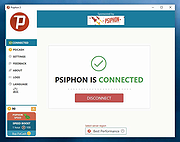 |
|
Puzzle Collection Portable v2026.05.23 Puzzle Collection Portable v2026.05.23 👉 Portable collection of single-player logic and puzzle games. Puzzle Collection Portable is the PortableApps.com edition of Simon Tatham's Portable Puzzle Collection, a lightweight bundle of one-player puzzle games designed for quick play sessions and long-term brain exercise. It includes a wide variety of logic, deduction, matching, pathfinding, number, loop-drawing, tiling, and spatial puzzles in a single portable package that can run without a traditional installation. The collection includes favorites such as Black Box, Bridges, Cube, Dominosa, Fifteen, Filling, Flip, Flood, Galaxies, Guess, Inertia, Keen, Light Up, Loopy, Magnets, Map, Mines, Mosaic, Net, Netslide, Palisade, Pattern, Pearl, Pegs, Range, Rectangles, Same Game, Signpost, Singles, Sixteen, Slant, Solo, Tents, Towers, Tracks, Twiddle, Undead, Unequal, Unruly, and Untangle. Features: • Includes a large collection of single-player puzzle games in one portable package • Covers many puzzle styles including logic, number, tiling, matching, navigation, and deduction • Runs without a traditional installation • Designed to run from removable, local, or cloud storage • Small download and lightweight installed size • Based on Simon Tatham's long-running open-source puzzle collection • Includes Windows help documentation with the package • Good for quick casual play or longer puzzle-solving sessions Supported operating systems: • Windows XP, Windows Vista, Windows 7, Windows 8, Windows 10, Windows 11, WINE Supported languages: English Changes: v2026.05.23 07-05-26 Not Provided Click here to visit the author's website. |
|
1,914 | Aug 03, 2026 Simon Tatham/John T. Haller 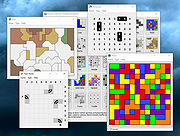 |
|
qBittorrent Portable v5.2.3 qBittorrent Portable v5.2.3 👉 Lightweight portable BitTorrent client with search, RSS, WebUI, and advanced torrent controls. qBittorrent Portable is the lightweight qBittorrent torrent client packaged as a portable app, so you can run it from a cloud folder, removable drive, or local folder without installing it on the PC. It includes a familiar interface, built-in search engine, support for BitTorrent extensions, WebUI remote control, RSS downloading with filters, bandwidth scheduling, IP filtering, IPv6 support, and torrent creation tools. Features: • Polished, familiar user interface • Well-integrated and extensible search engine • Simultaneous search across popular BitTorrent search sites • Category-specific search requests • Supports DHT, Peer Exchange, full encryption, Magnet URIs, and BitComet URIs • Remote control through a Web user interface • Advanced control over trackers, peers, and torrents • Torrent queueing and prioritizing • UPnP and NAT-PMP port forwarding support • Torrent creation tool • Advanced RSS support with download filters, including regex • Bandwidth scheduler • IP filtering compatible with eMule and PeerGuardian • IPv6 compliant • PortableApps.com format for easy portable use and automatic updates through the PortableApps.com Platform Supported operating systems: Windows 10/11 (64-bit Only) Supported operating systems: • Windows 10, Windows 11 64-bit only Supported languages: Multilingual, approximately 25 languages Changes: v5.2.3 07-07-26 BUGFIX: Fix MIME header encoding in email to require ASCII (quinot) #24382 BUGFIX: Fix potential invalid migration procedure (Chocobo1) #24502 BUGFIX: Resolve relative UI theme paths (TurboTheTurtle) #24514 BUGFIX: Clear transfer filters when sections collapse (TurboTheTurtle) #24517 BUGFIX: Fix potential deadlock when database transaction failed (Chocobo1) #24542 BUGFIX: Fix wrong torrent tracker conversion (Chocobo1) #24546 BUGFIX: Fix wrong encoding for Web Seeds (Chocobo1) #24593 BUGFIX: Use stricter parsing for Peer Address inputs (Chocobo1) #24595 BUGFIX: Revise regex expression for parsing HTML links (Chocobo1) #24597 WEBUI: Correctly escape CSS query selector so the UI won't break (vafada) #24539 RSS: Fix feeds not following the specified interval (vafada) #24553 SEARCH: Fix plugin counting when updating (Chocobo1) #24544 WINDOWS: Avoid using invalid file attributes when renaming files (Chocobo1) #24543 Note: This program will ... |
|
7,693 | Oct 02, 2026 qBittorrent Team & PortableApps.com 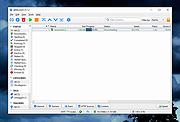 |
|
Quarkdown v2.4.0 Quarkdown v2.4.0 👉 Markdown-based typesetting system for creating books, documents, and PDFs with advanced layout features. Quarkdown is a modern, Markdown-based typesetting system designed for writing books, technical documents, reports, and PDFs with professional-quality layout and styling. It extends standard Markdown with powerful features such as variables, templates, components, conditionals, and advanced formatting controls, allowing you to structure complex documents while keeping your source files clean and readable. Quarkdown focuses on simplicity for authors while providing the flexibility of a programmable document engine. It can generate beautifully formatted PDFs and other output formats, making it suitable for documentation, publishing workflows, academic writing, and long-form content creation. Features: • Markdown-based document authoring • Advanced typesetting and layout control • Variables and reusable components • Templates for consistent document styling • Conditional content support • Book and multi-file project support • PDF generation • Cross-platform command-line interface • Open-source project Supported operating systems: • Windows 10, Windows 11 • macOS • Linux Supported languages: English Changes: v2.4.0 07-13-26 • Added experimental element styling, allowing Markdown elements to be extended with custom behavior and appearance. • Added new primitive functions: .paragraph, .math, and .link. • Added full styling support for .heading, .paragraph, .math, and .link. • Added conditional .extend support using the new where parameter. • Added the .match function for regular expression matching and replacement of inline content. • Simplified inline lambda syntax by making the @lambda prefix optional. • Improved body argument binding for native functions. • Optimized function argument binding for better performance. • Added support for body arguments in inline function calls. Requirements: • Java 17 or newer (JDK or JRE) must be installed. • Verify Java installation by opening Command Prompt or Terminal and typing: java -version • If Java is not installed, download a compatible OpenJDK build from a trusted provider such ... |
|
1,005 | Jul 14, 2026 Giorgio Garofalo  |
|
Quetoo v1.0.18 Quetoo v1.0.18 👉 A fast, free, open-source arena FPS built for glorious old-school fragging. Quetoo is a free first-person shooter based on id Tech 2, built to bring classic arena deathmatch action roaring back for modern players. Jump into Deathmatch, Team Deathmatch, Capture the Flag, Instagib, and Rocket Arena gameplay with high-speed movement, rocket fights, rail shots, bot support, legendary Quake-inspired maps, original battlegrounds, and cross-platform multiplayer for Windows, macOS, and Linux. Features: • Free first-person shooter based on id Tech 2 • Classic arena gameplay with Deathmatch, Team Deathmatch, Capture the Flag, Instagib, and Rocket Arena modes • Bot support for instant action • High-quality remakes of legendary Quake deathmatch levels • Original maps and game content • Modern rendering with real-time lighting, soft shadow mapping, bump mapping, parallax occlusion, and volumetric fog • In-game light editor for level artists • TrenchBroom support • Cross-platform multiplayer • Free to download, play, and modify • Open-source GPL v2 licensed engine Supported operating systems: • Windows 10 64bit or later. • Apple Silicon for macOS Sequoia or later. • Linux for modern x86-64 distros. • Linux for modern aarch64 distros. • Linux server packages for x86-64 servers • Linux server packages for aarch64 servers. Supported languages: English Changes: v1.0.18 09-30-26 7527533c9 Return why an item is hidden from the cull functions faa7ca6c5 Count visible BSP entities in the diagnostics 2a95fe51a Read a query as visible on the frame it re-enters the frustum 4cc8543f7 Count culled BSP entities apart from occluded ones 2d7d8f457 Read a query drawn outside the frustum as visible e178f9bb9 Give each portal and reflection its own occlusion query a1bbcd286 Count culled apart from occluded in the diagnostics cf9a9bbaa Rename RenderViewStats and SoundStageStats to *Diagnostics 8209f5a6a Rebuild the Docker SDL3 layer when the tag moves c9e5afdfe Fix stupid comments. 576c30e78 List the SDL3 sibling checkout in AGENTS.md 50c40f88c Read only the occlusion results that were downloaded 1a03024cc Skip the occlusion query download when no queries were drawn 5e87814b2 Warn when SDL3 lacks the query API 024252722 Build ... |
|
3,021 | Oct 01, 2026 Quetoo contributors  |
|
Quick Bridge v3.3 Quick Bridge v3.3 👉 A fast and simple contract bridge card game for Windows. Quick Bridge is a lightweight Windows card game that lets you play the classic game of contract bridge against computer opponents. Designed for quick play sessions, it focuses on straightforward gameplay without complex setup, making it easy for casual players or beginners to enjoy bridge on their PC. The program deals random bridge hands and lets you play through them with computer-controlled partners and opponents. Its clean interface and minimal system requirements make it suitable for older computers as well as modern systems. Quick Bridge emphasizes fast gameplay and simple controls so you can jump right into a round of bridge whenever you like. Features: • Play the classic contract bridge card game against computer opponents • Fast and lightweight program with minimal system requirements • Simple interface designed for quick and easy gameplay • Automatically deals random bridge hands for each game • Ideal for casual players who want a quick bridge experience Supported operating systems: • Windows 95, Windows 98, Windows NT, Windows 2000, Windows XP, Windows Vista, Windows 7, Windows 8, Windows 10, Windows 11 Supported languages: English Changes: v3.3 Removed the play-bar from the bottom of the Window and replaced the functionality with menu choices and hot-keys freeing up more of the screen real-estate for the cards. Note: This file has two hits on VirusTotal. We have confirmed these to be false positives. The file is safe. Click here to visit the author's website. |
|
659 | Mar 10, 2026 Wesley Steiner 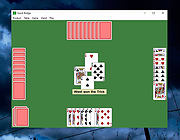 |
|
Quick Cribbage v3.5 Quick Cribbage v3.5 👉 Fast and lightweight computerized version of the classic cribbage card game. Quick Cribbage is a simple computer implementation of the traditional card game cribbage that lets you play against the computer in a quick and straightforward interface. Designed to be lightweight and easy to run, the game focuses on the core cribbage experience without unnecessary extras or complicated menus. Players compete against the computer by forming scoring card combinations during play and counting points in the cribbage board format. The game follows standard cribbage rules including pegging, forming hands, and scoring combinations such as pairs, runs, fifteens, and flushes. Quick Cribbage is part of Wesley Steiner’s Quick Games collection and is designed for fast gameplay with minimal system requirements, making it suitable for older computers as well as modern Windows systems running compatibility modes. Features: • Play cribbage against the computer • Traditional cribbage scoring including fifteens, runs, pairs, and flushes • Pegging phase and hand counting following classic rules • Lightweight design with quick startup and minimal system requirements • Simple interface focused on fast gameplay Supported operating systems: • Windows 95, Windows 98, Windows NT, Windows 2000, Windows XP, Windows Vista, Windows 7, Windows 8, Windows 10, Windows 11 Supported languages: English Changes: v3.5 Places the crib-board on the tabletop rather than in a pop-up window and includes all the latest and greatest features. Click here to visit the author's website. |
|
679 | Mar 10, 2026 Wesley Steiner 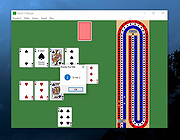 |
|
Quick Poker v3.3 Quick Poker v3.3 👉 Free Windows poker game with five computer opponents and multiple draw and stud variations. Quick Poker lets you play against five computer controlled players of varying skill and character. It includes popular variations of 5-Card Draw Poker ("Anything Opens" and "Jackpots") and Stud Poker (5, 6 and 7-card). Quick Poker is designed to help you sharpen your poker skills and strategy while the computer handles the action in a straightforward Windows game environment. Features: • Play against five computer controlled opponents with varying skill and character • Includes 5-Card Draw Poker with "Anything Opens" and "Jackpots" variations • Includes 5-card, 6-card, and 7-card Stud Poker • Uses a popular pot-limit betting structure • Updated display format with player name tags and chip stack value badges • Free Windows poker game focused on practice and strategy Supported operating systems: • Windows 95, Windows 98, Windows NT, Windows 2000, Windows XP, Windows Vista, Windows 7, Windows 8, Windows 10, Windows 11 Supported languages: English Changes: v3.3 Uses the popular pot-limit betting structure. Also updated the display format with player name tags and value "badges" for chip stacks. Note: This file has two hits on VirusTotal. We have confirmed these to be false positives. The file is safe. Click here to visit the author's website. |
|
661 | Mar 10, 2026 Wesley Steiner 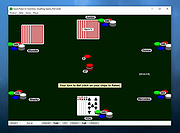 |
|
Quick Snippet v1.0.2 Quick Snippet v1.0.2 👉 Lightweight Windows utility for storing, organizing, and instantly copying reusable text snippets. Quick Snippet is a lightweight Windows application designed to help you manage and copy frequently used text such as emails, templates, ticket updates, troubleshooting steps, and other reusable content. It lets you organize snippets into categories, quickly find them with live filtering, sort both categories and snippets, and copy text to the clipboard with a single click. It also includes system tray support, JSON import and export, and light and dark theme support. Features: • Create, edit, rename, and delete snippets • Store large or small blocks of text • One-click copy to clipboard • Group snippets into categories • Instantly filter snippets by name • Filter categories independently • Results update in real time as you type • Alphabetical sorting for categories and snippets • Toggle sort direction with a single click • Minimize to tray for quick access • Import and export snippets and categories in JSON format • Light and dark mode support Supported operating systems: • Windows 10 • Windows 11 Supported languages: English Changes: v1.0.2 04-05-26 New Added snippet filtering (search box with live results) Added snippet sorting (A–Z and Z–A) Added category filtering (search categories instantly) Added category sorting (A–Z and Z–A) Improvements Improved layout and spacing for filter and sort controls More consistent behavior across categories and snippets Better usability when working with larger snippet collections Fixes Fixed minor UI sizing/alignment issues General stability improvements Note: This file has one hit on VirusTotal. We have confirmed this to be a false positive. The file is safe. Click here to visit the author's website. |
|
855 | Apr 06, 2026 Frank Noonan 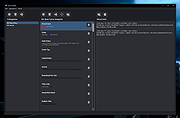 |
|
Quick Solitaire v3.3 Quick Solitaire v3.3 👉 A lightweight collection of classic solitaire card games for Windows. Quick Solitaire is a compact card game package that includes several popular solitaire variations in a single lightweight program. Designed for quick play and minimal system requirements, it allows users to enjoy classic solitaire games without installing large game suites. The program automatically handles the dealing and arrangement of cards so players can focus entirely on their strategy and gameplay. Its simple interface makes it easy to jump into a game immediately, and the software is designed to run smoothly even on very old Windows systems. Quick Solitaire includes seven solitaire games: Solitaire (similar to the classic Windows version), Klondike, Pyramid, Golf, Gaps, Spider, and Yukon. Features: • Includes seven solitaire games in one program • Solitaire (similar to the classic Windows version) • Klondike, Pyramid, Golf, Gaps, Spider, and Yukon game modes • Automatic card dealing and arrangement • Simple interface focused on fast gameplay • Lightweight program with minimal system requirements Supported operating systems: • Windows 95, Windows 98, Windows NT, Windows 2000, Windows XP, Windows Vista, Windows 7, Windows 8, Windows 10, Windows 11 Supported languages: English Changes: v3.3 Bigger and better card images on higher resolution displays. Note: This file has two hits on VirusTotal. We have confirmed these to be false positives. The file is safe. Click here to visit the author's website. |
|
656 | Mar 10, 2026 Wesley Steiner 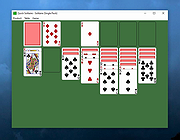 |
|
QuickLook v4.5.0 QuickLook v4.5.0 👉 Preview files instantly in Windows by selecting one and pressing the spacebar. QuickLook lets you inspect files without opening their usual applications. Select a file in File Explorer and press the spacebar to bring up a preview. You can check an image, read a document, listen to audio, watch a video, or inspect source code, then press Esc or the spacebar to close the preview. Use the arrow keys to move through neighboring files while the preview is open. QuickLook handles images, animated GIFs, video, audio, PDFs, text, Markdown, archives, fonts, and source code. Text and code previews include syntax highlighting, and plugins add support for more formats. QuickLook runs from the system tray. The installer supports previews in Open and Save dialogs. The project is free and open source. Features: • Press the spacebar to preview a selected file without launching its associated application. • Press Esc or the spacebar again to close the preview. • Use the arrow keys to preview neighboring files. • Preview JPEG, PNG, GIF, WebP, RAW, and other supported image formats. • Play supported video and audio files in the preview window. • Read PDFs, text files, and rendered Markdown. • Inspect source code and configuration files with syntax highlighting. • Preview supported archives and fonts. • Zoom images and PDFs, or open a file from its preview. • Follow the Windows light or dark theme. • Add support for more formats with plugins. • Choose an installer or portable download. Supported operating systems: Windows 10, Windows 11 Supported languages: English, Simplified Chinese, Romanian. Changes: v4.5.0 04-14-26 Updated LAVFilters to 0.81.0. Improved LRC handling by merging duplicate timestamps. Improved the Simplified Chinese translation and added Romanian translation. Added the WindowBackdrop option and F11 full-screen toggle. Added support for PKCS7 extensions, Chromium PAK viewing and extraction, Python wheel and egg archives, DICOM images, and additional syntax highlighting. Fixed Markdown previews using absolute resource paths, the Windows 10 transparency option, video loop behavior, OfficeViewer resizing errors, relative command-line paths, and the taskbar ... |
|
3,463 | Sep 28, 2026 Adnan Bhaldar  |
|
QuickMemoryTestOK v5.55 QuickMemoryTestOK v5.55 👉 Quickly test your Windows PC's RAM for errors. QuickMemoryTestOK is a small Windows utility that helps check your computer's RAM for bad or corrupted memory areas, and can also be used to test system behavior under high memory usage. Features: • Quick memory test for RAM errors • Helps detect bad or corrupted memory areas • Test Windows behavior under high memory usage • Customizable test runs • Pause and resume testing • Clear memory status display • Shows CPU load during testing • Access to useful memory and system tools • Zoom option for easier viewing • Very small program with low CPU usage • Portable version available Supported operating systems: • Windows 11, Windows 10, Windows 8.1, Windows 7, Windows Server 2012-2025, Windows Server 2022, x64, x32, x86 Supported languages: German, English, Korean, French, Bulgarian, Japanese, Traditional Chinese, Slovenian, Polish, Afrikaans, Simplified Chinese, Russian, Portuguese, Hungarian, Italian, Thai, Spanish, Hebrew, Hindi, Vietnamese, Malay, Indonesian, Filipino, Dutch, Norwegian, Danish, Finnish, Greek, Spanish-VE, Czech, Arabic, Bosnian, Turkish, Ukrainian Changes: v5.55 06-07-26 • Update of language files in the Memory Test Tool for all MS Windows operating systems • Improvements to RAM detection 👉 This download is for the Windows 64bit portable version (very bottom of page). All other download assets are below: Other Windows: QuickMemoryTestOK.zip (32bit portable) Click here to visit the author's website. |
|
6,377 | Sep 18, 2026 Nenad Hrg  |
|
QuickTextPaste v9.55 QuickTextPaste v9.55 👉 Insert frequently used text quickly via customizable keyboard shortcuts. QuickTextPaste is a portable Windows utility that allows you to paste frequently used text, run programs, or open folders using customizable keyboard shortcuts. It is designed to save time when working with repetitive text entries such as email addresses, signatures, or standard phrases. QuickTextPaste runs in the system tray and lets you define multiple text entries, each assigned to a hotkey combination. You can also insert formatted text, launch applications, or execute commands directly from the shortcut, making it useful for power users and anyone who frequently types repetitive content. Features: • Create and manage custom text snippets • Assign individual keyboard shortcuts to each entry • Paste formatted or plain text into any application • Execute programs, open folders, or run commands • Portable version available, no installation required • Lightweight and runs in the system tray Installation: Quick paste text does not require installation, can easily be launched from the desktop with no installation and is ready to use on all Windows operating systems. Supported operating systems: Windows 11, Windows 10, Windows 10 Pro, Windows 10 Enterprise, Windows 10 Home, Windows 8.1, Windows 8.1 Enterprise and Pro, Windows 8, Windows 8 Enterprise and Pro, Windows 7, Windows 7 Enterprise, Windows 7 Home Basic, Windows 7 Home Premium + Professional, Windows 7 Starter + Ultimate, , X64, x86 and x32 all Windows, MS Windows Server 2019, 2016,2012, . Changes: v9.55 06-06-26 • Important update of the language files • Small tweaks and Improvements in Auto Hotkeys for Windows OS • Bugfix: If detect the default system language for multi-language support • Corrections if switch to admin mode This download is for the Windows 64bit portable version (very bottom of page). If you need the Windows 32bit portable version, download here. If you need the Windows 64bit installer version, download here. If you need the Windows 32bit installer ... |
|
6,616 | Jun 29, 2026 Nenad Hrg  |
|
Radical Rockits for Windows Radical Rockits for Windows Radical Rockits is a physics jetpack sandbox without any objectives. It's all about flying around and having a good time! Can you pull off the sickest stunts? Play locally with up to 4 players split-screen, or try controlling 1 player together in co-op mode. |
|
6,839 | Feb 24, 2016 RageSquid  |
|
RAMagic v1.22 RAMagic v1.22 👉 Lightweight tool to quickly optimize and free up RAM on Windows systems. RAMagic is a small and portable Windows utility designed to help improve system responsiveness by freeing unused memory with a single click. It provides a simple interface that allows users to quickly reclaim RAM without complicated configuration. RAMagic is especially useful on systems with limited memory or when running multiple applications that consume significant resources. The program runs without installation and can be used as a quick-access tool to refresh available memory and potentially reduce slowdowns. Features: • Quick RAM optimization with one click • Portable application, no installation required • Simple and user-friendly interface • Displays current memory status • Designed for minimal system resource usage Supported operating systems: • Windows XP, Windows Vista, Windows 7, Windows 8, Windows 10, Windows 11 (32-bit and 64-bit) Supported languages: German, English, Korean, French, Traditional Chinese, Greek, Simplified Chinese, Italian, Polish, Russian, Spanish, Turkish, Dutch, Swedish, Norwegian, Portuguese, Danish, Irish, Thai, Spanish, Spanish (Venezuela), Hebrew, Persian, Malay, Indonesian, Filipino, Finnish, Bosnian, Japanese, Bulgarian, Hungarian, Arabic Changes: v1.22 05-06-26 • General improvements in RAMagic, the RAM optimizer for Windows • New language in RAMagic: Spanish and Italian • Many thanks to Rastafe for the Spanish language support. • Many thanks to bovirus for the Italian language support. Click here to visit the author's website. |
|
867 | Aug 04, 2026 Nenad Hrg  |
|
ReactOS v0.4.16 ReactOS v0.4.16 👉 A free, open-source operating system designed to run Windows applications and drivers without requiring Windows. ReactOS is a free and open-source operating system built from the ground up with the goal of providing binary compatibility with Microsoft Windows applications and hardware drivers. Rather than being based on Linux or Unix, ReactOS implements its own Windows-compatible kernel, system libraries, graphical environment, utilities and services. The project is particularly focused on compatibility with traditional Win32 software and drivers while providing users with a completely open-source operating environment. ReactOS remains alpha-quality software, so the developers do not guarantee stability, data safety or compatibility with every application or piece of hardware. Version 0.4.16 introduces one of the project's largest usability improvements: a new graphical installer and a combined Boot CD/Live CD image. You can now boot the same image to either try ReactOS without installing it or install/update the operating system using the new graphical setup interface. The installer includes basic partition management and replaces the need to choose separate installation and Live CD downloads. Features: • Free and open-source Windows-compatible operating system • Designed to run Win32 applications and Windows hardware drivers • Independent Windows-like kernel rather than a Linux or Unix compatibility layer • Familiar Windows-style desktop environment and Explorer shell • New graphical installation interface • Combined Boot CD and Live CD image lets you test or install from the same disc • Basic graphical partition management during installation • Workstation installation mode for normal desktop use • Server installation mode • New Server Core installation mode that runs the Win32 subsystem without the graphical Explorer shell • Improved compatibility with NVIDIA graphics drivers through expanded system page table resources • Improved AMD graphics and OpenGL handling • Continued development of multi-monitor and video-driver compatibility • Improved High Definition Audio support • New HD Audio bus driver supporting compatible Windows XP and Windows Server 2003 audio ... |
|
6,924 | Aug 30, 2026 ReactOS Foundation  |
|
Red Burner .NET v19.5.0.0 Red Burner .NET v19.5.0.0 Lightweight optical disc burning software for CD, DVD and Blu-ray media. Red Burner .NET is a standalone disc burning tool for creating and working with optical discs, disc images and optical drives. It supports CD, DVD and Blu-ray burning, image burning and conversion, rewritable media, M-Disc, DVD-RAM and an integrated virtual drive emulator. Features: • Burn audio, video and data CD, DVD and Blu-ray discs • Supports single, double, triple and quad layer media • Burn M-Disc, rewritable discs and DVD-RAM • Create, burn and convert disc images • Browse disc images with the internal image browser • Integrated virtual drive emulator • Supports ISO, BIN/CUE, IMG/CCD, NRG, CDI, PDI, B5I, B6I and GI image formats • Lightweight standalone design • Fast burning algorithm • Code-signed files • Donationware Supported operating systems: • Windows 7 or later Supported languages: • English Changes: v19.5.0.0 Not provided. Click here to visit the author's website. |
|
906 | Jun 05, 2026 OMID SOFT 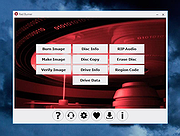 |
|
Refloow Photo Studio v1.1.0 Refloow Photo Studio v1.1.0 👉 A free, open source, privacy-focused photo editor with local AI background removal, filters, cropping, layering, text and image adjustments. Refloow Photo Studio is a free and open source desktop photo editor designed to provide professional-looking results without complicated workflows, accounts, subscriptions, advertisements, watermarks or data collection. All image processing runs locally on your computer, including its AI-powered background removal. The editor provides more than 40 built-in filters along with cropping, mirroring, brightness, contrast, saturation and warmth adjustments. Images can be dragged onto the canvas as layers to build compositions, while an undo and redo history lets you move backward or forward through up to 15 editing actions. Text can also be added to images, resized and positioned as layers. The workspace supports zooming and panning for easier navigation while editing. Features: • Free and open source photo editor • All image processing is performed locally • No accounts or logins required • No subscriptions • No advertisements • No watermarks • No data collection • One-click AI-powered background removal • AI background removal runs locally using the U-2-Netp model • More than 40 built-in professional filters • Crop images • Mirror images • Adjust brightness, contrast, saturation and warmth • Add text to images with imported fonts and customizable colors • Resize and position text as layers • Overlay multiple images to create compositions • Drag-and-drop support • Layer management for arranging compositions • Workspace zooming with the scroll wheel • Workspace panning with the middle mouse button • Undo and redo history for up to 15 actions • High-quality WYSIWYG image exporting Supported operating systems: • Windows 10 64-bit, Windows 11 64-bit • macOS Intel, macOS Apple Silicon • Linux Ubuntu, Linux Debian • Linux distributions capable of running the supplied AppImage Supported languages: English Changes: v1.1.0 06-23-26 • Added the ability to add custom text directly to compositions using imported fonts and customizable text colors. • Added full workspace zooming, panning and canvas movement. • Added smart crop ... |
|
111 | Sep 08, 2026 Veljko Vuckovic  |
|
ReIcon v2.2 ReIcon v2.2 Restore your Desktop icon layout. ReIcon is portable freeware that enables you to save and restore your desktop icon layout. If you frequently change your screen resolution (e.g. to play games or use applications that require a specific resolution), you are probably familiar with the problem of your desktop icons being jumbled into a mess after you switch back to your normal resolution. ReIcon solves this problem by allowing you to save your desktop icon layout and restore it later with the click of a button (or with the right-click context menu). ReIcon is very easy to use. Set your icons the way you like them, save the layout, then restore this layout later when the need arises. Features: • Save your favorite icon layout for each resolution • Save many different layouts • It’s portable, no need to install anything • Unicode support • Easily add “Save/Restore Icon Layout” to the right-click context menu • CMD support (at CMD, type ReIcon /? for help) • Align icons to Grid – this allows you to snap your desktop icons to a grid, similar to Windows’ Auto-Arrange feature) Usage: Extract the ZIP to any folder and then run the program. Click the “Save Icon Layout” button to save the current desktop icon layout. Then in the list of saved layouts you will see the name of the “New Icon Layout”, its resolution, and the number of icons. To restore a saved layout, select the layout from the list and then click the “Restore Icon Layout” button. You can also right-click the saved layout and choose “Restore” from the context menu. Yet another way is to double-click any saved layout in the list to quickly restore that layout. To delete ... |
|
6,325 | Feb 09, 2026 Sordum.org 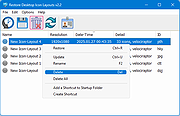 |
|
RememBear v1.2.6 for Windows RememBear v1.2.6 for Windows Secure and remember all your passwords… with a Bear (Free for single device) The easiest way to remember all your passwords RememBear also types in your passwords, right when you need them Easier Let a Bear remember and type in passwords for you Faster Auto-fill logins and credit cards with a click Access from anywhere Bear-rilliant apps for your computer, tablet and phone Safe and secure in an encrypted Bear hug Secured end to end Engineered so that you, and only you, can see your sensitive data Serious security Super strong 256-bit encryption Independently audited Independent and public code audit of RememBear security Click here to visit the author's website. |
|
6,026 | Mar 24, 2019 TunnelBear  |
|
Remove Windows 10 Upgrade Tray Icon Remove Windows 10 Upgrade Tray Icon This will remove the pesky Windows 10 upgrade tray icon. Which started appearing on Windows 7,8 and 8.1 computers recently. Unzip the file. Right-click the file called "KillWin10TrayIcon.bat" and choose "Run as Administrator". All done! |
|
7,235 | Jun 01, 2015 OlderGeeks.com  |
|
Remove Windows Store Apps Script Remove Windows Store Apps Script Remove Windows Store apps in Windows 8, Windows 8.1 and Windows 10 Introduction This script can be used to remove multiple Windows Store apps from a user account in Windows. It provides a list of installed Windows Store apps. You can specify the application IDs, and remove them all at once. Scenarios In Windows 8, 8.1 and 10, you can remove a single Windows Store app by right-clicking the tile in the Start menu and choosing the uninstall command. However, no command is provided for removing multiple Windows Store apps all at once. If you want to do so, you can use this script sample. Sometimes Windows Store apps may crash in Windows 8. Even though you can successfully uninstall and reinstall the app, the app may still crash after the reinstallation. In this situation, you can use this example script to remove these Windows Store apps cleanly. Script Step 1: Move the cursor to the top right corner of the screen, click Search, type PowerShell, right-click the Windows PowerShell app tile, and then, on the app bar, click Run as administrator. Examples Example 1: How to display help about the script You can type the command Get-Help C:\Script\RemoveWindowsStoreApp.ps1 -Full to display the entire help file for this function, such as the syntax, parameters, or examples. This is shown in the following figure. Example 2: How to remove Windows Store apps To remove Windows Store apps, run the script directly, then choose the ID of each app that you want to remove. In this example, I suppose that you decide to remove "Games" and "Maps". The Windows Store apps as shown below. Run the script, and then choose the IDs for the "Games" and "Maps" apps (The IDs should be 4 and 17). Finally, confirm this action. The apps have been removed! Here are ... |
|
6,232 | Apr 24, 2017 MSFT OneScript Team 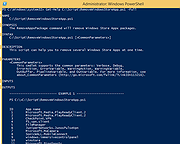 |
|
Remove Windows XP End of Life Messages Utility Remove Windows XP End of Life Messages Utility On April 8th 2014, Microsoft ended all support for Windows XP. They then released a number of Windows Updates that displays annoying messages on your desktop telling you that your operating system is now at its end of life. This is the Windows message: The second is the Microsoft Security Essentials one: We have been asked a number of times about how to remove these and we have now created a new utility that will help you to do this. (Download at bottom of page) CONSIDERATIONS There is one problem with removing the Microsoft Security Essentials end of life message. If you have already installed Version 4.5.216.0 then you cannot remove this message. Also, eventually, your system will update to this version so the best thing to do is to uninstall MSE and install another free anti-virus like Avast or Avira. If you have not yet installed Version 4.5.216.0 then this utility will work for you for the MSE part. The Windows end of life message should be able to be removed without issue using this utility. You must have Dot Net 2.0 installed for this to work. INSTRUCTIONS Once you have downloaded the file you should run the executable file to start the utility. You will then be presented with a utility that looks like this: You should then click the buttons on the right hand side in relation to what you want to do. So, if you want to remove the Windows message, click the top button, if you want to remove the MSE message, click the bottom button. Once you have done this, you should reboot your machine and you should now notice that the messages have not reappeared. |
|
8,456 | Jul 13, 2014 Techy Geeks |
|
RemoveWGA 1.2 Remove Microsoft Windows Genuine Advantage A small utility that enables you to remove the Microsoft Windows Genuine Advantage Notifications tool RemoveWGA will enable you to easily remove the Microsoft \\\"Windows Genuine Advantage Notifications\\\" tool, which is calling home and connect to MS servers every time you boot. Futures updates of this notification tool will (officialy) setup the connection rate to once every two weeks. Once the WGA Notification tool has checked your OS and has confirmed you had a legit copy, there is no decent point or reason to check it again and again every boot. Moreover, connecting to Microsoft brings security issue for corporate networks, and privacy issues for everyone. It is also unclear which information are transmitted (Microsoft published an official answer, but an individual study brought some questions). All of that, along the fact that Microsoft used deceptive ways to make you install this tool (it was told you it was an urgent security update, whereas it is a new installation giving you no extra security) makes me calling this tool a spyware. Also, Windows Genuine Advantage Notifications is different than Windows Genuine Advantage Validation. RemoveWGA only removes the notification part, phoning home, and does not touch the Validation part. Note: Some antivirus and antispyware programs flag RemoveWGA as being infected/malware, although the application is perfectly safe and does not pose a threat to your system. This is called a \\\'false positive\\\'. The term false positive is used when antivirus software wrongly classifies an innocuous ( inoffensive ) file as a virus. The incorrect detection may be due to heuristics or to an incorrect virus signature in a database. [Similar problems can occur with antitrojan or antispyware software.] Here are some key features of \\\"RemoveWGA\\\": · Tell you if the WGA notification tool is active on your system · Allows you to remove the WGA notification tool from your ... |
|
10,415 | Jul 07, 2010 Guillaume Kaddouch |
|
Rename Master v4.04 Rename Master v4.04 👉 Powerful batch file and folder renaming utility. Rename Master is a freeware utility that allows you to rename multiple files and folders quickly using a wide range of advanced renaming options. Designed for both casual and power users, it can manipulate filenames based on text patterns, file attributes, metadata, numbering schemes, and custom scripts. A real-time preview window shows exactly how files will be renamed before any changes are applied, helping prevent mistakes when working with large collections of files. Rename Master supports information stored inside MP3 tags, JPEG JFIF and EXIF data, enabling automatic renaming based on embedded metadata. It also includes powerful wildcard support, search-and-replace functions, sequential numbering, folder renaming capabilities, and the ability to save frequently used renaming configurations for future use. Despite its extensive feature set, the program remains lightweight, fast, and easy to use. Features: • Rename multiple files and folders in a single operation • Add, remove, replace, or rearrange text within filenames • Advanced search and replace with wildcard support • Sequential numbering and custom counters • Rename files using MP3 tag information • Rename photos using JPEG JFIF and EXIF metadata • Change filename case (upper, lower, title case, etc.) • Insert file dates and times into filenames • Move or remove characters at specific positions • Save and reuse renaming scripts and presets • Real-time preview before applying changes • Undo support for reverting previous renaming operations • Optional Windows Explorer integration • Fast processing of large file collections • Portable-friendly and lightweight design Supported operating systems: • Windows XP • Windows Vista • Windows 7 • Windows 8 • Windows 8.1 • Windows 10 • Windows 11 Supported languages: English Changes: v4.04 05-14-26 (Renaming Script) Fix: issues with auto-preview (introduced in v4.03) Fix: issue when loading a script when using non-default Counting settings Fix: Counting tab icon not always marked when using non-default setting (Misc) Fix: possible exception when loading a script using "File > Open Script" with default settings NOTES: Hotfixes for ... |
|
6,904 | Jun 12, 2026 joejoesoft.com 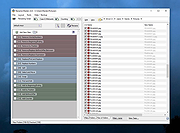 |
|
Reset Windows Update Tool v11.1.0 Reset Windows Update Tool v11.1.0 Free troubleshooting tool for Windows Update. The Reset Windows Update Tool is a powerful system repair tool designed to provide support for a range of repair options. With this tool, users can easily reset Windows Update Components, delete temporary files, scan, detect and repair any corruptions within the Windows System image, scan all protected system files, replace any corrupted files, change invalid values in the Windows Registry, reset Winsock settings and more. This versatile tool can help users resolve a variety of system issues, making it an essential component of any comprehensive system repair toolkit. Features The Reset Windows Update Tool provides the following features: • Resetting Windows Update components to their default settings • Deleting temporary files to free up disk space • Changing invalid values in the Windows Registry to ensure smooth operation • Scanning and repairing protected system files that may be corrupted using the "sfc /scannow" command • Detecting and repairing corruptions in the Windows system image • Cleaning up superseded components to optimize system performance and free up disk space Note: This tool MUST be ran as Administrator. After downloading, unzip the file by right-clicking it and choosing to Extract. In the newly created folder, right-click wureset.exe and choose Run as Administrator. Supported operating systems: This tool is fully compatible with Windows 10 or any higher version of the operating system. Upon running the Reset Windows Update Tool, the tool will automatically detect the version or build of the operating system, which in turn determines the name and family of the system. In the event that the operating system is not compatible with the tool, an error message will be displayed and the tool will be closed. Click here to ... |
|
5,696 | Jul 10, 2024 Manuel Gil 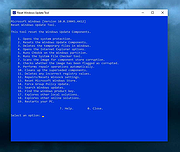 |
|
ResophNotes v1.8.1 ResophNotes v1.8.1 👉 A fast, lightweight Windows note-taking program with Simplenote synchronization, Markdown support, tags and powerful keyboard controls. ResophNotes is a free note-taking program for Windows designed to make creating, finding and managing text notes quick and uncomplicated. Notes can be kept locally or synchronized online with Simplenote, allowing them to be accessed from other devices using compatible Simplenote applications. It supports Markdown with HTML preview, tags, pinned notes, internal links, global keyboard shortcuts and optional storage of each note as an individual plain-text file. Deleted notes can be restored or permanently removed, and nearly every function can be controlled from the keyboard. A dark mode is also available. The developer warns that Simplenote may stop supporting synchronization with third-party applications, so Simplenote syncing should currently be used with caution. Features: • Simple, fast note creation and management • Synchronizes notes online with Simplenote • Access synchronized notes from other devices through Simplenote • HTTPS proxy support for Simplenote connections • Dark mode support • Global hotkey for quickly creating a new note • Global hotkey for restoring ResophNotes when minimized • Markdown text-to-HTML conversion with preview • Automatically recognizes HTTP links and email addresses • Internal note linking using wikilinks • Optional individual .txt files for storing notes • Complete keyboard control with numerous shortcuts • Single Note Mode for distraction-free note viewing and editing • Simplenote pinned-note support • Simplenote tag support • Search notes quickly from the keyboard • Import existing .txt files • Email notes directly from the program • Print notes • Insert the current timestamp with a keyboard shortcut • Restore deleted notes • Permanently delete unwanted notes • Free to use Supported operating systems: • Windows 10, Windows 11 (64-bit) Supported languages: English Changes: v1.8.1 08-14-26 Added Dark mode. Built using Microsoft Visual Studio Community 2026. Uses Qt 5.15.2. Updated OpenSSL library for connection issues. Click here to visit the author's website. |
|
79 | Sep 15, 2026 C.Y. Yen 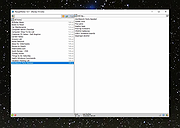 |
|
Restore Windows Photo Viewer v1.22 Restore Windows Photo Viewer v1.22 The classic Windows Photo Viewer is still hidden deep in Windows 10. This free program can easily turn it off and on. It also sets it as the default app for the picture formats you choose. Note: After closing the app, you may be asked if you need another app the author sells. Just say no unless you want more software. FEATURES: Support JPEG, JPG, JPE, JFIF format. Support BMP, DIB, ICO format. Support PNG, TIFF, TIF. Support GIF, WDP, JXR. Apply changes to either current user or all users on a computer. Restore the missing Windows Photo Viewer to Windows 10. Set Windows Photo Viewer as default photo viewer. Revert to Microsoft Photos App at any time. |
|
5,506 | Mar 13, 2019 Authorsoft Corporation 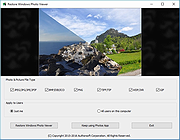 |
|
Revo Uninstaller Free Portable v2.7.2 Revo Uninstaller Free Portable v2.7.2 👉 Uninstall programs, Windows apps, and leftover traces from a portable utility. Revo Uninstaller Free Portable helps you remove unwanted programs from Windows without installing the uninstaller itself. It runs the selected program’s built-in uninstaller first, then scans for leftover files, folders, and Windows Registry entries that may remain behind after a normal uninstall. Features: • Portable version requires no installation • Uninstall regular desktop programs • Remove Windows Apps • Scan for leftover files, folders, and Registry entries • Hunter Mode for managing visible programs, shortcuts, tray icons, and startup items • Autorun Manager to control Windows startup items • Junk Files Cleaner • Windows Tools shortcut panel • Browsers Cleaner • MS Office Cleaner • Windows Cleaner • Evidence Remover • Unrecoverable Delete for permanently erasing files and folders Supported operating systems: • Windows 7, Windows 8, Windows 8.1, Windows 10, Windows 11, Windows Server Editions Supported languages: English, German, French, Italian, Portuguese, Brazilian Portuguese, Russian, Polish, Spanish, Dutch, Norwegian, Swedish, Hindi, Japanese, Chinese, Korean Changes: v2.7.2 10-06-26 Improved – Scanning and safety algorithms for leftovers Fixed minor bugs Updated language files Note: This file has one hit on VirusTotal. We have confirmed this to be a false positive. The file is safe. Click here to visit the author's website. |
|
10,326 | Oct 09, 2026 VS Revo Group  |
|
Right-Click Tools v2.0.4 Right-Click Tools v2.0.4 👉 Add powerful administrative and maintenance tools to the Windows Explorer right-click menu. Right-Click Tools adds a collection of useful commands to the Windows File Explorer context menu, providing quick access to command prompts, PowerShell, Registry Editor, ownership controls, elevated file managers, shell maintenance tools and other frequently needed Windows functions. The tools can be accessed by right-clicking a folder, drive or the background of an open Explorer window. Features: • Adds a customizable collection of tools to the Windows Explorer context menu • Opens Command Prompt or PowerShell in the selected folder • Opens Command Prompt or PowerShell with Administrator privileges • Opens Command Prompt or PowerShell with TrustedInstaller privileges • Supports Windows Terminal, Console Host and optional PowerShell Core configuration • Opens Registry Editor as a standard user, Administrator or TrustedInstaller • Takes ownership of folders and grants access using SetACL • Supports folders containing Unicode characters and long file paths • Adds or removes the selected folder from the user or system PATH variable • Toggles the display of hidden and protected system files • Clears recent items, auto-suggest entries, temporary files and Windows Defender history • Clears the Windows Defender quarantine folder • Refreshes the Windows shell after icon or display changes • Resets the Windows icon and thumbnail caches • Restarts Windows Explorer and reopens the selected folder • Opens a preferred file manager with Administrator or TrustedInstaller privileges • Supports both standard and administrator Windows accounts • Supports multiple user accounts on the same computer • Optional scheduled task reduces repeated UAC prompts • Uses registry-based menu entries instead of a continuously running context menu handler • Adds no background process or significant overhead when opening the context menu • Supports the Windows 11 modern context menu through Custom Context Menu • Automatically detects and supports Windows dark mode • Allows context menu labels and translations to be edited in Language.ini • Available as an installer or portable application • ... |
|
950 | Oct 13, 2026 LesFerch  |
|
RsyncZilla v1.3.0 RsyncZilla v1.3.0 👉 A modern FileZilla-style Windows file transfer client powered by rsync over SSH. RsyncZilla is a free and open-source file transfer client for Windows that combines a familiar dual-pane, FileZilla-style interface with the reliability and efficiency of rsync. Browse local files on one side and remote servers over SFTP on the other, then upload or download files and folders using drag and drop. RsyncZilla uses portable rsync over SSH for transfers, allowing it to send only new files and modified byte blocks instead of retransmitting entire files. Transfers use temporary files to help prevent incomplete files from replacing good copies, while rsync exit codes and detailed logs make failed transfers clearly visible instead of silently ignoring problems. It also includes remote file editing, an integrated SSH terminal, saved server profiles, transfer queues, failed-transfer retries and real-time transfer information. Passwords are not stored on disk; credentials are passed to the SSH process in memory when needed. Features: • Familiar dual-pane interface with local Windows files on the left and remote server files on the right • Remote filesystem browsing over SFTP using SSH.NET • Upload and download files and folders with bidirectional drag and drop • Drag files and folders directly from Windows Explorer into the remote pane • Multi-selection using Shift, Ctrl or selection-box dragging • Double-click navigation for directories • Open local files using their associated Windows applications • Show local files and folders directly in Windows Explorer • Portable rsync and SSH components are bundled with the application • Delta transfers send new files and modified byte blocks instead of retransmitting unchanged data • Configurable handling of existing files including size/date comparison, newer-only updates, overwrite and checksum modes • Atomic rsync writes help prevent interrupted transfers from leaving corrupted or partially written destination files • Resumable synchronization with clear reporting when a transfer is interrupted or rejected • Integrated KiTTY SSH terminal ... |
|
88 | Sep 17, 2026 kanowins  |
|
Rufus v4.15 Rufus v4.15 👉 Create bootable USB drives easily and quickly. Rufus is a small utility that helps format and create bootable USB flash drives, such as USB keys, memory sticks, and other removable media. It is especially useful for cases where you need to create USB installation media from bootable ISOs, including Windows, Linux, and other operating systems, or when working on systems that lack an optical drive. Rufus is known for its speed and reliability, offering advanced options for power users while remaining simple enough for beginners. It supports UEFI and legacy BIOS, allows selection of partition schemes and file systems, and includes options for handling ISO images with custom settings. Features: • Create bootable USB drives from ISO images • Supports UEFI and legacy BIOS • MBR and GPT partition schemes • FAT32, NTFS, exFAT, UDF, and ReFS file systems • Detects USB devices automatically • Advanced formatting and drive options • Portable, no installation required Supported operating systems: • Windows 8, Windows 8.1, Windows 10, Windows 11 Supported languages: English, French, German, Italian, Spanish, Portuguese, Russian, Chinese (Simplified), Chinese (Traditional), Japanese, Korean, Arabic, Polish, Dutch, Greek, Turkish, Czech, Hungarian, Romanian, Vietnamese, Thai, Indonesian, Ukrainian, Bulgarian, Slovak, Slovenian, Danish, Finnish, Norwegian, Swedish, Hebrew, Persian Changes: v4.15 06-30-26 Add RISC-V 64 support to UEFI:NTFS. Improve the guards for using the "silent" Windows installation option. Improve the ability to cancel during write retries. Improve progress reporting for compressed image extraction. Fix unrestricted XML entity expansion and integer overflow in ezxml parser (courtesy of Eric Sadowski). Fix "silent" Windows installation failing at 75% in most cases. Fix a crash during boot when using UEFI:NTFS on Snapdragon X based ARM64 platforms. Fix first WUE option always being checked by default. Fix an infinite loop when using Windows ISOs that contain multiple WIMs. Fix "Enable runtime UEFI media validation" checkbox not always being properly enabled. Other WUE improvements/fixes for OneDrive removal and username validation (with thanks to @christian8641). Non exhaustive ... |
|
14,356 | Jul 02, 2026 Pete Batard/Akeo  |
|
Run-Command v6.41 Run-Command v6.41 👉 Enhanced Windows Run dialog replacement with extended command execution features. Run-Command is a small but powerful alternative to the standard Windows Run dialog. It provides extended functionality for executing commands, opening programs, launching system tools, and accessing frequently used folders more efficiently. Designed as a portable utility, Run-Command enhances productivity by offering customizable favorites, command history, and quick access to administrative tools. It is lightweight, requires no installation, and is suitable for both everyday users and advanced system administrators. Features: • Alternative to the standard Windows Run dialog • Favorites menu for frequently used commands • Command history with quick recall • Run programs with administrative privileges • Drag & drop support • Portable – no installation required • Multilingual user interface • Small size and low system resource usage Supported operating systems: • Windows 7, Windows 8, Windows 8.1, Windows 10, Windows 11 • Windows Server 2012, Windows Server 2016, Windows Server 2019 Supported languages: • German, English, Greek, Russian, Simplified Chinese, French, Persian, Swedish, Romanian, Arabic (Iraq), Hungarian, Italian, Portuguese (Brazil), Dutch, Spanish (Venezuela), Indonesian, Polish, Traditional Chinese, Japanese, Taiwanese Chinese, Czech, Korean, Ukrainian, Portuguese (Portugal), Turkish, Thai, Filipino, Finnish, Norwegian, Bosnian, Croatian, Serbian, Bulgarian Changes: v6.41 05-06-26 • Improvements to the Run command as an alternative to the Windows Run dialog, including enhancements to the interpretation of Windows Run commands. • Updated language files, along with various minor adjustments and optimizations within the alternative Run dialog for MS Windows. This download is for the Windows 64bit version (very bottom of page). If you need the Windows 32bit version, download here. Click here to visit the author's website. |
|
10,836 | May 07, 2026 Nenad Hrg 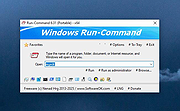 |
|
Sandboxie-Classic v5.73.3 Sandboxie-Classic v5.73.3 👉 Run programs in an isolated sandbox to prevent permanent system changes. Sandboxie Classic is a sandbox-based isolation tool that allows applications to run in a controlled environment, preventing them from making permanent changes to your system. It is especially useful for safely testing unknown software, browsing the web securely, and protecting your system from malware or unwanted modifications. Sandboxie Classic creates a virtualized environment where files, registry changes, and system interactions are contained within the sandbox. Once the sandbox is deleted, all changes made during the session are completely removed, leaving your system unchanged. Features: • Run applications in an isolated sandbox environment • Prevent permanent changes to files and Windows registry • Secure web browsing by containing browser activity • Test untrusted programs safely before installing • Easy sandbox deletion to remove all traces of activity • Lightweight and efficient with minimal system impact • Supports forced programs and folders to always run sandboxed • Snapshot and recovery options for sandbox contents • Compatible with many common Windows applications • Open source and actively maintained Supported operating systems: • Windows 7, Windows 8, Windows 8.1, Windows 10, Windows 11 Supported languages: English, German, French, Spanish, Italian, Dutch, Russian, Chinese, Japanese, Korean, Portuguese, Polish Changes: v5.73.3 08-30-26 Added added a visible Cleanup Trace Log action to the standalone SandMan trace monitor Fixed fixed File Migration action dropdown changes being discarded when clicking Apply or OK while the editor still has focus #5548 fixed SandMan File Panel and Browse Files preserving expanded folders and restoring selection, keyboard focus, and scrolling to the nearest surviving item after deletion #5499 fixed Start.exe autorun handling for oversized registry values, bounded shortcut paths, paginated Startup directories, and dynamically sized launch command lines fixed SandMan Trace Log crashes and stale entries when clearing the log while integrated and ... |
|
6,424 | Sep 02, 2026 David Xanatos 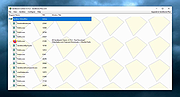 |
|
Sandboxie-Plus v1.18.3 Sandboxie-Plus v1.18.3 👉 Run programs in an isolated sandbox so they cannot make permanent changes to Windows or your files. Sandboxie-Plus is an open-source sandbox-based isolation tool for Windows. It creates a controlled virtual environment where applications can be run or even installed without permanently modifying the local drive, mapped drives, or the Windows registry. The Plus edition uses a modern Qt-based interface and adds newer management and customization features on top of the shared Sandboxie core. Features: • Runs programs in isolated sandboxes to help prevent permanent changes to local and mapped drives or the Windows registry • Allows creation of virtually unlimited sandboxes • Can run multiple programs at the same time in one sandbox or across separate sandboxes • Modern Qt-based Sandboxie-Plus interface • Snapshot Manager for saving and restoring sandbox states • Maintenance menu for installing, uninstalling, starting, and stopping the Sandboxie driver and service • Portable mode that can extract all files to a directory • Additional UI options to block access to Windows components such as the printer spooler and clipboard • More customization options for Start/Run and Internet access restrictions • Privacy mode sandboxes to help protect user data from illegitimate access • Security-enhanced sandboxes that restrict syscall and endpoint availability • Global hotkeys to suspend or terminate all boxed processes • Per-sandbox network firewall support using Windows Filtering Platform • Search for sandboxes with Ctrl+F • Search function for Global Settings and Sandbox Options • Import and export sandboxes to and from 7z files • Windows Start menu integration for sandboxes • Browser compatibility wizard for unsupported browsers • Vintage View mode to reproduce the look of Sandboxie Control • Troubleshooting wizard to assist with problems • Add-on manager for extending functionality with additional components • Includes protections of sandboxes against the host, including prevention of taking screenshots Supported operating systems: • Windows 7 or higher (64-bit) Supported languages: Arabic, Simplified Chinese, Traditional Chinese, Dutch, French, German, Hungarian, Italian, Japanese, Korean, ... |
|
5,943 | Sep 02, 2026 David Xanatos 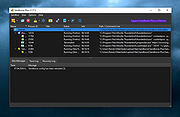 |
|
Scrabble3D for Windows 3.1.4 Scrabble3D for Windows 3.1.4 Scrabble3D is a highly customizable Scrabble game that not only supports Classic Scrabble and Superscrabble but also 3D games and own boards. You can play local against the computer or connect to a game server to find other players. Features Configurable board, letterset and design Board in OpenGL graphics with user-definable wavefront model Game against computer with support of multithreading Post-hoc game analysis with calculation of best move by computer Match with other players connected on a game server NSA rating and highscore at game server Time limit of game, moves; additional time etc. Localization; use of non-standard digraphs like CH, RR, LL and option for right-to-left reading Multilanguage help / wiki Network games are buffered and asynchronous games are possible Running games can be kibitzed Optional malus fields for board setup Challenge mode, What-if variant, etc. |
|
7,124 | Mar 02, 2017 Scrabble3D 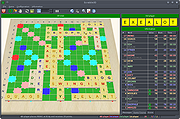 |
|
ScreenArc v1.4.1 ScreenArc v1.4.1 👉 Create polished screen recordings with automatic cinematic zooming and mouse tracking. ScreenArc is a free and open-source screen recorder and editor designed to turn ordinary screen captures into polished videos. It automatically follows mouse activity and creates smooth cinematic zoom and pan effects, making it particularly useful for software demonstrations, tutorials, presentations, product walkthroughs, and instructional videos. Record your screen, edit the resulting footage, adjust its appearance, and export the finished project without having to build every movement and zoom manually. Features: • Record your screen for tutorials, demonstrations, presentations, and other projects • Automatic cinematic zoom and pan effects • Mouse tracking automatically follows activity on the screen • Smooth focus and zoom animations based on mouse activity • Built-in video editing tools for refining recordings • Timeline-based editing for working with captured footage • Webcam recording and overlay support • Customize video frames and backgrounds • Add colors, gradients, wallpapers, and shadows to recordings • Multiple aspect ratios for traditional, square, and vertical videos • Save styling choices as reusable presets • Export completed recordings as video • Cross-platform desktop application • Free and open-source software released under the GNU GPL v3 Supported operating systems: • Windows, version not specified by author • macOS 12.3 or higher • Linux x64 with X11 display server, Wayland is not currently supported Supported languages: English Changes: v1.4.1 07-22-26 Bug Fixes: • Overwrite stale recording outputs. This download is for the Windows version (very bottom of page). All other download assets are below: macOS: ScreenArc-1.4.1-universal.dmg ScreenArc-1.4.1-universal-mac.zip 1) After downloading and attempting to open the app, you'll see a security warning 2) Close the warning dialog 3) Open System Settings > Privacy & Security 4) Scroll down to the "Security" section 5) Click "Open Anyway" next to the warning about ScreenArc 6) Click "Open" in the confirmation dialog Linux: ScreenArc-1.4.1-linux-x64.AppImage ScreenArc-1.4.1-linux-x64.zip ScreenArc-1.4.1-linux-x64.deb ScreenArc-1.4.1-linux-x64.rpm Click here to visit the ... |
|
851 | Sep 14, 2026 Tam Nguyen  |
|
Seamly2D v0.6.0.1 for Windows Seamly2D v0.6.0.1 for Windows Seamly2D is pattern design software to create reusable, scalable, sharable custom-fit patterns with using historical, couture and bespoke pattern techniques. Seamly2D saves time and improves fit by creating patterns that are reusable parametric CAD engineering documents. Unlike other pattern design software, Seamly2D allows designers to have complete control of the patternmaking process. Each reusable, scalable pattern can read multi-size tables for boutique sizing and read individual measurement files for custom-fit. Seamly2D is open source software released under the GPLv3+ license. Seamly2D is available for Windows, OSX. Get the complete manual here. Watch instructional videos here. Click here to visit the author's website. |
|
5,976 | Jan 19, 2020 Susan Spencer  |
|
SearchMyFiles v3.36 SearchMyFiles v3.36 👉 A portable Windows search utility for finding files and folders using detailed filters, content searches, duplicate detection and more. SearchMyFiles is a portable alternative to the standard Windows file search that provides much more precise control over what you search for and how results are filtered. You can search by filename wildcards, folder locations, file size, attributes, creation, modification and access times, file contents and numerous other criteria. Search results can be opened directly, copied to the clipboard or exported to text, CSV, HTML or XML files. SearchMyFiles also includes specialized modes for locating duplicate files, files with duplicate names, non-duplicate files, empty folders and summarized folder information. No installation is required, and the program can be run from a USB flash drive without leaving configuration information in the Registry. Features: • Search files and folders using filename wildcards • Search multiple folders or drives in a single operation • Include or exclude specific folders from searches • Search through subfolders with configurable scanning depth • Search files by minimum or maximum size • Search by creation, modification or last-accessed date and time • Search for files created or modified within the last specified number of seconds, minutes, hours or days • Filter files using read-only, hidden, system, archive, compressed and encrypted attributes • Search inside files for text • Perform binary content searches using hexadecimal byte sequences • Search for multiple text or binary values at once • Search text inside Microsoft Office documents and supported PDF files using installed Windows search handlers • Search for folders as well as files • Duplicate Search mode finds files with identical contents • Duplicate files are compared byte-for-byte and visually grouped in the results • Non-Duplicates Search mode displays files that do not have duplicates • Duplicate Names Search finds files or folders sharing the same name • Duplicate Names Search can distinguish files with identical or different ... |
|
6,302 | Sep 04, 2026 Nir Sofer  |
|
Shell WebP Converter v2.5.1 Shell WebP Converter v2.5.1 👉 Lightweight Windows shell extension for fast WebP image conversion directly from the right-click menu. Shell WebP Converter is a simple and efficient Windows shell extension that allows you to convert images to and from the WebP format directly from the Windows context menu. Once installed, it integrates seamlessly into File Explorer, enabling quick conversions without opening a separate application. Designed to be lightweight and easy to use, Shell WebP Converter supports bulk image processing and preserves image quality through configurable settings. It is ideal for users who regularly work with WebP images and want a fast, no-nonsense way to convert formats straight from the desktop. Features: • Adds right-click context menu integration in Windows Explorer • Convert images to WebP format • Convert WebP images to common formats such as PNG and JPEG • Batch conversion support for multiple selected files • Lightweight and fast performance • Simple, user-friendly operation • Maintains image quality with configurable compression options Supported operating systems: • Windows 10, Windows 11 Supported languages: English, Russian, Arabic, German, Spanish, French, Hindi, Hungarian, Italian, Japanese, Korean, Portuguese, Slovak, Turkish, Chinese Changes: v2.5.1 05-08-26 GUI fixes Note: This file has one hit on VirusTotal. We have confirmed this to be a false positive. The file is safe. Click here to visit the author's website. |
|
762 | Jun 27, 2026 SchwarzFuchs  |
|
Shutdown Timer Classic v1.3.2 Shutdown Timer Classic v1.3.2 👉 Simple shutdown timer for Windows with tray controls and optional command-line use. Shutdown Timer Classic is a small Windows application that lets you set a countdown to shut down, restart, hibernate, sleep, or lock your PC. It includes a compact UI, a handy tray menu for controlling an active timer, and a “graceful” option when you don’t want apps to be force-closed. It also supports launching with command-line arguments for scripted or automated use. Features: • Countdown to Shutdown, Restart, Hibernate, Sleep, or Lock • Tray menu controls (stop/restart/view timer, show/hide countdown window) • “Run in background” option while keeping tray/menu access • Graceful mode option to avoid force-closing apps (when appropriate) • Command-line arguments for launching with preset actions/timers and modes • CLI “time of day” target mode (added in v1.3.2) Supported operating systems: • Windows 10 (Version 1709 / Build 15063) or later (minimum recommended) • Windows 11 Supported languages: • English Changes: v1.3.2 02-03-26 • Introduces: "Time of day"-mode for CLI • Fixes: Restarting a paused timer causing time skip (#54) • Fixes: Cancelling the countdown update dialog causing an exception (#55) • Fixes: Tab order of UI elements (#57) • Fixes: Fallback to CJK-compatible font causing incorrect form layout (#56) • Fixes: Application crashing on Windows 7 (#48) • Plus: Smaller code refinements and UI polishes Click here to visit the author's website. |
|
670 | Mar 05, 2026 Lukas Langrock  |
|
SideSlide v6.50 SideSlide v6.50 👉 A powerful, customizable desktop workspace, launcher and information organizer that stays hidden until you need it. SideSlide is a free desktop assistant designed to keep your Windows desktop organized and clutter-free while providing instant access to programs, files, folders, websites, commands, RSS feeds, notes, reminders, pictures and other frequently used information. Its customizable workspace can dock to any screen edge and remain tucked away until needed, giving you a large organizational area without permanently consuming desktop space. The workspace uses flexible containers that can be resized, detached, folded, shrunk and arranged however you prefer. Containers can hold shortcuts, notes, RSS feeds, reminders and other content, allowing large collections of information to remain accessible without covering the desktop. SideSlide also includes extensive keyboard navigation and launching features for users who prefer working without the mouse. When the workspace is collapsed, SideSlide can display a Dock Strip containing useful system information and live weather. The workspace can quickly expand again when you need access to its contents. SideSlide can also be used portably from a USB drive. Its configuration files are kept together, and the portable version can continue working even when the removable drive letter changes. Features: • Fully customizable desktop workspace that remains hidden until needed • Dock the workspace to any edge of the screen • Dock Strip displays system information and live weather while the main workspace is collapsed • Create shortcuts to programs, files, folders, commands and websites • Add RSS news feeds directly to the workspace • Built-in RSS reader with filtering and Subject Tracker capabilities • Create resizable, detachable, foldable and shrinkable containers • Containers can extend beyond the visible screen area • Create colorful notes that can be searched, edited in bulk and individually customized • Encrypt notes and automatically re-encrypt them after editing • Create ... |
|
6,515 | Sep 02, 2026 Northglide  |
|
Sigil v2.8.1 Sigil v2.8.1 👉 A free, open source, cross-platform EPUB ebook editor for creating and editing EPUB 2 and EPUB 3 books. Sigil is a powerful ebook editor designed to make it easy to create, edit, format and package ebooks in the EPUB format. It can be used by anyone from people creating ebooks for personal use to professional editors preparing books for publication on multiple platforms. Sigil provides direct control over EPUB content and structure while combining editing, preview, metadata, navigation, validation and organizational tools in a single application. It is completely free and open source under the GPLv3 license. Features: • Supports both EPUB 2 and EPUB 3 specifications • Code View provides complete control over EPUB XHTML, CSS and other source files • Preview View displays changes while working on an ebook • Generates tables of contents with multi-level heading support • Includes a metadata editor for managing ebook information • Imports EPUB and HTML files, images and style sheets • Book Browser organizes the files contained inside an EPUB • Built-in spell checking with default and user-configurable dictionaries • Full Regular Expression (PCRE) support for powerful Find and Replace operations • Mend and Prettify tools can repair and clean imported formatting and source code • Plugin support allows additional functionality to be added • Checkpoint support provides snapshots that can be compared as an ebook is edited • Themeable icons and a customizable interface • Full UTF-16 support • Supports external editors, including integration with the separate PageEdit visual XHTML editor • Reports and validation tools help locate problems in EPUB, XHTML, CSS and other book resources • Image editing tools provide basic rotation, cropping and resizing • Drop Zone allows files to be added to an EPUB using drag and drop • Change Reading Order dialog provides an alternative to drag and drop for arranging book content • Prettify behavior can be customized using prettyprint.xml in Sigil preferences Supported ... |
|
6,318 | Aug 31, 2026 John Schember  |
|
Simple Sticky Notes v6.9 Simple Sticky Notes v6.9 👉 Free desktop sticky notes with reminders, checklists, and powerful customization. Simple Sticky Notes is a free desktop note-taking application that lets you create colorful sticky notes directly on your Windows desktop. It provides a clean, intuitive interface for capturing reminders, to-do lists, ideas, and important information while keeping them easily accessible. Notes are automatically saved, support rich text formatting, and can be customized with different colors, themes, fonts, transparency levels, and sizes. Simple Sticky Notes also includes alarms and reminders, checklists with hierarchical checkboxes, notebooks for organizing related notes, a note explorer for searching and managing all notes, and options to print, export, or share notes. Additional features such as dark mode, backup and restore, and automatic updates make it a capable alternative to the built-in Windows Sticky Notes application. Features: • Create unlimited desktop sticky notes • Rich text formatting • Colorful notes with adjustable transparency • Custom themes and appearance options • Checklists with hierarchical checkboxes • Alarms and reminders • Note Explorer for searching and organizing notes • Notebooks for grouping notes • Print, export, and share notes • Dark mode support • Automatic saving of notes • Backup and restore functionality • Automatic updates Supported operating systems: • Windows 7, Windows 8, Windows 8.1, Windows 10, Windows 11, Windows 10 Arm64, Windows 11 Arm64 Supported languages: • English, French, German, Spanish, Italian, Japanese, Portuguese, Danish, Dutch, Swedish, Russian, Simplified Chinese, Turkish Changes: v6.9 02-22-26 New: Checking/unchecking a parent checkbox now checks/unchecks all indented child items Improved checkbox indent/outdent with Tab and Backspace Improved overall stability and performance Fixed some translation issues in Chinese and Japanese Fixed minor bugs reported by users Updated the SQLite database engine to version 3.51.0 Click here to visit the author's website. |
|
10,070 | Jul 19, 2026 Simnet Ltd.  |
|
SimulIDE v1.1.0 SimulIDE v1.1.0 👉 Simple real-time electronic circuit simulator for students and hobbyists. SimulIDE is a simple real-time electronic circuit simulator intended for learning and experimenting with analog and digital electronic circuits and microcontrollers. It supports PIC, AVR, Arduino and other MCUs and MPUs, with a focus on speed, simplicity and quick testing rather than highly accurate professional circuit analysis. Features: • Real-time electronic circuit simulation • Analog and digital circuit support • PIC, AVR and Arduino simulation • Code editor and debugger • Arduino IDE 2 support • Support for GcBasic, PIC asm and AVR asm • Fast simulation with low CPU usage • Simple workspace for learning, testing and experimenting • Useful for students, hobbyists and electronics tinkerers • Source code available Supported operating systems: • Windows 64-bit, Windows 32-bit, Linux 64-bit, MacOS X86 Supported languages: English, Azerbaijani, Simplified Chinese, Czech, Dutch, French, German, Italian, Russian, Spanish, Portuguese, Brazilian Portuguese, Slovak, Turkish Changes: v1.1.0 03-12-26 Updated to SR2 (Stable Release 2). This download is for the Windows 64bit version (very bottom of page). All other download assets are below: Other Windows: SimulIDE_1.1.0-SR2_Win32.zip macOS: SimulIDE_1.1.0-SR2_MacOs.zip Linux: SimulIDE_1.1.0-SR2_Lin64.tar.gz Click here to visit the author's website. |
|
574 | Jun 14, 2026 santigoro  |
|
SIS 6215A GPU Windows 95 Driver SIS 6215A GPU Windows 95 Driver. This is for version A of the SIS 6215. Works with Windows 95. 6215a0_win95.zip |
|
9,686 | Apr 01, 2009 SIS |
|
SIS 6215B GPU Windows 95 Driver SIS 6215B GPU Windows 95 Driver. This is for version B of the SIS 6215. Works with Windows 95. 6215b0_win95.zip |
|
9,719 | Apr 01, 2009 SIS |
|
SIS 6215C GPU Windows 95 Driver SIS 6215C GPU Windows 95 Driver. This is for version C of the SIS 6215. Works with Windows 95. 6215c_win95.zip |
|
9,707 | Apr 01, 2009 SIS |
|
SIV (System Information Viewer) v5.88 SIV (System Information Viewer) v5.88 👉 Detailed Windows system, hardware, sensor, and network information utility. SIV (System Information Viewer) is a general Windows utility for displaying extensive system information, including CPU, PCI, PCMCIA, USB, SMBus, SPD, ACPI, machine, hardware sensor, network, and operating system details. It can also control certain AIO devices such as fans and LEDs by using the appropriate command-line option Features: • Displays detailed CPU information including processor type, features, clock speeds, and topology. • Reports motherboard, chipset, BIOS information, and firmware details. • Shows comprehensive PCI, PCIe, EISA, and PCMCIA device information. • Provides SMBus and SPD data including memory module information and sensor readings. • Displays detailed hardware sensor information including temperatures, voltages, and fan speeds. • Reports GPU information including PCIe link speed and lane configuration. • Shows USB device information and connected hardware details. • Displays ACPI information and power management related system data. • Provides detailed operating system information including installed updates and system configuration. • Shows network adapter information, IP configuration, and network statistics. • Supports viewing hardware I/O ports and device resource allocations. • Includes tools to view ghost devices and hidden hardware entries in the system. • Can generate and save detailed system reports for diagnostics or troubleshooting. • Allows optional control of supported AIO devices such as fans and LEDs via command-line options. • Designed to work across both modern and legacy Windows systems, including classic Windows 9x platforms. Supported operating systems: • Windows 11, Windows 10, Windows 8.1, Windows 8, Windows 7, Windows Vista, Windows XP, Windows Server 2022, Windows Server 2019, Windows Server 2016, Windows Server 2012, Windows Server 2008, Windows Server 2003, Windows 2000, Windows NT 4.0, Windows NT 3.51, Windows 95, Windows 98, Windows Me Supported languages: • English, Chinese (Simplified), Chinese (Traditional), Russian, Greek Changes: v5.88 10-14-26 Added GUID Class Names to [Lookup] (Menu->Help->SIV Lookup) and enable [WEB UPD] when later files are available. Added ASRock A520M-HVS ... |
|
20,301 | Oct 15, 2026 Ray Hinchliffe  |
|
SkyChart v4.2 32bit Windows SkyChart v4.2 32bit Windows Free software to draw sky charts This program enables you to draw sky charts, making use of the data in many catalogs of stars and nebulae. In addition the position of planets, asteroids and comets are shown. The purpose of this program is to prepare different sky maps for a particular observation. A large number of parameters help you to choose specifically or automatically which catalogs to use, the colour and the dimension of stars and nebulae, the representation of planets, the display of labels and coordinate grids, the superposition of pictures, the condition of visibility and more. All these features make this celestial atlas more complete than a conventional planetarium. License: The software itself is released under the GPL license. You are free to use any chart or print produced by the program for any use, commercial or not (blog, web publication, printed book,…). You can mention Skychart and link to this page, but this is not required. Documentation here. Download Additional Catalogs. Version 4.2 New functions New default interface with only two button bar. New icon for the buttons, better suited for night vision filters. Use larger image for big buttons and high resolution screen. Add direct connection to Alpaca telescope. It is now possible to use a telescope connected to a remote ASCOM Windows computer from Skychart running on Linux or macOS. Support for the new GAIA DR2 star catalog. Allow to use HNSKY star catalog using the “290” format. New mosaic tool to prepare mosaic for image capture application. Show the object rise and set time relative to the local horizon if a horizon file is loaded. This can be disabled in Setup/Observatory. Calendar rise/set are always given to the ... |
|
5,306 | Oct 23, 2019 Patrick Chevalley  |
|
SkyChart v4.2 64bit Windows SkyChart v4.2 64bit Windows Free software to draw sky charts This program enables you to draw sky charts, making use of the data in many catalogs of stars and nebulae. In addition the position of planets, asteroids and comets are shown. The purpose of this program is to prepare different sky maps for a particular observation. A large number of parameters help you to choose specifically or automatically which catalogs to use, the colour and the dimension of stars and nebulae, the representation of planets, the display of labels and coordinate grids, the superposition of pictures, the condition of visibility and more. All these features make this celestial atlas more complete than a conventional planetarium. License: The software itself is released under the GPL license. You are free to use any chart or print produced by the program for any use, commercial or not (blog, web publication, printed book,…). You can mention Skychart and link to this page, but this is not required. Documentation here. Download Additional Catalogs. Version 4.2 New functions New default interface with only two button bar. New icon for the buttons, better suited for night vision filters. Use larger image for big buttons and high resolution screen. Add direct connection to Alpaca telescope. It is now possible to use a telescope connected to a remote ASCOM Windows computer from Skychart running on Linux or macOS. Support for the new GAIA DR2 star catalog. Allow to use HNSKY star catalog using the “290” format. New mosaic tool to prepare mosaic for image capture application. Show the object rise and set time relative to the local horizon if a horizon file is loaded. This can be disabled in Setup/Observatory. Calendar rise/set are always given to the ... |
|
5,300 | Oct 23, 2019 Patrick Chevalley |
|
SmartSystemMenu v2.33.1 SmartSystemMenu v2.33.1 👉 Enhance Windows system menus with powerful window management features. SmartSystemMenu is a lightweight utility that extends the standard Windows system menu of application windows with a wide range of advanced window management tools. By right-clicking the title bar or using the system menu, users gain access to additional options that go far beyond the default Move, Size, Minimize, Maximize, and Close commands. SmartSystemMenu allows you to control window behavior, transparency, priority, alignment, and more, making it especially useful for power users who want finer control over their desktop environment. Features: • Adds extended options to the standard Windows system menu • Adjust window transparency levels • Set window priority (Real-time, High, Above normal, Normal, Below normal, Idle) • Resize and reposition windows with custom dimensions • Align windows to screen edges or predefined positions • Change window always-on-top state • Save and restore window positions • Take screenshots of application windows • Copy window text to clipboard • Multi-language interface • Portable version available Supported operating systems: • Windows 7, Windows 8, Windows 8.1, Windows 10, Windows 11 Supported languages: English, Russian, German, French, Spanish, Italian, Portuguese, Polish, Chinese (Simplified), Chinese (Traditional), Japanese, Korean, Turkish, Dutch, Czech, Hungarian, Ukrainian Changes: v2.33.1 03-20-26 Support of the SmartSystemMenu.xml file for previous versions Korean translation improvements Japanese translation improvements by @coolvitto Click here to visit the author's website. |
|
5,810 | Mar 23, 2026 Alexander Illarionov  |
|
SmartTextCrypter v1.03 SmartTextCrypter v1.03 👉 A tiny portable tool for password-encrypting text before sending it through messaging apps, email or SMS. SmartTextCrypter is a free, portable Windows utility designed to encrypt text messages with a password before they are sent through services such as WhatsApp, Telegram, email or SMS. The recipient pastes the encrypted text into SmartTextCrypter and enters the same password to decrypt and read the original message. Everything is processed locally on your computer without uploading your text to a cloud service or server. The program uses the author's proprietary multi-layer encryption method consisting of password-based key generation, XOR encryption, position-dependent mixing, bit rotation and a checksum for detecting errors or incorrect passwords. It supports Unicode text, including Asian, Cyrillic and Arabic characters. SmartTextCrypter requires no installation and can be run directly from a USB drive, external drive or ordinary folder without creating registry entries. Features: • Password-based encryption and decryption of text • Send encrypted text through WhatsApp, Telegram, email, SMS and other services • Proprietary multi-layer encryption using XOR, positional mixing and bit rotation • Generates a 32-byte key from your password • Checksum detects errors and incorrect passwords • Unicode support for Asian, Cyrillic, Arabic and other characters • Completely local operation with no cloud service or server uploads • Portable and requires no installation • Can run directly from a USB drive, external drive or any folder • Does not create registry entries • Low CPU usage • Adjustable text sizes for improved readability • Free for private use Supported operating systems: • Windows XP, Windows Vista, Windows 7, Windows 8, Windows 8.1, Windows 10, Windows 11, Windows Server 2012-2025 • 32-bit and 64-bit Windows Supported languages: German, English, Italian, Chinese-Traditional, Dutch, Russian, Japanese, Korean, Spanish, Portuguese, Malay Changes: v1.03 08-26-26 • SmartTextCrypter language file update • Minor fine-tuning in SmartTextCrypter for all Windows operating systems. Click here to visit the author's website. |
|
169 | Sep 03, 2026 Nenad Hrg  |
|
SMPlayer v26.8.29 SMPlayer v26.8.29 👉 A free media player with built-in codecs that plays virtually all video and audio formats. SMPlayer is a free media player for Windows, Linux and Mac OS with built-in codecs, YouTube playback, subtitle search and download, a thumbnail generator, and audio and video filters. Features: • Plays virtually all video and audio formats • Built-in codecs, no external codec packs required • Remembers playback position and settings for each file • Supports YouTube video playback • Searches and downloads subtitles • Includes video and audio filters • Playback speed control • Audio and subtitle delay adjustment • Video equalizer • Skins and icon themes • Supports Chromecast • Free and open source Supported operating systems: • Windows 8 and above • Windows XP and other 32-bit systems via alternative package • Linux • Mac OS 10.15 and above Supported languages: English, Espaρol, Franηais, Portuguκs, Portuguκs (Brasil), Euskara, Galego, Catalΰ, Lietuvių, Русский, Українська, Hrvatski, Polski, Deutsch, 日本語, 正體中文, 简体中文, 한국어, Bahasa Indonesia, Bahasa Melayu, Tόrkηe, Български, العربية, Dansk, Nederlands Changes: v26.8.29 Added an option to show a thumbnail preview when hovering over the seek bar (Preferences -> Interface). Playlist positions/progress are now remembered between sessions. Added a pause button to the playlist. Added an option to enable/disable secondary subtitles. Fixed zoom behavior. Fixed playlist item numbering after removing items. Playlist is now re-sorted automatically after adding files. Fixed the add black borders option. Improved retrieval of the track (song) title for internet radio streams (icy-title). Fixed video aspect ratio override support. Added support for additional network URI schemes (KDE integration). Forced the xcb backend on Linux to avoid display issues. macOS builds are now available for arm64 (Apple Silicon), in addition to the existing x86_64 builds. Experimental packages compiled with Qt 6 are now available for Windows and macOS. Various translation updates (German, Italian, Spanish, English UK/US, and others) Use 7-Zip to unzip this file. 👉 This download is for the Windows 64bit version (very bottom of page). All other download assets are below: Other Windows: smplayer-26.8.29-win32-qt5.6-unsigned.exe ... |
|
3,467 | Sep 28, 2026 Ricardo Villalba  |
|
SnipSVG v2.3 SnipSVG v2.3 👉 A free screen capture and graphics editor built around sharp, fully editable SVG vector images. SnipSVG is a free screen capture and graphics editor for Windows and macOS that uses SVG vector images as its primary format. Unlike traditional JPG and PNG screenshots, SVG images remain sharp at any zoom level while individual elements remain editable. SnipSVG provides tools for capturing, cropping and annotating screenshots, obscuring sensitive information, adding formatted text, creating numbered documentation graphics and sharing finished images with other applications. It can also create animated and interactive SVG content using CSS and JavaScript. Features: • Capture and edit screenshots • Uses scalable SVG vector graphics as its primary image format • Keeps individual SVG elements separately editable • Maintains sharp image quality at different zoom levels and resolutions • Crop screenshots and physically resize large photos • Blur or obscure sensitive information in screenshots • Add HTML-formatted text to images • Add lines, arrows, shapes, highlights and other annotations • Auto-incrementing numbering tags for tutorials and documentation • Generate reference tables from numbered image tags • Integrated syntax highlighting for source code examples • Extract text from images using Windows OCR on Windows 10 and Windows 11 • Create animated SVG objects using CSS and JavaScript • Add interactive elements and hyperlinks to SVG images • Share images with HTML editors, word processors and other applications • Supports SVG and SnipX image formats • Integrates with the Help+Manual documentation authoring suite • Free for private and commercial use • Windows installer supports portable installation Supported operating systems: • Windows 7, Windows 8, Windows 10, Windows 11 • macOS 11 Big Sur or higher, Intel/Apple Silicon Supported languages: English, German, French Changes: v2.3 08-03-26 • Flipping of line and arrow objects did not work correctly when the line was rotated. • Full lasso selection on the canvas selected the picture frame, it now selects objects inside the picture frame (same as CTRL + A to select ... |
|
1,788 | Sep 14, 2026 EC Software GmbH  |
|
Solitude for Windows v1.52 Solitude for Windows v1.52 👉 Classic solitaire card game collection for Windows. Features: • Large collection of solitaire variations • Customizable card faces and card backs • Multiple background themes • Detailed statistics tracking • Unlimited undo and redo • Hint system • Adjustable scoring options • Sound effects and optional animations • Full-screen and windowed modes Solitaire Games: Aces Up, Alhambra, Amazons, Auld Lang Syne, Baker's Dozen, Baker's Game, Batsford, Beleaguered Castle, Betsy Ross, Black Hole, Blind Patience, Bowling, Bristol, Calculation, Canfield, Carpet, Chameleon, Clock, Contradance, Cribbage Solitaire, Cruel, Deuces, Dutchess, Eagle Wing, Easthaven, Eight Off, Fan, Fire And Ice, Flower Garden, Fly, Fortress, Four Kingdoms, Four Seasons, Fourteen Out, FreeCel, Frog, Gaps, Gargantua, German Patience, Golf, Good Measure, Icicles, Indian, King Albert, Klondike, La Belle Lucie, Lady Betty, Limited, Lucas, Miss Milligan, Monte Carlo, Moojub, Mount Olympus, Napoleon at St. Helena, Nestor, Osmosis, Pas Seul, Peek, Penguin, Pluto, Poker Solitaire, Pyramid, Rank and File, Scorpion, Scotch Patience, Seven Devils, Shamrocks, Simple Simon, Simplicity, Sir Tommy, Six By Six, Spider, Spiderette, Stonewall, Storehouse, Streets and Alleys, Strategy, Sultan, Tam O' Shanter, Terrace, Thirteens, Thirty Six, Three Shuffles, Thumb and Pouch, Trefoil, Wave Motion Solitaire, Westcliff, Whitehead, Will 'O The Wisp, Windmill, Yukon Supported operating systems: • Windows 98, Windows XP, Windows Vista, Windows 7, Windows 8, Windows 10, Windows 11 Click here to visit the author's website. |
|
1,023 | Mar 01, 2026 David Bernazzani  |
|
Sonic The Hedgehog 3D For Windows Sonic The Hedgehog 3D for Windows Sonic the Hedgehog 3D is a free fan game about a famous SEGA mascot, Sonic, and it is made on Build Engine with additional EDuke 32 port. The game was inspired by two classic Sonic series: Mega Drive/Genesis and Sonic Adventure series. The game's development began a couple years ago. STH3D Features: * Full 3d environment, with 3D models and hi-res textures * Four playable characters, each with different abilities; * 8 levels inspired by classic Sonic games; * Unlockables and special stages; * Hidden secrets and easter eggs; * Extensive configuration, including joystick support; * MAC and Linux support; |
 |
7,487 | Jun 09, 2015 ZykovEddy  |
|
SoundPro Sound Pro ht 1869v Driver SoundPro Sound Pro ht 1869v Driver. Drivers for Sound Pro HT 1869v for Windows 98. May work with other versions of Windows. |
|
9,679 | Mar 29, 2009 Sound Pro |
|
SoundVolumeView v2.53 SoundVolumeView v2.53 👉 View and change Windows sound volume from a GUI or command line. SoundVolumeView is a simple tool for Windows that displays general information and current volume levels for all active sound components on your system, and allows you to mute and unmute them instantly. SoundVolumeView can also save a sound profile to a file, including current volume levels, mute/unmute states, and default sound devices, then restore those same settings later. It also includes extensive command-line support for saving and loading profiles, changing volume, muting, unmuting, enabling, disabling, and setting audio devices without displaying the user interface. Features: • View all active sound components on your system • See current volume levels and mute status • Mute or unmute sound components instantly • Save and restore complete sound profiles • Change volume from the GUI or command line • Set default sound devices • Enable or disable audio devices • Create desktop shortcuts for common sound actions • Export sound item information to text, CSV, HTML, XML, or JSON • Supports 32-bit and 64-bit Windows Supported operating systems: • Windows Vista, Windows 7, Windows 8, Windows Server 2008, Windows 10, Windows 11 Supported languages: Arabic, Brazilian Portuguese, Dutch, Finnish, French, German, Greek, Hungarian, Italian, Japanese, Korean, Persian, Polish, Portugal Portuguese, Romanian, Russian, Simplified Chinese, Slovak, Spanish, Swedish, Traditional Chinese, Turkish Changes: v2.53 Fixed the /SetAllowExclusive and /SetExclusivePriority commands to set the value correctly. 👉 This download is for the Windows 64bit version (very bottom of page). All other download assets are below: Other Windows: soundvolumeview.zip (32bit) Click here to visit the author's website. |
|
6,313 | Sep 18, 2026 Nir Sofer  |
|
Space (Dual Monitor/Ultra-Wide) Theme v1.0 Space (Dual Monitor/Ultra-Wide) Theme v1.0 👉 A dual-monitor Windows theme featuring 18 ultra-wide/HD space wallpapers with slideshow support. Space (Dual Monitor) Theme is a desktop theme package for Windows that brings outer space imagery to dual-monitor setups. It includes 18 ultra-wide/HD wallpapers and uses a dramatic slideshow effect that changes in harmony with the Windows color theme. The theme focuses on space-themed imagery such as galaxies, the Milky Way, and other celestial bodies. Features: • Includes 18 ultra-wide/HD dual-monitor wallpapers • Space-themed imagery featuring galaxies and celestial bodies • Dramatic slideshow effect • Changes in harmony with the Windows color theme • Designed for dual-monitor desktop setups Supported operating systems: • Windows 7, Windows 8, Windows 8.1, Windows 10, Windows 11 Supported languages: n/a Changes: v1.0 Not Provided How to span wallpaper across two monitors: • Right-click on the desktop and select Personalize • Click Background • Under “Choose a fit,” select Span • Ensure both monitors use similar resolutions for best results This download is for the Windows 11/10/8/8.1 version (very bottom of page). If you need the Windows 7 version, download here. Click here to visit the author's website. |
|
778 | Apr 02, 2026 themepack.me  |
|
SpaceSniffer v2.2.0.27 SpaceSniffer v2.2.0.27 👉 Find lost disk space the easy way. SpaceSniffer is a freeware, portable disk space analyzer that helps you understand how folders and files are structured on your disks. It uses a Treemap visualization layout so you can quickly see where large folders and files are located. Features: • Treemap visual layout for spotting large files and folders • Portable, no installation required • Fast disk scanning • Zoom into folders for more detail • Filter results by file type, size, age, and other criteria • Drag and drop support • Customizable geometry, colors, and behavior • Multiple views for different media • Export customizable textual reports • NTFS Alternate Data Streams scanning support Supported operating systems: • Windows 7, Windows 8, Windows 10, Windows 11 Supported languages: English Changes: v2.2.0.27 [+] Added automatic detection for support of Alternate Data Streams on selected drive. [#] Fixed a crash on Alternate Data Streams scan. This download is for the Windows 64bit version (very bottom of page). If you need the Windows 32bit version (from 2016), download here. Click here to visit the author's website. |
|
7,671 | May 19, 2026 Uderzo Umberto  |
|
Spatial for Windows Spatial for Windows Three-dimensional space tactics A short game exploring spaceship tactics with full three-dimensional movement and set to the Blue Danube Waltz. Inspired by Flotilla, Homeworld, and Infographics. |
|
7,158 | Jul 24, 2015 Games by Nico  |
|
Speed-Up NVMe v1.0 Speed-Up NVMe v1.0 👉 Increase NVMe drive performance in Windows 11 up to 80%. Speed-Up NVMe is a portable utility that enables Microsoft’s newer native NVMe storage driver on supported Windows 11 systems by applying the required registry entries automatically. According to the developer, this can improve IOPS performance by up to 80% and reduce CPU cycles by about 45% on supported setups. The program also includes the registry files it applies, so you can review or revert the changes more easily. It is intended for supported Windows 11 consumer versions with the required updates installed, and the author notes that Windows 10 compatibility is not confirmed. Features: • Enables Microsoft’s newer native NVMe storage driver on supported Windows 11 systems • Portable utility with one-click apply and revert capability • Includes the registry entries used by the program in the Reg folder • Can improve NVMe SSD IOPS performance on supported systems • May reduce CPU usage during supported storage workloads • Helps expose NVMe devices under Storage Controllers instead of standard device handling after reboot • Useful for workloads such as database operations, file server metadata work, Hyper-V, virtualization, and large AI or machine learning dataset processing Supported operating systems: • Windows 11 24H2, Windows 11 25H2 • Windows Server 2025 Supported languages: English Changes: v1.0 12-29-25 Not Provided How to Use: 1) Download the Speed-Up NVMe ZIP file and extract it to any folder. 2) Right-click the executable and select Run as Administrator. 3) Click Enable NVMe Optimization (or equivalent option). 4) Restart Windows to apply the changes. To revert: 1) Run the tool again as Administrator. 2) Choose Restore Default Settings. 3) Restart Windows to apply the changes. Note: This tool modifies Windows registry settings to enable an undocumented NVMe driver. Use only on Windows 11 and at your own risk. Click here to visit the author's website. |
|
986 | Mar 24, 2026 Sordum.org  |
|
Spek v0.8.2 for Windows Spek v0.8.2 for Windows Spek – Acoustic Spectrum Analyser Spek helps to analyse your audio files by showing their spectrogram. Spek is free software available for Unix, Windows and Mac OS X. Features Supports all popular lossy and lossless audio file formats thanks to the FFmpeg libraries. Ultra-fast signal processing, uses multiple threads to further speed up the analysis. Shows the codec name and the audio signal parameters. Allows to save the spectrogram as an image file. Drag-and-drop support; associates with common audio file formats. Auto-fitting time, frequency and spectral density rulers. Adjustable spectral density range. Translated into 19 languages. |
|
6,112 | Aug 28, 2019 spek.cc  |
|
Spybot - Search & Destroy Portable v2.9.85.5-1 Spybot - Search & Destroy Portable v2.9.85.5-1 👉 Portable anti-spyware and malware removal tool with system immunization features. Spybot - Search & Destroy Portable is a standalone security utility designed to detect and remove spyware, malware, and other unwanted software from Windows systems without requiring installation. The portable edition allows you to run the program from a USB drive or external storage device, making it ideal for on-the-go troubleshooting and cleaning infected systems. Spybot - Search & Destroy Portable scans your system for malicious files, registry entries, tracking cookies, and potentially unwanted programs. In addition to removal capabilities, it includes an Immunization feature that helps block known malicious websites and harmful ActiveX components before they can affect your system. Features: • Portable version requiring no installation • Detects and removes spyware and malware • Advanced system scanning engine • Immunization to block malicious websites and threats • Startup tools and system repair utilities • Secure file shredding • Automatic updates for detection rules • Quarantine and recovery options Supported operating systems: • Windows 7, Windows 8, Windows 8.1, Windows 10, Windows 11 Supported languages: • English, German, French, Spanish, Italian, Dutch, Polish, Russian, Portuguese, Turkish Changes: v2.9.85.5-1 03-17-26 Not provided. Click here to visit the author's website. |
|
6,452 | Jul 06, 2026 Safer Networking Ltd. & PortableApps.com  |
|
Spybot Anti-Beacon for Windows 10 1.6 Spybot Anti-Beacon for Windows 10 1.6 Spybot Anti-Beacon for Windows 10 is a small utility designed to block and stop the various tracking (aka telemetry) issues that come with Windows 10. Seeing the bunch of incomplete or broken scripts to disable tracking in Windows 10, and the tools that install adware or worse in exchange for their function, we wrapped disabling tracking up in a small tool that’s free and clean. With the upcoming news about telemetry in Windows 7 and 8.1, Spybot Anti-Beacon has added support for those as well. Changelog: Spybot Anti-Beacon 1.6 now available December 5th, 2016 Many thanks for all the patience waiting for an update to Spybot Anti-Beacon! We spent a lot of time working on Spybot 3. And now that Spybot Anti-Beacon will also be integrated into Spybot 3, we found time to continue work. Today’s update to Anti-Beacon 1.6 will add two new immunizers and a few new blocked hosts. More updates are already pending since we’re actively working on this feature again (including a new look, but mostly focused on function of course)! Spybot Anti-Beacon 1.6 can be downloaded from here. Updates: Additional Telemetry Immunization Categories Additional Blocked Hosts Fixes: Immunization of Office 13/16 Telemetry Scheduled Tasks and Options is possible even if Microsoft Office is not installed (previously they appeared to immunize correctly, but the immunization could not be undone in Anti-Beacon) Don’t forget to always run Spybot Anti-Beacon as an administrator by right-clicking the downloaded installer, and choosing the option to “Run as administrator”. This will ensure that Anti-Beacon has the permissions it needs to function correctly. |
|
7,299 | Dec 06, 2016 Safer-Networking Limited  |
OlderGeeks.com Copyright (c) 2026
