|

|
Processed through Paypal No account required. |








Buy our over-priced crap to help pay the bills.



|
|
Processed through Paypal No account required. |
| File - Download Sandboxie-Plus v1.18.3 | ||||||||
| Description | ||||||||
|
Help! Deanna and I have been running this site since 2008 and lately we're seeing a big increase in users (and cost) but a decline in percentage of users who donate. Our ad-free and junkware-free download site only works if everyone chips in to offset the revenue that ads on other sites bring in. Please donate at the bottom of the page. Every little bit helps. Thank you so much. Sincerely, your Older Geeks: Randy and Deanna Always scroll to the bottom of the page for the main download link. We don't believe in fake/misleading download buttons and tricks. The link is always in the same place. Sandboxie-Plus v1.18.3 👉 Run programs in an isolated sandbox so they cannot make permanent changes to Windows or your files. Sandboxie-Plus is an open-source sandbox-based isolation tool for Windows. It creates a controlled virtual environment where applications can be run or even installed without permanently modifying the local drive, mapped drives, or the Windows registry. The Plus edition uses a modern Qt-based interface and adds newer management and customization features on top of the shared Sandboxie core. 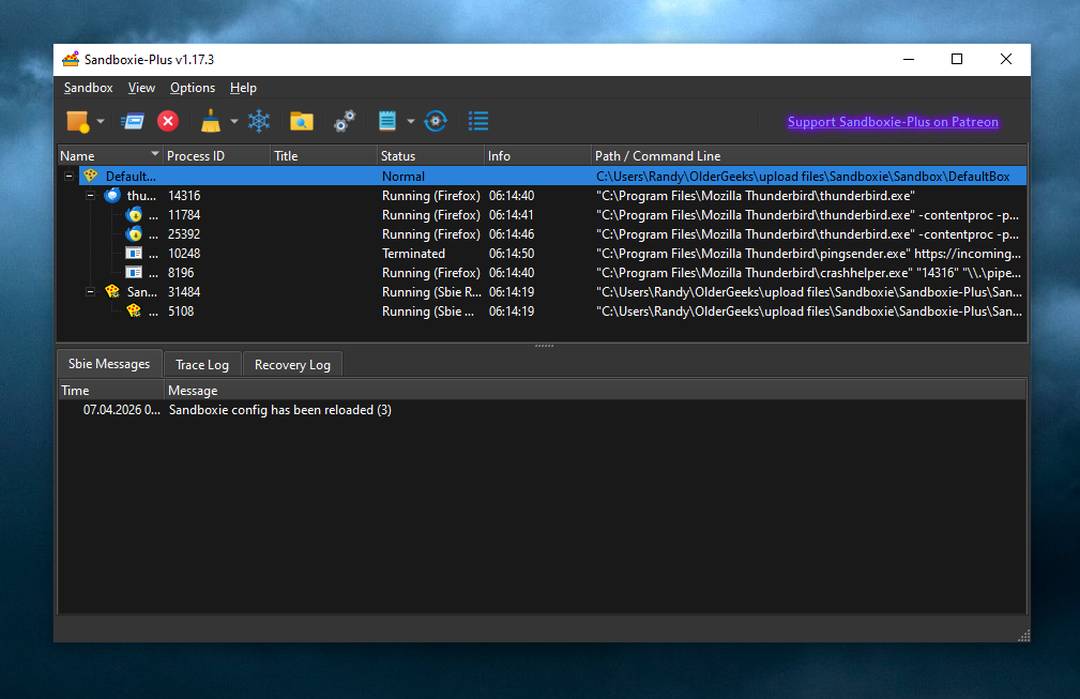 Features: • Runs programs in isolated sandboxes to help prevent permanent changes to local and mapped drives or the Windows registry • Allows creation of virtually unlimited sandboxes • Can run multiple programs at the same time in one sandbox or across separate sandboxes • Modern Qt-based Sandboxie-Plus interface • Snapshot Manager for saving and restoring sandbox states • Maintenance menu for installing, uninstalling, starting, and stopping the Sandboxie driver and service • Portable mode that can extract all files to a directory • Additional UI options to block access to Windows components such as the printer spooler and clipboard • More customization options for Start/Run and Internet access restrictions • Privacy mode sandboxes to help protect user data from illegitimate access • Security-enhanced sandboxes that restrict syscall and endpoint availability • Global hotkeys to suspend or terminate all boxed processes • Per-sandbox network firewall support using Windows Filtering Platform • Search for sandboxes with Ctrl+F • Search function for Global Settings and Sandbox Options • Import and export sandboxes to and from 7z files • Windows Start menu integration for sandboxes • Browser compatibility wizard for unsupported browsers • Vintage View mode to reproduce the look of Sandboxie Control • Troubleshooting wizard to assist with problems • Add-on manager for extending functionality with additional components • Includes protections of sandboxes against the host, including prevention of taking screenshots Supported operating systems: • Windows 7 or higher (64-bit) Supported languages: Arabic, Simplified Chinese, Traditional Chinese, Dutch, French, German, Hungarian, Italian, Japanese, Korean, Norwegian Bokmεl, Polish, Portuguese, Brazilian Portuguese, Russian, Spanish, Swedish, Turkish, Ukrainian, Vietnamese Changes: v1.18.3 08-30-26 Added added a visible Cleanup Trace Log action to the standalone SandMan trace monitor Fixed fixed File Migration action dropdown changes being discarded when clicking Apply or OK while the editor still has focus #5548 fixed SandMan File Panel and Browse Files preserving expanded folders and restoring selection, keyboard focus, and scrolling to the nearest surviving item after deletion #5499 fixed Start.exe autorun handling for oversized registry values, bounded shortcut paths, paginated Startup directories, and dynamically sized launch command lines fixed SandMan Trace Log crashes and stale entries when clearing the log while integrated and standalone trace views are open fixed standalone Trace Logging controls not reflecting the monitor state or disabling logging after the monitor window was closed; closing now offers stop-and-clear, disable-while-retaining logs, or continued logging fixed a Firefox 154 MFCDM AppContainer launch failure in Standard Isolation (SBIE2112; DLL/driver pipe-name mismatch) #5549 fixed a box initialisation issue for processes with an AppContainer token 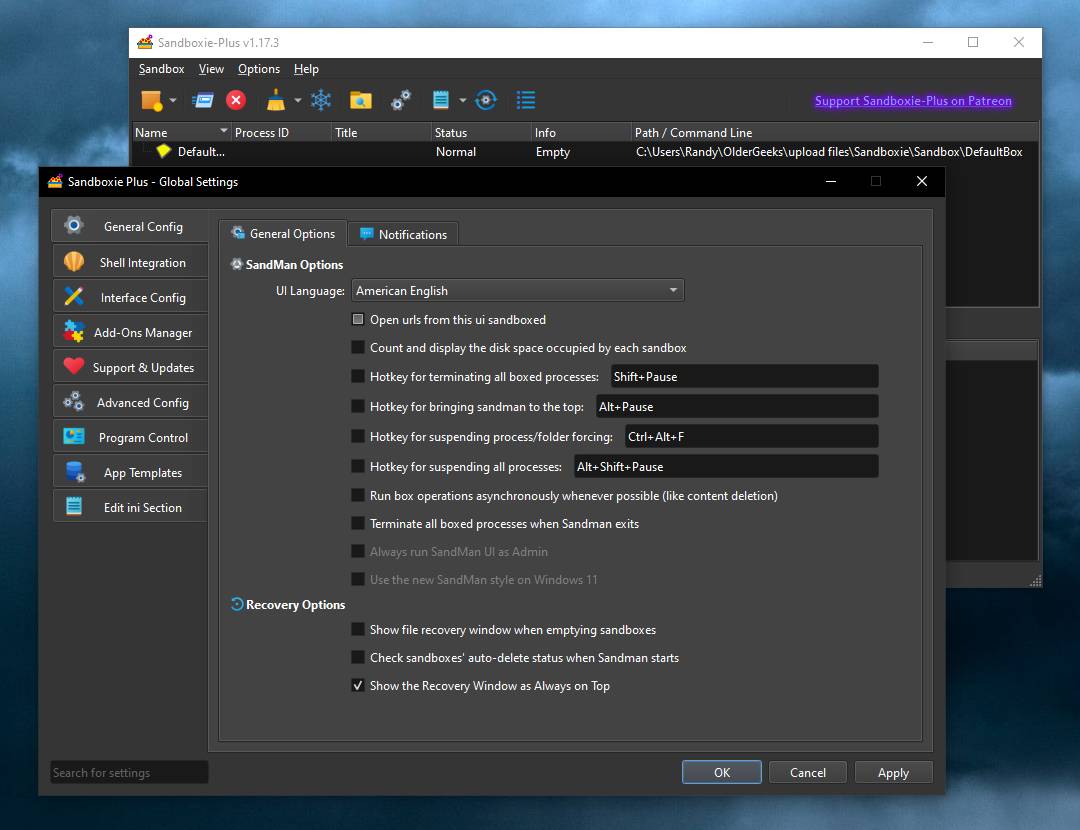 This download is for the Windows 64bit version (very bottom of page). If you need the older Windows 32bit version, download here. If you need the Windows ARM64bit version, download here. Click here to visit the author's website. Continue below for the main download link. |
||||||||
| Downloads | Views | Developer | Last Update | Version | Size | Type | Rank | |
| 5,941 | 19,538 | David Xanatos | Sep 02, 2026 - 12:20 | 1.18.3 | 23.69MB | EXE |  , out of 99 Votes. , out of 99 Votes. |
|
| File Tags | ||||||||
| Sandboxie Plus Sandboxie Plus sandbox security isolation privacy sandboxing Windows security safe browsing containerized apps DavidXanatos Xanasoft | ||||||||
Click to Rate File Share it on Twitter → Tweet
|


