|

|
Processed through Paypal No account required. |








Buy our over-priced crap to help pay the bills.



|
|
Processed through Paypal No account required. |
| File - Download PDF Split and Merge v4.0.5 for Windows | ||||||||
| Description | ||||||||
|
A plea... Deanna and I have been running this site since 2008 and lately we're seeing a big increase in users (and cost) but a decline in percentage of users who donate. Our ad-free and junkware-free download site only works if everyone chips in to offset the revenue that ads on other sites bring in. Please donate at the bottom of the page. Every little bit helps. Thank you so much. Sincerely, your Older Geeks: Randy and Deanna Always scroll to the bottom of the page for the main download link. We don't believe in fake/misleading download buttons and tricks. The link is always in the same place. PDF Split and Merge v4.0.5 for Windows PDFsam Basic, a free, open source, multi-platform software designed to split, merge, extract pages, mix and rotate PDF files, PDFsam Basic will cover most of your PDF related needs. Merge PDF PDF merge probably is the most used PDFsam module and lets you combine PDF files together. Page ranges Input PDF documents can be merged completely or partially. A page selection can be easily set in the form of comma separated intervals (Ex. 1-10, 14, 25-) letting you specify what pages you want to merge for every input PDF document. Outline With PDFsam Basic you will be able to decide what to do with the PDF documents outline (bookmarks). You can merge them to the resulting document, discard them to keep the merge document smaller or create a new one with one entry for every merged PDF document. AcroForms And what to do with AcroForms when they are found in the input PDFs? You can discard them but also merge them into a new form or even merge them renaming fields with name clashes. Table of contents With PDFsam Basic you can add a table of contents at the beginning of the generated PDF. A list of clickable entries will let you easily navigate through the merged PDF files. PDF Split The Split module let's you split PDF files at predefined or specified page numbers. Split at predefined pages The selected PDF file can be split after every page, generating a new document for every page in the original file, or after every ever or odd page. Split specifying pages Specify the page numbers where you want to break your document. You can even tell PDFsam to split the PDF every n pages! PDF Split by bookmarks Select the outline (bookmarks) level you want to split at and your document will be divided at every page pointed by the bookmarks at the selected level. PDF Split by size Divide PDF files into smaller ones of a given size (roughly). Mix PDF The PDF mix module lets you merge two PDF files taking pages alternately in straight or revers order. The perfect solution if you have two documents containing even and odd pages respectively and you want to rebuild the original document. The Rotate module lets you rotate PDF files by simply selecting the PDF documents you want to rotate and apply a rotation of 90, 180 or 270 degrees to their pages. 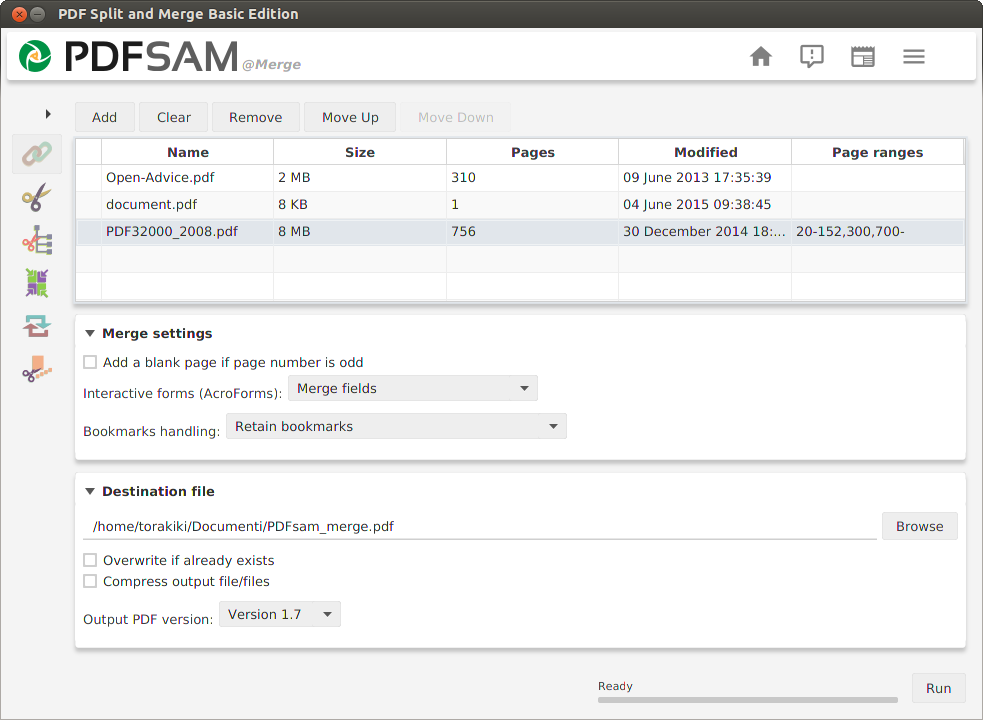 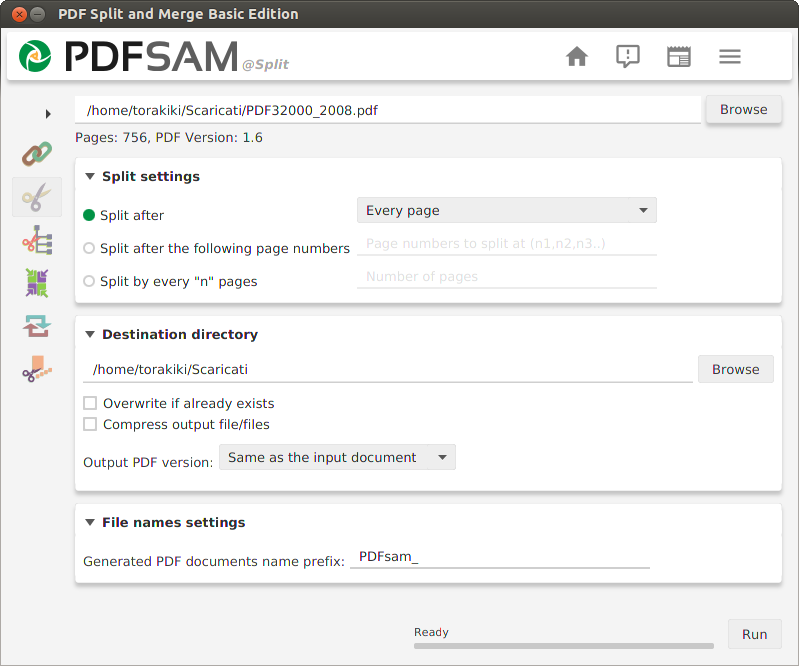 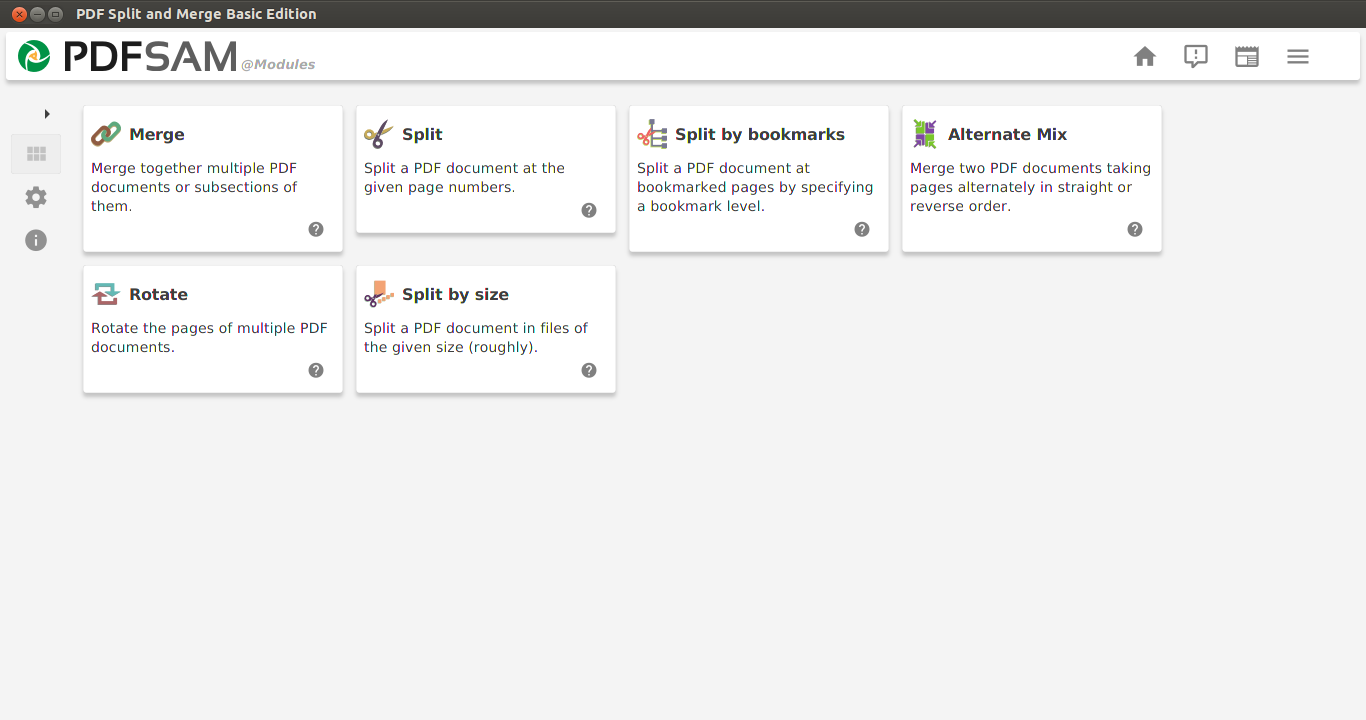 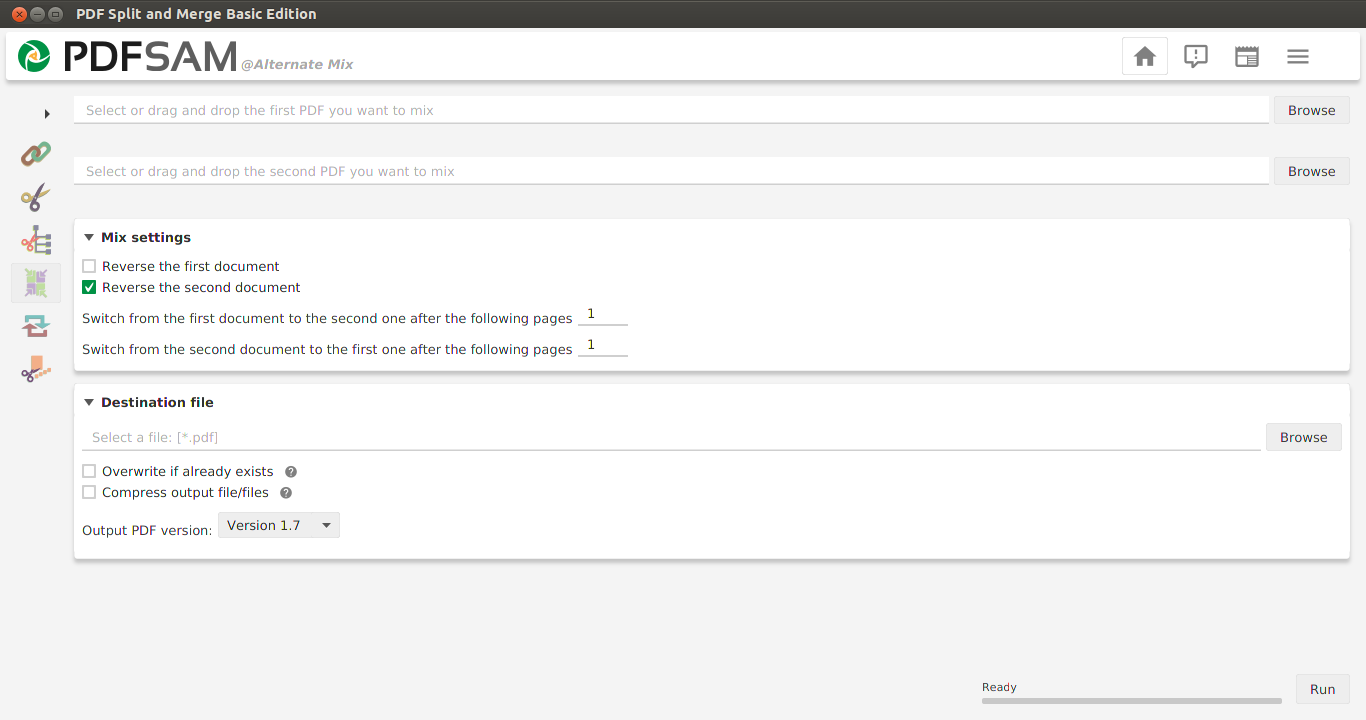 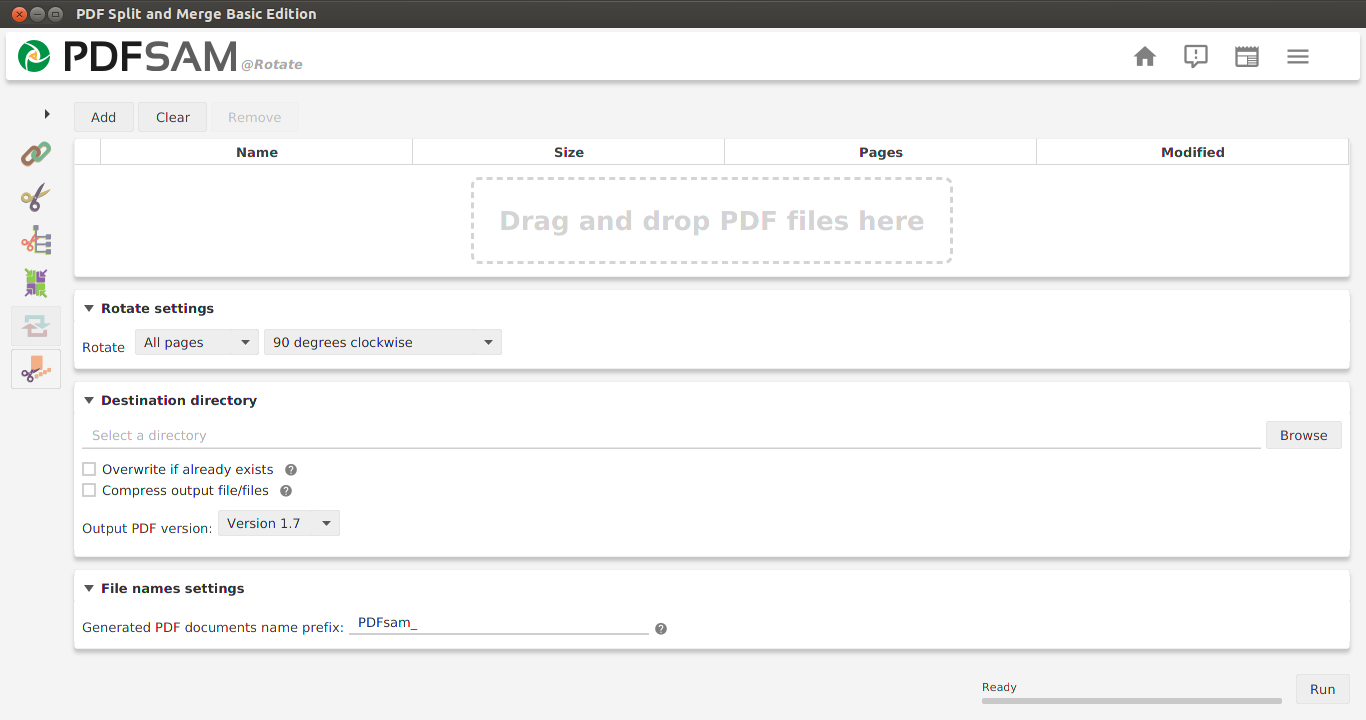 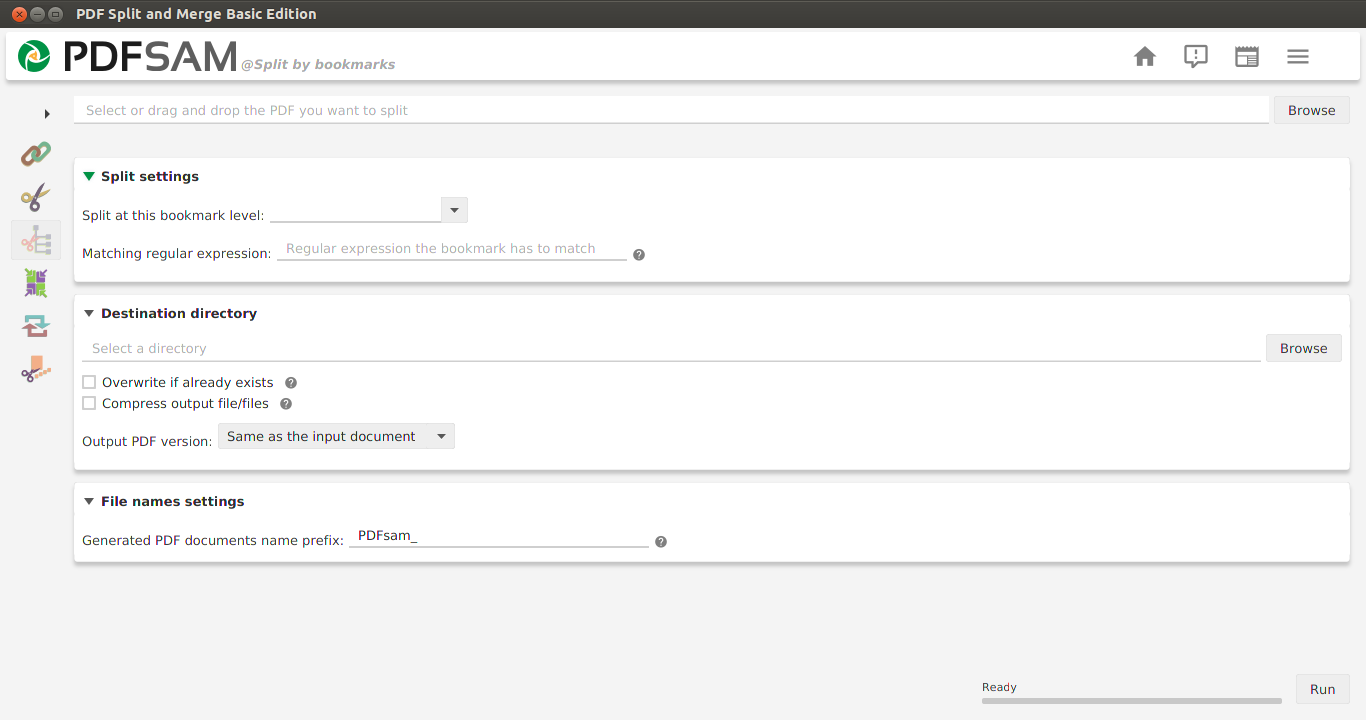 Click here to visit the author's website. Continue below for the main download link. |
||||||||
| Downloads | Views | Developer | Last Update | Version | Size | Type | Rank | |
| 6,966 | 16,689 | Andrea Vacondio | Jan 22, 2020 - 11:54 | 4.0.5 | 52.34MB | ZIP |  , out of 89 Votes. , out of 89 Votes. |
|
| File Tags | ||||||||
| Split PDF and Merge for Windows v4.0.5 | ||||||||
Click to Rate File Share it on Twitter → Tweet
|


