|

|
Processed through Paypal No account required. |








Buy our over-priced crap to help pay the bills.



|
|
Processed through Paypal No account required. |
| Files | ||||
| File Name | Rating | Downloads | ||
 |
Pinned: Malwarebytes AdwCleaner v8.8.1.639 Malwarebytes AdwCleaner v8.8.1.639 👉 Removes adware, unwanted programs, browser hijackers, and other potentially unwanted software. Malwarebytes AdwCleaner is a lightweight, portable utility designed to scan for and remove adware, potentially unwanted programs (PUPs), browser hijackers, toolbars, and other unwanted software that can slow down your computer or interfere with your browsing experience. It does not require installation and can be run directly to quickly clean and restore system performance. AdwCleaner scans key areas of your system including files, folders, services, scheduled tasks, registry entries, and web browsers. After the scan, it presents a detailed report and allows you to review and clean detected items safely. Features: • Portable and lightweight • Detects and removes adware and PUPs • Cleans browser hijackers and unwanted toolbars • Scans services, registry, files, and scheduled tasks • Simple interface with detailed scan reports • Quarantine management and basic repair options Supported operating systems: Windows 11 (32/64-bit) AdwCleaner v8.8.0 Windows 10 (32/64-bit) AdwCleaner v8.8.0 Windows 8.1 (32/64-bit) AdwCleaner v8.4.0 Windows 8 (32/64-bit) Adwcleaner v8.4.0 Windows 7 (32/64-bit) Adwcleaner v8.4.0 Windows XP (32/64-bit) Adwcleaner v7.4.2 Windows Vista (32/64-bit) Adwcleaner v7.4.2 Supported languages: Arabic, Bulgarian, Czech, Danish, German, Greek, English, English (UK), Spanish, Basque, French, Hungarian, Indonesian, Italian, Japanese, Korean, Dutch, Polish, Portuguese (Brazil), Portuguese, Romanian, Russian, Slovak, Thai, Turkish, Ukrainian, Vietnamese, Simplified Chinese, Traditional Chinese Changes: v8.8.1 05-13-26 Features and improvements No new features included in this release Issues fixed Fixed DLL sideloading security issue. Properly avoid terminating SetMe processes This download is for the Windows 10/11 version (very bottom of page). All other download assets are below: Windows 7/8: adwcleaner 8.4.0.exe Windows XP/Vista: adwcleaner_7.4.2.exe Click here to visit the author's website. |
 |
34,853 | Aug 20, 2026 Malwarebytes 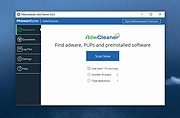 |
|
Pinned: Malwarebytes Anti-Malware v5.7.2.358 Malwarebytes Anti-Malware v5.7.2.358 OlderGeeks.com is an official mirror of Malwarebytes Anti-Malware 👉 Advanced malware detection and removal tool to protect your PC from threats. Malwarebytes Anti-Malware is a powerful security application designed to detect, block, and remove malware, ransomware, spyware, adware, and other online threats that traditional antivirus programs may miss. Using advanced heuristic analysis and signature-based detection, it provides real-time protection and on-demand scanning to keep your system clean and secure. Malwarebytes Anti-Malware works alongside other antivirus software or as a standalone solution, offering layered defense against emerging threats. Its streamlined interface makes it easy for both beginners and advanced users to perform quick scans, deep scans, and custom scans, while maintaining minimal impact on system performance. Features: • Real-time protection against malware, ransomware, spyware, and adware • Advanced heuristic and behavior-based threat detection • Quick, Threat, and Custom scan options • Protection against malicious websites and phishing attempts • Automatic updates to the malware database • Quarantine and restore functionality • Lightweight design with minimal system impact • Compatible with other antivirus programs Supported operating systems: • Windows 10, Windows 11 Supported languages: English, Spanish, French, German, Italian, Portuguese, Dutch, Japanese, Korean, Chinese (Simplified), Chinese (Traditional) Changes: v5.7.2.358 10-01-26 Features and improvements Added the ability to directly open Browser Guard's extension settings from the Malwarebytes for Windows Settings page. This link only appears when Chrome or Edge is your default browser. Improved the error messages that appear when license activation fails, so it's clear what went wrong and what to do next. Improved detection of malicious scripts. Issues fixed Fixed security, stability, and performance issues related to detection, protection, and remediation. Fixed minor localization issues. Note: Malwarebytes initially installs as a 14 day trial of full real-time protection. After the 14 days are up, Malwarebytes reverts to a free version that will only disinfect ... |
|
28,616 | Oct 09, 2026 Malwarebytes.com 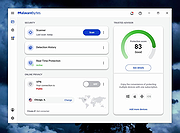 |
 |
12-Ants v6.91 12-Ants v6.91 👉 Add a swarm of animated ants to your Windows desktop for a little harmless fun. 12-Ants is a tiny freeware desktop decoration that fills your screen with animated ants crawling across the Windows desktop. The ants can interact with your mouse pointer in several ways, including attacking it, fleeing from it, reacting only when the pointer moves, or simply strolling around on their own. You can customize the number of ants displayed, their movement speed, size, color and transparency. Despite potentially putting a sizable colony on your screen, the program is designed to consume very few system resources. It is also portable, so it can be run directly from a folder or USB drive without installation. Features: • Displays animated ants crawling around the Windows desktop • Choose from five different ant movement algorithms • Ants can attack the mouse cursor • Ants can attack the cursor only when it moves • Ants can flee from the mouse cursor • Ants can flee only when the cursor moves • Ants can simply stroll around the desktop • Adjustable number of desktop ants • Adjustable ant movement speed • Adjustable ant size • Change ant colors, including red, black and green • Optional transparency • Low system resource consumption • Portable operation with no installation required • Can be carried and run from a USB drive • Installer and portable packages are available • Supports both 32-bit and 64-bit Windows Supported operating systems: • Windows 7, Windows 8, Windows 8.1, Windows 10, Windows 11 • Windows Server 2012, Windows Server 2016, Windows Server 2019, Windows Server 2022, Windows Server 2025 • 32-bit and 64-bit Windows Supported languages: German, English, French, Traditional Chinese, Korean, Greek, Italian, Spanish (Colombia), Russian, Simplified Chinese, Arabic, Romanian, Japanese, Afrikaans, Swedish, Danish, Norwegian, Dutch, Thai, Vietnamese, Hindi, Portuguese, Spanish, Spanish (Venezuela), Finnish, Bosnian/Croatian/Serbian Changes: v6.91 04-24-26 • Verification of Desktop BUGs on next MS Windows 11 Build • Small adjustments for Windows 11 • ... |
|
6,377 | Sep 03, 2026 Nenad Hrg  |
|
1by1 v2.16 1by1 v2.16 👉 Small and fast audio directory player with powerful features. 1by1 is a smart and lightweight directory-based audio player for Windows that lets you play tracks directly from folders without needing playlists or a media database. It combines file-manager-style navigation with playback features such as resume play, gapless playback, transition mixing, audio enhancing, bookmarks, cue sheet support, and file tools for organizing tracks while listening. It is also highly configurable, portable, and designed for low resource usage. Features: • Directory Player: directly plays folder contents • Resume play with track and position memory • Multi Resume for the ten recently played folders • Gapless play, transition mixing, and audio enhancing • Folder tree file navigation and Directory finder • MP3 decoding by ACM, mpglib, and BASS • BASS library support for formats such as OGG, WAV, FLAC, AAC, MP4, and CD audio • Optional 24 bit output and 32 bit audio processing • File utilities including copy, move, rename while play, delete, and date change • Scalable Big title view, Rename tool, and Folder compare tool • Cue sheet support, M3U playlist support, and bookmarks • Winamp 2.x input plugin support and WAV export • Track logging, HTTP control and streaming server • Theme presets, global hotkeys, portable operation, and low resource usage Supported operating systems: • Windows • Android • Linux with Wine Supported languages: English, German, Danish, Spanish, French, Italian, Korean, Portuguese (Brazilian), Russian, Serbian, Ukrainian, Chinese (Simplified) Changes: v2.16/v1.39 04-18-26 Windows: Binary changes (GCC build) · Additional languages: Koeran, Serbian, French · Better quit on other instance check · Hang on clearing tree view fixed · Threading issues corrected · Some other corrections and modifications Android: Media key event handling improved Note: This file has one hit on VirusTotal. We have confirmed this to be a false positive. The file is safe. This download is for the Windows version (very bottom of page). If you need the Android version, download here. Click here to ... |
|
1,857 | Jul 26, 2026 Martin Pesch 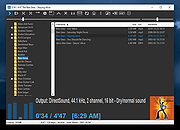 |
|
2Shoot_Dual_Intervalometer_ISO_Bracketing.zip 2Shoot Dual Intervalometer & ISO Bracketing v1.0.0 👉 A portable Windows tool for wireless interval shooting and ISO bracketing with supported Sony cameras. 2Shoot Dual Intervalometer & ISO Bracketing is a lightweight photography utility that controls supported Sony cameras from a Windows PC over Wi-Fi. It provides both an intervalometer and true ISO bracketing while keeping the interface simple and focused. Photographers can create timed shooting sequences, distribute a selected number of shots across a specified duration, or capture 3, 5, or 9 images at different ISO values while maintaining the same shutter speed and aperture. The program currently supports the Sony α1 (ILCE-1) and Sony α7 IV (ILCE-7M4), provides live camera information, works with autofocus or manual focus, and requires no traditional installation. Features: • Wireless control of supported Sony cameras over Wi-Fi • Interval Mode for setting the delay between consecutive photographs • Duration Mode for distributing a selected number of shots over a total duration • Time controls adjustable in 0.5-second steps • ISO bracketing with 3, 5, or 9-shot sequences • ISO bracket steps of 0.3 EV, 0.7 EV, or 1.0 EV • Uses the camera's current ISO as the center value of an ISO bracket • Displays the calculated ISO scale in real time • Keeps shutter speed and aperture unchanged during ISO bracketing • Automatically restores the camera's original ISO after a bracketing sequence • Supports RAW, RAW + JPG, and JPG operation • Supports autofocus and manual-focus shooting • Displays live ISO, shutter speed, and aperture information • Monitors actual shutter speed for interval timing checks • Automatically opens the destination folder after a successfully completed sequence • Automatically retries a camera connection up to two times after the initial attempt • Includes an Abort Connection control • Built-in Help and About windows • Supports Sony α1 (ILCE-1) and Sony α7 IV (ILCE-7M4) • Portable 64-bit Windows application with no traditional installer required Supported operating systems: • ... |
|
77 | Sep 20, 2026 Cristoforo Bonissone 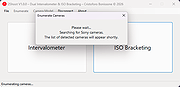 |
|
3D Pinball for Windows - Space Cadet 3D Pinball for Windows - Space Cadet Originally packaged with Microsoft Plus! 95 and later included in Windows NT, Windows Me, Windows 2000 and Windows XP. You are a young Cadet trying to graduate from the Space Academy and make a name for yourself as an officer. You must complete you training and prove your abilities in order to move up through the ranks and increase your score. Do you have what it takes to become a Fleet Admiral? In 3D Space Cadet Pinball you'll find out! 3D Pinball for Windows: Space Cadet (referred to as 3D Pinball or simply Pinball) is the version of the game bundled with various Microsoft products. It was originally packaged with Microsoft Plus! 95 and later included in Windows NT, Windows Me, Windows 2000 and Windows XP. Instructions are available from Microsoft on how to install it on Windows 98. Windows XP is the last version of Windows to include the game, as it was removed in Windows Vista. Controls: - Left Flipper: Z - Right Flipper: / - Left table bump: X - Right table bump: . - Plunger: spacebar Read more at: https://tr.im/GvAc2 Click here to visit the author's website. |
|
10,569 | Oct 06, 2023 Microsoft 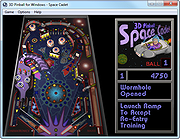 |
|
3D Rubik's Screensaver v1.0 3D Rubik's Screensaver v1.0 👉 Free 3D screensaver featuring a 7x7x7 Rubik's Cube that mixes and reassembles itself. 3D Rubik's Screensaver is a free screensaver for Windows that displays a multicolored 3D Rubik's Cube in a 7x7x7 layout. The cube rapidly mixes in three dimensions, then gradually returns to its original form while moving through space and bouncing off imaginary planes. The developer says the motion sequence is different every time, and the screensaver includes lights, perspective, and reflection effects for added realism. Features: • Impressive 3D quality with lights • 7x7x7 cells Rubik's Cube • Transition effects • Fits any screen resolution • For any desktop Windows OS • Compact size and fast installation • Absolutely free 3D Screensaver! Supported operating systems: • Windows XP, Windows Vista, Windows 7, Windows 8, Windows 10, Windows 11 Supported languages: English, Deutsch, Franηais, Italiano, Espaρol Changes: Not Provided Click here to visit the author's website. |
|
674 | Mar 29, 2026 fullscreensavers.com  |
|
A Ruler For Windows v4.0 A Ruler For Windows v4.0 A free on screen pixel ruler and reading guide for Windows. The ruler lets you quickly and easily measure objects on your screen. It's ideal for designing web sites, working with graphics and perfecting the look of your digital products. The reading guide helps you read through text on your screen much like a ruler edge helps you read through lines of text on a printed page. This makes A Ruler for Windows an ideal tool for working with long e-mails, wide spreadsheets and fine print documents on your screen. The program switches between ruler and reading guide modes with the press of a key. By default, both the ruler and reading guide come with four 'skins' to choose from: wood grain, stainless steel, plastic see thru and yellow construction. However, you can create your own skins and share them with your friends! Features With large clear numbering, the ruler is very easy to read. • Each ruler / reading guide can be flipped horizontally or vertically, resized to an exact length or resized by dragging it to a desired length. • The numbering on the ruler can be reversed and the ruler's length optionally displayed. • Ticks can be placed on which ever long edge of the ruler you prefer. You can click on a tick to have a measuring line automatically drawn at an exact location. • Automatic midpoint, third and golden ratio lines can optionally be shown. • The program also has a feature to launch Microsoft's Magnify tool, allowing you to see a magnified image at the ruler's edges to more easily measure between very fine points. Extra Skins With A Ruler for Windows installed on your PC, right-click on any of the skins below, choose to save the link. Run the file you downloaded to add the ... |
|
3,147 | Dec 11, 2024 Rob Latour  |
|
A Viewer For Windows v1.4.1 A Viewer For Windows v1.4.1 A free program which lets you easily view, change and save images. It's especially useful when you need to work with other desktop applications while viewing an original or changed image. With A Viewer for Windows you can: quickly open an image, level, rotate, pan, zoom and crop it, change its brightness, contrast, gamma and saturation levels, convert it to grayscale, invert and apply effects to it. The changed and original images can be viewed side by side, or one over the other, with the program automatically syncing them as they are panned, zoomed and rotated. Additionally, A Viewer for Windows can keep itself on top of other applications, ensuring your work is viewable at all times. When you're done working, your image can be saved to a file or your clipboard. A Viewer for Windows integrates with A Ruler for Windows (also free), as well as Microsoft's Snipping and Magnify tools (both of which come with Windows). If you're using a High Resolution monitor (4K) please click here Click here to visit the author's website. |
|
3,112 | Mar 31, 2022 Rob Latour 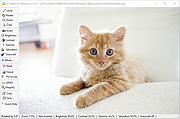 |
|
AAA v5.4.7 AAA v5.4.7 👉 A quick and powerful Windows tool for managing text notes, clipboard history, alarms and more. AAA is a free text note management utility by Mario "OiPaz" Corsolini that combines everyday note taking with a collection of useful text, clipboard and productivity tools. It stays conveniently accessible from the Windows Notification Area and can be quickly shown or hidden when needed. In addition to keeping and organizing text notes, AAA can maintain a history of the Windows Clipboard, provide multiple clipboards, calculate text and numerical statistics, set alarms, sort and format text, and launch applications. AAA requires Microsoft .NET Framework 4.8 and has been compiled for both 32-bit and 64-bit Windows systems. Features: • Create, keep and manage text notes • Quickly show or hide AAA from its Windows Notification Area icon • Use a customizable global keyboard shortcut to show or hide the program • Maintain a history of text copied to the Windows Clipboard • Multi-clipboard support for keeping multiple pieces of copied text • Automatically replace specified portions of text in the Windows Clipboard • Calculate statistics for text and Clipboard contents • Analyze numerical data and calculate statistics • Create and manage alarms with customizable messages • Sort text • Align and format text • Start individual applications or groups of applications • Add configurable delays when starting groups of applications • Reload its data file when the file has been modified externally • Save and restore the program's screen position • Single-instance operation • Automatic update checking • Requires Microsoft .NET Framework 4.8 Supported operating systems: • Windows 7 SP1, Windows 8.1, Windows 10, Windows 11 • 32-bit and 64-bit systems • Microsoft .NET Framework 4.8 required The operating-system range above is based on Microsoft's official compatibility requirements for the required .NET Framework 4.8. Windows 7 and Windows 8.1 are no longer supported by Microsoft. Supported languages: English, Esperanto, Italian Changes: v5.4.7 01-05-24 Fixed a bug where, if the saved position of ... |
|
2,315 | Aug 31, 2026 Mario Corsolini 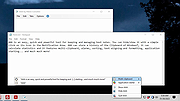 |
|
Accent Color Synchronizer v1.2.1 Accent Color Synchronizer v1.2.1 Automatically synchronize Windows accent colors across apps and system elements. Accent Color Synchronizer is a lightweight utility designed to keep your Windows accent color consistent across system components and supported applications. It monitors the current Windows accent color and applies it where needed, helping maintain a uniform and visually cohesive desktop appearance without manual tweaking. Ideal for users who frequently change themes or rely on dynamic accent colors, Accent Color Synchronizer ensures that supported UI elements remain in sync with the system’s current color selection. Features: • Automatically detects the current Windows accent color • Synchronizes accent color across supported apps and UI elements • Lightweight and portable design • Simple interface with minimal configuration required • Designed to work seamlessly in the background Supported operating systems: • Windows 10 Supported languages: • English Changes: v1.2.1 It is now possible to configure the program to keep changes made to its settings (whether or not the advanced mode is enabled, custom color brightness, etc.) By default, the application now uses your exact accent color as it appears in the Settings app instead of the title bar color which is often slightly different. This change can be reverted in the application options; Fixed a bug that caused the About dialog box to unexpectedly appear in specific scenarios; When a modal dialog is opened (eg. the about dialog) while the application's main window is not visible, the modal dialog no longer appears in the top-left corner of the screen. Click here to visit the author's website. |
|
6,368 | Feb 15, 2026 Maxime Denis 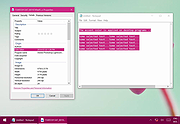 |
|
Account Profile Fixer v1.9.0.0 Account Profile Fixer v1.9.0.0 👉 Repair broken Windows user profiles without reinstalling or resetting Windows. Account Profile Fixer helps repair severe Windows account profile problems by replacing a damaged user account with a new working one while keeping the same user name, profile folder, privileges and user data. It can be useful when Microsoft Edge will not work, Windows Store apps are broken, Windows Explorer is not showing the Start screen or notification area, or a user cannot log in properly. APF automates the normally tedious process of creating a new user account, moving data from the old profile, deleting the broken account and logging back into the repaired profile. Features: • Repairs severe user profile problems without a full Windows reinstall • Creates a new user account with the same name, profile directory and privileges • Moves user data from the broken profile to the repaired profile • Automatically deletes the old broken user account • Uses a temporary admin account during the repair process • Automatically reboots and logs into the repaired account when finished • Optional preservation of Windows Store app package data • Optional preservation of Windows system AppData settings • Displays a repair operation log when complete • Free software supported by donations Supported operating systems: • Windows 7, Windows 8, Windows 8.1, Windows 10, Windows 11 • 32-bit and 64-bit Supported languages: English Changes: v1.9.0.0 09-14-24 Not provided. Click here to visit the author's website. |
|
7,017 | Jun 14, 2026 Carifred 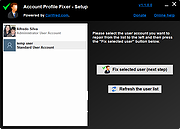 |
|
Addtron AE-660 (AE660) Ethernet PC Card (PCMCIA) driver for Windows 2000 Addtron AE-660 (AE660) Ethernet PC Card (PCMCIA) driver for Windows 2000 addtron_ae660.zip |
 |
9,839 | May 22, 2009 Addtron |
|
Advanced PortChecker v2.3.0 Advanced PortChecker v2.3.0 👉 Scan your network for open ports quickly and easily. Advanced PortChecker is a free and open source port checker that lets you scan hosts and networks for open ports in seconds. It supports multiple platforms, offers a clean graphical interface, and can export scan results in HTML, JSON, CSV or plain text formats. Features: • Scan TCP/IP ports on hosts or networks • Check whether ports are open or closed • Fast scanning performance • Export results as HTML, JSON, CSV or plain text • Similar interface across desktop platforms • Theme and preference options • Automatic update control • Open source and free to modify • Privacy-friendly: no ads, trackers or data collection • Can be compiled manually for other platforms Supported operating systems: • Windows • macOS • Linux • Android Supported languages: English, Dutch, French, Spanish, Chinese, Italian, Japanese Changes: v2.3.0 11-15-25 Added Japanese localization. Updated dependencies. Included Linux ARM preview builds and tests. Upgraded Yarn and Rust version. Added minor design upgrades. Changed runner actions. Improved stability across all platforms. This download is for the Windows version (very bottom of page). All other download assets are below: macOS: advanced-portchecker_2.3.0_aarch64.dmg advanced-portchecker_2.3.0_x64.dmg Linux: advanced-portchecker_2.3.0_amd64.deb advanced-portchecker_2.3.0_arm64.deb advanced-portchecker-2.3.0-1.x86_64.rpm advanced-portchecker-2.3.0-1.aarch64.rpm advanced-portchecker_2.3.0_amd64.AppImage advanced-portchecker_2.3.0_aarch64.AppImage advanced-portchecker_x64.app.tar.gz advanced-portchecker_aarch64.app.tar.gz Click here to visit the author's website. |
|
6,489 | Jun 11, 2026 CodeDead 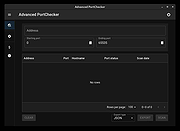 |
|
Adventures of FrikiBoy v1.20 Adventures of FrikiBoy v1.20 👉 Retro-inspired 2D platform adventure with classic arcade-style gameplay. Adventures of FrikiBoy is a side-scrolling 2D platform game inspired by the golden age of classic platformers. Players guide FrikiBoy through colorful levels filled with enemies, hazards, secrets, and collectibles while jumping, running, and timing their movements to overcome increasingly difficult challenges. Designed with retro visuals and responsive controls, the game focuses on traditional platforming action that rewards exploration, precision, and skill. Features: • Classic 2D side-scrolling platform gameplay • Retro pixel-art graphics • Multiple handcrafted levels • Enemies, traps, and environmental hazards • Hidden areas and collectibles to discover • Responsive keyboard and gamepad controls • Increasing difficulty as you progress • Inspired by classic console platform games Supported operating systems: • Windows, Linux Supported languages: • English, Spanish Changes: v1.20 Not provided. Click here to visit the author's website. |
 |
7,367 | Jun 25, 2026 Pedro Nunez 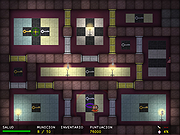 |
|
Alarm Stickies 3 v3.2.05.5 Alarm Stickies 3 v3.2.05.5 👉 Electronic sticky notes with alerts, recurrences, calendar, and phonebook. Alarm Stickies 3 is a freeware reminder utility that lets you create electronic sticky notes, save them to a database, and optionally set date/time alerts so the sticky appears when the reminder is due. It also includes recurring events, Windows notifications, a quarterly calendar, programmable shortcut keys, backup/restore, shared data folder support, and a phonebook/rubric. Features: • Create electronic sticky notes quickly from the tray icon, hotkey, menu, or quarterly calendar • Notes are saved to a database when closed • Set date and time alerts for stickies • Alerted stickies can jump to the screen position you choose • Optional alert sounds • Customize sticky size, color, font, and font size • Save a modified sticky layout as the default for new stickies • Choose from 9 date formats • Programmable shortcut keys • Print the shortcut key list for paper or PDF reference • Recurring events for birthdays, anniversaries, payment deadlines, and more • Supports annual, semi-annual, four-monthly, quarterly, bimonthly, and monthly recurrences • Recurrence notifications can appear through Windows notifications • Set a programmable notification range before recurrence expiration • Quarterly calendar highlights recurrences in different colors • Click future calendar dates to create a sticky already set to that date at 12:00 • Spacious phonebook/rubric with 21 tables and 40 lines each • Case-insensitive search in the phonebook/rubric • Choose the folder used for settings and data • Data folder can be placed in a shared folder, such as a cloud folder, for use across your own PCs • Backup and restore program data • Keeps the last three backups • Optional automatic start with Windows • Optional automatic update check at program startup • Freeware with no advertising and no donation popups Supported operating systems: • Windows 7 SP1 with Microsoft .NET Framework 4.8, Windows 8 with Microsoft .NET Framework 4.8, Windows 10, Windows 11 Supported languages: English, French, Spanish, Italian Changes: v3.2.05 12-16-25 Fixed ... |
|
792 | Apr 24, 2026 eziogarr-coder 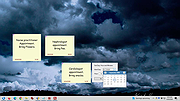 |
|
Alice in the Mushroom Hole for Windows Alice in the Mushroom Hole for Windows Alice in the Mushroom Hole is a game where you falll down a hole while floating between three worlds. The mechanics feel like classic platformers, but unlike jump an run games there is no running and no active jumping. Instead your character flies down the hole and you have to move him left, right make him fly faster down and interact with different kinds of mushrooms, bubbles and have to avoid many different kinds of obstacles. Often you will require to switch over to another world by collecting corresponding coins. Then for example, a mushroom that was previously bouncing you up, now makes you tiny or will turn into a barrel that will shoot you somewhere else. The game is rounded out by a wonderful soundtrack composed by Jeremiah Pena. |
|
7,263 | Mar 01, 2016 Artwaretists  |
|
All Bitdefender Uninstall Tools v3.0 All Bitdefender Uninstall Tools v3.0 👉 The complete collection of Bitdefender consumer and business removal tools in one ZIP file. All Bitdefender Uninstall Tools is a collection compiled by OlderGeeks containing official Bitdefender removal utilities for current and older consumer and business security products. Instead of downloading each utility separately, you can keep the entire collection together for troubleshooting and computer repairs. These tools help remove Bitdefender software when normal uninstallation fails or leaves remnants behind. They can be useful when preparing to reinstall Bitdefender or replace it with another security solution. Extract the ZIP file, identify the installed Bitdefender product and choose its corresponding removal tool. Consumer and business products require different utilities. Older product generations also have their own uninstallers, so selecting the appropriate tool matters. Consumer product coverage: • Latest Generation Bitdefender Antivirus Plus, Internet Security and Total Security. • Bitdefender Antivirus Plus, Internet Security and Total Security from the 2020 generation. • Bitdefender Antivirus Plus, Internet Security and Total Security from the 2019 generation. • Bitdefender Antivirus Plus, Internet Security and Total Security from the 2018 generation. • Bitdefender Antivirus Plus, Internet Security and Total Security from the 2017 generation. • Bitdefender Antivirus Plus, Internet Security and Total Security from the 2016 generation. • Bitdefender Antivirus Plus, Internet Security and Total Security from the 2015 generation and older, as covered by Bitdefender's corresponding tool. Business product coverage: The collection includes current and legacy business removal utilities, including separate tools for Bitdefender Endpoint Security Tools (BEST) v7 and v8, along with older endpoint uninstallers. Bitdefender's current business support page directs users of BEST up to v6.4.x to contact support. Although legacy utilities are included in this collection, additional assistance may be necessary for older installations. Features: • Complete collection ... |
|
5,177 | Oct 09, 2026 BitDefender Labs / Oldergeeks.com 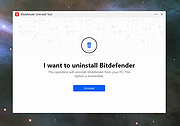 |
|
AllThreadsView v1.00 AllThreadsView v1.00 👉 View all running Windows threads from every process in one table. AllThreadsView is a lightweight portable utility from NirSoft that displays every running thread from every active process on your Windows computer in a single, continuously updated list. Instead of examining one process at a time, you can instantly see detailed information for all system and application threads, making it much easier to troubleshoot performance problems, investigate application behavior, or inspect low-level process activity. Features: • Displays all running threads from every active process • Shows Thread ID, Process ID, Process Name and Process Path • Displays thread creation time, duration, kernel time and user time • Shows thread priority, base priority and wait reason • Displays the thread start address • Automatically refreshes the thread list • Option to display only active threads • Export selected or all items to TXT, CSV, HTML, XML and JSON • Portable application requiring no installation Supported operating systems: • Windows XP, Windows Vista, Windows 7, Windows 8, Windows 10 • Windows 11 • 32-bit and 64-bit editions Supported languages: English, Arabic, Basque, Bulgarian, Catalan, Czech, Danish, Dutch, Finnish, French, German, Greek, Hungarian, Italian, Japanese, Korean, Persian, Polish, Portuguese, Portuguese (Brazil), Romanian, Russian, Simplified Chinese, Slovak, Slovenian, Spanish, Swedish, Traditional Chinese, Turkish, Ukrainian Changes: v1.00 06-28-26 • First release. This download is for the Windows 64bit version (very bottom of page). If you need the Windows 32bit version, download here. Click here to visit the author's website. |
|
4,620 | Jun 29, 2026 Nir Sofer 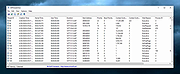 |
|
Alsi lt9388 lt 9388 web camera drivers for Windows 2000/XP Alsi lt9388 lt 9388 web camera drivers for Windows 2000/XP 9388xp.exe |
 |
9,775 | Apr 08, 2009 Alsi |
|
Alternate File Shredder v3.100 Alternate File Shredder v3.100 👉 Securely and permanently erase files, folders, and free disk space to prevent data recovery. Alternate File Shredder is a freeware, open-source utility designed to securely destroy files and folders so they cannot be recovered with standard undelete or forensic recovery tools. Instead of simply removing file references from the file system, it repeatedly overwrites the contents using configurable methods before deleting them, making recovery extremely difficult or impossible. The program can also overwrite unused free space on a drive to eliminate remnants of files that were previously deleted without secure wiping. Additional options allow you to overwrite data with random values, a fixed value, or the contents of another file, giving you flexibility for different security requirements. Because secure deletion is permanent, the author recommends carefully reviewing all selected items before proceeding. Features: • Permanently erase files and folders by securely overwriting data before deletion • Wipe free disk space to remove recoverable traces of previously deleted files • Choose overwrite methods using random values, fixed values, or a template file • Configure multiple overwrite iterations for increased security • Optionally overwrite file names before deletion • Ignore write protection when desired • Drag-and-drop support for quickly adding files and folders • Displays detailed file information before shredding • Processing log for completed operations • Open source and free to use Supported operating systems: • Windows Vista, Windows 7, Windows 8, Windows 8.1, Windows 10, Windows 11, Windows Server Supported languages: • English, German, Spanish, French, Italian, Chinese, Japanese, Korean, Swedish, Arabic, Greek, Russian, Czech, Hungarian, Turkish, Polish, Portuguese, Slovenian, Danish, Dutch Changes: v3.100 02-13-26 Added custom colors Options extended Note: This file has four hits on VirusTotal. We have confirmed these to be false positives. The file is safe. Click here to visit the author's website. |
|
7,428 | Jul 07, 2026 Alternate Tools 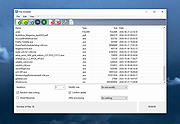 |
|
AlternateStreamView v1.58 AlternateStreamView v1.58 👉 View, copy, export and delete hidden NTFS alternate data streams. AlternateStreamView is a small utility that scans NTFS drives or folders and finds hidden alternate streams stored in the file system. After scanning, you can extract streams to a selected folder, delete unwanted streams, or save the stream list as text, HTML, CSV or XML. Features: • Scan NTFS drives or folders for hidden alternate data streams • View stream name, file name, stream size and related file details • Export selected streams to a folder • Delete unwanted alternate streams • Save results as TXT, HTML, CSV, XML and other report formats • Scan subfolders with optional folder-depth control • Supports file wildcard filtering • Explorer context menu option for checking a single file • Command-line options for scanning and exporting results • Portable utility with no installation required Supported operating systems: • Windows 2000 through Windows 11 • 32-bit and 64-bit systems Supported languages: Arabic, Brazilian Portuguese, Czech, Dutch, Finnish, French, German, Greek, Hungarian, Italian, Japanese, Persian, Polish, Romanian, Russian, Simplified Chinese, Slovak, Spanish, Traditional Chinese, Turkish, Ukrainian, Valencian Changes: v1.58 Updated to stop the file system scan when you press the Esc key. This download is for the Windows 64bit version (very bottom of page). If you need the Windows 32bit version, download here. Click here to visit the author's website. |
|
10,318 | Jun 04, 2026 Nir Sofer 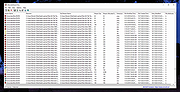 |
|
AM-DeadLink v7.2 AM-DeadLink v7.2 👉 Free tool to detect broken links, missing files, redirections, and duplicate bookmarks. AM-DeadLink is a freeware utility that helps you find broken links, missing files, redirects, and duplicate entries in browser bookmarks, websites, and various file formats. It can scan entire websites, including linked pages, images, CSS files, and other resources, while also checking bookmark collections from popular web browsers. Detailed reports make it easy to identify invalid URLs, redirects, and missing resources so you can keep your bookmarks and websites organized and up to date. AM-DeadLink is designed to be lightweight, privacy-friendly, and easy to use, with no ads, nags, accounts, or user-data collection. Features: • Detects broken links, missing files, and redirects • Finds duplicate bookmarks and URL entries • Scans websites including linked pages, images, CSS files, and other resources • Checks bookmarks from Chrome, Edge, Firefox, Brave, and Vivaldi • Supports HTML, TXT, CSV, and tab-delimited files containing URLs • Generates detailed reports of scan results • Improved detection of redirects and missing resources • Checks binary file links such as ZIP, PDF, and EXE files • Internal preview for reviewing URLs • Lightweight freeware with no ads, nags, or account requirements Supported operating systems: • Windows 10, Windows 11 (64-bit) Supported languages: • English, German Changes: v7.21 10-07-26 Brave Origin supported Improved support for Cloudflare-protected pages Smaller improvements and fixes Click here to visit the author's website. |
|
6,712 | Oct 07, 2026 Aignesberger Software GmbH 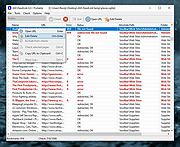 |
|
Analog Devices ad1815 ad1816 audio driver for Windows 95 and 98 Analog Devices ad1815 (ad 1815) ad1816 (ad1816) audio driver for Windows 95 and 98 |
|
10,018 | May 20, 2009 Analog Devices |
|
Android Webcam System v1.0.6 Android Webcam System v1.0.6 👉 Turn an Android phone into a high-quality Windows webcam over USB or Wi-Fi. Android Webcam System is a free and open-source webcam solution that uses an Android smartphone as a webcam for a Windows computer. The system consists of the AWA Android app, which streams video from the phone, and the AWC desktop client, which receives the stream and provides a virtual webcam device that can be selected by compatible Windows applications. Everything operates locally without requiring a cloud streaming service. The project supports both USB and Wi-Fi connections. USB provides lower latency and improved stability without requiring Wi-Fi, while wireless mode lets the phone and computer communicate over the same local network. The Android app supports resolutions from 480p through 4K and allows switching between the phone's front and rear cameras. The virtual webcam can be used with programs such as Zoom, Microsoft Teams, Google Meet, Discord, OBS Studio and Skype, as well as other Windows programs capable of selecting a webcam device. Features: • Turns an Android smartphone into a Windows webcam • Includes AWA, a Kotlin-based Android camera and streaming application • Includes AWC, the desktop client that receives the phone's video stream • Creates a virtual webcam device for compatible Windows applications • Supports USB and Wi-Fi connections • USB mode offers lower latency and improved connection stability • Wi-Fi mode provides completely wireless operation over the local network • Supports 480p, 720p, 1080p and 4K video resolutions • Supports front and rear Android cameras • Displays real-time connection status • Provides desktop connection statistics • Designed for low battery usage on the Android device • Works with Zoom, Microsoft Teams, Google Meet, Discord, OBS Studio and Skype • Can be used by other applications that support standard webcam devices • Uses a fully local, serverless architecture • No cloud video relay is required • No advertisements • Free and open-source under the ... |
|
271 | Aug 09, 2026 Soubhagyajit Borah  |
 |
AnkhTech WinPE v15 AnkhTech WinPE v15 👉 Bootable Windows recovery and maintenance environment. Ankh Tech Windows Boot is a bootable utility environment designed to help users troubleshoot, repair, and maintain Windows systems outside of the standard operating system. It provides a standalone boot solution that can be used for system recovery, diagnostics, and general maintenance tasks when Windows is unable to start normally. Built to operate independently from an installed Windows instance, Ankh Tech Windows Boot allows access to system tools and repair functions in a controlled environment, making it useful for resolving startup problems, performing maintenance, and working with system files safely. Features: • Bootable Windows-based recovery environment • Designed for system troubleshooting and repair • Access to maintenance and diagnostic tools outside the main OS • Useful for fixing startup and boot-related issues • Standalone operation independent of installed Windows Supported operating systems: • Any computer that can boot from a USB or DVD and has a 64bit CPU. Supported languages: English Programs List Notes: • All the Programs are Activated • All Programs work without Problems (All Tested) • All Programs are in PStart in each System • Some System Related Programs in the Start Menu • Some Programs Require Internet Connection like the Antivirus Section • More than 1 alternative in each category • Some of These Programs are integrated in the Context Menu (ex. WinRAR , UltraISO etc etc) • Some of These Programs Open Their File Extensions (ex. WinRAR opens Compressed Files etc etc) • it even contains games , just in-case you planning to do time consuming tasks so you don't get bored Programs List: Antivirus ESET Online Scanner Trellix Stinger Trend Micro House Call HijackThis Back and Restore Acronis True Image Acronis True Image 2014 Acronis True Image 2019 Acronis True Image ... |
|
5,742 | Apr 19, 2026 Ankh Tech 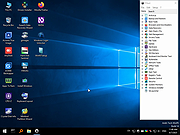 |
|
Antivirus Removal Tool v2026.02 Antivirus Removal Tool v2026.02 👉 Detects and helps completely remove leftover files from antivirus and security software. Antivirus Removal Tool is a portable utility designed to identify and assist with the complete removal of antivirus and security software remnants that standard uninstallers often leave behind. Many security programs integrate deeply into Windows and may leave drivers, services, and registry entries behind after removal. These leftovers can cause conflicts when installing new antivirus products or reduce system performance. Antivirus Removal Tool scans your system for traces of dozens of antivirus and security products and provides direct access to the official cleanup utilities provided by the vendors themselves. It can detect installed or previously installed security software and guide users through safely removing all remaining components. The program features a clean interface that lists detected security products and offers links to the official vendor removal tools when available. Because it relies on the original cleanup utilities from the developers, the removal process is safer and more reliable than attempting manual cleanup. The tool is portable and does not require installation, making it convenient for technicians and advanced users who need to troubleshoot antivirus conflicts or prepare systems for a fresh security installation. Features: • Detects installed and previously installed antivirus and security software • Provides direct links to official vendor removal tools • Helps eliminate leftover drivers, services, and registry entries • Portable application that requires no installation • Useful for resolving conflicts when switching antivirus products • Displays detailed system and security software information • Regularly updated database of antivirus vendors and cleanup utilities Supported operating systems: • Windows 7, Windows 8, Windows 10, Windows 11 Supported languages: English Changes: v2026.02 02-06-26 Database updated. Improved detection of security products. Minor interface improvements and fixes. Note: This file download may be blocked by your web browser or anti-virus software because it has antivirus removal software embedded in it. This is something a virus ... |
|
11,322 | Mar 04, 2026 Alex C. 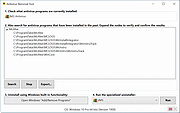 |
|
Anxiety for Windows 32bit Anxiety for Windows 32bit Anxiety is an atmospheric horror game with 2D graphics in which the player playing as Gregory. When exploring Greg's home, the player must find 6 things to get the "CLUES" which show something about the depth of Greg's Anxiety. Game site: maxiandthegang.itch.io/anxiety Art by Archie Ann Virika Mirugin Troismax Ahmadror Programming Hitnoodle Everaldo Eri Mamon James Music Sound by iokwaa Help/Controls: it is recommended to use Headphone/Earphone for better experience W: Move Up A : Move Left D : Move Right S : Move Down E : Interact Shift : Run. Remember, you have stamina. Warning: The game is not appropriate for weak hearted Bugs, glitches, writing error, coffee stain and some issues may occurs. Please send us your comment and feedback to help us further on development. Latest update: Checkpoint Update (June 27th, 2015) ---------------------------------- Changes & Bug fixes Fixed collider , no more spoderman Ghost Glitches efx issue 6th clue notification Fixed Minor Bugs |
|
7,355 | Aug 02, 2016 maxiandthegang  |
|
Anxiety for Windows 64bit Anxiety for Windows 64bit Anxiety is an atmospheric horror game with 2D graphics in which the player playing as Gregory. When exploring Greg's home, the player must find 6 things to get the "CLUES" which show something about the depth of Greg's Anxiety. Game site: maxiandthegang.itch.io/anxiety Art by Archie Ann Virika Mirugin Troismax Ahmadror Programming Hitnoodle Everaldo Eri Mamon James Music Sound by iokwaa Help/Controls: it is recommended to use Headphone/Earphone for better experience W: Move Up A : Move Left D : Move Right S : Move Down E : Interact Shift : Run. Remember, you have stamina. Warning: The game is not appropriate for weak hearted Bugs, glitches, writing error, coffee stain and some issues may occurs. Please send us your comment and feedback to help us further on development. Latest update: Checkpoint Update (June 27th, 2015) ---------------------------------- Changes & Bug fixes Fixed collider , no more spoderman Ghost Glitches efx issue 6th clue notification Fixed Minor Bugs |
|
7,348 | Aug 02, 2016 maxiandthegang |
|
AnyBurn Free v6.9 AnyBurn Free v6.9 👉 Lightweight disc burning, imaging, and bootable USB drive creation software. AnyBurn is a lightweight but professional disc burning, imaging, and bootable USB drive creation program. It provides tools to burn data discs, create Audio CD and MP3 CD discs, rip Audio CDs, create and manage image files, browse and extract image contents, test disc surfaces, view drive and disc information, and create bootable USB drives. This portable edition is fully functional, does not require installation, and can be extracted and run directly or placed on a USB drive. Features: • Burn image files to CD, DVD, and Blu-ray discs • Burn data discs • Append data to discs to create multisession discs • Support on-the-fly burning • Create Audio CDs from MP3, M4A, FLAC, OGG, APE, WMA, and WAV files • Create MP3 CD and DVD discs • Copy discs to image files • Copy one disc directly to another • Rip Audio CDs to MP3, FLAC, OGG, APE, WAV, and WMA files • Convert disc image file formats • Create new image files • Edit existing image files • Browse and extract files from image files • Test disc surfaces • View optical drive and disc information • Create bootable USB drives • Create bootable USB drives from ISO and supported compressed files • Run without installation from a folder or USB drive Supported operating systems: • Windows 11, Windows 10, Windows 8 / 8.1, Windows 7, Windows Vista, Windows 2008, Windows 2003, Windows XP, Windows 2000 Supported languages: • Arabic, Bulgarian, Croatian, Czech, Danish, Dutch, English, English UK, Finnish, French, German, Greek, Hungarian, Indonesian, Italian, Japanese, Korean, Polish, Portuguese (Brazil), Portuguese (Portugal), Romanian, Russian, Simplified Chinese, Slovenian, Spanish, Swedish, Traditional Chinese, Turkish, Ukrainian Changes: v6.9 07-28-26 Some minor bug fixes and enhancements. Note: This file has one hit on VirusTotal. We have confirmed this to be a false positive. The file is safe. Click here to visit the author's website. |
|
13,979 | Aug 26, 2026 Power Software Ltd. 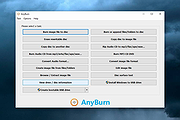 |
|
AnyViewer Free v5.8.0 WARNING: If someone you don’t know called you... or you dialed a number that suddenly appeared on your screen... and they told you to download this program... IT IS A SCAM. HANG UP IMMEDIATELY! AnyViewer Free v5.8.0 👉 Free remote desktop software for accessing and supporting computers from another computer, tablet, or phone. AnyViewer Free is remote desktop software for personal use that lets you remotely access and support devices, whether attended or unattended, from another computer, tablet, or smartphone. It is designed for fast remote control, stable connections, high-quality image display, remote file transfer, chat, multiple monitor support, screen mirroring, and secure remote sessions using end-to-end encryption. Features: • Remotely access personal devices from a PC, Mac, tablet, or smartphone • Supports attended and unattended remote access • Fast remote control with stable connection routing • High-quality image display with low latency • In-session and off-session remote file transfer • Chat during remote support sessions • Multiple monitor support • Display multiple remote screens in separate windows • Adaptive screen scaling • Mirror Android or iOS screens to a computer • Remote reboot and reconnect • Shortcuts to tools such as Command Prompt and Task Manager • Blacklist and whitelist access permissions by account or device ID • 256-bit asymmetric ECC end-to-end encryption • Two-factor authentication support Supported operating systems: • Windows 8.1, Windows 10, Windows 11 • Windows Server 2012 R2, Windows Server 2016, Windows Server 2019, Windows Server 2022 • macOS 10.15 or later • iOS 10.0 to iOS 16 • Android 6.0 or later Supported languages: English, French, German Changes: v5.8.0 07-07-26 Enhanced: Support for quick file transfer between My Devices on Windows. Simply drag and drop files into the Send Files area to send them directly to the target device without the need to open the File Transfer window. This download is for the Windows portable version (very bottom of page). All other download assets are below: Other Windows: AnyViewerSetup_x64.exe AnyViewerSetup.exe (32bit) macOS: AnyViewer.dmg iOS: App Store Android: AnyViewerSetup.apk Google Play Click here to visit the author's website. |
|
1,312 | Sep 16, 2026 AOMEI Technology Co., Ltd 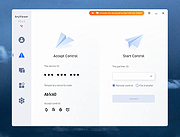 |
|
AOMEI Backupper Standard v8.4.0 AOMEI Backupper Standard v8.4.0 👉 Free backup, sync, restore, and disk cloning software for protecting your system and personal data. AOMEI Backupper Standard is free backup software designed to protect personal data and operating systems with backup, restore, sync, and cloning tools. It can back up files, folders, disks, partitions, and systems, create automatic scheduled backups, sync files to local and network locations, clone data disks for drive replacement or upgrades, and create bootable rescue media for recovery when the system cannot start. Features: • System, disk, partition, and file backup • File restore, system restore, disk restore, and partition restore • Automatic scheduled backups with daily, weekly, and monthly options • Incremental backup support • Basic file sync to local disks, external drives, network shares, and NAS • Disk clone for data disks and partition clone • Intelligent sector clone and SSD alignment support • Bootable media creation for recovery • Backup to local disk, external disk, USB flash drive, network/NAS, cloud drive, and CD/DVD • Backup image splitting, compression, checking, and task import/export • Recovery environment creation in the boot menu • Email notifications with Gmail and Hotmail SMTP support in the Standard edition Supported operating systems: • Windows 7, Windows 8, Windows 8.1, Windows 10, Windows 11 • macOS 10.13 (High Sierra) or higher Supported languages: • English, German, French, Japanese, Italian, Dutch, Spanish, Turkish, Polish, Simplified Chinese, Traditional Chinese Changes: v8.4.0 06-18-26 Optimized: Now it allows to reset the System Security Identifier (SID) during system/system disk clone and restore. This seamlessly eliminates network and permission conflicts after migrating systems to multiple PCs, making IT management and batch deployment much more efficient. Optimized: The task execution details page now displays "Transfer Speed" and "Estimated Time Remaining" in real-time, providing clear, at-a-glance visibility into your progress. Optimized: When the window of the backup source and destination selection pop-up is enlarged, the list column widths will automatically adjust the spacing according to ... |
|
10,094 | Aug 14, 2026 AOMEI Technology Co., Ltd 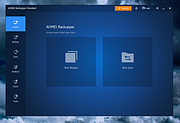 |
|
AOMEI Cyber Backup Free v4.5.0 AOMEI Cyber Backup Free v4.5.0 👉 Free centralized backup and disaster recovery solution for virtual machines, Windows systems, and SQL Server databases. AOMEI Cyber Backup Free is an enterprise-class backup and recovery platform that allows administrators to protect virtual machines, physical computers, servers, and databases from a single web-based management console. Designed for businesses, IT departments, MSPs, and home labs, it simplifies backup scheduling, monitoring, restoration, and storage management across multiple systems. The free edition provides a surprisingly comprehensive feature set for small environments. It supports up to 3 Hyper-V virtual machines, 3 VMware ESXi virtual machines, unlimited VMware Free ESXi virtual machines, 3 Microsoft SQL Server databases, 3 Windows PCs, and 1 Windows Server. Included at no cost are agentless VM backups, full, incremental, and differential backup methods, automated scheduling, Amazon S3 backup archiving, task monitoring, log management, role-based management, and point-in-time recovery. While some advanced enterprise capabilities require a paid license, the free edition delivers powerful centralized backup protection suitable for many small business and lab deployments. Features: • Centralized web-based backup management console • Protect up to 3 Hyper-V virtual machines • Protect up to 3 VMware ESXi virtual machines • Unlimited VMware Free ESXi virtual machine support • Protect up to 3 Microsoft SQL Server databases • Protect up to 3 Windows PCs • Protect 1 Windows Server • Agentless backup for VMware and Hyper-V virtual machines • Full backup support • Incremental backup support • Differential backup support • Automated backup scheduling and execution • Backup to local storage devices • Backup to network shares and NAS devices • Archive backups to Amazon S3 cloud storage • Flexible retention policy configuration • Restore entire virtual machines • Restore from any available backup point • Restore workloads to their original location • Backup task monitoring dashboard • Backup log management and reporting • Email notification support • Role-based management controls • Centralized monitoring of all protected workloads • Browser-based administration from any supported system • Free ... |
|
1,138 | Jun 12, 2026 AOMEI Technology Co., Ltd  |
|
Apache OpenOffice Portable v4.1.16 Apache OpenOffice Portable v4.1.16 👉 A complete portable office suite for documents, spreadsheets, presentations, drawings, databases and more. Apache OpenOffice Portable is the full-featured Apache OpenOffice productivity suite packaged by PortableApps.com to run from a USB flash drive, portable hard drive, cloud folder or local directory without a traditional installation. It includes applications for word processing, spreadsheets, presentations, diagrams and drawings, databases and mathematical formulas, while keeping your settings and documents portable between Windows computers. The suite is free and open source and supports many common office document formats, including Microsoft Office, WordPerfect and Lotus formats. Features: • Writer for creating and editing letters, reports, books and other text documents • Calc for spreadsheets, calculations and data analysis • Impress for creating multimedia presentations and slide shows • Draw for diagrams, illustrations and other vector graphics • Base for working with databases • Math for creating mathematical equations and formulas • Compatible with Microsoft Office, WordPerfect, Lotus and other common office document formats • Export documents directly to PDF • Supports extensions for adding additional functionality • Includes spelling and language tools • Supports Java-dependent OpenOffice features when a compatible portable Java environment is available • Runs from removable drives, cloud storage or a local folder without a traditional Windows installation • Keeps application settings with the portable installation for use on multiple computers • Includes individual portable launchers for the OpenOffice applications • Integrates with the PortableApps.com Platform, including its menu, updater and backup utility • Supports installing newer portable releases over an existing copy while preserving settings Supported operating systems: • Windows XP, Windows Vista, Windows 7, Windows 8, Windows 10, Windows 11 Supported languages: Standard portable package: English (US), English (UK), Chinese (Simplified), Chinese (Traditional), French, German, Italian, Japanese, Korean, Portuguese (Brazilian), Portuguese (Portugal), Russian, Spanish. The Multilingual-All download includes the additional languages supported by the portable package. PortableApps.com notes that some Apache OpenOffice locales cannot be included because ... |
|
4,421 | Aug 30, 2026 Apache OpenOffice Team & PortableApps.com 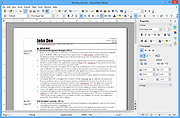 |
|
AppControl v1.3.0.335b AppControl v1.3.0.335b 👉 Historical Task Manager with powerful application control, privacy monitoring, and system insights. AppControl is a free Windows system monitoring and application management utility developed by Jon Hundley and the AppControl team. Rather than only showing what your computer is doing right now, AppControl continuously records system activity for up to 72 hours, allowing you to review past CPU, GPU, memory, disk, temperature, and application activity to identify exactly what happened when your PC slowed down, overheated, or behaved unexpectedly. AppControl also extends far beyond the capabilities of the standard Windows Task Manager by providing detailed information about running processes, historical hardware usage, application launches, privacy events, and system activity. It can alert you when new or unsigned applications run, when software accesses your webcam, microphone, or location, and allows you to permanently disable unwanted applications or block entire publishers with custom rules. Built-in plain-language descriptions explain what Windows processes and executables actually do, making it easier to understand what's happening on your PC without searching the web Features: • Historical CPU, GPU, memory, disk, and temperature monitoring • Review up to 72 hours of recorded system activity • Timeline graphs with click-and-drag zoom • Monitor application launches, updates, and system events • Alerts for new, unusual, or unsigned applications • Privacy alerts for webcam, microphone, and location access • Permanently disable unwanted applications • Block entire software publishers • Plain-language descriptions of running processes and executables • Command-line monitoring tool for Windows Terminal, PowerShell, and Command Prompt • Automatic light and dark theme support • Custom notification options • Search and investigate running applications quickly Supported operating systems: • Windows 10 • Windows 11 Supported languages: English, German, Spanish, Japanese, French, Polish, Russian, Dutch, Serbian (Cyrillic), Italian, Turkish, Chinese Changes: v1.3.0.335b 05-14-26 Added range selection and zooming on timeline graphs. Added a command-line monitoring tool for Windows Terminal, PowerShell, and Command Prompt. Added an automatic theme that matches Windows light or dark mode. Added ... |
|
821 | Jun 27, 2026 Jon Hundley and Team 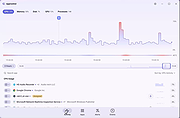 |
|
AppCrashView v1.35 AppCrashView v1.35 👉 View application crash reports from Windows Error Reporting files. AppCrashView is a small NirSoft utility that displays details of application crashes stored in Windows Error Reporting .wer files. It shows crash information in a two-pane window, with the crash list on top and the selected crash report contents below. Crash lists can be saved to text, CSV, HTML, or XML files, or copied to the clipboard for use in Excel or another spreadsheet program. Features: • Displays application crash details from Windows Error Reporting .wer files • Two-pane interface shows crash list and full selected crash report • Save crash lists as text, tab-delimited, CSV, HTML, or XML • Copy selected crash information to the clipboard • Quick Filter support for instantly narrowing crash results • Open report file folder or process folder • Delete selected reports • Run as administrator option • Command-line export options • No installation required Supported operating systems: • Windows Vista, Windows 7, Windows Server 2008, Windows 8, Windows 10 Supported languages: English, Brazilian Portuguese, Danish, Dutch, French, German, Greek, Hungarian, Italian, Japanese, Korean, Persian, Polish, Romanian, Russian, Simplified Chinese, Slovak, Spanish, Swedish, Traditional Chinese, Valencian Changes: v1.35 Added 'Quick Filter' feature (View -> Use Quick Filter or Ctrl+Q). When turned on, you can type a string in the text box under the toolbar and AppCrashView will instantly filter the application crashes list, showing only lines that contain the string you typed. Click here to visit the author's website. |
|
6,225 | Jun 14, 2026 Nir Sofer 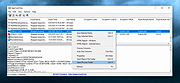 |
 |
AppNetworkCounter v1.61 AppNetworkCounter v1.61 👉 View network usage and bandwidth for every application on Windows. AppNetworkCounter is a simple Windows utility that counts and displays TCP/UDP bytes and packets sent and received by every application on your system. It shows received bytes, sent bytes, receive speed, send speed, IPv4 and IPv6 traffic totals, packet counts, and application version details such as product name, product version, file description, and company name. Features: • Displays network usage per application • Shows sent and received TCP/UDP bytes • Shows sent and received packet counts • Displays receive and send speeds • Tracks IPv4 and IPv6 traffic separately • Shows maximum and average receive/send speeds • Includes first and last activity time columns • Can group results by application name or process ID • Option to hide inactive items • Option to show a total line for all applications • Tray icon support • Export reports to text, CSV, HTML, XML, and JSON • Command-line report saving options • Portable; no installation required Supported operating systems: • Windows XP, Windows Vista, Windows 7, Windows 8, Windows 10, Windows 11 • 32-bit and 64-bit Windows supported • Administrator elevation required on Windows Vista and later Supported languages: English, Arabic, Brazilian Portuguese, Czech, Dutch, French, German, Greek, Hungarian, Italian, Japanese, Persian, Polish, Romanian, Russian, Simplified Chinese, Slovak, Spanish, Traditional Chinese, Turkish Changes: v1.61 08-23-26 Added 'Process Command-Line' column, which displays the full command-line string of every process (Only when the 'Group By' option is 'Process ID'). Added 'Keep Selected Item Visible' option. When it's turned on, the selected item always remains visible. 👉 This download is for the Windows 64bit version (very bottom of page). All other download assets are below: Other Windows: appnetworkcounter.zip (32bit) Click here to visit the author's website. |
|
6,274 | Oct 13, 2026 Nir Sofer 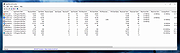 |
|
ArsClip v5.46 ArsClip v5.46 👉 A highly configurable clipboard manager for tracking, organizing, and automating copied content. ArsClip is a freeware clipboard manager utility that monitors the clipboard and keeps track of entries for later pasting. It can display saved clips through a triggered popup window, and it has grown from a simple clipboard helper into a feature-rich tool that specializes in copy-and-paste automation tasks. ArsClip also includes Delphi XE2 source code. Features: • Permanent Clips and Macros for copy-and-paste automation • Supports picture, RichText, file copy, Unicode, and HTML clip types • Triggered popup window for quick pasting • Can be triggered by hotkey, holding right-click, a special trigger window, and other methods • Highly configurable behavior and display options • Optional Clipboard Bar for clipboard viewing • Optional Global Clipboard for sharing clips with other Windows and Android devices • Win7 Jumplist support • Optional setup program included, with portable-style use also supported Supported operating systems: • Windows XP, Windows Vista, Windows 7, Windows 8, Windows 8.1, Windows 10 Supported languages: • English Changes: v5.46 06-18-26 (Window: Configuration) New: added "Program Center" option for Popup placement (Window: Edit Permanent Clip) New: updated the CLIPBOARDFIND macro to support \uXXXX escape for Unicode characters New: updated to support new JavaScript "deletePopupClip(int)" function (Window: Popup) New: if the first menu item is a Clipset Header, highlight the next item when first showing the Popup New: icon shown on current Permanent Clips with Global Hotkeys New: hotkey shown on hover for current Permanent Clips Fix: issue scaling small pictures for Popup Clips Fix: issue when using a Modkey+Click, where the action may simulate keystrokes (Window: Edit Clips/Macros) Fix: "Destroy Selected" not working for all selected clips (Misc) Fix: issues when restarting Windows Note: This file has two hits on VirusTotal. We have confirmed these to be false positives. The file is safe. Click here to visit the author's website. |
|
6,581 | Jun 21, 2026 joejoesoft.com 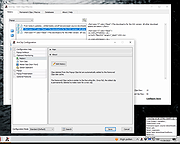 |
|
Artweaver Free v8.1.5 Artweaver Free v8.1.5 👉 Powerful free painting and image editing software for creative digital artists. Artweaver Free is a full-featured painting and image editing program designed for beginners and advanced users alike. It offers a wide range of realistic brush types to simulate traditional media such as chalk, charcoal, pencils, and oil paint. With an intuitive user interface and support for layers, transparency, and common image formats, Artweaver Free provides the tools needed to create and edit digital artwork with precision and flexibility. Features: • Realistic brush engine with many predefined brush types • Supports layers, groups, and transparency • Wide range of image adjustment tools and filters • Event recording and playback functionality • Tablet support for pressure-sensitive drawing • Supports common image formats including AWD and PSD • Customizable user interface Supported operating systems: • Windows 10, Windows 11 Supported languages: • English, German Changes: v8.1.5 05-16-26 This version includes the following improvements and fixes Improved update installation Fixed occasional horizontal line artifacts Fixed incorrect colors in 8bf filter results Fixed scale to fit media enabled by default in print preview Fixed layer merge errors with certain blend modes Fixed navigator preview not updating after applying the crop tool Fixed an opacity issue when moving selected image data Fixed document not being marked as modified after applying a tool Fixed navigator preview issues with transparency and low zoom levels Fixed a crash when opening documents containing EXIF data This download is for the Windows version (very bottom of page). If you need the plugins and extra language files, download here. Click here to visit the author's website. |
|
6,584 | Jul 05, 2026 Boris Eyrich Software  |
|
Aspiring Keyboard v1.4 Aspiring Keyboard v1.4 👉 Control your Windows PC entirely from the keyboard without using a mouse. Aspiring Keyboard is an accessibility and productivity utility designed for touch typists who want to operate Windows with little or no mouse use. Instead of constantly reaching for a mouse or touchpad, the program displays an intelligent on-screen mouse grid that lets you move the pointer and perform mouse actions simply by pressing hotkeys followed by two keyboard characters. This approach makes navigation fast, accurate, and consistent once learned, while helping reduce repetitive mouse movement. The program is especially well suited for power users, keyboard enthusiasts, accessibility needs, repetitive strain reduction, and anyone who already relies heavily on Windows keyboard shortcuts. The included documentation recommends being able to touch type and having a good knowledge of common Windows key combinations to get the most from the program. Aspiring Keyboard offers three operating modes. An OFF mode disables mouse control, while Green and Blue modes provide separate groups of customizable mouse actions that can be switched instantly from the keyboard or system tray. The configurable mouse grid can use hexagonal or several square layouts, allowing you to choose the balance between speed and precision that best fits your workflow. One of the program's most interesting features is Smart Mousegrid. Rather than remaining static, it learns how you use individual applications and gradually assigns easier-to-type character combinations to areas you access most frequently. Learning is maintained separately for each application, keyboard layout, mouse grid type, and grid size, allowing the software to adapt naturally to your workflow over time. Features: • Control the mouse entirely from the keyboard using customizable hotkeys. • Move the pointer by typing just two characters within the on-screen mouse grid. • Perform mouse clicks and other mouse actions without touching a mouse. • Three operating modes: OFF, Green, and Blue for ... |
|
278 | Jul 27, 2026 Mikołaj Magowski 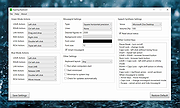 |
|
Audacity v4.0.1 Audacity v4.0.1 👉 Free, open-source, multi-track audio editor and recorder for recording, editing, mixing and producing audio. Audacity is a powerful, free and open-source audio editor and recorder for Windows, macOS and Linux. It can handle everything from quick voice recordings and simple edits to multi-track music production, podcast creation, audio restoration and more involved sound projects. Audacity provides a visual waveform-based editing environment where audio can be recorded, cut, copied, moved, trimmed and arranged across multiple tracks. Music, speech, sound effects and other recordings can be combined into a single project, with precise control over individual clips and their placement on the timeline. The program includes a wide collection of audio processing tools for adjusting volume, compression, equalization, pitch and tempo. Noise removal and repair tools can help clean up recordings, while delay, reverb, distortion, modulation, fading and other effects provide additional options for shaping sound. Real-time effects can be applied without permanently altering the original audio, allowing settings to be adjusted while continuing to work on a project. Effects can be applied to individual tracks or to the master output. Audacity also includes a plugin manager for enabling, disabling and organizing available effects. Audacity supports third-party plugins and includes support for VST3 and Nyquist effects. Optional FFmpeg support expands compatibility with additional audio formats. Finished projects can be exported to common formats such as WAV, MP3, FLAC and Ogg. The program is useful for recording microphones and other audio sources, digitizing older recordings, cleaning up noisy audio, editing interviews, assembling podcasts, creating sound effects, working with music and preparing finished audio for publishing or archiving. Features: • Record live audio through microphones, mixers and other input devices • Edit and arrange multiple audio tracks within a single project • Cut, copy, paste, trim, split and move audio clips ... |
|
11,300 | Oct 02, 2026 Audacity 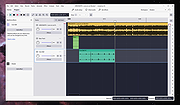 |
|
AutoHotkey v2.0.28 AutoHotkey v2.0.28 👉 A powerful and flexible scripting language for automating Windows tasks, hotkeys, and macros. AutoHotkey is a free and open-source scripting language designed to automate repetitive tasks in Windows. It allows users to create custom keyboard shortcuts, mouse macros, GUI applications, and full-featured automation scripts. AutoHotkey v2 introduces a modernized and more consistent syntax, improved error handling, enhanced object support, and cleaner language design while remaining extremely lightweight and portable. It is widely used by power users, system administrators, developers, and accessibility users to increase productivity and customize workflows. Features: • Create custom keyboard shortcuts and hotkeys • Automate mouse movements, clicks, and keystrokes • Build scripts for launching programs and managing windows • Create graphical user interfaces for automation tools • Advanced text expansion and replacement capabilities • Full support for variables, functions, objects, and classes • Improved and consistent syntax in AutoHotkey v2 • Portable scripting with no installation required Supported operating systems: • Windows 7, Windows 8, Windows 8.1, Windows 10, Windows 11 Supported languages: English Changes: v2.0.28 09-12-26 Fixed Gui.Move to not DPI-scale X or Y. Click here to visit the author's website. |
|
9,576 | Sep 16, 2026 AutoHotKey 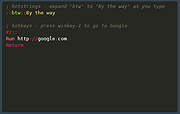 |
|
AV block remover (AVbr) v4 AV block remover (AVbr) v4 👉 A free malware-removal and system-repair tool designed to restore computers whose security software and Windows functions have been blocked by malware. AV block remover (AVbr) is a free utility designed to help clean Windows computers infected with malware that interferes with antivirus programs, security utilities and normal system operation. AVbr automates a collection of diagnostic and remediation procedures and uses Oleg Zaitsev's AVZ antivirus utility as part of its operation. It can help remove malware, restore Windows settings altered by malicious software, remove malicious policies and restrictions, and address infections that deliberately prevent security programs from running. Features: • Designed to remove active malware and repair changes made to Windows by malicious software • Helps when malware blocks antivirus and other security programs • Performs automated system diagnostics and remediation • Uses the AVZ antivirus utility during its malware detection and cleanup procedures • Includes AVZ Toolkit • Searches for malicious and suspicious system activity • Helps detect and remove malware that interferes with normal Windows operation • Removes malicious system policies and restrictions • Helps restore system settings modified by malware • Can assist with infections that prevent security and diagnostic utilities from launching • Generates diagnostic information that can be used when investigating an infected computer • Portable utility that does not require conventional installation Supported operating systems: Windows Vista, Windows 7, Windows 8, Windows 8.1, Windows 10, Windows 11 Supported languages: English, Russian Changes: v4 and AVZ Toolkit v6.12, dated 08-31-26 Now helps in the case of blocking antivirus signatures through systemic equipment. Added removal of the start-up of antivirus start-up, added by CertLock viruses blocking... Complementary functionality 1) AppLocker policy check and reset if working policies are found. 2)... Update 1) Check the existence of the Hosts file added. If it is not, it creates a pure Hosts... Note: This file has two hits on VirusTotal. We have confirmed these to be false positives. The file ... |
|
251 | Sep 01, 2026 safezone.cc / Oleg Zaitsev 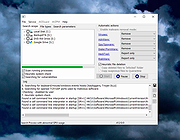 |
|
Avance Logic ALS100 plus+ sound drivers for Windows 95 and 98 Avance Logic ALS100 plus+ sound drivers for Windows 95 and 98 als100.exe |
|
9,921 | May 22, 2009 Avance Logic |
|
AZTECH SYSTEMS 14.4 FAX MODEM SOUND CARD ISA AZTECH SYSTEMS 14.4 FAX MODEM SOUND CARD ISA driver for Windows 95/98 2316fd95.zip |
|
9,695 | Mar 30, 2009 AZTECH SYSTEMS |
|
AZTECH SYSTEMS 14.4 FAX MODEM SOUND CARD ISA AZTECH SYSTEMS 14.4 FAX MODEM SOUND CARD ISA driver for Windows 95/98 2316fd95.zip |
|
9,693 | Mar 30, 2009 AZTECH SYSTEMS |
|
Aztech Systems MD6802-U (AZT 4029) Modem driver for Windows 98 and ME Aztech Systems MD6802-U (AZT 4029) Modem driver for Windows 98 and ME A24615.exe |
|
10,012 | May 20, 2009 Aztech Systems |
|
BatEx v1.0.1 BatEx v1.0.1 👉 Turn Windows batch scripts into EXE applications. BatEx is a modern Windows desktop app that converts .bat and .cmd scripts into runnable .exe applications. You can drop an existing batch or command script into the app, or write a new script directly inside BatEx, then choose output options such as folder, icon, metadata, admin mode, console mode, platform, and more. Features: • Convert .bat and .cmd files to .exe • Write scripts directly inside the app • Modern WinUI 3 interface • Drag and drop support • Show or hide the console window • Run generated EXE as administrator • Add a custom .ico icon • Add file metadata including description, product name, company name, copyright, version, internal name, and original filename • Choose target platform: x64, x86, or AnyCPU • Optional script obfuscation • Conversion history • Auto-open output folder after build Supported operating systems: • Windows 10, Windows 11 Supported languages: English Changes: v1.0.1 05-22-26 You can now add more files that your script needs into the new exe! Fixed script editor issues Now the software checks for updates Note: This file has one hit on VirusTotal. We have confirmed this to be a false positive. The file is safe. Click here to visit the author's website. |
|
640 | May 22, 2026 The Yali 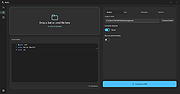 |
|
Bean Network Tester v0.8.0 Bean Network Tester v0.8.0 👉 Simulate slow, unreliable, or broken network conditions on Windows to test how applications respond. Bean Network Tester is a free and open-source network testing and emulation tool for Windows designed for software testers, developers, QA professionals, and power users. It deliberately introduces poor network conditions such as latency, jitter, packet loss, bandwidth restrictions, connection resets, outages, and other problems so you can see how an application behaves when its connection is less than perfect. Traffic can be targeted by process name, PID, IP address, port, or address family, allowing one application to be tested without necessarily disrupting the rest of the computer. The program uses the WinDivert driver to intercept and manipulate network traffic and provides both a graphical interface and a command-line interface suitable for scripts and CI/CD testing. Along with network impairment, it includes live statistics, throughput monitoring, a searchable connections table, event logging, configurable profiles and presets, reproducible seeded tests, CSV exports, and reproduction reports. Bean Network Tester is portable, requires administrator privileges to manipulate network traffic, and contains no telemetry or update-checking network client. It is released under the GNU General Public License v3.0. Features: • Add fixed or random network latency and jitter • Introduce latency spikes to simulate unstable connections and packet reordering • Drop packets randomly or in bursts to reproduce real-world wireless network failures • Corrupt or duplicate packets • Limit download and upload bandwidth in KB/s • Simulate network buffering and queuing delays • Tear down existing TCP connections using TCP resets • Prevent new connections from being established • Simulate a completely dead network link • Flap the connection on and off to reproduce intermittent outages • Simulate MTU black holes and NAT-style idle timeouts • Block selected IP addresses or ports with the built-in firewall controls • LAN mode allows local network traffic while blocking Internet access • Internet-only mode blocks ... |
|
121 | Oct 08, 2026 DonislawDev  |
|
BES – Battle Encoder Shirasι v1.8.0.39 BES – Battle Encoder Shirasι v1.8.0.39 👉 Limit CPU usage of individual processes to improve system responsiveness and reduce game stuttering. BES – Battle Encoder Shirasι is a lightweight, portable open-source utility that allows you to throttle the CPU usage of individual processes. Instead of allowing a program to consume 100% of your processor time, BES can reduce its CPU usage to a user-defined percentage, making it easier to use other applications while demanding tasks continue running in the background. Originally created as a simple CPU-limiting tool, BES has become popular with gamers and power users for reducing stuttering, preventing certain games from monopolizing CPU resources, and improving responsiveness on older or lower-core-count systems. It requires no installation, stores its settings locally, and can be run directly from any folder or USB drive. Features: • Limit CPU usage for individual processes • Adjustable throttling percentage • Portable with no installation required • Monitor and manage multiple target processes • Watch processes and automatically reapply limits • Command-line support for automation • Optional background image customization • Low resource usage • Open source under the GNU GPL v2 license • Useful for reducing game stutters and improving multitasking Supported operating systems: • Windows XP, Windows Vista, Windows 7, Windows 8, Windows 8.1, Windows 10, Windows 11 Supported languages: • English, French, Japanese, Finnish, Chinese, Russian, German Changes: v1.8.0.39 03-30-25 • Increased the maximum number of watched targets from 8 to 32. Click here to visit the author's website. |
|
4,952 | Jun 26, 2026 mion 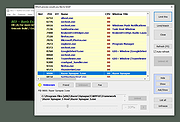 |
|
Best Of Windows Entertainment Pack Best Of Windows Entertainment Pack This is the 32 bit ultra rare version of the Best Of Windows Entertainment Pack(Runs on 64 bit OSes), It includes several classic games like: Cruel, Freecell, Golf, Pegged, Reversi, Snake, Solitaire, Taipei, Tictactics, Minesweeper This Microsoft Entertainment Pack Will Run on 64 bit Operating systems, as it is the 32 bit version and not 16 bit, you'll notice it doesn't have some notable games like chips challenge, that is because Microsoft never finished this pack. This was originally supposed to come with Windows NT 4.0 and Windows 2000 but it was not included in the final version. |
|
6,730 | Oct 15, 2019 Microsoft Corp. 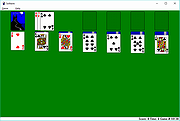 |
|
Better Windows Services v0.4.0 Better Windows Services v0.4.0 👉 Search, manage, and audit Windows services with a desktop app or command line tool. Better Windows Services gives administrators a searchable view of the local machine’s services and drivers. Its desktop app and command line tool use the same query language, so a search such as start:auto !status:running can find services set to start automatically that are currently stopped. Before starting, stopping, restarting, or changing a service’s startup type, the program shows a plan of the steps it will take, including affected dependent services. The command line can also save a snapshot of service settings and compare it with another snapshot or the live machine. The comparison separates configuration changes from ordinary changes in running state. Snapshots are available through the command line, not the desktop app. Features: • Search services and drivers by name, status, startup type, account, file, signature, publisher, dependencies, and other fields. • Preview service actions and their effects on dependent services before applying them. • Start, stop, restart, and change the startup type of services. • Offer a force stop that first requests a normal stop, then ends the process if necessary, with other services sharing that process identified in the preview. • Show details including triggers, required privileges, security descriptors, process information, and file signatures. • Export service lists from the desktop app. • Create and compare JSON snapshots with the command line tool to identify service configuration changes. • Provide JSON command output and exit codes for scripts. Supported operating systems: • Windows 10 version 1809 or later 64-bit, Windows Server 2019 or later 64-bit Supported languages: English Changes: v0.4.0 10-07-26 CHANGELOGBWS.txt Note: The GUI and CLI come in separate portable ZIP files. They include their own .NET runtime and work offline. Administrator rights are needed to make changes; viewing services without elevation may show fewer entries. 👉 This download is for the Windows 64bit GUI version (very bottom of page). All other download assets are below: Other ... |
|
145 | Oct 08, 2026 DonislawDev 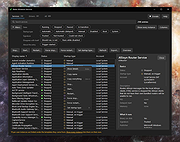 |
|
BirdFont v3.23.2 for Windows BirdFont v3.23.2 for Windows Birdfont is a free font editor which lets you create vector graphics and export TTF, EOT and SVG fonts. Development BirdFont is developed by Johan Mattsson with a good number of people contributing translations and patches. The editor is written in Vala and has around 60 000 lines of code. Release Notes 3.22 • Add a customized character set to the overview tab. • Center glyphs. Click here to visit the author's website. |
|
7,596 | Mar 02, 2019 BirdFont Team  |
|
BitDefender Antivirus Free Edition v27.0.62.352 BitDefender Antivirus Free Edition v27.0.62.352 👉 Free real-time antivirus protection for Windows PCs. BitDefender Antivirus Free Edition provides lightweight, cloud-powered antivirus protection designed to defend Windows computers against viruses, malware, ransomware, phishing attacks, and other online threats. It uses Bitdefender’s award-winning security technologies while maintaining a simple “install and forget” approach that runs quietly in the background without slowing down your system. The program delivers real-time threat detection, automatic malware scanning, web attack prevention, anti-phishing protection, and malicious website blocking. It also includes integrated Bitdefender VPN access with limited daily encrypted traffic for safer browsing. BitDefender Antivirus Free Edition is optimized for gaming, multimedia editing, and other resource-intensive activities by minimizing system impact while maintaining continuous protection. Features: • Real-time antivirus and malware protection • Cloud-powered threat detection • Advanced anti-phishing protection • Malicious website and scam blocking • Automatic security updates • Lightweight system resource usage • Optimized for gaming and multimedia tasks • Integrated Bitdefender VPN with limited daily traffic • Automatic threat remediation and quarantine • Simple install-and-forget interface • Web traffic scanning • Protection against ransomware and online threats Supported operating systems: • Windows 7 SP1, Windows 8.1, Windows 10, Windows 11 Supported languages: English, German, French, Spanish, Italian, Romanian, Dutch, Swedish, Chinese Traditional, Chinese Simplified, Portuguese, English UK, English AU Changes: v27.0.62.352 08-20-26 Fixed an issue where protection review reports included monitored web and email activity even when the related protection features were disabled Fixed an issue where Bitdefender services were not responding at startup Fixed an issue where Bitdefender services could appear unresponsive while the product remained functional Fixed an issue where SecurePass could not remain disabled in Safepay Fixed an issue causing continuous notifications about webcam access Fixed an issue where the verified links counter reset to zero after rebooting on Windows 11 Fixed an issue causing multiple firewall notifications stating that an application had changed Note: BitDefender Antivirus Free Edition requires you to create a free account. Click here to ... |
|
11,990 | Aug 27, 2026 BitDefender Labs 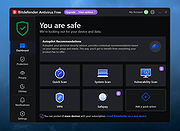 |
|
Bitvise SSH Client v9.66 Bitvise SSH Client v9.66 👉 A powerful Windows SSH client for secure remote access, file transfer, tunneling, and terminal emulation. Bitvise SSH Client is a secure, flexible SSH (Secure Shell) client for Windows. It lets users connect to remote systems securely for terminal access, encrypted file transfers, dynamic and static port forwarding, and other SSH-based operations. Its graphical and command-line interfaces make securely managing remote servers, transferring files, and setting up secure tunnels easy for both casual and advanced users. It supports advanced protocols, customizable authentication methods, and a robust set of features to meet modern secure networking needs. Features: • Graphical SFTP client with advanced file transfer features. • Terminal emulator supporting bvterm, xterm, and VT100 protocols. • Powerful SSH2 port forwarding and tunneling (SOCKS/HTTP). • Dynamic tunneling and proxy support (SOCKS4/5, HTTP CONNECT). • Drive-mapping support for SFTP remote directories. • Command-line clients for scripted file transfer, execution, terminal, and tunneling. • Integrated authentication with public keys, Kerberos/GSSAPI, and NTLM. • Single-click remote desktop forwarding. Supported operating systems: • Windows XP SP3, Vista, 7, 8.1, 10, Windows 11 • Windows Server 2003 through Windows Server 2025 Supported languages: English Changes: v9.66 07-20-26 SSH: Improved multiple avenues which a server could use to exert disproportionate memory pressure on the client. SFTP drive: The SSH Client now includes WinFsp version 2.2.26194. This addresses CVE-2026-7162, which is a local privilege escalation. Users who install the SSH Client with the SFTP drive feature are recommended to update, especially on multi-user systems. The SFTP drive feature is available if Install WinFsp is selected when installing. The UNC path used by the SFTP drive is now configurable. This makes it practical to configure a UNC path for access by other users on the system. The SFTP drive can now be configured to expose only the UNC path, without assigning a ... |
|
6,289 | Sep 16, 2026 Bitvise Limited  |
|
Blackthorne for Windows Blackthorne for Windows In Blackthorne, players take on the role of Kyle Blackthorne, a lethal commando equipped with brute strength, animal cunning, and a mysterious past that he has just begun to remember. Thrown onto the futuristic planet of Tuul, Blackthorne must contend with a world overrun by mutant monsters and goblin hordes in a valiant attempt to liberate the Androthi people. |
|
6,965 | Mar 01, 2016 Blizzard Entertainment  |
|
BootRacer v9.55 BootRacer v9.55 👉 Measure Windows boot speed and identify startup programs that slow your PC. BootRacer is a free utility for non-commercial use that accurately measures how long Windows takes to boot and helps identify startup programs that increase boot time. Unlike a simple stopwatch, it measures the actual Windows startup process while excluding password entry time, providing a more realistic view of system performance. BootRacer records each boot, tracks changes over time, and lets you compare results to determine whether your system is speeding up or slowing down. BootRacer also includes startup management tools that allow you to review, disable, delay, reorder, or customize startup applications so Windows can become usable more quickly. It displays detailed timing information for the boot process and startup programs, provides boot history with graphs and statistics, and can notify you when Windows has completely finished loading background services so you know when your computer is truly ready for use. Additional features such as service optimization and advanced system tweaks are available in the Premium edition. Features: • Measures true Windows boot time without including password entry delays • Monitors every boot and keeps a detailed boot history • Displays boot performance graphs and statistics • Identifies startup applications that slow Windows • Disable, delay, reorder, or customize startup programs • Shows the time consumed by individual startup applications • Compares current boot times with previous boots • Writes boot information to the Windows Event Log • Includes boot completion notifications when Windows is fully ready • Lightweight with minimal system resource usage • Free for personal, non-commercial use Supported operating systems: • Windows 2000, Windows XP, Windows Server 2003, Windows Vista, Windows 7, Windows 8, Windows 8.1, Windows 10, Windows 11 (32-bit and 64-bit) Supported languages: • English, Brazilian Portuguese, French, German, Hungarian, Italian, Japanese, Korean, Polish, Russian, Turkish, Ukrainian Changes: v9.55.2026.519 05-19-25 Fixed the timing race condition bug affecting applications launched from ... |
|
6,459 | Jun 26, 2026 Greatis Software  |
|
Borderless v1.0.4.0 Borderless v1.0.4.0 👉 Automatically control borderless, fullscreen, and custom window layouts in Windows. Borderless is a free, open-source Windows utility that automatically applies and maintains customized window layouts for games and applications. Create rules that identify programs by their window title, executable name, or both, and Borderless automatically applies your chosen settings whenever a matching window appears. Despite its name, Borderless does considerably more than simply remove window borders. Rules can maximize a window to its current monitor, position and resize it to custom dimensions, keep it always on top, control the mouse cursor, remove standard window menus, and mute a program when it loses focus. This can be particularly useful with games that lack a proper borderless-windowed mode, older software that doesn't remember its window position, and programs you always want opened on a particular part of the screen. Features: • Automatically applies window rules to games and applications • Converts matching windows to a borderless layout • Matches applications using window titles, executable names, or both • Supports regular expressions for flexible window-title matching • Includes a live process picker for quickly selecting running applications • Reapplies selected window settings while Borderless is running • Prevents applications from simply restoring borders after they are removed • Maximizes windows to the current monitor • Supports custom window positions and dimensions • Keeps selected windows always on top • Locks the mouse cursor to the focused window • Releases the cursor when switching away with Alt+Tab • Hides the mouse cursor while a selected window is focused • Restores the cursor when focus moves away from the window • Removes standard window menu bars when configured • Mutes an application's audio while it is in the background • Allows individual rules to be enabled or disabled • Shows live rule status information • Provides configurable defaults for newly created rules • Runs from the Windows system tray • Can start automatically with Windows • Can ... |
|
236 | Aug 13, 2026 Venipa  |
|
Bouncy Blob v1.0.1 Bouncy Blob v1.0.1 👉 Infinite climbing and bouncing platform game. Bouncy Blob is a procedurally generated infinite climbing and bouncing platform game created by rocketnine. Your goal is simple: keep climbing as high as possible by bouncing from platform to platform while avoiding a long fall. Every new game generates a fresh world using Perlin noise, ensuring that no two climbs are exactly alike while preserving a familiar starting area so you can quickly get into the action. As you climb higher, the challenge steadily increases, requiring faster reactions and more precise jumps to maintain your momentum. The game records your highest score, greatest height reached, and fastest velocity, encouraging you to improve with each attempt. You can also enter custom seeds to replay the same generated world, making it easy to challenge friends on identical maps or revisit a particularly enjoyable climb. Despite its straightforward controls, Bouncy Blob offers surprisingly addictive gameplay that rewards practice, timing, and quick decision-making. With support for keyboard, mouse, and touchscreen controls, along with fullscreen mode, pause support, customizable color themes, and music muting, it provides a polished arcade-style experience on both Windows and Linux. After toggling fullscreen off (Alt + Enter), simply close the game window to quit. Features: • Procedurally generated infinite climbing levels • Fast bouncing platform action • Unique play-throughs using generated seeds • Manual seed entry for replaying a specific level • Tracks highest velocity, height and score • Pause support • Mouse and touchscreen input support Keyboard controls: • Jump: W / Up / Space • Move Left: A / Left • Move Right: D / Right • Restart: R / Backspace / Delete • Mute Music: Ctrl + M • Toggle Color: F12 / Ctrl + C • Toggle Fullscreen: Alt + Enter • Enter Seed: Ctrl + S • Pause: Escape • After toggling fullscreen off (Alt + Enter), close the window to quit the game Supported operating systems: • ... |
|
440 | Jul 03, 2026 Trevor Slocum  |
|
Brightness.Manager.OK v1.77 Brightness.Manager.OK v1.77 👉 Adjust screen brightness and individual RGB levels in Windows. Brightness.Manager.OK is a small freeware utility for adjusting your display when Windows brightness controls or monitor buttons are unavailable. Separate red, green, and blue adjustments help compensate for unwanted color casts. You can apply saved settings at startup and launch the program automatically when you sign in. Note: Closing the window moves it to the notification area. Use the Exit button to quit. Features: • Overall brightness adjustment. • Independent RGB controls. • Apply saved values at startup. • Optional automatic startup with Windows. • Notification area access. • Shortcuts to related system settings. • Portable operation. • Low processor and memory usage. • Built-in self-delete option. Supported operating systems: • Windows 7, Windows 8.1, Windows 10, Windows 11 • Windows Server 2012 through Windows Server 2025 Supported languages: Arabic, Brazilian Portuguese, Dutch, English, French, German, Italian, Japanese, Korean, Portuguese, Russian, Simplified Chinese, Spanish, Traditional Chinese Changes: v1.77 05-31-26 Updates to the language files in the Brightness.Manager.OK application. Minor improvements and new languages: Spanish and Portuguese Click here to visit the author's website. |
|
1,381 | Oct 04, 2026 Nenad Hrg  |
|
BrowserAddonsView v1.30 BrowserAddonsView v1.30 👉 View installed browser addons and plugins in one simple list. BrowserAddonsView is a simple NirSoft tool that displays details for Web browser addons and plugins installed on your system. It can scan Chrome, Firefox, Internet Explorer, and Microsoft Edge, and it detects multiple Chrome and Firefox profiles when present. Features: • Displays installed browser addons, plugins, and extensions • Supports Chrome, Firefox, Internet Explorer, and Microsoft Edge • Detects multiple Chrome and Firefox profiles • View addons from all Windows profiles • View Chrome and Firefox addons from an external drive or remote computer • Export selected items to text, CSV, tab-delimited, XML, HTML, or JSON • Copy addon information to the clipboard for use in spreadsheets • Quick Filter for instantly filtering the addon list • Command-line options for exporting, sorting, selecting columns, and loading profiles • Portable; no installation required Supported operating systems: • Windows XP, Windows Vista, Windows 7, Windows 8, Windows 10, Windows 11 • 32-bit and 64-bit systems Supported languages: English, Arabic, Brazilian Portuguese, Dutch, French, German, Greek, Hungarian, Italian, Japanese, Persian, Polish, Romanian, Russian, Simplified Chinese, Slovak, Spanish, Traditional Chinese, Turkish Changes: v1.30 07-20-24 Added 'Black Background' option (Under the View menu). When it's turned on, the main table is displayed in black background and white text, instead of default system colors. This download is for the Windows 64bit version (very bottom of page). If you need the Windows 32bit version, download here. Click here to visit the author's website. |
|
6,468 | Oct 07, 2026 Nir Sofer  |
|
Bulk Crap Uninstaller v6.2 Bulk Crap Uninstaller v6.2 👉 Advanced uninstaller designed to remove large amounts of software quickly and completely. Bulk Crap Uninstaller (BCUninstaller) is a powerful tool for removing large numbers of applications from Windows systems quickly and efficiently. It is especially useful for cleaning up leftover files and registry entries that traditional uninstallers often miss. BCUninstaller supports automated bulk uninstalling, allowing users to remove multiple programs with minimal interaction. Bulk Crap Uninstaller automatically detects installed applications including standard programs, portable apps, Windows Store apps, and hidden or leftover entries. The program also provides advanced filtering, sorting, and search capabilities to help locate unwanted software quickly. In addition to standard uninstall functionality, BCUninstaller can scan for orphaned entries, leftover files, and invalid registry items that remain after incomplete removals. Its automation features enable fully unattended uninstall operations, making it ideal for power users, system administrators, and technicians who need to clean systems efficiently. Features: • Bulk uninstall multiple applications with minimal user interaction • Detects normal, hidden, protected, and Windows Store applications • Automated uninstalling with scripting support • Finds leftover files, folders, and registry entries after uninstall • Advanced filtering, grouping, and search tools for installed programs • Silent uninstall support where available • Startup manager and application rating system • Portable version available with no installation required • Verification and safety checks to prevent accidental removals Supported operating systems: • Windows 7, Windows 8, Windows 8.1, Windows 10, Windows 11 Supported languages: • Built-in: Arabic, Chinese, Czech, English, French, German, Hungarian, Italian, Japanese, Polish, Portuguese, Russian, Slovenian, Spanish • Localization Pack (optional download): Dutch, Finnish, Croatian, Korean, Swedish, Turkish, Vietnamese Changes: v6.2 06-09-26 Features: • Add invalid-uninstaller view preset • Add certificate and integrity columns to app list • Improve Scoop custom path detection Fixes: • Improve uninstall list load error handling • Fix tweak visibility filtering • Fix orphaned-only view preset • Stabilize icon handle ownership • Fix install date fallback • Improve ... |
|
8,969 | Jun 12, 2026 Klocman Software  |
|
Bypass SecureBoot and TPM in Windows 11 v1.0 Bypass SecureBoot and TPM in Windows 11 v1.0 A zip file containing two registry changes to allow running Windows 11 by bypassing the SecureBoot and TPM chip requirements. By: OlderGeeks.com 1) Backup your registry with this tool: https://www.oldergeeks.com/downloads/file.php?id=335 2) Double click "Bypass SecureBoot and TPM 1.reg" 3) Click YES at User Account Control prompt. 4) Click YES to allow registry changes. 5) Click OK at Registry Editor prompt. 6) Repeat 2-5 with "Bypass SecureBoot and TPM 2.reg" Click here to visit the author's website. |
|
3,804 | Jul 06, 2021 OlderGeeks.com  |
|
BZFlag v2.4.18 for Windows BZFlag v2.4.18 for Windows BZFlag is a 3D multi-player tank battle game that lets users to play against each other over a network. There are five teams: red, green, blue, purple and rogue (rogue tanks are black). Destroying a player on another team scores a win; being destroyed or destroying a teammate scores a loss. Rogues have no teammates (not even other rogues), so they cannot shoot teammates and they do not have a team score. There are two main styles of play: capture-the-flag and free-for-all. In capture-the-flag, each team (except rogues) has a team base and a team flag. The object is to capture an enemy team's flag by bringing it to your team's base. This destroys every player on the captured team, subtracts one from that team's score, and adds one to your team's score. In free-for-all, there are no team flags or team bases. The object is simply to get as high a score as possible. History of BZFlag (as told by ChrisSchoeneman) BZFlag began back in 1992 while I was a Masters student at the Cornell Program of Computer Graphics. I was an intern at SGI for the summers of '90 and '91, working on a prototype Indigo during the second summer which was a blast. So by 1992, IRIS GL was an old friend. At the Cornell PCG, essentially the only computers available were HP 700 series workstations. While CRX-24Z graphics wasn't too bad (around XS24-Z performance), HP's graphics library, Starbase, wasn't quite as easy to use as IRIS GL. In the words of fellow student Rick Pasetto, "Starbase sucks rocks." As a result, very few students wrote interactive graphics tools to assist their research. If you wanted to make an image you usually had to at least ray trace it. So Rick and I wrote an IRIS GL-like ... |
|
6,791 | Jan 05, 2020 Scott Wichser  |
|
C-evo Distant Horizon v3.4 C-evo Distant Horizon v3.4 👉 A free Civilization-style turn-based strategy game of exploration, expansion and empire building. C-evo Distant Horizon is an open-source 4X strategy game inspired by the classic Civilization II era. Guide your civilization from humble beginnings through thousands of years of history by exploring new lands, founding cities, researching technologies, building armies, negotiating with rivals and ultimately racing to become the first civilization to launch a spaceship. Unlike many modern strategy games, C-evo Distant Horizon focuses on deep strategic decision-making rather than flashy graphics. Every turn requires careful planning as you balance scientific advancement, economic growth, military strength and diplomacy. Design custom military units, develop your cities, expand your borders and adapt your strategy to changing world conditions while competing against intelligent AI opponents. Distant Horizon is an actively developed continuation of the C-evo project, adding numerous gameplay improvements, additional civilizations, interface enhancements, expanded maps and modern platform support while remaining faithful to the original game's addictive "just one more turn" gameplay. Features: • Classic Civilization-style 4X gameplay • Explore randomly generated worlds • Build, expand and manage cities • Research technologies through an extensive tech tree • Design custom military units • Multiple playable civilizations • Diplomacy, warfare, trade and scientific advancement • Large configurable world maps • Intelligent computer-controlled opponents • Automatic turn-by-turn game saves • Detailed built-in documentation and tutorials • Open-source and actively developed • Single-player gameplay focused on long-term strategy Supported operating systems: • Windows 7, Windows 8, Windows 10, Windows 11 • Debian, Ubuntu, Linux Mint, Raspberry Pi OS, Fedora, Mageia, Arch Linux Supported languages: English, Chinese (Simplified), Chinese (Traditional), Czech, French, German, Italian, Portuguese, Russian, Spanish Changes: v3.4 07-15-26 Not provided. This download is for the Windows 64bit version (very bottom of page). All other download assets are below: Other Windows: Install-C-evo-dh-3.4-win32.exe Linux: c-evo-dh_3.2-1_all.deb c-evo-dh-data_3.2-1_all.deb c-evo-dh-gtk2_3.2-1_amd64.deb c-evo-dh-stdai_3.2-1_amd64.deb Click here to visit the author's website. |
|
717 | Jul 26, 2026 Peter Blackman  |
|
C-Media CM8330, CM8338, CM8738 Audio Driver (WDM) driver C-Media CM8330, CM8338, CM8738 Audio Driver (WDM) driver for Windows 2003, Windows 95, Windows NT, Windows XP, Windows 2000, Windows 98 8330wdm-417.zip This package supports the following driver models: * C-Media CM8330 Audio Driver (WDM) * C-Media MPU-401 Driver (WDM) * C-Media Game port * CM8330 SB16 Driver (WDM) * C-Media CM8338 Audio Driver (WDM) * C-Media CM8738 Audio Driver (WDM) |
|
10,206 | Apr 01, 2009 C-Media |
|
Canon CLBP460PS PS & PCL driver PostScript and PCL5e Printer Driver Canon CLBP460PS PS & PCL driver PostScript and PCL5e Printer Driver For Windows 95, Windows 98, Windows ME and Windows NT 4 460pspcl.exe |
|
9,675 | Mar 29, 2009 Canon |
|
Celestia 1.6.1 for Windows Celestia 1.6.1 for Windows The free space simulation that lets you explore our universe in three dimensions. Unlike most planetarium software, Celestia doesn't confine you to the surface of the Earth. You can travel throughout the solar system, to any of over 100,000 stars, or even beyond the galaxy. All movement in Celestia is seamless; the exponential zoom feature lets you explore space across a huge range of scales, from galaxy clusters down to spacecraft only a few meters across. A 'point-and-goto' interface makes it simple to navigate through the universe to the object you want to visit. Celestia is expandable. Celestia comes with a large catalog of stars, galaxies, planets, moons, asteroids, comets, and spacecraft. If that's not enough, you can download dozens of easy to install add-ons with more objects. Changelog: Bug fixes * Removed extraneous colons from nearstars.stc * Fixed truncation of long label strings in East Asian locales * Increased size of Goto Object dialog to prevent translated strings from being truncated * Fixed i18n bug with scripting message * Removed duplicate install of stars.dat. * Fix code taking address of a temporary result. * Fixed compile warnings in 1.6.1 caused by redfinition of UINT64_MAX * Corrected encoding of cel URLs with non-ASCII characters * Added check to prevent a crash when string decoding fails Data file updates: * Updated extrasolar planets data files. * Updated solar system locations files. * Updated numberedmoons.ssc file. * Updated Galileo add-on. Platform-specific changes: * Linux: Add missing files from extras-standard to Makefiles. * Windows: Fixed i18n bug [2753461] * Windows: Save FoV value in bookmarks * Windows: Added ecliptic line setting to View Options dialog box * Windows: Fixed i18n bug in Windows Script menu * Windows: Added link to new HTML help files to Help menu * Windows: Fixed invisible context menu in fullscreen mode (ATI cards) * Windows: Fixed menu bar overlapping top of 3D view (ATI cards) * Windows: Save and restore locations to/from ... |
|
6,600 | Apr 09, 2017 Celestia Development Team  |
|
Cherrytree v1.7.2.1 Cherrytree v1.7.2.1 👉 A powerful hierarchical note-taking application with rich text, syntax highlighting, embedded files, tables, code boxes and extensive organization tools. Cherrytree is a hierarchical note-taking application designed for organizing notes, documentation, research, code snippets, ideas and other information in a structured tree. It combines rich text editing with syntax highlighting, images, tables, code boxes, mathematical equations, embedded files and extensive linking and search capabilities. Documents can be stored in a single XML or SQLite file or as multiple files and directories. Features: • Hierarchical tree structure for organizing notes and documents into nodes and subnodes • Rich text editing with foreground and background colors, bold, italic, underline, strikethrough and monospace formatting • Multiple heading levels plus subscript and superscript formatting • Syntax highlighting supporting numerous programming and scripting languages • Code boxes for keeping source code and other preformatted content inside notes • Insert images directly into notes • Resize and rotate inserted images • Save embedded images as PNG files • Render LaTeX mathematical equations within notes • Embed files directly inside documents and save them back to disk when needed • Create tables directly inside notes • Import and export table data using CSV • Bulleted, numbered and to-do lists • Multi-level lists with indentation support • Hyperlinks to websites, files and folders • Internal links between Cherrytree nodes • Anchors for linking directly to specific locations within notes • Powerful search and replace functions • Search across multiple nodes • Search node names and tags using multiple words • Tree node tags for additional organization and searching • Spell checking support • Automatic URL recognition • Insert current date and time into notes • Insert today's or tomorrow's node • Word count in the status bar, including selected text, code boxes and tables • Node sorting tools for organizing large trees • Drag and drop nodes within the tree • Import content from several other note-taking applications and document formats • Export notes to PDF • Export content ... |
|
7,780 | Sep 23, 2026 Giuseppe Penone  |
|
Chicony Electronics kb-9885 keyboard driver for Windows 95, 98 Chicony Electronics kb-9885 keyboard driver for Windows 95, 98 9885.zip |
|
10,066 | Apr 09, 2009 Chicony Electronics |
|
CHK v6.12 CHK v6.12 👉 Advanced portable file hashing and verification tool. CHK is an advanced file hashing and verification tool with a simple interface and a portable, no-install design. It can verify file integrity, find duplicate files, and compute checksums quickly, while also supporting full Unicode and drag-and-drop operation. Features: • Verify the integrity of downloaded or transferred files • Find and remove duplicate files • Supports a wide range of algorithms including CRC-32, MD5, SHA-256, BLAKE3, xxHash3, and more • Compute Shannon Entropy for files to help spot compressed or encrypted data • Portable design with no installation required • Full Unicode support • Drag-and-drop support • Free to use Supported operating systems: • Windows 32-bit • Windows 64-bit Supported languages: Chinese Simplified, Chinese Traditional, English, French, German, Greek, Hungarian, Italian, Japanese, Korean, Spanish Changes: v6.12 04-12-26 • Less strict rules for duplicate file searches. CHK now checks file size as well. • Improved sorting. • Bug fixes. This download is for the Windows 64bit version (very bottom of page). If you need the Windows 32bit version, download here. If you need the Language Packs, download here. The Language Packs includes the following languages: Chinese Simplified, Chinese Traditional, English, French, German, Greek, Hungarian, Italian, Japanese, Korean, Spanish Click here to visit the author's website. |
|
1,342 | Aug 03, 2026 Ilya Muravyov  |
 |
Chris Titus Tech's Windows Utility v26.10.07 Chris Titus Tech's Windows Utility v26.10.07 👉 All-in-one PowerShell toolbox for installs, tweaks, repairs, and update control. Chris Titus Tech's Windows Utility is a PowerShell-based utility that combines application installs, system tweaks, repair tools, and Windows Update controls into a single graphical interface. It is designed to simplify Windows setup and maintenance tasks while giving users more control over performance, privacy, and system behavior. Because it makes system-level changes, it must be run with administrator privileges. Features: • Install popular applications from a curated software list • Apply privacy, performance, and usability tweaks • Built-in repair and troubleshooting functions • Manage and control Windows Update behavior • Quick access to Windows tools and configuration panels • Debloat options for removing unnecessary Windows components Supported operating systems: • Windows 10 • Windows 11 Supported languages: English Changes: v26.10.07 10-07-26 Changes Remove redundant DisableFileSyncNGSC write that FirstLogon.ps1 immediately overrides @CozREV (#5086) chore(deps): bump astral-sh/setup-uv from 10.1.0 to 10.2.0 @dependabot[bot] (#5120) chore(deps): bump sharp from 0.35.3 to 0.35.4 in /docs @dependabot[bot] (#5077) chore(deps): bump astro from 7.1.6 to 7.3.2 in /docs @dependabot[bot] (#5075) chore(deps): bump nanoid from 3.3.16 to 3.3.19 in /docs @dependabot[bot] (#5103) chore(deps): bump svgo from 4.0.2 to 4.1.0 in /docs @dependabot[bot] (#5074) chore(deps): bump devalue from 5.9.0 to 5.9.2 in /docs @dependabot[bot] (#5099) chore(deps): bump astral-sh/setup-uv from 9.0.0 to 10.1.0 @dependabot[bot] (#5085) chore(deps): bump js-yaml from 4.3.1 to 4.3.2 in /docs @dependabot[bot] (#5083) Add File Converter application to multimedia tools @catsmoker (#5036) Kitchen sink changes @aguashui (#5040) Features feat(dns): Add real-time DNS speed benchmark and \Fastest\ auto-selection option @MADHACKER85 (#4935) Fix CurseForge entry naming in applications.json @brxndonnn (#5072) Add SyncTrayzor @KarimBenkirane (#5065) ... |
|
4,476 | Oct 14, 2026 Chris Titus  |
|
Christmas Theme for Windows Christmas Theme for Windows A wonderful Christmas theme featuring 15 high resolution images. This download is for the Windows 11 / 10 / 8 / 8.1 version. If you need the Windows 7 version, download here. Click here to visit the author's website. |
|
2,768 | Dec 06, 2022 themepack.me  |
|
Chrono Mock v0.4.0 Chrono Mock v0.4.0 👉 Test how a Windows application behaves at another date without changing your computer’s clock. Chrono Mock runs an application with its own simulated date and time while Windows and your other programs continue using the real clock. It is designed for developers and testers checking things such as trial expiration, licence behaviour, reminders, certificate dates, month-end processing, and the Year 2038 boundary. Instead of changing the system clock and disrupting other software, you choose the application and the time it should see. The simulated clock can run normally, freeze, or move faster than real time. You can also jump forward or backward during a session to see how an application responds to a sudden clock change. Chrono Mock follows child processes and provides a separate time zone offset for the session. Its built-in audit reports which time sources it reached, which it missed, and whether the result works, works partially, or does not work. That verdict matters: an application may obtain time from a server or another source that a local tool cannot change. A date calculator helps prepare tests around trial deadlines, business days, holidays, quarter closes, and year-end changes. Chrono Mock offers a desktop interface and a command-line tool for scripts and automated testing. Both are portable. Support for native Windows applications is the most thoroughly tested; the developer marks several other application types, including .NET, Java, Python, and Electron, as experimental. Before testing an application at a future date, back up its data. The application may permanently save future-dated records or trigger licence rollback protection even after the session ends. Antivirus software may also flag the library Chrono Mock injects into applications. The developer documents these limitations and recommends checking each session’s audit. Features: • Runs a selected application at a specified date and time without changing the Windows ... |
|
97 | Oct 08, 2026 DonislawDev 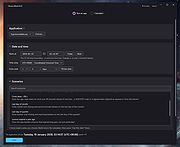 |
|
Cinecred v1.8.1 Cinecred v1.8.1 👉 Create beautiful film credits without the pain. Cinecred is a free and open source program for creating professional film credits from spreadsheet data. It reads credits from Excel, LibreOffice, Apple Numbers, CSV, or Google Sheets, then lets you interactively arrange, style, preview, and export title cards or rolling credits. Features: • Create title cards and rolling film credits • Reads Microsoft Excel, LibreOffice Calc, Apple Numbers, CSV, and Google Sheets credit data • Live visual preview while editing • Interactive styling with contextual controls and easy reverts • Default project template for quick setup • Flexible layouts and pixel-level customization • Use custom fonts, logos, images, and videos • Runtime fine adjustment for matching a desired credit roll length • Integrated real-time playback • DeckLink preview playout support • Export to video files, image sequences, stills, PDFs, and production formats • Supports ProRes, DNxHR, CineForm, H.264, H.265, Theora, PNG sequences, TIFF, and more • Free software licensed under GPLv3 Supported operating systems: • Windows • macOS • Linux Supported languages: English, German, Czech, Spanish, French, Chinese (China) Changes: v1.8.1 Not provided. This download is for the Windows version (very bottom of page). All other download assets are below: macOS: cinecred-1.8.1-arm64.pkg cinecred-1.8.1-x86_64.pkg Linux: cinecred-1.8.1-x86_64.deb cinecred-1.8.1-x86_64.rpm cinecred-1.8.1-x86_64.appimage Click here to visit the author's website. |
|
495 | Jun 15, 2026 Felix Mujkanovic  |
|
Claws Mail for Windows v3.17.4 Claws Mail for Windows v3.17.4 Claws Mail is an email client (and news reader), based on GTK+, featuring : Graceful, and sophisticated interface Easy configuration, intuitive operation Abundant features Extensibility Robustness and stability The appearance and interface are designed to be familiar to new users coming from other popular email clients, as well as experienced users. Almost all commands are accessible with the keyboard. The messages are managed in the standard MH format, which features fast access and data security. You'll be able to import your emails from almost any other email client, and export them just as easily. Click here for online manual 26th July 2019 Claws Mail 3.17.4 CLAWS MAIL RELEASE NOTES Claws Mail is a GTK+ based, user-friendly, lightweight, and fast email client. New in this release: ~~~~~~~~~~~~~~~~~~~~ * New HTML viewer plugin: Litehtml viewer * Added option 'Enable keyboard shortcuts' to the 'Keyboard shortcuts' frame on /Configuration/Preferences/Other/Miscellaneous * Compose: implemented copying of attached images to clipboard * Compose: images and text/uri-list (files) can now be attached by pasting into the Compose window * Python plugin: window sizes are now remembered for the Python console, the 'Open URLs' and the 'Set mailbox order' windows. * Fancy plugin: the download-link feature now follows redirections * MBOX export: the Enter key in the dialogue now starts the export * The date (ISO format) has been added to log timestamps * Updated translations: Brazilian ... |
|
6,881 | Sep 20, 2019 The Claws Mail Team 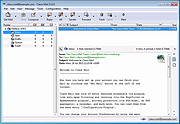 |
|
CleanSweep2 v3.1 CleanSweep2 v3.1 👉 Remove selected Windows junk files and see how much disk space you reclaim. CleanSweep2 lets you select temporary files, caches, logs, and other cleanup targets. It estimates reclaimable space before cleaning and reports the space recovered afterward. A command-line edition supports selective cleaning, logging, silent operation, and scheduled runs through Windows Task Scheduler. Review your selections carefully before removing File History snapshots or the Windows.old folder. Features: • Select cleanup targets individually. • Remove temporary files, temporary setup files, and temporary internet files. • Clear Chrome and Microsoft Edge caches, thumbnail caches, and Microsoft Office cache. • Clean Windows Update logs, error reports, Defender logs, and Delivery Optimization files. • Empty the Recycle Bin or remove Event Viewer logs when selected. • Optionally remove File History snapshots and the Windows.old folder. • See estimated reclaimable space and the amount recovered. • Save logs and remember selections in the graphical edition. • Run selective or scheduled cleaning with the command-line edition. Supported operating systems: • Windows 7, Windows 8, Windows 8.1, Windows 10, Windows 11 Supported languages: English Changes: v3.1 03-12-26 FIX - Multiple file exceptions on load CHANGE - Default to manual check for updates Click here to visit the author's website. |
|
5,044 | Sep 28, 2026 Thomas Loupe 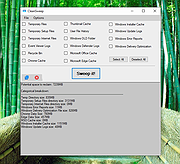 |
|
ClickPaste v1.4.4 ClickPaste v1.4.4 👉 Automatically type saved text into any field. Even ones that block normal paste operations. ClickPaste is a lightweight open-source utility that lets you store frequently used text snippets and insert them into any application quickly and easily. Instead of repeatedly typing the same phrases, commands, login names, or responses, ClickPaste allows you to maintain a list of reusable text entries and insert them whenever needed. Unlike traditional clipboard tools that paste text, ClickPaste simulates keyboard typing (keystrokes) to enter the text into the active field. This makes it especially useful for situations where standard paste operations are disabled—such as password fields, login forms, or secure input boxes that block clipboard pasting. Features: • Store and manage reusable text snippets • Automatically type text into the active field using simulated keystrokes • Works with fields that block clipboard pasting such as password boxes • Helps eliminate repetitive typing and reduce typing mistakes • Useful for support responses, commands, login names, and form entries • Lightweight and simple interface Supported operating systems: • Windows 10, Windows 11 Supported languages: English Changes: v1.4.4 05-05-26 Fix missing .cab file in installer, so the MSI can work (as a treat). Fixing #42 Click here to visit the author's website. |
|
800 | Jul 13, 2026 Collective-Software 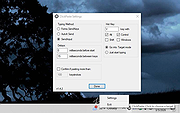 |
|
ClickShield v1.2.1 ClickShield v1.2.1 👉 Helps block ClickFix phishing attacks and suspicious clipboard commands in Windows. ClickShield is a free Windows security utility designed to help protect against ClickFix and similar phishing attacks that attempt to trick users into executing malicious commands. These attacks commonly use fake CAPTCHA or verification screens that copy a command to the clipboard and instruct the user to paste it into the Windows Run dialog or Command Prompt. ClickShield monitors clipboard changes for suspicious commands, including PowerShell commands and Windows LOLBINs such as mshta, bitsadmin, wmic and regsvr32. When suspicious clipboard content is detected, it can alert the user and prevent the Run dialog from opening. Its LOLBIN Shield can also block selected Windows utilities from accessing the internet, adding another layer of protection against common ClickFix techniques. Features: • Monitors the Windows clipboard for suspicious text and commands • Helps protect against ClickFix and similar fake CAPTCHA phishing attacks • Detects suspicious PowerShell commands, including encoded commands • Detects commands involving commonly abused Windows LOLBIN utilities • LOLBIN Shield can block several Windows utilities from accessing the internet • Can prevent the Windows Run dialog from opening when suspicious clipboard content is detected • Provides alerts when potentially dangerous clipboard commands are found • Includes an option to completely disable the Windows Run dialog • Run dialog restriction can be useful for administrators managing employee computers • Designed to operate with minimal memory usage • Supports both 32-bit and 64-bit Windows systems Supported operating systems: • Windows 7, Windows 8, Windows 8.1, Windows 10, Windows 11 Supported languages: • English Changes: v1.2.1 09-04-26 [*] Fixes and Improvements: • The alert message now stays on top of all windows instead of launching on the browser. This way it protects itself from ClickFix attack variants that attempt to close it and CrashFix attacks that crash the browser. The alert message remains visible until the user closes it. • The alert ... |
|
647 | Sep 30, 2026 Emir Alp Kocak  |
|
ClipAngel v2.23 ClipAngel v2.23 👉 Clipboard history capture and paste tool. ClipAngel is a clipboard manager that captures multiple clipboard objects and lets you select and paste them into any program. It is inspired by ClipDiary, Ditto, and AceText, with main priorities of usability, compatibility, and reliability. Features: • Captures clipboard history for supported clipboard formats • Supports text, HTML, RTF, image, and file clips • Text filter and clip list share key presses, so there is no need to change focus • Ability to delete and move clips in the list • History is stored encrypted on disk • Portable mode • Auto position window near text input • Always on top option • Open clip as file command • Simulate character input for windows isolated from the clipboard • Support for sending paste and input to elevated windows • Monitor clipboard switch • Word wrap and monospaced font options • Clip list shows samples for picture clips • Native formatting switch for HTML and RTF clips • Text compare command with support for Beyond Compare, ExamDiff Pro, WinMerge, Araxis Merge, DiffMerge, KDiff3, and custom applications • Translate text command • Drag and drop clips from the list • Preserves history even if the computer crashes Supported operating systems: • Windows Vista or later, Windows Server 2008 or later Supported languages: Brazilian Portuguese, Chinese (Simplified), English, French, German, Greek, Hindi, Italian, Polish, Russian, Spanish Changes: v2.23 06-04-26 Fixed inability to select text in HTML mode introduced in the previous version. Added "Text from picture" to the "Clip" submenu. Note: This file has two hits on VirusTotal. We have confirmed these to be false positives. The file is safe. Click here to visit the author's website. |
|
6,851 | Sep 03, 2026 tormozit 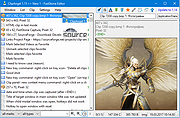 |
|
Clippy v0.4.3 Clippy v0.4.3 👉 A retro-style local AI chat app that runs GGUF large language models on your computer. Clippy lets you run a variety of large language models locally on your computer while using a nostalgic 1990s-style interface. It supports GGUF models through llama.cpp, includes one-click installation support for select models, and is designed as both a fun homage to Microsoft Office’s classic Clippy assistant and a reference implementation for Electron-based local LLM apps. Features: • Simple, familiar, and classic chat interface for chatting with local models. • Runs a variety of GGUF large language models locally on your computer. • Uses llama.cpp and node-llama-cpp to automatically discover the most efficient runtime path, such as Metal, CUDA, or Vulkan. • Includes one-click installation support for Google Gemma3, Meta Llama 3.2, Microsoft Phi-4, and Qwen Qwen3. • Lets you load your own downloaded models. • Allows custom prompts and parameter adjustments. • Works offline and locally, with the only network request being update checks, which can be disabled. • Styled as a love letter and homage to the late, great Clippy and 1990s Microsoft visual design. • Intended as a reference implementation of @electron/llm for developers building Electron apps with local language models. Supported operating systems: • Windows • macOS (Apple Silicon), macOS (Intel) • Linux (RPM, x64), Linux (Debian, x64) Supported languages: English Changes: v0.4.3 05-08-25 We still had issues with the incorrect native binaries making it into the build, breaking Clippy for Macs with Intel processors. This should finally be fixed. We figured it out! To move the Clippy icon to another position on your desktop: Left click on the icon, hold and drag it like normal but you have to hover your cursor over a part of Clippy that doesn't show a question mark. Like this: This download is for the Windows 64bit installer version (very bottom of page). All other download assets are below: Other Windows: Clippy-win32-x64-0.4.3.zip macOS: Clippy-darwin-arm64-0.4.3.zip Clippy-darwin-x64-0.4.3.zip Linux: clippy_0.4.3_amd64.deb Clippy-0.4.3-1.x86_64.rpm Click here to visit the author's ... |
|
838 | Mar 25, 2026 Felix Rieseberg 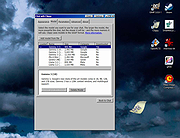 |
|
CloneScan v2.1 CloneScan v2.1 👉 Find, review, and safely remove duplicate files and folders. CloneScan is a free Windows utility designed to help you find, review, and safely remove duplicate files and duplicate folders from your computer. Features: • Find duplicate files and folders • Compare by file name, size, file name and size, or SHA-1 hash • Filter scans by file type • Set a minimum file size for scanning • Fast content scanning with parallel hashing • Grouped duplicate results • Move deleted items to the Recycle Bin • Export results to CSV Supported operating systems: • Windows 10, Windows 11 Supported languages: English Changes: v2.1 09-09-26 New scan options. Minor fixes. Click here to visit the author's website. |
|
690 | Sep 10, 2026 TkoSoft 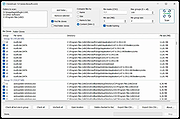 |
|
CloverBootloader v5172g CloverBootloader v5172g 👉 Boot macOS, Windows and Linux in UEFI or legacy mode. CloverBootloader is an open source bootloader for macOS, Windows and Linux on Mac or PC hardware with UEFI or BIOS firmware. Features: • Boot macOS, Windows and Linux in UEFI mode • Boot in legacy mode on Mac or PC with UEFI or BIOS firmware • Boot using UEFI firmware directly • CloverEFI UEFI firmware emulation • Customizable GUI with themes, icons, fonts, background images, animations and mouse pointers • Native screen resolution in GUI • Multilingual help from the boot GUI, depending on configuration • Save preboot logs from the GUI • Show hidden boot entries • Save original OEM ACPI tables • Test DSDT patching • Save screenshots from the GUI • Reset NVRAM • Create custom boot entries • Launch EFI command shell from the GUI Supported operating systems: • Bootloader support: macOS, Windows, Linux • Firmware support: UEFI, legacy BIOS Supported languages: Multilingual interface and help system. The project does not publish an official list of supported languages. Changes: v5172 03-22-26 The release corresponds to commit 6645e05. The release updated for compilation by gcc-15.2 because Xcode compilation is not fully correct. Fix errors in string usage. Changed XString8 -> XStringW for FullTitle and LoaderTitle. Explicit conversion from XString8 and XStringW. Restore old fixes abandoned at 5171. Restore laptop brightness fix. This download is for the ISO version (very bottom of page). A bootable ISO image (compressed with 7-Zip) containing Clover. Typically used to create a bootable CD/DVD or virtual machine boot image. All other download assets are below: EFI file: BOOTX64.efi.zip Contains the standalone BOOTX64.efi UEFI bootloader file. Useful for manually repairing or replacing the EFI boot file on a USB drive or EFI System Partition. macOS installer: Clover_r5172.pkg The macOS installer package. This is what most Hackintosh users running macOS would use to install or update Clover directly from macOS. Clover distribution archive: CloverV2-5172.zip The main Clover distribution archive. Contains the Clover bootloader files for manual installation or updating an existing Clover ... |
|
6,614 | Jun 15, 2026 CloverHackyColor  |
|
ControlMyMonitor v1.43 ControlMyMonitor v1.43 👉 View and modify your monitor's DDC/CI settings from a graphical interface or the command line. ControlMyMonitor is a freeware NirSoft utility that lets you view and change supported monitor settings, also known as VCP features, such as brightness, contrast, sharpness, RGB color balance, OSD language, and input source. It can manage monitor settings from a simple GUI or from the command line, and it can also export a monitor's settings to a configuration file and later load them back. Features: • View monitor VCP features such as brightness, contrast, sharpness, color balance, OSD language, and input port • Change supported monitor settings from a graphical interface • Control monitor settings from the command line • Export monitor settings to a configuration file • Load saved configuration settings back into a monitor • Support for multiple monitors with selectable monitor identifiers • Save monitor settings to text, tab-delimited, CSV, HTML, and JSON-compatible export formats • Includes command-line options for setting values, changing values, reading values, switching values, and turning monitors on or off Supported operating systems: • Windows Vista, Windows 7, Windows 8, Windows 8.1, Windows 10, Windows 11 Supported languages: Arabic, Brazilian Portuguese, Dutch, French, German, Greek, Hungarian, Italian, Japanese, Korean, Persian, Russian, Simplified Chinese, Slovak, Spanish, Traditional Chinese Changes: v1.43 Added 'Black Background' option (Under the View menu). When it's turned on, the main table is displayed in black background and white text, instead of default system colors. Click here to visit the author's website. |
|
6,738 | Aug 14, 2026 Nir Sofer 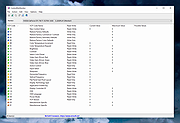 |
|
Convert for Windows 4.10 Convert for Windows 4.10 Convert is a free and easy to use unit conversion program that will convert the most popular units of distance, temperature, volume, time, speed, mass, power, density, pressure, energy, and many others, including the ability to create custom conversions! Operating Systems Convert runs on the following operating systems: Windows 95 Windows NT 4 Windows 98 Windows 98SE Windows ME Windows 2000 Windows XP Windows 2003 Windows Vista (32-bit & 64-bit) Windows 7 (32-bit & 64-bit) Windows 8 (32-bit & 64-bit) Windows 10 (32-bit & 64-bit) Linux/UNIX/anything that runs Wine* *Convert runs quite well on Linux and UNIX using Wine. If you do this, you may need to change the tab layout to use a single row by going into Options > Preferences > Tabs, and clear the Multiple Lines option. |
|
5,988 | Oct 23, 2019 Joshua F. Madison  |
|
Convert The Spire Reborn v14.3.1 Convert The Spire Reborn v14.3.1 👉 A native media suite for downloading playlists and online media, managing torrents, converting files, playing your library and casting to compatible devices. Convert The Spire Reborn is a free, open-source media application built with Flutter for downloading media and large playlists, managing torrents, converting files, playing audio and video, and organizing a local media library. It uses yt-dlp for supported online sources and can process content from more than 1,800 supported sites. The program also includes a built-in media player, playlist tools, DLNA/UPnP casting, a browser with ad and tracker blocking, userscript support, and a Watch Together feature for synchronized playback across devices on the same network. The native application avoids Electron and is designed to run directly on Windows, macOS and Android. Features: • Download individual media files and large playlists from supported online sources • Uses yt-dlp with support for more than 1,800 compatible sites • Torrent manager for adding, downloading and managing torrent queues • Built-in audio and video media player • Playlist management, queue handling and local library tracking • Convert between more than 27 document, image, archive and media formats • DLNA and UPnP casting to compatible smart TVs and speakers • Watch Together synchronizes playback between phones, PCs, Macs and compatible TVs on the same local network • Watch Together rooms use a six-character sharing code and require no account • Built-in browser accepts URLs, IP addresses and ordinary search queries • Browser includes ad and tracker blocking • Supports Tampermonkey and Greasemonkey-style userscripts • Custom file explorer suitable for desktop and TV interfaces • Playlist-to-folder matching helps identify missing media • Supports automated playlist installation and downloading • Native Flutter application without an Electron-based runtime • Raw UDP and TCP networking supports local device discovery and casting • Battery-aware background processing can reduce intensive activity when battery power is low • Privacy-focused design with no tracking of downloaded ... |
|
76 | Sep 22, 2026 Lukas Bohez  |
|
CoolTerm v2.4.0 CoolTerm v2.4.0 👉 Easy-to-use serial port terminal for communicating with connected hardware. CoolTerm is a simple serial port terminal application, with no terminal emulation, for hobbyists and professionals who need to exchange data with devices connected to serial ports, such as servo controllers, robotic kits, GPS receivers, microcontrollers, and other hardware. Written in Xojo. Features: • Multiple concurrent connections on separate serial ports • Display received data as plain text, hexadecimal, or graphic chart • Special receive and transmit character handling • Send data by keypress, Send String dialog, copy/paste, or file transfer • Send text and binary files by dialog or drag-and-drop • Capture received data to text or binary files • Local echo for transmitted and received data • Hardware and software flow control • Visual line status indicators • Manual control of RTS, DTR, and serial BREAK • Configurable character, line, and packet delays • Transmit macros, saved connection options, and scripting support Installation CoolTerm comes without an installer and can be placed anywhere on the hard-drive as long as the correct folder structure is maintained. I.e. the included "Libs" and "Resources" folders must reside in the same location as the CoolTerm application. Supported operating systems: Windows 8.1, 10, 11 macOS Mojave 10.14.x and higher Changes v2.4.0 05-19-25 NEW FEATURES: - Added the same "wait for termination string" options to the timestamp settings for received data as for captured data. This makes it possible to specify the termination string to wait for before timestamping and displaying received data. - Added option to include the timestamps added to received data in the data forwarded to other terminals. - Added support for relative and local paths in .CoolTermSession files. Paths beginning with .. and . will be considered relative and local paths, respectively. Saving a session will write absolute paths for all open terminals to the session file. However, a session file can be edited with a text editor and paths can be ... |
|
3,977 | May 07, 2026 Roger Meier  |
|
CopyFolders 2 Portable v2.0.31 CopyFolders 2 Portable v2.0.31 👉 Automatically copy new and modified files from multiple folders with versioning support. CopyFolders 2 is a utility designed to copy new or modified files from source folders to destination folders. It is intended primarily for backup purposes, allowing users to keep folders up to date by copying only files that have changed. CopyFolders 2 supports working with multiple source and destination folders at the same time. It can also keep several previous versions of files, helping preserve older copies when updates occur. The program operates through a simple interface where users configure the folders and options, then execute the copy process as needed. Features: • Copies only new and modified files • Supports up to 9 source folders • Supports up to 9 destination folders • Designed specifically for backup and updating folders • Can keep up to 6 previous versions of files • Allows defining multiple folder pairs for processing • Simple configuration of source and destination paths • Executes copy operations based on defined setup • Portable. No installation required. Supported operating systems: • Windows 10, Windows 11 Supported languages: English, Chinese, French, German, Italian, Polish, Portuguese, Russian, Spanish. Changes: v2.0.31 04-28-26 First update: Fixed a bug where if a path contains underscores ("_") them would not be displayed in the path text box Fixed UNC network path support and improved folder selection Improved file copy error reporting Click here to visit the author's website. |
|
830 | Aug 26, 2026 eziogarr-coder  |
|
Core Temp v1.21 Core Temp v1.21 👉 Compact CPU monitoring utility for tracking processor temperatures, loads and other vital information. Core Temp is a small, lightweight processor monitoring utility designed to display the temperature of each individual CPU core in real time. It reads the Digital Thermal Sensors built into modern Intel, AMD and VIA x86 processors, providing accurate temperature information directly from the processor rather than relying on motherboard sensors. It can also display processor model information, frequencies, load levels, power-related data and minimum, maximum and average temperature readings. Core Temp offers customizable notification-area monitoring, logging, Mini-Mode and support for plug-ins that can extend its functionality. Features: • Monitors the temperature of individual CPU cores in real time • Reads temperatures directly from the processor's Digital Thermal Sensors • Supports Intel, AMD and VIA x86 processors • Displays processor identification and model information • Shows individual core load information • Displays processor frequency information • Tracks minimum, maximum and average temperature readings • Provides configurable notification-area sensor displays • Includes a battery status indicator for the notification area • Includes a compact Mini-Mode display • Adjustable user-interface zoom • Can log processor temperature and monitoring information • Supports multiple processors and multiple cores • Motherboard-independent temperature monitoring • Provides shared-memory data for other applications • Supports plug-ins and add-ons for expanded functionality • Lightweight design with a small system footprint Supported operating systems: • Windows XP, Windows 7, Windows 8, Windows 8.1, Windows 10, Windows 11 • Windows Server 2003, Windows Server 2008, Windows Server 2012, Windows Server 2016, Windows Server 2019, Windows Server 2022, Windows Server 2025 Supported languages: English, Abkhaz, Armenian, Bulgarian, Simplified Chinese, Traditional Chinese, Catalan, Czech, Danish, Dutch, Finnish, French, Galician, German, Greek, Hebrew, Hungarian, Italian, Japanese, Korean, Norwegian, Polish, Portuguese, Romanian, Russian, Slovak, Slovenian, Spanish, Swedish, Turkish, Ukrainian, Vietnamese Changes: v1.21 10-03-26 - New: Redesign the notification tray configuration dialog. Should now be more intuitive and flexible. - Fix: Notification tray icons issues; missing ... |
|
5,443 | Oct 14, 2026 Arthur Liberman  |
|
CountryTraceRoute v1.51 CountryTraceRoute v1.51 👉 Fast GUI traceroute utility with IP country information for Windows. CountryTraceRoute is a traceroute utility similar to Windows tracert, but with a graphical interface and faster operation. It displays each hop along the route to a host name or IP address and also shows the country of the owner of each detected IP address. Completed traceroute results can be copied to the clipboard or saved as CSV, tab-delimited, HTML, or XML files. Features: • Fast graphical traceroute tool for Windows • Displays IP address country information for each hop • Supports host names and IP addresses • Supports IPv4, IPv6, and Automatic IP address modes • Displays TTL, ASN, and company information when supported location databases are used • Can use external IP-location CSV files for country, city, and ASN data • Supports GeoLite2 City, Country, and ASN databases in CSV format • Saves selected results as CSV, tab-delimited, HTML, or XML files • Copies selected results or IP addresses to the clipboard • Command-line options for starting traceroute, maximum hops, and timeout • Portable, no installation required Supported operating systems: • Windows 2000 through Windows 11, 32-bit and 64-bit Supported languages: English, Brazilian Portuguese, Dutch, French, German, Greek, Hungarian, Italian, Japanese, Korean, Persian, Polish, Romanian, Russian, Simplified Chinese, Slovak, Spanish, Traditional Chinese, Turkish Changes: v1.51 Added 'Black Background' option (Under the View menu). When it's turned on, the main table is displayed in black background and white text, instead of default system colors. Updated the internal IP location database. Note: This file has two hits on VirusTotal. We have confirmed these to be false positives. The file is safe. Click here to visit the author's website. |
|
5,130 | Apr 30, 2026 Nir Sofer 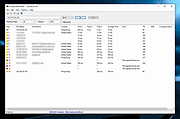 |
|
CPU-Z v3.0.1 CPU-Z v3.0.1 👉 Free system profiling tool that provides detailed information about your CPU, motherboard, memory, and more. CPU-Z is a lightweight diagnostic utility designed to provide in-depth information about your computer’s hardware. It identifies the processor name and number, codename, process, package, cache levels, and real-time core frequency. It also reports detailed information about the motherboard including chipset, BIOS version, and graphic interface details. CPU-Z displays memory information such as type, size, timings, and specifications (SPD), making it especially useful for verifying RAM configurations. The software also includes a built-in benchmark and stress test to evaluate processor performance and compare results with other systems. Features: • Processor name, codename, architecture, process, package, and cache details • Real-time core frequency and multiplier monitoring • Mainboard manufacturer, model, chipset, and BIOS information • Memory type, size, timings, and SPD data for each module • Graphics interface information • Built-in CPU benchmark and stress test • Validation feature to share system configuration Supported operating systems: • Windows 7, Windows 8, Windows 10, Windows 11 Supported languages: English, French, Spanish, German, Italian, Portuguese, Chinese (Simplified), Chinese (Traditional), Japanese, Korean, Russian Changes: v3.0.1 08-20-26 CPU-Z Validator V3 (more information *at that address*). 👉 This download is for the Windows version (very bottom of page). All other download assets are below: Other Windows: cpuz-arm64_1.05.zip (ARM64) cpu-z_1.04-win9x.zip (Vintage Edition for Windows 95/98) Click here to visit the author's website. |
|
9,391 | Oct 01, 2026 CPUID  |
|
Crapfixer v2.01 CrapFixer v2.01 👉 A lightweight Windows tweaking tool for finding, fixing and reversing unwanted Windows settings and features. CrapFixer is a free, open-source Windows tweaking utility designed to identify and fix unwanted settings, preinstalled apps and other annoyances in Windows 10 and 11. This release represents a complete rebuild of the program around a new database-driven tweak engine. Instead of hardcoding tweaks into the application, CrapFixer uses the Wintweak2.ini signature database to define settings that can be scanned, reviewed, changed and restored to their Windows defaults. The program follows a scan-first approach: analyze the system, review the results and decide which recommended changes to apply. Detailed results can show registry paths, current values, recommended values and original Windows defaults. Individual tweaks or entire categories can be restored, and CrapFixer creates registry backups before applying tweaks. Version 2 also includes an App Remover, optional PowerShell extensions, custom tweak creation, database updates and optional AI-powered explanations. AI explanations are informational only and do not participate in scanning or applying changes. Features: • Scan Windows settings and identify tweaks that require attention • Signature-driven tweak engine powered by the Wintweak2.ini database • Review changes before applying them • Restore individual tweaks or entire categories to Windows defaults • Supports registry tweaks containing multiple keys and values • Automatically handles Windows version requirements, administrator privileges and restart requirements • Detailed results display registry paths, current values, recommended values and Windows defaults • Sorts incorrectly configured settings to the top of results • Creates registry backups before applying tweaks • App Remover uses a separate Winappx.ini package database • Custom Tweaks tool lets advanced users create their own Wintweak2 signatures • Lightweight Extensions section supports optional PowerShell tools • Built-in database updating with support for merging an additional custom database • Online result analyzer and clipboard-friendly report format • Optional AI explanations for individual tweaks using Groq, OpenAI, Anthropic or OpenAI-compatible providers • AI ... |
|
2,353 | Sep 01, 2026 Builtbybel 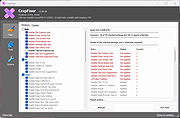 |
|
CrystalDiskInfo v9.9.3 CrystalDiskInfo v9.9.3 👉 Monitor and analyze the health and performance of your hard drives and SSDs. CrystalDiskInfo is a free hard drive health monitoring utility that provides detailed information about your storage devices, including HDDs, SSDs, and NVMe drives. It reads S.M.A.R.T. (Self-Monitoring, Analysis and Reporting Technology) data to help detect potential drive failures before they happen. CrystalDiskInfo displays temperature, health status, firmware version, serial number, interface, transfer mode, drive letters, and total host reads and writes for supported devices. It supports a wide range of storage interfaces and gives users a clear overview of drive condition through an easy-to-read interface with color-coded health indicators. CrystalDiskInfo is lightweight, easy to use, and ideal for anyone who wants to keep an eye on their system’s storage reliability and performance. Features: • Displays detailed S.M.A.R.T. information • Real-time drive temperature monitoring • Health status indicators with color coding • Supports HDD, SSD, and NVMe drives • Shows firmware, serial number, and interface details • Tracks total host reads and writes • Alert notifications for critical drive conditions • Lightweight and easy-to-use interface Supported operating systems: • Windows XP, Windows Vista, Windows 7, Windows 8, Windows 10, Windows 11 Supported languages: Abkhazian, Arabic, Armenian, Azerbaijani, Bulgarian, Catalan, Croatian, Czech, Danish, Dutch, English, Filipino, Finnish, French, Galician, German, Greek, Hebrew, Hungarian, Italian, Japanese, Korean, Lithuanian, Norwegian, Persian, Polish, Portuguese (Brazil), Portuguese (Portugal), Romanian, Russian, Serbian, Simplified Chinese, Slovak, Slovenian, Spanish, Swedish, Thai, Traditional Chinese, Turkish, Ukrainian, Vietnamese Changes: v9.9.3 10-11-26 Fixed: Transfer Mode Display for JMicron External Controllers Improved: SanDisk SSD SSD support Updated: Language files (Traditional Chinese) Click here to visit the author's website. |
|
10,667 | Oct 12, 2026 hiyohiyo  |
|
CrystalDiskMark v9.0.3 CrystalDiskMark v9.0.3 👉 Simple and reliable disk benchmark software. CrystalDiskMark is a lightweight disk benchmark utility designed to quickly measure the sequential and random read and write performance of hard drives, SSDs, NVMe drives, USB flash drives, and other storage devices. It provides clear and easy to understand results, making it ideal for comparing drive speeds or verifying storage performance after installation or upgrades. CrystalDiskMark supports multiple test modes and customizable settings, allowing users to adjust test size, number of passes, and measurement units. The interface is straightforward, with large buttons and clear output columns for sequential and random read and write speeds. It is widely used by enthusiasts, reviewers, and everyday users who want accurate storage performance results without unnecessary complexity. Features: • Measures sequential and random read and write performance • Supports HDD, SSD, NVMe, and USB storage devices • Multiple test sizes and pass counts • Customizable test profiles and settings • Displays results in MB/s, IOPS, and latency • Simple and easy to use interface Supported operating systems: • Windows 8.1, Windows 10, Windows 11 Supported languages: English, Japanese, Chinese (Simplified), Chinese (Traditional), Korean, French, German, Italian, Spanish, Portuguese, Russian, Polish, Hungarian Changes: v9.0.3 05-24-26 Improved: Security of DLL loading process Click here to visit the author's website. |
|
6,723 | Jun 27, 2026 Crystal Dew World 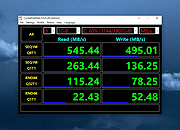 |
|
CudaText v1.234.4 CudaText v1.234.4 👉 Cross-platform, open-source text editor extensible with Python add-ons. CudaText is a cross-platform text editor written in Object Pascal. It is an open-source project that can be used free of charge (including for business use) and is designed to start quickly. CudaText is extensible via Python add-ons, including plugins, linters, code tree parsers, and external tools, and uses a feature-rich syntax parser based on the EControl engine. It starts quite fast (0.5 sec with ~30 plugins on CPU Intel Core i3 3Hz). It is extensible by Python add-ons (plugins, linters, code tree parsers, external tools). Features: • Syntax highlighting for many programming languages • Code folding • Multi-carets and multi-selections • Rectangular selection • Command palette • Tabbed interface • Split view editing (vertical and horizontal) • Side panel with file explorer • Built-in file tree • Built-in FTP client • Project manager • Snippets support • Auto-completion • Code tree (structure view) • Configurable hotkeys • Configurable UI themes • Configurable color themes • Minimap • Status bar with customizable elements • Lexer-specific settings • Session management • Recent files list • Support for large files • Portable mode support • Plugin system based on Python • Add-ons manager to install plugins, lexers, and themes • Console panel for command output • External tools integration • Multiple encodings support • Line endings support (Windows, Unix, Mac) • Bookmarks • Find and replace with regular expressions • Word wrap and non-wrap modes • Customizable indentation settings • Show invisibles • Ruler and margin configuration • Free and open source, including business use Supported operating systems: • Windows (i386, amd64) • Linux (amd64, arm, aarch64) • macOS (amd64, aarch64) • FreeBSD (i386, amd64), OpenBSD (i386, amd64), NetBSD (i386, amd64), DragonFlyBSD (amd64) • Solaris (amd64) • Haiku (i386, amd64) Supported languages: English, Chinese (Simplified), Chinese (Traditional), Czech, French, French (Switzerland), German, German (Austria), Italian, Japanese, Korean, Portuguese, Russian, Slovak, Slovenian, Spanish, Tamil (India), Tamil (Sri Lanka) Find documentation at the CudaText Wiki. Changes: v1.232.2 06-14-26 - fix: regression: "Unprinted chars" dialog lost translation - fix: improve command "delete word previous" when only 1 space ... |
|
5,919 | Jul 05, 2026 Alexey Yu. Torgashin (R.F.)  |
|
CurrPorts v2.80 CurrPorts v2.80 👉 Monitor and manage all active TCP/IP and UDP network connections on your Windows PC. CurrPorts is a lightweight network monitoring utility that displays every open TCP/IP and UDP port currently in use on your system. It provides detailed information about each connection, including the local and remote addresses, ports, protocol, process name, process ID, executable path, process version, connection state, and more. The utility is especially useful for troubleshooting network problems, identifying which applications are communicating over the network, monitoring suspicious activity, and diagnosing unwanted Internet connections. CurrPorts allows you to close selected TCP connections, terminate the process that opened them, copy connection details, or export information to HTML, XML, CSV, and text formats. It can also automatically highlight suspicious connections belonging to applications without version information or icons, making it easier to spot potentially unwanted or unknown software. Advanced filtering, logging, automatic refresh, GeoIP location support, command-line operation, and portable use make it a valuable tool for both system administrators and advanced users. Features: • Displays all active TCP and UDP connections in real time. • Shows process name, ID, executable path, version, and file description. • Displays local and remote IP addresses, ports, protocol, and connection state. • Close selected TCP connections without terminating the application. • Kill processes directly from the connection list. • Automatically highlights suspicious connections. • Advanced filtering by process, protocol, address, port, and connection state. • Automatic refresh with configurable intervals. • Logs newly opened and closed connections. • Export connection information to HTML, XML, CSV, tab-delimited text, and clipboard. • Optional GeoIP country, city, and ASN information for remote addresses. • Command-line support for automation and scripting. • Portable executable requiring no installation. • Supports customizable columns, sorting, fonts, and display options. Supported operating systems: • Windows 2000, Windows XP, Windows Server 2003, Windows Server 2008, Windows Vista, Windows 7, Windows 8, Windows 8.1, Windows 10, Windows 11 Supported languages: Arabic, ... |
|
10,863 | Jul 30, 2026 Nir Sofer 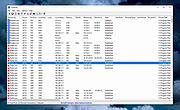 |
|
Cyber Prot v4.1.1.53 Cyber Prot v4.1.1.53 👉 Lightweight anti-ransomware protection that monitors system behavior to stop malicious encryption attacks before they damage your files. Cyber Prot is an anti-ransomware security tool designed to protect your system from file-encrypting malware and similar threats. It uses behavioral analysis and advanced algorithms to monitor system activity and detect suspicious operations that may indicate a ransomware attack. Instead of relying solely on signature databases like traditional antivirus software, Cyber Prot analyzes how programs behave. If a process begins performing suspicious actions such as rapid file encryption, mass file renaming, or unusual changes to file headers, the program can immediately intervene and terminate the offending process before it causes serious damage. Cyber Prot is designed to run alongside your existing antivirus solution, adding an additional layer of protection without significantly impacting system performance. The program runs quietly in the system tray and continuously monitors processes in the background. When a potential threat is detected, Cyber Prot can respond in several ways depending on your configuration. Possible actions include playing a warning sound, sending an email notification, shutting down the computer, or preventing the system from booting again until the issue is addressed. These flexible response options allow users to tailor the program’s behavior to their specific security needs. Features: • Behavioral monitoring of running processes to detect ransomware activity • Heuristic detection capable of identifying previously unknown threats • Real-time monitoring of file system activity • Ability to stop malicious processes before files are encrypted • Customizable actions when threats are detected • Email notification and sound alerts for detected attacks • Can shut down or lock the system to prevent further damage • Designed to run alongside existing antivirus solutions • Lightweight system tray operation with minimal performance impact Supported operating systems: • Windows 10, Windows 11 Supported languages: English Changes: v4.1.1.53 Not provided Click here to visit the author's website. |
|
774 | Mar 06, 2026 Cyberland 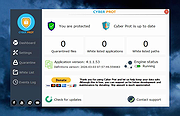 |
|
Dangerzone v0.11.0 Dangerzone v0.11.0 👉 Convert potentially dangerous documents into safe PDFs without exposing your computer to malicious content. Dangerzone is a free and open source document sanitization tool from the Freedom of the Press Foundation that lets you safely open PDFs, office documents, images and other potentially untrusted files. Instead of opening the original document directly, Dangerzone places it inside an isolated sandbox with no network access, converts each page into raw pixel data, and then reconstructs those pixels into a new, safe PDF. This process removes active content and other potentially malicious elements while preserving the document's visual appearance. Dangerzone supports more than 20 document types, including PDF files, major office-suite formats and common image formats. Because document processing takes place inside an isolated environment without network access, malicious content that might exploit the document converter is prevented from communicating with the outside world. Everything is processed locally on your computer. Features: • Converts potentially dangerous documents into safe PDF files • Uses an isolated sandbox to process untrusted documents • Renders document pages into raw pixel data before reconstructing them as PDFs • Removes potentially dangerous active content during conversion • Prevents the conversion sandbox from accessing the network • Processes documents locally on your computer • Supports more than 20 document and image formats • Supports PDFs and major office-suite document formats • Supports common image formats • Can process multiple documents • Allows additional documents to be added to an ongoing conversion • Supports converting another set of documents after completing a batch • Supports OCR processing • Free and open source under the AGPLv3 license • Maintained by the Freedom of the Press Foundation Supported operating systems: • Windows 10, Windows 11 • macOS, latest three supported releases, Intel and Apple Silicon • Ubuntu 22.04, Ubuntu 24.04, Ubuntu 25.10, Ubuntu 26.04 • Debian 12, Debian 13, Debian 14 • Fedora 43, Fedora 44 • Tails, current release • Qubes OS using a ... |
|
2,266 | Sep 02, 2026 Micah Lee  |
|
DeadLock v1.5.1 DeadLock v1.5.1 👉 Unlock files and folders that Windows refuses to release. DeadLock can be used to unlock files and folders that are locked by the system or other applications. This is especially useful when Windows will not let you delete, move, copy or rename something because it claims the file is still in use. DeadLock can unlock files and folders, take ownership, and help remove stubborn items without digging through Task Manager or command-line tools. DeadLock also supports command-line arguments, so advanced users can unlock files or folders directly from PowerShell or CMD without opening the full graphical interface. It is open source, lightweight, free to use and designed specifically for Windows. Features: • Unlock files and folders locked by Windows or other applications • Delete, move or copy locked files and folders • Take full ownership of stubborn files and folders • Command-line support for PowerShell and CMD use • Optional Windows Explorer integration • Theme and preference settings • Optional automatic update functionality • Open-source GPL-3.0 licensed software • No ads, trackers or user data collection Supported operating systems: • Windows 7 SP1, Windows 8, Windows 8.1, Windows 10, Windows 11 • Windows Server 2008 R2 SP1, Windows Server 2012, Windows Server 2012 R2, Windows Server 2016, Windows Server 2019, Windows Server 2022, Windows Server 2025 Supported languages: English, Chinese Simplified, Chinese Traditional, Russian, Bulgarian Changes: v1.5.1 02-15-26 Create Chinese simp. locale. Create a language file for Traditional Chinese. Fix Chinese Traditional locale. Updated russian translate. Added OS + updated link to HTTPS. Create bg.xml. Note: This file has two hits on VirusTotal. We have confirmed these to be false positives. The file is safe. Click here to visit the author's website. |
|
7,682 | Jun 11, 2026 CodeDead 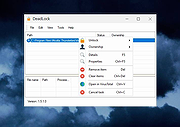 |
|
DebugView v5.02 DebugView v5.02 👉 Monitor local and remote Windows debug output in real time. DebugView is a Sysinternals utility that captures and displays both Win32 and kernel-mode debug output from your local system or from remote computers you can reach over TCP/IP. It is designed for developers, administrators, and troubleshooters who want to view debug messages without attaching a traditional debugger. DebugView can also recover kernel-mode debug output from crash dump files when it was capturing at the time of the crash, and it includes tools for filtering, logging, searching, printing, and managing captured output. Features: • Captures Win32 OutputDebugString output • Captures kernel-mode DbgPrint output • Captures all kernel-mode DbgPrint variants implemented in Windows and Windows Server • Monitors debug output from local or remote computers over TCP/IP • Supports simultaneous monitoring of multiple remote systems • Recovers kernel-mode debug output from crash dump files when capture was active • Includes filtering and highlighting options for debug output • Lets you toggle display of process IDs for Win32 debug output • Copies selected output lines to the clipboard • Logs captured debug output to a file • Loads saved log files back into the output window • Prints all or part of captured output • Runs as a single executable file • Requires administrative privileges to view kernel-mode debug output Supported operating systems: • Windows Vista, Windows 7, Windows 8, Windows 10, Windows 11, Server Supported languages: English Changes: v5.02 06-17-26 Command-line interface (DbgViewCLI): A new standalone command-line tool (dbgviewcli.exe) provides full debug capture capabilities from the terminal. Designed for scripted, automated, and AI-agent-driven workflows with bounded execution, machine-readable output, and process-specific filtering. See the DbgViewCLI section below for full details. AI-agent automation parameters: New CLI options (--duration, --max-lines, --wait-for, --tail, --no-banner, --status, --pid-filter, --process-filter) guarantee bounded execution and clean output for programmatic use by coding agents. Embedded agent skills with one-command install: DbgViewCLI embeds agent skill files as a binary resource and can ... |
|
746 | Aug 04, 2026 Microsoft Corp. 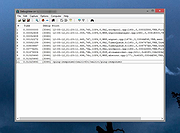 |
OlderGeeks.com Copyright (c) 2026
