|

|
Processed through Paypal No account required. |








Buy our over-priced crap to help pay the bills.



|
|
Processed through Paypal No account required. |
| File - Download AnyViewer Free v5.8.0 | ||||||||
| Description | ||||||||
|
Always scroll to the bottom of the page for the main download link. We don't believe in fake/misleading download buttons and tricks. The link is always in the same place. WARNING: If someone you don’t know called you... or you dialed a number that suddenly appeared on your screen... and they told you to download this program... IT IS A SCAM. HANG UP IMMEDIATELY! AnyViewer Free v5.8.0 👉 Free remote desktop software for accessing and supporting computers from another computer, tablet, or phone. AnyViewer Free is remote desktop software for personal use that lets you remotely access and support devices, whether attended or unattended, from another computer, tablet, or smartphone. It is designed for fast remote control, stable connections, high-quality image display, remote file transfer, chat, multiple monitor support, screen mirroring, and secure remote sessions using end-to-end encryption. 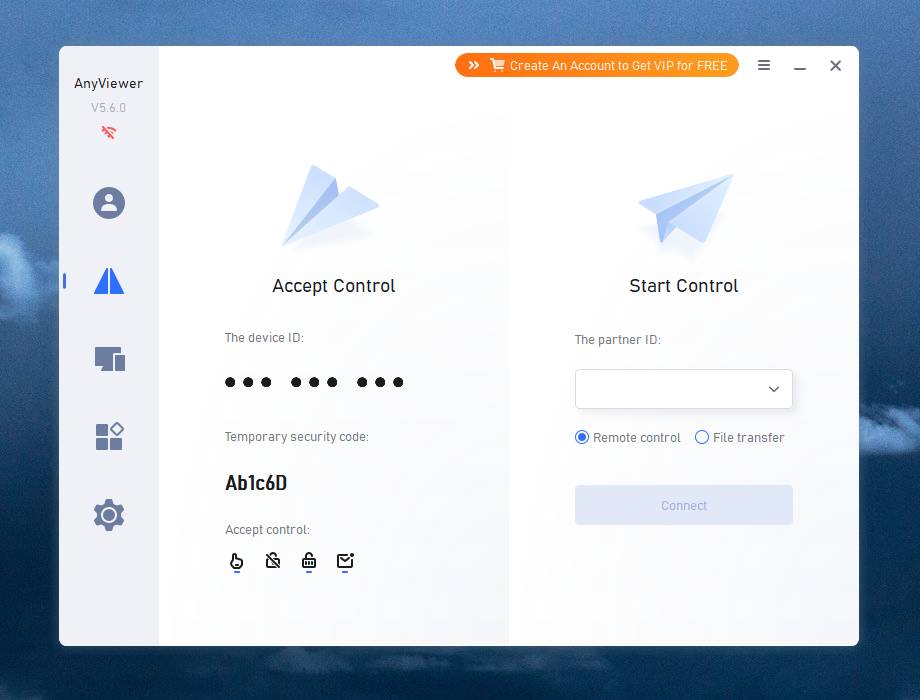 Features: • Remotely access personal devices from a PC, Mac, tablet, or smartphone • Supports attended and unattended remote access • Fast remote control with stable connection routing • High-quality image display with low latency • In-session and off-session remote file transfer • Chat during remote support sessions • Multiple monitor support • Display multiple remote screens in separate windows • Adaptive screen scaling • Mirror Android or iOS screens to a computer • Remote reboot and reconnect • Shortcuts to tools such as Command Prompt and Task Manager • Blacklist and whitelist access permissions by account or device ID • 256-bit asymmetric ECC end-to-end encryption • Two-factor authentication support Supported operating systems: • Windows 8.1, Windows 10, Windows 11 • Windows Server 2012 R2, Windows Server 2016, Windows Server 2019, Windows Server 2022 • macOS 10.15 or later • iOS 10.0 to iOS 16 • Android 6.0 or later Supported languages: English, French, German Changes: v5.8.0 07-07-26 Enhanced: Support for quick file transfer between My Devices on Windows. Simply drag and drop files into the Send Files area to send them directly to the target device without the need to open the File Transfer window. This download is for the Windows portable version (very bottom of page). All other download assets are below: Other Windows: AnyViewerSetup_x64.exe AnyViewerSetup.exe (32bit) macOS: AnyViewer.dmg iOS: App Store Android: AnyViewerSetup.apk Google Play Click here to visit the author's website. Continue below for the main download link. |
||||||||
| Downloads | Views | Developer | Last Update | Version | Size | Type | Rank | |
| 1,312 | 6,970 | AOMEI Technology Co., Ltd | Sep 16, 2026 - 12:07 | 5.8.0 | 31.07MB | EXE |  , out of 38 Votes. , out of 38 Votes. |
|
| File Tags | ||||||||
| remote AnyViewer desktop access support unattended file transfer encryption monitor mobile control screen mirror Windows macOS iOS Android | ||||||||
Click to Rate File Share it on Twitter → Tweet
|


