|

|
Processed through Paypal No account required. |








Buy our over-priced crap to help pay the bills.



|
|
Processed through Paypal No account required. |
| Files | ||||
| File Name | Rating | Downloads | ||
 |
Alternate File Shredder v3.100 Alternate File Shredder v3.100 👉 Securely and permanently erase files, folders, and free disk space to prevent data recovery. Alternate File Shredder is a freeware, open-source utility designed to securely destroy files and folders so they cannot be recovered with standard undelete or forensic recovery tools. Instead of simply removing file references from the file system, it repeatedly overwrites the contents using configurable methods before deleting them, making recovery extremely difficult or impossible. The program can also overwrite unused free space on a drive to eliminate remnants of files that were previously deleted without secure wiping. Additional options allow you to overwrite data with random values, a fixed value, or the contents of another file, giving you flexibility for different security requirements. Because secure deletion is permanent, the author recommends carefully reviewing all selected items before proceeding. Features: • Permanently erase files and folders by securely overwriting data before deletion • Wipe free disk space to remove recoverable traces of previously deleted files • Choose overwrite methods using random values, fixed values, or a template file • Configure multiple overwrite iterations for increased security • Optionally overwrite file names before deletion • Ignore write protection when desired • Drag-and-drop support for quickly adding files and folders • Displays detailed file information before shredding • Processing log for completed operations • Open source and free to use Supported operating systems: • Windows Vista, Windows 7, Windows 8, Windows 8.1, Windows 10, Windows 11, Windows Server Supported languages: • English, German, Spanish, French, Italian, Chinese, Japanese, Korean, Swedish, Arabic, Greek, Russian, Czech, Hungarian, Turkish, Polish, Portuguese, Slovenian, Danish, Dutch Changes: v3.100 02-13-26 Added custom colors Options extended Note: This file has four hits on VirusTotal. We have confirmed these to be false positives. The file is safe. Click here to visit the author's website. |
 |
7,428 | Jul 07, 2026 Alternate Tools 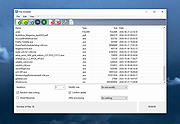 |
|
AppControl v1.3.0.335b AppControl v1.3.0.335b 👉 Historical Task Manager with powerful application control, privacy monitoring, and system insights. AppControl is a free Windows system monitoring and application management utility developed by Jon Hundley and the AppControl team. Rather than only showing what your computer is doing right now, AppControl continuously records system activity for up to 72 hours, allowing you to review past CPU, GPU, memory, disk, temperature, and application activity to identify exactly what happened when your PC slowed down, overheated, or behaved unexpectedly. AppControl also extends far beyond the capabilities of the standard Windows Task Manager by providing detailed information about running processes, historical hardware usage, application launches, privacy events, and system activity. It can alert you when new or unsigned applications run, when software accesses your webcam, microphone, or location, and allows you to permanently disable unwanted applications or block entire publishers with custom rules. Built-in plain-language descriptions explain what Windows processes and executables actually do, making it easier to understand what's happening on your PC without searching the web Features: • Historical CPU, GPU, memory, disk, and temperature monitoring • Review up to 72 hours of recorded system activity • Timeline graphs with click-and-drag zoom • Monitor application launches, updates, and system events • Alerts for new, unusual, or unsigned applications • Privacy alerts for webcam, microphone, and location access • Permanently disable unwanted applications • Block entire software publishers • Plain-language descriptions of running processes and executables • Command-line monitoring tool for Windows Terminal, PowerShell, and Command Prompt • Automatic light and dark theme support • Custom notification options • Search and investigate running applications quickly Supported operating systems: • Windows 10 • Windows 11 Supported languages: English, German, Spanish, Japanese, French, Polish, Russian, Dutch, Serbian (Cyrillic), Italian, Turkish, Chinese Changes: v1.3.0.335b 05-14-26 Added range selection and zooming on timeline graphs. Added a command-line monitoring tool for Windows Terminal, PowerShell, and Command Prompt. Added an automatic theme that matches Windows light or dark mode. Added ... |
|
821 | Jun 27, 2026 Jon Hundley and Team 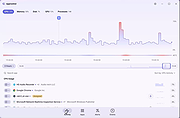 |
 |
Blank And Secure v8.44 Blank And Secure v8.44 👉 Securely delete files to prevent recovery. Blank And Secure is a small, portable tool designed to securely delete files so they cannot be recovered by any data recovery software. It overwrites selected files multiple times using different patterns, ensuring that sensitive data is permanently erased. The program is lightweight, requires no installation, and is ideal for users who want a quick and reliable way to securely remove confidential files. Features: • Secure file deletion with multiple overwrite passes • Prevents recovery by standard and advanced recovery tools • Adjustable overwrite count for customizable security • Drag-and-drop support for quick file handling • Portable, no installation required • Very small footprint and low system resource usage • Simple and user-friendly interface Supported operating systems: • Windows 7, Windows 8, Windows 10, Windows 11 Supported languages: German, English, Russian, Dutch, Romanian, Swedish, French, Italian, Turkish, Arabic, Spanish, Bulgarian, Greek, Portuguese (Brazil), Chinese Simplified, Czech, Korean, Chinese Traditional, Polish, Thai, Indonesian, Japanese, Hungarian, Norwegian, Portuguese, Danish, Irish, Vietnamese, Spanish (Venezuela), Hebrew, Malay, Filipino, Finnish, Afrikaans, Bosnian, Ukrainian Changes: v8.44 08-27-2026 • BlankAndSecure language file update • Minor fine-tuning in BlankAndSecure for all Windows operating systems This download is for the Windows 64bit version (very bottom of page). All other download assets are below: Other Windows: BlankAndSecure.zip (32bit) BlankAndSecure_Win98.zip (Windows 98) Click here to visit the author's website. |
|
7,380 | Sep 07, 2026 Nenad Hrg 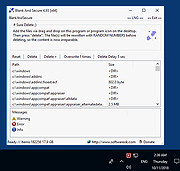 |
|
BleachBit v6.0.4 BleachBit v6.0.4 👉 Free, open-source system cleaner for freeing disk space and protecting privacy. BleachBit is a powerful, open-source cleaning tool that removes junk files, browser traces, caches, logs, cookies, temporary files, and other unwanted data to help free disk space and protect privacy. It lets users preview what will be deleted before cleaning, securely shred files, wipe empty space, and automate cleanup through command-line and scripting support. BleachBit supports Windows and Linux, includes portable use on Windows, and offers advanced CleanerML support for custom cleaning rules. Features: • Frees disk space by removing temporary files, browser caches, logs, and hidden junk • Protects privacy by deleting browsing history, cookies, saved passwords, and application traces • Preview mode shows files before deletion • Securely shreds sensitive files • Wipes empty space to help hide previously deleted files • Cleans many applications including Google Chrome, Edge, Firefox, VLC, system logs, temporary files, and more • Supports thousands of additional Windows cleaners through winapp2.ini • Includes a cookie manager for choosing which cookies to keep • Command-line interface for scripting and automation • CleanerML support for custom cleaners • No adware, spyware, telemetry, malware, bloatware, browser toolbars, or bundled extras • Windows installer and portable mode available • Open source and free of charge Uses • Free disk space • Reduce the size of backups and the time to create them by removing unnecessary files • Maintain privacy • Improve system performance • Prepare system for backups by removing junk data that wastes space and time. • Prepare whole disk images for compression (common for "ghost" backups and virtual machines) by wiping free disk space Supported operating systems: • Windows 10, Windows 11 • Linux .deb and .rpm packages for popular distributions Supported languages: • Arabic, Basque, Bulgarian, Catalan, Chinese (Simplified), Chinese (Traditional), Croatian, Czech, ... |
|
7,373 | Sep 23, 2026 Andrew Ziem 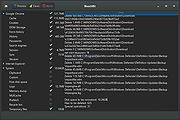 |
 |
Chris Titus Tech's Windows Utility v26.10.07 Chris Titus Tech's Windows Utility v26.10.07 👉 All-in-one PowerShell toolbox for installs, tweaks, repairs, and update control. Chris Titus Tech's Windows Utility is a PowerShell-based utility that combines application installs, system tweaks, repair tools, and Windows Update controls into a single graphical interface. It is designed to simplify Windows setup and maintenance tasks while giving users more control over performance, privacy, and system behavior. Because it makes system-level changes, it must be run with administrator privileges. Features: • Install popular applications from a curated software list • Apply privacy, performance, and usability tweaks • Built-in repair and troubleshooting functions • Manage and control Windows Update behavior • Quick access to Windows tools and configuration panels • Debloat options for removing unnecessary Windows components Supported operating systems: • Windows 10 • Windows 11 Supported languages: English Changes: v26.10.07 10-07-26 Changes Remove redundant DisableFileSyncNGSC write that FirstLogon.ps1 immediately overrides @CozREV (#5086) chore(deps): bump astral-sh/setup-uv from 10.1.0 to 10.2.0 @dependabot[bot] (#5120) chore(deps): bump sharp from 0.35.3 to 0.35.4 in /docs @dependabot[bot] (#5077) chore(deps): bump astro from 7.1.6 to 7.3.2 in /docs @dependabot[bot] (#5075) chore(deps): bump nanoid from 3.3.16 to 3.3.19 in /docs @dependabot[bot] (#5103) chore(deps): bump svgo from 4.0.2 to 4.1.0 in /docs @dependabot[bot] (#5074) chore(deps): bump devalue from 5.9.0 to 5.9.2 in /docs @dependabot[bot] (#5099) chore(deps): bump astral-sh/setup-uv from 9.0.0 to 10.1.0 @dependabot[bot] (#5085) chore(deps): bump js-yaml from 4.3.1 to 4.3.2 in /docs @dependabot[bot] (#5083) Add File Converter application to multimedia tools @catsmoker (#5036) Kitchen sink changes @aguashui (#5040) Features feat(dns): Add real-time DNS speed benchmark and \Fastest\ auto-selection option @MADHACKER85 (#4935) Fix CurseForge entry naming in applications.json @brxndonnn (#5072) Add SyncTrayzor @KarimBenkirane (#5065) ... |
|
4,465 | Oct 14, 2026 Chris Titus  |
|
Crapfixer v2.01 CrapFixer v2.01 👉 A lightweight Windows tweaking tool for finding, fixing and reversing unwanted Windows settings and features. CrapFixer is a free, open-source Windows tweaking utility designed to identify and fix unwanted settings, preinstalled apps and other annoyances in Windows 10 and 11. This release represents a complete rebuild of the program around a new database-driven tweak engine. Instead of hardcoding tweaks into the application, CrapFixer uses the Wintweak2.ini signature database to define settings that can be scanned, reviewed, changed and restored to their Windows defaults. The program follows a scan-first approach: analyze the system, review the results and decide which recommended changes to apply. Detailed results can show registry paths, current values, recommended values and original Windows defaults. Individual tweaks or entire categories can be restored, and CrapFixer creates registry backups before applying tweaks. Version 2 also includes an App Remover, optional PowerShell extensions, custom tweak creation, database updates and optional AI-powered explanations. AI explanations are informational only and do not participate in scanning or applying changes. Features: • Scan Windows settings and identify tweaks that require attention • Signature-driven tweak engine powered by the Wintweak2.ini database • Review changes before applying them • Restore individual tweaks or entire categories to Windows defaults • Supports registry tweaks containing multiple keys and values • Automatically handles Windows version requirements, administrator privileges and restart requirements • Detailed results display registry paths, current values, recommended values and Windows defaults • Sorts incorrectly configured settings to the top of results • Creates registry backups before applying tweaks • App Remover uses a separate Winappx.ini package database • Custom Tweaks tool lets advanced users create their own Wintweak2 signatures • Lightweight Extensions section supports optional PowerShell tools • Built-in database updating with support for merging an additional custom database • Online result analyzer and clipboard-friendly report format • Optional AI explanations for individual tweaks using Groq, OpenAI, Anthropic or OpenAI-compatible providers • AI ... |
|
2,350 | Sep 01, 2026 Builtbybel  |
|
Dangerzone v0.11.0 Dangerzone v0.11.0 👉 Convert potentially dangerous documents into safe PDFs without exposing your computer to malicious content. Dangerzone is a free and open source document sanitization tool from the Freedom of the Press Foundation that lets you safely open PDFs, office documents, images and other potentially untrusted files. Instead of opening the original document directly, Dangerzone places it inside an isolated sandbox with no network access, converts each page into raw pixel data, and then reconstructs those pixels into a new, safe PDF. This process removes active content and other potentially malicious elements while preserving the document's visual appearance. Dangerzone supports more than 20 document types, including PDF files, major office-suite formats and common image formats. Because document processing takes place inside an isolated environment without network access, malicious content that might exploit the document converter is prevented from communicating with the outside world. Everything is processed locally on your computer. Features: • Converts potentially dangerous documents into safe PDF files • Uses an isolated sandbox to process untrusted documents • Renders document pages into raw pixel data before reconstructing them as PDFs • Removes potentially dangerous active content during conversion • Prevents the conversion sandbox from accessing the network • Processes documents locally on your computer • Supports more than 20 document and image formats • Supports PDFs and major office-suite document formats • Supports common image formats • Can process multiple documents • Allows additional documents to be added to an ongoing conversion • Supports converting another set of documents after completing a batch • Supports OCR processing • Free and open source under the AGPLv3 license • Maintained by the Freedom of the Press Foundation Supported operating systems: • Windows 10, Windows 11 • macOS, latest three supported releases, Intel and Apple Silicon • Ubuntu 22.04, Ubuntu 24.04, Ubuntu 25.10, Ubuntu 26.04 • Debian 12, Debian 13, Debian 14 • Fedora 43, Fedora 44 • Tails, current release • Qubes OS using a ... |
|
2,266 | Sep 02, 2026 Micah Lee  |
|
Fixyfier v9.4.3 Fixyfier v9.4.3 👉 Free all-in-one Windows repair and optimization tool. Fixyfier is a free Windows utility designed to help users repair, clean, and optimize their system using a collection of built-in tools and automated fixes. It provides quick access to common maintenance tasks and troubleshooting options in a simple interface, making it useful for resolving everyday Windows issues and improving overall system performance. Features: • One-click automated repair routines for common Windows issues • System file repair tools including SFC and DISM integration • Network troubleshooting and reset tools (Winsock, IP stack, DNS flush) • Windows Update repair and reset functionality • Temporary file cleanup and system junk removal • Performance optimization tools to improve responsiveness • Access to essential Windows utilities and administrative tools • Registry-related repair and cleanup options • Privacy and system configuration tweaks • Quick-launch shortcuts for advanced repair commands • Organized interface grouping tools by category for easy navigation • Designed for both novice users and advanced technicians Supported operating systems: Windows 10 (version 17763.0 or higher), Windows 11 Supported languages: English, Spanish, Spanish (Latin America and the Caribbean), French, German, Portuguese (Brazil), Portuguese (Portugal), Italian, Dutch, Russian, Chinese (Simplified), Chinese (Traditional), Japanese, Korean, Arabic, Hindi, Greek, Turkish, Polish, Swedish, Norwegian, Danish, Finnish, Czech, Hungarian, Bulgarian, Romanian, Ukrainian, Serbian, Croatian, Albanian, Vietnamese, Thai, Indonesian, Filipino, Bengali, Persian, Swahili, Hebrew. Changes: v9.4.3 10-04-26 - Block Ads & Telemetry now lets you choose what it turns off: a tick for each group, all ticked to begin with, with Select All, and the list of commands shows exactly what will run for what is ticked. - The Dashboard no longer shows a Run a Check-up button beside its tabs; the System Check-up tab is right there. - The Back to Top button now uses the app's own colors in both themes. - Added Fixyfier's name and copyright to the details of Fixyfier.exe, so Task Manager and the file's Properties show Fixyfier rather ... |
|
3,415 | Oct 14, 2026 Aris Vardakas  |
|
FluentCleaner Classic v1.18.250 FluentCleaner Classic v1.18.250 👉 A lightweight, portable Windows cleaner for removing temporary files, caches, logs and other unnecessary clutter. FluentCleaner Classic is a lightweight WinForms-based edition of FluentCleaner designed for users who prefer a traditional Windows desktop application with a small footprint. It uses the same FluentCleaner.Core scanning and cleaning engine as the modern edition while relying on .NET Framework 4.8 instead of the Windows App SDK. FluentCleaner Classic can analyze Windows and applications for temporary files, caches, logs, browser data and other unnecessary files, allowing you to review detected items before cleaning them. Its portable design requires no installation, and support for Winapp2 cleaning databases provides extensive coverage of Windows components and third-party applications. Features: • Scans Windows and applications for temporary files, caches, logs and other unnecessary data. • Displays detected files and recoverable disk space before cleaning. • Uses the FluentCleaner.Core scanning and cleaning engine. • Supports Winapp2 cleaning databases for additional applications and cleaning rules. • Includes cookie management with protection for cookies you want to keep. • Detects cookies from Edge, Chrome, Chromium, Brave, Vivaldi, Opera, Opera GX and Firefox profiles. • Supports custom cleaner rules. • Includes a Handoff API for testing cleaner selections from external tools. • Provides command-line options for additional control and automation. • Includes Mini mode for quick access to Analyze, Review and Clean. • Can start directly in Mini mode. • Mini mode supports always-on-top operation and remembers its window position. • Portable and does not require installation. • Uses the familiar traditional Windows WinForms interface. Supported operating systems: • Windows (practically any version capable of running Microsoft .NET Framework 4.8) Supported languages: Bulgarian, Chinese (Simplified), English, French, German, Polish Changes: v1.18.250 09-17-26 [Added] [Classic] Introduced command-line automation for scripts, batch files, PowerShell, and third-party tools. Classic can now analyze or clean the saved selection silently, optionally target a specific cleaner category, and shut down the PC after cleaning #52 [Added] [Classic] Added ... |
|
532 | Sep 30, 2026 Builtbybel  |
|
FluentCleaner Modern v26.09.01 FluentCleaner Modern v26.09.01 👉 A modern Windows cleanup tool built with WinUI 3 and powered by winapp2.ini. FluentCleaner is an open-source Windows desktop cleaner designed to reclaim disk space, clean application leftovers, remove cache files, and give users clear control over what gets deleted. It uses the community-maintained winapp2.ini ecosystem for specific, inspectable cleaning rules instead of broad, unsafe guessing. FluentCleaner also includes terminal control, multi-database support, optional AppX/bloatware database support, and a modern WinUI 3 interface with no tracking, no upsells, no scareware, and no fake registry-cleaner tricks. Features: • Modern WinUI 3 interface • Open source and donation-supported • Uses winapp2.ini cleaning rules • Supports custom winapp2-compatible databases • Multi-database loading with deduplication • Optional Winappx AppX/bloatware database • Category-based cleaning • Detail view for file and registry targets • Explorer integration for locating file paths • Command-line auto-clean support • Silent cleaning with saved selections • Optional auto-shutdown after cleaning • Detailed auto-clean log saved to AppData • Saved window size across sessions • Saved navigation pane state • No telemetry, no bundled offers, no fake registry cleaner Supported operating systems: • Windows 10, Windows 11 Supported languages: English, German, French, Indonesian, Italian, Lithuanian, Norwegian, Portuguese (BR), Russian, Ukrainian, Chinese Simplified/Traditional Changes: v26.09.01 09-17-26 [Added] [Classic] Introduced command-line automation for scripts, batch files, PowerShell, and third-party tools. Classic can now analyze or clean the saved selection silently, optionally target a specific cleaner category, and shut down the PC after cleaning #52 [Added] [Classic] Added command-line documentation and ready-to-copy examples under Options > Handoff / CLI [Changed] [Classic] Development of the built-in Mini mode has been paused for now. It may return later as a separate add-on or as part of a future plugin system. [Improved] [Classic] Deleting a cookie no longer throws the user back to the beginning of the list. FluentCleaner still refreshes the real browser databases, but now keeps the working position and selects the nearest remaining entry #185 [Added] [Classic] Added ... |
|
2,149 | Sep 30, 2026 Builtbybel 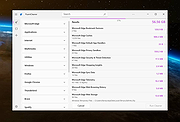 |
|
FluentTweaker v26.06.02 FluentTweaker v26.06.02 👉 Customize and tweak Windows 10/11 with a modern Fluent-style interface. FluentTweaker is a lightweight Windows customization and tweaking utility designed to give users more control over the look, feel, and behavior of Windows 10 and Windows 11. Developed with a clean Fluent Design-inspired interface, the application provides access to a wide variety of system tweaks, personalization settings, and hidden Windows options from a centralized dashboard. FluentTweaker focuses on making Windows customization easier and more accessible by grouping settings into organized categories. Users can quickly adjust privacy features, taskbar behavior, File Explorer settings, visual effects, system performance options, and interface tweaks without manually editing the registry or searching through scattered Windows menus. The program is portable and designed to be simple to use while still offering advanced customization possibilities for enthusiasts who want a cleaner, more personalized Windows experience. Features: • Modern Fluent Design-inspired user interface • Centralized access to Windows 11 customization options • Privacy and telemetry configuration tools • Taskbar and Start menu customization tweaks • File Explorer behavior and appearance adjustments • System performance and visual effect optimizations • Quick access to hidden Windows settings • Portable application with no installation required • Lightweight and easy-to-use design • Registry-based tweaks presented through a graphical interface • Organized categories for simplified navigation • Designed specifically for modern Windows versions Supported operating systems: • Windows 11 • Windows 10 Supported languages: • English Changes: v26.06.02 06-06-26 Not provided Note for Windows 10 users: Microsoft's Windows App Runtime 2.x package is required and you will be offered the download. Click here to visit the author's website. |
|
836 | Jun 08, 2026 Builtbybel 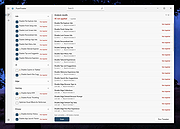 |
|
Fungible v1.6.4 Fungible v1.6.4 👉 A personal finance application that helps you track spending, budgets, and net worth with local data storage. Fungible is an open source personal finance manager that provides both a traditional terminal interface and a modern graphical desktop interface for managing your finances. It allows you to import transactions from financial institutions, categorize income and expenses, create budgets, monitor account balances, and visualize your financial health through charts and reports. Whether you prefer working from the command line or using the graphical interface, Fungible stores your financial data locally on your computer, giving you full control over your information while helping you organize day-to-day finances. Features: • Track checking, savings, credit card, investment, and other financial accounts • Import financial transactions from supported bank export formats • Categorize transactions with customizable categories • Create and monitor monthly budgets • View spending trends and financial reports • Track income, expenses, and overall net worth • Powerful transaction filtering and search tools • Local data storage for improved privacy and control • Cross-platform desktop application with Electron-based graphical interface • Open source software Supported operating systems: • Windows 10 or higher • macOS 13 Ventura or higher • Linux (64-bit distributions supported through official releases) Supported languages: • English Changes: v1.6.4 06-13-26 • Added a new Electron-based graphical user interface. • Added cross-platform desktop packaging and development release workflow. • Documented the filter panel and updated filter keys. • Fixed renderer sandbox and Plaid callback host issues. • Fixed stale result handling in GUI pattern matching. This download is for the Windows 64bit version (very bottom of page). All other download assets are below: macOS: fungible-1.6.4-mac-arm64.dmg fungible-1.6.4-mac-arm64.zip fungible-1.6.4-mac-x64.dmg fungible-1.6.4-mac-arm64.zip Linux: fungible-1.6.4-linux-amd64.deb fungible-1.6.4-linux-x86_64.AppImage Click here to visit the author's website. |
|
516 | Jun 19, 2026 Thomas Funk 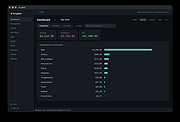 |
|
KillWindowsAI v2.0.0 KillWindowsAI v2.0.0 👉 Safely Remove Copilot, Recall and More in Windows 11. KillWindowsAI is a free utility designed to help users disable or remove AI-related features and components from Windows 11. It provides an easy-to-use interface for managing features such as Microsoft Copilot, Recall, Widgets, telemetry-related components, and other integrated AI services that some users may prefer not to use. KillWindowsAI includes both graphical and command-line modes, making it suitable for casual users as well as advanced administrators who want more control over Windows AI functionality. • Disable or remove Microsoft Copilot components • Remove or disable Windows Recall functionality • Manage Widgets and AI-related Windows features • Supports graphical user interface and command-line usage • Includes dry-run simulation mode before applying changes • Backup and restore options for safer configuration changes • Simple one-file PowerShell-based utility • Designed for advanced Windows privacy and customization control • Portable operation without traditional installation Supported operating systems: Windows 11 Disable vs Remove (Important): • Disable Uses supported registry and policy settings. Reversible and generally safe across Windows updates. • Remove Removes AppX and provisioned packages and disables related tasks. Some components may be reinstalled by future Windows updates and may require repair or reinstall to fully undo. The UI clearly labels these options and shows what will be affected. How to use:: 1) Unzip folder. 2) Run KillWindowsAI.cmd. 3) Allow PowerShell prompt. If Windows SmartScreen appears: • Click More info • Click Run anyway The program will automatically request administrator privileges if required. Changes: v2.0.0 01-22-26 Major reliability update for Windows 11 24H2 / 25H2 Fixed Fixed issue where a PowerShell window briefly appeared and closed with no interface. Fixed failure caused by users selecting “Run with PowerShell” from Explorer. Fixed failure when script is launched from inside the Windows ZIP preview (virtual temp path issue). Fixed UI failing to initialize due to PowerShell not running in STA mode. Fixed silent exits caused by restricted PowerShell host ... |
|
1,063 | May 24, 2026 OlderGeeks.com 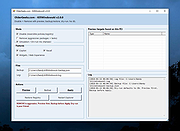 |
|
Kudu v3.6.1 Kudu v3.6.1 👉 Free open-source system maintenance, optimization, and security suite for Windows, macOS, and Linux. Kudu is a comprehensive system maintenance toolkit designed to help users clean, optimize, monitor, and secure their computers from a single unified interface. Built as a free and open-source alternative to many commercial system utilities, it combines system cleaning, malware detection, startup management, privacy protection, software updating, disk analysis, and performance monitoring tools into one package. Kudu focuses on providing powerful maintenance capabilities without advertisements, bundled software, or subscription requirements. It is suitable for both home users and IT professionals who want to keep systems running efficiently while maintaining privacy and security. Kudu also includes automation features, real-time monitoring, gaming optimizations, and optional cloud-based fleet management (paid) capabilities for managing multiple devices. Features: • System Cleaner for removing temporary files, caches, logs, and system junk • Multi-engine malware scanner with signature-based threat detection • Real-time performance monitoring for CPU, memory, disk, and network activity • S.M.A.R.T. disk health monitoring and analysis • Startup Manager with impact ratings for startup entries • Interactive Disk Analyzer with visual storage usage mapping • Privacy Shield for auditing and applying privacy settings • Software Updater for detecting outdated applications • Debloater for removing unwanted pre-installed Windows applications • Registry Cleaner with automatic backup protection • One-click Game Mode with performance and latency optimizations • Scheduled maintenance, scanning, and update tasks • Automatic backup safeguards before system changes • Command-line support for automation and scripting • Optional cloud-based centralized device management • Open-source MIT-licensed project with no advertisements or bundled software Supported operating systems: • Windows 10, Windows 11 • macOS • Linux Supported languages: • 30 languages supported Changes: v3.6.1 10-06-26 Bug Fixes icons: add missing Windows DPI sizes to the app icon (#513) (920f59c) malware: stop flagging validly signed binaries with the PE heuristic (#507) (e9784a1) 👉 This download is for the Windows version (very bottom of page). All ... |
|
661 | Oct 07, 2026 Advent Development, Inc.  |
|
LibreWolf v153.0.4-1 LibreWolf v153.0.4-1 👉 Privacy-focused Firefox-based web browser with hardened security settings and built-in content blocking. LibreWolf is a custom and independent version of Firefox focused on privacy, security, and user freedom. It is designed to increase protection against tracking and fingerprinting techniques through privacy and security oriented settings and patches. It also removes telemetry, data collection, and various annoyances while disabling anti-freedom features such as DRM. LibreWolf includes uBlock Origin, uses privacy-respecting search engines, and stays aligned with current Firefox stable releases for up-to-date security and stability. Features: • No telemetry, experiments, adware, or unnecessary distractions • Includes uBlock Origin with custom default filter lists • Uses privacy-respecting search engines such as DuckDuckGo, Searx, and Qwant • Enables Total Cookie Protection and anti-fingerprinting protections • Deletes cookies and website data on close • Disables WebGL, form autofill, form history, link prefetching, and speculative connections • Enables HTTPS-Only mode and stricter TLS/SSL negotiation rules • Disables Firefox Sync unless explicitly enabled by the user • Removes Pocket and Mozilla VPN ads • Disables DRM by default • Provides a LibreWolf-specific UI for privacy and security controls • Open source and community-driven project Supported operating systems: • Windows 10 or later, Windows 11 • macOS • Linux • OpenBSD Supported languages: English, Additional languages via Firefox language packs Changes: v153.0.4-1 08-12-26 Upstream release based on Firefox 153.0.4. Notable Changes: • Search engines have moved away from using policies and now use the bundled remote-settings dump. • The included search engines have been overhauled. This may cause the default search engine for some users to reset to DuckDuckGo No-AI. • Fixed slow startup that some users experienced when starting a session. Infrastructure Changes: • Migration to LibreWolf's own Forgejo instance at librewolf.dev has begun. • Releases will continue to be published to Codeberg during the transition to give downstream packagers time to update. • The signing key for RPM releases has been changed to LibreWolf's repository signing key. This download is for the ... |
|
3,513 | Aug 13, 2026 LibreWolf Core Contributors  |
|
LocalSend v1.18.2 LocalSend v1.18.2 👉 Fast, private file sharing between nearby devices without the cloud. LocalSend is a free and open-source, cross-platform application for securely transferring files, folders, photos, videos, documents, text and other data between devices connected to the same local network. It provides an AirDrop-style experience that works across Windows, macOS, Linux, Android and iOS without requiring an account, an Internet connection or an external server. Devices running LocalSend automatically discover one another on the local network, allowing you to select what you want to send, choose a nearby device and begin the transfer. Data stays on your local network instead of being uploaded to a cloud service, and transfers are protected using HTTPS encryption. LocalSend can transfer any file type and is designed to take advantage of the speed of your local Wi-Fi or wired network without artificial bandwidth limits. It can also send text messages and links between devices, making it useful for quickly moving clipboard-style information from a phone to a computer or between computers. Files are saved to the receiving device's Downloads folder by default, although the destination can be changed in LocalSend's settings. Frequently used devices can be marked as favorites, and LocalSend can be configured to automatically accept transfers from trusted favorite devices. The application also includes a Share via Link feature for making selected files available through a web browser on the local network. Recent versions can receive files through links as well. No account or login is required, and LocalSend contains no advertising or tracking. Features: • Transfers files directly between nearby devices over the local network • Works across Windows, macOS, Linux, Android and iOS • No Internet connection, cloud storage or external server required • No account, registration or login required • Automatic discovery of nearby LocalSend devices • Send individual files, multiple files and folders • Supports photos, videos, documents and other file ... |
|
2,120 | Sep 29, 2026 LocalSend 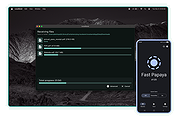 |
|
MacOSCleaner v2.3.0 MacOSCleaner v2.3.0 👉 Free, privacy-focused macOS cleaner, app uninstaller, duplicate finder, disk analyzer and system maintenance utility. MacOSCleaner is a native macOS cleaning and maintenance utility designed to help reclaim storage space while giving you control over exactly what is removed. It can scan caches, developer files, application leftovers, duplicate files, old installers and many other types of unnecessary data. It also includes a forensic application uninstaller, disk space analyzer, process manager and startup service manager. Files identified by the uninstaller and disk analyzer are moved to the Trash where possible, while protected system locations are blocked from deletion. MacOSCleaner runs locally with no telemetry or cloud transmission and includes optional on-device Apple Intelligence explanations and Siri/Shortcuts automation. Features: • Smart Cleanup scans 55 categories and more than 1,880 defined locations covering over 275 applications and 86 developer toolchains • Cleans application and browser caches, developer files, package manager data, crash reports, Mail downloads and other unnecessary files • Forensic App Uninstaller examines application-related files using bundle IDs, Team IDs, Spotlight data, property lists, Launch Services and other evidence • Post-uninstall verification lets you inspect and selectively remove remaining files after uninstalling an application • Dedicated orphan scanner finds remnants from applications that were previously removed • Orphaned files are grouped by confidence level as Guaranteed, Very Likely or Possible • Duplicate File Finder uses file size, partial hashing and full SHA-256 hashing to identify exact duplicates • Disk Space Analyzer lets you navigate folders using an interactive directory tree and breadcrumb navigation • Uses APFS allocated-size information to more accurately report physical disk usage • Built-in Quick Look support lets you preview files directly from the disk analyzer • Protects cloud-only iCloud items from being downloaded unintentionally during analysis • Project Build Artifacts category detects regenerable folders such as node_modules, target, .venv, .dart_tool and build • Build artifact age filters can target files older ... |
|
112 | Oct 05, 2026 AlexTkDev 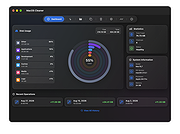 |
|
Mouzi v0.1.3 Mouzi v0.1.3 👉 Automatically organizes your Downloads folder from the system tray. Mouzi is a free, privacy-first file organizer that quietly runs from the Windows system tray and automatically sorts downloaded files by type. It can monitor selected folders, apply customizable rules, move files into organized subfolders, keep a local history of actions, and undo moves when needed. Everything stays on your computer, with no cloud uploads and no telemetry by default. Features: • Automatically organizes new downloads as they arrive • Runs quietly in the background from the system tray • Custom rules using file extensions, regex patterns, and destination folders • Dynamic paths such as {year}, {month}, {day}, {extension}, and {filename} • Built-in rules for images, documents, archives, installers, music, video, and other files • One-click Clean Now option for organizing existing files • Local history with one-click undo • Per-folder ignore rules using .mouziignore • Dark Mode support with system theme detection • 100% offline with local SQLite storage • Portable version available Supported operating systems: • Windows 10, Windows 11 Supported languages: English, Polish, Italian, German, French, Russian, Japanese Changes: v0.1.3 06-13-26 Bug Fixes Clean Now no longer processes folders set to Paused mode. Empty (0 B) files are now sorted correctly. .mouziignore patterns with multiple wildcards and spaces now work reliably. Folders are scanned for existing files when added or refreshed. NSIS installer now closes a running Mouzi instance before installing. UI / UX New warm color theme matching mouzi.cc. Added dedicated About tab in Settings. Tray tooltip now shows the number of pending files waiting for Clean Now. Added Open folder buttons in Recent Actions and History. Improved empty states with icons. Revert All button is disabled when there is nothing ... |
|
942 | Jun 15, 2026 Krystian Welcel 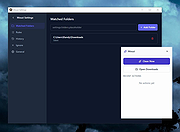 |
|
Mozilla Firefox ESR v153.2.0 Mozilla Firefox ESR v153.2.0 👉 A stable, long-term Firefox release designed for users and organizations that prefer fewer major browser changes. Mozilla Firefox ESR is the Extended Support Release of Mozilla's popular open-source web browser, designed for organizations, businesses, schools, system administrators and users who value stability over frequent feature changes. ESR receives regular security and stability updates while keeping major interface and feature changes on a longer release cycle than standard Firefox. It provides the familiar Firefox browsing experience with strong privacy protections, tracker blocking, private browsing, password management, synchronization, extensions and extensive customization. ESR is especially useful in managed environments where administrators need predictable browser behavior and more time to test compatibility between major releases. Features: • Extended Support Release with a longer major-version lifecycle • Regular security and stability updates without frequent major feature changes • Enhanced Tracking Protection blocks many known trackers automatically • Private Browsing mode with additional protection against tracking • Built-in password manager for storing and managing website logins • Firefox Sync can synchronize bookmarks, passwords, history, tabs and settings between devices • Separate Firefox profiles can keep work, personal and other browsing activities apart • Container support can isolate cookies, logins and tracking data between different browsing activities • Large library of extensions and browser themes • Customizable toolbar, menus and browser appearance • Tabbed browsing with tab search and organization tools • Built-in PDF viewing • Automatic browser updates and security fixes • Support for enterprise policies and centralized browser management • Available in 32-bit, 64-bit and ARM64 builds where supported • Free and open-source Supported operating systems: • Windows 10, Windows 11 • macOS 10.15 or higher • GNU/Linux with glibc 2.17 or higher, GTK+ 3.14 or higher, libglib 2.42 or higher, libstdc++ 4.8.1 or higher and X.Org 1.0 or higher Supported languages: English (US) Changes: v153.2.0 09-13-26 General Firefox now includes a new profile management system that helps you separate your online life into ... |
|
7,011 | Sep 13, 2026 Mozilla  |
|
Mozilla Firefox Portable v155.0.1 Mozilla Firefox Portable v155.0.1 👉 Take the full Firefox web browser, along with your bookmarks, passwords and settings, anywhere you go. Mozilla Firefox Portable is the popular Firefox web browser packaged by PortableApps.com to run from a USB flash drive, portable hard drive, cloud folder or local folder without a traditional installation. Your bookmarks, saved passwords, extensions, preferences and other personal browser data stay with the portable package, making it easy to carry your familiar Firefox environment between Windows computers. It provides the same Firefox browsing experience, privacy protections, customization, extension support and web standards compatibility as the regular desktop browser while adding the portability provided by the PortableApps.com Launcher. It can also integrate with the PortableApps.com Platform for convenient launching and automatic updates. Features: • Runs from removable drives, cloud folders or local folders without a traditional Firefox installation • Carries your bookmarks, saved passwords, preferences and other Firefox profile data with you • Works with the PortableApps.com Platform for easy launching and automatic updates • Built-in Enhanced Tracking Protection helps block trackers while browsing • Supports Firefox extensions and themes for extensive customization • Includes private browsing for sessions that do not retain local browsing history • Built-in password management and synchronization through a Mozilla account • Supports tab organization, containers and vertical tabs • Built-in translation capabilities for supported languages • PDF viewing and printing are built directly into the browser • Developer Tools provide debugging, inspection and web development features • Supports modern web technologies including WebAssembly, WebRTC, WebTransport and HTTP/3 • Open source and based on Mozilla Firefox • Can coexist with an installed copy of Firefox Supported operating systems: • Windows 10, Windows 11 • WINE (64-bit only) Supported languages: Afrikaans, Arabic, Asturian, Basque, Belarusian, Bulgarian, Breton, Catalan, Chinese (Simplified), Chinese (Traditional), Croatian, Czech, Danish, Dutch, English, Estonian, Finnish, French, Frisian, Gaelic (Scotland), Galician, German, Greek, Hebrew, Hungarian, Icelandic, Indonesian, Irish, Italian, Japanese, Korean, Lithuanian, Norwegian ... |
|
11,462 | Sep 13, 2026 Mozilla & John T. Haller |
|
Mozilla Firefox v155.0.1 Mozilla Firefox v155.0.1 👉 A fast, customizable web browser with strong privacy protections, security features and a huge library of extensions. Mozilla Firefox is a free, open-source web browser developed by Mozilla with an emphasis on privacy, security, performance and user control. Firefox includes built-in tracking protection, private browsing, password management, tab organization, synchronization across devices and extensive customization through themes and add-ons. Its independent Gecko browser engine provides an alternative to Chromium-based browsers, while frequent security and feature updates keep the browser current with modern web standards. Features: • Enhanced Tracking Protection blocks many social media trackers, cross-site tracking cookies, fingerprinters and cryptominers • Private Browsing automatically removes browsing information such as cookies and history when sessions are closed • Built-in password manager saves and securely fills website logins • Firefox Sync can synchronize bookmarks, passwords, history, open tabs and settings across devices • Extensive add-on support lets you expand Firefox with thousands of extensions and themes • Customizable toolbar and browser interface • Picture-in-Picture lets you watch videos in a floating window while browsing other pages • Reader View removes distracting page elements for easier reading • Built-in PDF viewer lets you view and work with PDF documents without additional software • Tab search and management tools make large numbers of open tabs easier to handle • Automatic updates deliver security fixes and browser improvements • Developer tools provide inspectors, debugging, network analysis and responsive-design testing • Supports modern web standards using Mozilla's independent Gecko browser engine • Import tools help transfer bookmarks, passwords and other browser data from other browsers • Available for Intel, AMD and ARM-based systems depending on operating system Supported operating systems: • Windows 10, Windows 11 • macOS 10.15 or higher • Linux 64-bit, Linux ARM64/AArch64 Supported languages: English (US) Changes: v155.0.1 09-04-26 Fixed Firefox becoming unresponsive on some pages that use CSS blur and backdrop filters together. Fixed the sidebar not reappearing after restarting Firefox when the "Hide ... |
|
12,770 | Sep 13, 2026 Mozilla |
|
Nearby Glasses v1.0.8 Nearby Glasses v1.0.8 👉 Detects nearby smart glasses using Bluetooth Low Energy signals. Nearby Glasses is a free, open-source utility designed to detect nearby smart glasses by passively scanning Bluetooth Low Energy (BLE) advertising data. The app identifies supported smart glasses using Bluetooth manufacturer identifiers and can notify you when a compatible device is detected within range. Detection is based solely on publicly broadcast BLE advertising frames and does not establish a connection with other devices or transmit any of your data. The developer notes that false positives and missed detections are possible, as some non-glasses devices may use the same manufacturer identifiers. The project is licensed under the GNU AGPL v3.0 and is available for both Android and iOS.      Features: • Passively scans Bluetooth Low Energy (BLE) advertisements • Detects supported smart glasses using manufacturer identifiers • Adjustable RSSI threshold to control detection sensitivity • Configurable notification cooldown • Canary Mode for iOS operation • Optional scan log display • Processes all scan data locally on the device • Does not establish Bluetooth connections or pair with devices • No advertisements or user tracking • Free and open source under the AGPL v3.0 license Supported operating systems: • Android 8.0 (Oreo) or higher • iOS 17.0 or higher Supported languages: English, French, German, Swiss German, Italian, Portuguese (Brazil), Spanish Changes: v1.0.8 07-16-26 added fixes to Russian translation (partly) added support for HeyCyan (Nilox Smart AI Glasses, sold by ALDI/Hofer) added support for RollMe and Rogbird fixed some minor bugs      This download is for the Android APK file (very bottom of page). All other download assets are below: F-Droid APK: yj_nearbyglasses_1.0.8-izziFdroid.apk Or: Click here to visit the author's website. |
|
304 | Jul 17, 2026 Yves Jeanrenaud 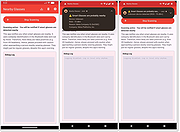 |
|
NixThis v0.42 NixThis v0.42 👉 A portable tool for blocking unwanted Windows ads, suggestions, and interface clutter. NixThis helps you find and disable unwanted Windows features by pointing at them on your screen. Instead of searching through Settings or sorting through hundreds of unfamiliar tweaks, you select an interface element and let NixThis look for the Windows setting behind it. Click “Pick an element” or press Ctrl + Shift + Space, then move your pointer over the item you want to remove. A green outline means NixThis recognizes the element. Click it to review what will change before deciding whether to block it. NixThis intercepts the click so you do not accidentally activate the button underneath. A gray outline means the element is not recognized; its signature is recorded locally, and no settings are changed. You can also use the searchable filter list to review available changes, including features that are not currently visible on your screen. Each entry explains where the item appears and what its filter changes. Select the entries you want and choose “Apply changes.” NixThis remembers previous registry values so you can restore settings through “What you blocked” and “Bring it back.” Uninstalled Microsoft Store apps work differently: NixThis opens the matching Store page so you can reinstall them. The program is portable. Extract the download into a folder you can write to and run NixThis.exe. Its normal blocking features work locally. Optional AI explanations require your own API key and send only the selected setting’s name and technical details to the provider. Features: • Point-and-click element picker for identifying recognized Windows interface features. • Green and gray outlines distinguish recognized elements from unknown ones. • Review the proposed setting change before applying a filter. • Searchable filter list includes items that are not currently visible on screen. • Apply multiple selected filters together. • Each filter explains where its target appears and what will change. • Restore ... |
|
102 | Oct 08, 2026 Builtbybel 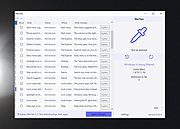 |
|
O&O ShutUp10++ v3.2.1111 O&O ShutUp10++ v3.2.1111 👉 Free privacy control tool for Windows 10 and Windows 11. O&O ShutUp10++ is a portable utility that allows you to take control of your Windows privacy and security settings with ease. It provides a simple interface where you can disable or enable various system features related to data collection, telemetry, location tracking, and automatic updates, giving you full control over what information your system shares. O&O ShutUp10++ does not require installation and can be run directly, making it ideal for quick adjustments or use on multiple systems. It groups settings into categories and provides recommended options, allowing both beginners and advanced users to configure Windows privacy without needing deep technical knowledge. Features: • Disable Windows telemetry and data collection • Control location services, camera, and microphone access • Manage Windows Update behavior and automatic updates • Turn off advertising ID and tracking features • Portable – no installation required • Simple interface with recommended settings • Grouped configuration categories for easy navigation • System restore point creation before applying changes • Works offline without requiring internet access Supported operating systems: • Windows 11, Windows 10 Supported languages: English, German, French, Italian, Spanish, Russian and Chinese (simplified) Changes v3.2.1111 07-15-26 Added: Disable Click to Do Disable the Settings agent Disable AI features in Notepad Disable AI actions in File Explorer Disable Find My Device Disable Microsoft account cloud content search ( Disable work or school cloud content search Disable device search history Disable Start menu recommendations for tips, shortcuts and new apps Disable Start menu account notifications Disable Settings app account notifications Disable extension of Windows search with Bing Deny app access to generative AI ... |
|
8,704 | Jul 28, 2026 O&O Software GmbH 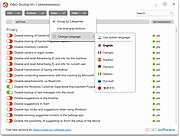 |
|
OnionHop v3.7.12 OnionHop v3.7.12 👉 Privacy-focused desktop app that easily routes your internet traffic through the Tor network. OnionHop is a cross-platform privacy application that makes routing internet traffic through the Tor network easier without requiring users to manually configure Tor. It can operate as a local SOCKS proxy or route traffic system-wide using TUN/VPN mode. Smart Connect can automatically select an appropriate connection method based on the user's network and location, including censorship-resistant methods when normal Tor connections are blocked. OnionHop offers three Tor engines: Classic Tor, Arti, and ArtiHop. Classic Tor provides the fullest set of controls, including bridges, country and relay pinning, and New Identity. Arti uses the Rust implementation of Tor, while ArtiHop uses shortened two-hop Guard-to-Exit circuits for lower latency at the expense of reduced anonymity. For restrictive networks, OnionHop supports numerous pluggable transports, including obfs4, Snowflake, WebTunnel, Conjure, meek, and dnstt. Its Bridge Scanner can retrieve and test bridges, display their latency, and apply working bridges directly. TUN/VPN mode provides system-wide routing for programs that do not honor proxy settings. Hybrid mode adds split tunneling, allowing selected applications to use Tor while others connect normally. Additional privacy protections include DNS-over-Tor, UDP blocking, and an optional kill switch. OnionHop can also host Onion Services. A service running on the computer or local network, such as a web application, NAS, or IP camera, can be made remotely accessible through a persistent .onion address without port forwarding, a static public IP address, or DynDNS. Onion Service hosting requires the Classic Tor engine. Features: • Routes internet traffic through the Tor network • Proxy Mode provides a local SOCKS5 proxy without administrator privileges • TUN/VPN Mode provides system-wide Tor routing • Hybrid mode provides application-based split tunneling • Smart Connect automatically selects connection strategies for the current network • Includes Classic Tor, Arti and ArtiHop Tor engines • Supports obfs4, Snowflake, WebTunnel, Conjure, ... |
|
861 | Aug 19, 2026 center2055  |
|
OnionShare v2.6.5 OnionShare v2.6.5 👉 Securely and anonymously share files, receive files, host websites and chat over the Tor network. OnionShare is a free, open-source privacy tool that lets you securely and anonymously share files, receive files, host websites and chat with others using the Tor network. Instead of uploading your data to a third-party file-sharing service, OnionShare runs a Tor onion service directly on your computer and provides a unique .onion address that others can open using Tor Browser. OnionShare provides separate modes for sending and receiving files, publishing an onion website and creating anonymous chat rooms. The application handles the Tor connection for you and can create temporary or persistent onion services depending on how you want to use it. Because transfers take place through the Tor network, users do not need to expose their public IP addresses to one another. Features: • Securely and anonymously shares files through the Tor network • Receives files directly from other users without relying on a conventional cloud storage provider • Hosts websites as Tor onion services directly from your computer • Creates private anonymous chat rooms • Generates .onion addresses that recipients can open with Tor Browser • Allows multiple Share, Receive, Website and Chat tabs to be used at the same time • Supports persistent onion addresses for services you want to reuse • Provides ephemeral onion services when a permanent address is not needed • Keeps chat history from being permanently stored by OnionShare • Assigns chat participants random names, which they can change • Includes its own Tor connectivity for normal desktop use • Supports Tor bridges for networks where direct Tor connections are restricted • Provides a graphical desktop application and command-line interface • Open-source software released under the GNU GPLv3 license • Does not require users to create accounts with OnionShare Supported operating systems: • Windows • macOS • Linux Supported languages: Afrikaans, Albanian, Arabic, Belarusian, Bengali, Bulgarian, Catalan, Chinese (Simplified), ... |
|
5,565 | Aug 19, 2026 Lockdown Systems 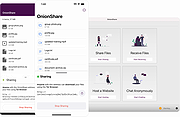 |
|
Overcaption v0.4.0 Overcaption v0.4.0 👉 A free, private subtitle studio for transcribing, editing, translating and adding captions to videos. Overcaption is a desktop subtitle and captioning application that can transcribe video and audio, edit and retime subtitles, translate captions and export finished subtitles or burn them directly into video. Its core processing runs locally on your computer, so videos do not need to be uploaded to an online service. The free version has no time limit, requires no account and produces watermark-free output. Overcaption combines automatic speech recognition with a subtitle editor featuring waveform-based timing, a frame filmstrip and live checks for reading speed and line length. It can work with video, audio-only recordings and standalone subtitle files. Features: • Automatic on-device transcription with word-level timing • Works completely offline for its core transcription, editing and translation features • Keeps video and audio files on your computer instead of uploading them to a web service • No account required • No time limit on the free version • No watermark on exported video • Built-in subtitle editor • Waveform-based subtitle retiming • Frame filmstrip for visual timing reference • Inline subtitle text editing • Instant find and replace • Keyboard-oriented editing workflow • Live reading-speed checks • Live subtitle line-length checks • Grammar-aware subtitle line breaking for supported languages • Dedicated word segmentation for Chinese, Japanese, Burmese, Cantonese, Khmer, Lao and Thai • Local subtitle translation using models from Mozilla and Google • Side-by-side translation editing • Imports and exports SRT subtitle files • Imports and exports VTT subtitle files • Supports plain-text subtitle content • Opens SRT and VTT files without requiring an accompanying video • Hardware-accelerated subtitle burn-in • Free subtitle burn-in at resolutions up to 1080p • Burned subtitles match the editor preview • Supports vertical, square and widescreen video • Handles audio-only files such as podcasts, recordings and voice notes • Includes titles, lower thirds, name straps and animated callouts • No telemetry unless the user opts in • GPU acceleration ... |
|
274 | Aug 28, 2026 Overcaption  |
|
PearPass v2.1.0 PearPass v2.1.0 👉 Peer-to-peer password manager with private, device-to-device syncing. PearPass is an open-source password manager that prioritizes privacy and user control by avoiding centralized servers. Built on Pear Runtime, it uses peer-to-peer technology to sync your credentials directly between your devices, ensuring your data remains private, secure, and fully under your control. Instead of relying on cloud storage, PearPass keeps your information encrypted and shared only between your authorized devices. With a clean and minimal interface, it provides a straightforward way to manage passwords while maintaining modern security practices and full data ownership across desktop and mobile devices. Features: • Peer-to-peer syncing between devices with no central server • Built on Pear Runtime for decentralized application architecture • End-to-end encryption to protect all stored credentials • Local-first storage with no mandatory cloud dependency • Open-source codebase for transparency and independent auditing • Secure device-to-device authorization for syncing • No tracking, telemetry, or third-party data collection • Simple vault-style organization for managing credentials • Clean, minimal interface focused on ease of use • Fast access and retrieval of stored passwords • Designed for full user ownership and control of sensitive data • Lightweight application with low resource usage • Cross-platform support including desktop and mobile devices Supported operating systems: • Windows 10, Windows 11 • macOS • Linux • Android • iOS Supported languages: English Changes: v2.1.0 05-20-26 New features TOTP support: including OTP-to-login matching, duplicate-code warnings, and account search. Vault Deletion: Local vault removal with automatic cross-device syncing. Bitwarden Import: Support for encrypted vault imports. UI & UX Improvements UX improvements: Cleaned up core UI flows (Home, Settings, Autofill, Passkeys). Stability & Performance Faster Diagnostics: Optional local logs for monitoring for quicker bug fixes. Reliable Sync: Fixed Home screen vault name updates and improved cross-device syncing. This download is for the Windows 64bit version (very bottom of page). All ... |
|
860 | Sep 16, 2026 Tether Data, S.A. de C.V. 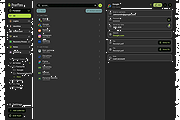 |
|
Pelton v2026.3.2 Pelton v2026.3.2 👉 A privacy-focused open-source email client that keeps your mail under your control. Pelton is a free, open-source desktop email client designed around privacy, speed, and simplicity. Instead of routing your email through third-party services, Pelton connects directly to your existing IMAP and SMTP accounts while storing your data locally in an SQLite database. There is no telemetry, no tracking, and no cloud service standing between you and your email. Built with a modern interface and a keyboard-friendly workflow, Pelton offers fast local searching, offline access, scheduled sending, message snoozing, built-in document previews, customizable themes, and portable configuration backups. Everything runs locally, making it equally suitable for everyday email users and privacy-conscious professionals who want complete control over their communications. Features: • Fast local search using a local SQLite database for instant results, even with large mailboxes. • Cross-platform support for Windows, macOS, and Linux. • Zero telemetry with no tracking or crash reporting. • Connects directly to standard IMAP and SMTP mail providers. • Stores email locally while remaining synchronized with your existing mail provider. • Download messages for offline reading by pinning messages or selecting a date range. • Immediate synchronization using IMAP IDLE for prompt delivery of new mail. • Native desktop notifications for Windows, macOS, and Linux. • Built-in previewer for PDFs, images, and text files. • Snooze messages to return unread at a scheduled time. • Schedule outgoing messages with Send Later. • Export accounts, preferences, and layouts into a portable configuration file. • Eight colored message flags stored locally or synchronized using IMAP keywords. • Extensive customization including themes, layouts, display density, and custom CSS. • Import themes safely with selective importing and automatic removal of remote references. Supported operating systems: • Windows 10, Windows 11 • macOS 13 Ventura or higher (Intel and Apple Silicon) • Linux x86-64 (Debian/Ubuntu, Fedora, and other modern distributions) Supported languages: English, German, French, Dutch, Spanish, Polish Changes: v2026.3.2 08-01-26 • Added ... |
|
256 | Aug 05, 2026 Arne K.  |
|
Pindrop v1.18.0 Pindrop v1.18.0 👉 Private, open-source Mac dictation from your menu bar. Pindrop is a native macOS menu bar dictation application that provides fast, private, and fully local speech-to-text transcription. Using WhisperKit and Apple’s on-device speech technologies, Pindrop keeps your recordings and transcriptions on your Mac while allowing you to dictate text anywhere with customizable hotkeys, clipboard integration, and direct text insertion. Designed for privacy-conscious users, writers, developers, students, and professionals, Pindrop supports multiple transcription engines, AI-assisted cleanup tools, searchable transcription history, and note organization features. The lightweight menu bar design keeps dictation accessible without interrupting your workflow. Features: • Fully local and private speech-to-text transcription • Native macOS menu bar interface • Powered by WhisperKit and Apple Speech frameworks • Optional Parakeet transcription engine support • Push-to-talk and toggle recording hotkeys • Automatic clipboard copying and direct text insertion • Searchable transcription and recording history • Export transcripts to JSON, CSV, and TXT formats • Built-in notes system with tags and pinned items • AI-assisted transcript cleanup and enhancement • Custom word replacement dictionary support • Multiple AI model sizes for speed or accuracy • Floating recording indicators and audio controls • Optional OpenAI-compatible API integrations • Automatic update support via Sparkle Supported operating systems: • macOS Sonoma 14.0 or Higher Supported languages: English Changes: v1.18.0 04-20-26 Added built-in Apple Speech transcription support. Added embedded MCP server support and configuration settings. Improved AI enhancement presets and transcript cleanup behavior. Added release notes display within update notifications. Improved live transcription handling for tentative and committed text. Updated floating recording indicators and default visual styling. Fixed locale switching and improved language name display. Improved Dock icon rendering and app icon behavior. Enhanced release automation and development tooling. Click here to visit the author's website. |
|
731 | Jun 10, 2026 Chris Watson 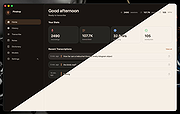 |
|
Portmaster Free v2.2.1 Portmaster Free v2.2.1 👉 Take complete control of your computer's network traffic and protect your privacy. Portmaster Free is a powerful open-source application firewall and privacy manager that lets you see, understand, and control every network connection made by your computer. Instead of simply allowing or blocking Internet access, Portmaster provides detailed visibility into which applications are communicating, where they are connecting, and what protocols they are using. Designed with privacy in mind, Portmaster automatically blocks many trackers, advertisements, malware hosts, and unwanted telemetry across your entire system rather than just within your web browser. It also secures DNS requests, provides extensive per-application and global network controls, and gives advanced users the flexibility to create highly customized filtering rules. Unlike traditional firewalls that focus mainly on inbound threats, Portmaster concentrates on outbound traffic, helping you identify applications that quietly phone home, collect telemetry, or communicate with unexpected servers. Whether you're a privacy enthusiast, security researcher, or simply want more insight into your computer's network activity, Portmaster offers one of the most comprehensive free solutions available. The free edition includes all core privacy and firewall functionality. Premium Safing features such as SPN (Safing Privacy Network), investigative tools, and priority support are optional and not required to use Portmaster's primary firewall and privacy capabilities. Features: • Monitor every incoming and outgoing network connection • Interactive application firewall with per-app network permissions • System-wide blocking of ads, trackers, and malware domains • Secure DNS requests using encrypted DNS-over-TLS • Create global and application-specific firewall rules • Block individual domains, IP addresses, countries, or connection types • Restrict peer-to-peer traffic to selected applications • View detailed connection history and network statistics • Control Internet access with simple allow and block rules • Automatic filter list updates for improved protection • Open-source software with publicly available source code • Automatic background updates for intelligence data and components Supported operating systems: • Windows 10 (64-bit), ... |
|
3,444 | Aug 04, 2026 Safing ICS Technologies GmbH 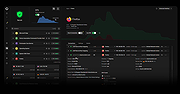 |
|
Privacy Badger v2024.7.17 Privacy Badger v2024.7.17 A browser extension that automatically learns to block invisible trackers. Privacy Badger is a browser extension that stops advertisers and other third-party trackers from secretly tracking where you go and what pages you look at on the web. If an advertiser seems to be tracking you across multiple websites without your permission, Privacy Badger automatically blocks that advertiser from loading any more content in your browser. To the advertiser, it’s like you suddenly disappeared. How is Privacy Badger different from other blocking extensions? Privacy Badger was born out of our desire to be able to recommend a single extension that would automatically analyze and block any tracker or ad that violated the principle of user consent; which could function well without any settings, knowledge, or configuration by the user; which is produced by an organization that is unambiguously working for its users rather than for advertisers; and which uses algorithmic methods to decide what is and isn’t tracking. As a result, Privacy Badger differs from traditional ad-blocking extensions in two key ways. First, while most other blocking extensions prioritize blocking ads, Privacy Badger is purely a tracker-blocker. The extension doesn’t block ads unless they happen to be tracking you; in fact, one of our goals is to incentivize advertisers to adopt better privacy practices. Second, most other blockers rely on a human-curated list of domains or URLs to block. Privacy Badger is an algorithmic tracker blocker – we define what “tracking” looks like, and then Privacy Badger blocks or restricts domains that it observes tracking in the wild. What is and isn’t considered a tracker is entirely based on how a specific domain acts, not on human judgment. How does Privacy Badger work? When you view a webpage, that page will often be made up of content from many different sources. (For ... |
|
4,309 | Oct 08, 2024 Electronic Frontier Foundation  |
|
Privacy Guardian Keep your what you do on your computer and the Internet protected from prying eyes! Internet and Online Privacy PC Tools Privacy Guardian works with popular Internet browsers to erase your browsing history, search history, cookies, passwords, and download logs to help keep your Internet activities private. It even works with chat programs, media players, FTP browsers, email clients, and peer-to-peer file transfer programs to protect your other online activities as well. Everyday Computing Privacy PC Tools Privacy Guardian also helps maintain your day-to-day computing privacy. Temporary and recent file history erasers clear your temporary file folders, as well as your recently opened files lists, keeping your PC use and file access history private. Other cleaners erase Windowsฎ history, including the ones found in Microsoftฎ Office, the Recycle Bin, your Recently Run programs, and the Find and Search bar. Secure File Deletion PC Tools Privacy Guardian helps ensure that the files you delete stay deleted with secure file shredding. And to further safeguard your Recycle Bin, a disk-bleaching tool wipes your free hard disk space, preventing of your deleted files from being restored by file recovery tools. |
 |
13,847 | Mar 01, 2012 Pctools |
|
PrivaZer v4.0.127 PrivaZer v4.0.127 👉 Advanced privacy cleaner that removes traces of your activity from your PC. PrivaZer is a powerful privacy-focused cleaning tool designed to remove traces left behind by everyday computer use. It scans your system to locate leftover files, internet history, cookies, cache data, and other hidden artifacts created by Windows, browsers, and applications. By carefully cleaning these traces, PrivaZer helps improve privacy, free disk space, and keep your system running efficiently. PrivaZer performs deep scans that go beyond typical cleaning utilities, detecting residual data that many programs leave behind. It can safely remove traces from web browsers, messaging applications, system logs, and temporary files while offering detailed control over what is cleaned. Advanced options allow users to securely delete sensitive data and prevent recovery of removed files. The program also offers customizable cleaning profiles, scheduled cleanups, and secure deletion features for users who want to maintain long-term privacy protection. Despite its advanced capabilities, PrivaZer includes guided cleaning modes that help beginners safely perform system cleanup without risk. Features: • Deep scan and removal of privacy traces left by Windows and applications • Cleans browser history, cookies, cache, and internet activity records • Detects and removes residual files left after software uninstallations • Secure file deletion to prevent recovery of sensitive data • Cleans temporary files, logs, and leftover system artifacts • Guided cleaning mode for safe cleanup by less experienced users • Advanced cleaning options for experienced users • Optional scheduled cleaning and automation Supported operating systems: • Windows XP, Windows Vista, Windows 7, Windows 8, Windows 10, Windows 11 Supported languages: Arabic, Bulgarian, Chinese Simplified, Chinese Traditional, Czech, Danish, Dutch, English, Finnish, French, German, Greek, Hungarian, Indonesian, Italian, Japanese, Korean, Norwegian, Polish, Portuguese, Portuguese Brazilian, Romanian, Russian, Slovak, Slovenian, Spanish, Swedish, Turkish, Ukrainian Changes: v4.0.127 10-02-26 + Improved cleanup : HDD + Improved cleanup : TRIM + Improved cleanup : snapshots + Improved cleanup : Free Download Manager + ... |
|
15,047 | Oct 05, 2026 Goversoft LLC 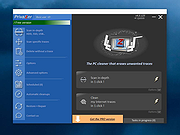 |
|
Refloow Photo Studio v1.1.0 Refloow Photo Studio v1.1.0 👉 A free, open source, privacy-focused photo editor with local AI background removal, filters, cropping, layering, text and image adjustments. Refloow Photo Studio is a free and open source desktop photo editor designed to provide professional-looking results without complicated workflows, accounts, subscriptions, advertisements, watermarks or data collection. All image processing runs locally on your computer, including its AI-powered background removal. The editor provides more than 40 built-in filters along with cropping, mirroring, brightness, contrast, saturation and warmth adjustments. Images can be dragged onto the canvas as layers to build compositions, while an undo and redo history lets you move backward or forward through up to 15 editing actions. Text can also be added to images, resized and positioned as layers. The workspace supports zooming and panning for easier navigation while editing. Features: • Free and open source photo editor • All image processing is performed locally • No accounts or logins required • No subscriptions • No advertisements • No watermarks • No data collection • One-click AI-powered background removal • AI background removal runs locally using the U-2-Netp model • More than 40 built-in professional filters • Crop images • Mirror images • Adjust brightness, contrast, saturation and warmth • Add text to images with imported fonts and customizable colors • Resize and position text as layers • Overlay multiple images to create compositions • Drag-and-drop support • Layer management for arranging compositions • Workspace zooming with the scroll wheel • Workspace panning with the middle mouse button • Undo and redo history for up to 15 actions • High-quality WYSIWYG image exporting Supported operating systems: • Windows 10 64-bit, Windows 11 64-bit • macOS Intel, macOS Apple Silicon • Linux Ubuntu, Linux Debian • Linux distributions capable of running the supplied AppImage Supported languages: English Changes: v1.1.0 06-23-26 • Added the ability to add custom text directly to compositions using imported fonts and customizable text colors. • Added full workspace zooming, panning and canvas movement. • Added smart crop ... |
|
111 | Sep 08, 2026 Veljko Vuckovic  |
|
Revo Uninstaller Free Portable v2.7.2 Revo Uninstaller Free Portable v2.7.2 👉 Uninstall programs, Windows apps, and leftover traces from a portable utility. Revo Uninstaller Free Portable helps you remove unwanted programs from Windows without installing the uninstaller itself. It runs the selected program’s built-in uninstaller first, then scans for leftover files, folders, and Windows Registry entries that may remain behind after a normal uninstall. Features: • Portable version requires no installation • Uninstall regular desktop programs • Remove Windows Apps • Scan for leftover files, folders, and Registry entries • Hunter Mode for managing visible programs, shortcuts, tray icons, and startup items • Autorun Manager to control Windows startup items • Junk Files Cleaner • Windows Tools shortcut panel • Browsers Cleaner • MS Office Cleaner • Windows Cleaner • Evidence Remover • Unrecoverable Delete for permanently erasing files and folders Supported operating systems: • Windows 7, Windows 8, Windows 8.1, Windows 10, Windows 11, Windows Server Editions Supported languages: English, German, French, Italian, Portuguese, Brazilian Portuguese, Russian, Polish, Spanish, Dutch, Norwegian, Swedish, Hindi, Japanese, Chinese, Korean Changes: v2.7.2 10-06-26 Improved – Scanning and safety algorithms for leftovers Fixed minor bugs Updated language files Note: This file has one hit on VirusTotal. We have confirmed this to be a false positive. The file is safe. Click here to visit the author's website. |
|
10,329 | Oct 09, 2026 VS Revo Group 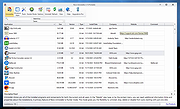 |
|
Sandboxie-Plus v1.18.3 Sandboxie-Plus v1.18.3 👉 Run programs in an isolated sandbox so they cannot make permanent changes to Windows or your files. Sandboxie-Plus is an open-source sandbox-based isolation tool for Windows. It creates a controlled virtual environment where applications can be run or even installed without permanently modifying the local drive, mapped drives, or the Windows registry. The Plus edition uses a modern Qt-based interface and adds newer management and customization features on top of the shared Sandboxie core. Features: • Runs programs in isolated sandboxes to help prevent permanent changes to local and mapped drives or the Windows registry • Allows creation of virtually unlimited sandboxes • Can run multiple programs at the same time in one sandbox or across separate sandboxes • Modern Qt-based Sandboxie-Plus interface • Snapshot Manager for saving and restoring sandbox states • Maintenance menu for installing, uninstalling, starting, and stopping the Sandboxie driver and service • Portable mode that can extract all files to a directory • Additional UI options to block access to Windows components such as the printer spooler and clipboard • More customization options for Start/Run and Internet access restrictions • Privacy mode sandboxes to help protect user data from illegitimate access • Security-enhanced sandboxes that restrict syscall and endpoint availability • Global hotkeys to suspend or terminate all boxed processes • Per-sandbox network firewall support using Windows Filtering Platform • Search for sandboxes with Ctrl+F • Search function for Global Settings and Sandbox Options • Import and export sandboxes to and from 7z files • Windows Start menu integration for sandboxes • Browser compatibility wizard for unsupported browsers • Vintage View mode to reproduce the look of Sandboxie Control • Troubleshooting wizard to assist with problems • Add-on manager for extending functionality with additional components • Includes protections of sandboxes against the host, including prevention of taking screenshots Supported operating systems: • Windows 7 or higher (64-bit) Supported languages: Arabic, Simplified Chinese, Traditional Chinese, Dutch, French, German, Hungarian, Italian, Japanese, Korean, ... |
|
5,943 | Sep 02, 2026 David Xanatos 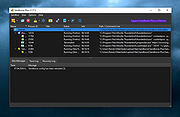 |
|
SecretDNS v4.0.5 SecretDNS v4.0.5 👉 A free utility for encrypted DNS and selective SNI fragmentation to help bypass website filtering. SecretDNS combines DNS over HTTPS with SNI fragmentation to help protect DNS requests and bypass filtering based on website names. It uses a selected DNS server without changing Windows DNS settings. DNS over HTTPS encrypts the requests your computer sends to look up website addresses. SNI fragmentation splits the part of a connection that identifies the requested website, helping bypass filtering that examines this information. SecretDNS fragments only the SNI string to minimize slowdown. You can specify which domains receive this treatment and use a whitelist to reduce website connection problems. The program also lets you check accessed domains and combine its bypass features with proxy functionality. To get started, click the Run button. The developer recommends selecting encrypted DNS, choosing manually specified SNI fragmentation and entering the domains you want to bypass. Features: • Encrypts DNS requests using DNS over HTTPS. • Helps bypass website filtering through SNI fragmentation. • Fragments only the SNI string to minimize speed degradation. • Lets you apply SNI fragmentation to specified domains. • Supports domain lists for selective DNS and fragmentation functionality. • Uses whitelisting to help reduce website connection problems. • Uses a selected DNS server without changing Windows DNS settings. • Lets you check information about accessed domains. • Can be used alongside proxy functionality. • Provides recommended settings for encrypted DNS and selective fragmentation. • Portable edition that runs without installation. • Free for home, business, government and school use. Supported operating systems: • Windows 10/11 Supported languages: English. Changes: v4.0.5 09-15-26 - Improved VPN stability with automatic server switching - Made VPN activity easier to identify ... |
No Votes | 59 | Oct 05, 2026 kilho.net 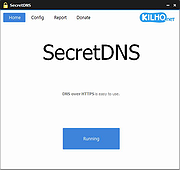 |
|
Slimjet v50.0.0.0 Slimjet v50.0.0.0 👉 Fast and feature-rich Chromium-based web browser focused on privacy and productivity. Slimjet is a powerful web browser built on the Chromium engine, offering high-speed browsing combined with enhanced privacy protection and built-in productivity tools. It includes features that go beyond standard browsers, such as advanced download management, form filling, ad blocking, and video downloading. Slimjet is designed to improve user efficiency while minimizing tracking and unwanted data collection, making it a strong alternative to mainstream browsers. Features: • Built on Chromium for fast and secure browsing • Integrated ad blocker and anti-tracking protection • Built-in video downloader for various websites • Advanced download manager with acceleration • Automatic form filler and password manager • Customizable toolbar and interface options • Flexible tab management and session control • Photo salon for quick image editing and enhancement • Supports Chrome extensions • Privacy-focused with reduced data collection Supported operating systems: • Windows 7, Windows 8, Windows 10, Windows 11 • macOS 10.10 or higher • Linux Supported languages: English, German, French, Spanish, Italian, Portuguese, Dutch, Polish, Russian, Chinese, Japanese, Korean Changes: v50.0.0.0 04-18-26 Migrate to Chromium 144 This download is for the Windows 64bit installer version (very bottom of page). All other download assets are below: Other Windows: sjtsetup_x86.exe (32bit installer) sjt7z_x64.exe (64bit portable) sjt7z_x86.exe (32bit portable) MacOS: slimjet.dmg (Intel) slimjet_arm.dmg (Apple Silicone) Linux: slimjet_amd64.deb slimjet_amd64.tar.xz Click here to visit the author's website. |
|
3,340 | Apr 20, 2026 FlashPeak Inc.  |
|
SmartTextCrypter v1.03 SmartTextCrypter v1.03 👉 A tiny portable tool for password-encrypting text before sending it through messaging apps, email or SMS. SmartTextCrypter is a free, portable Windows utility designed to encrypt text messages with a password before they are sent through services such as WhatsApp, Telegram, email or SMS. The recipient pastes the encrypted text into SmartTextCrypter and enters the same password to decrypt and read the original message. Everything is processed locally on your computer without uploading your text to a cloud service or server. The program uses the author's proprietary multi-layer encryption method consisting of password-based key generation, XOR encryption, position-dependent mixing, bit rotation and a checksum for detecting errors or incorrect passwords. It supports Unicode text, including Asian, Cyrillic and Arabic characters. SmartTextCrypter requires no installation and can be run directly from a USB drive, external drive or ordinary folder without creating registry entries. Features: • Password-based encryption and decryption of text • Send encrypted text through WhatsApp, Telegram, email, SMS and other services • Proprietary multi-layer encryption using XOR, positional mixing and bit rotation • Generates a 32-byte key from your password • Checksum detects errors and incorrect passwords • Unicode support for Asian, Cyrillic, Arabic and other characters • Completely local operation with no cloud service or server uploads • Portable and requires no installation • Can run directly from a USB drive, external drive or any folder • Does not create registry entries • Low CPU usage • Adjustable text sizes for improved readability • Free for private use Supported operating systems: • Windows XP, Windows Vista, Windows 7, Windows 8, Windows 8.1, Windows 10, Windows 11, Windows Server 2012-2025 • 32-bit and 64-bit Windows Supported languages: German, English, Italian, Chinese-Traditional, Dutch, Russian, Japanese, Korean, Spanish, Portuguese, Malay Changes: v1.03 08-26-26 • SmartTextCrypter language file update • Minor fine-tuning in SmartTextCrypter for all Windows operating systems. Click here to visit the author's website. |
|
169 | Sep 03, 2026 Nenad Hrg 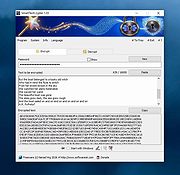 |
|
StasherX v3.12.3.7 StasherX v3.12.3.7 👉 Hide and protect your folders from view with password-based control. StasherX is a simple utility that lets you protect your directories and folders by making them hidden or visible on demand. With password control, it helps prevent casual access to sensitive folders and keeps data out of sight without modifying the files themselves. It’s lightweight and straightforward, ideal for users who want a basic folder-protection tool without complex encryption setups. Features: • Hide directories and folders from view • Toggle visibility on demand • Password protection for folder access • Simple, no-nonsense interface • Lightweight and fast Supported operating systems: • Windows 10, Windows 11 Supported languages: • English Changes: v3.12.3.7 Not provided. Click here to visit the author's website. |
|
716 | Jul 06, 2026 Cyberland  |
 |
Thoth v1.1.0 Thoth v1.1.0 👉 Local-first AI knowledge assistant with RAG, document search, and cited answers powered by Ollama. Thoth is a local-first, privacy-focused AI knowledge assistant that uses Retrieval-Augmented Generation (RAG) to help you search, organize, and interact with your information. Running entirely on your own computer with Ollama, it keeps your documents and conversations private while providing AI-powered answers complete with source citations. You can upload your own documents, search Wikipedia, browse academic papers from arXiv, perform web searches, and maintain persistent conversations without relying on cloud-hosted language models. Thoth indexes your files into a local vector database for fast semantic searches, intelligently combines information from multiple sources, and lets you switch between compatible Ollama models to best suit your hardware and workload. It is designed for researchers, students, developers, and anyone who wants a private AI assistant that can accurately answer questions using both local documents and trusted online resources. Features: • Runs completely locally using Ollama with no cloud AI required • Privacy-focused design that keeps documents and conversations on your PC • Retrieval-Augmented Generation (RAG) for context-aware answers • Upload and index PDF, DOCX, DOC, and TXT documents • Local FAISS vector database for fast semantic document searching • Multi-source retrieval from local documents, Wikipedia, arXiv, and Tavily web search • Automatic source citations for every generated response • Persistent multi-turn conversations stored locally • Automatic follow-up question rewriting for improved search accuracy • Contextual compression retrieves only the most relevant document sections • Parallel retrieval from multiple enabled sources for faster responses • Intelligent duplicate removal across retrieval results • Automatic context trimming for efficient long conversations • Supports dynamic switching between 30+ Ollama models • Automatic download of supported Ollama models • Built-in API key management through the Settings panel • Automatic conversation naming • Embedded Python runtime included with the Windows installer • Smart context assessment minimizes unnecessary searches • Improved automatic chat scrolling Supported operating systems: • Windows ... |
|
844 | Jul 26, 2026 Siddharth Sachar  |
|
Tor Browser v15.0.25 Tor Browser v15.0.25 👉 Privacy-focused web browser that routes traffic through the Tor network to help prevent tracking, surveillance, and censorship. Tor Browser is a privacy-focused web browser based on Mozilla Firefox ESR that has been heavily modified for use with the Tor network. It routes your traffic through the Tor network to help hide your real IP address, resist online tracking and browser fingerprinting, and protect against surveillance and censorship. By default, it does not keep browsing history, and cookies are only valid for a single session unless you request a new identity. Features: • Routes internet traffic through the Tor network using multiple relays to conceal your real IP address • Uses layered (onion) encryption so each relay only knows the previous and next step in the circuit • Blocks third-party trackers and isolates cookies to prevent cross-site tracking • Automatically clears cookies and browsing data when the browser is closed • Does not retain browsing history by default for increased privacy • Resists browser fingerprinting by standardizing browser characteristics across users • Includes built-in HTTPS enforcement to help ensure encrypted connections when available • Provides “New Identity” feature to quickly reset your session and obtain a new Tor circuit • Includes “New Circuit for this Site” option to change exit nodes for specific websites • Offers multiple security levels (Standard, Safer, Safest) to reduce attack surface • Disables potentially unsafe browser features like certain scripts and media formats at higher security levels • Helps bypass censorship and access blocked websites through the Tor network • Protects against local network surveillance and ISP monitoring • Includes Tor network configuration options for censored regions (bridges, Snowflake, etc.) • Sandboxed design helps isolate web content from the underlying operating system • Regularly updated with Firefox ESR security patches and Tor-specific hardening • Open-source project with publicly auditable code • Designed to minimize data leaks such as DNS requests outside the ... |
|
7,081 | Oct 14, 2026 The Tor Project  |
|
uBlock Origin Lite v2026.628.2035 uBlock Origin Lite v2026.628.2035 👉 Lightweight Manifest V3 content blocker that blocks ads, trackers, and other unwanted web content. uBlock Origin Lite is a lightweight, Manifest V3-based content blocker designed to efficiently block ads, trackers, cryptominers, and other unwanted web content while using minimal CPU and memory. Unlike the original uBlock Origin, uBlock Origin Lite relies on the browser's declarative filtering engine, allowing filtering to occur without a continuously running background process. This approach improves efficiency while remaining compatible with modern browser extension requirements. Users can select different filtering modes and enable additional filter lists through the extension's options page to increase protection. uBlock Origin Lite includes the standard uBlock Origin filter set by default, including EasyList, EasyPrivacy, Peter Lowe's Ad and Tracking Server List, and uBlock's own built-in filters. It is ideal for Chromium-based browsers that require Manifest V3-compatible extensions while also supporting Firefox and Safari versions built for the new extension architecture. Features: • Blocks advertisements, trackers, cryptominers, and malicious domains • Built on the Manifest V3 extension platform • Uses the browser's declarative filtering engine for low resource usage • No permanent background process required • Includes uBlock Origin default filter lists • Supports additional optional filter lists • Multiple filtering modes for different levels of protection • Fast startup with minimal CPU and memory consumption • Open source under the GPL-3.0 license • Available for Chromium-based browsers, Firefox, Microsoft Edge, and Safari Supported operating systems: • Windows 10, Windows 11 • macOS 13.7 or higher • Linux (via supported Chromium-based browsers or Firefox) • ChromeOS • iOS 18.6 or higher (Safari) • iPadOS 18.6 or higher (Safari) Supported languages: English Changes: v2026.628.2035 06-28-26 Updated filter lists. This download is for the Firefox version (very bottom of page). If you need the Google Chrome version, download here. If you need the Microsoft Edge version, download here. If you need the Apple Safari version, download here. Click here to visit the author's website. |
|
504 | Jul 05, 2026 Raymond Hill  |
|
uBlock Origin v1.72.0 uBlock Origin v1.72.0 👉 Efficiently block ads, trackers, malware, and other unwanted web content. uBlock Origin is a free, open-source, wide-spectrum content blocker designed to improve privacy, security, and browsing performance while using minimal CPU and memory. Rather than focusing only on advertisements, it blocks trackers, malicious domains, cryptocurrency miners, popups, anti-adblock scripts, and many other forms of unwanted web content. It supports multiple filter lists out of the box, while also allowing advanced users to create custom filtering rules and import additional lists. uBlock Origin is known for its efficiency, making it one of the lightest and fastest content blockers available. Note: Google Chrome has removed support for Manifest V2 extensions. The full version of uBlock Origin is best supported on Firefox. Chromium-based browsers need uBlock Origin Lite. Features: • Blocks ads, trackers, malware sites, popups, cryptocurrency miners, and other unwanted content • Lightweight design with low CPU and memory usage • Includes EasyList, EasyPrivacy, Peter Lowe's Blocklist, Online Malicious URL Blocklist, and uBlock Origin filter lists by default • Supports additional community filter lists and custom filters • Dynamic filtering for advanced users • Cosmetic filtering to hide unwanted page elements • Supports hosts files • Import and export custom settings and filter lists • Per-site blocking controls • Free and open source (GPLv3) Supported operating systems: • Windows 10, Windows 11 • macOS • Linux • Firefox for Android Supported languages: English, Arabic, Bulgarian, Catalan, Chinese (Simplified), Chinese (Traditional), Croatian, Czech, Danish, Dutch, Estonian, Finnish, French, German, Greek, Hebrew, Hindi, Hungarian, Indonesian, Italian, Japanese, Korean, Lithuanian, Norwegian Bokmๅl, Persian, Polish, Portuguese, Portuguese (Brazil), Romanian, Russian, Serbian, Slovak, Slovenian, Spanish, Swedish, Thai, Turkish, Ukrainian, Vietnamese, Welsh, and others. Changes: v1.72.0 06-28-26 Fix broken rendering of final URL in strict-block page. Fix potential exception in set-attribute scriptlet. Improve parsing and interpretation of consecutive $$ in network filters. Improve googlesyndication_adsbygoogle shim. Add edit-object-on-getter and edit-object-on-setter scriptlets. Improve JSONPath support, including regex selectors, RFC9535 conformance, double-quoted names, and ... |
|
491 | Jul 05, 2026 Raymond Hill  |
|
Vivaldi v8.2.4133.52 Vivaldi v8.2.4133.52 👉 Highly customizable web browser built for power users, privacy, and productivity. Vivaldi is a feature-rich Chromium-based web browser designed for users who want extensive control over their browsing experience. Created by former Opera developers, Vivaldi focuses on customization, efficiency, privacy, and integrated productivity tools rather than simplified mainstream browsing. It combines advanced tab management, built-in communication tools, customizable interface layouts, and strong privacy protections into a single browser package. Vivaldi allows users to tailor nearly every aspect of the interface, including tab placement, themes, keyboard shortcuts, gestures, toolbars, and panel layouts. The browser includes built-in features such as Mail, Calendar, Feed Reader, Notes, screenshot capture, ad and tracker blocking, Workspaces, split-screen tab tiling, and powerful session management tools. Unlike many browsers that rely heavily on extensions for advanced functionality, Vivaldi includes many professional-grade tools directly within the browser itself. Features: • Chromium-based browser engine for broad website compatibility • Highly customizable menus, toolbars, themes, and browser interface • Advanced tab management with Tab Stacks and multiple tab placement options • Tab Tiling for viewing multiple webpages side by side • Workspaces for separating tabs by projects, activities, or interests • Built-in Mail client • Built-in Calendar • Integrated Feed Reader for RSS and Atom feeds • Notes manager for saving text and information while browsing • Built-in tracker and ad blocker • Web Panels for displaying websites alongside the main browser window • Custom keyboard shortcuts and mouse gestures • Quick Commands for quickly accessing browser commands and content • Command Chains for combining multiple browser actions • Extensive theme customization • Bookmark and browsing history management • Built-in screenshot and webpage capture tools • Session saving and restoration • Sync for supported browser data across devices • Reader View for simplified webpage reading • Reading List for saving pages to read later • Custom search engines • Customizable Start Page and Speed Dials • Private browsing windows • Supports extensions from the Chrome Web ... |
|
6,716 | Sep 13, 2026 Vivaldi Technologies  |
|
Vorn v1.0.3 Vorn v1.0.3 👉 Fast, private, crash-safe backup program with advanced features. Vorn is a modern local-first backup application designed to securely protect files without relying on cloud services, subscriptions, accounts, or telemetry. Instead of uploading data to external servers, Vorn stores everything inside a local vault controlled entirely by the user. The software uses content-addressable storage powered by BLAKE3 hashing, allowing duplicate data to be stored only once even across multiple backup sessions. This greatly reduces storage usage while improving backup efficiency. Vorn was built with reliability and data integrity in mind. It uses atomic writes, write-ahead logging, resumable operations, and integrity verification to help prevent corruption during crashes or unexpected shutdowns. Large files are automatically divided into chunks, making backups more resilient and easier to resume if interrupted. Optional gzip compression can reduce storage requirements further while maintaining compatibility with the portable vault format. The application features a clean desktop interface with dark and light themes, portable executables, and cross-platform support for Windows, macOS, and Linux systems. Since the backup vault is self-contained and self-describing, users can move backups between systems or restore files to different locations without depending on proprietary cloud infrastructure. Vorn is designed for users who want complete control of their backups while maintaining speed, privacy, and simplicity. Features: • Local-first backup architecture with no cloud dependency • Fully offline operation with no accounts or telemetry • Content-addressable storage using fast BLAKE3 hashing • Automatic deduplication across all backup sessions • Stores identical file content only once to save disk space • Chunked storage engine for efficient handling of large files • Resumable backup operations after interruptions or crashes • Atomic write protection for safer backup transactions • Write-ahead logging to improve recovery reliability • Self-describing portable vault format • Integrity verification to detect damaged or missing data • Optional gzip compression for reduced storage usage • Smart pruning system for reclaiming unused ... |
|
536 | May 29, 2026 Leonardo Ciaccio  |
|
Win11Debloat v2026.08.24 Win11Debloat v2026.08.24 👉 Declutter and customize Windows 10 or 11 by removing unwanted apps, telemetry, ads, AI features and other annoyances. Win11Debloat is a lightweight PowerShell utility for cleaning up and customizing Windows without installation. It can remove preinstalled apps, disable telemetry and advertising, change privacy settings, disable unwanted Windows AI features, modify the Start menu, taskbar and File Explorer, and adjust many other Windows behaviors. It includes an interactive graphical interface as well as command-line options for administrators and automated deployments. The OlderGeeks.com download contains the official Get.ps1 quick-launch script. An Internet connection is required because this launcher downloads the current Win11Debloat release directly from the official GitHub repository before starting it. The downloaded files are placed temporarily under %TEMP%\Win11Debloat and are cleaned up when the program closes, while configuration files, logs and backups are preserved. Most changes made by Win11Debloat can be reversed, and most removed Microsoft Store applications can be reinstalled. Because the utility makes substantial changes to Windows, users should carefully review the selected options before applying them. Features: • Remove a wide variety of preinstalled Windows applications • Disable telemetry, diagnostic data collection, activity history, app-launch tracking and targeted advertising • Disable Windows tips, suggestions, lock-screen promotions and Microsoft Edge advertising • Disable Windows location services, application location access and Find My Device tracking • Hide Microsoft 365 advertising on the Settings Home page or hide the Home page completely • Disable or remove Microsoft Copilot, Windows Recall and Click to Do • Prevent the Windows AI service from starting automatically • Disable AI features in Microsoft Edge, Paint and Notepad • Restore the classic Windows 10-style context menu • Disable mouse acceleration, Sticky Keys shortcuts, Storage Sense and Fast Startup • Disable automatic BitLocker device encryption • Disable network connectivity during Modern Standby • Prevent Windows from automatically restarting after updates while a user is signed in • Disable Windows Delivery Optimization • ... |
|
302 | Aug 25, 2026 Jeffrey Raphire  |
|
Winhance v26.06.12 Winhance v26.06.12 👉 Enhance, debloat, and customize Windows with powerful system tweaks. Winhance is a Windows optimization and customization tool designed to help users debloat, fine-tune, and enhance their Windows experience. It provides a structured interface to adjust privacy settings, remove unwanted apps, optimize performance, and configure various system components in a safe and organized way. Winhance simplifies advanced Windows configuration by grouping hundreds of commonly used tweaks, optimizations, and customization options into an intuitive interface. It can remove unnecessary Windows components, improve privacy, adjust gaming and performance settings, install or remove software, customize Explorer and the Start menu, and generate reusable configuration files for deploying the same settings across multiple computers. Winhance is open source and supports both installed and portable operation. Features: • Remove preinstalled Windows apps, optional features, and unwanted components • Apply privacy, security, gaming, and performance optimizations • Customize the taskbar, Start menu, Explorer, desktop, and Windows appearance • Install or uninstall popular third-party software from a built-in catalog • Configure Windows services, power settings, networking, and system behavior • Create reusable Winhance configuration files and unattended Windows deployment files • Review and track applied changes with a built-in change history log • Available as both an installed and portable application • Open source with support for Windows 10 and Windows 11 Supported operating systems: • Windows 10 x64 (22H2), Windows 11 (23H2, 24H2, 25H2) Supported languages: Arabic, Bulgarian, Chinese (Simplified), Chinese (Traditional), Croatian, Czech, Danish, Dutch, English, Finnish, French, German, Greek, Hebrew, Hungarian, Italian, Japanese, Korean, Norwegian Bokmๅl, Polish, Portuguese (Brazil), Portuguese (Portugal), Romanian, Russian, Serbian, Slovak, Spanish, Turkish, Ukrainian Changes: v26.06.12 06-12-26 • Added Builder Mode for creating Winhance configuration files and autounattend.xml files without modifying the current PC • Added a Sponsors & Supporters page and a Change History log that records all applied settings and app installations/removals • Added Hebrew language support, bringing the total to 29 supported languages • Added new Explorer ... |
|
1,098 | Jun 29, 2026 Marco du Plessis 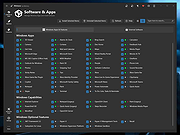 |
|
Yowl v1.3.2 Yowl v1.3.2 👉 A MacBook theft alarm that sounds if someone tries to take your laptop and snaps a pic of the thief. Yowl is a menu-bar app for macOS that sounds an alarm when a MacBook is unplugged, moved, or its lid is partly closed. You choose which triggers to enable. When the alarm sounds, Yowl can play a siren, lock the screen, take photos, and send optional alerts and photos to your phone through ntfy. Photo capture and phone alerts are optional. Yowl is free and open source, with no accounts, analytics, or servers of its own. Features: • Runs from the macOS menu bar. • Triggers the alarm when the charger is unplugged. • Offers optional camera-based movement detection and a partial-lid-close trigger. • Sounds a siren at maximum volume, even if the Mac is muted or using headphones. • Can lock the screen when the alarm sounds. • Can optionally take photos, including images captured during the 10 seconds before the alarm. • Can optionally send an alert and up to three photos to your phone using a private ntfy link. • Saves captured photos on the Mac, keeping up to 40 recent images. • Uses a universal binary for Apple Silicon and Intel Macs. The lid trigger requires a hinge sensor and is unavailable on Intel Macs. • Requires macOS 14 or later. Supported operating systems: • macOS 14 or later Supported languages: English Changes: v1.3.2 10-08-26 Keep screaming with the lid closed: if installing the helper fails, Yowl now says why, instead of only showing "Helper: not installed". Cancelling the password prompt still reads as not authorised; anything else shows the underlying error (#1). The install now checks only Yowl's ... |
|
26 | Oct 12, 2026 nejcar20 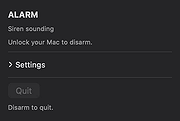 |
| Showing rows 1 to 50 of 50 | Showing Page 1 of 1 | 1 |
OlderGeeks.com Copyright (c) 2026
