|

|
Processed through Paypal No account required. |








Buy our over-priced crap to help pay the bills.



|
|
Processed through Paypal No account required. |
| File - Download Mozilla Firefox ESR v153.2.0 | ||||||||
| Description | ||||||||
|
Always scroll to the bottom of the page for the main download link. We don't believe in fake/misleading download buttons and tricks. The link is always in the same place. Mozilla Firefox ESR v153.2.0 👉 A stable, long-term Firefox release designed for users and organizations that prefer fewer major browser changes. Mozilla Firefox ESR is the Extended Support Release of Mozilla's popular open-source web browser, designed for organizations, businesses, schools, system administrators and users who value stability over frequent feature changes. ESR receives regular security and stability updates while keeping major interface and feature changes on a longer release cycle than standard Firefox. It provides the familiar Firefox browsing experience with strong privacy protections, tracker blocking, private browsing, password management, synchronization, extensions and extensive customization. ESR is especially useful in managed environments where administrators need predictable browser behavior and more time to test compatibility between major releases. 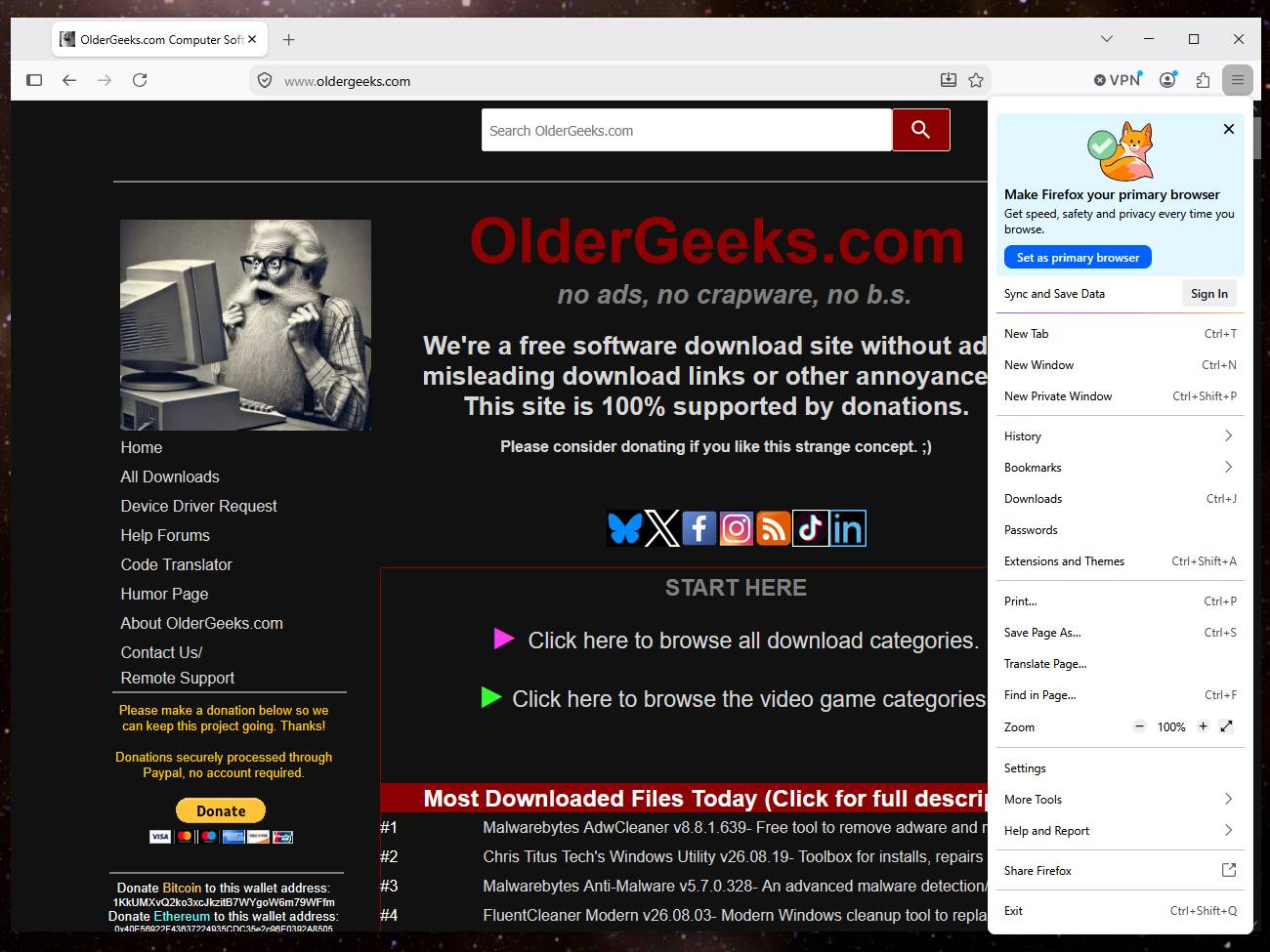 Features: • Extended Support Release with a longer major-version lifecycle • Regular security and stability updates without frequent major feature changes • Enhanced Tracking Protection blocks many known trackers automatically • Private Browsing mode with additional protection against tracking • Built-in password manager for storing and managing website logins • Firefox Sync can synchronize bookmarks, passwords, history, tabs and settings between devices • Separate Firefox profiles can keep work, personal and other browsing activities apart • Container support can isolate cookies, logins and tracking data between different browsing activities • Large library of extensions and browser themes • Customizable toolbar, menus and browser appearance • Tabbed browsing with tab search and organization tools • Built-in PDF viewing • Automatic browser updates and security fixes • Support for enterprise policies and centralized browser management • Available in 32-bit, 64-bit and ARM64 builds where supported • Free and open-source Supported operating systems: • Windows 10, Windows 11 • macOS 10.15 or higher • GNU/Linux with glibc 2.17 or higher, GTK+ 3.14 or higher, libglib 2.42 or higher, libstdc++ 4.8.1 or higher and X.Org 1.0 or higher Supported languages: English (US) Changes: v153.2.0 09-13-26 General Firefox now includes a new profile management system that helps you separate your online life into distinct profiles for work, school, vacation planning, or whatever you choose. Profiles can be customized with names, avatars, and color themes while keeping tabs, bookmarks, passwords, and browsing history separate. Built-in profile backup and restore also makes it easier to migrate to a new device or recover your browsing data. Split View lets you view two webpages side-by-side in a single browser window, with additional options to quickly open links in Split View, rearrange pages, and search open tabs. The Firefox address bar has gained several new capabilities, including built-in unit and time zone conversion, quick actions such as muting all browser audio, and direct search results as you type. Firefox now supports copying links directly to highlighted text on a webpage for easier sharing. Firefox Settings has been redesigned with improved organization and navigation, making it easier to find and customize browser preferences. AI Firefox introduced several new AI-powered features, including on-device tab organization, AI-assisted link previews, integrated AI search, and centralized controls for managing AI features. Whenever possible, these features perform processing locally to help protect user privacy. Sidebar and Tabs Firefox continues to improve tab management with enhancements to vertical tabs, tab groups, and the sidebar. Tab groups have gained numerous usability improvements, including better support for collapsed groups, previews of grouped tabs, and additional organization options. Passwords can now be accessed directly from the Firefox sidebar without opening a separate tab. Firefox now supports copying links from one or multiple background tabs directly from the tab context menu, and multiple tabs can be copied or shared in a single action. A Send Tab toolbar button is now available through Customize Toolbar. Security & Privacy Firefox has significantly expanded Fingerprinting Protection, making it harder for websites to uniquely identify users in both Standard and Strict Enhanced Tracking Protection modes. Enhanced Tracking Protection includes stronger protections against bounce tracking and additional safeguards that restrict websites from accessing local network resources without user permission. Firefox now uses Safe Browsing V5 for phishing and malware protection. Firefox Password Manager now uses stronger AES-256 encryption to protect stored logins on disk. Private Browsing has been enhanced with new controls, including the ability to instantly end a private browsing session and temporarily relax tracker blocking for individual sites when needed for compatibility. Translations Firefox has expanded on-device translation support with many additional languages and continued improvements to translation quality. A dedicated translations page now provides an easy way to perform real-time translations directly within Firefox. Accessibility Firefox continues to improve accessibility with enhanced support for assistive technologies, including Windows UI Automation, improved keyboard navigation, more accessible date and time controls, and better support for mathematical content in PDFs. Windows Firefox now supports installing websites as standalone web apps pinned to the Windows taskbar. Firefox web apps are also available for Microsoft Store installations. Firefox now better integrates with Windows location permissions when websites request geolocation access. macOS Firefox now uses a dedicated GPU process by default, improving stability by allowing graphics failures to recover without restarting the browser. WebGPU is now enabled by default on Apple Silicon Macs. Linux Firefox now supports native fractional scaling on Wayland, improving rendering on high-DPI displays. Firefox no longer requires a restart after package manager updates and uses less memory on Linux. Firefox now supports the XDG Base Directory Specification and ships with RPM packages for Red Hat, Fedora, openSUSE, and other RPM-based distributions. This download is for the Windows 64bit version (very bottom of page). All other download assets are below: Other Windows: Firefox Setup32bit 153.2.0esr.exe Firefox SetupARM 153.2.0esr.exe Firefox Setup 115.40.0esr.exe (Legacy) macOS: Firefox 153.2.0esr.dmg Firefox 115.40.0esr.dmg (Legacy) Linux: firefox64-153.2.0esr.tar.xz firefoxARM-153.2.0esr.tar.xz firefox32bit-140.15.0esr.tar.xz firefox-115.40.0esr.tar.bz2 (Legacy) Click here to visit the author's website. Continue below for the main download link. |
||||||||
| Downloads | Views | Developer | Last Update | Version | Size | Type | Rank | |
| 7,011 | 18,995 | Mozilla | Sep 13, 2026 - 14:32 | 153.40.0 | 85.54MB | EXE |  , out of 119 Votes. , out of 119 Votes. |
|
| File Tags | ||||||||
| ESR Mozilla Firefox Browser Privacy Security Enterprise Web Extensions Profiles Passwords Sync OpenSource CrossPlatform | ||||||||
Click to Rate File Share it on Twitter → Tweet
|


