|

|
Processed through Paypal No account required. |








Buy our over-priced crap to help pay the bills.



|
|
Processed through Paypal No account required. |
| Files | ||||
| File Name | Rating | Downloads | ||
 |
Alternate File Shredder v3.100 Alternate File Shredder v3.100 👉 Securely and permanently erase files, folders, and free disk space to prevent data recovery. Alternate File Shredder is a freeware, open-source utility designed to securely destroy files and folders so they cannot be recovered with standard undelete or forensic recovery tools. Instead of simply removing file references from the file system, it repeatedly overwrites the contents using configurable methods before deleting them, making recovery extremely difficult or impossible. The program can also overwrite unused free space on a drive to eliminate remnants of files that were previously deleted without secure wiping. Additional options allow you to overwrite data with random values, a fixed value, or the contents of another file, giving you flexibility for different security requirements. Because secure deletion is permanent, the author recommends carefully reviewing all selected items before proceeding. Features: • Permanently erase files and folders by securely overwriting data before deletion • Wipe free disk space to remove recoverable traces of previously deleted files • Choose overwrite methods using random values, fixed values, or a template file • Configure multiple overwrite iterations for increased security • Optionally overwrite file names before deletion • Ignore write protection when desired • Drag-and-drop support for quickly adding files and folders • Displays detailed file information before shredding • Processing log for completed operations • Open source and free to use Supported operating systems: • Windows Vista, Windows 7, Windows 8, Windows 8.1, Windows 10, Windows 11, Windows Server Supported languages: • English, German, Spanish, French, Italian, Chinese, Japanese, Korean, Swedish, Arabic, Greek, Russian, Czech, Hungarian, Turkish, Polish, Portuguese, Slovenian, Danish, Dutch Changes: v3.100 02-13-26 Added custom colors Options extended Note: This file has four hits on VirusTotal. We have confirmed these to be false positives. The file is safe. Click here to visit the author's website. |
 |
7,427 | Jul 07, 2026 Alternate Tools 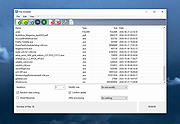 |
|
Android Webcam System v1.0.6 Android Webcam System v1.0.6 👉 Turn an Android phone into a high-quality Windows webcam over USB or Wi-Fi. Android Webcam System is a free and open-source webcam solution that uses an Android smartphone as a webcam for a Windows computer. The system consists of the AWA Android app, which streams video from the phone, and the AWC desktop client, which receives the stream and provides a virtual webcam device that can be selected by compatible Windows applications. Everything operates locally without requiring a cloud streaming service. The project supports both USB and Wi-Fi connections. USB provides lower latency and improved stability without requiring Wi-Fi, while wireless mode lets the phone and computer communicate over the same local network. The Android app supports resolutions from 480p through 4K and allows switching between the phone's front and rear cameras. The virtual webcam can be used with programs such as Zoom, Microsoft Teams, Google Meet, Discord, OBS Studio and Skype, as well as other Windows programs capable of selecting a webcam device. Features: • Turns an Android smartphone into a Windows webcam • Includes AWA, a Kotlin-based Android camera and streaming application • Includes AWC, the desktop client that receives the phone's video stream • Creates a virtual webcam device for compatible Windows applications • Supports USB and Wi-Fi connections • USB mode offers lower latency and improved connection stability • Wi-Fi mode provides completely wireless operation over the local network • Supports 480p, 720p, 1080p and 4K video resolutions • Supports front and rear Android cameras • Displays real-time connection status • Provides desktop connection statistics • Designed for low battery usage on the Android device • Works with Zoom, Microsoft Teams, Google Meet, Discord, OBS Studio and Skype • Can be used by other applications that support standard webcam devices • Uses a fully local, serverless architecture • No cloud video relay is required • No advertisements • Free and open-source under the ... |
|
271 | Aug 09, 2026 Soubhagyajit Borah  |
|
Anki v26.05 Anki v26.05 👉 Powerful spaced repetition flashcard software for efficient learning and long-term memory retention. Anki is a free, open-source flashcard application that uses an advanced spaced repetition system (SRS) to help you memorize information more efficiently. Rather than reviewing every flashcard equally, Anki intelligently schedules cards based on how well you know them, allowing you to spend more time on difficult material and less time on concepts you've already mastered. It is widely used by students, language learners, medical professionals, and anyone who needs to retain large amounts of information. Anki supports rich-text flashcards containing images, audio, video, mathematical equations, and HTML formatting. You can create your own study decks or download thousands of shared decks created by the community. Your decks and learning progress can be synchronized across multiple computers and supported mobile devices through a free AnkiWeb account. Features: • Intelligent spaced repetition scheduling to maximize long-term retention • Create flashcards containing text, images, audio, video, and LaTeX equations • Download thousands of community-created shared decks • Organize study material with decks, note types, tags, and custom fields • Free synchronization through AnkiWeb • Detailed study statistics and progress tracking • Powerful search and filtering tools • Extensive add-on support for customizing and extending functionality • Import and export multiple flashcard and text formats • Fully customizable card templates and study options • Keyboard shortcuts for efficient studying • Cross-platform compatibility with desktop and mobile devices Supported operating systems: • Windows 10 or later • macOS 12 Monterey or later • Linux (2023 or newer distributions) Supported languages: • Afrikaans, Bahasa Melayu, Catalΰ, Dansk, Deutsch, Eesti, English (United Kingdom), English (United States), Espaρol, Esperanto, Euskara, Filipino, Franηais, Galego, Hrvatski, Italiano, Latin, Lenga d'ςc, Magyar, Nederlands, Norsk, Oʻzbekcha, Polski, Portuguκs, Portuguκs Brasileiro, Русский язык, Romβnă, Slovenčina, Slovenščina, Suomi, Svenska, Tiếng Việt, Tόrkηe, Ido, Čeština, Ελληνικά, Беларуская мова, Български, Монгол хэл, Српски, Українська мова, Қазақша, Հայերեն, עברית, ئۇيغۇرچە, العربية, فارسی, ଓଡ଼ିଆ, ... |
|
4,194 | Jun 19, 2026 Anki 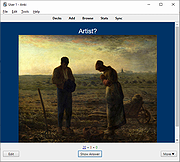 |
|
balenaEtcher v2.1.6 balenaEtcher v2.1.6 👉 Flash operating system images to USB drives and SD cards safely and easily. balenaEtcher is a free, open-source utility designed to write operating system images to USB flash drives and SD cards with a simple, streamlined interface. Whether you're creating bootable media for Linux distributions, Raspberry Pi operating systems, recovery environments, or other disk images, balenaEtcher minimizes the risk of selecting the wrong drive through built-in safety checks. It also validates written images after flashing to help ensure the media was created successfully, making it a reliable choice for beginners and experienced users alike. Features: • Flash ISO, IMG, ZIP, BZ2, GZ, XZ, DMG, and other supported image formats directly to USB drives and SD cards. • Simple three-step workflow: Select image, choose target drive, and flash. • Automatically validates written images to verify successful flashing. • Helps prevent accidental overwriting of system drives by hiding unsafe targets. • Supports flashing compressed images without requiring manual extraction. • Cross-platform interface with a consistent experience across Windows, macOS, and Linux. • Open source under the Apache 2.0 license. • Suitable for creating bootable media for Linux distributions, Raspberry Pi, recovery tools, and other operating system images. Supported operating systems: • Windows 10, Windows 11 • macOS 10.13 High Sierra or later (Intel and Apple Silicon) • Linux (64-bit Debian, Ubuntu, Fedora, RHEL, Arch, Manjaro, and most modern x64 distributions) Supported languages: English Changes: v2.1.6 05-13-26 • Fixed macOS x86 builds by switching to the macOS 14 Large GitHub Actions runner. This download is for the Windows version (very bottom of page). All other download assets are below: macOS: balenaEtcher-2.1.6-x64.dmg balenaEtcher-2.1.6-arm64.dmg Linux: balenaEtcher-linux-x64-2.1.6.zip balenaEtcher-1.7.9-ia32.AppImage (Legacy 32bit) Click here to visit the author's website. |
|
5,882 | Aug 06, 2026 balena 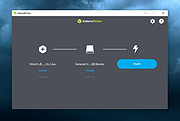 |
 |
Blender v5.2 LTS Blender v5.2 LTS 👉 Professional open-source 3D creation suite for modeling, animation, rendering, compositing, video editing, and more. Blender is a free, open-source 3D creation suite used by artists, designers, engineers, game developers, educators, and visual effects professionals around the world. It provides a complete production pipeline for creating 3D models, animations, visual effects, motion graphics, simulations, video editing, compositing, scripting, and real-time rendering within a single application. Blender supports industry-standard file formats, a powerful Python API for automation and add-ons, and a highly customizable interface that adapts to virtually any workflow. Blender v5.2 LTS is a Long-Term Support release designed for production environments that require maximum stability. It receives maintenance updates and bug fixes for two years, making it an ideal choice for studios, businesses, schools, and users who prefer reliability over rapidly changing feature releases. Features: • Complete 3D modeling, sculpting, UV editing, and texturing tools • Advanced animation and rigging system with nonlinear animation • High-quality Cycles path-tracing renderer • Real-time EEVEE renderer for fast previews and final rendering • Geometry Nodes for procedural modeling and workflows • Grease Pencil for combining 2D and 3D artwork • Physics simulation for cloth, fluids, smoke, fire, rigid bodies, soft bodies, and particles • Integrated compositor with node-based workflow • Built-in video sequence editor • Motion tracking and camera solving • Python scripting API for automation and add-ons • Asset Browser for managing reusable assets • Import and export support for numerous industry-standard formats • Portable version available with no installation required • Free and open source with no licensing fees Supported operating systems: • Windows 8.1 (64-bit), Windows 10, Windows 11 • macOS 11.2 Big Sur or later (Intel and Apple Silicon) • Linux (64-bit distributions with glibc 2.28 or newer) Supported languages: English, Arabic, Basque, Catalan, Chinese (Simplified), Chinese (Traditional), Czech, Dutch, Finnish, French, German, Hungarian, Italian, Japanese, Korean, Norwegian Bokmεl, Polish, Portuguese, Portuguese (Brazil), Russian, Slovak, Slovenian, Spanish, Swedish, Turkish, Ukrainian, Vietnamese. Changes: v5.2 ... |
|
9,333 | Jul 16, 2026 Blender Foundation 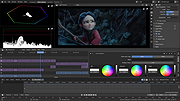 |
|
Borderless v1.0.4.0 Borderless v1.0.4.0 👉 Automatically control borderless, fullscreen, and custom window layouts in Windows. Borderless is a free, open-source Windows utility that automatically applies and maintains customized window layouts for games and applications. Create rules that identify programs by their window title, executable name, or both, and Borderless automatically applies your chosen settings whenever a matching window appears. Despite its name, Borderless does considerably more than simply remove window borders. Rules can maximize a window to its current monitor, position and resize it to custom dimensions, keep it always on top, control the mouse cursor, remove standard window menus, and mute a program when it loses focus. This can be particularly useful with games that lack a proper borderless-windowed mode, older software that doesn't remember its window position, and programs you always want opened on a particular part of the screen. Features: • Automatically applies window rules to games and applications • Converts matching windows to a borderless layout • Matches applications using window titles, executable names, or both • Supports regular expressions for flexible window-title matching • Includes a live process picker for quickly selecting running applications • Reapplies selected window settings while Borderless is running • Prevents applications from simply restoring borders after they are removed • Maximizes windows to the current monitor • Supports custom window positions and dimensions • Keeps selected windows always on top • Locks the mouse cursor to the focused window • Releases the cursor when switching away with Alt+Tab • Hides the mouse cursor while a selected window is focused • Restores the cursor when focus moves away from the window • Removes standard window menu bars when configured • Mutes an application's audio while it is in the background • Allows individual rules to be enabled or disabled • Shows live rule status information • Provides configurable defaults for newly created rules • Runs from the Windows system tray • Can start automatically with Windows • Can ... |
|
236 | Aug 13, 2026 Venipa 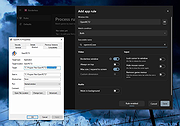 |
|
C-evo Distant Horizon v3.4 C-evo Distant Horizon v3.4 👉 A free Civilization-style turn-based strategy game of exploration, expansion and empire building. C-evo Distant Horizon is an open-source 4X strategy game inspired by the classic Civilization II era. Guide your civilization from humble beginnings through thousands of years of history by exploring new lands, founding cities, researching technologies, building armies, negotiating with rivals and ultimately racing to become the first civilization to launch a spaceship. Unlike many modern strategy games, C-evo Distant Horizon focuses on deep strategic decision-making rather than flashy graphics. Every turn requires careful planning as you balance scientific advancement, economic growth, military strength and diplomacy. Design custom military units, develop your cities, expand your borders and adapt your strategy to changing world conditions while competing against intelligent AI opponents. Distant Horizon is an actively developed continuation of the C-evo project, adding numerous gameplay improvements, additional civilizations, interface enhancements, expanded maps and modern platform support while remaining faithful to the original game's addictive "just one more turn" gameplay. Features: • Classic Civilization-style 4X gameplay • Explore randomly generated worlds • Build, expand and manage cities • Research technologies through an extensive tech tree • Design custom military units • Multiple playable civilizations • Diplomacy, warfare, trade and scientific advancement • Large configurable world maps • Intelligent computer-controlled opponents • Automatic turn-by-turn game saves • Detailed built-in documentation and tutorials • Open-source and actively developed • Single-player gameplay focused on long-term strategy Supported operating systems: • Windows 7, Windows 8, Windows 10, Windows 11 • Debian, Ubuntu, Linux Mint, Raspberry Pi OS, Fedora, Mageia, Arch Linux Supported languages: English, Chinese (Simplified), Chinese (Traditional), Czech, French, German, Italian, Portuguese, Russian, Spanish Changes: v3.4 07-15-26 Not provided. This download is for the Windows 64bit version (very bottom of page). All other download assets are below: Other Windows: Install-C-evo-dh-3.4-win32.exe Linux: c-evo-dh_3.2-1_all.deb c-evo-dh-data_3.2-1_all.deb c-evo-dh-gtk2_3.2-1_amd64.deb c-evo-dh-stdai_3.2-1_amd64.deb Click here to visit the author's website. |
|
715 | Jul 26, 2026 Peter Blackman 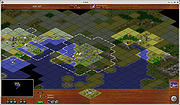 |
|
caffeinate & disablesleep v1.0.0 caffeinate & disablesleep v1.0.0 👉 Keep your Mac awake with simple menu bar controls, including optional closed-lid operation. caffeinate & disablesleep is a free, open-source macOS menu bar utility that provides an easy graphical interface for Apple's built-in caffeinate command along with quick access to the disablesleep power setting. Instead of remembering Terminal commands, you can start timed keep-awake sessions, prevent display sleep, or allow your Mac to continue running after the lid is closed with just a few clicks. The application offers preset timers ranging from 15 minutes to 8 hours, plus an unlimited mode. A live status display shows the current power settings, and a right-click shortcut lets you quickly enable or disable sleep prevention without opening the main window. The optional closed-lid feature securely configures the required macOS power setting and only requires administrator authorization the first time it is enabled. The developer recommends ensuring adequate ventilation whenever operating a Mac with the lid closed. Features: • Simple menu bar interface for Apple's built-in caffeinate utility • Prevents your Mac from sleeping • Timer presets from 15 minutes to 8 hours • Unlimited keep-awake mode • Optional "Keep Screen On" mode • Optional closed-lid operation using disablesleep • Right-click menu bar toggle • Live power command status display • Visual indicators showing active sleep settings • Automatically detects Terminal changes • Optional launch at login • Optional automatic keep-awake on startup • Native Swift application • No external dependencies • Open source (MIT License) Usage instructions: • Launch the application and click its menu bar icon. • Select a timer (15 minutes through 8 hours) or choose Infinite. • Click the moon button to start or stop the keep-awake session. • Enable Keep Screen On if you do not want the display to sleep. • Enable Stay Awake With Lid Closed to continue running after closing the lid. • The first time you enable closed-lid mode, enter your administrator password when prompted. • Right-click ... |
|
275 | Aug 04, 2026 Demiao Chen 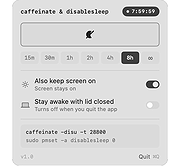 |
|
darktable v5.4.1 darktable v5.4.1 👉 Free, open-source RAW photo workflow and non-destructive image editor. darktable is a powerful, non-destructive photography workflow application and RAW developer that helps you import, organize, edit, and export large photo collections. Designed as a “lighttable” for managing your library and a “darkroom” for development, it provides professional-grade tools like color management, GPU-accelerated processing (OpenCL), tethered shooting support for some cameras, and a flexible export system for everything from local files to web galleries. Features: • Non-destructive editing throughout the complete workflow; original images are never modified. • Takes full advantage of raw processing: all darktable core functions operate on 4Χ32-bit floating-point pixel buffers, enabling SSE instructions for performance gains. • GPU-accelerated image processing with OpenCL support (runtime detection and enabling) for lightning-fast operations. • Professional color management with automatic display profile detection on most systems and built-in ICC profile support for sRGB, Adobe RGB, XYZ, and linear RGB color spaces. • Cross-platform support: runs on Linux, macOS (MacPorts), BSD, Windows, and Solaris 11 (GNOME). • Advanced filtering and sorting using tags, star ratings, color labels, and flexible database queries across all image metadata. • Broad image format support including standard, raw, and high dynamic range formats such as JPEG, CR2, NEF, HDR, PFM, and RAF. • Zero-latency, zoomable user interface powered by multi-level software caching for a fluid user experience. • Tethered shooting support with camera control and live view for selected camera brands. • Multilingual interface with translations into more than a dozen languages (availability varies by release). • Powerful export system supporting Piwigo web albums, disk storage, 1:1 copies, email attachments, and simple HTML-based ... |
|
5,619 | Jun 18, 2026 darktable team 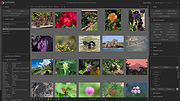 |
|
Data Crow v5.1.4 Data Crow v5.1.4 👉 A powerful open-source media cataloging and collection management application. Data Crow is a highly customizable cataloging application designed to help users organize and manage virtually any type of collection. It allows you to catalog movies, music, books, software, games, comics, photographs, tools, wines, contacts, and custom collections using flexible templates and user-defined fields. Data Crow can automatically retrieve information from online services, helping populate collection entries with detailed metadata, images, and descriptions. Built with flexibility in mind, Data Crow supports advanced searching, filtering, lending administration, barcode support, and extensive export/import capabilities. Users can create completely custom modules to track nearly anything, making it useful for both personal collectors and professional inventory management. The software also supports multi-user environments and includes reporting tools for generating detailed collection summaries. Features: • Catalog movies, books, music, software, games, comics, contacts, and more • Create fully customizable collection modules and fields • Automatically download item details and cover artwork from online sources • Advanced search, filtering, and sorting capabilities • Barcode scanning and lending administration support • Import and export data in multiple formats • Generate customizable reports and statistics • Store images, attachments, and detailed notes • Multi-user database support for shared collections • Built-in loan tracking for borrowed items • Cross-platform Java-based application • Extensive plugin and scripting support Click here to view the documentation. Supported operating systems: • Windows 7, Windows 8, Windows 10, Windows 11 • macOS • Linux Supported languages: English, Dutch, German, French, Spanish, Portuguese, Italian, Polish, Russian, Chinese, Japanese Changes: v5.1.4 06-18-26 • Fixed missing time components for creation and modification timestamps on new installations. • Fixed the advanced filter dialog in server-to-client mode for Books, TV Series, and several other modules. • Added the /login/status/unsecure API endpoint for Data Crow Reader v1.1 automatic login detection. • Google Books searches now direct users to create a free API ... |
|
10,175 | Jul 03, 2026 Robert Jan Van Der Waals 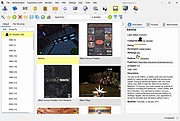 |
|
DeadLock v1.5.1 DeadLock v1.5.1 👉 Unlock files and folders that Windows refuses to release. DeadLock can be used to unlock files and folders that are locked by the system or other applications. This is especially useful when Windows will not let you delete, move, copy or rename something because it claims the file is still in use. DeadLock can unlock files and folders, take ownership, and help remove stubborn items without digging through Task Manager or command-line tools. DeadLock also supports command-line arguments, so advanced users can unlock files or folders directly from PowerShell or CMD without opening the full graphical interface. It is open source, lightweight, free to use and designed specifically for Windows. Features: • Unlock files and folders locked by Windows or other applications • Delete, move or copy locked files and folders • Take full ownership of stubborn files and folders • Command-line support for PowerShell and CMD use • Optional Windows Explorer integration • Theme and preference settings • Optional automatic update functionality • Open-source GPL-3.0 licensed software • No ads, trackers or user data collection Supported operating systems: • Windows 7 SP1, Windows 8, Windows 8.1, Windows 10, Windows 11 • Windows Server 2008 R2 SP1, Windows Server 2012, Windows Server 2012 R2, Windows Server 2016, Windows Server 2019, Windows Server 2022, Windows Server 2025 Supported languages: English, Chinese Simplified, Chinese Traditional, Russian, Bulgarian Changes: v1.5.1 02-15-26 Create Chinese simp. locale. Create a language file for Traditional Chinese. Fix Chinese Traditional locale. Updated russian translate. Added OS + updated link to HTTPS. Create bg.xml. Note: This file has two hits on VirusTotal. We have confirmed these to be false positives. The file is safe. Click here to visit the author's website. |
|
7,682 | Jun 11, 2026 CodeDead 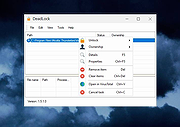 |
|
Defender of Egril v1.0.0 Defender of Egril v1.0.0 👉 Open source turn-based tower defense strategy game for Windows, Linux, macOS, and Android. Defender of Egril is an open source turn-based tower defense strategy game in which you defend the peaceful kingdom of Egril against the invading Ewhad army. Rather than relying on frantic real-time gameplay, every action is taken in turns, allowing you to carefully plan your defenses, manage resources, and develop tactics to survive increasingly difficult enemy waves. Its turn-based design makes it approachable for new players while still providing a satisfying strategic challenge. The game is completely free, works offline, and is available on multiple platforms including desktop and Android. It contains no advertisements or in-app purchases and is released as open source software, allowing the community to follow its development and contribute to the project. Features: • Turn-based tower defense gameplay • Strategic combat that rewards planning over reflexes • Defend the kingdom of Egril against invading enemy forces • Build and position defenses to stop enemy attacks • Progressive gameplay with increasingly challenging encounters • Free and open source • No advertisements or in-app purchases • Offline gameplay • Available for desktop and Android platforms Supported operating systems: • Windows 10, Windows 11 • macOS • Linux • Android 8.0 or higher Supported languages: • English, German, Spanish, French, Italian Changes: v1.0.0 06-19-26 Not provided. This download is for the Windows installer version (very bottom of page). All other download assets are below: Other Windows: DefenderOfEgril-1.0.0.msi macOS: DefenderOfEgril-1.0.0.dmg Linux: defender-of-egril_1.0.0_amd64.deb defender-of-egril-1.0.0-x86_64.AppImage defender-of-egril_1.0.0_amd64.snap de.egril.defender-1.0.0.flatpak defender-of-egril-1.0.0-1-x86_64.pkg.tar.zst defender-of-egril-debug-1.0.0-1-x86_64.pkg.tar.zst Android: de.egril.defender-production-release.apk de.egril.defender-production-release.aab Click here to visit the author's website. |
|
481 | Jun 24, 2026 Julian Egner 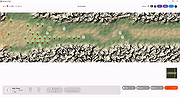 |
|
DocFetcher v1.1.27 DocFetcher v1.1.27 👉 Fast, open-source desktop search tool for finding text inside documents. DocFetcher is an open-source desktop search application that allows you to quickly search the contents of documents on your computer. Instead of only searching filenames, DocFetcher indexes the full text of supported file types, making it easy to locate information buried deep inside PDFs, Word files, spreadsheets, and more. Once indexed, searches are nearly instantaneous and results are displayed with highlighted matches for quick context. Basic Usage The screenshot below shows the main user interface. Queries are entered in the text field at (1). The search results are displayed in the result pane at (2). The preview pane at (3) shows a text-only preview of the file currently selected in the result pane. All matches in the file are highlighted in yellow. You can filter the results by minimum and/or maximum filesize (4), by file type (5) and by location (6). The buttons at (7) are used for opening the manual, opening the preferences and minimizing the program into the system tray, respectively. DocFetcher requires that you create so-called indexes for the folders you want to search in. What indexing is and how it works is explained in more detail below. In a nutshell, an index allows DocFetcher to find out very quickly (in the order of milliseconds) which files contain a particular set of words, thereby vastly speeding up searches. The following screenshot shows DocFetcher's dialog for creating new indexes: Clicking on the "Run" button on the bottom right of this dialog starts the indexing. The indexing process can take a while, depending on the number and sizes of the files to be indexed. A good rule of thumb is 200 files per minute. While creating an index takes time, it has to be done only once per folder. Also, updating an index ... |
|
5,956 | Jun 18, 2026 DocFetcher Development Team 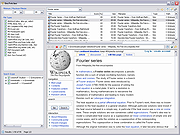 |
|
Drift v0.1.1 Drift v0.1.1 👉 A free, open-source video editor for creating polished videos without subscriptions or watermarks. Drift is a beginner-friendly desktop video editor that combines a straightforward workflow with a full collection of creative tools. Import video clips, photographs and music, then arrange everything on a multi-track timeline with tools for trimming, splitting, snapping and ripple editing. Add effects, transitions, titles, shapes, stickers and emoji without leaving the editor. Drift can also generate editable captions from speech, isolate subjects, create masks, remove green-screen backgrounds, adjust playback speed and clean up noisy audio. The preview and export systems use the same compositor, helping the completed video match what you saw while editing. Drift is completely free and open source with no account, subscription, telemetry or watermark. Optional fonts, stickers, effects and speech-recognition models can be installed through the built-in Addon Manager as needed. Features: • Multi-track timeline for video, audio, text and shapes • Trim, split, snap and ripple editing tools • Mute or hide individual timeline tracks • Full undo and redo support • GPU-powered video effects • Adjustable transitions between overlapping clips • Reusable effect and appearance templates • Customizable titles with fonts, colors, outlines, shadows and alignment • Stickers, emoji and optional content packs • Speech-to-text caption generation • Edit caption wording and timing directly on the timeline • Subject cutout and masking tools • Green-screen background removal • Playback speed adjustment and reversing • Custom speed ramps, fades and beat-based animation • Audio mixing and effect chains • Background-noise cleanup • Project bundles that include associated media • Optional downloadable fonts, effects, stickers and speech models • Export quality and bitrate controls • H.264, H.265, AV1, ProRes and additional export formats • Preview and export use the same compositor • No account, subscription, telemetry or watermark Supported operating systems: • Windows • Linux • macOS, build from source only Supported languages: English Changes: v0.1.1 07-31-26 A small fix-up release on top of the first public version. Curves in the keyframe editor are now ... |
|
328 | Aug 03, 2026 CutWire Studios 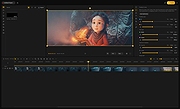 |
|
Endstate v3.10.0 Endstate v3.10.0 👉 Save your Windows apps and settings, then quickly rebuild them on a new PC. Endstate is a free, local-first Windows setup and recovery tool that records the applications installed on your computer along with settings for supported programs, then uses that information to rebuild your setup on a fresh Windows installation. Instead of copying installed program files from one PC to another, Endstate identifies your software and uses Windows Package Manager (winget) to reinstall available applications cleanly. You can scan an existing computer and save its setup to a portable file that you control. On a new or freshly installed Windows PC, load that saved setup and Endstate compares it with the new machine, shows which applications are missing and lets you choose what to install and which supported settings to restore. Scanning and saving can be performed offline, while reinstalling applications requires an internet connection to download their installers. No Endstate account is required. Features: • Automatically scans your Windows PC and detects installed applications • Detects traditional EXE/MSI-installed software and Microsoft Store applications • Uses winget to reinstall supported applications from their normal installation sources • Captures and restores settings for more than 300 supported applications • Settings support includes editors, IDEs, terminals, creative applications, media players, emulators, note-taking programs and more • Settings capture is optional and can be selected per application • Saves your setup to portable files that you control • Saved setups can be copied, backed up or moved to another computer • No mandatory cloud storage is required • No account is required for the free local product • Provides both a graphical interface and command-line interface • Supports capture, restore, profiles and manifests • Preview mode compares a computer against a saved setup without making changes • Shows which applications need to be installed and which are already present • Applications are installed individually rather than silently ... |
|
321 | Aug 11, 2026 Substrate Systems 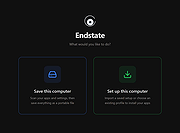 |
|
EpilepsyGuard v1.02 EpilepsyGuard v1.02 👉 Protects photosensitive users by reducing potentially harmful flashing on the screen. EpilepsyGuard is an open-source accessibility utility designed to help reduce the risk of photosensitive seizures while using a computer. It monitors the contents displayed on your screen in real time and automatically detects rapid flashing patterns that may exceed safe thresholds. When potentially hazardous flashing is detected, the program temporarily darkens or covers the affected area to reduce exposure while allowing you to continue using your computer. EpilepsyGuard is intended as an extra layer of protection for people with photosensitive epilepsy or sensitivity to flashing images while browsing the web, watching videos, playing games, or using other multimedia applications. It runs quietly in the background with minimal system impact and can be enabled or disabled at any time. ⚠️ Warning: EpilepsyGuard is not a medical device and cannot guarantee protection against seizures. It may not detect every flashing pattern or visual trigger, and should not be relied upon as your only means of protection. If you have photosensitive epilepsy or another light-sensitive medical condition, continue to follow your healthcare provider's recommendations and use appropriate precautions. If you experience symptoms, stop using the affected content immediately and seek medical advice. Features: • Continuously monitors the screen for potentially hazardous flashing patterns • Automatically reduces or obscures detected flashing regions • Designed to help reduce exposure to photosensitive seizure triggers • Runs in the background with low resource usage • Simple interface with quick enable and disable controls • Open source Supported operating systems: • Windows 10, Windows 11 Supported languages: • English Changes: v1.02 06-22-26 • Improved flash detection reliability • Bug fixes and stability improvements Note: This file has one hit on VirusTotal. We have confirmed this to be a false positive. The file is safe. Click here to visit the author's website. |
|
424 | Jul 02, 2026 SanicScript 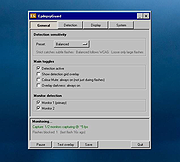 |
|
Fungible v1.6.4 Fungible v1.6.4 👉 A personal finance application that helps you track spending, budgets, and net worth with local data storage. Fungible is an open source personal finance manager that provides both a traditional terminal interface and a modern graphical desktop interface for managing your finances. It allows you to import transactions from financial institutions, categorize income and expenses, create budgets, monitor account balances, and visualize your financial health through charts and reports. Whether you prefer working from the command line or using the graphical interface, Fungible stores your financial data locally on your computer, giving you full control over your information while helping you organize day-to-day finances. Features: • Track checking, savings, credit card, investment, and other financial accounts • Import financial transactions from supported bank export formats • Categorize transactions with customizable categories • Create and monitor monthly budgets • View spending trends and financial reports • Track income, expenses, and overall net worth • Powerful transaction filtering and search tools • Local data storage for improved privacy and control • Cross-platform desktop application with Electron-based graphical interface • Open source software Supported operating systems: • Windows 10 or higher • macOS 13 Ventura or higher • Linux (64-bit distributions supported through official releases) Supported languages: • English Changes: v1.6.4 06-13-26 • Added a new Electron-based graphical user interface. • Added cross-platform desktop packaging and development release workflow. • Documented the filter panel and updated filter keys. • Fixed renderer sandbox and Plaid callback host issues. • Fixed stale result handling in GUI pattern matching. This download is for the Windows 64bit version (very bottom of page). All other download assets are below: macOS: fungible-1.6.4-mac-arm64.dmg fungible-1.6.4-mac-arm64.zip fungible-1.6.4-mac-x64.dmg fungible-1.6.4-mac-arm64.zip Linux: fungible-1.6.4-linux-amd64.deb fungible-1.6.4-linux-x86_64.AppImage Click here to visit the author's website. |
|
516 | Jun 19, 2026 Thomas Funk 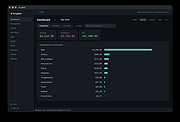 |
|
GnuCash v5.17 GnuCash v5.17 👉 Free, professional-grade personal and small-business accounting software. GnuCash is a free and open-source financial management application designed for individuals, families, and small businesses. Built on double-entry accounting principles, it provides an accurate and reliable way to track bank accounts, credit cards, investments, income, expenses, and business finances. Its familiar checkbook-style register makes entering transactions straightforward while maintaining the integrity expected from professional accounting software. Whether you're balancing your household budget, managing investment portfolios, or keeping books for a small business, GnuCash offers powerful reporting, scheduled transactions, account reconciliation, and support for importing financial data from many banks. It also includes customizable reports and graphs to help you understand your financial health over time. Features: • Double-entry accounting system • Checkbook-style transaction register • Track bank accounts, cash, credit cards, loans, and investments • Support for stocks, bonds, mutual funds, and other securities • Small business accounting with customer, vendor, invoice, bill, and tax features • Scheduled and recurring transactions • Transaction matching and reconciliation • Import QIF, OFX, and HBCI financial data • Budget creation and tracking • Detailed financial reports and graphs • Multi-currency support with exchange rate tracking • Split transactions and account hierarchies • Search and filter transactions • Export reports and financial data • Open source and actively maintained Supported operating systems: • Windows 8, Windows 10, Windows 11 • macOS 10.13 (Intel) or higher • macOS 11 (Apple Silicon) or higher • Legacy versions available below. Supported languages: Arabic, Brazilian Portuguese, Bulgarian, Catalan, Chinese (Simplified), Chinese (Traditional), Croatian, Danish, Dutch, English, Finnish, French, German, Hebrew, Hindi, Hungarian, Italian, Japanese, Latvian, Lithuanian, Marathi, Polish, Portuguese, Russian, Serbian, Spanish, Tamil, Telugu, Turkish, Ukrainian, Urdu, Chinese (Simplified Han script), Czech, Dutch, English (Australia), English (New Zealand), English (United Kingdom), German, Hungarian, Italian, Norwegian Bokmεl, Portuguese, Portuguese (Brazil), Russian, Spanish, Swedish Changes: v5.17 09-27-26 Bug 797872 - Multiple check printing results in nothing sent to print queue after first check ... |
|
7,680 | Sep 29, 2026 GnuCash Team 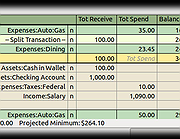 |
|
Grayslate v0.4.0 Grayslate v0.4.0 👉 A fast, free developer scratchpad for working with code, data, text and large files. Grayslate is a free and open source, cross-platform developer scratchpad designed for the small jobs that come up while coding or working with data. Paste an API response, inspect JSON, explore a large CSV, transform or encode text, preview Markdown, work with code snippets or simply capture a quick thought. Grayslate recognizes the content you are working with and puts appropriate transformations at your fingertips. New slates are automatically given useful names and extensions, saved locally as you type and made searchable for later use. Files opened from elsewhere on your computer are only changed when you explicitly save them. All transformations run locally, with no account, cloud upload or telemetry required. Features: • Automatically recognizes pasted or opened content and suggests relevant transformations • Includes more than 80 built-in transformations for code, data and text • Recognizes more than 40 programming, markup and data languages/formats from file extensions, shebangs or content • Automatically names new slates, chooses useful file extensions and saves them locally as you type • Browse recent slates or search saved slates by name and content • Opens text and CSV files up to 200 MB • Rust-backed, virtualized CSV table handles files containing hundreds of thousands of rows while keeping scrolling responsive • JSON tools include formatting, minifying, validation, key sorting, JSON/YAML conversion, JSON-to-CSV, JSON-to-TypeScript and JSON Lines conversion • Right-click JSON keys or values to copy the JSON path, key or value • CSV-to-JSON conversion with automatic delimiter detection • Base64 and Base64URL encoding and decoding • Gzip/Base64 conversion, hexadecimal/ASCII conversion, URL encoding/decoding and HTML entity encoding/decoding • Decode JWT data without verification • Generate SHA-256, SHA-512, SHA-1, MD5 and CRC32 hashes • Text tools include upper, lower, Title, camel, snake, kebab and sPoNgE case conversions • Sort and reverse lines, reverse strings, remove duplicate ... |
|
184 | Aug 27, 2026 Shriram Ethiraj 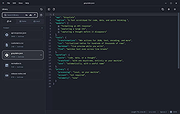 |
|
JSON Studio v1.0.0 JSON Studio v1.0.0 👉 A private, lossless desktop workspace for large JSON files. JSON Studio is a free, open source desktop application for working with large JSON files. It enables you to explore, search, query, compare, and inspect JSON, JSONL, and NDJSON files up to 500 MB entirely on your own machine. Designed for developers working with large, sensitive, or precision-critical data, JSON Studio keeps the original data intact by preserving big integers, high-precision decimals, key order, and the original source text without rounding, reordering, or reformatting. The application provides multiple ways to view and analyze JSON data, including tree, raw source, and table views. It features fast searching across keys and values, RFC 9535 JSONPath query support, structural document comparison, JSONL/NDJSON table inspection, inline image previews for supported embedded image formats, and automatic session restoration. Because it runs completely offline, there are no accounts, uploads, telemetry, analytics, or network calls, ensuring your files and settings remain private. Features: • Open JSON, JSONL, and NDJSON files up to 500 MB • Preserves big integers, high-precision decimals, key order, and original source text • Tree, raw source, and table views • Collapse and expand navigation with expand-to-depth support • Syntax highlighting, line numbers, wrapping, and parse error reporting • Fast searching with case-sensitive, whole-field, regular expression, and subtree search options • RFC 9535 JSONPath query support with history, execution timing, and result export • Structural JSON comparison with configurable array matching and optional key-order ignoring • Virtualized table view for JSONL and NDJSON files with field statistics and invalid-row highlighting • Inline preview of embedded PNG, JPEG, GIF, WebP, and SVG images • Multiple document tabs, scratch workspace, session restore, and live file reload • Fully offline operation with no uploads, analytics, telemetry, or network access Supported operating systems: • Windows • macOS • Linux Supported languages: • English Changes: v1.0.0 06-26-26 Initial release. Note: This file has two hits on VirusTotal. We have confirmed ... |
|
499 | Jun 27, 2026 Anton Liberant 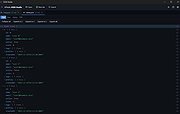 |
|
Kate v26.07.70 Kate v26.07.70 👉 Advanced multi-document text editor and source code editor for programmers. Kate is a feature-rich text editor developed by the KDE community. Designed for programmers, system administrators, and power users, it provides advanced editing capabilities including syntax highlighting, code folding, project management, powerful search and replace functions, session management, and integrated terminal access. Kate can open and edit multiple documents simultaneously using tabs and split views, making it ideal for managing large projects and working across numerous files at once. Kate supports hundreds of programming and markup languages through its extensive syntax highlighting engine and includes Language Server Protocol (LSP) integration for code completion, diagnostics, symbol navigation, and other modern development features. Its plugin architecture allows users to extend functionality with tools such as file browsers, document previews, external command execution, and Git integration. Kate is available for Linux, Windows, and macOS, providing a consistent editing experience across platforms. Features: • Multi-document and multi-window editing interface • Tabbed and split-view editing • Syntax highlighting for over 300 file formats • Code folding and bracket matching • Language Server Protocol (LSP) support • Intelligent code completion and symbol navigation • Powerful search and replace tools • Regular expression support • Session management for restoring workspaces • Project management tools • Embedded terminal window • Git integration and developer-focused plugins • Multiple cursors and selections • Vi/Vim input mode • Automatic file encoding detection • Support for local and remote file editing via network protocols • Markdown, HTML, and SVG preview support through plugins • Extensive customization options and plugin architecture Supported operating systems: • Windows 10, Windows 11 • macOS 13 Ventura or higher • Linux distributions supporting KDE Gear 26.07.70 Supported languages: Arabic, Basque, Catalan, Chinese (Simplified), Chinese (Traditional), Czech, Danish, Dutch, English, Finnish, French, Galician, German, Greek, Hebrew, Hungarian, Italian, Japanese, Korean, Norwegian Bokmεl, Polish, Portuguese, Portuguese (Brazilian), Romanian, Russian, Slovak, Slovenian, Spanish, Swedish, Turkish, Ukrainian, and many additional KDE translation languages. Changes: v26.07.70 Not provided. This download is ... |
|
2,630 | Jun 16, 2026 Kate KDE Team 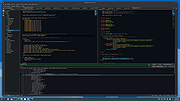 |
|
Kdenlive v26.04.3 Kdenlive v26.04.3 👉 Free and open-source non-linear video editor packed with powerful professional editing tools. Kdenlive is a free and open-source non-linear video editor from KDE designed for everything from simple video projects to complex multi-track productions. Built around the MLT Framework and FFmpeg, it can work directly with almost any audio and video format supported by FFmpeg without requiring clips to be converted first. Kdenlive combines flexible timeline editing, effects, transitions, titles, subtitles, color and audio analysis tools, proxy editing, multicam support, keyframing, automatic backups and extensive interface customization. Features: • Unlimited video and audio tracks with individual hiding, muting, resizing, collapsing and custom track names • Direct editing of almost any audio or video format supported by FFmpeg without first converting or re-encoding clips • Industry-standard 3-point editing with clip In/Out points and insert or overwrite editing modes • Flexible non-linear timeline for arranging, trimming and combining video and audio clips • Customizable interface with movable and resizable panels to fit different editing workflows • Save different workspace layouts for logging, editing, color grading and audio editing • Customizable keyboard shortcuts for creating a personalized workflow or adapting from another editor • Built-in 2D Title Editor for titles, callouts, scrolling credits and other text • Title formatting includes installed system fonts, character and line spacing, colors, alignment and positioning • Typewriter title effect with character-by-character, word-by-word or line-by-line text display • Glaxnimate integration for creating and working with SVG vector animations • Dozens of video and audio effects supplied through MLT, avfilter, frei0r and LADSPA • Video effects include color correction, blur, sharpening, artistic effects and transformations • Audio effects and adjustment tools for improving and modifying sound • Keyframe support for changing most effect parameters over time • Linear, discrete and smooth-curve keyframe types • Multi-camera editing with simultaneous viewing of multiple camera angles or other footage • Quickly switch between multicam sources while adding selected ... |
|
5,373 | Aug 20, 2026 Kdenlive Team 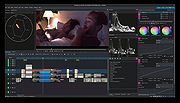 |
|
Letos v4.0.0 Letos v4.0.0 (Formerly SQLiteStudio) 👉 Free, open source cross-platform SQLite database manager with an advanced SQL editor and visual ERD designer. Letos is a free, open source SQLite database manager for creating, editing, and browsing SQLite databases. Formerly known as SQLiteStudio, Letos provides a powerful SQL editor with syntax highlighting, code formatting, query history, and intelligent code assistance. Version 4.0.0 introduces a completely new visual ERD (Entity Relationship Diagram) editor, native ARM64 builds, a Qt 6-based interface, and numerous improvements for database browsing, editing, importing, exporting, scripting, and overall workflow. It also supports encrypted SQLite databases, plugins, custom SQL functions, and portable operation without installation. Features: • Advanced SQL editor with syntax highlighting, formatting, code assistance, and query history • Visual ERD (Entity Relationship Diagram) editor for designing and reverse-engineering databases • Supports SQLCipher, WxSQLite3, and System.Data.SQLite encrypted databases • Execute queries across multiple attached databases • Custom SQL functions and aggregate functions using JavaScript, Python, or Tcl • Custom collation sequence support • Drag and drop database objects between databases • Built-in data import and export for SQL, CSV, HTML, XML, PDF, and JSON • Data population tools with random, sequence, dictionary, and script-based generators • Plugin architecture for scripting languages, import/export formats, formatters, renderers, and more • Portable edition requiring no installation • Extensive interface customization and docking options • Native ARM64 builds and signed Windows and macOS packages • High-DPI aware Qt 6 interface with scalable SVG icons • Command Palette for quick access to commands and settings • Built-in image rendering and JSON editor for data browsing Supported operating systems: • Windows 10, Windows 11 (x64, ARM64) • macOS (Intel and Apple Silicon) • Linux (x64, ARM64) Supported languages: Afrikaans, Arabic, Belarusian, Catalan, Czech, Danish, Dutch, English, Greek, Hungarian, Japanese, Korean, Norwegian, Polish, Portuguese, Romanian, Serbian, Slovak, Swedish, Turkish and additional updated translations. Changes: v4.0.0 06-23-26 Added a new visual ERD editor. Renamed the project from SQLiteStudio to Letos. Migrated the application to Qt ... |
|
2,637 | Jun 24, 2026 Pawel Salawa 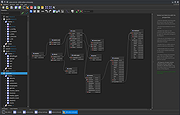 |
|
LibreWolf v153.0.4-1 LibreWolf v153.0.4-1 👉 Privacy-focused Firefox-based web browser with hardened security settings and built-in content blocking. LibreWolf is a custom and independent version of Firefox focused on privacy, security, and user freedom. It is designed to increase protection against tracking and fingerprinting techniques through privacy and security oriented settings and patches. It also removes telemetry, data collection, and various annoyances while disabling anti-freedom features such as DRM. LibreWolf includes uBlock Origin, uses privacy-respecting search engines, and stays aligned with current Firefox stable releases for up-to-date security and stability. Features: • No telemetry, experiments, adware, or unnecessary distractions • Includes uBlock Origin with custom default filter lists • Uses privacy-respecting search engines such as DuckDuckGo, Searx, and Qwant • Enables Total Cookie Protection and anti-fingerprinting protections • Deletes cookies and website data on close • Disables WebGL, form autofill, form history, link prefetching, and speculative connections • Enables HTTPS-Only mode and stricter TLS/SSL negotiation rules • Disables Firefox Sync unless explicitly enabled by the user • Removes Pocket and Mozilla VPN ads • Disables DRM by default • Provides a LibreWolf-specific UI for privacy and security controls • Open source and community-driven project Supported operating systems: • Windows 10 or later, Windows 11 • macOS • Linux • OpenBSD Supported languages: English, Additional languages via Firefox language packs Changes: v153.0.4-1 08-12-26 Upstream release based on Firefox 153.0.4. Notable Changes: • Search engines have moved away from using policies and now use the bundled remote-settings dump. • The included search engines have been overhauled. This may cause the default search engine for some users to reset to DuckDuckGo No-AI. • Fixed slow startup that some users experienced when starting a session. Infrastructure Changes: • Migration to LibreWolf's own Forgejo instance at librewolf.dev has begun. • Releases will continue to be published to Codeberg during the transition to give downstream packagers time to update. • The signing key for RPM releases has been changed to LibreWolf's repository signing key. This download is for the ... |
|
3,512 | Aug 13, 2026 LibreWolf Core Contributors  |
|
LocalSend v1.18.2 LocalSend v1.18.2 👉 Fast, private file sharing between nearby devices without the cloud. LocalSend is a free and open-source, cross-platform application for securely transferring files, folders, photos, videos, documents, text and other data between devices connected to the same local network. It provides an AirDrop-style experience that works across Windows, macOS, Linux, Android and iOS without requiring an account, an Internet connection or an external server. Devices running LocalSend automatically discover one another on the local network, allowing you to select what you want to send, choose a nearby device and begin the transfer. Data stays on your local network instead of being uploaded to a cloud service, and transfers are protected using HTTPS encryption. LocalSend can transfer any file type and is designed to take advantage of the speed of your local Wi-Fi or wired network without artificial bandwidth limits. It can also send text messages and links between devices, making it useful for quickly moving clipboard-style information from a phone to a computer or between computers. Files are saved to the receiving device's Downloads folder by default, although the destination can be changed in LocalSend's settings. Frequently used devices can be marked as favorites, and LocalSend can be configured to automatically accept transfers from trusted favorite devices. The application also includes a Share via Link feature for making selected files available through a web browser on the local network. Recent versions can receive files through links as well. No account or login is required, and LocalSend contains no advertising or tracking. Features: • Transfers files directly between nearby devices over the local network • Works across Windows, macOS, Linux, Android and iOS • No Internet connection, cloud storage or external server required • No account, registration or login required • Automatic discovery of nearby LocalSend devices • Send individual files, multiple files and folders • Supports photos, videos, documents and other file ... |
|
2,120 | Sep 29, 2026 LocalSend 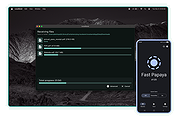 |
|
Luanti v5.17.0 Luanti v5.17.0 👉 Free and open source voxel game engine and sandbox game platform. Luanti is a free and open source voxel game engine that lets you play, create, and share games in vast procedurally generated worlds. Formerly known as Minetest, Luanti provides an extensible sandbox environment with support for thousands of community-created games, mods, texture packs, and worlds through its integrated ContentDB. Whether you want to build creative worlds, survive in challenging adventures, develop your own game, or host multiplayer servers, Luanti offers a lightweight yet highly customizable platform suitable for both players and developers. Designed with flexibility in mind, Luanti features Lua scripting for game development, powerful world generation, multiplayer support, customizable controls, and cross-platform compatibility. The engine emphasizes performance while remaining easy to modify, making it a popular choice for educators, hobbyists, and open source game developers alike. Features: • Play thousands of community-created games and mods • Create nearly infinite procedurally generated voxel worlds • Integrated ContentDB for downloading games, mods, and texture packs • Single-player and multiplayer gameplay • Powerful Lua API for game and mod development • Built-in world editor and creative building tools • Customizable texture packs and visual themes • Cross-platform multiplayer compatibility • Dedicated server support • Lightweight engine with high performance • Open source under the LGPL license • Extensive documentation for developers and creators Supported operating systems: Supported operating systems: • Windows 8, Windows 8.1, Windows 10, Windows 11 • macOS 12.3 or higher • Linux • Android 6.0 or higher • FreeBSD Supported languages: • English, Čeština, Deutsch, Espaρol, Franηais, Bahasa Indonesia, Italiano, 日本語, 한국어, Polski, Portuguκs, Русский, slovenščina, Svenska, தமிழ், Українська, 中文 Changes: v5.17.0 08-20-26 ⚠️ This release fixes security vulnerabilities affecting both the client and server. We advise everyone to upgrade immediately. ⚠️ Client / Audiovisuals# Dropdowns now accept selection by (Mouse) Down -> Drag -> Release. Formspecs no longer close when focusing the window (SmallJoker) ... |
|
7,912 | Aug 30, 2026 The Luanti Team 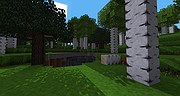 |
|
LyX v2.5.2 LyX v2.5.2 👉 A powerful document processor that combines an easy graphical interface with the professional typesetting capabilities of TeX/LaTeX. LyX is a free, open-source document processor designed around the idea of focusing on the structure and content of a document rather than manually formatting every element. It combines the power and flexibility of TeX/LaTeX with a familiar graphical interface, making professional typesetting much more accessible. LyX is especially well suited for academic papers, scientific documents, theses, books and other complex publications, while also working well for letters, reports, novels, presentations and scripts. A fully integrated equation editor makes creating mathematical content straightforward, while built-in support for bibliographies, indexes, cross-references, tables, figures and structured document layouts helps manage large and complicated projects. Documents can be produced in formats including PDF, PostScript, DVI, HTML and OpenDocument. Features: • WYSIWYM (What You See Is What You Mean) document editing that emphasizes structure instead of manual formatting • Combines a graphical document editor with the TeX/LaTeX typesetting system • Integrated equation editor for creating complex mathematical and scientific formulas • Designed for academic articles, theses, dissertations, books and scientific publications • Also suitable for letters, reports, novels, presentations, plays and film scripts • Built-in support for bibliographies and reference lists • Automatic index creation and management • Powerful cross-referencing for sections, figures, tables, equations and other document elements • Handles structured documents without requiring users to manually manage page formatting • Includes a broad collection of ready-made document layouts • Supports tables, figures, footnotes and other common publishing elements • Supports professional-quality mathematical typesetting through LaTeX • Supports PDF, PostScript, DVI, HTML and OpenDocument output • Supports external LaTeX packages for greatly expanding document capabilities • Supports bibliography managers and other external publishing tools • Supports spell-checking systems including Hunspell, GNU Aspell and Enchant • Can use ImageMagick and Ghostscript for additional image and PostScript conversion capabilities • Supports numerous external converters, reference managers ... |
|
2,094 | Sep 15, 2026 The LyX Project 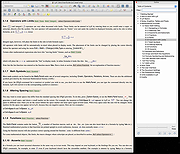 |
|
Media Player Classic Black Edition v1.9.0 Media Player Classic - Black Edition v1.9.0 👉 Lightweight, open-source audio and video player for Windows with built-in codecs. Media Player Classic - Black Edition (MPC-BE) is a free and open-source audio and video player for Microsoft Windows. Based on the original Media Player Classic and Media Player Classic Home Cinema projects, MPC-BE provides a clean, familiar interface with powerful playback features and a wide range of built-in audio and video codecs. It is designed to be lightweight, efficient, and highly compatible with modern multimedia formats while maintaining the classic Windows-style look and feel. Features: • Supports a wide range of video and audio formats using built-in codecs • High-quality video rendering with support for DXVA hardware acceleration • Subtitle support (external and embedded) with customizable styles • Playlist support and favorite files management • Audio switcher and built-in audio renderer • Customizable interface and toolbar • Screenshot capture and preview thumbnails • Video frame stepping and playback speed control • Command line support and extensive configuration options • Available in portable and installer versions Supported operating systems: • Windows 7, Windows 8, Windows 8.1, Windows 10, Windows 11 Supported languages: English, Russian, Ukrainian, Belarusian, German, French, Spanish, Italian, Polish, Czech, Slovak, Hungarian, Dutch, Portuguese (Brazil), Portuguese (Portugal), Romanian, Bulgarian, Greek, Turkish, Chinese (Simplified), Chinese (Traditional), Japanese, Korean Changes: v1.9.0 06-27-26 Splitters: Fixed crashes in some situations. AudioSplitter: Added support for the RF64 format. Fixed reading of channe This download is for the Windows 64bit installer version (very bottom of page). All other download assets are below: 32bit installer 64bit portable 32bit portable Standalone Filters 64bit Standalone Filters 32bit Use 7-Zip to unzip this file. Click here to visit the author's website. |
|
3,772 | Jul 11, 2026 MPC-BE Devs 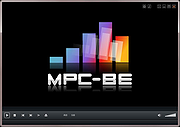 |
|
Microsoft PowerToys v0.101 Microsoft PowerToys v0.101 Windows system utilities to maximize productivity Microsoft PowerToys is a set of utilities for power users to tune and streamline their Windows experience for greater productivity. Features: • Advanced Paste - A tool that enables you to paste the text from your clipboard into any format needed. It can paste as plain text, Markdown, or JSON directly with the interface or with a direct keystroke. These actions are executed entirely on your local machine. An optional AI-powered feature is also available. • Always on Top - A system-wide Windows utility to pin windows above other windows. • PowerToys Awake - A tool designed to keep a computer awake without having to manage its power and sleep settings. This is useful when running time-consuming tasks and preventing the computer from sleeping or turning off its screens. • Command Not Found - A PowerShell 7 module that detects command-line errors and suggests a relevant WinGet package to install, if available. • Color Picker - A system-wide color picking utility for selecting colors from any screen and copying them to the clipboard in a configurable format. • Command Palette - Provides fast access to frequently used commands, applications, development tools, and extensions from a customizable and extensible launcher. Command Palette is intended to be the successor to PowerToys Run. • Crop And Lock - Allows you to crop a current application into a smaller window or create a thumbnail of it. • CursorWrap - Allows the mouse pointer to wrap around the edges of the screen, moving it to the opposite edge when it reaches a boundary. • Environment Variables - Provides an easy way to manage environment variables and create profiles containing groups of variables. Profile variables can take precedence over User and System variables. • FancyZones - A window manager for arranging and snapping windows into efficient custom layouts. Windows can ... |
|
7,270 | Aug 25, 2026 Microsoft Corp.  |
|
Nextpad++ v1.1.0 Nextpad++ v1.1.0 👉 A free, open-source, native port of Notepad++ for macOS and Linux. Nextpad++ is a full open-source community port of Notepad++ designed to provide the familiar Notepad++ editing experience natively on macOS and Linux. It uses the same Scintilla editing engine and provides syntax highlighting, search and replace, macro recording, split-view editing, user-defined languages and a growing ecosystem of ported plugins. The macOS interface is implemented using native Cocoa APIs, while the Linux edition uses GTK4, eliminating the need for Wine or other Windows compatibility layers. The editor supports more than 80 programming languages for syntax highlighting and includes 137 interface languages. Its search tools include regular expressions, Find in Files, line bookmarks and incremental search. Documents can be viewed side-by-side with split-view editing, and repetitive editing operations can be automated using recordable and replayable macros. Nextpad++ supports plugins through its built-in Plugin Admin, with community developers continuing to port Notepad++ plugins to macOS and Linux. Configuration files, themes and User Defined Languages are designed to remain compatible across the Windows, macOS and Linux editions. The macOS edition is a Universal Binary containing native ARM64 and x86_64 code, allowing it to run directly on Apple Silicon and Intel Macs without Rosetta. The Linux edition runs natively on x86_64 and ARM64 systems and supports both Wayland and X11. Nextpad++ is an independent community project and is not affiliated with the official Notepad++ development team. It is free and open source under the GNU General Public License v3. The application contains no advertising and the developer states that it contains no telemetry, analytics or data collection. Features: • Full independent community port of Notepad++ for macOS and Linux • Native macOS Cocoa/AppKit interface • Native GTK4 interface on Linux • Uses the same Scintilla editing engine as Notepad++ • Syntax highlighting for more than 80 programming and markup languages • User Defined ... |
|
610 | Sep 03, 2026 Nextpad++ for Mac & Linux 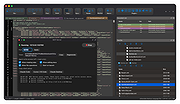 |
|
No Bloat PDF v1.5.0 No Bloat PDF v1.5.0 👉 A tiny, fast and private PDF viewer with no ads, accounts or telemetry. No Bloat PDF is a lightweight, open-source PDF viewer designed to do one thing well: open and read PDF files without the advertising, cloud services, accounts, launchers and other extras found in many modern PDF readers. The complete installer is only about 4.6 MB, yet the program provides tabbed viewing, document search, thumbnails, bookmarks, zooming, rotation and printing. It uses Mozilla's pdf.js rendering engine inside a small native application shell and is designed to open documents quickly without a splash screen or sign-in process. Privacy is a major part of the design. No Bloat PDF makes zero network calls, includes no telemetry and requires no account. PDF documents remain entirely on your computer. Multiple documents can be kept open as tabs in a single window, and the program remembers your position in previously viewed files. Dark mode follows the operating system while leaving the actual PDF pages in their original colors. Features: • Small 4.6 MB installer • Fast PDF opening with no launcher or splash screen • Built on Mozilla's pdf.js PDF rendering engine • Multiple PDF documents open as tabs in a single window • Full-text document search • Page thumbnail navigation • Document outline and bookmark navigation • Zoom controls for easier reading • Page rotation • Remembers your position in each PDF • High-resolution PDF printing directly from the viewer • Drag-and-drop support for opening PDF files • Can be configured as the system's default PDF viewer • Dark mode follows the operating system setting • PDF documents remain true-color when dark mode is enabled • Zero telemetry • Zero network calls • No user account or sign-in required • No cloud services • No advertising or upsells • Documents never leave your computer • Free to use • Open-source software released under the MIT license • Combine multiple PDFs and images into a single ... |
|
313 | Sep 09, 2026 Brian Galvan 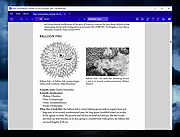 |
|
Nyrna v2.27.2 Nyrna v2.27.2 👉 Suspend and resume games and applications with the push of a button in Windows and Linux. Nyrna lets you suspend games and applications, similar to the suspend mode found on consoles like the Nintendo Switch and Sony PlayStation. It can pause a running game or program, reduce its resource usage, and resume it later without losing your place. It is especially useful for games that cannot normally be paused, as well as for managing long-running tasks like rendering, encoding, or compiling. Nyrna works by suspending a process at the system level, effectively freezing it in its current state. When resumed, the application continues exactly where it left off. It includes a simple Material Design interface, hotkey support for quick toggling, and command-line options for automation. It can also be configured with per-application hotkeys, making it easy to control specific programs without switching windows. Features: • Suspend and resume games instantly • Pause games that do not normally allow pausing • Freeze applications at the system level and resume without losing progress • Reduce CPU and GPU usage while suspended • Useful for cutscenes, checkpoints, or long idle periods • Supports suspending non-game applications such as rendering, encoding, and compiling • Material Design graphical interface • Global hotkey to toggle suspend/resume for the active window • Per-application hotkey configuration • Command line support using -t or --toggle • Lightweight and easy to use • Free and open source • No ads, no telemetry, and no data collection Supported operating systems: • Windows 10/11 • Linux (X11 environments) Supported languages: English Changes: v2.27.2 05-26-26 Bug Fixes • Use latest SDKs when building on Windows • Fixed crash on Windows with Flutter 3.44+ • Fixed hotkey labels on Windows • Initialize system tray before asynchronous work • Don't try to get release notes when the running version is unknown • Set Windows tray tooltip to prevent random characters from appearing Tests • Skip tests on Windows that aren't supported there This download ... |
|
763 | Aug 26, 2026 Kristen McWilliam 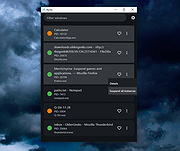 |
|
OnionShare v2.6.5 OnionShare v2.6.5 👉 Securely and anonymously share files, receive files, host websites and chat over the Tor network. OnionShare is a free, open-source privacy tool that lets you securely and anonymously share files, receive files, host websites and chat with others using the Tor network. Instead of uploading your data to a third-party file-sharing service, OnionShare runs a Tor onion service directly on your computer and provides a unique .onion address that others can open using Tor Browser. OnionShare provides separate modes for sending and receiving files, publishing an onion website and creating anonymous chat rooms. The application handles the Tor connection for you and can create temporary or persistent onion services depending on how you want to use it. Because transfers take place through the Tor network, users do not need to expose their public IP addresses to one another. Features: • Securely and anonymously shares files through the Tor network • Receives files directly from other users without relying on a conventional cloud storage provider • Hosts websites as Tor onion services directly from your computer • Creates private anonymous chat rooms • Generates .onion addresses that recipients can open with Tor Browser • Allows multiple Share, Receive, Website and Chat tabs to be used at the same time • Supports persistent onion addresses for services you want to reuse • Provides ephemeral onion services when a permanent address is not needed • Keeps chat history from being permanently stored by OnionShare • Assigns chat participants random names, which they can change • Includes its own Tor connectivity for normal desktop use • Supports Tor bridges for networks where direct Tor connections are restricted • Provides a graphical desktop application and command-line interface • Open-source software released under the GNU GPLv3 license • Does not require users to create accounts with OnionShare Supported operating systems: • Windows • macOS • Linux Supported languages: Afrikaans, Albanian, Arabic, Belarusian, Bengali, Bulgarian, Catalan, Chinese (Simplified), ... |
|
5,565 | Aug 19, 2026 Lockdown Systems  |
|
Oolite v1.92.1 Oolite v1.92.1 👉 Open-source space trading and combat simulator inspired by the classic Elite. Oolite is a free, open-source space exploration, trading, and combat game inspired by the 1984 classic Elite. You pilot a small spacecraft in a vast procedurally generated galaxy, trading goods, completing missions, battling pirates, and upgrading your ship to survive increasingly dangerous encounters. With its retro wireframe roots blended with modern graphical enhancements, Oolite delivers a nostalgic yet expansive space simulation experience. The game features an open-ended sandbox universe where players can choose their own path as trader, bounty hunter, pirate, or explorer. Through community-created expansion packs (OXP), Oolite can be extensively customized with new ships, missions, graphics upgrades, and gameplay enhancements. Features: • Procedurally generated galaxy with thousands of star systems • Open-ended gameplay with trading, combat, exploration, and missions • Ship upgrades including weapons, shields, cargo space, and equipment • Dynamic AI-driven encounters with pirates, traders, and law enforcement • Extensive modding support through Oolite Expansion Packs (OXP) • Multiple ship types and customizable loadouts • Retro-inspired visuals with optional enhanced graphics packs • Cross-platform open-source engine Supported operating systems: • Windows 10, Windows 11 • macOS 10.15 Catalina or higher • Linux (64-bit distributions with modern OpenGL support) Supported languages: English, French, German, Spanish, Italian Changes: v1.92.1 03-19-26 This is a bug-fix update. Addressed in this release: Windows: Fixed game window title bar not respecting system dark mode settings when the game was launched with the -nosplash parameter. Fixed white flashbang on startup when the game was started with the -nosplash parameter. Disabled the incorrect transfer of full screen window to different monitor with Win + Shift + Left/Right in multi-monitor setups. Linux: Centre main window after showing splash. Smooth resizing of game window. Fix for crash when no network. Common to both ports: Fixed ... |
|
5,279 | Jun 27, 2026 Giles Williams, Jens Ayton 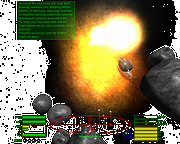 |
|
OpenCalc v1.1.10 OpenCalc v1.1.10 👉 A modern, open source recreation of the classic Windows 95 Calculator with plenty of useful improvements. OpenCalc is a from-scratch reimplementation of the classic Windows 95 Calculator, preserving its familiar look and interaction while adding modern capabilities. Written in Rust, it provides Standard and Scientific calculator modes along with improved expression parsing, calculation history, graph plotting, localization, modern keyboard support and high-DPI rendering. OpenCalc goes beyond simple button-by-button calculations with a full expression parser. Expressions can contain nested parentheses, positive and negative signs, exponentiation, square roots, mathematical functions, trigonometric and logarithmic functions, constants such as pi, factorials, percentages, scientific notation, multiple number bases and bitwise operations. Features: • Faithful recreation of the classic Windows 95 Calculator interface • Standard and Scientific calculator modes • Financial calculation mode • Complete mathematical expression parsing • Nested parentheses and unary positive and negative signs • Exponentiation using ^ or ** • Square roots and mathematical functions • Trigonometric and logarithmic functions • Mathematical constants such as pi • Factorial and percentage operators • Scientific notation • Binary, octal, decimal and hexadecimal numbers • Bitwise operations • Calculation history • Undo and redo support • Graph manager and graph plotting • Memory operations and statistics window • Configurable decimal separator • Extensive keyboard controls • Improved font rendering and DPI-aware classic controls Supported operating systems: • Windows 10, Windows 11 • Linux distributions with GTK 4 support Supported languages: English, German, French, Italian, Spanish, Russian, Japanese, Chinese (Simplified), Chinese (Traditional) Changes: v1.1.10 09-13-26 Bug fixes. Financial Mode added. This download is for the Windows version (very bottom of page). All other download assets are below: Linux: OpenCalc-v1.1.10-buildfix171-Linux.tar.gz Click here to visit the author's website. |
|
321 | Sep 14, 2026 NMagic 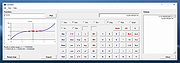 |
|
OpenLoco v26.07.1 OpenLoco v26.07.1 👉 A modern open-source reimplementation of Chris Sawyer’s Locomotion. OpenLoco is an open-source reimplementation of Chris Sawyer’s Locomotion, the classic transport construction and management simulation game where you build and run a transport company using trains, buses, trucks, trams, aircraft, and ships. OpenLoco modernizes the original game engine in C++ while keeping the spirit, gameplay, and feel of the classic title intact. Features: • Open-source reimplementation of Chris Sawyer’s Locomotion • Classic transport company construction and management gameplay • Build railways, roads, stations, airports, docks, and routes • Manage trains, road vehicles, aircraft, ships, cargo, passengers, and towns • Modern C++ engine reimplementation • Improved compatibility with modern systems • Supports original Locomotion save and scenario formats • Wider Build Vehicle window with dedicated sorting dropdown • Station Construction tab now lists accepted and produced cargo in full • Station window cargo icons now include helpful tooltips • Preferred company name can now be set separately from owner name • MIT licensed Supported operating systems: • Windows 10, Windows 11 • macOS Apple Silicon • Linux 64-bit • BSD, compile from source Supported languages: Czech, German, English GB, English US, Spanish, French, Italian, Japanese, Korean, Dutch, Polish, Portuguese Brazilian, Russian, Slovak, Swedish, Turkish, Chinese Simplified Changes: v26.07.1 07-27-26 Fix: [#3524] Jittery window height in the 'gridded' tabs of the industry list, town list, and terraform windows. Fix: [#3841] Extreme lag when a map reaches the maximum number of audio sources (e.g. many vehicles in view). Fix: [#3842] Native browse prompt not working on Windows, preventing selecting the Locomotion path on first start. Fix: [#3846] Can click beyond last item in station and company list windows, opening invalid windows. Note: The asset files from Chris Sawyer’s Locomotion are required for OpenLoco to work. It can be bought super cheap on Steam or GOG.com. This download is for the Windows 64bit portable version (very bottom of page). If you need the Windows 32bit portable version, download here. If you need the ... |
|
4,374 | Jul 29, 2026 OpenLoco  |
|
OpenLogi v0.6.3 OpenLogi v0.6.3 👉 A local-first Logitech mouse configurator for macOS with no account, cloud or telemetry. OpenLogi is a native, open-source alternative to Logitech Options+ that lets you remap Logitech mouse buttons, control DPI, adjust SmartShift wheel behavior and use per-app profiles directly over HID++. It works locally on your Mac, stores settings in a plain TOML config file, and does not require a Logitech account, cloud service or telemetry. Features: • Remap Logitech mouse buttons from a native macOS interface • Built-in action catalog plus custom keyboard shortcut recording • DPI control with presets and cycle/set-preset actions • SmartShift wheel control for ratchet, free-spin and automatic switching • Per-application profiles that switch when the focused app changes • Supports Logi Bolt, Bluetooth-direct and wired USB connections • Live paired-device carousel with battery percentage and charge state • Plain-text TOML configuration • No Logitech account required • No telemetry, analytics or cloud sync • Open source and dual licensed under MIT / Apache-2.0 • Signed and notarized macOS DMG available Supported operating systems: • macOS Supported languages: English, Danish, German, Greek, Spanish, Finnish, French, Italian, Japanese, Korean, Norwegian Bokmεl, Dutch, Polish, Portuguese (Brazil), Portuguese (Portugal), Russian, Swedish, Simplified Chinese, Traditional Chinese (Hong Kong), Traditional Chinese (Taiwan) Changes: v0.6.3 06-09-26 • Added unified Binding model and gesture-button menu. • Added gesture buttons on Middle, Back and Forward via the OS hook. • Release v0.6.3. This download is for the macOS ARM64 version (very bottom of page). If you need the macOS Intel version, download here. Click here to visit the author's website. |
|
463 | Jun 10, 2026 AprilNEA  |
|
OpenNetMeter v0.14.3 OpenNetMeter v0.14.3 👉 Open-source Windows network data usage and monitoring tool. OpenNetMeter is an open-source Windows network monitoring application designed to help users track their real-time network speeds and overall data usage. The tool presents upload and download statistics, session and cumulative totals, and detailed breakdowns by process, all through an intuitive interface. The app includes additional monitoring features like a floating mini widget and historical usage logging. Features: • Real-time upload and download speed monitoring • Per-process network usage breakdown • Session and cumulative data tracking • Always-on-top mini widget window with pinning support • Up to 3-month history of data usage with date range selection • Dark mode for low-light use • No ads and lightweight • Open-source under Apache-2.0 license Supported operating systems: • Windows 10, Windows 11 (64-bit recommended) Supported languages: English Changes: v0.14.3 02-18-26 Added Added an upgrade detection dialog to better handle upgrade scenarios. Added an installer custom action to close a running app instance during uninstall. Changed Updated the desktop shortcut component GUID. Removed unused event log installer components. Fixed Fixed MSI upgrade behavior that could remove saved user files. Click here to visit the project's GitHub repository. |
|
819 | Jun 11, 2026 Ashfaaq Riphque  |
|
Password Safe v3.72.2 Password Safe v3.72.2 👉 Secure, open-source password manager for storing logins in an encrypted database. Password Safe helps you securely store usernames, passwords, and other login details in an encrypted database protected by a single master password. Designed by Bruce Schneier, it focuses on simple, local password management while offering tools such as AutoType, password policies, import and export options, database compare and merge functions, filters, reports, and multiple viewing modes for organizing entries. Features: • Stores usernames, passwords, and related notes in an encrypted database • Uses one master password to unlock and access all stored entries • Copies passwords, usernames, notes, and authentication codes from the toolbar • Supports AutoType for entering credentials into other windows • Can browse to a stored URL and execute AutoType • Includes password policy management and password generation options • Supports password history • Lets you organize entries in nested tree or flattened list views • Supports filters, subviews, reports, and search tools • Can import from text, XML, and KeePass V1 databases • Can export to text, XML, and older Password Safe database formats • Includes compare, merge, and synchronize tools for safes • Supports keyboard shortcuts and drag-and-drop style Dragbar entry actions • Open source and designed for straightforward local password management Supported operating systems: • Windows 7 and later • macOS 10.14 Mojave and later • Linux distributions with available packages • FreeBSD Supported languages: Arabic, Czech, Chinese, Danish, Dutch, French, German, Hungarian, Italian, Korean, Polish, Portuguese (Brazilian), Russian, Slovak, Slovenian, Spanish, Swedish, Turkish Changes: v3.72.2 09-06-26 Bugs Fixed GH1898 Arrow keys can now be used to navigate between Custom Value rows. GH1892 Regression: In the Add/Edit dialog's Basic tab, Alt-N (or the equivalent for non-English langauges) set the keyboard focus to the Notes field. SF1636 Minor UI issues in Custom Values display (column width) and edit (use correct font). ... |
|
8,497 | Sep 15, 2026 Bruce Schneier  |
|
PDF4QT v1.6.0.0 PDF4QT v1.6.0.0 👉 Open-source PDF editor, viewer, and toolkit for Windows and Linux. PDF4QT is an open-source PDF editor powered by the Qt framework. It provides a robust C++ library, intuitive applications for viewing and editing PDF documents, and a command-line tool for script integration. The suite includes tools for advanced PDF viewing, lightweight document viewing, page organization, and PDF comparison, making it useful for both regular users and developers. Features: • Advanced PDF viewer with zoom, rotation, page layout modes, and navigation tools • Full PDF editing capabilities including modifying document structure and content elements • Annotation tools such as highlights, notes, shapes, and markup editing • Interactive form filling and support for AcroForms • Digital signature support including signing documents and validating signatures • Encryption support with password protection and public key security • Embedded file attachments handling within PDF documents • Built-in text-to-speech engine for reading PDF content aloud • Powerful search functionality including regular expression support • PDF document comparison tool to detect differences between files • Page management tools including merge, split, reorder, rotate, clone, and insert pages • Document optimization features for reducing file size and improving performance • Internal PDF object structure inspector for advanced users and developers • Command-line interface for automation and batch processing tasks • Static XFA form support (read-only for simple XFA documents) • Multiple viewer applications included (advanced viewer and lightweight viewer modes) • Cross-platform support built on the Qt framework Supported operating systems: •Windows 10/11 •Linux Supported languages: • Czech, English, French, German, Korean, Russian, Simplified Chinese, Spanish, Traditional Chinese, Turkish Changes: v1.6.0.0 06-14-26 Major image compression and optimization update for PageMaster and assembled PDF documents. Improved PageMaster with drag and drop, recent files, page cropping, save/restore, rotation and size indicators, new icons, and faster output previews. Added image optimization feedback for final resolution and DPI. Added Advanced Find wildcard mode and Enter-to-search. Added fullscreen viewing, side-to-side scrolling, smoother scrolling, text selection, snapping, and improved keyboard ... |
|
1,148 | Aug 26, 2026 Jakub Melka  |
|
PearPass v2.1.0 PearPass v2.1.0 👉 Peer-to-peer password manager with private, device-to-device syncing. PearPass is an open-source password manager that prioritizes privacy and user control by avoiding centralized servers. Built on Pear Runtime, it uses peer-to-peer technology to sync your credentials directly between your devices, ensuring your data remains private, secure, and fully under your control. Instead of relying on cloud storage, PearPass keeps your information encrypted and shared only between your authorized devices. With a clean and minimal interface, it provides a straightforward way to manage passwords while maintaining modern security practices and full data ownership across desktop and mobile devices. Features: • Peer-to-peer syncing between devices with no central server • Built on Pear Runtime for decentralized application architecture • End-to-end encryption to protect all stored credentials • Local-first storage with no mandatory cloud dependency • Open-source codebase for transparency and independent auditing • Secure device-to-device authorization for syncing • No tracking, telemetry, or third-party data collection • Simple vault-style organization for managing credentials • Clean, minimal interface focused on ease of use • Fast access and retrieval of stored passwords • Designed for full user ownership and control of sensitive data • Lightweight application with low resource usage • Cross-platform support including desktop and mobile devices Supported operating systems: • Windows 10, Windows 11 • macOS • Linux • Android • iOS Supported languages: English Changes: v2.1.0 05-20-26 New features TOTP support: including OTP-to-login matching, duplicate-code warnings, and account search. Vault Deletion: Local vault removal with automatic cross-device syncing. Bitwarden Import: Support for encrypted vault imports. UI & UX Improvements UX improvements: Cleaned up core UI flows (Home, Settings, Autofill, Passkeys). Stability & Performance Faster Diagnostics: Optional local logs for monitoring for quicker bug fixes. Reliable Sync: Fixed Home screen vault name updates and improved cross-device syncing. This download is for the Windows 64bit version (very bottom of page). All ... |
|
860 | Sep 16, 2026 Tether Data, S.A. de C.V.  |
|
Pelton v2026.3.2 Pelton v2026.3.2 👉 A privacy-focused open-source email client that keeps your mail under your control. Pelton is a free, open-source desktop email client designed around privacy, speed, and simplicity. Instead of routing your email through third-party services, Pelton connects directly to your existing IMAP and SMTP accounts while storing your data locally in an SQLite database. There is no telemetry, no tracking, and no cloud service standing between you and your email. Built with a modern interface and a keyboard-friendly workflow, Pelton offers fast local searching, offline access, scheduled sending, message snoozing, built-in document previews, customizable themes, and portable configuration backups. Everything runs locally, making it equally suitable for everyday email users and privacy-conscious professionals who want complete control over their communications. Features: • Fast local search using a local SQLite database for instant results, even with large mailboxes. • Cross-platform support for Windows, macOS, and Linux. • Zero telemetry with no tracking or crash reporting. • Connects directly to standard IMAP and SMTP mail providers. • Stores email locally while remaining synchronized with your existing mail provider. • Download messages for offline reading by pinning messages or selecting a date range. • Immediate synchronization using IMAP IDLE for prompt delivery of new mail. • Native desktop notifications for Windows, macOS, and Linux. • Built-in previewer for PDFs, images, and text files. • Snooze messages to return unread at a scheduled time. • Schedule outgoing messages with Send Later. • Export accounts, preferences, and layouts into a portable configuration file. • Eight colored message flags stored locally or synchronized using IMAP keywords. • Extensive customization including themes, layouts, display density, and custom CSS. • Import themes safely with selective importing and automatic removal of remote references. Supported operating systems: • Windows 10, Windows 11 • macOS 13 Ventura or higher (Intel and Apple Silicon) • Linux x86-64 (Debian/Ubuntu, Fedora, and other modern distributions) Supported languages: English, German, French, Dutch, Spanish, Polish Changes: v2026.3.2 08-01-26 • Added ... |
|
256 | Aug 05, 2026 Arne K.  |
|
PipeWalker v1.1 PipeWalker v1.1 👉 A simple puzzle game where you rotate pieces to connect everything into one complete circuit. PipeWalker is a free and open-source puzzle game where the goal is to combine all of the pieces on the board into a single connected circuit. Depending on the selected theme, that can mean connecting computers to a network server, joining pipes to bring water to taps, or completing another type of connected system. The gameplay is easy to understand: rotate individual pieces until every component is properly connected. Figuring out how all of the branches, corners, endpoints, and junctions fit together provides the challenge. PipeWalker includes Network, Plumbing, and Hellsfire graphical themes, giving the same basic puzzle mechanic several different looks. Sound effects are also included for gameplay and puzzle completion. Features: • Connect all components into one complete circuit • Rotate individual pieces to determine the correct connections • Network theme with computers and a central server • Plumbing theme with pipes and taps • Hellsfire graphical theme • Multiple possible circuit layouts • Simple point-and-click puzzle gameplay • Sound effects during gameplay • Completion sound when a puzzle is solved • Lightweight design • Free and open-source software • Built using SDL2 and SDL2_image Supported operating systems: • Windows 7, Windows 8, Windows 10, Windows 11 Supported languages: English Changes: v1.1 Minor changes with bug fixes and optimization. Note: This file has one hit on VirusTotal. We have confirmed this to be a false positive. The file is safe. Click here to visit the author's website. |
|
6,569 | Aug 10, 2026 Artem Senichev  |
|
Pixel Wheels v1.0.1 Pixel Wheels v1.0.1 👉 A retro top-down racing game for PC (Linux, Intel-based Mac, Windows) and Android. Pixel Wheels is a pixel-art, top-down racing game where you race for first place across multiple tracks, collect bonuses, and use weapons to boost your position or slow down your opponents. Features: • Retro top-down racing gameplay • Multiple tracks and championships • Multiple vehicles with different handling • Pickups, bonuses, and weapons • Turbo boosts, mines, guns, missiles, and other race-changing items • Single-player racing • Split-screen multiplayer on PC • Up to 4-player split-screen support • Difficulty levels: Casual, Pro, and Legendary • Keyboard support and configurable controls • Gamepad support • Android touch controls • HUD button zoom option • Pixel-art graphics and arcade-style racing action Supported operating systems: • Windows, Linux, macOS Intel-based Mac, Android Supported languages: English, French, Bengali, Chinese, Polish, Russian, Spanish, Basque, German, Swedish, Hungarian, Esperanto, Turkish, Italian, Dutch, Galician, Indonesian Changes: v1.0.1 12-18-25 Fixed: • Make HUD zoom persistent. • Fixed HUD buttons overlapping when HUD zoom is too high. This download is for the Windows version (very bottom of page). All other download assets are below: macOS: pixelwheels-macos-stable.zip Linux: pixelwheels-linux-stable.zip Android: pixelwheels-itchio-1.0.1.apk Google Play Click here to visit the author's website. |
|
2,141 | Jun 29, 2026 Aurelien Gateau  |
|
Principia v2026.07.15 Principia v2026.07.15 👉 A free, open source physics sandbox for building machines, circuits, puzzles, games and robot adventures. Principia is a physics-based sandbox building game that gives you a large collection of mechanical, electrical and interactive objects for creating your own working contraptions. Build vehicles, machines, electronic circuits, pinball games, puzzles, automated systems and other creations, then put them into motion using the game's physics simulation. The sandbox goes well beyond simply attaching wheels and motors. Principia includes power and signal cabling, electronic components, controllers and other objects that can be connected to create complex logic and automated systems. For more advanced projects, the LuaScript object lets you write Lua 5.2 programs that interact directly with a level, control objects and draw custom graphics. You can also create and play puzzles, minigames and Adventure levels. Adventure mode puts you in control of a robot that can explore environments, use tools, collect materials, operate machinery and interact with creations. Thousands of community-made levels and creations are available through the Principia community site. Principia was originally developed by Bithack AB and released commercially in 2013. Its source code was released in 2022, and the game is now maintained as a free, open source community project under the BSD 3-Clause license. Features: • Physics-based sandbox for designing and simulating working contraptions • Build mechanical machines, vehicles, robots, puzzles, games and automated systems • Large collection of mechanical, electronic and interactive objects • Power cables for supplying electricity to motors and other powered devices • Signal cables for building electronic and logic-based systems • Motors, power supplies, controllers, sensors and other components for advanced creations • Create custom puzzles with your own objectives and win conditions • Adventure mode with a controllable robot, tools, materials and interactive environments • Lua 5.2 scripting for creating advanced behavior, games and interactive systems • Lua scripts can interact with the simulation and ... |
|
1,348 | Aug 07, 2026 Bithack  |
|
QOwnNotes v26.9.11 QOwnNotes v26.9.11 👉 Open-source markdown note-taking application with Nextcloud and ownCloud integration. QOwnNotes is a free and open-source plain-text note-taking and to-do list manager designed for users who want full control over their notes and data. It stores notes as plain text Markdown files, making them easy to synchronize with services such as Nextcloud, ownCloud, Syncthing, Dropbox, and other cloud or local storage solutions. QOwnNotes includes powerful organization tools, note encryption, scripting support, tagging, searching, and customizable interface layouts for productivity-focused workflows. Features: • Plain-text Markdown note-taking with live preview • Integration with Nextcloud and ownCloud notes • Stores notes as standard text files without vendor lock-in • AES-256 encrypted notes support • Built-in scripting engine with QML support • Powerful note searching and filtering • Tagging and note organization tools • Multiple note folders and subfolder support • Customizable themes, fonts, and layouts • To-do list and task management support • Automatic note saving and backup support • External diff tool integration • Checkbox list creation and Markdown editing tools • Portable mode support • Cross-platform support for desktop operating systems Supported operating systems: • Windows 7, Windows 8, Windows 10, Windows 11 • macOS 13 Ventura or higher • Linux Supported languages: English, Arabic, Basque, Bulgarian, Catalan, Chinese Simplified, Chinese Traditional, Czech, Danish, Dutch, English, Finnish, French, German, Greek, Hebrew, Hungarian, Italian, Japanese, Korean, Norwegian, Persian, Polish, Portuguese, Portuguese Brazilian, Romanian, Russian, Slovak, Spanish, Swedish, Turkish, Ukrainian Changes: v26.9.11 09-25-26 Deprecated the non-GitHub Qt 5 release packages by removing the legacy Ubuntu Launchpad and OBS deployments from the release process, while retaining the Qt 5 artifacts built by the GitHub release workflow (for #3752) Added more French translation (thank you, jd-develop) 👉 This download is for the Windows version (very bottom of page). All other download assets are below: MacOS: QOwnNotes.dmg QOwnNotesQt5.dmg Linux: QOwnNotes-amd64.snap QOwnNotes-Qt5-amd64.snap QOwnNotes-x86_64.AppImage Click here to visit the author's website. |
|
6,864 | Sep 25, 2026 Patrizio Bekerle  |
|
Quiz/Survey/Test v3.12.11 Quiz/Survey/Test v3.12.11 👉 Free open source assessment platform for creating, delivering, and grading quizzes, surveys, and exams. Quiz/Survey/Test (QST) is a free, open source assessment platform that allows educators, businesses, government agencies, training organizations, and certification providers to create, administer, and grade quizzes, surveys, tests, and examinations from a single web-based interface. Whether you need a quick classroom quiz, employee training assessments, customer surveys, or secure high-stakes certification exams, QST provides the tools to build, manage, and analyze every stage of the testing process. Quiz/Survey/Test supports everything from a single instructor managing one class to enterprise and government deployments serving thousands of simultaneous users. Its multi-tenant architecture allows multiple organizations or departments to operate independently from the same installation, making it ideal for schools, universities, corporations, and hosted training providers. The software includes an extensive question bank with reusable questions, randomized test generation, adaptive testing, automatic grading, detailed reporting, and a built-in GradeBook that tracks student performance over time. Questions can include formatted text, images, multimedia, mathematical formulas, and chemistry equations using the integrated equation editor. Numerous import and export options make it easy to migrate content from other learning platforms or share tests with colleagues. Security is also a major focus. Quiz/Survey/Test supports secure browser sessions through XTRASecure, role-based permissions, user authentication, accessibility improvements, audit logging, and centralized management tools. Because it is self-hosted, organizations retain complete ownership of their testing data while avoiding recurring cloud subscription costs. Features: • Create quizzes, surveys, examinations, certifications, and assessments from one integrated platform. • Multi-tenant architecture supports multiple schools, departments, or organizations. • Build and organize reusable question banks with categories and pools. • Randomize questions, answers, and test versions to reduce cheating. • Adaptive testing with branching based on previous responses. • Automatic grading for supported question types with manual grading for essays. • Integrated GradeBook with student progress tracking and detailed statistics. • ... |
|
2,958 | Jul 30, 2026 Bob Smith  |
|
Red Planet Rampage v0.5.3 Red Planet Rampage v0.5.3 👉 A dieselpunk western-themed arena shooter with modular guns, auctions, and multiplayer chaos. Red Planet Rampage is a free and open source dieselpunk western-themed arena shooter where players battle with wacky modular guns built from weapon parts. Set on a Mars overrun by cowboy-hat-wearing terraforming robots, it combines fast-paced movement, weapon-part auctions, split-screen play, AI opponents, and multiplayer action into a chaotic arena shooter experience. The story... The robots responsible for terraforming Mars have donned cowboy hats and started wreaking havoc with staged shootouts and competitions where they auction off rudimentary weapon parts assembled from scrap. Terraforming Inc. is still investigating the cause of this disturbance, but rumors point to a fateful upload of a western film. Features: • Modular weapons with over 600 different combinations • Auctions where players bid on weapon parts to build custom weapons • Online multiplayer with queue and friends-only lobbies through Steam • Splitscreen multiplayer • Multiple game modes and maps • Custom game modes • Movement with a high skill ceiling, including bunnyhopping and surfing explosions • AI players for matches when no other players are available • Keyboard, mouse, and gamepad support • Supports 1 to 4 players Supported operating systems: • Windows 10, Windows 11 Supported languages: • English Changes: v0.5.3 Balance changes Made it less likely for parts that have not been bid on in previous auctions to appear in the auction again. Brick barrel has been buffed with higher fire rate. Bugfixes Fixed a bug where having exactly one ammo left with stock + lazur or coil would make you unable to shoot after the previous shot animation had played out 😅 Switching away from the trash uplink extension in training mode should no longer crash the game. Click here to visit the author's website. |
|
673 | Aug 12, 2026 Hackerspace NTNU  |
|
Refloow Photo Studio v1.1.0 Refloow Photo Studio v1.1.0 👉 A free, open source, privacy-focused photo editor with local AI background removal, filters, cropping, layering, text and image adjustments. Refloow Photo Studio is a free and open source desktop photo editor designed to provide professional-looking results without complicated workflows, accounts, subscriptions, advertisements, watermarks or data collection. All image processing runs locally on your computer, including its AI-powered background removal. The editor provides more than 40 built-in filters along with cropping, mirroring, brightness, contrast, saturation and warmth adjustments. Images can be dragged onto the canvas as layers to build compositions, while an undo and redo history lets you move backward or forward through up to 15 editing actions. Text can also be added to images, resized and positioned as layers. The workspace supports zooming and panning for easier navigation while editing. Features: • Free and open source photo editor • All image processing is performed locally • No accounts or logins required • No subscriptions • No advertisements • No watermarks • No data collection • One-click AI-powered background removal • AI background removal runs locally using the U-2-Netp model • More than 40 built-in professional filters • Crop images • Mirror images • Adjust brightness, contrast, saturation and warmth • Add text to images with imported fonts and customizable colors • Resize and position text as layers • Overlay multiple images to create compositions • Drag-and-drop support • Layer management for arranging compositions • Workspace zooming with the scroll wheel • Workspace panning with the middle mouse button • Undo and redo history for up to 15 actions • High-quality WYSIWYG image exporting Supported operating systems: • Windows 10 64-bit, Windows 11 64-bit • macOS Intel, macOS Apple Silicon • Linux Ubuntu, Linux Debian • Linux distributions capable of running the supplied AppImage Supported languages: English Changes: v1.1.0 06-23-26 • Added the ability to add custom text directly to compositions using imported fonts and customizable text colors. • Added full workspace zooming, panning and canvas movement. • Added smart crop ... |
|
111 | Sep 08, 2026 Veljko Vuckovic  |
|
ShelfLife v0.7.1 ShelfLife v0.7.1 👉 Automatically clean, organize, and manage your folders based on customizable rules. ShelfLife is an open-source folder maintenance utility designed to keep commonly cluttered locations such as your Desktop and Downloads folder organized automatically. It can monitor selected folders and perform actions based on rules you define, including moving, deleting, or sorting files according to their age. This makes it ideal for keeping temporary files, old downloads, and accumulated clutter under control without constant manual cleanup. The program is designed with a straightforward interface that allows you to configure multiple folder management rules while providing enough flexibility for different cleanup workflows. Whether you want to archive older files, remove temporary items, or keep your Downloads folder tidy, ShelfLife automates the process in the background. Features: • Automatically organize folders using customizable rules • Monitor multiple folders simultaneously • Move files based on file age • Delete old or unwanted files automatically • Ideal for managing Desktop and Downloads folders • Helps reduce clutter and improve file organization • Simple, modern user interface • Open source Supported operating systems: • Windows 10, Windows 11 Supported languages: English Changes: v0.7.1 07-06-26 • Fix issue causing notifications to repeatedly appear after changing notification settings. • Improve notification handling behavior. Click here to visit the author's website. |
|
474 | Jul 07, 2026 LogicDX342  |
|
Sigil Portable v2.8.1 Sigil Portable v2.8.1 👉 A portable version of the powerful, open source EPUB ebook editor for creating and editing ebooks without installation. Sigil Portable is the PortableApps.com version of Sigil, a free and open source EPUB ebook editor that supports both visual WYSIWYG-style editing and direct editing of EPUB code. It can be carried on a USB flash drive, portable hard drive, cloud folder or other portable storage and used without a traditional installation. The portable package keeps its settings with the application, making it convenient for working with ebooks on multiple Windows computers. Sigil is designed specifically for editing EPUB ebooks and supports EPUB 2 as well as EPUB 3. Authors and editors can work directly with XHTML and CSS, edit book metadata, generate tables of contents, check spelling, perform powerful regular-expression searches and make detailed changes to the internal structure of an ebook. The interface provides multiple views so users can work visually or directly with the underlying code. Features: • Portable package designed to run from USB drives, portable drives, cloud folders and other locations • WYSIWYG word processor-style ebook editing • Direct editing of EPUB XHTML and other underlying code • Full EPUB 2 specification support • Limited EPUB 3 support • Multiple Book, Code and Preview views • Full UTF-16 support • Table of Contents generator with multi-level heading support • Metadata editor supporting more than 200 possible metadata entries with descriptions • Spell checking with default and user-configurable dictionaries • Full PCRE regular-expression support for Find and Replace • Imports EPUB and HTML files, images and style sheets • Integrated FlightCrew EPUB validator for checking EPUB compliance • Embedded HTML Tidy for correcting formatting in imported files and optionally cleaning edited content • Translated user interface • Online Sigil User's Guide and documentation • Open source under the GNU GPL Supported operating systems: • Windows 10 64-bit, Windows 11 64-bit Supported languages: Multilingual Changes: v2.8.1 07-18-26 Sigil 2.8.1 is a ... |
|
2,336 | Aug 31, 2026 Graeme Gott and PortableApps.com 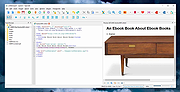 |
|
Sigil v2.8.1 Sigil v2.8.1 👉 A free, open source, cross-platform EPUB ebook editor for creating and editing EPUB 2 and EPUB 3 books. Sigil is a powerful ebook editor designed to make it easy to create, edit, format and package ebooks in the EPUB format. It can be used by anyone from people creating ebooks for personal use to professional editors preparing books for publication on multiple platforms. Sigil provides direct control over EPUB content and structure while combining editing, preview, metadata, navigation, validation and organizational tools in a single application. It is completely free and open source under the GPLv3 license. Features: • Supports both EPUB 2 and EPUB 3 specifications • Code View provides complete control over EPUB XHTML, CSS and other source files • Preview View displays changes while working on an ebook • Generates tables of contents with multi-level heading support • Includes a metadata editor for managing ebook information • Imports EPUB and HTML files, images and style sheets • Book Browser organizes the files contained inside an EPUB • Built-in spell checking with default and user-configurable dictionaries • Full Regular Expression (PCRE) support for powerful Find and Replace operations • Mend and Prettify tools can repair and clean imported formatting and source code • Plugin support allows additional functionality to be added • Checkpoint support provides snapshots that can be compared as an ebook is edited • Themeable icons and a customizable interface • Full UTF-16 support • Supports external editors, including integration with the separate PageEdit visual XHTML editor • Reports and validation tools help locate problems in EPUB, XHTML, CSS and other book resources • Image editing tools provide basic rotation, cropping and resizing • Drop Zone allows files to be added to an EPUB using drag and drop • Change Reading Order dialog provides an alternative to drag and drop for arranging book content • Prettify behavior can be customized using prettyprint.xml in Sigil preferences Supported ... |
|
6,318 | Aug 31, 2026 John Schember |
|
Stella v7.0c Stella v7.0c 👉 A multi-platform Atari 2600 VCS emulator. Stella is an open source Atari 2600 Video Computer System (VCS) emulator that faithfully recreates the original console on modern computers. It allows you to play thousands of Atari 2600 game ROMs while providing a wide range of enhancements including save states, debugging tools, customizable controls, video filters, bezel support, high score saving, and an advanced ROM launcher. Stella is designed for both casual retro gamers and Atari homebrew developers, offering highly accurate emulation along with powerful analysis and debugging features. Features: • Accurate Atari 2600 VCS emulation • Supports thousands of Atari 2600 ROMs • Advanced ROM launcher with artwork support • Save and load game states • High score saving • Built-in debugger for homebrew development • Multiple video rendering modes and TV effects • Automatic phosphor mode support • Bezel support, including Sinden Lightgun compatibility • Customizable keyboard, mouse, and game controller mappings • Screenshot capture • Multiple UI themes • Open source Supported operating systems: • Windows, macOS, Linux Supported languages: • English Changes: v7.0c 10-05-24 • Enhanced ROM launcher to allow multiple images per ROM • Added many additional ROM launcher images • Added filename searching for ROM launcher images • Added option to start a random ROM • Added automatically enabled phosphor modes • Enhanced Game Properties dialog for multigame ROMs • Added a second UI theme and hotkey for toggling themes • Added bezel support including Sinden Lightgun compatibility • Added optional type format detection based on colors used This download is for the binary ZIP (32-bit and 64-bit) for Windows 7/8/10/11 version (very bottom of page). All other download assets are below: Other Windows: binary installer (exe) for 64-bit Windows 7/8/10/11 binary installer (exe) for 32-bit Windows 7/8/10/11 NOTE for Windows: Visual C++ Redistributable for Visual Studio 2017 is required. MacOS: Binary DMG for macOS (ARM M1 and 64-bit Intel) Linux: Binary 64-bit DEB for Ubuntu 22.04 Source: Source code tarball for all systems Miscellaneous / Extras: Complete distribution and port for the RetroN 77 Snapshot files for ... |
|
8,368 | Jun 21, 2026 The Stella Team  |
|
Syncthing v2.0.2 Syncthing v2.0.2 A continuous file synchronization program that securely syncs files between multiple devices. Syncthing is a continuous file synchronization program designed to keep files synchronized between two or more computers in real time. It replaces proprietary cloud sync and file-sharing services with an open, transparent, and decentralized solution that puts you fully in control of your data. All communication is encrypted, and no central server is required, ensuring privacy and security at all times. Syncthing automatically detects changes to files and folders and propagates them efficiently across connected devices. It supports versioning, conflict handling, and fine-grained folder controls, making it suitable for backups, collaborative work, or keeping data in sync across desktops, laptops, servers, and mobile devices. Features: • Continuous real-time file synchronization • Fully decentralized architecture with no central server • Secure encrypted connections between all devices • Open source and transparent design • Automatic discovery of devices on local networks • Global discovery option for syncing over the internet • File versioning and recovery options • Conflict detection and resolution handling • Web-based user interface for easy management • Cross-platform support for desktops and servers Supported operating systems: • Windows 7, Windows 8, Windows 10, Windows 11 • macOS 10.15 or higher Supported languages: English, Arabic, Bulgarian, Chinese, Croatian, Czech, Danish, Dutch, Finnish, French, German, Greek, Hebrew, Hungarian, Indonesian, Italian, Japanese, Korean, Norwegian, Polish, Portuguese, Romanian, Russian, Slovak, Spanish, Swedish, Turkish, Ukrainian Private & Secure • Private. None of your data is ever stored anywhere else other than on your computers. There is no central server that might be compromised, legally or illegally. • Encrypted. All communication is secured using TLS. The encryption used includes perfect forward secrecy to prevent any eavesdropper from ever gaining access to your data. • Authenticated. Every device is identified by a strong cryptographic certificate. Only devices you have explicitly allowed can connect to your ... |
|
3,524 | Jun 23, 2026 The Syncthing Project  |
|
SyncTrayzor v2.1.0 SyncTrayzor v2.1.0 👉 Makes Syncthing behave like a native Windows application with a convenient system tray interface. SyncTrayzor is a Windows tray utility for Syncthing that hosts and manages Syncthing, providing a more integrated desktop experience than using the web interface alone. It includes a built-in browser for managing Syncthing, automatically starts with Windows if desired, monitors synchronization activity, and provides notifications for sync events, conflicts, and device status. SyncTrayzor also includes folder watching for faster detection of file changes and tools to help resolve synchronization conflicts. It is designed to simplify the use of Syncthing while retaining all of its powerful decentralized file synchronization capabilities. Features: • Built-in browser for managing Syncthing without opening an external web browser • Runs from the Windows system tray • Optional automatic startup with Windows • Real-time synchronization status and activity notifications • Folder watcher for faster detection of file changes • File transfer progress window • Conflict detection and conflict resolution tool • Notifications for completed syncs, conflicts, and device connections or disconnections • Supports pausing synchronization on metered networks • Native 64-bit builds, including Windows on ARM64 • Automatic update support • Open source (MIT License) Supported operating systems: • Windows 10, Windows 11 (64-bit only, including ARM64) Supported languages: • English, German, French, Spanish, Italian, Portuguese, Russian, Chinese, Japanese, Korean, Dutch, Polish, Czech, Turkish, Ukrainian, and additional community-translated languages. Changes: v2.1.0 12-17-25 • Reworked the tray activity popup to be draggable and resizable • Fixed inverted order of items in the tray activity popup • Added a warning when mixed v1/v2 installations are detected • Translation updates • Dependency and runtime upgrades • Embedded browser upgraded to Chromium/CEF v141 This download is for the Windows 64bit version (very bottom of page). If you need the Windows ARM64 version, download here. Click here to visit the author's website. |
|
3,439 | Jun 23, 2026 Maximilian Frφhling  |
|
Tablacus Explorer v26.6.11 Tablacus Explorer v26.6.11 👉 Customizable tabbed file manager with extensive add-on support. Tablacus Explorer is a portable, open source tabbed file manager for Windows that supports add-ons, multiple languages, Unicode, customizable menus, keys, mouse gestures, aliases, and extra columns such as total file size and labels. It is designed for users who want a highly flexible alternative to standard Windows File Explorer. Features: • Tabbed interface • Add-on support • Completely portable with no installation required • Multiple language and Unicode support • Extra columns including total file size and label • Customizable associations, menus, keys, mouse gestures, and aliases • Open source • Available in both 32-bit and 64-bit versions Supported operating systems: • Windows XP, Windows Vista, Windows 7, Windows 8, Windows 8.1, Windows 10, Windows 11 Supported languages: English, Japanese, Spanish, Korean, German, Greek, French, Italian, Portuguese, Russian, Simplified Chinese, Traditional Chinese, Turkish Changes: v26.6.11 06-11-26 • Added ARM64 support. (Backup recommended) • Added an ARM64 version of Tablacus Explorer. • The developer does not have a Windows ARM device, so this build has not been tested by the developer. • Windows ARM users can download tearm_260611.zip, extract it over their existing installation, and run TEARM64.exe. • The developer is requesting feedback from ARM64 users about whether the build works correctly or if any problems occur. Click here to visit the author's website. |
|
7,004 | Aug 14, 2026 Gaku  |
|
Transmission v4.1.3 Transmission v4.1.3 👉 Fast, easy and free BitTorrent client with low-resource usage and a clean interface. Transmission is an open-source BitTorrent client designed to be fast, lightweight, and simple to use while still offering powerful torrenting features. It supports downloading and uploading via the BitTorrent protocol with magnet link support, a web interface for remote control, peer exchange, tracker editing, bandwidth limits, encryption, and more — all without bundled ads or tracking. Transmission integrates natively on each supported operating system and is suitable for desktops, laptops, home servers, NAS units, and embedded systems. Features: • Native, lightweight, and resource-efficient BitTorrent client for multiple platforms. • Supports Magnet URI scheme, encrypted connections, peer exchange, DHT, and multiple trackers. • Built-in web interface for remote torrent management. • Speed limits, tracker editing, watch directories, and IP blocklists. • Automatic port forwarding (UPnP/NAT-PMP) and support for webseeds. • Clean, intuitive interface with sensible defaults. • Open source with no ads, no tracking, and no bundled third-party software. Supported operating systems: • Windows 7, Windows 10, Windows 11 • macOS 11.0 or later • Linux & Unix Supported languages: English Changes: v4.1.3 06-29-26 This is Transmission 4.1.3, a bugfix release. It fixes a potential CRSF security issue for users who enable remote access to Transmission. Users are encouraged to upgrade to this version. What's New in 4.1.3 All Platforms Fixed a CORS bug that leaked the anti-CSRF nonce. (#8938) Fixed a use-after-free bug in peer code. (#8921) Fixed build error when compiling with fmt 12.2.0. (#8942) Everything Else Fixed a 4.1.2 build error in tests. (#8881) This download is for the Windows 64bit (Windows 10 or later ) version (very bottom of page). All other download assets are below: Other Windows: transmission-4.1.3-x86.msi Windows 32bit Win10 or later transmission-4.1.3-qt5-x64.msi Windows 64bit Win7 or later transmission-4.1.3-qt5-x86.msi Windows 32bit Win7 or later macOS: Transmission-4.1.3.dmg Linux: transmission-4.1.3.tar.xz Click here to visit the author's website. |
|
5,218 | Jul 28, 2026 Transmission Project  |
|
uBlock Origin Lite v2026.628.2035 uBlock Origin Lite v2026.628.2035 👉 Lightweight Manifest V3 content blocker that blocks ads, trackers, and other unwanted web content. uBlock Origin Lite is a lightweight, Manifest V3-based content blocker designed to efficiently block ads, trackers, cryptominers, and other unwanted web content while using minimal CPU and memory. Unlike the original uBlock Origin, uBlock Origin Lite relies on the browser's declarative filtering engine, allowing filtering to occur without a continuously running background process. This approach improves efficiency while remaining compatible with modern browser extension requirements. Users can select different filtering modes and enable additional filter lists through the extension's options page to increase protection. uBlock Origin Lite includes the standard uBlock Origin filter set by default, including EasyList, EasyPrivacy, Peter Lowe's Ad and Tracking Server List, and uBlock's own built-in filters. It is ideal for Chromium-based browsers that require Manifest V3-compatible extensions while also supporting Firefox and Safari versions built for the new extension architecture. Features: • Blocks advertisements, trackers, cryptominers, and malicious domains • Built on the Manifest V3 extension platform • Uses the browser's declarative filtering engine for low resource usage • No permanent background process required • Includes uBlock Origin default filter lists • Supports additional optional filter lists • Multiple filtering modes for different levels of protection • Fast startup with minimal CPU and memory consumption • Open source under the GPL-3.0 license • Available for Chromium-based browsers, Firefox, Microsoft Edge, and Safari Supported operating systems: • Windows 10, Windows 11 • macOS 13.7 or higher • Linux (via supported Chromium-based browsers or Firefox) • ChromeOS • iOS 18.6 or higher (Safari) • iPadOS 18.6 or higher (Safari) Supported languages: English Changes: v2026.628.2035 06-28-26 Updated filter lists. This download is for the Firefox version (very bottom of page). If you need the Google Chrome version, download here. If you need the Microsoft Edge version, download here. If you need the Apple Safari version, download here. Click here to visit the author's website. |
|
504 | Jul 05, 2026 Raymond Hill  |
|
uBlock Origin v1.72.0 uBlock Origin v1.72.0 👉 Efficiently block ads, trackers, malware, and other unwanted web content. uBlock Origin is a free, open-source, wide-spectrum content blocker designed to improve privacy, security, and browsing performance while using minimal CPU and memory. Rather than focusing only on advertisements, it blocks trackers, malicious domains, cryptocurrency miners, popups, anti-adblock scripts, and many other forms of unwanted web content. It supports multiple filter lists out of the box, while also allowing advanced users to create custom filtering rules and import additional lists. uBlock Origin is known for its efficiency, making it one of the lightest and fastest content blockers available. Note: Google Chrome has removed support for Manifest V2 extensions. The full version of uBlock Origin is best supported on Firefox. Chromium-based browsers need uBlock Origin Lite. Features: • Blocks ads, trackers, malware sites, popups, cryptocurrency miners, and other unwanted content • Lightweight design with low CPU and memory usage • Includes EasyList, EasyPrivacy, Peter Lowe's Blocklist, Online Malicious URL Blocklist, and uBlock Origin filter lists by default • Supports additional community filter lists and custom filters • Dynamic filtering for advanced users • Cosmetic filtering to hide unwanted page elements • Supports hosts files • Import and export custom settings and filter lists • Per-site blocking controls • Free and open source (GPLv3) Supported operating systems: • Windows 10, Windows 11 • macOS • Linux • Firefox for Android Supported languages: English, Arabic, Bulgarian, Catalan, Chinese (Simplified), Chinese (Traditional), Croatian, Czech, Danish, Dutch, Estonian, Finnish, French, German, Greek, Hebrew, Hindi, Hungarian, Indonesian, Italian, Japanese, Korean, Lithuanian, Norwegian Bokmεl, Persian, Polish, Portuguese, Portuguese (Brazil), Romanian, Russian, Serbian, Slovak, Slovenian, Spanish, Swedish, Thai, Turkish, Ukrainian, Vietnamese, Welsh, and others. Changes: v1.72.0 06-28-26 Fix broken rendering of final URL in strict-block page. Fix potential exception in set-attribute scriptlet. Improve parsing and interpretation of consecutive $$ in network filters. Improve googlesyndication_adsbygoogle shim. Add edit-object-on-getter and edit-object-on-setter scriptlets. Improve JSONPath support, including regex selectors, RFC9535 conformance, double-quoted names, and ... |
|
491 | Jul 05, 2026 Raymond Hill  |
|
WinDirStat v2.9.0 WinDirStat v2.9.0 👉 Disk usage analyzer and cleanup assistant for Microsoft Windows. WinDirStat is a disk usage analyzer and cleanup assistant for Microsoft Windows. It scans local drives, selected drives, individual folders, and command-line targets, then shows where storage is being used through a sortable directory tree, an extension/type breakdown, and an interactive treemap where larger files and folders take up larger areas. Features: • Scan local drives, selected drives, individual folders, and command-line targets • View disk usage with All Files, Largest Files, Duplicate Files, Search Results, File Watcher, Extension, and Treemap views • Interactive treemap navigation with zooming and logical or physical sizing • Sortable file details including size, percentages, item counts, owner, modified time, hardlinks, and hash prefixes • Search, duplicate detection, and filtering with regular expressions • Configurable hash algorithms • File watching and reporting for created, deleted, modified, and renamed events • CSV scan import/export and duplicate CSV export • Built-in actions for opening items, copying paths, selecting in Explorer, moving files, deleting files, and emptying folders or the Recycle Bin • Windows cleanup and maintenance shortcuts • User-defined cleanup actions • Dark mode, portable settings, Explorer context-menu integration, localization, configurable columns, larger toolbar icons, and high-DPI aware UI Supported operating systems: • Windows 7, Windows 8, Windows 8.1, Windows 10, Windows 11 • Windows Server 2008 R2, Windows Server 2012, Windows Server 2012 R2, Windows Server 2016, Windows Server 2019, Windows Server 2022, Windows Server 2025 Supported languages: English, Chinese (Simplified), Chinese (Traditional), Czech, Danish, Dutch, Estonian, Finnish, French, German, Hungarian, Italian, Japanese, Korean, Norwegian Bokmεl, Polish, Portuguese, Russian, Slovenian, Spanish, Swedish, Turkish, Ukrainian Changes: v2.9.0 09-26-26 Enhancements Added selection of multiple individual folders (thanks @djdomi) Added scanning support for MTP portable devices Added volume / free space stats for administrative share drive paths Added size proportion tooltips showing percentages of the total ... |
|
2,729 | Sep 29, 2026 WinDirStat Team  |
|
Winhance v26.06.12 Winhance v26.06.12 👉 Enhance, debloat, and customize Windows with powerful system tweaks. Winhance is a Windows optimization and customization tool designed to help users debloat, fine-tune, and enhance their Windows experience. It provides a structured interface to adjust privacy settings, remove unwanted apps, optimize performance, and configure various system components in a safe and organized way. Winhance simplifies advanced Windows configuration by grouping hundreds of commonly used tweaks, optimizations, and customization options into an intuitive interface. It can remove unnecessary Windows components, improve privacy, adjust gaming and performance settings, install or remove software, customize Explorer and the Start menu, and generate reusable configuration files for deploying the same settings across multiple computers. Winhance is open source and supports both installed and portable operation. Features: • Remove preinstalled Windows apps, optional features, and unwanted components • Apply privacy, security, gaming, and performance optimizations • Customize the taskbar, Start menu, Explorer, desktop, and Windows appearance • Install or uninstall popular third-party software from a built-in catalog • Configure Windows services, power settings, networking, and system behavior • Create reusable Winhance configuration files and unattended Windows deployment files • Review and track applied changes with a built-in change history log • Available as both an installed and portable application • Open source with support for Windows 10 and Windows 11 Supported operating systems: • Windows 10 x64 (22H2), Windows 11 (23H2, 24H2, 25H2) Supported languages: Arabic, Bulgarian, Chinese (Simplified), Chinese (Traditional), Croatian, Czech, Danish, Dutch, English, Finnish, French, German, Greek, Hebrew, Hungarian, Italian, Japanese, Korean, Norwegian Bokmεl, Polish, Portuguese (Brazil), Portuguese (Portugal), Romanian, Russian, Serbian, Slovak, Spanish, Turkish, Ukrainian Changes: v26.06.12 06-12-26 • Added Builder Mode for creating Winhance configuration files and autounattend.xml files without modifying the current PC • Added a Sponsors & Supporters page and a Change History log that records all applied settings and app installations/removals • Added Hebrew language support, bringing the total to 29 supported languages • Added new Explorer ... |
|
1,095 | Jun 29, 2026 Marco du Plessis  |
|
WinSCP v6.5.6 WinSCP v6.5.6 👉 A secure and powerful SFTP, SCP, and FTP client for Windows with an easy-to-use interface. WinSCP is a popular open-source file transfer client for Windows that supports secure protocols such as SFTP and SCP over SSH, along with standard FTP and WebDAV. It provides both a familiar dual-panel file manager style interface and an Explorer-like view, making it easy to transfer, synchronize, and manage files between a local computer and remote servers. WinSCP also includes scripting and automation capabilities, strong encryption support, and deep integration with PuTTY for advanced SSH features. Features: • Secure file transfers using SFTP, SCP, and FTP over SSH • Dual-panel and Explorer-style interfaces for flexible workflows • File synchronization for keeping local and remote directories in sync • Built-in text editor and remote file editing support • Scriptable and command-line automation for advanced users • Strong encryption and authentication using SSH keys • Integration with PuTTY for terminal access • Support for WebDAV and Amazon S3 Supported operating systems: • Windows 7, Windows 8, Windows 8.1, Windows 10, Windows 11 Supported languages: English, Arabic, Bulgarian, Chinese, Croatian, Czech, Danish, Dutch, Finnish, French, German, Greek, Hebrew, Hungarian, Italian, Japanese, Korean, Norwegian, Polish, Portuguese, Romanian, Russian, Slovak, Slovenian, Spanish, Swedish, Turkish, Ukrainian Changes: v6.5.5 11-19-25 Translation updated: Vietnamese. Bug fix: Pasting files using local directory tree context menu pastes them to the current directory, instead of the selected one. Bug fix: Failure when opening site imported from PuTTY with unsupported SSH proxy. 2407 Bug fix: Incorrect hostname validation when connecting to S3 endpoint with certificate that does not cover root S3 hostname. 2409 Note: This file has two hits on VirusTotal. We have confirmed these to be false positives. The file is safe. This download is for the Windows portable version (very bottom of page). If you need the Windows ... |
|
8,187 | Jun 18, 2026 WinSCP  |
|
Yowl v1.3.2 Yowl v1.3.2 👉 A MacBook theft alarm that sounds if someone tries to take your laptop and snaps a pic of the thief. Yowl is a menu-bar app for macOS that sounds an alarm when a MacBook is unplugged, moved, or its lid is partly closed. You choose which triggers to enable. When the alarm sounds, Yowl can play a siren, lock the screen, take photos, and send optional alerts and photos to your phone through ntfy. Photo capture and phone alerts are optional. Yowl is free and open source, with no accounts, analytics, or servers of its own. Features: • Runs from the macOS menu bar. • Triggers the alarm when the charger is unplugged. • Offers optional camera-based movement detection and a partial-lid-close trigger. • Sounds a siren at maximum volume, even if the Mac is muted or using headphones. • Can lock the screen when the alarm sounds. • Can optionally take photos, including images captured during the 10 seconds before the alarm. • Can optionally send an alert and up to three photos to your phone using a private ntfy link. • Saves captured photos on the Mac, keeping up to 40 recent images. • Uses a universal binary for Apple Silicon and Intel Macs. The lid trigger requires a hinge sensor and is unavailable on Intel Macs. • Requires macOS 14 or later. Supported operating systems: • macOS 14 or later Supported languages: English Changes: v1.3.2 10-08-26 Keep screaming with the lid closed: if installing the helper fails, Yowl now says why, instead of only showing "Helper: not installed". Cancelling the password prompt still reads as not authorised; anything else shows the underlying error (#1). The install now checks only Yowl's ... |
|
26 | Oct 12, 2026 nejcar20  |
|
Zotero v10.0.1 Zotero v10.0.1 👉 A powerful free research assistant for collecting, organizing, annotating, citing and sharing research. Zotero is a free, open-source research and reference manager designed to help you collect, organize, annotate, cite and share research sources. It can manage books, journal articles, reports, web pages, artwork, films, letters, manuscripts, recordings, legal materials and many other types of sources. Each item can contain detailed bibliographic metadata as well as attached PDFs, files, web snapshots, links and notes. The Zotero Connector integrates with supported web browsers to capture research directly from websites. When Zotero recognizes a book, article or other source, it can automatically create the appropriate library item, fill in available metadata, download a full-text PDF when available and attach related links or supplemental files. Zotero can also create items directly from ISBNs, DOIs and PubMed IDs. Research can be organized into collections and tagged for easier retrieval. An item can appear in multiple collections without creating duplicate copies, and saved searches automatically update as new matching material is added. Zotero also provides synchronization between computers and shared group libraries for collaborative research. Features: • Collect books, journal articles, reports, web pages, artwork, films, letters, manuscripts, recordings, legal materials and many other types of research sources • Automatically capture bibliographic information from supported websites using the Zotero Connector • Automatically download full-text PDFs when they are available while saving sources • Save web pages as locally stored snapshots for later viewing, including while offline • Add sources automatically using ISBN, DOI or PubMed ID identifiers • Attach PDFs, images, audio, video and other files to library items • Create rich-text notes attached to individual sources or independent notes • Organize research into collections and subcollections without duplicating library items • Assign unlimited tags to items and use colored tags for quick identification • Quickly search metadata, tags and full-text content • Use advanced searches for ... |
|
184 | Aug 28, 2026 Digital Scholar  |
| Showing rows 1 to 64 of 64 | Showing Page 1 of 1 | 1 |
OlderGeeks.com Copyright (c) 2026
