|

|
Processed through Paypal No account required. |








Buy our over-priced crap to help pay the bills.



|
|
Processed through Paypal No account required. |
| File - Download SyncTrayzor v2.1.0 | ||||||||
| Description | ||||||||
|
Always scroll to the bottom of the page for the main download link. We don't believe in fake/misleading download buttons and tricks. The link is always in the same place. SyncTrayzor v2.1.0 👉 Makes Syncthing behave like a native Windows application with a convenient system tray interface. SyncTrayzor is a Windows tray utility for Syncthing that hosts and manages Syncthing, providing a more integrated desktop experience than using the web interface alone. It includes a built-in browser for managing Syncthing, automatically starts with Windows if desired, monitors synchronization activity, and provides notifications for sync events, conflicts, and device status. SyncTrayzor also includes folder watching for faster detection of file changes and tools to help resolve synchronization conflicts. It is designed to simplify the use of Syncthing while retaining all of its powerful decentralized file synchronization capabilities. 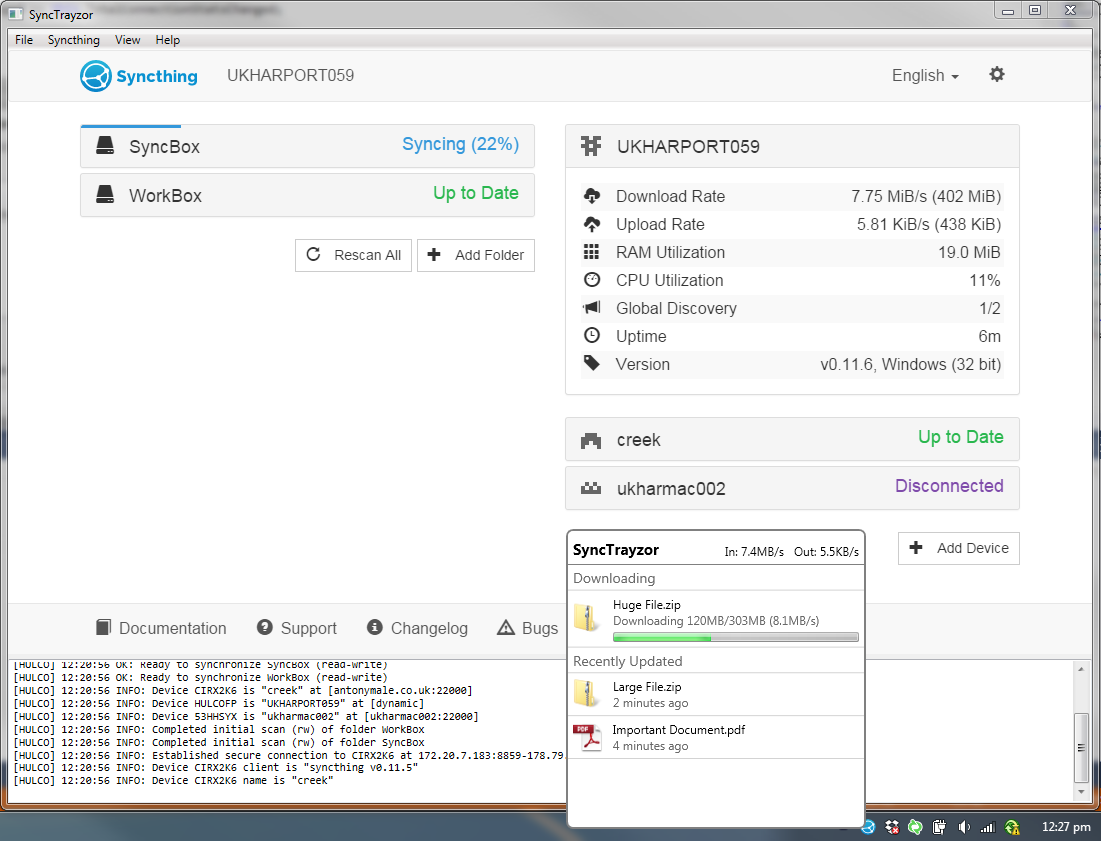 Features: • Built-in browser for managing Syncthing without opening an external web browser • Runs from the Windows system tray • Optional automatic startup with Windows • Real-time synchronization status and activity notifications • Folder watcher for faster detection of file changes • File transfer progress window • Conflict detection and conflict resolution tool • Notifications for completed syncs, conflicts, and device connections or disconnections • Supports pausing synchronization on metered networks • Native 64-bit builds, including Windows on ARM64 • Automatic update support • Open source (MIT License) Supported operating systems: • Windows 10, Windows 11 (64-bit only, including ARM64) Supported languages: • English, German, French, Spanish, Italian, Portuguese, Russian, Chinese, Japanese, Korean, Dutch, Polish, Czech, Turkish, Ukrainian, and additional community-translated languages. Changes: v2.1.0 12-17-25 • Reworked the tray activity popup to be draggable and resizable • Fixed inverted order of items in the tray activity popup • Added a warning when mixed v1/v2 installations are detected • Translation updates • Dependency and runtime upgrades • Embedded browser upgraded to Chromium/CEF v141 This download is for the Windows 64bit version (very bottom of page). If you need the Windows ARM64 version, download here. Click here to visit the author's website. Continue below for the main download link. |
||||||||
| Downloads | Views | Developer | Last Update | Version | Size | Type | Rank | |
| 3,440 | 7,775 | Jun 23, 2026 - 12:19 | 2.1.0 | 253.48MB | ZIP |  , out of 61 Votes. , out of 61 Votes. |
||
| File Tags | ||||||||
| SyncTrayzor Syncthing synchronization tray utility file-sharing Windows launcher folder-watcher conflicts ARM64 open-source CEF | ||||||||
Click to Rate File Share it on Twitter → Tweet
|


