|

|
Processed through Paypal No account required. |








Buy our over-priced crap to help pay the bills.



|
|
Processed through Paypal No account required. |
| Files | ||||
| File Name | Rating | Downloads | ||
 |
Spybot - Search & Destroy Portable v2.9.85.5-1 Spybot - Search & Destroy Portable v2.9.85.5-1 👉 Portable anti-spyware and malware removal tool with system immunization features. Spybot - Search & Destroy Portable is a standalone security utility designed to detect and remove spyware, malware, and other unwanted software from Windows systems without requiring installation. The portable edition allows you to run the program from a USB drive or external storage device, making it ideal for on-the-go troubleshooting and cleaning infected systems. Spybot - Search & Destroy Portable scans your system for malicious files, registry entries, tracking cookies, and potentially unwanted programs. In addition to removal capabilities, it includes an Immunization feature that helps block known malicious websites and harmful ActiveX components before they can affect your system. Features: • Portable version requiring no installation • Detects and removes spyware and malware • Advanced system scanning engine • Immunization to block malicious websites and threats • Startup tools and system repair utilities • Secure file shredding • Automatic updates for detection rules • Quarantine and recovery options Supported operating systems: • Windows 7, Windows 8, Windows 8.1, Windows 10, Windows 11 Supported languages: • English, German, French, Spanish, Italian, Dutch, Polish, Russian, Portuguese, Turkish Changes: v2.9.85.5-1 03-17-26 Not provided. Click here to visit the author's website. |
 |
6,452 | Jul 06, 2026 Safer Networking Ltd. & PortableApps.com 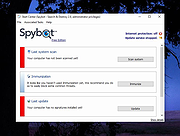 |
|
Spybot Anti-Beacon for Windows 10 1.6 Spybot Anti-Beacon for Windows 10 1.6 Spybot Anti-Beacon for Windows 10 is a small utility designed to block and stop the various tracking (aka telemetry) issues that come with Windows 10. Seeing the bunch of incomplete or broken scripts to disable tracking in Windows 10, and the tools that install adware or worse in exchange for their function, we wrapped disabling tracking up in a small tool that’s free and clean. With the upcoming news about telemetry in Windows 7 and 8.1, Spybot Anti-Beacon has added support for those as well. Changelog: Spybot Anti-Beacon 1.6 now available December 5th, 2016 Many thanks for all the patience waiting for an update to Spybot Anti-Beacon! We spent a lot of time working on Spybot 3. And now that Spybot Anti-Beacon will also be integrated into Spybot 3, we found time to continue work. Today’s update to Anti-Beacon 1.6 will add two new immunizers and a few new blocked hosts. More updates are already pending since we’re actively working on this feature again (including a new look, but mostly focused on function of course)! Spybot Anti-Beacon 1.6 can be downloaded from here. Updates: Additional Telemetry Immunization Categories Additional Blocked Hosts Fixes: Immunization of Office 13/16 Telemetry Scheduled Tasks and Options is possible even if Microsoft Office is not installed (previously they appeared to immunize correctly, but the immunization could not be undone in Anti-Beacon) Don’t forget to always run Spybot Anti-Beacon as an administrator by right-clicking the downloaded installer, and choosing the option to “Run as administrator”. This will ensure that Anti-Beacon has the permissions it needs to function correctly. |
|
7,300 | Dec 06, 2016 Safer-Networking Limited 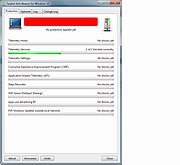 |
|
Spybot Free Edition v2.9.85.5 Spybot Free Edition v2.9.85.5 👉 Free on-demand malware and spyware scanner with system immunization tools. Spybot Free Edition is a security utility designed to detect and remove spyware, malware, and other unwanted software from your computer. It provides on-demand scanning to identify threats and includes system immunization features that help block known malicious websites and tracking cookies before they can affect your system. The program also offers tools for managing startup entries and repairing system issues caused by malware, giving users additional control over system security and performance. Features: • On-demand malware and spyware scanning • Detection and removal of tracking cookies • System immunization to block known malicious sites • Startup tools to manage boot entries • Secure file shredding • Rootkit scanning • Detailed scan reports and logs Supported operating systems: • Windows 7, Windows 8, Windows 10, Windows 11 Supported languages: • English, German Changes: v2.9.85.5 Not provided. This download is for the Windows 7-11 version (very bottom of page). If you need the Windows XP version, download here. Click here to visit the author's website. |
|
10,309 | Feb 26, 2026 Safer Networking Ltd. 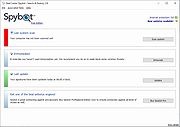 |
|
STANDARD Codecs for Windows 7 and 8 1.86 STANDARD Codecs for Windows 7 and 8 1.86 STANDARD x64Components for Windows 7 and 8. ADVANCED Codecs and ADVANCED x64Components also available. The installer will automatically remove most other popular codec releases from your computer before installing this concise yet comprehensive package. You won't need to make any adjustments or tweaks to enjoy your media content immediately. Windows Media Player and Media Center will instantly recognize all your files as playable. It does not contain a media player and it does not associate file-types. With this package installed you will be able to use any media player, limited only by the players' capabilities, to play all movies and video clips. Streaming video is supported in several formats in all popular web browsers. Users of the Windows 8 Codecs have the ability to choose what is installed and where to install it using the public redistributable. After installation you can select to remove specific portions without removing the entire package. You can also re-add the removed items at any time. Change Info: - update LAV filters 59.1+ - update DirectVobSub 316 - update MediaInfo DLL 7.66 |
 |
9,491 | Sep 22, 2021 Shark007 |
|
STANDARD x64Components for Windows 7 and 8 1.86 STANDARD x64Components for Windows 7 and 8 1.86 STANDARD x64Components for Windows 7 and 8. ADVANCED Codecs and ADVANCED x64Components also available. The installer will automatically remove most other popular codec releases from your computer before installing this concise yet comprehensive package. You won't need to make any adjustments or tweaks to enjoy your media content immediately. Windows Media Player and Media Center will instantly recognize all your files as playable. It does not contain a media player and it does not associate file-types. With this package installed you will be able to use any media player, limited only by the players' capabilities, to play all movies and video clips. Streaming video is supported in several formats in all popular web browsers. Users of the Windows 8 Codecs have the ability to choose what is installed and where to install it using the public redistributable. After installation you can select to remove specific portions without removing the entire package. You can also re-add the removed items at any time. Change Info: - update LAV filters 59.1+ - update DirectVobSub 316 - update MediaInfo DLL 7.66 |
|
9,461 | Sep 22, 2021 Shark007 |
 |
Star Raptor 1.2.0 for Windows Star Raptor 1.2.0 for Windows Destroy all enemies in the area. To destroy huge objectives like ships or bases, eliminate all of shield generators (red-light-blinking hemisphere object). After you accomplished the mission, the booster ship will drop out of the hyperspace. Dock with it to refuel and proceed to the next stage. The shield increases gradually by consuming energy. You'll be destroyed when the energy runs out or you are hit when the shield is low. If you lose much energy, the booster ship appears and you can refuel once in a stage. |
|
6,740 | Dec 30, 2016 Y310Games  |
|
Startup Monitor 64 v4.175 Startup Monitor 64 v4.175 👉 A portable Windows utility that watches startup locations and alerts you when programs try to add themselves. Startup Monitor 64 is a portable Windows system monitoring utility designed to detect changes to startup folders, Windows Registry startup locations, scheduled tasks and other locations you choose to monitor. When a new or changed item is detected, Startup Monitor 64 presents it for review so you can decide whether it should be allowed or denied. On its first run, the program creates baseline snapshots of existing startup folders and scheduled tasks. Future scans compare the current system against this baseline along with separate Allowed and Denied lists. This helps distinguish legitimate existing startup entries from newly added or changed items. Startup Monitor 64 is not limited to traditional Windows startup locations. You can add your own folders and Registry paths, allowing the program to serve as a general-purpose change monitor for locations you want to keep an eye on. The program is fully portable. Configuration files, baselines, allowed and denied lists, and logs are kept inside an App folder within the program's directory. Features: • Monitors Windows startup folders for new or changed items • Monitors common Windows Registry startup locations • Monitors Windows Task Scheduler for newly added or changed scheduled tasks • Allows custom folders to be added to the monitoring list • Allows custom Registry paths to be monitored • Individual monitored locations can be enabled or disabled • Displays a review window when new or changed items are detected • Lets you approve detected items and add them to an Allowed list • Lets you deny detected items and remove them after confirmation • Maintains separate Allowed and Denied lists • Creates a persistent baseline of existing startup items on first run • Creates a baseline of existing scheduled tasks • Provides adjustable startup-location monitoring intervals from 1 to 60 seconds • ... |
|
268 | Sep 09, 2026 sl2365 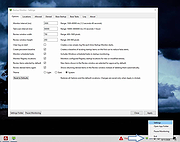 |
|
StasherX v3.12.3.7 StasherX v3.12.3.7 👉 Hide and protect your folders from view with password-based control. StasherX is a simple utility that lets you protect your directories and folders by making them hidden or visible on demand. With password control, it helps prevent casual access to sensitive folders and keeps data out of sight without modifying the files themselves. It’s lightweight and straightforward, ideal for users who want a basic folder-protection tool without complex encryption setups. Features: • Hide directories and folders from view • Toggle visibility on demand • Password protection for folder access • Simple, no-nonsense interface • Lightweight and fast Supported operating systems: • Windows 10, Windows 11 Supported languages: • English Changes: v3.12.3.7 Not provided. Click here to visit the author's website. |
|
716 | Jul 06, 2026 Cyberland 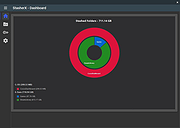 |
|
StressMyPC v5.88 StressMyPC v5.88 👉 Stress test your PC’s CPU, GPU and hard drive. StressMyPC is stress testing software used to put a Windows PC under heavy load for stability testing, battery drain testing or general hardware stress testing. It can stress the processor, graphics card and hard drive, and it is especially useful for seeing how a system behaves under full load. Features: • Start and stop PC stress testing quickly • Paint-Stress for simple GPU stress testing • Aggressive CPU-Stress for processor load testing • HD-Stress for hard drive stress testing • Useful for laptop battery drain testing • Portable, no installation required • Small program size • Multilingual interface Supported operating systems: • Windows 11, Windows 10, Windows 8.1, Windows 7, Windows Desktop and MS Server operating systems Supported languages: German, English, Swedish, Danish, Brazilian Portuguese, Slovak, Spanish, Simplified Chinese, French, Italian, Turkish, Czech, Russian, Ukrainian, Greek, Traditional Chinese, Romanian, Korean, Polish, Hungarian, Japanese, Thai, Arabic, Finnish, Frisian, Norwegian, Irish, Dutch, Portuguese, Vietnamese, Persian, Hindi, Hebrew, Spanish-VE, Malay, Indonesian, Filipino, Bosnian, Croatian, Serbian Changes: v5.88 05-13-26 Updated language files in the app for stress-testing Windows PCs, along with minor corrections in the stress-test app for Windows 11 that ensure a smoother PC stress test experience. Click here to visit the author's website. |
|
10,345 | May 17, 2026 SoftwareOK 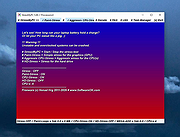 |
|
Submarine v0.3.8 Submarine v0.3.8 👉 An SSH and SFTP client that puts terminals, file transfers, tunnels, and server tools in one window. Submarine is a free, open-source client for connecting to and managing remote servers. Each server session can bring together a tabbed terminal, an SFTP file browser, port forwarding, saved commands, server information, and Docker tools. You can keep multiple sessions open, view two side by side, or pin terminals from different hosts to a monitoring wall. The SFTP browser shows local and remote files, supports drag and drop and bulk operations, and can open a remote file in your usual editor. When you save an edited file, Submarine uploads it back to the server. On desktop systems, Folder Mirror can synchronize a local folder with a remote folder, preview possible overwrites, and apply your chosen conflict rule. Saved server profiles and credentials are encrypted locally. Optional profile sync uploads the encrypted data so you can access your saved connections on another device. The Android app includes terminal, SFTP, port forwarding, server information, and Docker tools; Folder Mirror is limited to desktop systems. Features: • Open tabbed SSH terminals, including multiple shells for a server. • View two sessions side by side or arrange terminals from several hosts on the Wall. • Broadcast typed input to selected sessions. • Browse local and remote files with SFTP, drag and drop files, and select multiple files for bulk operations. • Edit remote files in your default editor and upload changes when you save. • Confirm overwrites before replacing files during uploads or downloads. • Create local, remote, and dynamic port forwarding tunnels, including SOCKS and HTTP proxy options. • Mirror a local folder to a remote server on desktop systems, with ... |
|
62 | Sep 29, 2026 Sina Xhpm 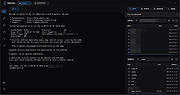 |
|
SumatraPDF v3.6.1 SumatraPDF v3.6.1 👉 A fast, lightweight, and minimalist document viewer for Windows. SumatraPDF is a free and open-source document viewer designed for speed, simplicity, and ease of use. It supports a wide range of formats including PDF, EPUB, MOBI, CHM, XPS, DjVu, and comic book archives (CBZ and CBR). Built with a minimal interface and low resource usage in mind, it launches quickly and provides a distraction-free reading experience. SumatraPDF focuses on doing one thing well, viewing documents, without unnecessary features or bloat. It is fully portable, meaning it can run without installation, making it ideal for USB drives or portable workflows. Despite its small size, it includes useful features like tabbed viewing, keyboard shortcuts, and customizable settings. Features: • Fast startup and lightweight performance • Supports PDF, EPUB, MOBI, CHM, XPS, DjVu, CBZ, and CBR formats • Portable version available with no installation required • Clean and minimal user interface • Tabbed document viewing • Keyboard shortcuts for efficient navigation • Customizable settings via configuration file • No ads, no bloat, and no unnecessary features • Open-source and actively maintained • Suitable for low-resource systems Supported operating systems: • Windows 7, Windows 8, Windows 10, Windows 11 Supported languages: Multiple languages Changes: v3.6.1 04-06-26 bugfixes This download is for the Windows 64bit installer version (very bottom of page). If you need the Windows 32bit installer version, download here. If you need the Windows 64bit portable version, download here. If you need the Windows 32bit portable version, download here. If you need the 64bit ARM installer version, download here. If you need the 64bit ARM portable version, download here. If you need the Windows XP 32bit version, download here. If you need the Windows XP 64bit version, download here. Click here to visit the author's website. |
|
5,387 | Apr 07, 2026 Krzysztof Kowalczyk 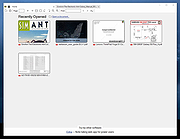 |
|
Super Space Invader for Windows Super Space Invader for Windows An explosive arcade game combining space invaders, bullet hell, some Vlambeer, and other influences. Plough through 13 waves and choose from 13 ship upgrades along the way. If there's one thing you do, make sure to jump into sandbox mode. It's a great way to get a taste for what the game offers and/or get to blowing stuff up quickly, especially if you're finding the normal waves too hard. Sandbox mode to puts you straight into the last (infinite) wave with a fully upgraded ship. There are only two controls (in theory), left and right (or A/D, LMB/RMB). Hold both to confirm your selection of menu item. Tap both to activate and deactivate the ship's shield (available after a couple waves). Auxiliary controls: * Q to quit * P to pause/unpause * Enter/space to select menu item if holding down left and right is too much trouble |
|
6,898 | Feb 25, 2016 BlackBulletIV 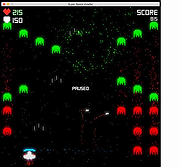 |
|
Super Tower Rush for Windows 1.5.0 Super Tower Rush for Windows 1.5.0 Rush down the tower as much as you can before the deadly spikes catch you! Controls: Keyboard : Arrow keys or WASD. Joystick: Navigation buttons and jump button. |
|
6,760 | Mar 13, 2017 Φmer Akyol  |
|
Superfile v1.6.0 Superfile v1.6.0 👉 A modern, terminal-based file manager built for speed and keyboard-driven efficiency. Superfile is a powerful cross-platform file manager designed to run inside your terminal, offering a fast, keyboard-focused alternative to traditional graphical file explorers. It features a clean interface with customizable themes, intuitive navigation, and efficient file operations, making it ideal for developers, system administrators, and power users who prefer working in the command line. Superfile combines performance with flexibility, allowing users to manage files, browse directories, preview content, and execute commands without leaving the terminal environment. Its lightweight design ensures minimal system resource usage while still delivering advanced functionality and smooth workflow integration. Features: • Fast, keyboard-driven navigation • Multi-panel file browsing • File preview support for various formats • Customizable themes and appearance • Cross-platform compatibility • Copy, move, rename, and delete file operations • Directory bookmarks for quick access • Lightweight and efficient resource usage • Designed for terminal environments • Open source and actively maintained Supported operating systems: • Windows 10, Windows 11 • macOS 12 or higher • Linux (major distributions) Supported languages: English Changes: v1.6.0 06-07-26 This release focuses on preview reliability, richer file metadata, configurable sidebar behavior, and a refreshed website and logo design, alongside navigation improvements, better error messages, refactoring, dependency updates, and bug fixes. Highlights Improved image and file preview reliability through the Bubble Tea v2 migration. Thanks @lazysegtree for the implementation New website & logo design. Thanks @elvisdragonmao for the implementation Added richer file metadata, including binary architecture detection for ELF/PE/Mach-O, Linux attributes, and file type byte support in the permissions column. Thanks @barsaskn, @xelavopelk, and @booth-w for the implementation Sidebar sections can now be configured for visibility and ordering. Thanks @Mjoyufull for the implementation Improved file operation error messages for delete, paste, and file text preview failures. Thanks @xelavopelk for the implementation ... |
|
1,578 | Jun 27, 2026 Yorukot 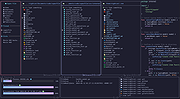 |
|
SuperTux v0.7.0 SuperTux v0.7.0 👉 Open-source 2D jump-and-run platformer inspired by classic Super Mario-style games. SuperTux is an open-source classic 2D jump'n run sidescroller game in a style similar to the original Super Mario games. Run and jump through multiple worlds, fight enemies by jumping on them, bumping them from below or tossing objects at them, grab power-ups, and play through Story Mode where Tux sets out to rescue Penny. The game also includes community-contributed levels and an integrated level editor for creating content. Features: • Classic 2D side-scrolling platform gameplay • Multiple worlds, enemies, power-ups, and objects • Story Mode starring Tux and Penny • Integrated level editor • Community-contributed add-on levels • Local multiplayer mode • New gameplay mechanics including keys, item pocket, and unlockable bonus islands via Tux Dolls • Revamped graphics, enemies, backgrounds, and music in v0.7.0 Supported operating systems: • Windows, macOS, GNU/Linux, Android, FreeBSD Supported languages: • SuperTux supports over 80 languages for its user interface (UI), including English, French, German, Spanish, Portuguese (Brazilian and European), Russian, and simplified Chinese. Changes: v0.7.0 03-15-26 Brand new sprites and abilities for Tux: slope sliding, strong buttjumping, rock rolling, and crawling Revamped graphics for most backgrounds, tiles, objects, and badguys Complete level design + story rework of the Story Mode, Revenge in Redmond, and Bonus Island I Not only new NPCs (e.g: Granito) and enemies (e.g: DiveMine, Fish, and Corrupted Granito), but also revamps for numerous enemies such as: GoldBomb, Igel, Ghoul, and both bosses (Yeti and Ghost Tree) New music Level editor revamp Local multiplayer mode New gameplay mechanics such as glinted enemies, keys, the item pocket, and unlockable bonus islands via Tux Dolls Many internal improves and code refactoring, such as moving to SimpleSquirrel Improvements to compilation/porting, including CMake refactor, Android revival, and Flatpak builds This download is for the Windows 64bit installer version (very bottom of page). All other download assets are below: Other Windows: SuperTux-v0.7.0-win32.msi SuperTux-v0.7.0-win64-portable.zip SuperTux-v0.7.0-win32-portable.zip macOS: SuperTux-v0.7.0-Darwin-x86_64.dmg SuperTux-v0.7.0-Darwin-arm64.dmg Linux: SuperTux-v0.7.0.glibc2.38-x86_64.AppImage SuperTux-x86_64.flatpak Android: SuperTux-v0.7.0-x86_64.apk SuperTux-v0.7.0-x86.apk SuperTux-v0.7.0-arm64-v8a.apk SuperTux-v0.7.0-armeabi-v7a.apk Click here to visit the author's website. |
|
687 | Mar 18, 2026 The SuperTux Team  |
|
Sushi Browser v0.25.6 for Windows Sushi Browser v0.25.6 for Windows The Next Generation Multi-Panel Browser Concepts When you are browsing the web you can only use a section of your screen. Have you ever thought that that's a waste? The concept of the "Sushi Browser" is wanting to utilize the screen to the maximum capacity just by a simple operation. Its goal is to be as fantastic as sushi. Features We will introduce this panel's greatest feature, the "multi panel". Multi panel ・Display to the opposite panel By middle clicking (pressing the mouse wheel) the link you can open the page in the link to the opposite panel. Middle clicking with 1 panel automatically splits the display into 2 panels. ・Sync scrolling By pressing the Sync scroll button, 1 page can be lined up like the pages of a book. Utilizing the screen to the maximum ・Side (bottom) bar You can open favorite pages or pages from your history using the side bar. ・Slim menu One Line mode: Using a display method that integrates the menu bar and tab bar, it achieves a menu with a mere 30px. Full screen mode: The menu bar is not displayed and the menu is displayed by moving the cursor. Extension tools ・Terminal: It can operate Bash for Linux/Mac and Power Shell for Windows. ・File explorer: It can manage and browse files. ・Text editor: It can edit text and source codes etc. ・Video playback: It can be used for automatic playback of videos. Some useful functions There are other useful functions besides Swapping panels, Aligning panels, switch direction, simultaneous scroll, Float panel mode, etc. Other This browser is equipped with various convenient features other than the multiple panel function. In addition, we are using Muon derived from the Electron Framework, and we can also use that function. AdBlock Equipped with a native-implemented high speed advertisement block. Download function ・Video download: When downloading video and music information, download link is displayed automatically. ・Parallel download: For 1 file it can ... |
|
6,216 | Jul 09, 2019 kura52 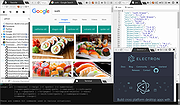 |
|
SyMenu v8.14.9685 SyMenu v8.14.9685 👉 Portable menu launcher and Start Menu replacer for organizing and launching applications. SyMenu is a portable menu launcher and Start Menu replacer designed to help you organize, find, and run your applications quickly and easily. It can manage portable apps stored on local or removable drives, automatically index applications installed on the host PC, and provide a fast search-as-you-type launcher. SyMenu also includes support for its integrated freeware suites, letting you install, update, and remove supported programs automatically through its SPS system. Features: • Portable menu launcher and Windows Start Menu replacement • Organizes applications in a hierarchical structure with custom names, folders, separators, and labels • Search-as-you-type launcher for quick access to programs and functions • Can automatically index applications installed on the host PC • Works with apps stored on local disks, USB drives, flash drives, external drives, memory cards, CDs, and DVDs • Supports integrated freeware suites with automatic install, update, and removal through SPS • Strong customization options for menu layout and organization • Includes tools such as configuration, app management, and update checking Supported operating systems: • Windows 10, Windows 11 • Windows 10 and Windows 11 support both 32-bit and 64-bit versions Supported languages: • English, Arabic, Chinese Simplified, Chinese Traditional, Czech, Finnish, French, German, Greek, Hungarian, Italian, Polish, Portuguese (Brazil), Portuguese (Portugal), Spanish, Turkish, Ukrainian • Dutch (not official), Japanese (not official), Korean (not official), Russian (not official), Slovenian (not official) Changes: v8.14.9685 07-08-26 Application upgrade to .NET 10 for improved overall performance, security, and stability. New innounp version (v2.67.9) New 7zip version (v26.02) Form splash reorganization and optimization Automatic token clearance when a new unique identifier (GUID) is generated Language updates: Japanese language added, Chinese (Simplified), French, Spanish, Finnish, Ukrainian removed. Click here to visit the author's website. |
|
9,011 | Aug 06, 2026 UGM.NET 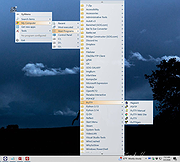 |
|
SyncTrayzor v2.1.0 SyncTrayzor v2.1.0 👉 Makes Syncthing behave like a native Windows application with a convenient system tray interface. SyncTrayzor is a Windows tray utility for Syncthing that hosts and manages Syncthing, providing a more integrated desktop experience than using the web interface alone. It includes a built-in browser for managing Syncthing, automatically starts with Windows if desired, monitors synchronization activity, and provides notifications for sync events, conflicts, and device status. SyncTrayzor also includes folder watching for faster detection of file changes and tools to help resolve synchronization conflicts. It is designed to simplify the use of Syncthing while retaining all of its powerful decentralized file synchronization capabilities. Features: • Built-in browser for managing Syncthing without opening an external web browser • Runs from the Windows system tray • Optional automatic startup with Windows • Real-time synchronization status and activity notifications • Folder watcher for faster detection of file changes • File transfer progress window • Conflict detection and conflict resolution tool • Notifications for completed syncs, conflicts, and device connections or disconnections • Supports pausing synchronization on metered networks • Native 64-bit builds, including Windows on ARM64 • Automatic update support • Open source (MIT License) Supported operating systems: • Windows 10, Windows 11 (64-bit only, including ARM64) Supported languages: • English, German, French, Spanish, Italian, Portuguese, Russian, Chinese, Japanese, Korean, Dutch, Polish, Czech, Turkish, Ukrainian, and additional community-translated languages. Changes: v2.1.0 12-17-25 • Reworked the tray activity popup to be draggable and resizable • Fixed inverted order of items in the tray activity popup • Added a warning when mixed v1/v2 installations are detected • Translation updates • Dependency and runtime upgrades • Embedded browser upgraded to Chromium/CEF v141 This download is for the Windows 64bit version (very bottom of page). If you need the Windows ARM64 version, download here. Click here to visit the author's website. |
|
3,440 | Jun 23, 2026 Maximilian Frφhling 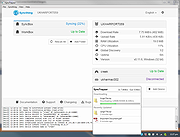 |
|
Tablacus Explorer v26.6.11 Tablacus Explorer v26.6.11 👉 Customizable tabbed file manager with extensive add-on support. Tablacus Explorer is a portable, open source tabbed file manager for Windows that supports add-ons, multiple languages, Unicode, customizable menus, keys, mouse gestures, aliases, and extra columns such as total file size and labels. It is designed for users who want a highly flexible alternative to standard Windows File Explorer. Features: • Tabbed interface • Add-on support • Completely portable with no installation required • Multiple language and Unicode support • Extra columns including total file size and label • Customizable associations, menus, keys, mouse gestures, and aliases • Open source • Available in both 32-bit and 64-bit versions Supported operating systems: • Windows XP, Windows Vista, Windows 7, Windows 8, Windows 8.1, Windows 10, Windows 11 Supported languages: English, Japanese, Spanish, Korean, German, Greek, French, Italian, Portuguese, Russian, Simplified Chinese, Traditional Chinese, Turkish Changes: v26.6.11 06-11-26 • Added ARM64 support. (Backup recommended) • Added an ARM64 version of Tablacus Explorer. • The developer does not have a Windows ARM device, so this build has not been tested by the developer. • Windows ARM users can download tearm_260611.zip, extract it over their existing installation, and run TEARM64.exe. • The developer is requesting feedback from ARM64 users about whether the build works correctly or if any problems occur. Click here to visit the author's website. |
|
7,004 | Aug 14, 2026 Gaku 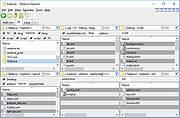 |
|
TabStick-1.2.0-win-x64-portable.zip TabStick v1.2.0 👉 A lightweight note-taking program that attaches colorful index tabs directly to your application windows. TabStick lets you place quick notes on the edge of an application window, keeping reminders and information beside the program where they are needed. Choose a tab from the color palette, attach it to a window and begin typing. Notes can be organized directly inside each tab and customized with different colors, sizes, text settings and display themes. TabStick is available as an installer or a portable download that can be extracted and run without installation. Features: • Attaches index-style notes directly to application windows • Keeps related notes beside the program where they are needed • Creates new notes by selecting a color from the tab palette • Supports quick text entry and organization within each note • Customizable application and tab sizes • Adjustable text size and line spacing • Multiple note colors • Custom note colors • Light and dark display modes • Configurable palette appearance • Changeable interface language • Available as an installer or portable program • Simple interface designed for fast note-taking Supported operating systems: • Windows 10 64-bit, Windows 11 64-bit Supported languages: Not Found Changes: v1.2.0 Not Found Click here to visit the author's website. |
|
238 | Aug 05, 2026 TabStick 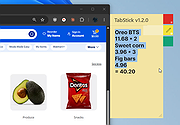 |
|
tacky-borders v1.5.0 tacky-borders v1.5.0 Add colorful, customizable borders to your Windows application windows. tacky-borders is a lightweight open-source utility that adds visible, customizable borders around application windows in Windows. It is designed to make window boundaries easier to see and to give users the ability to style their desktop with colored outlines around active and inactive windows. tacky-borders runs in the background and applies borders dynamically, helping improve window visibility and providing a more personalized desktop experience. Features: • Adds customizable borders around application windows • Supports different border colors and styles • Distinguishes between active and inactive windows • Lightweight and runs in the background • Open-source project hosted on GitHub To Configure tacky-borders: • Run tacky-borders.exe once to generate the config file automatically (created in %userprofile%/.config/tacky-borders/) • Open the config quickly by right-clicking the tray icon and choosing "Show Config" • Edit config.yaml in a text editor, then save: • watch_config_changes: True will automatically reload borders when the config file is modified • global.border_width sets border thickness in pixels • global.border_offset moves the border inwards (negative) or outwards (positive) • global.border_radius can be Auto, Square, Round, RoundSmall, or a numeric value • global.active_color and global.inactive_color support: • Solid colors using a hex value (example: "#ffffff") or "accent" • Gradient colors using a colors list + direction (example direction: 45deg or start/end coordinates) • animations and effects are configurable under global (effects note: they can significantly increase CPU/GPU usage and require rendering_backend: V2) • Per-app overrides: use window_rules to match by Class, Title, or Process (Equals, Contains, or Regex), then override any global setting for just that app • If a border is initialized but not visible for a window, try setting follow_native_border to False in a window rule Supported operating systems: • Windows 10, Windows 11 Supported languages: • English Changes: v1.5.0 04-26-26 Features add theme-aware border colors for Windows by @Louis047 in #74 Bug Fixes fix borders disappearing after waking system from ... |
|
1,113 | Jul 11, 2026 lukeyou05  |
|
TakeStock v2.0 R78 TakeStock v2.0 R78 👉 Completely free personal investment management software for Windows. TakeStock 2 is a free, full-featured personal investment management program that helps you track stocks, ETFs, mutual funds, dividends, capital gain distributions, margin equity and cash flow. It can display charts, retrieve historical prices, show company information, provide delayed price quotes, alert you when target buy or sell prices are reached and help identify short and long term gains for tax reporting. Features: • Track stocks, ETFs and mutual funds • Monitor dividends, capital gain distributions, cash flow and margin loans • View price charts and historical prices • Retrieve company information and delayed quotes • Set target buy and sell price alerts • Identify short and long term gains • Create folders and multiple portfolios • View held and sold positions • Export portfolio information to CSV • Standard and portable installation options • Keeps financial data stored locally on your computer • Supports multiple international home markets including Argentina, Australia, Brazil, Canada, France, Germany, India and the United States • 100% free with no advertising, nag screens or registration Supported operating systems: • 64-bit Windows 7, Windows 8, Windows 10, Windows 11 Supported languages: English Changes: v2.0 R78 09-10-26 Bug fixes: Issue #299, Reported 2026.06.10 by Ravi Bhavnani Clicking the Find button in the Find Positions window displays the message “The portfolio does not exist.” after presenting the search results. Issue #302, Reported 2026.07.06 by Maxwell Moon Historical prices for the symbol SPHIX cannot be retrieved. Issue #306, Reported 2026.08.18 by NB The Held tab of the Find Positions window includes sold positions, and the Sold tab is always empty. Issue #307, Reported 2026.08.26 by Vijay Idnani The AMFI (Association of Mutual Funds in India) symbol finder no longer works and the application ... |
|
6,819 | Sep 14, 2026 Ravi Bhavnani 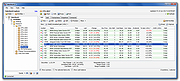 |
|
Task Till Dawn v2.2 for Windows Task Till Dawn v2.2 for Windows So much stuff to do that you often would like to take a nap instead? Task Till Dawn to the rescue! Let it handle your recurring and tedious tasks, so you can focus on the real work. Back up important data while you’re away from your computer, automatically sort and archive documents you’ve been working on, or simply remind yourself to take a break. With Task Till Dawn it’s no big deal. Build tasks out of predefined actions using a visual workflow editor. Let them run manually, by setting up a schedule, or when various events occur. Sort your tasks into groups so you always easily find what you’re looking for. Of course you can export and import tasks and reuse them on another computer. Languages supported are: English, German, French and Spanish. Changes: Version 2.2 (05.08.2018) [new] New action "Check Internet connection". [new] New action "Create files". [new] New action "Create folders". [new] New action "Retrieve newly added volumes and drives". [new] New action "Retrieve removed volumes and drives". [new] New action "Retrieve triggering task". [new] New action "Retrieve cause for task cancellation". [new] New action "Write text to files". [new] New action "Write text to file". [new] New action "Stop tasks". [new] New action "Pause task scheduler". [new] New action "Resume task scheduler". [new] New action "Merge lists of files and folders". [new] New action "Write-protect files and folders". [new] New action "Unlock files and folders". [new] New action "Continue at a variable jump label". [new] New action "Compare text strings". [new] Task execution can now be triggered by inserting a volume or connecting a drive. [new] Task execution can now be triggered by ejecting a volume or disconnecting a drive. [new] Tasks can now be started by connecting a screen. [new] Tasks can now be started by changing the screen resolution. [new] Tasks can now be started by disconnecting a screen. [new] Tasks can now ... |
|
6,250 | Jul 02, 2020 Oliver Matuschin 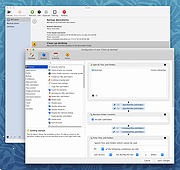 |
|
TED Notepad v6.4.1 TED Notepad v6.4.1 👉 Small, fast and powerful plain-text editor packed with advanced text-processing tools. TED Notepad is a free plain-text editor and Notepad replacement for Windows, built for users who want speed, portability and serious text manipulation without a bulky interface. It includes hundreds of tools for editing, sorting, filtering, transforming, searching and cleaning text, while staying small, quick to launch and easy to carry as a portable utility. Features: • Free, small and portable text editor with no installation required • New 64-bit version for working with very large files • Tested with huge files, including multi-gigabyte documents • 457 text-processing functions and editor features • Grep, Sort, Cut, Unique, RegEx, Shuffle, Tr and Reverse tools • Search and replace with regular expressions • Selection and search match highlighting • Search and Replace history • Line numbers, line lengths and visible spaces/tabs/newlines • Multi-level Undo and Redo • Auto-save, recovery and backup options • UTF-8 and Unicode auto-recognition • Multiple permanent clipboards and clipboard append tools • Word and line auto-completion • Portable INI file settings Supported operating systems: • Windows 11, Windows 10, Windows 8, Windows 7, Windows Vista, Windows XP, Windows Server 2008, Windows Server 2003, Windows 2000 Supported languages: English Changes: v6.4.1 06-04-26 Introducing a 64-bit version. Added selection highlighter for all occurrences of selected text. Added settings for minimum selection length, match case and highlighter color. Added search highlighter for all Search Bar matches. Added total occurrence count in the Search Bar. Added Search history and Replace history. Added positive and negative look-ahead and look-behind assertions in Regular Expressions. Added setting to include seconds when inserting date/time. Added setting to disable the "Exit without saving" hotkey. Added Session Hard to Close option. Fixed multiple Search Bar, RegEx, Grep, Filters, Sort, Columns, Status Bar and clipboard issues. Improved Unicode file detection, DPI awareness, search routines, clipboard handling and settings validation. This download is for the Windows Unicode 64bit Installer version (very bottom of page). All other download assets are ... |
|
6,246 | Jun 09, 2026 Medvedik, Juraj Simlovic 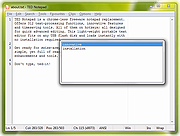 |
|
Telegram Desktop v6.9.1 Telegram Desktop v6.9.1 Fast, secure, and powerful messaging app for desktop devices. Telegram Desktop is a cloud-based messaging application that allows users to send messages, share media, and stay connected across multiple devices seamlessly. It syncs instantly with your mobile Telegram app and offers a fast, secure, and fully featured messaging experience directly from your computer. Telegram Desktop supports private chats, group conversations, and large channels with thousands of members. It includes advanced features such as file sharing up to 2 GB per file, voice and video calls, animated stickers, bots, and customizable themes. Messages are stored securely in the cloud, ensuring access from any authorized device. Secret chats with end-to-end encryption are available on supported devices for enhanced privacy. With a clean interface and efficient performance, Telegram Desktop provides a reliable communication platform for both personal and professional use. Features: • Fast cloud-based messaging with real-time sync • Send messages, photos, videos, and files up to 2 GB • Voice and video calls • Large group chats and broadcast channels • End-to-end encrypted Secret Chats (on supported devices) • Animated stickers, emojis, and GIF support • Bots and automation tools • Customizable themes and interface options • Cross-platform synchronization Supported operating systems: • Windows 10, Windows 11 • macOS 10.13 or higher • Linux Supported languages: English, Spanish, German, French, Italian, Portuguese, Russian, Ukrainian, Arabic, Persian, Turkish, Indonesian, Malay, Korean, Japanese, Chinese, Polish, Dutch, Thai, Vietnamese, Hindi and more Changes: v6.9.1 06-09-26 Fix sending several same custom emoji. Fix some rich messages layout glitches. This download is for the Windows 64bit portable version (very bottom of page). All other download assets are below: Other Windows: tportable.6.9.1.zip tsetup-x64.6.9.1.exe tsetup.6.9.1.exe MacOS: tsetup.6.9.1.dmg Linux: tsetup.6.9.1.tar.xz Click here to visit the author's website. |
|
10,322 | Jun 11, 2026 telegram.org  |
|
TeleWAVE Q32/3D TeleWAVE Q32/3D Windows 95 V.4.00.06A & DOS/Win 3.1x V.2.05A Drivers ( FOR BOARDS P/N 143553-OPT1.1 & 143553-BL1.1) |
|
9,632 | Mar 29, 2009 TeleVideo |
|
Temple Trashers v1.1.2 Temple Trashers v1.1.2 👉 A couch co-op tower defense game where your own towers can be just as dangerous to your team as the enemy. Temple Trashers is a couch co-op tower defense game developed by Hackerspace NTNU. Players build towers, aim them toward incoming enemies, collect crystals dropped during combat, and use those resources to build more turrets while trying to survive endless hordes. The game is designed around local cooperative play and the developer notes that it is intended to be played using a controller. Features: • Couch co-op tower defense gameplay • Friendly fire style danger where towers can hurt both enemies and teammates • Build and place towers to defend against incoming waves • Aim your defenses toward enemy paths • Collect crystals dropped by enemies • Use collected crystals to build additional turrets • Endless horde survival gameplay • Controller-focused play as recommended by the developer • Free and open-source project Supported operating systems: • Windows 10, Windows 11 Supported languages: English Changes: v1.1.2 Not Provided Click here to visit the author's website. |
|
635 | Apr 10, 2026 Hackerspace NTNU  |
|
TeraCopy Free v4.0.3 TeraCopy Free v4.0.3 👉 Fast and reliable file copy and move utility for Windows. TeraCopy Free is a Windows file transfer utility designed to replace the standard Windows copy and move functions with a faster, more reliable alternative. The free version improves large file transfers, verifies copied files to ensure data integrity, automatically retries failed transfers, and integrates directly into Windows Explorer for seamless everyday use. It also supports checksum generation and verification, secure file deletion, and copying locked files. This listing is for the free Windows edition intended for home and non-profit use only. Features: • Faster file copy and move operations than Windows Explorer • Verify copied files to ensure data integrity • Automatically retry failed file transfers • Skip problematic files without stopping the entire transfer • Preserve original file date and time stamps • Copy locked files • Integrates with Windows Explorer context menus • Run shell scripts (CMD or PowerShell) when transfers complete • Generate and verify checksum files including CRC32, MD5, SHA-1, SHA-256, SHA-512, Panama, Tiger, RipeMD, Whirlpool, and xxHash • Securely delete files • Keeps a history of recently used folders for quicker navigation • Free for home and non-profit use Supported operating systems: • Windows 7, Windows 8, Windows 8.1, Windows 10, Windows 11 • Windows Server 2003–2025 Supported languages: • Arabic, Bengali, Bulgarian, Catalan, Chinese Simplified, Chinese Traditional, Croatian, Czech, Danish, Dutch, English, Estonian, Finnish, French, Georgian, German, Greek, Hebrew, Hindi, Hungarian, Indonesian, Italian, Japanese, Korean, Lithuanian, Malay, Norwegian, Persian, Polish, Portuguese, Portuguese (Brazilian), Romanian, Russian, Santali, Serbian, Slovak, Slovenian, Spanish, Spanish (Argentina), Spanish (Mexico), Swedish, Thai, Turkish, Ukrainian, Vietnamese Changes: v4.0.3 07-14-26 Fixed file enumeration on macOS SMB shares: worked around a bug in Apple’s SMB server that truncates large directory listings. Fixed issue with file sizes on Macrium tbFAT. Per-user installation no longer requires elevation. ... |
|
10,220 | Jul 16, 2026 Code Sector 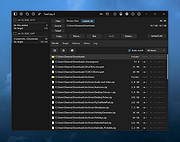 |
|
TextWorx v2.0 TextWorx v2.0 👉 Popup text editing and manipulation tool accessible from any application. TextWorx is a lightweight productivity utility that provides a configurable popup menu and toolbar for editing and manipulating text in virtually any program. Instead of switching between applications or manually retyping content, TextWorx allows you to quickly perform text operations directly on selected text. TextWorx works system-wide and can be activated with keyboard shortcuts. When running, it stays quietly in the background with no visible window. Pressing the hotkey displays a popup menu with commands for inserting text, manipulating text, rearranging text, and performing other editing actions on the selected content. The program includes both a popup context menu and an optional toolbar interface, allowing users to access text functions quickly while working in editors, documents, browsers, and other applications. TextWorx is fully configurable so users can tailor commands and behaviors to their workflow. By default, the popup menu is triggered with Win + K, while the toolbar can be toggled using Win + Shift + K. Because TextWorx runs silently in the background, the popup menu or toolbar will only appear when activated by the hotkeys. Features: • Popup text editing menu available in any program • Perform text inserts, manipulation, and rearrangement operations • Optional toolbar interface for quick access to commands • Works with selected editable text across applications • Fully configurable behavior and menu options • Runs silently in the background with no main window • Global hotkeys for fast access (Win + K and Win + Shift + K) • Designed for quick productivity improvements when editing text • Online Documentation is here. Supported operating systems: • Windows Supported languages: English Changes: v2.0 02-28-26 Changed: Reinstated sendspeed Fixed: Major issue where the text replacement only inserts the contents of the clipboard. Now it ought not to miss anymore. Fixed: Some submenus moved to the main menu instead of a configured submenu. Fixed: Multiple separators do ... |
|
5,873 | Mar 04, 2026 bgmCoder 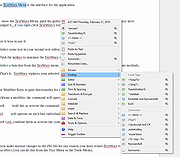 |
|
The Baronet Mark IV v0.301 The Baronet Mark IV v0.301 👉 Play chess against a custom-built computer opponent, learn the game, and review your games offline. The Baronet is a free desktop chess program for playing, learning, and studying chess on Windows and macOS. It opens ready for a game, with the board, clocks, move list, opening name, position evaluation, and game graph arranged together. You can play against the computer at a strength suited to you, play another person at the same computer, or watch two computer players compete. The computer opponent was developed specifically for The Baronet. Its own chess engine and neural network are included with the program, along with an opening book and endgame tablebases for positions with up to four pieces. At full strength, the developer reports a rating above 2700 in blitz games on Lichess as of September 2026. The engine can also play matches against other UCI or CECP engines through CuteChess CLI. After a game, The Baronet can review the moves and explain where the game changed course. Each move receives one of ten classifications, from Brilliant and Great to Inaccuracy, Mistake, and Blunder. Comments describe the move and suggest a better alternative, with three levels of detail for different experience levels. The review includes accuracy summaries, an evaluation graph, a move list, and options to show the recommended move or play through the best line. The review tools can also be used with games played elsewhere. Open a PGN or FEN file, choose a game from a multi-game PGN, or paste game or position text into the review or analysis board. Save an annotated game as PGN to keep the move classifications and comments for use in another chess program or website. Beginners can work through 46 short lessons arranged in six courses, followed by a complete game against the computer. ... |
|
33 | Oct 13, 2026 David Thoiron  |
|
The Legacy of Isaelius for Windows The Legacy of Isaelius for Windows Take control of Dimitri, and seek revenge for the murder of your best bud, Isaelius For fans of Zelda, Earthbound, and amateur video games This is a game I began developing in high school, and have only now finished to a reasonable degree, in third year university. There are towns to explore, enemies to fight, shops to visit, and so on. All Music taken from The Monroeville Music Center's page at the Free Music Archive under the Creative Commons Attribution License. |
 |
7,056 | Aug 02, 2016 Jack Lambermont  |
|
TheSage v7.74 TheSage v7.74 👉 A powerful English dictionary and thesaurus with advanced word search and language reference tools. TheSage is a Windows dictionary and thesaurus designed as a comprehensive lexical reference system for the English language. It combines dictionary definitions, examples, pronunciations, etymologies, and a multifaceted thesaurus in one portable application. The program also includes advanced lookup tools such as wildcard and anagram search, phonetic search, rhyme assistance, concordances, online search, and word list management, making it useful for casual users, writers, translators, researchers, and language learners. Features: • Comprehensive English dictionary with definitions, examples, pronunciations, and etymologies • Multifaceted thesaurus with synonyms, antonyms, hypernyms, hyponyms, meronyms, holonyms, and more • Multiple dictionary viewing modes including e-paper, classic, and retro views • Wildcard search with standard and regex support • Anagram search for finding words from letter patterns • Phonetic wildcard search with standard and regex options • Rhyme assistant with full, assonant, and consonant rhyme support • Etymologer with keyword and sense search tools • Concordancer for definition and example searching • Online search integration and word list manager • Portable version available • Runs locally and does not require an Internet connection for dictionary use Supported operating systems: • Windows 10, Windows 11 Supported languages: • English Changes: v7.74 03-24-26 - Updated: Dictionary engine v7.44.6065 - Updated: Internal browser v1.0.3856.49 - New: One-click Word capture library v1.08 Database: - Added: ~195,000 words (as a corpus) in etymologies, transcriptions, definitions, examples, and thesaurus entries - Updated: BibliothecaAI 13.2k/1.82b-experimental Click here to visit the author's website. |
|
2,581 | Mar 27, 2026 Sequence Publishing 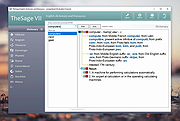 |
|
ThisIsMyFile v4.51 ThisIsMyFile v4.51 👉 Easily unlock or delete locked files and folders on Windows. ThisIsMyFile is a lightweight Windows utility designed to help users unlock, delete, rename, or move files that are locked or in use by the operating system or another application. When Windows refuses to delete or modify a file because it is currently being used, ThisIsMyFile can identify the process that is locking the file and allow you to release the lock so the file operation can proceed. The program provides a simple and portable interface where you can drag and drop a locked file to quickly determine which process is using it. From there, you can unlock the file, terminate the locking process, or delete the file immediately or at the next system restart. ThisIsMyFile is especially useful for troubleshooting stubborn files, removing leftovers from uninstalled software, or handling files that Windows reports as “access denied” or “in use.” ThisIsMyFile does not require installation and can be run directly as a portable tool, making it convenient for technicians and advanced users who need a quick way to deal with locked files without installing additional software. Features: • Unlock files that are currently in use by Windows or other programs • Identify the process that is locking a file or folder • Delete, move, or rename locked files • Option to delete files immediately or on next system restart • Drag-and-drop support for quick file analysis • Portable application with no installation required • Simple and lightweight interface designed for fast troubleshooting Supported operating systems: • Windows 7, Windows 8, Windows 10, Windows 11 Supported languages: German, English, French, Spanish, Hungarian, Turkish, Czech, Chinese Traditional, Russian, Romanian, Polish, Greek, Dutch, Portuguese, Korean, Chinese Simplified, Brazilian Portuguese, Arabic, Italian, Spanish Venezuela, Hindi, Thai, Vietnamese, Welsh, Persian, Hebrew, Malay, Indonesian, Filipino, Norwegian, Ukrainian Changes: v4.51 04-24-26 • Minor bug fixes in the ThisIsMyFile application for Windows 11 ... |
|
7,201 | May 01, 2026 Nenad Hrg 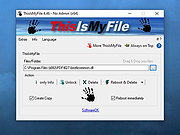 |
|
Thumbnail and Icon Cache Rebuilder for Windows 10 Thumbnail and Icon Cache Rebuilder for Windows 10 humbnail and Icon Cache Rebuilder for Windows 10 is a portable freeware that will purge, clear and delete your Thumbnail and Icon Cache Rebuilder in a click. If your icons appear blank or look corrupted or do not refresh correctly, when they should, then it is quite possible that your icon cache database may have become corrupted in on your Windows 10 PC. The same thing applies to Thumbnails too. If they do not display correctly then they may have become corrupted. In such a scenario, you may need to delete the cache files in order to rebuild the Icon cache and clear the Thumbnail cache. Once you have downloaded the zip file, extract its contents and run the .exe file. You might want to create a system restore point first. If you are having problems with Thumbnails or Icons not displaying correctly, open Thumbnail and Icon Cache Rebuilder, Check the delete Icon cache or Delete Thumbnail Cache or both, depending on your requirement. Next click Rebuild, wait for Explorer to refresh itself. Restart your computer. Once your computer restarts it will build a new Cache. Do note that ending Icon Cache Rebuilder before it finishes can result in Windows giving you an error for your user profile as it needs to refresh Explorer and restart your computer to rebuild the Icon Cache. |
|
7,103 | Sep 02, 2015 Lavish Thakkar 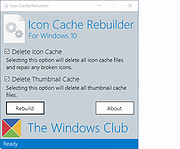 |
|
TimVer v0.14.1 TimVer v0.14.1 👉 Displays Windows version, hardware, drive, graphics, environment, and build history information. TimVer displays the same Windows version information as the built-in Winver command, along with additional system details that Winver does not provide. It can show information about Windows, the computer's hardware, processors, BIOS, memory, disk drives, graphics controllers, environment variables, and Windows build history. TimVer also provides extensive appearance and language options, clipboard functions, portable versions, and settings backup and restore. Features: • Displays Windows version, build number, build branch, architecture, and installation date • Shows computer manufacturer, model, computer name, processor, BIOS, physical memory, and last boot information • Displays logical drive information with optional physical drive details • Shows graphics controller information including adapter name, type, description, resolution, refresh rate, and number of colors • Supports systems with multiple graphics controllers and lets you select each adapter from a dropdown • Displays current environment variables with filtering by variable name • Optionally keeps a history of installed Windows build numbers • Copies an entire supported information page to the clipboard • Copies individual values to the clipboard by right-clicking • Lets you choose the display language • Provides selectable themes, accent colors, fonts, UI sizing, and row spacing • Supports automatic light and dark theme selection when using the System theme • Exports and imports application settings for backup or transfer to another computer • Can open or list the current application settings • Includes an optional check for newer TimVer releases • Runs without elevation for normal system information gathering Supported operating systems: • Windows 10 64-bit, Windows 11 64-bit Supported languages: • English (United Kingdom), English (United States), Spanish, French, Italian, Japanese, Korean, Dutch, Slovak, Thai Changes: v0.14.1 07-25-26 Fixed an issue where mismatched information could be displayed on the Graphics (Video) Information page when two or more video controllers were present. Cleaned up and optimized video controller information retrieval and UI handling. Inactive controllers may show "Not ... |
|
2,284 | Aug 24, 2026 Tim Kennedy 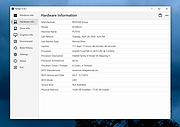 |
|
Tiny Hot Corners for Windows 10 1.4 Tiny Hot Corners for Windows 10 1.4 Tiny Hot Corners for Windows 10 lets you add GNOME-like Hot Corners to Windows. From Author: In GNOME 3 whenever you move the mouse to the top left corner, GNOME switches to the activities view, it looks like this: Whenever I'm using Windows 10, I always forget that this doesn't work. Bleh. I searched around for existing solutions, and wasn't happy with anything I could find. The options seem to be Some ridiculous AutoHotKey monstrosity (?!?). Massive Delphi application with 100MB of resources. Some naive program that polls GetCursorPos() in a busy loop. None of these are what I want, I just want that GNOME 3 thing with absolute minimal overhead. This is a very minimal hotcorner app, written in C. You can adjust parameters, delays, bindings easily and recompile. Zero state is stored anywhere, no registry keys or configuration files. If you want to configure something, edit the code and recompile. If you want to uninstall it, just delete it. Click here to visit the author's website. |
|
6,064 | May 17, 2019 Tavis Ormandy 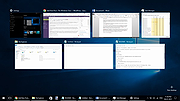 |
|
Tockler v3.1.5 for Windows Tockler v3.1.5 for Windows Automatically track applications usage and working time. Features Timeline chart Pie charts View application usage and online time in timeline and table Add log items Statistics and summaries Remind user to start new log item. Group log items (e.g 'Working with tockler' or 'JIRA-1234') Click here to visit the author's website. |
|
6,084 | Feb 05, 2020 MayGo 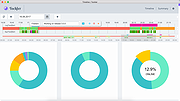 |
|
Tomahawk 0.8.4 for Windows Tomahawk 0.8.4 for Windows Tomahawk is a free multi-source and cross-platform music player. An application that can play not only your local files, but also stream from services like Spotify, Beats, SoundCloud, Google Music, YouTube and many others. You can even connect with your friends' Tomahawks, share your musical gems or listen along with them. Let the music play! HOW TOMAHAWK WORKS Tomahawk is basically a player for music metadata. At its core it decouples the metadata about a song from the source and reassembles it for each user based on their individual music accessibility and rights. In short, given the name of a song and artist, Tomahawk will find the right source, for the right user at the right time. This fundamentally different approach to music enables a range of new music consumption and sharing experiences previously not possible. MUSIC SOURCES Local music library (MP3, Ogg, FLAC and many other formats) Networked music libraries (other connected computers) Subscription Music Services Spotify Beats Music Google Play Music (on-demand streaming and music locker) TIDAL Rdio (Android only) Deezer (Android only) Free Streaming/Music Promotion Platforms Soundcloud Bandcamp Last.fm Jamendo Official.fm YouTube Network/Cloud storage Ampache Owncloud Subsonic Beets Third party-developed resolvers have also been written for services like YouTube, Qobuz and others. We've also heard of digital music distributors writing their own for their internal CMSes to help them navigate and preview their content. That's cool. BROWSE FRIENDS' MUSIC & LISTEN ALONG INBOX - RECEIVED & FORWARDING CHARTS - BILLBOARD'S TASTEMAKER ALBUMS FRIEND FEED DYNAMIC (AUTO-UPDATING) PLAYLIST PLUG-INS / RESOLVER SETTINGS |
|
6,033 | Feb 11, 2017 Tomahawk Team 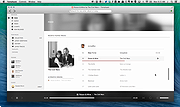 |
|
Towel Required! for Windows 1.1.4 Towel Required! for Windows 1.1.4 Towel Required! is an edge-of-your-seat arcade shooter where the bullets have been replaced with towels. Grab awesome power-ups, avoid getting touched, and rack up a high score in this hilariously addictive indie game! |
|
7,357 | Apr 10, 2016 stuckeast 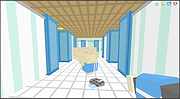 |
|
Train Director 3.9p for Windows Train Director 3.9p for Windows Train Director is a clone of the popular Train Dispatcher simulation software. With Train Director you can simulate the work of the Centralized Traffic Control (CTC). Your task is to direct trains running in a territory to their final destination, by throwing switches and clearing signals. Penalties are collected for incorrect or inefficient operations, or for trains arriving late. You can also create your own territories with the included track layout editor. Train Director is available for Windows, Mac OS X and Linux. User Manual |
|
6,992 | Mar 16, 2017 Backer Street Software 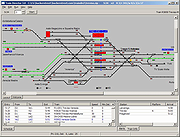 |
|
Transmission v4.1.3 Transmission v4.1.3 👉 Fast, easy and free BitTorrent client with low-resource usage and a clean interface. Transmission is an open-source BitTorrent client designed to be fast, lightweight, and simple to use while still offering powerful torrenting features. It supports downloading and uploading via the BitTorrent protocol with magnet link support, a web interface for remote control, peer exchange, tracker editing, bandwidth limits, encryption, and more — all without bundled ads or tracking. Transmission integrates natively on each supported operating system and is suitable for desktops, laptops, home servers, NAS units, and embedded systems. Features: • Native, lightweight, and resource-efficient BitTorrent client for multiple platforms. • Supports Magnet URI scheme, encrypted connections, peer exchange, DHT, and multiple trackers. • Built-in web interface for remote torrent management. • Speed limits, tracker editing, watch directories, and IP blocklists. • Automatic port forwarding (UPnP/NAT-PMP) and support for webseeds. • Clean, intuitive interface with sensible defaults. • Open source with no ads, no tracking, and no bundled third-party software. Supported operating systems: • Windows 7, Windows 10, Windows 11 • macOS 11.0 or later • Linux & Unix Supported languages: English Changes: v4.1.3 06-29-26 This is Transmission 4.1.3, a bugfix release. It fixes a potential CRSF security issue for users who enable remote access to Transmission. Users are encouraged to upgrade to this version. What's New in 4.1.3 All Platforms Fixed a CORS bug that leaked the anti-CSRF nonce. (#8938) Fixed a use-after-free bug in peer code. (#8921) Fixed build error when compiling with fmt 12.2.0. (#8942) Everything Else Fixed a 4.1.2 build error in tests. (#8881) This download is for the Windows 64bit (Windows 10 or later ) version (very bottom of page). All other download assets are below: Other Windows: transmission-4.1.3-x86.msi Windows 32bit Win10 or later transmission-4.1.3-qt5-x64.msi Windows 64bit Win7 or later transmission-4.1.3-qt5-x86.msi Windows 32bit Win7 or later macOS: Transmission-4.1.3.dmg Linux: transmission-4.1.3.tar.xz Click here to visit the author's website. |
|
5,218 | Jul 28, 2026 Transmission Project 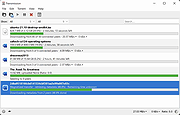 |
|
Treesheets v3247 TreeSheets v3247 👉 Hierarchical spreadsheet-style note taking for organizing complex information visually. TreeSheets is a unique information organizer that combines the structure of a spreadsheet with the flexibility of a hierarchical outliner. It allows you to create deeply nested grids of cells, making it ideal for managing complex data, brainstorming ideas, planning projects, or structuring large amounts of information in a compact and visual way. Unlike traditional spreadsheets, TreeSheets supports recursive cell structures, meaning each cell can contain another grid. This makes it especially powerful for breaking down large concepts into manageable sections while keeping everything accessible in a single document. TreeSheets is lightweight, fast, and portable, making it suitable for quick note-taking or large structured documents alike. Features: • Hierarchical spreadsheet-style data organization • Unlimited recursive grids within cells • Compact visual layout for dense information • Keyboard-driven navigation and editing • Fast search across entire document • Import and export to multiple formats including text and HTML • Printing support with automatic layout adjustments • Lightweight and portable application • Open-source and actively maintained Supported operating systems: • Windows 7, Windows 8, Windows 10, Windows 11 • macOS 10.13 or higher • Linux (AppImage and source builds) Supported languages: English, Dutch, German, Spanish, French, Italian, Russian, Chinese, Japanese Changes: v3247 07-12-26 Revert "Do not overwrite existing cells when grid is merged or multi-… This download is for the Windows 64bit installer version (very bottom of page). All other download assets are below: Other Windows: TreeSheets-3247-winx64.zip TreeSheets-3247-winarm64.exe TreeSheets-3247-winarm64.zip macOSX: TreeSheets-3247-Darwin.dmg Linux: treesheets_3247_amd64.deb treesheets_3247_arm64.deb Click here to visit the author's website. |
|
5,724 | Jul 13, 2026 Wouter van Oortmerssen 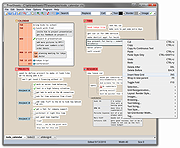 |
 |
Trellix GetSusp v6.0.0.141 Trellix GetSusp v6.0.0.141 👉 Find suspicious files and possible undetected malware using Trellix threat intelligence. Trellix GetSusp is a free, portable malware investigation tool designed for computers where undetected malware is suspected. It uses heuristics together with the Trellix Global Threat Intelligence (GTI) File Reputation database to identify suspicious files without requiring extensive technical knowledge. GetSusp runs as a single executable with no installation required and can operate through its graphical interface, command line or ePO mode. The graphical interface can also scan URLs, documents and PDF files and lets you review suspicious files before submitting selected samples to Trellix for further analysis. Features: • Uses heuristics to locate files that may contain undetected malware • Queries Trellix Global Threat Intelligence File Reputation to evaluate suspicious files • Runs as a single executable with no installation required • Supports graphical interface, command-line and ePO operation modes • Scans URLs, documents and PDF files from the graphical interface • Allows suspicious files to be reviewed before submission to Trellix • Lets you select which files are submitted for further analysis • Records system information and installed Trellix product information • Records the execution date and details about suspected files • Includes GetQuarantine integration with the ePO version • Can be used as an initial investigation tool when malware is suspected but has not been detected by installed security software Supported operating systems: • Windows 7, Windows 8, Windows 8.1, Windows 10 through 21H2, Windows 11 • Windows Server 2008 R2 SP1, Windows Server 2012, Windows Server 2016 Supported languages: • English Changes: Not Provided. This download is for the Windows 64bit version. If you need the Windows 32bit version, download here. Click here to visit the author's website. |
|
6,139 | Aug 16, 2026 Musarubra US LLC 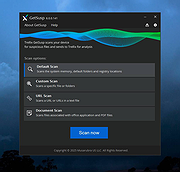 |
|
Trend Micro Anti-Threat Toolkit v1.2.62.1262 Trend Micro Anti-Threat Toolkit v1.2.62.1262 👉 Portable standalone malware scanning and cleanup tool. Trend Micro Anti-Threat Toolkit is a lightweight, standalone security utility designed to scan and clean infected computers without requiring installation. It is commonly used when a system is heavily infected and traditional antivirus software cannot be installed or updated. The tool can be run directly from removable media such as a USB flash drive and is intended for advanced malware detection and removal scenarios. Features: • Standalone executable with no installation required • Detects and removes malware, spyware, and other threats • Can be run from USB or other removable media • Designed for use on heavily infected systems • Command-line based interface for advanced troubleshooting Supported operating systems: • Windows 7, Windows 8.1, Windows 10, Windows 11 • Windows Server 2012 R2, Windows Server 2016, Windows Server 2019, Windows Server 2022 Supported languages: English Changes: v1.2.62.1262 Not provided. This download is for the Windows 64bit version (very bottom of page). If you need the Windows 32bit version, download here. Click here to visit the author's website. |
|
8,572 | Feb 26, 2026 Trend Micro Inc. 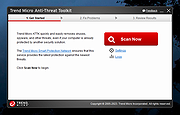 |
|
Tweaking.com - (Right Click) Allow, Block or Remove - Windows Firewall v1.0.0 Tweaking.com - (Right Click) Allow, Block or Remove - Windows Firewall v1.0.0 The point of this program is to make adding/removing programs to/from your Windows firewall easier than ever. This program will add a right click option to all .exe and .com programs, allowing you to allow, block or remove a program from the Windows firewall in 1 click. But as the rest of my programs I have gone an extra step, "Shane" style if you will :-D When you add a program to the firewall, all rules that have the same file path will be removed first and then a new single rule is added. This can greatly help when a user has multiple different rules for a program and they don't realize it. A lot of times those rules can conflict and create problems. Now all those extra rules are removed during the process. Also when you allow a program through the firewall the settings in the rule are to allow any protocol, any port and allow edge transport. Basically the settings in the rule are to let the program be fully allowed through. Aside from allowing programs through you can also block them if need be. Same thing happens, all current rules that point to the same program are removed and a single new rule is added that blocks the program on every protocol and every port. And just for those users who like to keep things clean, there is also an option to remove all rules for a program from the firewall. Nice feature to have when you are uninstalling a game or program and don't want the rules in the firewall any more. All 3 of these options are just 1 click. You can also select multiple .exe and .com files at once to make things even faster. All done through Windows Explorer. How TO INSTALL: Extract all files from the ... |
|
9,979 | Feb 17, 2018 Tweaking.com  |
|
Tweaking.com - Repair Windows Firewall 2.8.8 Tweaking.com - Repair Windows Firewall 2.8.8 This will repair the Windows Firewall. The firewall is built into the system rather deep. And when the firewall becomes corrupt it can still block out side connections from coming in. Even when turned off. Also when corrupt you are unable to add any exceptions to the firewall. This tool is also a part of Windows Repair (All In One). This will repair the firewall and get it working normally again. |
|
10,041 | Sep 02, 2017 Tweaking.com 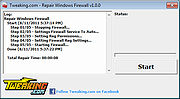 |
|
Tweaking.com - Repair Windows Sidebar/Gadgets v1.7.4 Tweaking.com - Repair Windows Sidebar/Gadgets v1.7.4 Repair Windows Sidebar/Gadgets: This will help get the sidebar working again if it fails to run, or if some gadgets that once worked no longer work. (Such as gadgets with just a white background) This tool is also a part of Windows Repair (All In One) |
|
10,028 | Sep 02, 2017 Tweaking.com 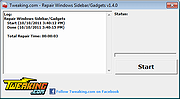 |
|
Tweaking.com - Repair Windows Updates 2.8.8 Tweaking.com - Repair Windows Updates 2.8.8 If windows updates are not working then this repair may help. This will reset windows updates and get all the windows update files registered. This tool is also a part of Windows Repair (All In One) Run this repair if windows updates are failing and is not working correctly. |
|
10,041 | Sep 02, 2017 Tweaking.com 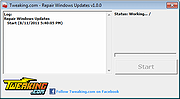 |
|
Tweaking.com - Set Windows Services To Default Startup 2.8.8 Tweaking.com - Set Windows Services To Default Startup 2.8.8 This will set the Windows services to their default startup state. This will set the services startup by the "sc config" command and not by the registry. This tool is also a part of Windows Repair (All In One). Here is the current service list this repair sets. AeLookupSvc = demand Alerter = disabled ALG = demand AllUserInstallAgent = demand AppHostSvc = auto AppIDSvc = demand Appinfo = demand AppMgmt = demand aspnet_state = demand AudioEndpointBuilder = auto AudioSrv = auto AxInstSV = demand BDESVC = demand BFE = auto BITS = auto bthserv = demand CertPropSvc = demand ClipSrv = disabled COMSysApp = demand CryptSvc = auto CscService = auto DcomLaunch = auto defragsvc = demand DeviceAssociationService = demand DeviceInstall = demand DFSR = demand Dhcp = auto dmadmin = demand dmserver = auto Dnscache = auto Dot3svc = demand DPS = auto DsmSVC = demand DsRoleSvc = demand EapHost = demand EFS = demand ehRecvr = demand ehSched = demand EMDMgmt = auto ERSvc = auto EventLog = auto EventSystem = auto FastUserSwitchingCompatibility = demand Fax = demand FCRegSvc = demand fdPHost = demand fhsvc = demand FontCache = auto FontCache3.0.0.0 = demand gpsvc = auto helpsvc = auto hidserv = demand hkmsvc = demand HomeGroupListener = demand HTTPFilter = demand idsvc = demand IKEEXT = demand ImapiService = demand IPBusEnum = demand iphlpsvc = auto KeyIso = demand KtmRm = demand LanmanServer = auto LanmanWorkstation = auto lltdsvc = demand lmhosts = auto LPDSVC = auto LSM = auto Mcx2Svc = disabled Messenger = disabled MMCSS = auto mnmsrvc = demand MpsSvc = auto MSDTC = demand MSiSCSI = demand msiserver = demand napagent = demand NetDDE = disabled NetDDEdsdm = disabled Netlogon = demand Netman = demand NetMsmqActivator = auto NetPipeActivator = auto netprofm = demand NetTcpActivator = auto NetTcpPortSharing = disabled Nla = demand NlaSvc = auto nsi = auto NtLmSsp = demand NtmsSvc = demand p2pimsvc = demand p2psvc = demand PeerDistSvc = demand PerfHost = demand pla = demand PlugPlay = auto PNRPAutoReg = demand PNRPsvc = demand Power = auto ProfSvc = auto QWAVE = demand RasAuto = demand RasMan = demand RDSessMgr = demand RemoteAccess = disabled RpcEptMapper = auto RpcLocator = demand RpcSs = auto RSoPProv = demand RSVP = demand sacsvr = demand SamSs = auto SCardSvr = demand Schedule = auto SCPolicySvc = demand SDRSVC = demand SENS = auto SensrSvc = demand SessionEnv = demand ShellHWDetection = auto simptcp ... |
|
10,169 | Sep 02, 2017 Tweaking.com 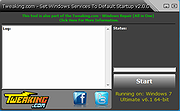 |
|
Tweaking.com - Windows Repair v4.14.0 Tweaking.com - Windows Repair v4.14.0 An all-in-one repair tool to help fix a large majority of known Windows problems including registry errors and file permissions as well as issues with Internet Explorer, Windows Update, Windows Firewall and more. Malware and installed programs can modify your default settings. With Tweaking.com - Windows Repair you can restore Windows original settings. Tweaking.com - Windows Repair can do the following: Reset Registry Permissions Reset File Permissions Register System Files Repair WMI Repair Windows Firewall Repair Internet Explorer Repair MDAC & MS Jet Repair Hosts File Remove Policies Set By Infections Repair Icons Repair Winsock & DNS Cache Remove Temp Files Repair Proxy Settings Unhide Non System Files Repair Windows Updates and more... Changes: v4.14.0 Updated default registry and file permissions for Windows 10 and 11 as of June 1st, 2023. Click here to visit the author's website. |
|
26,724 | Oct 09, 2023 Tweaking.com 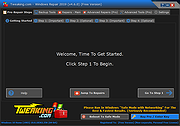 |
|
TweakUI for Windows 98/ME TweakUI for Windows 98/ME TweakUI is a powerful utility that you can use in Windows 98/ME to tweak the user interface. You can use this utility for a variety of tasks, such as enabling or disabling the CD-ROM auto-run feature, log onto a network automatically, and much more. Requirements: Windows 98 or Windows ME and at least 1 MB of free disk space. Install: Once all files have been extracted right click on tweakui.inf (setup information file) and click Install. Once the install is completed TweakUI can be run from the Control Panel. Click here to visit the author's website. |
|
4,011 | Jan 05, 2021 Microsoft Corp. 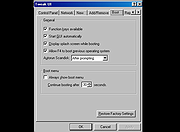 |
|
Typhoon 2001 r3992 Typhoon 2001 r3992 A modern remake of the classic Tempest arcade game. Typhoon 2001 is a fast-paced arcade shooter inspired by the legendary Tempest game. You control a claw-shaped shooter that moves around the edge of geometric webs, blasting enemies that crawl up toward you from the center. The game features updated graphics, smooth animation, vibrant particle effects, and energetic sound while keeping the original arcade gameplay intact. Typhoon 2001 delivers intense reflex-based action with multiple enemy types, power-ups, and increasingly challenging levels. The colorful vector-style visuals and classic arcade feel make it a great choice for fans of retro shooters looking for a faithful yet enhanced experience on modern Windows systems. Features: • Classic Tempest-style arcade gameplay • Smooth 2D/3D vector-style graphics • Multiple enemy types with varied attack patterns • Power-ups and special weapons • Increasing difficulty across multiple levels • High score tracking • Sound effects and background music Supported operating systems: • Windows 95, Windows 98, Windows ME, Windows 2000, Windows XP, Windows Vista, Windows 7, Windows 8, Windows 10, Windows 11 Supported languages: English This download is for the Windows version (very bottom of page). If you need the Linux version, download here. Click here to visit the author's website. |
|
7,315 | Feb 17, 2026 Thorsten Kuphaldt  |
|
Ultimate Settings Panel v8.0.0 Ultimate Settings Panel v8.0.0 👉 Access 250+ Windows settings, tools, diagnostics and commands from one searchable panel. Ultimate Settings Panel brings hundreds of Windows settings, administrative tools, diagnostic commands and system utilities together in one convenient interface. The completely rebuilt application provides instant searching and direct access to Windows Settings pages, Control Panel items, networking tools, diagnostics, PowerShell, Windows Terminal, system administration utilities and more. The native Windows version requires no installation and launches tools and settings directly from its interface. A separate portable web edition is also available. Features: • More than 250 Windows settings, tools, diagnostics and commands • Instant search across tool names, descriptions and commands • 13 categories including Windows Settings, Windows Tools, Control Panel, Networking, Diagnostics, Power & Session, Server Administration, Terminal & Shell, Outlook/Office, Browsers and more • Direct access to approximately 70 Windows 11 Settings pages using ms-settings links • Launch Windows utilities and settings directly from the native application • Built-in access to SFC, DISM, battery reports, energy reports and other diagnostic tools • Wi-Fi reporting, Winsock reset and TCP/IP reset commands • Windows Terminal, PowerShell 7 and winget tools • Save frequently used items as Favorites • Light and dark themes with automatic system theme detection • Copy commands for use elsewhere • Export commands as batch files from the web edition • Native application requires no installation • Portable web edition works offline • No analytics, tracking or telemetry Supported operating systems: • Windows 10, Windows 11 Supported languages: English Changes: v8.0.0 08-07-26 Complete ground-up rebuild replacing the original C#/WinForms application. Added a native Windows application using Microsoft Edge WebView2. Added a self-contained portable web edition that can operate offline. Added instant searching of names, descriptions and underlying commands. Added a Windows 11 Settings category with approximately 70 direct Settings links. Added a Terminal & Shell category covering Windows Terminal, PowerShell 7 and winget. Added modern system diagnostics including SFC, DISM, battery and energy reports, Wi-Fi reporting, Winsock reset ... |
|
5,097 | Aug 19, 2026 TechyGeeksHome  |
|
Ultimate Windows Tweaker 5 for Windows 11 Ultimate Windows Tweaker 5 for Windows 11 This popular Windows tweaking software adds tweaks for Windows 11. Those of you who have upgraded to Windows 11, can use it to judiciously tweak your Windows 11 and personalize your computing experience, and can make your system faster, and private. This tweaker is just around 219 KB in size and includes over 200 tweaks. Like its predecessors, UWT 5 sports the familiar, clean, minimalistic UI, offering links in the left panel, and tabs on the top, in some categories. Hover over any tweak, and helpful tooltips will tell you what the tweak does. While you may be able to access all these via the Windows 11 Settings app, the Registry Editor or the Group Policy Editor, Ultimate Windows Tweaker makes things easier for you by offering all useful tweaks from its single UI. Highlights: • A new tab has been added for Windows 11 • Option to control Taskbar size • Add option to revert to Ribbon UI in File Explorer • Option to restore Windows 10 styled context menu • Tweak to customize Taskbar Content Alignment • Option to remove Open In Windows Terminal option from Desktop Context Menu • Option to hide the recommended list from Start Menu • Option to enable classic Alt+Tab Menu • Option to disable Transparency effects throughout Windows 11 • Option to enable accent color for Start menu and taskbar. • Several privacy tweaks are there under the Privacy section. • Many tweaks in Context Menu for Store Apps to support Windows 11. • It calculates Windows Experience Index ... |
|
2,813 | Feb 14, 2023 Anand Khanse  |
|
Ultimate Windows Tweaker for Windows 8 3.1 Ultimate Windows Tweaker for Windows 8 3.1 Use the Ultimate Windows Tweaker to customize your Windows 8 to meet your requirements. While Windows 7 & Windows Vista users should continue to use Ultimate Windows Tweaker 2.2, Windows 8 and Windows 8.1 may be happy to know that your favorite freeware Windows tweaker is now available for download. With judicious tweaking, it can make your system faster, more stable, personal and more secure with just a few mouse clicks. Change Info: Ultimate Windows Tweaker for Windows 8.1 has been updated to v 3.1, to now include more than 200 tweaks. The updated Ultimate Windows Tweaker 3.1 supports Windows 8.1 Update too and adds many new useful tweaks. A new tweaks, no one is yet offering is the ability to add Windows Store Apps to the right-click context menu. This lets you start your Windows Store apps, directly from your Desktop! |
|
8,954 | May 02, 2014 The Windows Club |
|
Ultimate Windows Tweaker v4.7.1 for Windows 10 Ultimate Windows Tweaker v4.7.1 for Windows 10 The most popular tweaking software, Ultimate Windows Tweaker 4 for Windows 10 adds several new tweaks for the new operating system. Those of you who have upgraded to Windows 10, would want to use it to judiciously tweak your Windows 10 and personalize your computing experience. With judicious tweaking, it can make your system faster, more stable, personal, and more secure with just a few mouse clicks. Ultimate Windows Tweaker is like a TweakUI for Windows 10. While you may be able to access all these via the Windows 10 Settings app, the Registry Editor or the Group Policy Editor, Ultimate Windows Tweaker makes things easier for you by offering all useful tweaks from its single UI. This tweaker is just around 750 KB in size and includes over 200 tweaks. Like its predecessors, UWT 4.0 sports a clean, minimalistic UI, offering links in the left panel, and tabs on the top, in some categories. Hover over any tweak, and helpful tooltips will tell you what the tweak does. What is new Ultimate Windows Tweaker 4 for Windows 10 adds several new tweaks. Here are the highlights: Seeing the concerns being raised about privacy issues, several tweaks have been added under a new Privacy section. Many new tweaks in Context Menu for Store Apps to support Windows 10. The empty.ico file is not required now for “Remove Shortcut Arrows From Icons” to function properly It calculates Windows Experience Index from the main page. Click on Run assessment to recalculate the WEI. You can Run DISM command to fix corrupted system image You can now pin Drives to Desktop Context Menu Many new tweaks to customize Windows 10 ... |
|
8,972 | Mar 12, 2020 Paras Sidhu  |
|
UninstallView v1.52 UninstallView v1.52 👉 View, manage, and uninstall installed Windows software with advanced details. UninstallView is a lightweight portable utility that displays detailed information about every installed application on your Windows system in a single, easy-to-read table. It gathers uninstall information from the Windows Registry and supplements it with additional details such as installation folder, uninstall command, registry location, install date, publisher, version, and more. It can also display Microsoft Store apps, making it a more comprehensive alternative to the standard Windows Apps & Features interface. UninstallView supports scanning the local computer, remote computers on your network, external drives, offline Windows installations, and shadow copies. It also supports standard and quiet uninstall operations when available, making it especially useful for technicians and advanced users. Lists can be sorted, filtered, searched, and exported in multiple formats for documentation or inventory purposes. Features: • Displays all installed desktop applications in a single table • Optionally displays installed Microsoft Store apps • Shows detailed uninstall information including registry entries and uninstall strings • Supports local computers, remote computers, external drives, and offline Windows installations • Quiet uninstall support when provided by the application's installer • View software installed for all users or individual user profiles • Sort, search, filter, and customize displayed columns • Export lists to TXT, CSV, HTML, XML, and other formats • Portable application requiring no installation • Save all displayed items to a file • Supports command-line operation for automation and scripting Supported operating systems: • Windows XP, Windows Vista, Windows 7, Windows 8, Windows 8.1, Windows 10, Windows 11 (32-bit and 64-bit) Supported languages: Arabic, Basque, Bulgarian, Catalan, Chinese Simplified, Chinese Traditional, Croatian, Czech, Danish, Dutch, English, Finnish, French, German, Greek, Hebrew, Hungarian, Italian, Japanese, Korean, Norwegian, Persian, Polish, Portuguese, Portuguese (Brazil), Romanian, Russian, Slovak, Slovenian, Spanish, Swedish, Thai, Turkish, Ukrainian, Vietnamese Changes: v1.52 06-23-26 Added the 'Save All Items' option (Shift+Ctrl+S). This download is for the Windows 64bit version ... |
|
6,683 | Jun 30, 2026 Nir Sofer  |
|
Uninstalr v3.1 Uninstalr v3.1 👉 Fast bulk uninstaller that removes programs and leftover traces in one process. Uninstalr is a Windows uninstallation tool that allows you to remove multiple applications at once while automatically detecting and deleting leftover files, folders, and registry entries. It is designed to streamline the uninstall process by combining standard removal with post-uninstall cleanup into a single operation. Uninstalr performs deep scanning after each uninstall to ensure that no residual data remains, helping keep systems clean and free from clutter. It also supports removing broken or partially uninstalled programs that cannot be removed through normal means. The program emphasizes speed, accuracy, and ease of use, making it suitable for both everyday users and advanced system maintenance. Features: • Uninstall multiple programs in a single batch • Automatically removes leftover files, folders, and registry entries • Combines uninstall and cleanup into one streamlined process • Handles broken or incomplete uninstall entries • Fast scanning engine for efficient cleanup • Portable version available Supported operating systems: Windows 11, Windows 10, Windows 8 and Windows 7. Supported languages: • Chinese Simplified, Chinese Traditional, Czech, Danish, Dutch, English, Filipino, Finnish, French, German, Greek, Hindi, Hungarian, Indonesian, Italian, Japanese, Korean, Malay, Norwegian, Polish, Portuguese, Romanian, Slovak, Spanish, Swedish, Thai, Turkish, Ukrainian, Vietnamese Changes: v3.1 07-08-26 Key Changes: Uninstalr now starts and shows the list of installed apps faster after the initial scan has been completed, and with much smaller memory usage. Uninstalr now detects and highlights apps that automatically start with Windows. Greatly improved the detection of portable apps. Improvements: New feature: Uninstalr now detects and highlights apps that automatically start with Windows. New feature: Uninstalr now highlights possible leftovers and apps from Russia and China. This can be disabled from the Settings. New feature: A ... |
|
4,656 | Jul 14, 2026 Macecraft Software 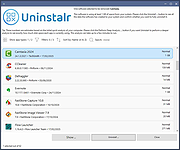 |
|
Unofficial Windows 98 Second Edition Service Pack v3.64 Unofficial Windows 98 Second Edition Service Pack v3.64 Microsoft has never released a service pack for Windows98 SE but this contains all Windows98 SE updates from Windows Update site and more. Instructions: Prerequisites: Minimum 64 MB of RAM for Main Updates. 160 MB free hard disk space for (ALL) options. Installation Guide: [1] Install Windows 98 Second Edition (with or without 98lite).* [2] Install all drivers for your hardware. [3] Install Internet Explorer (any version).* [4] Install latest DirectX 9c.* [5] Install latest Service Pack 3.x (Main Updates).* [6] Install optional components of Service Pack 3.x.* [7] Install MS Office.* [8] Install KernelEx, 98SE2ME, Revolution Pack.* [* = Optional] Before installing U98SESP3.EXE make sure that: 1/ You have the original w98SE installation disc. It will change core system files. It means that if something goes wrong you must be prepared to reinstall windows from the beginning. Sometimes installing U98SESP3.EXE after a fresh install is working normaly while it failed on an old install. 2/ You made a back up of all important datas. It's extremely unlikely that an error forces you to reinstall windows and eventualy to reformat thus to erase your hard drive. But for the sake of safety, please do it! 3/ You made a back up of your system files A copy of the "windows" and "Program Files" directories, at least the "windows" directory, preferably on a second physical hard drive or on CD or DVD or an external drive. This is usefull to revert back to a prior w98se install which was already updated and functioning well. Restoring windows 98 can be done simply be recopying all the system files back to their original location, in dos mode. The easiest way is to use a second physical (not a partition) and internal (not USB) hard drive. It's aslo a good idea to make sure a copy of the registry has been automaticaly preserved in the system files you backed up and to know how to restore the registry in ... |
|
14,799 | Dec 06, 2019 PROBLEMCHYLD 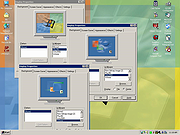 |
|
US Robotics 56K Voice Modem, model number 3CP2976 driver US Robotics 56K Voice Modem, model number 3CP2976 driver. Windows install files for OEM product 2976. 2976_080100.zip |
|
9,712 | Apr 01, 2009 US Robotics |
|
US Robotics USR 0637 3Com 872974-00 driver US Robotics USR 0637 3Com 872974-00 driver for Windows 2000. May work with other versions of Windows. 2974-win2k.exe |
|
9,765 | Apr 01, 2009 US Robotics |
|
US Robotics USR 0766 modem Windows 95 & 98 driver US Robotics USR 0766 modem Windows 95 & 98 driver. For modem with this FCC# FCCID=4X2USA-34110-M5-E. May work with other USR modems and operating systems. 3595-OEM.zip |
|
9,983 | Apr 01, 2009 US Robotics |
|
USBDeview v3.10 USBDeview v3.10 👉 View, manage, enable, disable, uninstall, and export USB device history. USBDeview is a small utility that lists all USB devices currently connected to your computer, as well as USB devices previously used on the system. For each USB device, it displays extended information including device name, description, device type, serial number, added date/time, Vendor ID, Product ID, and more. USBDeview can also uninstall previously used USB devices, disconnect currently connected USB devices, and disable or enable USB devices. It can also be used on a remote computer when logged in with administrator rights. Features: • Lists currently connected and previously used USB devices • Displays device name, description, type, serial number, Vendor ID, Product ID, and more • Uninstall previously used USB devices • Disconnect currently connected USB devices • Disable and enable USB devices • Remote computer support with administrator login • Command-line options for exporting, sorting, enabling, disabling, removing, and checking USB device status • Export USB device lists to text, tab-delimited, CSV, HTML, and XML files • Available in 32-bit and 64-bit versions Supported operating systems: • Windows 2000, Windows XP, Windows Server 2003, Windows Vista, Windows Server 2008, Windows 7, Windows 8, Windows 10, Windows 11 • 32-bit and 64-bit systems supported Supported languages: English, Arabic, Brazilian Portuguese, Bulgarian, Czech, Danish, Dutch, Euskera, Finnish, French, Galician, German, Greek, Hnidi, Hungarian, Italian, Japanese, Korean, Norwegian, Persian, Polish, Romanian, Russian, Simplified Chinese, Slovak, Spanish, Swedish, Traditional Chinese, Thai, Turkish, Ukrainian, Valencian Changes: v3.10 05-14-26 Added 'Black Background' option (Under the View menu). When it's turned on, the main table is displayed in black background and white text, instead of default system colors. Added 'Save All Items' option (Shift+Ctrl+S). Note: Th3 32bit version of this file has one hit on VirusTotal. We have confirmed this to be a false positive. The file is safe. This download is for the Windows 64bit version (very bottom of ... |
|
10,279 | May 22, 2026 Nir Sofer 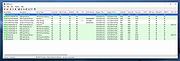 |
|
USBDriveLog v1.15 USBDriveLog v1.15 👉 Displays a log of USB drives plugged into Windows 10 and Windows 11 computers. USBDriveLog displays a log of all USB drives plugged into your computer, including device model, revision, manufacturer, serial number, plug time, unplug time, device ID, device capacity, and more. It can retrieve USB drive log information from the local computer, a remote computer on your network, or an external hard drive. Features: • View USB drive connection and disconnection history • Displays model, manufacturer, serial number, device ID, capacity, plug time, and unplug time • Read logs from the local computer • Read logs from a remote computer on your network • Read logs from an external Windows drive • Export selected items to text, CSV, HTML, XML, or JSON • Copy selected entries to the clipboard • Standalone portable executable with no installation required Supported operating systems: • Windows 10, Windows 11 • 32-bit and 64-bit systems supported Supported languages: English, Dutch, French, German, Greek, Hungarian, Italian, Japanese, Persian, Polish, Russian, Simplified Chinese, Slovak, Traditional Chinese, Turkish Changes: v1.15 Fixed a bug with the 'Mark Odd/Even Rows' option. Click here to visit the author's website. |
|
3,706 | May 22, 2026 Nir Sofer 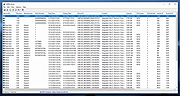 |
|
Velocity Riva 128 Driver for Windows Millennium Edition Velocity Riva 128 Driver for Windows Millennium Edition (ME). May work with other versions of Windows. 7507703.exe |
|
9,707 | May 20, 2009 STB Systems |
|
Venmon v2.37 Venmon v2.37 👉 Compact system monitoring and multi-ping tool for Windows. Venmon is a system resource monitoring and multi-ping tool for Windows. It can monitor system memory, processor, battery life, uptime, idle time, graphic cards, network traffic, event logs, and drives while using minimal processing power and memory. It displays real-time statistics, can run in portable mode from a USB drive, and does not require the installation of runtime modules. System The main screen of Venmon displays a general system summary, memory usage, processor usage, battery status, uptime, and idle time. System events will report activities such as Page file changes, battery activity (percentage charged/plugged/unplugged/charging/not charging), allocated memory changes, and report periods of long idle times. Long idle times can be used to see when someone last used the computer. Features: • Monitors memory, processor, battery life, uptime, idle time, graphics cards, network traffic, event logs, and drives • Displays real-time system statistics with low resource usage • Includes a multi-ping tool with support for up to 1024 automated pings by IP address or host name • Provides history graphs and event logging for system, storage, network, and ping activity • Supports portable use from a USB drive with settings saved locally • Includes Event Viewer, drive monitoring, network monitoring, and system tray features • Portable Supported operating systems: • Windows 7, Windows 8, Windows 10, Windows 11 • Windows Server 2000, Windows Server 2003, Windows Server 2008, Windows Server 2012, Windows Server 2016, Windows Server 2019, Windows Server 2022, Windows Server 2025 Supported languages: English, German Changes: v2.37 11-02-25 • Added Control + Mouse Wheel Down while hovering over Mini Window to make font size smaller • Added Control + Mouse Wheel Up while hovering over Mini Window to make font size bigger • Added Control + Mouse Wheel Down while hovering over Ping List to make font size smaller • Added Control + Mouse Wheel Up while hovering ... |
|
884 | Mar 12, 2026 Ventural  |
|
Ventoy v1.1.17 Ventoy v1.1.17 👉 Create multiboot USB drives that boot ISO, WIM, IMG, VHD(x), and EFI files directly. Ventoy is an open source tool that lets you create a bootable USB drive for ISO/WIM/IMG/VHD(x)/EFI files without repeatedly formatting the drive. You simply copy one or more supported image files to the USB drive, boot from it, and select what you want from Ventoy’s menu. It supports x86 Legacy BIOS, IA32 UEFI, x86_64 UEFI, ARM64 UEFI, and MIPS64EL UEFI, and can be installed on USB drives, local disks, SSDs, NVMe devices, and SD cards. Ventoy also supports browsing and booting image files stored on local disks, secure boot support, persistence, auto-installation options, plugin-based customization, and highly configurable themes and menus. The official Tested ISO list groups tested image files into Windows, Linux, Unix, ChromeOS, and Other categories, and Ventoy reports 1300+ tested image files overall. Features: • 100% open source • Direct boot support for ISO, WIM, IMG, VHD, VHDX, and EFI files • No need to extract image files before booting • Supports multiple image files on one device with a boot selection menu • Can browse and boot supported image files from local disks • Works with MBR and GPT partition styles • Supports x86 Legacy BIOS, IA32 UEFI, x86_64 UEFI, ARM64 UEFI, and MIPS64EL UEFI • Supports IA32 and x86_64 UEFI Secure Boot • Linux persistence support • Windows and Linux auto installation support • Supports FAT32, exFAT, NTFS, UDF, XFS, Btrfs, and Ext2/3/4 for the main partition • Supports ISO files larger than 4GB • Menu alias, password protection, ListView and TreeView modes, and customizable themes • Plugin framework with GUI plugin configurator • Official tested image file categories include Windows, Linux, Unix, ChromeOS, and Other, with 1300+ tested image files overall Get Started Instructions. Supported operating systems: • Windows, Linux Supported languages: • English, multilingual boot/menu language support available Changes: v1.1.17 07-24-26 Optimization for Secure Boot process. Fix the boot issue for ... |
|
6,984 | Sep 04, 2026 longpanda  |
|
Vexed for Windows v0.7.5.3 Vexed for Windows v0.7.5.3 Classic PalmPilot Vexed Puzzle newly coded for Windows Vexed is a well known puzzle game challenging your ability to plan and think ahead to complete the puzzles made famous on the PalmPilot. Start off easy and work your way to the harder puzzle packs like the 'impossible', 'confusion', or 'panic' packs. Run Classic Vexed in Windows! Same level packs, new 'cleanroom' code for Windows implements all play features, plus more, of the original. Install files are under the Files tab, and additional Puzzle Packs are under Files-PuzzlePacks. Additional Puzzle Packs will be added when ready, be sure to download from here. Each Puzzle Pack typically has 60 puzzles and are in an ini format not the pdb format. There are more than 2900 puzzles available! Features Unzip and run, nothing else installed Could be on a USB drive to take with you anywhere Play Vexed Level packs, download additional Level packs Fifteen levels of undo Seven block sets, random or fixed selection If you get stuck use the "Show me" feature to see the solution then try to solve it Adjustable animation speed Optionally load last Level Pack and start at the last puzzle number Classic Level built in so you can play immediately, or load a pack. Memory & Recall feature Replay Feature Strict Play Feature Right click feature to see only that block type Vexed for Windows Help file Level Packs The install file contains a number of level packs. Additional level pack will be available later too. It can be played without opening a Level ... |
|
4,006 | Nov 10, 2022 john416  |
|
VIA Technologies Inc K8M400 CPU to PCI Bridge Chipset Driver Chipset Driver You must install the video driver (up one level) after installing this chipset driver. Manufacturer: VIA/S3G Model Name: VIA Technologies Inc K8M400 CPU to PCI Bridge Model Number: (Chipset)- K8M400 (Video Adapter)- K8M800/MMX/K3D Operating System: Windows XP |
|
9,899 | Dec 01, 2012 VIA/S3G |
|
VIA Technologies Inc K8M400 CPU to PCI Bridge Video Driver You must download and install the chipset driver first. Go up one level. Manufacturer: VIA/S3G Model Name: VIA Technologies Inc K8M400 CPU to PCI Bridge Model Number: (Chipset)- K8M400 (Video Adapter)- K8M800/MMX/K3D Operating System: Windows XP |
|
9,599 | Dec 01, 2012 VIA/S3G |
|
VirtualBox v7.2.20 VirtualBox v7.2.20 👉 Run multiple operating systems in virtual machines on a single computer. VirtualBox is a free, open-source virtualization program from Oracle that lets you create and run virtual computers inside your existing operating system. Each virtual machine can be configured with its own processors, memory, storage, display, networking and removable devices, allowing different operating systems to run without replacing or modifying the host system. It is useful for testing software, evaluating operating systems, running older applications, creating isolated development environments and experimenting with system configurations. Virtual machines can be paused, saved, cloned, exported or restored to an earlier snapshot. Features: • Create and run multiple virtual machines on one physical computer • Supports x86-64 virtualization and Arm virtualization on supported Apple silicon hosts • Configurable processors, memory, virtual disks, graphics and network adapters • Run Windows, Linux, BSD, Solaris and other supported guest operating systems • Take snapshots and restore virtual machines to earlier states • Clone, import and export virtual machines • Shared folders for exchanging files between host and guest systems • Shared clipboard and drag-and-drop integration on supported systems • NAT, bridged, internal, host-only and other virtual networking modes • USB device passthrough with the appropriate VirtualBox components • Guest Additions improve display, mouse, clipboard and folder integration • Command-line management through VBoxManage • Supports unattended installation for compatible guest operating systems • Save a running virtual machine and resume it later • Optional Extension Pack adds additional functionality under a separate license Supported operating systems: • Windows 8.1, Windows 10, Windows 11, Windows Server 2012, Windows Server 2012 R2, Windows Server 2016, Windows Server 2019, Windows Server 2022, Windows Server 2025 • macOS 13 Ventura, macOS 14 Sonoma, macOS 15 Sequoia, macOS 26 Tahoe • Supported 64-bit Linux distributions • Oracle Solaris 11 Supported languages: English, Indonesian, Catalan, Czech, Danish, German, Spanish, Basque, French, Croatian, Italian, Lithuanian, Hungarian, Dutch, Polish, Portuguese (Brazil), Portuguese (Portugal), Slovak, Slovenian, Swedish, Turkish, Greek, ... |
|
12,131 | Sep 23, 2026 Oracle  |
|
vokoscreenNG v4.10.0 vokoscreenNG v4.10.0 👉 Record your screen, audio, webcam, windows, and selected areas with a powerful open source screencast tool. vokoscreenNG is a free and open source screen recording program for Windows and Linux. It can record the full screen, a selected area, or a window, with audio recording, webcam overlay support, snapshots, a built-in video player, countdown timer, magnifier, Showclick, Halo, system tray tools, dark mode, and global keyboard shortcuts. Features: • Record the full screen, selected area, or window • Supports audio recording with level meter • Built-in webcam/camera support • Multi-screen recording support • System tray controls • Countdown and timer tools • Magnifying glass tool • Showclick and Halo mouse-click visual effects • Snapshot support • Built-in video player • Global keyboard shortcuts • Dark mode • Linux X11 and Windows: MKV, GIF, MP4 • Linux Wayland: MKV recording with conversion to WebM, GIF, or MP4 after recording Supported operating systems: • Windows 10 64-bit, Windows 64-bit • Linux Flatpak, Debian, Fedora, openSUSE Tumbleweed, openSUSE Leap, Ubuntu, Arch Linux, NixOS Supported languages: Arabic, Arabic (Egypt), Moroccan Arabic, Bengali, Bosnian, Bosnian (Bosnia and Herzegovina), Catalan, Catalan (Spain), Czech, Czech (Czech Republic), German, German (Austria), German (Switzerland), German (Germany), Greek (Greece), English (Australia), English (Canada), English (United Kingdom), English (India), English (United States), English (South Africa), Spanish, Spanish (Latin America), Spanish (Argentina), Spanish (Bolivia), Spanish (Chile), Spanish (Colombia), Spanish (Spain), Spanish (Mexico), Spanish (Peru), Spanish (El Salvador), Spanish (Venezuela), Basque (Spain), Persian (Iran), Finnish (Finland), Filipino (Philippines), French (Canada), French (France), Hebrew, Croatian, Hungarian (Hungary), Indonesian, Indonesian (Indonesia), Italian (Italy), Japanese (Japan), Kazakh (Kazakhstan), Korean (Korea), Lao, Lao (Laos), Lithuanian, Norwegian Bokmεl, Low German, Dutch (Belgium), Dutch (Netherlands), Polish (Poland), Portuguese, Portuguese (Brazil), Portuguese (Portugal), Romanian, Russian, Russian (Russia), Slovak (Slovakia), Slovenian, Serbian, Swedish, Swedish (Sweden), Thai, Thai (Thailand), Turkish (Turkey), Ukrainian (Ukraine), Wu Chinese (Simplified), Chinese (China), Chinese (Hong Kong), Chinese (Taiwan) Changes: v4.10.0 07-01-26 Code: Fixed deprecation warnings Wayland: Audio change from ... |
|
477 | Jun 30, 2026 Volker Kohaupt  |
|
Vorn v1.0.3 Vorn v1.0.3 👉 Fast, private, crash-safe backup program with advanced features. Vorn is a modern local-first backup application designed to securely protect files without relying on cloud services, subscriptions, accounts, or telemetry. Instead of uploading data to external servers, Vorn stores everything inside a local vault controlled entirely by the user. The software uses content-addressable storage powered by BLAKE3 hashing, allowing duplicate data to be stored only once even across multiple backup sessions. This greatly reduces storage usage while improving backup efficiency. Vorn was built with reliability and data integrity in mind. It uses atomic writes, write-ahead logging, resumable operations, and integrity verification to help prevent corruption during crashes or unexpected shutdowns. Large files are automatically divided into chunks, making backups more resilient and easier to resume if interrupted. Optional gzip compression can reduce storage requirements further while maintaining compatibility with the portable vault format. The application features a clean desktop interface with dark and light themes, portable executables, and cross-platform support for Windows, macOS, and Linux systems. Since the backup vault is self-contained and self-describing, users can move backups between systems or restore files to different locations without depending on proprietary cloud infrastructure. Vorn is designed for users who want complete control of their backups while maintaining speed, privacy, and simplicity. Features: • Local-first backup architecture with no cloud dependency • Fully offline operation with no accounts or telemetry • Content-addressable storage using fast BLAKE3 hashing • Automatic deduplication across all backup sessions • Stores identical file content only once to save disk space • Chunked storage engine for efficient handling of large files • Resumable backup operations after interruptions or crashes • Atomic write protection for safer backup transactions • Write-ahead logging to improve recovery reliability • Self-describing portable vault format • Integrity verification to detect damaged or missing data • Optional gzip compression for reduced storage usage • Smart pruning system for reclaiming unused ... |
|
537 | May 29, 2026 Leonardo Ciaccio  |
|
VT Uploader v1.26.4.12 VT Uploader v1.26.4.12 👉 A portable Windows utility for uploading files to VirusTotal and viewing detailed scan reports. VT Uploader is a portable Windows client for working directly with the VirusTotal service. It lets you upload and scan files, look up existing reports using MD5, SHA-1 or SHA-256 hashes, analyze executable files belonging to running processes and work with files stored in supported antivirus quarantine areas. Important: VT Uploader requires your own VirusTotal API key to access VirusTotal services. You can obtain a free API key by creating a free VirusTotal Community account. Once you have your key, enter it in VT Uploader's settings before scanning files or retrieving reports. Files can be selected normally, dragged and dropped onto the program, sent through the Windows Explorer Send to menu or supplied by pasting a path from the clipboard. VT Uploader calculates MD5, SHA-1 and SHA-256 hashes and can use them to determine whether VirusTotal already has a report for the file before uploading it. VT Uploader can display VirusTotal detection results and the verdicts returned by individual antivirus engines. It also provides options for viewing raw JSON reports, requesting a reanalysis and opening the complete report on the VirusTotal website. The program can also analyze executables associated with currently running processes and access files from supported antivirus quarantine locations. Privacy-related options include warnings before opening file types that could contain personal information. When settings are stored in the Windows Registry, the VirusTotal API key is encrypted. VT Uploader is portable, requires no installation or additional frameworks and is available in separate 32-bit and 64-bit versions. Features: • Upload files to VirusTotal for malware analysis • Retrieve existing VirusTotal reports • Calculate MD5, SHA-1 and SHA-256 file hashes • Look up reports using file hashes • Analyze executable files belonging to running processes • Access files stored in supported antivirus quarantine areas • Drag and ... |
|
420 | Aug 07, 2026 Denis Anisimov  |
|
Wagnardsoft Tools (WTools) v1.0.9.5 Wagnardsoft Tools (WTools) v1.0.9.5 👉 Clean temporary files, repair Windows, and manage system settings from one utility. Wagnardsoft Tools (WTools) combines Windows cleanup, repair, monitoring, and maintenance features in one application. It finds unused Registry entries, removes temporary files from Windows and browsers, and helps repair corrupted system files. Its Home screen shows hardware, storage, and the status of selected performance settings. Beyond cleanup, WTools offers SSD TRIM, DPC latency monitoring, a performance overlay, Windows Update controls, and management of Microsoft Store apps. Advanced users can open Command Prompt and Registry Editor with SYSTEM privileges. Review the selected items before cleaning or changing Windows settings. Features: • Scan for unused Registry entries, including interface, class, and installer issues. • Select additional Registry categories for privacy traces and orphaned firewall rules. • Remove temporary files from Windows, the current user, and browsers. • Repair corrupted Windows system files. • View CPU, RAM, GPU, motherboard, operating system, and storage information. • Monitor DPC latency and view a chart covering the last 1, 5, or 15 minutes. • Display performance information in an overlay. • Run SSD TRIM with an adjustable optimization threshold. • Enable or disable Message Signaled Interrupts for supported NVIDIA cards before the RTX 3000 series. • Open Command Prompt and Registry Editor with SYSTEM privileges. • Manage Microsoft Store apps and hidden Windows updates. • Clean superseded components from the Windows WinSxS folder. • Adjust interface size from 100% to 150%. Supported operating systems: • Windows 7 SP1 with Extended Security Updates, Windows 8, Windows 8.1, Windows 10, Windows 11 Some features, including DPC latency monitoring, do not work on Windows 7. Supported languages: English, French, Spanish, German, ... |
|
4,102 | Sep 28, 2026 Wagnardsoft  |
|
Wasp Forgot your saved password? This program will reveal a password hidden behind asterisks in Windows. 123wasp_setup.exe |
|
9,828 | Mar 29, 2009 |
|
Waydir v0.22.0 Waydir v0.22.0 👉 A fast, keyboard-first dual-pane file manager for Linux, Windows and macOS. Waydir is a cross-platform desktop file manager built for users who prefer speed, direct control and fewer trips to the mouse. It combines classic dual-pane file management with tabs, live search, network drives, Quick Look previews, archive browsing, a built-in terminal and a native Rust core that keeps heavy file work off the interface thread. Features: • Dual-pane file browsing with tabs in each pane • Keyboard-driven navigation, selection, copying, moving, renaming and searching • Command palette for actions, bookmarks, drives, recent locations, files and plugin commands • Fast live recursive search with substring, regex and glob matching • Quick Look previews for images, PDFs, text, code and file details • Browse ZIP and TAR archives without extracting first • SMB and SFTP network drive support • Built-in terminal per pane • WSL file browsing and terminal support on Windows • Git status, branch switching and stash management • Light, Dark, Nord and One Dark themes, plus custom themes • Lua plugin support for actions, buttons, shortcuts and status bars • Free and open source under the MIT License Supported operating systems: • Windows • macOS • Linux Ubuntu, Debian, Fedora, RHEL, openSUSE and other Linux distributions using AppImage or portable tarball Supported languages: English Changes: v0.22.0 06-29-26 Added duplicate selected files and folders in place with Ctrl+Shift+D, available from the keyboard, command palette and context menu. Faster file copying, especially on Windows and when copying lots of small files. Renamed the "Kind" column to "Format". This download is for the Windows installer version (very bottom of page). All other download assets are below: Other Windows: waydir-0.22.0+29-windows.zip macOS: waydir-0.22.0+29-macos.dmg Linux: waydir-0.22.0+29-linux.AppImage waydir-0.22.0+29-linux.deb waydir-0.22.0+29-linux.rpm waydir-0.22.0-linux-x64.tar.gz Click here to visit the author's website. |
|
436 | Jul 02, 2026 Mikolaj Badyl 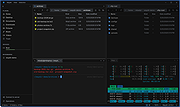 |
|
When Pigs Fly for Windows When Pigs Fly for Windows Build a plane to get your pig into the sky! There are five achievements. See if you can get them all! Build Controls: Right click and drag to rotate the camera. Arrow keys move camera, spacebar to reset. Mousewheel to zoom the camera. Click a button to select a part, then click on the craft to place it. Click a placed part to pick it up again. You can then move it, or click anywhere else (not on the plane) to delete it. Right click on a placed part to change its settings. To add a bracing strut, click the strut button, click on the spot on the plane to want to brace, then click where you want the other end of the strut to be. W/S/A/D/Q/E to rotate the current part in 90 degree increments. Hold shift to rotate in 10 degree increments. Press R to cycle through attachment points. Press M to toggle mute. Press T to toggle fullscreen. Flight Controls: W/S or up and down arrow control pitch. A/D or left and right arrow control roll. Q/E or < > control yaw. B for brakes. Shift to increase throttle, Control to decrease. Z to toggle fine controls. Press M to toggle mute. Press T to toggle mute. Game by Chris Gaudino - gaudinogames.com, @GaudinoGames Music by Brian Gaudino - briangaudino.com |
|
7,191 | Jul 30, 2015 GaudinoGames  |
|
WhoCrashed Free Home Edition v7.10 WhoCrashed Free Home Edition v7.10 👉 Analyze Windows crash dump files and identify the cause of system crashes. WhoCrashed Free Home Edition is a diagnostic utility designed to help users determine why their computer has crashed or become unstable. By analyzing crash dump files generated by Windows, it provides easy-to-understand reports that identify the drivers or system components responsible for Blue Screen of Death (BSOD) errors. WhoCrashed Free Home Edition simplifies complex debugging data into readable explanations, making it useful for both everyday users and technicians. It scans system logs and memory dump files, then presents a detailed analysis that highlights probable causes of crashes, including faulty drivers, hardware issues, or system misconfigurations. Features: • Analyzes Windows crash dump files and BSOD events • Identifies faulty drivers and probable crash causes • Provides clear, human-readable crash reports • Supports kernel, mini, and full memory dump analysis • One-click analysis with minimal technical knowledge required • Displays detailed system information for troubleshooting • Lightweight and fast operation Supported operating systems: • Windows 11, Windows 10, Windows 8.1, Windows 8, Windows 7, Windows Vista, Windows XP x64 editions, Windows XP SP3 32-bit editions • Windows Server 2022, Windows Server 2019, Windows Server 2016, Windows Server 2012, Windows Server 2008, Windows Server 2003 Supported languages: English Changes: v7.10 10-21-24 Certain dump files could not be analyzed due to a buffer overflow error Certain crash dump files could not be analyzed with WhoCrashed because of a "buffer overflow error". This would cause the program to terminate. This bug has been fixed. Updated debug DLLs The debug DLL versions used for analyzing crash dumps have been updated. Wrong bugcheck analysis problem fixed WhoCrashed could draw the wrong conclusion analyzing certain crash dumps. The analysis process has been improved to prevent this. Clicking on "cancel" during dump analysis could produce unexpected behavior Clicking the cancel button while a dump analysis process was in progress could give unexpected results. This problem ... |
|
10,490 | Mar 24, 2026 Resplendence Software Projects Sp. 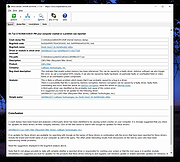 |
|
Why Can't I Connect? Windows Install 1.12.3 ==Official Mirror== Why Can't I Connect? Windows Install 1.12.3 "Why Can't I Connect?" makes it easier to resolve TCP/IP connection errors. Use it to diagnose connections to common server types (Microsoft SQL Server, MySQL Server, FTP, SFTP, IMAP, POP3, SMTP, IRC, LDAP, Usenet) and create generic TCP/IP clients and / or servers. “Why Can't I Connect?” is currently supported in Windows and Linux. "Why Can't I Connect?" Features: Network debugging Network diagnostics Email connection debugging Database connection debugging LDAP connection debugging Internet relay chat connection debugging Usenet connection debugging Network intrusion detection Change Info: Release 1.12.3 In this release: 1. Fixed a bug that would occasionally freeze the application when attempting to create a secure connection with an unsecured port. 2. Fixed a bug where "Advanced" sockets where not supporting secure connections. |
|
10,362 | Aug 15, 2019 Chris Ohmstede 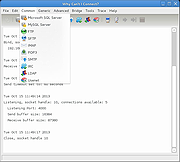 |
|
WhySoSlow Free Home Edition v1.61 WhySoSlow Free Home Edition v1.61 👉 Analyze system performance and identify why your computer is running slowly. WhySoSlow Free Home Edition is a diagnostic utility designed to help users quickly determine the causes of poor system performance. It analyzes your computer in real time and provides insights into issues such as CPU throttling, memory bottlenecks, disk performance problems, and other hardware or software limitations that may be slowing down your system. The program performs a series of checks and presents easy-to-understand results, making it useful for both casual users and more advanced troubleshooting scenarios. It helps pinpoint whether performance issues are caused by hardware limitations, thermal throttling, insufficient RAM, or background processes. Features: • Real-time system performance analysis • Detects CPU speed issues and throttling • Identifies memory and disk bottlenecks • Measures system responsiveness and load • Provides detailed system diagnostics and benchmarks • Helps pinpoint hardware or software causes of slowdowns • Simple interface with clear performance indicators Supported operating systems: • Windows 11, Windows 10 (x86 and x64), Windows 8.1 (x86 and x64), Windows 8 (x86 and x64), Windows 7 (x86 and x64) • Windows 2022 Server, Windows 2016 Server (x86 and x64), Windows 2012 Server (x86 and x64) Supported languages: English Changes: v1.61 10-22-20 Bug Fixed: "this version of WhySoSlow is not compatible with your operating system version" On certain systems, WhySoSlow could display a message "this version of WhySoSlow is not compatible with your operating system version". This has been fixed. Click here to visit the author's website. |
|
4,854 | Mar 24, 2026 Resplendence Software 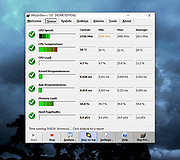 |
|
Win11Debloat v2026.08.24 Win11Debloat v2026.08.24 👉 Declutter and customize Windows 10 or 11 by removing unwanted apps, telemetry, ads, AI features and other annoyances. Win11Debloat is a lightweight PowerShell utility for cleaning up and customizing Windows without installation. It can remove preinstalled apps, disable telemetry and advertising, change privacy settings, disable unwanted Windows AI features, modify the Start menu, taskbar and File Explorer, and adjust many other Windows behaviors. It includes an interactive graphical interface as well as command-line options for administrators and automated deployments. The OlderGeeks.com download contains the official Get.ps1 quick-launch script. An Internet connection is required because this launcher downloads the current Win11Debloat release directly from the official GitHub repository before starting it. The downloaded files are placed temporarily under %TEMP%\Win11Debloat and are cleaned up when the program closes, while configuration files, logs and backups are preserved. Most changes made by Win11Debloat can be reversed, and most removed Microsoft Store applications can be reinstalled. Because the utility makes substantial changes to Windows, users should carefully review the selected options before applying them. Features: • Remove a wide variety of preinstalled Windows applications • Disable telemetry, diagnostic data collection, activity history, app-launch tracking and targeted advertising • Disable Windows tips, suggestions, lock-screen promotions and Microsoft Edge advertising • Disable Windows location services, application location access and Find My Device tracking • Hide Microsoft 365 advertising on the Settings Home page or hide the Home page completely • Disable or remove Microsoft Copilot, Windows Recall and Click to Do • Prevent the Windows AI service from starting automatically • Disable AI features in Microsoft Edge, Paint and Notepad • Restore the classic Windows 10-style context menu • Disable mouse acceleration, Sticky Keys shortcuts, Storage Sense and Fast Startup • Disable automatic BitLocker device encryption • Disable network connectivity during Modern Standby • Prevent Windows from automatically restarting after updates while a user is signed in • Disable Windows Delivery Optimization • ... |
|
302 | Aug 25, 2026 Jeffrey Raphire  |
|
WinBin2Iso v6.77 WinBin2Iso v6.77 👉 Convert BIN disc image files into ISO format quickly and easily. WinBin2Iso is a lightweight and portable utility that converts BIN CD, DVD, and Blu-ray image files into ISO format. The program is designed to handle large image files over 2GB while remaining extremely small and simple to use. Its straightforward interface allows users to select a BIN file, choose an output location, and create an ISO image in just a few clicks. Because the program is portable, it does not require installation and can be run directly from a USB flash drive or other removable media. Features: • Convert BIN image files to ISO format • Supports CD, DVD, and Blu-ray image conversion • Handles files larger than 2GB • Portable application with no installation required • Extremely small program size • Simple and easy-to-use interface • Low CPU and system resource usage • Drag-and-drop support • Multilingual user interface • Compatible with both 32-bit and 64-bit Windows systems Supported operating systems: • Windows XP, Windows Vista, Windows 7, Windows 8, Windows 8.1, Windows 10, Windows 11 • Windows Server editions • Supports 32-bit and 64-bit systems Supported languages: English, German, Italian, French, Spanish, Traditional Chinese, Danish, Polish, Turkish, Japanese, Korean, Arabic, Portuguese, Dutch, Swedish, Finnish, Icelandic, Irish, Afrikaans, Norwegian, Luxembourgish, Māori Changes: v6.77 06-22-26 • Improvements to the Win-Bin-2-Iso app for all Windows operating systems • Language file update in the Win-Bin-2-Iso application This download is for the Windows 64bit version (very bottom of page). If you need the Windows 32bit version, download here. If you need the Windows Unicode version, download here. Click here to visit the author's website. |
|
6,561 | Jun 23, 2026 Nenad Hrg  |
|
WinContig v5.0.3.3 WinContig v5.0.3.3 👉 Portable file and folder defragmentation tool for Windows. WinContig is a standalone defragmentation utility designed to defragment individual files and entire folders without requiring you to defragment a whole drive. It does not create installation folders or registry entries, supports FAT32 and NTFS file systems, works with both hard disks and SSDs, and can also analyze or defragment items directly from the File Explorer context menu. Features: • Portable standalone program with no installation required • Defragments individual files and entire folders without processing the whole disk • Supports FAT32 and NTFS file systems • Works with both hard disks and SSDs • Includes file filtering by multiple criteria • Supports command-line switches for automated or scheduled use • Can check disks for file system errors and display useful disk information • Can remove temporary files before defragmentation • Offers a customizable interface • Optionally integrates with File Explorer for direct analyze and defragment actions • Freeware for personal and commercial use • Available in more than 25 languages Supported operating systems: • Windows Vista, Windows 7, Windows 8, Windows 8.1, Windows 10, Windows 11 Supported languages: • English, Italian, Spanish, Russian, German, and more than 20 additional languages Changes: v5.0.3.3 04-16-26 If one or more filter criteria are set, the filter icon may fail to display the expected small green notification dot on the toolbar. Fixed. If WinContig is run from the command-line with the '/close', '/closeifok' or '/nogui' parameters specified, the 'Critical Stop' sound notification is played upon exit. Fixed. Thanks to MacMacMac for reporting this. Even when the settings have been configured to take no action when a computer is running on battery power, WinContig stops processing files when a computer is running on battery power. Fixed. The execution speed of some operations has been improved. Click here to visit the author's website. |
|
9,521 | Apr 16, 2026 Marco D'Amato  |
|
WinDirStat v2.9.0 WinDirStat v2.9.0 👉 Disk usage analyzer and cleanup assistant for Microsoft Windows. WinDirStat is a disk usage analyzer and cleanup assistant for Microsoft Windows. It scans local drives, selected drives, individual folders, and command-line targets, then shows where storage is being used through a sortable directory tree, an extension/type breakdown, and an interactive treemap where larger files and folders take up larger areas. Features: • Scan local drives, selected drives, individual folders, and command-line targets • View disk usage with All Files, Largest Files, Duplicate Files, Search Results, File Watcher, Extension, and Treemap views • Interactive treemap navigation with zooming and logical or physical sizing • Sortable file details including size, percentages, item counts, owner, modified time, hardlinks, and hash prefixes • Search, duplicate detection, and filtering with regular expressions • Configurable hash algorithms • File watching and reporting for created, deleted, modified, and renamed events • CSV scan import/export and duplicate CSV export • Built-in actions for opening items, copying paths, selecting in Explorer, moving files, deleting files, and emptying folders or the Recycle Bin • Windows cleanup and maintenance shortcuts • User-defined cleanup actions • Dark mode, portable settings, Explorer context-menu integration, localization, configurable columns, larger toolbar icons, and high-DPI aware UI Supported operating systems: • Windows 7, Windows 8, Windows 8.1, Windows 10, Windows 11 • Windows Server 2008 R2, Windows Server 2012, Windows Server 2012 R2, Windows Server 2016, Windows Server 2019, Windows Server 2022, Windows Server 2025 Supported languages: English, Chinese (Simplified), Chinese (Traditional), Czech, Danish, Dutch, Estonian, Finnish, French, German, Hungarian, Italian, Japanese, Korean, Norwegian Bokmεl, Polish, Portuguese, Russian, Slovenian, Spanish, Swedish, Turkish, Ukrainian Changes: v2.9.0 09-26-26 Enhancements Added selection of multiple individual folders (thanks @djdomi) Added scanning support for MTP portable devices Added volume / free space stats for administrative share drive paths Added size proportion tooltips showing percentages of the total ... |
|
2,729 | Sep 29, 2026 WinDirStat Team  |
|
Windows 10 Color Control 1.0.0.1 Windows 10 Color Control 1.0.0.1 Windows 10 allows you to customize the taskbar and start menu colors, but it provides only a limited set of predefined colors. In addition, no matter which color you’ll pick, the taskbar will end up being dark. I searched, but haven’t found a straightforward way to have a bright taskbar on Windows 10. Fortunately, I have discovered that there’s an undocumented registry key which makes explorer use an alternative color calculation algorithm, which in turn produces brighter colors. You can see the difference in the example image below. I wrote a quick application, Windows 10 Color Control, which allows you to modify the Windows 10 colors, and to get this alternative color calculation algorithm. The original Windows 10 calculation algorithm is referred to as the “New auto-color accent algorithm”, according to the undocumented registry value name. - RaMMicHaeL |
|
7,100 | Aug 21, 2015 RaMMicHaeL 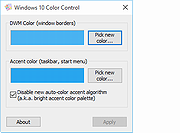 |
|
Windows 10 Debloater v2.6.2 Windows 10 Debloater v2.6.2 Free, extensive utility to debloat Windows 10. Includes EZ Debloater to debloat easily or select what you want from the many options or choose the preset first ‘Debloat Preset’ to create the ultimate PowerShell script to debloat Microsoft Windows 10! Create your own radiobuttons preset and share! You can run the script directly from the program. Click here to visit the author's website. |
|
2,975 | Oct 03, 2023 FreeTimeTech |
|
Windows 10 DPI Fix 2.1 Windows 10 DPI Fix 2.1 When you have a widescreen, with a resolution of 1920x1080 or higher or a bit lower, in Windows Vista, 7, 8 and 8.1 you would put your DPI scaling to 125% or higher to make text and images appear larger and more easy to read. But when you put the DPI scaling to 125% in Windows 10, you see in a lot of dialogs and windows the font gets very blurry. It does not matter if you are using the regular or custom Windows DPI scaling functions at your 'Screen properties'. Text will get blurry on 125%. You can test if you have this bug also if you put your DPI scaling to 125% at your 'Screen properties', then reboot Windows (or sign in again when it asks you). Then goto 'Control panel > Administrative tools > Services'. If you have this issue also you would see the titlebar of the Services window has a font scaled good. But the services list itself is very blurry/unsharp to read. The SIMPLE fix: Right-click on the shortcut to your application that has blurry fonts, then select 'Properties'. Then tab 'Compatibility'. Then enable 'Disable display scaling on high DPI settings' and hit 'Apply'. then restart your application, and you see it will look good. The DPI fix: Windows 10 is using another scaling method for DPI as in Windows Vista, 7, 8 and 8.1. At some point we can understand Windows why they changed the DPI scaling in Windows 10. It is probably ment to support mobile devices more easy. But if you like to use your Desktop as a Desktop, and you demand high quality only. Then you can use this fix until Microsoft has addressed this issue. This fix simple tells Windows 10 to use the original DPI scaling as it was in Windows Vista, 7, 8 and ... |
|
7,404 | Oct 06, 2015 Michiel Schermer 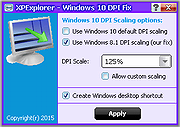 |
|
Windows 10 ISO Download Tool v1.2.1.13 Windows 10 ISO Download Tool v1.2.1.13 Download all the currently available versions of Windows 10, including the different language versions from Microsoft servers. The program makes the Windows 10 installation kit available in an ISO standard image file format. During the development of Windows 10 ISO Download Tool, in addition to creating efficient possible applications, adopting fully legal methods was also an important criterion. Problem 1: On Microsoft’s Windows 10 download page a “user-friendly” tool is available by default, which leads to the desired download only after several steps. To those not too familiar with using computers, this option represents a potential source of serious errors. On the other hand, for experts this tool is not efficient enough. Problem 2: There are several independent websites and software for performing this task. According to my experience, they often do not try to reach their goals in a fair way while competing with each other. Solution: Microsoft has designed its Windows 10 download page so that it offers different display contents when viewed from different devices and browsers. E.g. from Linux and Android systems it is possible to directly download the appropriate installation kit in ISO format. Servers create the different contents provided this way on the basis of the default browser settings. However, this setting (user agent) can be changed freely any time. Both Chrome and Firefox offers official plugins for changing the user agent. These are regularly used by e.g. web designers to check how the content developed by them is displayed on different platforms. On Windows a browser with such a plugin, e.g. Android with user agent setting, immediately offers the direct Windows 10 download option on the above-mentioned Microsoft page. Windows 10 ISO Download Tool is a simplified Internet browser, which contains the appropriate user agent setting by default. Advantages of Windows 10 ISO ... |
|
7,172 | Apr 13, 2022 WinTools 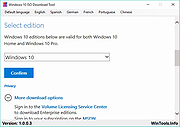 |
|
Windows 10 Settings Shortcut v1.2 Windows 10 Settings Shortcut v1.2 Creates a shortcut to open Windows 10 Settings. Easily place it on your desktop, flash drive or anywhere. If you haven't noticed, there is no real file for the settings application in Windows 10, and neither are you able to pin the application to your desktop. Not easily, anyways. This file Maverick Software has made allows you easily open the settings application, without having to start it from the start menu. However, the main purpose of it is it allows you to basically pin the settings application to your desktop, which you weren't previously able to do. To pin Settings.exe to your desktop, simply click once on the file, right click on the file, hover your mouse over 'Send to', and then click 'Desktop'. On your desktop, you may have to rename the shortcut to 'Settings' if it isn't already like that. IMPORTANT: If you have any antivirus installed, your AV might detect the Settings Shortcut.exe file as malware. (DISCLAIMER: Maverick Software solemnly swears that Settings Shortcut.exe is not malware.) If this happens, you'll need to restore the file (Only if AV quarantines the file.), then add an exclusion to the file. The way to do this depends on your AV; there are many tutorials online. Even though bugs/glitches are unlikely in this program since it so small, if you ever happen to find any, please report them mavericksoftware2018@gmail.com, and Maverick Software will get to work on fixing the bug/glitch right away. Changes: 1.2 We changed the icon of the program so that it is easier to see, especially for people with a dark background. Click here to visit the author's website. |
|
5,334 | Dec 24, 2020 Maverick Software  |
|
Windows 10 Update Disabler 1.0 Windows 10 Update Disabler 1.0 Windows 10 Update Disabler is a small tool which prevents Windows 10 from downloading updates completely. It is a reliable solution to stop Windows 10 updates coming to your PC. |
|
6,152 | Apr 26, 2017 PainterR 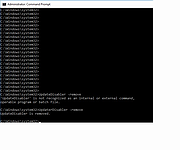 |
|
Windows 10 Update Switch v2.0.0.569 Windows 10 Update Switch v2.0.0.569 Microsoft is determined that you must keep your Windows 10 computer up to date. They removed all options to disable Windows 10 updates. So, to get some degree of control back, We created the Windows 10 Update Switch (Switch10) tool. Windows 10 Update Switch is a simple tool that enables you to turn-off or turn-on Windows 10 updates. You can also use Switch10 to set certain connection types as metered. Disable Updates Post Windows 10 Anniversary Update Prior to Windows 10 Anniversary Update you could Disable Windows 10 Updates using Group Policies. However, after the Windows 10 Anniversary Update, this option is no longer available. “Thank you Microsoft, we appreciate it!”. In result, we had to resort to unorthodox methods to disable Windows 10 updates. How does Windows 10 Update Switch work? Windows 10 Update Switch disables and stops the Windows Update service and in doing so, disables Windows 10 Updates. Furthermore, Switch10 can enable Windows 10 updates again quickly when you need it. It will in this case enable and start the Windows Update service again for your computer to update as normal. However, this is not a permanent solution. Windows 10 will in certain situations start the service back up automatically! The recommended solution is to set the connection type as metered. Carry on reading for more about metered connections. Metered Connections At the moment Windows 10 only allows you to set Wi-Fi connections as metered. Switch10 allows you to set 3G, 4G, Ethernet and Wi-Fi connection types as metered. With Switch10, you can quickly set these connection types back too non-metered when needed. When you set a connection type to metered connection, Windows 10 will not download updates on that connection type. Read the Turn on Windows 10 metered connection article for more about metered connections. |
|
6,200 | Mar 08, 2019 Rizonesoft 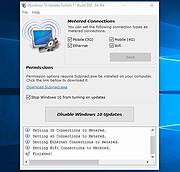 |
|
Windows 11 Bliss Wallpaper v1.0 Windows 11 Bliss Wallpaper v1.0 👉 Classic Windows XP “Bliss” wallpaper recreated in a modern Windows 11 style. Windows 11 Bliss Wallpaper is a high-resolution recreation of the iconic Windows XP “Bliss” background, redesigned to match the visual style and clarity of Windows 11. This wallpaper preserves the familiar rolling green hills and blue sky while enhancing the image with modern rendering techniques, making it suitable for today’s high-definition displays. It is ideal for users who appreciate nostalgic Windows aesthetics while maintaining a clean, modern desktop appearance. Features: • High-resolution modern recreation of the original Bliss wallpaper • Optimized for Windows 11 and high-DPI displays • Clean and vibrant color enhancements • Maintains the classic composition and nostalgic feel • Simple download and use with no installation required Supported operating systems: • Windows 10, Windows 11 • Any OS supporting standard image formats Supported languages: Not Applicable Changes: v1.0 03-08-26 Not Provided Click here to visit the author's website. |
|
809 | Mar 18, 2026 Left_Hovercraft451  |
|
Windows 11 Context Menu Manager v1.0.1 Windows 11 Context Menu Manager v1.0.1 👉 Disable unwanted items in Windows 11 right-click context menu. Windows 11 Context Menu Manager is a simple utility that lets you turn off unwanted entries in Windows 11 right-click context menu. It is designed to help clean up the newer Windows 11 context menu so you can reduce clutter and keep only the items you want visible. Features: • Disable unwanted entries in the Windows 11 Explorer new right-click context menu • Focuses specifically on the newer Windows 11 right-click menu • Simple interface built for quickly managing context menu visibility • Helps reduce right-click menu clutter in File Explorer • Designed for modern 64-bit Windows 11 systems • Offered as a standalone desktop utility • Open-source software released under the MIT License Supported operating systems: • Windows 11 x64, Windows 11 ARM64 Supported languages: Operating System Language Changes: v1.0.1 03-25-26 fix: missing package This download is for the Windows 11 64bit version (very bottom of page). If you need the Windows 11 ARM64 version, download here. Click here to visit the author's website. |
|
725 | Apr 15, 2026 Brandon Hill 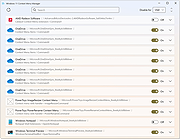 |
|
Windows 11 Debloater v1.9.1 Windows 11 Debloater v1.9.1 Free, extensive utility to debloat Windows 11, 3rd party programs and games. Easily debloat or select what you want from the many options. You can also choose a preset list from ‘Debloat Preset’ to create the ultimate PowerShell script to debloat Microsoft Windows 11! Create your own radiobuttons preset and share! You can run the script directly from the program. Different colors are just for separation between alternate options such as hide or show this PC. The gray-circle option “None” is if you do not want to select either. Read the label and ToolTip message popup when you hover your mouse over the selection for more information. Click here to visit the author's website. |
|
4,257 | Oct 03, 2023 FreeTimeTech  |
|
Windows 11 High Res Wallpapers Windows 11 High Res Wallpapers 32 high resolution wallpapers leaked from the upcoming release of Windows 11. Download the zip file for the high resolution versions of the wallpapers. Click here to visit the author's website. |
|
3,504 | Jun 17, 2021 Microsoft Corp.  |
|
Windows 11 Requirements Check Tool v1.4.0 Windows 11 Requirements Check Tool v1.4.0 A free tool to see if your PC meets the requirements to run Windows 11. In addition it checks if your PC can support (gaming) features like AutoHDR and DirectStorage. Runs on Windows 8.1, Windows 10 or Windows 11. Supports 32-bit and 64-bit systems, including Windows on ARM. This tool is a standalone Win32 application written in C++. It does not install anything and spawns no additional processes. Requirement Checks The tool performs the following checks as specified in this document from Microsoft: System Type – Shows whether your PC contains an x86, x64 or ARM-processor. In addition it shows if your operating system is 32-bit or 64-bit. This item turns red if your processor does not support 64-bit instructions and registers, also known as long mode. Windows – Shows the version of Windows you are running. This item checks if your version of Windows can be upgraded to Windows 11. Processor – Shows the processor in your computer. This item checks if your processor has at least 2 cores and runs at 1 GHz or higher. In addition, this item also checks if your processor supports the following features and instructions: PAE (Physical Address Extension) is a processor feature that enables x86 and x86-64 processors to access more than 4 GB of physical memory on capable versions of Windows. NX (No-eXecute) is a processor feature that allows memory pages to be marked as non-executable. The feature enables the processor to help protect against malicious code exploits and is an integral part of hardware-enforced Data Execution Prevention (DEP). If not supported, check your BIOS whether "Data Execution Prevention," "XD," "Execute Disable," or "NX" is disabled. DEP is a Windows feature since 2004 (Windows XP SP2). SSE4.1 (Streaming SIMD Extensions 4.1) ... |
|
3,150 | Feb 01, 2022 ByteJams.com  |
|
Windows 11 Sounds Windows 11 Sounds A zip file containing all of the current .wav files from Windows 11. See Read Me file within archive for instructions to replace Windows sounds. Click here to visit the author's website. |
|
3,609 | Jun 18, 2021 Microsoft Corp.  |
|
Windows 8 Codecs 1.54 Windows 8 Codecs 1.54 Windows 8 Codecs is an audio and video codec package for Windows 8. The installer will automatically remove most other popular codec releases from your computer before installing this concise yet comprehensive package. You won't need to make any adjustments or tweaks to enjoy your media content immediately. Windows Media Player and Media Center will instantly recognize all your files as playable. It does not contain a media player and it does not associate file-types. With this package installed you will be able to use any media player, limited only by the players' capabilities, to play all movies and video clips. Streaming video is supported in several formats in all popular web browsers. Users of the Windows 8 Codecs have the ability to choose what is installed and where to install it using the public redistributable. After installation you can select to remove specific portions without removing the entire package. You can also re-add the removed items at any time. Changelog: - downgrade LAV filters 55.2+ - update x264 encoder 2273 - improve MKV DLNA playback8 - improve MKV playback Xbox360 MC |
|
9,582 | Sep 22, 2021 Shark007 |
|
Windows 8 Codecs 64 Bit 1.54 Windows 8 Codecs 64 Bit 1.54 Windows 8 Codecs is an audio and video codec package for Windows 8. The installer will automatically remove most other popular codec releases from your computer before installing this concise yet comprehensive package. You won't need to make any adjustments or tweaks to enjoy your media content immediately. Windows Media Player and Media Center will instantly recognize all your files as playable. It does not contain a media player and it does not associate file-types. With this package installed you will be able to use any media player, limited only by the players' capabilities, to play all movies and video clips. Streaming video is supported in several formats in all popular web browsers. Users of the Windows 8 Codecs have the ability to choose what is installed and where to install it using the public redistributable. After installation you can select to remove specific portions without removing the entire package. You can also re-add the removed items at any time. Changelog: - downgrade LAV filters 55.2+ - update x264 encoder 2273 - improve MKV DLNA playback - improve MKV playback Xbox360 MC |
|
9,704 | Sep 22, 2021 Shark007 |
OlderGeeks.com Copyright (c) 2026
