|

|
Processed through Paypal No account required. |








Buy our over-priced crap to help pay the bills.



|
|
Processed through Paypal No account required. |
| File - Download TextWorx v2.0 | ||||||||
| Description | ||||||||
|
Always scroll to the bottom of the page for the main download link. We don't believe in fake/misleading download buttons and tricks. The link is always in the same place. TextWorx v2.0 👉 Popup text editing and manipulation tool accessible from any application. TextWorx is a lightweight productivity utility that provides a configurable popup menu and toolbar for editing and manipulating text in virtually any program. Instead of switching between applications or manually retyping content, TextWorx allows you to quickly perform text operations directly on selected text. TextWorx works system-wide and can be activated with keyboard shortcuts. When running, it stays quietly in the background with no visible window. Pressing the hotkey displays a popup menu with commands for inserting text, manipulating text, rearranging text, and performing other editing actions on the selected content. The program includes both a popup context menu and an optional toolbar interface, allowing users to access text functions quickly while working in editors, documents, browsers, and other applications. TextWorx is fully configurable so users can tailor commands and behaviors to their workflow. By default, the popup menu is triggered with Win + K, while the toolbar can be toggled using Win + Shift + K. Because TextWorx runs silently in the background, the popup menu or toolbar will only appear when activated by the hotkeys.  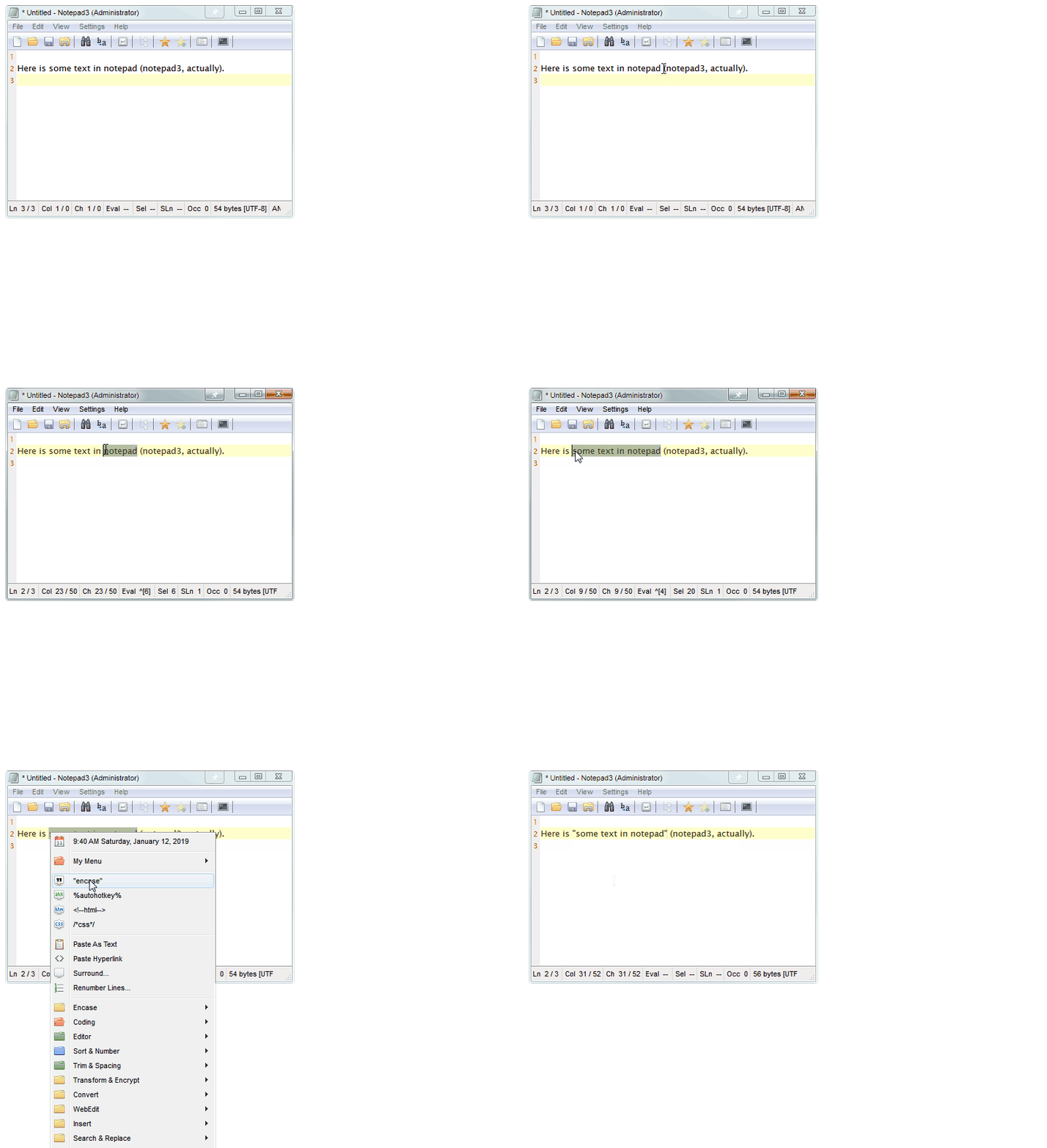 Features: • Popup text editing menu available in any program • Perform text inserts, manipulation, and rearrangement operations • Optional toolbar interface for quick access to commands • Works with selected editable text across applications • Fully configurable behavior and menu options • Runs silently in the background with no main window • Global hotkeys for fast access (Win + K and Win + Shift + K) • Designed for quick productivity improvements when editing text • Online Documentation is here. Supported operating systems: • Windows Supported languages: English Changes: v2.0 02-28-26 Changed: Reinstated sendspeed Fixed: Major issue where the text replacement only inserts the contents of the clipboard. Now it ought not to miss anymore. Fixed: Some submenus moved to the main menu instead of a configured submenu. Fixed: Multiple separators do not appear in the menu when you configure a submenu in more than one place. New: Add custom menu items from Snippets, SnipClip, Glyphs and Webedit anywhere. New: 647 Paste External Link (Markup) New: 742 Stack Words which creates a list of Words New: 743 Unduplicate Lines which merges duplicate lines New: 113 Text Statistics now counts paragraphs, sentences and non-blank lines. New: 866 Repeat Last Command now shows the name of the last command Changed: Renamed 735 List Words to Sort Words (sort places each word inline in alphabetical order) Changed: Renamed 734 Sort Words to List Words (list places each word on its own line) 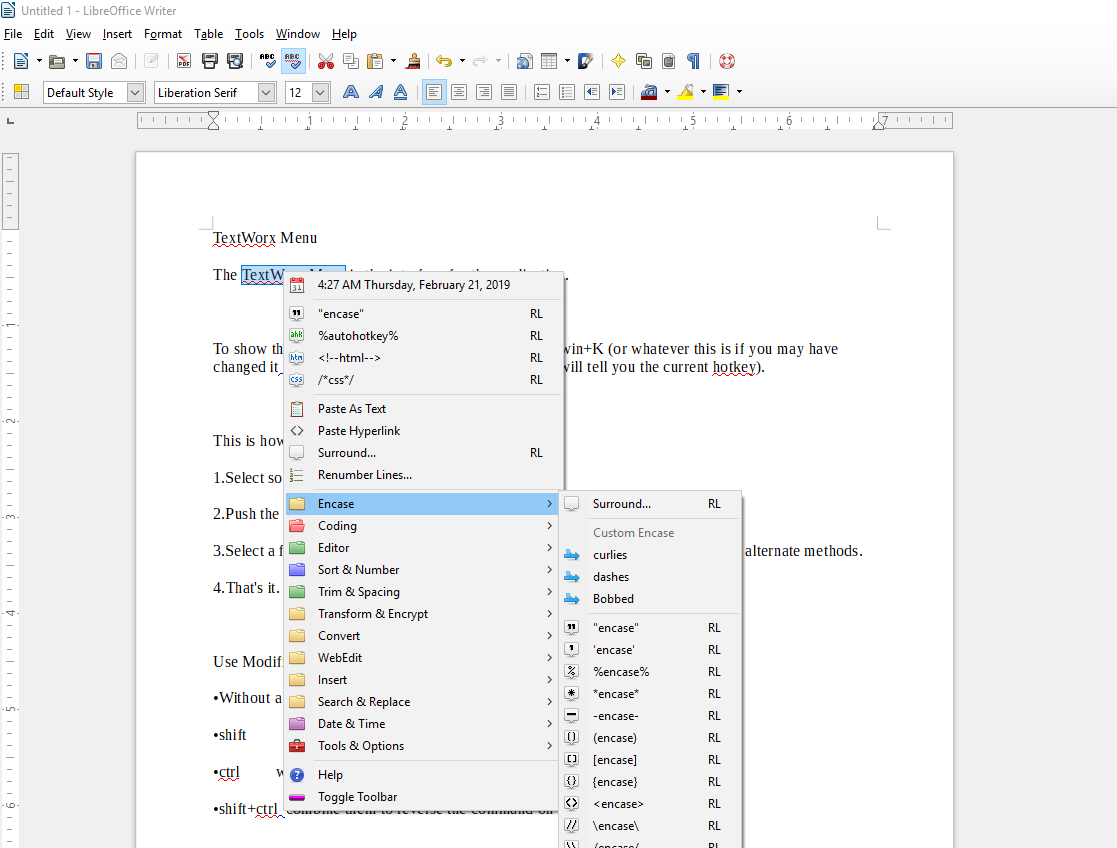 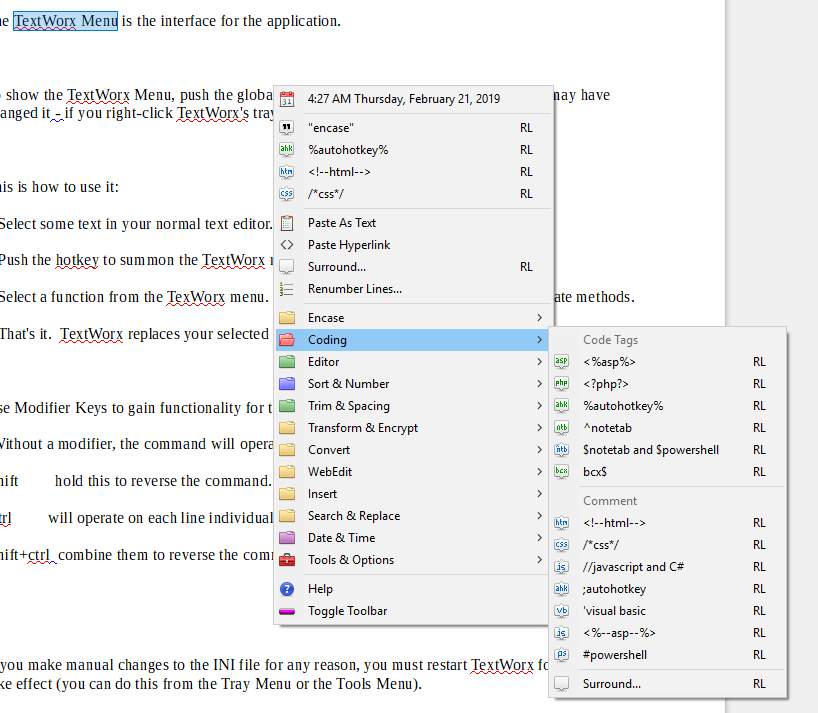 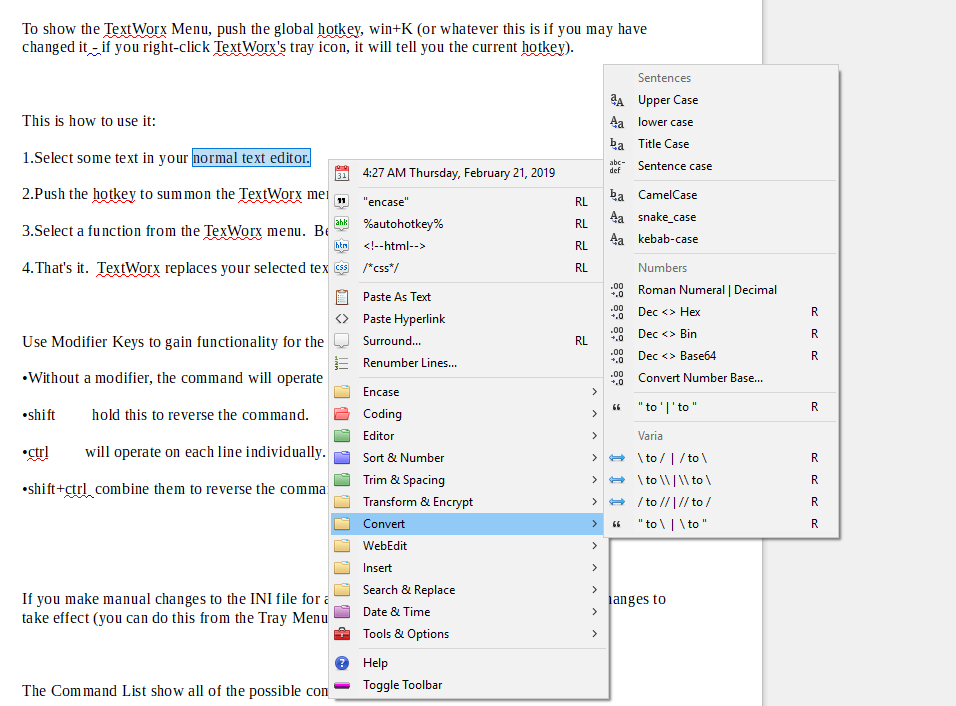 Note: The .exe file has four hits on VirusTotal. We have confirmed these to be false positives. The file is safe. Click here to visit the author's website. Continue below for the main download link. |
||||||||
| Downloads | Views | Developer | Last Update | Version | Size | Type | Rank | |
| 5,874 | 11,904 | bgmCoder | Mar 04, 2026 - 11:51 | 2.0 | 1.24MB | ZIP |  , out of 85 Votes. , out of 85 Votes. |
|
| File Tags | ||||||||
| TextWorx editing text utility text manipulation popup text menu Brother Gabriel-Marie text tools windows text utility text productivity software | ||||||||
Click to Rate File Share it on Twitter → Tweet
|


