|

|
Processed through Paypal No account required. |








Buy our over-priced crap to help pay the bills.



|
|
Processed through Paypal No account required. |
| File - Download Waydir v0.22.0 | ||||||||
| Description | ||||||||
|
A plea... Deanna and I have been running this site since 2008 and lately we're seeing a big increase in users (and cost) but a decline in percentage of users who donate. Our ad-free and junkware-free download site only works if everyone chips in to offset the revenue that ads on other sites bring in. Please donate at the bottom of the page. Every little bit helps. Thank you so much. Sincerely, your Older Geeks: Randy and Deanna Always scroll to the bottom of the page for the main download link. We don't believe in fake/misleading download buttons and tricks. The link is always in the same place. Waydir v0.22.0 👉 A fast, keyboard-first dual-pane file manager for Linux, Windows and macOS. Waydir is a cross-platform desktop file manager built for users who prefer speed, direct control and fewer trips to the mouse. It combines classic dual-pane file management with tabs, live search, network drives, Quick Look previews, archive browsing, a built-in terminal and a native Rust core that keeps heavy file work off the interface thread. 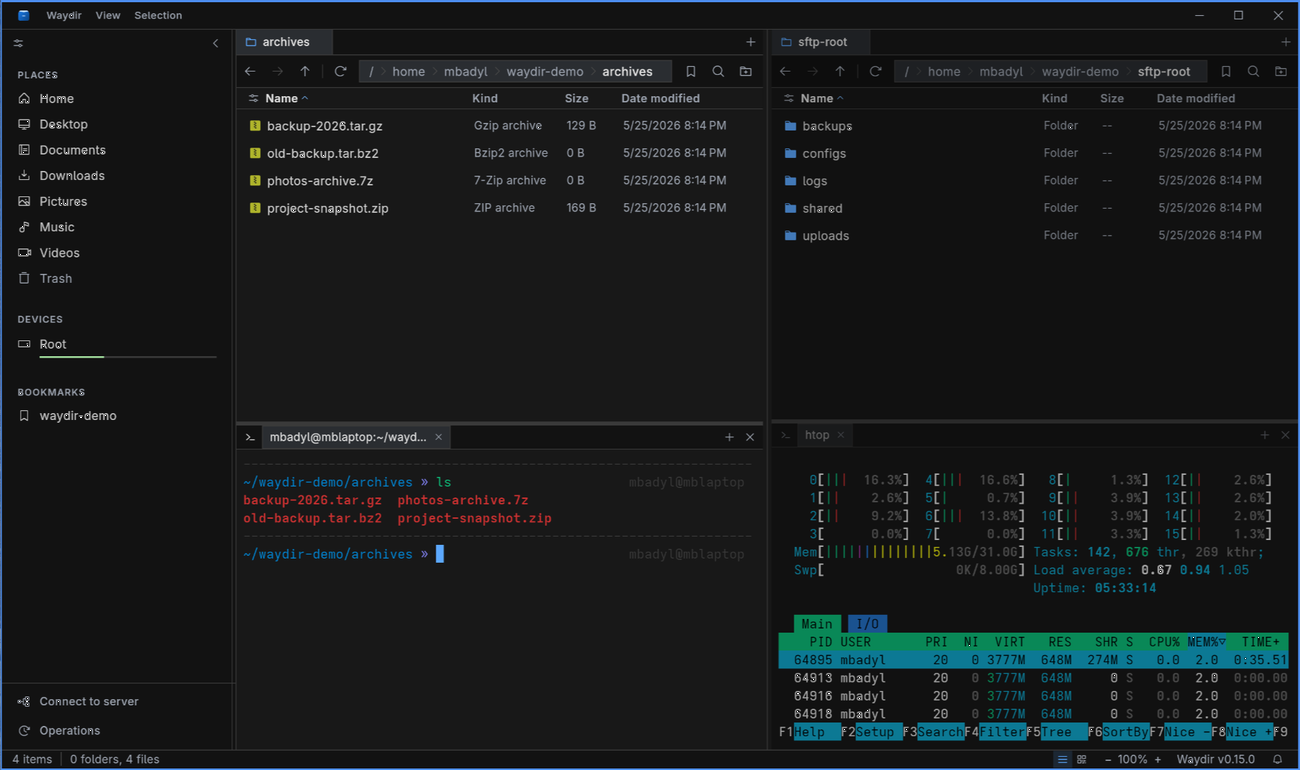 Features: • Dual-pane file browsing with tabs in each pane • Keyboard-driven navigation, selection, copying, moving, renaming and searching • Command palette for actions, bookmarks, drives, recent locations, files and plugin commands • Fast live recursive search with substring, regex and glob matching • Quick Look previews for images, PDFs, text, code and file details • Browse ZIP and TAR archives without extracting first • SMB and SFTP network drive support • Built-in terminal per pane • WSL file browsing and terminal support on Windows • Git status, branch switching and stash management • Light, Dark, Nord and One Dark themes, plus custom themes • Lua plugin support for actions, buttons, shortcuts and status bars • Free and open source under the MIT License Supported operating systems: • Windows • macOS • Linux Ubuntu, Debian, Fedora, RHEL, openSUSE and other Linux distributions using AppImage or portable tarball Supported languages: English Changes: v0.22.0 06-29-26 Added duplicate selected files and folders in place with Ctrl+Shift+D, available from the keyboard, command palette and context menu. Faster file copying, especially on Windows and when copying lots of small files. Renamed the "Kind" column to "Format". 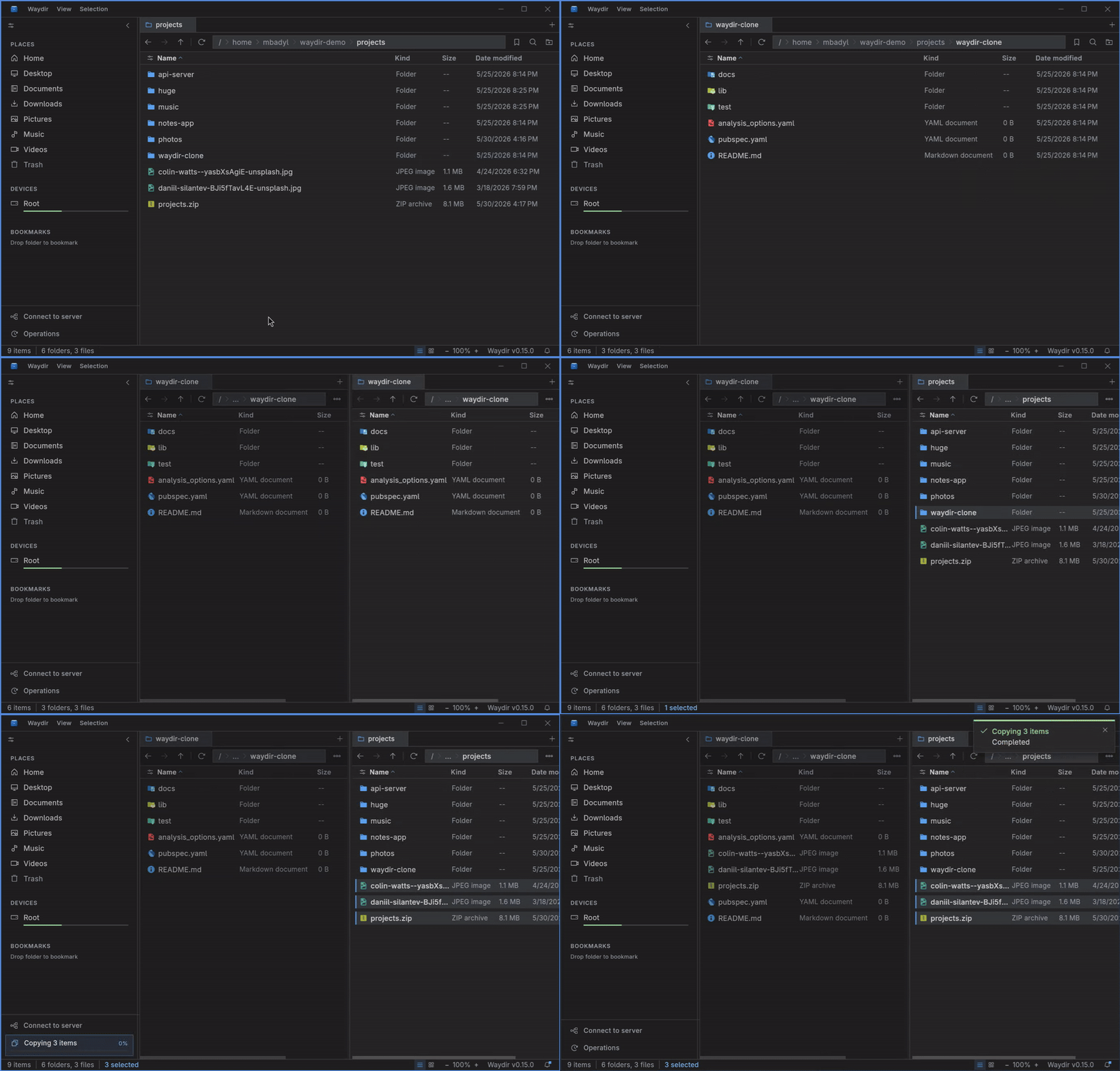 This download is for the Windows installer version (very bottom of page). All other download assets are below: Other Windows: waydir-0.22.0+29-windows.zip macOS: waydir-0.22.0+29-macos.dmg Linux: waydir-0.22.0+29-linux.AppImage waydir-0.22.0+29-linux.deb waydir-0.22.0+29-linux.rpm waydir-0.22.0-linux-x64.tar.gz Click here to visit the author's website. Continue below for the main download link. |
||||||||
| Downloads | Views | Developer | Last Update | Version | Size | Type | Rank | |
| 394 | 1,255 | Mikolaj Badyl | Jul 02, 2026 - 12:27 | 0.22.0 | 43.31MB | EXE |  , out of 4 Votes. , out of 4 Votes. |
|
| File Tags | ||||||||
| Waydir filemanager file-management dual-pane keyboard-driven tabs search preview SFTP SMB archive terminal Windows macOS Linux Rust Flutter MIT | ||||||||
Click to Rate File Share it on Twitter → Tweet
|


