|

|
Processed through Paypal No account required. |








Buy our over-priced crap to help pay the bills.



|
|
Processed through Paypal No account required. |
| File - Download Submarine v0.3.8 | ||||||||
| Description | ||||||||
|
A plea... Deanna and I have been running this site since 2008 and lately we're seeing a big increase in users (and cost) but a decline in percentage of users who donate. Our ad-free and junkware-free download site only works if everyone chips in to offset the revenue that ads on other sites bring in. Please donate at the bottom of the page. Every little bit helps. Thank you so much. Sincerely, your Older Geeks: Randy and Deanna Always scroll to the bottom of the page for the main download link. We don't believe in fake/misleading download buttons and tricks. The link is always in the same place. Submarine v0.3.8 👉 An SSH and SFTP client that puts terminals, file transfers, tunnels, and server tools in one window. Submarine is a free, open-source client for connecting to and managing remote servers. Each server session can bring together a tabbed terminal, an SFTP file browser, port forwarding, saved commands, server information, and Docker tools. You can keep multiple sessions open, view two side by side, or pin terminals from different hosts to a monitoring wall. The SFTP browser shows local and remote files, supports drag and drop and bulk operations, and can open a remote file in your usual editor. When you save an edited file, Submarine uploads it back to the server. On desktop systems, Folder Mirror can synchronize a local folder with a remote folder, preview possible overwrites, and apply your chosen conflict rule. Saved server profiles and credentials are encrypted locally. Optional profile sync uploads the encrypted data so you can access your saved connections on another device. The Android app includes terminal, SFTP, port forwarding, server information, and Docker tools; Folder Mirror is limited to desktop systems. 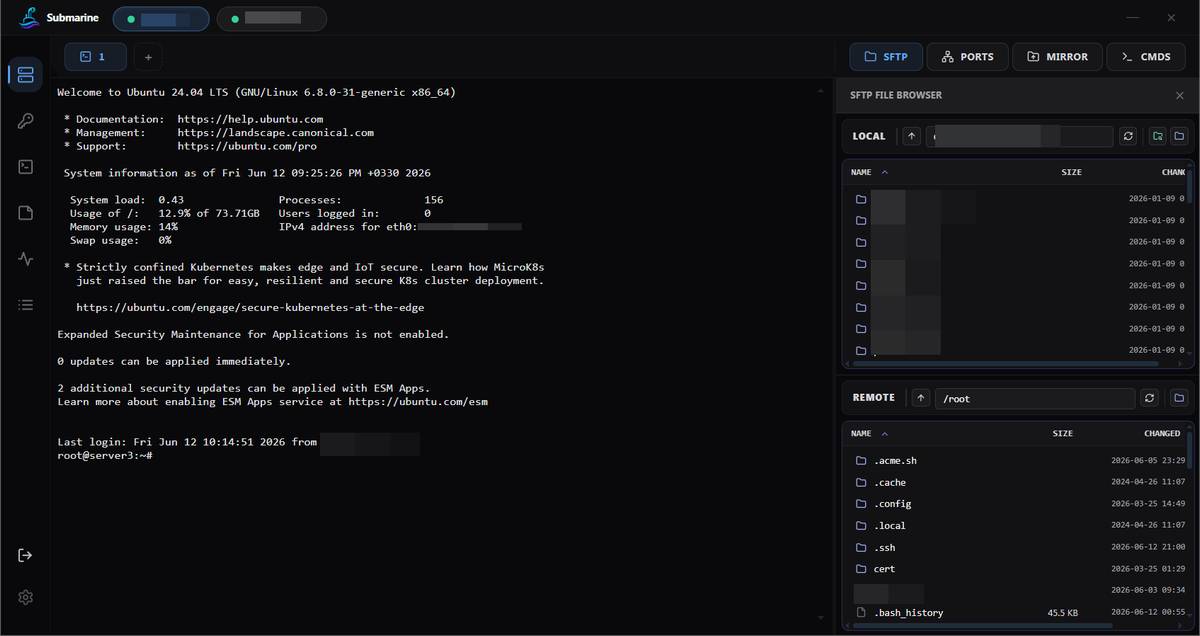 Features: • Open tabbed SSH terminals, including multiple shells for a server. • View two sessions side by side or arrange terminals from several hosts on the Wall. • Broadcast typed input to selected sessions. • Browse local and remote files with SFTP, drag and drop files, and select multiple files for bulk operations. • Edit remote files in your default editor and upload changes when you save. • Confirm overwrites before replacing files during uploads or downloads. • Create local, remote, and dynamic port forwarding tunnels, including SOCKS and HTTP proxy options. • Mirror a local folder to a remote server on desktop systems, with a preview, conflict rules, and soft deletion. • Inspect server resources, network interfaces, listening ports, firewall rules, and services. • Manage Docker containers, view logs and statistics, inspect resources, and open container shells. • Save commands and notes for individual servers, or connect without saving a profile. • Import connections from PuTTY, MobaXterm, OpenSSH configuration, and Submarine exports. • Encrypt saved profiles locally and optionally sync the encrypted vault between devices. • Use the Android app for SSH, SFTP, port forwarding, and access to saved server profiles. Supported operating systems: • Windows 10, Windows 11 • macOS on Apple Silicon, macOS on Intel via Rosetta • Linux Debian, Ubuntu, Linux Mint, Fedora, RHEL, openSUSE, Arch Linux, Manjaro, EndeavourOS, other distributions using the AppImage • Android 8.0 or higher Supported languages: • English Changes: v0.3.8 08-22-26 - tunnel.rs: bound every direct-tcpip channel open with CHANNEL_OPEN_TIMEOUT (10s). russh awaits CHANNEL_OPEN_CONFIRMATION with no timeout while we hold the shared handle mutex, so one wedged open on a blipping link parked forever holding the lock — freezing the health watcher (it takes the same lock), so the session was never declared dead, never auto-reconnected, and the bridge permit never freed: "tunnel dead, UI still green, only a manual restart brings it back". Bounding the open frees the lock + permit so the watcher runs and recovery happens on its own. - SessionView.tsx: auto-reconnect is now a fixed 5s cadence retried forever (was 1.5s->30s exponential). Only a genuine auth failure or explicit Cancel stops the cycle. - Quick Connect now persists the target as a reusable node in the ROOT directory (save_quick_connect_node): custom_pass for password targets, custom_key (private key saved to ssh_keys, public_key derived at connect via decode_secret_key) for key targets; deduped by (host, port, username). The live connection still rides quickAuth so it works even if the save fails. 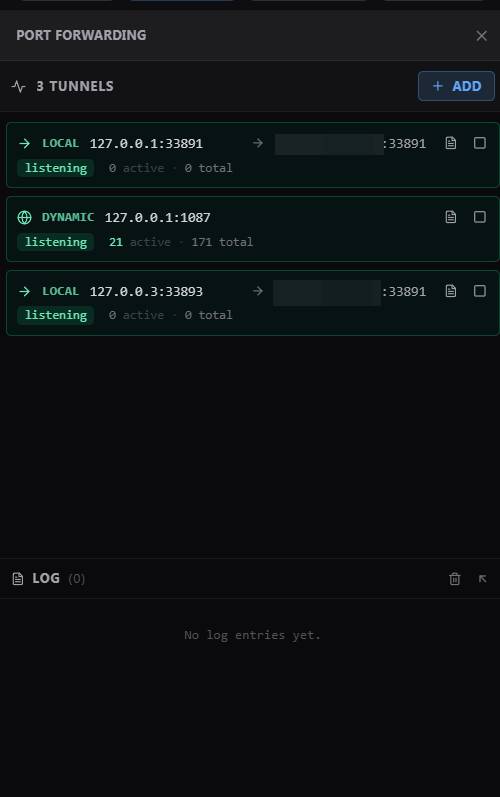 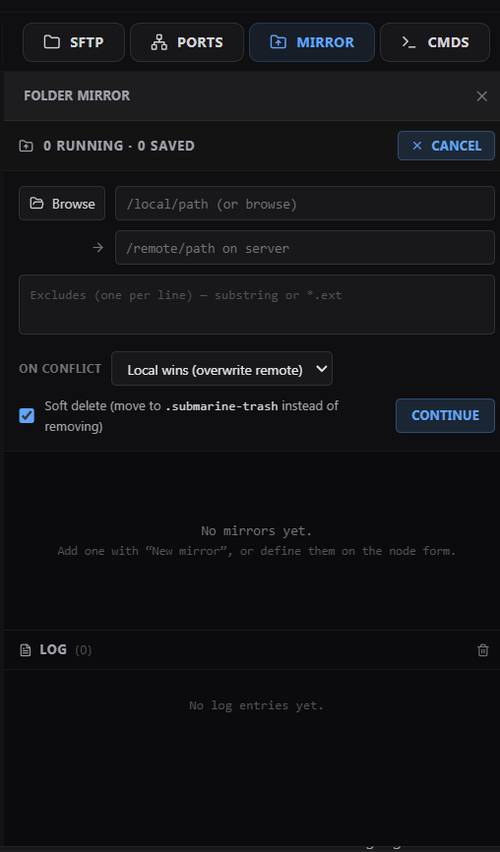 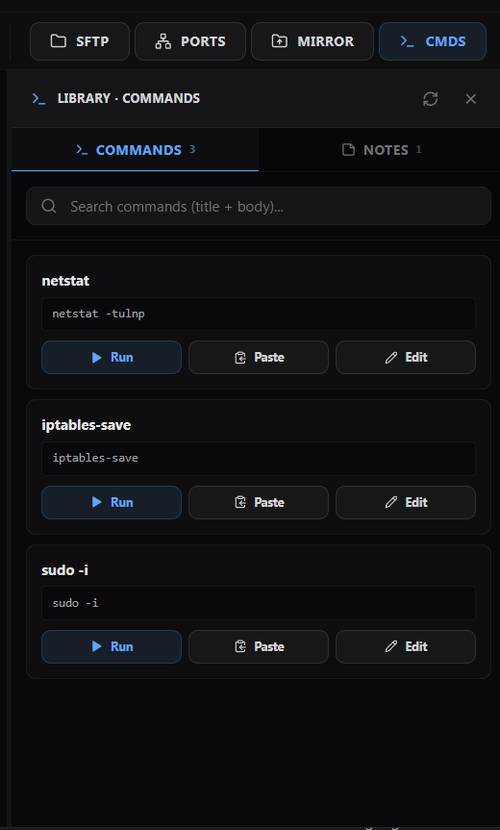 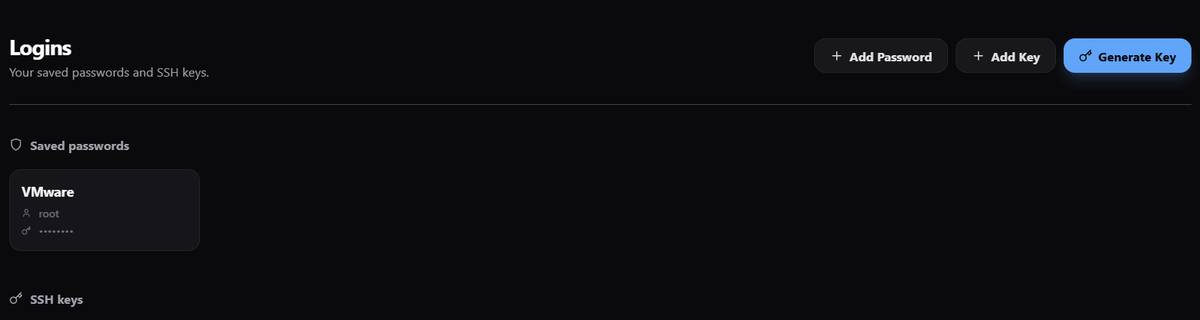 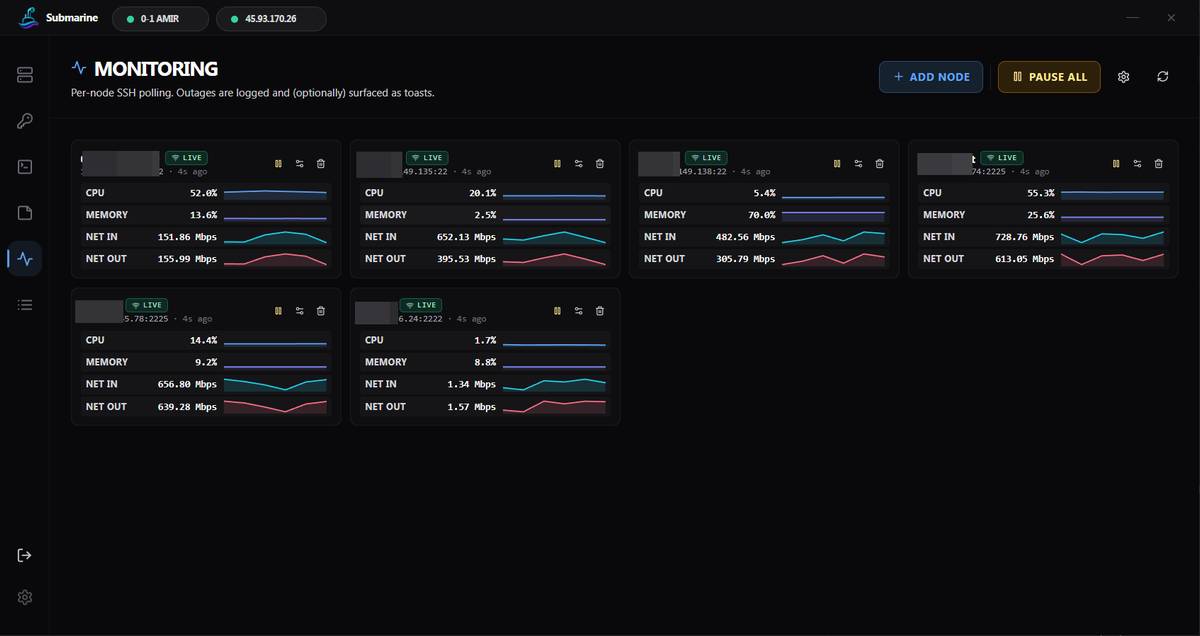 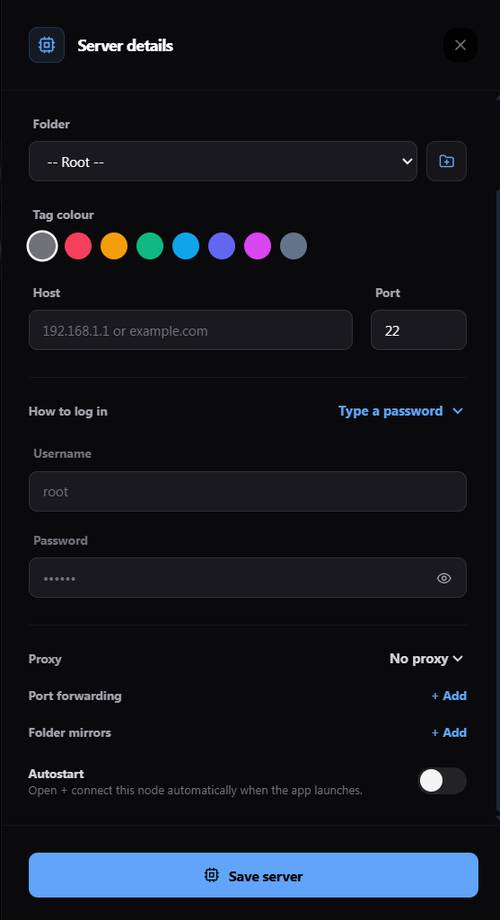 Note: This file has two hits on VirusTotal. We have confirmed these to be false positives. The file is safe. 👉 This download is for the Windows 64bit installer version (very bottom of page). All other download assets are below: Other Windows: Submarine_0.3.8_x64_en-US.msi macOS: Submarine_0.3.8_aarch64.dmg Submarine-v0.3.8-macos-arm64.app.zip Linux: Submarine_0.3.8_amd64.deb Submarine-0.3.8-1.x86_64.rpm Submarine_0.3.8_amd64.AppImage submarine-0.3.8-1-x86_64.pkg.tar.zst Android: Submarine-v0.3.8-app-universal-release.apk Click here to visit the author's website. Continue below for the main download link. |
||||||||
| Downloads | Views | Developer | Last Update | Version | Size | Type | Rank | |
| 15 | 40 | Sina Xhpm | Sep 29, 2026 - 11:22 | 0.3.8 | 7.82MB | EXE |  , out of 1 Votes. , out of 1 Votes. |
|
| File Tags | ||||||||
| Submarine SSH SFTP terminal servers tunnels forwarding Docker mirror sync encrypted remote Android Windows Linux macOS | ||||||||
Click to Rate File Share it on Twitter → Tweet
|


