|

|
Processed through Paypal No account required. |








Buy our over-priced crap to help pay the bills.



|
|
Processed through Paypal No account required. |
| File - Download The Baronet Mark IV v0.301 | ||||||||
| Description | ||||||||
|
Help! Deanna and I have been running this site since 2008 and lately we're seeing a big increase in users (and cost) but a decline in percentage of users who donate. Our ad-free and junkware-free download site only works if everyone chips in to offset the revenue that ads on other sites bring in. Please donate at the bottom of the page. Every little bit helps. Thank you so much. Sincerely, your Older Geeks: Randy and Deanna Always scroll to the bottom of the page for the main download link. We don't believe in fake/misleading download buttons and tricks. The link is always in the same place. The Baronet Mark IV v0.301 👉 Play chess against a custom-built computer opponent, learn the game, and review your games offline. The Baronet is a free desktop chess program for playing, learning, and studying chess on Windows and macOS. It opens ready for a game, with the board, clocks, move list, opening name, position evaluation, and game graph arranged together. You can play against the computer at a strength suited to you, play another person at the same computer, or watch two computer players compete. The computer opponent was developed specifically for The Baronet. Its own chess engine and neural network are included with the program, along with an opening book and endgame tablebases for positions with up to four pieces. At full strength, the developer reports a rating above 2700 in blitz games on Lichess as of September 2026. The engine can also play matches against other UCI or CECP engines through CuteChess CLI. 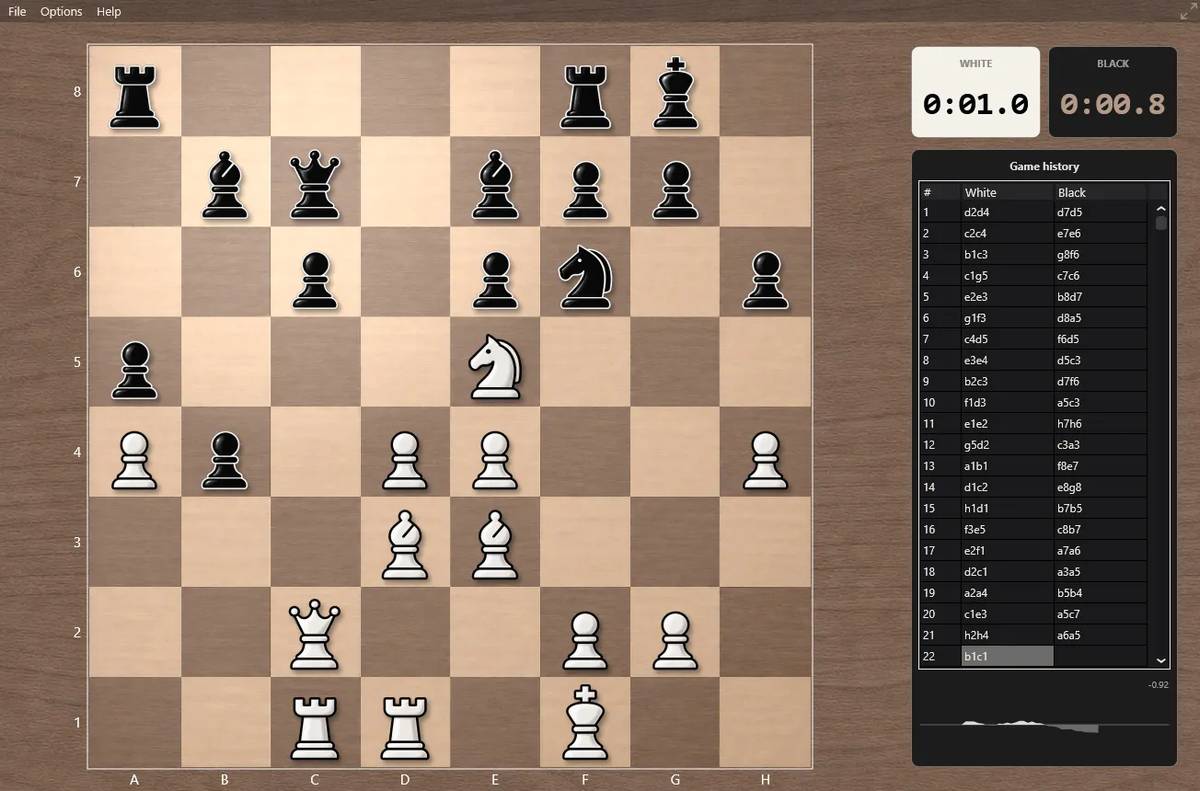 After a game, The Baronet can review the moves and explain where the game changed course. Each move receives one of ten classifications, from Brilliant and Great to Inaccuracy, Mistake, and Blunder. Comments describe the move and suggest a better alternative, with three levels of detail for different experience levels. The review includes accuracy summaries, an evaluation graph, a move list, and options to show the recommended move or play through the best line. The review tools can also be used with games played elsewhere. Open a PGN or FEN file, choose a game from a multi-game PGN, or paste game or position text into the review or analysis board. Save an annotated game as PGN to keep the move classifications and comments for use in another chess program or website. Beginners can work through 46 short lessons arranged in six courses, followed by a complete game against the computer. Lessons cover the board and pieces, rules, playing over the board, fundamentals, tactics, and introductory strategy. Each lesson asks the learner to make moves on a real chessboard, explains incorrect answers, and saves progress with up to three stars per lesson. The appearance is adjustable, too. Choose from five board styles and eight piece sets, set custom square colors, resize and position the window, or switch to a full-screen board. The program is free, has no account or subscription, and works without an internet connection after downloading. The Windows version runs without an installer and stores its settings and lesson progress beside the program, so it can be carried on a USB drive. Features: • Play the computer as White or Black, play a friend on the same computer, or watch the computer play itself. • Change which side is controlled by a person or the computer during a game, without starting over. • Choose among five fixed strength levels, an adaptive level, fixed-depth search from 1 to 99 half-moves, and full engine strength. • Use per-move clocks, a total game clock, sudden-death timing, moves-in-time controls, Fischer increment, or Bronstein delay. • Follow the game with a move list, an opening name from the ECO classification, a position evaluation, and a graph of the game’s changing evaluation. • See captured pieces alongside the evaluation graph and navigate completed games with the arrow keys, Home, and End. • Review games with ten move classifications: Brilliant, Great, Best, Excellent, Good, Inaccuracy, Mistake, Blunder, Book, and Forced. • Read move comments at beginner, club-player, or advanced detail levels. • See player accuracy summaries, recommended moves, best lines, and recognized tactical motifs such as forks, pins, skewers, and discovered attacks. • Review games from PGN or FEN files, paste game or position text, and select a game from a PGN containing multiple games. • Save annotated reviews as PGN, including move classifications and comments. • Open an analysis board to examine a position or game and see The Baronet’s evaluation. • Learn through 46 interactive lessons in six courses, with saved progress and a final game against the computer. • Customize the board with five styles, eight piece sets, custom square colors, and a full-screen, distraction-free view. • Play engine matches against other UCI or CECP engines using CuteChess CLI, with an option to let both engines ponder during the opponent’s time. • Use the included opening book and Syzygy tablebases for positions with up to four pieces. • Run the Windows version without an installer; settings and lesson progress are stored in the program folder. • Play offline without an account, subscription, in-program advertising, or in-app purchases. Supported operating systems: • Windows 10 64-bit, Windows 11 64-bit • macOS 11 or later, Apple Silicon, Intel Supported languages: English Changes: v0.301 October 2026 Not provided. 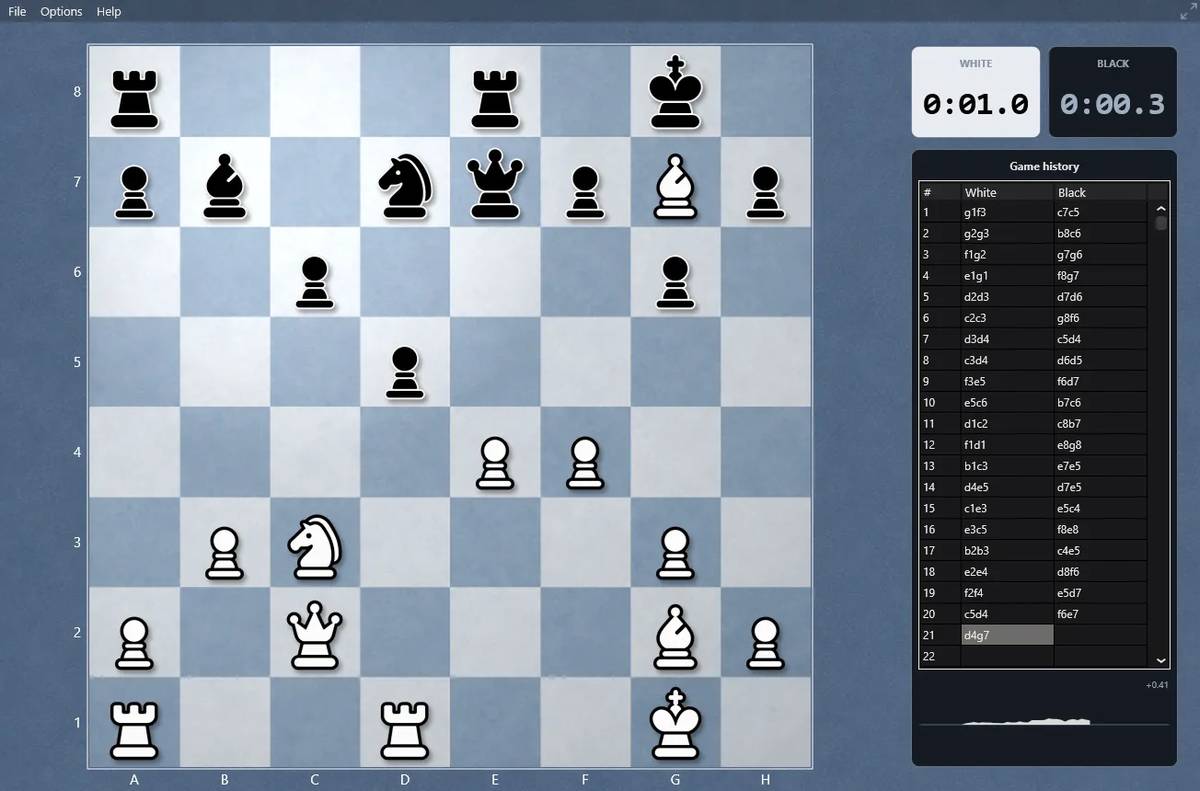 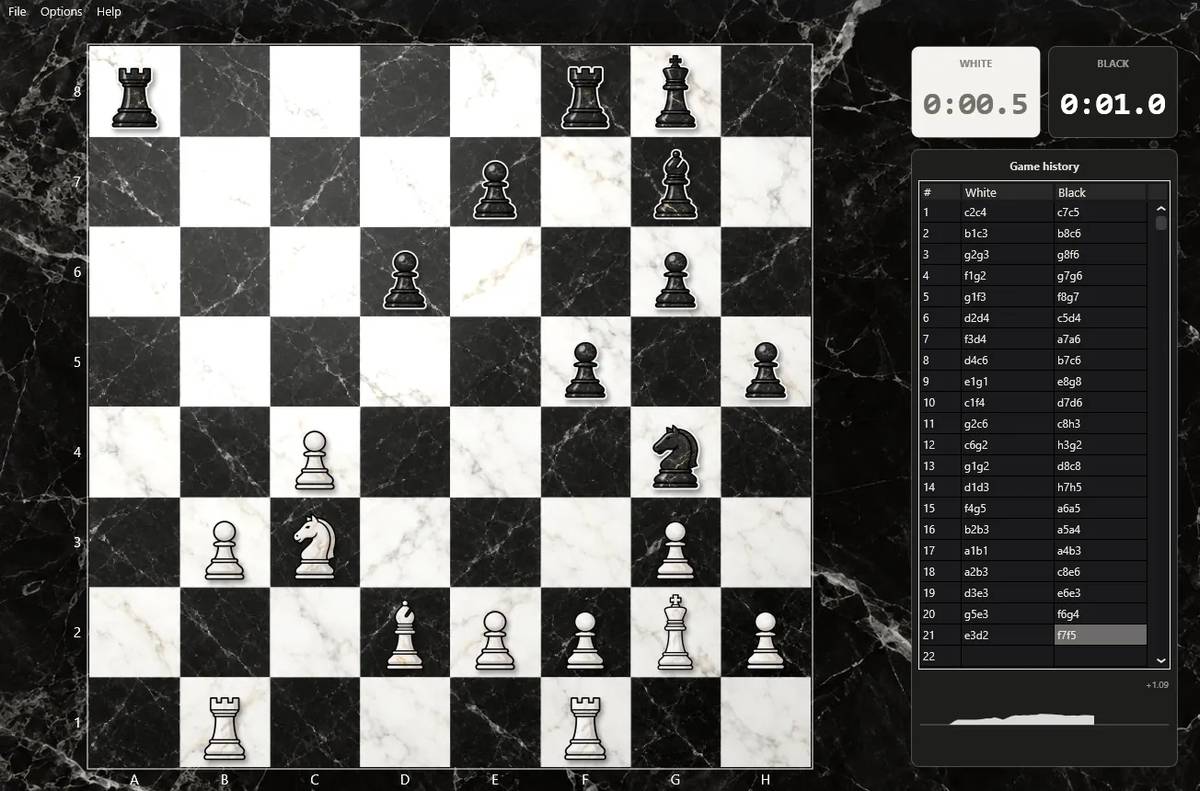 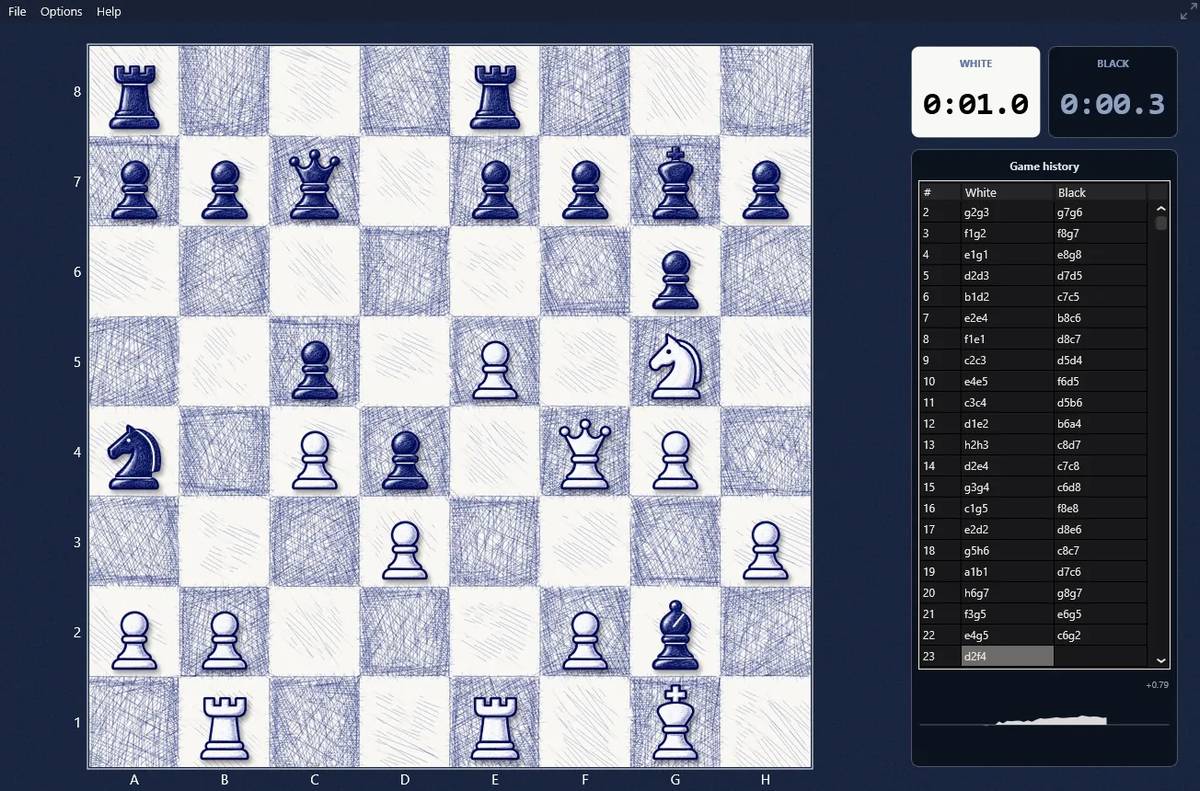 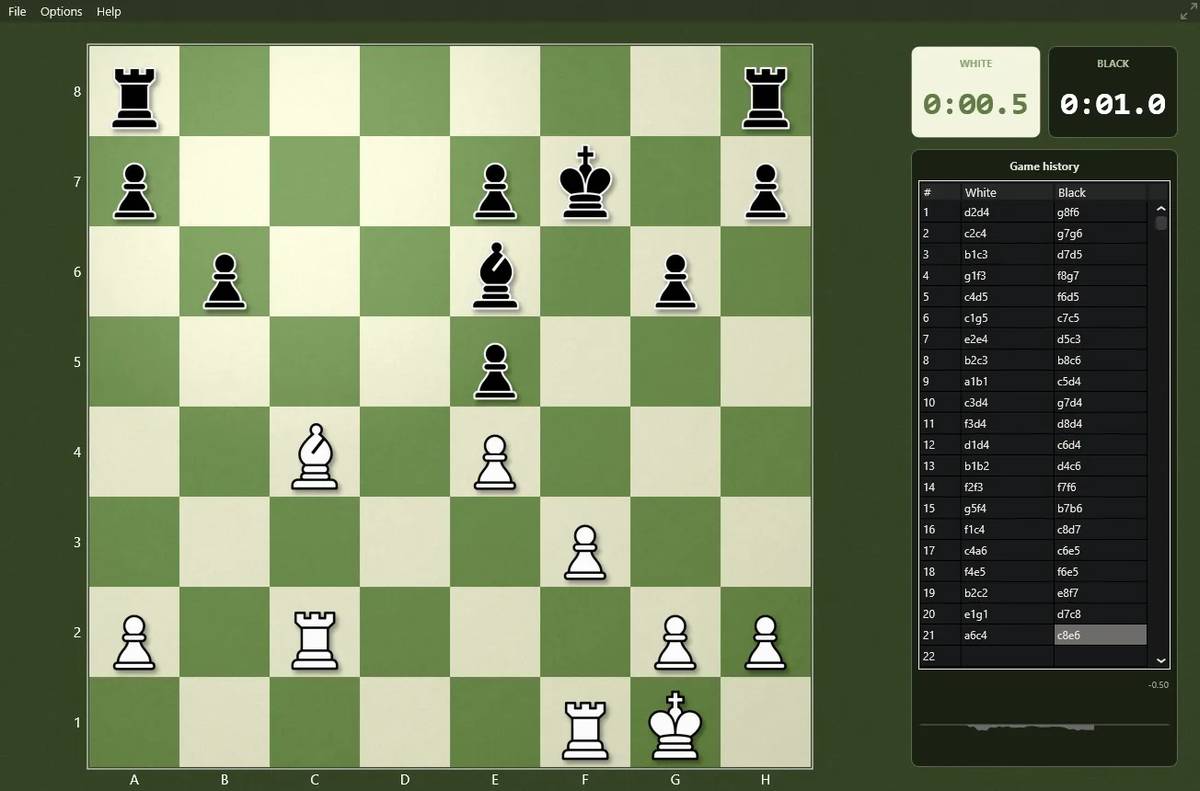 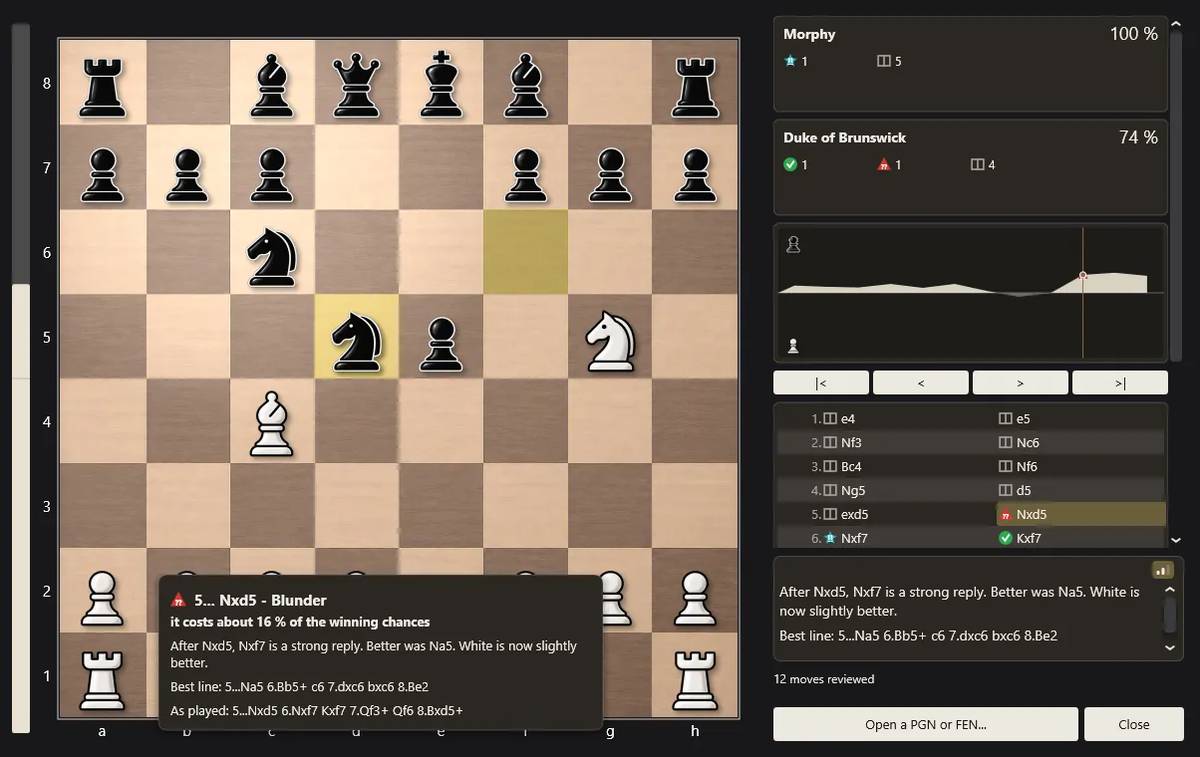 👉 This download is for the Windows version (very bottom of page). All other download assets are below: macOS: The_Baronet_macOS.zip Click here to visit the author's website. Continue below for the main download link. |
||||||||
| Downloads | Views | Developer | Last Update | Version | Size | Type | Rank | |
| 7 | 69 | David Thoiron | Oct 13, 2026 - 12:02 | 0.301 | 25.15MB | ZIP |  , out of 1 Votes. , out of 1 Votes. |
|
| File Tags | ||||||||
| Baronet Chess Board Engine PGN FEN Offline Portable Windows macOS Lessons Analysis GameReview | ||||||||
Click to Rate File Share it on Twitter → Tweet
|


