|

|
Processed through Paypal No account required. |








Buy our over-priced crap to help pay the bills.



|
|
Processed through Paypal No account required. |
| File - Download Wagnardsoft Tools (WTools) v1.0.9.5 | ||||||||
| Description | ||||||||
|
Always scroll to the bottom of the page for the main download link. We don't believe in fake/misleading download buttons and tricks. The link is always in the same place. Wagnardsoft Tools (WTools) v1.0.9.5 👉 Clean temporary files, repair Windows, and manage system settings from one utility. Wagnardsoft Tools (WTools) combines Windows cleanup, repair, monitoring, and maintenance features in one application. It finds unused Registry entries, removes temporary files from Windows and browsers, and helps repair corrupted system files. Its Home screen shows hardware, storage, and the status of selected performance settings. Beyond cleanup, WTools offers SSD TRIM, DPC latency monitoring, a performance overlay, Windows Update controls, and management of Microsoft Store apps. Advanced users can open Command Prompt and Registry Editor with SYSTEM privileges. Review the selected items before cleaning or changing Windows settings. 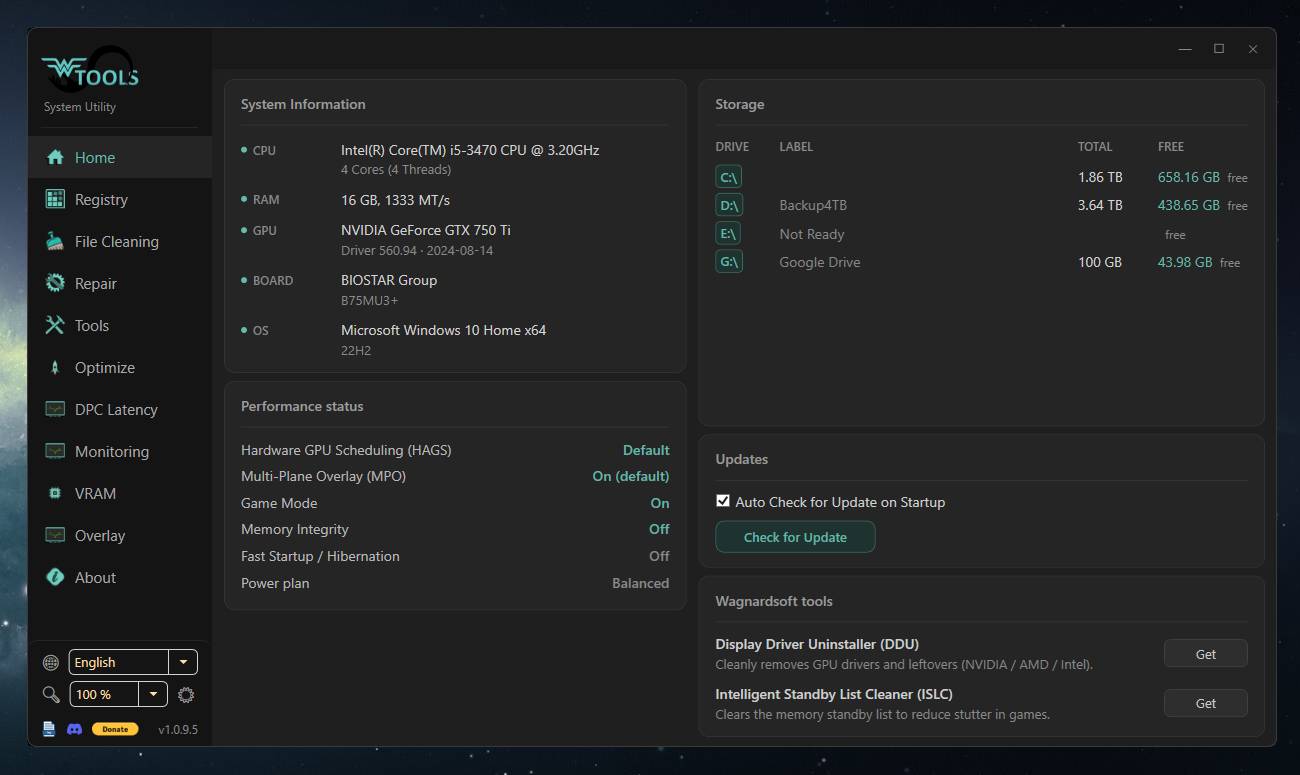 Features: • Scan for unused Registry entries, including interface, class, and installer issues. • Select additional Registry categories for privacy traces and orphaned firewall rules. • Remove temporary files from Windows, the current user, and browsers. • Repair corrupted Windows system files. • View CPU, RAM, GPU, motherboard, operating system, and storage information. • Monitor DPC latency and view a chart covering the last 1, 5, or 15 minutes. • Display performance information in an overlay. • Run SSD TRIM with an adjustable optimization threshold. • Enable or disable Message Signaled Interrupts for supported NVIDIA cards before the RTX 3000 series. • Open Command Prompt and Registry Editor with SYSTEM privileges. • Manage Microsoft Store apps and hidden Windows updates. • Clean superseded components from the Windows WinSxS folder. • Adjust interface size from 100% to 150%. Supported operating systems: • Windows 7 SP1 with Extended Security Updates, Windows 8, Windows 8.1, Windows 10, Windows 11 Some features, including DPC latency monitoring, do not work on Windows 7. Supported languages: English, French, Spanish, German, Portuguese, Italian, Turkish, Russian, Chinese, Japanese, Korean Changes: v1.0.9.5 09-04-26 New: DPC latency history chart showing the last 1, 5, or 15 minutes. New: Interface size setting from 100% to 150%. Improved: Larger text throughout the interface to match standard Windows sizes. Fixed: Cut-off text in several languages in navigation, cleaning options, the GPU selector, and Tools buttons. Fixed: Enabled/Disabled labels and Home page performance status appearing only in English. Fixed: A scrollbar appearing on the About tab at the default window size. Scheduled cleaning now warns when WTools is installed in a folder any program can modify. Known issue: Registry backup is not working. 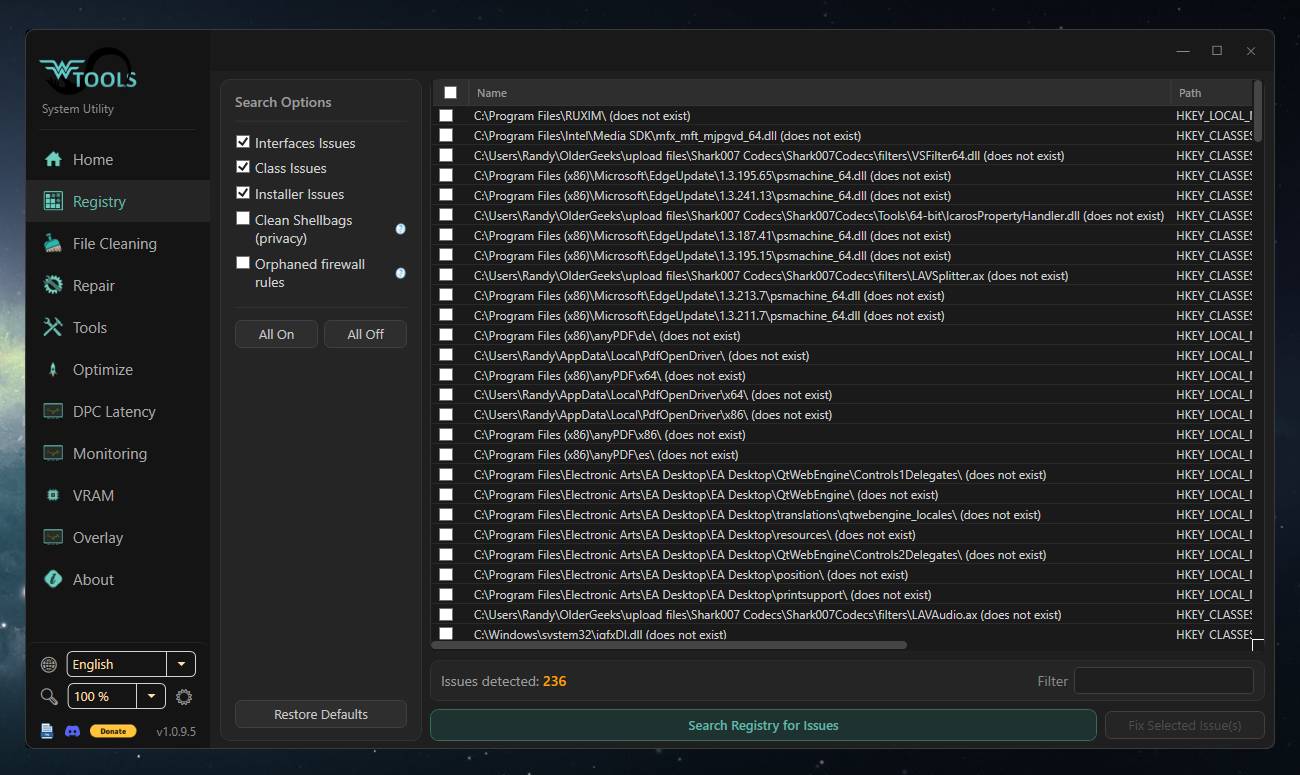 Click here to visit the author's website. Continue below for the main download link. |
||||||||
| Downloads | Views | Developer | Last Update | Version | Size | Type | Rank | |
| 4,101 | 11,221 | Wagnardsoft | Sep 28, 2026 - 13:01 | 1.0.9.5 | 70.95MB | EXE |  , out of 72 Votes. , out of 72 Votes. |
|
| File Tags | ||||||||
| Wagnardsoft Windows WTools Tools cleanup Registry repair optimization SSD monitoring latency overlay maintenance | ||||||||
Click to Rate File Share it on Twitter → Tweet
|


