|

|
Processed through Paypal No account required. |








Buy our over-priced crap to help pay the bills.



|
|
Processed through Paypal No account required. |
| Files | ||||
| File Name | Rating | Downloads | ||
 |
AAA v5.4.7 AAA v5.4.7 👉 A quick and powerful Windows tool for managing text notes, clipboard history, alarms and more. AAA is a free text note management utility by Mario "OiPaz" Corsolini that combines everyday note taking with a collection of useful text, clipboard and productivity tools. It stays conveniently accessible from the Windows Notification Area and can be quickly shown or hidden when needed. In addition to keeping and organizing text notes, AAA can maintain a history of the Windows Clipboard, provide multiple clipboards, calculate text and numerical statistics, set alarms, sort and format text, and launch applications. AAA requires Microsoft .NET Framework 4.8 and has been compiled for both 32-bit and 64-bit Windows systems. Features: • Create, keep and manage text notes • Quickly show or hide AAA from its Windows Notification Area icon • Use a customizable global keyboard shortcut to show or hide the program • Maintain a history of text copied to the Windows Clipboard • Multi-clipboard support for keeping multiple pieces of copied text • Automatically replace specified portions of text in the Windows Clipboard • Calculate statistics for text and Clipboard contents • Analyze numerical data and calculate statistics • Create and manage alarms with customizable messages • Sort text • Align and format text • Start individual applications or groups of applications • Add configurable delays when starting groups of applications • Reload its data file when the file has been modified externally • Save and restore the program's screen position • Single-instance operation • Automatic update checking • Requires Microsoft .NET Framework 4.8 Supported operating systems: • Windows 7 SP1, Windows 8.1, Windows 10, Windows 11 • 32-bit and 64-bit systems • Microsoft .NET Framework 4.8 required The operating-system range above is based on Microsoft's official compatibility requirements for the required .NET Framework 4.8. Windows 7 and Windows 8.1 are no longer supported by Microsoft. Supported languages: English, Esperanto, Italian Changes: v5.4.7 01-05-24 Fixed a bug where, if the saved position of ... |
 |
2,314 | Aug 31, 2026 Mario Corsolini 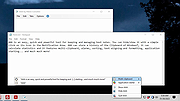 |
 |
Apache OpenOffice Portable v4.1.16 Apache OpenOffice Portable v4.1.16 👉 A complete portable office suite for documents, spreadsheets, presentations, drawings, databases and more. Apache OpenOffice Portable is the full-featured Apache OpenOffice productivity suite packaged by PortableApps.com to run from a USB flash drive, portable hard drive, cloud folder or local directory without a traditional installation. It includes applications for word processing, spreadsheets, presentations, diagrams and drawings, databases and mathematical formulas, while keeping your settings and documents portable between Windows computers. The suite is free and open source and supports many common office document formats, including Microsoft Office, WordPerfect and Lotus formats. Features: • Writer for creating and editing letters, reports, books and other text documents • Calc for spreadsheets, calculations and data analysis • Impress for creating multimedia presentations and slide shows • Draw for diagrams, illustrations and other vector graphics • Base for working with databases • Math for creating mathematical equations and formulas • Compatible with Microsoft Office, WordPerfect, Lotus and other common office document formats • Export documents directly to PDF • Supports extensions for adding additional functionality • Includes spelling and language tools • Supports Java-dependent OpenOffice features when a compatible portable Java environment is available • Runs from removable drives, cloud storage or a local folder without a traditional Windows installation • Keeps application settings with the portable installation for use on multiple computers • Includes individual portable launchers for the OpenOffice applications • Integrates with the PortableApps.com Platform, including its menu, updater and backup utility • Supports installing newer portable releases over an existing copy while preserving settings Supported operating systems: • Windows XP, Windows Vista, Windows 7, Windows 8, Windows 10, Windows 11 Supported languages: Standard portable package: English (US), English (UK), Chinese (Simplified), Chinese (Traditional), French, German, Italian, Japanese, Korean, Portuguese (Brazilian), Portuguese (Portugal), Russian, Spanish. The Multilingual-All download includes the additional languages supported by the portable package. PortableApps.com notes that some Apache OpenOffice locales cannot be included because ... |
|
4,421 | Aug 30, 2026 Apache OpenOffice Team & PortableApps.com 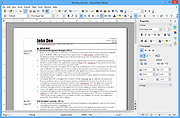 |
|
Aspiring Keyboard v1.4 Aspiring Keyboard v1.4 👉 Control your Windows PC entirely from the keyboard without using a mouse. Aspiring Keyboard is an accessibility and productivity utility designed for touch typists who want to operate Windows with little or no mouse use. Instead of constantly reaching for a mouse or touchpad, the program displays an intelligent on-screen mouse grid that lets you move the pointer and perform mouse actions simply by pressing hotkeys followed by two keyboard characters. This approach makes navigation fast, accurate, and consistent once learned, while helping reduce repetitive mouse movement. The program is especially well suited for power users, keyboard enthusiasts, accessibility needs, repetitive strain reduction, and anyone who already relies heavily on Windows keyboard shortcuts. The included documentation recommends being able to touch type and having a good knowledge of common Windows key combinations to get the most from the program. Aspiring Keyboard offers three operating modes. An OFF mode disables mouse control, while Green and Blue modes provide separate groups of customizable mouse actions that can be switched instantly from the keyboard or system tray. The configurable mouse grid can use hexagonal or several square layouts, allowing you to choose the balance between speed and precision that best fits your workflow. One of the program's most interesting features is Smart Mousegrid. Rather than remaining static, it learns how you use individual applications and gradually assigns easier-to-type character combinations to areas you access most frequently. Learning is maintained separately for each application, keyboard layout, mouse grid type, and grid size, allowing the software to adapt naturally to your workflow over time. Features: • Control the mouse entirely from the keyboard using customizable hotkeys. • Move the pointer by typing just two characters within the on-screen mouse grid. • Perform mouse clicks and other mouse actions without touching a mouse. • Three operating modes: OFF, Green, and Blue for ... |
|
276 | Jul 27, 2026 Mikołaj Magowski 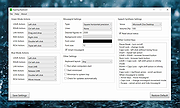 |
|
AutoHotkey v2.0.28 AutoHotkey v2.0.28 👉 A powerful and flexible scripting language for automating Windows tasks, hotkeys, and macros. AutoHotkey is a free and open-source scripting language designed to automate repetitive tasks in Windows. It allows users to create custom keyboard shortcuts, mouse macros, GUI applications, and full-featured automation scripts. AutoHotkey v2 introduces a modernized and more consistent syntax, improved error handling, enhanced object support, and cleaner language design while remaining extremely lightweight and portable. It is widely used by power users, system administrators, developers, and accessibility users to increase productivity and customize workflows. Features: • Create custom keyboard shortcuts and hotkeys • Automate mouse movements, clicks, and keystrokes • Build scripts for launching programs and managing windows • Create graphical user interfaces for automation tools • Advanced text expansion and replacement capabilities • Full support for variables, functions, objects, and classes • Improved and consistent syntax in AutoHotkey v2 • Portable scripting with no installation required Supported operating systems: • Windows 7, Windows 8, Windows 8.1, Windows 10, Windows 11 Supported languages: English Changes: v2.0.28 09-12-26 Fixed Gui.Move to not DPI-scale X or Y. Click here to visit the author's website. |
|
9,576 | Sep 16, 2026 AutoHotKey 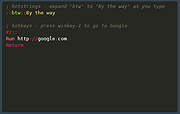 |
|
ClipAngel v2.23 ClipAngel v2.23 👉 Clipboard history capture and paste tool. ClipAngel is a clipboard manager that captures multiple clipboard objects and lets you select and paste them into any program. It is inspired by ClipDiary, Ditto, and AceText, with main priorities of usability, compatibility, and reliability. Features: • Captures clipboard history for supported clipboard formats • Supports text, HTML, RTF, image, and file clips • Text filter and clip list share key presses, so there is no need to change focus • Ability to delete and move clips in the list • History is stored encrypted on disk • Portable mode • Auto position window near text input • Always on top option • Open clip as file command • Simulate character input for windows isolated from the clipboard • Support for sending paste and input to elevated windows • Monitor clipboard switch • Word wrap and monospaced font options • Clip list shows samples for picture clips • Native formatting switch for HTML and RTF clips • Text compare command with support for Beyond Compare, ExamDiff Pro, WinMerge, Araxis Merge, DiffMerge, KDiff3, and custom applications • Translate text command • Drag and drop clips from the list • Preserves history even if the computer crashes Supported operating systems: • Windows Vista or later, Windows Server 2008 or later Supported languages: Brazilian Portuguese, Chinese (Simplified), English, French, German, Greek, Hindi, Italian, Polish, Russian, Spanish Changes: v2.23 06-04-26 Fixed inability to select text in HTML mode introduced in the previous version. Added "Text from picture" to the "Clip" submenu. Note: This file has two hits on VirusTotal. We have confirmed these to be false positives. The file is safe. Click here to visit the author's website. |
|
6,851 | Sep 03, 2026 tormozit 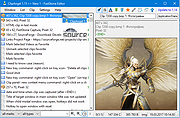 |
|
CopyQ v16.0.0 CopyQ v16.0.0 👉 Advanced clipboard manager with editing, search, tabs, and powerful scripting. CopyQ monitors the system clipboard and saves its content in customized tabs. Saved clipboard entries can later be copied and pasted directly into any application. It supports storing text, HTML, images, and other custom formats, and it includes searching, sorting, editing, drag-and-drop, notes, tags, global shortcuts, a command-line interface, and scripting for advanced automation. In version 14.0.0, the project adds tab encryption support, audio playback through the playSound() script function, a new stats() script function, Nord themes, GNOME clipboard monitoring via a custom GNOME extension, and multiple fixes and platform improvements. Features: • Stores text, HTML, images, and other custom clipboard formats • Saves clipboard history in customizable tabs • Quickly browses and filters clipboard items • Sorts, creates, edits, removes, copies, pastes, and drags items between tabs • Adds notes and tags to stored items • Uses system-wide keyboard shortcuts with customizable commands • Pastes items from the tray, main window, or keyboard shortcuts • Includes a powerful command-line interface and scripting support • Can ignore clipboard content copied from specific windows or matching specific text • Supports a simple Vim-like editor with keyboard shortcuts • Adds tab encryption support in v14.0.0 • Adds audio playback and new scripting statistics in v14.0.0 Supported operating systems: • Windows • macOS 13 or higher • Linux, including Debian 11 or higher, Ubuntu 22.04 or higher, Fedora, Arch Linux, and other Linux distributions with Flatpak support Supported languages: English, Czech, French, German, Japanese, Spanish Changes: v16.0.0 05-30-26 Added Per-MIME clipboard size limits and OOM protection via clipboard_mime_size_limit config option and COPYQ_CLIPBOARD_MIME_SIZE_LIMIT environment variable. For example text/html.*:0;.*:100M disables storing HTML and sets 100MiB max size for all other formats (this size limit is the default: .*:100M). AppImage support (WITH_APPIMAGE CMake build option). Fixed Fixed thumbnails hidden for ... |
|
7,000 | Aug 05, 2026 Lukas Holecek 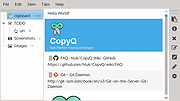 |
|
DeskRealm v0.5.8 DeskRealm v0.5.8 👉 Give each Windows virtual desktop its own real Desktop folder, icon layout and hotkeys. DeskRealm turns Windows virtual desktops into separate Desktop “realms,” each with its own Desktop folder, icon layout and optional direct hotkeys. Instead of every Win + Tab workspace showing the same desktop clutter, DeskRealm redirects the current user’s Windows Desktop Known Folder to the folder assigned to the active virtual desktop. Features: • Assigns separate Desktop folders to Windows virtual desktops • Synchronizes realm folder names with Windows Task View desktop names • Saves and restores per-realm Desktop icon layouts • Automatic icon layout autosave with change detection • Configurable global hotkeys for jumping to numbered desktops • Tray menu with status, refresh, sync, pause/resume, logs, config and restore options • Optional startup with Windows • Preserves the original Desktop folder instead of moving files during onboarding • Refuses OneDrive Desktop redirection by default • Refuses duplicate virtual desktop names and unsafe folder conflicts • Includes emergency restore script for returning the original Desktop path • Portable ZIP and install-bundle release options Supported operating systems: • Windows 10, Windows 11 Supported languages: English Changes: v0.5.8 06-12-26 Fixed: • Reworked first-run onboarding so DeskRealm no longer moves files from the original Windows Desktop into a managed realm folder. • The selected virtual desktop realm now points directly to the original Desktop folder, preserving the normal Desktop when DeskRealm is closed or disabled. • Added absolute-path realm assignments so a realm can safely use an existing external folder such as the original Desktop. • Prevented duplicate assignment of the original Desktop path to multiple virtual desktops. Changed: • The first-run wizard now describes the safe association model instead of file migration. • Config migration v6 disables the legacy initialDesktopImportMoveFiles flag. • Documentation, installation notes, safety notes and release process now describe the no-move onboarding model. Safety: • DeskRealm must not silently move user Desktop files during onboarding. Existing files remain in the original Desktop folder. ... |
|
613 | Jun 12, 2026 Ayahua Ekimaku  |
|
DesktopFrames+ v2.7.7.294 DesktopFrames+ v2.7.7.294 Formerly Desktop Fences+ 👉 Organize your Windows desktop icons, files and shortcuts into customizable virtual frames. DesktopFrames+ is a free and open-source desktop organization utility that creates virtual Frames on your desktop, allowing you to group shortcuts, files and folders into clean, convenient containers. It provides several types of Frames, including regular Data Frames for shortcuts, Portal Frames that mirror the contents of folders, and Note Frames for quickly accessible text. Frames can contain multiple tabs, be arranged into separate workspace profiles and customized with colors, transparency, visual effects, icons and other appearance options. Built-in tools such as SpotSearch, Smart Desktop, automatic backups, profile automation and extensive visibility controls provide additional ways to organize and manage a busy desktop. The program is fully portable and does not require installation. Features: • Create Data Frames for organizing shortcuts to files, folders and web links • Create Portal Frames that mirror the contents of folders • Create Note Frames for keeping text directly on the desktop • Organize shortcuts into multiple tabs within a single Frame • Create independent workspace profiles for different desktop layouts • Switch profiles manually with hotkeys • Automatically switch profiles when specified programs are launched • Smart Desktop engine automatically sorts and moves incoming files according to user-created rules • SpotSearch quickly searches for and launches shortcuts stored across your Frames • Peek Behind temporarily reveals the desktop behind Frames • Rollup hides the contents of Frames while leaving the Frame accessible • Auto-hide conceals Frames after a period of inactivity • Focus Mode highlights a specific Frame from the system tray or with a hotkey • Supports files, folders, web links, Microsoft Store apps, Steam games and Spotify URIs • Run shortcuts as administrator or as a different user • Customize individual Frame background colors and global tint levels • Chameleon Mode automatically matches Frames to the dominant color of your wallpaper • Application launch ... |
|
2,295 | Sep 07, 2026 Hand Water Pump 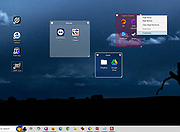 |
|
Edgetree v1.5.0 Edgetree v1.5.0 👉 A lightweight file explorer that docks to the edge of your Windows desktop. Edgetree provides a quick, always-available view of your files and folders without requiring a full Windows File Explorer window. Inspired by the Explorer panel in Visual Studio Code, it docks to the left or right edge of the screen and can automatically hide as a thin strip until you move the mouse over it. The tree begins at This PC and displays all available drives. Folders load as they are expanded, and the program remembers your previous location and expanded folders between sessions. Files can be opened, renamed, copied, cut, pasted, compressed, extracted, deleted, dragged into other programs and managed through a full right-click menu. Edgetree also includes favorites, persistent bookmarks, folder searching, file-type filtering, image previews, network drive support and extensive appearance controls. It is portable and distributed as a single executable with no installation required. Features: • Docks to the left or right edge of the screen • Auto-hide mode reduces the program to a thin screen-edge strip • Floating mode provides a normal movable window • Starts at This PC and displays local, removable and mapped network drives • Remembers expanded folders, window position and previous location • Opens folders with a single click and files with a double-click • Limits the number of initially displayed items in large folders for faster performance • Supports Ctrl-click and Shift-click multiple selection • Cut, copy, paste, rename, delete and drag-and-drop file operations • Creates new folders and ZIP archives • Extracts ZIP archives • Deletes files and folders to the Windows Recycle Bin • Opens files with their default program or another selected application • Opens folders in Windows File Explorer or Windows Terminal • Displays image previews and file information in the right-click menu • Sorts files by name, date, type or size • Provides global sorting and separate sorting for individual folders • ... |
|
313 | Aug 05, 2026 legendsteel11  |
|
Emacs v31.1 Emacs v31.1 👉 Powerful, extensible text editor and productivity environment. Emacs is a highly extensible and customizable text editor from the GNU Project for programming, writing, system administration, and general productivity. At its core is an interpreter for Emacs Lisp, a programming language that allows virtually every part of the editor to be customized or extended. Emacs provides editing modes for a huge range of programming and markup languages, syntax highlighting, code navigation, compilation and debugging tools, version control integration, powerful search and replacement, multiple buffers and windows, shells, file management, email and news capabilities, and an extensive package ecosystem. Its popular Org mode provides outlining, note-taking, task management, scheduling, document authoring, and publishing tools. Features: • Extensible and customizable through Emacs Lisp • Editing modes for numerous programming, scripting, markup, and human languages • Syntax highlighting, automatic indentation, code navigation, and completion • Integrated compilation and debugging tools • Built-in version control interfaces • Powerful search, replacement, and regular expression support • Multiple buffers, windows, frames, and customizable window layouts • Built-in package management for installing additional functionality • Org mode for notes, outlines, tasks, scheduling, authoring, and publishing • Integrated shell and terminal capabilities • File and directory management with Dired • Keyboard macros and extensively customizable key bindings • Support for right-to-left and bidirectional text • Extensive Unicode and international character support • Runs in graphical environments or text terminals Supported operating systems: • Windows 11, Windows 10, Windows 8/8.1, Windows 7 and earlier Windows NT-family versions • macOS • GNU/Linux, including Debian/Ubuntu, Fedora/Red Hat, Arch Linux, openSUSE and other distributions • FreeBSD, NetBSD, OpenBSD • GNU/Hurd • Haiku • Android 2.2 through Android 15.0, including free Android derivatives such as Replicant • Solaris • MS-DOS, FreeDOS Supported languages: Arabic, Azerbaijani, Bulgarian, Bengali, Catalan, Czech, Danish, German, Greek, Esperanto, Spanish, Farsi/Persian, Finnish, French, Hebrew, Croatian, Indonesian, Italian, Japanese, Korean, Kurdish, Malayalam, Norwegian Bokmεl, Dutch, Norwegian Nynorsk, Polish, Brazilian Portuguese, Romanian, Russian, Slovak, Albanian, Serbian, Tamil, Thai, Tagalog, ... |
|
756 | Aug 25, 2026 Free Software Foundation, Inc. 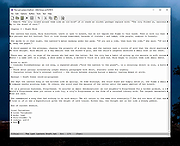 |
|
Executor v2.4.0 Executor v2.4.0 👉 Fast and customizable keyboard launcher for Windows. Executor is a highly customizable application launcher and productivity tool designed to help you quickly start programs, open files and folders, perform web searches, execute commands, and automate repetitive tasks using keyboard shortcuts. Inspired by tools like Launchy and the old Microsoft AppLauncher utilities, Executor focuses on speed and flexibility while remaining lightweight and easy to use. Executor supports keyword aliases, command parameters, clipboard handling, history tracking, and advanced search functionality. Users can create custom commands, launch websites, search online services, and manage workflows directly from a compact launcher window. It also includes support for skins and plugins, allowing users to personalize the appearance and expand functionality. Features: • Instant keyboard-based program and file launching • Custom keyword aliases and command execution • Built-in web search and URL launching support • Clipboard and command history integration • Plugin and skin support for customization • Portable and lightweight design • Auto-complete and smart search matching • Hotkey support for rapid access • Launch files, folders, commands, and websites from one interface • Configurable interface and advanced user options Supported operating systems: • Windows XP, Windows Vista, Windows 7, Windows 8, Windows 10, Windows 11 Supported languages: English Changes: v2.4.0 09-26-26 What's new Need to research an embarrassing topic, or have someone looking over your shoulder, or presenting your screen in a meeting? You can now enable Incognito mode, that per default will not add anything to history while enabled. You can further configure the incognito mode to do one or more of the following: Hide history from auto-complete and list (file system, URLs, keywords). Hide all list entries either when input is empty or all the time. Disable file navigation in list. ... |
|
6,453 | Oct 02, 2026 Martin Bresson 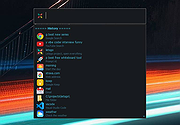 |
|
Flow Launcher v2.1.3 Flow Launcher v2.1.3 👉 Fast keyboard-driven launcher for finding apps, files, settings, bookmarks, and more on Windows. Flow Launcher is a quick file search and app launcher for Windows with community-made plugins. It is designed to help you search and launch applications, find files and file contents, run web searches, access browser bookmarks, use system and shell commands, search Windows and Control Panel settings, and extend functionality through a built-in plugin ecosystem. Features: • Search and launch applications from the keyboard • Search files and file contents using Everything or Windows Search • Run web searches with your preferred search engine • Search bookmarks from supported browsers • Access system commands such as restart, sleep, shutdown, lock, and settings • Run batch and PowerShell commands, including as Administrator or another user • Perform mathematical calculations and copy results to the clipboard • Search Windows settings and Control Panel settings • Browse and install community-made plugins from the plugin store • Supports custom themes, animations, sounds, and color schemes • Lets you display date and time in the search window • Supports portable use • Includes Game Mode to pause hotkey activation while gaming • Supports dialog jump for Open and Save As windows • Includes drag and drop support for files and folders • Lets you prioritize plugin result order • Includes a preview panel for supported items • Supports plugin development in C#, F#, Python, JavaScript, and TypeScript Hotkeys: • Alt + Space Open Flow Launcher (default hotkey, customizable) • Ctrl + Shift + Enter Run selected result as Administrator • Ctrl + Enter Open file location (Explorer) • Tab Autocomplete selected result • Enter Launch selected result • Esc Close Flow Launcher • ↑ / ↓ Navigate results list • Ctrl + C Copy selected result info (when supported) System Command List: • shutdown Shut down the computer • restart Restart the computer • sleep Put the computer to sleep • hibernate Hibernate the computer • lock Lock the current user session • signout ... |
|
708 | Aug 09, 2026 Flow Launcher Team 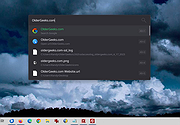 |
|
FluentTaskScheduler v1.9.0 FluentTaskScheduler v1.9.0 👉 A modern, fluent UI-based task scheduler for Windows. FluentTaskScheduler is a Windows task scheduling utility that provides a clean and modern interface for creating, managing, and monitoring scheduled tasks. Built with a fluent design approach, it simplifies interaction with the Windows Task Scheduler by offering an intuitive graphical interface while still exposing advanced configuration options. It is designed for both casual users and advanced users who want more control over automation without navigating the default Windows scheduler. Features: • Create, edit, and delete scheduled tasks with ease • Modern fluent UI design for improved usability • View detailed task information and status • Support for triggers, actions, and conditions • Simplified interface compared to Windows Task Scheduler • Lightweight and easy to use Supported operating systems: • Windows 10, Windows 11 Supported languages: English Changes: v1.9.0 07-26-26 New Features Task Chaining (Completion Actions): Chain tasks together and configure a task to automatically start other tasks when it succeeds or fails, right from a new "Completion Actions" section in the task editor. FluentTaskScheduler watches the Task Scheduler event log in real time (no polling) and includes built-in loop protection so you can't accidentally chain a task into itself. Global & Per-Task Snooze: Need a break? Hit "Snooze All Tasks" to pause task execution app-wide for 30 minutes, 1 hour, 3 hours, until your next reboot, or a custom time. You can also now snooze individual tasks (including a working custom time option). Optionally suspends scheduled triggers at the OS level too, and un-suspends exactly what it suspended when the snooze ends. Dashboard Analytics: The Dashboard got a serious upgrade: a 24-hour execution heatmap, a health-score ring, average/longest run duration, and a live, filterable execution log (Success / Failed / Snoozed). Task Template Library: 17 ready-to-deploy templates (temp cleanup, restore points, ... |
|
1,090 | Sep 16, 2026 TRGamer-tech 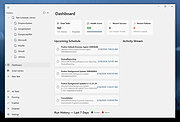 |
|
FlyOutNotepad v1.05 FlyOutNotepad v1.05 👉 Smart docking notepad for storing text, code snippets, and images. FlyOutNotepad is a lightweight Windows productivity tool that docks to any screen edge and gives you fast access to notes, code snippets, text, and images. It supports drag and drop, up to 20 tabs, auto-save, and fast C++/WTL performance in a very small package. Features: • Dock to any of the 4 screen edges • Smooth flyout access when needed • Store text, code snippets, and images • Bi-directional drag and drop for text and images • Up to 20 tabs for organizing content • Auto-save support • Remembers state on shutdown or logoff • Tab renaming support • Lightweight, under 500 KB • Built in C++ with Windows Template Library • Optional portable mode by renaming the EXE with _p Supported operating systems: • Windows 11, Windows 10, Windows 8.1, Windows 7, Windows Server 2012 through 2025, 32-bit and 64-bit Supported languages: English, German, Italian, Traditional Chinese, Korean, Polish, Russian, Spanish, Portuguese, French Changes: v1.05 08-17-26 • Update of language files in FlyOut NotePad for MS Windows • Optimization and various fixes under Windows 11 and 10 Click here to visit the author's website. |
|
1,501 | Oct 01, 2026 Nenad Hrg 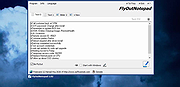 |
|
FocusWriter v1.9.0 FocusWriter v1.9.0 👉 A simple, distraction-free word processor designed for focused writing. FocusWriter is a full-screen, distraction-free word processor that hides toolbars and menus so you can concentrate completely on your writing. It creates a clean workspace where the interface stays out of your way, helping you stay immersed in your words. With support for themes, timers, alarms, and daily goals, FocusWriter is ideal for novelists, students, bloggers, and anyone who wants a clutter-free writing environment. FocusWriter allows you to customize backgrounds, fonts, colors, and layouts to create a writing space that suits your style. Despite its minimal interface, it includes powerful features such as spell checking, document statistics, and support for multiple file formats. Sessions can be tracked with timers and daily progress goals to keep your productivity on target. Features: • Full-screen, distraction-free writing interface • Customizable themes with backgrounds, fonts, and colors • Daily writing goals with live progress tracking • Timers and alarms to manage writing sessions • Spell checking support • Live statistics including word count and paragraph count • Support for TXT, RTF, and ODT file formats • Automatic document saving • Typewriter sound effects (optional) • Multiple open documents with quick switching Supported operating systems: • Windows 7, Windows 8, Windows 10, Windows 11 Supported languages: English, German, Spanish, French, Italian, Portuguese, Dutch, Russian, Polish, Chinese, Japanese, Korean, and others Changes: v1.9.0 01-05-25 • Updated Qt framework • Improved compatibility with newer operating systems • Minor bug fixes and performance improvements This download is for the Windows portable version (very bottom of page). If you need the Windows Installer version, download here. Click here to visit the author's website. |
|
8,169 | Jun 27, 2026 Graeme Gott  |
|
FreePlane v1.13.3 FreePlane v1.13.3 👉 Free and open-source mind mapping, knowledge management and project planning software. Freeplane is a free and open-source application for mind mapping, knowledge management, project management, note taking, outlining and organizing ideas. It helps you capture thoughts, structure information, analyze relationships, create visual maps and manage personal, school or work projects. Features: • Create and edit mind maps, concept maps and information maps • Organize ideas, notes, tasks, projects and research • Navigate large maps with folding, filtering and searching • Add links, notes, icons, attributes and formatted content • Supports add-ons and scripting for extended functionality • Can run installed or from removable storage • AI integration support in newer Java environments • Open-source and community-developed Supported operating systems: • Windows with Java 8 to 22, or Windows installer with embedded Java • macOS Intel and Apple Silicon using DMG builds with embedded Java • Linux using DEB installer or ZIP archive, requires Java 11 to 21 Supported languages: Multilingual, English source language, Freeplane is translated into 40 languages using Weblate Changes: v1.13.3 07-14-26 Tag category AI tools Tag category scripting API Copying selected chat messages as markdown Options to show root node text or bookmark titles on tab titles and map menu labels - Preferences…->Appearance->Look and Feel->Tab titles - Preferences…->Appearance->Look and Feel->Maximum tab title length Bookmarks outline and bookmark toolbar can follow the view root Switch AI Chat tool availability between reading, editing and disabled Add reusable AI prompts that are managed in a dialog like assistant profiles, exposed as dynamic actions - Tools->AI prompts->Edit prompts... Thinking effort and temperature configuration Search and filter AI model selectors in chat, reusable prompts and assistant profiles - Keep one session-wide filter across selectors - Navigate filtered models with Up and Down and confirm a model with Enter Configure OpenAI, OpenRouter, Requesty, custom OpenAI-compatible, Gemini and Ollama providers concurrently - Manage provider and model settings in the separate AI models ... |
|
6,132 | Oct 02, 2026 Dimitry Polivaev 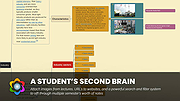 |
|
GenOffice v0.11.0 GenOffice v0.11.0 👉 A free, open-source office suite with six editors and optional AI assistance. GenOffice brings document writing, spreadsheets, presentations, PDF editing, HTML and Markdown together in one desktop workspace. It opens and saves native Microsoft Office files, including .docx, .xlsx and .pptx, and lets you work with your files locally. The suite includes Docs for word processing, Sheets for spreadsheets, Slides for presentations, PDF for editing and conversion, HTML for pages and reports, and Markdown for formatted notes. Its file engines preserve untouched portions of Office files rather than rebuilding everything each time you save. An optional AI assistant can work directly with your document. Ask it to rewrite a passage, build spreadsheet formulas, create a presentation or explain information in a file. Changes can be reviewed through snapshots, differences and rollback controls, with tracked revisions available in Docs. The office applications are free, with no ads or watermarks. AI features (optional) use Genspark credits or your own API provider, whose usage charges may apply. Opening, editing, saving and PDF-to-Office conversion run locally. Complex formatting can vary, so review important documents before sharing them. Features: • Six editors in one workspace: Docs, Sheets, Slides, PDF, HTML and Markdown. • Native Office formats: Open and save .docx documents, .xlsx workbooks and .pptx presentations. • Document editing: Work with styles, tables, images, headers, footers, comments and tracked changes. • Spreadsheet tools: Use live formulas, charts, pivot tables, slicers, conditional formatting and formula tracing. • Presentation editing: Work with slide masters, layouts, smart guides and image cropping. • PDF editing: Edit text and images directly within pages, and work with annotations and forms. • Local PDF conversion: Convert PDF files into editable Word, Excel or PowerPoint files without AI credits. • ... |
|
87 | Oct 01, 2026 Genspark 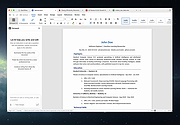 |
|
Kivo v0.1.0 Kivo v0.1.0 👉 Lightweight desktop teleprompter with smooth auto-scrolling. Kivo is a lightweight desktop teleprompter that provides a clean, always-on-top overlay for reading scripts during presentations, livestreams, video recordings, and other speaking engagements. It offers smooth automatic scrolling, adjustable speed controls, automatic reloading when the source text changes, and a distraction-free interface to help you stay focused on your content. Features: • Always-on-top frameless window • Modern translucent interface • Draggable overlay • Open plain text (.txt) files • Automatically reloads text when the file changes • Smooth teleprompter-style auto-scrolling • Adjustable scrolling speed • Pause and resume scrolling • Keyboard shortcuts for playback controls • Lightweight, distraction-free design Usage: • Run Kivo.exe • Select a text file of what you want to scroll on screen. Keyboard Shortcuts: • Esc - Close Kivo • Space - Pause/Resume scrolling • ↑ - Increase scrolling speed • ↓ - Decrease scrolling speed Supported operating systems: • Windows 10, Windows 11 Supported languages: English Changes: v0.1.0 06-27-26 First release. Initial MVP of Kivo. Added a frameless always-on-top window. Added a draggable overlay. Added a modern rounded translucent interface. Added text file loading. Added automatic file reloading. Added smooth teleprompter scrolling. Added adjustable scrolling speed. Added pause and resume functionality. Added keyboard shortcuts. Modularized the application into separate window and file selector components. Added the foundation for future settings, global hotkeys, and custom rendering. Note: This file has three hits on VirusTotal. We have confirmed these to be false positives. The file is safe. Click here to visit the author's website. |
|
448 | Jul 01, 2026 Rajtilak Bhattacharjee  |
|
Microsoft PowerToys v0.101 Microsoft PowerToys v0.101 Windows system utilities to maximize productivity Microsoft PowerToys is a set of utilities for power users to tune and streamline their Windows experience for greater productivity. Features: • Advanced Paste - A tool that enables you to paste the text from your clipboard into any format needed. It can paste as plain text, Markdown, or JSON directly with the interface or with a direct keystroke. These actions are executed entirely on your local machine. An optional AI-powered feature is also available. • Always on Top - A system-wide Windows utility to pin windows above other windows. • PowerToys Awake - A tool designed to keep a computer awake without having to manage its power and sleep settings. This is useful when running time-consuming tasks and preventing the computer from sleeping or turning off its screens. • Command Not Found - A PowerShell 7 module that detects command-line errors and suggests a relevant WinGet package to install, if available. • Color Picker - A system-wide color picking utility for selecting colors from any screen and copying them to the clipboard in a configurable format. • Command Palette - Provides fast access to frequently used commands, applications, development tools, and extensions from a customizable and extensible launcher. Command Palette is intended to be the successor to PowerToys Run. • Crop And Lock - Allows you to crop a current application into a smaller window or create a thumbnail of it. • CursorWrap - Allows the mouse pointer to wrap around the edges of the screen, moving it to the opposite edge when it reaches a boundary. • Environment Variables - Provides an easy way to manage environment variables and create profiles containing groups of variables. Profile variables can take precedence over User and System variables. • FancyZones - A window manager for arranging and snapping windows into efficient custom layouts. Windows can ... |
|
7,270 | Aug 25, 2026 Microsoft Corp.  |
|
QOwnNotes v26.9.11 QOwnNotes v26.9.11 👉 Open-source markdown note-taking application with Nextcloud and ownCloud integration. QOwnNotes is a free and open-source plain-text note-taking and to-do list manager designed for users who want full control over their notes and data. It stores notes as plain text Markdown files, making them easy to synchronize with services such as Nextcloud, ownCloud, Syncthing, Dropbox, and other cloud or local storage solutions. QOwnNotes includes powerful organization tools, note encryption, scripting support, tagging, searching, and customizable interface layouts for productivity-focused workflows. Features: • Plain-text Markdown note-taking with live preview • Integration with Nextcloud and ownCloud notes • Stores notes as standard text files without vendor lock-in • AES-256 encrypted notes support • Built-in scripting engine with QML support • Powerful note searching and filtering • Tagging and note organization tools • Multiple note folders and subfolder support • Customizable themes, fonts, and layouts • To-do list and task management support • Automatic note saving and backup support • External diff tool integration • Checkbox list creation and Markdown editing tools • Portable mode support • Cross-platform support for desktop operating systems Supported operating systems: • Windows 7, Windows 8, Windows 10, Windows 11 • macOS 13 Ventura or higher • Linux Supported languages: English, Arabic, Basque, Bulgarian, Catalan, Chinese Simplified, Chinese Traditional, Czech, Danish, Dutch, English, Finnish, French, German, Greek, Hebrew, Hungarian, Italian, Japanese, Korean, Norwegian, Persian, Polish, Portuguese, Portuguese Brazilian, Romanian, Russian, Slovak, Spanish, Swedish, Turkish, Ukrainian Changes: v26.9.11 09-25-26 Deprecated the non-GitHub Qt 5 release packages by removing the legacy Ubuntu Launchpad and OBS deployments from the release process, while retaining the Qt 5 artifacts built by the GitHub release workflow (for #3752) Added more French translation (thank you, jd-develop) 👉 This download is for the Windows version (very bottom of page). All other download assets are below: MacOS: QOwnNotes.dmg QOwnNotesQt5.dmg Linux: QOwnNotes-amd64.snap QOwnNotes-Qt5-amd64.snap QOwnNotes-x86_64.AppImage Click here to visit the author's website. |
|
6,864 | Sep 25, 2026 Patrizio Bekerle 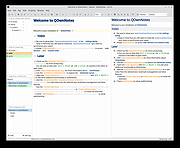 |
|
ResophNotes v1.8.1 ResophNotes v1.8.1 👉 A fast, lightweight Windows note-taking program with Simplenote synchronization, Markdown support, tags and powerful keyboard controls. ResophNotes is a free note-taking program for Windows designed to make creating, finding and managing text notes quick and uncomplicated. Notes can be kept locally or synchronized online with Simplenote, allowing them to be accessed from other devices using compatible Simplenote applications. It supports Markdown with HTML preview, tags, pinned notes, internal links, global keyboard shortcuts and optional storage of each note as an individual plain-text file. Deleted notes can be restored or permanently removed, and nearly every function can be controlled from the keyboard. A dark mode is also available. The developer warns that Simplenote may stop supporting synchronization with third-party applications, so Simplenote syncing should currently be used with caution. Features: • Simple, fast note creation and management • Synchronizes notes online with Simplenote • Access synchronized notes from other devices through Simplenote • HTTPS proxy support for Simplenote connections • Dark mode support • Global hotkey for quickly creating a new note • Global hotkey for restoring ResophNotes when minimized • Markdown text-to-HTML conversion with preview • Automatically recognizes HTTP links and email addresses • Internal note linking using wikilinks • Optional individual .txt files for storing notes • Complete keyboard control with numerous shortcuts • Single Note Mode for distraction-free note viewing and editing • Simplenote pinned-note support • Simplenote tag support • Search notes quickly from the keyboard • Import existing .txt files • Email notes directly from the program • Print notes • Insert the current timestamp with a keyboard shortcut • Restore deleted notes • Permanently delete unwanted notes • Free to use Supported operating systems: • Windows 10, Windows 11 (64-bit) Supported languages: English Changes: v1.8.1 08-14-26 Added Dark mode. Built using Microsoft Visual Studio Community 2026. Uses Qt 5.15.2. Updated OpenSSL library for connection issues. Click here to visit the author's website. |
|
79 | Sep 15, 2026 C.Y. Yen 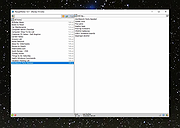 |
|
SideSlide v6.50 SideSlide v6.50 👉 A powerful, customizable desktop workspace, launcher and information organizer that stays hidden until you need it. SideSlide is a free desktop assistant designed to keep your Windows desktop organized and clutter-free while providing instant access to programs, files, folders, websites, commands, RSS feeds, notes, reminders, pictures and other frequently used information. Its customizable workspace can dock to any screen edge and remain tucked away until needed, giving you a large organizational area without permanently consuming desktop space. The workspace uses flexible containers that can be resized, detached, folded, shrunk and arranged however you prefer. Containers can hold shortcuts, notes, RSS feeds, reminders and other content, allowing large collections of information to remain accessible without covering the desktop. SideSlide also includes extensive keyboard navigation and launching features for users who prefer working without the mouse. When the workspace is collapsed, SideSlide can display a Dock Strip containing useful system information and live weather. The workspace can quickly expand again when you need access to its contents. SideSlide can also be used portably from a USB drive. Its configuration files are kept together, and the portable version can continue working even when the removable drive letter changes. Features: • Fully customizable desktop workspace that remains hidden until needed • Dock the workspace to any edge of the screen • Dock Strip displays system information and live weather while the main workspace is collapsed • Create shortcuts to programs, files, folders, commands and websites • Add RSS news feeds directly to the workspace • Built-in RSS reader with filtering and Subject Tracker capabilities • Create resizable, detachable, foldable and shrinkable containers • Containers can extend beyond the visible screen area • Create colorful notes that can be searched, edited in bulk and individually customized • Encrypt notes and automatically re-encrypt them after editing • Create ... |
|
6,515 | Sep 02, 2026 Northglide 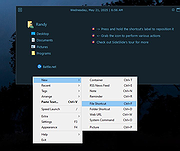 |
|
Simple Sticky Notes v6.9 Simple Sticky Notes v6.9 👉 Free desktop sticky notes with reminders, checklists, and powerful customization. Simple Sticky Notes is a free desktop note-taking application that lets you create colorful sticky notes directly on your Windows desktop. It provides a clean, intuitive interface for capturing reminders, to-do lists, ideas, and important information while keeping them easily accessible. Notes are automatically saved, support rich text formatting, and can be customized with different colors, themes, fonts, transparency levels, and sizes. Simple Sticky Notes also includes alarms and reminders, checklists with hierarchical checkboxes, notebooks for organizing related notes, a note explorer for searching and managing all notes, and options to print, export, or share notes. Additional features such as dark mode, backup and restore, and automatic updates make it a capable alternative to the built-in Windows Sticky Notes application. Features: • Create unlimited desktop sticky notes • Rich text formatting • Colorful notes with adjustable transparency • Custom themes and appearance options • Checklists with hierarchical checkboxes • Alarms and reminders • Note Explorer for searching and organizing notes • Notebooks for grouping notes • Print, export, and share notes • Dark mode support • Automatic saving of notes • Backup and restore functionality • Automatic updates Supported operating systems: • Windows 7, Windows 8, Windows 8.1, Windows 10, Windows 11, Windows 10 Arm64, Windows 11 Arm64 Supported languages: • English, French, German, Spanish, Italian, Japanese, Portuguese, Danish, Dutch, Swedish, Russian, Simplified Chinese, Turkish Changes: v6.9 02-22-26 New: Checking/unchecking a parent checkbox now checks/unchecks all indented child items Improved checkbox indent/outdent with Tab and Backspace Improved overall stability and performance Fixed some translation issues in Chinese and Japanese Fixed minor bugs reported by users Updated the SQLite database engine to version 3.51.0 Click here to visit the author's website. |
|
10,070 | Jul 19, 2026 Simnet Ltd. 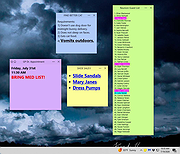 |
|
Sizer v4.0 dev673 Sizer v4.0 dev673 👉 Precisely resize and position application windows with customizable presets and hotkeys. Sizer is a lightweight window management utility that lets you instantly resize and reposition application windows to exact dimensions. Originally created for web designers and developers needing consistent browser sizes, it has evolved into a flexible productivity tool for anyone who regularly arranges windows on one or more monitors. Instead of manually dragging window borders, Sizer can snap windows to predefined sizes and positions with a click or keyboard shortcut. Sizer 4 has been completely rewritten for improved compatibility with modern Windows applications while reducing the intrusive techniques used by previous versions. It supports customizable hotkeys, advanced sizing macros and mathematical expressions, grouped menu layouts, portable operation, and easy import/export of configuration files. Power users can automate complex desktop layouts by positioning multiple windows simultaneously using macros and expressions. Features: • Resize any window to exact predefined dimensions • Move windows to precise screen locations • Assign global hotkeys to resizing actions • Launch the sizing menu with Ctrl+Win+Z or a custom shortcut • Create custom window size and position presets • Use mathematical expressions for dynamic sizing • Automate layouts with powerful window macros • Resize and reposition multiple windows simultaneously • Organize presets into cascading menu groups • Import and export configuration settings • Run as a portable application without installation • Improved compatibility with modern Windows applications • Supports high-DPI displays with DPI-aware rendering • Right-click window borders or restore buttons for quick access • Stable, lightweight design with minimal system impact Supported operating systems: • Windows 10, Windows 11 (64-bit) Supported languages: English Changes: v4.0 dev673 11-26-25 Introduced the special macro variable $_count that holds the number of wildcard matches. Note: This file has one hit on VirusTotal. We have confirmed this to be a false positive. The file is safe. Click here to visit the author's website. |
|
1,807 | Jul 27, 2026 Brian Apps 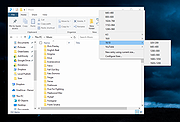 |
|
SmartSystemMenu v2.33.1 SmartSystemMenu v2.33.1 👉 Enhance Windows system menus with powerful window management features. SmartSystemMenu is a lightweight utility that extends the standard Windows system menu of application windows with a wide range of advanced window management tools. By right-clicking the title bar or using the system menu, users gain access to additional options that go far beyond the default Move, Size, Minimize, Maximize, and Close commands. SmartSystemMenu allows you to control window behavior, transparency, priority, alignment, and more, making it especially useful for power users who want finer control over their desktop environment. Features: • Adds extended options to the standard Windows system menu • Adjust window transparency levels • Set window priority (Real-time, High, Above normal, Normal, Below normal, Idle) • Resize and reposition windows with custom dimensions • Align windows to screen edges or predefined positions • Change window always-on-top state • Save and restore window positions • Take screenshots of application windows • Copy window text to clipboard • Multi-language interface • Portable version available Supported operating systems: • Windows 7, Windows 8, Windows 8.1, Windows 10, Windows 11 Supported languages: English, Russian, German, French, Spanish, Italian, Portuguese, Polish, Chinese (Simplified), Chinese (Traditional), Japanese, Korean, Turkish, Dutch, Czech, Hungarian, Ukrainian Changes: v2.33.1 03-20-26 Support of the SmartSystemMenu.xml file for previous versions Korean translation improvements Japanese translation improvements by @coolvitto Click here to visit the author's website. |
|
5,810 | Mar 23, 2026 Alexander Illarionov 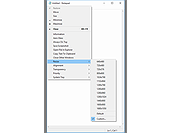 |
|
Super Productivity v18.19.0 Super Productivity v18.19.0 👉 A privacy-focused task manager with time tracking and Pomodoro timer. Super Productivity is an open-source productivity app designed to help users manage tasks, track time, and improve focus using built-in techniques like the Pomodoro timer. It integrates with popular issue tracking platforms such as Jira, GitHub, and GitLab, making it especially useful for developers and teams. The application emphasizes privacy by storing all data locally with no required sign-up or cloud dependency. Features: • Task management with subtasks, attachments, and notes • Built-in Pomodoro timer and break reminders • Time tracking with detailed statistics and reports • Integration with Jira, GitHub, GitLab, and other issue trackers • Offline-first design with local data storage • Distraction blocking and focus mode • Daily schedule planning and timeboxing • Keyboard shortcuts and command palette • Data import/export and backup support • Cross-platform synchronization options (optional) • Customizable themes and dark mode • Open-source with no ads or tracking Supported operating systems: • Windows 10, Windows 11 • macOS 11 or higher • Linux (AppImage, Snap, Flatpak, Debian/Ubuntu) • Android • iOS Supported languages: English, German, Spanish, French, Italian, Portuguese, Russian, Chinese, Japanese, Korean Changes: v18.19.0 08-07-26 Highlights Added search to global settings and a ? keyboard shortcut cheat sheet (#9302, #9318). Added crash-safe local drafts for project notes (#8982). Added interval recurrence phrases such as @every 2 weeks and @every 2 fridays (#9328). Added URL scheme actions for creating and completing tasks (#9121). Completed translations across all locales (#9360). Security and sync Enforced encrypted-only SuperSync uploads when E2EE is required and stopped clients from accepting plaintext downloads when encrypted sync is expected (GHSA-vrc7-775g-ggqc, #8903, #9457). Added diagnostics and recovery guidance for encrypted-operation integrity failures (#9331, #9439, #9444). Prevented stale-key uploads after server state replacements (#8730, #9330). Resolved ... |
|
694 | Aug 12, 2026 Super Productivity Org 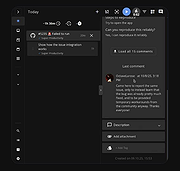 |
|
SyMenu v8.14.9685 SyMenu v8.14.9685 👉 Portable menu launcher and Start Menu replacer for organizing and launching applications. SyMenu is a portable menu launcher and Start Menu replacer designed to help you organize, find, and run your applications quickly and easily. It can manage portable apps stored on local or removable drives, automatically index applications installed on the host PC, and provide a fast search-as-you-type launcher. SyMenu also includes support for its integrated freeware suites, letting you install, update, and remove supported programs automatically through its SPS system. Features: • Portable menu launcher and Windows Start Menu replacement • Organizes applications in a hierarchical structure with custom names, folders, separators, and labels • Search-as-you-type launcher for quick access to programs and functions • Can automatically index applications installed on the host PC • Works with apps stored on local disks, USB drives, flash drives, external drives, memory cards, CDs, and DVDs • Supports integrated freeware suites with automatic install, update, and removal through SPS • Strong customization options for menu layout and organization • Includes tools such as configuration, app management, and update checking Supported operating systems: • Windows 10, Windows 11 • Windows 10 and Windows 11 support both 32-bit and 64-bit versions Supported languages: • English, Arabic, Chinese Simplified, Chinese Traditional, Czech, Finnish, French, German, Greek, Hungarian, Italian, Polish, Portuguese (Brazil), Portuguese (Portugal), Spanish, Turkish, Ukrainian • Dutch (not official), Japanese (not official), Korean (not official), Russian (not official), Slovenian (not official) Changes: v8.14.9685 07-08-26 Application upgrade to .NET 10 for improved overall performance, security, and stability. New innounp version (v2.67.9) New 7zip version (v26.02) Form splash reorganization and optimization Automatic token clearance when a new unique identifier (GUID) is generated Language updates: Japanese language added, Chinese (Simplified), French, Spanish, Finnish, Ukrainian removed. Click here to visit the author's website. |
|
9,009 | Aug 06, 2026 UGM.NET 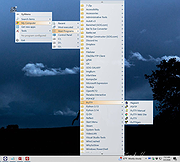 |
|
Tablacus Explorer v26.6.11 Tablacus Explorer v26.6.11 👉 Customizable tabbed file manager with extensive add-on support. Tablacus Explorer is a portable, open source tabbed file manager for Windows that supports add-ons, multiple languages, Unicode, customizable menus, keys, mouse gestures, aliases, and extra columns such as total file size and labels. It is designed for users who want a highly flexible alternative to standard Windows File Explorer. Features: • Tabbed interface • Add-on support • Completely portable with no installation required • Multiple language and Unicode support • Extra columns including total file size and label • Customizable associations, menus, keys, mouse gestures, and aliases • Open source • Available in both 32-bit and 64-bit versions Supported operating systems: • Windows XP, Windows Vista, Windows 7, Windows 8, Windows 8.1, Windows 10, Windows 11 Supported languages: English, Japanese, Spanish, Korean, German, Greek, French, Italian, Portuguese, Russian, Simplified Chinese, Traditional Chinese, Turkish Changes: v26.6.11 06-11-26 • Added ARM64 support. (Backup recommended) • Added an ARM64 version of Tablacus Explorer. • The developer does not have a Windows ARM device, so this build has not been tested by the developer. • Windows ARM users can download tearm_260611.zip, extract it over their existing installation, and run TEARM64.exe. • The developer is requesting feedback from ARM64 users about whether the build works correctly or if any problems occur. Click here to visit the author's website. |
|
7,004 | Aug 14, 2026 Gaku 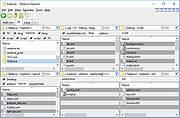 |
|
TabStick-1.2.0-win-x64-portable.zip TabStick v1.2.0 👉 A lightweight note-taking program that attaches colorful index tabs directly to your application windows. TabStick lets you place quick notes on the edge of an application window, keeping reminders and information beside the program where they are needed. Choose a tab from the color palette, attach it to a window and begin typing. Notes can be organized directly inside each tab and customized with different colors, sizes, text settings and display themes. TabStick is available as an installer or a portable download that can be extracted and run without installation. Features: • Attaches index-style notes directly to application windows • Keeps related notes beside the program where they are needed • Creates new notes by selecting a color from the tab palette • Supports quick text entry and organization within each note • Customizable application and tab sizes • Adjustable text size and line spacing • Multiple note colors • Custom note colors • Light and dark display modes • Configurable palette appearance • Changeable interface language • Available as an installer or portable program • Simple interface designed for fast note-taking Supported operating systems: • Windows 10 64-bit, Windows 11 64-bit Supported languages: Not Found Changes: v1.2.0 Not Found Click here to visit the author's website. |
|
237 | Aug 05, 2026 TabStick 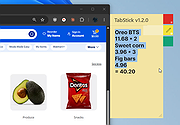 |
|
tacky-borders v1.5.0 tacky-borders v1.5.0 Add colorful, customizable borders to your Windows application windows. tacky-borders is a lightweight open-source utility that adds visible, customizable borders around application windows in Windows. It is designed to make window boundaries easier to see and to give users the ability to style their desktop with colored outlines around active and inactive windows. tacky-borders runs in the background and applies borders dynamically, helping improve window visibility and providing a more personalized desktop experience. Features: • Adds customizable borders around application windows • Supports different border colors and styles • Distinguishes between active and inactive windows • Lightweight and runs in the background • Open-source project hosted on GitHub To Configure tacky-borders: • Run tacky-borders.exe once to generate the config file automatically (created in %userprofile%/.config/tacky-borders/) • Open the config quickly by right-clicking the tray icon and choosing "Show Config" • Edit config.yaml in a text editor, then save: • watch_config_changes: True will automatically reload borders when the config file is modified • global.border_width sets border thickness in pixels • global.border_offset moves the border inwards (negative) or outwards (positive) • global.border_radius can be Auto, Square, Round, RoundSmall, or a numeric value • global.active_color and global.inactive_color support: • Solid colors using a hex value (example: "#ffffff") or "accent" • Gradient colors using a colors list + direction (example direction: 45deg or start/end coordinates) • animations and effects are configurable under global (effects note: they can significantly increase CPU/GPU usage and require rendering_backend: V2) • Per-app overrides: use window_rules to match by Class, Title, or Process (Equals, Contains, or Regex), then override any global setting for just that app • If a border is initialized but not visible for a window, try setting follow_native_border to False in a window rule Supported operating systems: • Windows 10, Windows 11 Supported languages: • English Changes: v1.5.0 04-26-26 Features add theme-aware border colors for Windows by @Louis047 in #74 Bug Fixes fix borders disappearing after waking system from ... |
|
1,111 | Jul 11, 2026 lukeyou05 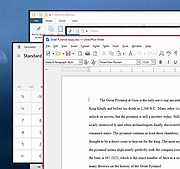 |
|
TextWorx v2.0 TextWorx v2.0 👉 Popup text editing and manipulation tool accessible from any application. TextWorx is a lightweight productivity utility that provides a configurable popup menu and toolbar for editing and manipulating text in virtually any program. Instead of switching between applications or manually retyping content, TextWorx allows you to quickly perform text operations directly on selected text. TextWorx works system-wide and can be activated with keyboard shortcuts. When running, it stays quietly in the background with no visible window. Pressing the hotkey displays a popup menu with commands for inserting text, manipulating text, rearranging text, and performing other editing actions on the selected content. The program includes both a popup context menu and an optional toolbar interface, allowing users to access text functions quickly while working in editors, documents, browsers, and other applications. TextWorx is fully configurable so users can tailor commands and behaviors to their workflow. By default, the popup menu is triggered with Win + K, while the toolbar can be toggled using Win + Shift + K. Because TextWorx runs silently in the background, the popup menu or toolbar will only appear when activated by the hotkeys. Features: • Popup text editing menu available in any program • Perform text inserts, manipulation, and rearrangement operations • Optional toolbar interface for quick access to commands • Works with selected editable text across applications • Fully configurable behavior and menu options • Runs silently in the background with no main window • Global hotkeys for fast access (Win + K and Win + Shift + K) • Designed for quick productivity improvements when editing text • Online Documentation is here. Supported operating systems: • Windows Supported languages: English Changes: v2.0 02-28-26 Changed: Reinstated sendspeed Fixed: Major issue where the text replacement only inserts the contents of the clipboard. Now it ought not to miss anymore. Fixed: Some submenus moved to the main menu instead of a configured submenu. Fixed: Multiple separators do ... |
|
5,873 | Mar 04, 2026 bgmCoder 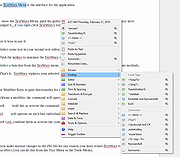 |
|
ToDoList v9.2.0 ToDoList v9.2.0 👉 Flexible and powerful task management software for organizing projects of any size. ToDoList is a highly configurable task management application that helps you organize everything from simple daily to-do lists to complex, multi-level projects. It lets you create unlimited task hierarchies with subtasks, allowing even the largest projects to remain organized and easy to navigate. ToDoList includes a wide range of customizable task attributes such as priorities, categories, tags, due dates, start dates, dependencies, recurrence, risk levels, percentages complete, file links, comments, and time tracking. Multiple task views, advanced filtering, searching, sorting, and reporting tools make it easy to focus on your work and monitor progress. Support for plugins, numerous import and export formats, and a portable edition make ToDoList suitable for both personal and professional project management. Features: • Unlimited task hierarchy with nested subtasks • Fully customizable task attributes and layouts • Priorities, categories, tags, status, and risk tracking • Start dates, due dates, recurring tasks, and dependencies • Built-in time tracking and time estimates • Powerful filtering, searching, sorting, and reporting • File attachments, links, and rich text comments • Multiple import and export formats • Plugin support for additional functionality • Portable version available Supported operating systems: • Windows 7, Windows 8, Windows 8.1, Windows 10, Windows 11 Supported languages: English Changes: v9.2.0 06-22-26 • Added new task creation options, including creating subtasks within existing tasks. • Added single-click editing to the Attribute Editor. • Added sub-expressions to Find Task rulesets. • Added Persian (Jalali) calendar support. • Added counters for remaining User Defined Tools and Custom Task Attributes. • Added spell checking support for Markdown comments. • Added drag-and-drop reordering of Task View tabs. • Added improved keyboard navigation for Week Planner and Logged Time. • Added drag-and-drop and paste support for files, images, and content in HTML and Markdown comments. • Added Cut, Copy, and Paste icons to the Rich Text Comments toolbar and context menu. • Added a UI Language ... |
|
10,946 | Jun 29, 2026 AbstractSpoon Software 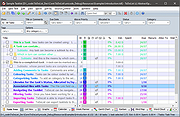 |
|
Vivaldi v8.2.4133.52 Vivaldi v8.2.4133.52 👉 Highly customizable web browser built for power users, privacy, and productivity. Vivaldi is a feature-rich Chromium-based web browser designed for users who want extensive control over their browsing experience. Created by former Opera developers, Vivaldi focuses on customization, efficiency, privacy, and integrated productivity tools rather than simplified mainstream browsing. It combines advanced tab management, built-in communication tools, customizable interface layouts, and strong privacy protections into a single browser package. Vivaldi allows users to tailor nearly every aspect of the interface, including tab placement, themes, keyboard shortcuts, gestures, toolbars, and panel layouts. The browser includes built-in features such as Mail, Calendar, Feed Reader, Notes, screenshot capture, ad and tracker blocking, Workspaces, split-screen tab tiling, and powerful session management tools. Unlike many browsers that rely heavily on extensions for advanced functionality, Vivaldi includes many professional-grade tools directly within the browser itself. Features: • Chromium-based browser engine for broad website compatibility • Highly customizable menus, toolbars, themes, and browser interface • Advanced tab management with Tab Stacks and multiple tab placement options • Tab Tiling for viewing multiple webpages side by side • Workspaces for separating tabs by projects, activities, or interests • Built-in Mail client • Built-in Calendar • Integrated Feed Reader for RSS and Atom feeds • Notes manager for saving text and information while browsing • Built-in tracker and ad blocker • Web Panels for displaying websites alongside the main browser window • Custom keyboard shortcuts and mouse gestures • Quick Commands for quickly accessing browser commands and content • Command Chains for combining multiple browser actions • Extensive theme customization • Bookmark and browsing history management • Built-in screenshot and webpage capture tools • Session saving and restoration • Sync for supported browser data across devices • Reader View for simplified webpage reading • Reading List for saving pages to read later • Custom search engines • Customizable Start Page and Speed Dials • Private browsing windows • Supports extensions from the Chrome Web ... |
|
6,716 | Sep 13, 2026 Vivaldi Technologies 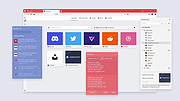 |
|
Zim v0.77.0 Zim v0.77.0 A graphical text editor for maintaining a collection of wiki-style notes stored in plain text files. Zim is a desktop wiki application designed to help you organize notes, ideas, and documentation using a simple and flexible wiki-style structure. Pages are stored as plain text files in folders, making your data easy to back up, sync, and edit outside the program if needed. Zim supports linking between pages, attachments, tags, and powerful plugins, making it well suited for note taking, personal knowledge bases, project documentation, and journaling. The editor window with all widgets visible Features: • Wiki-style linking between pages using simple syntax • Plain text storage for easy backup, portability, and version control • Hierarchical page structure with automatic index generation • Rich text formatting including lists, tables, code blocks, and checkboxes • Full-text search across notebooks and pages • Tagging system for organizing and filtering notes • Built-in spell checking and word count • Attachment support for images and files • Plugin system for added functionality such as task lists, diagrams, and calendars • Export notes to HTML, LaTeX, or other formats Supported operating systems: • Windows 7, Windows 8, Windows 10, Windows 11 • Linux • macOS Supported languages: English, Afrikaans, Arabic, Bulgarian, Catalan, Chinese, Croatian, Czech, Danish, Dutch, Estonian, Finnish, French, German, Greek, Hebrew, Hungarian, Italian, Japanese, Korean, Latvian, Lithuanian, Norwegian, Polish, Portuguese, Romanian, Russian, Serbian, Slovak, Slovenian, Spanish, Swedish, Turkish, Ukrainian Changes: v0.77.0 06-11-26 Merge markdown support as source format for notebooks (experimental) Allow multiple source formats in one notebook Refactor page search to be extendable improve speed Support options for 'case sensitive' and 'word boundaries' in page search Let find match glob patterns like search Add search query support for tasklist filtering Add default page template to notebook properties Add input for alternate text in Insert Image Dialog Remove overruling window positioning Fix latex templates for working with pdflatex, xelatex and lualatex Fix bug with _object_widgets.remove() Zim can be used to: • Keep an archive ... |
|
4,529 | Jun 21, 2026 Brendan Kidwell 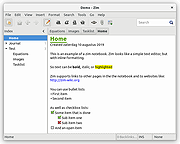 |
| Showing rows 1 to 34 of 34 | Showing Page 1 of 1 | 1 |
OlderGeeks.com Copyright (c) 2026
