|

|
Processed through Paypal No account required. |








Buy our over-priced crap to help pay the bills.



|
|
Processed through Paypal No account required. |
| File - Download FluentTaskScheduler v1.9.0 | ||||||||
| Description | ||||||||
|
Always scroll to the bottom of the page for the main download link. We don't believe in fake/misleading download buttons and tricks. The link is always in the same place. FluentTaskScheduler v1.9.0 👉 A modern, fluent UI-based task scheduler for Windows. FluentTaskScheduler is a Windows task scheduling utility that provides a clean and modern interface for creating, managing, and monitoring scheduled tasks. Built with a fluent design approach, it simplifies interaction with the Windows Task Scheduler by offering an intuitive graphical interface while still exposing advanced configuration options. It is designed for both casual users and advanced users who want more control over automation without navigating the default Windows scheduler. 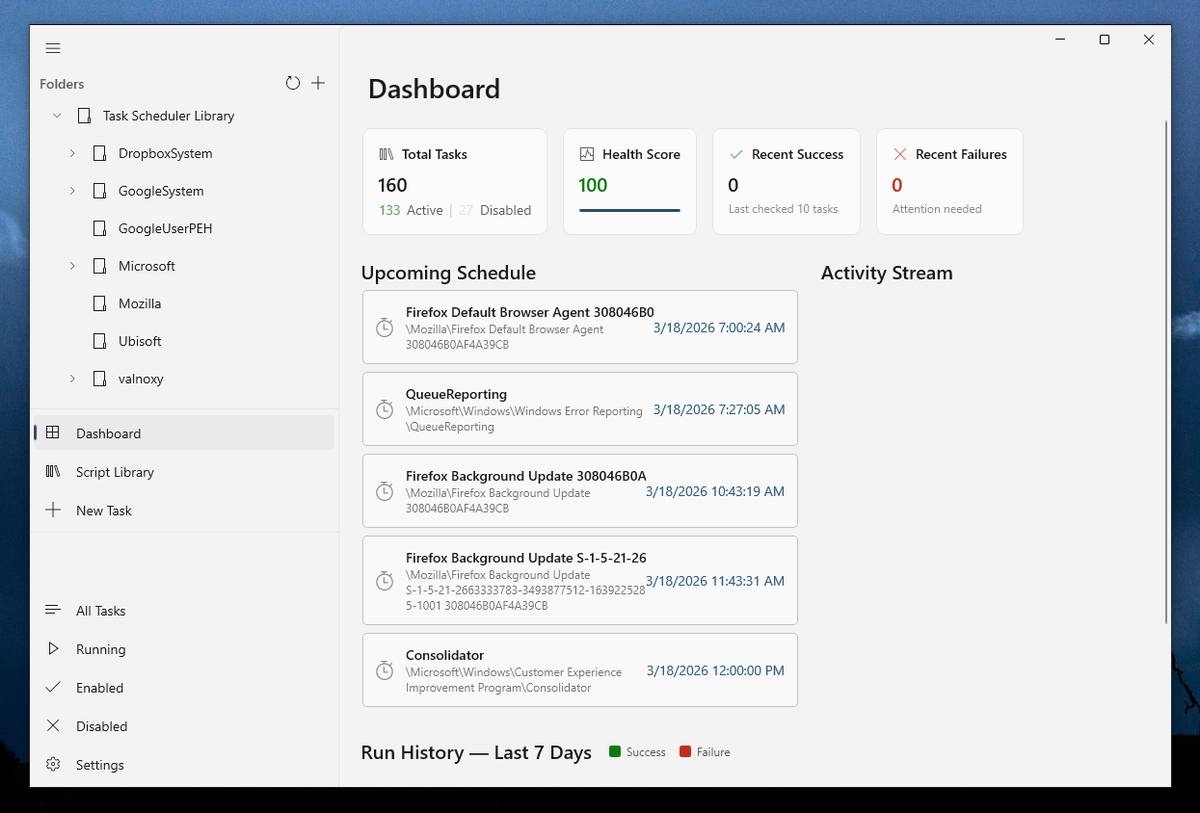 Features: • Create, edit, and delete scheduled tasks with ease • Modern fluent UI design for improved usability • View detailed task information and status • Support for triggers, actions, and conditions • Simplified interface compared to Windows Task Scheduler • Lightweight and easy to use Supported operating systems: • Windows 10, Windows 11 Supported languages: English Changes: v1.9.0 07-26-26 New Features Task Chaining (Completion Actions): Chain tasks together and configure a task to automatically start other tasks when it succeeds or fails, right from a new "Completion Actions" section in the task editor. FluentTaskScheduler watches the Task Scheduler event log in real time (no polling) and includes built-in loop protection so you can't accidentally chain a task into itself. Global & Per-Task Snooze: Need a break? Hit "Snooze All Tasks" to pause task execution app-wide for 30 minutes, 1 hour, 3 hours, until your next reboot, or a custom time. You can also now snooze individual tasks (including a working custom time option). Optionally suspends scheduled triggers at the OS level too, and un-suspends exactly what it suspended when the snooze ends. Dashboard Analytics: The Dashboard got a serious upgrade: a 24-hour execution heatmap, a health-score ring, average/longest run duration, and a live, filterable execution log (Success / Failed / Snoozed). Task Template Library: 17 ready-to-deploy templates (temp cleanup, restore points, Git fetch, Docker prune, project backups, idle shutdown, and more) merged into the Library page alongside your saved scripts, with a shared search box. Deploying a template just pre-fills the editor so nothing touches Task Scheduler until you hit Save. Advanced Task Settings: Added comprehensive scheduling options including advanced recurrence, idle conditions, and task expiration configurations. Quick Actions & Notifications: Implemented a new QuickActions feature alongside a robust notification service and VeloPack update handling. Fixes & Improvements Actually Multilingual Now: Found and fixed the reason the app kept showing German/OS-language text no matter what language you picked. Several dialogs relied on x:Uid, which follows the Windows display language instead of the in-app picker. Ripped it out everywhere and synced the .NET culture too, so dates, numbers, and task history all follow your chosen language now. (And yes, all v1.9.0 features have now been fully translated). Settings Cleanup: Export/Import moved into Advanced, Categories & Tags now list vertically instead of a cramped wrap, and OLED Mode no longer stays greyed out when "System Default" resolves to a dark theme. Task List Toolbar: Running/Enabled/Disabled moved out of the sidebar into a single status dropdown next to Search and now also with a "Snoozed" option. CSV Exports: Fixed non-ASCII task and user names getting mangled on export (missing UTF-8 BOM). Faster Dashboard: Replaced repeated per-task history lookups with a single bulk read of the event log. Security & Stability: Resolved a massive batch of S1-S4 audit findings, patching up data-loss risks, crashes, memory leaks, and UI issues. Also fixed a startup crash and an unreachable CLI usage path. 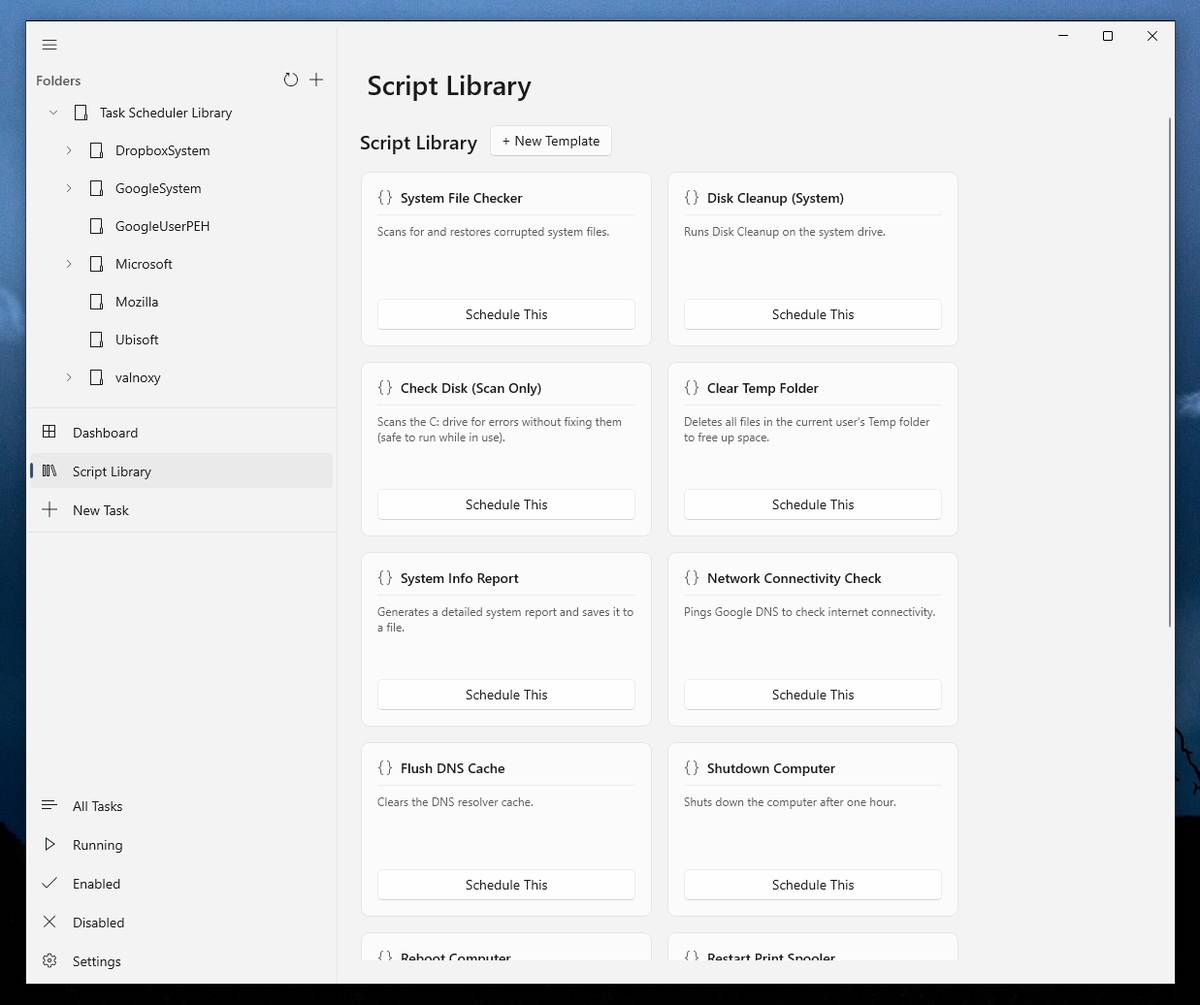 Note: This file has one hit on VirusTotal. We have confirmed this to be a false positive. The file is safe. This download is for the Windows 64bit installer version (very bottom of page). All other download assets are below: Other Windows: FluentTaskSchedulerSetup-arm64.msi FluentTaskSchedulerPortable-x64.zip FluentTaskSchedulerPortable-arm64.zip Click here to visit the author's website. Continue below for the main download link. |
||||||||
| Downloads | Views | Developer | Last Update | Version | Size | Type | Rank | |
| 1,091 | 4,184 | TRGamer-tech | Sep 16, 2026 - 12:38 | 1.9.0 | 56.21MB | MSI |  , out of 10 Votes. , out of 10 Votes. |
|
| File Tags | ||||||||
| scheduling Windows automation tasks scheduler FluentTaskScheduler triggers actions utilities productivity management Fluent interface system tools timer reminders | ||||||||
Click to Rate File Share it on Twitter → Tweet
|


