|

|
Processed through Paypal No account required. |








Buy our over-priced crap to help pay the bills.



|
|
Processed through Paypal No account required. |
| Files | ||||
| File Name | Rating | Downloads | ||
 |
Android Junk Files Cleaner 1.01 Android Junk Files Cleaner 1.01 Android Junk Files Cleaner is an Android system tool which can clean history, protect your personal privacy, save your disk space, make your phone's speed more faster. Features: Clear call and miss call record Clear Android Market and uninstall history Clear map history Clear browser history Clear gmail history Clear clipboard and software cookies Clear SD garbage |
 |
11,630 | Nov 08, 2013 bvcsoft Studio |
 |
CleanSweep2 v3.1 CleanSweep2 v3.1 👉 Remove selected Windows junk files and see how much disk space you reclaim. CleanSweep2 lets you select temporary files, caches, logs, and other cleanup targets. It estimates reclaimable space before cleaning and reports the space recovered afterward. A command-line edition supports selective cleaning, logging, silent operation, and scheduled runs through Windows Task Scheduler. Review your selections carefully before removing File History snapshots or the Windows.old folder. Features: • Select cleanup targets individually. • Remove temporary files, temporary setup files, and temporary internet files. • Clear Chrome and Microsoft Edge caches, thumbnail caches, and Microsoft Office cache. • Clean Windows Update logs, error reports, Defender logs, and Delivery Optimization files. • Empty the Recycle Bin or remove Event Viewer logs when selected. • Optionally remove File History snapshots and the Windows.old folder. • See estimated reclaimable space and the amount recovered. • Save logs and remember selections in the graphical edition. • Run selective or scheduled cleaning with the command-line edition. Supported operating systems: • Windows 7, Windows 8, Windows 8.1, Windows 10, Windows 11 Supported languages: English Changes: v3.1 03-12-26 FIX - Multiple file exceptions on load CHANGE - Default to manual check for updates Click here to visit the author's website. |
 |
5,044 | Sep 28, 2026 Thomas Loupe 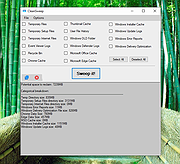 |
|
CloneScan v2.1 CloneScan v2.1 👉 Find, review, and safely remove duplicate files and folders. CloneScan is a free Windows utility designed to help you find, review, and safely remove duplicate files and duplicate folders from your computer. Features: • Find duplicate files and folders • Compare by file name, size, file name and size, or SHA-1 hash • Filter scans by file type • Set a minimum file size for scanning • Fast content scanning with parallel hashing • Grouped duplicate results • Move deleted items to the Recycle Bin • Export results to CSV Supported operating systems: • Windows 10, Windows 11 Supported languages: English Changes: v2.1 09-09-26 New scan options. Minor fixes. Click here to visit the author's website. |
|
690 | Sep 10, 2026 TkoSoft 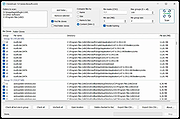 |
|
CopyFolders 2 Portable v2.0.31 CopyFolders 2 Portable v2.0.31 👉 Automatically copy new and modified files from multiple folders with versioning support. CopyFolders 2 is a utility designed to copy new or modified files from source folders to destination folders. It is intended primarily for backup purposes, allowing users to keep folders up to date by copying only files that have changed. CopyFolders 2 supports working with multiple source and destination folders at the same time. It can also keep several previous versions of files, helping preserve older copies when updates occur. The program operates through a simple interface where users configure the folders and options, then execute the copy process as needed. Features: • Copies only new and modified files • Supports up to 9 source folders • Supports up to 9 destination folders • Designed specifically for backup and updating folders • Can keep up to 6 previous versions of files • Allows defining multiple folder pairs for processing • Simple configuration of source and destination paths • Executes copy operations based on defined setup • Portable. No installation required. Supported operating systems: • Windows 10, Windows 11 Supported languages: English, Chinese, French, German, Italian, Polish, Portuguese, Russian, Spanish. Changes: v2.0.31 04-28-26 First update: Fixed a bug where if a path contains underscores ("_") them would not be displayed in the path text box Fixed UNC network path support and improved folder selection Improved file copy error reporting Click here to visit the author's website. |
|
830 | Aug 26, 2026 eziogarr-coder 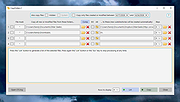 |
|
DeadLock v1.5.1 DeadLock v1.5.1 👉 Unlock files and folders that Windows refuses to release. DeadLock can be used to unlock files and folders that are locked by the system or other applications. This is especially useful when Windows will not let you delete, move, copy or rename something because it claims the file is still in use. DeadLock can unlock files and folders, take ownership, and help remove stubborn items without digging through Task Manager or command-line tools. DeadLock also supports command-line arguments, so advanced users can unlock files or folders directly from PowerShell or CMD without opening the full graphical interface. It is open source, lightweight, free to use and designed specifically for Windows. Features: • Unlock files and folders locked by Windows or other applications • Delete, move or copy locked files and folders • Take full ownership of stubborn files and folders • Command-line support for PowerShell and CMD use • Optional Windows Explorer integration • Theme and preference settings • Optional automatic update functionality • Open-source GPL-3.0 licensed software • No ads, trackers or user data collection Supported operating systems: • Windows 7 SP1, Windows 8, Windows 8.1, Windows 10, Windows 11 • Windows Server 2008 R2 SP1, Windows Server 2012, Windows Server 2012 R2, Windows Server 2016, Windows Server 2019, Windows Server 2022, Windows Server 2025 Supported languages: English, Chinese Simplified, Chinese Traditional, Russian, Bulgarian Changes: v1.5.1 02-15-26 Create Chinese simp. locale. Create a language file for Traditional Chinese. Fix Chinese Traditional locale. Updated russian translate. Added OS + updated link to HTTPS. Create bg.xml. Note: This file has two hits on VirusTotal. We have confirmed these to be false positives. The file is safe. Click here to visit the author's website. |
|
7,682 | Jun 11, 2026 CodeDead 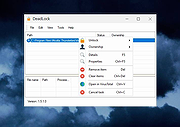 |
|
Delete Multiple Files v1.1 Delete Multiple Files v1.1 Batch delete tool Bulk delete utility Vovsoft Delete Multiple Files enables batch file/folder deletion through a simple process. It permits you to get rid of multiple files or folders from your computer without the need to go through and manually delete them. It presents a simplified user interface without overly complex settings. Multiple file eraser When you want to get rid of many files on your computer, you typically need to browse any location and manually erase the items. Alternatively, you can try "Delete Multiple Files", an application that does exactly what its title suggests. The overall look and feel of this software utility is minimalist, as its GUI is not cluttered with redundant menus and buttons. Instead, you get a simple window where you can add files or folders you want to remove, along with some additional features meant to simplify the whole process. Delete files or folders from different places on the computer The application is meant to allow you to efficiently add the items you want to delete and complete the job with minimal hassle. It supports drag'n'dropping of the selected items for removal. It can be used for individual files, folders, subfolders, or recursive subfolders. You can choose between "Send to Recycle Bin" and "Permanently Delete" options. You can also specify file mask when dealing with directories. It is the perfect addition to your toolset without wasting time when multiple files need to be deleted. It can come in handy when you want to save both time and energy when removing numerous files at the same time. Supports: Windows 10/8.1/8/7/Vista/XP (32-bit and 64-bit) Language: English, Deutsch, Espaρol, Franηais, Italiano, Magyar, Nederlands, Polski, Portuguκs, Pусский, Shqip, Slovenščina, Svenska, Tόrkηe, български, العربية, 中文, 日本語, 한국어 License: Freeware — no nags, no ads, fully functional Note from the OlderGeeks: There are some false ... |
|
3,270 | Dec 21, 2021 Vovsoft 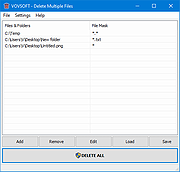 |
|
DesktopFrames+ v2.7.7.294 DesktopFrames+ v2.7.7.294 Formerly Desktop Fences+ 👉 Organize your Windows desktop icons, files and shortcuts into customizable virtual frames. DesktopFrames+ is a free and open-source desktop organization utility that creates virtual Frames on your desktop, allowing you to group shortcuts, files and folders into clean, convenient containers. It provides several types of Frames, including regular Data Frames for shortcuts, Portal Frames that mirror the contents of folders, and Note Frames for quickly accessible text. Frames can contain multiple tabs, be arranged into separate workspace profiles and customized with colors, transparency, visual effects, icons and other appearance options. Built-in tools such as SpotSearch, Smart Desktop, automatic backups, profile automation and extensive visibility controls provide additional ways to organize and manage a busy desktop. The program is fully portable and does not require installation. Features: • Create Data Frames for organizing shortcuts to files, folders and web links • Create Portal Frames that mirror the contents of folders • Create Note Frames for keeping text directly on the desktop • Organize shortcuts into multiple tabs within a single Frame • Create independent workspace profiles for different desktop layouts • Switch profiles manually with hotkeys • Automatically switch profiles when specified programs are launched • Smart Desktop engine automatically sorts and moves incoming files according to user-created rules • SpotSearch quickly searches for and launches shortcuts stored across your Frames • Peek Behind temporarily reveals the desktop behind Frames • Rollup hides the contents of Frames while leaving the Frame accessible • Auto-hide conceals Frames after a period of inactivity • Focus Mode highlights a specific Frame from the system tray or with a hotkey • Supports files, folders, web links, Microsoft Store apps, Steam games and Spotify URIs • Run shortcuts as administrator or as a different user • Customize individual Frame background colors and global tint levels • Chameleon Mode automatically matches Frames to the dominant color of your wallpaper • Application launch ... |
|
2,295 | Sep 07, 2026 Hand Water Pump 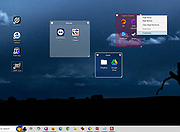 |
|
Edgetree v1.5.0 Edgetree v1.5.0 👉 A lightweight file explorer that docks to the edge of your Windows desktop. Edgetree provides a quick, always-available view of your files and folders without requiring a full Windows File Explorer window. Inspired by the Explorer panel in Visual Studio Code, it docks to the left or right edge of the screen and can automatically hide as a thin strip until you move the mouse over it. The tree begins at This PC and displays all available drives. Folders load as they are expanded, and the program remembers your previous location and expanded folders between sessions. Files can be opened, renamed, copied, cut, pasted, compressed, extracted, deleted, dragged into other programs and managed through a full right-click menu. Edgetree also includes favorites, persistent bookmarks, folder searching, file-type filtering, image previews, network drive support and extensive appearance controls. It is portable and distributed as a single executable with no installation required. Features: • Docks to the left or right edge of the screen • Auto-hide mode reduces the program to a thin screen-edge strip • Floating mode provides a normal movable window • Starts at This PC and displays local, removable and mapped network drives • Remembers expanded folders, window position and previous location • Opens folders with a single click and files with a double-click • Limits the number of initially displayed items in large folders for faster performance • Supports Ctrl-click and Shift-click multiple selection • Cut, copy, paste, rename, delete and drag-and-drop file operations • Creates new folders and ZIP archives • Extracts ZIP archives • Deletes files and folders to the Windows Recycle Bin • Opens files with their default program or another selected application • Opens folders in Windows File Explorer or Windows Terminal • Displays image previews and file information in the right-click menu • Sorts files by name, date, type or size • Provides global sorting and separate sorting for individual folders • ... |
|
314 | Aug 05, 2026 legendsteel11  |
|
ESET SysInspector v2.1.5.0 ESET SysInspector v2.1.5.0 👉 Free PC diagnostic tool for inspecting system issues, suspicious files, processes, services, registry entries and network connections. ESET SysInspector is an easy to use diagnostic tool that helps troubleshoot a wide range of system issues. It captures critical and detailed information about your computer and is useful for tracking down malicious code, suspicious unsigned files, software problems, hardware incompatibilities, driver issues, broken registry entries and suspicious network connections. Features: • Captures detailed system information for troubleshooting • Helps inspect running processes and services • Identifies suspicious and unsigned files • Helps diagnose software issues and hardware incompatibility • Checks for outdated or malfunctioning drivers • Helps identify unpatched operating system issues • Reports broken registry entries • Helps detect suspicious network connections • Color-coded risk levels help prioritize severe issues • Processes and network tree view • Regular expression filtering for log results • Light and dark mode support Supported operating systems: • Windows 10, Windows 11, Windows Server 2016, Windows Server 2019, Windows Server 2022 Supported languages: Several languages Changes: v2.1.5.0 Improved: Error codes on app exit Improved: File details for registry subsection Improved: Filtering functionality Added: Option to copy registry path Added: Modal window for viewing registry Added: Selecting lines with typed letter Fixed: Handling Livegrid settings Fixed: Minor UI bugs Updated: Modules with the latest improvements This download is for the Windows 64bit version (very bottom of page). If you need the Windows 32bit version, download here. If you need the Windows ARM64 version, download here. Click here to visit the author's website. |
|
4,965 | May 19, 2026 ESET, spol. s r.o. 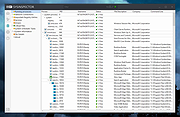 |
|
Everything v1.4.1.1032 Everything v1.4.1.1032 👉 Locate files and folders by name instantly. Everything is a fast Windows search engine that locates files and folders by filename instantly. It quickly indexes file and folder names, updates results in real time, and uses minimal system resources. Features: • Small installation file • Clean and simple user interface • Quick filename indexing • Quick searching • Minimal resource usage • Real-time updating • Content searching with the content: search function • Portable and installer versions available • x86, x64, ARM and ARM64 builds available • Multilingual support Supported operating systems: • Windows XP, Windows Vista, Windows 7, Windows 8, Windows 10, Windows 11 Supported languages: Afrikaans, Bosanski, Čeština, Dansk, Deutsch, English (AU), English (UK), English (US), Espaρol (Espaρa), Espaρol (Latinoamιrica), Espaρol (Venezuela), Estonia, Franηais, Hrvatski, Italiano, Kϋrdξ (Soranξ), Kϋrdξ, Magyar, Nederlands, Norsk bokmεl, Oʻzbekcha, Polski, Portuguκs (Brasil), Romβnă, Shqip, Slovenčina, Slovenščina, Srpski, Suomi, Svenska, Tiếng Việt, Tόrkηe, Ελληνικά, Български, Македонски, Русский, Српски, Українська, עברית, عربي, ئۇيغۇرچە, বাংলা, فارسی, தமிழ், ภาษาไทย, བོད་ཡིག, 한국어, 日本語, 简体中文, 繁體中文 Changes: v1.4.1.1032 01-23-26 fixed a security issue with launching files ending with a dot (.) fixed an issue with the msi installer not stopping Everything. This download is for the Windows 64bit installer (very bottom of page). All other download assets are below: Windows Installer 32bit Everything-1.4.1.1032.x86-Setup.exe Windows Portable version: Everything-1.4.1.1032.x64.zip Everything-1.4.1.1032.x86.zip Everything-1.4.1.1032.ARM64.zip Everything-1.4.1.1032.ARM.zip Windows Lite installer version: Everything-1.4.1.1032.x64.Lite-Setup.exe Everything-1.4.1.1032.x86.Lite-Setup.exe Click here to visit the author's website. |
|
7,613 | May 24, 2026 voidtools 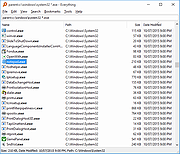 |
|
Executor v2.4.0 Executor v2.4.0 👉 Fast and customizable keyboard launcher for Windows. Executor is a highly customizable application launcher and productivity tool designed to help you quickly start programs, open files and folders, perform web searches, execute commands, and automate repetitive tasks using keyboard shortcuts. Inspired by tools like Launchy and the old Microsoft AppLauncher utilities, Executor focuses on speed and flexibility while remaining lightweight and easy to use. Executor supports keyword aliases, command parameters, clipboard handling, history tracking, and advanced search functionality. Users can create custom commands, launch websites, search online services, and manage workflows directly from a compact launcher window. It also includes support for skins and plugins, allowing users to personalize the appearance and expand functionality. Features: • Instant keyboard-based program and file launching • Custom keyword aliases and command execution • Built-in web search and URL launching support • Clipboard and command history integration • Plugin and skin support for customization • Portable and lightweight design • Auto-complete and smart search matching • Hotkey support for rapid access • Launch files, folders, commands, and websites from one interface • Configurable interface and advanced user options Supported operating systems: • Windows XP, Windows Vista, Windows 7, Windows 8, Windows 10, Windows 11 Supported languages: English Changes: v2.4.0 09-26-26 What's new Need to research an embarrassing topic, or have someone looking over your shoulder, or presenting your screen in a meeting? You can now enable Incognito mode, that per default will not add anything to history while enabled. You can further configure the incognito mode to do one or more of the following: Hide history from auto-complete and list (file system, URLs, keywords). Hide all list entries either when input is empty or all the time. Disable file navigation in list. ... |
|
6,454 | Oct 02, 2026 Martin Bresson 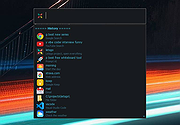 |
|
Feex v0.19.12 Feex v0.19.12 👉 A free Windows utility for monitoring, diagnosing, understanding and maintaining your PC. Feex is a free Windows system utility that combines PC monitoring, diagnostics and maintenance tools in a single application. It provides real-time information about CPU, GPU, memory, disks and other system activity while helping identify applications and processes that may be consuming excessive resources. Feex goes beyond basic system monitoring by keeping useful historical information about your computer. It can analyze startup programs, monitor boot speed over time and help identify common Windows problems and changes that may be affecting performance. Detailed hardware and system information is available to help you understand the components and configuration of your PC. Built-in maintenance tools can help clean caches and unnecessary files, locate duplicate files and perform Windows maintenance and performance tasks. When Feex proposes meaningful changes to the system, it explains what will be affected and asks for approval before proceeding. Privacy is an important part of Feex's design. System understanding and history are stored locally on the PC, and the program can continue operating without an Internet connection. File discovery uses metadata such as filenames, types, sizes and dates rather than reading the contents of documents, emails or chats. Feex does not collect passwords or browsing history, capture the screen, log keystrokes, record audio or video, or inspect the contents of network traffic. It is not intended to replace antivirus software and can be used alongside Windows Defender or other security software. Features: • Monitors CPU, GPU, RAM, disk and overall system activity • Identifies resource-heavy applications and processes • Analyzes programs configured to run at startup • Monitors boot speed and maintains boot history • Provides detailed hardware and system information • Detects common Windows issues • Cleans caches and unnecessary files • Detects duplicate files • Provides Windows maintenance and performance tools • Keeps historical information about system behavior • ... |
|
392 | Sep 04, 2026 Feex 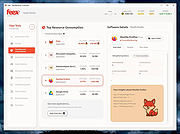 |
|
Files Terminator Free (PORTABLE) 2.6.0.0 Files Terminator Free (PORTABLE) 2.6.0.0 Secure deletion of sensitive data! Files Terminator Free is an easy to use application that allows users to permanently delete their files and wipe free disk space. Portable version available. The utility protects the users privacy by permanently delete sensitive documents, images, videos and other files and by overwriting the free disk space. The software uses several shredding methods (one pass Pseudorandom, British HMG IS5, two pass Russian GOST P50739-95, three pass US DoD 5220.22M, seven pass German VSITR, Canadian RCPM TSSIT OPS-II, Bruce Schneier and the 35-pass Peter Gutmann) and supports drag and drop for easier use. During file shredding the content of the selected files are overwritten several times with random data and predefined characters and cannot be recovered any more. Finally, Files Terminator Free is a quick and easy to use application with a user-friendly interface that helps users permanently delete sensitive documents and swap free disk space. |
|
9,479 | Jan 19, 2014 Elefant Software |
|
Files Terminator Free 2.6.0.0 Files Terminator Free 2.6.0.0 Secure deletion of sensitive data! Files Terminator Free is an easy to use application that allows users to permanently delete their files and wipe free disk space. Portable version available. The utility protects the users privacy by permanently delete sensitive documents, images, videos and other files and by overwriting the free disk space. The software uses several shredding methods (one pass Pseudorandom, British HMG IS5, two pass Russian GOST P50739-95, three pass US DoD 5220.22M, seven pass German VSITR, Canadian RCPM TSSIT OPS-II, Bruce Schneier and the 35-pass Peter Gutmann) and supports drag and drop for easier use. During file shredding the content of the selected files are overwritten several times with random data and predefined characters and cannot be recovered any more. Finally, Files Terminator Free is a quick and easy to use application with a user-friendly interface that helps users permanently delete sensitive documents and swap free disk space. |
|
9,455 | Jan 19, 2014 Elefant Software |
|
Files v3.9.1 Files v3.9.1 Explore a beautiful Windows-first design. Manage all your files with increased productivity. Work across multiple folders with tabs. And so much more. Files is the ultimate file manager for Windows. With its sleek and intuitive design, navigating through your files and documents has never been easier. Files features tabs for easy switching between different folders, a column layout for quick file browsing, and dual pane support for efficient file management. In addition, you can easily create and extract zipped archives with just a few clicks, making file compression and decompression a breeze. Files also offers advanced features such as file tagging for easy organization, support for QuickLook for previewing files without opening them, and the ability to customize the background color to match your personal style. Whether you're a power user or just looking for an alternative to File Explorer, Files has everything you need to keep your files organized and easily accessible. With its combination of powerful features and ease of use, Files is the ultimate file management solution for Windows. Features Cloud files integration? Tabs and multiple layouts? Rich file previews? Files has it covered with robust features you expect from a modern file manager. Multitask with tabs Avoid multiple windows and keep your desktop clutter-free with tabs. Dual pane View and manage two folders side by side with the Dual Pane feature. Tag files and folders Organize and sort your files and folders with colored tags. Column view Quickly navigate through different levels of the file system using the column layout. View and edit archives Create and extract archives including zip, WinRar, and 7zip. Seamless cloud integration Built-in support for cloud drives such as OneDrive, Google Drive, and iCloud. Preview pane Preview photos, videos, and documents without opening them. QuickLook and SeerPro support Preview Office files, documents, and other file types by pressing the space bar. This feature requires installing QuickLook or SeerPro. Git integration Easily manage ... |
|
4,059 | Feb 28, 2025 Files Community 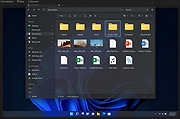 |
|
FileVoyager v26.9.6.0 FileVoyager v26.9.6.0 👉 A powerful dual-pane file manager and viewer for Windows. FileVoyager is a freeware Orthodox file manager (OFM) for Microsoft Windows that uses a dual-pane layout to make browsing, organizing, comparing, and transferring files easier. It can browse disks, folders, shares, archives, and FTP/FTPS locations in one unified interface, while also offering built-in viewers, archive handling, folder synchronization, file comparison, hashing, and media playback support. Features: • Dual-pane Orthodox file manager layout • Browse disks, folders, virtual folders, shares, archives, and FTP/FTPS locations • Multiple view modes, including report and thumbnail views • Rename, copy, move, link, delete, and recycle files • Pack and unpack ZIP, 7Zip, GZip, BZip2, XZ, Tar, and WIM archives • Unpack ARJ, CAB, XAR, Z, RAR, LZH, LZMA, ISO, WIM, and many other formats • Built-in file and folder comparison • Folder synchronization tools • Duplicate file finder • Advanced search and filtering • Quick preview for many file formats • Multimedia playback using installed codecs, Windows Media Player, and VLC support • Ebook and comic book viewing, including PDF, EPUB, MOBI, FB2, DJVU, CBR, CBZ, and XPS • Syntax highlighting for many source code formats • Hexadecimal and flat file viewing modes • Hash tool with VirusTotal-powered malware report • Dark Mode and customizable themes • Available as Setup or Portable editions • Optional VLC codec packages Supported operating systems: • Windows 10, Windows 11 • Should also run on Windows Vista, Windows 7, Windows 8.x, but these are not tested Supported languages: Arabic, Chinese Simplified, Czech, Danish, Dutch, English, French, German, Greek, Hungarian, Italian, Japanese, Korean, Polish, Portuguese, Portuguese (Brazil), Russian, Slovak, Slovenian, Spanish, Swedish Changes: v26.9.6.0 09-06-26 + New: Viewer: The main new feature in this release is folder analytics in the Viewer, with a dedicated panel providing key metrics and insights about a folder selected. + New: Browse: Added Archive & Unarchive commands in the Central toolbar, under Tools. ~ Chg: Global: Mask labels, visible in the various filter ... |
|
5,800 | Sep 11, 2026 FileVoyager 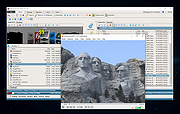 |
|
FileZilla Client Portable v3.70.6 FileZilla Client Portable v3.70.6 👉 Portable FTP, FTPS, and SFTP client for fast and reliable file transfers. FileZilla Client Portable is a portable edition of FileZilla that lets you connect to FTP, FTPS, and SFTP servers for uploading, downloading, and managing files without a traditional installation. It is designed to run from portable storage or local folders and includes drag and drop transfers, resume support, firewall and proxy support, and a tabbed interface for handling file transfer tasks more easily. Features: • Portable package that runs without traditional installation • Supports FTP, FTP over SSL/TLS (FTPS), and SFTP • Resume support for uploads and downloads • Timeout detection • Firewall support • SOCKS4/5 and HTTP/1.1 proxy support • Intuitive drag and drop interface • Tabbed user interface • IPv6 support • Supports transfer of large files over 4GB • Powerful Site Manager and transfer queue • Bookmark support • Configurable speed limits • Filename filters • Directory comparison • Network configuration wizard Supported operating systems: • Windows 7, Windows 8, Windows 10, Windows 11 Supported languages: Aragonese, Arabic, Azerbaijani, Bulgarian, Catalan, Corsican, Czech, Welsh, Danish, German, Greek, Spanish, Estonian, Basque, Persian, Finnish, French, Galician, Hebrew, Croatian, Hungarian, Armenian, Indonesian, Icelandic, Italian, Japanese, Kabyle, Georgian, Khmer, Korean, Kurdish, Kirghiz, Lao, Lithuanian, Latvian, Macedonian, Norwegian Bokmεl, Nepali, Dutch, Norwegian, Occitan, Polish, Portuguese, Romanian, Russian, Slovak, Slovenian, Serbian, Swedish, Tamil, Thai, Turkish, Ukrainian, Vietnamese, Chinese Changes: v3.70.6 06-04-26 New features: SFTP: Added compatibility flag to Site Manager to ignore invalid bits in file attributes flags received from non-compliant servers Bugfixes and minor changes: SFTP: Updated to fzssh 1.3.0 Updated to libfilezilla 0.56.1 Removed autodetection of FTP server type governing the remote path syntax. Exotic server types now need to be set explicitly on the advanced page in the Site Manager Click here to visit the author's website. |
|
5,228 | Aug 14, 2026 FileZilla Project & PortableApps.com (John T. Haller) 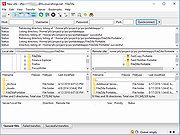 |
|
Flow Launcher v2.1.3 Flow Launcher v2.1.3 👉 Fast keyboard-driven launcher for finding apps, files, settings, bookmarks, and more on Windows. Flow Launcher is a quick file search and app launcher for Windows with community-made plugins. It is designed to help you search and launch applications, find files and file contents, run web searches, access browser bookmarks, use system and shell commands, search Windows and Control Panel settings, and extend functionality through a built-in plugin ecosystem. Features: • Search and launch applications from the keyboard • Search files and file contents using Everything or Windows Search • Run web searches with your preferred search engine • Search bookmarks from supported browsers • Access system commands such as restart, sleep, shutdown, lock, and settings • Run batch and PowerShell commands, including as Administrator or another user • Perform mathematical calculations and copy results to the clipboard • Search Windows settings and Control Panel settings • Browse and install community-made plugins from the plugin store • Supports custom themes, animations, sounds, and color schemes • Lets you display date and time in the search window • Supports portable use • Includes Game Mode to pause hotkey activation while gaming • Supports dialog jump for Open and Save As windows • Includes drag and drop support for files and folders • Lets you prioritize plugin result order • Includes a preview panel for supported items • Supports plugin development in C#, F#, Python, JavaScript, and TypeScript Hotkeys: • Alt + Space Open Flow Launcher (default hotkey, customizable) • Ctrl + Shift + Enter Run selected result as Administrator • Ctrl + Enter Open file location (Explorer) • Tab Autocomplete selected result • Enter Launch selected result • Esc Close Flow Launcher • ↑ / ↓ Navigate results list • Ctrl + C Copy selected result info (when supported) System Command List: • shutdown Shut down the computer • restart Restart the computer • sleep Put the computer to sleep • hibernate Hibernate the computer • lock Lock the current user session • signout ... |
|
708 | Aug 09, 2026 Flow Launcher Team 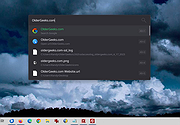 |
|
Games Cleaner v24.31022 Games Cleaner v24.31022 👉 Advanced gaming cleanup utility that removes leftover files, launcher junk, caches, logs, and temporary game data to free valuable storage space. Games Cleaner is a specialized cleanup utility designed specifically for gamers who want to reclaim wasted disk space and keep their systems organized. Unlike general-purpose cleaning tools, Games Cleaner focuses on the unique folders and temporary files created by modern PC games and digital distribution platforms. The program scans gaming-related directories for leftover uninstall files, launcher caches, outdated logs, crash reports, shader caches, empty folders, screenshots, temporary downloads, and other unnecessary data commonly left behind after gaming sessions or incomplete uninstallations. This helps reduce clutter while freeing storage space that can quickly disappear on systems with large game libraries. Games Cleaner supports many popular gaming ecosystems and launchers, making it useful for players with collections spread across multiple platforms. The utility can detect and clean files created by services such as Steam, Epic Games Launcher, Ubisoft Connect, Bethesda Launcher, EA App, Battle.net, GOG Galaxy, and other common PC gaming environments. The interface is designed to be straightforward and easy to use, allowing users to quickly scan their system, review detected items, and remove unnecessary files without manually browsing through complicated game directories. It can be especially useful for SSD users where storage space is limited and large modern games constantly generate temporary data. Features: • Cleans leftover files from installed and previously uninstalled games • Removes temporary files, caches, logs, shader caches, and crash reports • Supports multiple popular gaming launchers and ecosystems • Detects unnecessary gaming-related junk files automatically • Helps recover valuable disk space on SSDs and HDDs • Scans for empty folders and obsolete directories • Cleans launcher-generated cache and temporary download files • Helps organize cluttered gaming systems • Simple and easy-to-use interface • Lightweight Windows utility focused on gaming cleanup • Designed specifically for PC gaming ... |
|
531 | Jun 04, 2026 Rezar Behzad 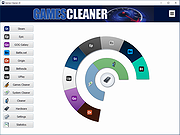 |
|
HashMyFiles v2.51 HashMyFiles v2.51 👉 Calculate and verify file hashes to confirm file integrity and authenticity. HashMyFiles is a lightweight, portable utility that calculates the hash values of one or more files or folders, making it easy to verify file integrity, compare downloaded files against published checksums, detect duplicate content, and confirm that files have not been modified. It supports multiple hashing algorithms including CRC32, MD5, SHA-1, SHA-256, SHA-384, and SHA-512. Hashes can be copied to the clipboard or exported to text, HTML, XML, CSV, JSON, or tab-delimited formats. HashMyFiles also integrates with the Windows Explorer context menu for quick access and requires no installation. Features: • Calculate CRC32, MD5, SHA-1, SHA-256, SHA-384, and SHA-512 hashes • Hash individual files, multiple files, or entire folders • Portable application requiring no installation • Drag-and-drop support • Windows Explorer context menu integration • Compare copied hashes with calculated values • Highlight identical hashes • Export results to TXT, HTML, XML, CSV, JSON, and tab-delimited formats • Command-line support for automation • Display file information including size, timestamps, version, and attributes Supported operating systems: • Windows 2000, Windows XP, Windows Server 2003, Windows Vista, Windows 7, Windows 8, Windows 8.1, Windows 10, Windows 11 Supported languages: English, Arabic, Basque, Belarusian, Bulgarian, Catalan, Chinese (Simplified), Chinese (Traditional), Croatian, Czech, Danish, Dutch, Finnish, French, Galician, German, Greek, Hebrew, Hungarian, Italian, Japanese, Korean, Lithuanian, Norwegian, Persian, Polish, Portuguese (Brazil), Portuguese (Portugal), Romanian, Russian, Serbian, Slovak, Slovenian, Spanish, Swedish, Thai, Turkish, Ukrainian, Vietnamese Changes: v2.51 07-16-26 Added the 'Hashing Duration' option to display the total hashing time in the status bar. Added 'Show Hashing Duration In Milliseconds' option. Added 'Hashes Per Second' column. This download is for the 64bit version (very bottom of page). If you need the 32bit version, download here. Click here to visit the author's website. |
|
10,386 | Jul 17, 2026 Nir Sofer 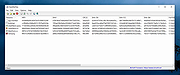 |
|
HFS (HTTP File Server) v3.2.2 HFS (HTTP File Server) v3.2.2 👉 Lightweight and easy-to-use HTTP file sharing server. HFS (HTTP File Server) is a fast and user-friendly file sharing application that allows you to share files over the web with just a few clicks. It transforms your computer into a web server, enabling others to download files using a browser without requiring complex setup or additional software. HFS is designed for simplicity and portability, making it ideal for quick file sharing, temporary hosting, or lightweight server needs. It supports drag-and-drop file management, customizable access permissions, and real-time monitoring of connections. The interface is clean and intuitive, allowing users to easily control uploads, downloads, and bandwidth limits. Advanced users can take advantage of scripting capabilities, customizable templates, and event handling to extend functionality. HFS also includes support for HTTPS, user accounts, and dynamic DNS integration for remote access over the internet. For full documentation and usage details, visit: https://rejetto.com/wiki/index.php%3Ftitle=HFS_Documentation_(English).html Features: • Easy file sharing over HTTP/HTTPS • Drag-and-drop file management • Portable and lightweight (no installation required) • User account and permission control • Real-time connection and transfer monitoring • Upload and download support via browser • Bandwidth limiting and speed control • Customizable web templates and interface • Event scripting and automation support • Dynamic DNS support for remote access Supported operating systems: • Windows 10, Windows 11 Supported languages: English, Italian, Spanish, French, German, Portuguese, Russian, Chinese Changes: v3.2.2 08-01-26 Improved plugin handling and compatibility. Updated project dependencies. Minor fixes and internal improvements. This download is for the Windows 64bit version (very bottom of page). All other download assets are below: macOS: hfs-mac-x64-3.2.2.zip hfs-mac-arm64-3.2.2.zip Linux: hfs-linux-x64-3.2.2.zip hfs-linux-arm64-3.2.2.zip Click here to visit the author's website. |
|
6,166 | Aug 06, 2026 rejetto.com 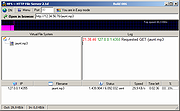 |
|
HiBit Uninstaller v4.0.10 HiBit Uninstaller v4.0.10 👉 Completely remove programs and clean leftover files and registry entries. HiBit Uninstaller is a powerful and easy-to-use utility that helps you uninstall programs completely from your Windows system. It removes stubborn applications, leftover files, folders, and registry entries that standard uninstallers often leave behind. HiBit Uninstaller also includes a suite of additional system management tools to help you clean and optimize your PC. These tools allow you to manage startup items, clean junk files, remove browser extensions, and securely delete sensitive files. The program is lightweight, portable (no installation required), and designed to work without background services or unnecessary components. Features: • Completely uninstall programs and remove leftovers • Force remove stubborn or corrupted programs • Batch uninstall multiple applications • Remove Windows Apps (Store apps) • Deep registry and file system scan for leftovers • Startup manager • Context menu manager • Services manager • Task scheduler manager • Junk file cleaner • Registry cleaner • Browser extension manager • Secure file shredder • System restore manager • Portable version available Supported operating systems: • Windows 7, Windows 8, Windows 8.1, Windows 10, Windows 11 Supported languages: English, German, French, Spanish, Italian, Portuguese, Dutch, Russian, Turkish, Polish, Czech, Romanian, Hungarian, Greek, Arabic, Chinese (Simplified), Chinese (Traditional), Japanese, Korean Changes: v4.0.10 02-10-26 Added a File & Registry Finder tool. Added a Duplicate File Finder tool. Added a Disk Analyzer tool. Added Connection Manager tool. Added tree view for leftovers search results. Added support for custom folders in the Empty Folder Cleaner and Shortcuts Cleaner tools. Added a donation feature to support our work. Redesigned and added new features to the Process Manager tool. Improved the performance of Installation Monitoring. Improved the Windows Store Apps Manager performance. Improved the speed and accuracy of the Junk Files Cleaner tool. Improved the leftovers search algorithm, achieving 30% faster performance. Improved user interface. Fixed all known bugs. Click here to visit the author's website. |
|
9,657 | Jun 27, 2026 HiBitSoft.IR 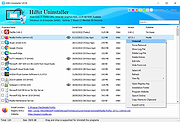 |
|
Horodruin v2026.07.841.0 Horodruin v2026.07.841.0 👉 Advanced file synchronizer for keeping two or more folders updated. Horodruin is a freeware file synchronizer designed to update folders by taking files from multiple different folders and synchronizing two or more sources with just a few clicks. It builds a virtual folder using the newest and missing files, then applies that result to each source so the folders contain the same updated files. The author notes that this tool is intended for advanced users and recommends reading the included documentation. Features: • Synchronizes two or more folders • Handles multiple folder sources in one project • Uses local full paths and UNC network paths • Analyzes folders to determine outdated or missing files • Builds a virtual folder from the newest and missing files • Lets you tune folder analysis to your needs • Saves and loads settings using project files • Export Delta feature saves source changes to a separate folder • Multi-threaded operation • Multi-threaded copy engine using temporary files and/or overwriting files • Can integrate with a text editor, hex editor, and diff viewer • Minimal registry usage, only for Explorer integration • Includes HTML Help • Small, fast, and clean • Freeware licensed under Creative Commons Attribution-NoDerivs 4.0 Supported operating systems: • Windows 10 or higher, 64-bit Supported languages: English Changes: v2026.07.841.0 07-19-26 • Now uses the new Visual Studio 2026 Segmented Heap, a faster and improved internal heap implementation. Click here to visit the author's website. |
|
6,376 | Sep 14, 2026 Stefano Bordoni 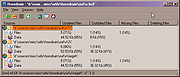 |
|
InnoExtractor v12.1.1.185 InnoExtractor v12.1.1.185 👉 Powerful utility for unpacking and exploring Inno Setup installers. InnoExtractor is an advanced application that allows you to inspect, extract, and explore the contents of installers created with Inno Setup without needing to run the installation process. It provides a clean and user-friendly interface for viewing internal files, scripts, registry entries, installation structure, and embedded resources from supported setup packages. InnoExtractor is especially useful for software archivists, developers, system administrators, and advanced users who want to analyze installer contents or recover files from installation packages. Features: • Open and inspect Inno Setup installer packages • Extract files and folders from installers without running setup • View internal installer scripts and configuration data • Explore embedded files, icons, images, and resources • Display detailed installer information and metadata • Supports password-protected installers when password is known • Search and filter installer contents • Drag-and-drop support for opening setup files • Supports Unicode installers • Export installer information and file lists • Multi-language user interface Supported operating systems: • Windows 7, Windows 8, Windows 8.1, Windows 10, Windows 11 Supported languages: Arabic, Azerbaijani, Czech, Danish, Dutch, English, French, German, Greek, Hungarian, Italian, Japanese, Korean, Polish, Portuguese (Portugal), Russian, Simplified Chinese, Spanish, Traditional Chinese, Turkish, Ukrainian Changes: v12.1.1.185 10-14-26 - Updated Danish, Italian, Russian and Ukrainian language files. - Fixed a minor bugs from previous version. Note: This file has one hit on VirusTotal. We have confirmed this to be a false positive. The file is safe. Click here to visit the author's website. |
|
741 | Oct 15, 2026 Havy Alegria 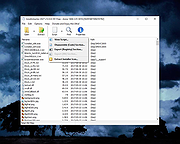 |
|
InstallerClean v3.3.0 InstallerClean v3.3.0 👉 Safely clean orphaned Windows Installer files and reclaim disk space. InstallerClean is a modern, open-source tool for cleaning unneeded files from the hidden C:\Windows\Installer folder. It scans for orphaned .msi and .msp files, checks them against the Windows Installer database, and lets you delete them to the Recycle Bin or move them to a folder you choose. Features: • Scans C:\Windows\Installer for unneeded installer and patch files • Detects orphaned MSI and MSP files • Detects superseded patches, including Adobe Acrobat patches • Uses the Windows Installer API instead of guessing by file names or dates • Shows needed and removable files with sizes • Delete sends files to the Recycle Bin • Move option lets you keep removed files in a safe folder • GUI and command-line versions included • No telemetry, no network activity, no background service, no scheduled task Supported operating systems: • Windows 10, Windows 11 Supported languages: Indonesian, German, English, Spanish, French, Italian, Dutch, Polish, Brazilian Portuguese, Vietnamese, Turkish, Russian, Ukrainian, Japanese, Simplified Chinese, Traditional Chinese, Korean Changes: v3.3.0 10-13-26 Added InstallerClean can now be shown in Traditional Chinese, written for Taiwan's usage with the words Windows itself uses there: every window, dialog, tooltip, button and screen-reader label, the command-line tool's text and the setup wizard. A Windows set to Traditional Chinese shows it automatically, and it can be picked from the main-window language menu. Like the other machine-drafted languages it is published beside the English in docs/translations/zh-Hant.md for anyone who reads it to check, and the README has a Traditional Chinese edition, which the app's README links open. Where the languages stand: Natively done Live machine-translated README only * English · Italian · Japanese · Dutch Simplified Chinese · Traditional Chinese · Russian · Spanish · Brazilian Portuguese · Polish · Turkish · Korean · French · German · ... |
|
1,143 | Oct 13, 2026 no-faff  |
|
Librer v1.0979.518 Librer v1.0979.518 👉 Cross-platform GUI file cataloging with powerful search and custom metadata extraction. Librer is a cross-platform GUI file cataloging program designed to catalog files (especially on removable media like memory cards and portable drives), add metadata via custom data extractors, and perform fast multi-core searches across saved records. Features: • Catalog file systems into portable record files (great for removable media) • Add custom metadata (Custom Data) by running user-selected commands or scripts per file • Search using regular expressions, glob expressions, and fuzzy matching (filenames and custom data) • Export and import created records for sharing or backups • Import data from other catalogers including Where Is It?, Cathy (.caf), and VVV (CSV) • Highly optimized record format for fast access, compression, and repository portability • Portable by design: writes logs, configuration, and data into its own folders at runtime Supported operating systems: • Linux • Windows 10, Windows 11 Changes: v1.0979.518 06-24-26 refactoring of opening paths and URLs check xdg-open bump pyinstaller, tkinterdnd2, pywin32, dateparser better messages Note: This file has one hit on VirusTotal. We have confirmed this to be a false positive. The file is safe. This download is for the Windows portable version (very bottom of page). If you need the Linux portable version, download here. Click here to visit the author's website. |
|
1,682 | Jun 27, 2026 Piotr Jochymek 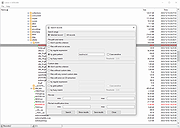 |
|
Metadata++ v3.00.2 Metadata++ v3.00.2 👉 View, edit, search, and manage metadata in thousands of file formats. Metadata++ is a powerful freeware metadata editor and browser for Windows built around ExifTool. It lets you inspect, edit, search, and organize metadata stored in photos, documents, audio, video, archives, and many other file types through a fast graphical interface. Designed to run locally without relying on the Windows registry, Metadata++ can also create sidecar files so metadata can be associated with formats that do not natively support it. It includes advanced search capabilities, batch editing, thumbnail viewing, ratings, tagging, and extensive support for industry-standard metadata formats, making it an excellent tool for photographers, archivists, content creators, and anyone who needs detailed control over file metadata. Features: • View, edit, and search metadata in thousands of supported file formats. • Built on the powerful ExifTool metadata engine. • Batch edit metadata across multiple files. • Create and use sidecar metadata files for unsupported formats. • Display image thumbnails and detailed file information. • Rate, tag, and organize files using metadata. • Fast folder navigation and high-performance directory browsing. • Export metadata in multiple formats. • Native Unicode support for international filenames and metadata. • Portable operation with all settings stored in the program folder. • No Windows registry entries required. • Runs entirely on your computer without transmitting personal data. Supported operating systems: • Windows 11 (64-bit), Windows 10 (64-bit) Supported languages: English, French, Spanish, Italian, Portuguese, Dutch, Polish Changes: v3.00.2 08-03-26 Changes since 3.00.1 Fixed the TreeView horizontal scrollbar. Added support for additional palette formats. Added GPR display support. Added conversions to JPEG, PNG and WebP. Added Save As and effects to fullscreen view. Added sidecar creation for any file format. Added the Ukrainian interface. Metadata++ can now use GDAL. Note: This file ... |
|
2,179 | Aug 02, 2026 Jean Piquemal 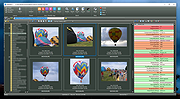 |
|
MJ Registry Watcher v1.2.9.1 MJ Registry Watcher v1.2.9.1 👉 Monitor and protect important registry keys, files, and startup locations. MJ Registry Watcher monitors selected registry keys, files, and directories for changes that could affect Windows startup or system security. It combines hooks, which can report many changes as they happen, with periodic polling to catch changes such as registry key deletions. Its monitored locations and response behavior can be configured, and it keeps a log of detected activity. The program can also monitor process launches and detect DLL injection. It includes registry backup, quarantine, and options for sending alert details by email. The author recommends running it with administrator rights so it can access the registry properly. Features: • Monitors configurable registry keys, files, and directories • Uses system hooks and periodic polling to detect changes • Protects common startup locations, registry values, and system files • Monitors process launches and detects DLL injection • Supports Accept, Reject, and Prompt modes in interactive use • Offers an invisible Windows service mode with Accept and Reject modes • Can send alert details by email and play alert sounds • Includes quarantine and an activity log • Creates periodic registry backups and retains the last 15 snapshots • Stores settings in a configuration file Supported operating systems: Windows 11, Windows 10, Windows 8, Windows 7 Supported languages: English Changes: v1.2.9.1 09-10-26 Latest Features : 64-bit OSes, Service Mode, Process Launch Monitoring, DLL Injection Detection, Emailing of Alerts, Quarantine, Registry Backup. Latest Fixes : Circular registry entries now handled without going into an infinite loop, Windows 11 support, Tray icon colour when loading. How to launch MJ Registry Watcher: Extract the downloaded files with their folder paths preserved, then open the MJRegWatcher folder and run RegWatcher.exe. The author recommends ... |
|
6,308 | Oct 14, 2026 Mark Jacobs 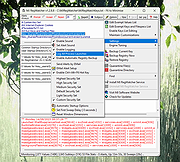 |
|
muCommander v1.6.2 muCommander v1.6.2 👉 Cross-platform dual-pane file manager designed for fast and efficient file management. muCommander is a lightweight, open-source file manager that provides a classic dual-pane interface similar to popular orthodox file managers. It is designed to make managing files and folders faster and more efficient by allowing users to easily copy, move, rename, and organize files between two panels. muCommander supports a wide range of archive formats and network protocols, enabling users to browse compressed files as if they were normal folders and access remote filesystems such as FTP, SFTP, SMB, NFS, and HTTP. The program also includes a powerful set of keyboard shortcuts, bookmarking capabilities, file search tools, and customizable interface options. Because muCommander is written in Java, it runs on multiple operating systems including Windows, macOS, Linux, and other platforms that support Java. This makes it a flexible file management solution for users who work across different environments. Supported operating systems: • Windows 7, Windows 8, Windows 10, Windows 11 • macOS • Linux Supported languages: English, French, German, Spanish, Italian, Portuguese, Dutch, Russian, Chinese, Japanese, Korean Changes: v1.6.2 05-14-26 Update previous release to 1.6.1 in the readme.txt file by @ahadas in #1469 Granting the application permission to access the module 'sun.awt.X11' by @douglasimcabral in #1471 Document #1471 by @ahadas in #1472 Fix possible NPE during startup by @ahadas in #1474 This download is for the Windows installer version. All other download assets are below: Other Windows: mucommander-1.6.2-1-portable-x86_64.zip mucommander-1.6.2-aarch64.msi macOS: mucommander-1.6.2-1-x86_64.dmg (Intel) mucommander-1.6.2-1-aarch64.dmg (Apple Silicone) mucommander-1.6.2-1-noarch.dmg (macOS 10.15 Catalina and below) Linux: mucommander_1.6.2_x86_64.deb mucommander-1.6.2-1.x86_64.rpm mucommander-1.6.2-1.aarch64.rpm Linux, Solaris, BSD, AIX, OS/2 and other OS with Java support mucommander-1.6.2-1-x86_64.tgz mucommander-1.6.2-1-aarch64.tgz Click here to visit the author's website. |
|
1,606 | Jul 22, 2026 muCommander 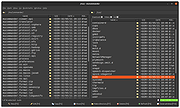 |
|
Notepad3 v7.26.602.1 Notepad3 v7.26.602.1 👉 A fast, lightweight, Scintilla-based text editor for Windows with syntax highlighting. Notepad3 is a free, open-source text editor built as a smarter, more capable replacement for Windows Notepad. It is based on the Scintilla editing component and Lexilla lexer library, giving it powerful syntax highlighting, fast performance, a small memory footprint, and practical tools for everyday text editing, coding, scripting, configuration files, logs, and more. Features: • Fast and lightweight Windows text editor • Syntax highlighting for over 55 programming, scripting, markup, and configuration languages • Code folding with toggle-all support • Bookmarks for quick navigation • Word auto-completion • Find and Replace with PCRE2 regular expression support • grepWin integration for searching across files • Encoding detection and character encoding support • File change monitoring • AES-256 Rijndael encryption and decryption • Dark mode support with customizable colors • High-DPI aware interface with high-definition toolbar icons • Customizable status bar and toolbar labels • Portable edition available • Includes MiniPath file browser plugin Supported operating systems: • Windows 8.1, Windows 10, Windows 11 Supported languages: Afrikaans, Belarusian, Chinese Simplified, Chinese Traditional, Dutch, English US, English UK, Finnish, French, German, Greek, Hindi, Hungarian, Indonesian, Italian, Japanese, Korean, Polish, Portuguese Brazil, Portuguese Portugal, Russian, Slovak, Spanish, Swedish, Turkish, Vietnamese Supported Programming Languages Apache, ASP, Assembly, AutoHotkey, AutoIt3, AviSynth, Awk, Bash, BAT, C, C++, C#, CGI, CMake, CoffeeScript, CSS, CSV, D, Dart, DIFF, Fortran, Go, HTML, INF, INI, Inno Setup, Java, JavaScript, JSON, Julia, KiXtart, Kotlin, LaTeX, Lua, Makefiles, Markdown, MATLAB, Nim, NSIS, Pascal, Perl, PHP, PowerShell, Python, REG, Resource, R-S-SPlus Statistics, Ruby, Rust, Shell, SQL, Tcl, TOML, VB, VBScript, Verilog, VHDL, XHTML, XML, YAML and improved support for NFO ANSI. Changes: v7.26.426.1 04-26-26 • Paste-board minimization (/B /I) escape hatch if Ctrl-key held down. • PasteBoard: defer minimize on /B + /I startup so auto-pasted clipboard is visible briefly. • PasteBoard: opt-out ‘Don’t ask again’ on closing modified untitled documents. • Feat: /B auto-pastes current clipboard ... |
|
5,116 | Jun 10, 2026 Rizonetech Pty Ltd. 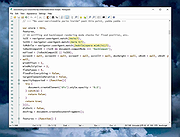 |
|
OnionShare v2.6.5 OnionShare v2.6.5 👉 Securely and anonymously share files, receive files, host websites and chat over the Tor network. OnionShare is a free, open-source privacy tool that lets you securely and anonymously share files, receive files, host websites and chat with others using the Tor network. Instead of uploading your data to a third-party file-sharing service, OnionShare runs a Tor onion service directly on your computer and provides a unique .onion address that others can open using Tor Browser. OnionShare provides separate modes for sending and receiving files, publishing an onion website and creating anonymous chat rooms. The application handles the Tor connection for you and can create temporary or persistent onion services depending on how you want to use it. Because transfers take place through the Tor network, users do not need to expose their public IP addresses to one another. Features: • Securely and anonymously shares files through the Tor network • Receives files directly from other users without relying on a conventional cloud storage provider • Hosts websites as Tor onion services directly from your computer • Creates private anonymous chat rooms • Generates .onion addresses that recipients can open with Tor Browser • Allows multiple Share, Receive, Website and Chat tabs to be used at the same time • Supports persistent onion addresses for services you want to reuse • Provides ephemeral onion services when a permanent address is not needed • Keeps chat history from being permanently stored by OnionShare • Assigns chat participants random names, which they can change • Includes its own Tor connectivity for normal desktop use • Supports Tor bridges for networks where direct Tor connections are restricted • Provides a graphical desktop application and command-line interface • Open-source software released under the GNU GPLv3 license • Does not require users to create accounts with OnionShare Supported operating systems: • Windows • macOS • Linux Supported languages: Afrikaans, Albanian, Arabic, Belarusian, Bengali, Bulgarian, Catalan, Chinese (Simplified), ... |
|
5,565 | Aug 19, 2026 Lockdown Systems  |
|
OpenDisk v1.2.2 OpenDisk v1.2.2 👉 See what is using your Mac’s storage with a fast, interactive disk map. OpenDisk is a free, open-source disk space analyzer for macOS. It scans a drive or selected folder and displays the results in an interactive sunburst chart alongside a sortable folder list. Results appear while the scan is running, and you can click through folders to find large files. Incremental rescans reuse earlier results to check for changes more quickly. Full Disk Access is needed for accurate whole-drive totals. Features: • Interactive sunburst chart shows how folders and files use space. • Live results appear during a scan. • Sortable folder list and breadcrumbs help you navigate the results. • Search the scanned file tree as you type. • Incremental rescans check for changes since the previous scan. • Quick Look previews let you inspect selected files. • Collector lets you gather files and folders, review their combined size, and delete them together. • Shows a breakdown of purgeable space and recognizes connected external drives. • Automatic updates through Sparkle. Supported operating systems: • macOS Sequoia 15 or higher, Apple Silicon and Intel Macs Supported languages: English Changes: v1.2.2 09-23-26 • Hard-linked files are counted once after a quick rescan. • HFS+ drives now use the same scanner as APFS, fixing oversized totals and enabling fast rescans. • Clearer wording in a few messages. Click here to visit the author's website. |
|
61 | Sep 24, 2026 Andeli Goli 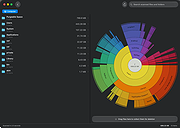 |
|
PrivaZer v4.0.127 PrivaZer v4.0.127 👉 Advanced privacy cleaner that removes traces of your activity from your PC. PrivaZer is a powerful privacy-focused cleaning tool designed to remove traces left behind by everyday computer use. It scans your system to locate leftover files, internet history, cookies, cache data, and other hidden artifacts created by Windows, browsers, and applications. By carefully cleaning these traces, PrivaZer helps improve privacy, free disk space, and keep your system running efficiently. PrivaZer performs deep scans that go beyond typical cleaning utilities, detecting residual data that many programs leave behind. It can safely remove traces from web browsers, messaging applications, system logs, and temporary files while offering detailed control over what is cleaned. Advanced options allow users to securely delete sensitive data and prevent recovery of removed files. The program also offers customizable cleaning profiles, scheduled cleanups, and secure deletion features for users who want to maintain long-term privacy protection. Despite its advanced capabilities, PrivaZer includes guided cleaning modes that help beginners safely perform system cleanup without risk. Features: • Deep scan and removal of privacy traces left by Windows and applications • Cleans browser history, cookies, cache, and internet activity records • Detects and removes residual files left after software uninstallations • Secure file deletion to prevent recovery of sensitive data • Cleans temporary files, logs, and leftover system artifacts • Guided cleaning mode for safe cleanup by less experienced users • Advanced cleaning options for experienced users • Optional scheduled cleaning and automation Supported operating systems: • Windows XP, Windows Vista, Windows 7, Windows 8, Windows 10, Windows 11 Supported languages: Arabic, Bulgarian, Chinese Simplified, Chinese Traditional, Czech, Danish, Dutch, English, Finnish, French, German, Greek, Hungarian, Indonesian, Italian, Japanese, Korean, Norwegian, Polish, Portuguese, Portuguese Brazilian, Romanian, Russian, Slovak, Slovenian, Spanish, Swedish, Turkish, Ukrainian Changes: v4.0.127 10-02-26 + Improved cleanup : HDD + Improved cleanup : TRIM + Improved cleanup : snapshots + Improved cleanup : Free Download Manager + ... |
|
15,047 | Oct 05, 2026 Goversoft LLC 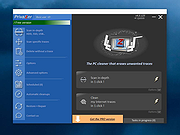 |
|
Revo Uninstaller Free Portable v2.7.2 Revo Uninstaller Free Portable v2.7.2 👉 Uninstall programs, Windows apps, and leftover traces from a portable utility. Revo Uninstaller Free Portable helps you remove unwanted programs from Windows without installing the uninstaller itself. It runs the selected program’s built-in uninstaller first, then scans for leftover files, folders, and Windows Registry entries that may remain behind after a normal uninstall. Features: • Portable version requires no installation • Uninstall regular desktop programs • Remove Windows Apps • Scan for leftover files, folders, and Registry entries • Hunter Mode for managing visible programs, shortcuts, tray icons, and startup items • Autorun Manager to control Windows startup items • Junk Files Cleaner • Windows Tools shortcut panel • Browsers Cleaner • MS Office Cleaner • Windows Cleaner • Evidence Remover • Unrecoverable Delete for permanently erasing files and folders Supported operating systems: • Windows 7, Windows 8, Windows 8.1, Windows 10, Windows 11, Windows Server Editions Supported languages: English, German, French, Italian, Portuguese, Brazilian Portuguese, Russian, Polish, Spanish, Dutch, Norwegian, Swedish, Hindi, Japanese, Chinese, Korean Changes: v2.7.2 10-06-26 Improved – Scanning and safety algorithms for leftovers Fixed minor bugs Updated language files Note: This file has one hit on VirusTotal. We have confirmed this to be a false positive. The file is safe. Click here to visit the author's website. |
|
10,330 | Oct 09, 2026 VS Revo Group 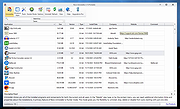 |
|
RsyncZilla v1.3.0 RsyncZilla v1.3.0 👉 A modern FileZilla-style Windows file transfer client powered by rsync over SSH. RsyncZilla is a free and open-source file transfer client for Windows that combines a familiar dual-pane, FileZilla-style interface with the reliability and efficiency of rsync. Browse local files on one side and remote servers over SFTP on the other, then upload or download files and folders using drag and drop. RsyncZilla uses portable rsync over SSH for transfers, allowing it to send only new files and modified byte blocks instead of retransmitting entire files. Transfers use temporary files to help prevent incomplete files from replacing good copies, while rsync exit codes and detailed logs make failed transfers clearly visible instead of silently ignoring problems. It also includes remote file editing, an integrated SSH terminal, saved server profiles, transfer queues, failed-transfer retries and real-time transfer information. Passwords are not stored on disk; credentials are passed to the SSH process in memory when needed. Features: • Familiar dual-pane interface with local Windows files on the left and remote server files on the right • Remote filesystem browsing over SFTP using SSH.NET • Upload and download files and folders with bidirectional drag and drop • Drag files and folders directly from Windows Explorer into the remote pane • Multi-selection using Shift, Ctrl or selection-box dragging • Double-click navigation for directories • Open local files using their associated Windows applications • Show local files and folders directly in Windows Explorer • Portable rsync and SSH components are bundled with the application • Delta transfers send new files and modified byte blocks instead of retransmitting unchanged data • Configurable handling of existing files including size/date comparison, newer-only updates, overwrite and checksum modes • Atomic rsync writes help prevent interrupted transfers from leaving corrupted or partially written destination files • Resumable synchronization with clear reporting when a transfer is interrupted or rejected • Integrated KiTTY SSH terminal ... |
|
89 | Sep 17, 2026 kanowins 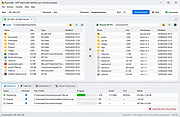 |
|
SearchMyFiles v3.36 SearchMyFiles v3.36 👉 A portable Windows search utility for finding files and folders using detailed filters, content searches, duplicate detection and more. SearchMyFiles is a portable alternative to the standard Windows file search that provides much more precise control over what you search for and how results are filtered. You can search by filename wildcards, folder locations, file size, attributes, creation, modification and access times, file contents and numerous other criteria. Search results can be opened directly, copied to the clipboard or exported to text, CSV, HTML or XML files. SearchMyFiles also includes specialized modes for locating duplicate files, files with duplicate names, non-duplicate files, empty folders and summarized folder information. No installation is required, and the program can be run from a USB flash drive without leaving configuration information in the Registry. Features: • Search files and folders using filename wildcards • Search multiple folders or drives in a single operation • Include or exclude specific folders from searches • Search through subfolders with configurable scanning depth • Search files by minimum or maximum size • Search by creation, modification or last-accessed date and time • Search for files created or modified within the last specified number of seconds, minutes, hours or days • Filter files using read-only, hidden, system, archive, compressed and encrypted attributes • Search inside files for text • Perform binary content searches using hexadecimal byte sequences • Search for multiple text or binary values at once • Search text inside Microsoft Office documents and supported PDF files using installed Windows search handlers • Search for folders as well as files • Duplicate Search mode finds files with identical contents • Duplicate files are compared byte-for-byte and visually grouped in the results • Non-Duplicates Search mode displays files that do not have duplicates • Duplicate Names Search finds files or folders sharing the same name • Duplicate Names Search can distinguish files with identical or different ... |
|
6,303 | Sep 04, 2026 Nir Sofer 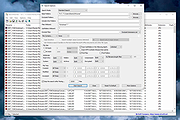 |
|
ShelfLife v0.7.1 ShelfLife v0.7.1 👉 Automatically clean, organize, and manage your folders based on customizable rules. ShelfLife is an open-source folder maintenance utility designed to keep commonly cluttered locations such as your Desktop and Downloads folder organized automatically. It can monitor selected folders and perform actions based on rules you define, including moving, deleting, or sorting files according to their age. This makes it ideal for keeping temporary files, old downloads, and accumulated clutter under control without constant manual cleanup. The program is designed with a straightforward interface that allows you to configure multiple folder management rules while providing enough flexibility for different cleanup workflows. Whether you want to archive older files, remove temporary items, or keep your Downloads folder tidy, ShelfLife automates the process in the background. Features: • Automatically organize folders using customizable rules • Monitor multiple folders simultaneously • Move files based on file age • Delete old or unwanted files automatically • Ideal for managing Desktop and Downloads folders • Helps reduce clutter and improve file organization • Simple, modern user interface • Open source Supported operating systems: • Windows 10, Windows 11 Supported languages: English Changes: v0.7.1 07-06-26 • Fix issue causing notifications to repeatedly appear after changing notification settings. • Improve notification handling behavior. Click here to visit the author's website. |
|
474 | Jul 07, 2026 LogicDX342 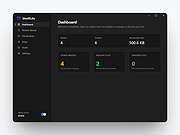 |
|
TED Notepad v6.4.1 TED Notepad v6.4.1 👉 Small, fast and powerful plain-text editor packed with advanced text-processing tools. TED Notepad is a free plain-text editor and Notepad replacement for Windows, built for users who want speed, portability and serious text manipulation without a bulky interface. It includes hundreds of tools for editing, sorting, filtering, transforming, searching and cleaning text, while staying small, quick to launch and easy to carry as a portable utility. Features: • Free, small and portable text editor with no installation required • New 64-bit version for working with very large files • Tested with huge files, including multi-gigabyte documents • 457 text-processing functions and editor features • Grep, Sort, Cut, Unique, RegEx, Shuffle, Tr and Reverse tools • Search and replace with regular expressions • Selection and search match highlighting • Search and Replace history • Line numbers, line lengths and visible spaces/tabs/newlines • Multi-level Undo and Redo • Auto-save, recovery and backup options • UTF-8 and Unicode auto-recognition • Multiple permanent clipboards and clipboard append tools • Word and line auto-completion • Portable INI file settings Supported operating systems: • Windows 11, Windows 10, Windows 8, Windows 7, Windows Vista, Windows XP, Windows Server 2008, Windows Server 2003, Windows 2000 Supported languages: English Changes: v6.4.1 06-04-26 Introducing a 64-bit version. Added selection highlighter for all occurrences of selected text. Added settings for minimum selection length, match case and highlighter color. Added search highlighter for all Search Bar matches. Added total occurrence count in the Search Bar. Added Search history and Replace history. Added positive and negative look-ahead and look-behind assertions in Regular Expressions. Added setting to include seconds when inserting date/time. Added setting to disable the "Exit without saving" hotkey. Added Session Hard to Close option. Fixed multiple Search Bar, RegEx, Grep, Filters, Sort, Columns, Status Bar and clipboard issues. Improved Unicode file detection, DPI awareness, search routines, clipboard handling and settings validation. This download is for the Windows Unicode 64bit Installer version (very bottom of page). All other download assets are ... |
|
6,246 | Jun 09, 2026 Medvedik, Juraj Simlovic 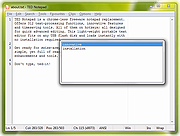 |
|
Testing Files Generator v0.4.0 Testing Files Generator v0.4.0 👉 Create real test files at exact sizes for upload, import and file-handling tests. Testing Files Generator helps developers and QA testers create files that behave like the formats they claim to be. Specify a format and an exact byte size, then use the resulting files to test upload limits, parsers, import tools or storage rules. It offers both a desktop window and a command-line program. The generator supports 26 formats, including PDF, DOCX, XLSX, PPTX, PNG, JPEG, ZIP, CSV and WAV. A generated ZIP can contain actual files, and formats such as images and spreadsheets have their own settings. Each run writes a manifest describing the files and their expected outcomes. For example, a size-boundary test can produce files one byte below a limit, exactly at it and one byte above it, with the expected accept or reject result recorded for each. Recipes and a seed let you reproduce the same test files later. The program works offline. Features: • Generate files at an exact byte size, including sizes around an upload limit. • Create 26 formats across documents, images, text and data, archives, and audio. • Set format-specific details such as image dimensions, PDF pages, spreadsheet rows and columns, and archive contents. • Generate large batches of files with sizes drawn from a specified range. • Save a manifest with file details and expected accept, reject, sanitize or unspecified outcomes. • Use built-in presets for common test scenarios or write reusable YAML recipes. • Reproduce file contents with the same recipe and seed. • Deliberately damage files to test whether an application rejects malformed input. • Preview a run without writing files, validate recipes, verify generated files and clean up files ... |
|
60 | Sep 27, 2026 DonislawDev 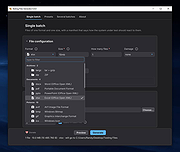 |
|
ThisIsMyFile v4.51 ThisIsMyFile v4.51 👉 Easily unlock or delete locked files and folders on Windows. ThisIsMyFile is a lightweight Windows utility designed to help users unlock, delete, rename, or move files that are locked or in use by the operating system or another application. When Windows refuses to delete or modify a file because it is currently being used, ThisIsMyFile can identify the process that is locking the file and allow you to release the lock so the file operation can proceed. The program provides a simple and portable interface where you can drag and drop a locked file to quickly determine which process is using it. From there, you can unlock the file, terminate the locking process, or delete the file immediately or at the next system restart. ThisIsMyFile is especially useful for troubleshooting stubborn files, removing leftovers from uninstalled software, or handling files that Windows reports as “access denied” or “in use.” ThisIsMyFile does not require installation and can be run directly as a portable tool, making it convenient for technicians and advanced users who need a quick way to deal with locked files without installing additional software. Features: • Unlock files that are currently in use by Windows or other programs • Identify the process that is locking a file or folder • Delete, move, or rename locked files • Option to delete files immediately or on next system restart • Drag-and-drop support for quick file analysis • Portable application with no installation required • Simple and lightweight interface designed for fast troubleshooting Supported operating systems: • Windows 7, Windows 8, Windows 10, Windows 11 Supported languages: German, English, French, Spanish, Hungarian, Turkish, Czech, Chinese Traditional, Russian, Romanian, Polish, Greek, Dutch, Portuguese, Korean, Chinese Simplified, Brazilian Portuguese, Arabic, Italian, Spanish Venezuela, Hindi, Thai, Vietnamese, Welsh, Persian, Hebrew, Malay, Indonesian, Filipino, Norwegian, Ukrainian Changes: v4.51 04-24-26 • Minor bug fixes in the ThisIsMyFile application for Windows 11 ... |
|
7,201 | May 01, 2026 Nenad Hrg 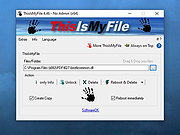 |
 |
Trellix GetSusp v6.0.0.141 Trellix GetSusp v6.0.0.141 👉 Find suspicious files and possible undetected malware using Trellix threat intelligence. Trellix GetSusp is a free, portable malware investigation tool designed for computers where undetected malware is suspected. It uses heuristics together with the Trellix Global Threat Intelligence (GTI) File Reputation database to identify suspicious files without requiring extensive technical knowledge. GetSusp runs as a single executable with no installation required and can operate through its graphical interface, command line or ePO mode. The graphical interface can also scan URLs, documents and PDF files and lets you review suspicious files before submitting selected samples to Trellix for further analysis. Features: • Uses heuristics to locate files that may contain undetected malware • Queries Trellix Global Threat Intelligence File Reputation to evaluate suspicious files • Runs as a single executable with no installation required • Supports graphical interface, command-line and ePO operation modes • Scans URLs, documents and PDF files from the graphical interface • Allows suspicious files to be reviewed before submission to Trellix • Lets you select which files are submitted for further analysis • Records system information and installed Trellix product information • Records the execution date and details about suspected files • Includes GetQuarantine integration with the ePO version • Can be used as an initial investigation tool when malware is suspected but has not been detected by installed security software Supported operating systems: • Windows 7, Windows 8, Windows 8.1, Windows 10 through 21H2, Windows 11 • Windows Server 2008 R2 SP1, Windows Server 2012, Windows Server 2016 Supported languages: • English Changes: Not Provided. This download is for the Windows 64bit version. If you need the Windows 32bit version, download here. Click here to visit the author's website. |
|
6,139 | Aug 16, 2026 Musarubra US LLC 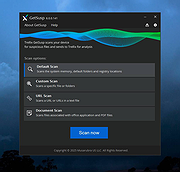 |
|
Tweaking.com - Register System Files 1.7.4 Tweaking.com - Register System Files 1.7.4 This will register a list of Dll & Ocx files in the System32 & SysWOW64 directories in Windows. This tool is also a part of Windows Repair (All In One). What will this fix? Many, many fixes for problems in windows has to do with registering system files. By registering the system files we are fixing a very wide range of problems that could be happening in windows. |
|
9,989 | Sep 02, 2017 Tweaking.com  |
|
Tweaking.com - Remove Temp Files 1.7.4 Tweaking.com - Remove Temp Files 1.7.4 This is more of maintenance than a repair. The windows temp folder can grow rather large when not emptied. It can also have files that windows tries to use instead of the proper ones. Also some viruses and infections will be in the temp folder. This tool is also a part of Windows Repair (All In One). |
|
9,882 | Sep 02, 2017 Tweaking.com  |
|
Tweaking.com - Unhide Non System Files 1.7.4 ==Official Mirror== Tweaking.com - Unhide Non System Files 1.7.4 Some new viruses hide every single file on the system. This repair will unhide every file on the system that is not a system file. This tool is also a part of Windows Repair (All In One). It checks the attributes of each file, and if it is hidden and not a system file it will unhide the file. This way normal hidden system files stay hidden, such as desktop.ini and such. |
|
9,955 | Dec 21, 2013 Tweaking.com |
|
WinDirStat v2.9.0 WinDirStat v2.9.0 👉 Disk usage analyzer and cleanup assistant for Microsoft Windows. WinDirStat is a disk usage analyzer and cleanup assistant for Microsoft Windows. It scans local drives, selected drives, individual folders, and command-line targets, then shows where storage is being used through a sortable directory tree, an extension/type breakdown, and an interactive treemap where larger files and folders take up larger areas. Features: • Scan local drives, selected drives, individual folders, and command-line targets • View disk usage with All Files, Largest Files, Duplicate Files, Search Results, File Watcher, Extension, and Treemap views • Interactive treemap navigation with zooming and logical or physical sizing • Sortable file details including size, percentages, item counts, owner, modified time, hardlinks, and hash prefixes • Search, duplicate detection, and filtering with regular expressions • Configurable hash algorithms • File watching and reporting for created, deleted, modified, and renamed events • CSV scan import/export and duplicate CSV export • Built-in actions for opening items, copying paths, selecting in Explorer, moving files, deleting files, and emptying folders or the Recycle Bin • Windows cleanup and maintenance shortcuts • User-defined cleanup actions • Dark mode, portable settings, Explorer context-menu integration, localization, configurable columns, larger toolbar icons, and high-DPI aware UI Supported operating systems: • Windows 7, Windows 8, Windows 8.1, Windows 10, Windows 11 • Windows Server 2008 R2, Windows Server 2012, Windows Server 2012 R2, Windows Server 2016, Windows Server 2019, Windows Server 2022, Windows Server 2025 Supported languages: English, Chinese (Simplified), Chinese (Traditional), Czech, Danish, Dutch, Estonian, Finnish, French, German, Hungarian, Italian, Japanese, Korean, Norwegian Bokmεl, Polish, Portuguese, Russian, Slovenian, Spanish, Swedish, Turkish, Ukrainian Changes: v2.9.0 09-26-26 Enhancements Added selection of multiple individual folders (thanks @djdomi) Added scanning support for MTP portable devices Added volume / free space stats for administrative share drive paths Added size proportion tooltips showing percentages of the total ... |
|
2,729 | Sep 29, 2026 WinDirStat Team 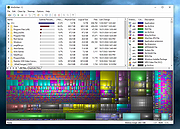 |
|
WinScan2PDF v9.77 WinScan2PDF v9.77 👉 Scan documents directly to PDF quickly and easily. WinScan2PDF is a small and portable utility that allows you to scan documents and save them directly as PDF files without the need for complex or bloated software. It is designed to be simple, lightweight, and easy to use, making it ideal for users who just want a fast way to digitize paperwork. WinScan2PDF supports most installed scanners via the standard Windows scanning interfaces and enables multi-page PDF creation. It does not require installation and can run from a USB stick, making it perfect for use on multiple systems. With its straightforward interface and minimal system requirements, WinScan2PDF gets the job done without unnecessary features or background services. Features: • Scan documents directly to PDF • Create multi-page PDF documents • Supports TWAIN and WIA scanners • Portable and does not require installation • Simple and user-friendly interface • Adjustable page size and orientation • Preview scanned pages before saving • Minimal CPU and memory usage Supported operating systems: • Windows 11, Windows 10, Windows 8.1, Windows 7, Windows Vista, Windows XP, Windows Server 2012-2025, x64, x32, x86 Supported languages: German, English, Russian, French, Italian, Dutch, Hungarian, Polish, Portuguese-Brazil, Czech, Greek, Swedish, Romanian, Serbian, Simplified Chinese, Danish, Traditional Chinese, Basque, Persian, Turkish, Catalan, Kurdish, Lithuanian, Slovak, Arabic, Ukrainian, Hebrew, Spanish, Bulgarian, Korean, Slovenian, Japanese, Norwegian, Croatian, Afrikaans, Hindi, Thai, Welsh, Malay, Indonesian, Filipino, Azerbaijani, Finnish, Belarusian, Portuguese Changes: v9.77 06-07-26 • Improvements to the detection of certain scanners • Language file updates and necessary adjustments Click here to visit the author's website. |
|
11,597 | Sep 30, 2026 Nenad Hrg  |
|
WizTree v4.33 WizTree v4.33 👉 Ultra-fast disk space analyzer that shows what files and folders are using your hard drive space. WizTree scans your hard drive and displays the files and folders using the most disk space so you can quickly locate and remove unnecessary data. Unlike many disk analyzers that slowly scan every file, WizTree reads the NTFS Master File Table (MFT) directly, allowing it to analyze an entire drive in seconds. This makes it one of the fastest disk space analysis tools available for Windows. WizTree presents results in a clear, sortable list showing folders and files by size, along with a colorful visual treemap that helps identify large files at a glance. You can quickly search for specific files, filter results, and open or delete files directly from within the interface. The program also allows exporting scan results and identifying the largest files on your system instantly. Because of its extremely fast scanning method and simple interface, WizTree is a valuable tool for quickly diagnosing disk space problems, cleaning up large files, and keeping storage organized. Features: • Extremely fast disk scanning using the NTFS Master File Table (MFT) • Visual treemap display showing relative file sizes • Sort files and folders by size, name, or other attributes • Quickly identify the largest files on a drive • Search and filter results to locate specific files • Delete files directly from the interface • Export scan results to CSV file • Supports scanning entire drives or individual folders • Portable version available Supported operating systems: • Windows 7, Windows 8, Windows 10, Windows 11 Supported languages: English, Arabic, Belarusian, Bulgarian, Catalan, Chinese Simplified, Chinese Traditional, Czech, Danish, Dutch, Estonian, Finnish, French, German, Greek, Hebrew, Hungarian, Indonesian, Italian, Japanese, Korean, Latvian, Lithuanian, Norwegian, Polish, Portuguese, Portuguese Brazilian, Romanian, Russian, Serbian, Slovak, Slovenian, Spanish, Swedish, Thai, Turkish, Ukrainian, Vietnamese Changes: v4.33 09-16-26 WizTree is now available for macOS 12 or later ... |
|
11,945 | Sep 23, 2026 antibody-software.com 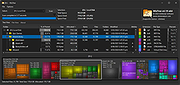 |
|
WizTreeMac v1.00 WizTreeMac v1.00 👉 Find the files and folders taking up space on your Mac. WizTreeMac scans your Mac and shows where storage space is being used. Browse the results as a folder tree, inspect a visual treemap, or search the file list for large files. It can also locate duplicate files and import or export file data as CSV. Scanning uses macOS’s native directory enumeration API with multiple threads. WizTreeMac is free for personal use; commercial use requires a license. Features: • Scan drives and folders to see what is using storage space. • Browse file sizes in a folder tree or visual treemap. • Search the file view to find large files. • Locate duplicate files. • Import and export file data as CSV. • Scan network drives. • Use Full Disk Access to read protected folders, with a separate administrator mode for root-level access. • Run from a removable drive with settings stored alongside the app. Supported operating systems: • macOS 12 or later Supported languages: English, Arabic, Belarusian, Bulgarian, Catalan, Chinese Simplified, Chinese Traditional, Czech, Danish, Dutch, Estonian, Finnish, French, German, Greek, Hebrew, Hungarian, Indonesian, Italian, Japanese, Korean, Latvian, Lithuanian, Norwegian, Polish, Portuguese, Portuguese Brazilian, Romanian, Russian, Serbian, Slovak, Slovenian, Spanish, Swedish, Thai, Turkish, Ukrainian, Vietnamese Changes: v1.00 09-16-26 Initial WizTreeMac release for macOS 12 or later. Includes most of the functionality of WizTree 4.33. Click here to visit the author's website. |
|
62 | Sep 23, 2026 antibody-software.com  |
| Showing rows 1 to 48 of 48 | Showing Page 1 of 1 | 1 |
OlderGeeks.com Copyright (c) 2026
