|

|
Processed through Paypal No account required. |








Buy our over-priced crap to help pay the bills.



|
|
Processed through Paypal No account required. |
| File - Download Feex v0.19.12 | ||||||||
| Description | ||||||||
|
Always scroll to the bottom of the page for the main download link. We don't believe in fake/misleading download buttons and tricks. The link is always in the same place. Feex v0.19.12 👉 A free Windows utility for monitoring, diagnosing, understanding and maintaining your PC. Feex is a free Windows system utility that combines PC monitoring, diagnostics and maintenance tools in a single application. It provides real-time information about CPU, GPU, memory, disks and other system activity while helping identify applications and processes that may be consuming excessive resources. Feex goes beyond basic system monitoring by keeping useful historical information about your computer. It can analyze startup programs, monitor boot speed over time and help identify common Windows problems and changes that may be affecting performance. Detailed hardware and system information is available to help you understand the components and configuration of your PC. Built-in maintenance tools can help clean caches and unnecessary files, locate duplicate files and perform Windows maintenance and performance tasks. When Feex proposes meaningful changes to the system, it explains what will be affected and asks for approval before proceeding. Privacy is an important part of Feex's design. System understanding and history are stored locally on the PC, and the program can continue operating without an Internet connection. File discovery uses metadata such as filenames, types, sizes and dates rather than reading the contents of documents, emails or chats. Feex does not collect passwords or browsing history, capture the screen, log keystrokes, record audio or video, or inspect the contents of network traffic. It is not intended to replace antivirus software and can be used alongside Windows Defender or other security software. 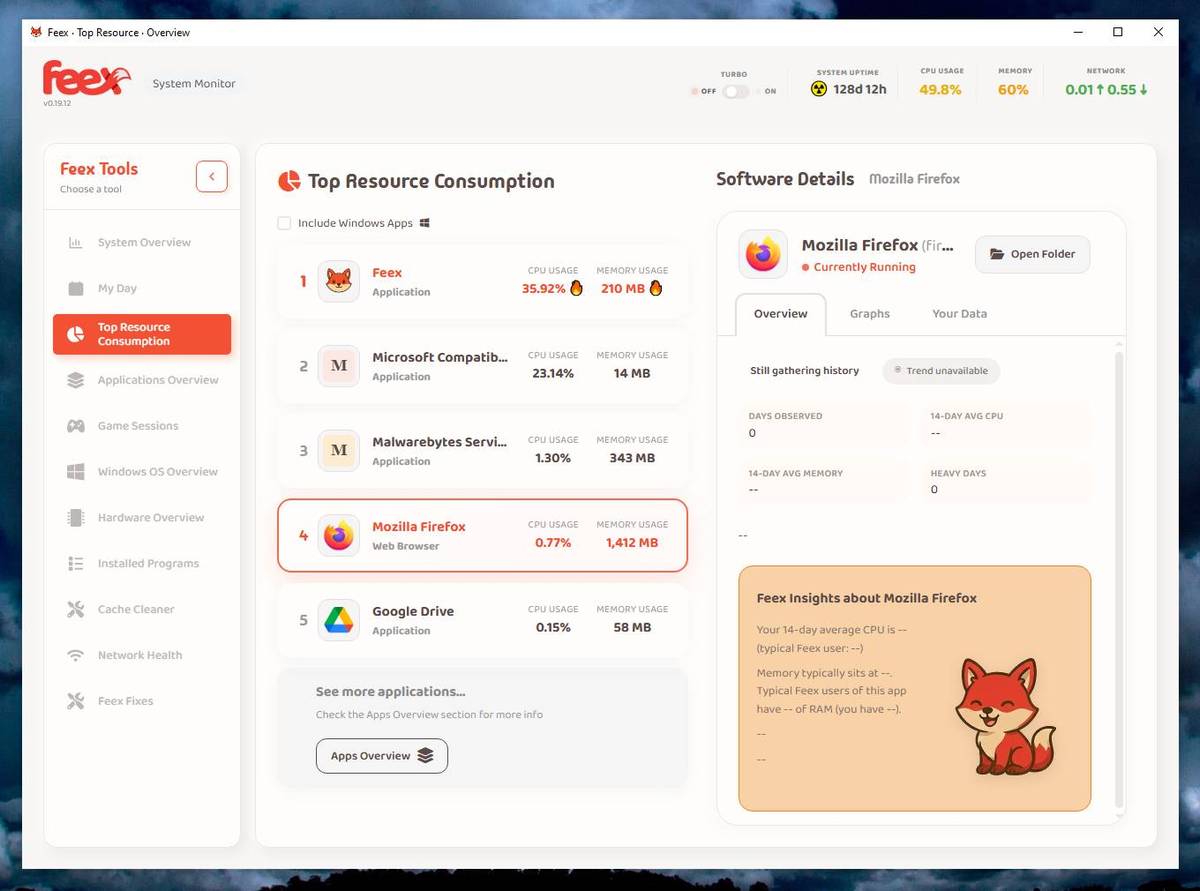 Features: • Monitors CPU, GPU, RAM, disk and overall system activity • Identifies resource-heavy applications and processes • Analyzes programs configured to run at startup • Monitors boot speed and maintains boot history • Provides detailed hardware and system information • Detects common Windows issues • Cleans caches and unnecessary files • Detects duplicate files • Provides Windows maintenance and performance tools • Keeps historical information about system behavior • Helps identify possible causes of slowdowns, overheating, battery drain, crashes and game stuttering • Provides information about running processes and associated applications • Tracks system changes that may help determine when a problem began • Offers guided troubleshooting and repair actions • Explains proposed changes before performing them • Requires approval before making meaningful system changes • Can operate without an Internet connection • Stores system understanding and history locally • Uses file metadata rather than reading the contents of personal documents • Does not collect passwords or browsing history • Does not capture the screen or log keystrokes • Does not record microphone or camera content • Does not inspect the contents of network traffic • Designed to work alongside Windows Defender and other security software • Digitally signed installer Supported operating systems: • Windows 10, Windows 11 Supported languages: • English Changes: v0.19.12 Not Provided 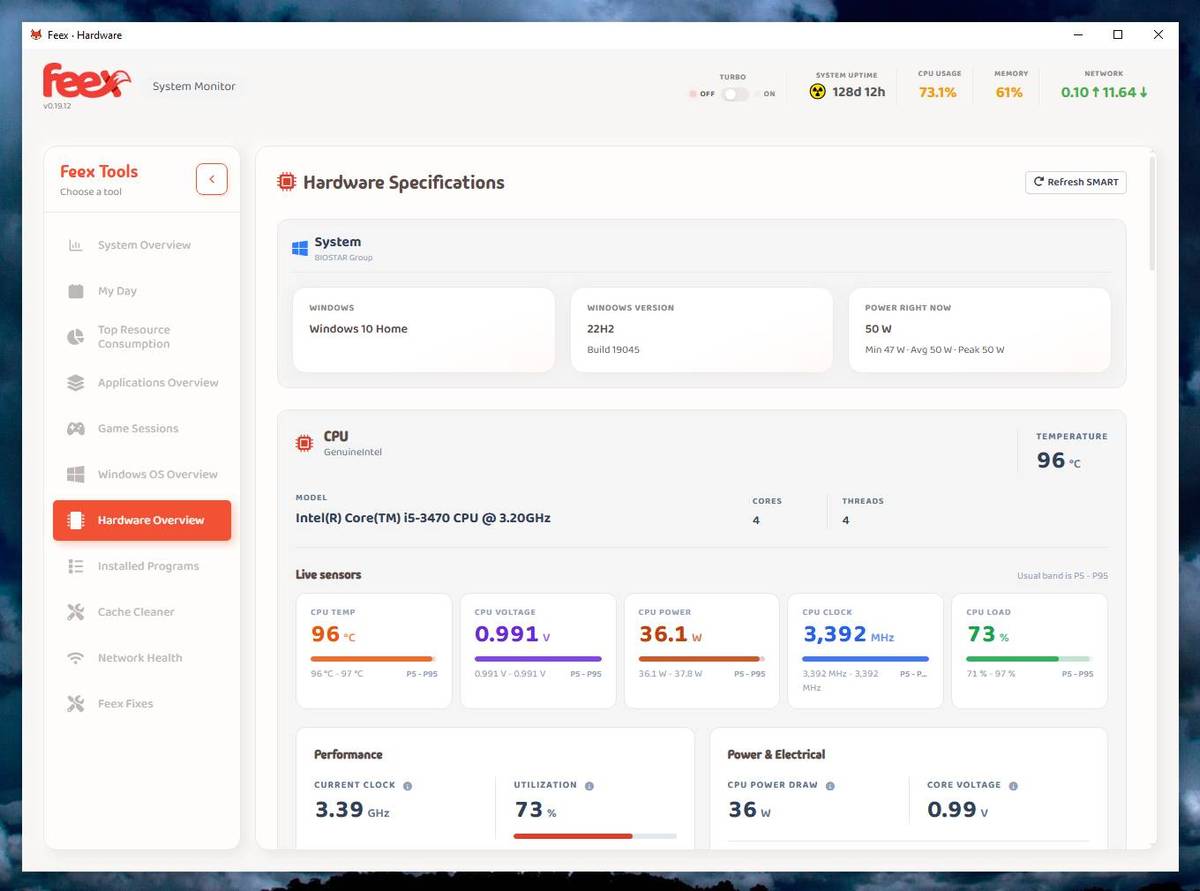 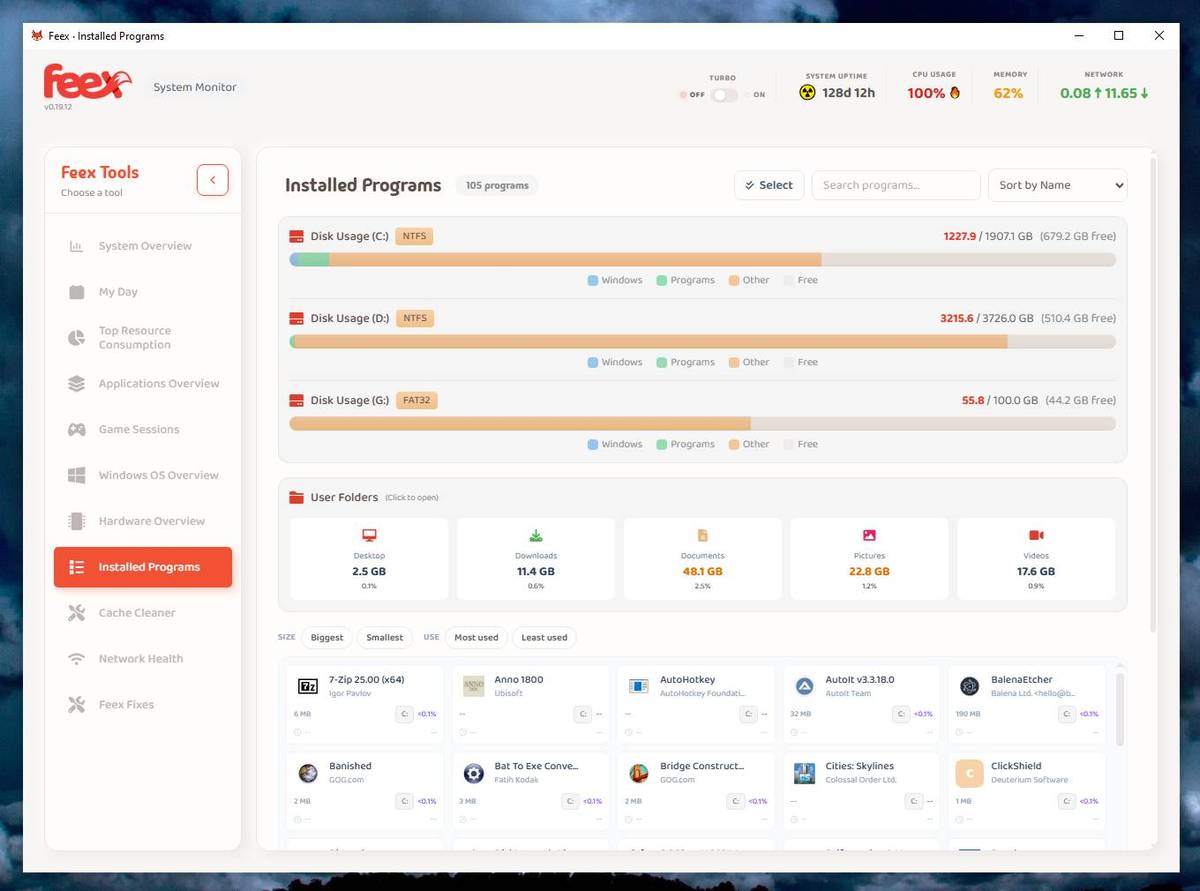 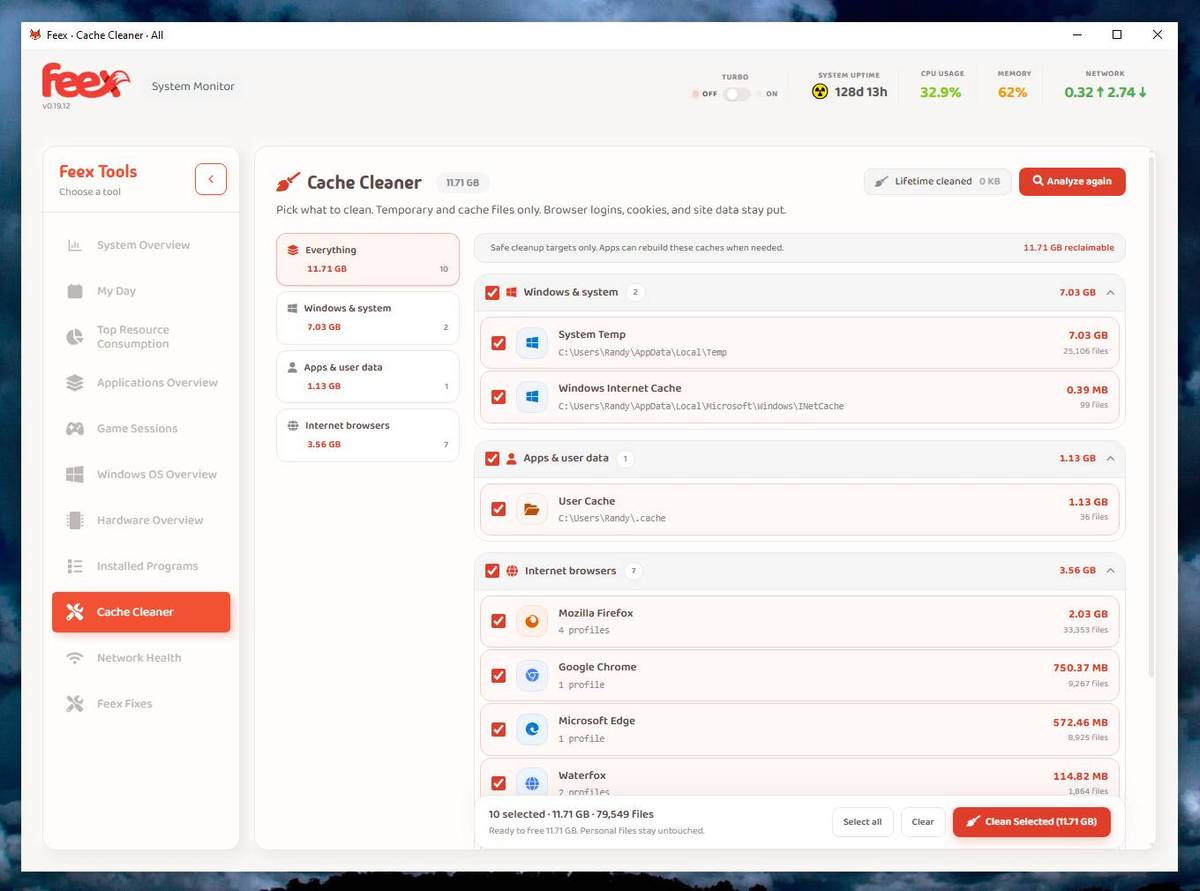 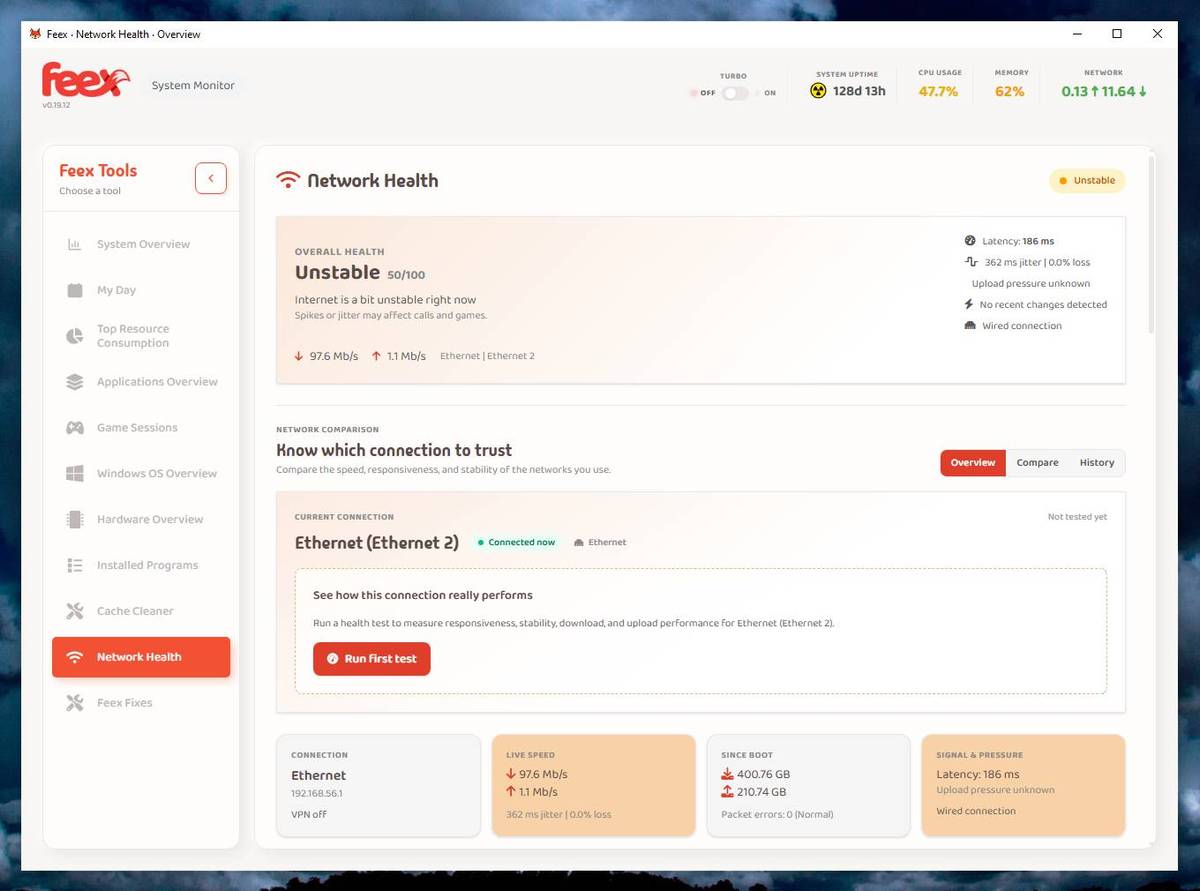 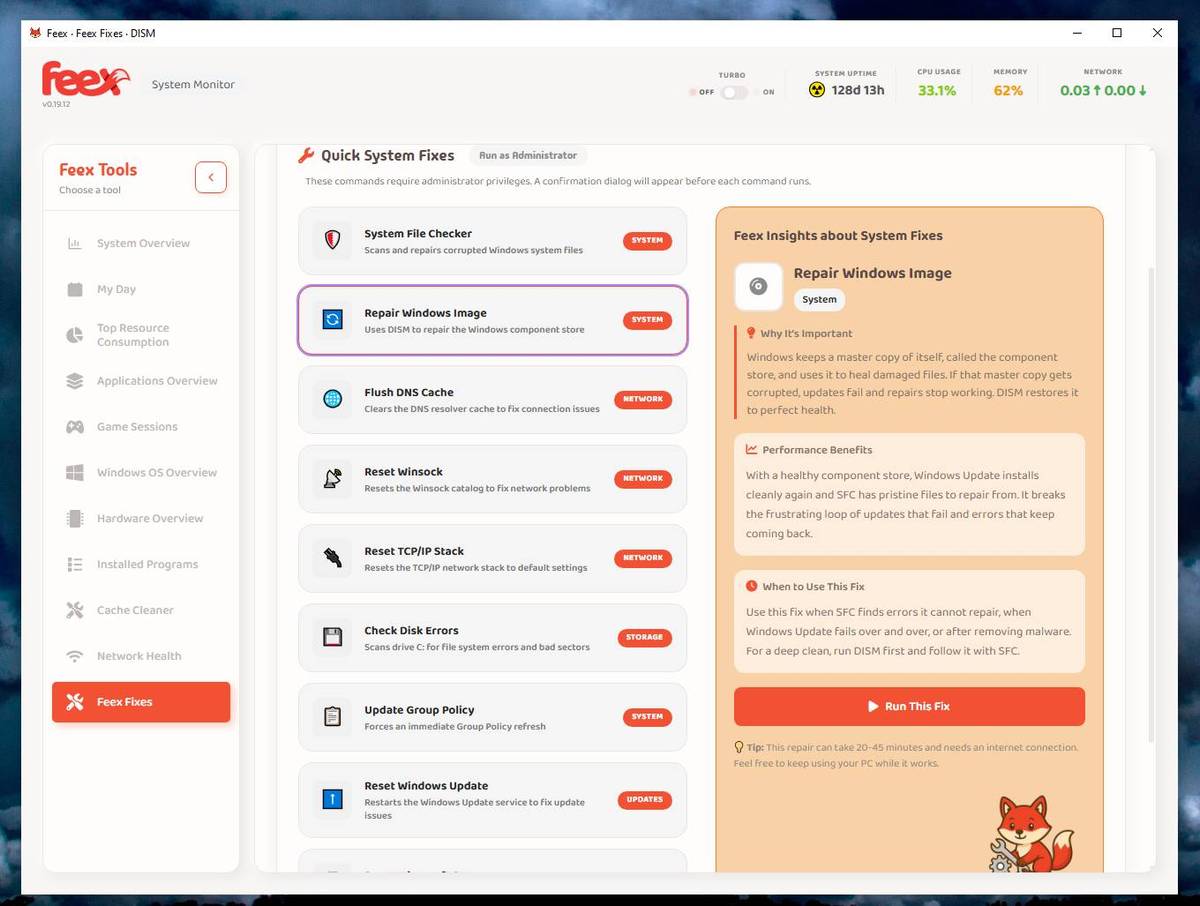 Click here to visit the author's website. Continue below for the main download link. |
||||||||
| Downloads | Views | Developer | Last Update | Version | Size | Type | Rank | |
| 393 | 1,279 | Feex | Sep 04, 2026 - 12:42 | 0.19.12 | 3.32MB | EXE |  , out of 4 Votes. , out of 4 Votes. |
|
| File Tags | ||||||||
| Feex Windows diagnostics monitoring maintenance hardware performance startup cleaning duplicate files processes utilities system repair AI | ||||||||
Click to Rate File Share it on Twitter → Tweet
|


