|

|
Processed through Paypal No account required. |








Buy our over-priced crap to help pay the bills.



|
|
Processed through Paypal No account required. |
| Files | ||||
| File Name | Rating | Downloads | ||
 |
Shortcut Virus Removal Tool v2.3.0 Shortcut Virus Removal Tool v2.3.0 👉 Portable tool for removing shortcut virus infections from USB drives and recovering hidden files. Shortcut Virus Removal Tool is a portable USB malware cleanup utility for Windows designed to fix USB drives, external HDD / SSD drives, and computers affected by shortcut virus infections. It can remove shortcut virus traces, restore files hidden by malware, remove suspicious shortcuts and files, repair registry changes, undo unwanted malware changes, and delete autorun virus entries from USB drives. The developer says the tool works with a simple drive selection and Clean button workflow, and recommends running it as Administrator if needed. It also opens a log after cleaning and may place some restored files in a RECOVERED folder. Features: • Cleans shortcut virus infections from USB drives and external storage. • Recovers files hidden by malware. • Deletes suspicious files, scripts, and malicious shortcuts. • Repairs registry changes and undoes unwanted malware modifications. • Deletes autorun virus entries from USB drives. • Opens a cleanup log after completion so you can review recovered and deleted items. • Can recover some files into a RECOVERED folder on the USB drive. • Simple one-click cleaning workflow after selecting the target drive. Supported operating systems: • Windows XP or later, .NET Framework 4.0 required. Supported languages: • English, German, Turkish, Arabic, Indonesian Changes: v2.3.0 07-23-26 New Features: Added Vaccinate Computer feature. This feature vaccinates your computer from most of the shortcut virus and other USB disk viruses. Added Vaccinate USB feature. This feature vaccinates your USB and even if it's infected, shortcut virus and other USB disk viruses cannot run from the USB. Added Options menu. You can click it to show more options. About button is moved there. Fixes and Changes: A lot of problems with the translations has been fixed. Fixed a problem that caused the application to crash sometimes when you change the language to ... |
 |
3,148 | Aug 20, 2026 Emir Alp Kocak 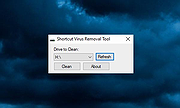 |
 |
SideSlide v6.50 SideSlide v6.50 👉 A powerful, customizable desktop workspace, launcher and information organizer that stays hidden until you need it. SideSlide is a free desktop assistant designed to keep your Windows desktop organized and clutter-free while providing instant access to programs, files, folders, websites, commands, RSS feeds, notes, reminders, pictures and other frequently used information. Its customizable workspace can dock to any screen edge and remain tucked away until needed, giving you a large organizational area without permanently consuming desktop space. The workspace uses flexible containers that can be resized, detached, folded, shrunk and arranged however you prefer. Containers can hold shortcuts, notes, RSS feeds, reminders and other content, allowing large collections of information to remain accessible without covering the desktop. SideSlide also includes extensive keyboard navigation and launching features for users who prefer working without the mouse. When the workspace is collapsed, SideSlide can display a Dock Strip containing useful system information and live weather. The workspace can quickly expand again when you need access to its contents. SideSlide can also be used portably from a USB drive. Its configuration files are kept together, and the portable version can continue working even when the removable drive letter changes. Features: • Fully customizable desktop workspace that remains hidden until needed • Dock the workspace to any edge of the screen • Dock Strip displays system information and live weather while the main workspace is collapsed • Create shortcuts to programs, files, folders, commands and websites • Add RSS news feeds directly to the workspace • Built-in RSS reader with filtering and Subject Tracker capabilities • Create resizable, detachable, foldable and shrinkable containers • Containers can extend beyond the visible screen area • Create colorful notes that can be searched, edited in bulk and individually customized • Encrypt notes and automatically re-encrypt them after editing • Create ... |
|
6,515 | Sep 02, 2026 Northglide 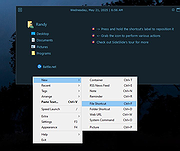 |
|
Sigil Portable v2.8.1 Sigil Portable v2.8.1 👉 A portable version of the powerful, open source EPUB ebook editor for creating and editing ebooks without installation. Sigil Portable is the PortableApps.com version of Sigil, a free and open source EPUB ebook editor that supports both visual WYSIWYG-style editing and direct editing of EPUB code. It can be carried on a USB flash drive, portable hard drive, cloud folder or other portable storage and used without a traditional installation. The portable package keeps its settings with the application, making it convenient for working with ebooks on multiple Windows computers. Sigil is designed specifically for editing EPUB ebooks and supports EPUB 2 as well as EPUB 3. Authors and editors can work directly with XHTML and CSS, edit book metadata, generate tables of contents, check spelling, perform powerful regular-expression searches and make detailed changes to the internal structure of an ebook. The interface provides multiple views so users can work visually or directly with the underlying code. Features: • Portable package designed to run from USB drives, portable drives, cloud folders and other locations • WYSIWYG word processor-style ebook editing • Direct editing of EPUB XHTML and other underlying code • Full EPUB 2 specification support • Limited EPUB 3 support • Multiple Book, Code and Preview views • Full UTF-16 support • Table of Contents generator with multi-level heading support • Metadata editor supporting more than 200 possible metadata entries with descriptions • Spell checking with default and user-configurable dictionaries • Full PCRE regular-expression support for Find and Replace • Imports EPUB and HTML files, images and style sheets • Integrated FlightCrew EPUB validator for checking EPUB compliance • Embedded HTML Tidy for correcting formatting in imported files and optionally cleaning edited content • Translated user interface • Online Sigil User's Guide and documentation • Open source under the GNU GPL Supported operating systems: • Windows 10 64-bit, Windows 11 64-bit Supported languages: Multilingual Changes: v2.8.1 07-18-26 Sigil 2.8.1 is a ... |
|
2,336 | Aug 31, 2026 Graeme Gott and PortableApps.com 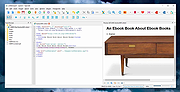 |
|
Simple Port Forwarding Portable v3.8.5 ==Official Mirror== Simple Port Forwarding v3.8.5 Portable 2000, XP SP3, 2003, Vista, 2008, 7, 8 & Requires Internet Explorer 6.0 or higher Simple Port Forwarding works with WebPages and not directly with your router. Making it a safe program to use. Its no different than using Firefox, IE or any other browser to setup port forwarding yourself. The program works by automating the process for you. So whether you don't understand how to forward ports, or you're simply looking for an easier way to forward ports then this program is for you. Its port forwarding made simple. The main interface of the program is small and clean. Giving options of seeing what is going to be forwarded to the router and how many entries and ports it will use in the process. You have the ability to save your list and send it to another user of the program. An example would be, lets say you have a family member who lives far from you and doesn't really understand port forwarding, so instead of spending a lot of time over the phone walking them through it you can simply have them use the program and have them load the list and update their router, then your all done. Now that's a time saver. The program has a large database of known ports for over 700+ games and programs, so finding the port you need is made a little easier. The program will also remember custom applications you put in, so you don't have to reenter them. The program remembers the last IP address you use to forward to, this helps not having to set it every time you load new ports! The program has many extra tools, such as a tool to set your IP to static or back to DHCP. When port forwarding the router ... |
 |
10,261 | Jan 30, 2014 PcWinTech |
|
Simple Sudoku Portable v4.2n Simple Sudoku Portable v4.2n Sudoku game, creator, and solver. Simple Sudoku makes high quality puzzles that are symmetrical, have a single solution, and do not require trial and error to solve. The user can also choose between five levels of complexity - from Easy to Extreme. Each puzzle is generated randomly so there is an almost limitless selection. Not only does Simple Sudoku make challenging puzzles, it also provides tools to help solve them - removing the drudgery but not the fun. Keeping track of possible values for blank cells (candidates), providing filters and color markers are just some of the tools available to make solving even those really tricky puzzles possible. Also, if you ever get really stuck, Simple Sudoku can get you started again with a discreet hint (without giving everything away). System Requirements: Windows XP, Vista, 7, 8, 10 App License: Freeware (Personal and educational use) MD5 Hash: de443768c2912cfa5be1db2917b3abcd Click here to visit the author's website. |
|
4,651 | Nov 06, 2019 Angus Johnson & PortableApps.com 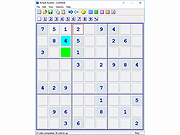 |
|
Sizer v4.0 dev673 Sizer v4.0 dev673 👉 Precisely resize and position application windows with customizable presets and hotkeys. Sizer is a lightweight window management utility that lets you instantly resize and reposition application windows to exact dimensions. Originally created for web designers and developers needing consistent browser sizes, it has evolved into a flexible productivity tool for anyone who regularly arranges windows on one or more monitors. Instead of manually dragging window borders, Sizer can snap windows to predefined sizes and positions with a click or keyboard shortcut. Sizer 4 has been completely rewritten for improved compatibility with modern Windows applications while reducing the intrusive techniques used by previous versions. It supports customizable hotkeys, advanced sizing macros and mathematical expressions, grouped menu layouts, portable operation, and easy import/export of configuration files. Power users can automate complex desktop layouts by positioning multiple windows simultaneously using macros and expressions. Features: • Resize any window to exact predefined dimensions • Move windows to precise screen locations • Assign global hotkeys to resizing actions • Launch the sizing menu with Ctrl+Win+Z or a custom shortcut • Create custom window size and position presets • Use mathematical expressions for dynamic sizing • Automate layouts with powerful window macros • Resize and reposition multiple windows simultaneously • Organize presets into cascading menu groups • Import and export configuration settings • Run as a portable application without installation • Improved compatibility with modern Windows applications • Supports high-DPI displays with DPI-aware rendering • Right-click window borders or restore buttons for quick access • Stable, lightweight design with minimal system impact Supported operating systems: • Windows 10, Windows 11 (64-bit) Supported languages: English Changes: v4.0 dev673 11-26-25 Introduced the special macro variable $_count that holds the number of wildcard matches. Note: This file has one hit on VirusTotal. We have confirmed this to be a false positive. The file is safe. Click here to visit the author's website. |
|
1,807 | Jul 27, 2026 Brian Apps 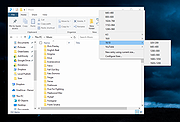 |
|
SmartSystemMenu v2.33.1 SmartSystemMenu v2.33.1 👉 Enhance Windows system menus with powerful window management features. SmartSystemMenu is a lightweight utility that extends the standard Windows system menu of application windows with a wide range of advanced window management tools. By right-clicking the title bar or using the system menu, users gain access to additional options that go far beyond the default Move, Size, Minimize, Maximize, and Close commands. SmartSystemMenu allows you to control window behavior, transparency, priority, alignment, and more, making it especially useful for power users who want finer control over their desktop environment. Features: • Adds extended options to the standard Windows system menu • Adjust window transparency levels • Set window priority (Real-time, High, Above normal, Normal, Below normal, Idle) • Resize and reposition windows with custom dimensions • Align windows to screen edges or predefined positions • Change window always-on-top state • Save and restore window positions • Take screenshots of application windows • Copy window text to clipboard • Multi-language interface • Portable version available Supported operating systems: • Windows 7, Windows 8, Windows 8.1, Windows 10, Windows 11 Supported languages: English, Russian, German, French, Spanish, Italian, Portuguese, Polish, Chinese (Simplified), Chinese (Traditional), Japanese, Korean, Turkish, Dutch, Czech, Hungarian, Ukrainian Changes: v2.33.1 03-20-26 Support of the SmartSystemMenu.xml file for previous versions Korean translation improvements Japanese translation improvements by @coolvitto Click here to visit the author's website. |
|
5,810 | Mar 23, 2026 Alexander Illarionov 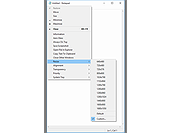 |
|
SmartTextCrypter v1.03 SmartTextCrypter v1.03 👉 A tiny portable tool for password-encrypting text before sending it through messaging apps, email or SMS. SmartTextCrypter is a free, portable Windows utility designed to encrypt text messages with a password before they are sent through services such as WhatsApp, Telegram, email or SMS. The recipient pastes the encrypted text into SmartTextCrypter and enters the same password to decrypt and read the original message. Everything is processed locally on your computer without uploading your text to a cloud service or server. The program uses the author's proprietary multi-layer encryption method consisting of password-based key generation, XOR encryption, position-dependent mixing, bit rotation and a checksum for detecting errors or incorrect passwords. It supports Unicode text, including Asian, Cyrillic and Arabic characters. SmartTextCrypter requires no installation and can be run directly from a USB drive, external drive or ordinary folder without creating registry entries. Features: • Password-based encryption and decryption of text • Send encrypted text through WhatsApp, Telegram, email, SMS and other services • Proprietary multi-layer encryption using XOR, positional mixing and bit rotation • Generates a 32-byte key from your password • Checksum detects errors and incorrect passwords • Unicode support for Asian, Cyrillic, Arabic and other characters • Completely local operation with no cloud service or server uploads • Portable and requires no installation • Can run directly from a USB drive, external drive or any folder • Does not create registry entries • Low CPU usage • Adjustable text sizes for improved readability • Free for private use Supported operating systems: • Windows XP, Windows Vista, Windows 7, Windows 8, Windows 8.1, Windows 10, Windows 11, Windows Server 2012-2025 • 32-bit and 64-bit Windows Supported languages: German, English, Italian, Chinese-Traditional, Dutch, Russian, Japanese, Korean, Spanish, Portuguese, Malay Changes: v1.03 08-26-26 • SmartTextCrypter language file update • Minor fine-tuning in SmartTextCrypter for all Windows operating systems. Click here to visit the author's website. |
|
169 | Sep 03, 2026 Nenad Hrg 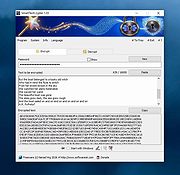 |
|
SnipSVG v2.3 SnipSVG v2.3 👉 A free screen capture and graphics editor built around sharp, fully editable SVG vector images. SnipSVG is a free screen capture and graphics editor for Windows and macOS that uses SVG vector images as its primary format. Unlike traditional JPG and PNG screenshots, SVG images remain sharp at any zoom level while individual elements remain editable. SnipSVG provides tools for capturing, cropping and annotating screenshots, obscuring sensitive information, adding formatted text, creating numbered documentation graphics and sharing finished images with other applications. It can also create animated and interactive SVG content using CSS and JavaScript. Features: • Capture and edit screenshots • Uses scalable SVG vector graphics as its primary image format • Keeps individual SVG elements separately editable • Maintains sharp image quality at different zoom levels and resolutions • Crop screenshots and physically resize large photos • Blur or obscure sensitive information in screenshots • Add HTML-formatted text to images • Add lines, arrows, shapes, highlights and other annotations • Auto-incrementing numbering tags for tutorials and documentation • Generate reference tables from numbered image tags • Integrated syntax highlighting for source code examples • Extract text from images using Windows OCR on Windows 10 and Windows 11 • Create animated SVG objects using CSS and JavaScript • Add interactive elements and hyperlinks to SVG images • Share images with HTML editors, word processors and other applications • Supports SVG and SnipX image formats • Integrates with the Help+Manual documentation authoring suite • Free for private and commercial use • Windows installer supports portable installation Supported operating systems: • Windows 7, Windows 8, Windows 10, Windows 11 • macOS 11 Big Sur or higher, Intel/Apple Silicon Supported languages: English, German, French Changes: v2.3 08-03-26 • Flipping of line and arrow objects did not work correctly when the line was rotated. • Full lasso selection on the canvas selected the picture frame, it now selects objects inside the picture frame (same as CTRL + A to select ... |
|
1,788 | Sep 14, 2026 EC Software GmbH 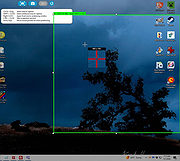 |
|
SpaceSniffer v2.2.0.27 SpaceSniffer v2.2.0.27 👉 Find lost disk space the easy way. SpaceSniffer is a freeware, portable disk space analyzer that helps you understand how folders and files are structured on your disks. It uses a Treemap visualization layout so you can quickly see where large folders and files are located. Features: • Treemap visual layout for spotting large files and folders • Portable, no installation required • Fast disk scanning • Zoom into folders for more detail • Filter results by file type, size, age, and other criteria • Drag and drop support • Customizable geometry, colors, and behavior • Multiple views for different media • Export customizable textual reports • NTFS Alternate Data Streams scanning support Supported operating systems: • Windows 7, Windows 8, Windows 10, Windows 11 Supported languages: English Changes: v2.2.0.27 [+] Added automatic detection for support of Alternate Data Streams on selected drive. [#] Fixed a crash on Alternate Data Streams scan. This download is for the Windows 64bit version (very bottom of page). If you need the Windows 32bit version (from 2016), download here. Click here to visit the author's website. |
|
7,671 | May 19, 2026 Uderzo Umberto 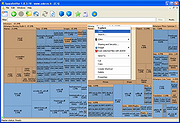 |
|
Speed-Up NVMe v1.0 Speed-Up NVMe v1.0 👉 Increase NVMe drive performance in Windows 11 up to 80%. Speed-Up NVMe is a portable utility that enables Microsoft’s newer native NVMe storage driver on supported Windows 11 systems by applying the required registry entries automatically. According to the developer, this can improve IOPS performance by up to 80% and reduce CPU cycles by about 45% on supported setups. The program also includes the registry files it applies, so you can review or revert the changes more easily. It is intended for supported Windows 11 consumer versions with the required updates installed, and the author notes that Windows 10 compatibility is not confirmed. Features: • Enables Microsoft’s newer native NVMe storage driver on supported Windows 11 systems • Portable utility with one-click apply and revert capability • Includes the registry entries used by the program in the Reg folder • Can improve NVMe SSD IOPS performance on supported systems • May reduce CPU usage during supported storage workloads • Helps expose NVMe devices under Storage Controllers instead of standard device handling after reboot • Useful for workloads such as database operations, file server metadata work, Hyper-V, virtualization, and large AI or machine learning dataset processing Supported operating systems: • Windows 11 24H2, Windows 11 25H2 • Windows Server 2025 Supported languages: English Changes: v1.0 12-29-25 Not Provided How to Use: 1) Download the Speed-Up NVMe ZIP file and extract it to any folder. 2) Right-click the executable and select Run as Administrator. 3) Click Enable NVMe Optimization (or equivalent option). 4) Restart Windows to apply the changes. To revert: 1) Run the tool again as Administrator. 2) Choose Restore Default Settings. 3) Restart Windows to apply the changes. Note: This tool modifies Windows registry settings to enable an undocumented NVMe driver. Use only on Windows 11 and at your own risk. Click here to visit the author's website. |
|
986 | Mar 24, 2026 Sordum.org 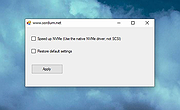 |
|
Spybot - Search & Destroy Portable v2.9.85.5-1 Spybot - Search & Destroy Portable v2.9.85.5-1 👉 Portable anti-spyware and malware removal tool with system immunization features. Spybot - Search & Destroy Portable is a standalone security utility designed to detect and remove spyware, malware, and other unwanted software from Windows systems without requiring installation. The portable edition allows you to run the program from a USB drive or external storage device, making it ideal for on-the-go troubleshooting and cleaning infected systems. Spybot - Search & Destroy Portable scans your system for malicious files, registry entries, tracking cookies, and potentially unwanted programs. In addition to removal capabilities, it includes an Immunization feature that helps block known malicious websites and harmful ActiveX components before they can affect your system. Features: • Portable version requiring no installation • Detects and removes spyware and malware • Advanced system scanning engine • Immunization to block malicious websites and threats • Startup tools and system repair utilities • Secure file shredding • Automatic updates for detection rules • Quarantine and recovery options Supported operating systems: • Windows 7, Windows 8, Windows 8.1, Windows 10, Windows 11 Supported languages: • English, German, French, Spanish, Italian, Dutch, Polish, Russian, Portuguese, Turkish Changes: v2.9.85.5-1 03-17-26 Not provided. Click here to visit the author's website. |
|
6,452 | Jul 06, 2026 Safer Networking Ltd. & PortableApps.com 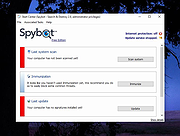 |
|
Startup Monitor 64 v4.175 Startup Monitor 64 v4.175 👉 A portable Windows utility that watches startup locations and alerts you when programs try to add themselves. Startup Monitor 64 is a portable Windows system monitoring utility designed to detect changes to startup folders, Windows Registry startup locations, scheduled tasks and other locations you choose to monitor. When a new or changed item is detected, Startup Monitor 64 presents it for review so you can decide whether it should be allowed or denied. On its first run, the program creates baseline snapshots of existing startup folders and scheduled tasks. Future scans compare the current system against this baseline along with separate Allowed and Denied lists. This helps distinguish legitimate existing startup entries from newly added or changed items. Startup Monitor 64 is not limited to traditional Windows startup locations. You can add your own folders and Registry paths, allowing the program to serve as a general-purpose change monitor for locations you want to keep an eye on. The program is fully portable. Configuration files, baselines, allowed and denied lists, and logs are kept inside an App folder within the program's directory. Features: • Monitors Windows startup folders for new or changed items • Monitors common Windows Registry startup locations • Monitors Windows Task Scheduler for newly added or changed scheduled tasks • Allows custom folders to be added to the monitoring list • Allows custom Registry paths to be monitored • Individual monitored locations can be enabled or disabled • Displays a review window when new or changed items are detected • Lets you approve detected items and add them to an Allowed list • Lets you deny detected items and remove them after confirmation • Maintains separate Allowed and Denied lists • Creates a persistent baseline of existing startup items on first run • Creates a baseline of existing scheduled tasks • Provides adjustable startup-location monitoring intervals from 1 to 60 seconds • ... |
|
268 | Sep 09, 2026 sl2365 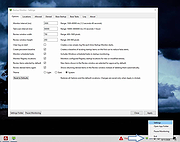 |
|
StaticDesktopRuler v1.06 StaticDesktopRuler v1.06 👉 Add customizable on-screen guide rulers that make it easy to visually follow rows, columns, and align desktop objects. StaticDesktopRuler is a free, portable desktop utility that places one or more customizable rulers on your screen as visual reference guides. Its primary purpose is not measuring distances, but making it easier to keep your eyes on the correct row or column while working with large spreadsheets, databases, documents, source code, CAD drawings, image editors, and other information-dense applications. As shown in the example below, horizontal and vertical rulers can be positioned over a worksheet so you can instantly locate the exact cell where a row and column intersect, dramatically reducing the chance of reading or entering data on the wrong line. Each ruler can be customized with its own color, thickness, transparency, and ghost mode, allowing the guides to remain visible without blocking the content beneath them. Because it is portable, StaticDesktopRuler can be launched anywhere without installation. Features: • Place multiple horizontal and vertical guide rulers anywhere on the desktop • Easily follow spreadsheet rows and columns to the correct cell intersection • Reduce reading and data-entry mistakes in large worksheets and tables • Keep your place while reading databases, documents, logs, and source code • Customize each ruler's color, thickness, and transparency • Ghost mode keeps guides visible while allowing you to see and work through them • Portable application requiring no installation • Lightweight and uses very little system resources Supported operating systems: • Windows 7, Windows 8, Windows 8.1, Windows 10, Windows 11, Windows Server 2012, Windows Server 2016, Windows Server 2019, Windows Server 2022 Supported languages: • German, English, Traditional Chinese, Korean, French, Russian, Italian, Japanese, Spanish, Portuguese Changes: v1.06 08-26-26 • StaticDesktopRuler language file update • Minor fine-tuning in StaticDesktopRuler for all Windows operating systems. 👉 This download is for the Windows portable version (very bottom of page). All other download ... |
|
608 | Oct 04, 2026 Nenad Hrg 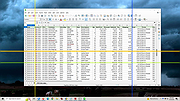 |
|
Stella v7.0c Stella v7.0c 👉 A multi-platform Atari 2600 VCS emulator. Stella is an open source Atari 2600 Video Computer System (VCS) emulator that faithfully recreates the original console on modern computers. It allows you to play thousands of Atari 2600 game ROMs while providing a wide range of enhancements including save states, debugging tools, customizable controls, video filters, bezel support, high score saving, and an advanced ROM launcher. Stella is designed for both casual retro gamers and Atari homebrew developers, offering highly accurate emulation along with powerful analysis and debugging features. Features: • Accurate Atari 2600 VCS emulation • Supports thousands of Atari 2600 ROMs • Advanced ROM launcher with artwork support • Save and load game states • High score saving • Built-in debugger for homebrew development • Multiple video rendering modes and TV effects • Automatic phosphor mode support • Bezel support, including Sinden Lightgun compatibility • Customizable keyboard, mouse, and game controller mappings • Screenshot capture • Multiple UI themes • Open source Supported operating systems: • Windows, macOS, Linux Supported languages: • English Changes: v7.0c 10-05-24 • Enhanced ROM launcher to allow multiple images per ROM • Added many additional ROM launcher images • Added filename searching for ROM launcher images • Added option to start a random ROM • Added automatically enabled phosphor modes • Enhanced Game Properties dialog for multigame ROMs • Added a second UI theme and hotkey for toggling themes • Added bezel support including Sinden Lightgun compatibility • Added optional type format detection based on colors used This download is for the binary ZIP (32-bit and 64-bit) for Windows 7/8/10/11 version (very bottom of page). All other download assets are below: Other Windows: binary installer (exe) for 64-bit Windows 7/8/10/11 binary installer (exe) for 32-bit Windows 7/8/10/11 NOTE for Windows: Visual C++ Redistributable for Visual Studio 2017 is required. MacOS: Binary DMG for macOS (ARM M1 and 64-bit Intel) Linux: Binary 64-bit DEB for Ubuntu 22.04 Source: Source code tarball for all systems Miscellaneous / Extras: Complete distribution and port for the RetroN 77 Snapshot files for ... |
|
8,368 | Jun 21, 2026 The Stella Team  |
|
StressMyPC v5.88 StressMyPC v5.88 👉 Stress test your PC’s CPU, GPU and hard drive. StressMyPC is stress testing software used to put a Windows PC under heavy load for stability testing, battery drain testing or general hardware stress testing. It can stress the processor, graphics card and hard drive, and it is especially useful for seeing how a system behaves under full load. Features: • Start and stop PC stress testing quickly • Paint-Stress for simple GPU stress testing • Aggressive CPU-Stress for processor load testing • HD-Stress for hard drive stress testing • Useful for laptop battery drain testing • Portable, no installation required • Small program size • Multilingual interface Supported operating systems: • Windows 11, Windows 10, Windows 8.1, Windows 7, Windows Desktop and MS Server operating systems Supported languages: German, English, Swedish, Danish, Brazilian Portuguese, Slovak, Spanish, Simplified Chinese, French, Italian, Turkish, Czech, Russian, Ukrainian, Greek, Traditional Chinese, Romanian, Korean, Polish, Hungarian, Japanese, Thai, Arabic, Finnish, Frisian, Norwegian, Irish, Dutch, Portuguese, Vietnamese, Persian, Hindi, Hebrew, Spanish-VE, Malay, Indonesian, Filipino, Bosnian, Croatian, Serbian Changes: v5.88 05-13-26 Updated language files in the app for stress-testing Windows PCs, along with minor corrections in the stress-test app for Windows 11 that ensure a smoother PC stress test experience. Click here to visit the author's website. |
|
10,344 | May 17, 2026 SoftwareOK 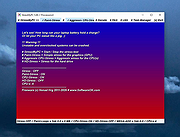 |
|
SumatraPDF v3.6.1 SumatraPDF v3.6.1 👉 A fast, lightweight, and minimalist document viewer for Windows. SumatraPDF is a free and open-source document viewer designed for speed, simplicity, and ease of use. It supports a wide range of formats including PDF, EPUB, MOBI, CHM, XPS, DjVu, and comic book archives (CBZ and CBR). Built with a minimal interface and low resource usage in mind, it launches quickly and provides a distraction-free reading experience. SumatraPDF focuses on doing one thing well, viewing documents, without unnecessary features or bloat. It is fully portable, meaning it can run without installation, making it ideal for USB drives or portable workflows. Despite its small size, it includes useful features like tabbed viewing, keyboard shortcuts, and customizable settings. Features: • Fast startup and lightweight performance • Supports PDF, EPUB, MOBI, CHM, XPS, DjVu, CBZ, and CBR formats • Portable version available with no installation required • Clean and minimal user interface • Tabbed document viewing • Keyboard shortcuts for efficient navigation • Customizable settings via configuration file • No ads, no bloat, and no unnecessary features • Open-source and actively maintained • Suitable for low-resource systems Supported operating systems: • Windows 7, Windows 8, Windows 10, Windows 11 Supported languages: Multiple languages Changes: v3.6.1 04-06-26 bugfixes This download is for the Windows 64bit installer version (very bottom of page). If you need the Windows 32bit installer version, download here. If you need the Windows 64bit portable version, download here. If you need the Windows 32bit portable version, download here. If you need the 64bit ARM installer version, download here. If you need the 64bit ARM portable version, download here. If you need the Windows XP 32bit version, download here. If you need the Windows XP 64bit version, download here. Click here to visit the author's website. |
|
5,386 | Apr 07, 2026 Krzysztof Kowalczyk 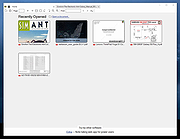 |
|
SyMenu v8.14.9685 SyMenu v8.14.9685 👉 Portable menu launcher and Start Menu replacer for organizing and launching applications. SyMenu is a portable menu launcher and Start Menu replacer designed to help you organize, find, and run your applications quickly and easily. It can manage portable apps stored on local or removable drives, automatically index applications installed on the host PC, and provide a fast search-as-you-type launcher. SyMenu also includes support for its integrated freeware suites, letting you install, update, and remove supported programs automatically through its SPS system. Features: • Portable menu launcher and Windows Start Menu replacement • Organizes applications in a hierarchical structure with custom names, folders, separators, and labels • Search-as-you-type launcher for quick access to programs and functions • Can automatically index applications installed on the host PC • Works with apps stored on local disks, USB drives, flash drives, external drives, memory cards, CDs, and DVDs • Supports integrated freeware suites with automatic install, update, and removal through SPS • Strong customization options for menu layout and organization • Includes tools such as configuration, app management, and update checking Supported operating systems: • Windows 10, Windows 11 • Windows 10 and Windows 11 support both 32-bit and 64-bit versions Supported languages: • English, Arabic, Chinese Simplified, Chinese Traditional, Czech, Finnish, French, German, Greek, Hungarian, Italian, Polish, Portuguese (Brazil), Portuguese (Portugal), Spanish, Turkish, Ukrainian • Dutch (not official), Japanese (not official), Korean (not official), Russian (not official), Slovenian (not official) Changes: v8.14.9685 07-08-26 Application upgrade to .NET 10 for improved overall performance, security, and stability. New innounp version (v2.67.9) New 7zip version (v26.02) Form splash reorganization and optimization Automatic token clearance when a new unique identifier (GUID) is generated Language updates: Japanese language added, Chinese (Simplified), French, Spanish, Finnish, Ukrainian removed. Click here to visit the author's website. |
|
9,009 | Aug 06, 2026 UGM.NET 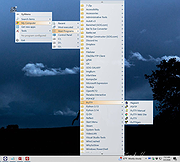 |
|
Tablacus Explorer v26.6.11 Tablacus Explorer v26.6.11 👉 Customizable tabbed file manager with extensive add-on support. Tablacus Explorer is a portable, open source tabbed file manager for Windows that supports add-ons, multiple languages, Unicode, customizable menus, keys, mouse gestures, aliases, and extra columns such as total file size and labels. It is designed for users who want a highly flexible alternative to standard Windows File Explorer. Features: • Tabbed interface • Add-on support • Completely portable with no installation required • Multiple language and Unicode support • Extra columns including total file size and label • Customizable associations, menus, keys, mouse gestures, and aliases • Open source • Available in both 32-bit and 64-bit versions Supported operating systems: • Windows XP, Windows Vista, Windows 7, Windows 8, Windows 8.1, Windows 10, Windows 11 Supported languages: English, Japanese, Spanish, Korean, German, Greek, French, Italian, Portuguese, Russian, Simplified Chinese, Traditional Chinese, Turkish Changes: v26.6.11 06-11-26 • Added ARM64 support. (Backup recommended) • Added an ARM64 version of Tablacus Explorer. • The developer does not have a Windows ARM device, so this build has not been tested by the developer. • Windows ARM users can download tearm_260611.zip, extract it over their existing installation, and run TEARM64.exe. • The developer is requesting feedback from ARM64 users about whether the build works correctly or if any problems occur. Click here to visit the author's website. |
|
7,004 | Aug 14, 2026 Gaku 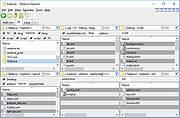 |
|
TabStick-1.2.0-win-x64-portable.zip TabStick v1.2.0 👉 A lightweight note-taking program that attaches colorful index tabs directly to your application windows. TabStick lets you place quick notes on the edge of an application window, keeping reminders and information beside the program where they are needed. Choose a tab from the color palette, attach it to a window and begin typing. Notes can be organized directly inside each tab and customized with different colors, sizes, text settings and display themes. TabStick is available as an installer or a portable download that can be extracted and run without installation. Features: • Attaches index-style notes directly to application windows • Keeps related notes beside the program where they are needed • Creates new notes by selecting a color from the tab palette • Supports quick text entry and organization within each note • Customizable application and tab sizes • Adjustable text size and line spacing • Multiple note colors • Custom note colors • Light and dark display modes • Configurable palette appearance • Changeable interface language • Available as an installer or portable program • Simple interface designed for fast note-taking Supported operating systems: • Windows 10 64-bit, Windows 11 64-bit Supported languages: Not Found Changes: v1.2.0 Not Found Click here to visit the author's website. |
|
237 | Aug 05, 2026 TabStick 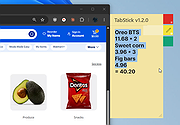 |
|
tacky-borders v1.5.0 tacky-borders v1.5.0 Add colorful, customizable borders to your Windows application windows. tacky-borders is a lightweight open-source utility that adds visible, customizable borders around application windows in Windows. It is designed to make window boundaries easier to see and to give users the ability to style their desktop with colored outlines around active and inactive windows. tacky-borders runs in the background and applies borders dynamically, helping improve window visibility and providing a more personalized desktop experience. Features: • Adds customizable borders around application windows • Supports different border colors and styles • Distinguishes between active and inactive windows • Lightweight and runs in the background • Open-source project hosted on GitHub To Configure tacky-borders: • Run tacky-borders.exe once to generate the config file automatically (created in %userprofile%/.config/tacky-borders/) • Open the config quickly by right-clicking the tray icon and choosing "Show Config" • Edit config.yaml in a text editor, then save: • watch_config_changes: True will automatically reload borders when the config file is modified • global.border_width sets border thickness in pixels • global.border_offset moves the border inwards (negative) or outwards (positive) • global.border_radius can be Auto, Square, Round, RoundSmall, or a numeric value • global.active_color and global.inactive_color support: • Solid colors using a hex value (example: "#ffffff") or "accent" • Gradient colors using a colors list + direction (example direction: 45deg or start/end coordinates) • animations and effects are configurable under global (effects note: they can significantly increase CPU/GPU usage and require rendering_backend: V2) • Per-app overrides: use window_rules to match by Class, Title, or Process (Equals, Contains, or Regex), then override any global setting for just that app • If a border is initialized but not visible for a window, try setting follow_native_border to False in a window rule Supported operating systems: • Windows 10, Windows 11 Supported languages: • English Changes: v1.5.0 04-26-26 Features add theme-aware border colors for Windows by @Louis047 in #74 Bug Fixes fix borders disappearing after waking system from ... |
|
1,111 | Jul 11, 2026 lukeyou05  |
|
TED Notepad v6.4.1 TED Notepad v6.4.1 👉 Small, fast and powerful plain-text editor packed with advanced text-processing tools. TED Notepad is a free plain-text editor and Notepad replacement for Windows, built for users who want speed, portability and serious text manipulation without a bulky interface. It includes hundreds of tools for editing, sorting, filtering, transforming, searching and cleaning text, while staying small, quick to launch and easy to carry as a portable utility. Features: • Free, small and portable text editor with no installation required • New 64-bit version for working with very large files • Tested with huge files, including multi-gigabyte documents • 457 text-processing functions and editor features • Grep, Sort, Cut, Unique, RegEx, Shuffle, Tr and Reverse tools • Search and replace with regular expressions • Selection and search match highlighting • Search and Replace history • Line numbers, line lengths and visible spaces/tabs/newlines • Multi-level Undo and Redo • Auto-save, recovery and backup options • UTF-8 and Unicode auto-recognition • Multiple permanent clipboards and clipboard append tools • Word and line auto-completion • Portable INI file settings Supported operating systems: • Windows 11, Windows 10, Windows 8, Windows 7, Windows Vista, Windows XP, Windows Server 2008, Windows Server 2003, Windows 2000 Supported languages: English Changes: v6.4.1 06-04-26 Introducing a 64-bit version. Added selection highlighter for all occurrences of selected text. Added settings for minimum selection length, match case and highlighter color. Added search highlighter for all Search Bar matches. Added total occurrence count in the Search Bar. Added Search history and Replace history. Added positive and negative look-ahead and look-behind assertions in Regular Expressions. Added setting to include seconds when inserting date/time. Added setting to disable the "Exit without saving" hotkey. Added Session Hard to Close option. Fixed multiple Search Bar, RegEx, Grep, Filters, Sort, Columns, Status Bar and clipboard issues. Improved Unicode file detection, DPI awareness, search routines, clipboard handling and settings validation. This download is for the Windows Unicode 64bit Installer version (very bottom of page). All other download assets are ... |
|
6,246 | Jun 09, 2026 Medvedik, Juraj Simlovic 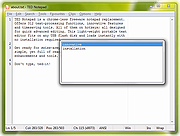 |
|
The Baronet Mark IV v0.301 The Baronet Mark IV v0.301 👉 Play chess against a custom-built computer opponent, learn the game, and review your games offline. The Baronet is a free desktop chess program for playing, learning, and studying chess on Windows and macOS. It opens ready for a game, with the board, clocks, move list, opening name, position evaluation, and game graph arranged together. You can play against the computer at a strength suited to you, play another person at the same computer, or watch two computer players compete. The computer opponent was developed specifically for The Baronet. Its own chess engine and neural network are included with the program, along with an opening book and endgame tablebases for positions with up to four pieces. At full strength, the developer reports a rating above 2700 in blitz games on Lichess as of September 2026. The engine can also play matches against other UCI or CECP engines through CuteChess CLI. After a game, The Baronet can review the moves and explain where the game changed course. Each move receives one of ten classifications, from Brilliant and Great to Inaccuracy, Mistake, and Blunder. Comments describe the move and suggest a better alternative, with three levels of detail for different experience levels. The review includes accuracy summaries, an evaluation graph, a move list, and options to show the recommended move or play through the best line. The review tools can also be used with games played elsewhere. Open a PGN or FEN file, choose a game from a multi-game PGN, or paste game or position text into the review or analysis board. Save an annotated game as PGN to keep the move classifications and comments for use in another chess program or website. Beginners can work through 46 short lessons arranged in six courses, followed by a complete game against the computer. ... |
|
30 | Oct 13, 2026 David Thoiron  |
|
TheSage v7.74 TheSage v7.74 👉 A powerful English dictionary and thesaurus with advanced word search and language reference tools. TheSage is a Windows dictionary and thesaurus designed as a comprehensive lexical reference system for the English language. It combines dictionary definitions, examples, pronunciations, etymologies, and a multifaceted thesaurus in one portable application. The program also includes advanced lookup tools such as wildcard and anagram search, phonetic search, rhyme assistance, concordances, online search, and word list management, making it useful for casual users, writers, translators, researchers, and language learners. Features: • Comprehensive English dictionary with definitions, examples, pronunciations, and etymologies • Multifaceted thesaurus with synonyms, antonyms, hypernyms, hyponyms, meronyms, holonyms, and more • Multiple dictionary viewing modes including e-paper, classic, and retro views • Wildcard search with standard and regex support • Anagram search for finding words from letter patterns • Phonetic wildcard search with standard and regex options • Rhyme assistant with full, assonant, and consonant rhyme support • Etymologer with keyword and sense search tools • Concordancer for definition and example searching • Online search integration and word list manager • Portable version available • Runs locally and does not require an Internet connection for dictionary use Supported operating systems: • Windows 10, Windows 11 Supported languages: • English Changes: v7.74 03-24-26 - Updated: Dictionary engine v7.44.6065 - Updated: Internal browser v1.0.3856.49 - New: One-click Word capture library v1.08 Database: - Added: ~195,000 words (as a corpus) in etymologies, transcriptions, definitions, examples, and thesaurus entries - Updated: BibliothecaAI 13.2k/1.82b-experimental Click here to visit the author's website. |
|
2,580 | Mar 27, 2026 Sequence Publishing 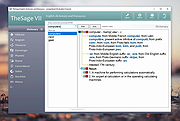 |
|
ThisIsMyFile v4.51 ThisIsMyFile v4.51 👉 Easily unlock or delete locked files and folders on Windows. ThisIsMyFile is a lightweight Windows utility designed to help users unlock, delete, rename, or move files that are locked or in use by the operating system or another application. When Windows refuses to delete or modify a file because it is currently being used, ThisIsMyFile can identify the process that is locking the file and allow you to release the lock so the file operation can proceed. The program provides a simple and portable interface where you can drag and drop a locked file to quickly determine which process is using it. From there, you can unlock the file, terminate the locking process, or delete the file immediately or at the next system restart. ThisIsMyFile is especially useful for troubleshooting stubborn files, removing leftovers from uninstalled software, or handling files that Windows reports as “access denied” or “in use.” ThisIsMyFile does not require installation and can be run directly as a portable tool, making it convenient for technicians and advanced users who need a quick way to deal with locked files without installing additional software. Features: • Unlock files that are currently in use by Windows or other programs • Identify the process that is locking a file or folder • Delete, move, or rename locked files • Option to delete files immediately or on next system restart • Drag-and-drop support for quick file analysis • Portable application with no installation required • Simple and lightweight interface designed for fast troubleshooting Supported operating systems: • Windows 7, Windows 8, Windows 10, Windows 11 Supported languages: German, English, French, Spanish, Hungarian, Turkish, Czech, Chinese Traditional, Russian, Romanian, Polish, Greek, Dutch, Portuguese, Korean, Chinese Simplified, Brazilian Portuguese, Arabic, Italian, Spanish Venezuela, Hindi, Thai, Vietnamese, Welsh, Persian, Hebrew, Malay, Indonesian, Filipino, Norwegian, Ukrainian Changes: v4.51 04-24-26 • Minor bug fixes in the ThisIsMyFile application for Windows 11 ... |
|
7,201 | May 01, 2026 Nenad Hrg 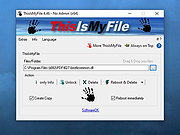 |
|
TIFF Information Viewer v1.5.1 TIFF Information Viewer v1.5.1 👉 A free, portable cross-platform utility for inspecting and decoding TIFF file structure. TIFF Information Viewer is a free Java-based utility for inspecting and decoding the structure of TIFF files. It supports most TIFF features including BigTIFF, any bit depths, and most compressions including JPEG-2000. It displays both the image and detailed TIFF tag structure, helping users explore TIFF files in depth. It also recognizes and displays metadata for popular multi-scale pyramid formats such as Aperio SVS. Features: • Inspect and decode the structure of TIFF files • Displays both image preview and detailed TIFF tag structure • Supports BigTIFF • Supports any bit depths • Supports most TIFF compressions including JPEG-2000 • Recognizes metadata for multi-scale pyramid formats such as Aperio SVS • Includes TiffInfo command-line version of the viewer • Includes TiffCopy for copying, repacking, and converting TIFF files • Includes MakeSvs for constructing Aperio SVS files from regular images • Includes demo TIFF files in the ZIP archive Supported operating systems: • Windows, Linux, macOS, other operating systems with Java Runtime Environment 21 or higher System Requirements: • Java Runtime Environment, version 21 or higher To install Java JDK: Open PowerShell (Admin) and run one of these: JDK 25 winget install Microsoft.OpenJDK.25 JDK 21 winget install -e --id Microsoft.OpenJDK.21 or Download the latest Oracle JDK for Windows 11: https://www.oracle.com/java/technologies/downloads/ Scroll to the JDK section and choose Windows x64 Installer (.exe) for your JDK version. Supported languages: English Note: This file has one hit on VirusTotal. We have confirmed this to be a false positive. The file is safe. Click here to visit the author's website. |
|
666 | May 15, 2026 Daniel Alievsky 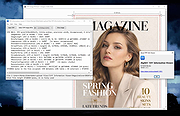 |
|
TimVer v0.14.1 TimVer v0.14.1 👉 Displays Windows version, hardware, drive, graphics, environment, and build history information. TimVer displays the same Windows version information as the built-in Winver command, along with additional system details that Winver does not provide. It can show information about Windows, the computer's hardware, processors, BIOS, memory, disk drives, graphics controllers, environment variables, and Windows build history. TimVer also provides extensive appearance and language options, clipboard functions, portable versions, and settings backup and restore. Features: • Displays Windows version, build number, build branch, architecture, and installation date • Shows computer manufacturer, model, computer name, processor, BIOS, physical memory, and last boot information • Displays logical drive information with optional physical drive details • Shows graphics controller information including adapter name, type, description, resolution, refresh rate, and number of colors • Supports systems with multiple graphics controllers and lets you select each adapter from a dropdown • Displays current environment variables with filtering by variable name • Optionally keeps a history of installed Windows build numbers • Copies an entire supported information page to the clipboard • Copies individual values to the clipboard by right-clicking • Lets you choose the display language • Provides selectable themes, accent colors, fonts, UI sizing, and row spacing • Supports automatic light and dark theme selection when using the System theme • Exports and imports application settings for backup or transfer to another computer • Can open or list the current application settings • Includes an optional check for newer TimVer releases • Runs without elevation for normal system information gathering Supported operating systems: • Windows 10 64-bit, Windows 11 64-bit Supported languages: • English (United Kingdom), English (United States), Spanish, French, Italian, Japanese, Korean, Dutch, Slovak, Thai Changes: v0.14.1 07-25-26 Fixed an issue where mismatched information could be displayed on the Graphics (Video) Information page when two or more video controllers were present. Cleaned up and optimized video controller information retrieval and UI handling. Inactive controllers may show "Not ... |
|
2,284 | Aug 24, 2026 Tim Kennedy 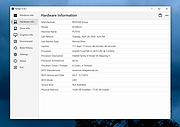 |
|
TinyTask Portable v1.77 TinyTask Portable v1.77 Easily automate any activity in Windows. TinyTask is a small tool that lets you record and reproduce simple activities that you normally carry out on your computer. The simplest task you can carry out, for example, is to record the transfer of files from one folder to another, then automate the process and thus being able to do it as many times as you like with the simple click of a button. Plus, you can save your recordings as independent executables (.EXE), thus letting you carry your automations in the quickest way possible. TinyTask is a very useful, lightweight app that does not require installation. It's ideal for recording small automations that can carry out your daily or more tedious activities. Click here to visit the author's website. |
|
6,822 | Jul 25, 2025 Vista Software and PortableApps.com 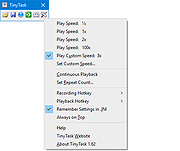 |
|
ToDoList v9.2.0 ToDoList v9.2.0 👉 Flexible and powerful task management software for organizing projects of any size. ToDoList is a highly configurable task management application that helps you organize everything from simple daily to-do lists to complex, multi-level projects. It lets you create unlimited task hierarchies with subtasks, allowing even the largest projects to remain organized and easy to navigate. ToDoList includes a wide range of customizable task attributes such as priorities, categories, tags, due dates, start dates, dependencies, recurrence, risk levels, percentages complete, file links, comments, and time tracking. Multiple task views, advanced filtering, searching, sorting, and reporting tools make it easy to focus on your work and monitor progress. Support for plugins, numerous import and export formats, and a portable edition make ToDoList suitable for both personal and professional project management. Features: • Unlimited task hierarchy with nested subtasks • Fully customizable task attributes and layouts • Priorities, categories, tags, status, and risk tracking • Start dates, due dates, recurring tasks, and dependencies • Built-in time tracking and time estimates • Powerful filtering, searching, sorting, and reporting • File attachments, links, and rich text comments • Multiple import and export formats • Plugin support for additional functionality • Portable version available Supported operating systems: • Windows 7, Windows 8, Windows 8.1, Windows 10, Windows 11 Supported languages: English Changes: v9.2.0 06-22-26 • Added new task creation options, including creating subtasks within existing tasks. • Added single-click editing to the Attribute Editor. • Added sub-expressions to Find Task rulesets. • Added Persian (Jalali) calendar support. • Added counters for remaining User Defined Tools and Custom Task Attributes. • Added spell checking support for Markdown comments. • Added drag-and-drop reordering of Task View tabs. • Added improved keyboard navigation for Week Planner and Logged Time. • Added drag-and-drop and paste support for files, images, and content in HTML and Markdown comments. • Added Cut, Copy, and Paste icons to the Rich Text Comments toolbar and context menu. • Added a UI Language ... |
|
10,946 | Jun 29, 2026 AbstractSpoon Software 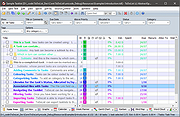 |
|
TPM Info v1.0.0.0 TPM Info v1.0.0.0 View detailed information about the Trusted Platform Module (TPM) installed on your system. TPM Info is a small, portable utility designed to display detailed information about the Trusted Platform Module present on your computer. It provides a quick and clear overview of TPM availability, version, manufacturer details, and current status, making it useful for checking system compatibility with security features such as BitLocker, Windows 11 requirements, and other TPM-dependent technologies. The tool requires no installation and is ideal for both casual users and administrators who need fast access to TPM data. Features: • Displays TPM presence and operational status • Shows TPM version and specification details • Reports manufacturer ID and firmware information • Indicates whether TPM is enabled and activated • Lightweight and portable with no installation required Supported operating systems: • Windows 7, Windows 8, Windows 8.1, Windows 10, Windows 11 Supported languages: English If no compatible TPM is found: If the program shows that no TPM is available or that the TPM version is lower than 2.0, your computer may not meet the Windows 11 security requirements. Here are a few things you can try: • Check the BIOS/UEFI settings: Look for settings named TPM, PTT (Platform Trust Technology for Intel), or fTPM (Firmware TPM for AMD), and make sure they are enabled. • TPM may be disabled by default. • How to Enable TPM 2.0 in BIOS [For Different Versions] Click here to visit the author's website. |
|
724 | Feb 09, 2026 Peter Panisz 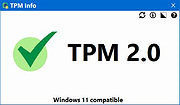 |
|
Treesheets v3247 TreeSheets v3247 👉 Hierarchical spreadsheet-style note taking for organizing complex information visually. TreeSheets is a unique information organizer that combines the structure of a spreadsheet with the flexibility of a hierarchical outliner. It allows you to create deeply nested grids of cells, making it ideal for managing complex data, brainstorming ideas, planning projects, or structuring large amounts of information in a compact and visual way. Unlike traditional spreadsheets, TreeSheets supports recursive cell structures, meaning each cell can contain another grid. This makes it especially powerful for breaking down large concepts into manageable sections while keeping everything accessible in a single document. TreeSheets is lightweight, fast, and portable, making it suitable for quick note-taking or large structured documents alike. Features: • Hierarchical spreadsheet-style data organization • Unlimited recursive grids within cells • Compact visual layout for dense information • Keyboard-driven navigation and editing • Fast search across entire document • Import and export to multiple formats including text and HTML • Printing support with automatic layout adjustments • Lightweight and portable application • Open-source and actively maintained Supported operating systems: • Windows 7, Windows 8, Windows 10, Windows 11 • macOS 10.13 or higher • Linux (AppImage and source builds) Supported languages: English, Dutch, German, Spanish, French, Italian, Russian, Chinese, Japanese Changes: v3247 07-12-26 Revert "Do not overwrite existing cells when grid is merged or multi-… This download is for the Windows 64bit installer version (very bottom of page). All other download assets are below: Other Windows: TreeSheets-3247-winx64.zip TreeSheets-3247-winarm64.exe TreeSheets-3247-winarm64.zip macOSX: TreeSheets-3247-Darwin.dmg Linux: treesheets_3247_amd64.deb treesheets_3247_arm64.deb Click here to visit the author's website. |
|
5,723 | Jul 13, 2026 Wouter van Oortmerssen 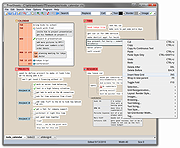 |
 |
Trellix GetSusp v6.0.0.141 Trellix GetSusp v6.0.0.141 👉 Find suspicious files and possible undetected malware using Trellix threat intelligence. Trellix GetSusp is a free, portable malware investigation tool designed for computers where undetected malware is suspected. It uses heuristics together with the Trellix Global Threat Intelligence (GTI) File Reputation database to identify suspicious files without requiring extensive technical knowledge. GetSusp runs as a single executable with no installation required and can operate through its graphical interface, command line or ePO mode. The graphical interface can also scan URLs, documents and PDF files and lets you review suspicious files before submitting selected samples to Trellix for further analysis. Features: • Uses heuristics to locate files that may contain undetected malware • Queries Trellix Global Threat Intelligence File Reputation to evaluate suspicious files • Runs as a single executable with no installation required • Supports graphical interface, command-line and ePO operation modes • Scans URLs, documents and PDF files from the graphical interface • Allows suspicious files to be reviewed before submission to Trellix • Lets you select which files are submitted for further analysis • Records system information and installed Trellix product information • Records the execution date and details about suspected files • Includes GetQuarantine integration with the ePO version • Can be used as an initial investigation tool when malware is suspected but has not been detected by installed security software Supported operating systems: • Windows 7, Windows 8, Windows 8.1, Windows 10 through 21H2, Windows 11 • Windows Server 2008 R2 SP1, Windows Server 2012, Windows Server 2016 Supported languages: • English Changes: Not Provided. This download is for the Windows 64bit version. If you need the Windows 32bit version, download here. Click here to visit the author's website. |
|
6,136 | Aug 16, 2026 Musarubra US LLC 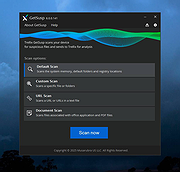 |
|
Trellix Stinger Portable v26.09.38.1 Trellix Stinger Portable v26.09.38.1 👉 Portable malware removal tool designed to detect and clean specific threats. Trellix Stinger Portable is a lightweight, standalone malware scanner created to detect and remove a targeted list of known viruses, trojans, and other malicious threats. Unlike full antivirus suites, Stinger focuses on remediation rather than continuous protection, making it ideal for emergency cleanup, second-opinion scans, or use on infected systems where traditional security software may not run properly. The portable build requires no installation and can be run directly from a USB drive or external media. Features: • Detects and removes a curated list of prevalent malware threats • Portable version runs without installation • Ideal for emergency cleanup and on-demand scanning • Command-line and GUI operation supported • Regularly updated malware definitions • Can be used alongside existing antivirus software Supported operating systems: • Windows 7, Windows 8, Windows 10, Windows 11 Supported languages: English Note: Suspicious and infected files will be quarantined to C:\Quarantine\Stinger and a database will be generated for the currently-scanned PC in that location. WARNING: You MUST close all other apps as Stinger may close them for you which can cause data loss. Click here to visit the author's website. |
|
2,078 | Sep 28, 2026 Musarubra US and PortableApps.com 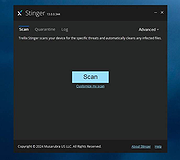 |
|
Trellix Stinger v26.09.40.1 Trellix Stinger v26.09.40.1 👉 A standalone malware detection and removal utility designed for emergency cleanup. Trellix Stinger is a specialized security tool designed to detect and remove specific families of malware from infected systems. Unlike full antivirus suites, it does not provide real-time protection and is intended primarily for use by administrators and technicians as a targeted cleanup utility. Stinger is frequently used when a system is suspected to be compromised and traditional antivirus software is unable to run or fully remediate the threat. Features: • Detects and removes a wide range of known malware threats • Standalone portable executable with no installation required • Ideal for emergency malware cleanup situations • Supports command-line options for scripted or automated use • Frequently updated threat detection engine • Minimal system impact during scanning • Detailed scan and removal logs for diagnostics • Can be used alongside existing antivirus software Supported operating systems: • Windows 10, Windows 11 Supported languages: English Changes: v26.09.40.1 09-29-26 New Detections: • Exploit-CVE2020-1058 • Exploit-CVE2020-1060.a • Exploit-CVE2020-1060.b • Exploit-cve2020-1062.a • Exploit-cve2020-1135 • Exploit-cve2020-1143.a • Exploit-cve2020-1153.a • FlyStudio-Agent • Generic exploit.ma • Generic trojan.kf • Generic trojan.kg • Generic trojan.kk • Generic trojan.ky • LNK/Downloader.ch • Ransom-LockBit • Ransom-Sodnkibi • Trojan-AutoIt.p • Trojan-BlueNoroff • Trojan-Packed.c Enhanced Detections: • Coinminer.l • Exploit-CVE2019-1367 • FakeAV-DZ • Generic Trojan.arc • Generic Trojan.kg • Generic Trojan.li • Generic Trojan.lj • Generic Trojan.ll • Generic trojan.jz • Generic trojan.kh • Generic-Trojan.z • PS/Agent.bv • Trojan-AitInject.aq • Trojan-CoinMiner.n • Trojan-PWS.k • Trojan-Ransom.a • Trojan-Ransom.b • Trojan-Trickbot.d • VBObfus.g 👉 This download is for the Windows 64bit version (very bottom of page). All other download assets are below: Other Windows: stinger32.exe Click here to visit the author's website. |
|
17,098 | Oct 05, 2026 Musarubra US LLC 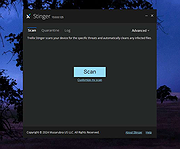 |
|
Trend Micro Anti-Threat Toolkit v1.2.62.1262 Trend Micro Anti-Threat Toolkit v1.2.62.1262 👉 Portable standalone malware scanning and cleanup tool. Trend Micro Anti-Threat Toolkit is a lightweight, standalone security utility designed to scan and clean infected computers without requiring installation. It is commonly used when a system is heavily infected and traditional antivirus software cannot be installed or updated. The tool can be run directly from removable media such as a USB flash drive and is intended for advanced malware detection and removal scenarios. Features: • Standalone executable with no installation required • Detects and removes malware, spyware, and other threats • Can be run from USB or other removable media • Designed for use on heavily infected systems • Command-line based interface for advanced troubleshooting Supported operating systems: • Windows 7, Windows 8.1, Windows 10, Windows 11 • Windows Server 2012 R2, Windows Server 2016, Windows Server 2019, Windows Server 2022 Supported languages: English Changes: v1.2.62.1262 Not provided. This download is for the Windows 64bit version (very bottom of page). If you need the Windows 32bit version, download here. Click here to visit the author's website. |
|
8,571 | Feb 26, 2026 Trend Micro Inc. 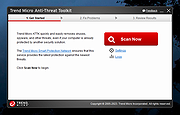 |
|
Tweaking.com - Registry Compressor v1.1.0 Portable Tweaking.com - Registry Compressor v1.1.0 Portable First and foremost, this program does NOT remove or add anything to the registry. This is not a registry cleaner or scanner. The Windows Registry is a hierarchical database that stores configuration settings and options on Microsoft Windows operating systems. Just like databases the registry can become bloated and large when there has been a lot of additions and deletions from the registry. When this happens the system can become slower and use more CPU as programs and the operating system take longer to read and write to the registry, just like any other database. This program does NOT remove or add anything to the registry. What it does is it rebuilds the registry to new files, when this happens all the overhead is gone and the registry is smaller and faster. Microsoft offers a manual way to do this: How to Compress "Bloated" Registry Hives http://support.microsoft.com/kb/2498915 Thanks to this program you can now do it with one click. v1.1.0 Per user request the program now supports the command line /silent or /s and can now also reboot the system if you want it to. Code changes and cleanup, program is now 330kb smaller |
|
9,966 | Jan 08, 2018 Tweaking.com 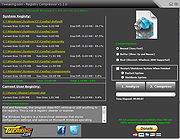 |
|
Tweaking.com - Simple System Tweaker PORTABLE VERSION v2.2.0 ==Official Mirror== Tweaking.com - Simple System Tweaker PORTABLE VERSION v2.2.0 Tweaking.com - Simple System Tweaker is designed to bring only the safest tweaks to your system to increase speed and stability. Windows is setup in a default configuration. By fine tuning your Windows configuration you can increase the speed and snappiness of the operating system. These tweaks are the ones that are safe and shown to cause no side effects with any programs. Each tweak only gives a small performance boost. But they all add up, so the more tweaks you do the more performance you get. For Windows XP, 2003, Vista, 7, 8, 2008 (Supports 32 & 64 bit) What can you expect with this program? It all depends on your current system. You can get faster boot & shutdown times, faster network file sharing, snappier feel to opening Windows and programs, and more stability. The system in all should feel smoother. These tweaks are the same ones I put on my customers machines and have found them to not cause any problems with any programs. Only safe tweaks are in this program. The program also supports a silent command so you can run the program silently. Set the options you want, which will save to the settings.ini file. Run the program with /silent command and the program will apply based on your saved settings then close. When the program is ran for the first time it will backup all the regkeys it changes into a backup.reg file. This way if you ever want to put things back the way they where a double click of that reg file and your good to go. v2.2.0 Updated Registry backup to v2.0.0 Updated multiple controls. Multiple code changes and tweaks. Added the new default v2 color scheme to the program and also changed it to the new default for a new install of the program. ... |
|
10,327 | Jan 28, 2015 Tweaking.com |
|
Ultimate Settings Panel v8.0.0 Ultimate Settings Panel v8.0.0 👉 Access 250+ Windows settings, tools, diagnostics and commands from one searchable panel. Ultimate Settings Panel brings hundreds of Windows settings, administrative tools, diagnostic commands and system utilities together in one convenient interface. The completely rebuilt application provides instant searching and direct access to Windows Settings pages, Control Panel items, networking tools, diagnostics, PowerShell, Windows Terminal, system administration utilities and more. The native Windows version requires no installation and launches tools and settings directly from its interface. A separate portable web edition is also available. Features: • More than 250 Windows settings, tools, diagnostics and commands • Instant search across tool names, descriptions and commands • 13 categories including Windows Settings, Windows Tools, Control Panel, Networking, Diagnostics, Power & Session, Server Administration, Terminal & Shell, Outlook/Office, Browsers and more • Direct access to approximately 70 Windows 11 Settings pages using ms-settings links • Launch Windows utilities and settings directly from the native application • Built-in access to SFC, DISM, battery reports, energy reports and other diagnostic tools • Wi-Fi reporting, Winsock reset and TCP/IP reset commands • Windows Terminal, PowerShell 7 and winget tools • Save frequently used items as Favorites • Light and dark themes with automatic system theme detection • Copy commands for use elsewhere • Export commands as batch files from the web edition • Native application requires no installation • Portable web edition works offline • No analytics, tracking or telemetry Supported operating systems: • Windows 10, Windows 11 Supported languages: English Changes: v8.0.0 08-07-26 Complete ground-up rebuild replacing the original C#/WinForms application. Added a native Windows application using Microsoft Edge WebView2. Added a self-contained portable web edition that can operate offline. Added instant searching of names, descriptions and underlying commands. Added a Windows 11 Settings category with approximately 70 direct Settings links. Added a Terminal & Shell category covering Windows Terminal, PowerShell 7 and winget. Added modern system diagnostics including SFC, DISM, battery and energy reports, Wi-Fi reporting, Winsock reset ... |
|
5,097 | Aug 19, 2026 TechyGeeksHome 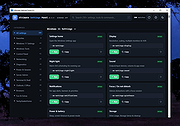 |
|
UniGetUI v2026.2.7.0 UniGetUI v2026.2.7.0 👉 Manage, install, update, and remove software from multiple package managers through one powerful interface. UniGetUI is a free, open-source package manager frontend that makes installing, updating, and removing software simple by bringing multiple package managers together into a single, modern interface. Instead of learning command-line syntax for each package manager, UniGetUI provides an intuitive graphical environment that lets you search, compare, and manage thousands of applications from one place. It is maintained by Devolutions and supports Windows, macOS, and Linux through a modern cross-platform interface. UniGetUI can search across multiple repositories simultaneously, display detailed package information, install or uninstall applications individually or in batches, detect available updates, and automate software maintenance. It supports popular package managers including WinGet, Chocolatey, Scoop, Pip, NPM, .NET Tool, PowerShell Gallery, Homebrew, APT, DNF, Pacman, Flatpak, and Snap, depending on the operating system. Advanced users can view or execute the underlying package manager commands, while new users benefit from an easy-to-use graphical interface. Software bundles allow you to export a collection of installed applications and quickly recreate the same environment on another computer, making UniGetUI particularly useful for technicians, developers, IT administrators, and anyone who frequently configures or rebuilds systems. The application also includes package filtering, update scheduling, notification controls, customizable installation options, and integrated release notes to simplify long-term software maintenance. Features: • Unified interface for multiple package managers • Search thousands of software packages from multiple repositories • Install, update, and uninstall applications individually or in batches • Supports WinGet, Chocolatey, Scoop, Pip, NPM, .NET Tool, PowerShell Gallery, Homebrew, APT, DNF, Pacman, Flatpak, and Snap (platform dependent) • Export and import software bundles for rapid system deployment • Automatic update detection and notifications • View package details, release notes, and version history • Custom installation parameters and package filtering • Manual install, update, and uninstall modes for greater control • NativeAOT builds for faster startup ... |
|
429 | Aug 19, 2026 Devolutions 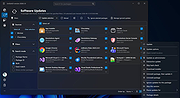 |
|
UninstallView v1.52 UninstallView v1.52 👉 View, manage, and uninstall installed Windows software with advanced details. UninstallView is a lightweight portable utility that displays detailed information about every installed application on your Windows system in a single, easy-to-read table. It gathers uninstall information from the Windows Registry and supplements it with additional details such as installation folder, uninstall command, registry location, install date, publisher, version, and more. It can also display Microsoft Store apps, making it a more comprehensive alternative to the standard Windows Apps & Features interface. UninstallView supports scanning the local computer, remote computers on your network, external drives, offline Windows installations, and shadow copies. It also supports standard and quiet uninstall operations when available, making it especially useful for technicians and advanced users. Lists can be sorted, filtered, searched, and exported in multiple formats for documentation or inventory purposes. Features: • Displays all installed desktop applications in a single table • Optionally displays installed Microsoft Store apps • Shows detailed uninstall information including registry entries and uninstall strings • Supports local computers, remote computers, external drives, and offline Windows installations • Quiet uninstall support when provided by the application's installer • View software installed for all users or individual user profiles • Sort, search, filter, and customize displayed columns • Export lists to TXT, CSV, HTML, XML, and other formats • Portable application requiring no installation • Save all displayed items to a file • Supports command-line operation for automation and scripting Supported operating systems: • Windows XP, Windows Vista, Windows 7, Windows 8, Windows 8.1, Windows 10, Windows 11 (32-bit and 64-bit) Supported languages: Arabic, Basque, Bulgarian, Catalan, Chinese Simplified, Chinese Traditional, Croatian, Czech, Danish, Dutch, English, Finnish, French, German, Greek, Hebrew, Hungarian, Italian, Japanese, Korean, Norwegian, Persian, Polish, Portuguese, Portuguese (Brazil), Romanian, Russian, Slovak, Slovenian, Spanish, Swedish, Thai, Turkish, Ukrainian, Vietnamese Changes: v1.52 06-23-26 Added the 'Save All Items' option (Shift+Ctrl+S). This download is for the Windows 64bit version ... |
|
6,682 | Jun 30, 2026 Nir Sofer 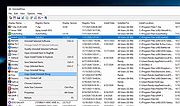 |
|
Uninstalr v3.1 Uninstalr v3.1 👉 Fast bulk uninstaller that removes programs and leftover traces in one process. Uninstalr is a Windows uninstallation tool that allows you to remove multiple applications at once while automatically detecting and deleting leftover files, folders, and registry entries. It is designed to streamline the uninstall process by combining standard removal with post-uninstall cleanup into a single operation. Uninstalr performs deep scanning after each uninstall to ensure that no residual data remains, helping keep systems clean and free from clutter. It also supports removing broken or partially uninstalled programs that cannot be removed through normal means. The program emphasizes speed, accuracy, and ease of use, making it suitable for both everyday users and advanced system maintenance. Features: • Uninstall multiple programs in a single batch • Automatically removes leftover files, folders, and registry entries • Combines uninstall and cleanup into one streamlined process • Handles broken or incomplete uninstall entries • Fast scanning engine for efficient cleanup • Portable version available Supported operating systems: Windows 11, Windows 10, Windows 8 and Windows 7. Supported languages: • Chinese Simplified, Chinese Traditional, Czech, Danish, Dutch, English, Filipino, Finnish, French, German, Greek, Hindi, Hungarian, Indonesian, Italian, Japanese, Korean, Malay, Norwegian, Polish, Portuguese, Romanian, Slovak, Spanish, Swedish, Thai, Turkish, Ukrainian, Vietnamese Changes: v3.1 07-08-26 Key Changes: Uninstalr now starts and shows the list of installed apps faster after the initial scan has been completed, and with much smaller memory usage. Uninstalr now detects and highlights apps that automatically start with Windows. Greatly improved the detection of portable apps. Improvements: New feature: Uninstalr now detects and highlights apps that automatically start with Windows. New feature: Uninstalr now highlights possible leftovers and apps from Russia and China. This can be disabled from the Settings. New feature: A ... |
|
4,656 | Jul 14, 2026 Macecraft Software 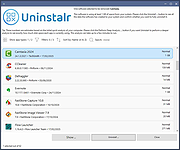 |
|
USBDeview v3.10 USBDeview v3.10 👉 View, manage, enable, disable, uninstall, and export USB device history. USBDeview is a small utility that lists all USB devices currently connected to your computer, as well as USB devices previously used on the system. For each USB device, it displays extended information including device name, description, device type, serial number, added date/time, Vendor ID, Product ID, and more. USBDeview can also uninstall previously used USB devices, disconnect currently connected USB devices, and disable or enable USB devices. It can also be used on a remote computer when logged in with administrator rights. Features: • Lists currently connected and previously used USB devices • Displays device name, description, type, serial number, Vendor ID, Product ID, and more • Uninstall previously used USB devices • Disconnect currently connected USB devices • Disable and enable USB devices • Remote computer support with administrator login • Command-line options for exporting, sorting, enabling, disabling, removing, and checking USB device status • Export USB device lists to text, tab-delimited, CSV, HTML, and XML files • Available in 32-bit and 64-bit versions Supported operating systems: • Windows 2000, Windows XP, Windows Server 2003, Windows Vista, Windows Server 2008, Windows 7, Windows 8, Windows 10, Windows 11 • 32-bit and 64-bit systems supported Supported languages: English, Arabic, Brazilian Portuguese, Bulgarian, Czech, Danish, Dutch, Euskera, Finnish, French, Galician, German, Greek, Hnidi, Hungarian, Italian, Japanese, Korean, Norwegian, Persian, Polish, Romanian, Russian, Simplified Chinese, Slovak, Spanish, Swedish, Traditional Chinese, Thai, Turkish, Ukrainian, Valencian Changes: v3.10 05-14-26 Added 'Black Background' option (Under the View menu). When it's turned on, the main table is displayed in black background and white text, instead of default system colors. Added 'Save All Items' option (Shift+Ctrl+S). Note: Th3 32bit version of this file has one hit on VirusTotal. We have confirmed this to be a false positive. The file is safe. This download is for the Windows 64bit version (very bottom of ... |
|
10,278 | May 22, 2026 Nir Sofer  |
|
USBDriveLog v1.15 USBDriveLog v1.15 👉 Displays a log of USB drives plugged into Windows 10 and Windows 11 computers. USBDriveLog displays a log of all USB drives plugged into your computer, including device model, revision, manufacturer, serial number, plug time, unplug time, device ID, device capacity, and more. It can retrieve USB drive log information from the local computer, a remote computer on your network, or an external hard drive. Features: • View USB drive connection and disconnection history • Displays model, manufacturer, serial number, device ID, capacity, plug time, and unplug time • Read logs from the local computer • Read logs from a remote computer on your network • Read logs from an external Windows drive • Export selected items to text, CSV, HTML, XML, or JSON • Copy selected entries to the clipboard • Standalone portable executable with no installation required Supported operating systems: • Windows 10, Windows 11 • 32-bit and 64-bit systems supported Supported languages: English, Dutch, French, German, Greek, Hungarian, Italian, Japanese, Persian, Polish, Russian, Simplified Chinese, Slovak, Traditional Chinese, Turkish Changes: v1.15 Fixed a bug with the 'Mark Odd/Even Rows' option. Click here to visit the author's website. |
|
3,705 | May 22, 2026 Nir Sofer  |
|
Venmon v2.37 Venmon v2.37 👉 Compact system monitoring and multi-ping tool for Windows. Venmon is a system resource monitoring and multi-ping tool for Windows. It can monitor system memory, processor, battery life, uptime, idle time, graphic cards, network traffic, event logs, and drives while using minimal processing power and memory. It displays real-time statistics, can run in portable mode from a USB drive, and does not require the installation of runtime modules. System The main screen of Venmon displays a general system summary, memory usage, processor usage, battery status, uptime, and idle time. System events will report activities such as Page file changes, battery activity (percentage charged/plugged/unplugged/charging/not charging), allocated memory changes, and report periods of long idle times. Long idle times can be used to see when someone last used the computer. Features: • Monitors memory, processor, battery life, uptime, idle time, graphics cards, network traffic, event logs, and drives • Displays real-time system statistics with low resource usage • Includes a multi-ping tool with support for up to 1024 automated pings by IP address or host name • Provides history graphs and event logging for system, storage, network, and ping activity • Supports portable use from a USB drive with settings saved locally • Includes Event Viewer, drive monitoring, network monitoring, and system tray features • Portable Supported operating systems: • Windows 7, Windows 8, Windows 10, Windows 11 • Windows Server 2000, Windows Server 2003, Windows Server 2008, Windows Server 2012, Windows Server 2016, Windows Server 2019, Windows Server 2022, Windows Server 2025 Supported languages: English, German Changes: v2.37 11-02-25 • Added Control + Mouse Wheel Down while hovering over Mini Window to make font size smaller • Added Control + Mouse Wheel Up while hovering over Mini Window to make font size bigger • Added Control + Mouse Wheel Down while hovering over Ping List to make font size smaller • Added Control + Mouse Wheel Up while hovering ... |
|
884 | Mar 12, 2026 Ventural 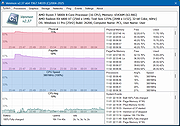 |
|
Viewlens Portable v4 Viewlens Portable v4 A portable screen magnifier for Windows with effects. Viewlens Portable has many options for effecting magnification such as mirroring and color filtering. The position and size of magnifier window can be changed with mouse moving. All options are available from popup menu on magnifier window or systray icon on taskbar. There are many color effecting such as the low blue, grayscale, inverted grayscale, sepia, etc. Changes: Version 4 Combined Color Effects More Color Effects Click here to visit the author's website. |
|
4,970 | Nov 19, 2021 Mazdapardazesh  |
|
Vorn v1.0.3 Vorn v1.0.3 👉 Fast, private, crash-safe backup program with advanced features. Vorn is a modern local-first backup application designed to securely protect files without relying on cloud services, subscriptions, accounts, or telemetry. Instead of uploading data to external servers, Vorn stores everything inside a local vault controlled entirely by the user. The software uses content-addressable storage powered by BLAKE3 hashing, allowing duplicate data to be stored only once even across multiple backup sessions. This greatly reduces storage usage while improving backup efficiency. Vorn was built with reliability and data integrity in mind. It uses atomic writes, write-ahead logging, resumable operations, and integrity verification to help prevent corruption during crashes or unexpected shutdowns. Large files are automatically divided into chunks, making backups more resilient and easier to resume if interrupted. Optional gzip compression can reduce storage requirements further while maintaining compatibility with the portable vault format. The application features a clean desktop interface with dark and light themes, portable executables, and cross-platform support for Windows, macOS, and Linux systems. Since the backup vault is self-contained and self-describing, users can move backups between systems or restore files to different locations without depending on proprietary cloud infrastructure. Vorn is designed for users who want complete control of their backups while maintaining speed, privacy, and simplicity. Features: • Local-first backup architecture with no cloud dependency • Fully offline operation with no accounts or telemetry • Content-addressable storage using fast BLAKE3 hashing • Automatic deduplication across all backup sessions • Stores identical file content only once to save disk space • Chunked storage engine for efficient handling of large files • Resumable backup operations after interruptions or crashes • Atomic write protection for safer backup transactions • Write-ahead logging to improve recovery reliability • Self-describing portable vault format • Integrity verification to detect damaged or missing data • Optional gzip compression for reduced storage usage • Smart pruning system for reclaiming unused ... |
|
534 | May 29, 2026 Leonardo Ciaccio  |
|
VT Uploader v1.26.4.12 VT Uploader v1.26.4.12 👉 A portable Windows utility for uploading files to VirusTotal and viewing detailed scan reports. VT Uploader is a portable Windows client for working directly with the VirusTotal service. It lets you upload and scan files, look up existing reports using MD5, SHA-1 or SHA-256 hashes, analyze executable files belonging to running processes and work with files stored in supported antivirus quarantine areas. Important: VT Uploader requires your own VirusTotal API key to access VirusTotal services. You can obtain a free API key by creating a free VirusTotal Community account. Once you have your key, enter it in VT Uploader's settings before scanning files or retrieving reports. Files can be selected normally, dragged and dropped onto the program, sent through the Windows Explorer Send to menu or supplied by pasting a path from the clipboard. VT Uploader calculates MD5, SHA-1 and SHA-256 hashes and can use them to determine whether VirusTotal already has a report for the file before uploading it. VT Uploader can display VirusTotal detection results and the verdicts returned by individual antivirus engines. It also provides options for viewing raw JSON reports, requesting a reanalysis and opening the complete report on the VirusTotal website. The program can also analyze executables associated with currently running processes and access files from supported antivirus quarantine locations. Privacy-related options include warnings before opening file types that could contain personal information. When settings are stored in the Windows Registry, the VirusTotal API key is encrypted. VT Uploader is portable, requires no installation or additional frameworks and is available in separate 32-bit and 64-bit versions. Features: • Upload files to VirusTotal for malware analysis • Retrieve existing VirusTotal reports • Calculate MD5, SHA-1 and SHA-256 file hashes • Look up reports using file hashes • Analyze executable files belonging to running processes • Access files stored in supported antivirus quarantine areas • Drag and ... |
|
419 | Aug 07, 2026 Denis Anisimov  |
|
WifiInfoView v3.00 WifiInfoView v3.00 👉 Scan and analyze nearby wireless networks with detailed Wi-Fi information. WifiInfoView is a free, portable utility that scans all wireless networks within range and displays detailed technical information about each one. It provides network names (SSID), MAC addresses, signal strength, channel numbers, frequencies, PHY types, maximum supported speeds, security status, router manufacturer, and other useful details for troubleshooting or optimizing wireless networks. Advanced users can also inspect the raw Wi-Fi information elements transmitted by each access point in hexadecimal format. WifiInfoView includes a summary mode that groups detected networks by channel, router manufacturer, PHY type, or maximum speed, making it easy to identify congested channels and optimize wireless performance. Features: • Portable application requiring no installation • Scans and displays nearby wireless networks in real time • Shows SSID, MAC address, PHY type, RSSI, signal quality, frequency, and channel • Displays router manufacturer, model, and name when available • Shows network security status and maximum supported connection speed • Summary mode groups networks by channel, manufacturer, PHY type, or speed • View raw Wi-Fi information elements in hexadecimal format • Export selected information to multiple file formats • Filter, sort, and search detected wireless networks • Supports both 32-bit and 64-bit Windows systems Supported operating systems: • Windows Vista, Windows Server 2008, Windows 7, Windows 8, Windows 10, Windows 11 Supported languages: • Arabic, Basque, Bulgarian, Catalan, Chinese Simplified, Chinese Traditional, Croatian, Czech, Danish, Dutch, English, Finnish, French, German, Greek, Hebrew, Hungarian, Italian, Japanese, Korean, Norwegian, Persian, Polish, Portuguese, Portuguese (Brazil), Romanian, Russian, Slovak, Slovenian, Spanish, Swedish, Thai, Turkish, Ukrainian, Vietnamese Changes: v3.00 06-10-26 • Added "Keep Selected Item Visible" option. When enabled, the selected item always remains visible. Note: This file has two hits on VirusTotal. We have confirmed these to be false positives. The file is safe. This download is for the Windows 64bit version (very bottom of page). If you need the Windows 32bit version, ... |
|
6,744 | Jun 23, 2026 Nir Sofer  |
|
WinBin2Iso v6.77 WinBin2Iso v6.77 👉 Convert BIN disc image files into ISO format quickly and easily. WinBin2Iso is a lightweight and portable utility that converts BIN CD, DVD, and Blu-ray image files into ISO format. The program is designed to handle large image files over 2GB while remaining extremely small and simple to use. Its straightforward interface allows users to select a BIN file, choose an output location, and create an ISO image in just a few clicks. Because the program is portable, it does not require installation and can be run directly from a USB flash drive or other removable media. Features: • Convert BIN image files to ISO format • Supports CD, DVD, and Blu-ray image conversion • Handles files larger than 2GB • Portable application with no installation required • Extremely small program size • Simple and easy-to-use interface • Low CPU and system resource usage • Drag-and-drop support • Multilingual user interface • Compatible with both 32-bit and 64-bit Windows systems Supported operating systems: • Windows XP, Windows Vista, Windows 7, Windows 8, Windows 8.1, Windows 10, Windows 11 • Windows Server editions • Supports 32-bit and 64-bit systems Supported languages: English, German, Italian, French, Spanish, Traditional Chinese, Danish, Polish, Turkish, Japanese, Korean, Arabic, Portuguese, Dutch, Swedish, Finnish, Icelandic, Irish, Afrikaans, Norwegian, Luxembourgish, Māori Changes: v6.77 06-22-26 • Improvements to the Win-Bin-2-Iso app for all Windows operating systems • Language file update in the Win-Bin-2-Iso application This download is for the Windows 64bit version (very bottom of page). If you need the Windows 32bit version, download here. If you need the Windows Unicode version, download here. Click here to visit the author's website. |
|
6,554 | Jun 23, 2026 Nenad Hrg  |
|
WinCDEmu Portable v4.0 WinCDEmu Portable v4.0 WinCDEmu is an open-source CD/DVD/BD emulator - a tool that allows you to mount optical disc images by simply clicking on them in Windows Explorer. If you have downloaded an ISO image and want to use it without burning it to a blank disc, WinCDEmu is the easiest way to do it. Features One-click mounting of ISO, CUE, NRG, MDS/MDF, CCD, IMG images. Supports unlimited amount of virtual drives. Runs on 32-bit and 64-bit Windows versions from XP to Windows 10. Allows creating ISO images through a context menu in Explorer. Small installer size - less than 2MB! Does not require rebooting after installation. Translated to more than 20 languages. Does not occupy drive letters when not used. Supports data, DVD-video and BD-video images. WinCDEmu is free for any kind of use - it is licensed under LGPL Tutorials If you want to get step-by-step instructions on installing and using WinCDEmu, including detailed screenshots, consider these tutorials: Installing WinCDEmu Mounting ISO files Creating ISO images Click here to visit the author's website. |
|
4,554 | Feb 22, 2020 Sysprogs Oά 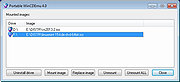 |
|
WinContig v5.0.3.3 WinContig v5.0.3.3 👉 Portable file and folder defragmentation tool for Windows. WinContig is a standalone defragmentation utility designed to defragment individual files and entire folders without requiring you to defragment a whole drive. It does not create installation folders or registry entries, supports FAT32 and NTFS file systems, works with both hard disks and SSDs, and can also analyze or defragment items directly from the File Explorer context menu. Features: • Portable standalone program with no installation required • Defragments individual files and entire folders without processing the whole disk • Supports FAT32 and NTFS file systems • Works with both hard disks and SSDs • Includes file filtering by multiple criteria • Supports command-line switches for automated or scheduled use • Can check disks for file system errors and display useful disk information • Can remove temporary files before defragmentation • Offers a customizable interface • Optionally integrates with File Explorer for direct analyze and defragment actions • Freeware for personal and commercial use • Available in more than 25 languages Supported operating systems: • Windows Vista, Windows 7, Windows 8, Windows 8.1, Windows 10, Windows 11 Supported languages: • English, Italian, Spanish, Russian, German, and more than 20 additional languages Changes: v5.0.3.3 04-16-26 If one or more filter criteria are set, the filter icon may fail to display the expected small green notification dot on the toolbar. Fixed. If WinContig is run from the command-line with the '/close', '/closeifok' or '/nogui' parameters specified, the 'Critical Stop' sound notification is played upon exit. Fixed. Thanks to MacMacMac for reporting this. Even when the settings have been configured to take no action when a computer is running on battery power, WinContig stops processing files when a computer is running on battery power. Fixed. The execution speed of some operations has been improved. Click here to visit the author's website. |
|
9,520 | Apr 16, 2026 Marco D'Amato 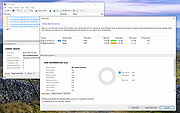 |
|
WinMerge Portable v2.16.52 WinMerge Portable v2.16.52 Free, portable file comparison and differencing tool. WinMerge is an Open Source visual text file differencing and merging tool for Win32 platforms. It is highly useful for determing what has changed between project versions, and then merging changes between versions. It features visual differencing and merging of text files, a flexible editor with syntax highlighting, line numbers and word-wrap and handles DOS, UNIX and MAC text file formats. It also includes full support for archives with the bundled 7-Zip plugin. Both the 32-bit and 64-bit versions are included for maximum performance on every PC. System Requirements: Windows XP, Vista, 7, 8, 10, 11 Click here to visit the author's website. |
|
3,630 | Nov 30, 2025 WinMerge Team & PortableApps.com (Ryan McCue) 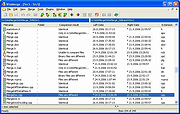 |
|
WinSetView v3.1.9 WinSetView v3.1.9 👉 Set default File Explorer folder views across Windows with just a few clicks. WinSetView is a free, portable utility that provides an easy way to configure default folder views throughout Windows File Explorer. You can apply a preferred view such as Details, List, Tiles or Icons globally, while assigning different settings to specific folder types such as Documents, Pictures, Music, Videos, Downloads, Libraries, OneDrive folders and search results. The program can customize displayed columns, column order, widths, sorting and grouping for each folder type. It also covers File Open and Save dialogs, connected devices such as phones and many virtual Windows folders that are not affected by File Explorer's standard Apply to Folders option. WinSetView works by configuring registry values that File Explorer already supports. It does not modify Explorer, install services or leave background tasks running. Existing folder-view settings can be backed up before changes are applied, restored later or reset to the original Windows defaults. The program can be used as a portable application from a local folder, flash drive or network location. An optional installer is also available for users who prefer a conventional installation. Portable use does not require administrator rights, although individual Explorer options marked with a shield may require elevation. Features: • Set a global default view for Windows File Explorer folders • Choose Details, List, Tiles, Content or multiple icon sizes • Configure every supported Windows folder type individually • Customize column headings, order, width, sorting and grouping • Apply separate views to File Open and Save dialogs • Configure views for Documents, Pictures, Music, Videos and Downloads • Supports Libraries, OneDrive, search results, Quick Access and user folders • Apply General Items column settings to connected MTP devices such as phones • Enable or disable folder thumbnails • Show hidden files, file extensions and other Explorer options • Restore the classic Windows 10 context menu ... |
|
4,602 | Oct 13, 2026 LesFerch 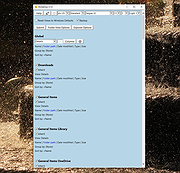 |
|
Wise Program Uninstaller Portable v3.2.9 Wise Program Uninstaller Portable v3.2.9 👉 Portable software uninstaller for cleanly removing Windows programs and leftovers. Wise Program Uninstaller Portable helps uninstall unwanted Windows programs, stubborn applications, built-in apps, UWP/Universal apps, browser extensions and leftover traces without needing a traditional installation. It uses a deep-scan engine to find remaining files, folders and registry entries after removal, helping keep Windows cleaner after software is deleted. Features: • PortableApps.com version runs from local, removable, cloud or USB drives • Safe uninstall for regular Windows programs • Force uninstall for stubborn or broken applications • Custom uninstall for hidden or unlisted programs • Removes leftover files, folders and registry entries • Supports Windows built-in apps and UWP/Universal apps • Software Health scan for application leftovers and redundant files • Browser extension removal for Chrome, Firefox, Edge and Internet Explorer • Export leftover details after uninstallation • Simple, user-friendly interface • Freeware for personal and educational use Supported operating systems: • Windows XP, Windows Vista, Windows 7, Windows 8, Windows 10, Windows 11 Supported languages: English, Arabic, Belarusian, Bulgarian, Catalan, Chinese Simplified, Chinese Traditional, Croatian, Czech, Danish, Dutch, Finnish, French, German, Greek, Hebrew, Hungarian, Indonesian, Italian, Japanese, Korean, Norwegian, Polish, Portuguese, Portuguese Brazilian, Romanian, Russian, Serbian, Slovak, Slovenian, Spanish, Swedish, Thai, Turkish, Ukrainian, Vietnamese Changes: v3.2.9 05-09-26 Software Health: Enhanced the identification of Software redundant files and Uninstallation leftovers to ensure a cleaner system. New Feature: Added support for exporting leftover details after uninstallation for better record management. GUI: Minor graphical user interface improvements for a more intuitive experience. Fixed: Resolved minor bugs identified in the previous version to improve overall stability. Click here to visit the author's website. |
|
6,647 | Jun 09, 2026 WiseCleaner and PortableApps.com 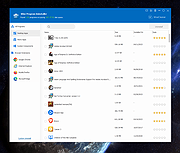 |
|
WizFile v3.15 WizFile v3.15 👉 Ultra-fast file search tool for Windows that instantly finds files by name. WizFile is a high-speed file search utility designed to locate files on your system almost instantly. Unlike traditional search tools, WizFile reads the Master File Table (MFT) directly from NTFS-formatted drives, allowing it to display results in real time as you type. This makes it especially useful for quickly finding files on large drives where standard Windows search can be slow or unresponsive. WizFile supports advanced filtering, wildcard searches, and sorting by file size, making it easy to identify large files and manage disk space efficiently. Its clean interface and immediate indexing ensure that users can locate files without waiting for background indexing processes. Features: • Instant file search using direct MFT access (NTFS drives) • Real-time results displayed as you type • Supports wildcard and filter-based searches • Sort results by file name, size, or path • Quickly locate large files to manage disk space • Minimal system resource usage with no background indexing • Supports network drives (limited functionality) • Portable version available (no installation required) Supported operating systems: • Windows 7, Windows 8, Windows 10, Windows 11 Supported languages: English Changes: 3.15 04-17-26 Fixed bug with date filters not working as expected (introduced in 3.14 when filtering by time was added) Click here to visit the author's website. |
|
6,578 | Apr 17, 2026 antibody-software.com 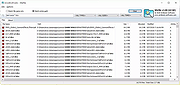 |
|
WizTree v4.33 WizTree v4.33 👉 Ultra-fast disk space analyzer that shows what files and folders are using your hard drive space. WizTree scans your hard drive and displays the files and folders using the most disk space so you can quickly locate and remove unnecessary data. Unlike many disk analyzers that slowly scan every file, WizTree reads the NTFS Master File Table (MFT) directly, allowing it to analyze an entire drive in seconds. This makes it one of the fastest disk space analysis tools available for Windows. WizTree presents results in a clear, sortable list showing folders and files by size, along with a colorful visual treemap that helps identify large files at a glance. You can quickly search for specific files, filter results, and open or delete files directly from within the interface. The program also allows exporting scan results and identifying the largest files on your system instantly. Because of its extremely fast scanning method and simple interface, WizTree is a valuable tool for quickly diagnosing disk space problems, cleaning up large files, and keeping storage organized. Features: • Extremely fast disk scanning using the NTFS Master File Table (MFT) • Visual treemap display showing relative file sizes • Sort files and folders by size, name, or other attributes • Quickly identify the largest files on a drive • Search and filter results to locate specific files • Delete files directly from the interface • Export scan results to CSV file • Supports scanning entire drives or individual folders • Portable version available Supported operating systems: • Windows 7, Windows 8, Windows 10, Windows 11 Supported languages: English, Arabic, Belarusian, Bulgarian, Catalan, Chinese Simplified, Chinese Traditional, Czech, Danish, Dutch, Estonian, Finnish, French, German, Greek, Hebrew, Hungarian, Indonesian, Italian, Japanese, Korean, Latvian, Lithuanian, Norwegian, Polish, Portuguese, Portuguese Brazilian, Romanian, Russian, Serbian, Slovak, Slovenian, Spanish, Swedish, Thai, Turkish, Ukrainian, Vietnamese Changes: v4.33 09-16-26 WizTree is now available for macOS 12 or later ... |
|
11,945 | Sep 23, 2026 antibody-software.com 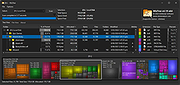 |
|
WizTreeMac v1.00 WizTreeMac v1.00 👉 Find the files and folders taking up space on your Mac. WizTreeMac scans your Mac and shows where storage space is being used. Browse the results as a folder tree, inspect a visual treemap, or search the file list for large files. It can also locate duplicate files and import or export file data as CSV. Scanning uses macOS’s native directory enumeration API with multiple threads. WizTreeMac is free for personal use; commercial use requires a license. Features: • Scan drives and folders to see what is using storage space. • Browse file sizes in a folder tree or visual treemap. • Search the file view to find large files. • Locate duplicate files. • Import and export file data as CSV. • Scan network drives. • Use Full Disk Access to read protected folders, with a separate administrator mode for root-level access. • Run from a removable drive with settings stored alongside the app. Supported operating systems: • macOS 12 or later Supported languages: English, Arabic, Belarusian, Bulgarian, Catalan, Chinese Simplified, Chinese Traditional, Czech, Danish, Dutch, Estonian, Finnish, French, German, Greek, Hebrew, Hungarian, Indonesian, Italian, Japanese, Korean, Latvian, Lithuanian, Norwegian, Polish, Portuguese, Portuguese Brazilian, Romanian, Russian, Serbian, Slovak, Slovenian, Spanish, Swedish, Thai, Turkish, Ukrainian, Vietnamese Changes: v1.00 09-16-26 Initial WizTreeMac release for macOS 12 or later. Includes most of the functionality of WizTree 4.33. Click here to visit the author's website. |
|
62 | Sep 23, 2026 antibody-software.com 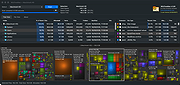 |
|
WSCC - Windows System Control Center v10.0.4.3 WSCC - Windows System Control Center v10.0.4.3 👉 Centralized launcher and update manager for Sysinternals, NirSoft, and other Windows utility suites. WSCC - Windows System Control Center allows you to install, update, execute and organize the utilities from various system utility suites. WSCC can install and update the supported utilities automatically. Alternatively, WSCC can use the http protocol to download and run the programs. The same download package provides both setup and portable usage, allowing you to choose installation or run it directly without installing. Features: • Simple and intuitive user interface • Centralized workspace for organizing and launching utilities • Built-in Update Manager for keeping tools up to date • Automatically detects installed Sysinternals and NirSoft utilities • Can download and install missing supported utilities • Supports Sysinternals Suite integration • Supports NirSoft Utilities integration • Runs utilities directly from the interface with quick access • Supports HTTP downloading and execution of tools • Displays detailed information about each utility • Search and filter tools for quick navigation • Allows grouping and categorizing of utilities • Supports command-line parameters for advanced usage • Portable-friendly design with no installation required • Single package supports both setup and portable modes Supported operating systems: • Windows 11/10/7 32/64bit (all editions) • Windows Server 2025/2022/2019/2016/2012R2/2012/2008R2 32/64bit (all editions) Supported languages: • English, German, Spanish Changes: v10.0.4.3 09-15-26 Not provided. Warning: Due to the nature of some of the available apps (password crackers, etc) that WSCC can download, your antivirus (if enabled) will block them from installing. You will need to add an exception for them in your antivirus software or disable your antivirus software while using this software. This download is for the Windows 64bit setup/portable version (very bottom of page). If you need the Windows 32bit setup/portable version, download here. Click here to visit the author's website. |
|
13,171 | Sep 16, 2026 KLS Soft  |
|
X-Mouse Button Control v2.20.5 X-Mouse Button Control v2.20.5 👉 Customize and remap your mouse buttons with application-specific profiles. X-Mouse Button Control is a powerful freeware utility that lets you reconfigure and expand the capabilities of virtually any mouse. It allows you to assign different functions to mouse buttons on a per-application or per-window basis, making it easy to tailor your mouse behavior for productivity, gaming, multimedia, or any other task. Profiles activate automatically as you switch between applications, and each profile can contain up to 10 configurable layers that can be toggled with hotkeys or mouse buttons. Features: • Remap mouse buttons to hundreds of built-in actions • Create application-specific and window-specific button profiles • Configure up to 10 independent button mapping layers per profile • Assign simulated keystrokes, shortcuts, and macros • Launch programs, documents, or folders from mouse buttons • Control multimedia playback and system volume • Customize mouse wheel behavior, scrolling, and cursor movement • Automatically activate profiles when switching applications • Import and export profile configurations • Portable version available with no installation required • Runs quietly from the system tray with minimal resource usage Supported operating systems: • Windows XP, Windows Vista, Windows 7, Windows 8, Windows 8.1, Windows 10, Windows 11 Supported languages: • Arabic, Bulgarian, Chinese (Simplified), Chinese (Traditional), Croatian, Czech, Danish, Dutch, English, Finnish, French, German, Greek, Hebrew, Hungarian, Italian, Japanese, Korean, Norwegian, Polish, Portuguese (Brazil), Portuguese (Portugal), Romanian, Russian, Serbian, Slovak, Slovenian, Spanish, Swedish, Turkish, Ukrainian Changes: v2.20.5 06-24-23 • Fixed inability to abort WAIT, WAITMS, HOLD, and HOLDMS commands when using the {flush} queue. • Fixed sticky repeat simulated key behavior after being released or aborted by another button. • Fixed an issue where simulated Volume Down stopped working while Volume Up continued to function. • Attempted to resolve a deadlock between the repeat timer thread and the main hook thread that could cause hangs or lockups. This download is for the Windows portable version (very bottom of ... |
|
7,535 | Jun 30, 2026 Phillip Gibbons  |
OlderGeeks.com Copyright (c) 2026
