|

|
Processed through Paypal No account required. |








Buy our over-priced crap to help pay the bills.



|
|
Processed through Paypal No account required. |
| File - Download StaticDesktopRuler v1.05 | ||||||||
| Description | ||||||||
|
A plea... Deanna and I have been running this site since 2008 and lately we're seeing a big increase in users (and cost) but a decline in percentage of users who donate. Our ad-free and junkware-free download site only works if everyone chips in to offset the revenue that ads on other sites bring in. Please donate at the bottom of the page. Every little bit helps. Thank you so much. Sincerely, your Older Geeks: Randy and Deanna Always scroll to the bottom of the page for the main download link. We don't believe in fake/misleading download buttons and tricks. The link is always in the same place. StaticDesktopRuler v1.05 👉 Add customizable on-screen guide rulers that make it easy to visually follow rows, columns, and align desktop objects. StaticDesktopRuler is a free, portable desktop utility that places one or more customizable rulers on your screen as visual reference guides. Its primary purpose is not measuring distances, but making it easier to keep your eyes on the correct row or column while working with large spreadsheets, databases, documents, source code, CAD drawings, image editors, and other information-dense applications. As shown in the example below, horizontal and vertical rulers can be positioned over a worksheet so you can instantly locate the exact cell where a row and column intersect, dramatically reducing the chance of reading or entering data on the wrong line. Each ruler can be customized with its own color, thickness, transparency, and ghost mode, allowing the guides to remain visible without blocking the content beneath them. Because it is portable, StaticDesktopRuler can be launched anywhere without installation. 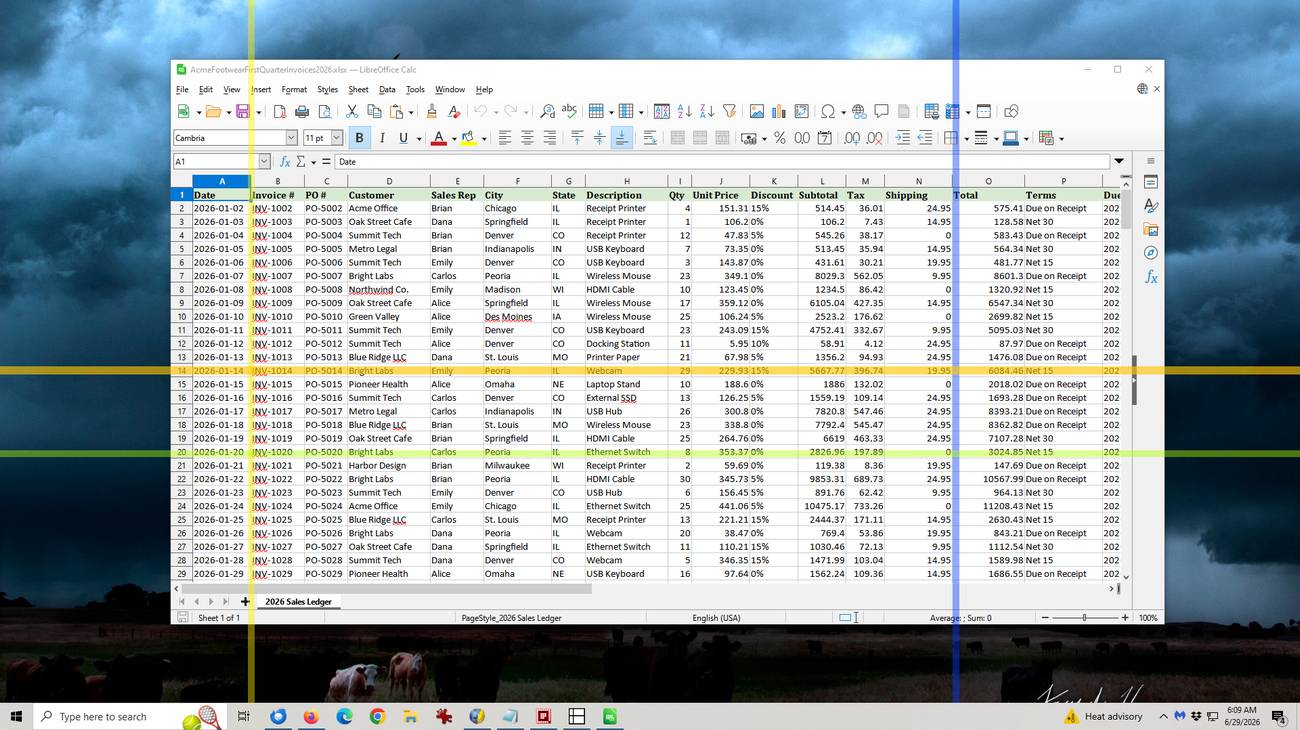 Features: • Place multiple horizontal and vertical guide rulers anywhere on the desktop • Easily follow spreadsheet rows and columns to the correct cell intersection • Reduce reading and data-entry mistakes in large worksheets and tables • Keep your place while reading databases, documents, logs, and source code • Customize each ruler's color, thickness, and transparency • Ghost mode keeps guides visible while allowing you to see and work through them • Portable application requiring no installation • Lightweight and uses very little system resources Supported operating systems: • Windows 7, Windows 8, Windows 8.1, Windows 10, Windows 11, Windows Server 2012, Windows Server 2016, Windows Server 2019, Windows Server 2022 Supported languages: • German, English, Traditional Chinese, Korean, French, Russian, Italian, Japanese, Spanish, Portuguese Changes: v1.05 07-25-26 • Minor adjustments to StaticDesktopRuler • New languages added for Static Desktop Ruler: Spanish and Portuguese • Many thanks to Pedro for the Spanish and Portuguese translations. 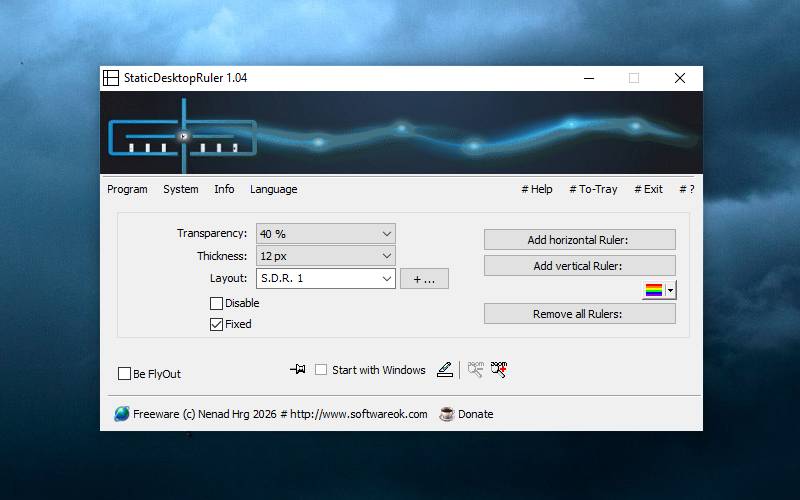 This download is for the Windows portable version (very bottom of page). If you need the Windows installer version, download here. Click here to visit the author's website. Continue below for the main download link. |
||||||||
| Downloads | Views | Developer | Last Update | Version | Size | Type | Rank | |
| 454 | 1,332 | Nenad Hrg | Aug 04, 2026 - 12:12 | 1.05 | 222.7KB | ZIP |  , out of 3 Votes. , out of 3 Votes. |
|
| File Tags | ||||||||
| StaticDesktopRuler spreadsheet rows columns alignment guide overlay worksheet desktop Excel LibreOffice portable visual reference | ||||||||
Click to Rate File Share it on Twitter → Tweet
|


