|

|
Processed through Paypal No account required. |








Buy our over-priced crap to help pay the bills.



|
|
Processed through Paypal No account required. |
| File - Download UniGetUI v2026.2.7.0 | ||||||||
| Description | ||||||||
|
Always scroll to the bottom of the page for the main download link. We don't believe in fake/misleading download buttons and tricks. The link is always in the same place. UniGetUI v2026.2.7.0 👉 Manage, install, update, and remove software from multiple package managers through one powerful interface. UniGetUI is a free, open-source package manager frontend that makes installing, updating, and removing software simple by bringing multiple package managers together into a single, modern interface. Instead of learning command-line syntax for each package manager, UniGetUI provides an intuitive graphical environment that lets you search, compare, and manage thousands of applications from one place. It is maintained by Devolutions and supports Windows, macOS, and Linux through a modern cross-platform interface. UniGetUI can search across multiple repositories simultaneously, display detailed package information, install or uninstall applications individually or in batches, detect available updates, and automate software maintenance. It supports popular package managers including WinGet, Chocolatey, Scoop, Pip, NPM, .NET Tool, PowerShell Gallery, Homebrew, APT, DNF, Pacman, Flatpak, and Snap, depending on the operating system. Advanced users can view or execute the underlying package manager commands, while new users benefit from an easy-to-use graphical interface. Software bundles allow you to export a collection of installed applications and quickly recreate the same environment on another computer, making UniGetUI particularly useful for technicians, developers, IT administrators, and anyone who frequently configures or rebuilds systems. The application also includes package filtering, update scheduling, notification controls, customizable installation options, and integrated release notes to simplify long-term software maintenance. 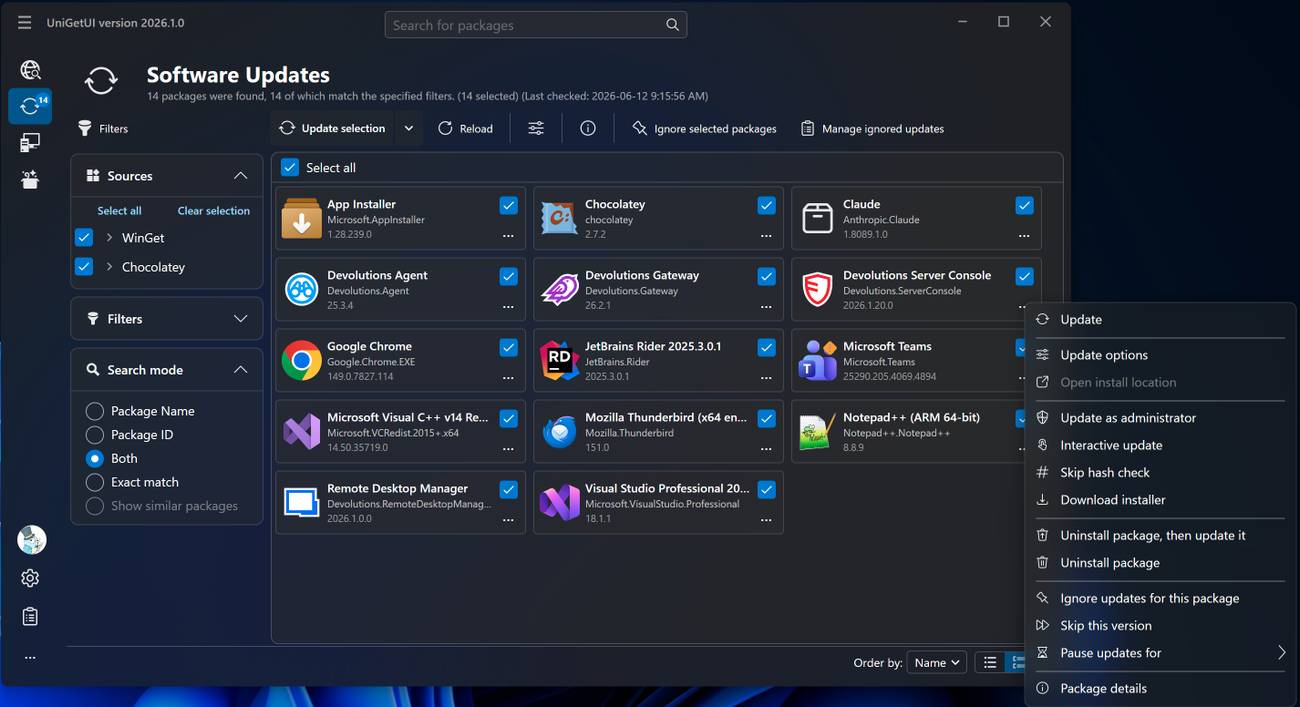 Features: • Unified interface for multiple package managers • Search thousands of software packages from multiple repositories • Install, update, and uninstall applications individually or in batches • Supports WinGet, Chocolatey, Scoop, Pip, NPM, .NET Tool, PowerShell Gallery, Homebrew, APT, DNF, Pacman, Flatpak, and Snap (platform dependent) • Export and import software bundles for rapid system deployment • Automatic update detection and notifications • View package details, release notes, and version history • Custom installation parameters and package filtering • Manual install, update, and uninstall modes for greater control • NativeAOT builds for faster startup and lower resource usage • Modern cross-platform Avalonia interface • Dark and light theme support Supported operating systems: • Windows 10 (64-bit x64, ARM64), Windows 11 (64-bit x64, ARM64) • macOS 13 Ventura or later (Intel, Apple Silicon) • Linux x64, Linux ARM64 (.deb and .tar.gz distributions) Supported languages: English, Arabic, Bulgarian, Catalan, Chinese (Simplified), Chinese (Traditional), Croatian, Czech, Danish, Dutch, Estonian, Filipino, Finnish, French, Galician, German, Greek, Gujarati, Hebrew, Hindi, Hungarian, Indonesian, Italian, Japanese, Kannada, Korean, Latvian, Lithuanian, Norwegian Bokmεl, Persian, Polish, Portuguese (Brazil), Portuguese (Portugal), Romanian, Russian, Serbian, Slovak, Slovenian, Spanish, Swedish, Thai, Turkish, Ukrainian, Vietnamese. Changes: v2026.2.7.0 07-31-26 This maintenance release brings a few quality-of-life improvements, usability enhancements, and bug fixes across UniGetUI. Improvements Added a configurable environment variable syntax for custom install arguments and installation locations. The default format is now <VAR>. Clicking anywhere on an active operation card now opens its live operation log, making it easier to monitor package operations. Restored the desktop shortcut prompt after package installations. Bug Fixes Fixed an issue preventing text entry in immersive dialogs while a modal dialog was open. Updated translations and corrected several localization issues. 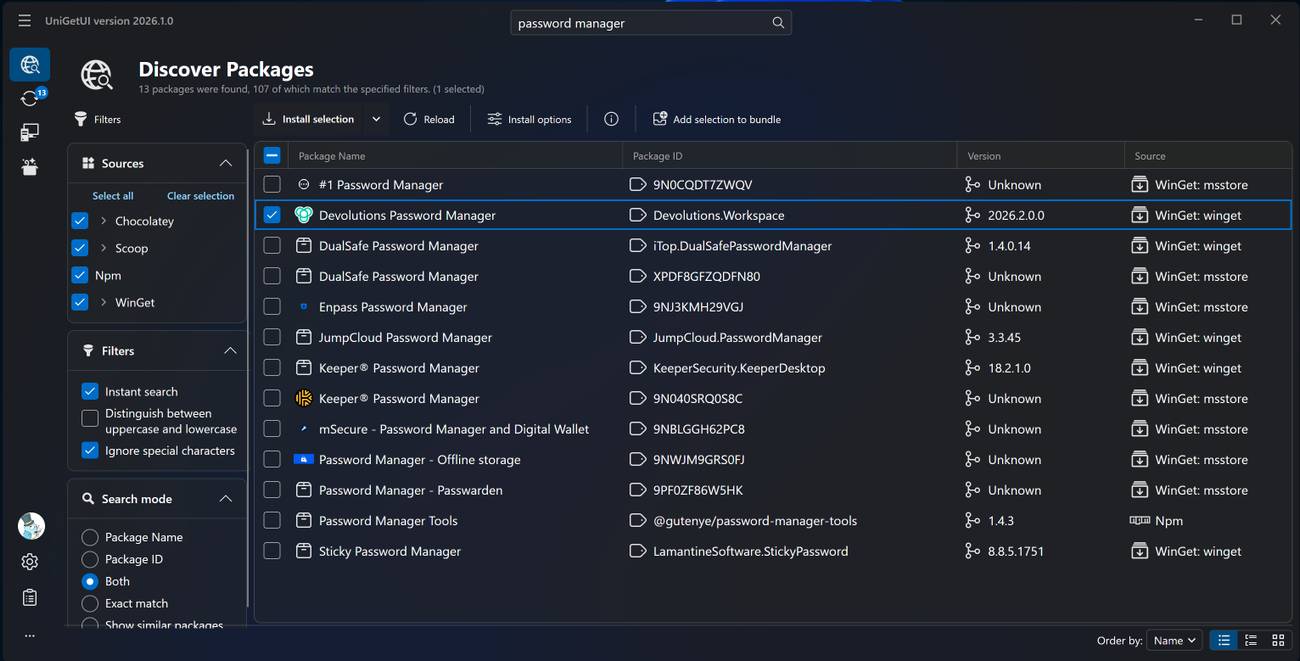 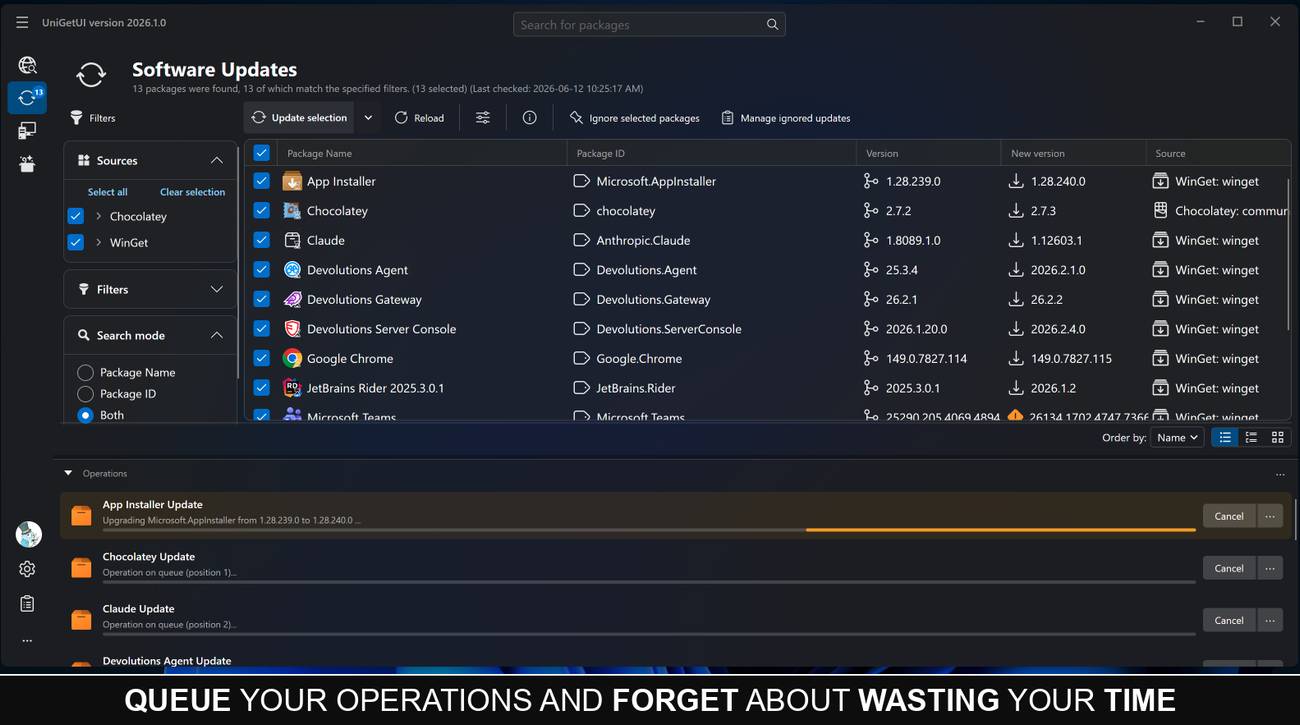 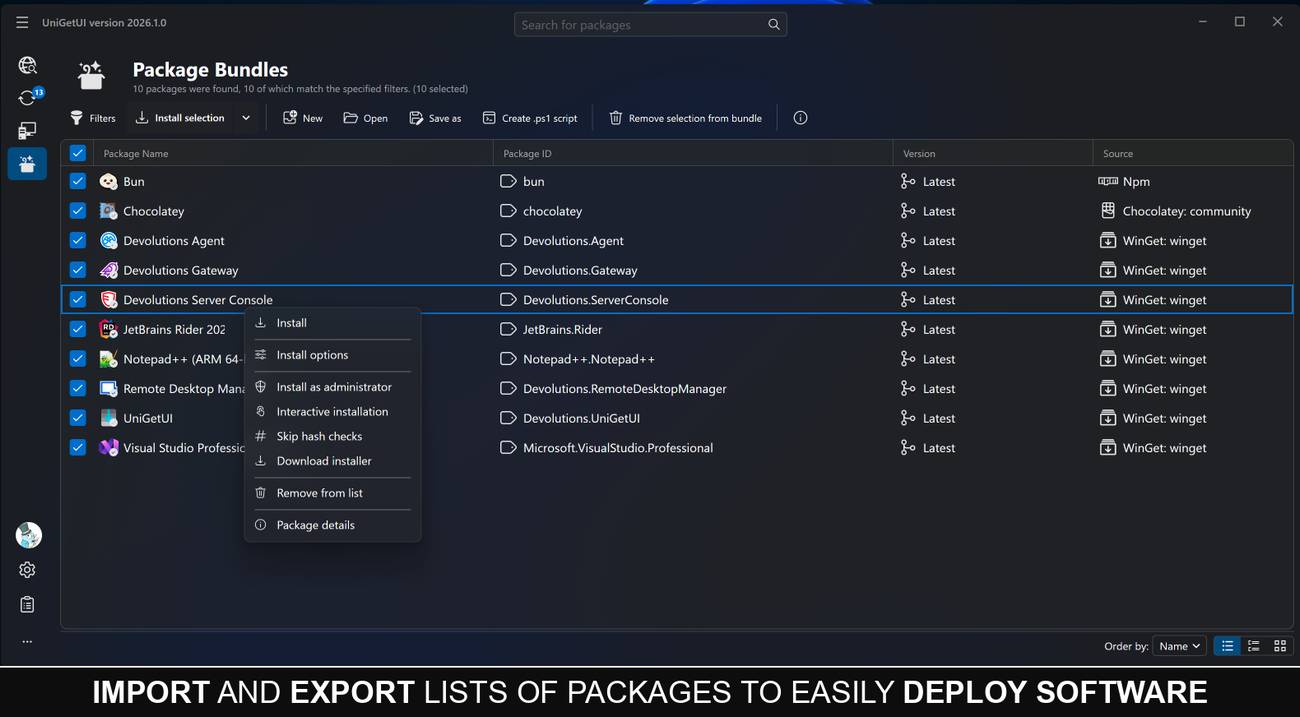 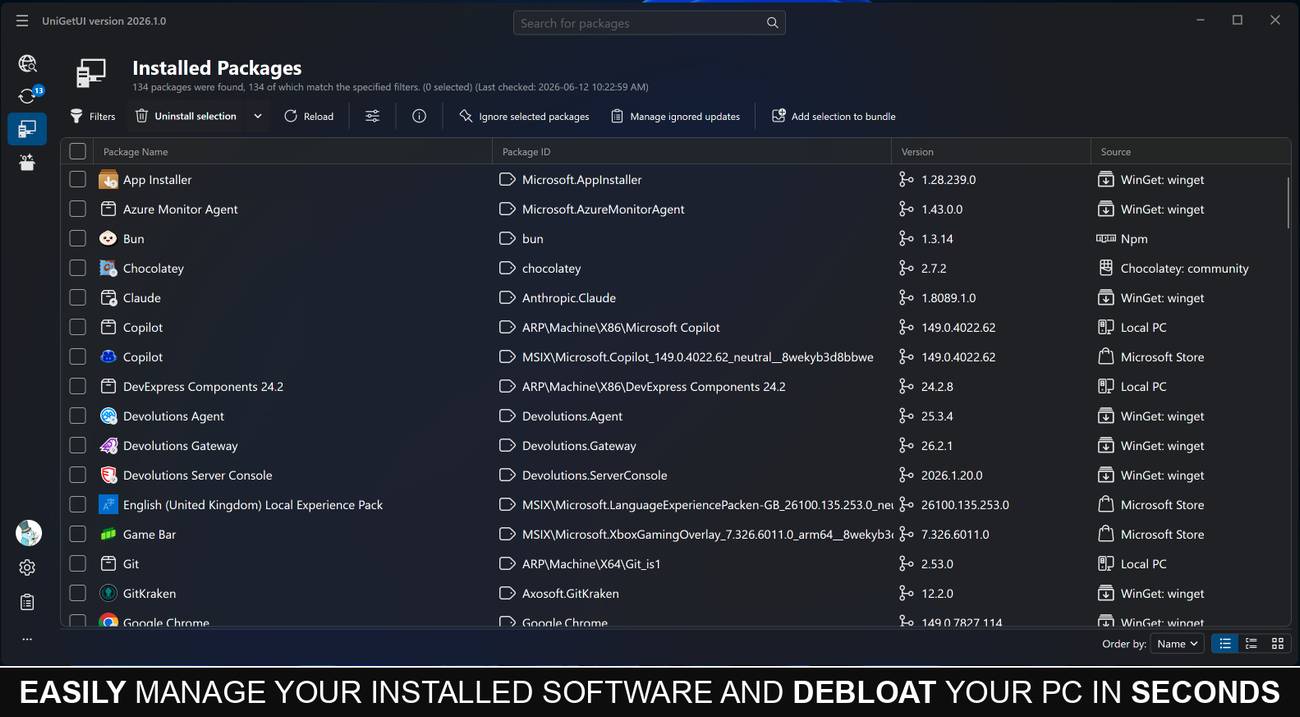 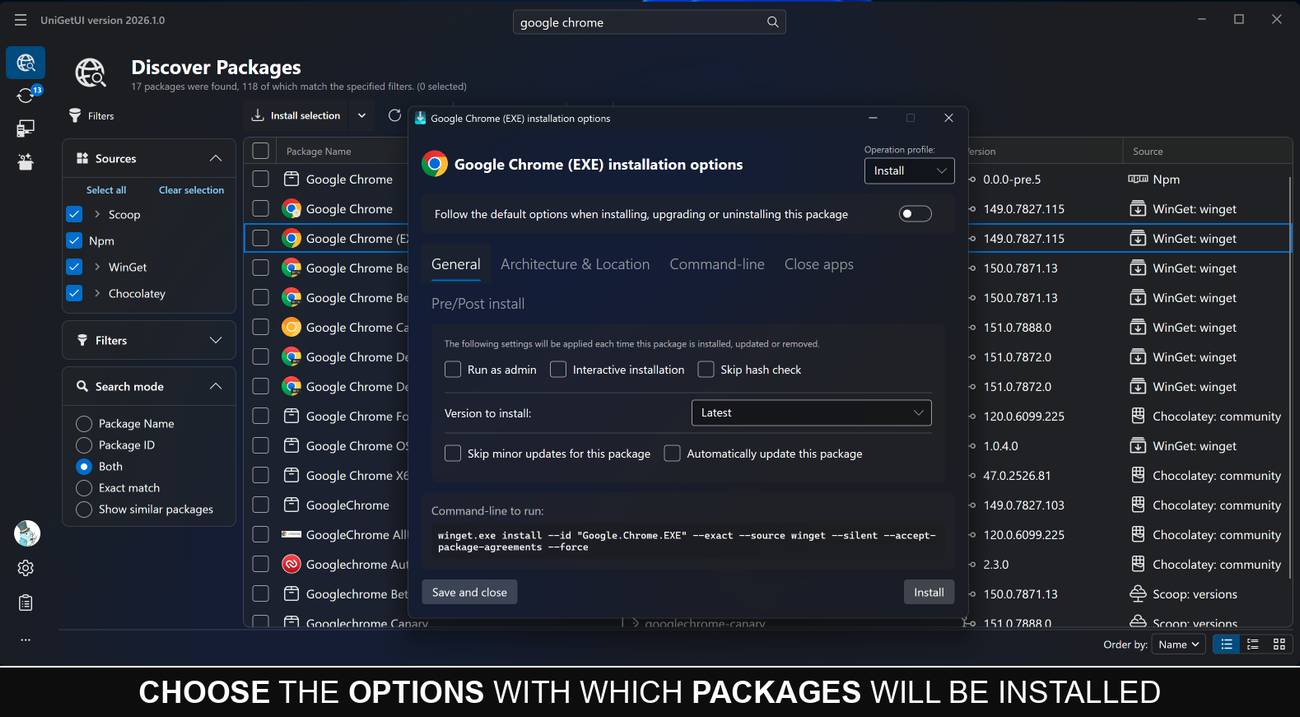 This download is for the Windows x64 Portable version (very bottom of page). All other download assets are below: Other Windows: 64-bit (x64) Installer 64-bit (ARM64) Installer 64-bit (ARM64) Portable (.zip) macOS: Intel (x64) Disk Image (.dmg) Apple Silicon (ARM64) Disk Image (.dmg) Linux: x64 Debian Package (.deb) ARM64 Debian Package (.deb) x64 Portable Archive (.tar.gz) ARM64 Portable Archive (.tar.gz) Click here to visit the author's website. Continue below for the main download link. |
||||||||
| Downloads | Views | Developer | Last Update | Version | Size | Type | Rank | |
| 434 | 4,539 | Devolutions | Aug 19, 2026 - 12:26 | 2026.2.7.0 | 40.23MB | ZIP |  , out of 4 Votes. , out of 4 Votes. |
|
| File Tags | ||||||||
| UniGetUI package manager winget chocolatey scoop homebrew apt dnf pacman flatpak snap software updates installer portable cross-platform | ||||||||
Click to Rate File Share it on Twitter → Tweet
|


