|

|
Processed through Paypal No account required. |








Buy our over-priced crap to help pay the bills.



|
|
Processed through Paypal No account required. |
| Files | ||||
| File Name | Rating | Downloads | ||
 |
9DataRecovery for USB Drive v4.2.2 9DataRecovery for USB Drive v4.2.2 Free tool to recover lost/deleted files from USB flash drives. 9DataRecovery for USB Drive ensures a successful data recovery before the data is lost forever. Features: • Recover data from formatted, corrupted USB drive storage media. • Restore all folders including music, video, songs, images, and other data from the USB flash drive. • Support all major USB brands like Sony, Samsung, Kingston, SanDisk, and many more. • Support 128MB, 256MB, 512MB, 1GB, and even higher capacity drives. • Restoring files from corrupted, formatted, and encrypted memory cards. • Provide a preview of recovered data before recovering the files. Supported operating systems: Windows XP, Vista, 7, 8, 10, 11 and higher. Click here to visit the author's website. |
 |
1,407 | Jul 25, 2024 9datarecovery.com  |
|
Android Webcam System v1.0.6 Android Webcam System v1.0.6 👉 Turn an Android phone into a high-quality Windows webcam over USB or Wi-Fi. Android Webcam System is a free and open-source webcam solution that uses an Android smartphone as a webcam for a Windows computer. The system consists of the AWA Android app, which streams video from the phone, and the AWC desktop client, which receives the stream and provides a virtual webcam device that can be selected by compatible Windows applications. Everything operates locally without requiring a cloud streaming service. The project supports both USB and Wi-Fi connections. USB provides lower latency and improved stability without requiring Wi-Fi, while wireless mode lets the phone and computer communicate over the same local network. The Android app supports resolutions from 480p through 4K and allows switching between the phone's front and rear cameras. The virtual webcam can be used with programs such as Zoom, Microsoft Teams, Google Meet, Discord, OBS Studio and Skype, as well as other Windows programs capable of selecting a webcam device. Features: • Turns an Android smartphone into a Windows webcam • Includes AWA, a Kotlin-based Android camera and streaming application • Includes AWC, the desktop client that receives the phone's video stream • Creates a virtual webcam device for compatible Windows applications • Supports USB and Wi-Fi connections • USB mode offers lower latency and improved connection stability • Wi-Fi mode provides completely wireless operation over the local network • Supports 480p, 720p, 1080p and 4K video resolutions • Supports front and rear Android cameras • Displays real-time connection status • Provides desktop connection statistics • Designed for low battery usage on the Android device • Works with Zoom, Microsoft Teams, Google Meet, Discord, OBS Studio and Skype • Can be used by other applications that support standard webcam devices • Uses a fully local, serverless architecture • No cloud video relay is required • No advertisements • Free and open-source under the ... |
|
280 | Aug 09, 2026 Soubhagyajit Borah  |
 |
Antivirus Live CD v52.0-1.5.2 Antivirus Live CD v52.0-1.5.2 👉 A 4MLinux fork including the ClamAV scanner. It's designed for users who need a lightweight live CD, which will help them to protect their computers against viruses. Ethernet, WiFi, PPP and PPPoE are supported by Antivirus Live CD to enable automatic updates of its virus signature databases. All partitions are mounted during the boot process so that they can be scanned by ClamAV. The Antivirus Live CD ISO images are fully compatible with UNetbootin, which can be used to create an easy-to-use Antivirus Live USB. Features: • Lightweight bootable antivirus rescue environment based on 4MLinux • Includes the ClamAV antivirus engine • Scans all mounted disk partitions automatically • Updates virus signature databases over the Internet • Supports Ethernet, Wi-Fi, PPP, and PPPoE network connections • Boots from CD, DVD, or USB flash drive • Fully compatible with UNetbootin for creating bootable USB media • Command-line interface optimized for malware removal and system recovery • Supports a wide range of Windows and Linux file systems • Ideal for scanning systems that cannot boot normally • Small download size with low system requirements • Includes essential Linux utilities for file management and troubleshooting Supported operating systems: • Windows XP, Windows Vista, Windows 7, Windows 8, Windows 8.1, Windows 10, Windows 11 • Linux distributions with supported file systems (btrfs, ext2, ext3, ext4, f2fs, FAT16, FAT32, HFS, HFS+, JFS, NILFS2, NTFS, ReiserFS, Reiser4, XFS) Supported languages: • English Changes: v51.0-1.5.1 02-08-26 • Updated to 4MLinux 51.0 BETA. • Updated ClamAV to v1.5.1. Click here to visit the author's website. |
|
9,007 | Aug 06, 2026 zk1234  |
 |
AnyBurn Free v6.9 AnyBurn Free v6.9 👉 Lightweight disc burning, imaging, and bootable USB drive creation software. AnyBurn is a lightweight but professional disc burning, imaging, and bootable USB drive creation program. It provides tools to burn data discs, create Audio CD and MP3 CD discs, rip Audio CDs, create and manage image files, browse and extract image contents, test disc surfaces, view drive and disc information, and create bootable USB drives. This portable edition is fully functional, does not require installation, and can be extracted and run directly or placed on a USB drive. Features: • Burn image files to CD, DVD, and Blu-ray discs • Burn data discs • Append data to discs to create multisession discs • Support on-the-fly burning • Create Audio CDs from MP3, M4A, FLAC, OGG, APE, WMA, and WAV files • Create MP3 CD and DVD discs • Copy discs to image files • Copy one disc directly to another • Rip Audio CDs to MP3, FLAC, OGG, APE, WAV, and WMA files • Convert disc image file formats • Create new image files • Edit existing image files • Browse and extract files from image files • Test disc surfaces • View optical drive and disc information • Create bootable USB drives • Create bootable USB drives from ISO and supported compressed files • Run without installation from a folder or USB drive Supported operating systems: • Windows 11, Windows 10, Windows 8 / 8.1, Windows 7, Windows Vista, Windows 2008, Windows 2003, Windows XP, Windows 2000 Supported languages: • Arabic, Bulgarian, Croatian, Czech, Danish, Dutch, English, English UK, Finnish, French, German, Greek, Hungarian, Indonesian, Italian, Japanese, Korean, Polish, Portuguese (Brazil), Portuguese (Portugal), Romanian, Russian, Simplified Chinese, Slovenian, Spanish, Swedish, Traditional Chinese, Turkish, Ukrainian Changes: v6.9 07-28-26 Some minor bug fixes and enhancements. Note: This file has one hit on VirusTotal. We have confirmed this to be a false positive. The file is safe. Click here to visit the author's website. |
|
13,997 | Aug 26, 2026 Power Software Ltd.  |
|
Apache OpenOffice Portable v4.1.16 Apache OpenOffice Portable v4.1.16 👉 A complete portable office suite for documents, spreadsheets, presentations, drawings, databases and more. Apache OpenOffice Portable is the full-featured Apache OpenOffice productivity suite packaged by PortableApps.com to run from a USB flash drive, portable hard drive, cloud folder or local directory without a traditional installation. It includes applications for word processing, spreadsheets, presentations, diagrams and drawings, databases and mathematical formulas, while keeping your settings and documents portable between Windows computers. The suite is free and open source and supports many common office document formats, including Microsoft Office, WordPerfect and Lotus formats. Features: • Writer for creating and editing letters, reports, books and other text documents • Calc for spreadsheets, calculations and data analysis • Impress for creating multimedia presentations and slide shows • Draw for diagrams, illustrations and other vector graphics • Base for working with databases • Math for creating mathematical equations and formulas • Compatible with Microsoft Office, WordPerfect, Lotus and other common office document formats • Export documents directly to PDF • Supports extensions for adding additional functionality • Includes spelling and language tools • Supports Java-dependent OpenOffice features when a compatible portable Java environment is available • Runs from removable drives, cloud storage or a local folder without a traditional Windows installation • Keeps application settings with the portable installation for use on multiple computers • Includes individual portable launchers for the OpenOffice applications • Integrates with the PortableApps.com Platform, including its menu, updater and backup utility • Supports installing newer portable releases over an existing copy while preserving settings Supported operating systems: • Windows XP, Windows Vista, Windows 7, Windows 8, Windows 10, Windows 11 Supported languages: Standard portable package: English (US), English (UK), Chinese (Simplified), Chinese (Traditional), French, German, Italian, Japanese, Korean, Portuguese (Brazilian), Portuguese (Portugal), Russian, Spanish. The Multilingual-All download includes the additional languages supported by the portable package. PortableApps.com notes that some Apache OpenOffice locales cannot be included because ... |
|
4,428 | Aug 30, 2026 Apache OpenOffice Team & PortableApps.com  |
|
Apple iPad 9th Gen. Wi-Fi A2602 820-02558 boardview & images. Apple iPad 9th Gen. Wi-Fi A2602 820-02558 boardview & images. Boardview & images for Apple iPad 9th Gen. Wi-Fi A2602 820-02558 mainboard. Note: Used in Apple iPad 9th Gen. Wi-Fi A2602 tablet. Use FlexBV5 to view the boardview file. Click here to visit the author's website. |
|
962 | May 16, 2026 Apple Corp. 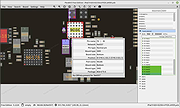 |
|
balenaEtcher v2.1.6 balenaEtcher v2.1.6 👉 Flash operating system images to USB drives and SD cards safely and easily. balenaEtcher is a free, open-source utility designed to write operating system images to USB flash drives and SD cards with a simple, streamlined interface. Whether you're creating bootable media for Linux distributions, Raspberry Pi operating systems, recovery environments, or other disk images, balenaEtcher minimizes the risk of selecting the wrong drive through built-in safety checks. It also validates written images after flashing to help ensure the media was created successfully, making it a reliable choice for beginners and experienced users alike. Features: • Flash ISO, IMG, ZIP, BZ2, GZ, XZ, DMG, and other supported image formats directly to USB drives and SD cards. • Simple three-step workflow: Select image, choose target drive, and flash. • Automatically validates written images to verify successful flashing. • Helps prevent accidental overwriting of system drives by hiding unsafe targets. • Supports flashing compressed images without requiring manual extraction. • Cross-platform interface with a consistent experience across Windows, macOS, and Linux. • Open source under the Apache 2.0 license. • Suitable for creating bootable media for Linux distributions, Raspberry Pi, recovery tools, and other operating system images. Supported operating systems: • Windows 10, Windows 11 • macOS 10.13 High Sierra or later (Intel and Apple Silicon) • Linux (64-bit Debian, Ubuntu, Fedora, RHEL, Arch, Manjaro, and most modern x64 distributions) Supported languages: English Changes: v2.1.6 05-13-26 • Fixed macOS x86 builds by switching to the macOS 14 Large GitHub Actions runner. This download is for the Windows version (very bottom of page). All other download assets are below: macOS: balenaEtcher-2.1.6-x64.dmg balenaEtcher-2.1.6-arm64.dmg Linux: balenaEtcher-linux-x64-2.1.6.zip balenaEtcher-1.7.9-ia32.AppImage (Legacy 32bit) Click here to visit the author's website. |
|
5,890 | Aug 06, 2026 balena 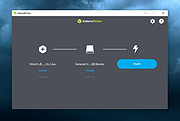 |
|
CopyFolders 2 Portable v2.0.31 CopyFolders 2 Portable v2.0.31 👉 Automatically copy new and modified files from multiple folders with versioning support. CopyFolders 2 is a utility designed to copy new or modified files from source folders to destination folders. It is intended primarily for backup purposes, allowing users to keep folders up to date by copying only files that have changed. CopyFolders 2 supports working with multiple source and destination folders at the same time. It can also keep several previous versions of files, helping preserve older copies when updates occur. The program operates through a simple interface where users configure the folders and options, then execute the copy process as needed. Features: • Copies only new and modified files • Supports up to 9 source folders • Supports up to 9 destination folders • Designed specifically for backup and updating folders • Can keep up to 6 previous versions of files • Allows defining multiple folder pairs for processing • Simple configuration of source and destination paths • Executes copy operations based on defined setup • Portable. No installation required. Supported operating systems: • Windows 10, Windows 11 Supported languages: English, Chinese, French, German, Italian, Polish, Portuguese, Russian, Spanish. Changes: v2.0.31 04-28-26 First update: Fixed a bug where if a path contains underscores ("_") them would not be displayed in the path text box Fixed UNC network path support and improved folder selection Improved file copy error reporting Click here to visit the author's website. |
|
838 | Aug 26, 2026 eziogarr-coder 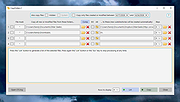 |
|
DiskGenius Free v6.2.0.1829 DiskGenius Free v6.2.0.1829 👉 Free partition management, data recovery, backup, and disk utility software. DiskGenius Free Edition is an all-in-one disk utility designed to help users manage partitions, recover lost files, back up important data, and maintain storage devices. The free version provides a powerful set of tools for partition creation, formatting, resizing, cloning, and file recovery while remaining suitable for home users, technicians, and advanced PC enthusiasts. DiskGenius Free Edition supports hard drives, SSDs, USB flash drives, memory cards, and virtual disks. It can recover deleted files, restore lost partitions, inspect SMART information, clone disks and partitions, securely erase drives, and convert partition tables between MBR and GPT. The free version also includes hexadecimal disk editing tools, bad sector checking, and support for numerous file systems. Features: • Create, delete, format, resize, split, and merge partitions • Recover deleted files from HDDs, SSDs, USB drives, and memory cards • Recover lost or damaged partitions • Clone disks and partitions • Backup and restore partition tables • Convert disks between MBR and GPT formats • Check and repair bad sectors • View and monitor SMART disk information • Securely erase files and partitions • Supports NTFS, FAT32, exFAT, EXT2, EXT3, and EXT4 file systems • Browse and edit files directly from partitions • Includes a hexadecimal disk editor • Supports virtual disk files including VMware, VirtualBox, and Hyper-V formats • Create bootable USB drives for disk recovery tasks • Analyze disk usage and partition structure Supported operating systems: • Windows XP, Windows Vista, Windows 7, Windows 8, Windows 8.1, Windows 10, Windows 11, Windows Server 2003, Windows Server 2008, Windows Server 2012, Windows Server 2016, Windows Server 2019, Windows Server 2022 Supported languages: English, German, French, Spanish, Italian, Portuguese, Russian, Japanese, Korean, Chinese Traditional, Chinese Simplified, Turkish, Czech Changes: v6.2.0.1829 08-04-26 New Add the "Disk Speed Test" feature. Add the "Windows Boot Repair and Conversion" feature. ... |
|
16,925 | Aug 04, 2026 Eassos Ltd. 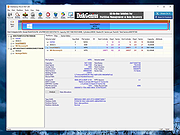 |
|
FakeDriveCheck v4.77 FakeDriveCheck v4.77 👉 Checks USB flash drives and MicroSD cards to see if they are fake, corrupted, or OK. FakeDriveCheck verifies whether a USB flash drive or MicroSD card is fake, corrupted, or functioning properly. It is designed to help identify storage devices that falsely report a larger capacity than they actually have, which can lead to silent data loss once the real memory is full. FakeDriveCheck works without destroying existing files on the drive, supports hot plugging, and does not require unplugging and reconnecting the device during verification. Features: • Verifies whether a USB flash drive or MicroSD card is fake, corrupted, or OK • Existing files are not destroyed during verification • Super fast verification • No unplugging and plugging required • Detects USB drives inserted after the program has already started • Free to use • Anonymous download • No hidden downloads, uploads or updates • No setup required (Click To Run) Supported operating systems: • Windows 10, Windows 11 Supported languages: • English, German Changes: v4.77 08-06-26 New Features FileProtection, upgraded dashboard with new features: Desktop Icon FileProtection, protects files from being modified or deleted. FileLocker, completely locks down files from being read renamed or deleted. Set or clear the unprotection password. ClassicMenu, new switch called 'Supermouse'. If on, a single click with the mouse's thumb button will close down an open window. Sounds stupid, is cool, try it! Uninstall has simplified dialogs and is easily accessible from all dashboards. Fixed Bugs Filenames with symbols like 🚲 or 🎜 have not been created correctly. Restoring the running Windows® could fail. The problem has been related to certain third party antivirus providers. It has been of no concern if Windows® was ... |
|
1,455 | Aug 14, 2026 Reuschtools 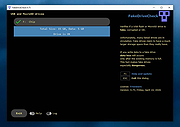 |
|
File Order Randomizer v1.0 File Order Randomizer v1.0 👉 Adds random numbers to the start of filenames to randomize play order on simple music players. File Order Randomizer is a small, portable utility intended for devices (like some car radios or clock radios) that cannot play tracks in random order from a USB stick. It generates random numbers and puts them in front of every file in a specified folder, so you can create a new play order by running it again. Features: • Adds random numbers in front of filenames in a selected folder • Designed to help create a “random” track order for cheap/basic music players using USB media • Simple run-to-rerandomize workflow (run again whenever you want a new order) Supported operating systems: • Windows 2000 SP4 • Windows XP • Windows Vista • Windows 7 • Windows 8 / 8.1 • Windows 10 • Windows 11 Supported languages: • English Click here to visit the author's website. |
|
823 | Jun 29, 2026 Lumpiluk 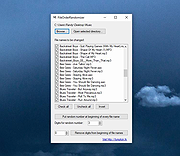 |
|
Foxclone v55 Foxclone v55 👉 Simple Linux-based backup, restore and drive cloning tool. Foxclone is a Linux based image backup, restore and clone tool using a simple point and click interface. It takes images of partitions on your HDD or SSD and stores them for later restoration, with image files compressed to save space. Features: • Backup and restore Windows and Linux filesystems, such as NTFS and ext4 • Supports GPT and MBR/legacy/MSDOS partition tables • Automatically backs up the partition table and bootloader when a backup is taken • Clone directly from drive to drive • Clone to a drive from a full backup • Simple point and click interface • Compressed image files help save storage space • Bootable ISO designed to run from USB Supported operating systems: • Bootable 64-bit Linux live ISO • Backs up and restores Windows and Linux filesystems Supported languages: English Changes: v55 01-07-26 Fixes a bug specific to the noble version of the ISO where a clone drive-to-drive completes but the finish message shows failed. Burning the ISO to a USB Stick: To use Foxclone, you must first create a bootable USB flash drive from the downloaded ISO image. We recommend the following free utilities: • Rufus (Windows) – A fast and easy-to-use utility for creating bootable USB drives from ISO images. • balenaEtcher (Windows, Linux, macOS) – A simple cross-platform tool that writes ISO images to USB drives with minimal configuration. • Ventoy (Windows, Linux) – Allows multiple ISO files to be stored on a single USB drive. Simply copy the Foxclone ISO to the Ventoy USB drive and boot from it. After creating the USB drive, restart your computer, enter the boot menu or BIOS/UEFI setup, and select the USB device as the boot source. Foxclone will then load into its graphical interface, where you can create backups, restore images, or clone drives. This download is for the Linux-based ISO version (very bottom of page). ... |
|
498 | Jun 15, 2026 Andy Hardwick, Larry Hale  |
|
HP USB Disk Storage Format Tool v2.2.3.0 HP USB Disk Storage Format Tool v2.2.3.0 A free portable tool to low-level format USB flash drives to Fat, Fat 32 or NTFS file systems. This is our go-to tool for recovering lost space on a USB flash drive. It also allows you to create DOS startup disks. The program must be ran as an administrator so right-click it's icon and choose "Run as Administrator". Click here to visit the author's website. |
|
2,963 | Dec 29, 2023 HP 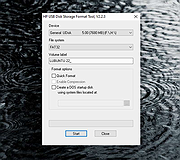 |
|
HxC Floppy Drive Emulator v2.16.13.1 HxC Floppy Drive Emulator v2.16.13.1 👉 A free floppy drive emulator toolkit. The HxC Floppy Drive Emulator provides software and hardware solutions to replace old floppy disk drives and floppy support with modern solutions (USB, SDCard, network,...) Features: • Import and convert many floppy image file formats. • Import, analyze and convert floppy stream files images. • Create/Browse DOS/FAT and AmigaDOS floppy images. • Create floppy disk images with custom sector layout. • Low level track and disk inspection. • Floppy disk read function. • And many more Supported operating systems: Windows 2000, XP, Vista, 7, 8, 10, 11 macOS X Linux Supported languages: English Changes: v2.16.13.1 04-06-25 • Mame MFI writer : Fix memory allocation error/crashes. • Kryoflux writer : The default sample frequency can be changed with the KFRAWEXPORT_SAMPLE_FREQUENCY variable. (patch by uru2) • Kryoflux Stream Loader : Support different sample rate setting from the KFInfo string. (patch by uru2) Click here to visit the author's website. |
|
3,437 | May 24, 2026 Jean-Francois DEL NERO 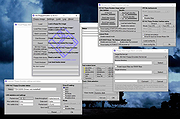 |
|
ISO to USB v1.6 ISO to USB v1.6 ISO to USB is a free and small software that can burn the ISO image file directly to the USB drives, these USB drives include USB flash drives, memory sticks and other USB storage devices, it also supports to create a bootable USB disk with Windows operating systems. Freeware. Burn ISO to USB disks with ease The ISO image file is a popular image of the CD/DVD discs, an ISO file can include all the content on the disc, this software can easily burn these ISO files to a USB flash disk, makes it easy to carry and use. The program's interface is very simple, you only need select the ISO file you want to burn and the target USB drive, then click "Burn" button, an USB disk that includes all ISO image data will be created. There do not have any complicated settings, it is easy to use very much. Bootable USB flash disks This software currently only support Windows bootable disk, can work with both BOOTMGR and NTLDR boot mode, can create USB disk with FAT, FAT32, exFAT or NTFS file system. (When you are making a bootable USB disk, suggest you choose the FAT32 file system.) This program have be tested with Win8/Win7 PE and WinXP PE bootable ISO image files, it can work fine, the generated USB disk can normally boot the computers. Only a small part of the machines can boot Win8/Win7, but can not boot WinXP, these machines will display "NTLDR is missing", for this problem there is no good solution currently. If create bootable USB disk failed, sometimes the USB disk will be unusable, you can try the following steps to recover it: Insert your USB disk. (a) For Win8, press keyboard "Windows key" + X together to ... |
|
6,012 | Mar 15, 2020 ISOTOUSB 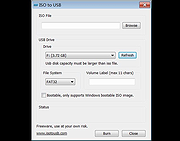 |
|
LibreOffice Portable v26.2.4 LibreOffice Portable v26.2.4 👉 LibreOffice Portable can run from a cloud folder, external drive, or local folder without installing into Windows. LibreOffice Portable is a full-featured office suite -- including a word processor, spreadsheet, presentation tool, drawing package and database -- that's compatible with Microsoft Office, Word Perfect, Lotus and other office applications. It's easy-to-use and feature-rich, performing nearly all of the functions you'd expect in an office suite, but at no cost. Additional functionality including the Base database and document creation wizards is enabled by installing the jPortable portable Java runtime environment. Features: • Portable version runs without installation from USB or external drive • Includes Writer (word processor), Calc (spreadsheet), Impress (presentations), Draw (vector graphics), Base (database), and Math (formula editor) • Compatible with Microsoft Office file formats (DOCX, XLSX, PPTX) • Supports OpenDocument Format (ODF) as its native standard • Built-in PDF export and document signing • Extensive formatting, styles, and templates for professional documents • Macro support and scripting for automation • Extensions and add-ons available to expand functionality • Multi-language interface and spellchecking support • Cross-platform compatibility with consistent interface • Offline use with no cloud dependency • Regular updates from The Document Foundation Supported operating systems: Windows 7, 8, 10, 11 and WINE Supported languages: English, Afrikaans, Albanian, Amharic, Arabic, Armenian, Assamese, Asturian, Azerbaijani, Basque, Belarusian, Bengali, Bosnian, Breton, Bulgarian, Burmese, Catalan, Chinese (Simplified), Chinese (Traditional), Croatian, Czech, Danish, Dutch, Dzongkha, English (UK), Esperanto, Estonian, Finnish, French, Galician, Georgian, German, Greek, Gujarati, Hebrew, Hindi, Hungarian, Icelandic, Indonesian, Irish, Italian, Japanese, Kannada, Kazakh, Khmer, Korean, Kurdish, Lao, Latvian, Lithuanian, Macedonian, Maithili, Malayalam, Marathi, Mongolian, Nepali, Norwegian (Bokmål), Norwegian (Nynorsk), Occitan, Odia, Persian, Polish, Portuguese, Portuguese (Brazil), Punjabi, Romanian, Russian, Sanskrit, Scottish Gaelic, Serbian (Cyrillic), Serbian (Latin), Sinhala, Slovak, Slovenian, Spanish, Swedish, Tamil, Telugu, Thai, Tibetan, Turkish, Ukrainian, Urdu, Uyghur, Uzbek, Vietnamese, Welsh Writer Edit all kinds of documents Writer has all the features you need ... |
|
9,512 | Jul 26, 2026 The Document Foundation & PortableApps.com 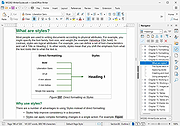 |
|
LinuxLive USB Creator 2.9.0 LinuxLive USB Creator 2.9.0 LinuxLive USB Creator is a free and open-source software for Windows. It will help you in your journey of discovery with Linux. For you, LiLi creates portable, bootable and virtualized USB stick running Linux. Not only for geeks LiLi is designed to be used by both beginners and geeks. If you are a beginner, LiLi will let you try Linux for the first time, keeping Windows clean of any modifications. And if you are a geek, LiLi will allow you to test almost any Linux distributions directly from Windows, or just install them from a USB flash drive instead of CDs. Fully featured: Supports hundreds of Linux distributions No reboot needed Totally free and open-source Persistence on selected Linux SmartClean and SmartDownload Available in a lot of languages Really easy to use Automatic integrity check And much more ... |
 |
8,172 | Nov 11, 2014 Thibaut Lauziere |
|
macOStoUSB v1.1.0 macOStoUSB v1.1.0 👉 Easily download official macOS installers and create bootable USB drives for recovery, upgrades, and clean installations. macOStoUSB is a specialized utility designed to simplify the process of creating bootable macOS USB installation drives using official Apple installer files. Instead of manually hunting for installer packages, entering Terminal commands, or dealing with complicated setup procedures, macOStoUSB provides a clean guided interface that walks users through the entire process from start to finish. The application automatically connects to Apple’s official software catalogs and allows users to select and download supported macOS versions directly from Apple’s servers. Once downloaded, macOStoUSB prepares a USB flash drive and creates a fully bootable installer that can be used for clean installs, macOS upgrades, system recovery, troubleshooting, testing, or maintaining multiple Mac systems. macOStoUSB is especially useful for technicians, IT departments, repair shops, and advanced home users who regularly reinstall or maintain Macs. The software includes intelligent download handling, resume support for interrupted downloads, verification tools, and compatibility support for both Intel-based Macs and Apple Silicon systems. The interface is designed to remain simple enough for beginners while still offering the reliability and functionality expected by experienced Mac users. The app is signed and notarized by Apple for additional security and trust. Features: • Downloads official macOS installers directly from Apple servers • Creates bootable USB installers for macOS deployment and recovery • Supports both Intel-based Macs and Apple Silicon systems • Simplified step-by-step workflow for creating installation media • Automatically detects compatible USB storage devices • Provides access to multiple macOS versions from Apple catalogs • Handles download interruptions with smart resume capability • Verifies installer integrity and USB creation status • Useful for clean installations, upgrades, diagnostics, and repairs • Eliminates the need for manual Terminal commands • Designed for technicians, repair shops, and IT environments • Signed and notarized by Apple for improved security • Modern lightweight interface optimized ... |
|
582 | May 26, 2026 macOStoUSB 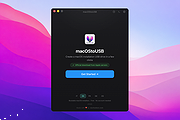 |
|
MobileFileSearch v1.51 MobileFileSearch v1.51 👉 Search files inside smartphones and tablets connected through USB MTP mode. MobileFileSearch is a lightweight utility that allows you to search files stored on smartphones, tablets, and other portable devices connected to your computer through USB using the Media Transfer Protocol (MTP). It can quickly scan connected devices and display matching files based on filename, extension, size, date, and other search filters. MobileFileSearch is especially useful for locating photos, videos, documents, music, APK files, and other content stored on Android devices or portable media players without manually browsing through folders. Search results can be copied, exported, or opened directly from the interface for easier file management. Be aware that this tool is useful if your Smartphone/Tablet uses the Media Transfer Protocol (MTP) to view and transfer files via USB. Features: • Search files on smartphones and tablets connected through USB • Works with devices using the Media Transfer Protocol (MTP) • Filter results by filename, extension, size, and modified date • View full file paths and file details • Open files directly from search results • Export search results to text, CSV, HTML, JSON, or XML • Lightweight and portable utility with no installation required • Supports drag-and-drop exporting of files • Command-line support for advanced usage Supported operating systems: • Windows 7, Windows 8, Windows 8.1, Windows 10, Windows 11 Supported languages: • English Changes: v1.51 05-11-26 • Fixed bug: MobileFileSearch crashed when using the 'Open Folder In Explorer' option and the folder path contained a slash character ('/'). This download is for the Windows 64bit version (very bottom of page). If you need the Windows 32bit version, download here. Click here to visit the author's website. |
|
5,298 | Jun 03, 2026 Nir Sofer 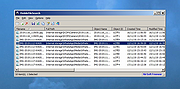 |
|
Mozilla Firefox Portable v155.0.1 Mozilla Firefox Portable v155.0.1 👉 Take the full Firefox web browser, along with your bookmarks, passwords and settings, anywhere you go. Mozilla Firefox Portable is the popular Firefox web browser packaged by PortableApps.com to run from a USB flash drive, portable hard drive, cloud folder or local folder without a traditional installation. Your bookmarks, saved passwords, extensions, preferences and other personal browser data stay with the portable package, making it easy to carry your familiar Firefox environment between Windows computers. It provides the same Firefox browsing experience, privacy protections, customization, extension support and web standards compatibility as the regular desktop browser while adding the portability provided by the PortableApps.com Launcher. It can also integrate with the PortableApps.com Platform for convenient launching and automatic updates. Features: • Runs from removable drives, cloud folders or local folders without a traditional Firefox installation • Carries your bookmarks, saved passwords, preferences and other Firefox profile data with you • Works with the PortableApps.com Platform for easy launching and automatic updates • Built-in Enhanced Tracking Protection helps block trackers while browsing • Supports Firefox extensions and themes for extensive customization • Includes private browsing for sessions that do not retain local browsing history • Built-in password management and synchronization through a Mozilla account • Supports tab organization, containers and vertical tabs • Built-in translation capabilities for supported languages • PDF viewing and printing are built directly into the browser • Developer Tools provide debugging, inspection and web development features • Supports modern web technologies including WebAssembly, WebRTC, WebTransport and HTTP/3 • Open source and based on Mozilla Firefox • Can coexist with an installed copy of Firefox Supported operating systems: • Windows 10, Windows 11 • WINE (64-bit only) Supported languages: Afrikaans, Arabic, Asturian, Basque, Belarusian, Bulgarian, Breton, Catalan, Chinese (Simplified), Chinese (Traditional), Croatian, Czech, Danish, Dutch, English, Estonian, Finnish, French, Frisian, Gaelic (Scotland), Galician, German, Greek, Hebrew, Hungarian, Icelandic, Indonesian, Irish, Italian, Japanese, Korean, Lithuanian, Norwegian ... |
|
11,476 | Sep 13, 2026 Mozilla & John T. Haller  |
|
mssPortable (Microsoft Safety Scanner Portable) v1.457.164 mssPortable (Microsoft Safety Scanner Portable) v1.457.164 👉 Portable malware scanning tool from Microsoft for on-demand threat detection and removal. mssPortable is a portable version of the Microsoft Safety Scanner. It's a standalone security utility designed to scan for and remove malware from Windows systems without requiring installation. It provides a quick and reliable way to check a system for viruses, spyware, and other malicious software using the latest Microsoft threat definitions. Because it is portable, it can be run from a USB drive or other external media, making it ideal for troubleshooting infected systems or performing secondary scans alongside existing antivirus software. The tool does not offer real-time protection and is intended for manual, on-demand use. Features: • Fully portable with no installation required • Uses Microsoft’s latest malware definitions for accurate detection • Quick, full, and custom scan options • Detects and removes viruses, spyware, and other malicious software • Can be run alongside existing antivirus programs • Ideal for emergency cleanup and second-opinion scans • Simple interface for fast operation • Expires 10 days after download to ensure updated threat definitions Supported operating systems: • Windows 7, Windows 8, Windows 10, Windows 11 Supported languages: English Changes: v1.457.164 08-14-26 Not Provided Click here to visit the author's website. |
|
785 | Aug 16, 2026 Microsoft & PortableApps.com 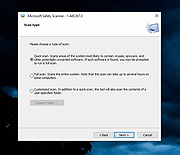 |
|
MultiOS-USB v0.12.1 MultiOS-USB v0.12.1 👉 Create a multiboot USB flash drive capable of launching multiple operating system installers and utilities directly from ISO/WIM images. MultiOS-USB is a utility that allows you to build a single bootable USB flash drive containing multiple operating system installers and recovery tools. Instead of keeping separate installation media for different systems, MultiOS-USB organizes ISO images on one device and presents them through a boot menu so you can choose which system or tool to launch. MultiOS-USB simplifies system deployment, testing environments, and recovery workflows by letting technicians keep a portable library of operating systems and utilities on one drive. The program prepares the USB drive, installs the bootloader, and configures the menu structure required to boot the selected ISO images. This makes it particularly useful for technicians, system administrators, and repair professionals who frequently install or troubleshoot operating systems. Features: • Create a multiboot USB flash drive • Store multiple operating system installers on a single drive • Boot different ISO images from a unified menu • Useful for operating system installation, testing, and recovery • Portable tool for technicians and system administrators • Simple process for adding or removing ISO images Installation and usage: 1. Prepare the USB drive Extract the MultiOS-USB archive and run the program. Insert the USB flash drive you want to use and follow the prompts to prepare the drive and install the bootloader. 2. Copy operating system ISO images After the USB drive is prepared, copy supported ISO images into the appropriate folders on the flash drive as described in the documentation. 3. Boot from the USB drive Restart the computer and select the USB device in your system's boot menu. MultiOS-USB will display a menu allowing you to select which operating system installer or utility to launch. 4. Secure Boot note Some systems with Secure Boot enabled may display a Machine Owner Key (MOK) management screen or security verification ... |
|
896 | Jul 13, 2026 MexIT 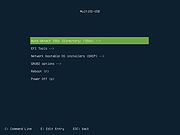 |
|
NirLauncher v1.30.25 NirLauncher v1.30.25 👉 Portable launcher package containing more than 200 NirSoft freeware utilities for Windows. NirLauncher is a package of more than 200 portable freeware utilities for Windows, all developed for the NirSoft website. It can be used from a USB flash drive without installation, saves each utility's configuration into .cfg files when run from removable media, and automatically runs x64 versions of supported tools on x64 systems. NirLauncher also makes it easy to run utilities, open their help files, jump to each utility's webpage, and add additional software packages beyond the main NirSoft collection. Features: • Includes more than 200 portable NirSoft freeware utilities • Runs without installation from a USB flash drive or local folder • Saves utility configuration files to the drive when used portably • Automatically launches x64 versions of utilities on x64 systems when available • Lets you run tools, view help files, or open each utility's webpage • Can add extra software packages in addition to the main NirSoft package • Can generate BartPE plugin files for use from a bootable live Windows CD • Contains no spyware, adware, malware, toolbars, browser plugins, or bundled third-party software Supported operating systems: • Windows 2000, Windows XP, Windows Server 2003, Windows Vista, Windows 7, Windows 8, Windows 8.1, Windows 10 • x64 systems supported Supported languages: • English, Dutch, French, German, Italian, Japanese, Polish, Russian, Simplified Chinese, Spanish, Traditional Chinese, Greek, Romanian, Czech, Slovak, Hungarian Changes: v1.30.25 08-15-26 Not Provided Read this. It's important: This file contains hacking software. Hacking software for you to use to hack your own computer. This is for doing things like retrieving a lost password. Because of this, Anti-virus software WILL treat it as dangerous because, in the wrong hands, it is dangerous. This zip file has always been password protected by Nir Sofer so it can be downloaded without being blocked. The password is nirsoft9876$. Click here to visit ... |
|
24,466 | Aug 19, 2026 Nir Sofer 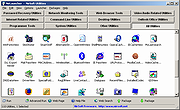 |
|
OpenCloseDriveEject v3.55 OpenCloseDriveEject v3.55 👉 Quickly open, close, and safely eject drives and removable media in Windows. OpenCloseDriveEject is a small Windows tool that lets you open and close DVD, CD, and Blu-ray drives, and safely eject removable storage like USB, SD, and SSD devices. It can run as a portable app, includes optional To-Tray/hidden startup behavior, and also offers command-line options for simple automation. Features: • Open and close optical drive trays (CD, DVD, Blu-ray) • Safely eject removable media (USB, SD, SSD, external drives) • Portable application, no installation required • Command-line support (start hidden, start to tray, custom INI path) • Optional start minimized or in system tray • Multilingual interface Supported operating systems: • Windows XP, Windows Vista, Windows 7, Windows 8.1, Windows 10, Windows 11 • Windows Server 2012, Windows Server 2016, Windows Server 2019, Windows Server 2022, Windows Server 2025 Supported languages: German, English, French, Greek, Traditional Chinese, Bulgarian, Korean, Russian, Japanese, Polish, Turkish, Italian, Dutch, Swedish, Norwegian, Portuguese, Danish, Irish, Thai, Spanish (Venezuela), Persian, Arabic, Hebrew, Finnish, Czech, Simplified Chinese, Bosnian, Croatian, Serbian, Catalan Changes: v3.55 05-02-26 • Important tests of the OpenCloseDriveEject app for the next MS Windows 11 build • Update of the OpenCloseDriveEject.exe language files A simple example of using the "Open Close Eject the Drive Tool" This download is for the Windows 64bit portable version. If you need the Windows 32bit portable version, download here. Click here to visit the author's website. |
|
5,543 | Jul 11, 2026 Nenad Hrg 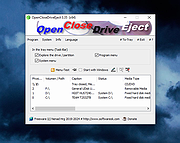 |
|
OpenLogi v0.6.3 OpenLogi v0.6.3 👉 A local-first Logitech mouse configurator for macOS with no account, cloud or telemetry. OpenLogi is a native, open-source alternative to Logitech Options+ that lets you remap Logitech mouse buttons, control DPI, adjust SmartShift wheel behavior and use per-app profiles directly over HID++. It works locally on your Mac, stores settings in a plain TOML config file, and does not require a Logitech account, cloud service or telemetry. Features: • Remap Logitech mouse buttons from a native macOS interface • Built-in action catalog plus custom keyboard shortcut recording • DPI control with presets and cycle/set-preset actions • SmartShift wheel control for ratchet, free-spin and automatic switching • Per-application profiles that switch when the focused app changes • Supports Logi Bolt, Bluetooth-direct and wired USB connections • Live paired-device carousel with battery percentage and charge state • Plain-text TOML configuration • No Logitech account required • No telemetry, analytics or cloud sync • Open source and dual licensed under MIT / Apache-2.0 • Signed and notarized macOS DMG available Supported operating systems: • macOS Supported languages: English, Danish, German, Greek, Spanish, Finnish, French, Italian, Japanese, Korean, Norwegian Bokmål, Dutch, Polish, Portuguese (Brazil), Portuguese (Portugal), Russian, Swedish, Simplified Chinese, Traditional Chinese (Hong Kong), Traditional Chinese (Taiwan) Changes: v0.6.3 06-09-26 • Added unified Binding model and gesture-button menu. • Added gesture buttons on Middle, Back and Forward via the OS hook. • Release v0.6.3. This download is for the macOS ARM64 version (very bottom of page). If you need the macOS Intel version, download here. Click here to visit the author's website. |
|
469 | Jun 10, 2026 AprilNEA 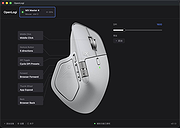 |
|
PokerTH Portable v2.1.3 PokerTH Portable v2.1.3 👉 Play Texas Hold'em poker against computer opponents or online players without installation. PokerTH Portable is the portable version of the free, open-source Texas Hold'em poker game. Play locally against computer-controlled opponents, compete with other players over a network or join games through the online PokerTH community. Games can include up to ten computer or human players. The program includes customizable cards, table themes and player avatars, along with online chat, sound effects, player statistics and configurable game rules. Since this edition is portable, it can run from a USB drive, cloud folder or local directory while keeping its settings with the program. Features: • Play Texas Hold'em poker against computer-controlled opponents • Join online multiplayer games through the PokerTH community • Create custom internet or local network games • Supports up to ten human or computer players • Spectate games already in progress • Customizable card decks, table themes and avatars • Online chat with emotes and player controls • Local and community player statistics • Configurable game rules and betting settings • Sound effects and an easy-to-use graphical interface • Runs from portable, cloud or local storage without traditional installation • Saves personal settings and game data within the portable folder Supported operating systems: • Windows 10, Windows 11 Supported languages: Afrikaans, العربية (Arabic), Беларуская (Belarusian), Български (Bulgarian), Català, 中文 (简体) (Chinese Simplified), 中文 (繁體) (Chinese Traditional), Hrvatski (Croatian), Čeština (Czech), Dansk (Danish), Nederlands (Dutch), English, English (British), Esperanto, Español (Spanish), Español (Alfabetización Internacional), Eesti (Estonian), Euskera (Basque), فارسی (Persian), Filipino, Suomi (Finnish), Français (French), Galego (Galician), Gàidhlig (Scottish Gaelic), ქართული (Georgian), Deutsch (German), Ελληνικά (Greek), עברית (Hebrew), हिन्दी (Hindi), Magyar (Hungarian), Íslenska (Icelandic), Igbo, Italiano (Italian), 日本語 (Japanese), ಕನ್ನಡ (Kannada), 한국어 (Korean), Kurdî (Kurdish), Latviešu (Latvian), Lëtzebuergesch (Luxembourgish), Lietuvių (Lithuanian), Македонски (Macedonian), Malagasy, मराठी (Marathi), Монгол Кирилл (Mongolian Cyrillic), Norsk (Norwegian), Norsk (nynorsk), Oʻzbek (Uzbek), Polski (Polish), Português (Portuguese), Português Brasileiro (Brazilian Portuguese), ... |
|
5,711 | Jul 22, 2026 PokerTH Team & PortableApps.com  |
|
Rescuezilla v2.6.2 Rescuezilla v2.6.2 👉 Easy-to-use bootable backup, disk imaging, cloning, and system recovery environment. Rescuezilla is a free, open-source system recovery and disk imaging solution that boots from a USB flash drive or optical media, allowing you to back up, restore, clone, and recover Windows, macOS, and Linux systems even when the installed operating system will not boot. Built as a graphical front end for Clonezilla, Rescuezilla combines a straightforward point-and-click interface with powerful backup and recovery capabilities while remaining fully compatible with Clonezilla images. In addition to creating complete disk and partition backups, Rescuezilla can restore images created by Clonezilla and several other supported imaging tools, browse backup images to recover individual files, clone drives directly to replacement disks, and work with many popular virtual machine disk formats. Because it runs as a live operating system, it also includes useful utilities such as a web browser, file manager, partition editor, and recovery tools for troubleshooting damaged systems. Features: • Bootable live recovery environment with no installation required • Easy-to-use graphical interface suitable for beginners and professionals • Create complete disk and partition image backups • Restore previously created backup images • Clone entire drives directly to another disk • Fully compatible with Clonezilla backup images • Supports images from Clonezilla and other supported open-source imaging frontends • Browse backup images and recover individual files • Supports VirtualBox (VDI), VMware (VMDK), Hyper-V (VHD/VHDX), QEMU (QCOW2), raw images, and other virtual disk formats • Works with Windows, macOS, and Linux systems • Includes partition editing and disk management utilities • Built-in file manager for copying and editing files • Includes a web browser for downloading drivers and documentation • Open source software released under the GNU GPL v3 license Supported operating systems: • Boots on PCs and Intel-based Macs from USB or optical media to back up and restore Windows, macOS, and Linux systems Supported languages: • Arabic, Bengali, Brazilian Portuguese, Catalan, Chinese (Simplified), ... |
|
4,900 | Jul 08, 2026 Rescuezilla  |
|
Rufus v4.15 Rufus v4.15 👉 Create bootable USB drives easily and quickly. Rufus is a small utility that helps format and create bootable USB flash drives, such as USB keys, memory sticks, and other removable media. It is especially useful for cases where you need to create USB installation media from bootable ISOs, including Windows, Linux, and other operating systems, or when working on systems that lack an optical drive. Rufus is known for its speed and reliability, offering advanced options for power users while remaining simple enough for beginners. It supports UEFI and legacy BIOS, allows selection of partition schemes and file systems, and includes options for handling ISO images with custom settings. Features: • Create bootable USB drives from ISO images • Supports UEFI and legacy BIOS • MBR and GPT partition schemes • FAT32, NTFS, exFAT, UDF, and ReFS file systems • Detects USB devices automatically • Advanced formatting and drive options • Portable, no installation required Supported operating systems: • Windows 8, Windows 8.1, Windows 10, Windows 11 Supported languages: English, French, German, Italian, Spanish, Portuguese, Russian, Chinese (Simplified), Chinese (Traditional), Japanese, Korean, Arabic, Polish, Dutch, Greek, Turkish, Czech, Hungarian, Romanian, Vietnamese, Thai, Indonesian, Ukrainian, Bulgarian, Slovak, Slovenian, Danish, Finnish, Norwegian, Swedish, Hebrew, Persian Changes: v4.15 06-30-26 Add RISC-V 64 support to UEFI:NTFS. Improve the guards for using the "silent" Windows installation option. Improve the ability to cancel during write retries. Improve progress reporting for compressed image extraction. Fix unrestricted XML entity expansion and integer overflow in ezxml parser (courtesy of Eric Sadowski). Fix "silent" Windows installation failing at 75% in most cases. Fix a crash during boot when using UEFI:NTFS on Snapdragon X based ARM64 platforms. Fix first WUE option always being checked by default. Fix an infinite loop when using Windows ISOs that contain multiple WIMs. Fix "Enable runtime UEFI media validation" checkbox not always being properly enabled. Other WUE improvements/fixes for OneDrive removal and username validation (with thanks to @christian8641). Non exhaustive ... |
|
14,396 | Jul 02, 2026 Pete Batard/Akeo 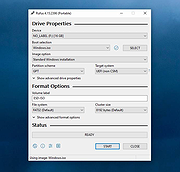 |
|
Sigil Portable v2.8.1 Sigil Portable v2.8.1 👉 A portable version of the powerful, open source EPUB ebook editor for creating and editing ebooks without installation. Sigil Portable is the PortableApps.com version of Sigil, a free and open source EPUB ebook editor that supports both visual WYSIWYG-style editing and direct editing of EPUB code. It can be carried on a USB flash drive, portable hard drive, cloud folder or other portable storage and used without a traditional installation. The portable package keeps its settings with the application, making it convenient for working with ebooks on multiple Windows computers. Sigil is designed specifically for editing EPUB ebooks and supports EPUB 2 as well as EPUB 3. Authors and editors can work directly with XHTML and CSS, edit book metadata, generate tables of contents, check spelling, perform powerful regular-expression searches and make detailed changes to the internal structure of an ebook. The interface provides multiple views so users can work visually or directly with the underlying code. Features: • Portable package designed to run from USB drives, portable drives, cloud folders and other locations • WYSIWYG word processor-style ebook editing • Direct editing of EPUB XHTML and other underlying code • Full EPUB 2 specification support • Limited EPUB 3 support • Multiple Book, Code and Preview views • Full UTF-16 support • Table of Contents generator with multi-level heading support • Metadata editor supporting more than 200 possible metadata entries with descriptions • Spell checking with default and user-configurable dictionaries • Full PCRE regular-expression support for Find and Replace • Imports EPUB and HTML files, images and style sheets • Integrated FlightCrew EPUB validator for checking EPUB compliance • Embedded HTML Tidy for correcting formatting in imported files and optionally cleaning edited content • Translated user interface • Online Sigil User's Guide and documentation • Open source under the GNU GPL Supported operating systems: • Windows 10 64-bit, Windows 11 64-bit Supported languages: Multilingual Changes: v2.8.1 07-18-26 Sigil 2.8.1 is a ... |
|
2,341 | Aug 31, 2026 Graeme Gott and PortableApps.com 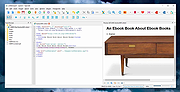 |
|
Simple USB Logger 1.7 Simple USB Logger 1.7 This software product allows capturing traffic between device driver and USB device, being transparent for this USB device. High operation speed and information content of Simple USB Logger software allows to analyze the operation of any USB device. Thanks to this product you can analyze the traffic, even if BSOD occurs during USB device usage. And the fast transition functions help to move over captured data quickly. Distinguishing features: Freeware Software. Initially this software was created for company's internal needs. But we decided to release it for free for all our customers, so they could use Simple USB Logger for their needs without any limitations! Simple Monitoring Technology. This new technology of traffic capturing is based on operation of a usual Lower Filter Driver. But our unique feature allows loading a filter to the stack of the analyzed USB device only. This increases capturing speed and reliability, and prevents impact on operation of other USB devices. Hardware and Virtual USB bus support. Now you can monitor any USB device, whether is it a real device plugged into hardware USB port or virtual USB device connected via any other software of any vendor! Advanced URB parser. Simple USB Logger can display the structures of URB requests in both full and simple form (where it shows only critical data)! Memory dump analyzys. If BSOD occurs while you are working with USB device, you can get log file from memory.dmp file. It allows to see what requests USB device was processing when BSOD occured. Quick search features. Simple USB Logger can quickly find packets finished with errors. To move to such packet you just need to click the button on toolbar! Visual Tracer Submit/Complete. USB Logger aways follows the sequence of URB ... |
|
6,166 | Sep 19, 2017 SimplyCore LLC 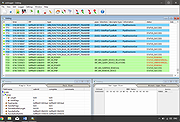 |
|
SyMenu v8.14.9685 SyMenu v8.14.9685 👉 Portable menu launcher and Start Menu replacer for organizing and launching applications. SyMenu is a portable menu launcher and Start Menu replacer designed to help you organize, find, and run your applications quickly and easily. It can manage portable apps stored on local or removable drives, automatically index applications installed on the host PC, and provide a fast search-as-you-type launcher. SyMenu also includes support for its integrated freeware suites, letting you install, update, and remove supported programs automatically through its SPS system. Features: • Portable menu launcher and Windows Start Menu replacement • Organizes applications in a hierarchical structure with custom names, folders, separators, and labels • Search-as-you-type launcher for quick access to programs and functions • Can automatically index applications installed on the host PC • Works with apps stored on local disks, USB drives, flash drives, external drives, memory cards, CDs, and DVDs • Supports integrated freeware suites with automatic install, update, and removal through SPS • Strong customization options for menu layout and organization • Includes tools such as configuration, app management, and update checking Supported operating systems: • Windows 10, Windows 11 • Windows 10 and Windows 11 support both 32-bit and 64-bit versions Supported languages: • English, Arabic, Chinese Simplified, Chinese Traditional, Czech, Finnish, French, German, Greek, Hungarian, Italian, Polish, Portuguese (Brazil), Portuguese (Portugal), Spanish, Turkish, Ukrainian • Dutch (not official), Japanese (not official), Korean (not official), Russian (not official), Slovenian (not official) Changes: v8.14.9685 07-08-26 Application upgrade to .NET 10 for improved overall performance, security, and stability. New innounp version (v2.67.9) New 7zip version (v26.02) Form splash reorganization and optimization Automatic token clearance when a new unique identifier (GUID) is generated Language updates: Japanese language added, Chinese (Simplified), French, Spanish, Finnish, Ukrainian removed. Click here to visit the author's website. |
|
9,018 | Aug 06, 2026 UGM.NET 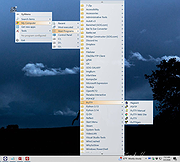 |
|
SystemRescue v13.01 SystemRescue v13.01 Formerly known as SystemRescueCd 👉 Bootable Linux rescue toolkit for repairing systems, recovering data, and performing disk administration tasks. SystemRescue is a Linux system rescue toolkit available as a bootable medium for administrating or repairing your system and data after a crash. It is designed to help with tasks such as creating and editing hard disk partitions, recovering files, working with important file systems, and using a wide range of system utilities from a live environment. It can be used on both Linux and Windows computers, on desktops as well as servers, and it can be booted from a DVD or USB stick, or installed on a hard disk if needed. Features: • Boots as a live rescue environment from CD/DVD, USB, or local disk • Includes disk and partitioning tools for administration and recovery tasks • Provides utilities such as GParted, fsarchiver, file system tools, editors, Midnight Commander, and network tools • Supports important file systems including ext4, xfs, btrfs, vfat, and ntfs, plus network filesystems such as Samba and NFS • Can be used on both Linux and Windows computers, including desktops and servers • Supports configurable keyboard layouts with the setkmap option and command • Can copy the live system fully into memory for improved responsiveness using copytoram • Includes scripting support with Bash, Perl, Python, and Ruby • Includes Firefox with bookmark configuration support through SystemRescue configuration files Supported operating systems: • Linux, Windows Supported languages: • English Changes: v13.01 06-06-26 Updated the kernel to the Long-Term-Supported linux-6.18.34 Updated bcachefs tools and kernel module to version 1.38.3 Add ‘checksum’ to the boot options to check integrity when ‘copytoram’ is used Added packages: reflector + b3sum Recommended USB installation method on Windows • Download SystemRescue • Download Rufus and install it on Windows • Plug in your USB-stick and wait a few seconds to allow enough time for the system ... |
|
11,625 | Jul 05, 2026 SystemRescueCd 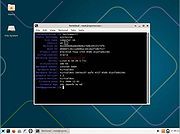 |
|
Universal USB Installer v2.0.3.8 Universal USB Installer v2.0.3.8 👉 Create bootable USB drives for Linux distributions and system utilities with ease. Universal USB Installer is a straightforward Windows utility designed to help you create bootable USB flash drives for a wide variety of Linux distributions, antivirus rescue disks, system utilities, and other bootable ISO images. It guides you through the process step by step, making it accessible for beginners while still offering flexibility for advanced users. The program supports both BIOS and UEFI systems and can optionally format USB drives as FAT32 or NTFS depending on the selected distribution. Universal USB Installer can also be used to create persistent storage for supported Linux distributions, allowing saved changes and files to remain available between reboots. Features: • Create bootable USB drives from ISO files • Supports hundreds of Linux distributions and utilities • Optional persistent storage for supported Linux builds • Works with BIOS and UEFI systems • Automatic USB formatting options • Simple step by step interface Supported operating systems: • Windows 7, Windows 8, Windows 8.1, Windows 10, Windows 11 Supported languages: English Universal USB Installer- Easily Make Bootable USB Using this open source USB boot maker software is easy as 123. To create a bootable USB drive, you simply select your target flash drive, choose your distribution from the list, browse to the ISO file (or choose to download the ISO), and then click Create. Once finished, you should have a ready to run Live USB containing the Live operating system, Windows installation media, or system diagnostics utility, or advanced system cleaner tool you previously selected. Some boot from USB tools use simple DD (Disk/Data Duplicator) copy and convert commands to directly burn ISO to USB. The DD method of copying, also commonly referred to as "Data Destroyer" works by overwriting the entire file system on a flash drive with that of a CD or DVD image. This process ... |
|
15,311 | Jul 16, 2026 Pen Drive Linux 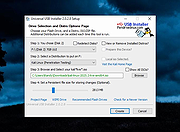 |
|
USB Device Tree Viewer v3.3.2 USB Device Tree Viewer v3.3.2 The USB Device Tree Viewer, short UsbTreeView is based upon the Microsoft "USBView" sample application found in the Windows Driver Development Kits and now standalone here: USBView sample application But it is source code only, there is no executable for end users provided. Meanwhile USBView comes as executables as part of the "Debugging Tools für Windows", see here: USBView. UsbTreeView started with the USBView source code from the DDK for Server 2003. Here are the improvements I've done: TreeView with handmade 16x16 icons, USBView used 32x32 icons scaled down to 15x15 Informations from the Windows Device Management are collected and matched with the found USB devices; Therefore UsbTreeView can show the child devices, including drive letters and COM-ports Window position is saved Background color and font of the right pane can be set (the font shown in the screenshots is DOSLike 7) Text output rearranged Keeps the tree item selection over refresh Some more descriptors are decoded Hexdump of the descriptors can be shown Safe removal, device restart and port restart Extended USB information available under Windows 8 (taken from the latest USBView sample application) Extended information about host controllers Enumeration of the USB devices accelerated and independent from the treeview Failed USB requests are re-tried in the background, e.g. if a USB mouse was moved while requesting its properties Toolbar with jump-lists for easily finding devices in complex trees many minor improvements Todo: USB Video Class H.264 information Maybe Unicode support Latest History V3.3.2 ... |
|
7,609 | Feb 22, 2019 Uwe Siebe 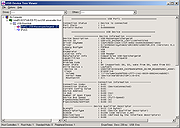 |
|
USB Disk Storage Format Tool v6.0 USB Disk Storage Format Tool v6.0 USB Disk Storage Format Tool utility allows you to quickly and thoroughly format virtually any USB flash drive with your choice of FAT, FAT32, exFAT, or NTFS partition types. FEATURES: Quick format and safe format. Erase all data and delete space on flash drives that cannot be removed in the traditional way. Remove any tracks of malicious software that may have infected it. Correct partition errors if any. Create volume label for USB disk drives. Scan drive for errors before formatting. Create a FAT32 volume larger than 32 GB. Tested with thousands of flash drives (Compact Flash, CF Card II, Memory Stick Duo Pro, SDHC, SDXC, Thumb Drive, Pen Drive) of the following brands, SanDisk, Kingston, Transcend, Corsair, HP, Sony, Lexar, Imation, Toshiba, PNY, ADATA, Verbatim, LaCie, Panda, Seatech, SDKSK9, Silicon Power, IronKey, and HDE. |
|
6,846 | Oct 16, 2019 Authorsoft 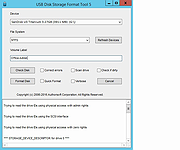 |
|
USB Drive Factory Reset Tool v3.00 USB Drive Factory Reset Tool v3.00 Restore USB flash drive back to full capacity After having tooled around with a bootable USB flash drive using your raw image overwritten or multi-partitioned USB pen drive, you might find it mandatory to revert it back to factory defaults. Essentially recovering or restoring the USB flash drive back to its original state with a single disk drive partition loaded with any of FAT, FAT32, exFAT or NTFS file system is easy. This allows the USB storage device to be easily detected and used again by all computers, routers, and smart TVs. You might find it necessary to restore a USB drive after working with tools, such as Rufus, USB Disk Storage Format Tool on Windows to burn an ISO or dd command on Linux, to write an image file to the USB storage drive. Depending on the file used, these tools can make your USB device appear corrupted or unreadable on some computers or smart TVs. In some cases, the flash drive might not be assigned a drive letter and the USB not detected by your computer or smart TV. This is simply because these tools use raw-write style to transfer data in disk image (usualy an .img or .iso file) to a USB flash drive. As a result, the existing MBR (Master Boot Record is the boot sector located at the very beginning of partitioned storage devices), partition table, HPA (Host Protected Area is an area of a storage drive that is not normally visible to an operating system), and/or file system is overwritten with that of the raw image file. USB Drive Factory Reset Tool is software that helps you wipe clean and factory set your USB flash drive, pen drive, thumb drive, and any other USB storage devices back to the way ... |
|
3,794 | Oct 31, 2021 Bureausoft Corporation 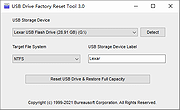 |
|
USB Flash Drives Control 4.1.0.0 USB Flash Drives Control 4.1.0.0 USB Flash Drives Control is a freeware program that runs in system tray, next to the system clock, and provides access to control the way in which the USB removable drives are used on your computer. These options are available through the right click context menu on the system tray icon of the program. It also displays the connected drives. Use left click context menu to view the list of connected drives and explore the content of them. USB Flash Drives Control contains two parts, a GUI interface which is used for configuration and a Windows service which ensures that the program options are applied to all user accounts from the local computer: Read Mode - By disabling this option, USB removable drives will not be mounted and will not be accessible to the user. The reading of data from USB removable drives will not be available. Write Mode - By disabling this option, write access will be denied on all USB removable drives used on the current computer. All USB removable drives become read-only and copying data on them is not possible. Execute Mode - By disabling this option, execute access will be denied for all executable files on all USB removable drives used on the current computer, for all user accounts. This ensures a plus of security to the system against dangerous and malicious software, like worms, backdoors or password stealers. This setting is not available in Windows Vista. All the above options are not applied to the existing connected drives. Connected drives must be first removed and then reconnected in order to make these options apply to them. Program Features √ Intuitive and easy accessible user interface in the system tray. √ Enable or disable USB removable drives with just a mouse click. √ Deny write access on all USB removable ... |
|
6,221 | Mar 07, 2017 BiniSoft.org 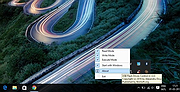 |
|
USB Historian 1.3 USB Historian 1.3 Parse USB Connection History The Microsoft Windows operating systems records artifacts when USB removable storage devices (thumb drives, iPods, digital cameras, external HDD, etc.) are connected. These artifacts can be found in Plug and Play (PnP) log files as well as the Windows Registry. For a forensic investigator dealing with the theft, movement, or access to data, these artifacts can play a critical role in an investigation. Features New: Contains a cached copy of USB ID’s from http://www.linux-usb.org/usb.ids. If available VID/PID values will be looked up to provide additional device information. Parses Computer Name to easily help locating USB devices used across multiple computers. Displays over 20 attributes Wizard driven analysis Parses SetupAPI Logs (and backup logs) Able to parse multiple NTUSER.DAT files at a time Requirements: Microsoft .NET Framework v4.0 Free for both personal and commercial use v1.3 (07-24-2013) *New:* Contains a cached copy of USB ID’s from http://www.linux-usb.org/usb.ids. If available VID/PID values will be looked up to provide additional device information. You can now parse multiple sources. Results will be appended to the existing results or optionally cleared. Fixed crash when VID/PID values were missing |
|
6,304 | Apr 20, 2017 4Discovery 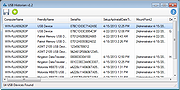 |
|
USB Image Tool v1.90 USB Image Tool v1.90 Creates images of USB flash drives and MP3 players, that are mounted as USB drives. It allows you switch between images with different music styles on your MP3 Player or to make an exact backup image of your USB Stick. Features create image files of USB flash drives restore images of USB flash drives compressed image file format show USB device information manage favorite USB images command line utility Supported devices USB Image Tool works with any device, that implements the USB Mass Storage protocol. This includes flash drives, card readers and a lot of other devices, like digicams, cell phones and mobile music players. USB Image Tool supports the global secure mobile work environment. Changes USB Image Tool 1.90 – fixed: volumes following an unknown partition type were not shown – fixed: volume mode restore did not write to volume – fixed: exception while canceling operation for quitting program – added: task progess info (bytes/time written/remaining) – added: integrity check to detect fake size information – added: new option to show unknown partition types as hex code – changed: internal versioning harmonized – changed: log output in list view control Click here to visit the author's website. |
|
9,278 | Dec 11, 2022 alex's coding playground 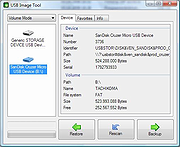 |
|
USB Oblivion v1.15.0.0 USB Oblivion v1.15.0.0 This utility designed to erase all traces of connected USB devices - flash-drives, disks and CD-ROMs from computer registry of Windows XP, Windows 2003, Windows Vista, Windows 7, Windows 8, Windows 10 (32/64-bit versions). The utility has a test mode of operation, i.e. without actually removing data from the registry, and, just in case, creates a .reg-file to undo any changes. There is also a fully automatic mode. Warnings Eject all USB drives before clean Required an administrative privileges Required an immediate Windows restart after clean No you can not clean Windows installed on USB drive FAQ Q: Why Windows after clean can't detect my USB drive? A: Cached data about USB drive somehow (for example you ignored a Windows restart or just no luck) was written back to the registry, so drive now erroneously partially registered. You must run utility again to clean up the mess and immediately restart Window. Repeat twice. Q: Why my USB Hewlett-Packard printer not working after clean? A: Some HP printers comes with "HP Smart Install" technology - when a USB CD-ROM with drivers to the printer appears in the system on printer connection. To avoid this you must: Delete the printer from the system before clean Switch off "HP Smart Install" on both the computer and the printer using the proprietary HP utility SIUtility.exe (or SIUtility64.exe) (usually in the UTILS folder of CD with printer drivers) After that printer will be re-installed as a regular USB printer and utility will not affect it anymore More info about "HP Smart Install" here: http://www.hp.com/hpinfo/newsroom/press_kits/2010/plugandprint/pdf/Smart_Install_FAQ.pdf Q: How to restore a saved .reg-file? A1: You can also restore from a System Restore Point: https://support.microsoft.com/en-us/help/12415/windows-10-recovery-options A2: You must import saved .reg-file using System ... |
|
6,375 | Feb 05, 2021 Николай Распопов 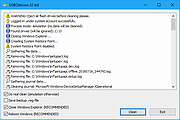 |
|
USB Ports Disabler v1.0 USB Ports Disabler v1.0 USB Ports Disabler is a simple Windows OS software useful to disable all USB drives to prevent data theft and malware which spread through USB devices. Easily lock or unlock USB ports, restrict users from using USB drives in your computer, disable USB drive detection on your Windows system. This program works by disabling the USBSTOR service so Windows is unable to detect and identify USB devices connected to the computer. USB Ports Disabler works on Microsoft Windows XP, Vista, 7, 8, 10 (32\64-bit). |
|
7,148 | Nov 15, 2019 Site2unblock 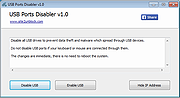 |
|
USB Raptor v0.18.84 USB Raptor v0.18.84 Turn any USB flash drive to a computer lock and unlock key! USB Raptor can lock the system once a specific USB drive is removed from the computer and unlock when the drive is plugged in again to any USB port. The utility checks constantly the USB drives for the presence of a specific unlock file with encrypted content. If this specific file is found the computer stays unlocked otherwise the computer locks. To release the system lock user must plug the USB with the file in any USB port. Alternative the user can enable (or disable) two additional ways to unlock the system such is network messaging or password. Features • Automated USB lock and unlock function • Lock file contents are encrypted • Password to override lock (can be enabled by user) • Network command to override lock (can enabled by user) • USB drive serial number check (can be enabled by user) • Unique key for each system (can be enabled by user) • Status report function Features Automated Windows lock/unlock with the use of common USB flash drives Compatible with all types of USB flash drives Robust design Easy to setup and use High security option to verify the serial number of the flash drive Various alternative unlock methods Supports LAN lockdown (and unlock) function Synchronized lock and unlock on LAN for multiple PCs Status report over internet and LAN Supports serial command integration (beta stage) Tray icon based application Option to delay and cancel the lock, to avoid unwanted locks Windows 10, Windows 7, Windows 8 and Windows XP compatible Multi screen ... |
|
7,130 | Sep 13, 2021 Nikos Georgousis 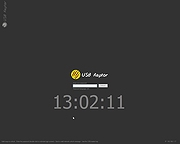 |
|
USB Repair v11.2.3.2380 USB Repair v11.2.3.2380 An easy-to-use application that attempts to fix USB device errors or if an USB drive fails to install. It is also a likely solution to several other Device Manager error codes. These error codes include Code 19, Code 31, Code 32, Code 37, Code 39, and Code 41. USB Repair is an easy-to-use application that attempts to fix USB device errors or if an USB drive fails to install. It is also a likely solution to several other Device Manager error codes. These error codes include Code 19, Code 31, Code 32, Code 37, Code 39, and Code 41. When experiencing USB device issues, you normally consider reinstalling Windows or restoring it to a previously functional version using System Restore. However, this might not be necessary when using this tool. Hopefully, it will solve your USB device issues, but it is not guaranteed to work. There are a thousand things that can go wrong with your USB devices, including physical hardware damage. This tool attempts to solve USB device configuration errors and nothing more. Using USB Repair Please do not run this tool if you are not experiencing USB device related issues, you could break something. Before running USB Repair, please create a System Restore point first, just in case something goes wrong. You can create a System Restore Point by clicking on the Create a Windows Restore Point menu item under the Tools menu on the main program interface. The interface is very simple and allows you to perform all actions with just one click. You do not have to edit registry keys or go through other complicated settings in order to fix USB device errors. To fix USB device errors in Windows, download and run the USB Repair tool. On the main interface, click on the Repair USB button. Reboot your ... |
|
4,829 | Nov 01, 2023 Rizonetech (Pty) Ltd 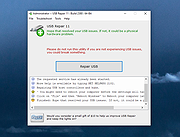 |
|
USBDriveLog v1.15 USBDriveLog v1.15 👉 Displays a log of USB drives plugged into Windows 10 and Windows 11 computers. USBDriveLog displays a log of all USB drives plugged into your computer, including device model, revision, manufacturer, serial number, plug time, unplug time, device ID, device capacity, and more. It can retrieve USB drive log information from the local computer, a remote computer on your network, or an external hard drive. Features: • View USB drive connection and disconnection history • Displays model, manufacturer, serial number, device ID, capacity, plug time, and unplug time • Read logs from the local computer • Read logs from a remote computer on your network • Read logs from an external Windows drive • Export selected items to text, CSV, HTML, XML, or JSON • Copy selected entries to the clipboard • Standalone portable executable with no installation required Supported operating systems: • Windows 10, Windows 11 • 32-bit and 64-bit systems supported Supported languages: English, Dutch, French, German, Greek, Hungarian, Italian, Japanese, Persian, Polish, Russian, Simplified Chinese, Slovak, Traditional Chinese, Turkish Changes: v1.15 Fixed a bug with the 'Mark Odd/Even Rows' option. Click here to visit the author's website. |
|
3,718 | May 22, 2026 Nir Sofer 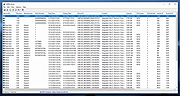 |
|
Ventoy v1.1.17 Ventoy v1.1.17 👉 Create multiboot USB drives that boot ISO, WIM, IMG, VHD(x), and EFI files directly. Ventoy is an open source tool that lets you create a bootable USB drive for ISO/WIM/IMG/VHD(x)/EFI files without repeatedly formatting the drive. You simply copy one or more supported image files to the USB drive, boot from it, and select what you want from Ventoy’s menu. It supports x86 Legacy BIOS, IA32 UEFI, x86_64 UEFI, ARM64 UEFI, and MIPS64EL UEFI, and can be installed on USB drives, local disks, SSDs, NVMe devices, and SD cards. Ventoy also supports browsing and booting image files stored on local disks, secure boot support, persistence, auto-installation options, plugin-based customization, and highly configurable themes and menus. The official Tested ISO list groups tested image files into Windows, Linux, Unix, ChromeOS, and Other categories, and Ventoy reports 1300+ tested image files overall. Features: • 100% open source • Direct boot support for ISO, WIM, IMG, VHD, VHDX, and EFI files • No need to extract image files before booting • Supports multiple image files on one device with a boot selection menu • Can browse and boot supported image files from local disks • Works with MBR and GPT partition styles • Supports x86 Legacy BIOS, IA32 UEFI, x86_64 UEFI, ARM64 UEFI, and MIPS64EL UEFI • Supports IA32 and x86_64 UEFI Secure Boot • Linux persistence support • Windows and Linux auto installation support • Supports FAT32, exFAT, NTFS, UDF, XFS, Btrfs, and Ext2/3/4 for the main partition • Supports ISO files larger than 4GB • Menu alias, password protection, ListView and TreeView modes, and customizable themes • Plugin framework with GUI plugin configurator • Official tested image file categories include Windows, Linux, Unix, ChromeOS, and Other, with 1300+ tested image files overall Get Started Instructions. Supported operating systems: • Windows, Linux Supported languages: • English, multilingual boot/menu language support available Changes: v1.1.17 07-24-26 Optimization for Secure Boot process. Fix the boot issue for ... |
|
6,997 | Sep 04, 2026 longpanda 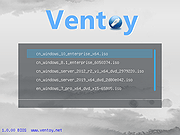 |
|
Windows USB Blocker 2.0 Windows USB Blocker 2.0 Windows USB Blocker is the free tool to quickly Block or Unblock USB Storage Devices on any Windows system. USB devices are one of the primary causes for spreading virus/malware from one system to another without the user knowledge. Often it is risky to allow others to insert USB stick (often infected with virus) into your system. Hence it is always advised to disable USB when you are not around. In such cases, Windows USB Blocker tool will help you to instantly block USB and safeguard your system from these viruses. Beauty of this tool is that it will block only USB Storage devices like USB Sticks or Portable Disks. However normal USB devices like wireless keyboard/mouse plugs, bluetooth/wireless/internet dongles will continue to work without any problem. It has cool GUI interface and very simple to use for everyone. With just one click you can instantly Block or Unblock USB on your system. It is fully portable and does not require JAVA or .NET components. It is successfully tested on all platforms starting from Windows XP to Windows 8. Features Free Tool to block or unblock USB Blocks only USB Storage Devices (USB Sticks/Disks) Simple tool with cool GUI interface Displays current USB block status No need to log off or restart the system Fully portable, does not require any .NET or other dependencies Includes Installer for local installation & un-installation Works on both 32-bit & 64-bit systems from Windows XP to Windows 8 Changelog: Version 2.0 : 10th Feb 2015 Integrated Uninstaller into Windows Add/Remove Programs, now you can uninstall it in a standard way. |
|
7,542 | Feb 13, 2015 SecurityXploded |
| Showing rows 1 to 46 of 46 | Showing Page 1 of 1 | 1 |
OlderGeeks.com Copyright (c) 2026
