|

|
Processed through Paypal No account required. |








Buy our over-priced crap to help pay the bills.



|
|
Processed through Paypal No account required. |
| File - Download Foxclone v55 | ||||||||
| Description | ||||||||
|
A plea... Deanna and I have been running this site since 2008 and lately we're seeing a big increase in users (and cost) but a decline in percentage of users who donate. Our ad-free and junkware-free download site only works if everyone chips in to offset the revenue that ads on other sites bring in. Please donate at the bottom of the page. Every little bit helps. Thank you so much. Sincerely, your Older Geeks: Randy and Deanna Always scroll to the bottom of the page for the main download link. We don't believe in fake/misleading download buttons and tricks. The link is always in the same place. Foxclone v55 👉 Simple Linux-based backup, restore and drive cloning tool. Foxclone is a Linux based image backup, restore and clone tool using a simple point and click interface. It takes images of partitions on your HDD or SSD and stores them for later restoration, with image files compressed to save space. 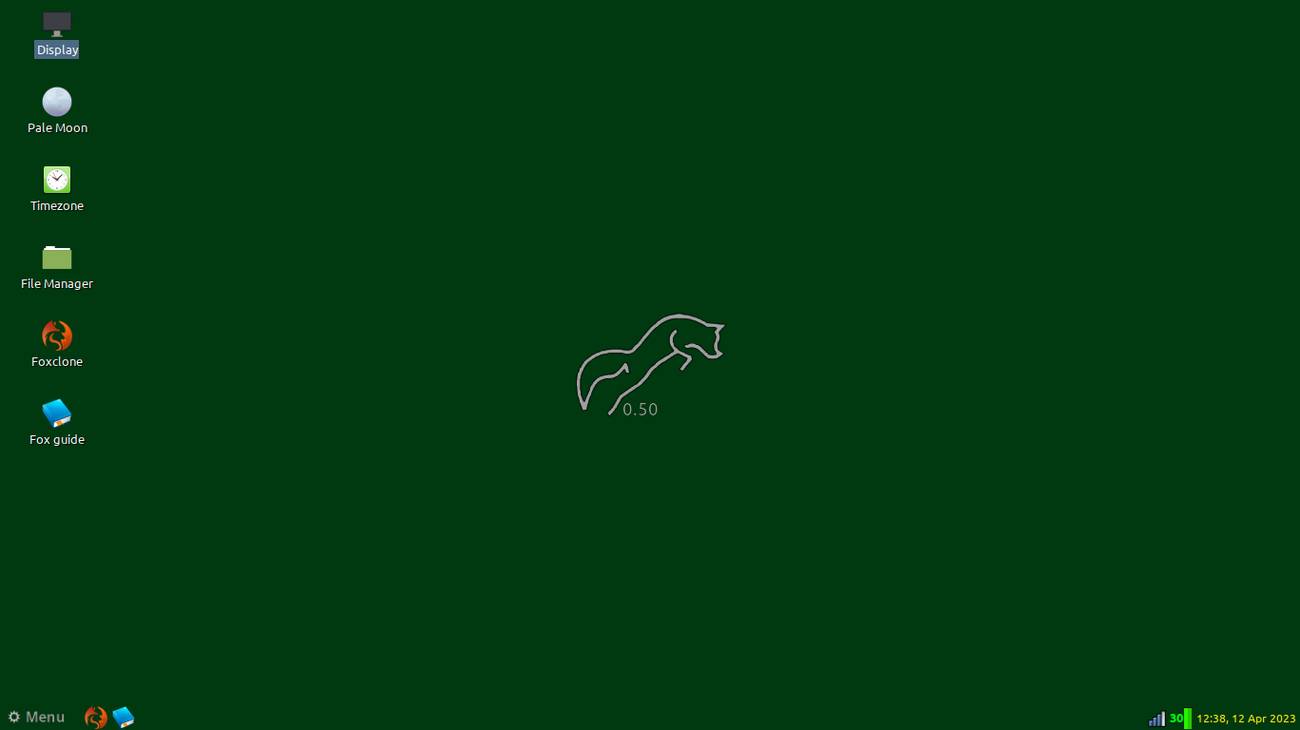 Features: • Backup and restore Windows and Linux filesystems, such as NTFS and ext4 • Supports GPT and MBR/legacy/MSDOS partition tables • Automatically backs up the partition table and bootloader when a backup is taken • Clone directly from drive to drive • Clone to a drive from a full backup • Simple point and click interface • Compressed image files help save storage space • Bootable ISO designed to run from USB Supported operating systems: • Bootable 64-bit Linux live ISO • Backs up and restores Windows and Linux filesystems Supported languages: English Changes: v55 01-07-26 Fixes a bug specific to the noble version of the ISO where a clone drive-to-drive completes but the finish message shows failed. Burning the ISO to a USB Stick: To use Foxclone, you must first create a bootable USB flash drive from the downloaded ISO image. We recommend the following free utilities: • Rufus (Windows) – A fast and easy-to-use utility for creating bootable USB drives from ISO images. • balenaEtcher (Windows, Linux, macOS) – A simple cross-platform tool that writes ISO images to USB drives with minimal configuration. • Ventoy (Windows, Linux) – Allows multiple ISO files to be stored on a single USB drive. Simply copy the Foxclone ISO to the Ventoy USB drive and boot from it. After creating the USB drive, restart your computer, enter the boot menu or BIOS/UEFI setup, and select the USB device as the boot source. Foxclone will then load into its graphical interface, where you can create backups, restore images, or clone drives. 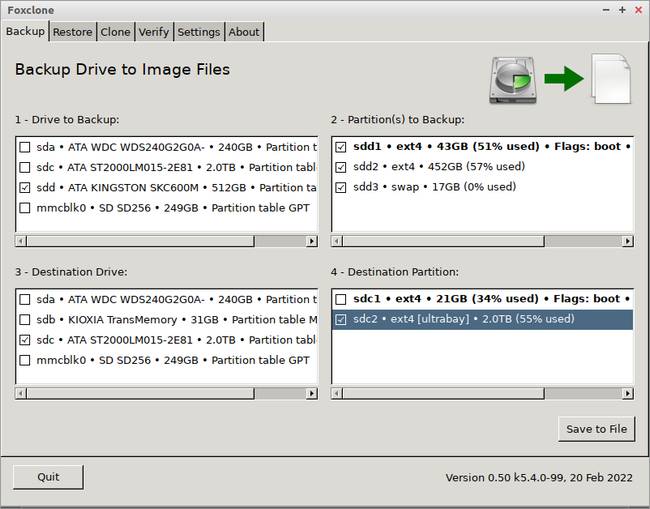 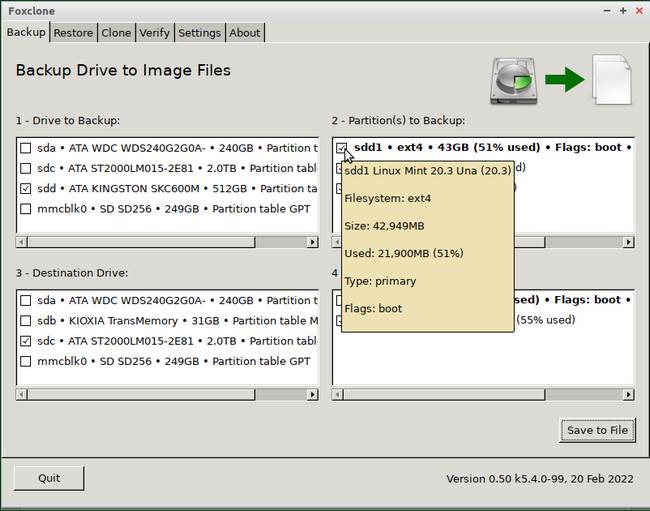 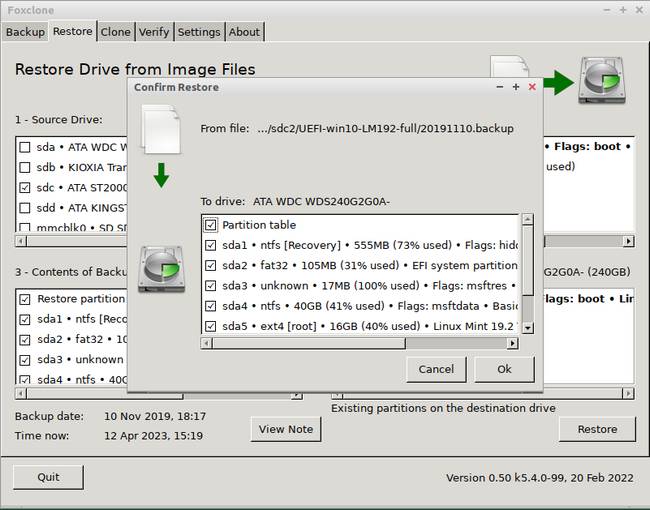 This download is for the Linux-based ISO version (very bottom of page). If you need the Linux Debian version, download here. The .deb file should be installed in another debian based linux system. It should not be installed in the system that you want to backup. If you need the User Guide, download here. Click here to visit the author's website. Continue below for the main download link. |
||||||||
| Downloads | Views | Developer | Last Update | Version | Size | Type | Rank | |
| 453 | 1,406 | Andy Hardwick, Larry Hale | Jun 15, 2026 - 13:15 | 55 | 1.22GB | ISO |  , out of 4 Votes. , out of 4 Votes. |
|
| File Tags | ||||||||
| Foxclone backup restore clone imaging partition drive filesystem bootable ISO Linux Windows NTFS ext4 GPT MBR USB | ||||||||
Click to Rate File Share it on Twitter → Tweet
|


