|

|
Processed through Paypal No account required. |








Buy our over-priced crap to help pay the bills.



|
|
Processed through Paypal No account required. |
| Files | ||||
| File Name | Rating | Downloads | ||
 |
12-Ants v6.91 12-Ants v6.91 👉 Add a swarm of animated ants to your Windows desktop for a little harmless fun. 12-Ants is a tiny freeware desktop decoration that fills your screen with animated ants crawling across the Windows desktop. The ants can interact with your mouse pointer in several ways, including attacking it, fleeing from it, reacting only when the pointer moves, or simply strolling around on their own. You can customize the number of ants displayed, their movement speed, size, color and transparency. Despite potentially putting a sizable colony on your screen, the program is designed to consume very few system resources. It is also portable, so it can be run directly from a folder or USB drive without installation. Features: • Displays animated ants crawling around the Windows desktop • Choose from five different ant movement algorithms • Ants can attack the mouse cursor • Ants can attack the cursor only when it moves • Ants can flee from the mouse cursor • Ants can flee only when the cursor moves • Ants can simply stroll around the desktop • Adjustable number of desktop ants • Adjustable ant movement speed • Adjustable ant size • Change ant colors, including red, black and green • Optional transparency • Low system resource consumption • Portable operation with no installation required • Can be carried and run from a USB drive • Installer and portable packages are available • Supports both 32-bit and 64-bit Windows Supported operating systems: • Windows 7, Windows 8, Windows 8.1, Windows 10, Windows 11 • Windows Server 2012, Windows Server 2016, Windows Server 2019, Windows Server 2022, Windows Server 2025 • 32-bit and 64-bit Windows Supported languages: German, English, French, Traditional Chinese, Korean, Greek, Italian, Spanish (Colombia), Russian, Simplified Chinese, Arabic, Romanian, Japanese, Afrikaans, Swedish, Danish, Norwegian, Dutch, Thai, Vietnamese, Hindi, Portuguese, Spanish, Spanish (Venezuela), Finnish, Bosnian/Croatian/Serbian Changes: v6.91 04-24-26 • Verification of Desktop BUGs on next MS Windows 11 Build • Small adjustments for Windows 11 • ... |
 |
6,377 | Sep 03, 2026 Nenad Hrg  |
|
Accent Color Synchronizer v1.2.1 Accent Color Synchronizer v1.2.1 Automatically synchronize Windows accent colors across apps and system elements. Accent Color Synchronizer is a lightweight utility designed to keep your Windows accent color consistent across system components and supported applications. It monitors the current Windows accent color and applies it where needed, helping maintain a uniform and visually cohesive desktop appearance without manual tweaking. Ideal for users who frequently change themes or rely on dynamic accent colors, Accent Color Synchronizer ensures that supported UI elements remain in sync with the system’s current color selection. Features: • Automatically detects the current Windows accent color • Synchronizes accent color across supported apps and UI elements • Lightweight and portable design • Simple interface with minimal configuration required • Designed to work seamlessly in the background Supported operating systems: • Windows 10 Supported languages: • English Changes: v1.2.1 It is now possible to configure the program to keep changes made to its settings (whether or not the advanced mode is enabled, custom color brightness, etc.) By default, the application now uses your exact accent color as it appears in the Settings app instead of the title bar color which is often slightly different. This change can be reverted in the application options; Fixed a bug that caused the About dialog box to unexpectedly appear in specific scenarios; When a modal dialog is opened (eg. the about dialog) while the application's main window is not visible, the modal dialog no longer appears in the top-left corner of the screen. Click here to visit the author's website. |
|
6,366 | Feb 15, 2026 Maxime Denis  |
 |
AnyViewer Free v5.8.0 WARNING: If someone you don’t know called you... or you dialed a number that suddenly appeared on your screen... and they told you to download this program... IT IS A SCAM. HANG UP IMMEDIATELY! AnyViewer Free v5.8.0 👉 Free remote desktop software for accessing and supporting computers from another computer, tablet, or phone. AnyViewer Free is remote desktop software for personal use that lets you remotely access and support devices, whether attended or unattended, from another computer, tablet, or smartphone. It is designed for fast remote control, stable connections, high-quality image display, remote file transfer, chat, multiple monitor support, screen mirroring, and secure remote sessions using end-to-end encryption. Features: • Remotely access personal devices from a PC, Mac, tablet, or smartphone • Supports attended and unattended remote access • Fast remote control with stable connection routing • High-quality image display with low latency • In-session and off-session remote file transfer • Chat during remote support sessions • Multiple monitor support • Display multiple remote screens in separate windows • Adaptive screen scaling • Mirror Android or iOS screens to a computer • Remote reboot and reconnect • Shortcuts to tools such as Command Prompt and Task Manager • Blacklist and whitelist access permissions by account or device ID • 256-bit asymmetric ECC end-to-end encryption • Two-factor authentication support Supported operating systems: • Windows 8.1, Windows 10, Windows 11 • Windows Server 2012 R2, Windows Server 2016, Windows Server 2019, Windows Server 2022 • macOS 10.15 or later • iOS 10.0 to iOS 16 • Android 6.0 or later Supported languages: English, French, German Changes: v5.8.0 07-07-26 Enhanced: Support for quick file transfer between My Devices on Windows. Simply drag and drop files into the Send Files area to send them directly to the target device without the need to open the File Transfer window. This download is for the Windows portable version (very bottom of page). All other download assets are below: Other Windows: AnyViewerSetup_x64.exe AnyViewerSetup.exe (32bit) macOS: AnyViewer.dmg iOS: App Store Android: AnyViewerSetup.apk Google Play Click here to visit the author's website. |
|
1,311 | Sep 16, 2026 AOMEI Technology Co., Ltd  |
 |
Bluefin v20261006 Bluefin v20261006 👉 A modern Fedora-based Linux workstation built for everyday use and cloud-native development. Bluefin is a next-generation Linux desktop operating system based on Fedora Atomic and the Universal Blue project. It is designed to provide a stable, secure, and maintenance-friendly workstation experience while still offering modern development tools, gaming support, multimedia features, and a polished GNOME desktop environment. Unlike traditional Linux distributions that rely heavily on manual package management and upgrades, Bluefin uses an immutable image-based system architecture. This allows the operating system to update atomically, reducing the risk of broken updates and making system recovery significantly easier through built-in rollback capabilities. Bluefin is focused on delivering an “install and use” Linux experience with many essential tools already configured. The system integrates Flatpak applications, Homebrew package management, containerized development environments, and modern virtualization technologies directly out of the box. It also includes developer-oriented workflows for Docker, Podman, devcontainers, and cloud-native software development. Features: • Fedora Atomic based immutable operating system • Built on Universal Blue technology stack • Modern GNOME desktop environment with user-friendly layout • Separate standard images for AMD/Intel graphics and NVIDIA graphics hardware • Atomic image-based updates with rollback support • Automatic operating system updates and maintenance • Integrated Flatpak application ecosystem with Flathub support • Homebrew package manager preconfigured for command-line software • Developer-ready environment with container-first workflows • Built-in Podman and Docker support • Devcontainer and cloud-native development integration • Distrobox support for running software from other Linux distributions • Tailscale support for secure mesh networking • WireGuard VPN tools included • Virtualization and container management support • Optimized multimedia codec support • Secure Boot compatible • Wayland-based modern graphics stack • Gaming-friendly Mesa and NVIDIA driver support • Integrated terminal enhancements including Starship prompt • Flatpak management utilities included • Rollback functionality for safer upgrades and experimentation • Designed for developers, power users, creators, and advanced desktop users • Minimal manual maintenance required after installation • Fast deployment and recovery ... |
|
1,115 | Oct 08, 2026 Project Bluefin and Universal Blue  |
|
Butterfly On Desktop v1.0 Butterfly On Desktop v1.0 Enjoy being annoyed? Try having butterflies infest your computer! You can manage all butterfly settings from system tray butterfly icon where you can enable it for startup, add more butterflies on desktop and exit option also. Contains no malware, viruses, toolbars or any other bundleware. |
|
5,041 | Mar 04, 2020 Free Desktop Soft  |
|
Cairo Desktop v0.4.370 Cairo Desktop v0.4.370 A customizable, intuitive desktop environment for Windows. Cairo is a desktop environment for Windows. The goal is to develop a desktop experience that increases productivity and advances current technology standards. With a focus on stability, performance, and productivity, Cairo aims to deliver an interface that exceeds expectations and delivers superior ease of use. Dynamic Desktop With Cairo, your desktop is browse-able, meaning that you never need to open a file explorer to find your things. The handy pop-up navigation makes it easy to move forward or backward and completely transforms your desktop into a more friendly, convenient space. Taskbar The Cairo taskbar preserves desktop area for your wallpaper and applications. In addition, windows are organized the same way you choose to organize your programs list, making it easy to switch between tasks. The list button shows your open windows in an organized, easy to understand layout. Programs Menu Never again waste time hunting for applications in poorly organized menus. Cairo lets you organize your apps into categories that make sense to you, using an easy drag-and-drop interface. Folder Stacks Tired of hunting for the same files over and over again, interrupting your work? With Cairo’s menu bar folder stacks, you can create instant access to frequently used folders. Simply drag them onto the menu bar to create easy access. Changes v0.4.370 09-02-24 Cairo no longer requires .NET Framework 4.7.1, and includes all necessary .NET files. As a result, the download size has increased. Added "add to programs menu" and "add to quick launch" commands to desktop/stacks icon context menus (#834) Added option to automatically show removable drives as stacks in the menu bar (#836) Added options to hide the programs or places menus (#821, thanks @TheXorog!) Added updates support for the ARM64 build (#812) ... |
|
2,754 | Sep 03, 2024 Cairo Development Team 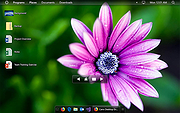 |
|
CDE - The Common Desktop Environment v2.3.2 CDE - The Common Desktop Environment v2.3.2 CDE - The Common Desktop Environment is X Windows desktop environment that was commonly used on commercial UNIX variants such as Sun Solaris, HP-UX and IBM AIX. Developed between 1993 and 1999, it has now been released under an Open Source licence by The Open Group. Supported Platforms so far: Raspbian All Official Ubuntu variants 12.04 - 18.04 Debian 6, 7, 8, 9 Fedora 17 at least Archlinux Red Hat CentOS 7 Slackware 14.0 OpenBSD NetBSD FreeBSD 9.2, 10.x, 11.x openSUSE Tumbleweed (gcc7) openSUSE Leap 4.2 (gcc4) SUSE 12 SP3 (gcc4) Solaris, OpenIndiana Original Reference Platforms In 1999 the reference platforms on which CDE was built were; Supplier | Platform | OS Digital AlphaStation 200 Digital UNIX V4.0 Fujitsu DS/90 7000 UXP/DS V20L10 HP HP9000/7xx HP-UX 10.01 IBM RS/6000 AIX 4.2 Novell Intel 486/Pentium UnixWare 2.02 Sun SPARCstation Solaris 2.4 Visit the Wiki for more info and build instructions. Click here to visit the author's website. |
|
3,908 | Nov 24, 2020 The Open Group 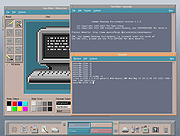 |
|
Cockroach on Desktop v1.2 Cockroach on Desktop v1.2 Is it really even a proper day at the office if you don't mess with a coworker? When you see one of these cockroaches on the screen, they look very real. They even walk around the same way real cockroaches do. You can make beautiful laughter, if you like these types of jokes. You can manage all cockroach settings from system tray cockroach icon where you can enable it for startup, add more cockroach on desktop and exit option also. Application use less system resources so you can use it without think about system speed worry. Contains no malware, viruses, toolbars or any other bundleware. |
|
4,486 | Mar 04, 2020 Free Desktop Soft  |
|
CodeTwo QR Code Desktop Reader and Generator v1.1.2.4 CodeTwo QR Code Desktop Reader and Generator v1.1.2.4 Scan and generate QR codes on your PC Main features Desktop QR Code reader and generator for Windows Generates QR Codes for your personal or commercial use Decodes QR Codes directly from images on your PC screen Decodes QR Codes from file or clipboard Decodes QR Codes through a webcam Saves QR Code information to a file Free tool What is a QR Code QR Codes (also known as Quick Response Codes) are becoming more and more popular. These two-dimensional codes composed of square dots are now used in various areas of life. You can find them on ads, banners, all kinds of product boxes, websites, business cards and even in email signatures. QR Codes may contain text, links (to websites, videos or files), email addresses, phone numbers, vcards that automatically update your contacts on your PC or a mobile phone, and more. Wondering how to decode a QR Code? You can scan it with your mobile devices like iPhone, iPad, Android or Blackberry equipped with additional software for scanning QR Codes. You might want to check out tools like Barcode Scanner or Red Laser. If you don’t have a mobile device or you need to scan a barcode on your PC, simply use CodeTwo QR Code Desktop Reader & Generator. How this program works QR Code reading CodeTwo QR Code Desktop Reader & Generator is a free tool that will let you quickly scan any QR Code from your screen – be it a part of the website, email, banner or a document. Simply run the program and hit From screen on the top menu. Your standard mouse cursor will change into a cross to help you make ... |
|
2,700 | Sep 14, 2022 CodeTwo 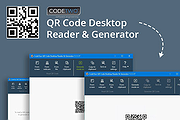 |
|
Creepy Cobwebs Desktop Theme Creepy Cobwebs Desktop Theme Creepy cobweb all over your desktop! A great Halloween-inspired Windows Desktop theme! Click here to visit the author's website. |
|
5,022 | Oct 06, 2022 Microsoft Corp.  |
|
Dark Space Desktop Theme v1.0 Dark Space Desktop Theme v1.0 A Dark Space desktop theme for Windows 11 / Windows 10 / Windows 8 (8.1) Features 18 HD wallpapers. Click here to visit the author's website. |
|
2,335 | Apr 28, 2023 themepack.me  |
|
DeskRealm v0.5.8 DeskRealm v0.5.8 👉 Give each Windows virtual desktop its own real Desktop folder, icon layout and hotkeys. DeskRealm turns Windows virtual desktops into separate Desktop “realms,” each with its own Desktop folder, icon layout and optional direct hotkeys. Instead of every Win + Tab workspace showing the same desktop clutter, DeskRealm redirects the current user’s Windows Desktop Known Folder to the folder assigned to the active virtual desktop. Features: • Assigns separate Desktop folders to Windows virtual desktops • Synchronizes realm folder names with Windows Task View desktop names • Saves and restores per-realm Desktop icon layouts • Automatic icon layout autosave with change detection • Configurable global hotkeys for jumping to numbered desktops • Tray menu with status, refresh, sync, pause/resume, logs, config and restore options • Optional startup with Windows • Preserves the original Desktop folder instead of moving files during onboarding • Refuses OneDrive Desktop redirection by default • Refuses duplicate virtual desktop names and unsafe folder conflicts • Includes emergency restore script for returning the original Desktop path • Portable ZIP and install-bundle release options Supported operating systems: • Windows 10, Windows 11 Supported languages: English Changes: v0.5.8 06-12-26 Fixed: • Reworked first-run onboarding so DeskRealm no longer moves files from the original Windows Desktop into a managed realm folder. • The selected virtual desktop realm now points directly to the original Desktop folder, preserving the normal Desktop when DeskRealm is closed or disabled. • Added absolute-path realm assignments so a realm can safely use an existing external folder such as the original Desktop. • Prevented duplicate assignment of the original Desktop path to multiple virtual desktops. Changed: • The first-run wizard now describes the safe association model instead of file migration. • Config migration v6 disables the legacy initialDesktopImportMoveFiles flag. • Documentation, installation notes, safety notes and release process now describe the no-move onboarding model. Safety: • DeskRealm must not silently move user Desktop files during onboarding. Existing files remain in the original Desktop folder. ... |
|
613 | Jun 12, 2026 Ayahua Ekimaku  |
|
Desktop Calendar v2.3.74.4898 Desktop Calendar v2.3.74.4898 Record anything by double-click on desktop. It's very convenient and useful. Desktop Calendar help you manage appointments, to-do lists, schedules, and more... And, Desktop Calendar also offers a variety of common festivals, anniversaries and other information. For Windows Xp,Vista,7,8,10 Desktop Calendar on your windows desktop Record anything by double clicking on windows desktop Set colorful days Features Overview Record anything by double-click on the windows desktop. Offers a variety of common festivals, anniversaries and other information. Move your data from one device to another with powerful tools. Print any page of calendar with wallpaper as you work. Set background color for any day you want. So, the days are colorful. Powerful and easy-to-use settings allows you to easily customize your own calendar. Powerful cloud sync make you roll back easily and make your data more secure. Mobile DesktopCal for Android, enjoy real-time data synchronization. Get Android version by scanning code. V2.3.74.4898 June 16,2020 New! + Add function, search and delete history Click here to visit the author's website. |
|
4,353 | Jun 19, 2020 DesktopCal, Inc. 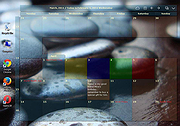 |
|
Desktop Clock Widget v1.0.0 Desktop Clock Widget v1.0.0 A minimalist, transparent, and undraggable clock widget for your Windows desktop, built with Electron. Desktop Clock Widget is designed to blend seamlessly with your wallpaper, just like a Rainmeter skin, without interfering with your workflow. Features: 🖥️ Seamless Desktop Integration: Appears directly on your desktop wallpaper, not as an overlay on top of other windows. 🪟 Transparent & Frameless: No visible window borders or backgrounds, just your clock content. 🖱️ Undraggable & Non-Interactive: Clicks pass through the widget, allowing you to interact with desktop icons and windows behind it without interference. 🖋️ Customizable Font: Easily change the font to match your desktop aesthetic. 📍 Fixed Position: Configured to appear at a specific, non-intrusive position (20% from the top, horizontally centered). 🧊 Resource Friendly: Optimized to have minimal impact on your PC's resources. Usage: • Launch the "Desktop Clock" application from your Start Menu or desktop shortcut. • The clock widget will appear on your desktop, centered horizontally and positioned 20% from the top of your screen. • It will automatically update every minute. • Clicks will pass through the widget to your desktop icons. • To quit the clock, right-click the tray icon and select Quit Clock. Click here to visit the author's website. |
|
1,799 | Jul 25, 2025 nicocodes9 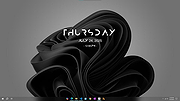 |
|
Desktop Icon Backup Manager v1.7.5 Desktop Icon Backup Manager v1.7.5 👉 Backup and restore your Windows desktop icon layout with ease. Desktop Icon Backup Manager is a lightweight utility that allows you to save and restore the exact layout of your desktop icons. It is especially useful when switching screen resolutions, using multiple monitors, updating graphics drivers, or after system changes that rearrange icon positions. With a simple interface and quick operation, it ensures your carefully arranged desktop stays exactly the way you like it. Features: • Save current desktop icon positions • Restore previously saved icon layouts • Manage multiple backup profiles • Simple and lightweight interface • Portable and easy to use Supported operating systems: • Windows 10, Windows 11 Supported languages: English, العربية, Deutsch, Ελληνικά, Espaρol, Franηais, हिन्दी, Italiano, 日本語, 한국어, Norsk bokmεl, Nederlands, Polski, Portuguκs (BR), Portuguκs (PT), Русский, Svenska, Tόrkηe, Українська, 中文 (简体), 中文 (繁體) Changes: v1.7.5 07-23-26 Switch license from MIT to GPLv3 Click here to visit the author's website. |
|
839 | Aug 14, 2026 mapi68 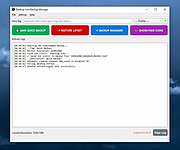 |
|
Desktop Icon Spacing v1.0.0.0 Desktop Icon Spacing v1.0.0.0 It allows you to set the space between desktop icons. It treats vertical and horizontal spacing separately. You don’t have to restart the PC to apply changes. Desktop Icon Spacing is part of the system font changer software family. Software startup and recovery options are the same as in other software in the family. Before adjusting the settings, you should close any other windows and save workflow data, as the software restarts the explorer process to apply the settings. It stores current settings. When you start your computer, the previously used settings are applied. You only need to run the software if you want to change current settings. After you run it, the arrangement of icons usually changes. If the explorer process doesn’t restart on your PC, you can start it manually from the “Advanced” menu. If this also fails, use the Ctrl+Alt+Delete keyboard shortcut to restart your computer, or select one of the displayed options. Desktop Icon Spacing is free to use and doesn’t require activation. MD5: 5a5f22d4ddd26807dc0cee4ee1d95487 Click here to visit the author's website. |
|
3,812 | Apr 24, 2021 Peter Panisz 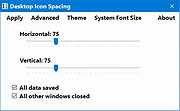 |
|
Desktop Info v3.17.0 Desktop Info v3.17.0 Real time system information at your fingertips. This little application displays real time system information attached to your desktop or in a regular window. Perfect for quick identification, walk-by monitoring and simple remote monitoring of production servers, test farms or your own personal computers. Great for techs to quickly acquire critical system information of patient machines. Uses little memory and low cpu. There’s lots of options. Everything is customizable including language. Features: • Full 64-bit and 32-bit builds in version 3 vDisplay every kind of metric about your Windows system • Two varieties: attach to the desktop or normal Windows application • Extensive display and data formatting options • Seven different chart styles in version 3 • Custom WMI queries • Visual alerts • Background collections • Arithmetical expressions • External command execution (inc. Powershell) • Configurable buttons and hyperlinks • Monitor a specific process memory usage • Monitor files, registry keys and event logs • Network connections and traffic • Display times in different time zones in version 3 • Remote monitoring • Export to file (html/xml/rtf/txt) • Low priority cpu • Adjustable transparent background • Fonts and colors configurable • Font scaling on the fly • Logic to control which items are displayed • Pull data from http/https server • Log raw data to csv files • Display text from a ... |
|
6,116 | Jan 21, 2025 Glenn Delahoy 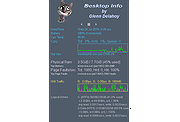 |
|
Desktop Listview v05a Desktop Listview v05a Desktop Listview has changed! It is now a Desktop Replacement Tool for Windows 10. Features Designed for Windows 10, Deskview is a Desktop Replacement Tool. Supported Icon sizes are: 16x16, 20x20, 24x24, 26x26, 32x32, 38x38, 42x42, and 48x48 All Settings are automatically saved such as Window Theme colors, Icons to show on Context menus, preferred Weather Settings, and many other items You can Customize common Icons on the Desktop. Just select what Icon you wish to use in the Customize window. You can change FolderIcons, Text Icons, Zip Icons, and more Here are some things you need to know about the software... 1. On the customize window, you are allowed to select which Icons will be used for the most common 6 files. 2. You can use your own images if you like, but try to make the Icons 64x64. If you use images that are too big, it may have an effect on performance, or the viewing of the icon. This is also true for Wallpaper Files. You can add any wallpaper you want, but try to keep the image no larger than your screen size. The software can handle large images, but if they are larger than you need, the software will use more resources such as "memory" This program has 5 hits on VirusTotal. These are false positives. You will also get a warning from Windows about being an unknown program. It's safe to click more info to allow the program. Latest Fixes: December 3 2020 Summary: Added the ability to change the max filename shown on the desktop Status: You can use a file length of 32, 36, 40, 44, 48, and 52. This will come in handy when you want shorter filenames and directory names when you have multiple columns. Click here to visit the author's website. |
|
3,968 | Dec 04, 2020 Eggbath Software 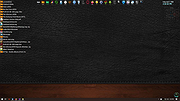 |
|
Desktop Media v1.7 Desktop Media v1.7 A small, free application for Windows that automatically adds drive icons to your desktop as drives are inserted. It will detect USB drives, fixed drives (ie. your hard drives), CD/DVD drives, network drives, and even RAM disk drives. For removable media (such as USB drives and CD/DVD drives), it will only add the drive to your desktop if it is present. So if you have a CD/DVD drive, but no disc is present, you won't see the icon on your desktop. Features: • Automatically detects new (or existing) media and adds the icons to your desktop. • Has the ability to create soft links (shortcuts) or hard links (symbolic links). • Supports removable, fixed, network, CD/DVD, and RAM disk drives. • Ability to ignore user-specified drive letters. • Has the option to save the positions of the icons. Click here to visit the author's website. |
|
1,847 | Jul 24, 2024 Ian Perez 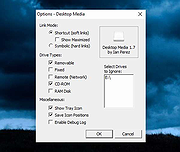 |
|
Desktop Restore v1.7.2 Desktop Restore v1.7.2 This tiny application operates as a Shell extension. It records the layout and positions of icons and programs on the Windows Desktop, and permits restoration of the layout. From the author: "I wrote this program after severe frustration of having my layout trashed every time I switched screen resolutions. Sometimes other programs will switch screen size and trash your layout as well. This program is an answer to this problem, and I thought other people might find it useful too." TIP: Even with Desktop restore installed, does Windows seem to scramble your icons now every time you reboot, or press F5 to refresh? If so, after you restore your icons the way you want them, manually move one icon a space or two over and then move it back. After that Windows should remember their placement for a much longer time. Usage After installation, three new items are available in the desktop context menu (right-click menu): Save Desktop… , Restore Desktop and Custom Save and Restore… Right-clicking on the desktop and choosing Save Desktop… stores the current desktop layout into the registry (after verifying that this is what you want), using the current screen resolution as the name. Once this has been performed, choosing Restore Desktop, will recall the stored layout (for the current screen resolution) even if the icons have been scrambled all over the screen. You should always re-save the desktop after adding an icon and after changing a desktop icon’s position. Custom Save and Restore… allows you to: · Choose the saved layout to restore. ... |
|
6,622 | Jul 02, 2020 Jamie O'Connell 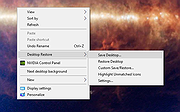 |
|
Desktop Ticker v1.14.1 Desktop Ticker v1.14.1 A free aggregator application that allows you to keep an eye on your favorite RSS and Atom web feeds whilst you work on your computer. Once feeds have been added, the article titles scroll across the screen. Article summaries are displayed when the mouse cursor is placed over an article title, and the full article can be opened in a web browser by clicking on the article title. Options include specifying whether all articles are displayed from the RSS feed or just articles created within a set time period, color coding articles based on their age, and adjusting the scroll speed. Compatible with RSS feeds provided by news sites such as BBC News and CNN, and many other sites including Gmail, Facebook and Flickr. Also compatible with software such as Bugzilla and Jenkins continuous integration server. For information about using Desktop Ticker, read the user guide here: http://www.battware.co.uk/desktopticker_guide.htm For information about deploying Desktop Ticker on a Windows corporate network, read the deployment guide here: http://www.battware.co.uk/desktopticker_deploymentguide.htm Windows may warn against running the application as it is not signed by a trusted publisher. On Windows 8,10 and 11, you can run it by clicking "More info" and then "Run anyway". This download is for the Windows Installer version. If you need the Windows/Linux portable, download here. Note: Linux requires Mono |
|
4,350 | Jan 22, 2023 Mike Batt 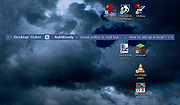 |
|
DesktopFrames+ v2.7.7.294 DesktopFrames+ v2.7.7.294 Formerly Desktop Fences+ 👉 Organize your Windows desktop icons, files and shortcuts into customizable virtual frames. DesktopFrames+ is a free and open-source desktop organization utility that creates virtual Frames on your desktop, allowing you to group shortcuts, files and folders into clean, convenient containers. It provides several types of Frames, including regular Data Frames for shortcuts, Portal Frames that mirror the contents of folders, and Note Frames for quickly accessible text. Frames can contain multiple tabs, be arranged into separate workspace profiles and customized with colors, transparency, visual effects, icons and other appearance options. Built-in tools such as SpotSearch, Smart Desktop, automatic backups, profile automation and extensive visibility controls provide additional ways to organize and manage a busy desktop. The program is fully portable and does not require installation. Features: • Create Data Frames for organizing shortcuts to files, folders and web links • Create Portal Frames that mirror the contents of folders • Create Note Frames for keeping text directly on the desktop • Organize shortcuts into multiple tabs within a single Frame • Create independent workspace profiles for different desktop layouts • Switch profiles manually with hotkeys • Automatically switch profiles when specified programs are launched • Smart Desktop engine automatically sorts and moves incoming files according to user-created rules • SpotSearch quickly searches for and launches shortcuts stored across your Frames • Peek Behind temporarily reveals the desktop behind Frames • Rollup hides the contents of Frames while leaving the Frame accessible • Auto-hide conceals Frames after a period of inactivity • Focus Mode highlights a specific Frame from the system tray or with a hotkey • Supports files, folders, web links, Microsoft Store apps, Steam games and Spotify URIs • Run shortcuts as administrator or as a different user • Customize individual Frame background colors and global tint levels • Chameleon Mode automatically matches Frames to the dominant color of your wallpaper • Application launch ... |
|
2,295 | Sep 07, 2026 Hand Water Pump 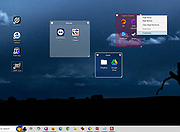 |
|
DesktopOK v12.61 DesktopOK v12.61 👉 Save and restore the positions of desktop icons with ease. DesktopOK is a small but powerful utility that allows you to save and restore the positions of icons on your Windows desktop. It is especially useful for users who frequently change screen resolutions, use multiple monitors, or encounter situations where Windows rearranges desktop icons unexpectedly. DesktopOK can store multiple icon layout snapshots so you can quickly switch between saved configurations. The program can automatically save layouts at timed intervals, restore layouts with a single click, and even manage different layouts for different screen resolutions. It also includes additional desktop tools such as minimizing all windows to the system tray, creating transparent desktop areas, and controlling the visibility of desktop icons. Despite its powerful functionality, DesktopOK remains lightweight and portable, making it ideal for use on USB drives or as a quick troubleshooting tool for restoring desktop layouts. Features: • Save and restore desktop icon layouts • Create multiple layout snapshots for different setups • Automatically save icon positions at timed intervals • Restore layouts after screen resolution or monitor changes • Portable utility with no installation required • Minimize windows to the system tray • Toggle desktop icon visibility quickly • Works well with multi-monitor configurations Supported operating systems: • Windows 7, Windows 8, Windows 10, Windows 11 Supported languages: German, English, French, Italian, Polish, Korean, Chinese (Simplified), Czech, Russian, Portuguese (Brazil), Swedish, Dutch, Finnish, Spanish, Chinese (Traditional), Norwegian, Hungarian, Greek, Turkish, Serbian, Japanese, Danish, Bulgarian, Ukrainian, Catalan, Slovak, Malay, Indonesian, Filipino, Persian, Hebrew, Afrikaans, Hindi, Thai, Vietnamese, Portuguese, Bosnian, Romanian, Flemish Changes: v12.61 06-28-26 • Improvements to DesktopOK for all Windows operating systems • Language file update in DesktopOK This download is for the Windows 64bit version (very bottom of page). If you need the Windows 32bit version, download here. Click here to visit the author's website. |
|
11,026 | Jun 29, 2026 Nenad Hrg 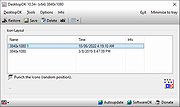 |
|
DesktopPic v2.1.0 DesktopPic v2.1.0 👉 Display or stamp images on your Windows desktop wallpaper with multi-monitor support. DesktopPic lets you display one or more pictures on your desktop as borderless slideshows or stamp images directly onto your wallpaper for a more permanent effect. It is designed to work with multiple monitors and supports convenient positioning options, letting you place images in corners, centered areas, or specific displays. DesktopPic also supports transparent images, crossfading for slideshow use, and a portable mode that does not require installation. Features: • Display images in borderless slideshow windows on the desktop • Stamp one or more images directly onto wallpaper • Full support for multiple monitors • Smart image placement including center and corner positions • Maintains original image aspect ratio • Supports transparent images • Supports crossfading in slideshow mode • Portable option available with no installation required • Supports common bitmap image formats including PNG, JPG, BMP, WebP, and animated GIFs Slideshow Displays one or more pictures in a window that has no borders or captions, so all you see is the picture. The image window may be positioned manually or set to appear in the center or any corner of any monitor. This will give the illusion of the picture being part of your wallpaper, but it’s really just another window. Any desktop icons in the same region as the picture will be covered. Bitmap image formats, such as PNG (recommended), JPG, BMP, WebP (photos), and animated GIFs are supported. You can run multiple copies of DesktopPic (use portable option) to have more than one slideshow on your desktop (on any monitor). DesktopPic does not do a wallpaper slideshow (that capability is built into Windows under “Personalize”). Stamp Image to Wallpaper One or more images can be stamped to the wallpaper in any size or position. This makes the picture part of the wallpaper, so it will ... |
|
3,010 | Jul 24, 2026 LesFerch  |
|
Dropbox Offline Installers v260.4.2926 Dropbox Offline Installers v260.4.2926 👉 Cloud storage and file synchronization service for easy file access and sharing across devices. These are the full offline installers for all platforms. Dropbox is a cloud storage service that lets you store, sync, and share files across computers, smartphones, and tablets. After installing Dropbox, a special folder is created on your computer. Any files placed in this folder are automatically uploaded and synchronized with your Dropbox account, allowing them to be accessed from other devices or through the web interface. Dropbox makes collaboration simple by allowing users to share files or folders with others through links or shared folders. Changes made by collaborators are automatically synced, ensuring everyone always has the latest version. The service also maintains version history and file recovery, allowing users to restore previous versions or recover deleted files. Dropbox integrates with many productivity tools and provides features such as selective sync, automatic camera uploads from mobile devices, and offline access to files. With its straightforward interface and reliable syncing technology, Dropbox is widely used for personal file storage, team collaboration, and secure file sharing. Features: • Automatic file synchronization across devices • Easy file and folder sharing through secure links • File version history and recovery of deleted files • Selective sync to control which folders are stored locally • Offline access to important files • Integration with many productivity and collaboration tools Supported operating systems: • Windows 7, 8, 8.1, 10, 11 • macOS 10.13 or later. • Linux distributions supporting Dropbox client Supported languages: English, Spanish, French, German, Italian, Portuguese, Dutch, Japanese, Korean, Chinese (Simplified), Chinese (Traditional), Russian Changes: v260.4.2926 07-10-26 Fixed in this update: Fixed an issue that would cause Dropbox items to not appear in the right-click menu for some Windows users. Improved the reliability of opening several share dialogs at the same time. Fixed a ... |
|
11,672 | Jul 16, 2026 Dropbox  |
|
Eerie Autumn Desktop Theme Eerie Autumn Desktop Theme A creepy dark theme for your desktop including sounds (optional). Click here to visit the author's website. |
|
5,201 | Oct 06, 2022 Microsoft Corp.  |
|
Enable/Disable Remote Desktop on Remote System Enable/Disable Remote Desktop on Remote System For those times when you need to remote into a system and remote desktop is disabled, the below script can come in very handy. |
|
6,374 | Nov 15, 2019 Musings of an IT Pro 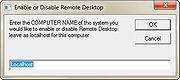 |
|
Everything v1.4.1.1032 Everything v1.4.1.1032 👉 Locate files and folders by name instantly. Everything is a fast Windows search engine that locates files and folders by filename instantly. It quickly indexes file and folder names, updates results in real time, and uses minimal system resources. Features: • Small installation file • Clean and simple user interface • Quick filename indexing • Quick searching • Minimal resource usage • Real-time updating • Content searching with the content: search function • Portable and installer versions available • x86, x64, ARM and ARM64 builds available • Multilingual support Supported operating systems: • Windows XP, Windows Vista, Windows 7, Windows 8, Windows 10, Windows 11 Supported languages: Afrikaans, Bosanski, Čeština, Dansk, Deutsch, English (AU), English (UK), English (US), Espaρol (Espaρa), Espaρol (Latinoamιrica), Espaρol (Venezuela), Estonia, Franηais, Hrvatski, Italiano, Kϋrdξ (Soranξ), Kϋrdξ, Magyar, Nederlands, Norsk bokmεl, Oʻzbekcha, Polski, Portuguκs (Brasil), Romβnă, Shqip, Slovenčina, Slovenščina, Srpski, Suomi, Svenska, Tiếng Việt, Tόrkηe, Ελληνικά, Български, Македонски, Русский, Српски, Українська, עברית, عربي, ئۇيغۇرچە, বাংলা, فارسی, தமிழ், ภาษาไทย, བོད་ཡིག, 한국어, 日本語, 简体中文, 繁體中文 Changes: v1.4.1.1032 01-23-26 fixed a security issue with launching files ending with a dot (.) fixed an issue with the msi installer not stopping Everything. This download is for the Windows 64bit installer (very bottom of page). All other download assets are below: Windows Installer 32bit Everything-1.4.1.1032.x86-Setup.exe Windows Portable version: Everything-1.4.1.1032.x64.zip Everything-1.4.1.1032.x86.zip Everything-1.4.1.1032.ARM64.zip Everything-1.4.1.1032.ARM.zip Windows Lite installer version: Everything-1.4.1.1032.x64.Lite-Setup.exe Everything-1.4.1.1032.x86.Lite-Setup.exe Click here to visit the author's website. |
|
7,613 | May 24, 2026 voidtools  |
|
Flowers (Dual Monitor) Theme v1.0 Flowers (Dual Monitor) Theme v1.0 👉 A dual-monitor Windows theme featuring 21 ultra-wide/HD flower wallpapers. Flowers (Dual Monitor) Theme brings a collection of flower photography to your desktop, including blossoms such as purple bellflowers, yellow tulips, larkspurs, sunflowers, and other colorful flower scenes. It is designed for dual-monitor setups and includes 21 HD wallpapers shown in a 30-minute slideshow. Features: • Includes 21 HD dual-monitor flower wallpapers • Features a variety of floral scenes from around the world • Built for dual-monitor desktop setups • Uses a 30-minute wallpaper slideshow mode Supported operating systems: • Windows 7, Windows 8, Windows 8.1, Windows 10, Windows 11 Supported languages: n/a Changes: v1.0 Not Provided How to span wallpaper across two monitors: • Right-click on the desktop and select Personalize • Click Background • Under “Choose a fit,” select Span • Ensure both monitors use similar resolutions for best results This download is for the Windows 11/10/8/8.1 version (very bottom of page). If you need the Windows 7 version, download here. Click here to visit the author's website. |
|
928 | Apr 02, 2026 themepack.me  |
|
Fly on Desktop v1.5 Fly on Desktop v1.5 Amazingly real. Perfect for a restaurant's POS system! The most realistic fly for your desktop! Fully simulates the behaviour of a real fly. Launch of 5-10 units, and you will believe that these are true flies. To remove a fly from the screen, just double click on it. Contains no malware, viruses, toolbars or any other bundleware. |
|
4,388 | Mar 04, 2020 Free Desktop Soft  |
|
GetPixelColor v3.55 GetPixelColor v3.55 👉 Instantly identify the color value of any pixel on your Windows desktop. GetPixelColor is a lightweight, portable utility that lets you quickly determine the exact color value of any pixel displayed anywhere on your Windows desktop. Whether you're a web designer, graphic artist, software developer, digital artist, or simply need to identify a specific color, GetPixelColor provides an easy way to retrieve precise color information with minimal effort. The program follows your mouse cursor in real time, displaying the selected pixel's color in multiple formats for use in graphics, web development, and design projects. Its compact interface requires no installation, making it ideal for keeping on a USB flash drive or using as a quick desktop utility. Despite its small size, GetPixelColor supports numerous interface languages and works across virtually all modern Windows versions. Features: • Instantly identify the color of any screen pixel • Live color detection as the mouse cursor moves • Displays precise color values for selected pixels • Simple, lightweight, and portable application • No installation required • Low system resource usage • Suitable for web design, graphic design, development, and troubleshooting • Supports numerous interface languages • Compatible with virtually all Windows desktop environments Supported operating systems: • Windows XP, Windows Vista, Windows 7, Windows 8, Windows 8.1, Windows 10, Windows 11, Windows Server 2003, Windows Server 2008, Windows Server 2012, Windows Server 2016, Windows Server 2019, Windows Server 2022 Supported languages: English, Arabic, Basque, Bulgarian, Catalan, Chinese (Simplified), Chinese (Traditional), Croatian, Czech, Danish, Dutch, Finnish, French, German, Greek, Hebrew, Hungarian, Italian, Japanese, Korean, Norwegian, Persian, Polish, Portuguese, Portuguese (Brazilian), Romanian, Russian, Slovak, Slovenian, Spanish, Swedish, Thai, Turkish, Ukrainian, Vietnamese Changes: v3.55 06-30-26 Improvements to GetPixelColor for all Windows operating systems. Language file update in the pixel query app. This download is for the Windows 64bit portable version (very bottom of page). If you need the Windows 32bit portable version, download here. Click here ... |
|
4,366 | Jul 08, 2026 Nenad Hrg  |
|
Google Earth Pro Desktop (Direct Installers) v7.3.7 Google Earth Pro Desktop (Direct Installers) v7.3.7 👉 Explore the world with high-resolution satellite imagery, 3D terrain, and professional mapping tools. Google Earth Pro Desktop lets you explore virtually any location on Earth using detailed satellite imagery, 3D buildings, terrain, Street View, and historical imagery. The Pro edition includes advanced features for GIS professionals, educators, businesses, and enthusiasts, such as importing and exporting GIS data, creating maps, measuring distances and areas, recording HD tours, printing high-resolution images, and working with KML/KMZ files. These direct installers are ideal for offline deployment, managed environments, or systems where the standard installer or automatic updates are not suitable. Google Earth Pro is free to use and available for Windows, macOS, and Linux. Features: • Explore high-resolution satellite imagery and detailed 3D terrain • View 3D buildings and landmarks around the world • Access historical imagery to compare changes over time • Import and export GIS data • Create, edit, and share KML and KMZ files • Measure distances, areas, and elevation profiles • Record HD flyover tours with Movie Maker • Print high-resolution maps and images • Use Street View for ground-level exploration • Search for addresses, businesses, and geographic coordinates • Add placemarks, paths, polygons, and image overlays • Supports GPS data import and geographic visualization • Save and organize custom places and projects Supported operating systems: • Windows 7 (32-bit and 64-bit), Windows 8, Windows 8.1, Windows 10, Windows 11 • macOS • Linux Debian/Ubuntu 64-bit, Fedora 64-bit, openSUSE 64-bit Supported languages: English, Arabic, Bulgarian, Chinese (Simplified), Chinese (Traditional), Croatian, Czech, Danish, Dutch, Finnish, French, German, Greek, Hebrew, Hindi, Hungarian, Indonesian, Italian, Japanese, Korean, Norwegian, Polish, Portuguese (Brazil), Portuguese (Portugal), Romanian, Russian, Serbian, Slovak, Slovenian, Spanish, Swedish, Thai, Turkish, Ukrainian, Vietnamese Changes: v7.3.7 03-03-26 Google Earth 10 KML compatibility improvements Support for gx:CascadingStyle KML extension Support for additional Google Earth 10 KML extensions Fixed app launch issue on some recent Linux releases Measurement tool and property editor now use the same ... |
|
495 | Jul 10, 2026 Google LLC 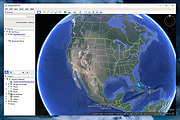 |
|
Google Play Music Desktop Player v4.7.1 Google Play Music Desktop Player v4.7.1 A beautiful cross platform Desktop Player for Google Play Music. The same beautiful Material Design experience you love on the browser, just as a dedicated desktop player Open Source Google Play Music Desktop Player is open source on GitHub. This means YOU, the community, gets a say in all the features we implement and you can even get involved and help out. If you find a bug or want something new, tell us in Gitter or on GitHub and we will see what we can do!! Resource Efficient Being a lightweight, standalone framework we use FAR less resources than having Google Play Music open in a standard chrome tab. This frees up your computer's resources to do things you care about, instead of wasting them on playing music. Customizable Google Play Music Desktop Player adds a level of customization that simply isn't there in the web player. You can change your theme, customize the colors, send your play history straight to last.fm, and it even has a built-in equalizer. From advanced audio controls to simple song change notifications, this desktop player literally does it all. Features Media Keys support (Play, Pause, Stop, Previous, Next) Last.FM Scrobbling and Now Playing support! Desktop notifications on track change Simplistic mini player Customizable dark theme Taskbar media controls (media controls embedded into the taskbar) Windows only HTML5 audio support - No more Adobe Flash Player Built-in audio equalizer - Make it sound how you like it Background music playing, minimize to the task bar Customizable hotkeys. No worries if you don't have media keys - Choose your own shortcuts! Choose your audio output device from ... |
|
5,207 | Aug 06, 2024 Samuel Attard 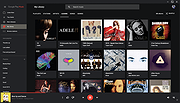 |
|
HopToDesk v1.46.50 WARNING: If someone you don’t know called you... or you dialed a number that suddenly appeared on your screen... and they told you to download this program... IT IS A SCAM. HANG UP IMMEDIATELY! HopToDesk v1.46.50 👉 Free and secure remote desktop software with screen sharing, remote control, file transfer, and live chat. HopToDesk is a free remote desktop tool that lets you share your screen, remotely control computers and devices, transfer files, and chat during support sessions. It is free for personal and commercial use, open source, and uses end-to-end encryption for screen sharing, chats, and file transfers. Features: • Remote desktop control • Screen sharing • File transfer • Live chat • End-to-end encrypted traffic • Free for personal and commercial use • Open source • Portable mode on Windows • Installed mode with background service support • Unattended access with permanent password • Direct IP access • IP whitelisting • SOCKS5 proxy connections • Remote terminal • Port forwarding • Camera / view-only mode • Quick Support mode • Address book and tags • LAN discovery • Multiple screen support • Remote printing on Windows and macOS • Audio streaming • Session recording • Screenshots • Switch sides during a session • Privacy mode on Windows and macOS • Two-factor authentication • Clipboard sync permission control • File transfer permission control • Remote restart permission control • TCP tunneling permission control • Wake On LAN permission support Supported operating systems: • Windows XP, Windows 7 or newer • macOS 10.14 Mojave or newer • Ubuntu 18.04 or newer, Debian 9 or newer, CentOS 7 or newer, openSUSE 42/15 or equivalent, Fedora, Manjaro, AppImage, Flatpak • FreeBSD 13 or newer • Raspberry Pi 2 and newer • ChromeOS devices compatible with Google Play • Android 5.0 or newer • iOS 11.0 or newer Supported languages: English, French, Spanish, Portuguese, German, Dutch, Polish, Czech, Norwegian, Swedish, Russian, Turkish, Hebrew, Arabic, Bahasa, Vietnamese, Simplified Chinese, Traditional Chinese, Japanese, Korean, Thai Changes v1.46.50 09-12-2026 Wayland, Windows Server and other Linux improvements, translation updates. This download is for the Windows 64bit version (very bottom of ... |
|
4,657 | Sep 16, 2026 HopToDesk 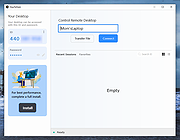 |
|
JEquity v2025.0.3.398 JEquity v2025.0.3.398 👉 Open-source portfolio and stock tracking software with a clean JavaFX desktop interface. JEquity is an open-source financial portfolio management application designed to help users organize, monitor, and track equity investments from a desktop environment. Built in Java with a modern JavaFX interface, JEquity allows you to manage stock holdings, ETFs, retirement funds, taxable accounts, and grouped investments while keeping portfolio data organized in a simple and efficient layout. The application supports portfolio grouping, historical tracking, financial summaries, valuation updates, account categorization, and detailed stock ownership records. JEquity is intended for users who want a lightweight desktop-based investment tracker without relying on cloud-based financial services. JEquity includes tools for organizing investments by account type, ownership, category, and tax status. Users can maintain multiple financial records, monitor valuations, generate reports, and review historical financial data through an easy-to-navigate tabbed interface. Features: • Tracks stocks, ETFs, and equity investments • Organizes investments by account and ownership • Supports retirement, taxable, and tax-deferred account tracking • Financial portfolio summary calculations • Historical investment tracking tools • Report generation support • Group management for organizing portfolios • JavaFX-based graphical user interface • Lightweight desktop application • Cross-platform Java support • Open-source Eclipse Public License v2.0 software • Multiple tabbed financial management views • Search and filtering capabilities • Manual stock valuation and share tracking • Local desktop portfolio management without cloud dependency Supported operating systems: • Windows 10, Windows 11 • macOS Monterey or higher • Linux distributions with Java support • BSD systems with Java support Supported languages: • English Changes: v2025.0.3.398 12-17-25 With a new self-signed open-source certificate. Note: This file has one hit on VirusTotal. We have confirmed this to be a false positive. The file is safe. This download is for the Windows version (very bottom of page). All other download assets are below: macOS: JEquity_macos-aarch64_2025.0.3.398.dmg JEquity_macos-amd64_2025.0.3.398.dmg Linux: JEquity_linux-amd64_2025.0.3.398.sh Click here to visit the author's website. |
|
6,283 | Jun 03, 2026 Beowurks 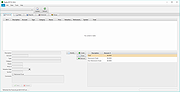 |
|
Lilidog v26.06.05 Lilidog v26.06.05 👉 Lightweight Debian Trixie-based Linux distro using the Openbox desktop environment. Lilidog is a lightweight, full-featured Linux distribution based on Debian Trixie. It uses the Openbox window manager with tint2, Thunar, xfce4-terminal, custom themes, useful desktop tools, and a ready-to-use selection of applications. Lilidog is designed to stay fast and simple while still offering a polished daily-driver desktop experience. The Lilidog Trixie build includes a polished Openbox desktop, welcome utilities, theme customization tools, application installers, and a carefully selected software package lineup intended to provide a fast yet comfortable Linux experience. Features: • Based on Debian Trixie • Lightweight Openbox desktop environment with tint2 panel integration • Includes Firefox web browser and LibreOffice productivity suite • Ships with Geany text editor and xfce4-terminal • Thunar file manager with custom right-click actions • Jgmenu application launcher with desktop customization support • Fastfetch and inxi system information utilities included • Optional window managers available through built-in installer scripts • Theme switching tools for icons, GTK themes, cursors, and wallpapers • Welcome utility providing quick access to setup and maintenance tools • Optional software installers for Ghostty, VirtualBox, Snap, Google Earth, and more • Picom compositor support with transparency and visual effects • Conky chooser with multiple desktop monitoring layouts • Dunst notification system integration • Audio and multimedia playback support included • Debian package compatibility with apt package management • Lightweight resource usage suitable for older and modern hardware • Custom desktop scripts and utilities for daily system management Supported operating systems: • Linux x86_64 Supported languages: English Changes: v26.06.05 06-05-26 Updated Lilidog Trixie ISO build. README.md updated for this release. Create bootable USB flash drive: Use Rufus or Live-usb-maker to create a bootable flash drive. Click here to visit the author's website. |
|
2,813 | Jun 09, 2026 sleekmason 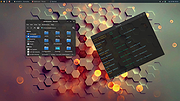 |
|
Manager Desktop Edition v26.10.7 Manager Desktop Edition v26.10.7 👉 Free accounting software for small businesses with a clean and intuitive interface. Manager Desktop Edition is a free accounting software designed for small businesses to manage their finances efficiently and professionally without the complexity of traditional accounting systems. It provides a complete double-entry accounting environment that allows users to handle everything from basic bookkeeping to advanced financial tracking, all within a streamlined and easy-to-navigate interface. Manager Desktop Edition enables users to create invoices, track payments, monitor expenses, and generate detailed financial reports such as profit and loss statements, balance sheets, and cash flow summaries. The software is designed to be accessible for beginners while still offering powerful features for more advanced users, making it suitable for freelancers, small business owners, and organizations. The desktop version operates entirely offline, storing all financial data locally on the user’s machine. This ensures privacy, security, and full control over sensitive financial information without requiring a cloud connection. It also allows businesses to continue working without internet access while maintaining full functionality. Manager Desktop Edition supports multiple currencies, making it ideal for businesses dealing with international clients or suppliers. It also includes tools for managing customers, suppliers, inventory, and taxes such as VAT or sales tax. With its modular design, users can enable only the features they need, keeping the interface clean and uncluttered. Note: Desktop edition is single-user software. Businesses requiring multi-user capabilities or remote access will use cloud edition which is not free. Features: • Full double-entry accounting system with automatic balancing of debits and credits • Create and customize invoices, quotes, receipts, and purchase orders with branding options • Track accounts receivable and accounts payable with detailed aging reports • Record income and expenses with categorization and detailed transaction histories • Generate financial statements including balance sheet, profit and loss, trial balance, and general ledger • Cash flow monitoring ... |
|
9,071 | Oct 08, 2026 NGSoftware Pty Ltd 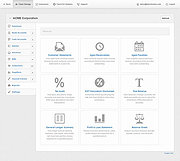 |
|
MultiPack .NET Windows Desktop Installer v2.2 MultiPack .NET Windows Desktop Installer v2.2 👉 “MPDNI” – A Simple GUI installer bundle for the latest .NET Desktop Runtime redistributables. MultiPack .NET Windows Desktop Installer is a simple GUI packaged installer for all the latest .NET Desktop Runtime redistributables. It bundles the newest .NET Desktop Runtimes 6 through 10 into a single installer package, making it easier to deploy the required Microsoft .NET desktop runtimes on supported Windows systems. Features: • Simple GUI packaged installer • Bundles .NET Desktop Runtime redistributables into one package • Includes Windows Desktop Runtime 6.0.36 (x64 only) • Includes Windows Desktop Runtime 7.0.20 (x64 only) • Includes Windows Desktop Runtime 8.0.28 (x64 only) • Includes Windows Desktop Runtime 9.0.17 (x64 only) • Includes Windows Desktop Runtime 10.0.9 (x64 only) Supported operating systems: • Windows 10, Windows 11 Supported languages: • Operating system language Changes: v2.2 07-10-26 MPDNI 2.2 July 2026 Edition (Win10+ supported) Updated Windows Desktop Runtime 8 from 8.0.26 to 8.0.28. Updated Windows Desktop Runtime 9 from 9.0.15 to 9.0.17. Updated Windows Desktop Runtime 10 from 10.0.7 to 10.0.9. Click here to visit the author's website. |
|
1,727 | Aug 26, 2026 BobSpwg 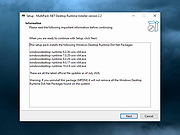 |
|
Multiple Reboot Scheduler v2.6.0.0 Multiple Reboot Scheduler v2.6.0.0 👉 Automates a series of Windows restarts and records how long each reboot takes. Multiple Reboot Scheduler is a portable technician tool that restarts a Windows PC several times, with a configurable pause between restarts. The sequence is intended to trigger Windows’ built-in boot tracing and optimization. It records the time taken by each reboot so you can see whether startup time improved. It can also run selected maintenance tasks before the sequence, preserve desktop icon positions, and sign the current user in automatically between restarts. Features: • Set the number of reboots and the delay between them. • View the timing history during the sequence and a results summary when it finishes. • Optionally defragment the system partition or process idle tasks before starting. • Back up and restore the desktop icon layout, either automatically or manually. • Set up automatic sign-in for the current user so the sequence can continue unattended. • Pause the countdown, enable a sound for its final 10 seconds, or cancel the sequence. • Run directly as a portable executable. Supported operating systems: • Windows XP, Windows Vista, Windows 7, Windows 8.1, Windows 10, Windows 11, 32-bit and 64-bit Supported languages: English Changes: v2.6.0.0 09-16-24 Not provided. Note: This file has one hit on VirusTotal. We have confirmed this to be a false positive. The file is safe. Click here to visit the author's website. |
No Votes | 72 | Sep 24, 2026 Carifred 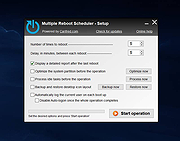 |
|
MyPhoneExplorer v2.3 MyPhoneExplorer v2.3 👉 A freeware Windows tool for managing and syncing Android phones locally. MyPhoneExplorer lets you connect your Android phone to your PC by WiFi, USB cable, or Bluetooth so you can manage contacts, calendar, messages, files, backups, notifications, and more from the desktop. Filebrowser Features: • Sync contacts, calendar, notes, and other data with Outlook, Thunderbird, and other targets • Browse and manage files on your phone with file sync support • Create backups of phone content • Control calls and SMS messages from the PC • Mirror and remotely control your phone from the desktop • Use the PC keyboard to type on the phone • Show phone notifications on the desktop • Share the clipboard between phone and PC • Connect by WiFi, USB cable, or Bluetooth Supported operating systems: • Windows • Android Supported languages: Afrikaans, Albanian, Arabic, Belarusian, Bosnian, Bulgarian, Catalan, Croatian, Czech, Danish, Dutch, English, Finnish, French, Georgian, German, Greek, Hebrew, Icelandic, Indonesian, Italian, Latvian, Lithuanian, Norwegian, Persian, Polish, Portuguese, Romanian, Russian, Serbian, Slovak, Slovene, Swedish, Thai, Turkish, Ukrainian, Vietnamese Changes: v2.3 10-27-25 Barcode and NFC scanner: use your smartphone as scanner for the PC remote controlling the phone via WiFi sync with Microsoft cloud / Outlook (new) better appointment display in calendar alot of smaller changes and bugfixes Phonebook Calendar Messages (SMS and MMS) Datasync with several targets: Its often required to keep data in sync with other databases. Because of this MyPhoneExplorer is able to sync the data of the phone with the most popular PIM suites. MyPhoneExplorer supports: • Outlook since Version 2003 • Thunderbird • Seamonkey • Lotus Notes • Tobit David • Fritz!Box • vCard-File and iCal-File • internal Sync-Database (To keep several phones in sync) Before MyPhoneExplorer changes the database or the phone data, it will confirm the action with you. This will prevent syncing accidents. This download is for ... |
|
3,953 | Mar 12, 2026 Franz Josef Wechselberger 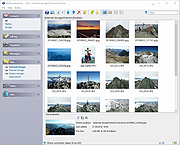 |
|
O&O DeskInfo v2.0.1033 O&O DeskInfo v2.0.1033 👉 Portable desktop system monitor that displays real-time hardware and network information directly on your desktop. O&O DeskInfo displays essential system information such as CPU usage, memory consumption, drive activity, network connections, battery status, and more directly on the Windows desktop in real time. The portable freeware utility allows users to monitor system activity without opening additional tools or menus. It also supports customizable layouts, colors, transparency, fonts, and multi-monitor positioning. O&O DeskInfo can quickly copy system details to the clipboard for troubleshooting and support purposes and includes warnings for unknown USB device connections. Features: • Real-time display of CPU, memory, drive, and network activity • Portable application with no installation required • Customizable desktop display position, colors, fonts, and transparency • Performance charts for CPU, memory, and network monitoring • Battery status display support for compatible systems • Detection of virtual machines • Profile editor with customizable columns and sortable categories • Clear distinction between local, removable, and network drives • Clipboard export for quick support and troubleshooting • Multi-monitor support • Warning notifications for unknown USB device connections • Adjustable update speeds and display modes • Tray icon integration with quick access functions • Automatic startup option with Windows Supported operating systems: • Windows 10 • Windows 11 Supported languages: • English, German, French Changes: v2.0.1033 01-28-26 • NEW: New performance charts for CPU, memory and network • NEW: Battery status display, if supported by the system • NEW: Detection of virtual machines • NEW: Greater flexibility in the profile editor with freely selectable columns and re-sortable categories • NEW: Improved customization options for the size of performance charts • NEW: Unified controls for a more consistent and clearer user interface • NEW: Extended documentation • NEW: Clearer distinction between local, removable and network drives • CHANGED: Performance charts react faster and more smoothly to display setting changes • CHANGED: Charts make better use of available space and appear overall clearer • CHANGED: Reduced visual duplication for a calmer display • ... |
|
3,673 | May 24, 2026 O&O Software GmbH 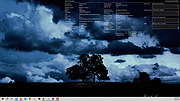 |
|
Open-Shell v4.4.198 Open-Shell v4.4.198 Bring back the classic Windows Start menu and shell experience. Open-Shell is an open-source continuation of the popular Classic Shell project, designed to restore familiar Windows interface elements that many users prefer over the newer default layouts found in modern versions of Windows. It gives users deep control over the Start menu appearance and behavior while adding classic Explorer enhancements that improve usability and workflow efficiency. Open-Shell can replicate the appearance and functionality of classic Start menus from Windows 7, Windows XP and even older Microsoft operating systems while still supporting the latest versions of Windows 10 and Windows 11. Users can customize nearly every aspect of the Start menu, including styles, skins, icons, button graphics, menu behavior, search settings, animations and shortcuts. Beyond the Start menu itself, Open-Shell includes Explorer enhancements such as a customizable toolbar, additional status bar information and improved file management conveniences. The software is lightweight, fast and designed to integrate naturally into Windows without consuming excessive system resources. The project is maintained by the open-source community and continues to receive updates for compatibility with new Windows releases and user-requested improvements. Features: • Restore classic-style Start menus on Windows 10 and Windows 11 • Multiple Start menu layouts inspired by Windows 7, XP and Classic styles • Highly customizable skins, themes and Start button replacements • Drag-and-drop organization for Start menu items • Fast application and file search functionality • Customizable menu behavior, animations and hotkeys • Explorer toolbar with common file operation buttons • Enhanced Explorer status bar information • Optional classic copy and file operation interface • Extensive settings for power users and advanced customization • Lightweight and low system resource usage • Community-maintained open-source project • Supports Windows ARM systems • Backup and restore Start menu configuration settings • Multi-language interface support Supported operating systems: • Windows 7 • Windows 8 • Windows 8.1 • Windows 10 • Windows 11 • Windows on ARM Supported languages: English, German, French, Spanish, ... |
|
7,084 | Jun 05, 2026 Open-Shell 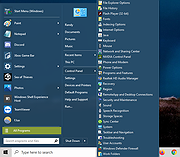 |
|
OpenPets-3.1.0-win-x64-portable.exe OpenPets v3.1.0 👉 An open source desktop companion with AI coding agent integration and an expandable plugin platform. OpenPets is an open source desktop companion that places an animated pet on your desktop while providing an extensible plugin platform for productivity, reminders, focus sessions, mini games, launch shortcuts, hydration nudges, and virtual pet interactions. It can optionally integrate with AI coding agents through the Model Context Protocol (MCP), allowing your pet to react to coding activity while keeping prompts, code, logs, URLs, secrets, and other sensitive information private through local sanitization and filtering. The application is designed with a sandboxed plugin system that enables developers to create custom companion behaviors using the OpenPets Plugin SDK. Features: • Animated desktop companion with idle animations and interactive behaviors • Extensible plugin platform with official and third-party plugins • Plugin SDK for developing custom companion features • Built-in focus timers, reminders, mood check-ins, mini games, hydration nudges, and virtual pet stats • Optional integration with Claude Code, Cursor, OpenCode, Pi, and other MCP-compatible AI coding agents • Sandboxed plugin runtime with permissions, quotas, storage, scheduling, notifications, and audio support • Local-only communication with AI integrations for improved privacy • Dynamic filtering that redacts file paths, URLs, secrets, and code snippets from generated speech • Tray-based desktop application • Multiple desktop pet support Supported operating systems: • Windows 10, Windows 11 • macOS • Linux Supported languages: • English Changes: v3.1.0 06-13-26 Fixed desktop install flow regressions for catalog plugin installs. Catalog installs no longer fail because of stale catalog hashes. Improved catalog and manifest validation for more reliable plugin installation. Improved install failure handling with clearer error messages and redaction of local filesystem paths. Plugin install prompts now display translated plugin names correctly. Newly installed plugins are automatically enabled after approval. Added XS pet scale support. Updated Wayland and desktop validation to fix compositor and desktop integration regressions. This download is for the Windows portable version (very bottom of page). All ... |
|
478 | Jun 19, 2026 Boring Dystopia Development  |
|
PearPass v2.1.0 PearPass v2.1.0 👉 Peer-to-peer password manager with private, device-to-device syncing. PearPass is an open-source password manager that prioritizes privacy and user control by avoiding centralized servers. Built on Pear Runtime, it uses peer-to-peer technology to sync your credentials directly between your devices, ensuring your data remains private, secure, and fully under your control. Instead of relying on cloud storage, PearPass keeps your information encrypted and shared only between your authorized devices. With a clean and minimal interface, it provides a straightforward way to manage passwords while maintaining modern security practices and full data ownership across desktop and mobile devices. Features: • Peer-to-peer syncing between devices with no central server • Built on Pear Runtime for decentralized application architecture • End-to-end encryption to protect all stored credentials • Local-first storage with no mandatory cloud dependency • Open-source codebase for transparency and independent auditing • Secure device-to-device authorization for syncing • No tracking, telemetry, or third-party data collection • Simple vault-style organization for managing credentials • Clean, minimal interface focused on ease of use • Fast access and retrieval of stored passwords • Designed for full user ownership and control of sensitive data • Lightweight application with low resource usage • Cross-platform support including desktop and mobile devices Supported operating systems: • Windows 10, Windows 11 • macOS • Linux • Android • iOS Supported languages: English Changes: v2.1.0 05-20-26 New features TOTP support: including OTP-to-login matching, duplicate-code warnings, and account search. Vault Deletion: Local vault removal with automatic cross-device syncing. Bitwarden Import: Support for encrypted vault imports. UI & UX Improvements UX improvements: Cleaned up core UI flows (Home, Settings, Autofill, Passkeys). Stability & Performance Faster Diagnostics: Optional local logs for monitoring for quicker bug fixes. Reliable Sync: Fixed Home screen vault name updates and improved cross-device syncing. This download is for the Windows 64bit version (very bottom of page). All ... |
|
860 | Sep 16, 2026 Tether Data, S.A. de C.V. 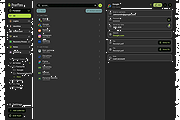 |
|
Podman Desktop v1.28.2 Podman Desktop v1.28.2 👉 Manage containers, Kubernetes, and local development environments with a powerful graphical interface. Podman Desktop is an open-source graphical tool that simplifies working with containers and Kubernetes on your local machine. It provides an intuitive interface for managing container engines such as Podman and Docker, creating and controlling containers and images, and deploying applications to Kubernetes clusters. Designed for developers, it streamlines container-based workflows with built-in extensions, resource monitoring, and seamless integration with local and remote environments. Features: • Manage containers, pods, and images through an easy-to-use GUI • Supports Podman and other container engines • Kubernetes cluster management and deployment tools • Extension system for expanding functionality • Integrated terminal and logs viewer • Resource monitoring and container inspection tools • Local and remote environment support • Open-source and community-driven Supported operating systems: • Windows 10 Build 19043 or later, or Windows 11 • macOS 12 (Monterey) or higher • Linux (various modern distributions) Supported languages: English Changes: v1.28.2 06-15-26 fix: resolve GHSA-39q2-94rc-95cp in dompurify by @benoitf in #17159 fix(troubleshooting): remove malformed leading ellipsis from waiting-for-response strings by @vancura in #17141 chore(deps-dev): bump the typescript-eslint group with 3 updates by @dependabot[bot] in #17162 chore(main): prefer-import-in-mock by @axel7083 in #17133 chore(deps-dev): bump the tailwindcss group across 1 directory with 3 updates by @dependabot[bot] in #17163 chore(deps): bump @fortawesome/react-fontawesome from 3.3.0 to 3.3.1 in the fortawesome group across 1 directory by @dependabot[bot] in #17161 chore(fix): fixing compose e2e tests to handle new flow by @cbr7 in #17165 refactor: extracted duplicated code to function by @gastoner in #17154 chore: 📢 Bump version to 1.28.0 by @podman-desktop-bot in #17160 refactor(network): replace raw Tailwind colors with color-registry tokens in CreateNetwork by @vancura in #17155 fix(ui): increase spinner segment opacity for better contrast by @vancura in #17145 refactor(color-registry): replace hover:text-white with color-registry token in WindowsControlButton by @vancura in #17135 refactor(extensions): replace divide-gray-900 with color-registry token in InstalledExtensionCard by @vancura in #17136 refactor(preferences): add color-registry token to PreferencesKubernetesContextsRendering by @vancura in #17137 refactor(renderer): remove ... |
|
1,438 | Jul 11, 2026 Containers 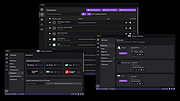 |
|
ReactOS v0.4.16 ReactOS v0.4.16 👉 A free, open-source operating system designed to run Windows applications and drivers without requiring Windows. ReactOS is a free and open-source operating system built from the ground up with the goal of providing binary compatibility with Microsoft Windows applications and hardware drivers. Rather than being based on Linux or Unix, ReactOS implements its own Windows-compatible kernel, system libraries, graphical environment, utilities and services. The project is particularly focused on compatibility with traditional Win32 software and drivers while providing users with a completely open-source operating environment. ReactOS remains alpha-quality software, so the developers do not guarantee stability, data safety or compatibility with every application or piece of hardware. Version 0.4.16 introduces one of the project's largest usability improvements: a new graphical installer and a combined Boot CD/Live CD image. You can now boot the same image to either try ReactOS without installing it or install/update the operating system using the new graphical setup interface. The installer includes basic partition management and replaces the need to choose separate installation and Live CD downloads. Features: • Free and open-source Windows-compatible operating system • Designed to run Win32 applications and Windows hardware drivers • Independent Windows-like kernel rather than a Linux or Unix compatibility layer • Familiar Windows-style desktop environment and Explorer shell • New graphical installation interface • Combined Boot CD and Live CD image lets you test or install from the same disc • Basic graphical partition management during installation • Workstation installation mode for normal desktop use • Server installation mode • New Server Core installation mode that runs the Win32 subsystem without the graphical Explorer shell • Improved compatibility with NVIDIA graphics drivers through expanded system page table resources • Improved AMD graphics and OpenGL handling • Continued development of multi-monitor and video-driver compatibility • Improved High Definition Audio support • New HD Audio bus driver supporting compatible Windows XP and Windows Server 2003 audio ... |
|
6,924 | Aug 30, 2026 ReactOS Foundation 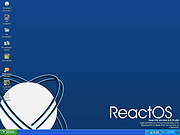 |
|
ShelfLife v0.7.1 ShelfLife v0.7.1 👉 Automatically clean, organize, and manage your folders based on customizable rules. ShelfLife is an open-source folder maintenance utility designed to keep commonly cluttered locations such as your Desktop and Downloads folder organized automatically. It can monitor selected folders and perform actions based on rules you define, including moving, deleting, or sorting files according to their age. This makes it ideal for keeping temporary files, old downloads, and accumulated clutter under control without constant manual cleanup. The program is designed with a straightforward interface that allows you to configure multiple folder management rules while providing enough flexibility for different cleanup workflows. Whether you want to archive older files, remove temporary items, or keep your Downloads folder tidy, ShelfLife automates the process in the background. Features: • Automatically organize folders using customizable rules • Monitor multiple folders simultaneously • Move files based on file age • Delete old or unwanted files automatically • Ideal for managing Desktop and Downloads folders • Helps reduce clutter and improve file organization • Simple, modern user interface • Open source Supported operating systems: • Windows 10, Windows 11 Supported languages: English Changes: v0.7.1 07-06-26 • Fix issue causing notifications to repeatedly appear after changing notification settings. • Improve notification handling behavior. Click here to visit the author's website. |
|
474 | Jul 07, 2026 LogicDX342 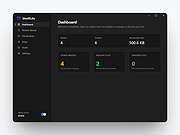 |
|
SideSlide v6.50 SideSlide v6.50 👉 A powerful, customizable desktop workspace, launcher and information organizer that stays hidden until you need it. SideSlide is a free desktop assistant designed to keep your Windows desktop organized and clutter-free while providing instant access to programs, files, folders, websites, commands, RSS feeds, notes, reminders, pictures and other frequently used information. Its customizable workspace can dock to any screen edge and remain tucked away until needed, giving you a large organizational area without permanently consuming desktop space. The workspace uses flexible containers that can be resized, detached, folded, shrunk and arranged however you prefer. Containers can hold shortcuts, notes, RSS feeds, reminders and other content, allowing large collections of information to remain accessible without covering the desktop. SideSlide also includes extensive keyboard navigation and launching features for users who prefer working without the mouse. When the workspace is collapsed, SideSlide can display a Dock Strip containing useful system information and live weather. The workspace can quickly expand again when you need access to its contents. SideSlide can also be used portably from a USB drive. Its configuration files are kept together, and the portable version can continue working even when the removable drive letter changes. Features: • Fully customizable desktop workspace that remains hidden until needed • Dock the workspace to any edge of the screen • Dock Strip displays system information and live weather while the main workspace is collapsed • Create shortcuts to programs, files, folders, commands and websites • Add RSS news feeds directly to the workspace • Built-in RSS reader with filtering and Subject Tracker capabilities • Create resizable, detachable, foldable and shrinkable containers • Containers can extend beyond the visible screen area • Create colorful notes that can be searched, edited in bulk and individually customized • Encrypt notes and automatically re-encrypt them after editing • Create ... |
|
6,515 | Sep 02, 2026 Northglide 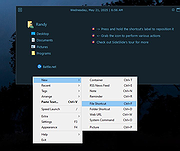 |
|
Simple Sticky Notes v6.9 Simple Sticky Notes v6.9 👉 Free desktop sticky notes with reminders, checklists, and powerful customization. Simple Sticky Notes is a free desktop note-taking application that lets you create colorful sticky notes directly on your Windows desktop. It provides a clean, intuitive interface for capturing reminders, to-do lists, ideas, and important information while keeping them easily accessible. Notes are automatically saved, support rich text formatting, and can be customized with different colors, themes, fonts, transparency levels, and sizes. Simple Sticky Notes also includes alarms and reminders, checklists with hierarchical checkboxes, notebooks for organizing related notes, a note explorer for searching and managing all notes, and options to print, export, or share notes. Additional features such as dark mode, backup and restore, and automatic updates make it a capable alternative to the built-in Windows Sticky Notes application. Features: • Create unlimited desktop sticky notes • Rich text formatting • Colorful notes with adjustable transparency • Custom themes and appearance options • Checklists with hierarchical checkboxes • Alarms and reminders • Note Explorer for searching and organizing notes • Notebooks for grouping notes • Print, export, and share notes • Dark mode support • Automatic saving of notes • Backup and restore functionality • Automatic updates Supported operating systems: • Windows 7, Windows 8, Windows 8.1, Windows 10, Windows 11, Windows 10 Arm64, Windows 11 Arm64 Supported languages: • English, French, German, Spanish, Italian, Japanese, Portuguese, Danish, Dutch, Swedish, Russian, Simplified Chinese, Turkish Changes: v6.9 02-22-26 New: Checking/unchecking a parent checkbox now checks/unchecks all indented child items Improved checkbox indent/outdent with Tab and Backspace Improved overall stability and performance Fixed some translation issues in Chinese and Japanese Fixed minor bugs reported by users Updated the SQLite database engine to version 3.51.0 Click here to visit the author's website. |
|
10,070 | Jul 19, 2026 Simnet Ltd. 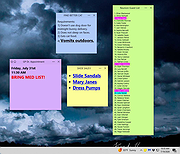 |
|
Sizer v4.0 dev673 Sizer v4.0 dev673 👉 Precisely resize and position application windows with customizable presets and hotkeys. Sizer is a lightweight window management utility that lets you instantly resize and reposition application windows to exact dimensions. Originally created for web designers and developers needing consistent browser sizes, it has evolved into a flexible productivity tool for anyone who regularly arranges windows on one or more monitors. Instead of manually dragging window borders, Sizer can snap windows to predefined sizes and positions with a click or keyboard shortcut. Sizer 4 has been completely rewritten for improved compatibility with modern Windows applications while reducing the intrusive techniques used by previous versions. It supports customizable hotkeys, advanced sizing macros and mathematical expressions, grouped menu layouts, portable operation, and easy import/export of configuration files. Power users can automate complex desktop layouts by positioning multiple windows simultaneously using macros and expressions. Features: • Resize any window to exact predefined dimensions • Move windows to precise screen locations • Assign global hotkeys to resizing actions • Launch the sizing menu with Ctrl+Win+Z or a custom shortcut • Create custom window size and position presets • Use mathematical expressions for dynamic sizing • Automate layouts with powerful window macros • Resize and reposition multiple windows simultaneously • Organize presets into cascading menu groups • Import and export configuration settings • Run as a portable application without installation • Improved compatibility with modern Windows applications • Supports high-DPI displays with DPI-aware rendering • Right-click window borders or restore buttons for quick access • Stable, lightweight design with minimal system impact Supported operating systems: • Windows 10, Windows 11 (64-bit) Supported languages: English Changes: v4.0 dev673 11-26-25 Introduced the special macro variable $_count that holds the number of wildcard matches. Note: This file has one hit on VirusTotal. We have confirmed this to be a false positive. The file is safe. Click here to visit the author's website. |
|
1,807 | Jul 27, 2026 Brian Apps 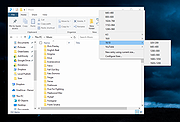 |
|
SmartSystemMenu v2.33.1 SmartSystemMenu v2.33.1 👉 Enhance Windows system menus with powerful window management features. SmartSystemMenu is a lightweight utility that extends the standard Windows system menu of application windows with a wide range of advanced window management tools. By right-clicking the title bar or using the system menu, users gain access to additional options that go far beyond the default Move, Size, Minimize, Maximize, and Close commands. SmartSystemMenu allows you to control window behavior, transparency, priority, alignment, and more, making it especially useful for power users who want finer control over their desktop environment. Features: • Adds extended options to the standard Windows system menu • Adjust window transparency levels • Set window priority (Real-time, High, Above normal, Normal, Below normal, Idle) • Resize and reposition windows with custom dimensions • Align windows to screen edges or predefined positions • Change window always-on-top state • Save and restore window positions • Take screenshots of application windows • Copy window text to clipboard • Multi-language interface • Portable version available Supported operating systems: • Windows 7, Windows 8, Windows 8.1, Windows 10, Windows 11 Supported languages: English, Russian, German, French, Spanish, Italian, Portuguese, Polish, Chinese (Simplified), Chinese (Traditional), Japanese, Korean, Turkish, Dutch, Czech, Hungarian, Ukrainian Changes: v2.33.1 03-20-26 Support of the SmartSystemMenu.xml file for previous versions Korean translation improvements Japanese translation improvements by @coolvitto Click here to visit the author's website. |
|
5,810 | Mar 23, 2026 Alexander Illarionov 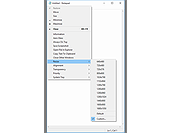 |
|
Space (Dual Monitor/Ultra-Wide) Theme v1.0 Space (Dual Monitor/Ultra-Wide) Theme v1.0 👉 A dual-monitor Windows theme featuring 18 ultra-wide/HD space wallpapers with slideshow support. Space (Dual Monitor) Theme is a desktop theme package for Windows that brings outer space imagery to dual-monitor setups. It includes 18 ultra-wide/HD wallpapers and uses a dramatic slideshow effect that changes in harmony with the Windows color theme. The theme focuses on space-themed imagery such as galaxies, the Milky Way, and other celestial bodies. Features: • Includes 18 ultra-wide/HD dual-monitor wallpapers • Space-themed imagery featuring galaxies and celestial bodies • Dramatic slideshow effect • Changes in harmony with the Windows color theme • Designed for dual-monitor desktop setups Supported operating systems: • Windows 7, Windows 8, Windows 8.1, Windows 10, Windows 11 Supported languages: n/a Changes: v1.0 Not Provided How to span wallpaper across two monitors: • Right-click on the desktop and select Personalize • Click Background • Under “Choose a fit,” select Span • Ensure both monitors use similar resolutions for best results This download is for the Windows 11/10/8/8.1 version (very bottom of page). If you need the Windows 7 version, download here. Click here to visit the author's website. |
|
778 | Apr 02, 2026 themepack.me  |
|
Spiceworks IT Desktop 7.5.00095 Spiceworks IT Desktop 7.5.00095 The only application that combines Network Inventory, Help Desk and more in a single, easy-to-use interface. Your network may be complicated and expensive but your IT management tools don't need to be. Spiceworks IT Desktop is the only application that combines Network Inventory, Help Desk, Reporting, a built-in TFTP Server, Monitoring, Active Directory Management, and Troubleshooting in a single, easy-to-use interface designed for IT teams in small and medium businesses. Plus, Spiceworks lets you collaborate with IT pros around the world to solve problems, share ideas and decide what additional features you need in Spiceworks. And, the best part -- it's free. Why? Because we think you shouldn't have to pay for technology to manage technology. Instead, you should spend your money on cool new hardware and software for your company. That's why top technology vendors help sponsor Spiceworks. Manage your network. Need a way to wrangle all your devices, software, cloud services, and even users? With network inventory and mapping, network monitoring and alerting, license management, troubleshooting, reporting, and much more, Spiceworks is the free IT management app with the tools you need to tackle your IT day. Run an IT help desk. User requests driving you nuts? Your current ticketing solution not quite cutting it? Spiceworks help desk software helps you run a ship-shape help desk, at the office and on the road. Manage user tickets, organize your work, create a custom user portal, and even launch a knowledge base… all for free! Monitor your network. Ever feel like your users are a step ahead of you? Meet Spiceworks Network Monitor — an easy-to-use, real-time interface that'll help you stay in-the-know about what's happening with your critical systems and catch problems long before your users do. Inventory all your hardware. From workstations and servers to routers and switches (even printers and phones) – ... |
|
10,911 | Nov 15, 2019 Spiceworks  |
|
StaticDesktopRuler v1.06 StaticDesktopRuler v1.06 👉 Add customizable on-screen guide rulers that make it easy to visually follow rows, columns, and align desktop objects. StaticDesktopRuler is a free, portable desktop utility that places one or more customizable rulers on your screen as visual reference guides. Its primary purpose is not measuring distances, but making it easier to keep your eyes on the correct row or column while working with large spreadsheets, databases, documents, source code, CAD drawings, image editors, and other information-dense applications. As shown in the example below, horizontal and vertical rulers can be positioned over a worksheet so you can instantly locate the exact cell where a row and column intersect, dramatically reducing the chance of reading or entering data on the wrong line. Each ruler can be customized with its own color, thickness, transparency, and ghost mode, allowing the guides to remain visible without blocking the content beneath them. Because it is portable, StaticDesktopRuler can be launched anywhere without installation. Features: • Place multiple horizontal and vertical guide rulers anywhere on the desktop • Easily follow spreadsheet rows and columns to the correct cell intersection • Reduce reading and data-entry mistakes in large worksheets and tables • Keep your place while reading databases, documents, logs, and source code • Customize each ruler's color, thickness, and transparency • Ghost mode keeps guides visible while allowing you to see and work through them • Portable application requiring no installation • Lightweight and uses very little system resources Supported operating systems: • Windows 7, Windows 8, Windows 8.1, Windows 10, Windows 11, Windows Server 2012, Windows Server 2016, Windows Server 2019, Windows Server 2022 Supported languages: • German, English, Traditional Chinese, Korean, French, Russian, Italian, Japanese, Spanish, Portuguese Changes: v1.06 08-26-26 • StaticDesktopRuler language file update • Minor fine-tuning in StaticDesktopRuler for all Windows operating systems. 👉 This download is for the Windows portable version (very bottom of page). All other download ... |
|
611 | Oct 04, 2026 Nenad Hrg 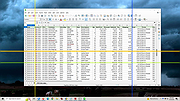 |
|
TabStick-1.2.0-win-x64-portable.zip TabStick v1.2.0 👉 A lightweight note-taking program that attaches colorful index tabs directly to your application windows. TabStick lets you place quick notes on the edge of an application window, keeping reminders and information beside the program where they are needed. Choose a tab from the color palette, attach it to a window and begin typing. Notes can be organized directly inside each tab and customized with different colors, sizes, text settings and display themes. TabStick is available as an installer or a portable download that can be extracted and run without installation. Features: • Attaches index-style notes directly to application windows • Keeps related notes beside the program where they are needed • Creates new notes by selecting a color from the tab palette • Supports quick text entry and organization within each note • Customizable application and tab sizes • Adjustable text size and line spacing • Multiple note colors • Custom note colors • Light and dark display modes • Configurable palette appearance • Changeable interface language • Available as an installer or portable program • Simple interface designed for fast note-taking Supported operating systems: • Windows 10 64-bit, Windows 11 64-bit Supported languages: Not Found Changes: v1.2.0 Not Found Click here to visit the author's website. |
|
238 | Aug 05, 2026 TabStick 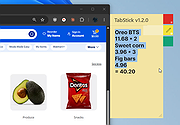 |
|
tacky-borders v1.5.0 tacky-borders v1.5.0 Add colorful, customizable borders to your Windows application windows. tacky-borders is a lightweight open-source utility that adds visible, customizable borders around application windows in Windows. It is designed to make window boundaries easier to see and to give users the ability to style their desktop with colored outlines around active and inactive windows. tacky-borders runs in the background and applies borders dynamically, helping improve window visibility and providing a more personalized desktop experience. Features: • Adds customizable borders around application windows • Supports different border colors and styles • Distinguishes between active and inactive windows • Lightweight and runs in the background • Open-source project hosted on GitHub To Configure tacky-borders: • Run tacky-borders.exe once to generate the config file automatically (created in %userprofile%/.config/tacky-borders/) • Open the config quickly by right-clicking the tray icon and choosing "Show Config" • Edit config.yaml in a text editor, then save: • watch_config_changes: True will automatically reload borders when the config file is modified • global.border_width sets border thickness in pixels • global.border_offset moves the border inwards (negative) or outwards (positive) • global.border_radius can be Auto, Square, Round, RoundSmall, or a numeric value • global.active_color and global.inactive_color support: • Solid colors using a hex value (example: "#ffffff") or "accent" • Gradient colors using a colors list + direction (example direction: 45deg or start/end coordinates) • animations and effects are configurable under global (effects note: they can significantly increase CPU/GPU usage and require rendering_backend: V2) • Per-app overrides: use window_rules to match by Class, Title, or Process (Equals, Contains, or Regex), then override any global setting for just that app • If a border is initialized but not visible for a window, try setting follow_native_border to False in a window rule Supported operating systems: • Windows 10, Windows 11 Supported languages: • English Changes: v1.5.0 04-26-26 Features add theme-aware border colors for Windows by @Louis047 in #74 Bug Fixes fix borders disappearing after waking system from ... |
|
1,113 | Jul 11, 2026 lukeyou05  |
|
Telegram Desktop v6.9.1 Telegram Desktop v6.9.1 Fast, secure, and powerful messaging app for desktop devices. Telegram Desktop is a cloud-based messaging application that allows users to send messages, share media, and stay connected across multiple devices seamlessly. It syncs instantly with your mobile Telegram app and offers a fast, secure, and fully featured messaging experience directly from your computer. Telegram Desktop supports private chats, group conversations, and large channels with thousands of members. It includes advanced features such as file sharing up to 2 GB per file, voice and video calls, animated stickers, bots, and customizable themes. Messages are stored securely in the cloud, ensuring access from any authorized device. Secret chats with end-to-end encryption are available on supported devices for enhanced privacy. With a clean interface and efficient performance, Telegram Desktop provides a reliable communication platform for both personal and professional use. Features: • Fast cloud-based messaging with real-time sync • Send messages, photos, videos, and files up to 2 GB • Voice and video calls • Large group chats and broadcast channels • End-to-end encrypted Secret Chats (on supported devices) • Animated stickers, emojis, and GIF support • Bots and automation tools • Customizable themes and interface options • Cross-platform synchronization Supported operating systems: • Windows 10, Windows 11 • macOS 10.13 or higher • Linux Supported languages: English, Spanish, German, French, Italian, Portuguese, Russian, Ukrainian, Arabic, Persian, Turkish, Indonesian, Malay, Korean, Japanese, Chinese, Polish, Dutch, Thai, Vietnamese, Hindi and more Changes: v6.9.1 06-09-26 Fix sending several same custom emoji. Fix some rich messages layout glitches. This download is for the Windows 64bit portable version (very bottom of page). All other download assets are below: Other Windows: tportable.6.9.1.zip tsetup-x64.6.9.1.exe tsetup.6.9.1.exe MacOS: tsetup.6.9.1.dmg Linux: tsetup.6.9.1.tar.xz Click here to visit the author's website. |
|
10,322 | Jun 11, 2026 telegram.org  |
|
Ticket to Fear Halloween Desktop Theme Ticket to Fear Halloween Desktop Theme A Microsoft Desktop Theme to make your desktop as creepy as you are. ;) Includes 8 high resolution images. Click here to visit the author's website. |
|
6,715 | Oct 06, 2022 Microsoft  |
|
Trick or Treat Desktop Theme Trick or Treat Desktop Theme Get your computer ready for Halloween with this Trick or Treat Desktop Theme. Click here to visit the author's website. |
|
3,620 | Oct 24, 2025 Microsoft Corp.  |
|
Vorn v1.0.3 Vorn v1.0.3 👉 Fast, private, crash-safe backup program with advanced features. Vorn is a modern local-first backup application designed to securely protect files without relying on cloud services, subscriptions, accounts, or telemetry. Instead of uploading data to external servers, Vorn stores everything inside a local vault controlled entirely by the user. The software uses content-addressable storage powered by BLAKE3 hashing, allowing duplicate data to be stored only once even across multiple backup sessions. This greatly reduces storage usage while improving backup efficiency. Vorn was built with reliability and data integrity in mind. It uses atomic writes, write-ahead logging, resumable operations, and integrity verification to help prevent corruption during crashes or unexpected shutdowns. Large files are automatically divided into chunks, making backups more resilient and easier to resume if interrupted. Optional gzip compression can reduce storage requirements further while maintaining compatibility with the portable vault format. The application features a clean desktop interface with dark and light themes, portable executables, and cross-platform support for Windows, macOS, and Linux systems. Since the backup vault is self-contained and self-describing, users can move backups between systems or restore files to different locations without depending on proprietary cloud infrastructure. Vorn is designed for users who want complete control of their backups while maintaining speed, privacy, and simplicity. Features: • Local-first backup architecture with no cloud dependency • Fully offline operation with no accounts or telemetry • Content-addressable storage using fast BLAKE3 hashing • Automatic deduplication across all backup sessions • Stores identical file content only once to save disk space • Chunked storage engine for efficient handling of large files • Resumable backup operations after interruptions or crashes • Atomic write protection for safer backup transactions • Write-ahead logging to improve recovery reliability • Self-describing portable vault format • Integrity verification to detect damaged or missing data • Optional gzip compression for reduced storage usage • Smart pruning system for reclaiming unused ... |
|
536 | May 29, 2026 Leonardo Ciaccio  |
|
WannaCut v0.2.0 WannaCut v0.2.0 👉 A lightweight, open source video editor for fast, simple video cutting and editing. WannaCut is a lightweight, open source desktop video editor designed to make trimming, cutting, and assembling videos quick and straightforward. It focuses on an intuitive editing experience that lets you import video clips, arrange them on a timeline, trim unwanted sections, and export the finished result without the complexity of professional editing suites. Built with a modern interface, WannaCut is suitable for creating short videos, social media clips, tutorials, and other basic editing projects while remaining fast and easy to learn. Features: • Lightweight and open source video editor. • Simple timeline-based editing. • Trim and cut video clips with precision. • Rearrange clips by drag-and-drop. • Import multiple video files into a project. • Export completed videos. • Clean, modern user interface. • Designed for quick editing without unnecessary complexity. • Cross-platform application. Supported operating systems: • Windows 10, Windows 11 • macOS • Linux Supported languages: • English Changes: v0.2.0 06-18-26 Modern and fluid UI redesign Different colors per clip for easier navigation Split tool precision fix Move playhead in decimals of seconds Seek to next/previous cut Speed system for clips with keyframes This download is for the Windows 64bit version (very bottom of page). All other download assets are below: Debian/Ubuntu: WannaCut_0.2.0_amd64.deb Fedora/RPM: WannaCut-0.2.0-1.x86_64.rpm Arch Linux: wanna-cut-0.2.0-1-x86_64.pkg.tar.zst Click here to visit the author's website. |
|
467 | Jun 19, 2026 Gabriel Martins 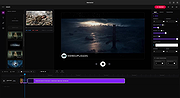 |
|
Windows 11 Bliss Wallpaper v1.0 Windows 11 Bliss Wallpaper v1.0 👉 Classic Windows XP “Bliss” wallpaper recreated in a modern Windows 11 style. Windows 11 Bliss Wallpaper is a high-resolution recreation of the iconic Windows XP “Bliss” background, redesigned to match the visual style and clarity of Windows 11. This wallpaper preserves the familiar rolling green hills and blue sky while enhancing the image with modern rendering techniques, making it suitable for today’s high-definition displays. It is ideal for users who appreciate nostalgic Windows aesthetics while maintaining a clean, modern desktop appearance. Features: • High-resolution modern recreation of the original Bliss wallpaper • Optimized for Windows 11 and high-DPI displays • Clean and vibrant color enhancements • Maintains the classic composition and nostalgic feel • Simple download and use with no installation required Supported operating systems: • Windows 10, Windows 11 • Any OS supporting standard image formats Supported languages: Not Applicable Changes: v1.0 03-08-26 Not Provided Click here to visit the author's website. |
|
809 | Mar 18, 2026 Left_Hovercraft451  |
|
Windows 7 Games for Windows 11 and Windows 10 v4.2 Windows 7 Games for Windows 11 and Windows 10 v4.2 👉 Restores the classic Windows 7 games on newer versions of Windows. Windows 7 Games for Windows 11 and Windows 10 is a package that restores the classic games removed from Windows beginning with Windows 8. It includes Solitaire, Spider Solitaire, Minesweeper, FreeCell, Hearts, Chess Titans, Mahjong Titans, Purble Place, Internet Spades, Internet Checkers and Internet Backgammon. The package works with all builds of Windows 11, Windows 10, Windows 8.1 and Windows 8. Features: • Restores the classic Windows 7 games • Includes Solitaire, Spider Solitaire, Minesweeper, FreeCell and Hearts • Includes Chess Titans, Mahjong Titans and Purble Place • Includes optional Internet Spades, Internet Checkers and Internet Backgammon • Supports high-DPI displays • Supports unattended installation • Installs games in the operating system's supported display language • Does not install the non-working Game Explorer • Does not write files to the Windows System32 directory Supported operating systems: • Windows 8, Windows 8.1, Windows 10, Windows 11 Supported languages: Arabic, Bulgarian, Chinese (Simplified), Chinese (Traditional), Croatian, Czech, Danish, Dutch, English, Estonian, Finnish, French, German, Greek, Hebrew, Hungarian, Italian, Japanese, Korean, Latvian, Lithuanian, Norwegian, Polish, Portuguese (Brazil), Portuguese (Portugal), Romanian, Russian, Serbian (Latin), Slovak, Slovenian, Spanish, Swedish, Thai, Turkish, Ukrainian Changes: v4.2 06-24-26 Fixed a bug that prevented card games from launching for some users. Click here to visit the author's website. |
|
14,129 | Jul 19, 2026 Winaero 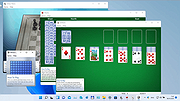 |
|
Wintry Webs Desktop Theme Wintry Webs Desktop Theme See the beauty of spider webs in the winter with this Windows desktop theme. Click here to visit the author's website. |
|
3,620 | Oct 20, 2021 Microsoft Corp.  |
| Showing rows 1 to 64 of 64 | Showing Page 1 of 1 | 1 |
OlderGeeks.com Copyright (c) 2026
