|

|
Processed through Paypal No account required. |








Buy our over-priced crap to help pay the bills.



|
|
Processed through Paypal No account required. |
| File - Download Cairo Desktop v0.4.370 | ||||||||
| Description | ||||||||
|
Always scroll to the bottom of the page for the main download link. We don't believe in fake/misleading download buttons and tricks. The link is always in the same place. Cairo Desktop v0.4.370 A customizable, intuitive desktop environment for Windows. Cairo is a desktop environment for Windows. The goal is to develop a desktop experience that increases productivity and advances current technology standards. With a focus on stability, performance, and productivity, Cairo aims to deliver an interface that exceeds expectations and delivers superior ease of use. Dynamic Desktop With Cairo, your desktop is browse-able, meaning that you never need to open a file explorer to find your things. The handy pop-up navigation makes it easy to move forward or backward and completely transforms your desktop into a more friendly, convenient space. 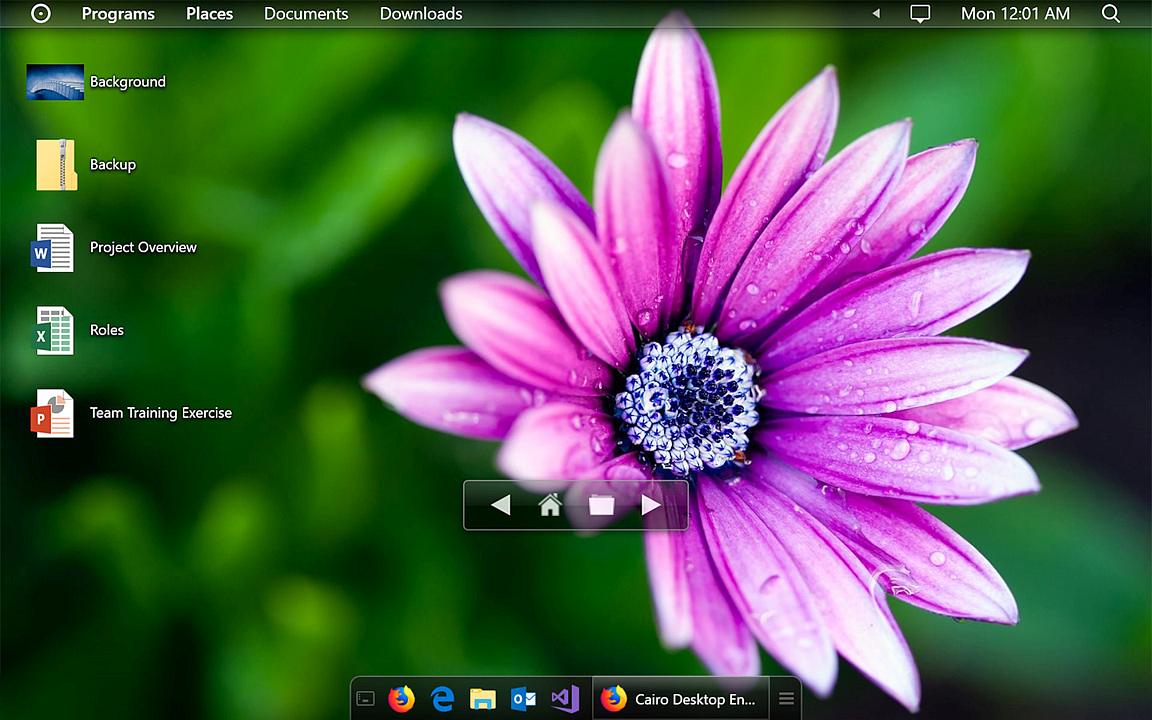 Taskbar The Cairo taskbar preserves desktop area for your wallpaper and applications. In addition, windows are organized the same way you choose to organize your programs list, making it easy to switch between tasks. The list button shows your open windows in an organized, easy to understand layout. 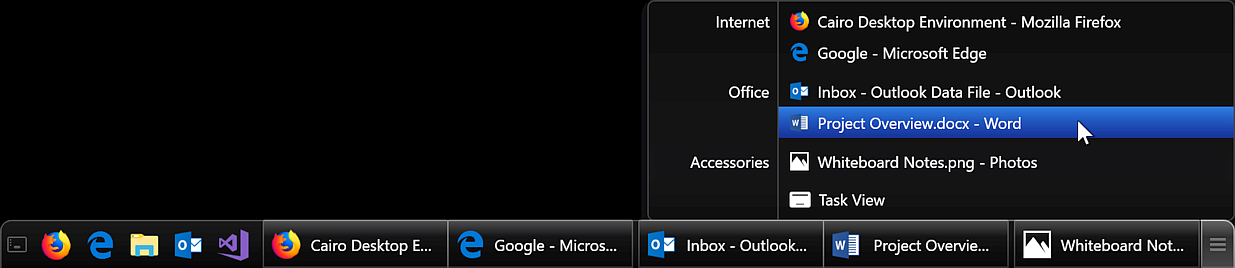 Programs Menu Never again waste time hunting for applications in poorly organized menus. Cairo lets you organize your apps into categories that make sense to you, using an easy drag-and-drop interface. 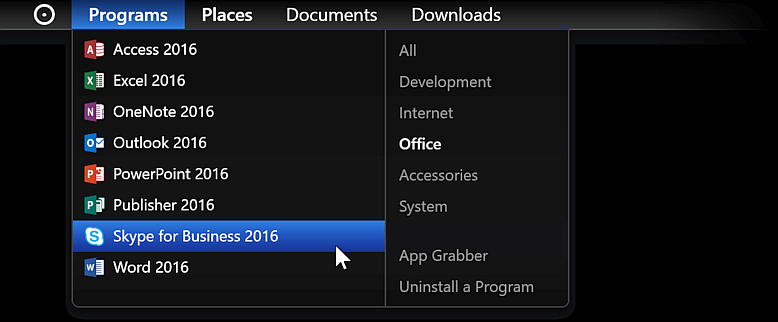 Folder Stacks Tired of hunting for the same files over and over again, interrupting your work? With Cairo’s menu bar folder stacks, you can create instant access to frequently used folders. Simply drag them onto the menu bar to create easy access.  Changes v0.4.370 09-02-24 Cairo no longer requires .NET Framework 4.7.1, and includes all necessary .NET files. As a result, the download size has increased. Added "add to programs menu" and "add to quick launch" commands to desktop/stacks icon context menus (#834) Added option to automatically show removable drives as stacks in the menu bar (#836) Added options to hide the programs or places menus (#821, thanks @TheXorog!) Added updates support for the ARM64 build (#812) Added a commands framework which can be used by extensions (#144) Extensions can invoke commands offered by Cairo components and other extensions Extensions can register their own commands, which can appear in desktop/stacks icon context menus Fixed apps disappearing from the programs menu when the shortcut that the app was added from is deleted, but the app is still installed (#834) Fixed being unable to drag desktop icons to the programs menu (#834) Fixed error adding .exe files to the programs menu when the file has no description (#834) Fixed extensions that are misbehaving preventing Cairo startup (#814) Fixed mouse back/forward buttons navigating the desktop when the dynamic desktop is disabled (#827) Fixed programs menu closing itself when the menu bar is on the bottom edge (#824) Fixed "open on desktop" sometimes not appearing when right-clicking stacks (#829) Fixed task list menu sometimes appearing in the wrong place (#811) Fixed taskbar items sometimes disappearing after removing a monitor (#817) Improved translations: German (#808, thanks @uDEV2019!) Simplified Chinese (#832, thanks @Cria-Cysta!) Spanish (#818, thanks @ponjadito23!) Misc under-the-hood improvements Important Windows 11 users: Recent updates have impacted Cairo's ability to hide the default Windows taskbar. Before starting Cairo, it is recommended to open Windows Settings > Personalization > Taskbar, select "Taskbar behaviors", then enable "Automatically hide the taskbar." This download is for the Windows 64bit version. If you need the Windows 32bit version, download here. If you need the Windows ARM64bit version, download here. Click here to visit the author's website. Continue below for the main download link. |
||||||||
| Downloads | Views | Developer | Last Update | Version | Size | Type | Rank | |
| 2,753 | 7,550 | Cairo Development Team | Sep 03, 2024 - 11:52 | 0.4.370 | 79.13MB | EXE |  , out of 48 Votes. , out of 48 Votes. |
|
| File Tags | ||||||||
| Cairo Desktop v0.4.370 | ||||||||
Click to Rate File Share it on Twitter → Tweet
|


