|

|
Processed through Paypal No account required. |








Buy our over-priced crap to help pay the bills.



|
|
Processed through Paypal No account required. |
| Files | ||||
| File Name | Rating | Downloads | ||
 |
1by1 v2.16 1by1 v2.16 👉 Small and fast audio directory player with powerful features. 1by1 is a smart and lightweight directory-based audio player for Windows that lets you play tracks directly from folders without needing playlists or a media database. It combines file-manager-style navigation with playback features such as resume play, gapless playback, transition mixing, audio enhancing, bookmarks, cue sheet support, and file tools for organizing tracks while listening. It is also highly configurable, portable, and designed for low resource usage. Features: • Directory Player: directly plays folder contents • Resume play with track and position memory • Multi Resume for the ten recently played folders • Gapless play, transition mixing, and audio enhancing • Folder tree file navigation and Directory finder • MP3 decoding by ACM, mpglib, and BASS • BASS library support for formats such as OGG, WAV, FLAC, AAC, MP4, and CD audio • Optional 24 bit output and 32 bit audio processing • File utilities including copy, move, rename while play, delete, and date change • Scalable Big title view, Rename tool, and Folder compare tool • Cue sheet support, M3U playlist support, and bookmarks • Winamp 2.x input plugin support and WAV export • Track logging, HTTP control and streaming server • Theme presets, global hotkeys, portable operation, and low resource usage Supported operating systems: • Windows • Android • Linux with Wine Supported languages: English, German, Danish, Spanish, French, Italian, Korean, Portuguese (Brazilian), Russian, Serbian, Ukrainian, Chinese (Simplified) Changes: v2.16/v1.39 04-18-26 Windows: Binary changes (GCC build) · Additional languages: Koeran, Serbian, French · Better quit on other instance check · Hang on clearing tree view fixed · Threading issues corrected · Some other corrections and modifications Android: Media key event handling improved Note: This file has one hit on VirusTotal. We have confirmed this to be a false positive. The file is safe. This download is for the Windows version (very bottom of page). If you need the Android version, download here. Click here to ... |
 |
1,857 | Jul 26, 2026 Martin Pesch 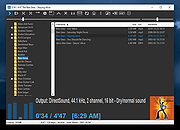 |
 |
Agent DVR v7.9.2.0 Agent DVR v7.9.2.0 👉 A powerful, self-hosted video surveillance and monitoring platform. Agent DVR is a full-featured video surveillance application designed for local and remote monitoring of cameras and microphones. It supports a wide range of devices including IP cameras, USB webcams, and audio inputs, and provides advanced functionality such as motion detection, recording, alerts, and remote access through a web-based interface. Features: • Supports IP cameras, USB webcams, RTSP streams, and audio devices • Compatible with ONVIF devices for easy camera discovery and setup • Browser-based interface with no client software required • Remote access from anywhere via secure web portal • Motion detection with adjustable sensitivity, zones, and filters • AI object detection including people, vehicles, animals, and custom models • Facial recognition support (with configured AI services) • License plate recognition (via integrations) • Continuous, motion-triggered, and scheduled recording modes • Timeline-based playback with fast scrubbing and event markers • Multiple simultaneous camera streams with grid and custom layouts • PTZ control including presets, tours, and auto-tracking (supported cameras) • Audio recording, live listening, and two-way audio support • Alerts and notifications via email, SMS, push, webhook, and API triggers • Smart alerts based on AI detection events • Event logging with searchable history • User accounts with roles, permissions, and access restrictions • HTTPS support for secure connections • No port forwarding required using built-in remote access services • Local storage with configurable retention policies • Cloud upload support including FTP, SFTP, and third-party services • Automatic cleanup and disk management options • Multi-server support for distributed camera setups • Plugin system for extending functionality • Integration with home automation systems and external APIs • Support for hardware acceleration (GPU) to improve performance • Cross-platform support via .NET and Docker containers • Import/export configuration and backup settings • Supports multiple layouts, themes, and UI customization • Snapshot capture and image archiving • Privacy masking zones for sensitive areas • Time-lapse recording and export • Multi-language interface support (where available in ... |
|
4,579 | Aug 19, 2026 iSpyConnect.com  |
|
Alternate Quick Audio v1.880 Alternate Quick Audio v1.880 A simple program for recording audio files (supported audio formats: WAV and MP3) as well as playback of audio files. The program is freeware. The program also contains an additional audio converter tool which allows the converting of audio files (some video file formats, too) into other audio formats (E.g. from WAV to MP3 or MP4 to WAV). The following formats are supported by the built-in audio converter: - WAV, MP3, OGG, AAC, AIF, ASF, AST, AU, FLAC, FLV, M4A, MP2, MP4, MPG, RA, SF, VOC and WMA. Changes in this version: - DPI error correction Supported operating systems: 98, Me, 2000, XP, Server 2003, Vista, Server 2008, 7, 8, 8.1, 10 Languages included: English, German, Greek, French, Japanese, Russian, Turkish, Hungarian, Italian Click here to visit the author's website. |
|
7,140 | Sep 27, 2019 Alternate Tools 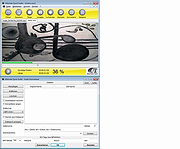 |
|
Analog Devices ad1815 ad1816 audio driver for Windows 95 and 98 Analog Devices ad1815 (ad 1815) ad1816 (ad1816) audio driver for Windows 95 and 98 |
 |
10,018 | May 20, 2009 Analog Devices |
|
AnyBurn Free v6.9 AnyBurn Free v6.9 👉 Lightweight disc burning, imaging, and bootable USB drive creation software. AnyBurn is a lightweight but professional disc burning, imaging, and bootable USB drive creation program. It provides tools to burn data discs, create Audio CD and MP3 CD discs, rip Audio CDs, create and manage image files, browse and extract image contents, test disc surfaces, view drive and disc information, and create bootable USB drives. This portable edition is fully functional, does not require installation, and can be extracted and run directly or placed on a USB drive. Features: • Burn image files to CD, DVD, and Blu-ray discs • Burn data discs • Append data to discs to create multisession discs • Support on-the-fly burning • Create Audio CDs from MP3, M4A, FLAC, OGG, APE, WMA, and WAV files • Create MP3 CD and DVD discs • Copy discs to image files • Copy one disc directly to another • Rip Audio CDs to MP3, FLAC, OGG, APE, WAV, and WMA files • Convert disc image file formats • Create new image files • Edit existing image files • Browse and extract files from image files • Test disc surfaces • View optical drive and disc information • Create bootable USB drives • Create bootable USB drives from ISO and supported compressed files • Run without installation from a folder or USB drive Supported operating systems: • Windows 11, Windows 10, Windows 8 / 8.1, Windows 7, Windows Vista, Windows 2008, Windows 2003, Windows XP, Windows 2000 Supported languages: • Arabic, Bulgarian, Croatian, Czech, Danish, Dutch, English, English UK, Finnish, French, German, Greek, Hungarian, Indonesian, Italian, Japanese, Korean, Polish, Portuguese (Brazil), Portuguese (Portugal), Romanian, Russian, Simplified Chinese, Slovenian, Spanish, Swedish, Traditional Chinese, Turkish, Ukrainian Changes: v6.9 07-28-26 Some minor bug fixes and enhancements. Note: This file has one hit on VirusTotal. We have confirmed this to be a false positive. The file is safe. Click here to visit the author's website. |
|
13,979 | Aug 26, 2026 Power Software Ltd. 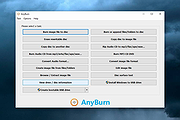 |
|
Audacity v4.0.1 Audacity v4.0.1 👉 Free, open-source, multi-track audio editor and recorder for recording, editing, mixing and producing audio. Audacity is a powerful, free and open-source audio editor and recorder for Windows, macOS and Linux. It can handle everything from quick voice recordings and simple edits to multi-track music production, podcast creation, audio restoration and more involved sound projects. Audacity provides a visual waveform-based editing environment where audio can be recorded, cut, copied, moved, trimmed and arranged across multiple tracks. Music, speech, sound effects and other recordings can be combined into a single project, with precise control over individual clips and their placement on the timeline. The program includes a wide collection of audio processing tools for adjusting volume, compression, equalization, pitch and tempo. Noise removal and repair tools can help clean up recordings, while delay, reverb, distortion, modulation, fading and other effects provide additional options for shaping sound. Real-time effects can be applied without permanently altering the original audio, allowing settings to be adjusted while continuing to work on a project. Effects can be applied to individual tracks or to the master output. Audacity also includes a plugin manager for enabling, disabling and organizing available effects. Audacity supports third-party plugins and includes support for VST3 and Nyquist effects. Optional FFmpeg support expands compatibility with additional audio formats. Finished projects can be exported to common formats such as WAV, MP3, FLAC and Ogg. The program is useful for recording microphones and other audio sources, digitizing older recordings, cleaning up noisy audio, editing interviews, assembling podcasts, creating sound effects, working with music and preparing finished audio for publishing or archiving. Features: • Record live audio through microphones, mixers and other input devices • Edit and arrange multiple audio tracks within a single project • Cut, copy, paste, trim, split and move audio clips ... |
|
11,300 | Oct 02, 2026 Audacity 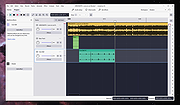 |
|
Audio Switcher (PORTABLE) 1.7.0.117 Audio Switcher (PORTABLE) 1.7.0.117 Audio Switcher is a 100% free, and Open Source application for Windows® Vista, 7, 8, and 10. Audio Switcher makes switching between sound devices trivial. No longer do you have to go into Control Panel or the Windows® Sound options, instead there is an easy to access icon, or even hotkeys. The beautiful part of Audio Switcher is it's simplicity. It doesn't try to do too much, it does exactly what is needed; nothing more, nothing less. Audio Switcher is developed by @xenolightning, entirely in my spare time. Continued development is spurred on by the users, if you have any feedback, feel free to contact me. 1.7.0.117 - .NET 4.5.2, as .NET4.0 is no longer officially supported by Microsoft - Fixes a memory leak that happens on rare occasions #1900 - Fixes a crash to Windows Audio service #1911 - Fixes delayed device names showing as "Unkown" #1870 - Fixes a possible null reference in app icon #1863 - Performance improvements - Further reduces CPU usage |
|
7,512 | Mar 08, 2016 Sean Chapman 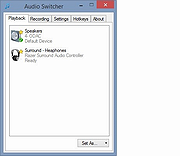 |
|
Audio Switcher 1.7.0.117 Audio Switcher 1.7.0.117 Audio Switcher is a 100% free, and Open Source application for Windows® Vista, 7, 8, and 10. Audio Switcher makes switching between sound devices trivial. No longer do you have to go into Control Panel or the Windows® Sound options, instead there is an easy to access icon, or even hotkeys. The beautiful part of Audio Switcher is it's simplicity. It doesn't try to do too much, it does exactly what is needed; nothing more, nothing less. Audio Switcher is developed by @xenolightning, entirely in my spare time. Continued development is spurred on by the users, if you have any feedback, feel free to contact me. 1.7.0.117 - .NET 4.5.2, as .NET4.0 is no longer officially supported by Microsoft - Fixes a memory leak that happens on rare occasions #1900 - Fixes a crash to Windows Audio service #1911 - Fixes delayed device names showing as "Unkown" #1870 - Fixes a possible null reference in app icon #1863 - Performance improvements - Further reduces CPU usage |
|
7,216 | Mar 08, 2016 Sean Chapman |
|
Audionaut v1.6.4 Audionaut v1.6.4 👉 A free, open-source audio editor for recording, cutting, arranging, and exporting multitrack audio. Audionaut is a free, open-source desktop audio editor and recorder for music, podcasts, and multitrack recordings. It combines a waveform timeline with reusable audio regions and individual track playlists, giving you several ways to build and rearrange a project. A region is a named section of source audio, while a clip places that region into your arrangement. You can create sections such as an introduction, verse, chorus, or ending, then reuse them wherever needed. Each track's playlist stays synchronized with its timeline, making it easier to rearrange sections without repeatedly cutting the original recording. Tracks can contain multiple audio channels. When you split a multichannel clip, its channels stay together in the resulting regions. This is useful when working with related microphone recordings or stems that need to remain aligned. Audionaut also includes audio analysis, automatic segmentation, pitch-preserving time stretching, and local stem separation. Its optional MCP integration allows compatible AI assistants to edit projects, while its command-line tools support scripted workflows. Features: • Multitrack arrangements: Layer recordings across multiple tracks, each with its own synchronized playlist. • Reusable regions: Name sections of audio and place them into the arrangement repeatedly without recreating each section. • Multichannel editing: Keep the channels of a recording together when cutting and rearranging clips. • Precise splitting: Cut at the playhead or split around a selected time range. • Drag-and-drop arranging: Move clips along the timeline, duplicate them, or drag saved regions into new positions. • Per-clip volume: Adjust the gain of individual channels within a clip. • Adjustable fades: Drag fade handles to create fade-ins, fade-outs, and crossfades with adjustable curves. • Pitch-preserving time stretching: Change ... |
|
54 | Oct 09, 2026 Klaus Voltmer 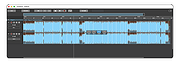 |
|
Balabolka v2.15.0.918 Balabolka v2.15.0.918 👉 Text-to-speech software for reading text aloud using installed system voices. Balabolka is a text-to-speech (TTS) program that allows you to convert written text into spoken audio using voices installed on your system. It supports a wide range of file formats and provides tools for editing text, adjusting speech parameters, and saving audio output to various formats. The program works with Microsoft Speech API (SAPI) voices and gives users control over voice selection, speed, pitch, and volume. Features: • Supports multiple file formats including TXT, DOCX, PDF, EPUB, HTML, and more • Uses Microsoft SAPI 4 and SAPI 5 compatible voices • Adjustable speech parameters such as rate, pitch, and volume • Save text as audio files in formats like WAV, MP3, OGG, and WMA • Built-in text editor with bookmarking and customization options • Can read clipboard content and monitor it for automatic reading • Spell checking and pronunciation correction tools • Batch file conversion and command line support • Customizable interface including font and color settings Supported operating systems: • Windows XP, Windows Vista, Windows 7, Windows 8, Windows 10, Windows 11 Supported languages: English, Russian, German, Spanish, French, Italian, Polish, Czech, and others depending on installed voices Changes: v2.15.0.918 2026-07-18 [-] Fixed the using of LibreTranslate. [*] Resources for Bulgarian and Turkish languages were updated (thanks to Kostadin Kolev and Fettah Pınar). This download is for the Windows portable version (very bottom of page). All other download assets are below: Windows installer: balabolka.zip Windows Command Line Utility: The utility contains no graphical user interface and works only from the command line. The application handles various command line parameters to be able to read text aloud or save as an audio file balcon.zip Text Extract Utility: The program allows to extract text from the various types of files. The extracted text can be combined into one file or/and split into few files. The utility works from the command line, without displaying any user ... |
|
9,952 | Aug 14, 2026 Ilya Morozov 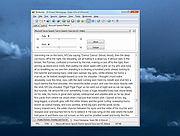 |
|
Boom Audio Player v1.0.38 Boom Audio Player v1.0.38 An easy to use audio player intended for casual computer users who do not wish to spend their time on figuring more sophisticated software out. All of its most important features are easily accessible out-of-the-box. Noteworthy features: No installation or administrator rights required! Just download and run. Gapless playback of properly encoded files. Enjoy smooth transitions between tracks. ReplayGain support. External software is currently required to write ReplayGain information to file tags to utilize this functionality. Contents of your music folders are shown, in a convenient structured genre/artist/album/song view. By default, contents of "my music" folder or Windows Music library folders are shown. You can configure Boom to index music from any other folders though. You can install Boom to removable media and have it index contents of the folder it is installed in. Are your files badly tagged or missing tags alltogether? No problem, Boom can browse your music library by its folder structure. Supports variety of popular audio formats, including: MP3, Ogg Vorbis, FLAC, Musepack (MPC), WavPack, WAV, AIFF, MP4/M4A, WMA. For emergency tagging needs, Boom includes a simplified version of the foobar2000 Properties dialog. Easily configured to run from removable media. Multilanguage support. Changes: Version 1.0.38 highlights: Fixed failure to index music on some readonly network shares. Updated MP4 handler (now recognizes Opus and FLAC content in MP4). Noteworthy features currently missing: Internet radio playback is not supported. No easy way to integrate with Windows Explorer other than manually going through "open with" / ... |
|
7,055 | Jun 13, 2023 Peter Pawlowski 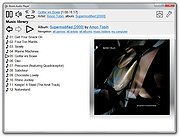 |
|
Borderless v1.0.4.0 Borderless v1.0.4.0 👉 Automatically control borderless, fullscreen, and custom window layouts in Windows. Borderless is a free, open-source Windows utility that automatically applies and maintains customized window layouts for games and applications. Create rules that identify programs by their window title, executable name, or both, and Borderless automatically applies your chosen settings whenever a matching window appears. Despite its name, Borderless does considerably more than simply remove window borders. Rules can maximize a window to its current monitor, position and resize it to custom dimensions, keep it always on top, control the mouse cursor, remove standard window menus, and mute a program when it loses focus. This can be particularly useful with games that lack a proper borderless-windowed mode, older software that doesn't remember its window position, and programs you always want opened on a particular part of the screen. Features: • Automatically applies window rules to games and applications • Converts matching windows to a borderless layout • Matches applications using window titles, executable names, or both • Supports regular expressions for flexible window-title matching • Includes a live process picker for quickly selecting running applications • Reapplies selected window settings while Borderless is running • Prevents applications from simply restoring borders after they are removed • Maximizes windows to the current monitor • Supports custom window positions and dimensions • Keeps selected windows always on top • Locks the mouse cursor to the focused window • Releases the cursor when switching away with Alt+Tab • Hides the mouse cursor while a selected window is focused • Restores the cursor when focus moves away from the window • Removes standard window menu bars when configured • Mutes an application's audio while it is in the background • Allows individual rules to be enabled or disabled • Shows live rule status information • Provides configurable defaults for newly created rules • Runs from the Windows system tray • Can start automatically with Windows • Can ... |
|
236 | Aug 13, 2026 Venipa 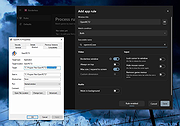 |
|
C-Media CM8330, CM8338, CM8738 Audio Driver (WDM) driver C-Media CM8330, CM8338, CM8738 Audio Driver (WDM) driver for Windows 2003, Windows 95, Windows NT, Windows XP, Windows 2000, Windows 98 8330wdm-417.zip This package supports the following driver models: * C-Media CM8330 Audio Driver (WDM) * C-Media MPU-401 Driver (WDM) * C-Media Game port * CM8330 SB16 Driver (WDM) * C-Media CM8338 Audio Driver (WDM) * C-Media CM8738 Audio Driver (WDM) |
|
10,206 | Apr 01, 2009 C-Media |
|
CSVMusic v1.6.6 CSVMusic v1.6.6 👉 Convert playlists and albums from music services into fully tagged audio files. CSVMusic is a free and open source tool that converts playlists and albums from supported music services into ready-to-use audio files. You can paste a supported playlist or album link directly into the program, or import a playlist exported as a CSV file. CSVMusic finds the best matching tracks on YouTube Music, downloads the audio, and adds metadata such as artist, album and artwork. Audio can be saved as M4A or MP3, with optional native Opus output available in Settings. CSVMusic can also create M3U and M3U8 playlist files so the original track order can be retained when the music is imported into iTunes, a phone, MP3 player or local music library. Features: • Import supported playlist and album links directly without first creating a CSV file • Direct link support for Spotify, Apple Music, YouTube Music, YouTube playlists, SoundCloud sets, Deezer and Amazon Music when public track data is available • CSV importing remains available for services supported by TuneMyMusic • First-class Exportify CSV support • Automatically finds matching tracks on YouTube Music • Downloads and converts audio to M4A or MP3 • Optional native Opus output remuxes Opus streams without lossy re-encoding • Automatically adds artist/title, album information and embedded artwork • Optionally creates M3U and M3U8 playlist files • Library Mode maintains multiple public Spotify playlists in a persistent local catalog • Library Mode can scan playlists, identify tracks missing from disk and let you select individual tracks • Rescanning the library preserves track selections and manually corrected YouTube matches while reporting added and removed tracks • Alternatives lets you select a better result when CSVMusic is not confident about an automatic match • Listen lets you preview an alternative candidate in your browser • Paste URL lets you download a specific YouTube or YouTube Music video when choosing an ... |
|
1,012 | Aug 26, 2026 angall1 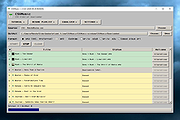 |
|
Drift v0.1.1 Drift v0.1.1 👉 A free, open-source video editor for creating polished videos without subscriptions or watermarks. Drift is a beginner-friendly desktop video editor that combines a straightforward workflow with a full collection of creative tools. Import video clips, photographs and music, then arrange everything on a multi-track timeline with tools for trimming, splitting, snapping and ripple editing. Add effects, transitions, titles, shapes, stickers and emoji without leaving the editor. Drift can also generate editable captions from speech, isolate subjects, create masks, remove green-screen backgrounds, adjust playback speed and clean up noisy audio. The preview and export systems use the same compositor, helping the completed video match what you saw while editing. Drift is completely free and open source with no account, subscription, telemetry or watermark. Optional fonts, stickers, effects and speech-recognition models can be installed through the built-in Addon Manager as needed. Features: • Multi-track timeline for video, audio, text and shapes • Trim, split, snap and ripple editing tools • Mute or hide individual timeline tracks • Full undo and redo support • GPU-powered video effects • Adjustable transitions between overlapping clips • Reusable effect and appearance templates • Customizable titles with fonts, colors, outlines, shadows and alignment • Stickers, emoji and optional content packs • Speech-to-text caption generation • Edit caption wording and timing directly on the timeline • Subject cutout and masking tools • Green-screen background removal • Playback speed adjustment and reversing • Custom speed ramps, fades and beat-based animation • Audio mixing and effect chains • Background-noise cleanup • Project bundles that include associated media • Optional downloadable fonts, effects, stickers and speech models • Export quality and bitrate controls • H.264, H.265, AV1, ProRes and additional export formats • Preview and export use the same compositor • No account, subscription, telemetry or watermark Supported operating systems: • Windows • Linux • macOS, build from source only Supported languages: English Changes: v0.1.1 07-31-26 A small fix-up release on top of the first public version. Curves in the keyframe editor are now ... |
|
329 | Aug 03, 2026 CutWire Studios 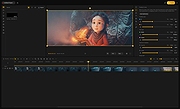 |
|
DVD Audio Tools v20.08-5 DVD Audio Tools v20.08-5 A set of tools for authoring and playback of unencrypted audio on DVD-Audio discs and hybrid DVD-Audio/Video discs. Software dependencies are also provided. Features media authoring DVD DVD-Audio audio High-Res What is DVD-Audio? DVD-Audio is a standard for storing uncompressed high quality stereo or multi-channel audio content on a standard DVD disk. Supported sampling frequencies range from 44.1KHz (the Red-Book CD Audio standard) up to 192KHz, with sampling depths of 16, 20 or 24 bits. A single DVD can contain both DVD-Audio content (in the AUDIO_TS directory) and DVD-Video content (in the VIDEO_TS directory). Most DVD players only recognise and playback the VIDEO_TS content, but an increasing number of dual-format players can play the contents of the AUDIO_TS as well. Such players will display the DVD-Audio logo. A single DVD-Audio disk is referred to as an Album. An Album can consist of up to 9 Groups, each containing up to 99 Tracks. In addition, the contents of the AUDIO_TS directory can contain references to objects in the VIDEO_TS directory (but not vice-versa). Click here to visit the author's website. |
|
2,796 | Aug 03, 2022 Dave Chapman/Fab Nicol 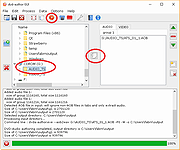 |
|
DxWnd v2.06.15 DxWnd v2.06.15 👉 Run older fullscreen Windows programs and games in a window. DxWnd is a Windows hooker that intercepts system calls to make Win32 fullscreen programs run in a window, improve application compatibility, enhance video modes, stretch timing, and emulate CD disk data and audio tracks. It is especially useful for running older Windows games. Features: • Run fullscreen programs in window mode • Perform time stretching to slow down or speed up actions • Add compatibility options for legacy programs • Log operations • Show program status and palette • Emulate CD audio tracks using ripped audio files • Emulate CD and HD file systems • Emulate registry and configuration files • Emulate custom locale • Use through a GUI or customized proxies Supported operating systems: • Windows Supported languages: English Changes: v2.06.15 07-23-26 fix: [avifile.cpp] fixed log message in SetFormat wrapper causing exception add: [ddraw.cpp] added handling of FORCENOPAGELOCK flag fix: [dshow.videowindow] fixed IVideoWindow::put_FullScreenMode wrapper fix: [dxwnd.cpp] fixed flags logging fix: [excepthandler.cpp] ignoring exception 0xE0000001 trown by CoCreateInstance in codecs. fixes "Barbie Explorer" add: [gdi32.cpp, gdi32.mapping.cpp] added wrappers for OffsetViewportOrgEx and OffsetWindowOrgEx, fixed other wrappers add: [gdi32.cpp] added NOPALETTEANIMATION flag fix: [gdi32.cpp] bypass system palette emulation when used with VineVDM fix: [gdi32.cpp] fixed BitBlt wrapper for scaled mode fix: [gdi32.cpp] added FIXGNOMEMOVIES hack to fix G-Nome movies add: [gdi32.cpp] added wrapper for legacy FloodFill call fix: [gdi32.cpp] fixed GetDIBits hook add: [kernel32.cpp, vfilesys.cpp] added handling of fake raw-device for CD add: [kernel32.cpp] added FINDCLOSECHECK flag add: [kernel32.cpp] added ADDSHAREDDIRPATH flag to help mm director and quicktime > 2 work with quicktime files in the shared dir fix: [kernel32.cpp] added emulation of OCTL_CDROM_MEDIA_REMOVAL IOControl code add [msvfw.cpp] added automatic search of vfw codecs in shared "codecs" folder add [user32.cpp] added FILTERADAPTERWCLASS flag fix [user32.cpp] apply REFRESHONREALIZE flag on UserRealizePalette wwrapper fix [winmm.cpp] improved async handling of WaveOut functions add [GUI] when running Win16 programs remap WinMM system folders to DxWnd system folders Note: This file has one hit on VirusTotal. We have confirmed this to be a false positive. The file is safe. Use 7-Zip to unzip this file. Click here to visit the author's ... |
|
7,337 | Sep 22, 2026 ghotik 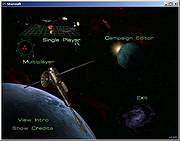 |
|
EarTrumpet v2.3.0.0 EarTrumpet v2.3.0.0 👉 A free, powerful per-app volume mixer and audio device controller for Windows. Features • Visualize audio with multi-channel aware peaking • Standalone volume mixer • Move apps between playback devices • Default playback device management • Automatic updates via the Microsoft Store • Support for light/dark mode and all accent colors • Configurable hotkeys • Modern context menus • Growing multilingual support Supported operating systems: Windows 10/11 Supported languages: Chinese (Simplified), Chinese (Traditional), Chinese (Traditional, Hong Kong SAR), English (United States), French, German, Spanish, Italian, Portuguese, Dutch, Afrikaans, Amharic, Arabic, Norwegian, Czech, Polish, Swedish, Romanian, Turkish, Japanese, Korean, Russian, Thai, Vietnamese Changes: v2.3.0.0 06-11-25 Added setting to turn on/off ability to change volume with the scroll wheel anywhere (thanks @Tester798!) Added setting to turn on/off ability to change volume with the scroll wheel when hovering over the EarTrumpet icon (thanks @Tester798!) Added new community settings area Added new community setting to turn on/off use of a logarithmic volume scale (thanks @yonatan-mitmit!) Added legacy shortcuts to the context menu pointing to [App volume and device preferences] / [Volume mixer] Added ability to use the Windows key in shortcuts (thanks @iamevn!) Added linguistic display name sorting for audio devices (thanks @Tester798!) Added a workaround for Windows Search (CortanaUI) showing a default asset (X) icon Fixed an issue where installation of EarTrumpet via AppInstaller would fail if the Visual C++ libs package was not installed Fixed an issue where EarTrumpet tooltips were not updating live while scrolling the mouse ... |
|
1,356 | Jun 02, 2026 File-New-Project 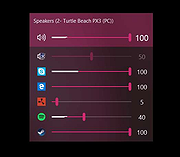 |
|
Exact Audio Copy v1.6 Exact Audio Copy v1.6 Exact Audio Copy is a so called audio grabber for audio CDs using standard CD and DVD-ROM drives. The main differences between EAC and most other audio grabbers are: It is free (for non-commercial purposes) It works with a technology, which reads audio CDs almost perfectly. If there are any errors that can’t be corrected, it will tell you on which time position the (possible) distortion occurred, so you could easily control it with e.g. the media player. With other audio grabbers you usually need to listen to every grabbed wave because they only do jitter correction. Scratched CDs read on CD-ROM drives often produce distortions. But listening to every extracted audio track is a waste of time. Exact Audio Copy conquer these problems by making use of several technologies like multi-reading with verify and AccurateRip. Features of EAC All kinds of CD and DVD drives are supported (including USB, Firewire, SATA and SCSI drives) Hidden sector synchronization (jitter correction) A secure, a fast and a burst extraction methods selectable. Fast extraction should run at the same speed as other grabbers with jitter correction, but is probably not exact anymore. Burst mode just grabs the audio data without any synchronization. Detection of read errors and complete losses of sync and correction in the secure mode, as far as possible Output of time positions of all non-exact corrections and the possibility to listen to these positions EAC is able to copy ranges of music data, not only tracks Automatic speed reduction on read errors and fallback to a higher speed afterwards (depends on the used drive) Volume normalization of extracted audio to a given percentage Usage of the Windows Audio Compression manager (ACM Codecs) for direct compression to e.g. MP3 waves Support for ... |
|
6,200 | Jan 06, 2021 Andre Wiethoff 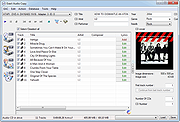 |
|
EZ CD Audio Converter Free 1.5.3 EZ CD Audio Converter Free 1.5.3 The Easy CD-DA Extractor application is the Swiss Army Knife Of Digital Audio is ALL-IN-ONE music converter that rips Audio CDs, converts audio files from one format to another, edits metadata of audio files. Supports all popular audio file formats such as MP3, AAC, aacPlus, Apple Lossless, Windows Media Audio, Ogg Vorbis, FLAC, Monkey's Audio, and more. You can use Audio CD Ripper to rip CDs to different audio formats. CD ripping is powered by AccurateCDDA that provides accurate, error detective, and high-performance CD ripping. Audio CD Ripper can read disc information from CD-Text, and retrieve it from freedb and MusicBrainz metadata servers. Cover art can be automatically downloaded from Amazon store. The metadata from different sources are combined and written to the output file. Compatible media player will show this information when playing the file. Audio CD Ripper also contains DSP panel that allows you to normalize audio from different CDs to the same volume level, or you can apply fade in/out, or delete leading and trailing silence of a song. |
|
9,589 | Feb 17, 2014 Poikosoft |
|
FineTune v1.9.0 FineTune v1.9.0 👉 Per-app volume control, audio routing, multi-device output and EQ for macOS. FineTune is a free and open-source macOS menu bar app that lets you control the volume of individual apps, boost quiet apps up to 4x, route apps to different speakers, use multi-device output, adjust input and output devices, and shape sound with a 10-band EQ and headphone correction. Features: • Per-app volume sliders and mute controls • Per-app volume boost with 2x, 3x and 4x gain presets • Global hotkeys for app volume up, app volume down, app mute and popup toggle • Configurable volume step size • Keyboard navigation for the menu bar popup • Multi-device output support • Route apps to different audio outputs • Auto-restore app volume, routing and EQ when devices reconnect • 10-band EQ with presets • Custom user EQ presets • AutoEQ headphone correction support • Loudness compensation using ISO 226:2023 equal-loudness contours • Input device and microphone level control • macOS alert volume control • Bluetooth device management from the menu bar • External monitor speaker control via DDC • Dynamic menu bar icon styles • Light and Dark theme support • Adjustable popup size: Compact, Comfortable or Spacious • URL schemes for automation Supported operating systems: • macOS 15.0 Sequoia or later Supported languages: English, Simplified Chinese Changes: v1.9.0 07-09-26 Pick your own icon for any device, and the menu bar icon stops nudging its neighbors. Two DDC fixes land alongside, including the crash on external-monitor volume changes that shipped in v1.8.0. New Features Choose Any Device's Icon Open edit mode in the popup and click a device's icon to pick a new one from a catalog of 85 symbols across five categories — Headphones & Earbuds, Speakers, Computers & Displays, Microphones, and Connectors & Other — or search by keyword ("soundbar", "projector", "aux"). A Suggested section leads with FineTune's automatic guess from the device's name and connection type, so the right ... |
|
824 | Oct 07, 2026 Ronit Singh 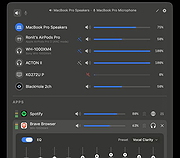 |
|
foobar2000 v2.26 foobar2000 v2.26 👉 Advanced freeware audio player with tagging, conversion, replay gain, and customizable playback features. foobar2000 is an advanced freeware audio player designed for playing mainstream audio formats out of the box, with support for additional decoder components, gapless playback, advanced tagging, Audio CD ripping, transcoding, ReplayGain, internet radio, customizable keyboard shortcuts, and a flexible component architecture for extending functionality. Features: • Plays all mainstream audio formats out of the box • Supports additional decoder components for more formats • Gapless playback • Stream music on your local network • Easily customizable user interface layout • Advanced tagging capabilities • Audio CD ripping and audio transcoding • Full ReplayGain support • Customizable keyboard shortcuts • Built-in DSP effects with support for more through components • Internet radio support • Open component architecture for third-party extensions • No telemetry or data collection Supported operating systems: • Windows 7 or newer • macOS 11 Big Sur or newer Supported languages: • English Changes: v2.26 06-26-26 Converter changes New preset format, presets stored as .ini files in profile subfolder. Old presets imported on first run. Better error messages when receiving unexpected data format change in mid-conversion; made discard blank chunks before checking for format match. Added extensible post-conversion actions which can be used for ReplayGain scanning, integrity testing, etc. On conversion error, encoder's stderr output is forwarded to foobar2000 console. Ogg chaining is now off by default, Ogg chapters written by default instead. Added %source_list_index% & %source_list_total%, only for multi track image naming pattern use, to allow use of list indexes in the pattern. Made file name preview recognize newly added %source_list_index%. Made show output of command-line encoder program in error popup if conversion has failed. Made "no DSP reset" explicitly shown in overview, as ... |
|
6,754 | Oct 05, 2026 foobar2000.org 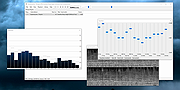 |
|
fre:ac - Free Audio Converter v1.1.4 fre:ac - Free Audio Converter v1.1.4 fre:ac is a free audio converter and CD ripper with support for various popular formats and encoders. It currently converts between MP3, MP4/M4A, WMA, Ogg Vorbis, FLAC, AAC, WAV and Bonk formats. With fre:ac you easily rip your audio CDs to MP3 or WMA files for use with your hardware player or convert files that do not play with other audio software. You can even convert whole music libraries retaining the folder and filename structure. The integrated CD ripper supports the CDDB/freedb online CD database. It will automatically query song information and write it to ID3v2 or other title information tags. Features Converter for MP3, MP4/M4A, WMA, Ogg Vorbis, FLAC, AAC, WAV and Bonk formats Integrated CD ripper with CDDB/freedb title database support Portable application, install on a USB stick and take it with you Multi-core optimized encoders to speed up conversions on modern PCs Full Unicode support for tags and file names Easy to learn and use, still offers expert options when you need them Multilingual user interface available in 40 languages Completely free and open source without a catch This download is for the 64bit Windows version. If you need the 32bit Windows version, download here. If you need the Intel and PowerPC Macs, macOS 10.x version, download here. If you need the Intel and Apple Silicon Macs, macOS 11.0 version, download here. If you need the Linux x86 (64 bit) version, download here. If you need the Linux x86 (32 bit) version, download here. If you need the Linux ARM (64 bit) version, download here. If you need the Linux ARM (32 bit) version, download here. If you need the FreeBSD (64 bit) version, download here. If you need the ... |
|
6,526 | Feb 16, 2021 Robert Kausch 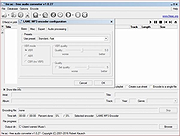 |
|
Free Audio Video Pack v2.22 32bit Free Audio Video Pack v2.22 32bit Free Audio Video Pack is a collection of portable video and audio converters which helps you to convert between all most popular audio and video formats like AVI, MPG, MP4, MP3, WAV, FLAC, AAC, MOV, WebM, WMV, WMA, OGG, WebM, FLV, OGV, 3GP. The package also includes applications that allows you to extract audio tracks from CD images based on the CUE sheets. Do not run this program from the 7z archive. Extract all files from archive before using! Unzip with 7zip. Download here All converters have a very similar interface and they are simple to use, even for novice users. To install, just extract archive FreeAudioVideoPack.7z to any folder on a hard disk or USB drive, then run FreeAudioVideoPack.exe file. Current version includes: Free WMA to MP3 Converter 1.4 Free MP4 to AVI Converter 1.16 Free MP4 to MP3 Converter 1.6 ---------------------------------------------- Pazera Free Audio Extractor 2.10 Free MKV to AVI Converter 1.9 Free WebM to MP3 Converter 1.4 Free OGV Video Converter 1.2 Free AVI to MP3 Converter 1.2 Free FLV to MP3 Converter ... |
|
5,765 | Dec 18, 2019 Jacek Pazera 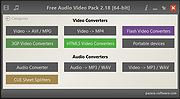 |
|
Free Audio Video Pack v2.22 64bit Free Audio Video Pack v2.22 64bit Free Audio Video Pack is a collection of portable video and audio converters which helps you to convert between all most popular audio and video formats like AVI, MPG, MP4, MP3, WAV, FLAC, AAC, MOV, WebM, WMV, WMA, OGG, WebM, FLV, OGV, 3GP. The package also includes applications that allows you to extract audio tracks from CD images based on the CUE sheets. Do not run this program from the 7z archive. Extract all files from archive before using! Unzip with 7zip. Download here All converters have a very similar interface and they are simple to use, even for novice users. To install, just extract archive FreeAudioVideoPack.7z to any folder on a hard disk or USB drive, then run FreeAudioVideoPack.exe file. Current version includes: Free WMA to MP3 Converter 1.4 Free MP4 to AVI Converter 1.16 Free MP4 to MP3 Converter 1.6 ---------------------------------------------- Pazera Free Audio Extractor 2.10 Free MKV to AVI Converter 1.9 Free WebM to MP3 Converter 1.4 Free OGV Video Converter 1.2 Free AVI to MP3 Converter 1.2 Free FLV to MP3 Converter ... |
|
6,038 | Dec 18, 2019 Jacek Pazera |
|
Gamepad Tester .NET v19.5.0.0 Gamepad Tester v19.5.0.0 Test controller buttons, triggers, thumbsticks, vibration, and headset audio. Gamepad Tester is a Windows gaming utility for checking Xbox and PlayStation controllers for possible hardware problems, including buttons, triggers, thumbsticks, vibration motors, and headset audio output. Features: • Tests controller buttons, triggers, and thumbsticks • Checks vibration motors • Headset audio pass-through tester • Supports Xbox and PlayStation controllers • XInput/DirectX based engine • Portable, Lite, and Microsoft Store versions available • Code-signed files • Donationware Supported operating systems: • Windows 8, Windows 10, Windows 11 Supported languages: English Changes: v19.5.0.0 Not provided. Click here to visit the author's website. |
|
780 | Jun 05, 2026 OMID SOFT 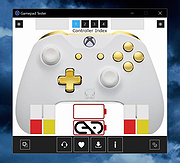 |
|
IBM Rev 1.5 motherboard Drivers- Audio Driver IBM Rev 1.5 motherboard Drivers- Audio Driver d64z28us.exe |
|
17,437 | Aug 02, 2009 IBM |
|
InstalledCodec v1.05 - Disable/enable codec drivers and DirectShow filters InstalledCodec is a small utility displays the list of all Codec drivers and DirectShow filters currently installed on your system. For each component the following information is displayed: Display Name, Type, Disabled Status, Installed/Modified Time, Description, Company Name, Filename, and more... It allows you to easily disable or enable any Codec/DirectShow component or export the list into text/xml/html file. |
|
10,034 | Sep 22, 2021 Copyright (c) 2007 - 2008 Nir Sofer |
|
Intel 82801DBM AC\'97 ICH4-M Audio Controller Driver Intel ICH4-M 82801DBM SigmaTel STAC9767 Codec Driver for Windows XP |
|
10,132 | Jul 17, 2009 Intel |
|
Intel(r) 82801ba/bam AC\'97 Audio Controller Driver Intel(r) 82801ba/bam AC\'97 Audio Controller Driver ac974026.exe |
 |
10,245 | Aug 02, 2009 Intel |
|
Kabuu Audio Converter v1.1.0 Kabuu Audio Converter v1.1.0 Kabuu Audio Converter is a multithreaded audio converter and extractor. It can convert any file to mp3, m4a, flac, alac, wav, ogg, opus. You can also extract audio from video files like mp4, avi, vob, mkv, webm, etc. Kabuu Audio Converter has several built in presets which make encoding even easier. You can also create your own presets, adjust encoding parameters like bitrate, channel count, sampling rate, bit depth, compression ratio. Kabuu Audio Converter can extract audio streams from video files. Even if the video file in question has more than one audio stream, Kabuu Audio Converter gives you the option to select the one you want to extract. If your audio tracks have language information, you can configure Kabuu Audio Converter so it can select the language you want for you. Kabuu Audio Converter is completely free and does not contain any malicious code or addon. Features Convert audio files in parallel to maximize encoding speed Supported output formats mp3, m4a, ogg, opus, flac, wav, alac, wma Keeps folder structure at output for your convenience Create or use built in presets for easy configuration Extract audio from video files, audio track selection for multitrack files Can convert and extract from almost any media file Supported Formats Input Audio Formats .mp3, .wav, .m4a, .flac, .ogg, .tta, .mpc, .aac, .ac3, .spx, .opus, .shn, .wv, .mpc, .ape, .wma, .3ga, .thd, .amr, .aac, .m4b, .tak, .dts, .aiff, .aif, .dtsma, .mpa, .mp2, .mka Input Video Formats ... |
|
4,408 | Jun 06, 2020 Kabuusoft 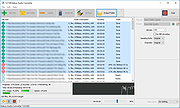 |
|
Kdenlive v26.04.3 Kdenlive v26.04.3 👉 Free and open-source non-linear video editor packed with powerful professional editing tools. Kdenlive is a free and open-source non-linear video editor from KDE designed for everything from simple video projects to complex multi-track productions. Built around the MLT Framework and FFmpeg, it can work directly with almost any audio and video format supported by FFmpeg without requiring clips to be converted first. Kdenlive combines flexible timeline editing, effects, transitions, titles, subtitles, color and audio analysis tools, proxy editing, multicam support, keyframing, automatic backups and extensive interface customization. Features: • Unlimited video and audio tracks with individual hiding, muting, resizing, collapsing and custom track names • Direct editing of almost any audio or video format supported by FFmpeg without first converting or re-encoding clips • Industry-standard 3-point editing with clip In/Out points and insert or overwrite editing modes • Flexible non-linear timeline for arranging, trimming and combining video and audio clips • Customizable interface with movable and resizable panels to fit different editing workflows • Save different workspace layouts for logging, editing, color grading and audio editing • Customizable keyboard shortcuts for creating a personalized workflow or adapting from another editor • Built-in 2D Title Editor for titles, callouts, scrolling credits and other text • Title formatting includes installed system fonts, character and line spacing, colors, alignment and positioning • Typewriter title effect with character-by-character, word-by-word or line-by-line text display • Glaxnimate integration for creating and working with SVG vector animations • Dozens of video and audio effects supplied through MLT, avfilter, frei0r and LADSPA • Video effects include color correction, blur, sharpening, artistic effects and transformations • Audio effects and adjustment tools for improving and modifying sound • Keyframe support for changing most effect parameters over time • Linear, discrete and smooth-curve keyframe types • Multi-camera editing with simultaneous viewing of multiple camera angles or other footage • Quickly switch between multicam sources while adding selected ... |
|
5,373 | Aug 20, 2026 Kdenlive Team 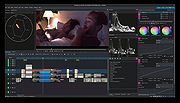 |
|
Kid3 - Audio Tagger v3.10.0 Kid3 - Audio Tagger v3.10.0 👉 Powerful audio tag editor for fixing music metadata across entire collections. Kid3 - Audio Tagger is a feature-rich metadata editor designed for organizing and maintaining large music collections with precision and speed. Unlike many tag editors that focus only on single-file editing, Kid3 is built to efficiently handle entire albums and directories at once, making it ideal for collectors, archivists, DJs and anyone managing thousands of audio files. Kid3 - Audio Tagger supports a huge variety of audio formats including MP3, FLAC, Ogg/Vorbis, Opus, AAC, MP4, WAV, AIFF, WMA and more. It can edit ID3v1.1, ID3v2.3 and ID3v2.4 tags, convert between tag versions and synchronize data between multiple tag formats. You can quickly generate tags from filenames, create filenames from tags, or automatically organize music into structured folders based on metadata. The program also includes advanced automation features for large collections. Batch editing tools allow you to modify artist names, album information, genres, years and artwork across hundreds of files in seconds. Import support for Discogs and MusicBrainz helps automatically retrieve album details, while export tools can generate playlists, CSV reports, HTML indexes and JSON data. Kid3 - Audio Tagger includes synchronized lyrics editing, chapter support, customizable scripting, command-line automation and dark mode support. Despite its extensive capabilities, the interface remains lightweight and responsive across Windows, Linux, macOS and Android devices. Features: • Edit ID3v1.1, ID3v2.3 and ID3v2.4 metadata tags • Batch edit tags for entire albums or large music libraries • Rename files and folders automatically from tag information • Generate tags from filenames or directory structures • Convert between multiple tag formats and versions • Support for MP3, FLAC, AAC, MP4, WAV, AIFF, Opus, Ogg/Vorbis, WMA and many more • Import album information from Discogs and MusicBrainz • Add and edit album artwork • Edit synchronized lyrics and import/export LRC lyric files • Create playlists and export ... |
|
5,481 | Jun 09, 2026 Urs Fleisch 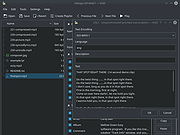 |
|
MAGDA v0.19.0 MAGDA v0.19.0 👉 Free, open-source DAW (Digital Audio Workstation) with AI-assisted music production. MAGDA is a free, open-source digital audio workstation designed for modern music creation, recording, editing, sound design, and live production workflows. Built using the JUCE framework and the Tracktion Engine, MAGDA combines traditional DAW functionality with advanced AI-assisted workflow tools to help musicians, producers, and creators work faster and more creatively. MAGDA features a flexible production environment with session, arrangement, and mixer views, allowing users to compose music, arrange clips, automate effects, and mix tracks using a streamlined interface. The application supports both audio and MIDI production and includes built-in instruments, modulation systems, automation lanes, plugin support, MIDI controller integration, and scripting capabilities. One of MAGDA’s standout features is its integrated AI assistant, which allows users to control parts of the DAW using natural language commands. Users can also access an embedded DSL console for advanced workflow customization and scripting. Additional tools such as the Drum Grid, Piano Roll editor, modulation rack, FAUST-powered effects bank, and macro systems provide deep sound-shaping and performance options for electronic music production, live performance setups, and studio recording. Features: • Multi-view workflow with session, arrangement, and mixer layouts • Hybrid tracks supporting both audio and MIDI content • AI-powered assistant with natural language interaction • Embedded DSL console for command execution and automation • Built-in 4OSC subtractive synthesizer instrument • Integrated Drum Grid with independent plugin chains per pad • Piano Roll editor with velocity, pitchbend, and MIDI CC editing • Advanced automation modes including Write, Touch, and Latch • Modulation system with LFOs, macros, curve shapers, and modulators • FAUST integration with built-in effects processing bank • Plugin scanning and plugin management support • Rack-based workflow for reusable instrument and effect chains • MIDI Learn support for rapid hardware controller mapping • Lua scripting support for two-way DAW protocols and customization • Session recording and clip launching workflow tools • ... |
|
668 | Sep 22, 2026 Conceptual Machines 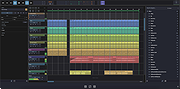 |
|
Media Player Classic - Home Cinema (MPC-HC) v2.8.2 Media Player Classic - Home Cinema (MPC-HC) v2.8.2 👉 Free and open-source video and audio player for Windows. Media Player Classic - Home Cinema is a free and open-source video and audio player for Windows. It is known for its simple and effective user interface while offering a large amount of functionality. As a DirectShow player, it also provides flexibility and extensibility through third-party filters. Features • Modern GUI Theme (Dark or Light) Options > Player > User Interface When using modern theme it is also possible to change the height of the seekbar and size of the toolbar buttons. • Video preview on the seekbar Options > Player > User Interface • Play HDR video This requires using MPC Video Renderer (download below) or madVR. After installation these renderers can be selected here: Options > Playback > Output Tip: If you want an easy to use all-in-one package that contains MPC-HC and these renderers, then use K-Lite Codec pack. • Ability to search for subtitles Press D for manual search. Or enable automatic search in: Options > Subtitles > Misc • Adjust playback speed Menu > Play > Playback rate The buttons in the player that control playback rate take a 2x step by default. This can be customized to smaller values (like 10%): Options > Playback > Speed step Adjusting playback speed works best with the SaneAR audio renderer. This also has automatic pitch correction. Options > Playback > Output > Audio Renderer • MPC-HC can remember playback position, so you can resume from that point later ... |
|
7,130 | Sep 23, 2026 MPC-HC Team 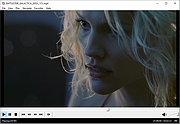 |
|
Media Player Classic Black Edition v1.9.0 Media Player Classic - Black Edition v1.9.0 👉 Lightweight, open-source audio and video player for Windows with built-in codecs. Media Player Classic - Black Edition (MPC-BE) is a free and open-source audio and video player for Microsoft Windows. Based on the original Media Player Classic and Media Player Classic Home Cinema projects, MPC-BE provides a clean, familiar interface with powerful playback features and a wide range of built-in audio and video codecs. It is designed to be lightweight, efficient, and highly compatible with modern multimedia formats while maintaining the classic Windows-style look and feel. Features: • Supports a wide range of video and audio formats using built-in codecs • High-quality video rendering with support for DXVA hardware acceleration • Subtitle support (external and embedded) with customizable styles • Playlist support and favorite files management • Audio switcher and built-in audio renderer • Customizable interface and toolbar • Screenshot capture and preview thumbnails • Video frame stepping and playback speed control • Command line support and extensive configuration options • Available in portable and installer versions Supported operating systems: • Windows 7, Windows 8, Windows 8.1, Windows 10, Windows 11 Supported languages: English, Russian, Ukrainian, Belarusian, German, French, Spanish, Italian, Polish, Czech, Slovak, Hungarian, Dutch, Portuguese (Brazil), Portuguese (Portugal), Romanian, Bulgarian, Greek, Turkish, Chinese (Simplified), Chinese (Traditional), Japanese, Korean Changes: v1.9.0 06-27-26 Splitters: Fixed crashes in some situations. AudioSplitter: Added support for the RF64 format. Fixed reading of channe This download is for the Windows 64bit installer version (very bottom of page). All other download assets are below: 32bit installer 64bit portable 32bit portable Standalone Filters 64bit Standalone Filters 32bit Use 7-Zip to unzip this file. Click here to visit the author's website. |
|
3,773 | Jul 11, 2026 MPC-BE Devs  |
|
MediaPlayerOK v1.01 MediaPlayerOK v1.01 👉 Fast and portable media player for Windows. MediaPlayerOK is a compact portable media player for Windows that plays audio and video files with playlists, docking support, tray function, flexible playlists, drag & drop and automatic resume playback. Features: • Plays audio and video files • Compact and portable • Playlist support • Flexible playlists • Docking mode • Tray function • Automatic resume playback • Optional portable mode • Small system resource usage • No installation required Supported operating systems: • Windows XP, Windows Vista, Windows 7, Windows 8.1, Windows 10, Windows 11, Windows Server 2012-2025, 32-bit and 64-bit Supported languages: German, English, Italian, Korean, French, Greek, Traditional Chinese Changes: v1.01 06-11-26 • Minor adjustments in MediaPlayerOK • New languages added to MediaPlayerOK: Italian, Korean, French, Greek, and Traditional Chinese. Click here to visit the author's website. |
|
615 | Sep 23, 2026 Nenad Hrg 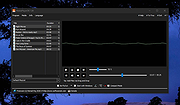 |
|
Metadata++ v3.00.2 Metadata++ v3.00.2 👉 View, edit, search, and manage metadata in thousands of file formats. Metadata++ is a powerful freeware metadata editor and browser for Windows built around ExifTool. It lets you inspect, edit, search, and organize metadata stored in photos, documents, audio, video, archives, and many other file types through a fast graphical interface. Designed to run locally without relying on the Windows registry, Metadata++ can also create sidecar files so metadata can be associated with formats that do not natively support it. It includes advanced search capabilities, batch editing, thumbnail viewing, ratings, tagging, and extensive support for industry-standard metadata formats, making it an excellent tool for photographers, archivists, content creators, and anyone who needs detailed control over file metadata. Features: • View, edit, and search metadata in thousands of supported file formats. • Built on the powerful ExifTool metadata engine. • Batch edit metadata across multiple files. • Create and use sidecar metadata files for unsupported formats. • Display image thumbnails and detailed file information. • Rate, tag, and organize files using metadata. • Fast folder navigation and high-performance directory browsing. • Export metadata in multiple formats. • Native Unicode support for international filenames and metadata. • Portable operation with all settings stored in the program folder. • No Windows registry entries required. • Runs entirely on your computer without transmitting personal data. Supported operating systems: • Windows 11 (64-bit), Windows 10 (64-bit) Supported languages: English, French, Spanish, Italian, Portuguese, Dutch, Polish Changes: v3.00.2 08-03-26 Changes since 3.00.1 Fixed the TreeView horizontal scrollbar. Added support for additional palette formats. Added GPR display support. Added conversions to JPEG, PNG and WebP. Added Save As and effects to fullscreen view. Added sidecar creation for any file format. Added the Ukrainian interface. Metadata++ can now use GDAL. Note: This file ... |
|
2,179 | Aug 02, 2026 Jean Piquemal 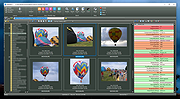 |
|
Monkey’s Audio v13.26 Monkey’s Audio v13.26 👉 Fast, free lossless audio compression for creating bit-perfect .APE music files. Monkey's Audio is a fast and easy way to compress digital music without losing audio quality. Unlike lossy formats such as MP3, OGG, or WMA, Monkey's Audio creates perfect, bit-for-bit copies of your music while still saving space. Compressed files can be decompressed back to the exact original files, making it useful for archiving music collections without having to recopy CDs later. Features: • Compresses music with no quality loss • Decompresses files back to the exact original audio • Supports .APE lossless audio files • Fast and efficient compression • Windows interface designed to be powerful and easy to use • Compress, decompress, verify, convert, and make APL files • Supports WAV, AIFF/AIF, W64, SND, AU, CAF, and RF64 input formats • Verify mode checks APE files for possible changes or corruption • Supports quick verify and full verify options • Optional auto-check after APE file creation • Supports external encoders such as FLAC, WavPack, and ALAC • Pipe input support through the "-" filename argument • Output options for same-folder output or custom output folders • Can preserve folder levels when processing files • Options for overwrite, rename, or skip when output files already exist • Can leave, delete, or recycle source files after successful processing • Copies file timestamps to new files • Uses flexible APE Tags for managing audio metadata • Includes redundant CRC error detection • SDK available for developers to compress, decompress, verify, convert, analyze APE files, and work with APE tags • Source code for compression, decompression, and tagging is included in the SDK • Free under the Monkey's Audio License Agreement based on the 3-Clause BSD license Supported operating systems: • 64-bit Installer: Windows 8, Windows 10, Windows 11 • 32-bit Installer: Windows XP, Windows 7, Windows 8, Windows 10, Windows 11 • Arm64 Installer: Windows 8, Windows 10, Windows 11 Supported languages: English Changes: v13.26 08-20-26 Changed: ... |
|
1,242 | Sep 18, 2026 Matt Ashland 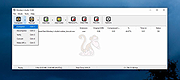 |
|
MP3tag v3.34.1 MP3tag v3.34.1 👉 Powerful and easy-to-use tag editor for managing audio file metadata. MP3tag is a popular and reliable tag editor designed to make organizing and managing your digital music collection simple and efficient. It supports batch editing of tags, import of metadata from online databases, and full Unicode support, making it suitable for both casual users and serious collectors. MP3tag works with a wide range of audio formats and allows you to rename files based on tag information or generate tags from filenames. The application is lightweight, fast, and focuses on doing one job extremely well: keeping your music library clean and properly tagged. Features: • Batch editing of audio file tags • Support for ID3v1, ID3v2, APEv2, MP4, Vorbis Comments, and more • Import tags from online databases such as Discogs and MusicBrainz • Automatic file renaming based on tag information • Create tags from filenames and directory structures • Full Unicode support for international music collections • Lightweight, fast, and portable-friendly design Supported operating systems: • Windows 7, Windows 8, Windows 10, Windows 11 Supported languages: English, German, French, Spanish, Italian, Portuguese, Dutch, Polish, Czech, Russian, Ukrainian, Chinese, Japanese, Korean, Hungarian, Romanian, Swedish, Turkish Changes: v3.34.1 05-07-26 FIX: large integer metadata values were truncated to the preferred storage width when writing MP4 atoms like `ITUNESCATALOGID`. (#71185) FIX: minor performance regression in the action groups dialog that could slow downloading or adding large numbers of action groups. (#71129) FIX: using 'Convert > Tag - Tag' changed the last used Quick Action to 'Format value'. (#71086) FIX: configuring or performing an action via a custom toolbar button also changed the last used Quick Action to this action type. LNG: updated French, Hungarian, and Traditional Chinese translations. This download is for the Windows 64bit version (very bottom of page). If you need the Windows 32bit version, download here. Click here to visit the author's website. |
|
6,341 | Jun 18, 2026 Florian Heidenreich 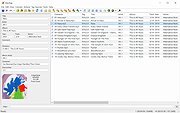 |
|
Music Collection v3.9.8.5 Music Collection v3.9.8.5 👉 Free music cataloging & organization tool for your collection. Music Collection is a free Windows program designed to help you archive and manage your music library in a searchable database. It lets you enter and organize all kinds of music media, edit metadata, categorize your albums, and browse your collection with flexible sorting and filtering options. Features: • Organize your music collection into a searchable database • Add and edit album details including genre, year, label, rating and more • Search by album artist, title, barcode number, catalog number or inserted CD • Scan folders for audio files and read tag information • Sort and filter albums using multiple criteria • Export collection data (TXT, CSV, Excel, HTML) • Print reports and collection lists • Save playlists to external formats (m3u, pls) • Import and export album data Supported operating systems: • Windows XP (32-bit, 64-bit) • Windows Vista (32-bit, 64-bit) • Windows 7 (32-bit, 64-bit) • Windows 8 (32-bit, 64-bit) • Windows 10 (32-bit, 64-bit) • Windows 11 (32-bit, 64-bit) Supported languages: English, Español, Français, Italiano, Magyar, Nederlands, Norsk, Polski, Português (Brasil), Português (Portugal), Slovenski, Suomi, Svenska, Türkçe, Ελληνικά, Русский, Српски, Українська, עברית, 日本語 Changes: v3.9.8.5 06-16-26 Added : Album style field. Added : Ability to Add/Edit track details in the track presentation. Added : Album style field in the advanced album search. Added : Ability to zoom in the cover in presentation page. Changed : The new databases will be created in the .accdb format. Fixed : Some minor bugs. This download is for the Windows portable version (very bottom of page). If you need the Windows installer version, download here. Click here to visit the author's website. |
|
6,480 | Jul 11, 2026 GSoft4U 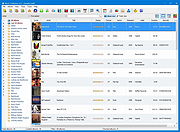 |
|
MusicBee v3.6.9668 MusicBee v3.6.9668 👉 Powerful music manager and player for organizing, tagging, and enjoying your music collection. MusicBee is a feature-rich music management application designed to help you organize, find, play, and enhance your digital music library. It supports extensive tagging tools, automatic metadata retrieval, CD ripping, podcasts, internet radio, playlist management, and synchronization with supported devices. MusicBee also offers advanced audio features including WASAPI and ASIO output, DSP effects, gapless playback, customizable skins, and plugin support, making it suitable for both casual listeners and audiophiles alike. Features: • Organize and manage large music libraries • Automatic tagging with metadata and album artwork retrieval • Built-in CD ripping and audio file conversion • Support for podcasts, web radio, and SoundCloud integration • Create and manage smart playlists • 10-band and 15-band equalizer with DSP effects • WASAPI and ASIO audio output support • Gapless playback and volume normalization • Extensive skinning and plugin support • Synchronize music, playlists, podcasts, and audiobooks with supported devices • Customizable interface with multiple layouts and views • Support for numerous audio formats including MP3, FLAC, AAC, OGG, WAV, WavPack, Opus, and more Supported operating systems: • Windows 7, Windows 8, Windows 10, Windows 11 Supported languages: • Arabic, Czech, Dutch, English, English (US), French, German, Greek, Hungarian, Italian, Japanese, Korean, Polish, Portuguese (Brazil), Portuguese (Portugal), Russian, Simplified Chinese, Spanish, Swedish, Traditional Chinese, Turkish, Ukrainian Changes: v3.6.9668 06-20-26 Not provided. Click here to visit the author's website. |
|
6,994 | Jun 22, 2026 Steven Mayall 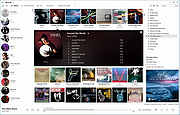 |
|
ocenaudio v3.20.4 ocenaudio v3.20.4 👉 Fast, cross-platform audio editor for recording, editing, analyzing, and exporting audio files. ocenaudio is a cross-platform, easy to use, fast, and functional audio editor designed for people who need to edit and analyze audio files without complications. It supports audio editing and analysis across major desktop platforms, offers real-time effect previews, multi-selection editing, and tools for working with audio in a responsive interface. Features: • Cross-platform audio editor for Windows, macOS, and Linux • Multi-selection editing for working on different parts of an audio file at the same time • Real-time effect preview to hear changes while adjusting controls • Support for VST effects for expanded audio processing • Spectral analysis and waveform editing tools • Responsive interface that keeps working while opening, saving, or applying effects • Recording, editing, and exporting tools for common audio workflows • Annotation tracks, region editing, channel routing, and trim/split tools in v3.18.0 Supported operating systems: • Windows 10, Windows 11 • macOS 13.3 or higher • macOS 10.14 to 14 (legacy build) • Debian 11, Debian 12, Debian 13 • Ubuntu 20.04, Ubuntu 22.04, Ubuntu 24.04 • Fedora 39, Fedora 40 • Rocky Linux 9.3 • openSUSE Leap 15 • Arch Linux Supported languages: English, Portuguese, French, German, Spanish, Italian, Japanese, Hungarian, Simplified Chinese Changes: v3.20.4 08-13-26 Adds copy, paste and drag of audio directly between two ocenaudio windows Improves VST plugin support on Linux: VST3 editors now open correctly, standard system folders are recognized and JACK is loaded on demand, including through PipeWire Fixes crashes and noise caused by VST and VST3 plugins Fixes plugins that changed the system decimal separator, corrupting parameters and presets Fixes crashes with ASIO devices on Windows when disconnecting the device during recording Other bug fixes and improvements This download is for the Windows 64Bit portable version (very bottom of page). All other download assets are below: Other Windows: ocenaudio_windows64_3.20.4.exe macOS: ocenaudio_universal_3.20.4.dmg ocenaudio_universal_legacy_3.20.4.dmg Linux: ocenaudio_debian13_3.20.4.deb ocenaudio_debian12_3.20.4.deb ocenaudio_debian11_3.20.4.deb ocenaudio_ubuntu24.04_3.20.4.deb ocenaudio_ubuntu22.04_3.20.4.deb ocenaudio_ubuntu20.04_3.20.4.deb ocenaudio_fedora40_3.20.4.rpm ocenaudio_fedora39_3.20.4.rpm ocenaudio_archlinux_3.20.4.pkg.tar.zst ocenaudio_opensuse15_3.20.4.rpm ocenaudio_rockylinux9.3_3.20.4.rpm ocenaudio_3.20.4.AppImage Click here to visit the author's website. |
|
7,141 | Aug 13, 2026 ocenaudio Development Team 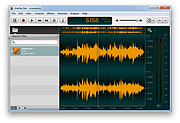 |
|
Overcaption v0.4.0 Overcaption v0.4.0 👉 A free, private subtitle studio for transcribing, editing, translating and adding captions to videos. Overcaption is a desktop subtitle and captioning application that can transcribe video and audio, edit and retime subtitles, translate captions and export finished subtitles or burn them directly into video. Its core processing runs locally on your computer, so videos do not need to be uploaded to an online service. The free version has no time limit, requires no account and produces watermark-free output. Overcaption combines automatic speech recognition with a subtitle editor featuring waveform-based timing, a frame filmstrip and live checks for reading speed and line length. It can work with video, audio-only recordings and standalone subtitle files. Features: • Automatic on-device transcription with word-level timing • Works completely offline for its core transcription, editing and translation features • Keeps video and audio files on your computer instead of uploading them to a web service • No account required • No time limit on the free version • No watermark on exported video • Built-in subtitle editor • Waveform-based subtitle retiming • Frame filmstrip for visual timing reference • Inline subtitle text editing • Instant find and replace • Keyboard-oriented editing workflow • Live reading-speed checks • Live subtitle line-length checks • Grammar-aware subtitle line breaking for supported languages • Dedicated word segmentation for Chinese, Japanese, Burmese, Cantonese, Khmer, Lao and Thai • Local subtitle translation using models from Mozilla and Google • Side-by-side translation editing • Imports and exports SRT subtitle files • Imports and exports VTT subtitle files • Supports plain-text subtitle content • Opens SRT and VTT files without requiring an accompanying video • Hardware-accelerated subtitle burn-in • Free subtitle burn-in at resolutions up to 1080p • Burned subtitles match the editor preview • Supports vertical, square and widescreen video • Handles audio-only files such as podcasts, recordings and voice notes • Includes titles, lower thirds, name straps and animated callouts • No telemetry unless the user opts in • GPU acceleration ... |
|
274 | Aug 28, 2026 Overcaption  |
|
Pazera Free Audio Extractor v2.11 Pazera Free Audio Extractor v2.11 A free universal audio converter. Pazera Free Audio Extractor is a free application that converts audio files to MP3, AAC, AC3, WMA, FLAC, Opus, M4A, OGG, WV, AIFF, WAV and other formats. Moreover, the program allows extraction of audio tracks from video files without loss of sound quality. Supported input formats: over 70 audio and video formats, including AVI, MP4, MP3, MOV, FLV, 3GP, M4A, MKV, WMA. In addition, the program allows you to split input files based on chapters (often found in audiobooks). The program has a number of predefined settings (profiles) specially designed for novice users. While more advanced users can customize audio encoding parameters used by encoder: audio bitrate, sampling frequency, audio channels, audio volume. The application allows to extract/convert full audio track or selected range only. The Pazera Free Audio Extractor interface is very simple and user-friendly. To extract audio tracks from video files, just drag & drop them into main window, select proper profile from list, and click the Convert button. If the audio quality is poor, increase audio bitrate. Supports: Windows Vista, 7, 8, 10 and 11 Language: Arabic, Bulgarian, Chinese (simplified and traditional), Czech, Dutch, English, French, German, Greek, Hungarian, Italian, Japanese, Korean, Polish, Portuguese (BR), Romanian, Russian, Serbian, Slovak, Slovenian, Spanish, Swedish, Turkish This download is for the 64bit version. If you need the 32bit version, download here. Click here to visit the author's website. |
|
4,883 | Sep 28, 2024 Jacek Pazera 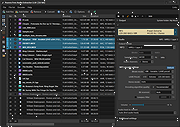 |
|
Playlist Creator v3.6.2.18 Playlist Creator v3.6.2.18 👉 Create and edit M3U and PLS music playlists with a lightweight portable Windows utility. Playlist Creator is a simple, focused utility for building music playlists without the overhead of a full media manager. Originally created by oddgravity, this preserved and modernized edition has been rebuilt as a native 64-bit Windows application while retaining the behavior and features of the original program. Files and folders can be added to a playlist, rearranged, removed, sorted or randomized before saving. Existing M3U and PLS playlists can also be opened and modified. Playlist Creator uses MediaInfo to read metadata from many media formats and can incorporate information such as artist, track number and title into playlist entries. The modernized build is completely native x64 and portable. The MFC and C/C++ runtimes, CxImage, libpng and zlib are statically linked, while the required 64-bit MediaInfo DLL is supplied alongside the executable. The project specifically targets Windows 10 or newer. Features: • Creates M3U and PLS playlists • Opens and edits existing playlists • Add individual files or entire folders • Recursively add files from folders and subfolders • Drag and drop files directly into the playlist • Reorder playlist entries manually • Move selected entries to the top or bottom • Sort playlist entries by column • Shuffle playlists into random order • Create simple playlists containing plain file lists • Read metadata from many media formats using MediaInfo • Use artist, track number and title metadata when creating playlist entries • Highlight playlist entries that refer to missing files • Configure which media file types are included • Save playlist paths using forward or backslashes • Supports multiple playlist save/path modes • Resizable main window • Optional gridlines and alternating row colors • Keyboard shortcuts and context menus for common playlist operations • Portable native 64-bit build requiring no installation Supported operating systems: • Windows 10 64-bit, Windows 11 64-bit Supported languages: English, German Changes: v3.6.2 x64 Modernization Build 08-07-26 Updated to ... |
|
253 | Aug 18, 2026 sl2365 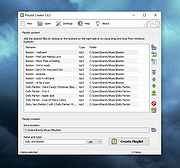 |
|
PolyHostInterface v3.1.1 PolyHostInterface v3.1.1 👉 A lightweight, portable Windows host for loading, chaining and controlling VST2 and VST3 audio plugins. PolyHostInterface is a standalone and VST3 plugin host designed for musicians, synthesizer programmers and audio users who want a compact way to load multiple instruments and effects without the overhead of a full DAW. Plugins are organized in tabs, with synths operating in parallel and effects arranged in a serial processing chain. The routing view provides an overview of each loaded plugin and lets you reorder, bypass, mute, solo and select individual tabs. PolyHostInterface can also operate as a VST3 plugin inside another host. Its 128 host-visible macros can be mapped to parameters of hosted plugins, allowing those parameters to be automated from a DAW. A built-in MIDI Monitor displays notes, CC messages, pitch bend, aftertouch, system messages and other incoming MIDI data, with filtering, copy and export capabilities. A distinctive feature is Pointer Control, which lets a MIDI controller manipulate the mouse pointer over a plugin interface. MIDI controls can move the pointer horizontally and vertically and adjust the parameter beneath it using scrolling or dragging. Editable Pointer Maps provide reusable jump points for individual plugins, including multiple maps for plugins with different skins, pages or layouts. The standalone application can record audio to WAV files or MIDI to MID files. Presets can store plugin configurations, and a missing-plugin repair function helps locate moved plugins when loading an existing preset. PolyHostInterface is fully portable, keeping its settings alongside the program instead of using AppData or the Windows Registry. Features: • Hosts multiple VST2 and VST3 plugins in a tabbed interface • Available as a standalone Windows application and a VST3 plugin for use inside other hosts • 64-bit VST2 and VST3 plugin support • Separate 32-bit standalone version supports 32-bit VST2/VST3 plugins • Routing view shows plugin order, synth/effect type, bypass ... |
|
91 | Oct 14, 2026 sl2365 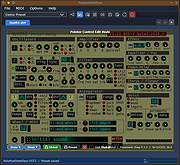 |
|
PotPlayer v260622 PotPlayer v260622 👉 A multimedia player for Windows with built-in codec support, subtitle handling, 3D playback, and hardware acceleration. PotPlayer is a multimedia player designed for Windows that provides maximum performance with minimum resource usage using DXVA, CUDA, and QuickSync. It supports various types of 3D glasses and 3D output formats, including Side by Side, Top and Bottom, and Page Flipping. PotPlayer also supports multiple subtitle formats such as SMI, SRT, DVD Vobsub, Blu-ray subtitles, ASS/SSA animation, and SMI Ruby tags. It includes OpenCodec support so users can add codecs easily, and offers advanced playback features such as smooth video playback, sound card selection, scene preview snapshots, bookmarking favorite scenes or chapters, and support for devices such as DVD, TV, and HDTV. Features: • Provides maximum performance with minimum resource usage using DXVA, CUDA, and QuickSync • Supports various types of 3D glasses and 3D output formats • Supports text subtitles, DVD subtitles, Blu-ray subtitles, ASS/SSA animation, and SMI Ruby tags • Supports OpenCodec so users can easily add additional codecs • Smooth and seamless video playback • Lets you choose which sound card to use when multiple sound cards are installed • Allows scene preview with snapshots • Lets you bookmark favorite scenes or chapters • Supports Direct3D9 Ex Flip Mode and Overlay • Supports devices such as DVD, TV, and HDTV Supported operating systems: • Windows 7, Windows 8, Windows 8.1, Windows 10, Windows 11 Supported languages: • Korean, Chinese (Simplified), Chinese (Traditional), English, Ukrainian, Russian, Polish Changes: v260622 08-06-26 * Removed Kakao TV + Added pause function when navigating via the navigation bar - Significantly improved internal stability - Fixed an issue where colors appeared strange during RGB24 processing - Improved playback for some HTTP streams - Improved sync processing for the built-in audio renderer - Fixed an issue where certain MP4 files behaved abnormally during playback This download is for the Windows 64bit version. If you need the 32bit version, download here. Click here ... |
|
5,040 | Aug 06, 2026 Kakao Corp. 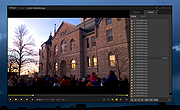 |
|
Qmmp v2.4.2 Qmmp v2.4.2 👉 A lightweight, Winamp-style audio player with broad format support, playlists, streaming, effects and plugins. Qmmp is a free, open-source audio player built with the Qt framework and designed for users who want a compact, highly configurable music player. Its classic skinned interface is similar to Winamp and XMMS, while an alternative interface based on standard Qt widgets is also included. Qmmp supports a wide variety of audio formats including MP3, Ogg Vorbis, Opus, FLAC, AAC, WMA, Musepack, WavPack, MIDI, SID, tracker modules and numerous chiptune formats. Additional formats can be handled through FFmpeg and libsndfile. Beyond basic music playback, Qmmp includes multiple playlists, a 10-band equalizer, ReplayGain, crossfade, lyrics, cover art, CUE sheets, internet radio streams, visualizations, audio conversion, recording, listening history and a media library. It can also use classic Winamp 2.x and XMMS skins. The modular plugin system provides support for additional input formats, output systems, DSP effects, visualizations and online services. Qmmp can submit listening history to Last.fm, Libre.fm and ListenBrainz and includes a stream browser for finding and playing online audio. Features: • Classic Winamp/XMMS-style skinned interface • Alternative interface using standard Qt widgets • Supports Winamp 2.x and XMMS skins • MP3 and MPEG Layer 2/3 playback • Ogg Vorbis and Ogg Opus support • Native FLAC and Ogg FLAC playback • AAC and ADTS AAC support • WMA and additional FFmpeg-supported formats • Musepack and WavPack support • PCM WAVE and other libsndfile-supported formats • MOD, S3M, IT, XM and other tracker modules • MIDI and SID playback • Extensive chiptune support including AY, GBS, GYM, HES, KSS, NSF, NSFE, SAP, SPC, VGM, VGZ and VTX • Audio CD playback • MP3, Vorbis, AAC and AAC+ internet streaming • Multiple playlists • M3U, PLS and XSPF playlist support • 10-band equalizer • ReplayGain playback support and ReplayGain scanner • Crossfade and extra stereo DSP effects • Sample-rate conversion • LADSPA effects • projectM visualization support • Spectrum analyzer • Lyrics display • ... |
|
2,794 | Sep 09, 2026 Qmmp Development Team 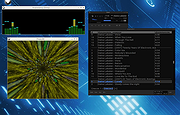 |
|
QuickLook v4.5.0 QuickLook v4.5.0 👉 Preview files instantly in Windows by selecting one and pressing the spacebar. QuickLook lets you inspect files without opening their usual applications. Select a file in File Explorer and press the spacebar to bring up a preview. You can check an image, read a document, listen to audio, watch a video, or inspect source code, then press Esc or the spacebar to close the preview. Use the arrow keys to move through neighboring files while the preview is open. QuickLook handles images, animated GIFs, video, audio, PDFs, text, Markdown, archives, fonts, and source code. Text and code previews include syntax highlighting, and plugins add support for more formats. QuickLook runs from the system tray. The installer supports previews in Open and Save dialogs. The project is free and open source. Features: • Press the spacebar to preview a selected file without launching its associated application. • Press Esc or the spacebar again to close the preview. • Use the arrow keys to preview neighboring files. • Preview JPEG, PNG, GIF, WebP, RAW, and other supported image formats. • Play supported video and audio files in the preview window. • Read PDFs, text files, and rendered Markdown. • Inspect source code and configuration files with syntax highlighting. • Preview supported archives and fonts. • Zoom images and PDFs, or open a file from its preview. • Follow the Windows light or dark theme. • Add support for more formats with plugins. • Choose an installer or portable download. Supported operating systems: Windows 10, Windows 11 Supported languages: English, Simplified Chinese, Romanian. Changes: v4.5.0 04-14-26 Updated LAVFilters to 0.81.0. Improved LRC handling by merging duplicate timestamps. Improved the Simplified Chinese translation and added Romanian translation. Added the WindowBackdrop option and F11 full-screen toggle. Added support for PKCS7 extensions, Chromium PAK viewing and extraction, Python wheel and egg archives, DICOM images, and additional syntax highlighting. Fixed Markdown previews using absolute resource paths, the Windows 10 transparency option, video loop behavior, OfficeViewer resizing errors, relative command-line paths, and the taskbar ... |
|
3,467 | Sep 28, 2026 Adnan Bhaldar  |
|
Shutter Encoder v20.2 Shutter Encoder v20.2 👉 A free video, audio, and image converter designed by video editors for powerful media encoding and workflow tools. Shutter Encoder is a free media converter and processing tool built around FFmpeg for handling video, audio, and image files. It is designed by video editors to be both accessible and powerful, with support for a very wide range of codecs and formats, along with trimming, subtitle work, watermarking, cut detection, analysis tools, web video downloading, render queue support, file information viewing, batch renaming, FTP upload support, and AI-assisted functions. It also includes professional workflow features such as editing codecs, broadcast codecs, archive codecs, disc burning and ripping, and preset saving for repeatable jobs. Features: • Converts video, audio, and image files using FFmpeg • Designed by video editors for accessible but advanced media work • Supports a very large range of codecs and formats • Includes trimming and cut without re-encoding tools • Lets you replace audio, rewrap, conform, merge, extract, subtitle, and insert video • Supports sound conversion to WAV, AIFF, FLAC, ALAC, MP3, AAC, AC3, OPUS, Vorbis, Dolby Digital Plus, and Dolby TrueHD • Includes editing codecs such as DNxHD, DNxHR, Apple ProRes, QT Animation, GoPro CineForm, and Uncompressed • Includes output codecs such as H.264, H.265, H.266, VP8, VP9, and AV1 • Includes broadcast codecs such as XDCAM HD422, XDCAM HD 35, AVC-Intra 100, XAVC, XAVC Long GOP, and HAP • Supports older codecs including Theora, MPEG-2, MJPEG, Xvid, DV, WMV, and MPEG-1 • Supports FFV1 for archiving workflows • Creates JPEG, JPEG XL, and image outputs • Burns and rips DVD and Blu-ray media • Includes analysis tools such as loudness and true peak, audio normalization, cut detection, black detection, media offline detection, VMAF, and FrameMD5 • Downloads web video content • Includes image adjustment tools for colors, LUTs, and color space conversion • Supports cropping for both images and videos • Can ... |
|
3,680 | Aug 12, 2026 Paul Pacifico 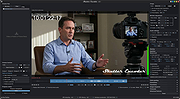 |
|
SMPlayer v26.8.29 SMPlayer v26.8.29 👉 A free media player with built-in codecs that plays virtually all video and audio formats. SMPlayer is a free media player for Windows, Linux and Mac OS with built-in codecs, YouTube playback, subtitle search and download, a thumbnail generator, and audio and video filters. Features: • Plays virtually all video and audio formats • Built-in codecs, no external codec packs required • Remembers playback position and settings for each file • Supports YouTube video playback • Searches and downloads subtitles • Includes video and audio filters • Playback speed control • Audio and subtitle delay adjustment • Video equalizer • Skins and icon themes • Supports Chromecast • Free and open source Supported operating systems: • Windows 8 and above • Windows XP and other 32-bit systems via alternative package • Linux • Mac OS 10.15 and above Supported languages: English, Español, Français, Português, Português (Brasil), Euskara, Galego, Català, Lietuvių, Русский, Українська, Hrvatski, Polski, Deutsch, 日本語, 正體中文, 简体中文, 한국어, Bahasa Indonesia, Bahasa Melayu, Türkçe, Български, العربية, Dansk, Nederlands Changes: v26.8.29 Added an option to show a thumbnail preview when hovering over the seek bar (Preferences -> Interface). Playlist positions/progress are now remembered between sessions. Added a pause button to the playlist. Added an option to enable/disable secondary subtitles. Fixed zoom behavior. Fixed playlist item numbering after removing items. Playlist is now re-sorted automatically after adding files. Fixed the add black borders option. Improved retrieval of the track (song) title for internet radio streams (icy-title). Fixed video aspect ratio override support. Added support for additional network URI schemes (KDE integration). Forced the xcb backend on Linux to avoid display issues. macOS builds are now available for arm64 (Apple Silicon), in addition to the existing x86_64 builds. Experimental packages compiled with Qt 6 are now available for Windows and macOS. Various translation updates (German, Italian, Spanish, English UK/US, and others) Use 7-Zip to unzip this file. 👉 This download is for the Windows 64bit version (very bottom of page). All other download assets are below: Other Windows: smplayer-26.8.29-win32-qt5.6-unsigned.exe ... |
|
3,468 | Sep 28, 2026 Ricardo Villalba  |
|
SoundVolumeView v2.53 SoundVolumeView v2.53 👉 View and change Windows sound volume from a GUI or command line. SoundVolumeView is a simple tool for Windows that displays general information and current volume levels for all active sound components on your system, and allows you to mute and unmute them instantly. SoundVolumeView can also save a sound profile to a file, including current volume levels, mute/unmute states, and default sound devices, then restore those same settings later. It also includes extensive command-line support for saving and loading profiles, changing volume, muting, unmuting, enabling, disabling, and setting audio devices without displaying the user interface. Features: • View all active sound components on your system • See current volume levels and mute status • Mute or unmute sound components instantly • Save and restore complete sound profiles • Change volume from the GUI or command line • Set default sound devices • Enable or disable audio devices • Create desktop shortcuts for common sound actions • Export sound item information to text, CSV, HTML, XML, or JSON • Supports 32-bit and 64-bit Windows Supported operating systems: • Windows Vista, Windows 7, Windows 8, Windows Server 2008, Windows 10, Windows 11 Supported languages: Arabic, Brazilian Portuguese, Dutch, Finnish, French, German, Greek, Hungarian, Italian, Japanese, Korean, Persian, Polish, Portugal Portuguese, Romanian, Russian, Simplified Chinese, Slovak, Spanish, Swedish, Traditional Chinese, Turkish Changes: v2.53 Fixed the /SetAllowExclusive and /SetExclusivePriority commands to set the value correctly. 👉 This download is for the Windows 64bit version (very bottom of page). All other download assets are below: Other Windows: soundvolumeview.zip (32bit) Click here to visit the author's website. |
|
6,314 | Sep 18, 2026 Nir Sofer  |
|
vokoscreenNG v4.10.0 vokoscreenNG v4.10.0 👉 Record your screen, audio, webcam, windows, and selected areas with a powerful open source screencast tool. vokoscreenNG is a free and open source screen recording program for Windows and Linux. It can record the full screen, a selected area, or a window, with audio recording, webcam overlay support, snapshots, a built-in video player, countdown timer, magnifier, Showclick, Halo, system tray tools, dark mode, and global keyboard shortcuts. Features: • Record the full screen, selected area, or window • Supports audio recording with level meter • Built-in webcam/camera support • Multi-screen recording support • System tray controls • Countdown and timer tools • Magnifying glass tool • Showclick and Halo mouse-click visual effects • Snapshot support • Built-in video player • Global keyboard shortcuts • Dark mode • Linux X11 and Windows: MKV, GIF, MP4 • Linux Wayland: MKV recording with conversion to WebM, GIF, or MP4 after recording Supported operating systems: • Windows 10 64-bit, Windows 64-bit • Linux Flatpak, Debian, Fedora, openSUSE Tumbleweed, openSUSE Leap, Ubuntu, Arch Linux, NixOS Supported languages: Arabic, Arabic (Egypt), Moroccan Arabic, Bengali, Bosnian, Bosnian (Bosnia and Herzegovina), Catalan, Catalan (Spain), Czech, Czech (Czech Republic), German, German (Austria), German (Switzerland), German (Germany), Greek (Greece), English (Australia), English (Canada), English (United Kingdom), English (India), English (United States), English (South Africa), Spanish, Spanish (Latin America), Spanish (Argentina), Spanish (Bolivia), Spanish (Chile), Spanish (Colombia), Spanish (Spain), Spanish (Mexico), Spanish (Peru), Spanish (El Salvador), Spanish (Venezuela), Basque (Spain), Persian (Iran), Finnish (Finland), Filipino (Philippines), French (Canada), French (France), Hebrew, Croatian, Hungarian (Hungary), Indonesian, Indonesian (Indonesia), Italian (Italy), Japanese (Japan), Kazakh (Kazakhstan), Korean (Korea), Lao, Lao (Laos), Lithuanian, Norwegian Bokmål, Low German, Dutch (Belgium), Dutch (Netherlands), Polish (Poland), Portuguese, Portuguese (Brazil), Portuguese (Portugal), Romanian, Russian, Russian (Russia), Slovak (Slovakia), Slovenian, Serbian, Swedish, Swedish (Sweden), Thai, Thai (Thailand), Turkish (Turkey), Ukrainian (Ukraine), Wu Chinese (Simplified), Chinese (China), Chinese (Hong Kong), Chinese (Taiwan) Changes: v4.10.0 07-01-26 Code: Fixed deprecation warnings Wayland: Audio change from ... |
|
477 | Jun 30, 2026 Volker Kohaupt  |
|
Wav2Bar v0.3.5 Wav2Bar v0.3.5 👉 Powerful open source software for creating advanced audio visualization videos. Wav2Bar is a free and open source audio visualization creator designed for producing animated music videos and visual effects synchronized to audio tracks. It allows users to combine visualizers, images, text, particle effects, timers, backgrounds, and custom objects into fully customizable projects that can be exported as MP4 videos for sharing online or integrating into larger productions. Built with flexibility in mind, Wav2Bar provides an editor-style workflow where users can design layered scenes and control how elements react to sound in real time. The software supports reusable project files, adjustable rendering quality, customizable frame rates and resolutions, and multiple visualizer styles for creating everything from simple waveform animations to complex motion graphics. Wav2Bar is especially useful for content creators, musicians, streamers, video editors, and anyone looking to generate professional-looking audio reactive visuals without requiring expensive commercial software. Its open source nature also allows developers and advanced users to customize or extend the software for specialized workflows. Features: • Create advanced audio reactive visualizations synchronized to music and sound • Design layered scenes using visualizers, backgrounds, text, and images • Multiple built-in visualizer styles for different animation effects • Export projects as MP4 video files • Save and reload projects for later editing • Reusable project templates for faster workflow creation • Customizable video resolution and frame rate settings • Real-time editor style interface for arranging objects and effects • Add logos, overlays, album artwork, and custom graphics • Built-in particle flow effects • Time indicators and timing-based visual elements • Audio caching system for smoother processing • Adjustable rendering quality for balancing speed and output quality • Open source architecture for customization and community development • Suitable for music videos, streaming overlays, social media clips, and promotional content • Lightweight modern interface focused on creative workflows • Supports complex animated compositions with multiple reactive elements • Free to use ... |
|
603 | Sep 30, 2026 Picorims  |
|
WebVideoCap v1.33 - Capture Flash video and RTSP/MMS streams. While watching a video in a Web site, you may sometimes want to save the video into your local drive, and then play it offline later. This utility allows you to capture .flv (Flash Video) files and RTSP/MMS video streams while the Web browser download and play them inside a Web page. After the entire video file is downloaded and played by the Web browser, the video file is saved in the folder that you selected, and you can play it offline later with any Video player. WebVideoCap can capture the video files of most popular video-sharing sites, including YouTube, Google Video, Yahoo Video, iFilm, Metacafe, Putfile, and more... |
|
9,687 | Nov 16, 2008 Copyright (c) 2007 - 2008 Nir Sofer |
|
XMedia Recode v3.6.3.0 XMedia Recode v3.6.3.0 👉 Free video and audio converter supporting a wide range of formats and devices. XMedia Recode is a free video and audio conversion tool that allows you to convert nearly all known video and audio formats. It supports a wide variety of codecs and container formats and includes device specific profiles for smartphones, tablets, game consoles, and other multimedia devices. The program can extract audio tracks, convert unprotected DVDs, and provides basic editing features such as cutting, cropping, and filtering. Features: • Converts video and audio between numerous formats • Supports popular codecs including H.264, H.265, VP9, AV1 and more • Device presets for smartphones, tablets, consoles, and other devices • Extracts audio tracks from video files • Basic editing tools including cut, crop, and filters • Batch processing support • Subtitle support Supported operating systems: • Windows XP SP3, Windows Vista, Windows 7, Windows 8, Windows 8.1, Windows 10, Windows 11 Supported languages: • English, German, French, Italian, Spanish, Japanese, Chinese (Simplified), Chinese (Traditional), Russian, Polish, Dutch, Portuguese (Brazilian), Czech, Greek, Turkish Changes: v3.6.3.0 05-15-26 Update of ffmpeg Update of SVT AV1 (4.1.0) Codec Troubleshooting Fixed minor bugs Note: This file has two hits on VirusTotal. We have confirmed these to be false positives. The file is safe. This download is for the Windows 7-11 64bit version (very bottom of page). If you need the Windows 7-11 32bit version, download here. If you need the Windows XP-Vista 32bit version, download here. Click here to visit the author's website. |
|
10,591 | Jul 06, 2026 Sebastian Dorfler  |
| Showing rows 1 to 57 of 57 | Showing Page 1 of 1 | 1 |
OlderGeeks.com Copyright (c) 2026
