|

|
Processed through Paypal No account required. |








Buy our over-priced crap to help pay the bills.



|
|
Processed through Paypal No account required. |
| File - Download CSVMusic v1.6.6 | ||||||||
| Description | ||||||||
|
Always scroll to the bottom of the page for the main download link. We don't believe in fake/misleading download buttons and tricks. The link is always in the same place. CSVMusic v1.6.6 👉 Convert playlists and albums from music services into fully tagged audio files. CSVMusic is a free and open source tool that converts playlists and albums from supported music services into ready-to-use audio files. You can paste a supported playlist or album link directly into the program, or import a playlist exported as a CSV file. CSVMusic finds the best matching tracks on YouTube Music, downloads the audio, and adds metadata such as artist, album and artwork. Audio can be saved as M4A or MP3, with optional native Opus output available in Settings. CSVMusic can also create M3U and M3U8 playlist files so the original track order can be retained when the music is imported into iTunes, a phone, MP3 player or local music library. 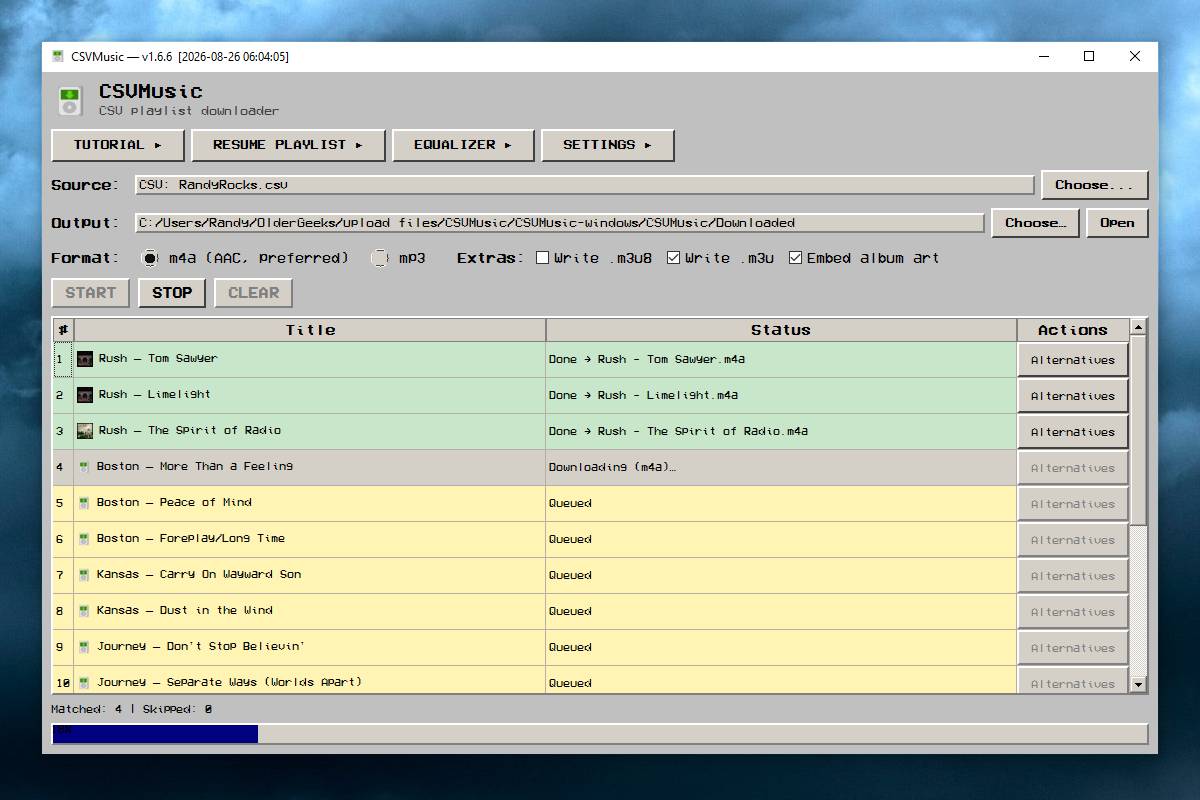 Features: • Import supported playlist and album links directly without first creating a CSV file • Direct link support for Spotify, Apple Music, YouTube Music, YouTube playlists, SoundCloud sets, Deezer and Amazon Music when public track data is available • CSV importing remains available for services supported by TuneMyMusic • First-class Exportify CSV support • Automatically finds matching tracks on YouTube Music • Downloads and converts audio to M4A or MP3 • Optional native Opus output remuxes Opus streams without lossy re-encoding • Automatically adds artist/title, album information and embedded artwork • Optionally creates M3U and M3U8 playlist files • Library Mode maintains multiple public Spotify playlists in a persistent local catalog • Library Mode can scan playlists, identify tracks missing from disk and let you select individual tracks • Rescanning the library preserves track selections and manually corrected YouTube matches while reporting added and removed tracks • Alternatives lets you select a better result when CSVMusic is not confident about an automatic match • Listen lets you preview an alternative candidate in your browser • Paste URL lets you download a specific YouTube or YouTube Music video when choosing an alternative • Supports manually replacing incorrect downloads with a specific YouTube or YouTube Music match • Automatically shortens exceptionally long filenames to help prevent Windows path failures • Includes adaptive pacing when YouTube begins throttling or blocking playlist downloads • Includes a startup update check for newer stable CSVMusic releases How It Works: • Open CSVMusic. The first launch may take a few seconds. • Click Choose... next to Source. • Paste a supported playlist or album link and load it. • Choose an output folder. • Click Start. • If a song cannot be matched confidently, it is highlighted in yellow. • Click Alternatives to select a better result. • Use Listen to preview a candidate in your browser. Using CSV Files: • Click Choose... next to Source and select CSV File. • If you need to create a CSV, use the TuneMyMusic link in the window. • At TuneMyMusic, select the original music service as the source. • Paste the playlist link or connect the service if requested. • Export the playlist to a CSV file. • Load the CSV in CSVMusic. • Choose an output folder and click Start. • CSV importing can be used when a service link is unsupported, private, incomplete or CSVMusic warns that the URL import might not contain every track. Library Mode: • Click Choose... next to Source and select Library Mode. • Paste one or more public Spotify playlist URLs, one per line, and click Add URLs. • Choose the shared output folder and M4A or MP3 format. • Select playlists and click Scan Selected, or use Rescan All. • Check or uncheck individual tracks. The playlist table shows how many enabled tracks are missing from disk. • Click Use Enabled Tracks in CSVMusic and start the normal download. • The library is stored locally as library.json in the CSVMusic settings folder by default. • Save As... can be used to create a portable library file. • To correct a bad download, use Set YouTube Match... and paste the correct YouTube or YouTube Music video URL. • Toggle Redownload can replace a track while retaining automatic matching. What You Get: • Audio files with correct artist/title information • Album information • Embedded artwork • Optional .m3u playlists • Optional .m3u8 playlists • Files ready for iTunes, phones, MP3 players and local music libraries Important Notes: • Extract the ZIP before running CSVMusic and keep all files in the extracted folder together. • The packaged application includes ffmpeg, yt-dlp, yt-dlp-ejs and Deno. • Some antivirus programs may flag bundled downloading or processing tools. The author states these are usually false positives. • Your CSV stays local. • Direct links are fetched only to read public playlist or album metadata. • YouTube Music / YouTube is contacted to search for and download audio. • Cookies are optional but may help with age-restricted or sign-in-only videos. • Packaged releases include Deno and the yt-dlp components needed for current YouTube extraction. • Private playlists or pages that hide track information may not import directly. TuneMyMusic CSV importing can be used instead. • Spotify Library Mode uses an experimental browser-based scanner for public playlists. Incomplete-scan warnings should be reviewed before downloading. Supported Sources: • Spotify • Apple Music • YouTube Music • YouTube playlists • SoundCloud sets • Deezer • Amazon Music when the page exposes public track data • CSV imports from services supported by TuneMyMusic, including most other music platforms Supported operating systems: • Windows • macOS (Apple Silicon) • macOS (Intel) • Linux Supported languages: • English Changes: v1.6.6 08-20-26 • Added a startup update check with options to download a newer stable release, be reminded later or skip that version. • Fixed intermittent MP3 failures when YouTube provides only a combined audio/video stream. • Fixed preflight incorrectly reporting bundled yt-dlp as outdated when antivirus scanning or slow storage delayed its version check. • Added yt-dlp automatic YouTube client selection as an early fallback. • Updated and pinned yt-dlp to 2026.08.19 to address HTTP 403 failures with current YouTube downloads. • Packaged Deno and yt-dlp-ejs to address current YouTube player-challenge failures. • Improved YouTube client fallbacks and diagnostics for HTTP 403 errors, throttling and JavaScript-runtime problems. • Added adaptive pacing when YouTube begins throttling or blocking playlist downloads. • Improved force-download handling for low-confidence matches and added candidate fallbacks. • Added first-class Exportify CSV support. • Renamed Load Playlist to Resume Playlist and combined its folder/file selection into one chooser. • Added Paste URL... to Alternatives for selecting a specific YouTube or YouTube Music video. • Improved accounting for existing files, queued tracks, duplicates, skipped matches and failures. • Shortened exceptionally long filenames with a stable uniqueness suffix to prevent Windows output-path failures. • Added optional native Opus output under Settings. • Prevented FFmpeg failures caused by selecting Apple Music or iTunes auto-import folders. • Fixed Windows release builds to accept Deno's PowerShell-formatted SHA256 metadata while retaining archive integrity verification. • Forced UTF-8 for packaged downloader and FFmpeg subprocesses to improve handling of Unicode song titles and sanitized punctuation on Windows. 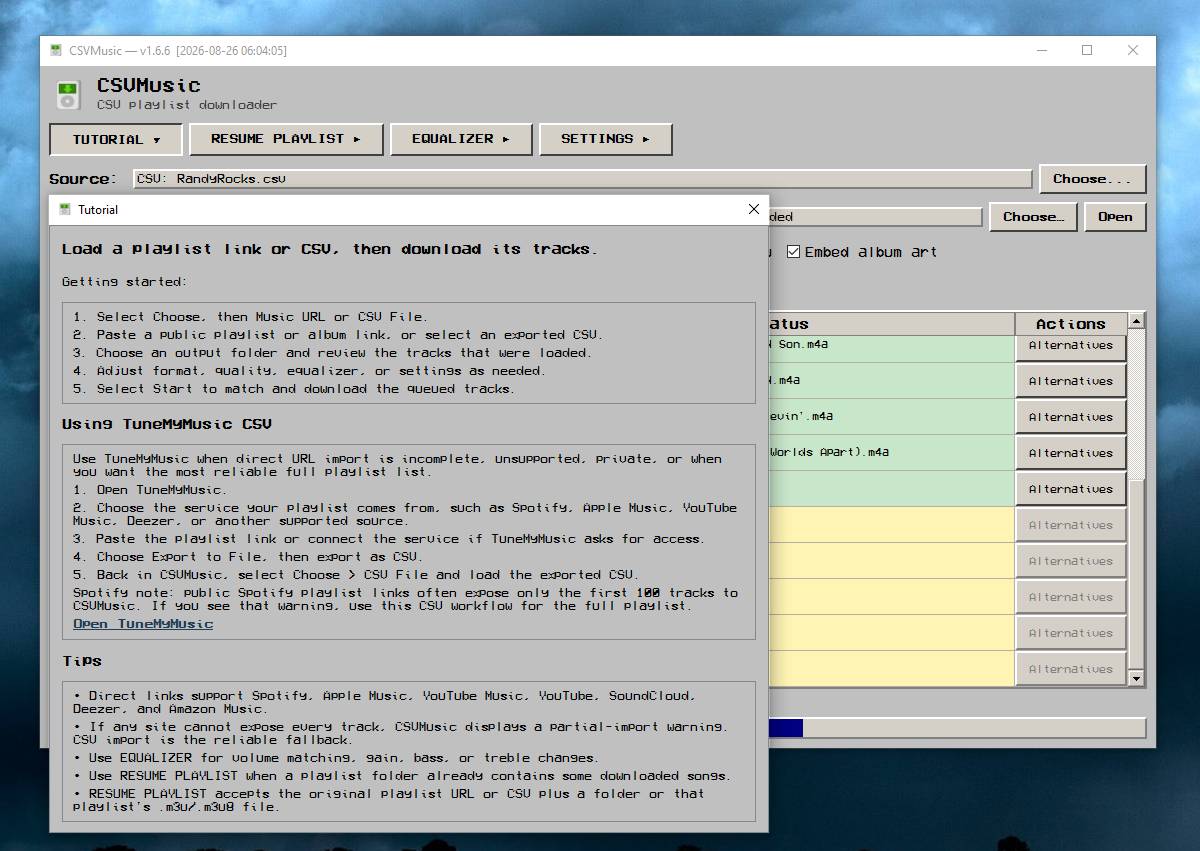 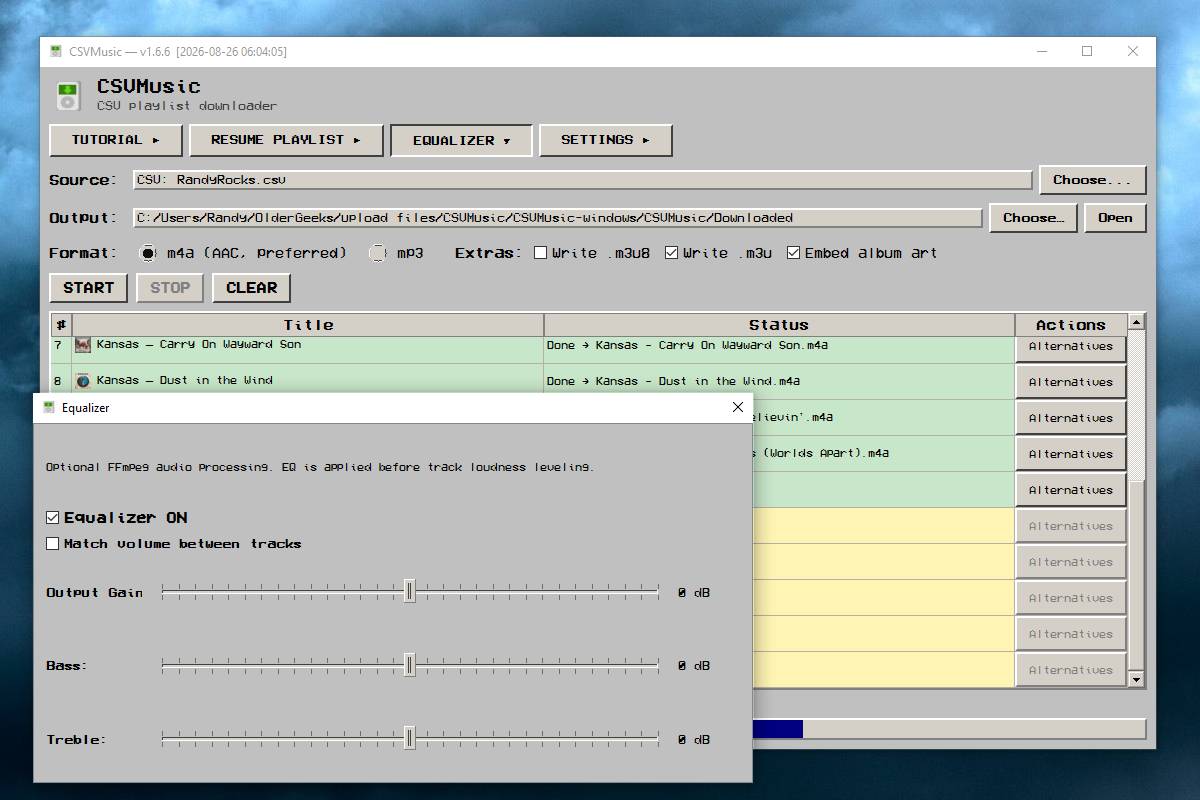 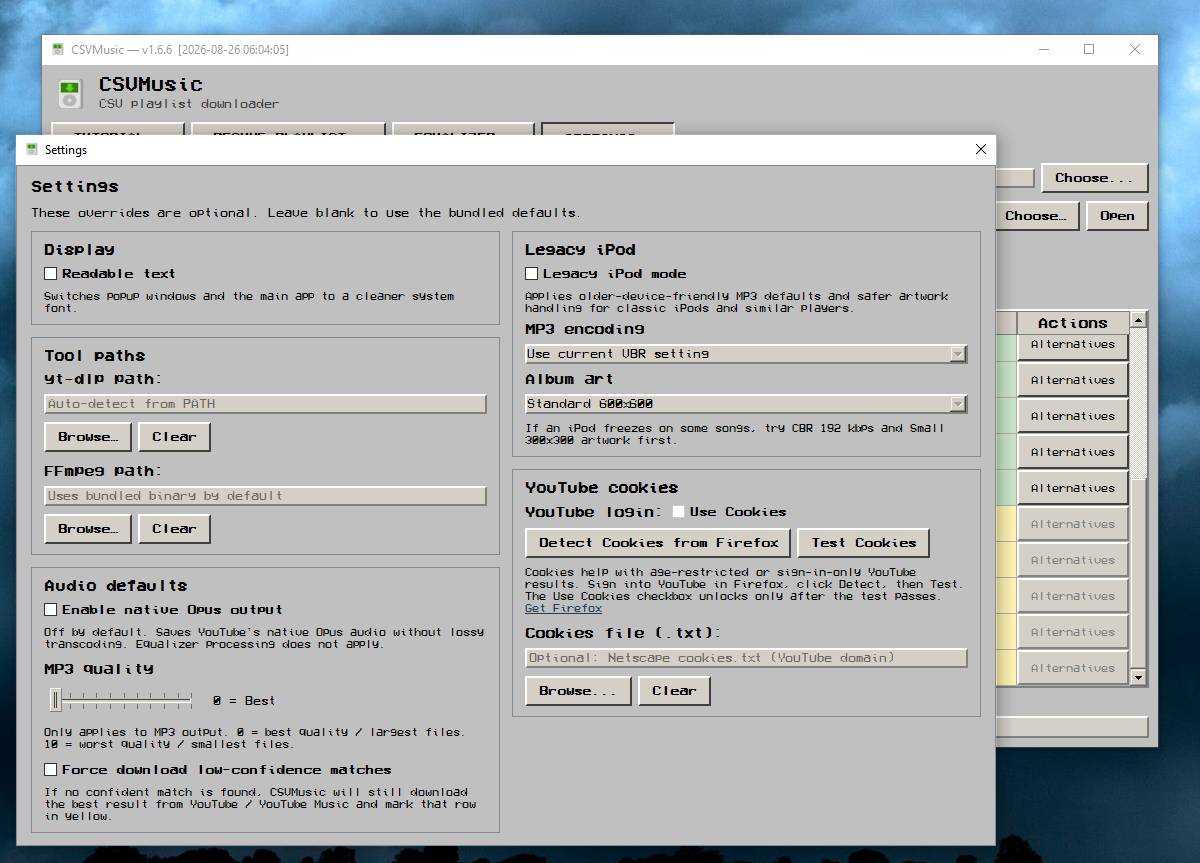 This download is for the Windows version (very bottom of page). All other download assets are below: macOS: CSVMusic-macos-arm64.zip CSVMusic-macos-intel.zip Linux: CSVMusic-linux.zip csvmusic-1.6.6.tar.gz Python Wheel: csvmusic-1.6.6-py3-none-any.whl Click here to visit the author's website. Continue below for the main download link. |
||||||||
| Downloads | Views | Developer | Last Update | Version | Size | Type | Rank | |
| 1,027 | 7,682 | angall1 | Aug 26, 2026 - 11:20 | 1.6.6 | 477.72MB | ZIP |  , out of 3 Votes. , out of 3 Votes. |
|
| File Tags | ||||||||
| CSVMusic playlist converter downloader MP3 M4A YouTube TuneMyMusic playlist Spotify Apple SoundCloud Deezer Amazon Opus Exportify audio | ||||||||
Click to Rate File Share it on Twitter → Tweet
|


