|

|
Processed through Paypal No account required. |








Buy our over-priced crap to help pay the bills.



|
|
Processed through Paypal No account required. |
| Files | ||||
| File Name | Rating | Downloads | ||
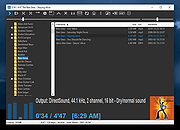 |
1by1 v2.15 1by1 v2.15 👉 Small and fast audio directory player with powerful features. 1by1 is a smart and lightweight directory-based audio player for Windows that lets you play tracks directly from folders without needing playlists or a media database. It combines file-manager-style navigation with playback features such as resume play, gapless playback, transition mixing, audio enhancing, bookmarks, cue sheet support, and file tools for organizing tracks while listening. It is also highly configurable, portable, and designed for low resource usage. Features: • Directory Player: directly plays folder contents • Resume play with track and position memory • Multi Resume for the ten recently played folders • Gapless play, transition mixing, and audio enhancing • Folder tree file navigation and Directory finder • MP3 decoding by ACM, mpglib, and BASS • BASS library support for formats such as OGG, WAV, FLAC, AAC, MP4, and CD audio • Optional 24 bit output and 32 bit audio processing • File utilities including copy, move, rename while play, delete, and date change • Scalable Big title view, Rename tool, and Folder compare tool • Cue sheet support, M3U playlist support, and bookmarks • Winamp 2.x input plugin support and WAV export • Track logging, HTTP control and streaming server • Theme presets, global hotkeys, portable operation, and low resource usage Supported operating systems: • Windows • Android • Linux with Wine Supported languages: English, German, Spanish, Portuguese, Chinese, Danish, Ukrainian, Italian, Russian Changes: v2.15 03-14-26 New installer (own sfx) · Tray menu problem fixed · Additional languages: Danish, Ukrainian, Italian, Russian · ID3v2 improvements · Some corrections This download is for the Windows version (very bottom of page). If you need the Android version, download here. Click here to visit the author's website. |
 |
1,535 | Mar 17, 2026 Martin Pesch |
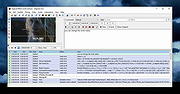 |
Aegisub v3.4.2 Aegisub v3.4.2 👉 Advanced cross-platform subtitle creation, timing, and editing software. Aegisub is a free, open-source subtitle editor designed for creating, modifying, timing, and styling subtitles for video content. It provides powerful tools for subtitle synchronization, visual typesetting, karaoke effects, and subtitle formatting while offering a built-in real-time video preview. Aegisub is widely used by subtitle creators, translators, fansub groups, and video editors who need precise control over subtitle appearance and timing. The program supports Advanced SubStation Alpha (ASS) subtitles and can import and export multiple subtitle formats. Its audio waveform display, timing tools, automation scripting support, and advanced styling features make it suitable for both beginners and professional subtitle authors. Features: • Create and edit subtitle files with precise timing controls • Advanced SubStation Alpha (ASS) subtitle support • Built-in real-time video preview window • Audio waveform and spectrogram displays for accurate synchronization • Powerful subtitle styling and typesetting tools • Karaoke timing and visual effects creation • Visual positioning and subtitle placement tools • Multiple subtitle format import and export support • Automation support through Lua and MoonScript scripting • Spell checking and text editing tools • Frame-by-frame subtitle adjustment capabilities • Video, audio, and subtitle synchronization tools • Cross-platform open-source design • Unicode and multilingual subtitle support Supported operating systems: • Windows 10/11 • macOS 10.15 and newer • Linux (Most major distributions via package manager.) Supported languages: English, Czech, German, Spanish, Finnish, French, Hungarian, Italian, Japanese, Catalan, Brazilian Portuguese, Traditional Chinese, Simplified Chinese, Russian, Bulgarian, Serbian, Greek, Turkish Changes: v3.4.2 01-12-25 Internationalization Fix more locale-dependent path issues Discard MRU entries with invalid encodings instead of crashing Linux Work around wxGTK crash when clicking “Show Original” Round instead of truncating in float audio converter to pass 32-bit tests Stuff Fix error “ERROR in finalizer: wrong number of arguments for function ... |
|
425 | May 31, 2026 Rodrigo Braz Monteiro & contributers |
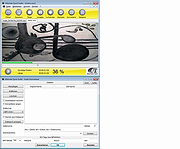 |
Alternate Quick Audio v1.880 Alternate Quick Audio v1.880 A simple program for recording audio files (supported audio formats: WAV and MP3) as well as playback of audio files. The program is freeware. The program also contains an additional audio converter tool which allows the converting of audio files (some video file formats, too) into other audio formats (E.g. from WAV to MP3 or MP4 to WAV). The following formats are supported by the built-in audio converter: - WAV, MP3, OGG, AAC, AIF, ASF, AST, AU, FLAC, FLV, M4A, MP2, MP4, MPG, RA, SF, VOC and WMA. Changes in this version: - DPI error correction Supported operating systems: 98, Me, 2000, XP, Server 2003, Vista, Server 2008, 7, 8, 8.1, 10 Languages included: English, German, Greek, French, Japanese, Russian, Turkish, Hungarian, Italian Click here to visit the author's website. |
|
6,858 | Sep 27, 2019 Alternate Tools |
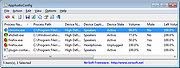 |
AppAudioConfig v1.10 32bit AppAudioConfig v1.10 32bit Starting from Windows Vista, you are allowed to change the sound volume of every application separately, and after you exit from the application, the last settings are saved in the Registry under HKEY_CURRENT_USER\Software\Microsoft\Internet Explorer\LowRegistry\Audio\PolicyConfig\PropertyStore so in the next time you run the application, your last settings are used. This tool displays your current audio settings of every application on your system, and allows you to easily change the setting of multiple applications at once. You can change the mute/unmute status, the sound volume level, and the right/left audio balance of the application. System Requirements This tool works on any version of Windows, starting from Windows Vista, and up to Windows 10. Both 32-bit and 64-bit systems are supported. Versions History Version 1.10: Added 'Add Header Line To CSV/Tab-Delimited File' option (Turned on by default). Added /cfg command-line option to start AppAudioConfig with the specified config file. Start Using AppAudioConfig This utility doesn't require any installation process or additional DLL files. In order to start using it, simply run the executable file - AppAudioConfig.exe After running it, the main window displays the current audio settings of every application on your system. You can easily select one or more items and then use the 'Mute Selected Items' (F7), 'Unmute Selected Items' (F8), and 'Set Application Volume' (F2) menu items to change the settings of selected applications. Be aware: If you have multiple sound devices, you might have a separated entry for every device. You have the change the settings while the application is not running. Otherwise, the active settings of the application will overwrite the Registry changes made by AppAudioConfig. Command-Line Options /stext <Filename> Save the applications audio config into a simple text file. /stab <Filename> Save the applications audio config into a tab-delimited text ... |
|
5,748 | Nov 20, 2019 Nir Sofer |
|
AppAudioConfig v1.10 64bit AppAudioConfig v1.10 64bit Starting from Windows Vista, you are allowed to change the sound volume of every application separately, and after you exit from the application, the last settings are saved in the Registry under HKEY_CURRENT_USER\Software\Microsoft\Internet Explorer\LowRegistry\Audio\PolicyConfig\PropertyStore so in the next time you run the application, your last settings are used. This tool displays your current audio settings of every application on your system, and allows you to easily change the setting of multiple applications at once. You can change the mute/unmute status, the sound volume level, and the right/left audio balance of the application. System Requirements This tool works on any version of Windows, starting from Windows Vista, and up to Windows 10. Both 32-bit and 64-bit systems are supported. Versions History Version 1.10: Added 'Add Header Line To CSV/Tab-Delimited File' option (Turned on by default). Added /cfg command-line option to start AppAudioConfig with the specified config file. Start Using AppAudioConfig This utility doesn't require any installation process or additional DLL files. In order to start using it, simply run the executable file - AppAudioConfig.exe After running it, the main window displays the current audio settings of every application on your system. You can easily select one or more items and then use the 'Mute Selected Items' (F7), 'Unmute Selected Items' (F8), and 'Set Application Volume' (F2) menu items to change the settings of selected applications. Be aware: If you have multiple sound devices, you might have a separated entry for every device. You have the change the settings while the application is not running. Otherwise, the active settings of the application will overwrite the Registry changes made by AppAudioConfig. Command-Line Options /stext <Filename> Save the applications audio config into a simple text file. /stab <Filename> Save the applications audio config into a tab-delimited text ... |
|
5,600 | Nov 20, 2019 Nir Sofer |
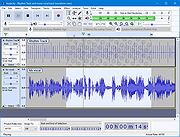 |
Audacity v3.7.8 Audacity v3.7.8 👉 Free, open-source, multi-track audio editor and recorder. Audacity is an easy-to-use, multi-track audio editor and recorder for Windows, macOS, GNU/Linux and other operating systems. Audacity can record, edit, clean up, enhance, import, export and convert audio projects, making it useful for music, podcasts, voice work and general sound editing. Features: • Record and edit audio on Windows, macOS and Linux • Multi-track audio editing • Record, clean up, enhance and produce songs or podcasts • Import, export and convert audio files • Export to WAV, MP3, FLAC, Ogg and more • VST3 plugin support • Nyquist plugin support • Noise reduction tools • Compressor, speed changer, pitch changer and vocal remover tools • Optional FFmpeg library support for additional formats such as WMA, M4A and AC3 Supported operating systems: • Windows 10, Windows 11 • Windows 8.1, Windows 7, Windows Vista may also work but are not tested • Windows 11 or later for Windows ARM64 beta • macOS 14, macOS 15 • macOS 10.11 El Capitan or later may also work • Ubuntu 22.04, most major Linux distributions on amd64 with FUSE 2 for AppImage Supported languages: US English, Afrikaans, Arabic, Armenian, Basque, Basque (Spain), Belarusian, Bengali, Bosnian, Bulgarian, Burmese, Catalan, Chinese (Simplified), Chinese (Taiwan), Corsican, Croatian, Welsh, Czech, Danish, Dutch, Farsi (Persian), Finnish, French, Gaelige, Galician, Georgian, German, Greek, Hebrew, Hindi, Hungarian, Indonesian, Italian, Japanese, Khmer, Korean, Lithuanian, Macedonian, Marathi, Norwegian (Bokmal), Occitan, Polish, Portuguese, Portuguese (Brazilian), Romanian, Russian, Serbian (Cyrillic), Serbian (Latin), Slovak, Slovenian, Spanish, Swedish, Tajik, Tamil, Turkish, Ukrainian, Valencian, Vietnamese Changes: v3.7.8 06-11-25 This is a patch release. It contains the following changes: #10688 Fixed an exception thrown when pasting into a newly-created track (Thanks, David Bailes (@DavidBailes)!) #10870, #10884, #10775, #10629 Fixed tone generation, waveform-scale setting, SetClip Name parameter, and clip-boundary command names for scripting and macros (Thank you, David Bailes (@DavidBailes)!) ... |
|
11,018 | Jun 16, 2026 Audacity |
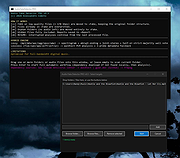 |
Audio Fake Detector PRO v7.7 Audio Fake Detector PRO v7.7 👉 Detects fake high-quality audio files by identifying lossy-to-lossless transcodes using advanced spectral and statistical analysis. Audio Fake Detector PRO detects fake “high quality” audio files, including lossy sources such as MP3 or AAC that have been transcoded or disguised as lossless formats like WAV or FLAC. Audio Fake Detector PRO uses a hybrid analysis engine combining spectrogram-based detection and statistical verification depending on the file type. Lossy formats are analyzed using frequency cutoff behavior, abrupt endings, stereo anomalies, and majority-vote segment analysis, while lossless formats are verified using auCDtect statistical analysis. Each audio file is divided into multiple segments and independently evaluated to reduce false positives and false negatives caused by mixed-quality content. Detailed reports are generated in several formats, and suspicious files can automatically be moved into a dedicated folder while preserving the original folder structure. Features: • Detects lossy-to-lossless and lossy-to-lossy transcodes • Hybrid analysis engine using spectrogram and statistical methods • Multi-segment majority voting system for improved accuracy • Spectral cutoff and compression artifact detection • Joint stereo anomaly detection • Automatic download and use of ffmpeg, ffprobe, and auCDtect • Metadata recovery with multi-step fallback analysis • Fast spectrogram processing with optimized implementation • Intelligent segment selection to reduce processing overhead • Generates reports in LOG, CSV, and HTML formats • Moves suspicious files to ~Fake while preserving folder structure • Supports hidden files and batch folder analysis A file is classified as FAKE in the following cases: • Bitrate < 170 kbps (pre-filter) • Lossy formats (MP3/M4A/AAC/OGG/OPUS/WMA) with a hard cutoff ≤ 16.5 kHz • Lossless formats (FLAC/WAV/APE/AIFF/WV) showing strong MPEG artifacts (auCDtect ≥ 80%) • Lossless files with abnormal spectrogram cutoff behavior • Mixed-source encoding or inconsistencies between segments Note: • Automatically downloads required tools on first run: ffmpeg and ffprobe (audio decoding and analysis), and auCDtect (lossless audio verification) Note: It is designed for modern digital music collections and large batches of ... |
|
514 | Jun 27, 2026 Alessandro Comito |
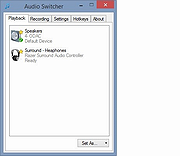 |
Audio Switcher (PORTABLE) 1.7.0.117 Audio Switcher (PORTABLE) 1.7.0.117 Audio Switcher is a 100% free, and Open Source application for Windows® Vista, 7, 8, and 10. Audio Switcher makes switching between sound devices trivial. No longer do you have to go into Control Panel or the Windows® Sound options, instead there is an easy to access icon, or even hotkeys. The beautiful part of Audio Switcher is it's simplicity. It doesn't try to do too much, it does exactly what is needed; nothing more, nothing less. Audio Switcher is developed by @xenolightning, entirely in my spare time. Continued development is spurred on by the users, if you have any feedback, feel free to contact me. 1.7.0.117 - .NET 4.5.2, as .NET4.0 is no longer officially supported by Microsoft - Fixes a memory leak that happens on rare occasions #1900 - Fixes a crash to Windows Audio service #1911 - Fixes delayed device names showing as "Unkown" #1870 - Fixes a possible null reference in app icon #1863 - Performance improvements - Further reduces CPU usage |
 |
7,275 | Mar 08, 2016 Sean Chapman |
|
Audio Switcher 1.7.0.117 Audio Switcher 1.7.0.117 Audio Switcher is a 100% free, and Open Source application for Windows® Vista, 7, 8, and 10. Audio Switcher makes switching between sound devices trivial. No longer do you have to go into Control Panel or the Windows® Sound options, instead there is an easy to access icon, or even hotkeys. The beautiful part of Audio Switcher is it's simplicity. It doesn't try to do too much, it does exactly what is needed; nothing more, nothing less. Audio Switcher is developed by @xenolightning, entirely in my spare time. Continued development is spurred on by the users, if you have any feedback, feel free to contact me. 1.7.0.117 - .NET 4.5.2, as .NET4.0 is no longer officially supported by Microsoft - Fixes a memory leak that happens on rare occasions #1900 - Fixes a crash to Windows Audio service #1911 - Fixes delayed device names showing as "Unkown" #1870 - Fixes a possible null reference in app icon #1863 - Performance improvements - Further reduces CPU usage |
|
6,960 | Mar 08, 2016 Sean Chapman |
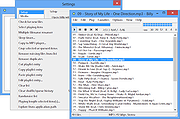 |
Billy v1.04k Billy v1.04k Billy is a small and fast audio player that allows you to quickly play an entire directory of MP3 files. It can usually load files 2 to 8 times faster than Winamp or Windows Media Player. Billy plays music albums without any gaps between tracks, so an overlapping applause or beat will continue. The player is 100% controllable by keyboard and its easy finder and special rename functions help you to find and organize your files quickly. Billy works great, even with a large collection of MP3's. It's simple, bloat-free, and sounds good. It has such a small system foot print, yet is so fast (loads 1000 mp3 files in a second). An MP3 Audio player should play MP3's. Not movies, photos, graphics editing, and disk burning. Just good clean MP3 playing. Try it, you'll like it. |
|
4,537 | Nov 01, 2019 Sanne |
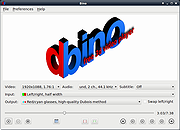 |
Bino v1.6.7 Bino v1.6.7 Bino is a 3D video player with multi-display support. 3D videos are more accurately called stereoscopic videos. Such videos have separate views for the left and right eye and thus allow depth perception through stereopsis. The left and right view of a stereoscopic video can be stored using different layouts. Sometimes the two views are stored as two separate video streams, but most often both views are packed into a single video stream and need to be unpacked by the video player. Bino supports all commonly used layouts. To display a stereoscopic video, the left and right view have to be prepared in a special way so that the left eye sees the left view and the right eye sees the right view. Different display techniques use different approaches to achieve this separation of the two views. Bino supports a wide variety of such techniques. Bino is a video player with the following main features: Support for stereoscopic 3D video, with a wide variety of input and output formats. Support for multi-display video, e.g. for powerwalls, Virtual Reality installations and other multi-projector setups. Other advanced features include scriptability, automatic support for high precision color input and output, and support for using two camera devices simultaneously. Bino is based on the following libraries: OpenGL (with GLEW) for video output. OpenAL for audio output. FFmpeg to decode video and audio files. Qt for the user interface. LibASS to render subtitles. Optionally Equalizer for advanced multi-display support. Bino is free software, licensed under the terms of the GNU GPL version 3 or later. Documentation here. Click here to visit the author's website. |
|
3,769 | Aug 13, 2020 Martin Lambers |
 |
BlitzSound 3.0.13 BlitzSound 3.0.13 A software utility designed to take snapshots of your desktop screen and record the audio from your Skype conversations or YouTube videos. BlitzSound - it's a simple application, which can capture your special moments and pieces of your favorite song from a youtube video, or a TeamSpeak3/Skype conversation without any problem. Features: One press of the button screenshot. One press of the button selected screenshot One press of the button record everything you hear. YouTube Extension, download and convert from youtube with ease. Change Info: Implemented Loading Screen. Implemented Recording History. Implemented "Download from Youtube" Implemented "Auto-Convert after download from Youtube." Graphics: Changed overall. Alerts: Graphics changed. Options: Graphics changed. History: Graphics changed. Settings: Added an option which allows you to select where the alerts will pop-up. Settings: Removed "Save cursor in screenshot" Settings: [YT]You can allow the application to auto-download from youtube, or not. Settings: [YT]You can choose to convert the video to .mp3. Improved application response rate. Reduced the memory usage. Reduced the CPU usage. Removed Shell Extension Requires Microsoft .NET Framework |
|
8,148 | Jul 14, 2014 Senaris Network |
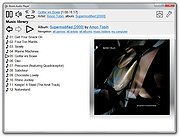 |
Boom Audio Player v1.0.38 Boom Audio Player v1.0.38 An easy to use audio player intended for casual computer users who do not wish to spend their time on figuring more sophisticated software out. All of its most important features are easily accessible out-of-the-box. Noteworthy features: No installation or administrator rights required! Just download and run. Gapless playback of properly encoded files. Enjoy smooth transitions between tracks. ReplayGain support. External software is currently required to write ReplayGain information to file tags to utilize this functionality. Contents of your music folders are shown, in a convenient structured genre/artist/album/song view. By default, contents of "my music" folder or Windows Music library folders are shown. You can configure Boom to index music from any other folders though. You can install Boom to removable media and have it index contents of the folder it is installed in. Are your files badly tagged or missing tags alltogether? No problem, Boom can browse your music library by its folder structure. Supports variety of popular audio formats, including: MP3, Ogg Vorbis, FLAC, Musepack (MPC), WavPack, WAV, AIFF, MP4/M4A, WMA. For emergency tagging needs, Boom includes a simplified version of the foobar2000 Properties dialog. Easily configured to run from removable media. Multilanguage support. Changes: Version 1.0.38 highlights: Fixed failure to index music on some readonly network shares. Updated MP4 handler (now recognizes Opus and FLAC content in MP4). Noteworthy features currently missing: Internet radio playback is not supported. No easy way to integrate with Windows Explorer other than manually going through "open with" / ... |
|
6,803 | Jun 13, 2023 Peter Pawlowski |
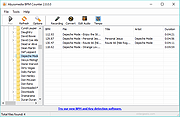 |
BPM Counter v3.2.0.0 BPM Counter v3.2.0.0 BPM Counter is a fast and accurate beats per minute detector for MP3 music. It may be helpful for DJs who need to get information about entire music collection quickly and for any kind of remixing/sampling stuff. Don't waste your time for manual tapping, just navigate to any folder with music and BPM Counter will show all compatible audio files (MP3 and WAV) and start BPM detection automatically. A common mistake with other BPM detectors is they may halve or double the actual BPM rate because decoder MP3 files partialy with lower quality. We use high-quality audio decoders from Audio Converter Plus to guarantee balance between performance and accuracy. Main features: Detect BPM values for WAV and MP3 files Free. Totally free. Save BPM values inside ID3 tags for MP3 files Ignore decoding errors on broken audio files Easy, Explorer-like interface Fully automated Fast and Accurate Close integration with tempo changer software Minimum System Requirements Windows: XP/Vista/7/8/10 Processor: Intel / AMD compatible at 1000 MHz or higher RAM: 256 MB or higher Administrative permissions for program installation Version 3.2.0.0 High DPI support. Improved handling of audio tags. |
|
5,898 | Feb 21, 2019 Abyssmedia |
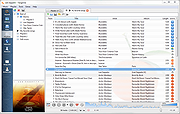 |
Clementine v1.3.1 Clementine v1.3.1 A modern music player and library organizer. Clementine is a multiplatform music player. It is inspired by Amarok 1.4, focusing on a fast and easy-to-use interface for searching and playing your music. Features: Search and play your local music library. Listen to internet radio from Spotify, Grooveshark, SomaFM, Magnatune, Jamendo, SKY.fm, Digitally Imported, JAZZRADIO.com, Soundcloud, Icecast and Subsonic servers. Search and play songs you've uploaded to Box, Dropbox, Google Drive, and OneDrive Create smart playlists and dynamic playlists. Tabbed playlists, import and export M3U, XSPF, PLS and ASX. CUE sheet support. Play audio CDs. Visualisations from projectM. Lyrics and artist biographies and photos. Transcode music into MP3, Ogg Vorbis, Ogg Speex, FLAC or AAC. Edit tags on MP3 and OGG files, organise your music. Fetch missing tags from MusicBrainz. Discover and download Podcasts. Download missing album cover art from Last.fm and Amazon. Cross-platform - works on Windows, Mac OS X and Linux. Native desktop notifications on Linux (libnotify) and Mac OS X (Growl). Remote control using an Android device, a Wii Remote, MPRIS or the command-line. Copy music to your iPod, iPhone, MTP or mass-storage USB player. Queue manager. Changes: Version 1.3.1 released - Tuesday, April 19, 2016 Fixes a bug where ratings are deleted when upgrading from older versions. This download is for the Windows version. If you need the MacOS version, download here. Ubuntu PPA You can download the latest version of Clementine on Ubuntu from the official PPA: sudo add-apt-repository ppa:me-davidsansome/clementine sudo apt-get update sudo apt-get install clementine Dependencies ... |
|
4,889 | Apr 07, 2021 clementine-player.org team |
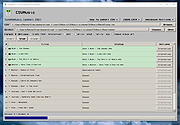 |
CSVMusic v1.3.9 CSVMusic v1.3.9 👉 Convert playlists from music services into fully tagged MP3 or M4A audio files. CSVMusic is a free and open source tool that converts playlists from various music services into downloadable audio files. It works by taking a playlist exported as a CSV file (such as from TuneMyMusic) and automatically locating matching tracks on YouTube Music, downloading the audio, and organizing it into properly tagged files with album artwork. CSVMusic processes playlist data and outputs ready-to-use audio files while preserving playlist order. It can also generate playlist files for easy importing into media players. How It Works: • Open the app (first launch may take ~10–15 seconds) • Click the TuneMyMusic link in the top-left • Import your playlist (Spotify, Apple Music, etc.) • Export to file → CSV file • Load the CSV in CSVMusic • Choose an output folder • Click Start • Wait for downloads to finish • If a song cannot be matched well: It will appear highlighted in yellow. Click Alternatives to choose a better version What You Get: • Audio files with: • Correct artist/title • Album information • Embedded artwork • Optional playlist files: • .m3u • .m3u8 Features: • Converts playlists from Spotify, Apple Music, YouTube, SoundCloud, Deezer, and more • Downloads audio from YouTube Music • Outputs M4A (AAC) or MP3 files • Automatically adds metadata and album artwork • Generates .m3u and .m3u8 playlist files • Preserves playlist order Important Notes: • Keep all files in the extracted folder together • Includes bundled tools: ffmpeg and yt-dlp • Some antivirus software may flag the program (false positives) • Your CSV file stays local • Only YouTube Music is contacted for downloading audio Supported Sources (via TuneMyMusic): • Spotify • Apple Music • YouTube • Deezer • And most others Supported operating systems: • Windows, Linux, macOS Supported languages: • English Changes: v1.3.9 04-20-26 Added an equalizer. This allows you to normalize volume between songs on a playlist, as well as controlling bass and treble. This download is for the Windows version (very bottom of ... |
|
507 | Apr 21, 2026 angall1 |
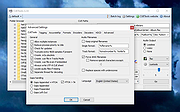 |
CUETools v2.2.6 CUETools v2.2.6 A free tool for lossless audio/CUE sheet format conversion. The goal is to make sure the album image is preserved accurately. A lossless disc image must be lossless not only in preserving contents of the audio tracks, but also in preserving gaps and CUE sheet contents. Many applications lose vital information upon conversion, and don't support all possible CUE sheet styles. For example, foobar2000 loses disc pre-gap information when converting an album image, and doesn't support gaps appended (noncompliant) CUE sheets. The distribution comes with CUERipper, an easy-to-use tool for ripping CDs to audio files plus cue sheets, with optional native or EAC-style logging. Like CUETools, it checks the rip against the AccurateRip and CUETools databases. It also contributes to the CUETools database. Supported formats Supports WAV, FLAC, APE, lossyWAV, ALAC, TTA, and WavPack audio input/output. Audio must be 16-bit, 44.1kHz samples stereo (i.e. CD PCM). Supports every CUE sheet style (embedded, single file, gaps appended/prepended/left out). It is also possible to process a set of audio files in a directory without a CUE sheet, or use a RAR archive as an input without unpacking it. Use cases • Convert a single-file album image with CUE sheet to a file-per-track album image • Convert a single-file album image with CUE-sheet-per-album to a single-file album image with CUE-sheet-per-track album image (feature request) • Convert a file-per-track album image with CUE sheet to a single file album image • Convert a file-per-track album image without a CUE sheet to a single file album image with simple CUE sheet • Convert an album image from one lossless codec to another, preserving CUE sheet structure • Verify a (possibly non offset-corrected) album image against AccurateRip database ... |
|
4,787 | Jun 30, 2024 CUETools |
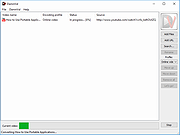 |
DamnVid Portable v1.6.0.1 DamnVid Portable v1.6.0.1 DamnVid is a video converter that allows you to download and convert videos from various video sharing sites. It makes use of the FFmpeg library as used in software like VLC Media Player and Google Chrome to handle the conversions. It can convert as it downloads in many cases. The author's tagline is "it sucks less". System Requirements: Windows XP, Vista, 7, 8, 10 Click here to visit the author's website. |
|
5,579 | Nov 29, 2019 Etienne Pérot & PortableApps.com |
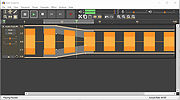 |
DarkAudacity v2.3.2 DarkAudacity v2.3.2 ...powered by Audacity, the free open source sound editor. Record, play and edit sound on your computer..... A free sound editor, DarkAudacity is the well known Audacity sound editor now with a darker more modern theme - and a few small tweaks. The audio engine underneath is the same audio engine. The same code powers it. Like Audacity it is completely free. It's not a cut down trial evaluation version. You can record and play sounds, edit sounds, apply audio effects and save what you create for ringtones, podcasts and more. DarkAudacity is Open Source, free for you to download and use on your PC. Audacity and DarkAudacity come from a community effort. Many people have contributed to the audio code. Because they are Open Source, anyone is allowed to read and modify the source code. DarkAudacity is a variation on the Audacity software, made possible because Audacity is Open Source. |
|
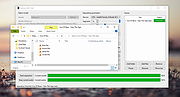
4,873 | Jun 17, 2019 DarkAudacityTeam |
 |
Demucs GUI v1.2 Demucs GUI v1.2 A GUI and CUDA memory optimizing project based on demucs that allows you to separate music files into separate tracks. The project aims to let users without any coding experience separate tracks without difficulty. System requirements: System version For Windows: At least Windows 8 For Mac: At least macOS 10.15 Hardware Memory: About at least 8GB of total memory (physical and swap) would be required. The longer the track you want to separate, the more memory will be required. GPU: Only NVIDIA GPUs (whose compute capability should be at least 3.5) and Apple MPS are supported. At least 2GB of private memory (not shared memory) is required. Changes: In version 1.2b1, Qt has been upgraded to 6.7.0, which added a new window style windows11 that is not stable enough and has been set to default on Windows by Qt developers. In 1.2b2, the default style on Windows has been set back to windowsvista, but this will only take effect if you are using Demucs-GUI the first on this computer. To reset window style, please click on the menu bar: About -> Reset style About the files: Demucs-GUI_1.2_cpu.7z: For Windows users without accelerators (e.g. GPU). Demucs-GUI_1.2_cuda_mkl.7z: For Windows users with NVIDIA GPU (whose compute capability is greater than 3.5) or Intel GPU (Intel Arc & Intel Xe). Demucs-GUI_1.2_macOS_x86_64_Rosetta2.dmg: For macOS users (Both Intel Mac and Apple Silicon Mac). You may need to install Rosetta 2 on Apple Silicon Mac. MPS acceleration is available on Apple Silicon Mac. Demucs-GUI_1.2_macOS_ARM64.dmg: For macOS users with Apple Silicon CPU. MPS acceleration is available. Fixes Fixed an issue that "copy video stream" can't deal with pure audio files with no video stream Added diffq as a requirement so quantized models can be used ... |
|
1,814 | Aug 28, 2024 Weiqi Gao |
|
DiscRipper 2.0.0.25 DiscRipper 2.0.0.25 DiscRipper is a software program which simply does two jobs: ripping audio CD and DVD video discs. DVD ripper DiscRipper can rip DVD disc into MPEG4, AVI, WMV, XVid, and many other formats. Also, DiscRipper can convert video for portable devices such as iPod, iPhone, PSP, Creative Zen, and 3GP / 3G2 for mobile phones. You can select preferred DVD titles, audio language and subtitles if available on a DVD disc. Furthermore, you can freely configure the output format by changing video / audio bitrate, frame rate, frame size, and other options. CD ripper Besides ripping DVD video, with this little but powerful program you can backup your audio CD into MP3 format, rip CD into APE files, OGG or WAV audio file formats. DiscRipper will automatically fetch all CD tracks information from CDDB internet database; grab album covers and even lyrics for all songs. All this information will be stored in mp3 tags (both Id3v1 and Id3v2, so there is no need to do that manually anymore). |
|
8,816 | May 03, 2014 Nuclear Coffee Software |
|
DivX for Windows 9.1.3 DivX for Windows 9.1.3 The DivX Player plays every DivX video ever created, including purchased or rented DivX movies, DivX HD files, and videos created with advanced features such as menus, subtitles and more. In addition, the DivX Player now allows you to publish videos directly to Stage6. Of course, you can also still burn your DivX movies to disc to play them directly on your TV using a DivX certified device. Your DivX for Windows download includes: DivX Player DivX Community Codec DivX Web Player And free trial versions of: DivX Converter (15-day trial) DivX Pro Codec (15-day trial) |
|
9,431 | Aug 08, 2013 DivX Networks |
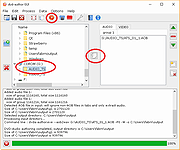 |
DVD Audio Tools v20.08-5 DVD Audio Tools v20.08-5 A set of tools for authoring and playback of unencrypted audio on DVD-Audio discs and hybrid DVD-Audio/Video discs. Software dependencies are also provided. Features media authoring DVD DVD-Audio audio High-Res What is DVD-Audio? DVD-Audio is a standard for storing uncompressed high quality stereo or multi-channel audio content on a standard DVD disk. Supported sampling frequencies range from 44.1KHz (the Red-Book CD Audio standard) up to 192KHz, with sampling depths of 16, 20 or 24 bits. A single DVD can contain both DVD-Audio content (in the AUDIO_TS directory) and DVD-Video content (in the VIDEO_TS directory). Most DVD players only recognise and playback the VIDEO_TS content, but an increasing number of dual-format players can play the contents of the AUDIO_TS as well. Such players will display the DVD-Audio logo. A single DVD-Audio disk is referred to as an Album. An Album can consist of up to 9 Groups, each containing up to 99 Tracks. In addition, the contents of the AUDIO_TS directory can contain references to objects in the VIDEO_TS directory (but not vice-versa). Click here to visit the author's website. |
|
2,523 | Aug 03, 2022 Dave Chapman/Fab Nicol |
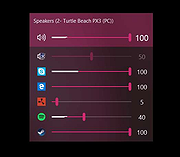 |
EarTrumpet v2.3.0.0 EarTrumpet v2.3.0.0 👉 A free, powerful per-app volume mixer and audio device controller for Windows. Features • Visualize audio with multi-channel aware peaking • Standalone volume mixer • Move apps between playback devices • Default playback device management • Automatic updates via the Microsoft Store • Support for light/dark mode and all accent colors • Configurable hotkeys • Modern context menus • Growing multilingual support Supported operating systems: Windows 10/11 Supported languages: Chinese (Simplified), Chinese (Traditional), Chinese (Traditional, Hong Kong SAR), English (United States), French, German, Spanish, Italian, Portuguese, Dutch, Afrikaans, Amharic, Arabic, Norwegian, Czech, Polish, Swedish, Romanian, Turkish, Japanese, Korean, Russian, Thai, Vietnamese Changes: v2.3.0.0 06-11-25 Added setting to turn on/off ability to change volume with the scroll wheel anywhere (thanks @Tester798!) Added setting to turn on/off ability to change volume with the scroll wheel when hovering over the EarTrumpet icon (thanks @Tester798!) Added new community settings area Added new community setting to turn on/off use of a logarithmic volume scale (thanks @yonatan-mitmit!) Added legacy shortcuts to the context menu pointing to [App volume and device preferences] / [Volume mixer] Added ability to use the Windows key in shortcuts (thanks @iamevn!) Added linguistic display name sorting for audio devices (thanks @Tester798!) Added a workaround for Windows Search (CortanaUI) showing a default asset (X) icon Fixed an issue where installation of EarTrumpet via AppInstaller would fail if the Visual C++ libs package was not installed Fixed an issue where EarTrumpet tooltips were not updating live while scrolling the mouse ... |
|
1,072 | Jun 02, 2026 File-New-Project |
|
Easy-Data Mediacenter 2.3.5.2 Easy-Data Mediacenter 2.3.5.2 Easy-Data Mediacenter is a video and audio player with lots of tools. It is able to deliver bit perfect audio, and does not require any external codecs. It is able to run from a memorystick and does not require installation. Some of the tools are: CD ripper, video converter, video merger, pictures and audio to video, recording studio, audio library, search engine, video playlist. You can you watch a movie, join several movies into one, split videos, extract audio from a movie, combine audio and video, make movies out of your desktop (or parts of it), create movie out of pictures, decode a movie frame by frame, create snapshots and thumbnails of movie files, create movies from webcam + much more. The Video Joiner Tool If you have a recording device of any kind you probably get lots of small video clips. Sometimes it could be useful to combine these files into one single movie. Or maybe you have downloaded a movie that comes in several parts. This is when the Video Joiner comes in to play. The Video Converter Tool As the title says, this is the tool for conversion of files. Like the Joiner this tool is easy to use and understand. You can make a list of 20 conversions in one session. Just remember that some formats can take a pretty long time to convert. The Audio/Video Merger Tool This tool does exactly what it says. Merges a video file with an audio file. As both the above tools this is similar in use and ease. There is one main difference though. You are not allowed to select output format. It is locked at .mp4 format. This will be changed in near future when you will get the same options as in the above tools. The Video Decoder Tool With this tool you ... |
|
9,445 | Nov 12, 2013 Easy-Data |
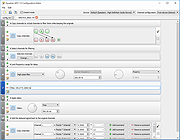 |
Equalizer APO v1.4.1 Equalizer APO v1.4.1 An open source parametric/graphic equalizer for Windows. It is implemented as an Audio Processing Object (APO) for the system effect infrastructure introduced with Windows Vista. Features: • virtually unlimited number of filters • works on any number of channels • very low latency, which makes it suited for interactive applications • low CPU usage • modular graphical user interface • VST plugin support • integrates into Voicemeeter Requirements: • Windows Vista or later (currently only Windows 7, 8, 8.1, 10 and 11 have been tested) • the application must not bypass the system effect infrastructure (APIs like ASIO or WASAPI exclusive mode can not be used) Changes: v1.4.1 Added: Update Checker that can be enabled in the installer. If enabled, will check for a new version daily and show a popup window when an update is available. Added: Support for ARM64 architecture (Windows on ARM). Same functionality as on 32 bit (now x86) and 64 bit (now x64) versions but limited VST support as native ARM64 VST plugins are needed. Improved: Updated to FFTW 3.3.10 and libsndfile 1.2.2. This download is for the Windows 64bit version (very bottom of page). If you need the Windows 32bit version, download here. If you need the Windows ARM64 version, download here. Click here to visit the author's website. |
|
7,124 | Jan 24, 2025 Equalizer APO |
|
EZ CD Audio Converter Free 1.5.3 EZ CD Audio Converter Free 1.5.3 The Easy CD-DA Extractor application is the Swiss Army Knife Of Digital Audio is ALL-IN-ONE music converter that rips Audio CDs, converts audio files from one format to another, edits metadata of audio files. Supports all popular audio file formats such as MP3, AAC, aacPlus, Apple Lossless, Windows Media Audio, Ogg Vorbis, FLAC, Monkey's Audio, and more. You can use Audio CD Ripper to rip CDs to different audio formats. CD ripping is powered by AccurateCDDA that provides accurate, error detective, and high-performance CD ripping. Audio CD Ripper can read disc information from CD-Text, and retrieve it from freedb and MusicBrainz metadata servers. Cover art can be automatically downloaded from Amazon store. The metadata from different sources are combined and written to the output file. Compatible media player will show this information when playing the file. Audio CD Ripper also contains DSP panel that allows you to normalize audio from different CDs to the same volume level, or you can apply fade in/out, or delete leading and trailing silence of a song. |
|
9,318 | Feb 17, 2014 Poikosoft |
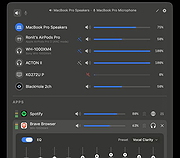 |
FineTune v1.7.0 FineTune v1.7.0 👉 Per-app volume control, audio routing, multi-device output and EQ for macOS. FineTune is a free and open-source macOS menu bar app that lets you control the volume of individual apps, boost quiet apps up to 4x, route apps to different speakers, use multi-device output, adjust input and output devices, and shape sound with a 10-band EQ and headphone correction. Features: • Per-app volume sliders and mute controls • Per-app volume boost with 2x, 3x and 4x gain presets • Global hotkeys for app volume up, app volume down, app mute and popup toggle • Configurable volume step size • Keyboard navigation for the menu bar popup • Multi-device output support • Route apps to different audio outputs • Auto-restore app volume, routing and EQ when devices reconnect • 10-band EQ with presets • Custom user EQ presets • AutoEQ headphone correction support • Loudness compensation using ISO 226:2023 equal-loudness contours • Input device and microphone level control • macOS alert volume control • Bluetooth device management from the menu bar • External monitor speaker control via DDC • Dynamic menu bar icon styles • Light and Dark theme support • Adjustable popup size: Compact, Comfortable or Spacious • URL schemes for automation Supported operating systems: • macOS 15.0 Sequoia or later Supported languages: English, Simplified Chinese Changes: v1.7.0 05-14-26 New Features: Global Hotkeys Volume Step Keyboard-Navigate the Popup Theme Scroll-Wheel Volume Settings, Rebuilt Popup Size Improvements: Visual refresh across the popup. Popup fits a 13" MacBook Air screen. Tap anywhere on a device row to select it. Multi-output count badge on the app-row picker. Mute button speaker glyph tracks the slider. EQ panel moved to a lifted card. Input device row aligned with output. Bug Fixes: F10–F12 media keys no longer step in raw gain. HDMI / DisplayPort monitor volume sliders no longer stay dead for the first few seconds after launch. Labels stop looking faded after switching from forced Light back to System appearance. The multi-output count reflects only devices currently attached. The Settings window no longer fights macOS for its scene state. This download is ... |
|
527 | May 31, 2026 Ronit Singh |
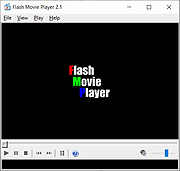 |
Flash Movie Player v2.1 Flash Movie Player v2.1 A free stand-alone player for ShockWave Flash (SWF) animations based on the Adobe Flash Player plug-in. In addition to all Adobe Flash Player abilities, it has some extended features, such as animation rewinding, advanced full-screen mode, playlists, browser cache integration, and exe projectors support. Features • Flash Movie Player is absolutely free - no nag screens, no ads, no spyware, no time limit. • Allows to rewind SWF animations and Flash games to any position in playing or paused mode. • Opens EXE projector files from version 4 to version 7 and works with them the same way as with ordinary SWF files (allows rewinding, etc.) • Flash Movie Player can extract flash movies from EXE projector files and save them in SWF format. • Playlists. It has a playlist editor with sorting functions. • Full-screen mode with an auto-hiding navigation bar. • All other standard features of Adobe Flash Player (zoom, quality select, repeat, scale mode select). • Snapshots: the program allows you to create a snapshot of any animation frame and save the image in JPEG or BMP format. • Hotkeys for all frequent operations. • Drag-n-drop support. • The executable has a small size and low system requirements. • Multilingual interface (40 languages supported at the moment). • Allows to explore cached SWF files. (Add SWF files from IE, Firefox, and Opera cache to playlist). • Can act as a Screensaver. You can set up Flash Movie Player as your screensaver to play Flash animations while the computer is idle. System Requirements ... |
|
672 | Nov 06, 2024 Eolsoft |
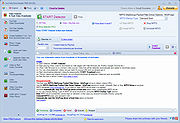 |
Flash Video Downloader Free v8.4.5 Flash Video Downloader Free v8.4.5 You can download videos from hundreds of thousands of websites. It detects videos (flash player) that playing on any web browser (IE,Firefox,Google Chrome etc.) FREEWARE (no ads, no toolbar) Download flash videos currently playing on web browsers (ie,firefox,google chrome ...) Start Video Detector (by pressing START Video Link Detector), Start playing online Video using Web Browser. Video link will be detected when the video starting to play and added to the download queue. There is no need to wait end of detected videos, you can stop it (by closing Webbrowser or Tab) To Download Detected videos press START Download button. NOTE:Some video links may expire so try to download videos as soon as possible. All in one software (video downloder, video converter, Photo downloader, Audio converter, Video Thumbnails maker...) Video link detector, Flash video downloader, Flv downloader, Mp4 downloader, video downloader Download Videos from almost any website Up to 4 parallel downloads. Convert video to mp3, or extract audio from video (lossless) Convert mp4 to mp3 Language:Turkish and English OS:Windows All All in one software and FREE Video Link Detector and Downloader Free YouTube Downloader Free YouTube Subtitle and Caption Downloader free Website Photo Downloader Free | Website image Downloader free Video Thumbnails Maker Free Audio Converter Free | Mp4 to Mp3 | MP3,MP2,AAC,AC3,OGG,WMA,FLAC,WAV,AIFF,m4a Converter Video Converter Free | Any Video Converter Free Magic Video Downloader Video and audio merger Extract Audios from Videos (lossless) Subtitle Maker for Music Clips Click here to visit the author's website. |
|
7,523 | Sep 27, 2019 Rentanadviser.com |
 |
foobar2000 v2.25.7 foobar2000 v2.25.7 👉 Advanced freeware audio player with tagging, conversion, replay gain, and customizable playback features. foobar2000 is an advanced freeware audio player designed for playing mainstream audio formats out of the box, with support for additional decoder components, gapless playback, advanced tagging, Audio CD ripping, transcoding, ReplayGain, internet radio, customizable keyboard shortcuts, and a flexible component architecture for extending functionality. Features: • Plays all mainstream audio formats out of the box • Supports additional decoder components for more formats • Gapless playback • Stream music on your local network • Easily customizable user interface layout • Advanced tagging capabilities • Audio CD ripping and audio transcoding • Full ReplayGain support • Customizable keyboard shortcuts • Built-in DSP effects with support for more through components • Internet radio support • Open component architecture for third-party extensions • No telemetry or data collection Supported operating systems: • Windows 7 or newer • macOS 11 Big Sur or newer Supported languages: • English Changes: v2.25.7 02-19-26 Fixed portable relative path handling bug affecting having portable foobar2000 itself as indexed music folder. Fixed Direct2D visualization race condition bug resulting in random instability. Rebuilt FFmpeg without MSVC /fp:fast, which fixes a mis-compilation bug that resulted in crashing on Wine. Fixed default AccurateRip log save location not being reliably set to scanned album folder. Improved behavior of Advanced Limiter, made sure it resumes outputting bit identical signal after attenuation. Internet Radio: Worked around radio-browser site not working as documented, all tags get fetched again. Fixed a bug in SMB code that prevented password-less user logins (other than guest user) from working. Fixed horrible regression in FPL serialization code that caused nonsensical output when copying or drag&dropping playlist contents between foobar2000 instances using relative paths. This download is for the Windows 64bit version (very bottom of page). All other download assets are below: Other Windows: Windows 32bit Windows ARM64 Windows XP MacOS: foobar2000-v2.25.7.dmg Android: Google Play iOS: AppStore Click here to visit the author's website. |
|
6,409 | Mar 17, 2026 foobar2000.org |
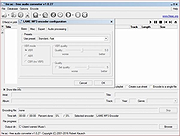 |
fre:ac - Free Audio Converter v1.1.4 fre:ac - Free Audio Converter v1.1.4 fre:ac is a free audio converter and CD ripper with support for various popular formats and encoders. It currently converts between MP3, MP4/M4A, WMA, Ogg Vorbis, FLAC, AAC, WAV and Bonk formats. With fre:ac you easily rip your audio CDs to MP3 or WMA files for use with your hardware player or convert files that do not play with other audio software. You can even convert whole music libraries retaining the folder and filename structure. The integrated CD ripper supports the CDDB/freedb online CD database. It will automatically query song information and write it to ID3v2 or other title information tags. Features Converter for MP3, MP4/M4A, WMA, Ogg Vorbis, FLAC, AAC, WAV and Bonk formats Integrated CD ripper with CDDB/freedb title database support Portable application, install on a USB stick and take it with you Multi-core optimized encoders to speed up conversions on modern PCs Full Unicode support for tags and file names Easy to learn and use, still offers expert options when you need them Multilingual user interface available in 40 languages Completely free and open source without a catch This download is for the 64bit Windows version. If you need the 32bit Windows version, download here. If you need the Intel and PowerPC Macs, macOS 10.x version, download here. If you need the Intel and Apple Silicon Macs, macOS 11.0 version, download here. If you need the Linux x86 (64 bit) version, download here. If you need the Linux x86 (32 bit) version, download here. If you need the Linux ARM (64 bit) version, download here. If you need the Linux ARM (32 bit) version, download here. If you need the FreeBSD (64 bit) version, download here. If you need the ... |
|
6,278 | Feb 16, 2021 Robert Kausch |
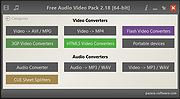 |
Free Audio Video Pack v2.22 32bit Free Audio Video Pack v2.22 32bit Free Audio Video Pack is a collection of portable video and audio converters which helps you to convert between all most popular audio and video formats like AVI, MPG, MP4, MP3, WAV, FLAC, AAC, MOV, WebM, WMV, WMA, OGG, WebM, FLV, OGV, 3GP. The package also includes applications that allows you to extract audio tracks from CD images based on the CUE sheets. Do not run this program from the 7z archive. Extract all files from archive before using! Unzip with 7zip. Download here All converters have a very similar interface and they are simple to use, even for novice users. To install, just extract archive FreeAudioVideoPack.7z to any folder on a hard disk or USB drive, then run FreeAudioVideoPack.exe file. Current version includes: Free WMA to MP3 Converter 1.4 Free MP4 to AVI Converter 1.16 Free MP4 to MP3 Converter 1.6 ---------------------------------------------- Pazera Free Audio Extractor 2.10 Free MKV to AVI Converter 1.9 Free WebM to MP3 Converter 1.4 Free OGV Video Converter 1.2 Free AVI to MP3 Converter 1.2 Free FLV to MP3 Converter ... |
|
5,513 | Dec 18, 2019 Jacek Pazera |
|
Free Audio Video Pack v2.22 64bit Free Audio Video Pack v2.22 64bit Free Audio Video Pack is a collection of portable video and audio converters which helps you to convert between all most popular audio and video formats like AVI, MPG, MP4, MP3, WAV, FLAC, AAC, MOV, WebM, WMV, WMA, OGG, WebM, FLV, OGV, 3GP. The package also includes applications that allows you to extract audio tracks from CD images based on the CUE sheets. Do not run this program from the 7z archive. Extract all files from archive before using! Unzip with 7zip. Download here All converters have a very similar interface and they are simple to use, even for novice users. To install, just extract archive FreeAudioVideoPack.7z to any folder on a hard disk or USB drive, then run FreeAudioVideoPack.exe file. Current version includes: Free WMA to MP3 Converter 1.4 Free MP4 to AVI Converter 1.16 Free MP4 to MP3 Converter 1.6 ---------------------------------------------- Pazera Free Audio Extractor 2.10 Free MKV to AVI Converter 1.9 Free WebM to MP3 Converter 1.4 Free OGV Video Converter 1.2 Free AVI to MP3 Converter 1.2 Free FLV to MP3 Converter ... |
|
5,774 | Dec 18, 2019 Jacek Pazera |
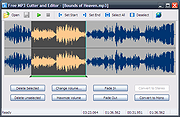 |
Free MP3 Cutter and Editor v2.8.0.1610 Free MP3 Cutter and Editor v2.8.0.1610 Free MP3 Cutter and Editor is an extremely simple and handy Windows software for editing mp3 files. Using Free MP3 Cutter and Editor To cut/edit your mp3 file, just start the program and complete the following steps: Step 1: Click to open an MP3 file for editing The waveform graph and editing command buttons are then displayed. Step 2: Define a selection, if needed, for the editing commands Just click on the graph to set the current position for playback, then click toolbar button or to set this position as start or end of selection. You can also click and drag on the graph to define the selection area directly. Step 3: Click any of the command buttons below the graph See the Editing Commands section below for short descriptions of the available commands. Step 4: Click to save all changes made to the document You can choose a new location for the file when it is being saved for the first time. Editing Commands Delete Selected Deletes selected part from the mp3 document. Delete Unselected Deletes unselected part from the mp3 document. Change Volume Changes audio volume by specifying a percentage value. Maximize Volume Increases volume as high as possible without distortion. Fade In Gradually increases the volume throughout the selection. Fade Out Gradually decreases the volume throughout the selection. Convert to Stereo Duplicates mono track to make a stereo track. Convert to Mono Mixes all channels to make a mono track. Click here to visit the author's website. |
|
5,908 | Apr 14, 2019 musetips.com |
 |
Free Music Downloader (formerly Last.FM) 1.49 Free Music Downloader (formerly Last.FM) 1.49 Download your favorite music from www.last.fm, vkontakte.ru, goear.com, youtube.com, GrooveShark.com, SoundCloud.com, mixcloud.com, BandCamp.com, Hypem.com, Xiami.com, Music.Baidu.com, Hulkshare.com, MP3Fusion.net, MP3Skull.com, QQMusic, SkyRock.com, Sogou.com, Top100.cn, YYmp3.com, Muzebra.com, XMusic.me, FanMuz.com, ProstoPleer.com and 8Tracks.com. Just enter an artist name or Last.FM url and press 'Search'. |
|
9,372 | Jan 12, 2014 The SZ |
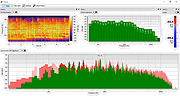 |
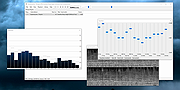
Friture v0.49 Friture v0.49 A free, open source, real-time audio analyzer. Features The purpose of Friture is to help analyze an audio signal to understand the characteristics of this signal (fundamental, harmonics, feedback, etc.), to describe the source/room/receiver behaviour (reverberation, gain peaks, etc.), or to make adjustments in the preprocessing (room equalization). This is achieved by providing a set of widgets to visualize audio data: 2D Spectrogram widget The 2D spectrogram widget displays audio data versus both frequency and time, in a rolling-against-time fashion. The time-frequency resolution of the display is fixed by the window length of the Fourier transform (as for the minimum response time of the spectrum widget). It is also limited by the resolution of your display in pixels. Spectrum widget The spectrum widget displays audio data versus frequency. This is very appropriate to visualize the characteristics of tha signal: fundamental frequency, harmonics, feedback frequencies, etc. The response time of the display is configurable. The minimum response time is linked to the window length of the Fourier transform. For a FFT of 1024 points, and given the sampling rate of 48000 Hz used by Friture, the minimum response time is 1024/48000 = 21.3 ms. Additionally, the widget draws peaks for each frequency component. These peaks mark the recent maxima of the spectrum, and start to decrease shortly after the peak was reached. Finally, a label identifies the frequency of the global maximum of the spectrum. Octave Spectrum widget The octave spectrum widget displays audio data versus time, similarly to the Spectrum widget. Audio data is grouped in frequency bins with fraction-of-octave widths. Each frequency bin is the result of a fraction-of-octave filter. The following figure illustrates the frequency response of the filter bank used with the 3 bands-per-octave setting. The filters for each octave are applied after decimations of the signal. Both the band-pass filters and ... |
|
1,428 | Sep 26, 2023 Timothée Lecomte |
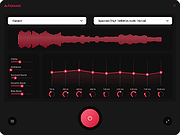 |
FxSound v1.1.31.0 FxSound v1.1.31.0 Boost Volume, Bass and Sound Quality For Windows Free software for Windows to boost your cold, boring, and quiet sound. Amazing sound for everything you listen to Music FxSound corrects the limitations of your audio devices and files. Video Games Surround sound to create full immersion into your virtual world. TV and Movies Never strain to hear dialog or get your ears blown out by the sound effects or score again. FxSound smooths and improves your favorite shows and movies. Transcription FxSound boosts your clarity to save your sanity. Rewind less, get paid more. Customize your sound to your exact taste EQ Here's the thing... No two ears are the same. Not all hardware is made equal. Our new equalizer balances your sound to your needs now with customizable center frequencies. Visualizer Make audio and visual one blended experience. Our visualization lets you feel your music in a new way. Effects If you like a lot of bass, we've got you covered. But we can't take responsibility from any noise complaints from your neighbors ;) Presets Switch between listening to music, gaming, and streaming video in an instant with specially designed presets for every possible sound situation. Changes v1.1.31.0 03-12-25 Fixed the unhandled exception and crash in the application after installation Notifications not displayed during output device change is fixed Correction in Swedish translation Learning Center Here to help you get the most out of FxSound and audio. Click here to visit the author's website. |
|
3,719 | Mar 12, 2025 FxSound LLC |
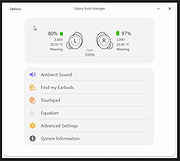 |
Galaxy Buds Client v5.0.1 Galaxy Buds Client v5.0.1 Unofficial Galaxy Buds Manager for Windows and Linux. Configure and control any Samsung Galaxy Buds device and integrate them into your desktop. Aside from standard features known from the official Android app, this project helps you to release the full potential of your earbuds and implements new functionality. Features • Detailed battery statistics • Diagnostics and factory self-tests • Loads of hidden debugging information • Customizable long-press touch actions • Firmware flashing, downgrading (Buds+, Buds Pro) • and much more... Changes: v5.0.1 Fixed the issue where ScottPlot could not display CJK (and possibly other) characters by default by @YexuanXiao in #512 Use more clear tray icons on Windows (#510) Dynamic tray icon uses the accent color for the text display by @YexuanXiao (#510) Linux: fixed 100% CPU usage (#515) WindowsRT: fixed crash on startup (#513) Update winget package id by @JordyEGNL in #516 This download is for the Windows 64bit Installer version (very bottom of page). All other download assets are below: Windows: GalaxyBudsClient_Windows_64bit_Portable.exe macOS: GalaxyBudsClient_macOS_universal.pkg GalaxyBudsClient_macOS_x64.pkg GalaxyBudsClient_macOS_arm64.pkg Linux: GalaxyBudsClient_Linux_64bit_Portable.bin GalaxyBudsClient_Linux_arm64_Portable.bin GalaxyBudsClient_Linux_arm_Portable.bin GalaxyBudsClient_Linux_musl64bit_Portable.bin Note to Linux users • x86_64-musl binaries are only compatible with libc-musl based distributions (e.g., Alpine Linux). • You need to give the binary execute permissions before launching it: chmod +x GalaxyBudsClient • If your system language is set to a language that has non-Latin characters (Korean, Japanese, Chinese), you need to start the app like this: LC_ALL=C ./GalaxyBudsClient (temporary workaround) Click here to visit the author's website. |
|
2,505 | Jul 12, 2024 Tim Schneeberger |
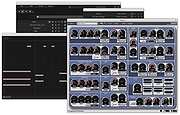 |
Giada for Linux v0.15.4 Giada for Linux v0.15.4 Your hardcore loop machine. Giada is a free, minimal, hardcore audio tool for DJs, live performers and electronic musicians. How does it work? Just pick up your channel, fill it with samples or MIDI events and start the show by using this tiny piece of software as a loop machine, drum machine, sequencer, live sampler or yet as a plugin/effect host. Giada aims to be a compact and portable virtual device for Linux, Mac OS X and Windows for production use and live sets. Lightweight and powerful 32 bit floating point audio engine, sample-accurate looping system, multithread support, super-sleek interface. 100% exotic dependencies free. *Lots of useful tools Tweak your sounds with the live sampler from external sources, the live quantizer, a built-in wave editor, the action recorder and the action editor. *VST and MIDI support Giada can load VST and VST instruments, as well as read/write MIDI messages from/to any device out there, both hardware and software. *100% open-source GPL Giada is constantly under development, free for use and distribution: you can use it without any limitations. Help us to improve it more! Changes in version 0.15.4 New record-on-signal option for input and action recording Initial support for plug-ins with mono I/O buses PluginHost refactoring Smart pointers for Wave and Plugin objects Remove old and deprecated input delay compensation Optimized audio I/O processing in Mixer callback Atomic I/O meters with improved accuracy Fix memory leak when replacing samples in a Sample Channel Fix plug-ins ordering method when re-opening Giada Fix silent Sample Channel when recording actions a second time Fix velocity always discarded when sending key-press to Sample Channel Fix ... |
|
7,172 | Dec 01, 2019 Giada |
|
Giada for MacOSX v0.15.4 Giada for MacOSX v0.15.4 Your hardcore loop machine. Giada is a free, minimal, hardcore audio tool for DJs, live performers and electronic musicians. How does it work? Just pick up your channel, fill it with samples or MIDI events and start the show by using this tiny piece of software as a loop machine, drum machine, sequencer, live sampler or yet as a plugin/effect host. Giada aims to be a compact and portable virtual device for Linux, Mac OS X and Windows for production use and live sets. Lightweight and powerful 32 bit floating point audio engine, sample-accurate looping system, multithread support, super-sleek interface. 100% exotic dependencies free. *Lots of useful tools Tweak your sounds with the live sampler from external sources, the live quantizer, a built-in wave editor, the action recorder and the action editor. *VST and MIDI support Giada can load VST and VST instruments, as well as read/write MIDI messages from/to any device out there, both hardware and software. *100% open-source GPL Giada is constantly under development, free for use and distribution: you can use it without any limitations. Help us to improve it more! Changes in version 0.15.4 New record-on-signal option for input and action recording Initial support for plug-ins with mono I/O buses PluginHost refactoring Smart pointers for Wave and Plugin objects Remove old and deprecated input delay compensation Optimized audio I/O processing in Mixer callback Atomic I/O meters with improved accuracy Fix memory leak when replacing samples in a Sample Channel Fix plug-ins ordering method when re-opening Giada Fix silent Sample Channel when recording actions a second time Fix velocity always discarded when sending key-press to Sample Channel Fix ... |
|
6,920 | Dec 01, 2019 Giada |
|
Giada for Windows v0.15.4 Giada for Windows v0.15.4 Your hardcore loop machine. Giada is a free, minimal, hardcore audio tool for DJs, live performers and electronic musicians. How does it work? Just pick up your channel, fill it with samples or MIDI events and start the show by using this tiny piece of software as a loop machine, drum machine, sequencer, live sampler or yet as a plugin/effect host. Giada aims to be a compact and portable virtual device for Linux, Mac OS X and Windows for production use and live sets. Lightweight and powerful 32 bit floating point audio engine, sample-accurate looping system, multithread support, super-sleek interface. 100% exotic dependencies free. *Lots of useful tools Tweak your sounds with the live sampler from external sources, the live quantizer, a built-in wave editor, the action recorder and the action editor. *VST and MIDI support Giada can load VST and VST instruments, as well as read/write MIDI messages from/to any device out there, both hardware and software. *100% open-source GPL Giada is constantly under development, free for use and distribution: you can use it without any limitations. Help us to improve it more! Changes in version 0.15.4 New record-on-signal option for input and action recording Initial support for plug-ins with mono I/O buses PluginHost refactoring Smart pointers for Wave and Plugin objects Remove old and deprecated input delay compensation Optimized audio I/O processing in Mixer callback Atomic I/O meters with improved accuracy Fix memory leak when replacing samples in a Sample Channel Fix plug-ins ordering method when re-opening Giada Fix silent Sample Channel when recording actions a second time Fix velocity always discarded when sending key-press to Sample Channel Fix ... |
|
6,943 | Dec 01, 2019 Giada |
|
Gom Player 2.1.49.5139 Gom Player 2.1.49.5139 Gom Player is a multimedia player which can play most of the differently encoded video formats that include AVI, DAT, MPEG, DivX, XviD, and plus more; with its own built-in codec system. GOM can also play video files that are being downloded from the Internet or that are broken during the downloading process. Features: GOM Player supports most of the condecs (AVI, DAT, MPEG, DivX, and plus more) by its own embedded codec system that you won't have to look for appropriate codecs everytime when you can't play a certain video format. With GOM, you'll experience something you've never seen in the past with other media players. GOM supports all kinds of features for highly advanced users who desire to watch video clips at the best quality. GOM is also able to play incomplete or damaged AVI file by skipping the damaged frames. And it can also playback Locked Media Files while downloading or sharing (with real-time index rebuilding under certain condition: AVI downloading in consecutive order). GOM also supports HTTP Streaming ASF/OGG/MP3/AAC/MPEG PS/MPEG TS: Only work with internal splitters). GOM also support its own skins, Subtitle, Overlay Mixer features, Optimized buffer for streaming Automatic ASF source filter, Keys Remapping, Superspeed/High Mode, Enhanced Filter Rendering and full-Unicode. |
|
11,196 | Mar 26, 2013 Gretech |
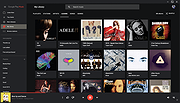 |
Google Play Music Desktop Player v4.7.1 Google Play Music Desktop Player v4.7.1 A beautiful cross platform Desktop Player for Google Play Music. The same beautiful Material Design experience you love on the browser, just as a dedicated desktop player Open Source Google Play Music Desktop Player is open source on GitHub. This means YOU, the community, gets a say in all the features we implement and you can even get involved and help out. If you find a bug or want something new, tell us in Gitter or on GitHub and we will see what we can do!! Resource Efficient Being a lightweight, standalone framework we use FAR less resources than having Google Play Music open in a standard chrome tab. This frees up your computer's resources to do things you care about, instead of wasting them on playing music. Customizable Google Play Music Desktop Player adds a level of customization that simply isn't there in the web player. You can change your theme, customize the colors, send your play history straight to last.fm, and it even has a built-in equalizer. From advanced audio controls to simple song change notifications, this desktop player literally does it all. Features Media Keys support (Play, Pause, Stop, Previous, Next) Last.FM Scrobbling and Now Playing support! Desktop notifications on track change Simplistic mini player Customizable dark theme Taskbar media controls (media controls embedded into the taskbar) Windows only HTML5 audio support - No more Adobe Flash Player Built-in audio equalizer - Make it sound how you like it Background music playing, minimize to the task bar Customizable hotkeys. No worries if you don't have media keys - Choose your own shortcuts! Choose your audio output device from ... |
|
4,933 | Aug 06, 2024 Samuel Attard |
 |
GridPlayer v0.5.3 GridPlayer v0.5.3 A simple VLC-based media player that can play multiple videos at the same time in a grid. You can play as many videos as you like, the only limit is your hardware. It supports all video formats that VLC supports (which is all of them). You can save your playlist retaining information about the position, sound volume, loops, aspect ratio, etc. Features • Cross-platform (Linux, Mac, and Windows) • Support for any video and audio format (VLC) • Support for (almost) any streaming URLs (streamlink + yt-dlp) • Hardware & software video decoding • Control video aspect, playback speed, zoom • Set loop fragments with frame percision • Configurable grid layout • Easy swap videos with drag-n-drop • Playlist retains settings for each video Supported operating systems: Windows 7, 8, 10, 11. Linux Ubuntu 20+ macOS Changes: v0.5.3 17 Oct 13:58 Added Option to crop video (8b1fba3) Fixed Update yt-dlp and Streamlink (c5790f2) Update translations (48ff112) Prevent video distortion when rotation is enabled (d0dc5be) Add h265 and hevc to video extensions (6cbc01f) Allow opening any files (c775315), closes #170 Increase maximum zoom scale to 10 (max for VLC) (3a346fb) This download is for the Windows portable version (very bottom of page). All other download assets are below: macOS: GridPlayer.0.5.3.dmg DMG image is not signed. You will have to add an exception to run this app. How to open an app that hasn’t been notarized or is from an unidentified developer Open a Mac app from an unidentified developer If you get "GridPlayer is damaged and can't ... |
|
733 | Dec 10, 2024 vzhd1701 |
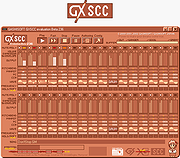 |
GXSCC v236E GXSCC v236E GXSCC is a wonderful program that emulates a Famicom (NES) or SCC sound chip in order to play MIDIs. To play a MIDI file, simply drag and drop it onto the main screen. Here is a MIDI of ABBA's "Take a Chance On Me" for you to try it out.. Put your headphones on. The sound is surprising soothing and nostalgic. The program is completely portable. GXSCC Tutorial (by: meme.institute) Extract the zip file and start GXSCC.exe. Ignore the dialog box and just click OK Find a MIDI Sometimes it can be hard to find MIDIs of certain songs, but there's a 99% chance the song has been MIDIfied before by someone. Here are some things to Google: "X midi" "X midi free" "X synthesia" "X synthesia" on YouTube, then look in the description for a MIDI link "X synthesia midi" Some sites claim to offer free MIDIs, but then offer a subscription for a PRO™ MIDI or something. Don't bother; if you can't get a MIDI from a site within 60 seconds of visiting just go somewhere else. Also, some MIDIs were put through "MP3 to MIDI" conversion software that doesn't work at all, resulting in what sounds like a gorilla with boxing gloves smashing a piano. On a related note, don't try to use an MP3 to MIDI converter. There are no good ones, I've tried them all. Play a MIDI Once you have downloaded a MIDI, open Explorer to the folder containing your MIDI and drag it into GXSCC. If you're using Google Chrome, you can drag in a MIDI straight from the Chrome downloads bar. It should automatically start playing! Change the sound of the MIDI To change which waveform GXSCC uses, click on the Config button ... |
|
3,410 | May 28, 2021 Gashisoft Japan |
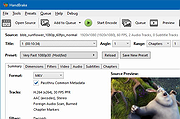 |
HandBrake v1.11.1 HandBrake v1.11.1 👉 Open-source video transcoder for converting video files into modern, widely supported formats. HandBrake is a free and open-source video transcoder that allows users to convert video files from nearly any format into modern, widely supported codecs and containers. It is widely used for compressing large video files, preparing videos for mobile devices, and converting DVD or Blu-ray sources into digital files. HandBrake supports a wide range of input sources including common video formats, DVDs, and Blu-ray discs that are not copy-protected. Users can choose from optimized device presets or customize encoding settings such as bitrate, resolution, frame rate, filters, and subtitles to match their specific needs. The application includes advanced features like hardware acceleration, batch processing, subtitle management, chapter markers, and video filters for deinterlacing, denoising, and scaling. HandBrake also provides preview capabilities so users can test encoding settings before processing an entire file. Its clean interface and powerful engine make it useful for beginners and advanced users alike. Features: • Convert video from nearly any format to MP4, MKV, or WebM • Built-in presets for common devices and streaming platforms • Hardware accelerated encoding (Intel Quick Sync, NVIDIA NVENC, AMD VCE/VCN, Apple VideoToolbox) • Video filters including deinterlace, denoise, sharpen, and scaling • Subtitle support including burned-in, soft subtitles, and external subtitle tracks • Chapter markers and audio track selection • Batch encoding and queue management • Live preview to test encoding settings before processing Supported operating systems: • Windows 10, Windows 11 • macOS 13 Ventura or higher • Linux Ubuntu 22.04 or higher Supported languages: English, Catalan, Chinese (Simplified), Chinese (Traditional), Czech, Dutch, French, German, Hungarian, Italian, Japanese, Korean, Polish, Portuguese, Portuguese (Brazil), Russian, Spanish, Swedish, Turkish, Ukrainian Changes: v1.11.1 03-22-26 All platforms Audio Fixed a crash that could happen when scanning a PCM track in a DVD-Video or Blu-ray Third-party libraries Updated libraries ... |
|
10,517 | Mar 30, 2026 The HandBrake Team |
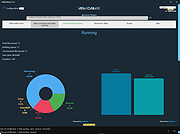 |
HBBatchBeast v2.1.5 HBBatchBeast v2.1.5 A free GUI application for HandBrake and FFmpeg/FFprobe with an emphasis on batch conversion (including recursive folder scans and folder watching) For Windows, macOS, Linux and Docker The destination folder structure is kept the same as the source folder structure. Media in subfolders is also converted. Multiple folders can be monitored and different conversion presets can be specified for each folder. Also included: • Remote monitoring feature to monitor batch file conversions in any browser • Basic h265 benchmarking • Health check feature which can scan for corrupt video files using HandBrake (quick scan) or FFmpeg (thorough scan), although this is not always accurate. Attempt repair file feature included too. This is a standalone program on Windows but requires HandBrakeCLI to be installed on Linux and Mac. For a server application with similar functionality please see Tdarr. Settings help is available by pressing the blue ? diamond icons spread throughout the program. The program scans the source folders for all files. It then compares the source folder files with the destination folder files to see if any of the source files exist in the destination folder already. If not, the program queues the files for conversion. 4 worker modules (default number) then work through the conversion queue. If periodic scanning is enabled then the program will run at the chosen interval. After it a bit more testing it seems that weird things can happen if you monitor a folder which is being downloaded to. It seems sometimes conversions start before a file has fully downloaded. To solve this, I recommend using a temporary download folder before moving completed files into your HBBB source folder. If you use a download program which has an 'incomplete downloads' folder etc, do not put that folder ... |
|
2,414 | Feb 06, 2024 HaveAGitGat |
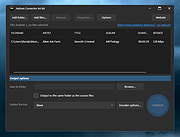 |
Helium Converter v3.2.49 Helium Converter v3.2.49 The Swiss Army knife of audio converters! Helium Converter is a free, fully functioning, helper application that enables you to convert your audio files into many different formats. It provides comprehensive support for the conversion from and to a large variety of lossless and lossy music file formats, namely: Supported source formats: AAC FLAC M4A M4B Monkey Audio (APE) MP3 MP4 MPEG+/MPC Ogg Vorbis WavPack Wave WMA Supported target formats: FLAC M4A M4B MP3 MP4 Ogg Vorbis WavPack Wave WMA The most output formats also supports volume normalizing (non-destructive) which can be configured per encoder. In addition, the music file tag content (meta data) is also converted and saved to the destination files. DRM (copy protected) music file conversion is not supported. Helium Converter exists in the following languages: Brazilian Portuguese Deutsch Spanish French Greek Hungarian Japaneese Dutch English Russian Slovak Swedish Click here to visit the author's website. |
|
4,294 | Dec 12, 2024 Imploded Software |
 |
ID3 Tag Editor v3.7.0.0 ID3 Tag Editor v3.7.0.0 Any audio file can contain meta data that can be used by audio players to identify composition and search song in playlist. Abyssmedia ID3 Tag Editor is an easy and intuitive audio tag editor for Windows. It helps you organize your music collection and edit/copy/add/remove meta data from audio file. ID3 Tag Editor support MP3 tags, MP4 tags, FLAC tags, WMA tags, OGG Vorbis tags and APE tags. Main features: Abyssmedia ID3 Tag Editor is completely free. Add or edit tag information such as genre, title, artist, album, year, bpm, key, e.t.c. Clear all tag information from audio file. Support MP3, M4A, FLAC, WMA, OGG and APE file formats. Close integration with other audio tools. Minimum System Requirements Windows: XP/Vista/7/8/10 Processor: Intel / AMD compatible at 1000 MHz or higher RAM: 256 MB or higher Administrative permissions for program installation Version 3.7.0.0 Added High-DPI monitor support. Updated audio decoders. Fixed wrong tab order for tag fields. |
|
5,975 | Feb 21, 2019 Abyssmedia |
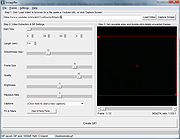 |
Instagiffer 1.75 for Mac Instagiffer 1.75 for Mac So your love of GIFs has brought you here, and you want to take things to the next level. Whether you pronounce it GIF, or GIF (see what we did there?), Instagiffer is the perfect tool for creating the best reaction moments to any situation. Sometimes, only a GIF will do in a conversation, and can say so much by saying so little. If you find yourself struggling to always find the perfect GIF, look no more! Meaning, just make your own. It’s easy. Promise. Instagiffer allows you to capture the best GIF-worthy moments instantly from your screen. Whether you’re watching a YouTube Video, Netflix, or your favorite Vine star, you can grab the perfect moment, throw a little magic into it, and release your newborn GIF into the world. You’ll become an instant professional GIF editor, with the ability to add text, filters, loops, and more. Plus, it’s totally free of charge, and free from annoying ads and spyware - because let’s face it, that **** sucks. Alright, ready to become the GIF Master, and have the perfect GIF for every occasion? Go ahead and get started, and… you’re welcome for your new-found Internet fame :). Check out our resident sensei’s video tutorials over at her YouTube dōjō, read the FAQ and start giffing! Features Generate GIFs from anything! GIF YouTube. and hundreds of other supported video sites Tweak the exact region you want to GIF with the cropping tool Create optimized, quality GIFs under 1MB in size, or large HD GIFs if you prefer Open and edit existing GIF files Add highly customizable text and custom logos Make awesome cinemagraphs and subtle movement GIFs in seconds ... |
|
6,434 | Feb 13, 2017 Instagiffer |
|
Instagiffer 1.75 for Windows Instagiffer 1.75 for Windows So your love of GIFs has brought you here, and you want to take things to the next level. Whether you pronounce it GIF, or GIF (see what we did there?), Instagiffer is the perfect tool for creating the best reaction moments to any situation. Sometimes, only a GIF will do in a conversation, and can say so much by saying so little. If you find yourself struggling to always find the perfect GIF, look no more! Meaning, just make your own. It’s easy. Promise. Instagiffer allows you to capture the best GIF-worthy moments instantly from your screen. Whether you’re watching a YouTube Video, Netflix, or your favorite Vine star, you can grab the perfect moment, throw a little magic into it, and release your newborn GIF into the world. You’ll become an instant professional GIF editor, with the ability to add text, filters, loops, and more. Plus, it’s totally free of charge, and free from annoying ads and spyware - because let’s face it, that **** sucks. Alright, ready to become the GIF Master, and have the perfect GIF for every occasion? Go ahead and get started, and… you’re welcome for your new-found Internet fame :). Check out our resident sensei’s video tutorials over at her YouTube dōjō, read the FAQ and start giffing! Features Generate GIFs from anything! GIF YouTube. and hundreds of other supported video sites Tweak the exact region you want to GIF with the cropping tool Create optimized, quality GIFs under 1MB in size, or large HD GIFs if you prefer Open and edit existing GIF files Add highly customizable text and custom logos Make awesome cinemagraphs and subtle movement GIFs in seconds ... |
|
6,620 | Feb 13, 2017 Instagiffer |
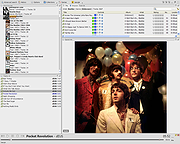 |
Jaangle v0.98i Jaangle v0.98i Jaangle is a free, portable music player that organizes your music collection and displays it in an easy to browse user interface. It livens up your music experience with album covers, artist images and lyrics downloaded from the internet. Play from your entire collection While most music players only access one folder, Jaangle can play from your entire music collection, turning your music library into your own radio! Visualize your music collection Jaangle makes it easy to browse through your music collection, and find what you need easily, by artist, album, by music genre or even by lyrics! Get all the music information Jaangle searches the internet for images, album covers, artist info and lyrics, downloads and displays the information seamlessly as the music plays. ✓ Plays all music file formats (mp3, ogg, wma, avi etc.) ✓ Plays from entire music collection, not just one folder ✓ Quality audio – video player ✓ Integrated tag editor ✓ Download + display of useful information: artist bio, images, lyrics, comments ✓ Easy to browse interface ✓ Search by artist, song, album, tags or lyrics ✓ Connect to other users ✓ Music games ✓ Open source ✓ Free software ✓ Lightweight and fast, needs almost no CPU and memory ✓ Customizable user interface ✓ Several language options Changes: 0.98i – Google lyrics downloader fix Click here to visit the author's website. |
|
3,583 | Oct 27, 2020 Artificial Spirit |
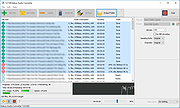 |
Kabuu Audio Converter v1.1.0 Kabuu Audio Converter v1.1.0 Kabuu Audio Converter is a multithreaded audio converter and extractor. It can convert any file to mp3, m4a, flac, alac, wav, ogg, opus. You can also extract audio from video files like mp4, avi, vob, mkv, webm, etc. Kabuu Audio Converter has several built in presets which make encoding even easier. You can also create your own presets, adjust encoding parameters like bitrate, channel count, sampling rate, bit depth, compression ratio. Kabuu Audio Converter can extract audio streams from video files. Even if the video file in question has more than one audio stream, Kabuu Audio Converter gives you the option to select the one you want to extract. If your audio tracks have language information, you can configure Kabuu Audio Converter so it can select the language you want for you. Kabuu Audio Converter is completely free and does not contain any malicious code or addon. Features Convert audio files in parallel to maximize encoding speed Supported output formats mp3, m4a, ogg, opus, flac, wav, alac, wma Keeps folder structure at output for your convenience Create or use built in presets for easy configuration Extract audio from video files, audio track selection for multitrack files Can convert and extract from almost any media file Supported Formats Input Audio Formats .mp3, .wav, .m4a, .flac, .ogg, .tta, .mpc, .aac, .ac3, .spx, .opus, .shn, .wv, .mpc, .ape, .wma, .3ga, .thd, .amr, .aac, .m4b, .tak, .dts, .aiff, .aif, .dtsma, .mpa, .mp2, .mka Input Video Formats ... |
|
4,142 | Jun 06, 2020 Kabuusoft |
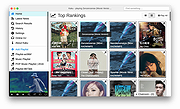 |
Kaku v2.0.2 Kaku v2.0.2 Kaku is a highly integrated music player that supports different online platforms like YouTube, SoundCloud, Vimeo and more. Supported Streaming Platform YouTube Vimeo SoundCloud MixCloud ... keep adding :) Supported Languages 繁體中文 (沒錯,這個程式 Made in Taiwan XD) 日本語 Português English Français Español Русский Türkçe Deutsch 한국어 Slovenčina Polski Bahasa Indonesia Italiano Nederlands (België) العربية Slovenščina فارسی ... keep adding :) This download is for the Windows version. If you need the MacOS version, download here. If you need the Linux Debian version, download here. Click here to visit the author's website. |
|
4,901 | Apr 09, 2021 Chia-Lung Chen |
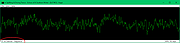 |
Keppi v3.82 Keppi v3.82 An open source simple music visualizer, written in the C# language. It requires .NET Framework 4.5 to run. Changes in version 3.82 ----------------------- * Track list extraction improvements. * Added detection for AC-3 codec. * Fixed crash with YouTube videos. * Fixed crash when metadata character set detection fails. System requirements ------------------- * Windows 7 or above * .NET Framework 4.5 This download is for the 64bit version. If you need the 32bit version, download here. Click here to visit the author's website. |
|
4,707 | Nov 17, 2021 jyrkive |
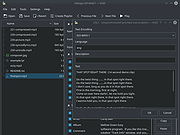 |
Kid3 - Audio Tagger v3.10.0 Kid3 - Audio Tagger v3.10.0 👉 Powerful audio tag editor for fixing music metadata across entire collections. Kid3 - Audio Tagger is a feature-rich metadata editor designed for organizing and maintaining large music collections with precision and speed. Unlike many tag editors that focus only on single-file editing, Kid3 is built to efficiently handle entire albums and directories at once, making it ideal for collectors, archivists, DJs and anyone managing thousands of audio files. Kid3 - Audio Tagger supports a huge variety of audio formats including MP3, FLAC, Ogg/Vorbis, Opus, AAC, MP4, WAV, AIFF, WMA and more. It can edit ID3v1.1, ID3v2.3 and ID3v2.4 tags, convert between tag versions and synchronize data between multiple tag formats. You can quickly generate tags from filenames, create filenames from tags, or automatically organize music into structured folders based on metadata. The program also includes advanced automation features for large collections. Batch editing tools allow you to modify artist names, album information, genres, years and artwork across hundreds of files in seconds. Import support for Discogs and MusicBrainz helps automatically retrieve album details, while export tools can generate playlists, CSV reports, HTML indexes and JSON data. Kid3 - Audio Tagger includes synchronized lyrics editing, chapter support, customizable scripting, command-line automation and dark mode support. Despite its extensive capabilities, the interface remains lightweight and responsive across Windows, Linux, macOS and Android devices. Features: • Edit ID3v1.1, ID3v2.3 and ID3v2.4 metadata tags • Batch edit tags for entire albums or large music libraries • Rename files and folders automatically from tag information • Generate tags from filenames or directory structures • Convert between multiple tag formats and versions • Support for MP3, FLAC, AAC, MP4, WAV, AIFF, Opus, Ogg/Vorbis, WMA and many more • Import album information from Discogs and MusicBrainz • Add and edit album artwork • Edit synchronized lyrics and import/export LRC lyric files • Create playlists and export ... |
|
5,210 | Jun 09, 2026 Urs Fleisch |
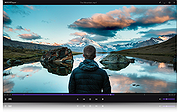 |
KMPlayer v2020.02.04.02 KMPlayer v2020.02.04.02 KMPlayer was released in 2006 and is the premier multimedia playback program for many users in 150 countries. Optimized multimedia can be played without any setting by using self-contained codec, and advanced users can use additional external codec. Use KMPlayer to play more types of multimedia files reliably than any other player. Recommended Specs Recommended: Windows 10 64-bit, Direct X 9 or higher, 150Mb of installation space Minimum: Windows Vista 64-bit, Direct X 9 or later, 150Mb of installation space Important Features Internal Codecs The codecs come bundles with the software, hence you can watch movies quickly and efficiently. Video capture Capture audio and video or screen capture is possible, and can be saved in the format you want. Diverse Format support RTS, MPEG1, MPEG2, AAC, WMA7, WMA8, OGG etc Advanced options Provide full control over DVD selection, Movie menus, audio menus, subtitle menus, brightness/contrast and more, to suit user needs. High resolution movie support Watch movies in superb quality with support for 3D, 4K and UHD. Supports Many Languages Supports over 24 languages worldwide |
|
5,363 | Feb 25, 2020 KMP PANDORA.TV |
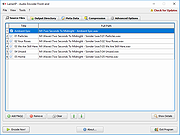 |
LameXP Portable v4.17.2188 LameXP Portable v4.17.2188 LameXP is a free multi-format audio file converter that supports a variety of output formats, including MP3, AAC/MP4, Ogg Vorbis, Opus as well as FLAC, and that can read a multitude of input formats. It also supports multi-threaded batch processing. System Requirements: Windows XP, Vista, 7, 8, 10 Note: Some Antivirus programs mistakenly detect Malware (Virus, Trojan, etc.) in official LameXP downloads. This is a FALSE POSITIVE! App License: Open Source (GPL and other OSI licenses) MD5 Hash: 856dc61dd69e84c2a98077f97f408d4a SHA256 Hash: de584f01e6aefb6c01bc07052c45f20e2f22f2e437faca06ec5635e52315652c Click here to visit the author's website. |
|
5,431 | Dec 19, 2019 LameXP Team & PortableApps.com |
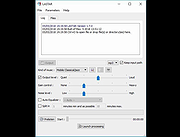 |
LASTAR v1.9.1 LASTAR v1.9.1 Fast batch audio processor for automatic loudness adjustment and audio files splitting. The software automatically normalizes a batch of files to a given RMS volume, and can split tracks in several ones by detecting low level ("noise") chunks. It embeds : - a multi-band limiter, - an Automatic Gain Control, - an automated 10 bands equalizer, - a classic 3 bands semi-parametric equalizer, - a noise gate, - a trimming function, - user preset management. Portable version needs VC 2015 RunTime to be installed https://www.microsoft.com/en-us/download/details.aspx?id=48145 LASTAR RELEASE NOTES --------------------------------------------------------------------- V1.9.1 (06/2020) Fix : - Custom autoeq settings were not saved properly This download is for the Windows version. If you want to try the Android app (different name), get it here. Click here to visit the author's website. |
|
3,892 | Jun 22, 2020 Arthelion |
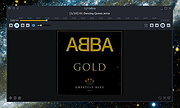 |
Light Alloy v4.11.1 Light Alloy v4.11.1 Light Alloy is a free, portable and very customizable multimedia player for Windows. It starts extremely fast and uses very little system resources. It's also an Internet Radio player (must have IceCast installed). Timeline So you can see graphically how much is played and how much is still to play Built-in codecs You don't have to install a codec pack anymore: you can use the player immediately after installation Live Preview Just like on YouTube you can navigate with a preview window while searching on the timeline IPTV support Allows you to watch tv over the internet and online videos like youtube Internet Radio Contains an expandable list of online radio stations which you can play and record, and a list to store your favorites Streams switch In case of multiple audio/subtitles streams you can easily switch from stream Multilingual Contains Dutch, German, Russian, Japanese, Chinese, and others Blu-Ray & DVD You also can watch Blu-Rays and DVDs with Light Alloy, but only if they are not encrypted Light Alloy v4.11.2 (30.04.2021) Change Log [+] Added support for DSD streams in WavPack files (.wv). [+] Added support for MusePack 7/8. [=] Enhanced support on streams in format AC-3. [+] Added support for codec TSC2 (TechSmith Camtasia). [+] Added support for AV1. [+] Added support for VP8 и VP9. [+] Added new mediatypes to support DV Video. [+] Added support for 'b48r' video. [+] Added support for Xunlei XV files. [+] Added support for mixed streams H.264 3D MVC. [+] Enhanced support on video in format H.264. [+] Added support for videocodec 'r210' in files MOV. [+] Added Full support for DAV (DHAV) files. [+] Added support for codec AVrp (Avid 1:1 10-bit RGB Packer). [=] Fixed incorrect name on audio streams in some cases [+] Added support for DST streams (Digital Stream Transfer). [+] Added support for Teletext subtitles. [=] Improved built-in codecs. Updated following libraries: dav1d, ffmpeg, libflac, libpng, MediaInfo, ZenLib. [=] Fixed file associations with Light Alloy. [=] Improved functionality of saving ... |
|
4,805 | Jun 30, 2021 Vortex Team |
 |
LOFI v2.0.1 LOFI v2.0.1 A tiny Spotify player. Lofi can be compact, down to 115² pixels of your precious screen real estate! You always know what's playing, but it's never in your way. Lofi has visualizations, so you can party in style and impress your friends. • Lofi is lightweight and runs on less than 100MB of RAM. • Lofi is free and open source. Use • For Lofi to show currently playing tracks, Spotify needs to be actually running! Start playing something in Spotify (you can minimize the app afterwards) and Lofi should work as expected. • Lofi is bound by Spotify's API contract. Much like in the real app, if you're using Lofi with a free Spotify account, track skipping or ad skipping won't work. This download is for the Windows version. If you need the Linux version, download here. Click here to visit the author's website. |
|
2,250 | Oct 04, 2023 David Titarenco |
 |
madVR v0.92.17 madVR v0.92.17 madVR is a high quality DirectShow video renderer. Designed as a no-compromise approach, madVR tries to achieve the best possible video playback quality. Media players supporting madVR: (sorted alphabetically) · DVB Dream · DVBViewer · Emby Theater · GameEx · JRiver MediaCenter · KMPlayer · Kodi DSPlayer · MPC-BE · MPC-HC · PotPlayer · YAP · Zoom Player Calibration products supporting madVR: (sorted alphabetically) · Argyll CMS · CalMAN · dispcalGUI · HCFR · LightSpace CMS Features: · high bitdepth processing (32bit per component) · high quality algorithms for scaling, sharpening, debanding, dithering etc. · smooth motion playback without 3:2 pulldown judder even at 60Hz · forced film mode turns 60i movies into perfect 24p · very reliable playback using automatic fullscreen exclusive mode · many more... Requirements: · GPU with full D3D9 / PS3.0 hardware support Changelog: v0.92.17 * modified/simplified HDR tone mapping settings page * small HDR tone mapping saturation improvement * OSD now also shows the measured luminance of the current frame (in addition to the average) * fixed: render & present queues didn't always fill in Windows 10 build 1803 * fixed: using XySubFilter sometimes resulted in black screen / freeze * fixed: using HDR "processing" resulted in dark and red-ish image * fixed: using BT.601/709 gamma curve with HDR tone mapping produced gray-ish image * fixed: settings dialog sometimes crashed on display mode / custom mode tab |
|
7,233 | Mar 25, 2019 Mathias Rauen |
 |
Media Player Classic - Home Cinema (MPC-HC) v2.6.3 Media Player Classic - Home Cinema (MPC-HC) v2.6.3 👉 Free and open-source video and audio player for Windows. Media Player Classic - Home Cinema is a free and open-source video and audio player for Windows. It is known for its simple and effective user interface while offering a large amount of functionality. As a DirectShow player, it also provides flexibility and extensibility through third-party filters. Features • Modern GUI Theme (Dark or Light) Options > Player > User Interface When using modern theme it is also possible to change the height of the seekbar and size of the toolbar buttons. • Video preview on the seekbar Options > Player > User Interface • Play HDR video This requires using MPC Video Renderer (download below) or madVR. After installation these renderers can be selected here: Options > Playback > Output Tip: If you want an easy to use all-in-one package that contains MPC-HC and these renderers, then use K-Lite Codec pack. • Ability to search for subtitles Press D for manual search. Or enable automatic search in: Options > Subtitles > Misc • Adjust playback speed Menu > Play > Playback rate The buttons in the player that control playback rate take a 2x step by default. This can be customized to smaller values (like 10%): Options > Playback > Speed step Adjusting playback speed works best with the SaneAR audio renderer. This also ... |
|
6,769 | Mar 12, 2026 MPC-HC Team |
 |
Media Player Classic Black Edition v1.9.0 Media Player Classic - Black Edition v1.9.0 👉 Lightweight, open-source audio and video player for Windows with built-in codecs. Media Player Classic - Black Edition (MPC-BE) is a free and open-source audio and video player for Microsoft Windows. Based on the original Media Player Classic and Media Player Classic Home Cinema projects, MPC-BE provides a clean, familiar interface with powerful playback features and a wide range of built-in audio and video codecs. It is designed to be lightweight, efficient, and highly compatible with modern multimedia formats while maintaining the classic Windows-style look and feel. Features: • Supports a wide range of video and audio formats using built-in codecs • High-quality video rendering with support for DXVA hardware acceleration • Subtitle support (external and embedded) with customizable styles • Playlist support and favorite files management • Audio switcher and built-in audio renderer • Customizable interface and toolbar • Screenshot capture and preview thumbnails • Video frame stepping and playback speed control • Command line support and extensive configuration options • Available in portable and installer versions Supported operating systems: • Windows 7, Windows 8, Windows 8.1, Windows 10, Windows 11 Supported languages: English, Russian, Ukrainian, Belarusian, German, French, Spanish, Italian, Polish, Czech, Slovak, Hungarian, Dutch, Portuguese (Brazil), Portuguese (Portugal), Romanian, Bulgarian, Greek, Turkish, Chinese (Simplified), Chinese (Traditional), Japanese, Korean Changes: v1.9.0 06-27-26 Splitters: Fixed crashes in some situations. AudioSplitter: Added support for the RF64 format. Fixed reading of channe This download is for the Windows 64bit installer version (very bottom of page). All other download assets are below: 32bit installer 64bit portable 32bit portable Standalone Filters 64bit Standalone Filters 32bit Use 7-Zip to unzip this file. Click here to visit the author's website. |
|
3,497 | Jul 11, 2026 MPC-BE Devs |
 |
MediaConch v24.06 MediaConch v24.06 Free preservation-level audiovisual files implementation checker, policy checker, and reporter. MediaConch is an extensible, open source software project consisting of an implementation checker, policy checker, reporter, and fixer that targets preservation-level audiovisual files (specifically Matroska, Linear Pulse Code Modulation (LPCM) and FF Video Codec 1 (FFV1)) for use in memory institutions, providing detailed and batch-level conformance checking via an adaptable and flexible application program interface accessible by the command line, a graphical user interface, or a web interface. Project Overview MediaConch is currently being developed by the MediaArea team, notable for the creation of open source media checker software, MediaInfo. Furthermore, the MediaArea team is dedicated to the further development of the standardization of the Matroska and FFV1 formats to ensure their longevity as a recommended digital preservation file format. Licensing All software and source code developed by MediaArea is under a BSD-2-Clause license. All open source digital assets for the software developed by MediaArea is under Creative Commons license attribution 4.0 International (CC BY v4.0). All assets will exist in open file formats within an open platform (an open standard as defined in the European Interoperability Framework for Pan-European eGovernment Service (version 1.0 2004)). Funding This project has received funding from PREFORMA, co-funded by the European Commission under its FP7-ICT Programme. Changes Version 24.06, 2024-06-29 Update to MediaInfo library 24.06, see MediaInfo change log for the list of changes in the file formats support Add fields compare in policy checker Add 608/708 captions detection options Remove Matroska related errors with new Matroska block additions Supported platforms: minimum macOS version is now 10.13 (too much effort needed for building for older versions :( ) Supported platforms: this is the last version compatible with RHEL/CentOS 7, Debian 10, Mageia 8 This download is for the Windows version (very bottom of page). If you need the MacOS version, download here. If you need the Debian ... |
|
4,254 | Jul 17, 2024 MediaArea |
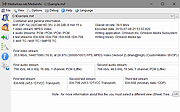 |
MediaInfo v24.06 MediaInfo v24.06 A convenient unified display of the most relevant technical and tag data for video and audio files. The MediaInfo data display includes: • Container: format, profile, commercial name of the format, duration, overall bit rate, writing application and library, title, author, director, album, track number, date, duration... • Video: format, codec id, aspect, frame rate, bit rate, color space, chroma subsampling, bit depth, scan type, scan order... • Audio: format, codec id, sample rate, channels, bit depth, language, bit rate... • Text: format, codec id, language of subtitle... • Chapters: count of chapters, list of chapters... MediaInfo analyticals include: • Container: MPEG-4, QuickTime, Matroska, AVI, MPEG-PS (including unprotected DVD), MPEG-TS (including unprotected Blu-ray), MXF, GXF, LXF, WMV, FLV, Real... • Tags: Id3v1, Id3v2, Vorbis comments, APE tags... • Video: MPEG-1/2 Video, H.263, MPEG-4 Visual (including DivX, XviD), H.264/AVC, H.265/HEVC, FFV1... • Audio: MPEG Audio (including MP3), AC3, DTS, AAC, Dolby E, AES3, FLAC... • Subtitles: CEA-608, CEA-708, DTVCC, SCTE-20, SCTE-128, ATSC/53, CDP, DVB Subtitle, Teletext, SRT, SSA, ASS, SAMI... MediaInfo features include: • Read many video and audio file formats • Read many video and audio file formats • View information in different formats (text, sheet, tree, HTML...) • Customise these viewing formats • Export information as text, CSV, HTML... • Graphical user interface, command line interface, or library (.dll/.so/.dylib) versions available • Integrate with the shell (drag 'n' drop, and Context menu) • Internationalisation: display any language on any operating system • Localisation capability License: It is Open-Source software which means that end users ... |
|
5,200 | Jul 17, 2024 MediaArea.net |
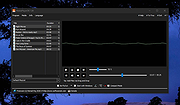 |
MediaPlayerOK v1.00 MediaPlayerOK v1.00 👉 Fast and portable media player for Windows. MediaPlayerOK is a compact portable media player for Windows that plays audio and video files with playlists, docking support, tray function, flexible playlists, drag & drop and automatic resume playback. Features: • Plays audio and video files • Compact and portable • Playlist support • Flexible playlists • Docking mode • Tray function • Automatic resume playback • Optional portable mode • Small system resource usage • No installation required Supported operating systems: • Windows XP, Windows Vista, Windows 7, Windows 8.1, Windows 10, Windows 11, Windows Server 2012-2025, 32-bit and 64-bit Supported languages: German, English Changes: v1.00 05-18-26 • MediaPlayerOK App – Release 1.0 (Public Beta) • This is the first public beta version of MediaPlayerOK. Click here to visit the author's website. |
|
310 | May 19, 2026 Nenad Hrg |
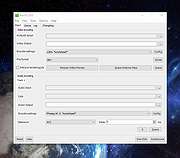 |
MeGUI v2933 MeGUI v2933 A free and open source video conversion application for Windows, which was primarily designed to be a DVD ripper, but is capable of many transcoding tasks. MeGUI is essentially a frontend for many free tools, but also includes a number of utilities to enhance the conversion process. It supports MPEG-4 ASP (xvid), MPEG-4 AVC (x264), AAC, MP2, MP3, Flac, Vorbis, AC3 audio and various common containers support (MP4, MKV, AVI, M2TS). Features • Powerful job queue support, with in-place job editing, related job linking, play/pause controls, etc. • Parallel job execution makes job processing very flexible and improves speed on multi-core systems. • Automatic interlace detection can analyse your input video to determine whether it is progressive/interlaced/film/hybrid, and also determine field order. • AutoUpdate keeps MeGUI and its assisting programs up-to-date and eases installation. • Audio encoding also based on Avisynth, which allows highly accurate editing of audio, including sample-accurate audio cutting. • More... Starting out • The Basic DVD Ripping Guide is a good place to start. • The MeGUI Frequently Asked Questions • Read up about all the items in the Tools|tools menu • The Glossary Note: There are a few false positives on VirusTotal. The program is clean. -OlderGeeks.com Click here to visit the author's website. |
|
1,821 | May 02, 2023 MeGUI Devs |
|
Metal Player 4.1.2.3 Metal Player 4.1.2.3 Metal Player supports most of media files, mpeg, vob (DVD), avi, wav, midi, mov, asf, divx, flv, m3k, 3gp. Metal Player has a built-in equalizer, spectrum analyzer, re-verb, playlist, search in playlist, schedule songs, keyboard shortcuts, and many other functions. Features: Modes - Metal Player can be set in mini or full mode. Chosing minimal, Metal Player will have only most necessary buttons. Equalizer - The equalizer (10 bands) can be hidden to save space if is not necessary. It has few presets, but you can make and save your on presets. Playlist - The playlist has usual functions like add / delete files or entire folders, search function, and posibility to schedule the files in the order you like. The playlist can be saved and loaded easy, optimized for maximum speed. Playback mode - Metal Player can be set to playback the files randomly, or to play only the songs that you like the most (Intelligent playback). Top 20 - Metal Player will make you a top 20 with your most liked bands / songs, and he can select for you, a song to play. Doctor Metal - Doctor Metal is a utility that will try to fix filters or codecs problems, when they are occurred. This is just for testing, for the moment. Change Info: New: Added possibility to change aspect ratio (16:9 and 4:3) New: Added support for HP10 video files (HEVC/H.265). It can support 8K UHD and resolutions up to 8192×4320. New: 40 radio stations included in default list. Fix: Added .NET version checking before installing or upgrading. Fix: Artist image grabber fixed. Optimization: Video resizing. Update: Language Simplified Chinese updated. Update: Target framework was changed to .NET 4.0 (4.5 required for better performance – using ProfileOptimization). Update: System.Data.SqlLite has been upgraded to .NET 4.0 Update: Bass libraries have been updated to 2.4.10.3 |
|
9,151 | Feb 11, 2014 AbyssalSoft |
 |
MiniTool Video Converter v2.1.2 MiniTool Video Converter v2.1.2 Convert audio and video files within minutes. Supports 1000+ popular output formats. Batch video conversion at once. 100% Free, no bundle, no ads. Convert to Audio, Video and Device MiniTool Video Converter is the most direct solution to convert audio and videos files to multiple formats. This free video converter is available to turn audio to video and convert video to audio. Convert Between 1000+ Formats This free video converter supports 1000+ conversion formats including 4K/FHD/HD MP4, MOV, MKV, AVI, WMV, M4V files and audio formats like high quality MP3, WAV, M4A, WMA, AAC, AC3. Batch Video Conversion MiniTool Video Converter enables you to convert batch files at once. Simply select the files to convert, set up the output format for each file or for the whole files, and then you can convert all of them in bulk. Fast Converting Speed and High Video Quality Enjoy both faster converting speed and higher video quality! MiniTool Video Converter can quickly convert multiple videos and deliver significantly high video/audio quality. MiniTool Video Converter is not only free video converter software, it also helps download YouTube videos and then make free video conversion. The free video converter software lets you download 4K YouTube videos, download YouTube playlist, and extract audios to popular formats. System Requirements OS Windows 10, Windows 8.1, Windows 8, Windows 7. CPU Intel Core i3 processors and above. RAM At least 4GB RAM is recommended. Space At least 400MB free hard disk space. Click here to visit the author's website. |
|
3,865 | Dec 16, 2020 MiniTool® Software Limited |
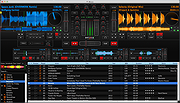 |
Mixxx v2.3.4 Mixxx v2.3.4 Free and open source DJ software for Windows, macOS, and Linux. Powerful Features For All DJs Mixxx integrates the tools DJs need to perform creative live mixes with digital music files. Whether you are a new DJ with just a laptop or an experienced turntablist, Mixxx can support your style and techniques of mixing. BPM, Key Detection and Sync BPM and musical key detection help you find the perfect next track from your library. Use master sync to match the tempo and beats of four songs for seamless mixing. DJ Controller Support Built-in mappings for DJ controller hardware gives you hands-on control of Mixxx's features. Use the programmable mapping system to customize your workflow and add support for any MIDI or HID device. Effects Add your unique spin to tracks with sound effects. Get creative by chaining multiple effects together and twisting all their knobs. Vinyl Record Control Use turntables with timecode vinyl records to control playback and scratch your digital music files as if they were pressed on vinyl. Mix music vinyls into your set by toggling vinyl passthrough mode. Free and Open Source Mixxx is free open-source software and entirely community-driven. There is no company behind Mixxx — the development is shouldered by passionate DJs and programmers that dedicate their free time to working on their favorite DJ software. Mixxx is and always will be free! Everything You Need, However You DJ Four Decks Drop a song onto a deck in Mixxx to start playing right away. Keep your eye on beats and cue points with a scratchable, scrolling waveform together with a whole-song overview waveform for quick seeking. Pitch and Key Control Change the tempo of songs without changing their pitch with keylock, or change the pitch without breaking sync so your songs play in harmony. Temporarily nudge the tempo faster or slower for manual beatmatching, with smooth changes in pitch just ... |
|
7,247 | Mar 07, 2023 Mixxx Development Team |
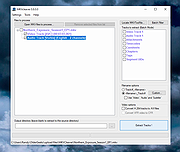 |
MKVCleaver v0.8.0.1 MKVCleaver v0.8.0.1 A front end (GUI) for MKVExtract.exe (from MKVToolNix package by Moritz Bunkus) which extracts data from MKV files. MKVExtract is a command line tool and is capable of extracting tracks, attachments, tags, subtitles and other information from an MKV file, but it can only work with one file at a time. And many times if you are dealing with TV shows they come as many separate MKV files. So if you wanted to modify stream data (video, audio, subtitles) inside of an MKV file you would need to extract data first (could be a subtitle track to fix display issues, for example), adjust it and then mux it back together. Now imagine doing this process one by one on dozens and sometimes hundreds of files ! Way too much time and work. So that’s what MKVCleaver does: it allows you to automate the extraction process to the point where you can set it up and walk away then come back and work on the extracted files. What can MKVCleaver do? • Extract data from multiple MKV files with minimum effort from the user. • Enables the user to manipulate the extraction process on per file basis or as a whole. • Provides information about each file to allow the user to make the best decision about the extraction setup. • Provides a visual interface to MKVExtract.exe and allows to drag & drop files, manipulate extracted filenames based on a user’s criteria, session recovery after a crash or an error, changing of extraction options without messing around with the command line, extraction error tracking… This download is for the 64bit version (very bottom of page). If you need the 32bit version, download here. Click here to visit the author's website. |
|
1,231 | Apr 15, 2025 Sheck's Software |
 |
Monkey’s Audio v12.88 Monkey’s Audio v12.88 👉 Fast, free lossless audio compression for creating bit-perfect .APE music files. Monkey's Audio is a fast and easy way to compress digital music without losing audio quality. Unlike lossy formats such as MP3, OGG, or WMA, Monkey's Audio creates perfect, bit-for-bit copies of your music while still saving space. Compressed files can be decompressed back to the exact original files, making it useful for archiving music collections without having to recopy CDs later. Features: • Compresses music with no quality loss • Decompresses files back to the exact original audio • Supports .APE lossless audio files • Fast and efficient compression • Windows interface designed to be powerful and easy to use • Compress, decompress, verify, convert, and make APL files • Supports WAV, AIFF/AIF, W64, SND, AU, CAF, and RF64 input formats • Verify mode checks APE files for possible changes or corruption • Supports quick verify and full verify options • Optional auto-check after APE file creation • Supports external encoders such as FLAC, WavPack, and ALAC • Pipe input support through the "-" filename argument • Output options for same-folder output or custom output folders • Can preserve folder levels when processing files • Options for overwrite, rename, or skip when output files already exist • Can leave, delete, or recycle source files after successful processing • Copies file timestamps to new files • Uses flexible APE Tags for managing audio metadata • Includes redundant CRC error detection • SDK available for developers to compress, decompress, verify, convert, analyze APE files, and work with APE tags • Source code for compression, decompression, and tagging is included in the SDK • Free under the Monkey's Audio License Agreement based on the 3-Clause BSD license Supported operating systems: • 64-bit Installer: Windows 8, Windows 10, Windows 11 • 32-bit Installer: Windows XP, Windows 7, Windows 8, Windows 10, Windows 11 • Arm64 Installer: Windows 8, Windows 10, Windows 11 Supported languages: English Changes: v12.88 05-06-26 NEW: ... |
|
956 | May 08, 2026 Matt Ashland |
 |
Moopeg v0.2a Moopeg v0.2a A super tiny milk powered media player. Moopeg uses: - win32 API - DirectShow - Third party codecs installed on your system What's new in the latest release of Moopeg ? - play/pause when you click on the video - keep video aspect ratio on resize What's actually planned for upcoming releases of Moopeg ? - a seekbar - a playlist - command line support Why should I use Moopeg instead of others available mediaplayers ? - Moopeg is small, less than 20Kb after install. - Moopeg is fast, it's coded in pure C and use only the win32 api - Moopeg is stable, smaller source code also means less possible bugs - Moopeg is light and features no skin, it's only optimized to play media files, and it doesn't do anything else |
|
4,667 | Jan 04, 2022 analogue |
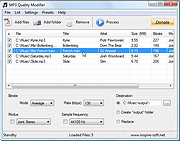 |
MP3 Quality Modifier v2.53 MP3 Quality Modifier v2.53 MP3 Quality Modifier is a straightforward program that is able to easily change the quality of your MP3’s in order to save disk space and/or to fit more music on your MP3 player while maintaining the desired level of audio quality and keeping all ID3 tags intact! The program is pretty simple to use: The first step is to drag and drop MP3 files or playlists on the file list, MP1 and MP2 files are supported as well. Various information such as the name, interpret, size and bitrate are displayed automatically. The next step is to select a preset which ranges from high quality over portable and compromise to low quality. More advanced users can choose from a variety of configurations such as bitrate mode and rate, sample frequency and the stereo modus. The process itself takes only a few seconds per song and is even able to adapt the folder structure (example: “Artist X” folder with “Album 1” and “Album 2” as subfolders) if that is wanted. Unlike other tools all ID3 tags like the title, artist etc. are automatically retained as well. Finally the result window allows to compare the original and created music files by listing their size differences. Main Features Easy and intuitive: Change quality and size of your MP3 files with just a few mouse-clicks Support for M3U and PLS playlist files Automatically keep all ID3 tags and the folder structure Advanced options: Detailed bitrate settings, mark as copyrighted etc. Quick quality comparison between original and created files Multilingual: DE, EN, ES, ET, FR, IT, KO, NL, PT, RU, SR, SV, TR Portable: Just one executable, no need for installation |
|
3,609 | Nov 01, 2020 Kevin Schneider |
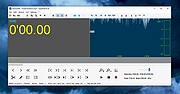 |
mp3DirectCut v2.39 mp3DirectCut v2.39 Free program to cut and edit MP3 and AAC fast and easily. mp3DirectCut is a fast and extensive audio editor for encoded MP3 and AAC. Without re-encoding directly cut, crop, split and join your tracks, create fades on MP3 and much more. Direct lossless editing saves encoding time and preserves the audio quality of encoded tracks. The built in recorder creates MP3 on the fly. With Cue sheets, Pause detection or Auto cue you can easily divide long files. Features: • Direct data copying, no re-encoding • Non-destructive cut, copy, paste • Level changing, fading, normalizing on MP3 • MP3 recording/encoding with ACM or Lame • Fast MPEG visualisation and easy navigation • AAC support · MP2 support • MP4 and M4A to AAC by linked ffmpeg.exe • Batch processing · Cue Sheet support • Multi file opening by dialog, drop, or M3U • Pause detection · Auto cue by time values • Track splitting with filename and tag creation • Trim · Crop · Fast play · Loop play • ID3v1.1 tag editor, ID3v2 tag keeping • Level meter · Bitrate visualisation • Level activated recording • Command line usage Requirements: • Windows or Linux with Wine • For MP3 play/cut: MP3 ACM codec (present in Windows) or mpglib.dll • For AAC play/cut: libfaad2.dll (32 bit) • For MP3 recording: encoding ACM or Lame encoder DLL (32 bit) • For MP4 demuxing: ffmpeg.exe Changes: v2.39 Bug in Quit after saving audio option fixed · Source file overwrite warning option clarified · Bug in Cues at ends of selection function fixed Important: Note from The Older Geeks: If extracting this portable installer to the default Program Files (x86), you MUST right-click the file and Run as Administrator. Otherwise, choose a different folder to extract to. Click here to visit the author's website. |
|
6,101 | Aug 17, 2025 Martin Pesch |
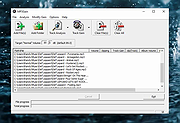 |
MP3Gain v1.2.5 MP3Gain v1.2.5 Analyzes and adjusts the volume of MP3 files. Tired of reaching for your volume knob every time your mp3 player changes to a new song? MP3Gain analyzes and adjusts mp3 files so that they have the same volume. MP3Gain does not just do peak normalization, as many normalizers do. Instead, it does some statistical analysis to determine how loud the file actually sounds to the human ear. Also, the changes MP3Gain makes are completely lossless. There is no quality lost in the change because the program adjusts the mp3 file directly, without decoding and re-encoding. Note: There are a few hits on VirusTotal for these files. We have confirmed that these are false positives. The files are safe. This download is for the portable version. If you need the installer version, download here. Click here to visit the author's website. |
|
1,388 | Jan 12, 2024 Glen Sawyer |
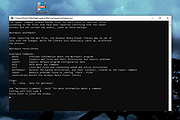 |
mp3repair v0.43.0 mp3repair v0.43.0 A free command-line utility to repair MP3 audio file metadata. Documentation: https://github.com/majohn-r/mp3repair/blob/main/README.md Click here to visit the author's website. |
|
652 | Nov 22, 2024 majohn-r |
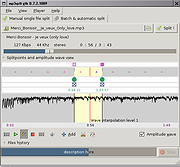 |
Mp3splt-gtk v0.9.2 Mp3splt-gtk v0.9.2 Mp3splt-gtk is a utility to split mp3, ogg vorbis and native FLAC files selecting a begin and an end time position, without decoding. It's very useful to split large mp3, ogg vorbis and native FLAC to make smaller files or to split entire albums to obtain original tracks. If you want to split an album, you can select split points and filenames manually or you can get them automatically from CDDB (internet or a local file) or from .cue files. Supports also automatic silence split, that can be used also to adjust cddb/cue splitpoints. You can extract tracks from Mp3Wrap or AlbumWrap files in few seconds. Features : split mp3, ogg vorbis and native FLAC files from a begin time to an end time without decoding recursive multiple files split ID3v1 and ID3v2 tags support for mp3 files (using libid3tag), vorbis comments support split an album with splitpoints from the freedb.org server split an album with local .XMCD, .CDDB or .CUE file audacity labels file support split automatically with silence detection trim using silence detection split by a fixed time length split in equal time tracks split files created with Mp3Wrap or AlbumWrap split concatenated mp3 files support for mp3 VBR (variable bit rate) specify output directory for split files Click here to visit the author's website. |
|
3,878 | Jun 06, 2020 Matteo Trotta |
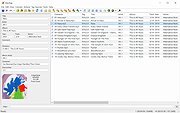 |
MP3tag v3.34.1 MP3tag v3.34.1 👉 Powerful and easy-to-use tag editor for managing audio file metadata. MP3tag is a popular and reliable tag editor designed to make organizing and managing your digital music collection simple and efficient. It supports batch editing of tags, import of metadata from online databases, and full Unicode support, making it suitable for both casual users and serious collectors. MP3tag works with a wide range of audio formats and allows you to rename files based on tag information or generate tags from filenames. The application is lightweight, fast, and focuses on doing one job extremely well: keeping your music library clean and properly tagged. Features: • Batch editing of audio file tags • Support for ID3v1, ID3v2, APEv2, MP4, Vorbis Comments, and more • Import tags from online databases such as Discogs and MusicBrainz • Automatic file renaming based on tag information • Create tags from filenames and directory structures • Full Unicode support for international music collections • Lightweight, fast, and portable-friendly design Supported operating systems: • Windows 7, Windows 8, Windows 10, Windows 11 Supported languages: English, German, French, Spanish, Italian, Portuguese, Dutch, Polish, Czech, Russian, Ukrainian, Chinese, Japanese, Korean, Hungarian, Romanian, Swedish, Turkish Changes: v3.34.1 05-07-26 FIX: large integer metadata values were truncated to the preferred storage width when writing MP4 atoms like `ITUNESCATALOGID`. (#71185) FIX: minor performance regression in the action groups dialog that could slow downloading or adding large numbers of action groups. (#71129) FIX: using 'Convert > Tag - Tag' changed the last used Quick Action to 'Format value'. (#71086) FIX: configuring or performing an action via a custom toolbar button also changed the last used Quick Action to this action type. LNG: updated French, Hungarian, and Traditional Chinese translations. This download is for the Windows 64bit version (very bottom of page). If you need the Windows 32bit version, download here. Click here to visit the author's website. |
|
6,051 | Jun 18, 2026 Florian Heidenreich |
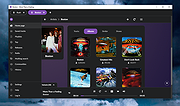 |
muffon v2.0.1 muffon v2.0.1 Advanced multi-source music streaming + discovery client for desktop. Free, clean, no ads. for Windows, macOS and Linux muffon is a cross-platform music streaming client for desktop, which helps you listen to, discover and organize music in an advanced way. It retrieves audio, video and metadata from various Internet sources, such as: • Last.FM • VK • Odnoklassniki • Yandex Music • Spotify • Bandcamp • Deezer • SoundCloud • YouTube Music • YouTube • Discogs • Genius • MusixMatch • MusicBrainz Features • absolutely free • no ads • no login (but required for certain features) • listening (artists / albums / tracks) (+ offline) (+ equalizer) • artists (tracks / albums / similar / shows) • albums • tracks (similar / albums) • tags (artists / albums / tracks) • queue (+ shuffle / loop) (+ albums adding) • music library (+ import from account) (+ compatibility) • music services integration (Last.FM, Spotify - Coming soon) • recommendations (artists / tracks) (based on your library) (+ filters) • search (artists / albums / album groups / tracks / lyrics / tags / videos / video channels / video playlists) (through all of the sources above) • radio (tags / artists / top) • scrobbling (Last.FM) • Discord Rich ... |
|
1,540 | Nov 22, 2023 Aleksey Shpakovsky |
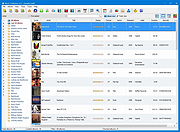 |
Music Collection v3.9.8.5 Music Collection v3.9.8.5 👉 Free music cataloging & organization tool for your collection. Music Collection is a free Windows program designed to help you archive and manage your music library in a searchable database. It lets you enter and organize all kinds of music media, edit metadata, categorize your albums, and browse your collection with flexible sorting and filtering options. Features: • Organize your music collection into a searchable database • Add and edit album details including genre, year, label, rating and more • Search by album artist, title, barcode number, catalog number or inserted CD • Scan folders for audio files and read tag information • Sort and filter albums using multiple criteria • Export collection data (TXT, CSV, Excel, HTML) • Print reports and collection lists • Save playlists to external formats (m3u, pls) • Import and export album data Supported operating systems: • Windows XP (32-bit, 64-bit) • Windows Vista (32-bit, 64-bit) • Windows 7 (32-bit, 64-bit) • Windows 8 (32-bit, 64-bit) • Windows 10 (32-bit, 64-bit) • Windows 11 (32-bit, 64-bit) Supported languages: English, Español, Français, Italiano, Magyar, Nederlands, Norsk, Polski, Português (Brasil), Português (Portugal), Slovenski, Suomi, Svenska, Türkçe, Ελληνικά, Русский, Српски, Українська, עברית, 日本語 Changes: v3.9.8.5 06-16-26 Added : Album style field. Added : Ability to Add/Edit track details in the track presentation. Added : Album style field in the advanced album search. Added : Ability to zoom in the cover in presentation page. Changed : The new databases will be created in the .accdb format. Fixed : Some minor bugs. This download is for the Windows portable version (very bottom of page). If you need the Windows installer version, download here. Click here to visit the author's website. |
|
6,192 | Jul 11, 2026 GSoft4U |
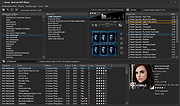 |
Nemp v4.12.2 Nemp v4.12.2 Nemp - Noch ein Mp3-Player An intuitive mp3-player with many functions. It is portable and runs without installation - just download, unzip, run. ("Noch ein mp3-Player" translates to "Yet another mp3-player".) Nemp - Features One advantage of Nemp is its portability. Copy it to an USB-drive with your music files and use it on every computer without rebuilding the medialibrary. Core of the player is still collecting the meta-information of audiofiles like artist, title, duration, bitrate and so on. This is rather fast with Nemp (20-50 files per second, depends on diskspeed) and works on mp3-files sometimes better than in other players. File formats Nemp supports all popular file formats. Metadata is read from ID3v1-Tags, ID3v2, Ogg-Vorbis-Comments, Flac Metablocks and Apev2-Tags and can be modified. On wma files the metadata is read, but cannot be modified. For CD-Audio the CD-Text is used and (optionally) freedb. Medialibrary Nemp can search for audiofiles on your harddrives and store them into the Nemp media library. Just drag&drop your music-directory into the Nemp-window. After this you can browse and search really fast in this library by artist, by album, or with a coverflow. New in Nemp 4.0 is the tagcloud which organize your audiofiles in some other way. Nemp Webserver The Nemp Webserver is something unique. To be clear: This is not for streaming the playlist inside the local network, but a remote control for Nemp. With the Nemp Webserver you can control the player through a smartphone (or any other device with a webbrowser). The Webserver enables you to view the currently played title and download it to your mobile device control the player (play, pause, stop, next title, scrolling, volume) insert files into the playlist, move, delete browse in the media library or search for a specific file ... |
|
5,776 | Oct 25, 2019 Gausi.de |
 |
Notation Player v5.1.2 Notation Player v5.1.2 Displays MIDI music (.mid, .kar, or .not ) files as sheet music that you can view on the screen while the notes play. System Requirements: Windows Windows 11, 10 (Version 22H2, 21H2) - 64 Bit 64-bit Intel or AMD processor Minimum 4 GB, recommended 8 GB of RAM 400 MB of free disk space including disk space for songs Internet connection for downloading and activation of the software, access to the Online Manual, enabled network card or network port (not a USB port) macOS macOS Sequoia, Sonoma, Ventura, Monterey, Big Sur, Catalina 64-bit Intel or Apple M-processor family 4 GB of RAM Wine installed (see Use of Notation Software on MAC PCs) 1.5 GB of free disk space including Wine, disk space for songs Internet connection for downloading and activation of the software, access to the Online Manual, enabled network card or network port (not a USB port) Linux Ubuntu Ubuntu 24.04 LTS, 22.04 LTS - 64 Bit 64-bit Intel or AMD processor 4 GB of RAM Wine 9.0 installed (see Use of Notation Software on Ubuntu) 1.5 GB of free disk space including Wine, disk space for songs Internet connection for downloading and activation of the software, access to the Online Manual, enabled network card or network port (not a USB port) Click here to visit the author's website. |
|
1,024 | Jun 16, 2025 Notation Software Germany GmbH |
 |
ocenaudio v3.18.0 ocenaudio v3.18.0 👉 Fast, cross-platform audio editor for recording, editing, analyzing, and exporting audio files. ocenaudio is a cross-platform, easy to use, fast, and functional audio editor designed for people who need to edit and analyze audio files without complications. It supports audio editing and analysis across major desktop platforms, offers real-time effect previews, multi-selection editing, and tools for working with audio in a responsive interface. Features: • Cross-platform audio editor for Windows, macOS, and Linux • Multi-selection editing for working on different parts of an audio file at the same time • Real-time effect preview to hear changes while adjusting controls • Support for VST effects for expanded audio processing • Spectral analysis and waveform editing tools • Responsive interface that keeps working while opening, saving, or applying effects • Recording, editing, and exporting tools for common audio workflows • Annotation tracks, region editing, channel routing, and trim/split tools in v3.18.0 Supported operating systems: • Windows 10, Windows 11 • macOS 13.3 or higher • macOS 10.14 to 14 (legacy build) • Debian 11, Debian 12, Debian 13 • Ubuntu 20.04, Ubuntu 22.04, Ubuntu 24.04 • Fedora 39, Fedora 40 • Rocky Linux 9.3 • openSUSE Leap 15 • Arch Linux Supported languages: English, Portuguese, French, German, Spanish, Italian, Japanese, Hungarian, Simplified Chinese Changes: v3.18.0 Not Found Adds option to automatically focus the waveform area when the mouse is over it Adds format preset memory bar to the Audio Change Format dialog. Adds a redesigned channel routing table with a modern look, paged navigation, and new editing controls Adds Trim Left/Right actions to remove audio relative to cursor, selection or regions boundaries Adds Split at Cursor action for quickly splitting audio at the cursor position Adds Hard Limiter effect to Dynamics Processing Adds linked annotation tracks with synchronized region editing Adds embedded storage format for tracks and regions Adds displays annotation labels directly on the audio canvas (selecting track as default) Adds track configuration panel with font size adjustment Adds support for track templates (create ... |
|
6,834 | Apr 19, 2026 ocenaudio Development Team |
 |
Orzeszek Ratings v1.2 Orzeszek Ratings v1.2 Orzeszek Ratings is a utility to sync ratings and play counts between Windows Media Player and iTunes. If you use both Windows Media Player and iTunes to manage your music collection on one computer, Orzeszek Ratings allows you to sync the ratings and play counts between the two applications. Orzeszek Ratings will only sync the ratings and play counts between files that are in both your Windows Media Player library and your iTunes library. That means that ratings and play counts for any files that are converted when they’re added to your library (like WMA files added to iTunes) won’t be synced, since your Windows Media Player library and iTunes library are no longer referring to the same file. And, since Windows Media Player has no support for half-star ratings, half-star ratings are rounded up to the nearest full star when you sync ratings from iTunes to Windows Media Player. Ratings History 1.2 Added ‘Only sync missing ratings’ option Removed ‘Force ratings update’ option (redundant) Click here to visit the author's website. |
|
5,722 | Mar 08, 2019 Chris Dziemborowicz |
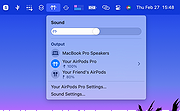 |
PairPods v0.1.0 PairPods v0.1.0 A free and open-source app to share audio between Bluetooth devices on macOS. Enjoy movies and music together on your Mac. Works with all your devices. Whether you use AirPods, Samsung Buds, Sony headphones, or any Bluetooth speaker - PairPods connects them all. How to use PairPods. Just three simple steps to get you going. 1. Connect two devices Go to your macOS Bluetooth settings and make sure both Bluetooth devices are paired and connected. 2. Share your audio Click on the PairPods menubar icon and press the Share Audio toggle. 3. Stop sharing To stop sharing audio, simply press the Share Audio toggle again. Supported operating systems: macOS 13.5 or later. Changes: v0.1.0 28/02/2025 Added Initial beta release of PairPods, a macOS menubar app for sharing audio between two Bluetooth devices. Basic functionality to share audio between two connected Bluetooth devices. Menubar icon with a toggle to start and stop audio sharing. Homebrew installation option for easy setup. Sparkle integration to check for automatic updates. Option to Launch at login. Manual installation instructions for downloading and running the app directly. Click here to visit the author's website. |
|
663 | Feb 28, 2025 Pawel Wozniak |
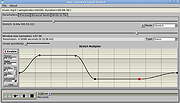 |
Paul's Extreme Sound Stretch v2.2-2 Paul's Extreme Sound Stretch v2.2-2 This is a program for stretching the audio. It is suitable only for extreme sound stretching of the audio (like 50x) and for applying special effects by "spectral smoothing" the sounds. It can transform any sound/music to a texture. The program is Open-Source and it's released under the version 2 of the General Public License. You can download the source code for Linux or the Windows binaries. Please note that this is suitable only for extreme time stretching (e.g. if have a melody of 3 minutes and you want to listen it in 3 hours). If you want "less extreme" time stretching, you can use a program which contains the SoundTouch library. Features It produces high quality extreme sound stretching. While most sound stretching software sounds bad when trying to stretch the sounds a lot, this one is optimized for extreme sound stretching. So, the stretch amount is unlimited. You can play the stretched sound in real-time (including the possibility to "freeze" the sound) or you can render the whole sound or a part of it to audio files It has many post-processing effects, like: filters, pitch/frequency shifters Support for WAV, OGG VORBIS files and MP3 files It is a Free Software Usage Before starting, you need to open a WAV, OGG VORBIS or MP3 file. You can open it by using the file menu, by launching the program with a command-line argument or (on linux systems) by drag a file from explorer and drop it on the filename bar(under the menu). The main window has two main controls: the stretch amount and the audio window. The stretch amount There are three modes: The "Stretch" mode - may stretch up to 10,000 times ... |
|
5,886 | Jun 19, 2019 Nasca Octavian PAUL |
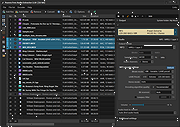 |
Pazera Free Audio Extractor v2.11 Pazera Free Audio Extractor v2.11 A free universal audio converter. Pazera Free Audio Extractor is a free application that converts audio files to MP3, AAC, AC3, WMA, FLAC, Opus, M4A, OGG, WV, AIFF, WAV and other formats. Moreover, the program allows extraction of audio tracks from video files without loss of sound quality. Supported input formats: over 70 audio and video formats, including AVI, MP4, MP3, MOV, FLV, 3GP, M4A, MKV, WMA. In addition, the program allows you to split input files based on chapters (often found in audiobooks). The program has a number of predefined settings (profiles) specially designed for novice users. While more advanced users can customize audio encoding parameters used by encoder: audio bitrate, sampling frequency, audio channels, audio volume. The application allows to extract/convert full audio track or selected range only. The Pazera Free Audio Extractor interface is very simple and user-friendly. To extract audio tracks from video files, just drag & drop them into main window, select proper profile from list, and click the Convert button. If the audio quality is poor, increase audio bitrate. Supports: Windows Vista, 7, 8, 10 and 11 Language: Arabic, Bulgarian, Chinese (simplified and traditional), Czech, Dutch, English, French, German, Greek, Hungarian, Italian, Japanese, Korean, Polish, Portuguese (BR), Romanian, Russian, Serbian, Slovak, Slovenian, Spanish, Swedish, Turkish This download is for the 64bit version. If you need the 32bit version, download here. Click here to visit the author's website. |
|
4,608 | Sep 28, 2024 Jacek Pazera |
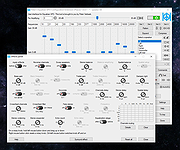 |
Peace Equalizer v1.6.7.10 Peace Equalizer v1.6.7.10 System-wide PC Audio Equalizer and Effects app for Windows 7 to 11 Peace equalizer is a Windows PC interface for Equalizer APO https://www.oldergeeks.com/downloads/file.php?id=1706 (MUST BE INSTALLED FIRST). Besides an system-wide audio equalizer on your Windows PC, Peace has an effects panel for balance, crossfeeding, delay, etc., a graph window and much more. In short: Peace is an equalizer and audio mixer for all your PC software on any Windows version from 7 to 11. Your configuration (e.g. EQ, preset, profile) can be saved and activated again by 1 click, hotkey, tray or desktop shortcut. Note: Your virus scanner may detect a virus in Peace.exe or PeaceSetup.exe. This is a false positive, more info on the forum. Install by running downloaded PeaceSetup.exe. Equalizer APO has to be installed first. After a Windows update a re-install of Equalizer APO might be needed. Features • up to 31 gain dB Equalizer sliders per channel/speaker (or unlimited if you will) • 9 speakers support (all, stereo, 5.1, 7.1 or your own setup) filter frequencies, dB gains, filter qualities can all be changed per slider • filters: peak, low/high pass and shelf, band, notch, all pass and many others • pre amplifying dB values for volume control (per channel/speaker) • graph of your filters per speaker • AutoEQ interface: easy equalizing for specific headphones • make, save and activate own equalizer configurations (presets) • select a device for your equalizer configuration • besides your own presets, there are dance, rock, classic, bass boost, etc. • effects like down/up mix, crossfeed, bass and treble, channel routing • control by Windows system tray, ... |
|
2,326 | Sep 10, 2024 Peter Verbeek |
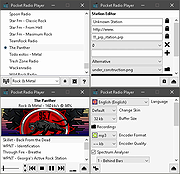 |
Pocket Radio Player v250414 Pocket Radio Player v250414 👉 A lightweight portable internet radio player for streaming thousands of stations worldwide. Pocket Radio Player is a compact and portable internet radio application that lets you listen to online radio stations from around the world without installation. Designed to be fast and resource-friendly, it runs directly from its executable and stores all settings locally, making it ideal for USB drives or use on multiple systems. Despite its small size, it offers powerful station management, recording capabilities, and customizable playback options in a clean, straightforward interface. Features: • Portable application with no installation required • Streams thousands of online radio stations • Record live radio streams to MP3 files • Customizable station lists and favorites • Built-in search and filtering for stations • Supports multiple audio formats and streaming protocols • Minimal CPU and memory usage • Command line support for advanced users Supported operating systems: • Windows 7, Windows 8, Windows 10, Windows 11 Supported languages: English, German, Spanish, French, Italian, Portuguese, Russian, Polish, Dutch Changes: v240113 01-13-24 Updated station list and minor improvements. Note: This file has four hits on VirusTotal. We have confirmed these to be false positives. The file is safe. |
|
11,527 | Jun 27, 2026 Stefan Sarbok |
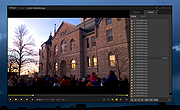 |
PotPlayer v260401 PotPlayer v260401 👉 A multimedia player for Windows with built-in codec support, subtitle handling, 3D playback, and hardware acceleration. PotPlayer is a multimedia player designed for Windows that provides maximum performance with minimum resource usage using DXVA, CUDA, and QuickSync. It supports various types of 3D glasses and 3D output formats, including Side by Side, Top and Bottom, and Page Flipping. PotPlayer also supports multiple subtitle formats such as SMI, SRT, DVD Vobsub, Blu-ray subtitles, ASS/SSA animation, and SMI Ruby tags. It includes OpenCodec support so users can add codecs easily, and offers advanced playback features such as smooth video playback, sound card selection, scene preview snapshots, bookmarking favorite scenes or chapters, and support for devices such as DVD, TV, and HDTV. Features: • Provides maximum performance with minimum resource usage using DXVA, CUDA, and QuickSync • Supports various types of 3D glasses and 3D output formats • Supports text subtitles, DVD subtitles, Blu-ray subtitles, ASS/SSA animation, and SMI Ruby tags • Supports OpenCodec so users can easily add additional codecs • Smooth and seamless video playback • Lets you choose which sound card to use when multiple sound cards are installed • Allows scene preview with snapshots • Lets you bookmark favorite scenes or chapters • Supports Direct3D9 Ex Flip Mode and Overlay • Supports devices such as DVD, TV, and HDTV Supported operating systems: • Windows 7, Windows 8, Windows 8.1, Windows 10, Windows 11 Supported languages: • Korean, Chinese (Simplified), Chinese (Traditional), English, Ukrainian, Russian, Polish Changes: v260401 04-01-26 Added the ability to output subtitles using libass Added the ability to handle HLS/Dash playback using built-in modules Improved subtitle output speed Improved speed for some video filters Fixed an issue where external audio could not be connected when multiple audio files were present Fixed an issue where certain Unicode characters were displayed incorrectly Fixed an issue where playback always started from the beginning upon completion in the temporary playback queue This download is ... |
|
4,696 | Apr 02, 2026 Daum Communications |
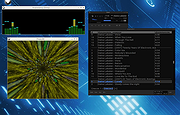 |
qmmp v2.3.0 qmmp v2.3.0 Open source, Qt-based multimedia player similar to Winamp. This program is an audio-player, written with the help of the Qt library. The user interface is similar to winamp or xmms. Alternative user interfaces also are available. Features: Formats • MPEG1 layer 2/3 • Ogg Vorbis • Ogg Opus • Native FLAC/Ogg FLAC • Musepack • WavePack • tracker modules (mod, s3m, it, xm, etc) • ADTS AAC • CD Audio • WMA, Monkey's Audio (and other formats provided by FFmpeg library) • PCM WAVE (and other formats provided by libsndfile library) • Midi • SID • Chiptune formats (AY, GBS, GYM, HES, KSS, NSF, NSFE, SAP, SPC, VGM, VGZ, VTX) DSP effects • BS2B effect • sample rate conversion • LADSPA effects • extra stereo • crossfade Visual effects • projectM visualization • spectrum analyzer Output system support • OSS4 (FreeBSD) • ALSA (Linux) • PulseAudio • PipeWire • ... |
|
2,504 | Oct 17, 2025 Qmmp Development Team |
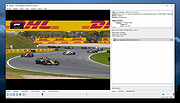 |
QMPlay2 v25.09.11 QMPlay2 v25.09.11 A video and audio player that can play most formats, codecs and streams. QMPlay2 can play all formats supported by FFmpeg, libmodplug (including J2B and SFX). It also supports Audio CD, raw files, Rayman 2 music and chiptunes. It contains YouTube and MyFreeMP3 browser. YouTube: You can change the default audio and video quality of YouTube contents. Click on the "Settings" icon on the left of the search bar, change the order of audio and/or video quality priorities and apply changes. If the chosen quality can't be found on YouTube content, QMPlay2 will try using the next entry on the quality list. YouTube videos don't work without external "yt-dlp" software, so QMPlay2 will download it automatically. You can remove downloaded "yt-dlp" from settings. Windows • Make sure that antivirus or firewall doesn't block "yt-dlp" and doesn't block executing external applications! • Vulkan might not switch to full screen exclusive on some configurations or obsolete drivers. Streamlink: Examples: streamlink -p QMPlay2 --player-http "URL" best streamlink -p QMPlay2 -a /dev/stdin "URL" best Spherical view: QMPlay2 supports spherical view on OpenGL and Vulkan video outputs. You can watch e.g. YouTube spherical videos by pressing "Ctrl+3". You can also enable it from the menu: "Playback->Video filters->Spherical view" ALSA: If you are using your own ALSA configuration asound.conf or .asoundrc you should also append: defaults.namehint.!showall on to the configuration file. Otherwise devices which were added may not be visible. Hardware acceleration: QMPlay2 supports hardware video decoding: Vulkan Video, CUVID (NVIDIA only), DXVA2 (Windows), D3D11VA (Vulkan, Windows) VA-API (Linux/BSD only) and VideoToolBox (macOS only). Hardware acceleration is disabled by default, but you can enable it in "Settings->Playback settings": • move hardware accelerated decoder on decoders list to the top, • ... |
|
471 | Sep 12, 2025 Błażej Szczygieł |
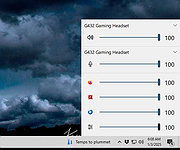 |
QuickSoundSwitcher v95 QuickSoundSwitcher v95 A free, custom Windows sound panel. QuickSoundSwitcher is an enhanced audio panel for Windows. It provide output and input volume / device / mute control as well as application volume mixer. It is made with a close to native user interface for Windows 10/11. Usage • Double left click on the tray icon to reveal the panel. • Click anywhere to close the panel. • Right click on the tray icon for a few options. Supported operating systems: Windows 10 and Windows 11 Click here to visit the author's website. |
|
678 | Jan 03, 2025 Odizinne |
 |
Request Slip Generator v2.0.1 Request Slip Generator v2.0.1 Generate professional song request slips for use in Karaoke and DJ shows. Easy intuitive interface makes the task of creating professional request slips a breeze. Various options include custom sheet arrays and sizes, custom fonts and sizes, optional border styles, and the ability to add your own custom logo, or simply choose from one of the built-in generic logos. - Customizable paper sizes for international users - Ability to export sheet of slips to PDF format (make once, print many times later) - Over 30 generic logos included! - Touch gesture support for touch screens - Oh yeah, it's completely FREE!!! Click here to visit the author's website. |
|
4,332 | Jan 16, 2020 Karaosoft |
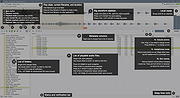 |
Resonic Player v0.9.3b Resonic Player v0.9.3b Resonic Player is a fast audio and music player, directory player, and sample browser, built around a big waveform view, a frequency analyzer, and a musical spectrum. The Player version is free for non-commercial and non-profit use. Meet the Waveform The Resonic user interface is built around a big waveform seek bar for a visual representation of the audio content. A custom browser and file list provides quick access to your folders and files. You can jump to any position in your audio or music files with a click into the waveform. Main Window Explained Player Features Ridiculously Fast Resonic makes extensive use of multi-core processing. Every important part is optimized for speed, which results in extremely fast browsing, seeking, and playback. Lightweight A couple of files, a few megabytes, low memory footprint, and tidy use of disk space. No bloated runtime packages are required. DLL files are not loaded on startup, but whenever they are required, which tailors memory usage to your behavior. Pure Sound In order to achieve the purest sound quality, there is absolutely nothing between decoded audio and sound output that might degrade quality, which is essential for both sound and sample previewing and audiophile audio playback. Resonic's audio engine runs on 32-bit floating point data. Clean Interface A major design goal is to always keep the graphical user interface clutter-free and user-friendly, without nested menus and dialogs, and without dumbing down the more powerful features. Click Less Single-Click Interface A single Left-Click navigates folders, plays files, seeks in audio, changes volume. No need to double-click just for the sake of it, but optionally available. No-Click Scrolling Move the mouse over controls and use the wheel to scroll lists, or to change volume. No need to click them first. Embrace your Keyboard Once you know the basic shortcuts you'll see how fast and comfortable keyboard-supported operation of Resonic really is. Play your folders instantly Resonic plays all your ... |
|
5,490 | Feb 13, 2020 Liqube Audio |
 |
Roll Credits 0.3 Roll Credits 0.3 Roll Credits takes a still image and makes a scrolling credits AVI out of it, by starting with all black and then scrolling the image from the bottom up at the specified rate, until the bottom of the image has scrolled past the top of the screen and then it stops. Most movie editors make this way harder than it has to be, so I wrote this utility to do the credits for a production I was involved in. I exported the AVI to DVD and played it on the big screen. The image is centered on the screen, the background is preset to black at the moment. PAL and NTSC are the only supported output formats at the moment. Changes: 0.3 Rewrote the front end after losing the code and binaries *sigh*. Added option for custom frame size and rate. Added a progress bar. |
|
6,684 | Oct 30, 2015 Matthew Allen |
 |
Shark's MediaInfo Tool v21.9-3 Shark's MediaInfo Tool v21.9-3 A free tool to squeeze out every last bit of information from your media files. The installer creates Windows send to and drag and drop desktop shortcuts automatically. The portable version comes with command line instructions on how to create send to and desktop shortcuts. When using the command line, shortcuts are created for ALL users. This download is for the installer. If you need the portable version, download here. Use 7-Zip 32bit or 7-Zip 64bit to unzip this file. Click here to visit the author's website. |
|
2,768 | Mar 09, 2022 Shark007 |
OlderGeeks.com Copyright (c) 2026
